
View DevOps course details at www.edureka.co/devops
Enhance Your Agility with DevOps
Slide 2 www.edureka.co/devops
Objectives
At the end of this module, you will be able to understand -
 DevOps and its importance
 DevOps Life cycle
 Configuration Management Using Puppet
 Demo using Puppet to install Apache web server.
 Continuous Integration Using Jenkins
 Demo using Jenkins
Slide 3 www.edureka.co/devops
What is DevOps
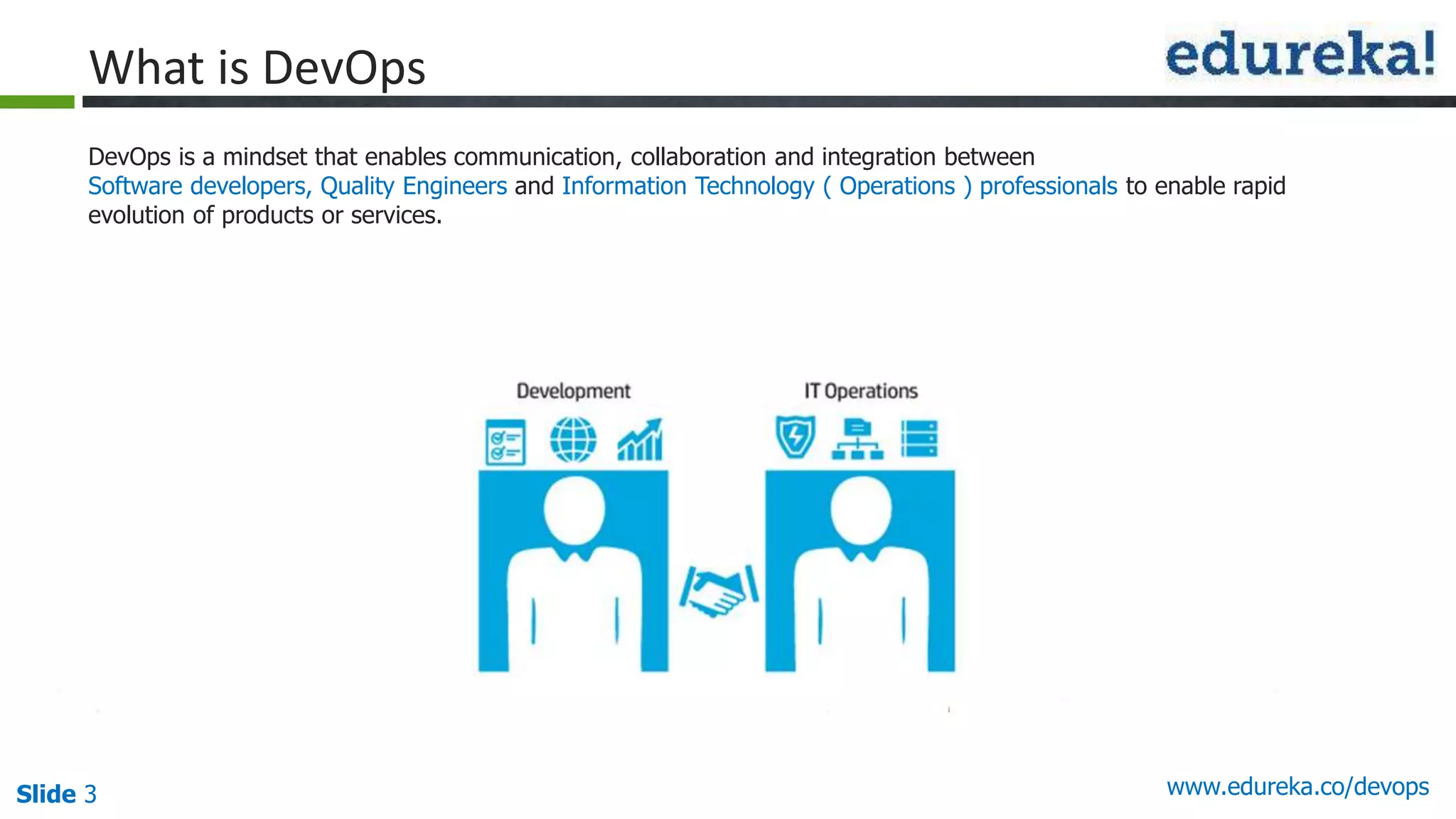
DevOps is a mindset that enables communication, collaboration and integration between
Software developers, Quality Engineers and Information Technology ( Operations ) professionals to enable rapid
evolution of products or services.
Slide 4 www.edureka.co/devops
Development & Operation (DevOps)
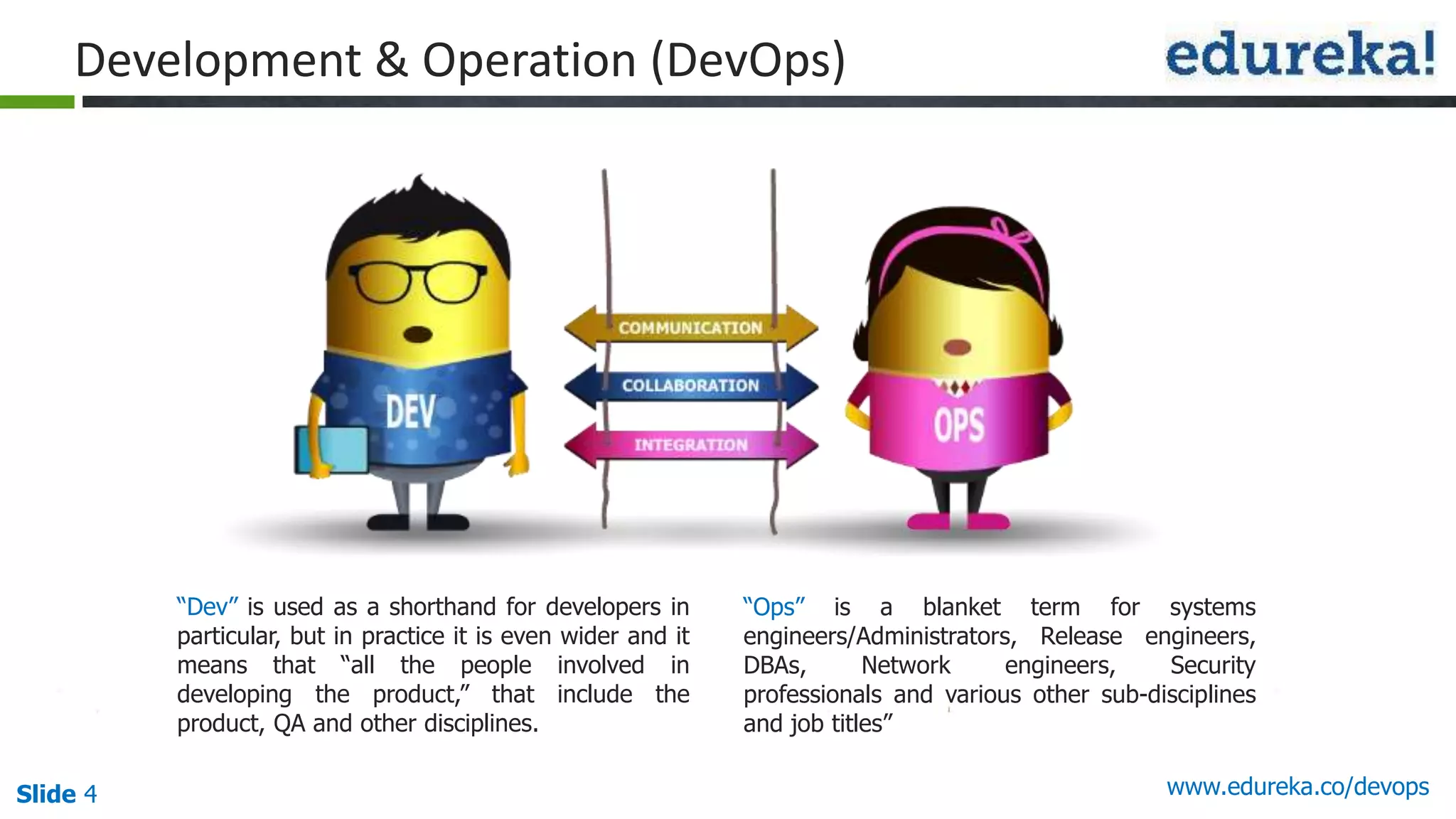
“Dev” is used as a shorthand for developers in
particular, but in practice it is even wider and it
means that “all the people involved in
developing the product,” that include the
product, QA and other disciplines.
“Ops” is a blanket term for systems
engineers/Administrators, Release engineers,
DBAs, Network engineers, Security
professionals and various other sub-disciplines
and job titles”
Slide 5 www.edureka.co/devops
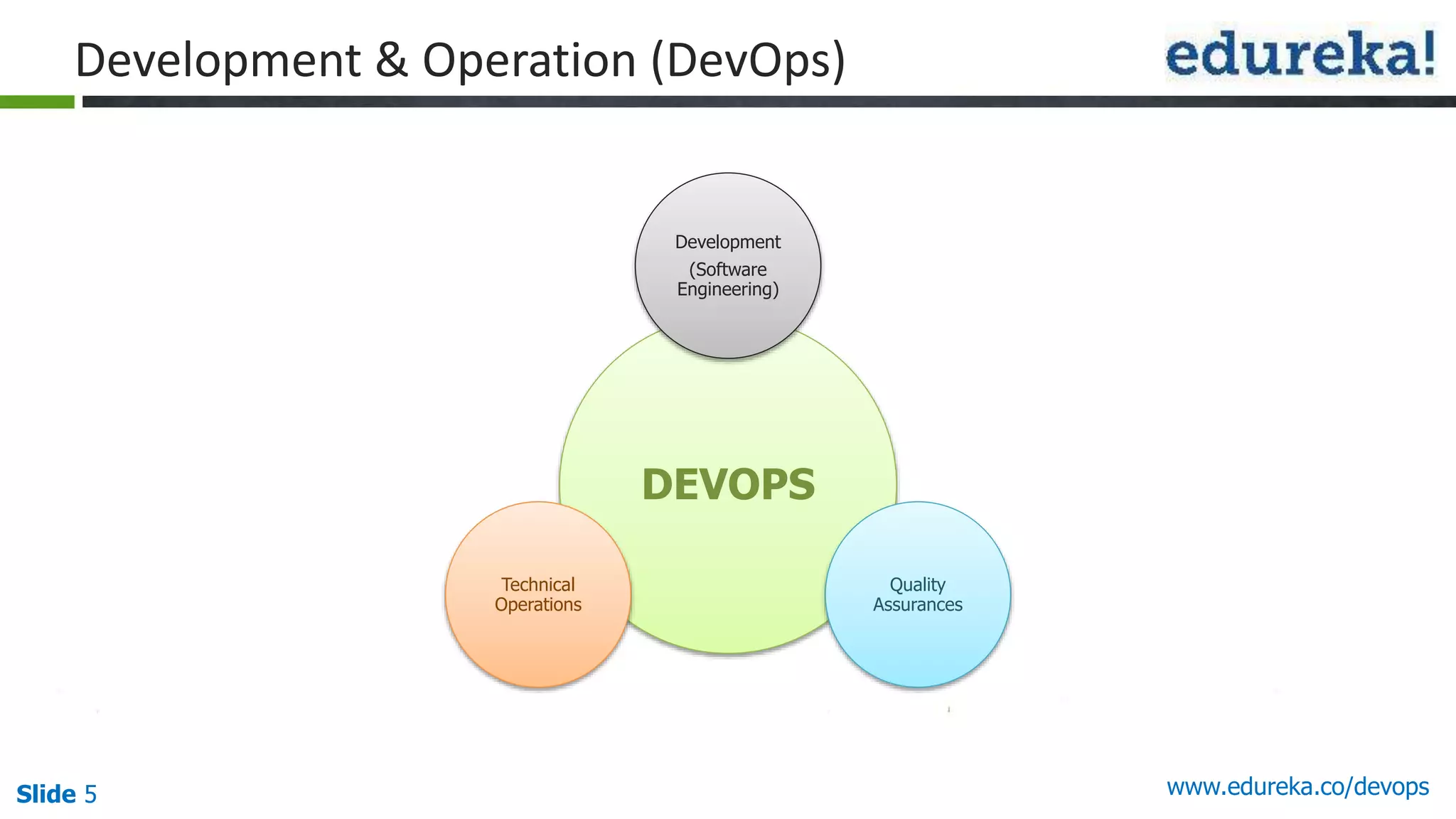
Development & Operation (DevOps)
DEVOPS
Development
(Software
Engineering)
Quality
Assurances
Technical
Operations
Slide 6 www.edureka.co/devops
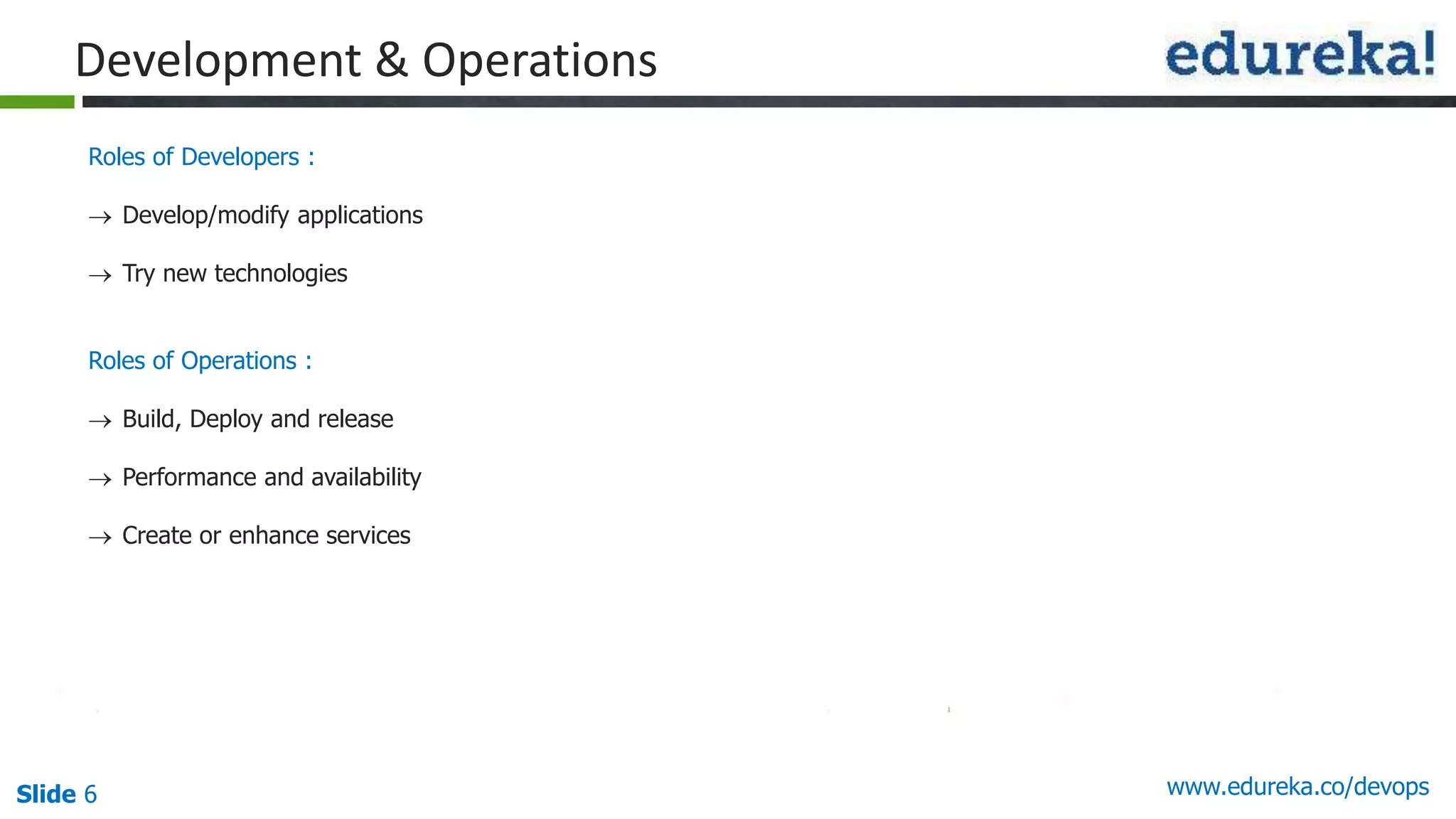
Roles of Developers :
 Develop/modify applications
 Try new technologies
Roles of Operations :
 Build, Deploy and release
 Performance and availability
 Create or enhance services
Development & Operations
Slide 7Slide 7Slide 7 www.edureka.co/devops
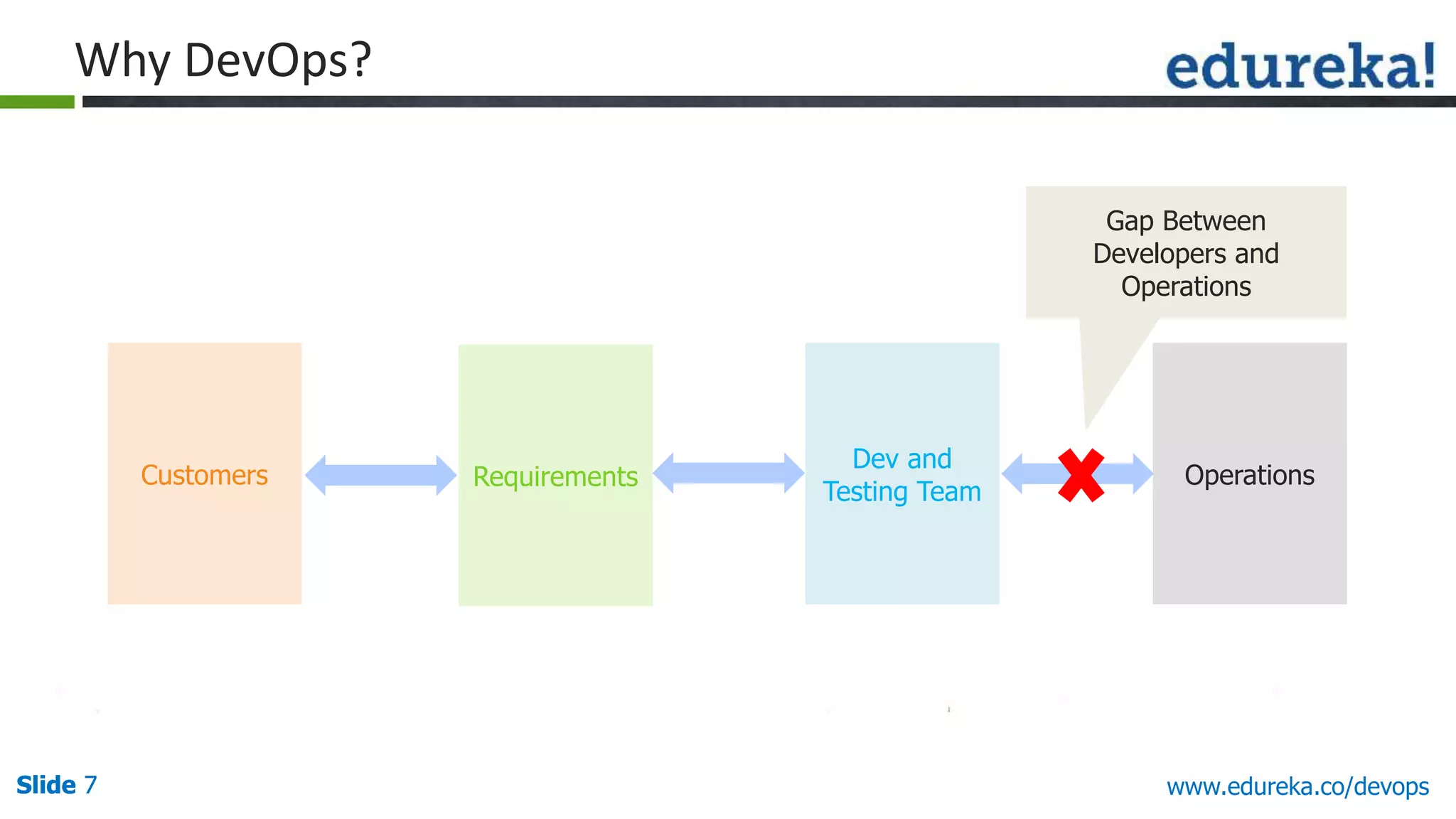
Why DevOps?
Customers Requirements
Dev and
Testing Team
Operations
Gap Between
Developers and
Operations
Slide 8Slide 8Slide 8 www.edureka.co/devops
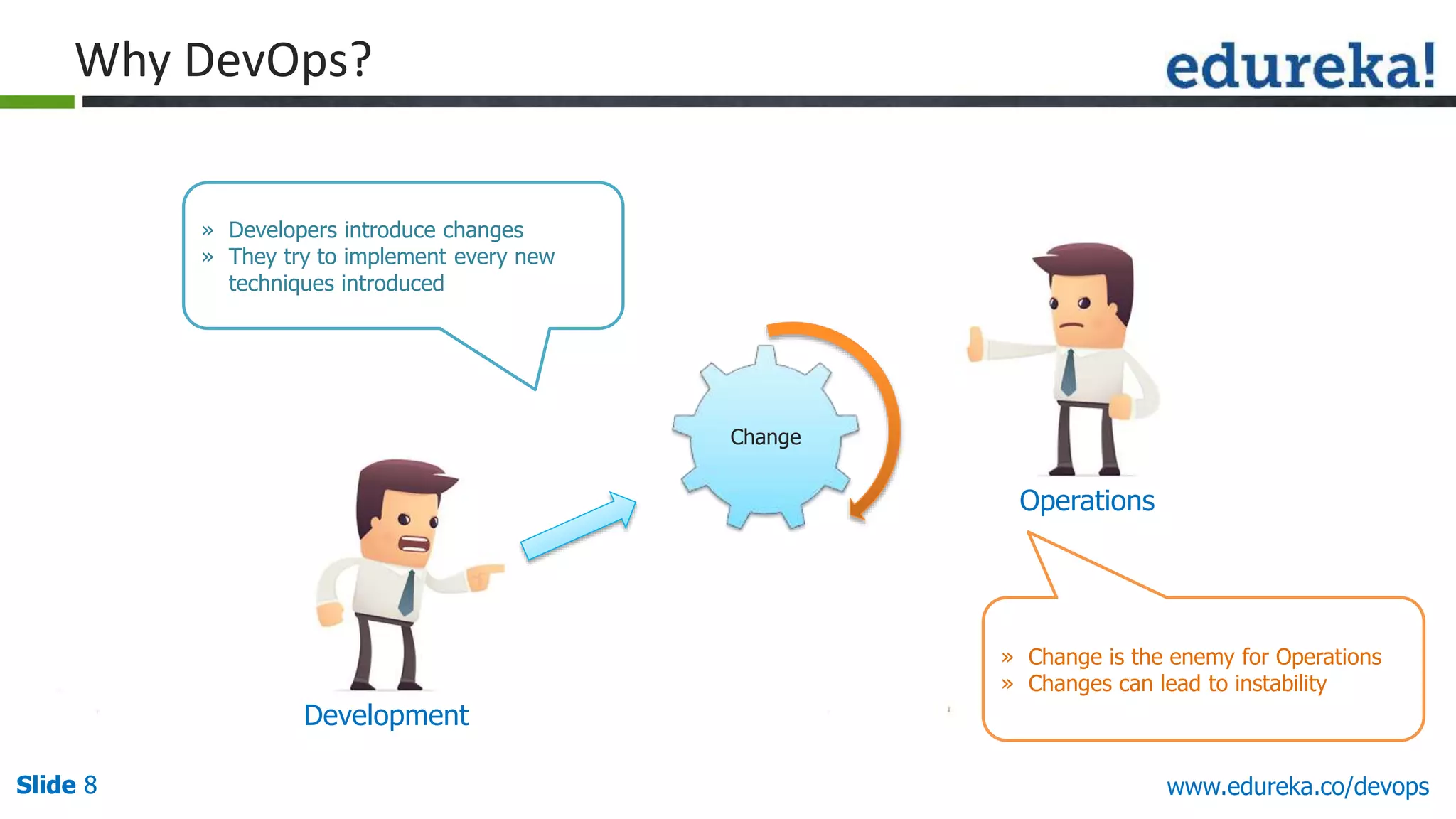
Why DevOps?
Development
Operations
Change
» Developers introduce changes
» They try to implement every new
techniques introduced
» Change is the enemy for Operations
» Changes can lead to instability
Slide 9Slide 9Slide 9 www.edureka.co/devops
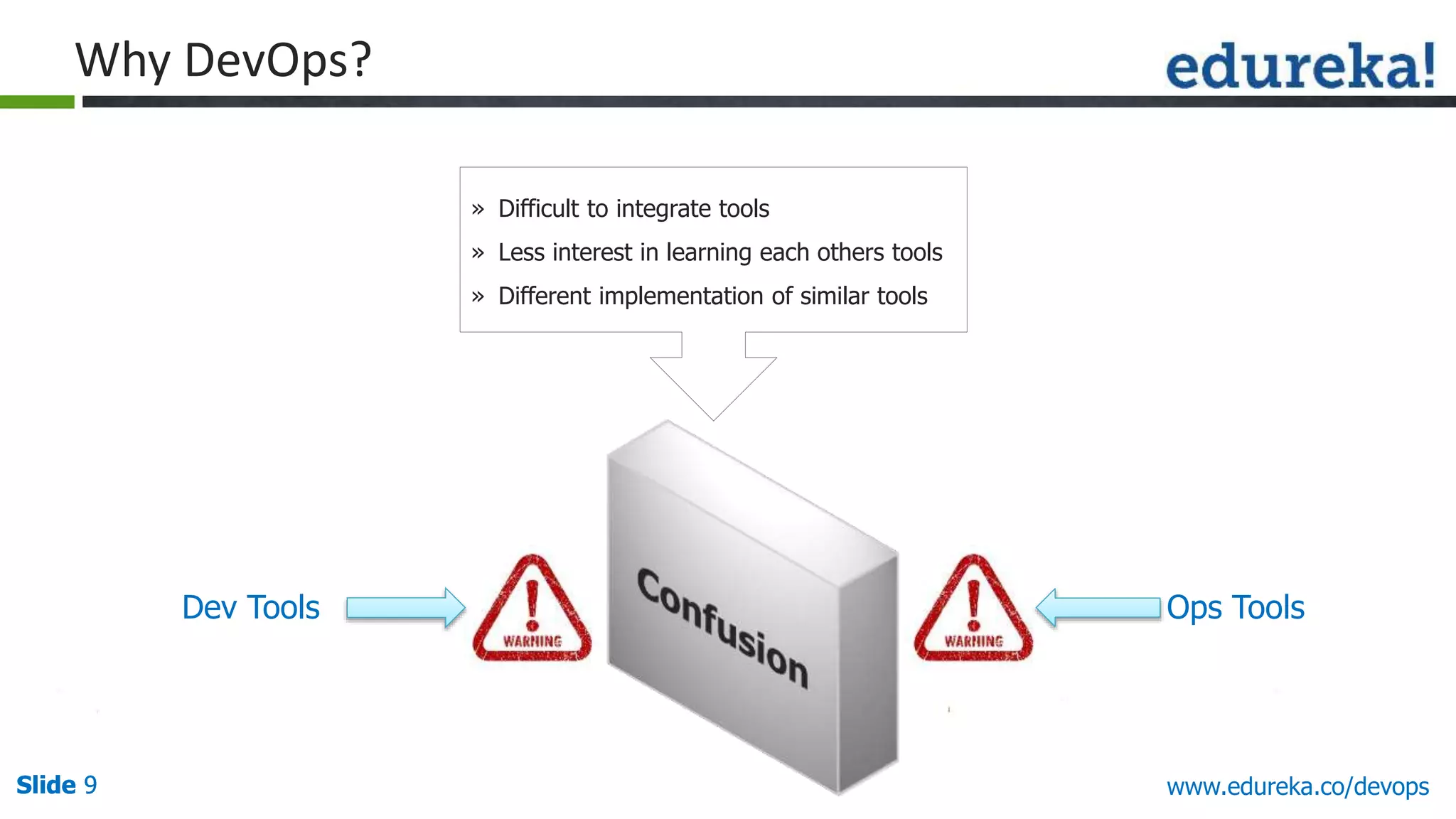
Dev Tools Ops Tools
» Difficult to integrate tools
» Less interest in learning each others tools
» Different implementation of similar tools
Why DevOps?
Slide 10Slide 10Slide 10 www.edureka.co/devops
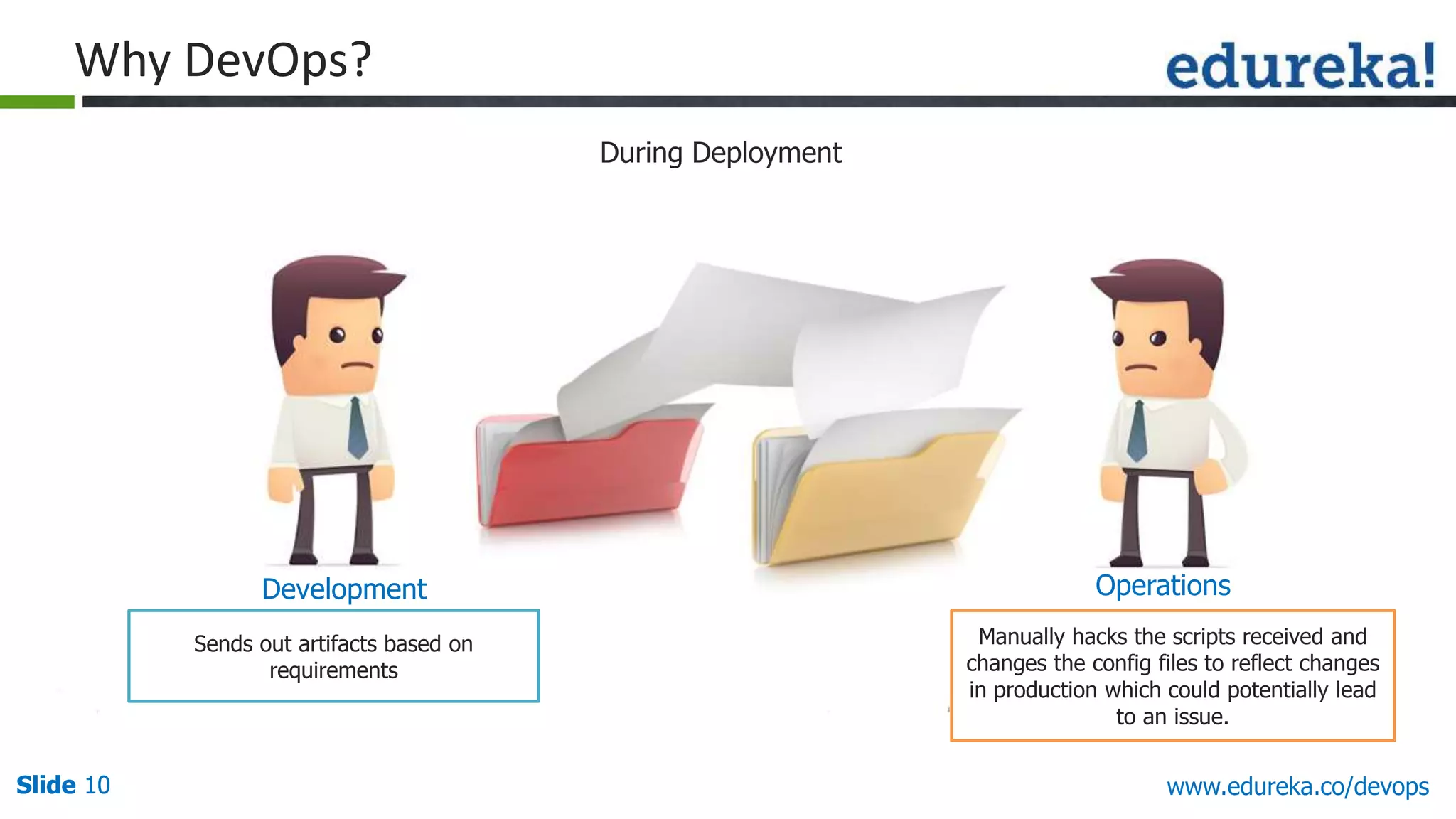
During Deployment
Sends out artifacts based on
requirements
Manually hacks the scripts received and
changes the config files to reflect changes
in production which could potentially lead
to an issue.
Development Operations
Why DevOps?
Slide 11Slide 11Slide 11 www.edureka.co/devops
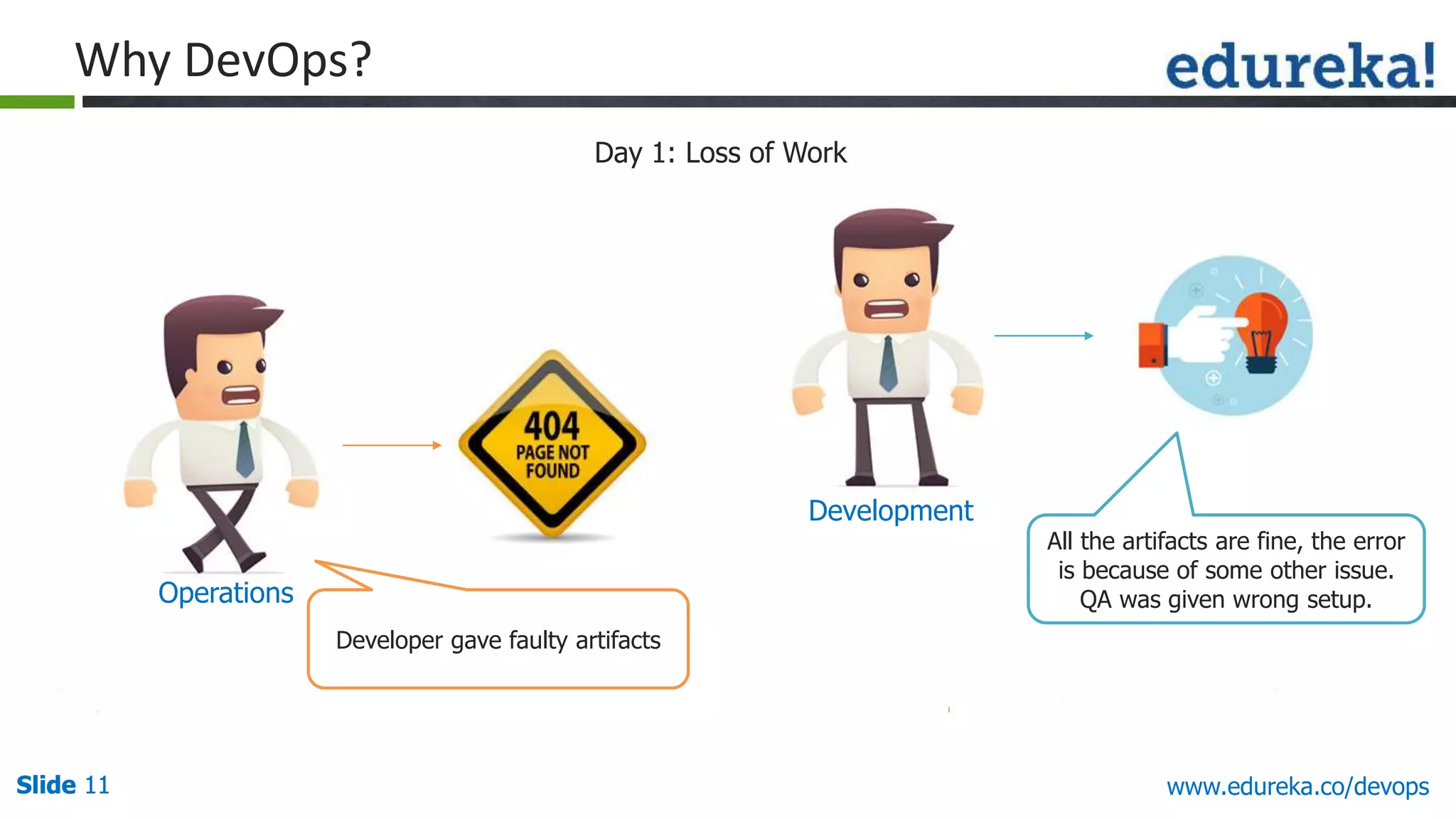
All the artifacts are fine, the error
is because of some other issue.
QA was given wrong setup.
Developer gave faulty artifacts
Development
Operations
Day 1: Loss of Work
Why DevOps?
Slide 12Slide 12Slide 12 www.edureka.co/devops
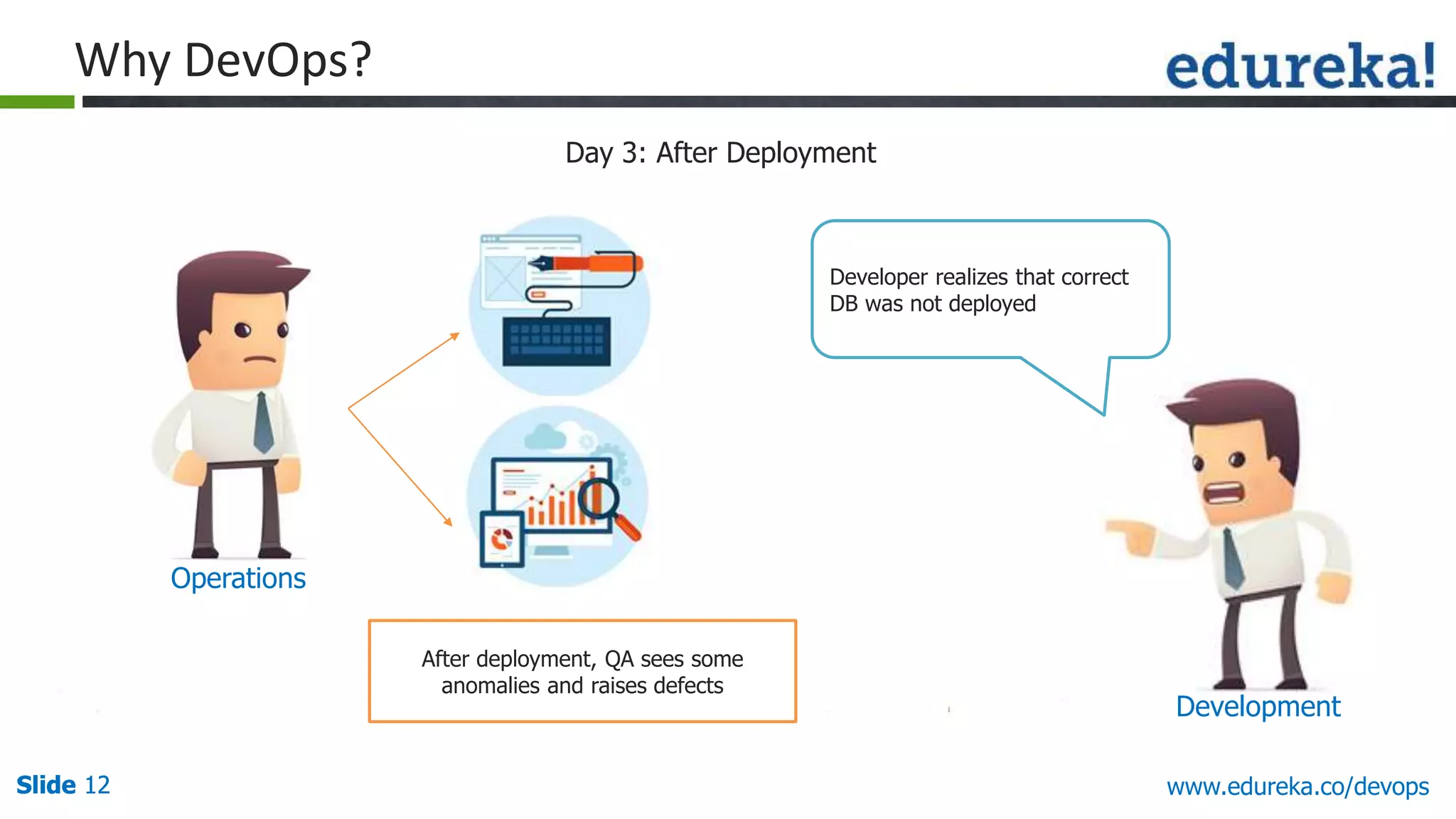
After deployment, QA sees some
anomalies and raises defects
Day 3: After Deployment
Operations
Developer realizes that correct
DB was not deployed
Development
Why DevOps?
Slide 13 www.edureka.co/devops
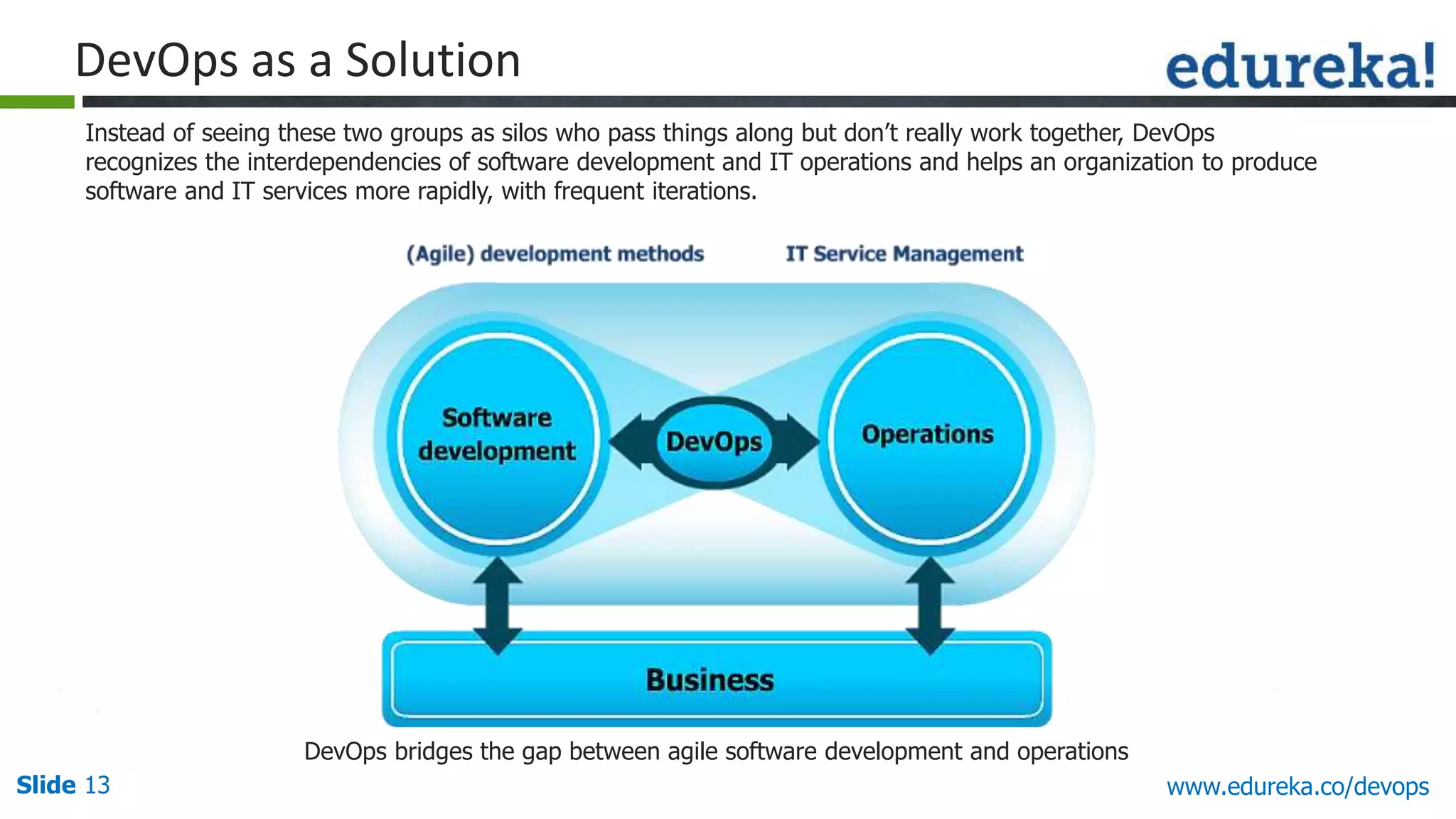
DevOps as a Solution
Instead of seeing these two groups as silos who pass things along but don’t really work together, DevOps
recognizes the interdependencies of software development and IT operations and helps an organization to produce
software and IT services more rapidly, with frequent iterations.
DevOps bridges the gap between agile software development and operations
Slide 14 www.edureka.co/devops
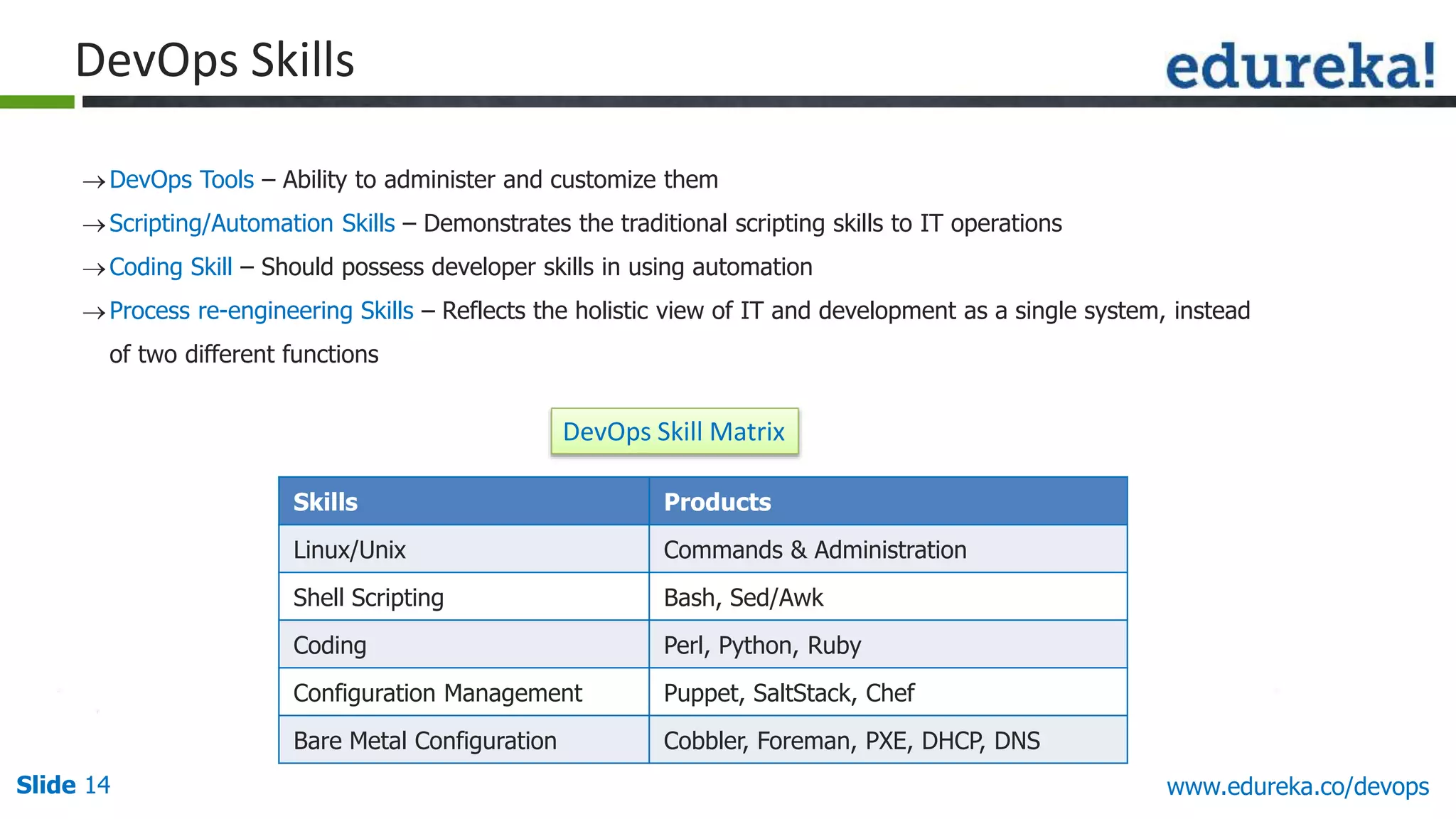
DevOps Skills
DevOps Tools – Ability to administer and customize them
Scripting/Automation Skills – Demonstrates the traditional scripting skills to IT operations
Coding Skill – Should possess developer skills in using automation
Process re-engineering Skills – Reflects the holistic view of IT and development as a single system, instead
of two different functions
Skills Products
Linux/Unix Commands & Administration
Shell Scripting Bash, Sed/Awk
Coding Perl, Python, Ruby
Configuration Management Puppet, SaltStack, Chef
Bare Metal Configuration Cobbler, Foreman, PXE, DHCP, DNS
DevOps Skill Matrix
Slide 15 www.edureka.co/devops
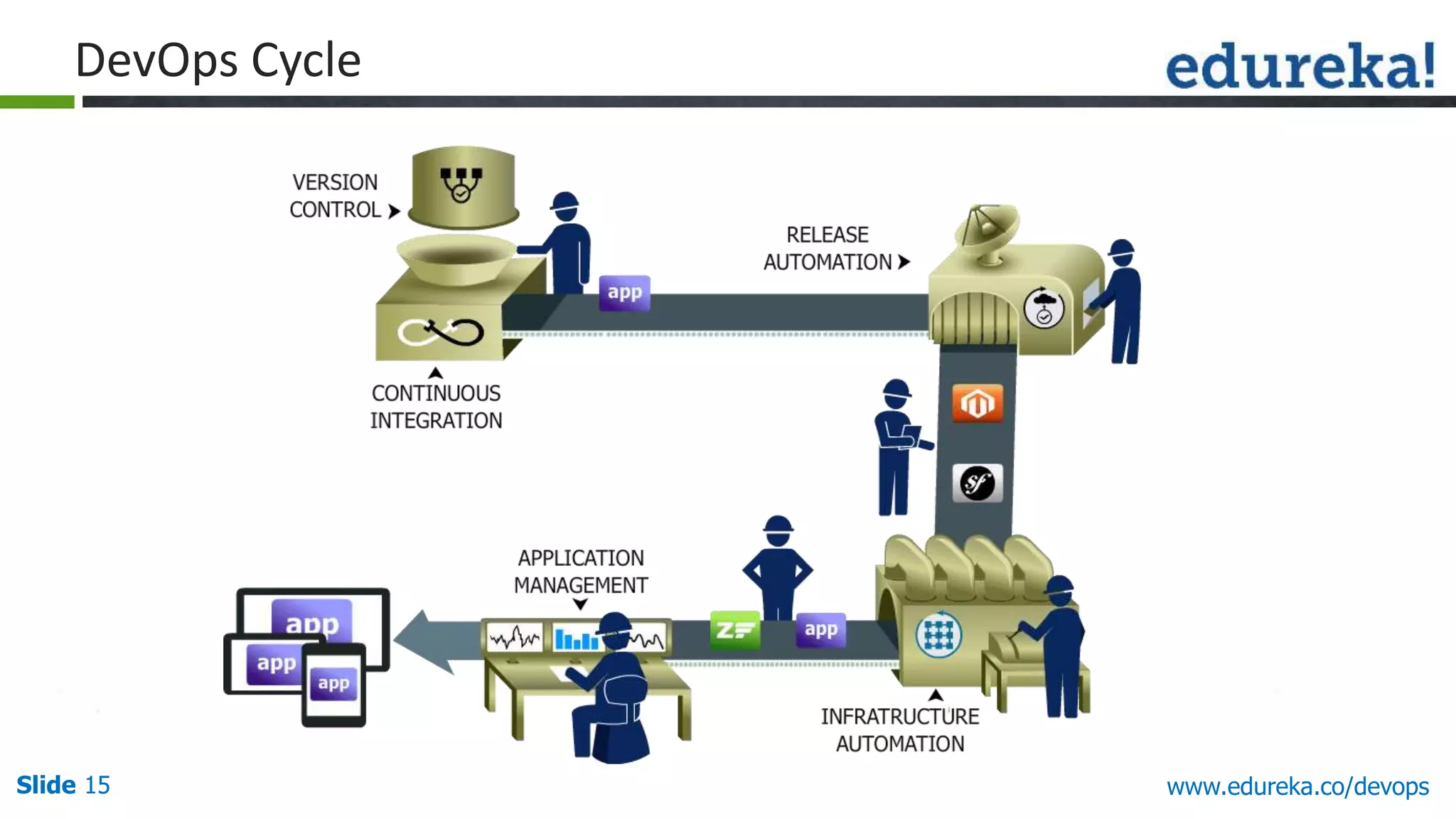
DevOps Cycle
Slide 16 www.edureka.co/devops
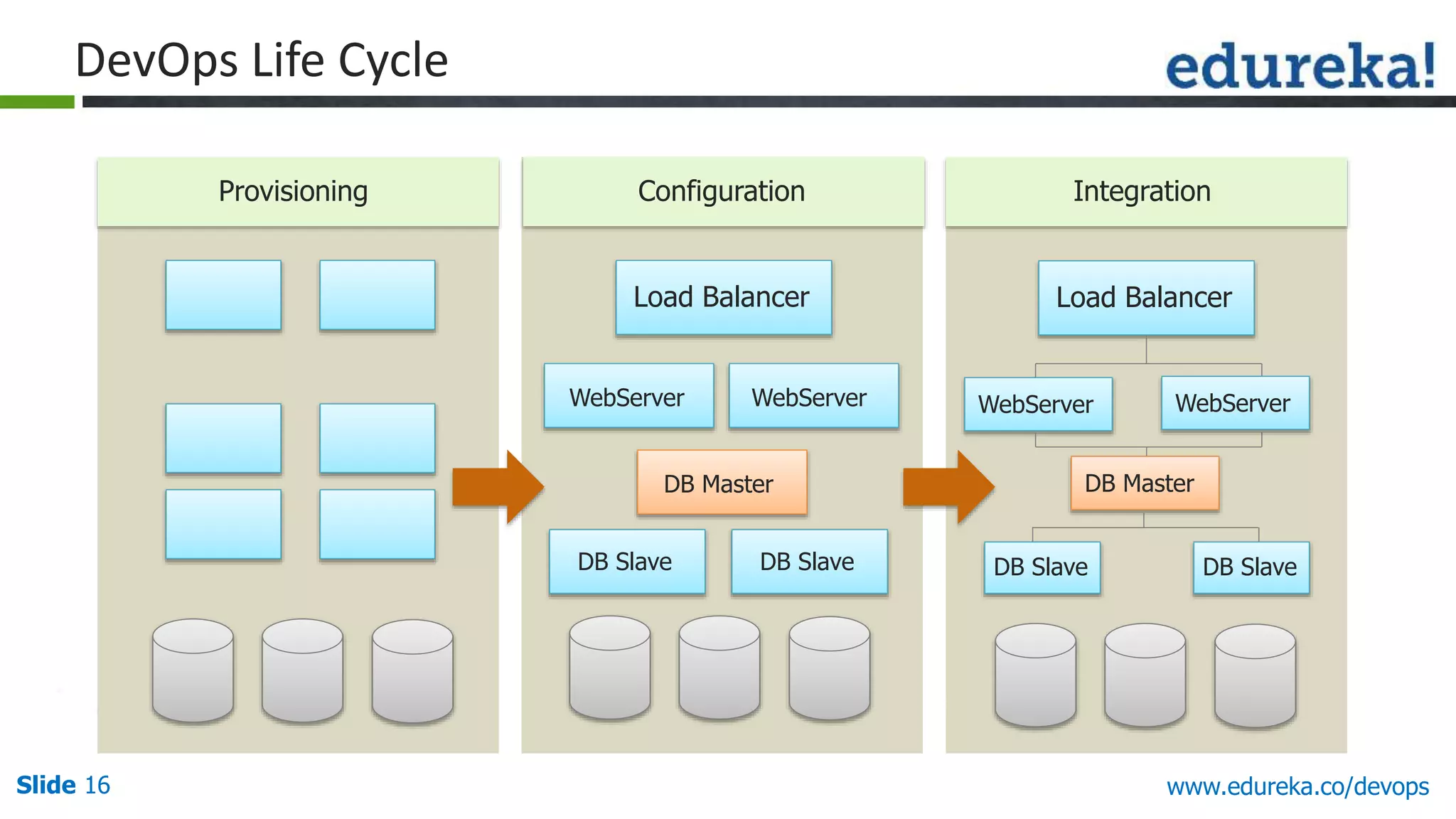
Provisioning Configuration Integration
Load Balancer
WebServer WebServer
DB Master
DB Slave DB Slave
Load Balancer
WebServer WebServer
DB Master
DB Slave DB Slave
DevOps Life Cycle
Slide 17 www.edureka.co/devops
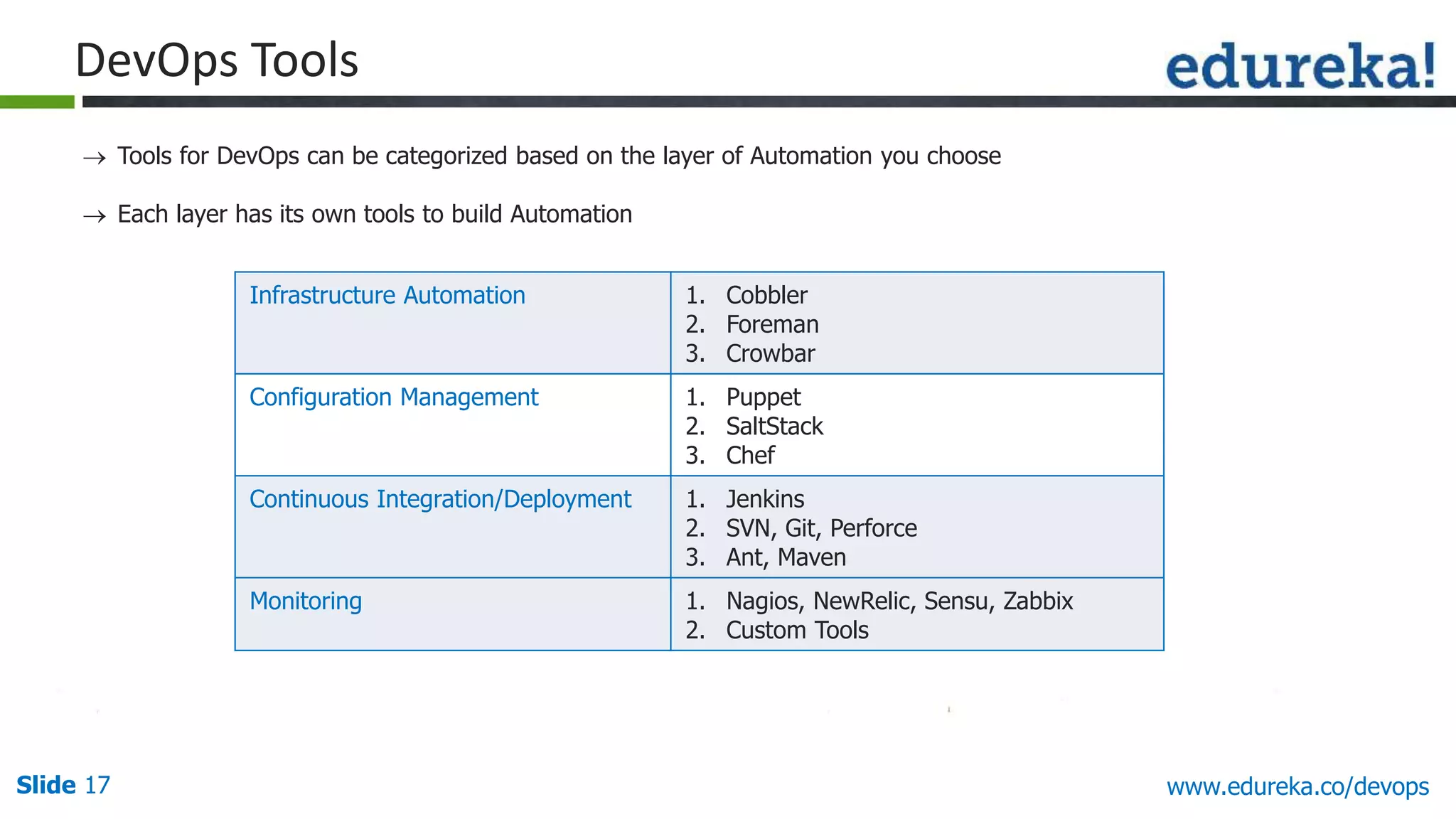
DevOps Tools
 Tools for DevOps can be categorized based on the layer of Automation you choose
 Each layer has its own tools to build Automation
Infrastructure Automation 1. Cobbler
2. Foreman
3. Crowbar
Configuration Management 1. Puppet
2. SaltStack
3. Chef
Continuous Integration/Deployment 1. Jenkins
2. SVN, Git, Perforce
3. Ant, Maven
Monitoring 1. Nagios, NewRelic, Sensu, Zabbix
2. Custom Tools
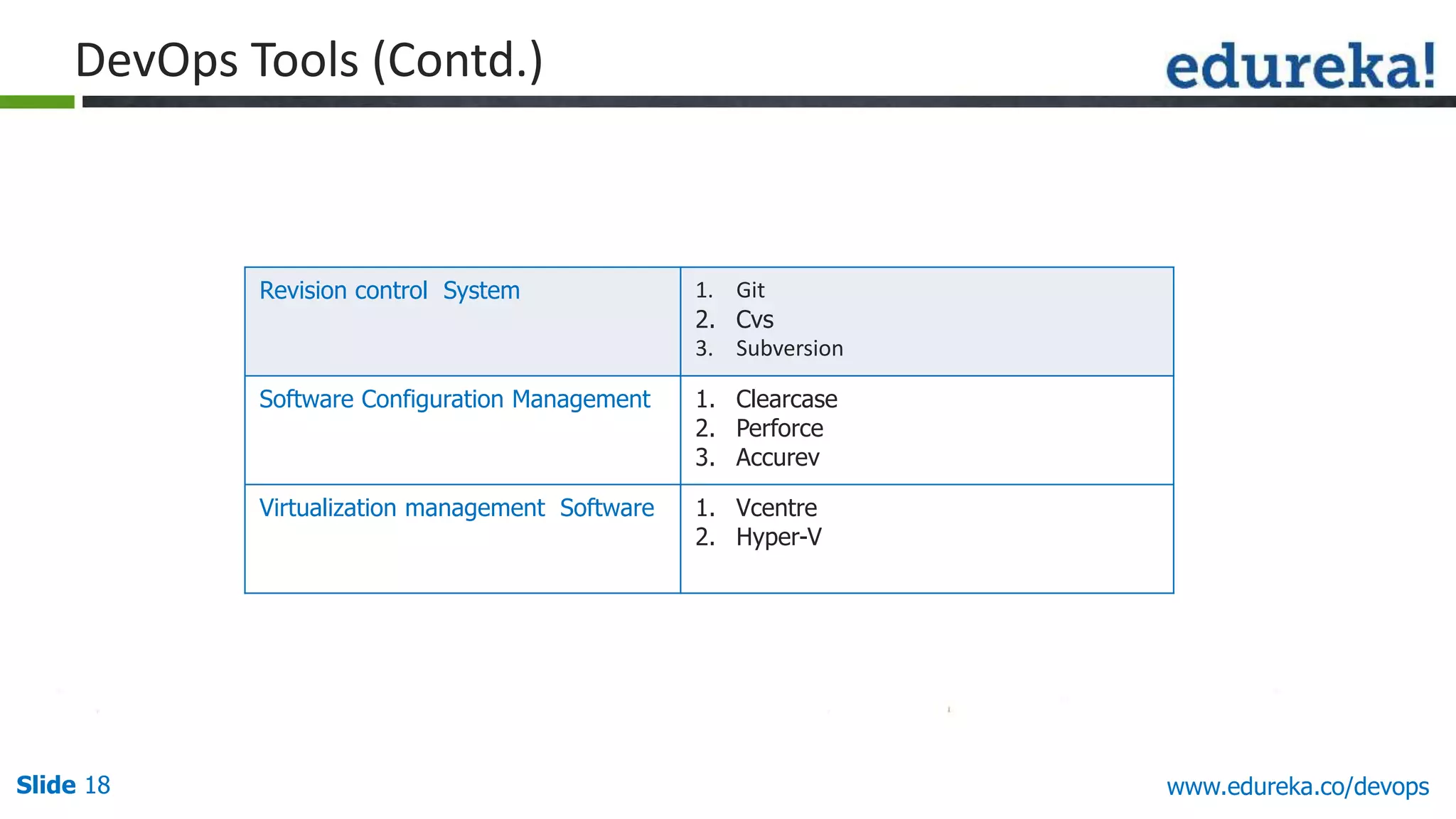
Slide 18 www.edureka.co/devops
Revision control System 1. Git
2. Cvs
3. Subversion
Software Configuration Management 1. Clearcase
2. Perforce
3. Accurev
Virtualization management Software 1. Vcentre
2. Hyper-V
DevOps Tools (Contd.)
Slide 19Slide 19Slide 19 www.edureka.co/devops
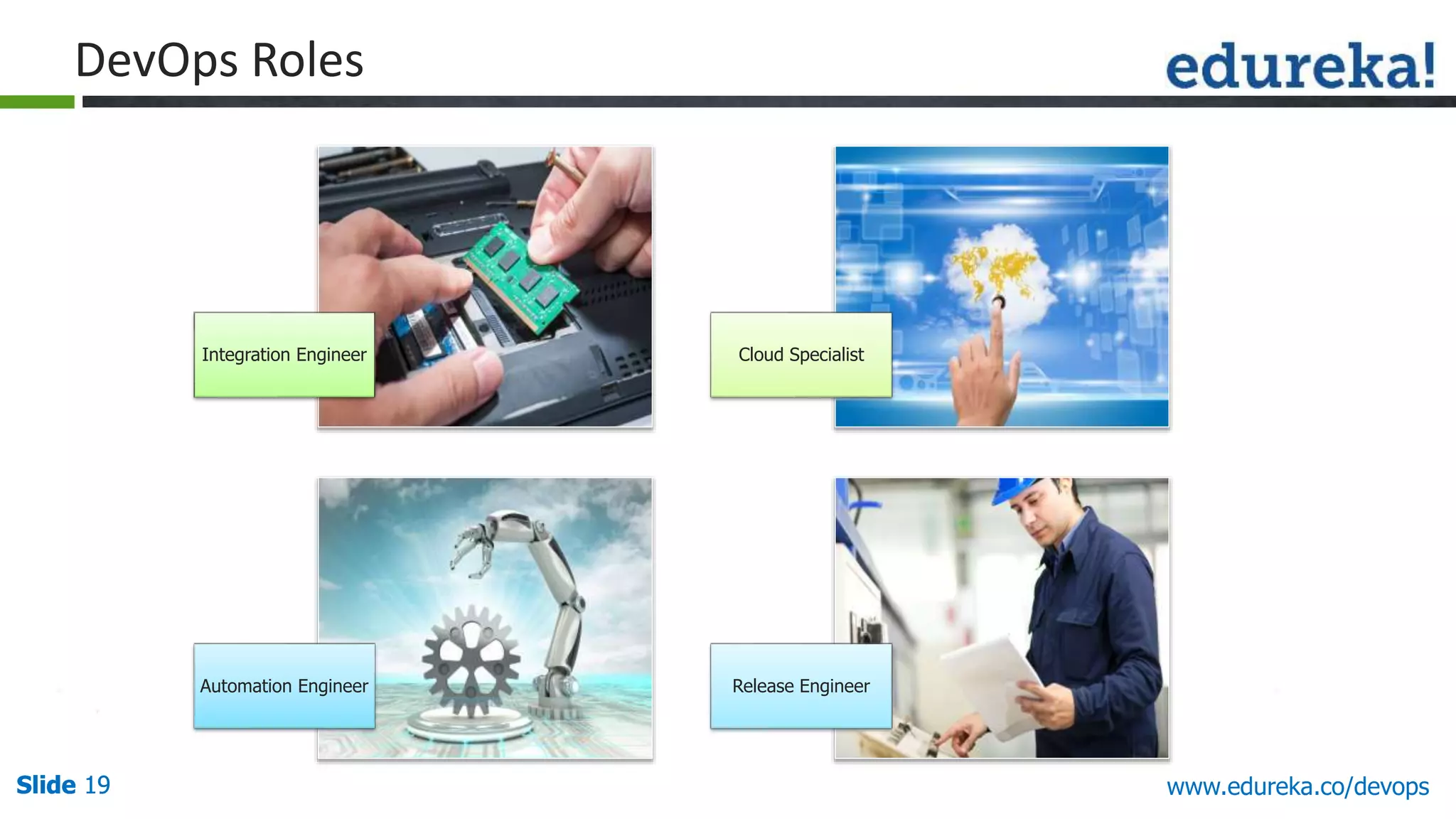
Integration Engineer Cloud Specialist
Automation Engineer Release Engineer
DevOps Roles
Slide 20 www.edureka.co/devops
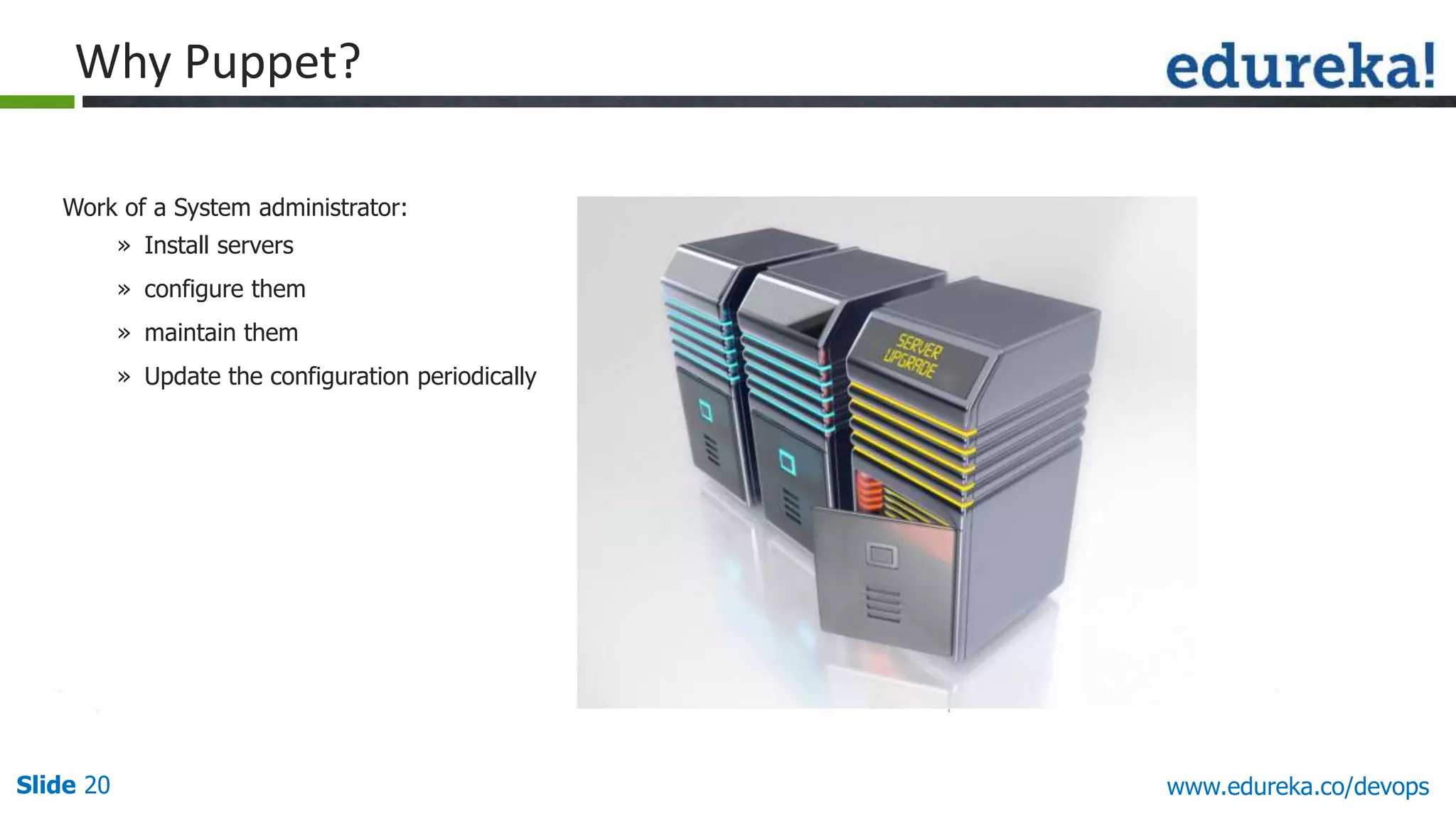
Work of a System administrator:
» Install servers
» configure them
» maintain them
» Update the configuration periodically
Why Puppet?
Slide 21 www.edureka.co/devops
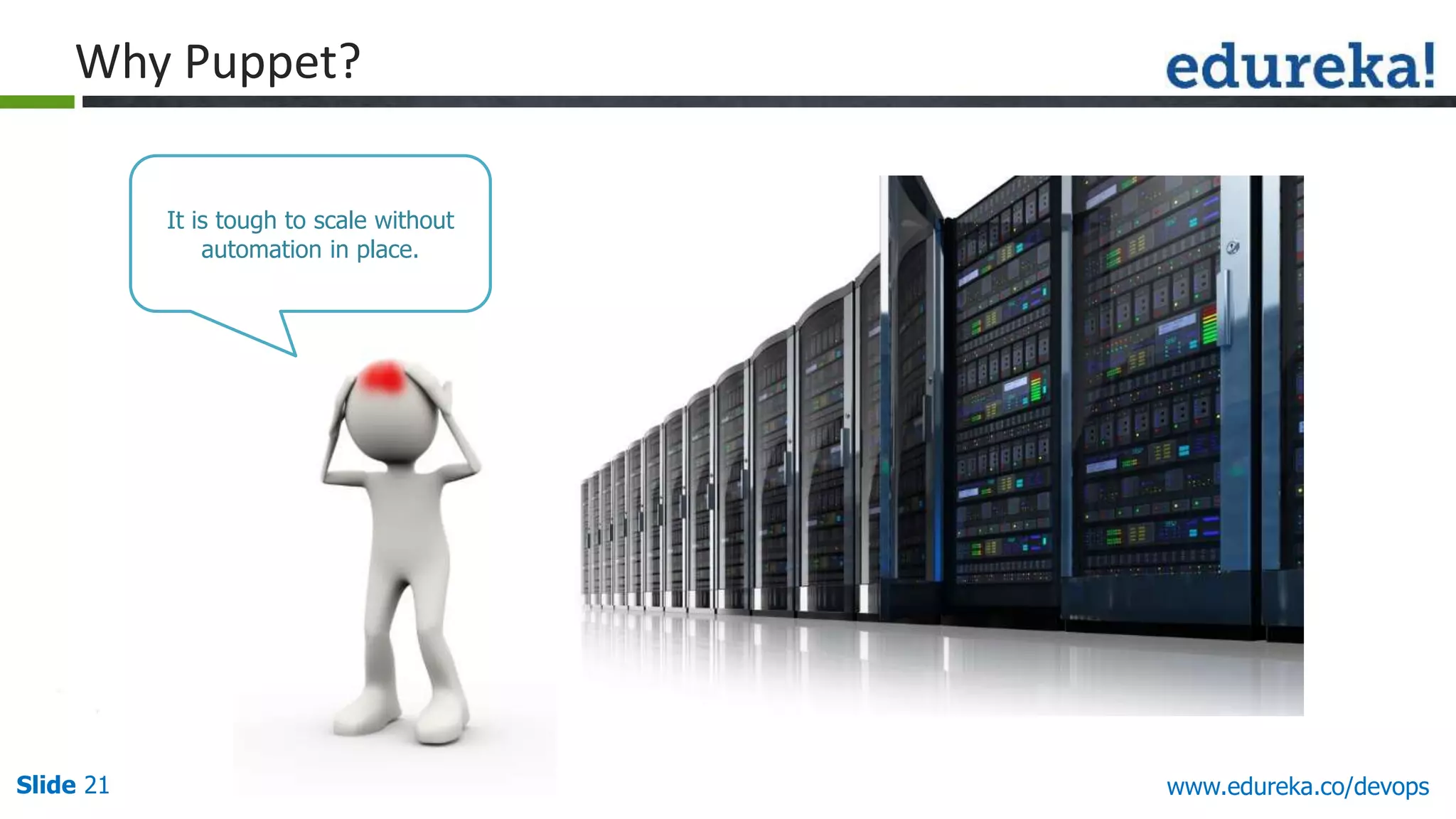
Why Puppet?
It is tough to scale without
automation in place.
Slide 22 www.edureka.co/devops
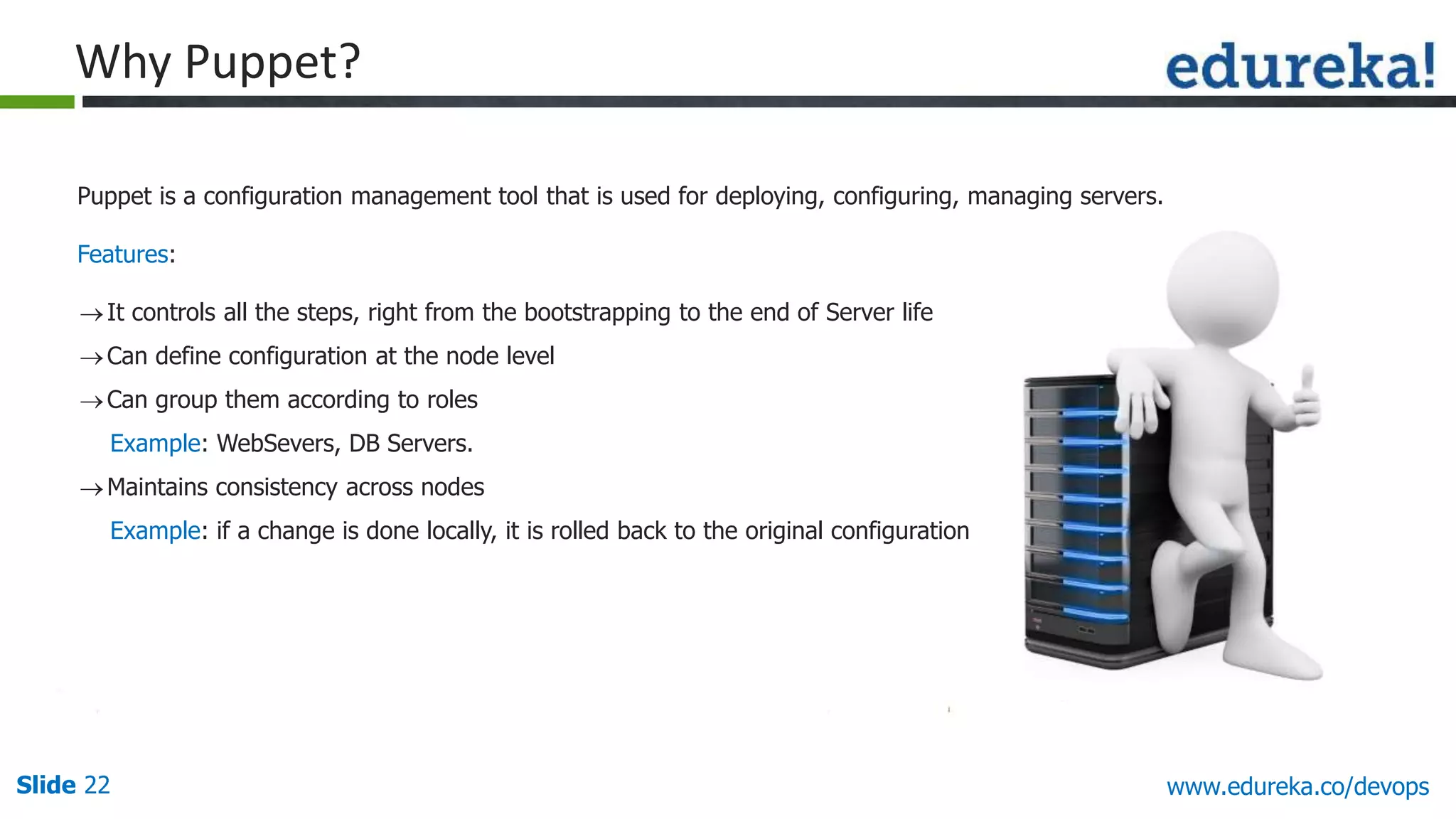
Puppet is a configuration management tool that is used for deploying, configuring, managing servers.
Features:
Why Puppet?
It controls all the steps, right from the bootstrapping to the end of Server life
Can define configuration at the node level
Can group them according to roles
Example: WebSevers, DB Servers.
Maintains consistency across nodes
Example: if a change is done locally, it is rolled back to the original configuration
Slide 23 www.edureka.co/devops
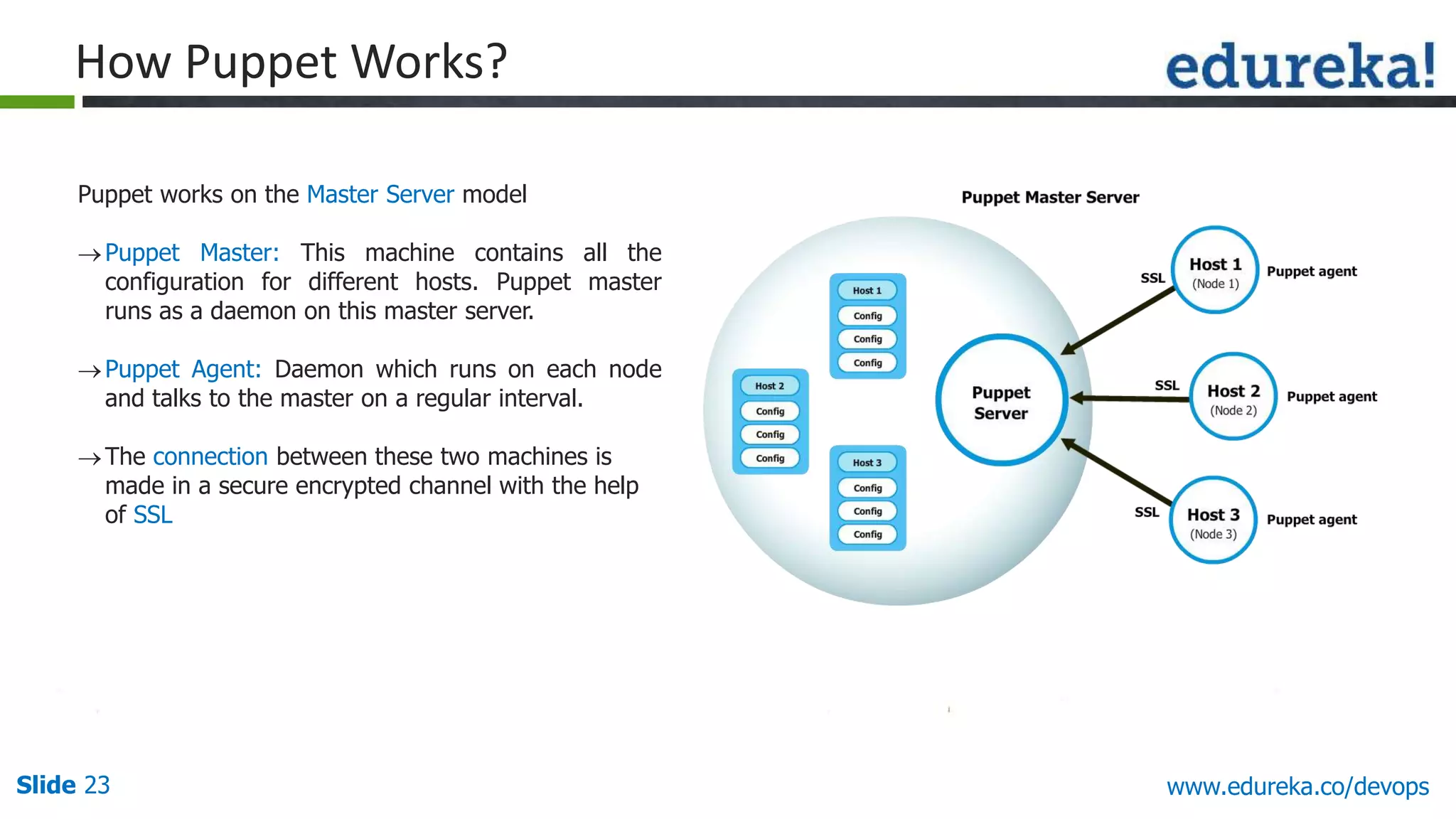
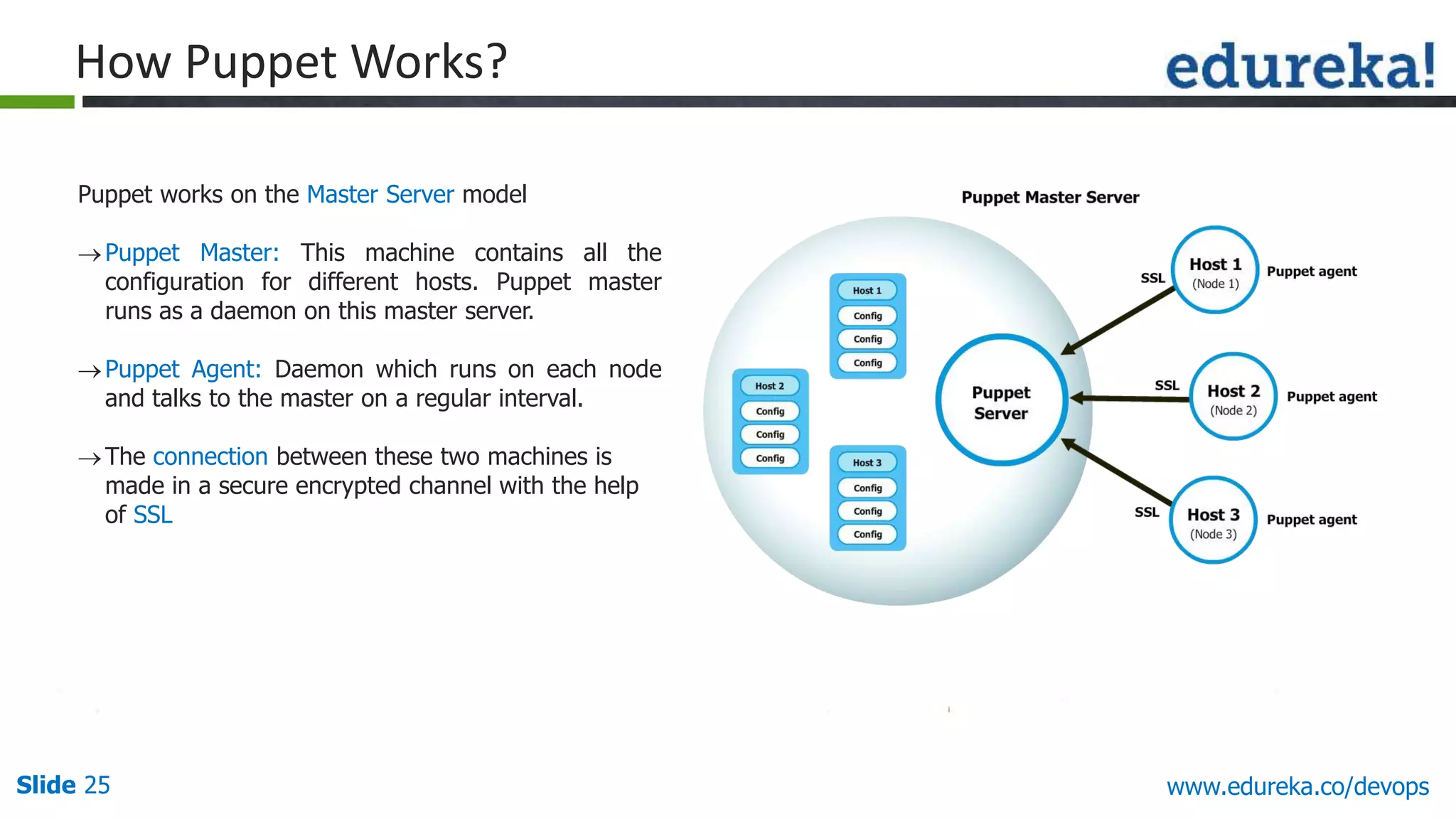
Puppet works on the Master Server model
Puppet Master: This machine contains all the
configuration for different hosts. Puppet master
runs as a daemon on this master server.
Puppet Agent: Daemon which runs on each node
and talks to the master on a regular interval.
The connection between these two machines is
made in a secure encrypted channel with the help
of SSL
How Puppet Works?
Slide 24 www.edureka.co/devops
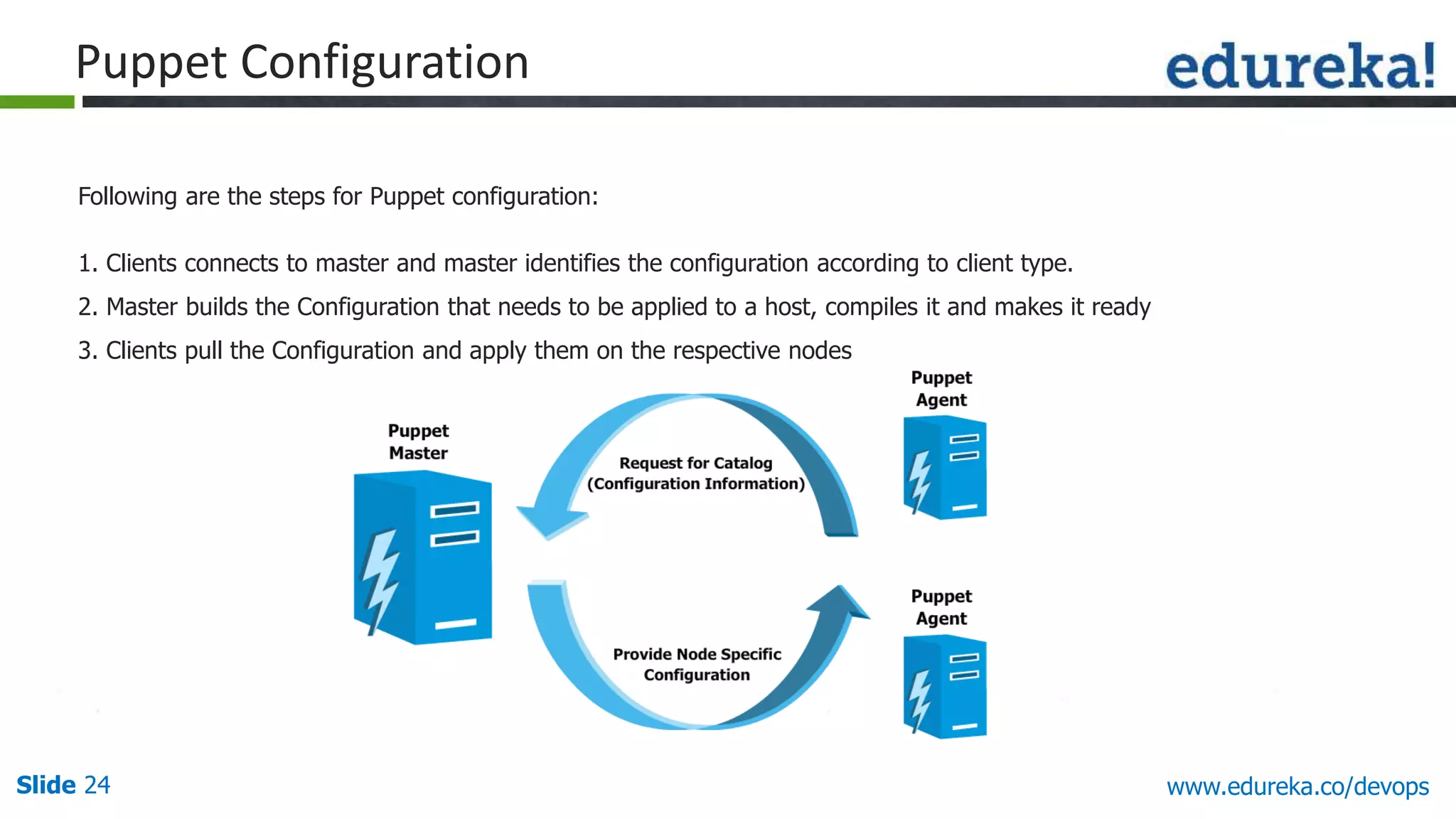
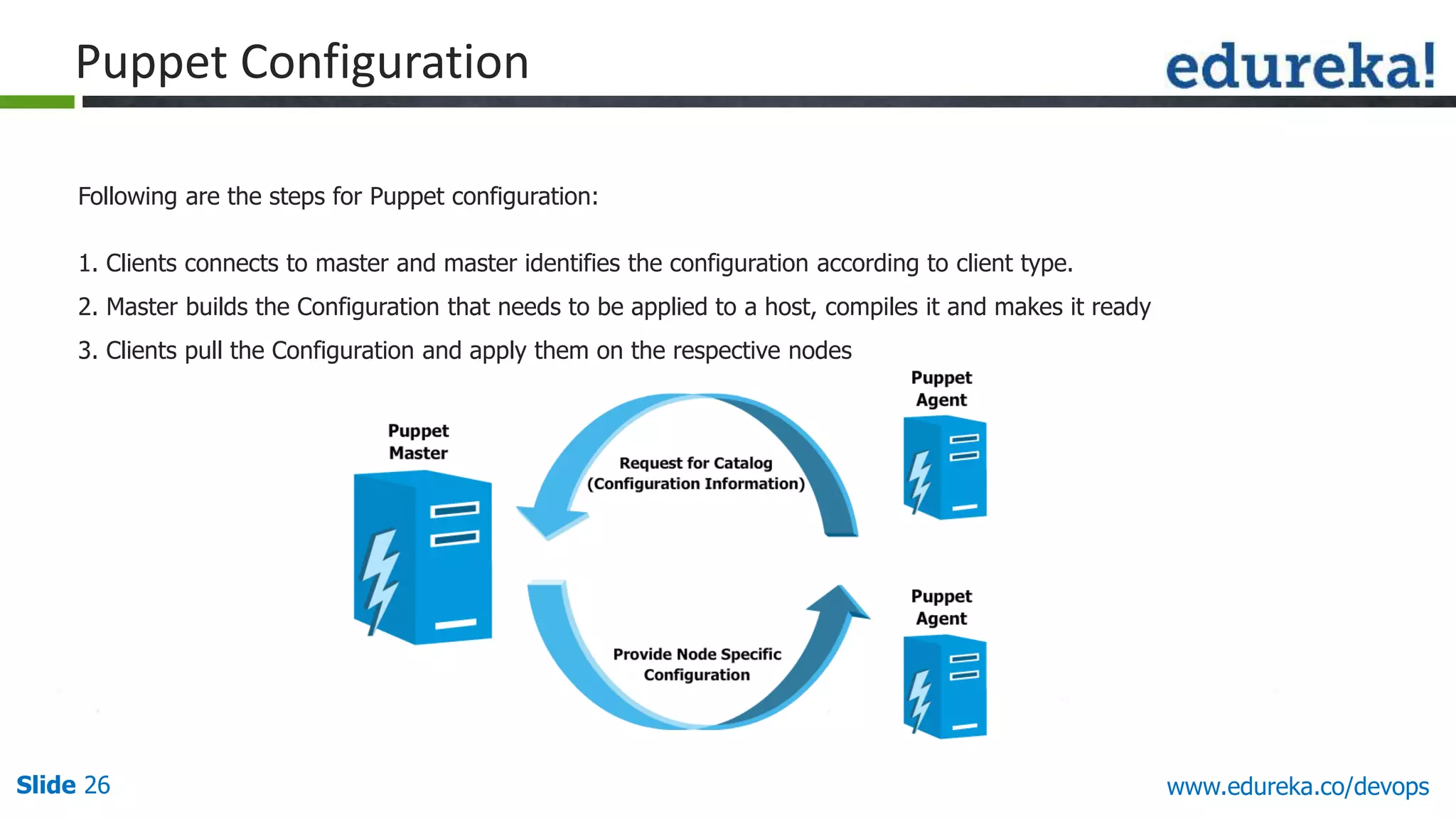
Following are the steps for Puppet configuration:
1. Clients connects to master and master identifies the configuration according to client type.
2. Master builds the Configuration that needs to be applied to a host, compiles it and makes it ready
3. Clients pull the Configuration and apply them on the respective nodes
Puppet Configuration
Slide 25 www.edureka.co/devops
Puppet works on the Master Server model
Puppet Master: This machine contains all the
configuration for different hosts. Puppet master
runs as a daemon on this master server.
Puppet Agent: Daemon which runs on each node
and talks to the master on a regular interval.
The connection between these two machines is
made in a secure encrypted channel with the help
of SSL
How Puppet Works?
Slide 26 www.edureka.co/devops
Following are the steps for Puppet configuration:
1. Clients connects to master and master identifies the configuration according to client type.
2. Master builds the Configuration that needs to be applied to a host, compiles it and makes it ready
3. Clients pull the Configuration and apply them on the respective nodes
Puppet Configuration
Slide 27 www.edureka.co/devops
Demo on Puppet
Slide 28 www.edureka.co/devops
“Continuous Integration is a software development practice where members of a team integrate their
work frequently, usually each person integrates at least daily - leading to multiple integrations per day.
Each integration is verified by an automated build (including test) to detect integration errors as quickly
as possible”
– Martin Fowler
Continuous Integration
Slide 29 www.edureka.co/devops
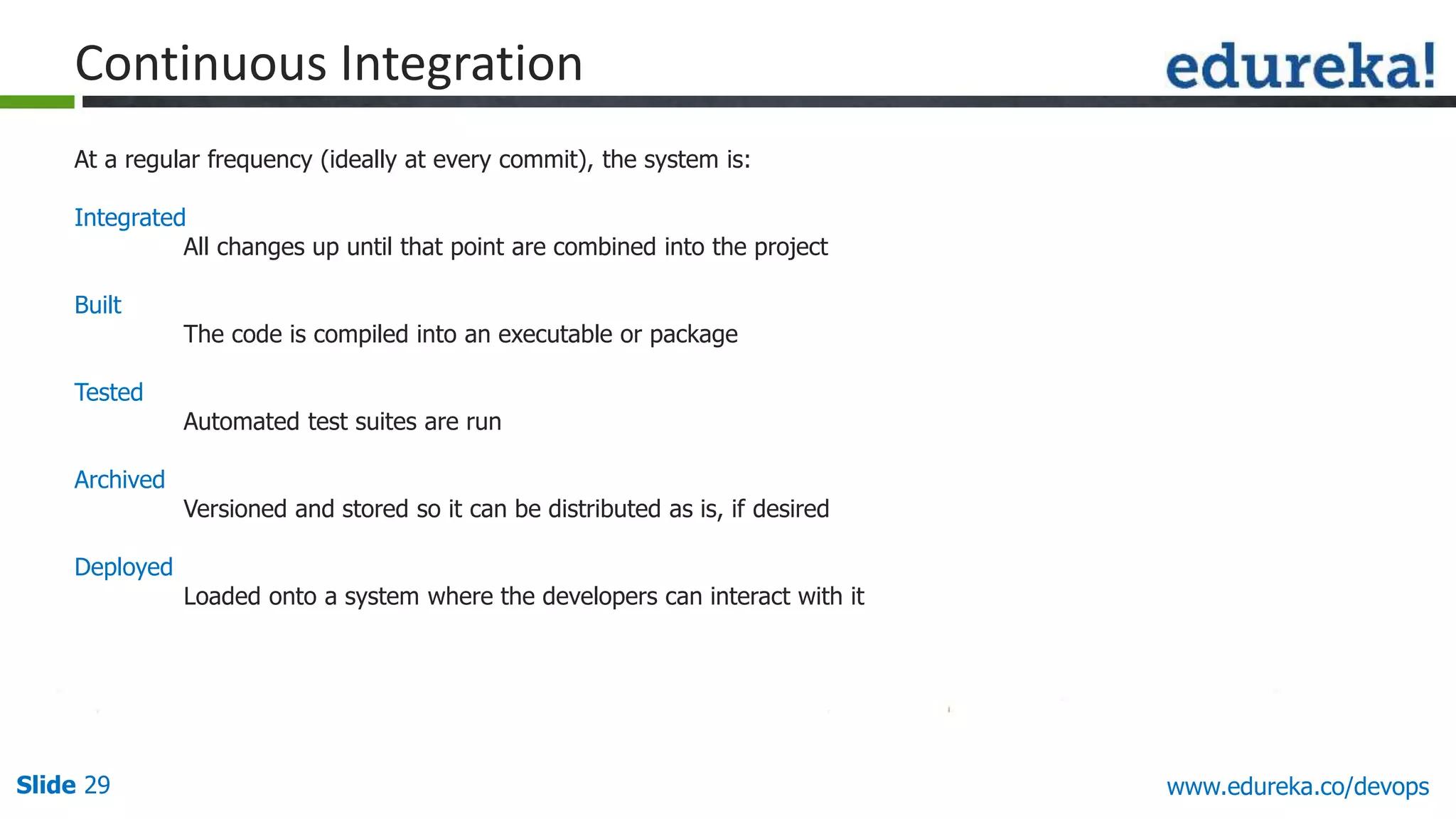
At a regular frequency (ideally at every commit), the system is:
Integrated
All changes up until that point are combined into the project
Built
The code is compiled into an executable or package
Tested
Automated test suites are run
Archived
Versioned and stored so it can be distributed as is, if desired
Deployed
Loaded onto a system where the developers can interact with it
Continuous Integration
Slide 30 www.edureka.co/devops
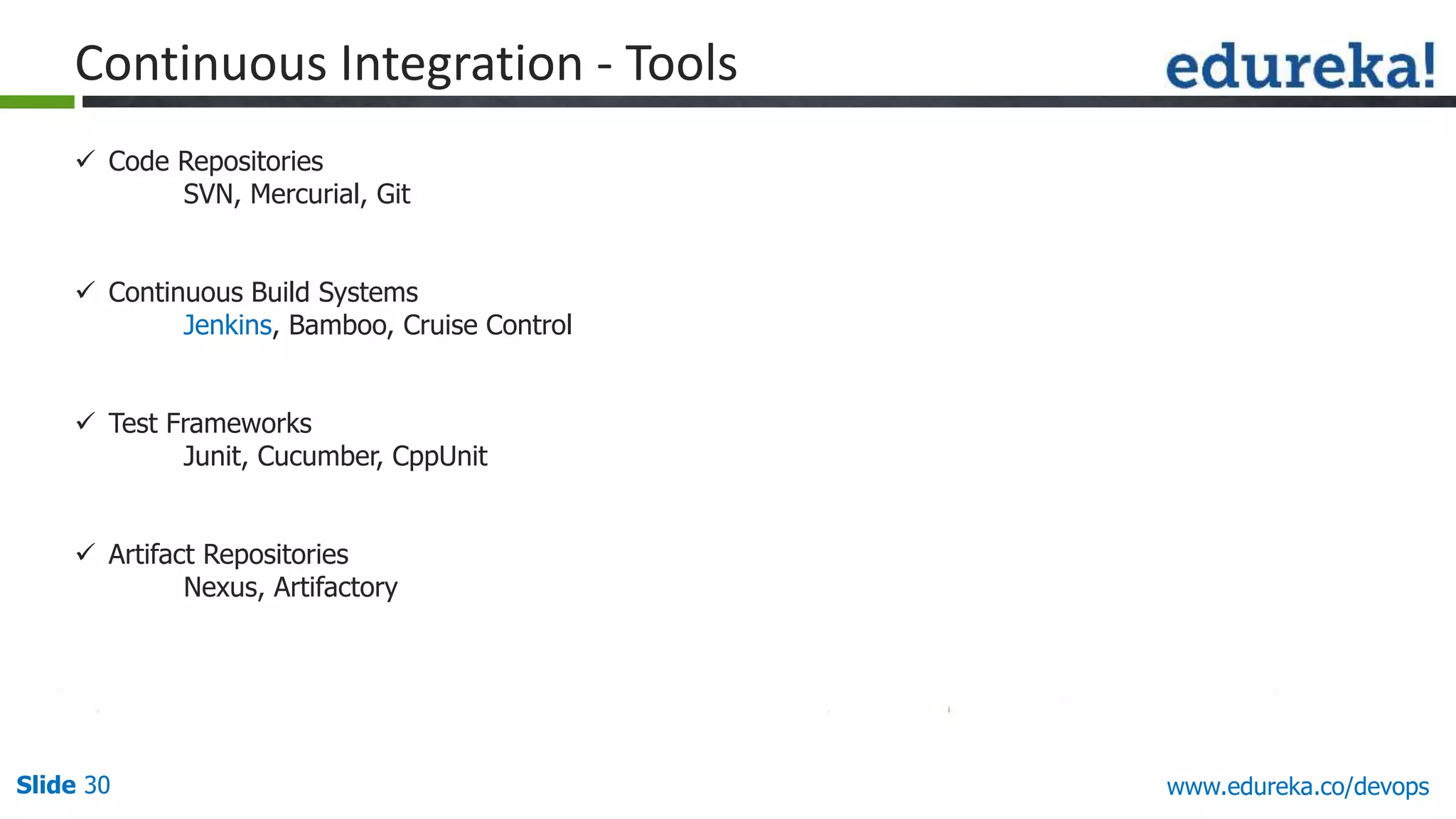
 Code Repositories
SVN, Mercurial, Git
 Continuous Build Systems
Jenkins, Bamboo, Cruise Control
 Test Frameworks
Junit, Cucumber, CppUnit
 Artifact Repositories
Nexus, Artifactory
Continuous Integration - Tools
Slide 31 www.edureka.co/devops
 Jenkins provide continuous Integration services for software development. It’s container
is based on Tomcat and can work with various revision control systems like SVN, CVS,
Git, etc.
 This originally started as Hudson and then after Oracle’s claim, the name Jenkins was
coined
 It includes a feature-rich web user interface that provides the ability to trigger builds,
customize builds, manage resources, manage plugins, and many other features
Jenkins
Slide 32 www.edureka.co/devops
 Builds can be started by:
» Commit in a version control system
» Scheduling via a cron-like mechanism
» Building when other builds have completed or by requesting a specific build URL
Jenkins (Contd.)
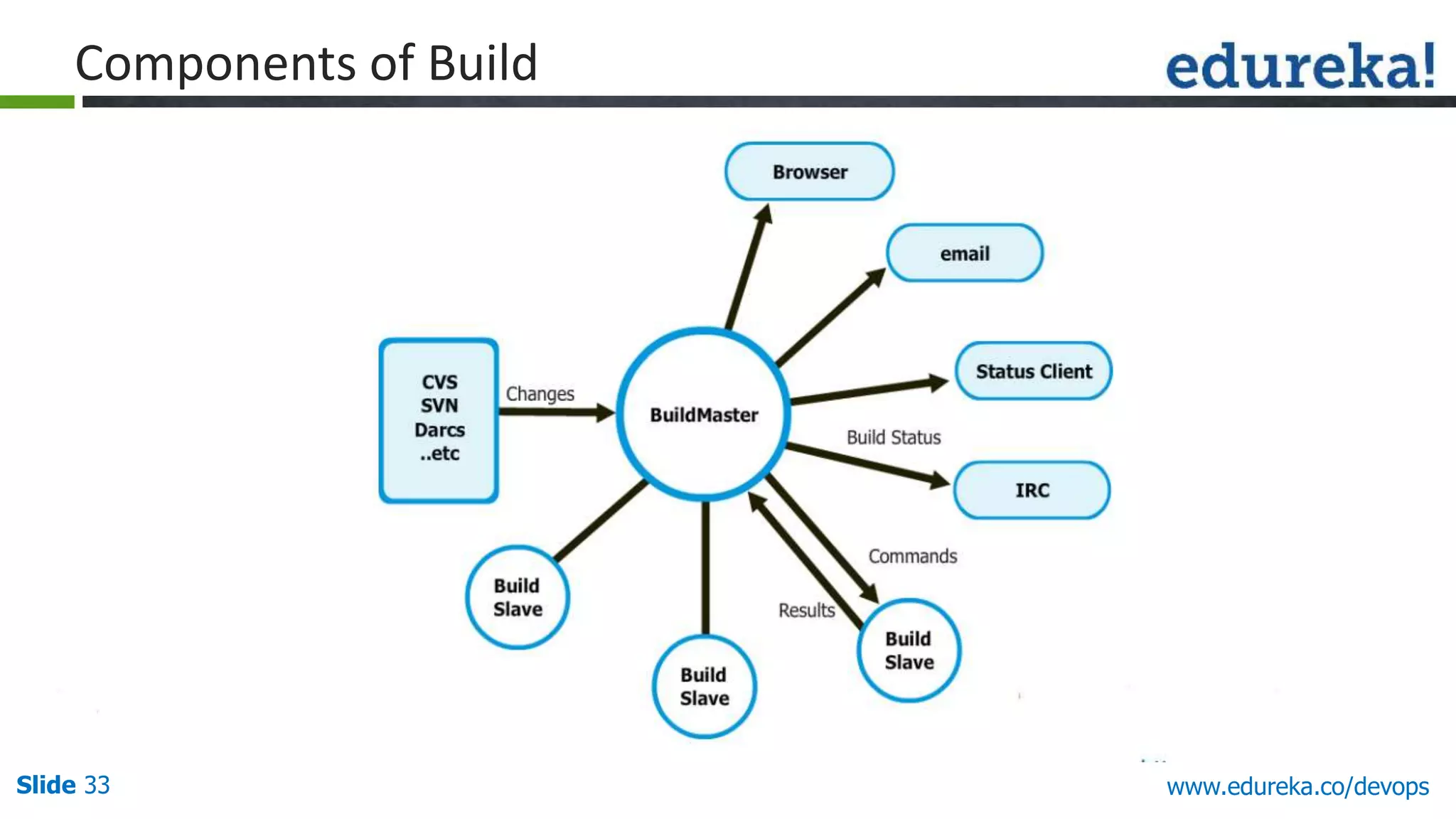
Slide 33 www.edureka.co/devops
Components of Build
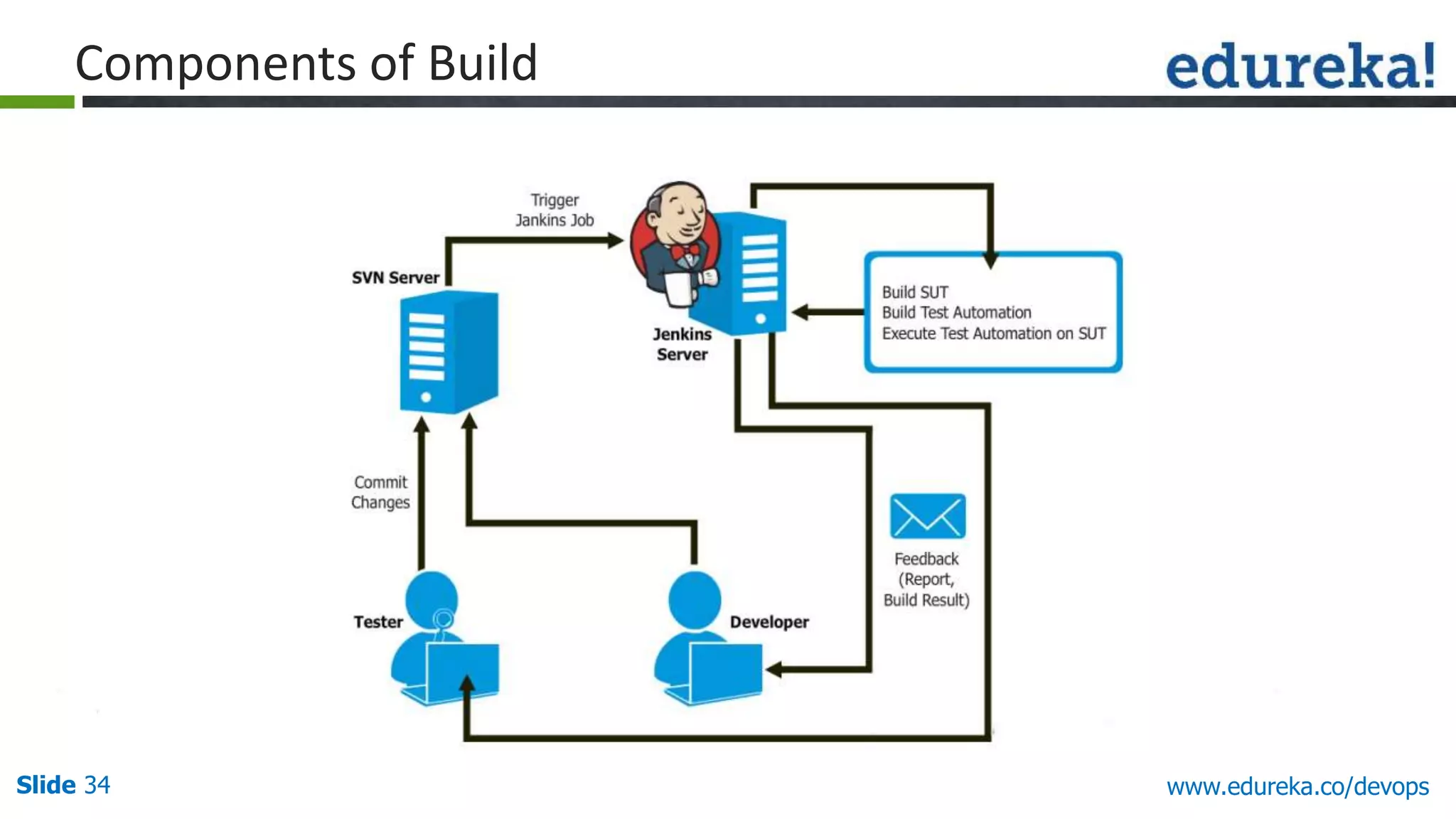
Slide 34 www.edureka.co/devops
Components of Build
Slide 35 www.edureka.co/devops
Demo on Jenkins
Slide 36 www.edureka.co/apache-spark-scala-training
LIVE Online Class
Class Recording in LMS
24/7 Post Class Support
Module Wise Quiz
Project Work
Verifiable Certificate
Course Features
Slide 37 www.edureka.co/apache-spark-scala-training
Questions
Slide 38 www.edureka.co/devops
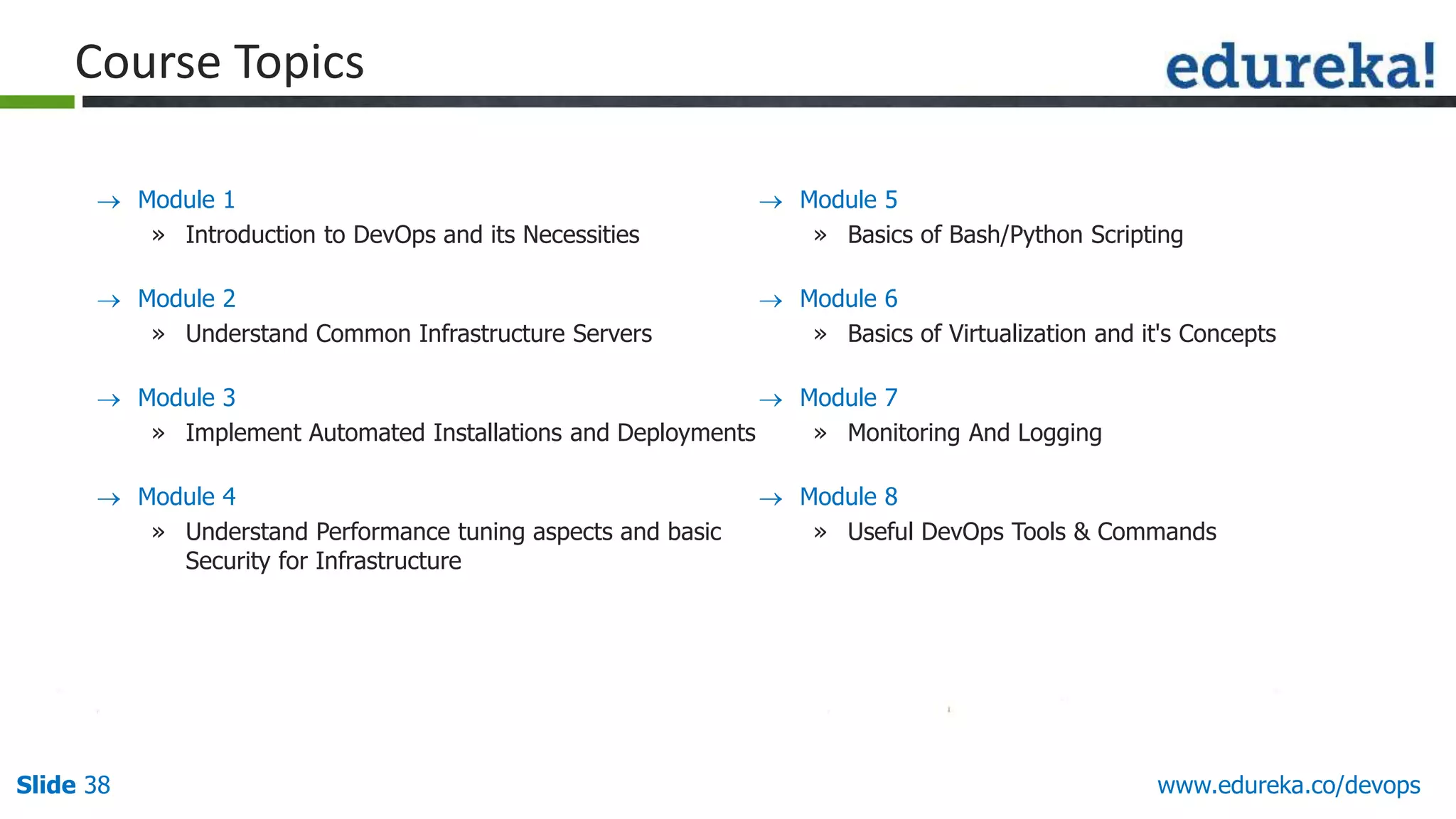
 Module 1
» Introduction to DevOps and its Necessities
 Module 2
» Understand Common Infrastructure Servers
 Module 3
» Implement Automated Installations and Deployments
 Module 4
» Understand Performance tuning aspects and basic
Security for Infrastructure
Course Topics
 Module 5
» Basics of Bash/Python Scripting
 Module 6
» Basics of Virtualization and it's Concepts
 Module 7
» Monitoring And Logging
 Module 8
» Useful DevOps Tools & Commands
Slide 39 www.edureka.co/apache-spark-scala-training

Enhance your Agility with DevOps

  • 1.
    View DevOps coursedetails at www.edureka.co/devops Enhance Your Agility with DevOps
  • 2.
    Slide 2 www.edureka.co/devops Objectives Atthe end of this module, you will be able to understand -  DevOps and its importance  DevOps Life cycle  Configuration Management Using Puppet  Demo using Puppet to install Apache web server.  Continuous Integration Using Jenkins  Demo using Jenkins
  • 3.
    Slide 3 www.edureka.co/devops Whatis DevOps DevOps is a mindset that enables communication, collaboration and integration between Software developers, Quality Engineers and Information Technology ( Operations ) professionals to enable rapid evolution of products or services.
  • 4.
    Slide 4 www.edureka.co/devops Development& Operation (DevOps) “Dev” is used as a shorthand for developers in particular, but in practice it is even wider and it means that “all the people involved in developing the product,” that include the product, QA and other disciplines. “Ops” is a blanket term for systems engineers/Administrators, Release engineers, DBAs, Network engineers, Security professionals and various other sub-disciplines and job titles”
  • 5.
    Slide 5 www.edureka.co/devops Development& Operation (DevOps) DEVOPS Development (Software Engineering) Quality Assurances Technical Operations
  • 6.
    Slide 6 www.edureka.co/devops Rolesof Developers :  Develop/modify applications  Try new technologies Roles of Operations :  Build, Deploy and release  Performance and availability  Create or enhance services Development & Operations
  • 7.
    Slide 7Slide 7Slide7 www.edureka.co/devops Why DevOps? Customers Requirements Dev and Testing Team Operations Gap Between Developers and Operations
  • 8.
    Slide 8Slide 8Slide8 www.edureka.co/devops Why DevOps? Development Operations Change » Developers introduce changes » They try to implement every new techniques introduced » Change is the enemy for Operations » Changes can lead to instability
  • 9.
    Slide 9Slide 9Slide9 www.edureka.co/devops Dev Tools Ops Tools » Difficult to integrate tools » Less interest in learning each others tools » Different implementation of similar tools Why DevOps?
  • 10.
    Slide 10Slide 10Slide10 www.edureka.co/devops During Deployment Sends out artifacts based on requirements Manually hacks the scripts received and changes the config files to reflect changes in production which could potentially lead to an issue. Development Operations Why DevOps?
  • 11.
    Slide 11Slide 11Slide11 www.edureka.co/devops All the artifacts are fine, the error is because of some other issue. QA was given wrong setup. Developer gave faulty artifacts Development Operations Day 1: Loss of Work Why DevOps?
  • 12.
    Slide 12Slide 12Slide12 www.edureka.co/devops After deployment, QA sees some anomalies and raises defects Day 3: After Deployment Operations Developer realizes that correct DB was not deployed Development Why DevOps?
  • 13.
    Slide 13 www.edureka.co/devops DevOpsas a Solution Instead of seeing these two groups as silos who pass things along but don’t really work together, DevOps recognizes the interdependencies of software development and IT operations and helps an organization to produce software and IT services more rapidly, with frequent iterations. DevOps bridges the gap between agile software development and operations
  • 14.
    Slide 14 www.edureka.co/devops DevOpsSkills DevOps Tools – Ability to administer and customize them Scripting/Automation Skills – Demonstrates the traditional scripting skills to IT operations Coding Skill – Should possess developer skills in using automation Process re-engineering Skills – Reflects the holistic view of IT and development as a single system, instead of two different functions Skills Products Linux/Unix Commands & Administration Shell Scripting Bash, Sed/Awk Coding Perl, Python, Ruby Configuration Management Puppet, SaltStack, Chef Bare Metal Configuration Cobbler, Foreman, PXE, DHCP, DNS DevOps Skill Matrix
  • 15.
  • 16.
    Slide 16 www.edureka.co/devops ProvisioningConfiguration Integration Load Balancer WebServer WebServer DB Master DB Slave DB Slave Load Balancer WebServer WebServer DB Master DB Slave DB Slave DevOps Life Cycle
  • 17.
    Slide 17 www.edureka.co/devops DevOpsTools  Tools for DevOps can be categorized based on the layer of Automation you choose  Each layer has its own tools to build Automation Infrastructure Automation 1. Cobbler 2. Foreman 3. Crowbar Configuration Management 1. Puppet 2. SaltStack 3. Chef Continuous Integration/Deployment 1. Jenkins 2. SVN, Git, Perforce 3. Ant, Maven Monitoring 1. Nagios, NewRelic, Sensu, Zabbix 2. Custom Tools
  • 18.
    Slide 18 www.edureka.co/devops Revisioncontrol System 1. Git 2. Cvs 3. Subversion Software Configuration Management 1. Clearcase 2. Perforce 3. Accurev Virtualization management Software 1. Vcentre 2. Hyper-V DevOps Tools (Contd.)
  • 19.
    Slide 19Slide 19Slide19 www.edureka.co/devops Integration Engineer Cloud Specialist Automation Engineer Release Engineer DevOps Roles
  • 20.
    Slide 20 www.edureka.co/devops Workof a System administrator: » Install servers » configure them » maintain them » Update the configuration periodically Why Puppet?
  • 21.
    Slide 21 www.edureka.co/devops WhyPuppet? It is tough to scale without automation in place.
  • 22.
    Slide 22 www.edureka.co/devops Puppetis a configuration management tool that is used for deploying, configuring, managing servers. Features: Why Puppet? It controls all the steps, right from the bootstrapping to the end of Server life Can define configuration at the node level Can group them according to roles Example: WebSevers, DB Servers. Maintains consistency across nodes Example: if a change is done locally, it is rolled back to the original configuration
  • 23.
    Slide 23 www.edureka.co/devops Puppetworks on the Master Server model Puppet Master: This machine contains all the configuration for different hosts. Puppet master runs as a daemon on this master server. Puppet Agent: Daemon which runs on each node and talks to the master on a regular interval. The connection between these two machines is made in a secure encrypted channel with the help of SSL How Puppet Works?
  • 24.
    Slide 24 www.edureka.co/devops Followingare the steps for Puppet configuration: 1. Clients connects to master and master identifies the configuration according to client type. 2. Master builds the Configuration that needs to be applied to a host, compiles it and makes it ready 3. Clients pull the Configuration and apply them on the respective nodes Puppet Configuration
  • 25.
    Slide 25 www.edureka.co/devops Puppetworks on the Master Server model Puppet Master: This machine contains all the configuration for different hosts. Puppet master runs as a daemon on this master server. Puppet Agent: Daemon which runs on each node and talks to the master on a regular interval. The connection between these two machines is made in a secure encrypted channel with the help of SSL How Puppet Works?
  • 26.
    Slide 26 www.edureka.co/devops Followingare the steps for Puppet configuration: 1. Clients connects to master and master identifies the configuration according to client type. 2. Master builds the Configuration that needs to be applied to a host, compiles it and makes it ready 3. Clients pull the Configuration and apply them on the respective nodes Puppet Configuration
  • 27.
  • 28.
    Slide 28 www.edureka.co/devops “ContinuousIntegration is a software development practice where members of a team integrate their work frequently, usually each person integrates at least daily - leading to multiple integrations per day. Each integration is verified by an automated build (including test) to detect integration errors as quickly as possible” – Martin Fowler Continuous Integration
  • 29.
    Slide 29 www.edureka.co/devops Ata regular frequency (ideally at every commit), the system is: Integrated All changes up until that point are combined into the project Built The code is compiled into an executable or package Tested Automated test suites are run Archived Versioned and stored so it can be distributed as is, if desired Deployed Loaded onto a system where the developers can interact with it Continuous Integration
  • 30.
    Slide 30 www.edureka.co/devops Code Repositories SVN, Mercurial, Git  Continuous Build Systems Jenkins, Bamboo, Cruise Control  Test Frameworks Junit, Cucumber, CppUnit  Artifact Repositories Nexus, Artifactory Continuous Integration - Tools
  • 31.
    Slide 31 www.edureka.co/devops Jenkins provide continuous Integration services for software development. It’s container is based on Tomcat and can work with various revision control systems like SVN, CVS, Git, etc.  This originally started as Hudson and then after Oracle’s claim, the name Jenkins was coined  It includes a feature-rich web user interface that provides the ability to trigger builds, customize builds, manage resources, manage plugins, and many other features Jenkins
  • 32.
    Slide 32 www.edureka.co/devops Builds can be started by: » Commit in a version control system » Scheduling via a cron-like mechanism » Building when other builds have completed or by requesting a specific build URL Jenkins (Contd.)
  • 33.
  • 34.
  • 35.
  • 36.
    Slide 36 www.edureka.co/apache-spark-scala-training LIVEOnline Class Class Recording in LMS 24/7 Post Class Support Module Wise Quiz Project Work Verifiable Certificate Course Features
  • 37.
  • 38.
    Slide 38 www.edureka.co/devops Module 1 » Introduction to DevOps and its Necessities  Module 2 » Understand Common Infrastructure Servers  Module 3 » Implement Automated Installations and Deployments  Module 4 » Understand Performance tuning aspects and basic Security for Infrastructure Course Topics  Module 5 » Basics of Bash/Python Scripting  Module 6 » Basics of Virtualization and it's Concepts  Module 7 » Monitoring And Logging  Module 8 » Useful DevOps Tools & Commands
  • 39.