Buttonson forms and surveys
a look at some research
Caroline Jarrett
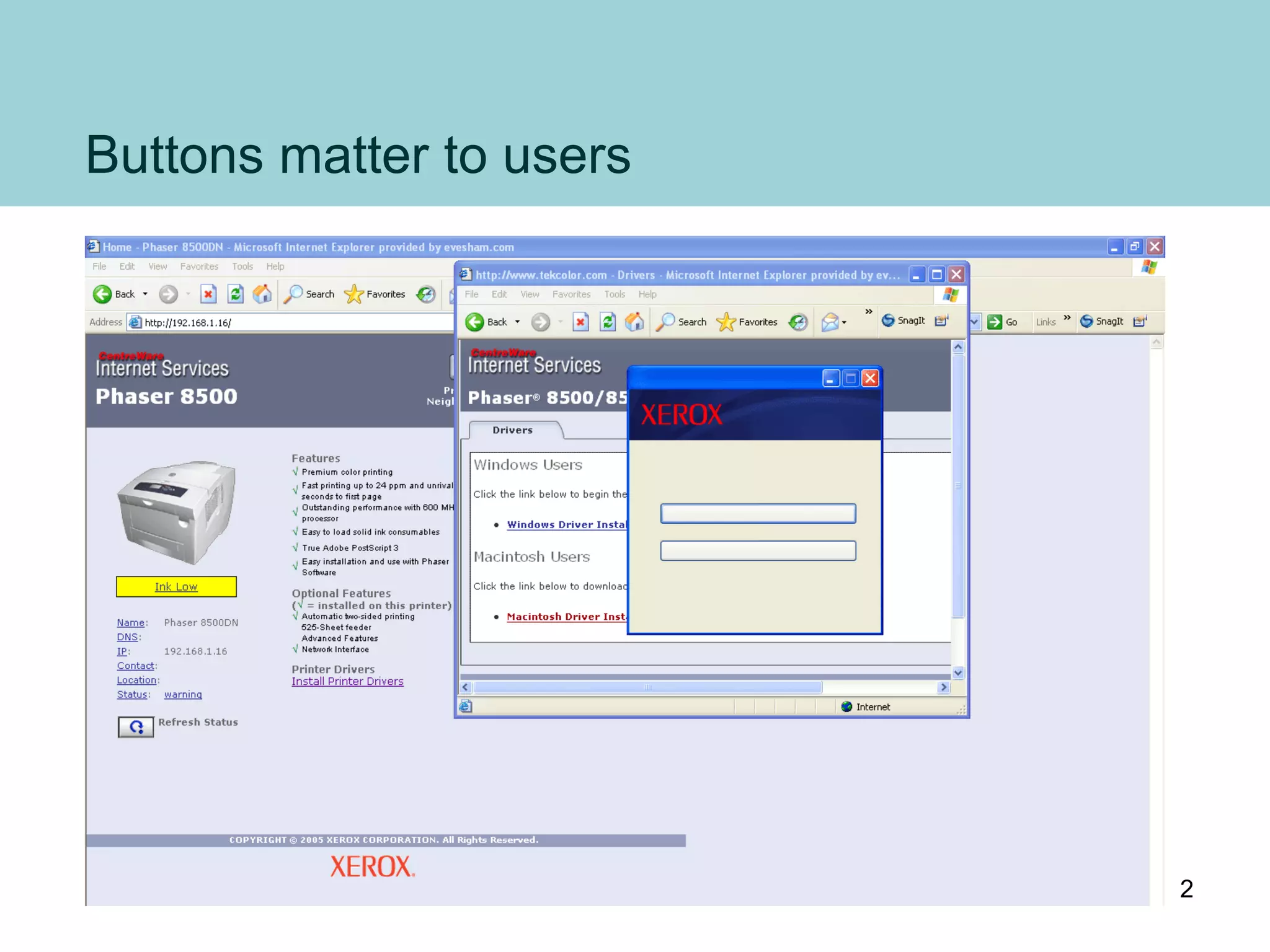
Buttons matter to users
2
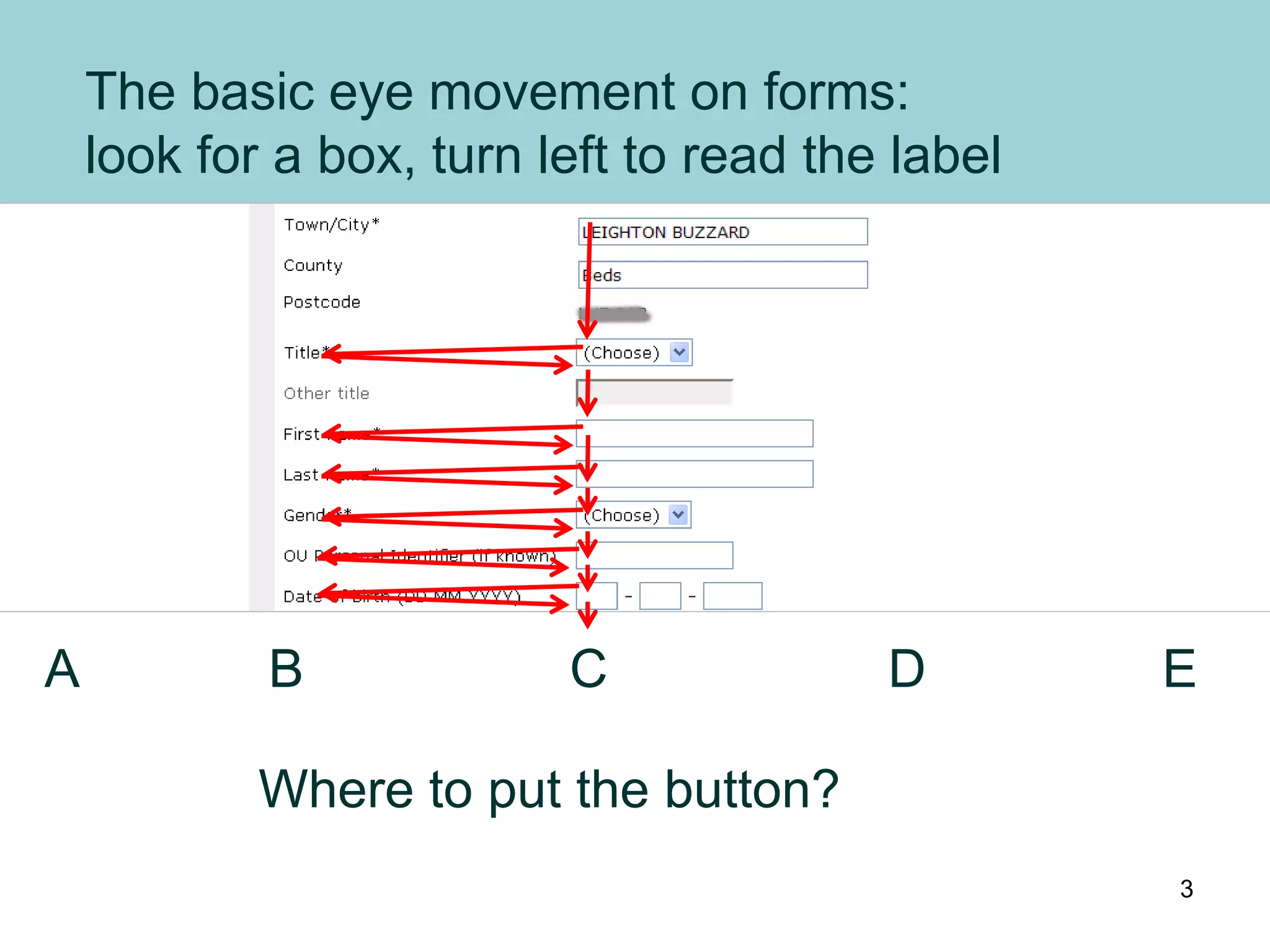
The basic eye movement on forms:
look for a box, turn left to read the label
Where to put the button?
A B C D E
3
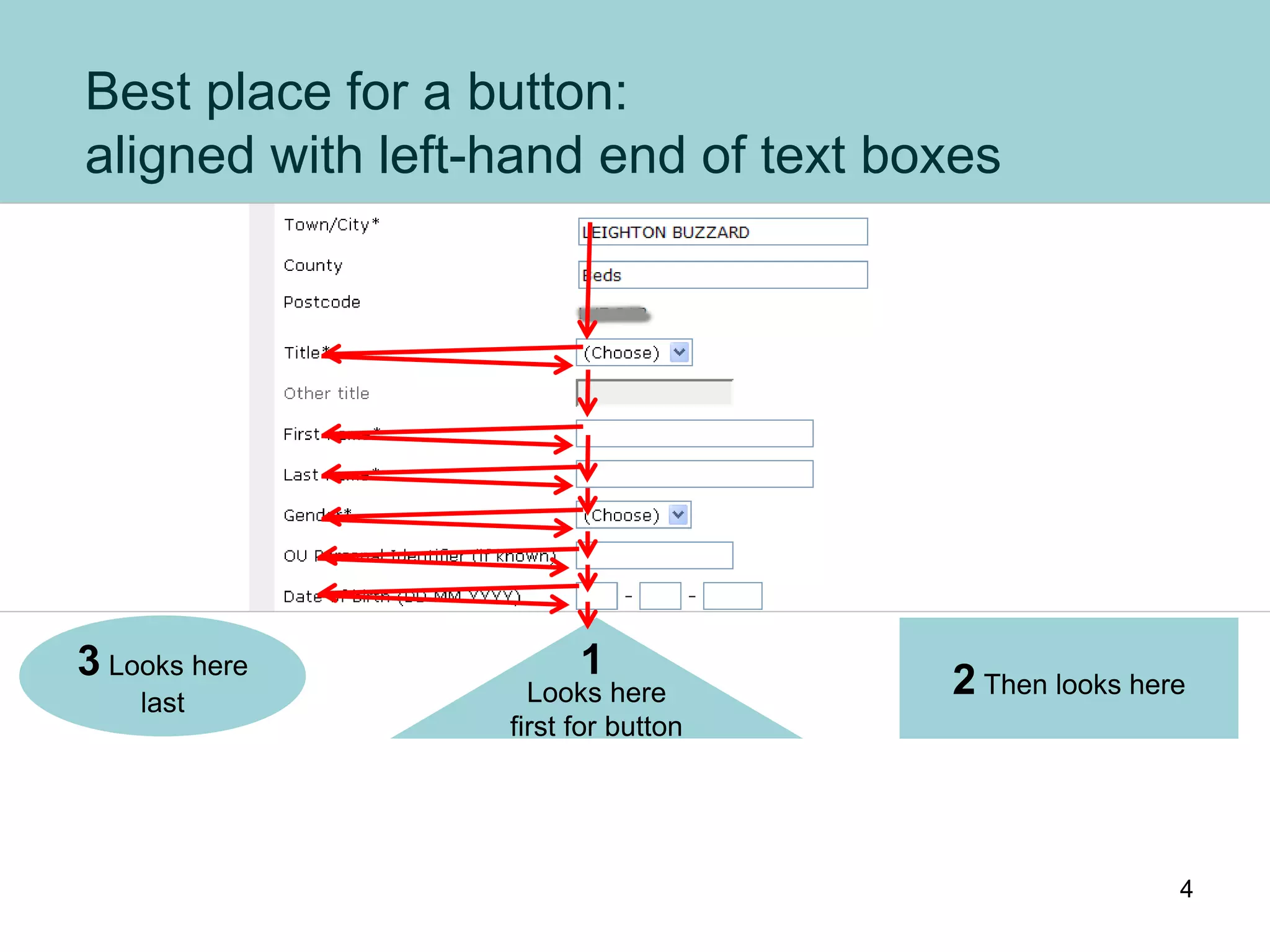
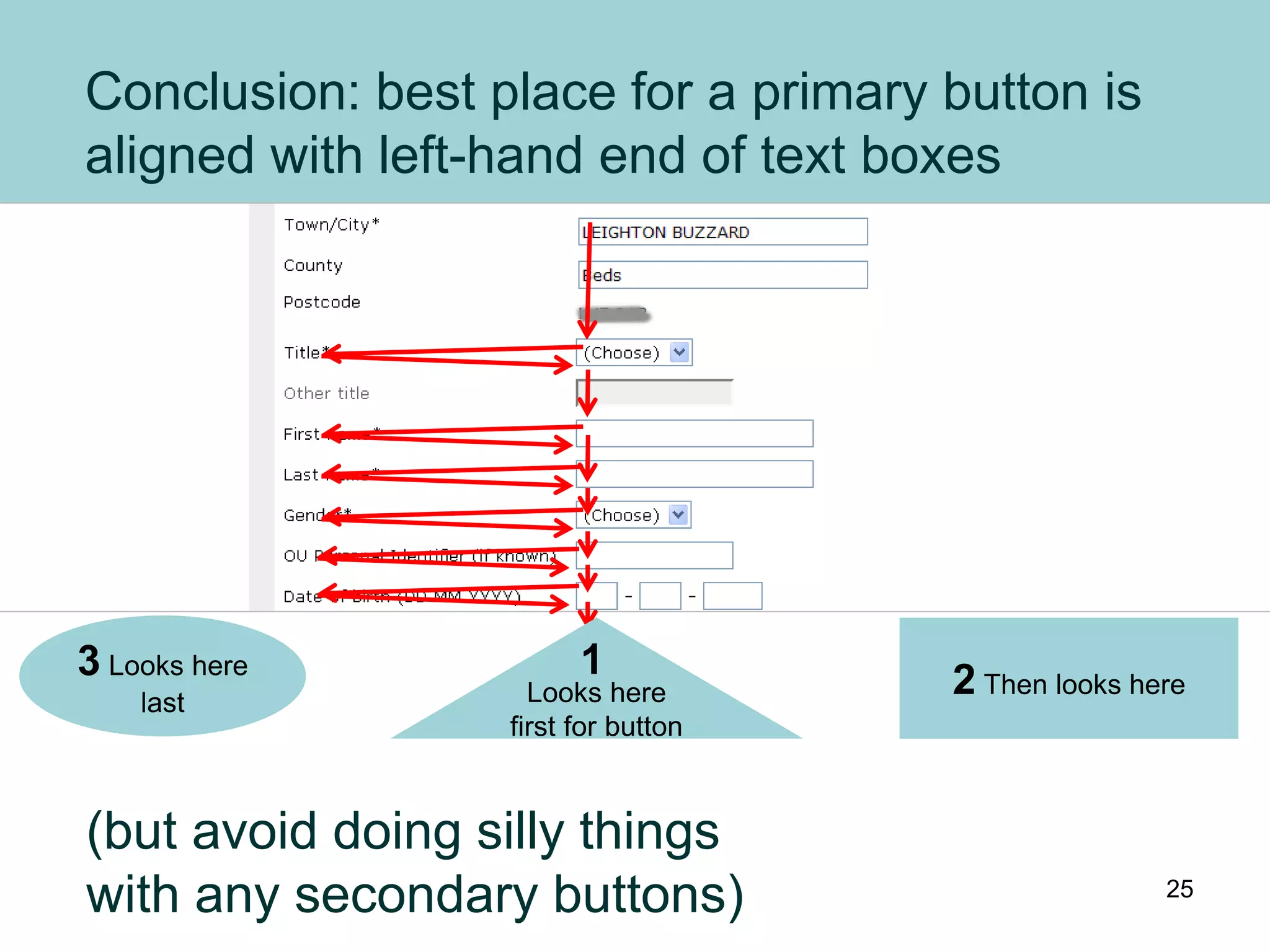
Best place for a button:
aligned with left-hand end of text boxes
Looks here
first for button
2 Then looks here
3 Looks here
last
1
4
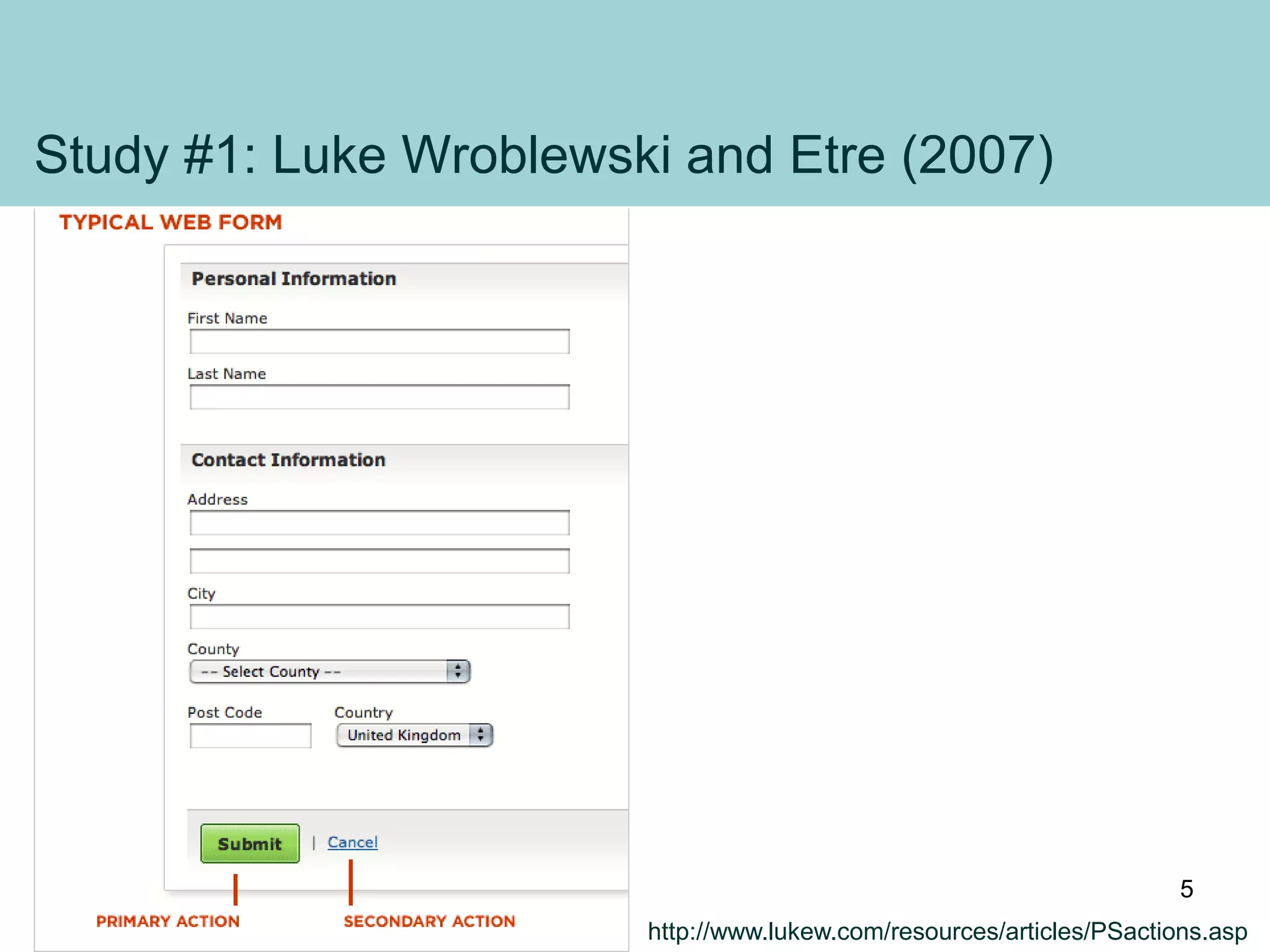
Study #1: Luke Wroblewski and Etre (2007)
http://www.lukew.com/resources/articles/PSactions.asp
5
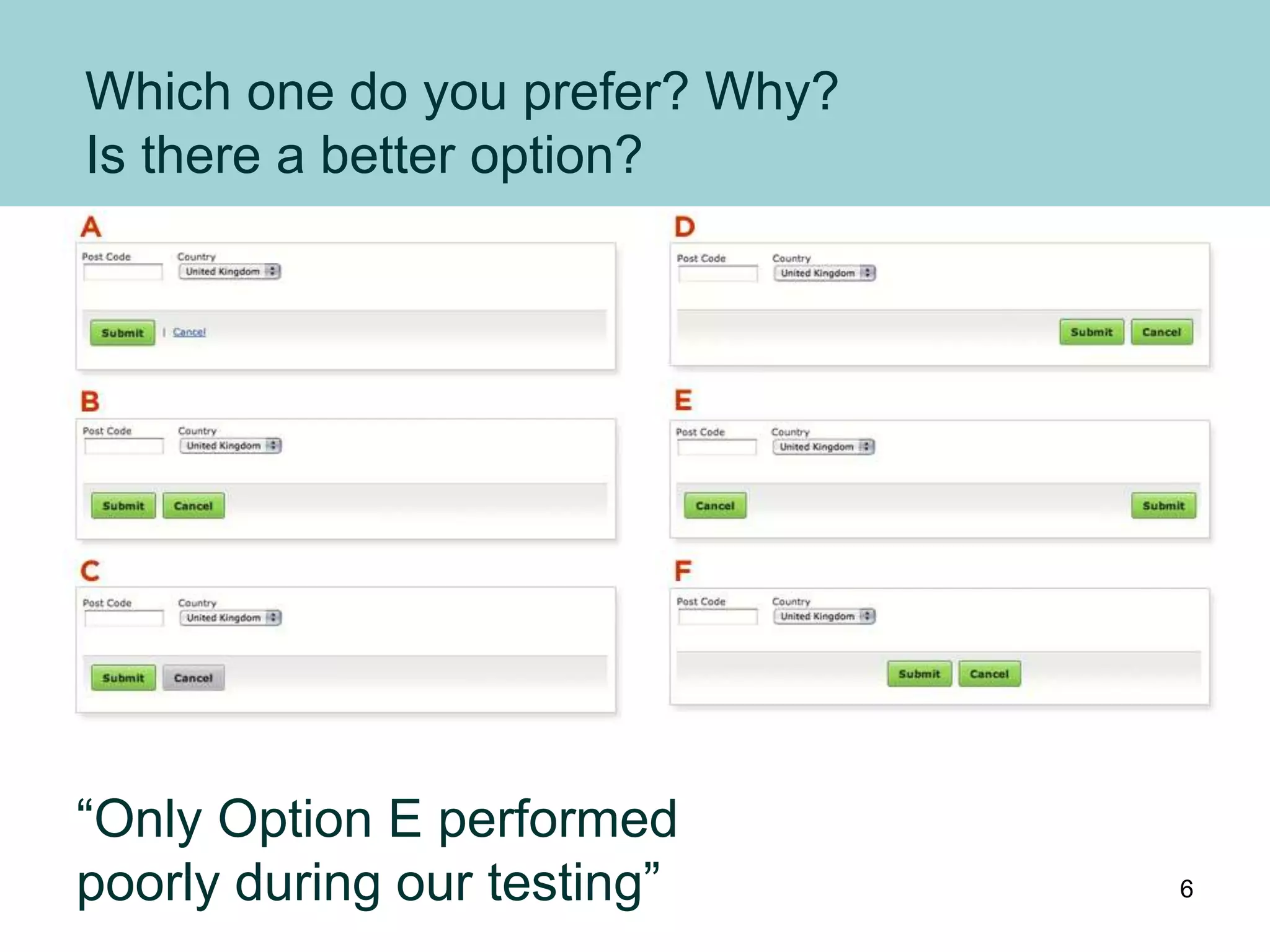
Which one do you prefer? Why?
Is there a better option?
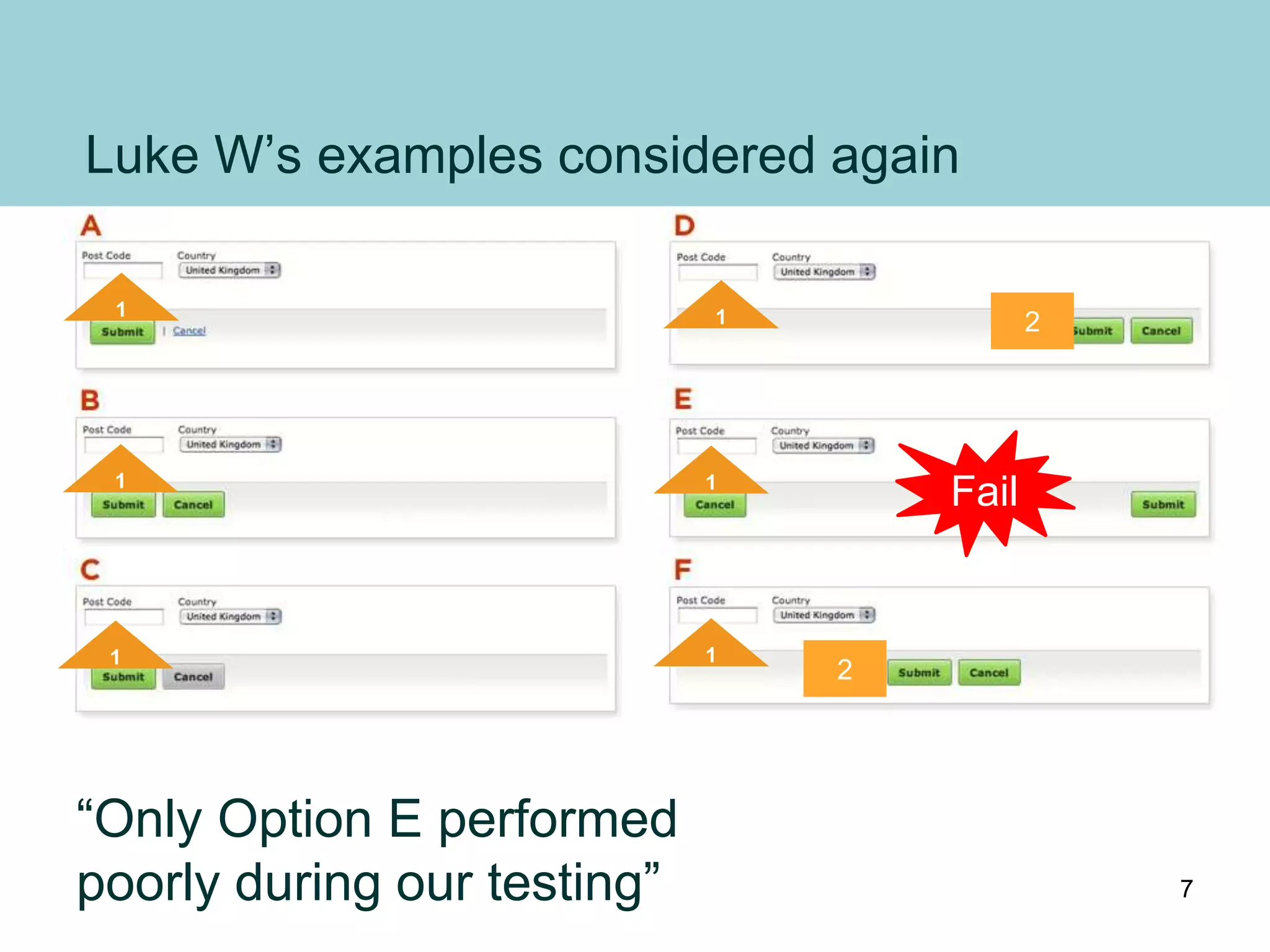
“Only Option E performed
poorly during our testing” 6
Luke W’s examples considered again
1
1
1
1 2
1
Fail
1
2
“Only Option E performed
poorly during our testing” 7
Study #2: Couper et al, 2011.
Couper, M. P., Baker, R. & Mechling, J. (2011).
Placement and design of navigation buttons in Web surveys.
http://surveypractice.wordpress.com/2011/02/14/navigation-buttons/
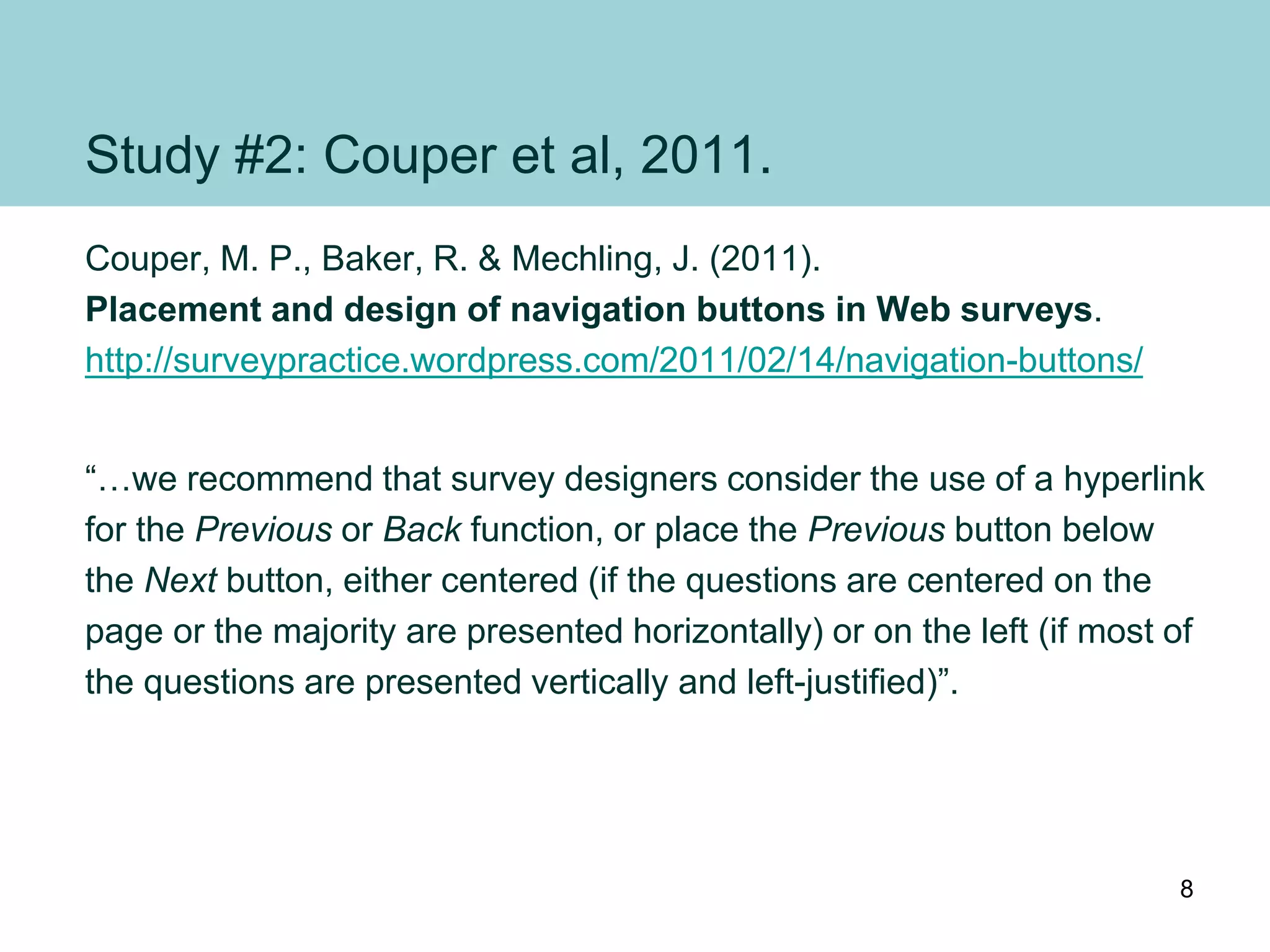
“…we recommend that survey designers consider the use of a hyperlink
for the Previous or Back function, or place the Previous button below
the Next button, either centered (if the questions are centered on the
page or the majority are presented horizontally) or on the left (if most of
the questions are presented vertically and left-justified)”.
8
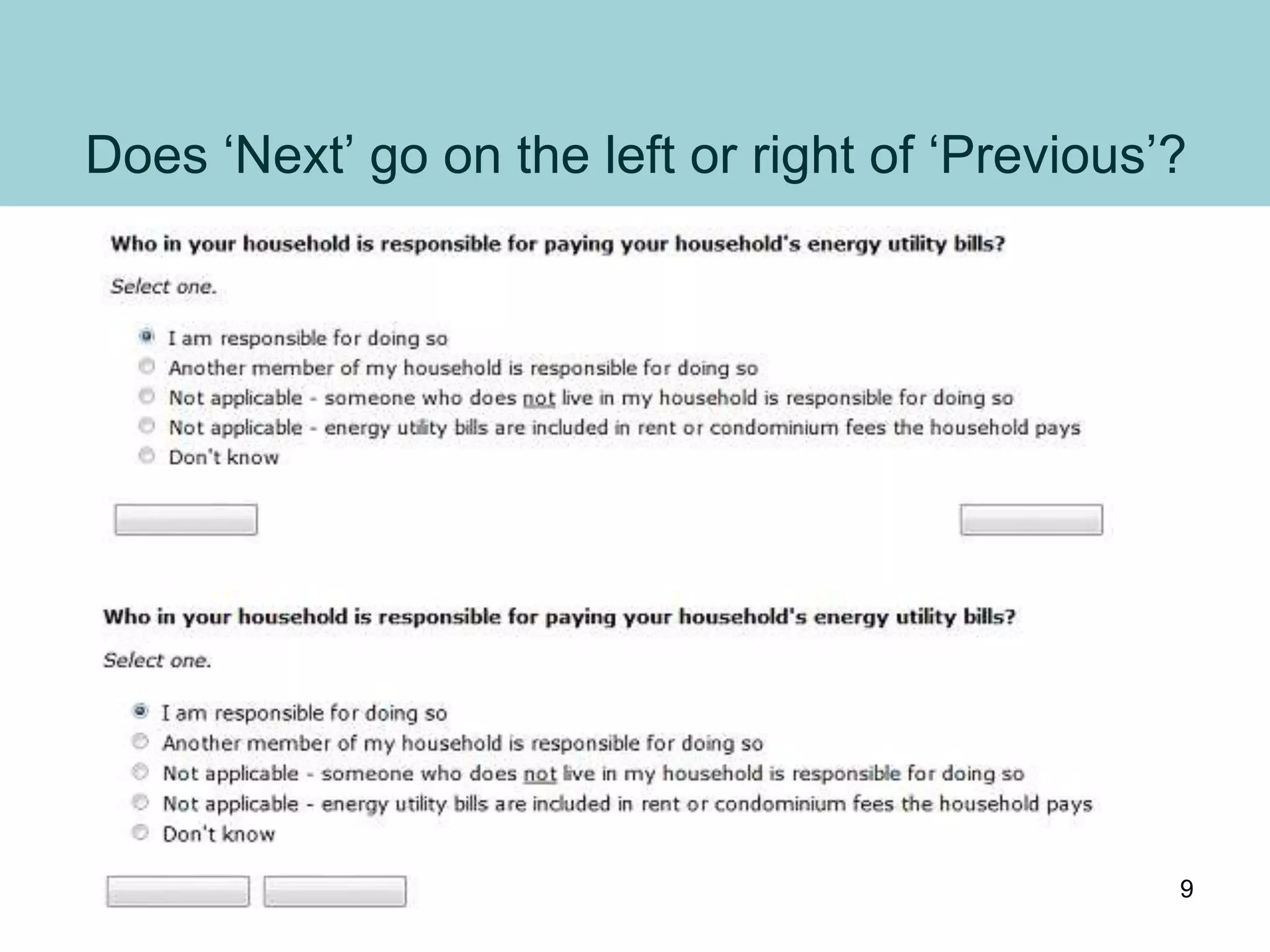
Does ‘Next’ go on the left or right of ‘Previous’?
9
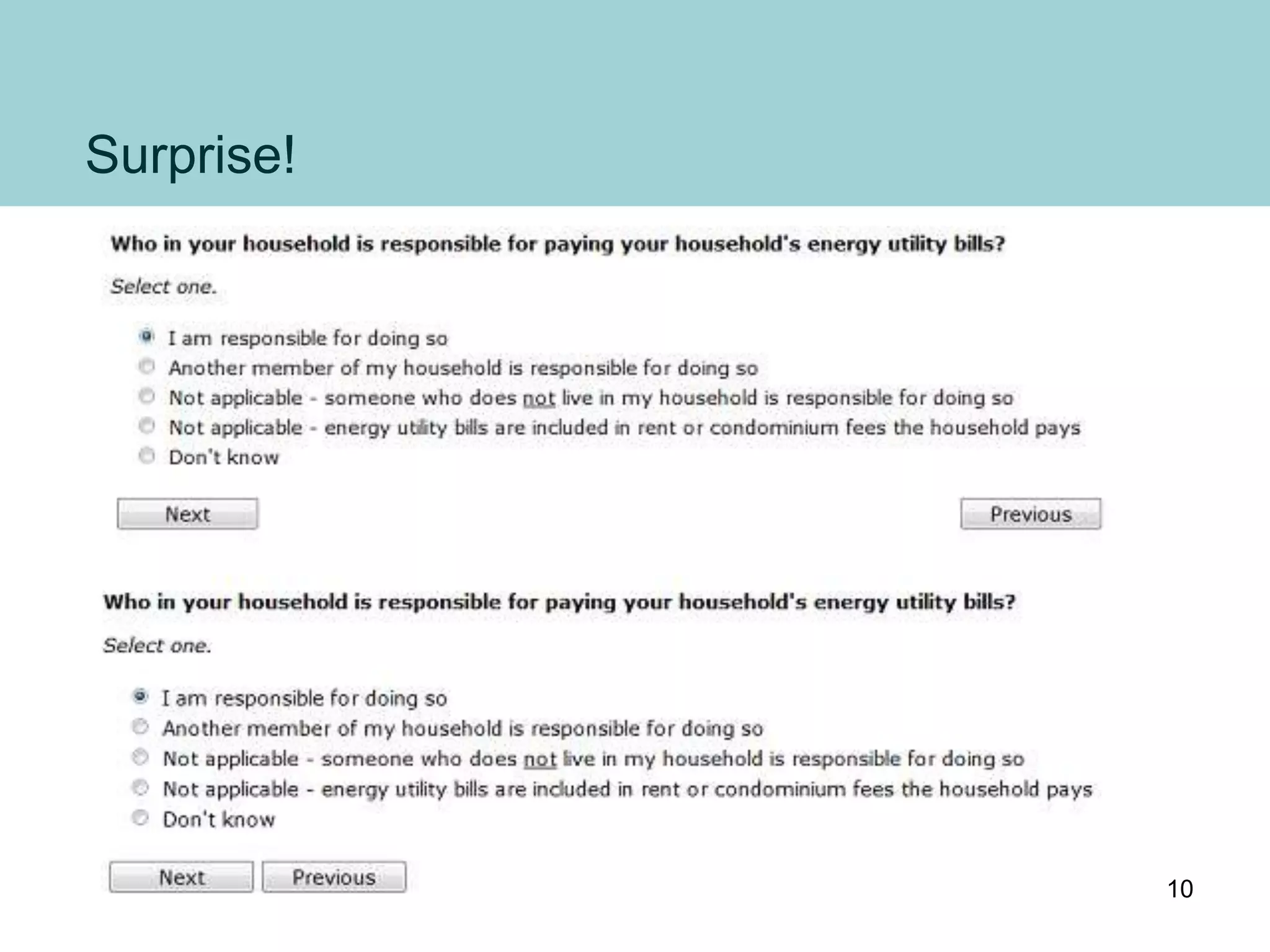
Surprise!
10
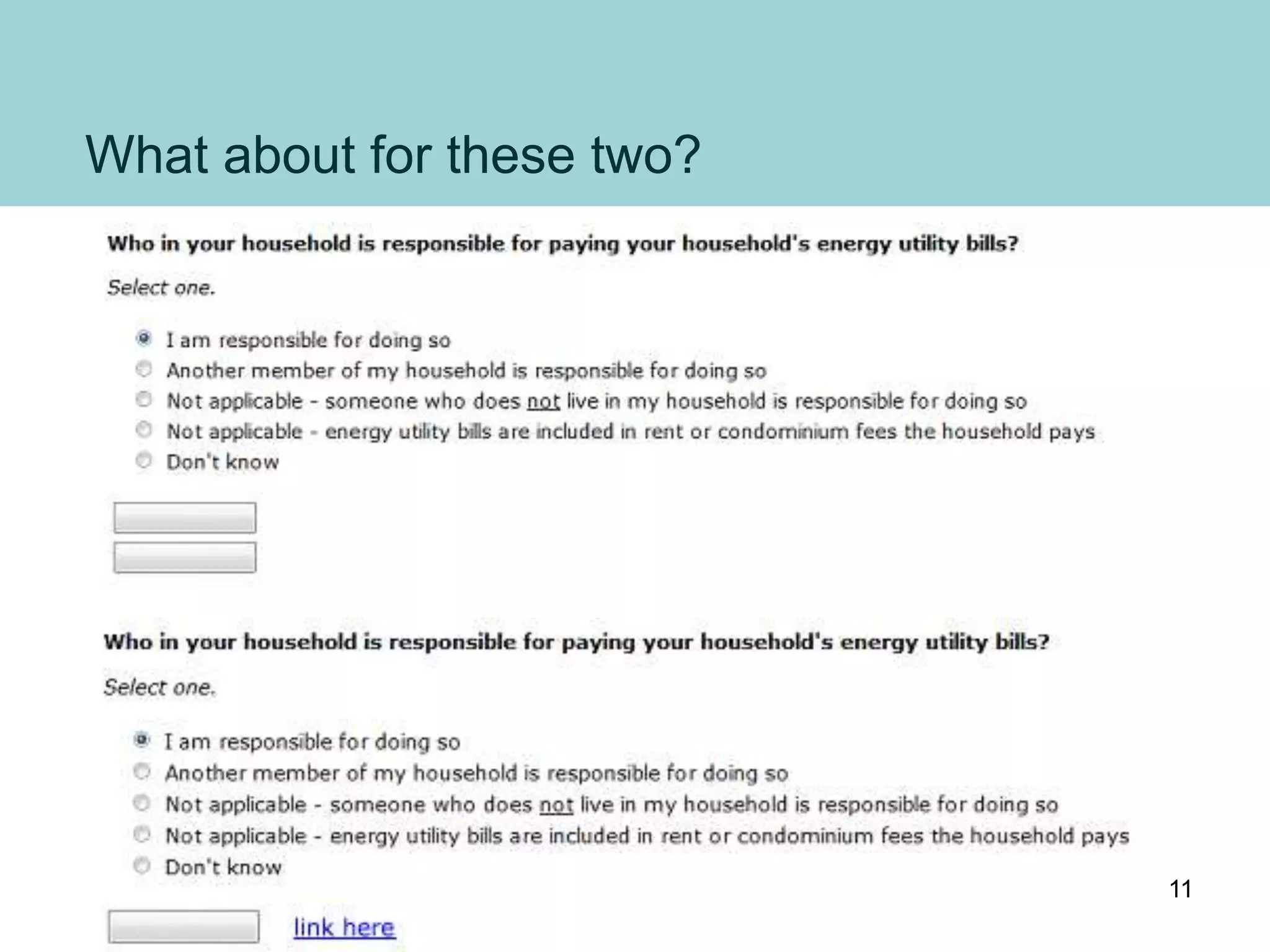
What about for these two?
11
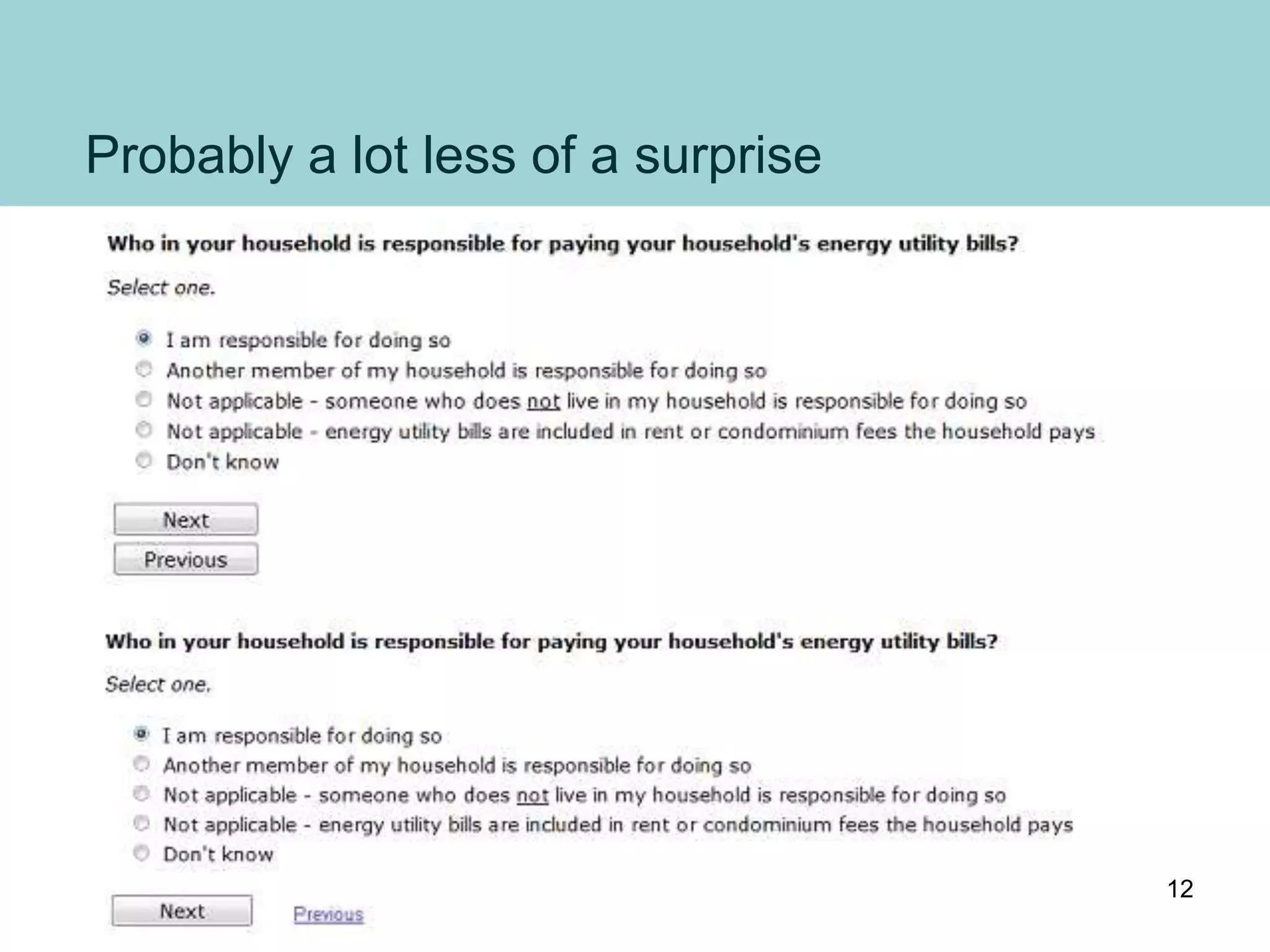
Probably a lot less of a surprise
12
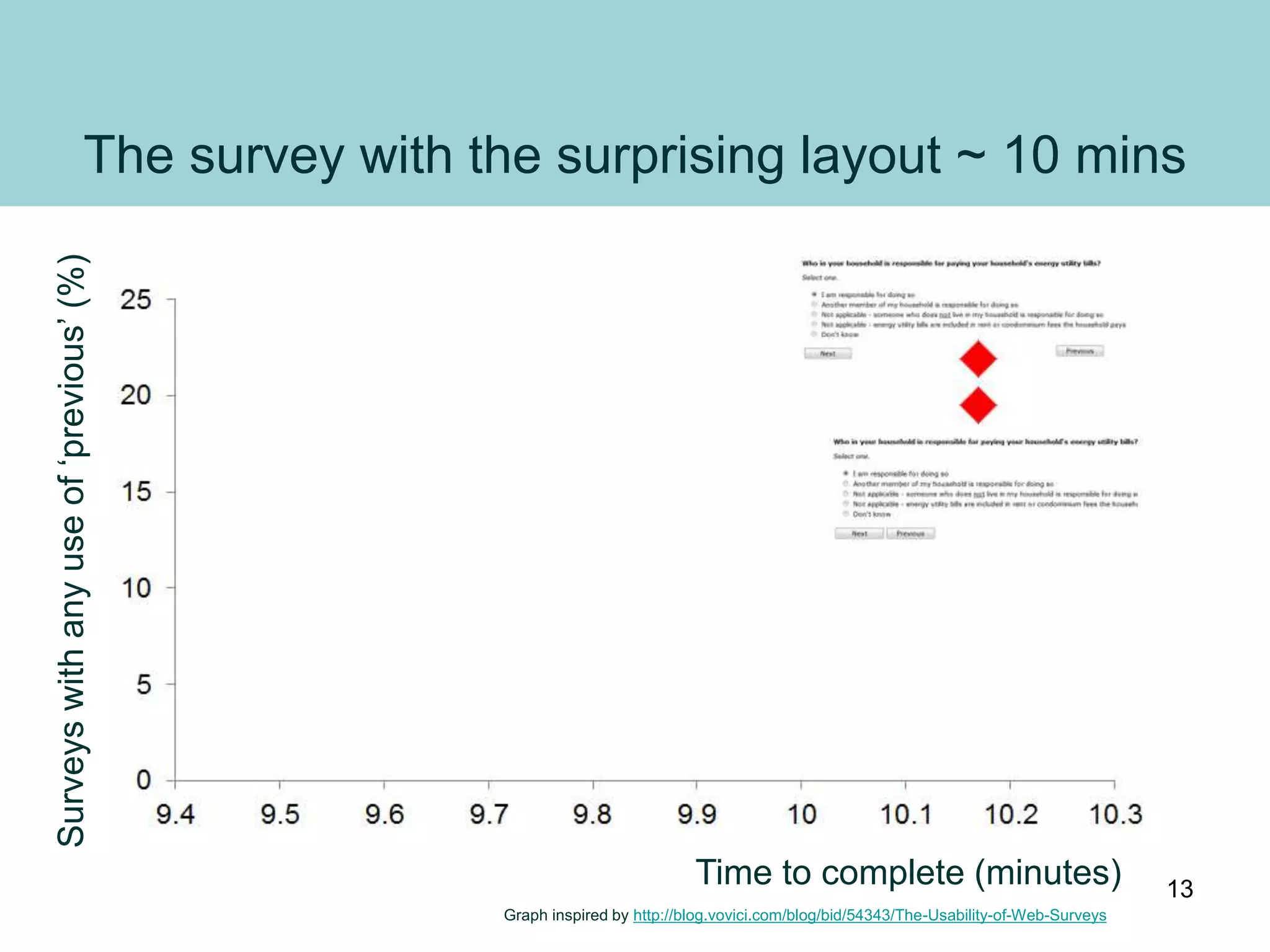
The survey with the surprising layout ~ 10 mins
Surveyswithanyuseof‘previous’(%)
Time to complete (minutes)
Graph inspired by http://blog.vovici.com/blog/bid/54343/The-Usability-of-Web-Surveys
13
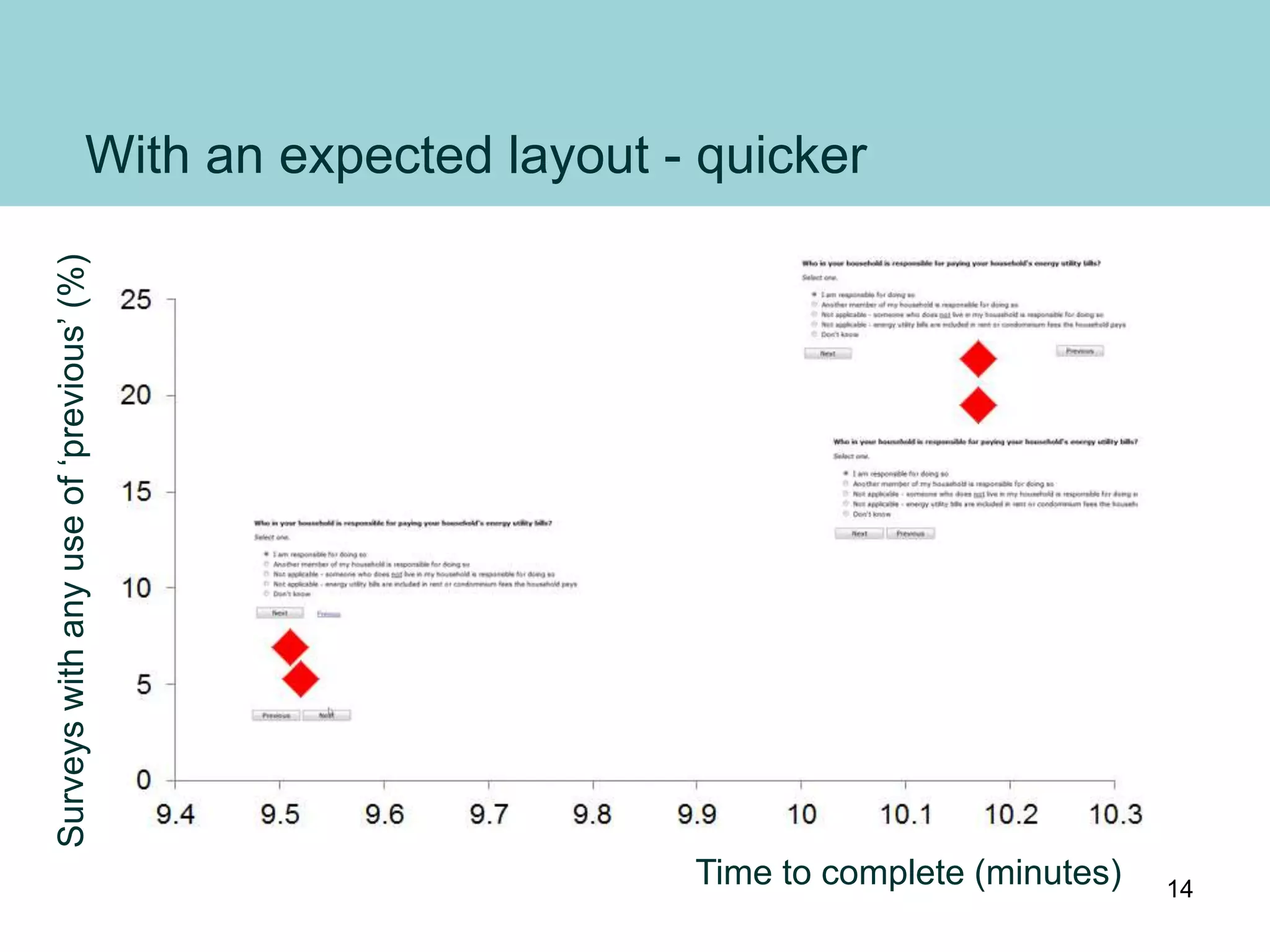
With an expected layout - quicker
Time to complete (minutes)
Surveyswithanyuseof‘previous’(%)
14
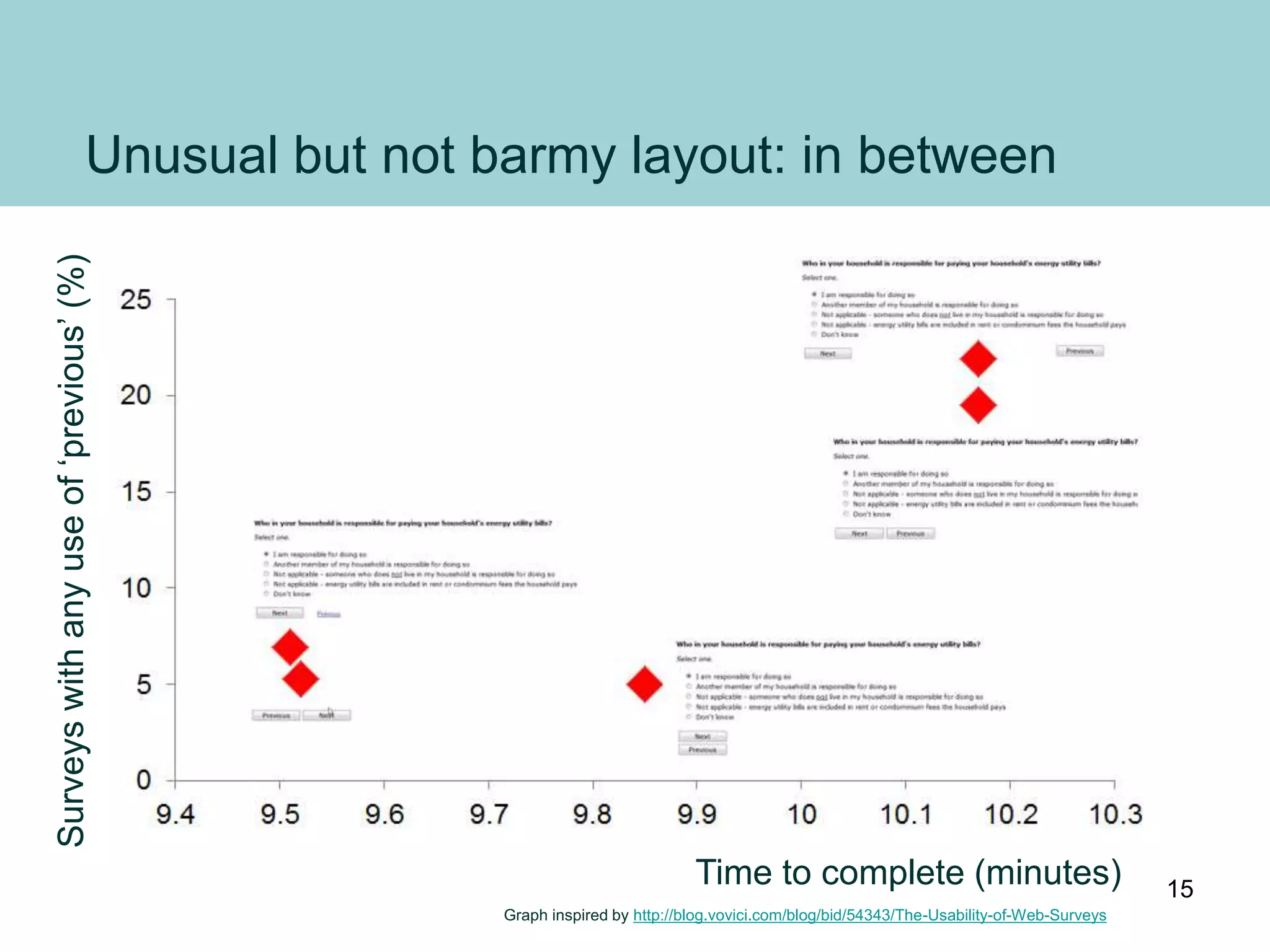
Unusual but not barmy layout: in between
Time to complete (minutes)
Surveyswithanyuseof‘previous’(%)
Graph inspired by http://blog.vovici.com/blog/bid/54343/The-Usability-of-Web-Surveys
15
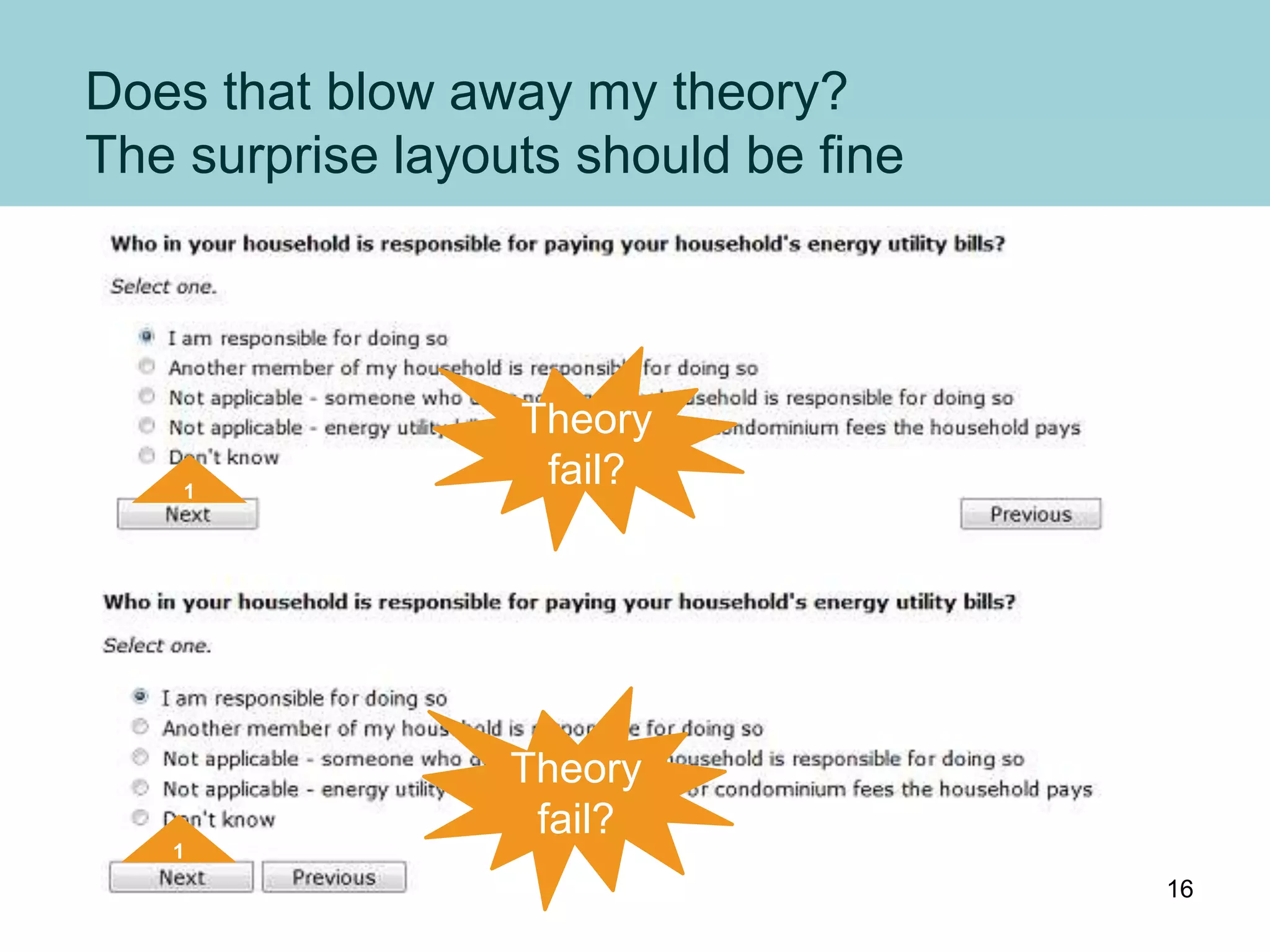
Does that blow away my theory?
The surprise layouts should be fine
1
Theory
fail?
1
Theory
fail?
16
Or does it?
Are forms the same as surveys?
Form study #1
• Single screen
• ‘Submit’ and ‘Cancel’
• Time: not given,
but probably ~ 1 minute
• General public
Survey study #2
• Survey
• ‘Next’ and ‘Previous’
• Time:
~ 9 to ~ 10 minutes
• Survey panel members
– Used to long surveys
– Used to adapting to different
formats for surveys
17
Study #3: Jennifer Romano Bergstrom (2011)
http://www.romanocog.com/blog-NextandPrevious.html
Also reports findings from two U.S. Census Bureau studies
• Romano, J. C. & Chen, J. M. (2011). A usability and eye-tracking
evaluation of four versions of the online National Survey for College
Graduates (NSCG): Iteration 2 (Statistical Research Division Study Series
SSM2011-01). U.S. Census Bureau.
http://www.census.gov/srd/papers/pdf/ssm2011-01.pdf
• Romano, J. C. & Chen, J. M. (2010). A usability evaluation of the online
National Survey for College Graduates (NSCG)(Statistical Research
Division Study Series SSM2010-05). U.S. Census Bureau.
http://www.census.gov/srd/papers/pdf/ssm2010-05.pdf
18
A survey study with some characteristics
of a form study?
Form study #1
• Single screen
• ‘Submit’ and ‘Cancel’
• Time: not given,
but probably ~ 1 minute
• General public
Survey study #3
• Government survey
(more important)
• ‘Next’ and ‘Previous’
• Time:
~ 9 to ~ 10 minutes
• General public
19
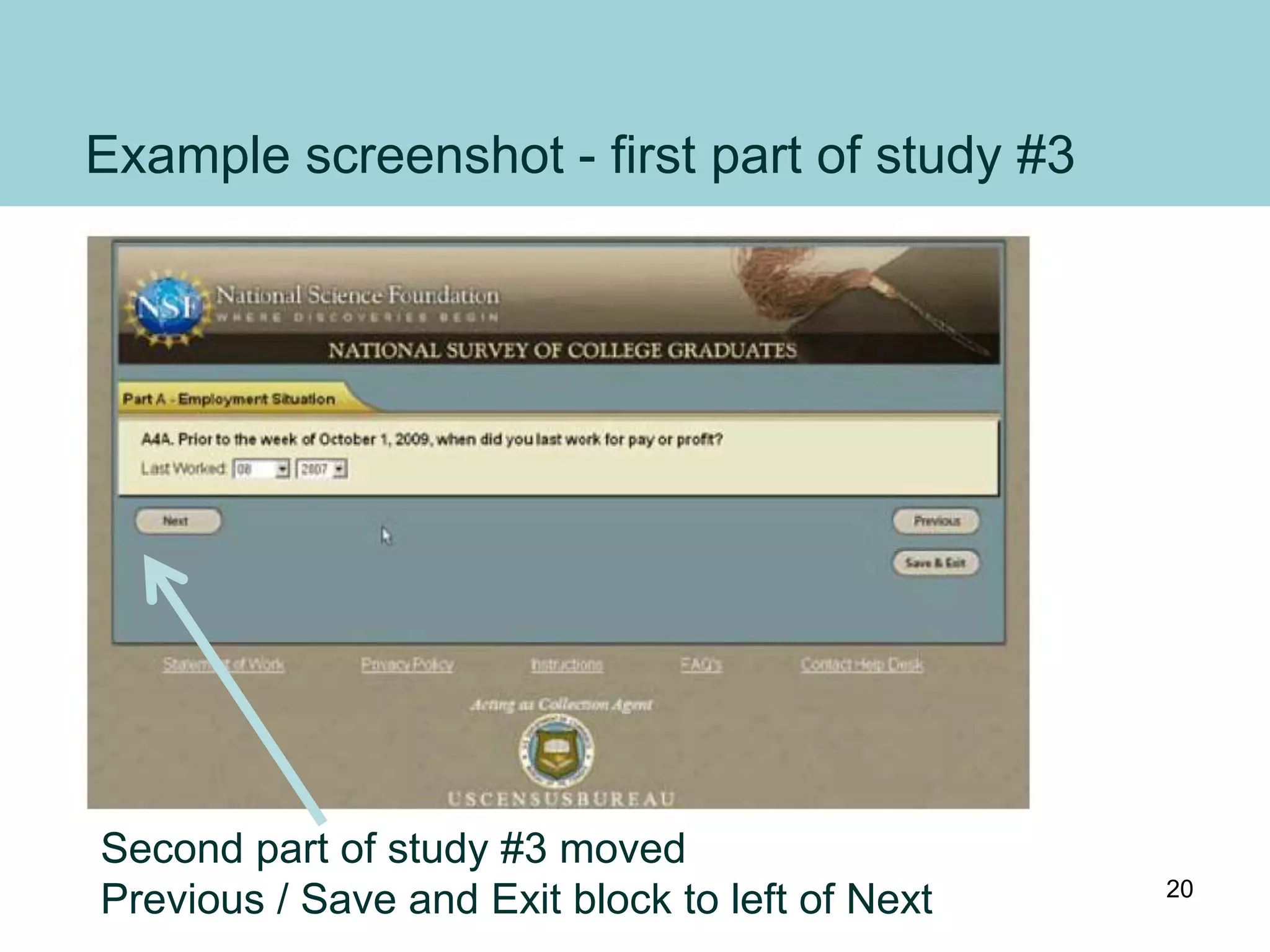
Example screenshot - first part of study #3
Second part of study #3 moved
Previous / Save and Exit block to left of Next 20
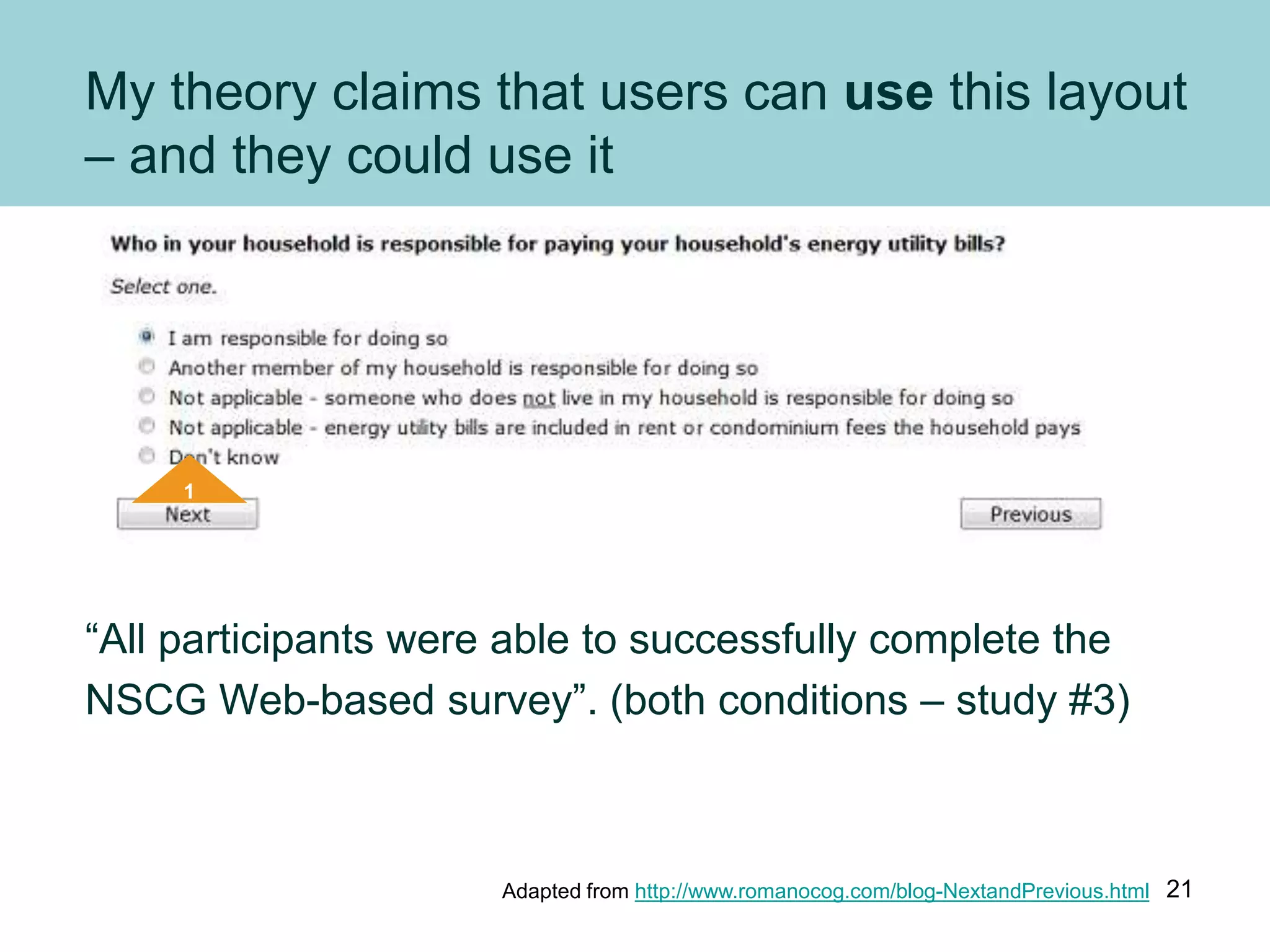
My theory claims that users can use this layout
– and they could use it
“All participants were able to successfully complete the
NSCG Web-based survey”. (both conditions – study #3)
1
Adapted from http://www.romanocog.com/blog-NextandPrevious.html 21
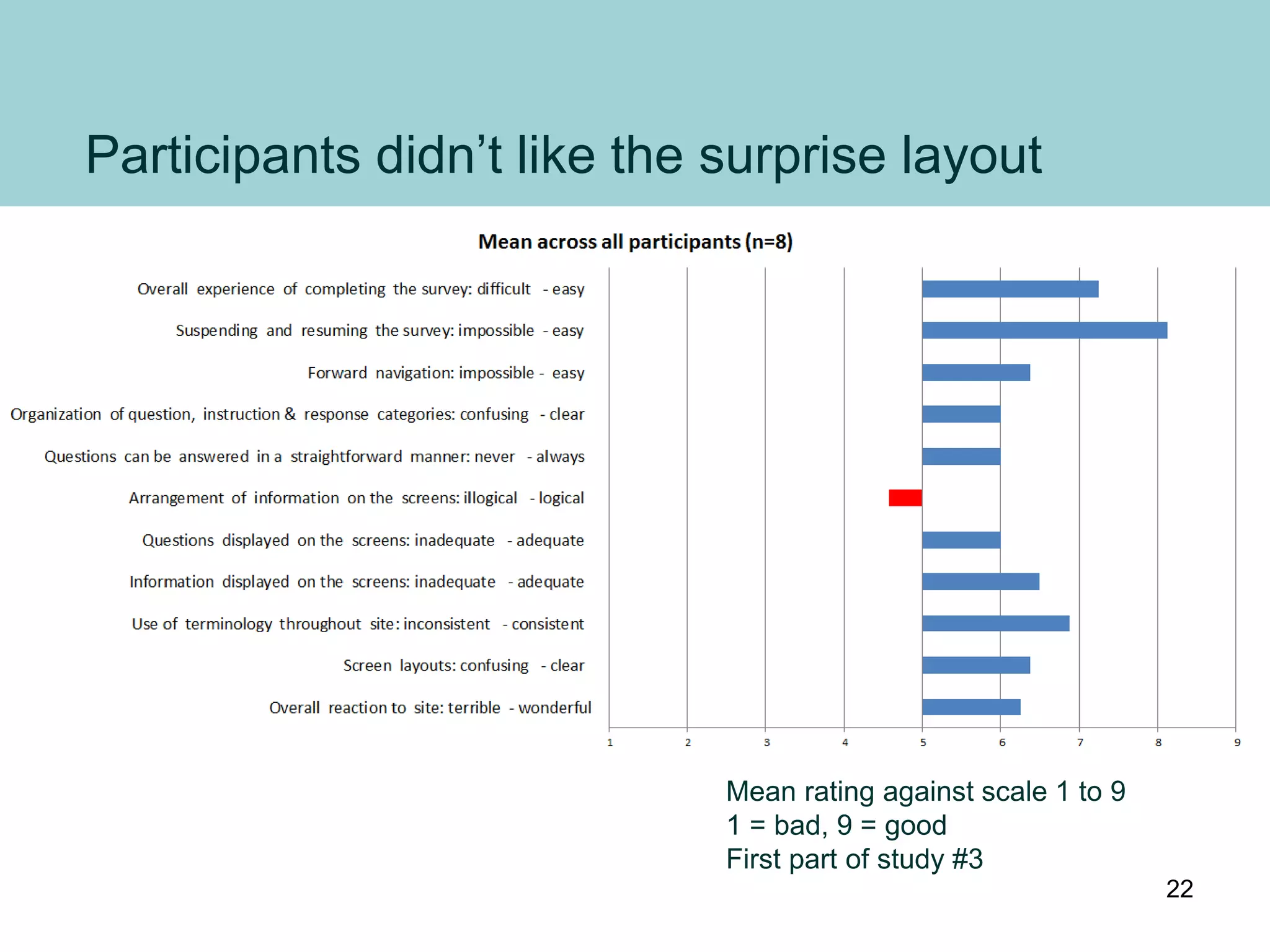
Participants didn’t like the surprise layout
Mean rating against scale 1 to 9
1 = bad, 9 = good
First part of study #3
22
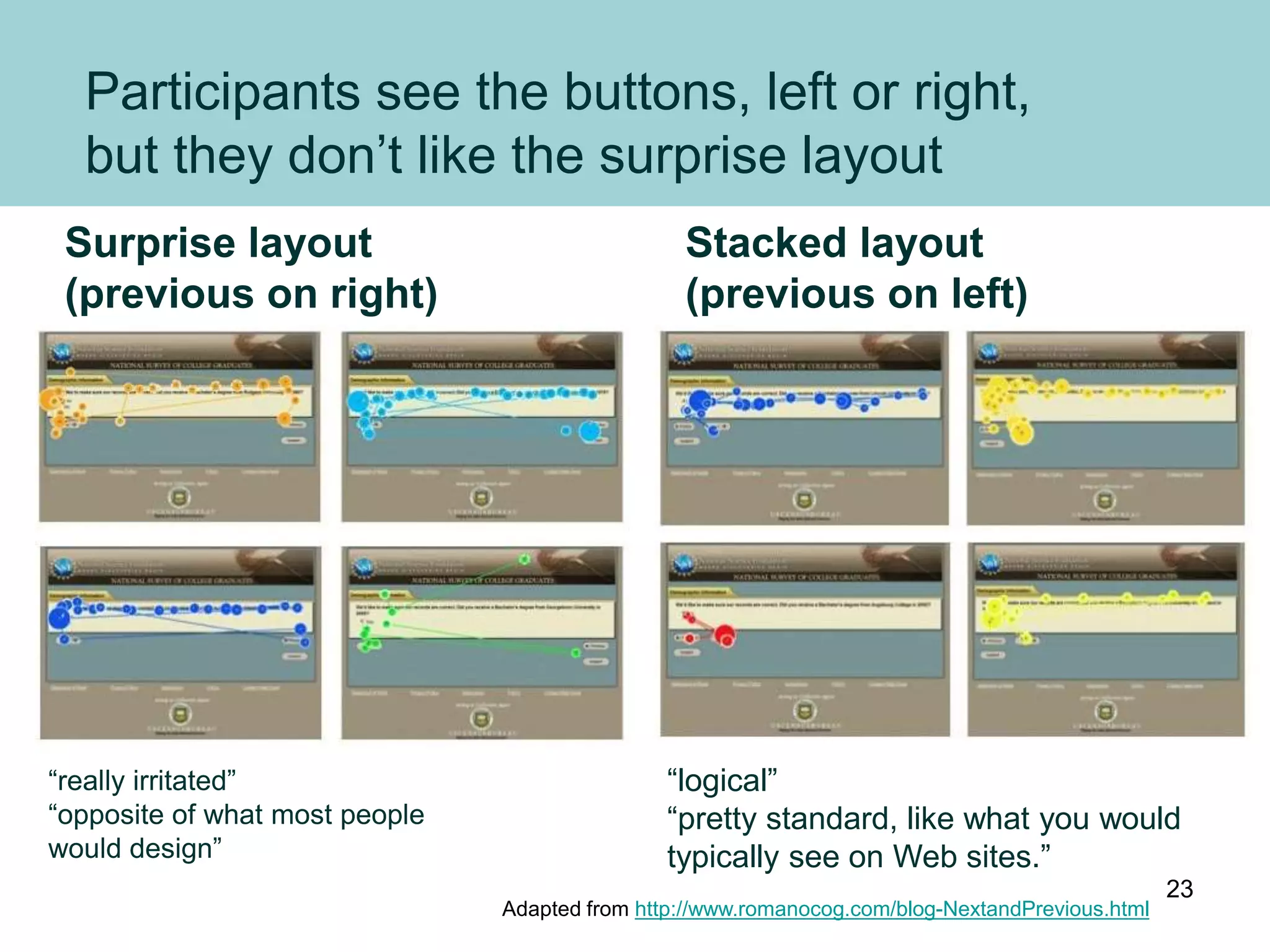
Participants see the buttons, left or right,
but they don’t like the surprise layout
Adapted from http://www.romanocog.com/blog-NextandPrevious.html
“really irritated”
“opposite of what most people
would design”
“logical”
“pretty standard, like what you would
typically see on Web sites.”
Surprise layout
(previous on right)
Stacked layout
(previous on left)
23
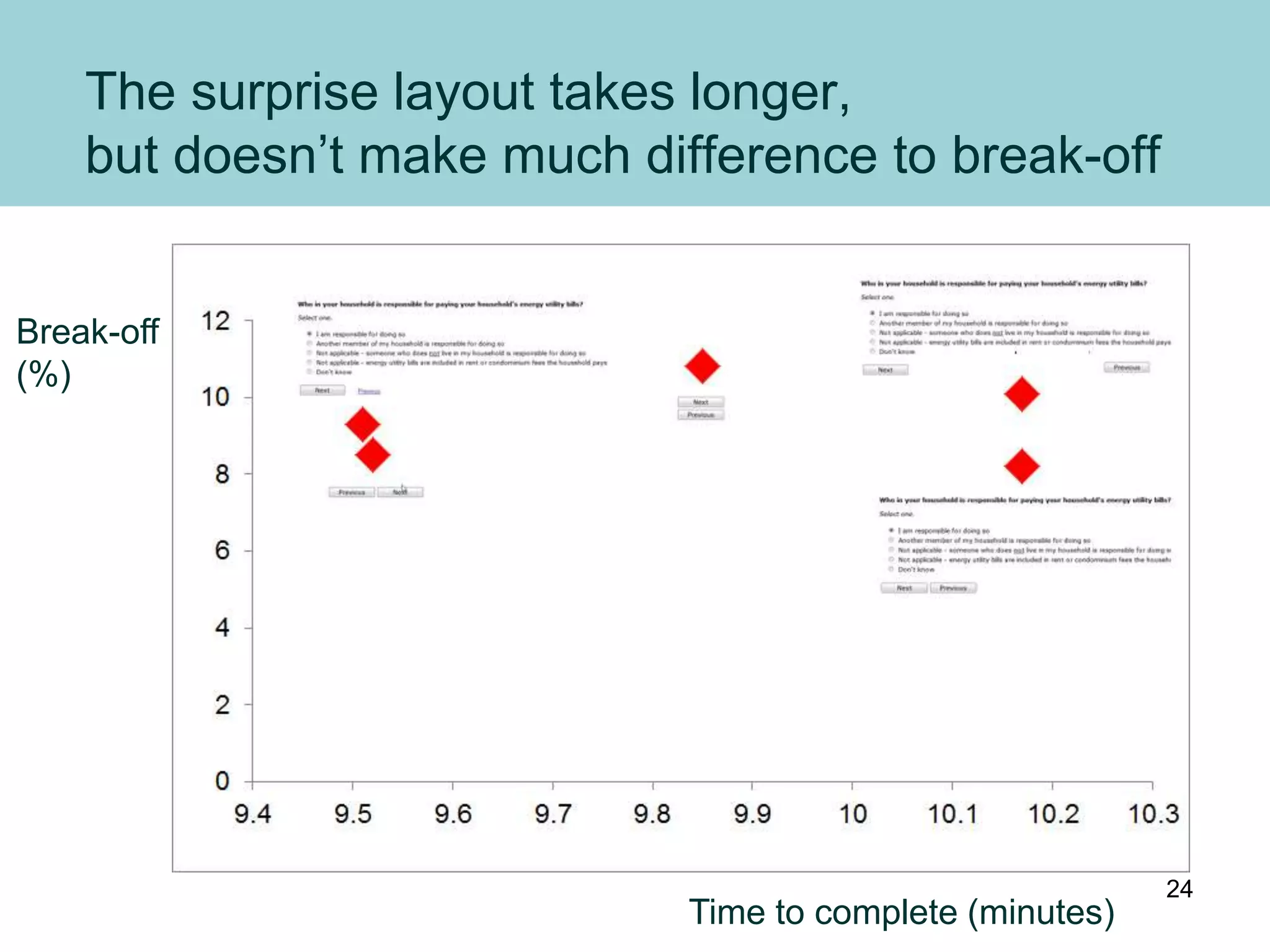
The surprise layout takes longer,
but doesn’t make much difference to break-off
Time to complete (minutes)
Break-off
(%)
24
Conclusion: best place for a primary button is
aligned with left-hand end of text boxes
Looks here
first for button
2 Then looks here
3 Looks here
last
(but avoid doing silly things
with any secondary buttons)
1
25
More resources on
http://www.slideshare.net/cjforms
26
Caroline Jarrett
twitter @cjforms
caroline.jarrett@effortmark.co.uk
http://www.formsthatwork.com
http://www.rosenfeldmedia.com/books/survey-design/
27

Buttons on forms and surveys: a look at some research 2012

  • 1.
    Buttonson forms andsurveys a look at some research Caroline Jarrett
  • 2.
  • 3.
    The basic eyemovement on forms: look for a box, turn left to read the label Where to put the button? A B C D E 3
  • 4.
    Best place fora button: aligned with left-hand end of text boxes Looks here first for button 2 Then looks here 3 Looks here last 1 4
  • 5.
    Study #1: LukeWroblewski and Etre (2007) http://www.lukew.com/resources/articles/PSactions.asp 5
  • 6.
    Which one doyou prefer? Why? Is there a better option? “Only Option E performed poorly during our testing” 6
  • 7.
    Luke W’s examplesconsidered again 1 1 1 1 2 1 Fail 1 2 “Only Option E performed poorly during our testing” 7
  • 8.
    Study #2: Couperet al, 2011. Couper, M. P., Baker, R. & Mechling, J. (2011). Placement and design of navigation buttons in Web surveys. http://surveypractice.wordpress.com/2011/02/14/navigation-buttons/ “…we recommend that survey designers consider the use of a hyperlink for the Previous or Back function, or place the Previous button below the Next button, either centered (if the questions are centered on the page or the majority are presented horizontally) or on the left (if most of the questions are presented vertically and left-justified)”. 8
  • 9.
    Does ‘Next’ goon the left or right of ‘Previous’? 9
  • 10.
  • 11.
    What about forthese two? 11
  • 12.
    Probably a lotless of a surprise 12
  • 13.
    The survey withthe surprising layout ~ 10 mins Surveyswithanyuseof‘previous’(%) Time to complete (minutes) Graph inspired by http://blog.vovici.com/blog/bid/54343/The-Usability-of-Web-Surveys 13
  • 14.
    With an expectedlayout - quicker Time to complete (minutes) Surveyswithanyuseof‘previous’(%) 14
  • 15.
    Unusual but notbarmy layout: in between Time to complete (minutes) Surveyswithanyuseof‘previous’(%) Graph inspired by http://blog.vovici.com/blog/bid/54343/The-Usability-of-Web-Surveys 15
  • 16.
    Does that blowaway my theory? The surprise layouts should be fine 1 Theory fail? 1 Theory fail? 16
  • 17.
    Or does it? Areforms the same as surveys? Form study #1 • Single screen • ‘Submit’ and ‘Cancel’ • Time: not given, but probably ~ 1 minute • General public Survey study #2 • Survey • ‘Next’ and ‘Previous’ • Time: ~ 9 to ~ 10 minutes • Survey panel members – Used to long surveys – Used to adapting to different formats for surveys 17
  • 18.
    Study #3: JenniferRomano Bergstrom (2011) http://www.romanocog.com/blog-NextandPrevious.html Also reports findings from two U.S. Census Bureau studies • Romano, J. C. & Chen, J. M. (2011). A usability and eye-tracking evaluation of four versions of the online National Survey for College Graduates (NSCG): Iteration 2 (Statistical Research Division Study Series SSM2011-01). U.S. Census Bureau. http://www.census.gov/srd/papers/pdf/ssm2011-01.pdf • Romano, J. C. & Chen, J. M. (2010). A usability evaluation of the online National Survey for College Graduates (NSCG)(Statistical Research Division Study Series SSM2010-05). U.S. Census Bureau. http://www.census.gov/srd/papers/pdf/ssm2010-05.pdf 18
  • 19.
    A survey studywith some characteristics of a form study? Form study #1 • Single screen • ‘Submit’ and ‘Cancel’ • Time: not given, but probably ~ 1 minute • General public Survey study #3 • Government survey (more important) • ‘Next’ and ‘Previous’ • Time: ~ 9 to ~ 10 minutes • General public 19
  • 20.
    Example screenshot -first part of study #3 Second part of study #3 moved Previous / Save and Exit block to left of Next 20
  • 21.
    My theory claimsthat users can use this layout – and they could use it “All participants were able to successfully complete the NSCG Web-based survey”. (both conditions – study #3) 1 Adapted from http://www.romanocog.com/blog-NextandPrevious.html 21
  • 22.
    Participants didn’t likethe surprise layout Mean rating against scale 1 to 9 1 = bad, 9 = good First part of study #3 22
  • 23.
    Participants see thebuttons, left or right, but they don’t like the surprise layout Adapted from http://www.romanocog.com/blog-NextandPrevious.html “really irritated” “opposite of what most people would design” “logical” “pretty standard, like what you would typically see on Web sites.” Surprise layout (previous on right) Stacked layout (previous on left) 23
  • 24.
    The surprise layouttakes longer, but doesn’t make much difference to break-off Time to complete (minutes) Break-off (%) 24
  • 25.
    Conclusion: best placefor a primary button is aligned with left-hand end of text boxes Looks here first for button 2 Then looks here 3 Looks here last (but avoid doing silly things with any secondary buttons) 1 25
  • 26.
  • 27.