Site Manager
Remote Management
Remote Control
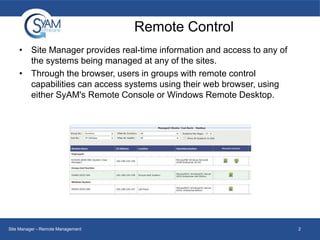
• Site Manager provides real-time information and access to any of
the systems being managed at any of the sites.
• Through the browser, users in groups with remote control
capabilities can access systems using their web browser, using
either SyAM's Remote Console or Windows Remote Desktop.

Site Manager - Remote Management

2
Remote Control
• Remote Console will work with any web browser that has
Java Runtime installed.
• Remote Desktop will work only with Internet Explorer.

Site Manager - Remote Management

3
Navigating
•

•

•

From the Site Summary
Dashboard, simply select
which systems you would
like to take remote
control of. In this
example we want to look
at the 2 systems with a
degraded health state.
After clicking the
degraded health icon, all
systems will populate
below that correspond to
that health state
Next to the desired
system you can choose
to do a remote
desktop/console

Site Manager - Remote Management

4

Remote Management

  • 1.
  • 2.
    Remote Control • SiteManager provides real-time information and access to any of the systems being managed at any of the sites. • Through the browser, users in groups with remote control capabilities can access systems using their web browser, using either SyAM's Remote Console or Windows Remote Desktop. Site Manager - Remote Management 2
  • 3.
    Remote Control • RemoteConsole will work with any web browser that has Java Runtime installed. • Remote Desktop will work only with Internet Explorer. Site Manager - Remote Management 3
  • 4.
    Navigating • • • From the SiteSummary Dashboard, simply select which systems you would like to take remote control of. In this example we want to look at the 2 systems with a degraded health state. After clicking the degraded health icon, all systems will populate below that correspond to that health state Next to the desired system you can choose to do a remote desktop/console Site Manager - Remote Management 4