READING
COMPREHENSION
T O O L S A N D M E C H A N I S M S I N T H E
L I B R A R Y F O R L O C AT I N G R E S O U R C E S
B Y C H R I S T I N E M A Y M . S E R R A N O
GENERAL
OBJECTIVE:
Use appropriate
mechanisms/tools in
the library for locating
resources
WHAT IS A LIBRARY?
A library is a building or room containing
collections of books, periodicals, and
sometimes films and recorded music for
people to read, borrow, or refer to.
INFORMATION SOURCES
Different kinds of information are found in
different types of information sources and
different types of information sources use
different access tools to locate the
information source.
INFORMATION SOURCES
1. Card catalog
2. Online Public Access Catalog (OPAC)
3. Electronic search engines
4. Books
5. General References
6. Newspapers and other print and non-
print media
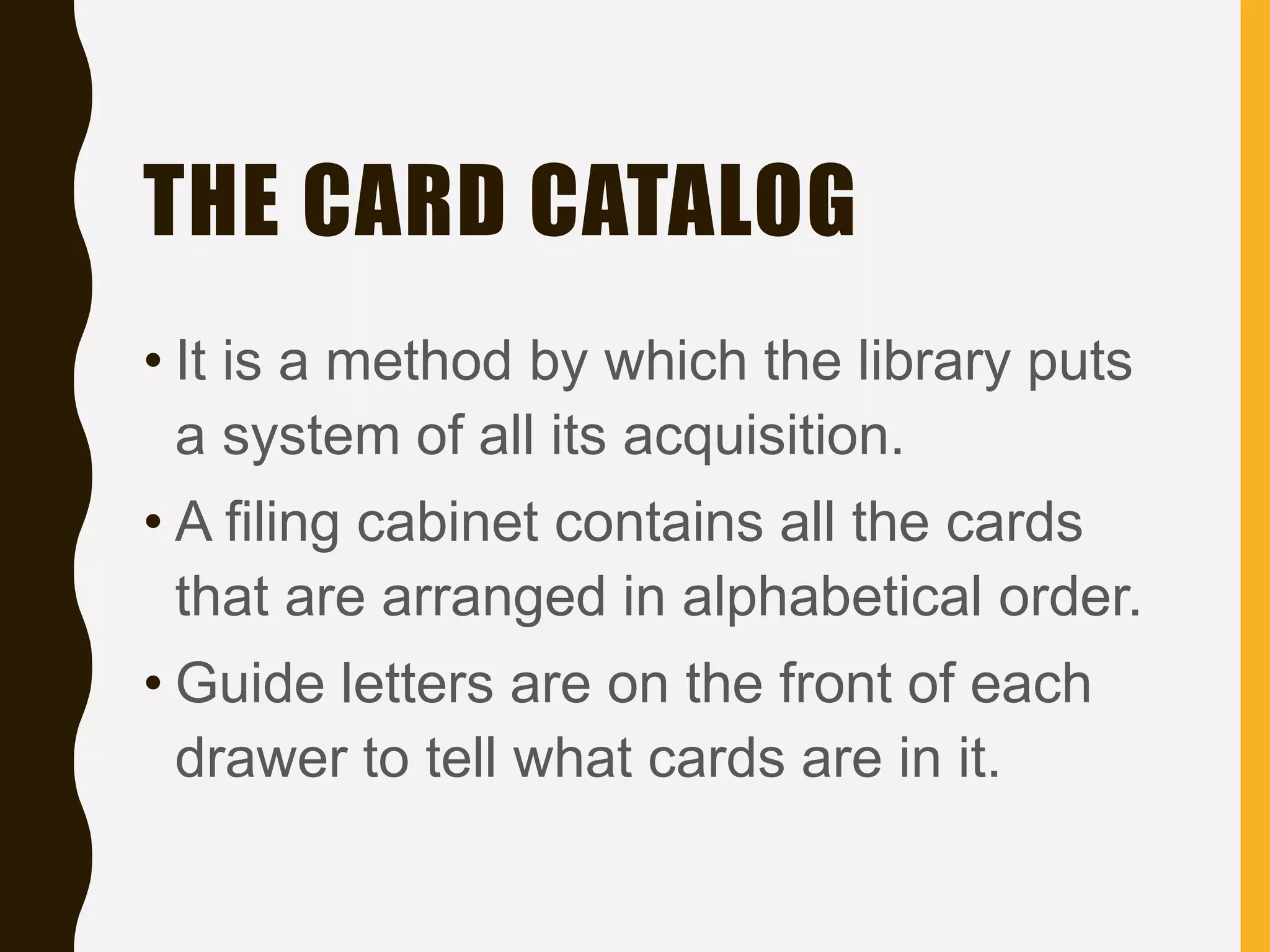
THE CARD CATALOG
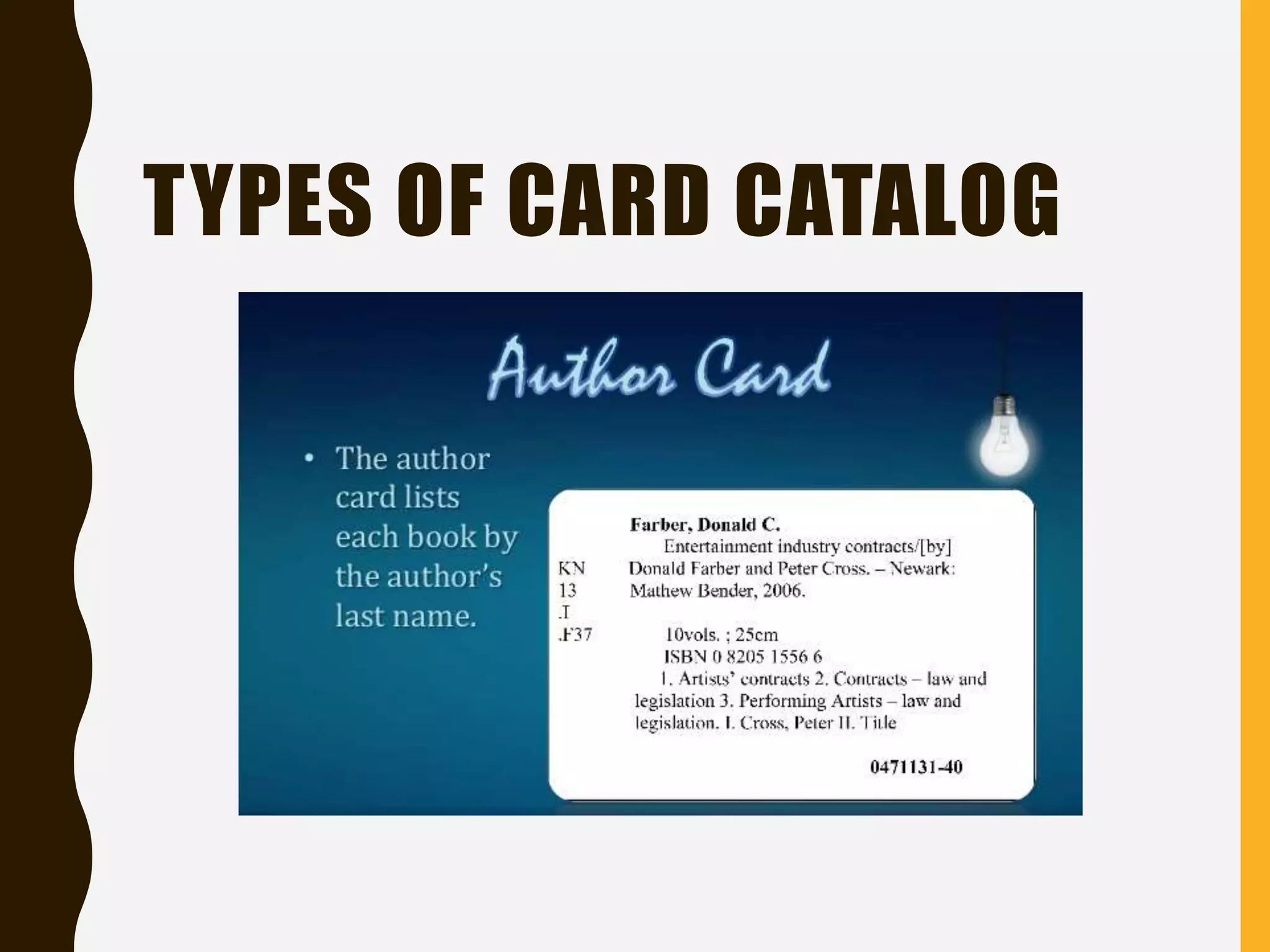
• It is a method by which the library puts
a system of all its acquisition.
• A filing cabinet contains all the cards
that are arranged in alphabetical order.
• Guide letters are on the front of each
drawer to tell what cards are in it.
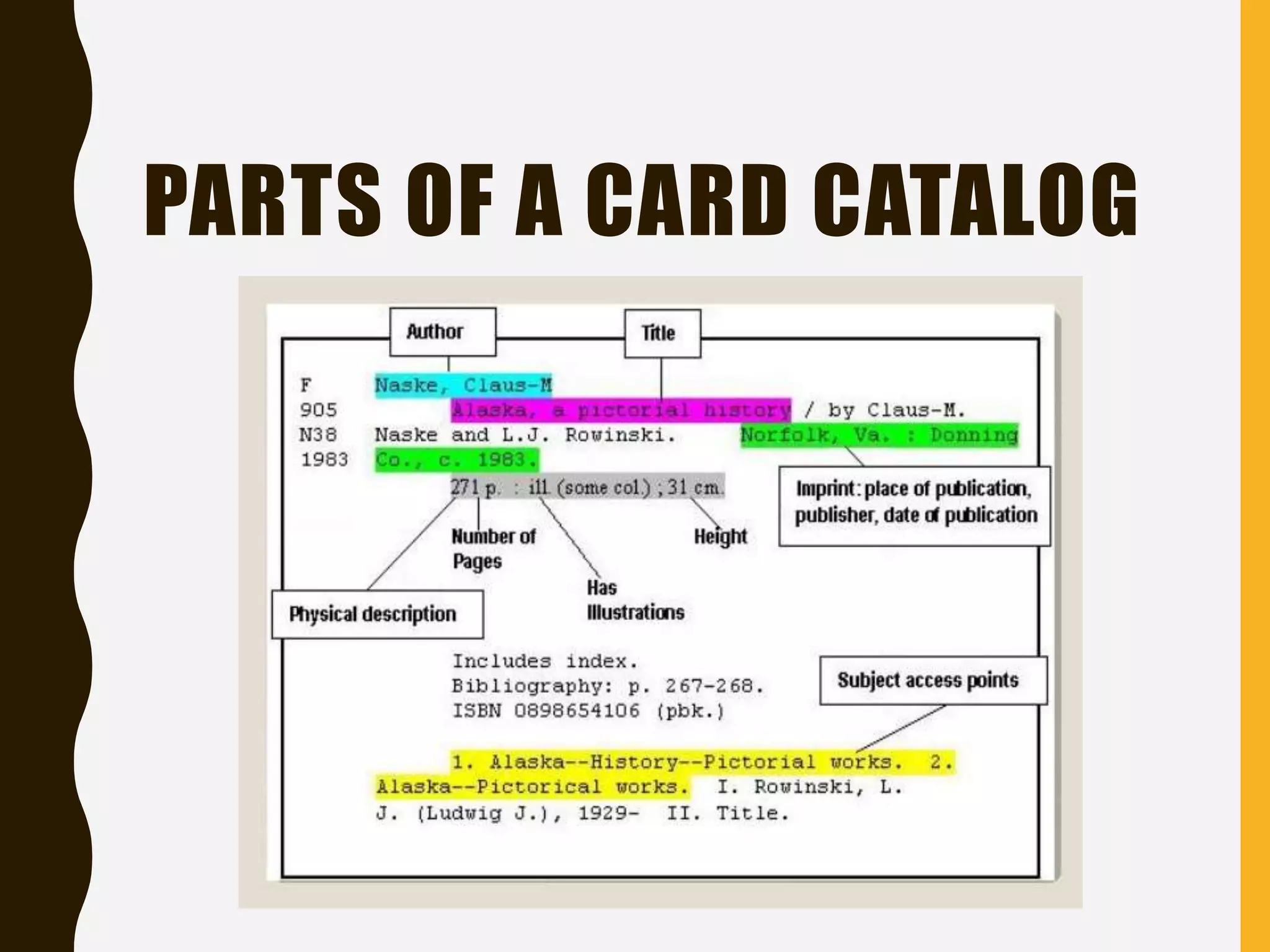
PARTS OF A CARD CATALOG
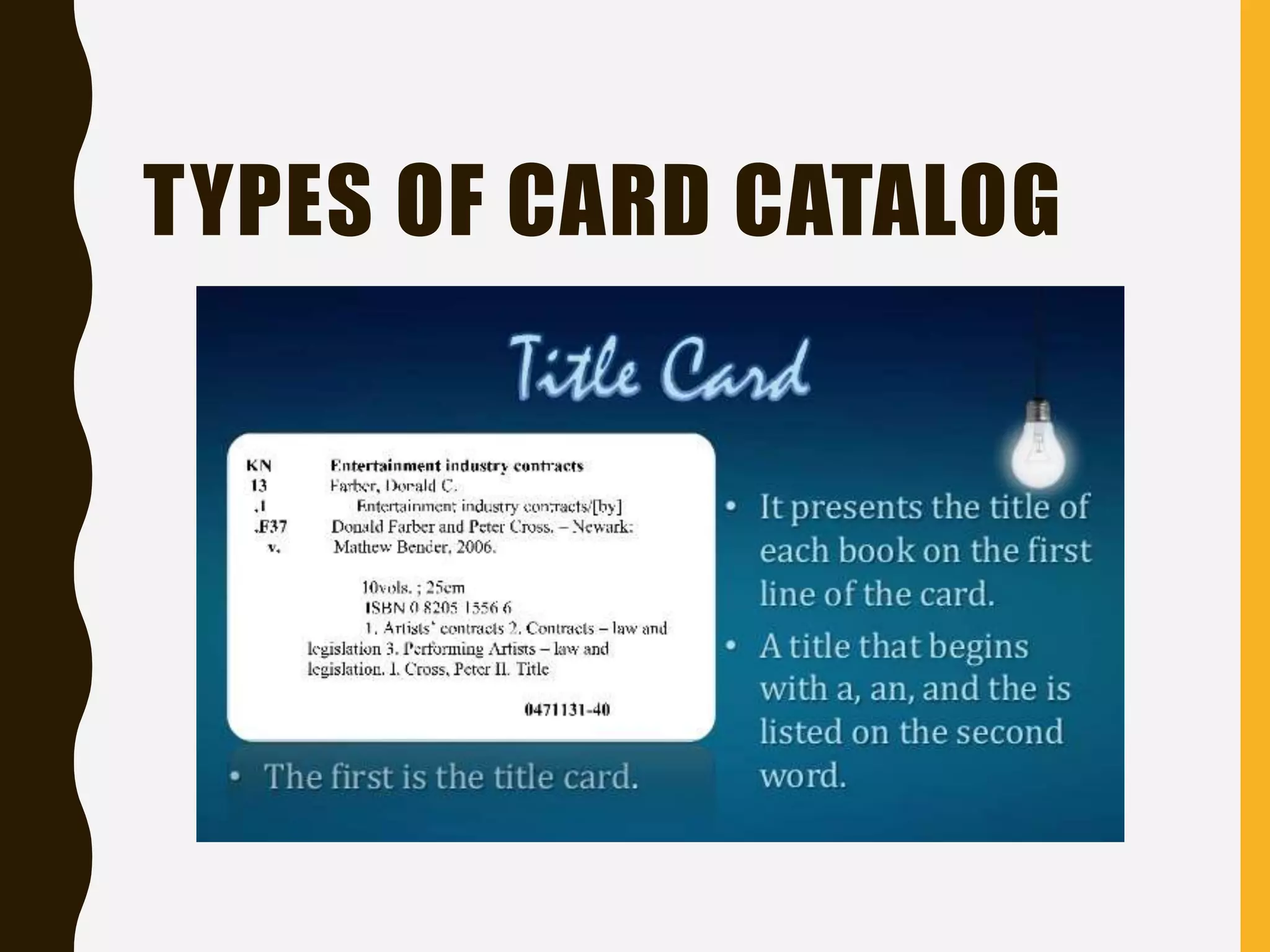
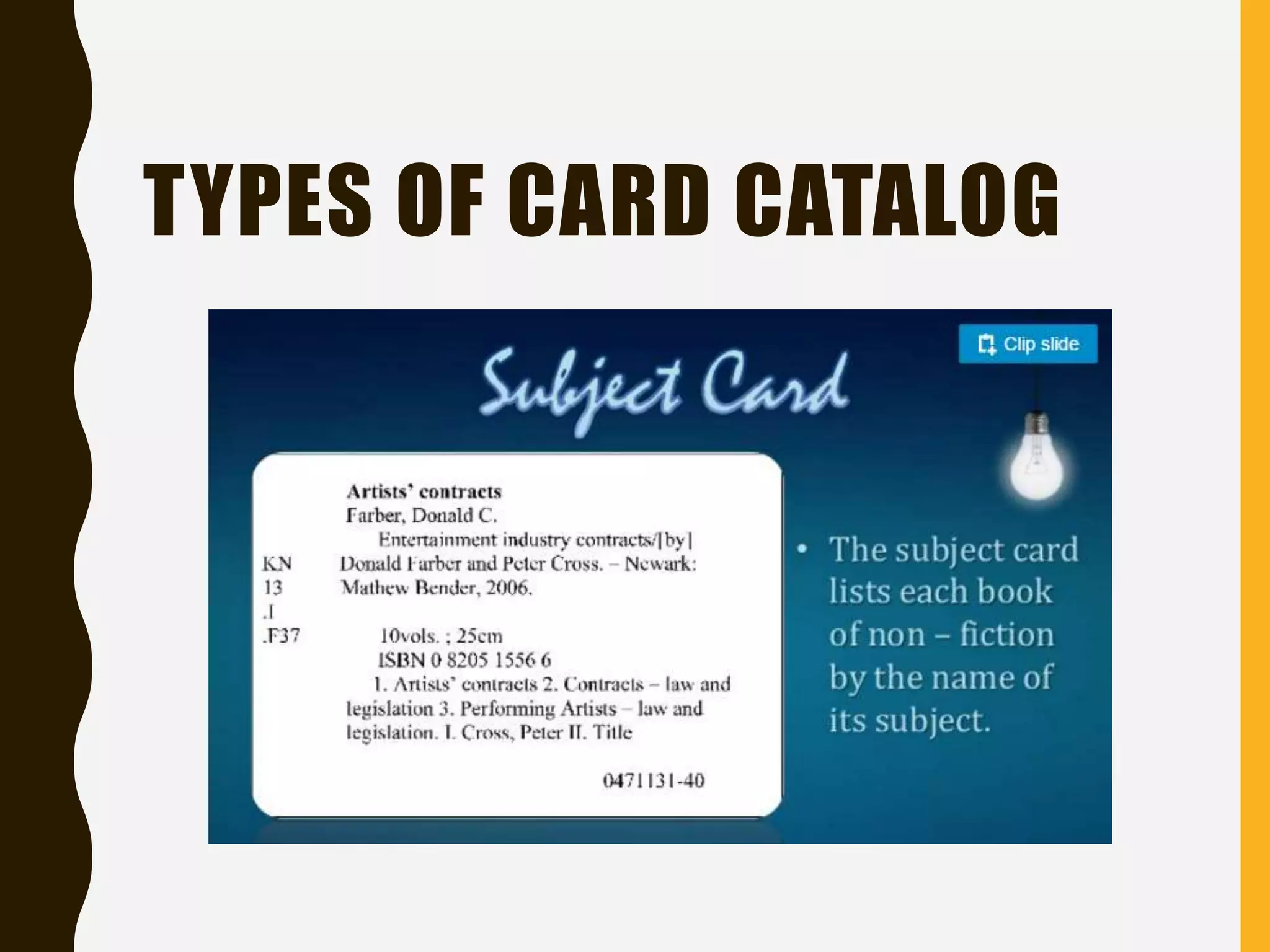
TYPES OF CARD CATALOG
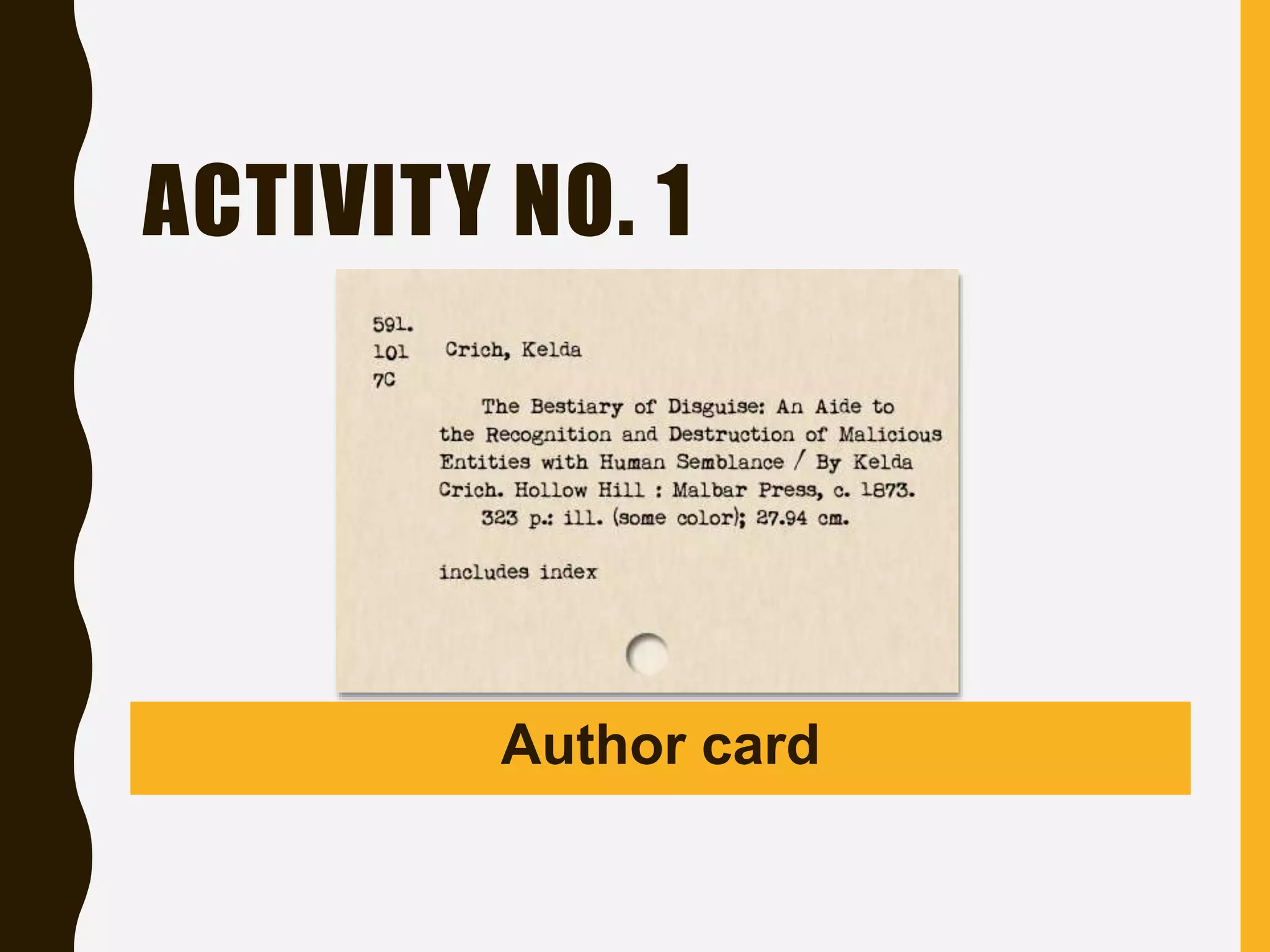
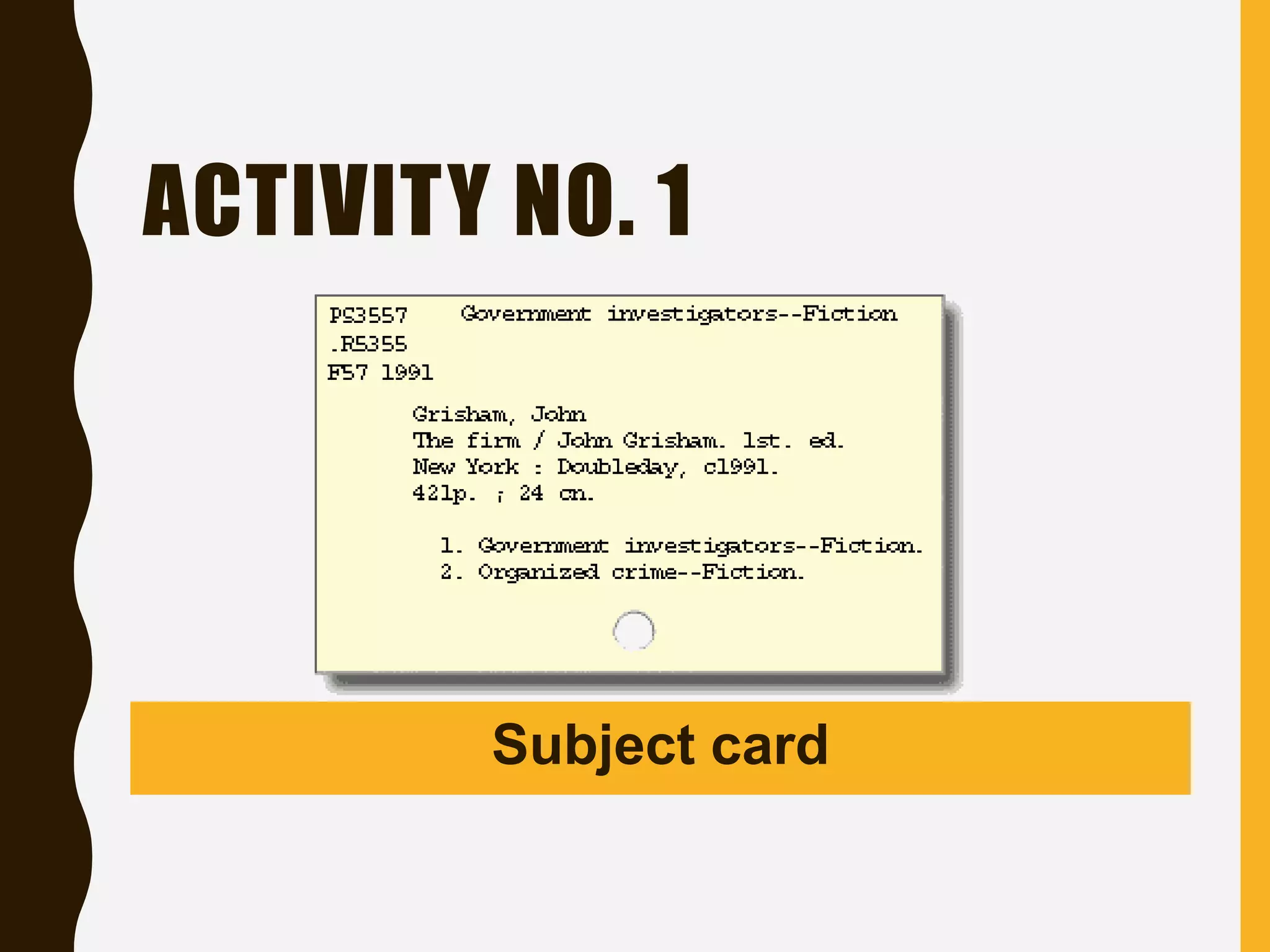
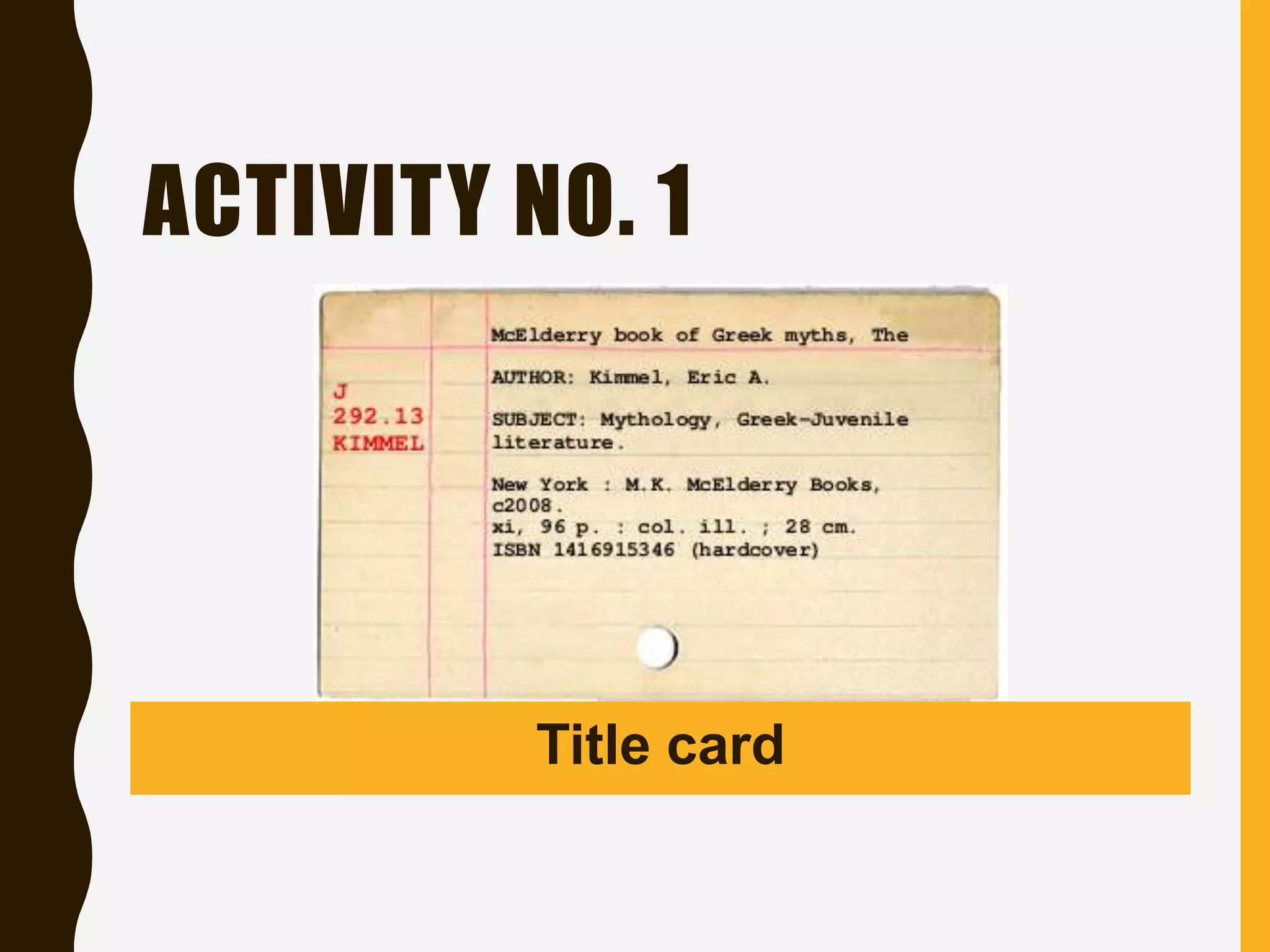
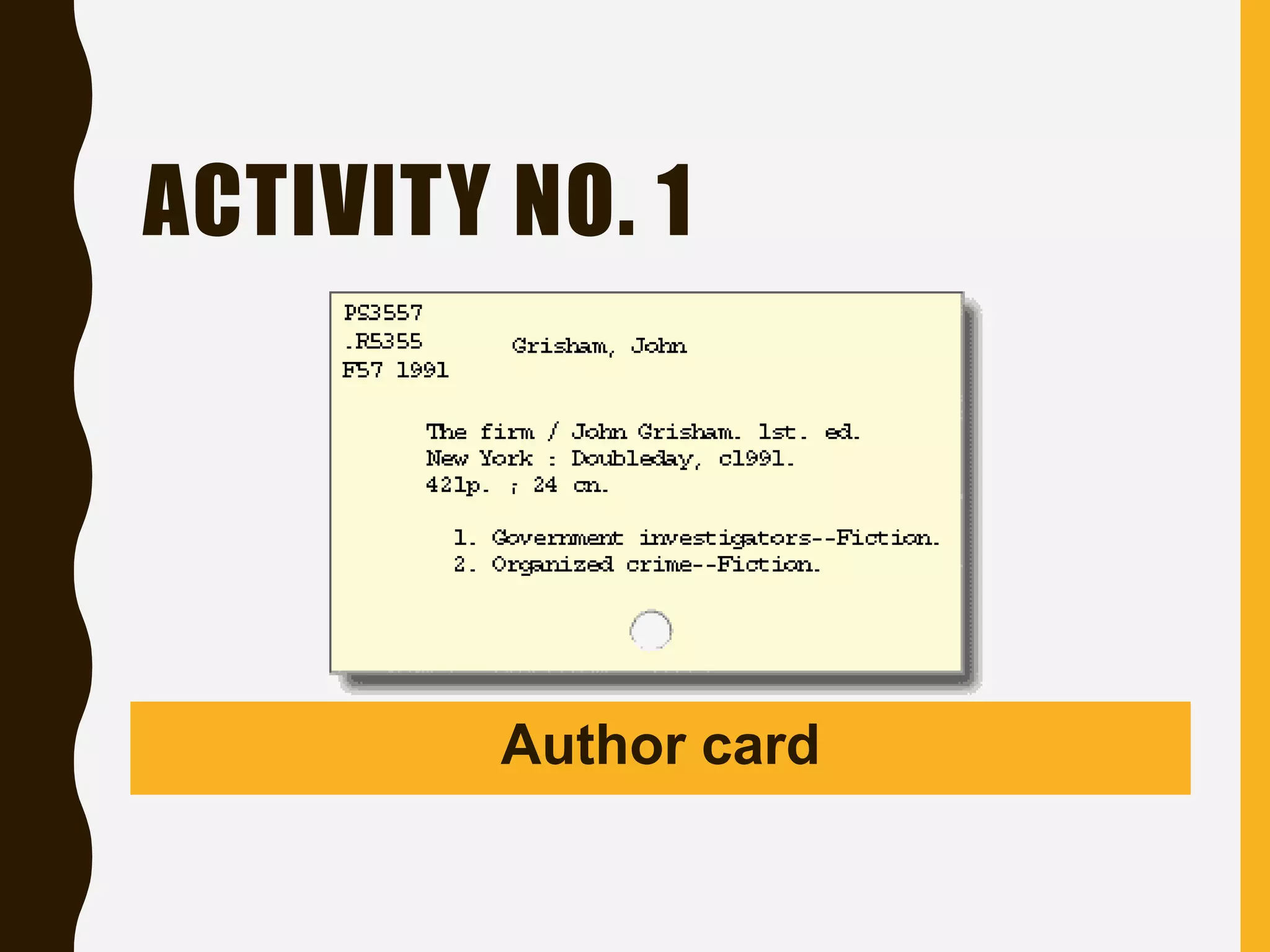
For your first activity:
You will identify the
type of card catalog to
be presented.
ACTIVITY NO. 1
Author card
ACTIVITY NO. 1
Subject card
ACTIVITY NO. 1
Title card
ACTIVITY NO. 1
Author card
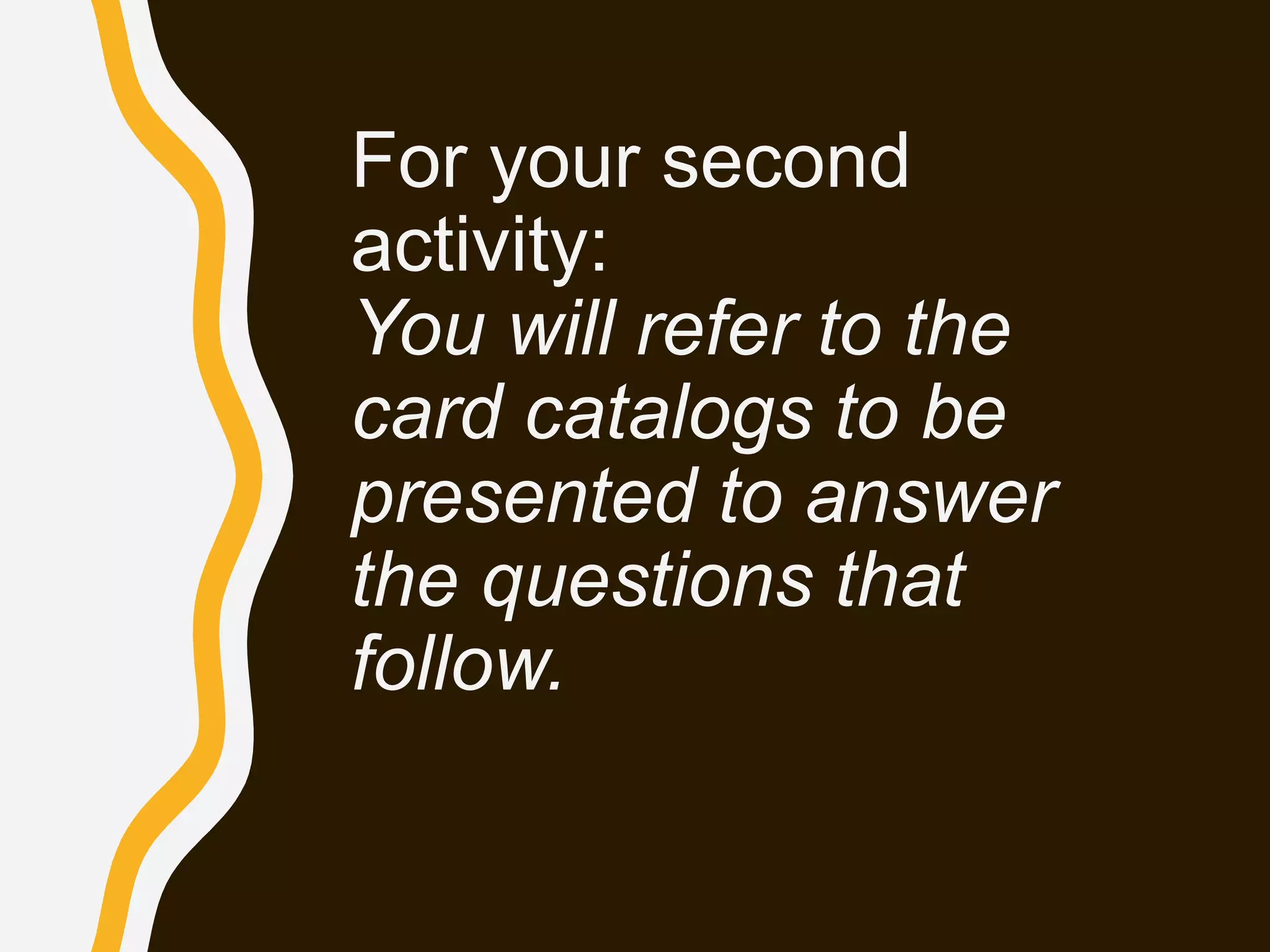
For your second
activity:
You will refer to the
card catalogs to be
presented to answer
the questions that
follow.
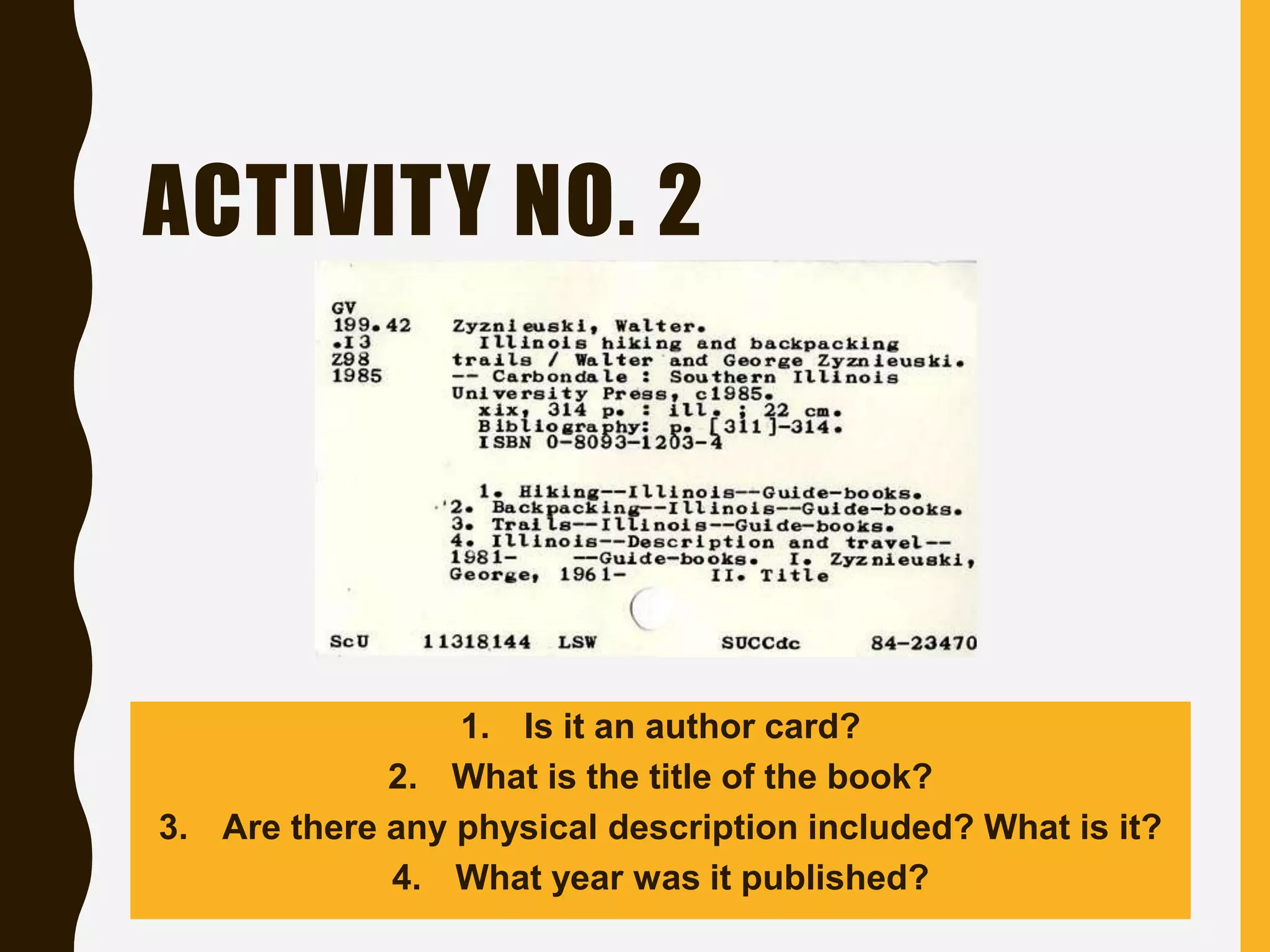
ACTIVITY NO. 2
1. Is it an author card?
2. What is the title of the book?
3. Are there any physical description included? What is it?
4. What year was it published?
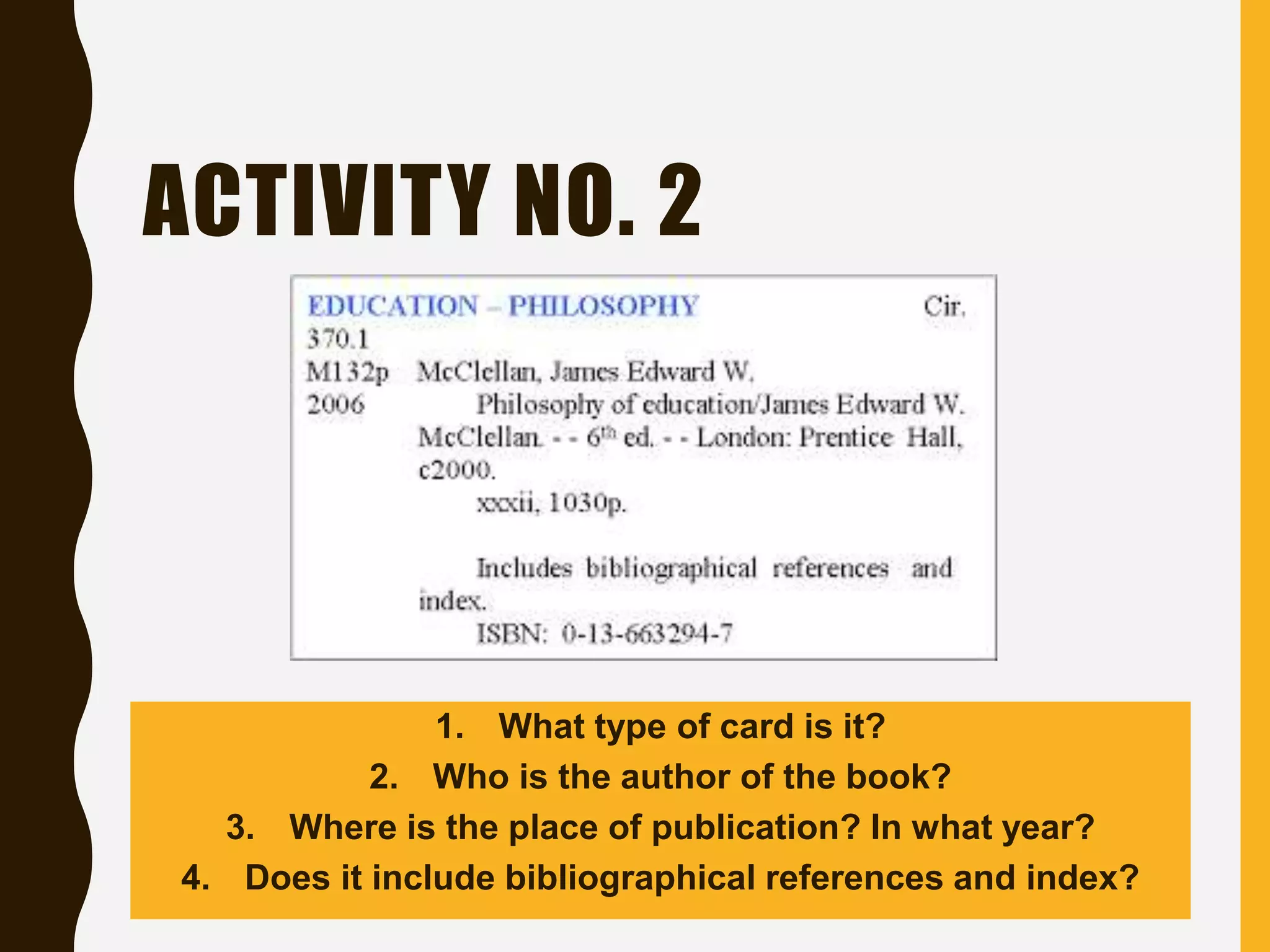
ACTIVITY NO. 2
1. What type of card is it?
2. Who is the author of the book?
3. Where is the place of publication? In what year?
4. Does it include bibliographical references and index?
THE ONLINE PUBLIC
ACCESS CATALOG (OPAC)
• It is an electronic database of titles a
library has in stock. The titles include
books, journals, compact disks and any
other sources of information the library
has in store.
WAYS OF SEARCHING IN
AN OPAC
• Title search. Each information source has
got a title and that title may be used to
locate the information source using the
OPAC. If you know the book's title, you
can search for it. Computerized catalogs
vary, but you will usually select a title
search and type in at least the first few
words of the title.
WAYS OF SEARCHING IN
AN OPAC
• Author search. The author is the creator of the
information source. An information source may
have two or more authors. Some titles also
have editors. These can be used for searching
whatever information source one wants as long
as the author(s) or editor(s) is/are known. If you
know the author of the book, or if you are
interested in other works by a favorite author,
you can search for that. Authors are usually
listed by their last names.
WAYS OF SEARCHING IN
AN OPAC
• Subject search. The subject refers to some
form of controlled keyword. Librarians do not just
assign keywords to cover certain disciplines; they
use some form of agreed and standardized
keywords or phrases which are known as
subjects or subject headings. If you know what
you want to read about, or you're searching for
particular information, but you don't know the title
of a specific book, try a subject search.
WAYS OF SEARCHING IN
AN OPAC
• Keyword search. Most electronic catalogs
will let you search on a keyword or words.
For example, searching on the keyword
"French" would find any book with that word
in the title, be it about French cooking,
French tourism, etc.
For your third activity:
You will read the
instructions and do as
you follow.
ACTIVITY NO. 3
STEP 1
• Type the author's name (preferably the author's surname) in the search
box.
• Narrow down the search by clicking on the icon for "AUTHOR" to indicate
that you are searching for an information source through the author's
name. In the example provided we will use the author David Patterson.
STEP 2
• If there are many authors by that name then there will be many books in
the results. To select the one you want just click on the title. The details of
the book will the come up.
STEP 3
• By scrolling down you would be able to get more information on where the
book is available. If it is on loan, you get details on when it will be returned
to the library.
THE ELECTRONIC SEARCH
ENGINES
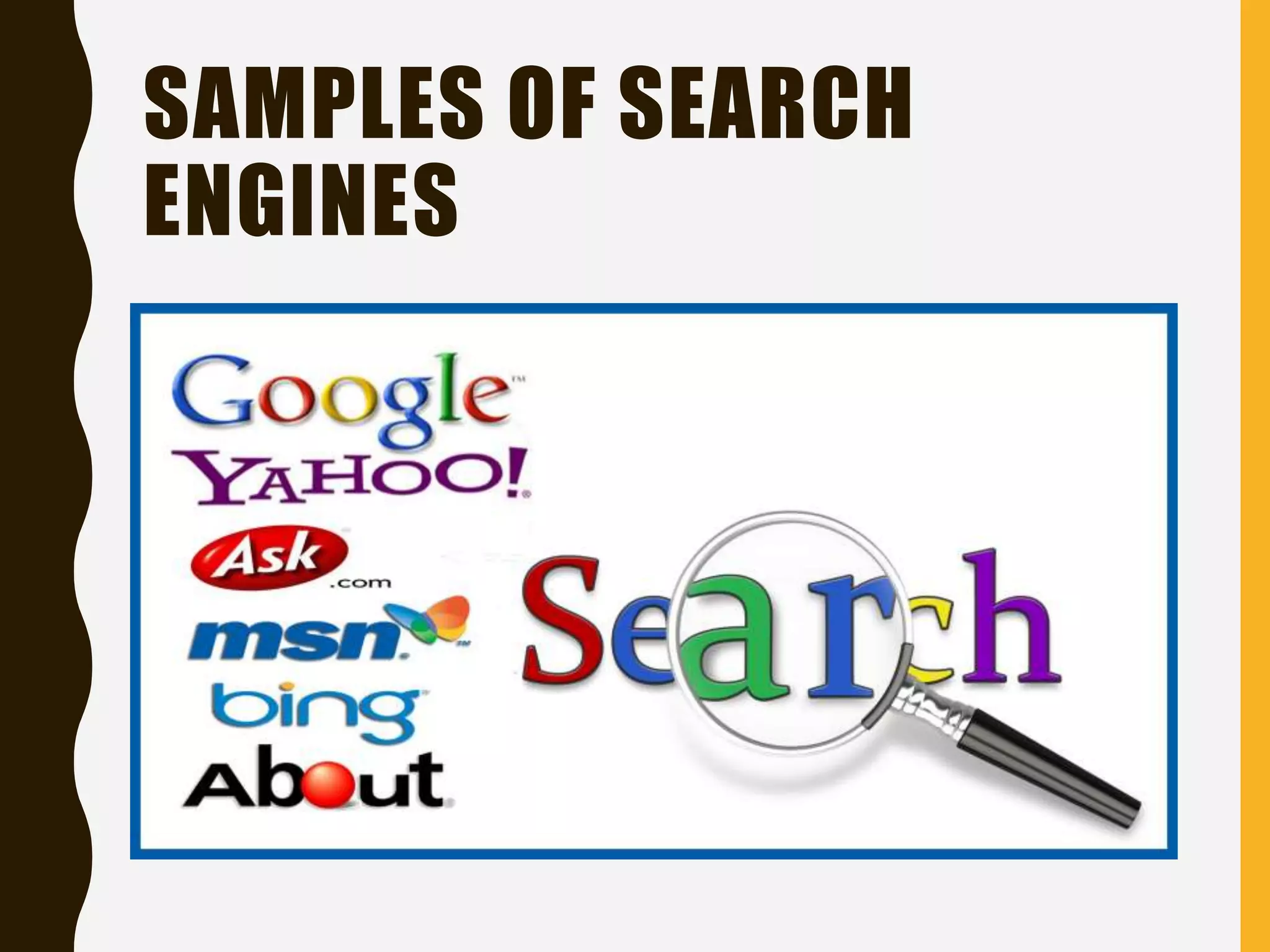
• Search engines are programs
(software) that search substantial
subsets of the Internet and retrieve
websites.
• Although they retrieve huge numbers of
websites, most of which are irrelevant
and unreliable.
SAMPLES OF SEARCH
ENGINES
THE BOOKS
• Books are handwritten or printed works
of fiction or non-fiction, usually on
sheets of paper fastened or bound
together within covers.
TYPES OF BOOKS IN THE
LIBRARY
• Periodicals.
–Print journals, magazines, microfilm of
back issues of newspapers, and
newsletters
• Reference books.
–Almanacs, atlases, encyclopedias,
dictionaries, thesaurus, etc.
TYPES OF BOOKS IN THE
LIBRARY
• Archives.
–Institutional documents with historical
value
• Theses and dissertations.
• Electronic books.
• Fiction books.
PARTS OF A BOOK
• Cover
• Title Page
• Copyright Page
• Dedication
• Table of
Contents
• Preface
• Body
• Appendix
• Bibliography
• Index
• Glossary
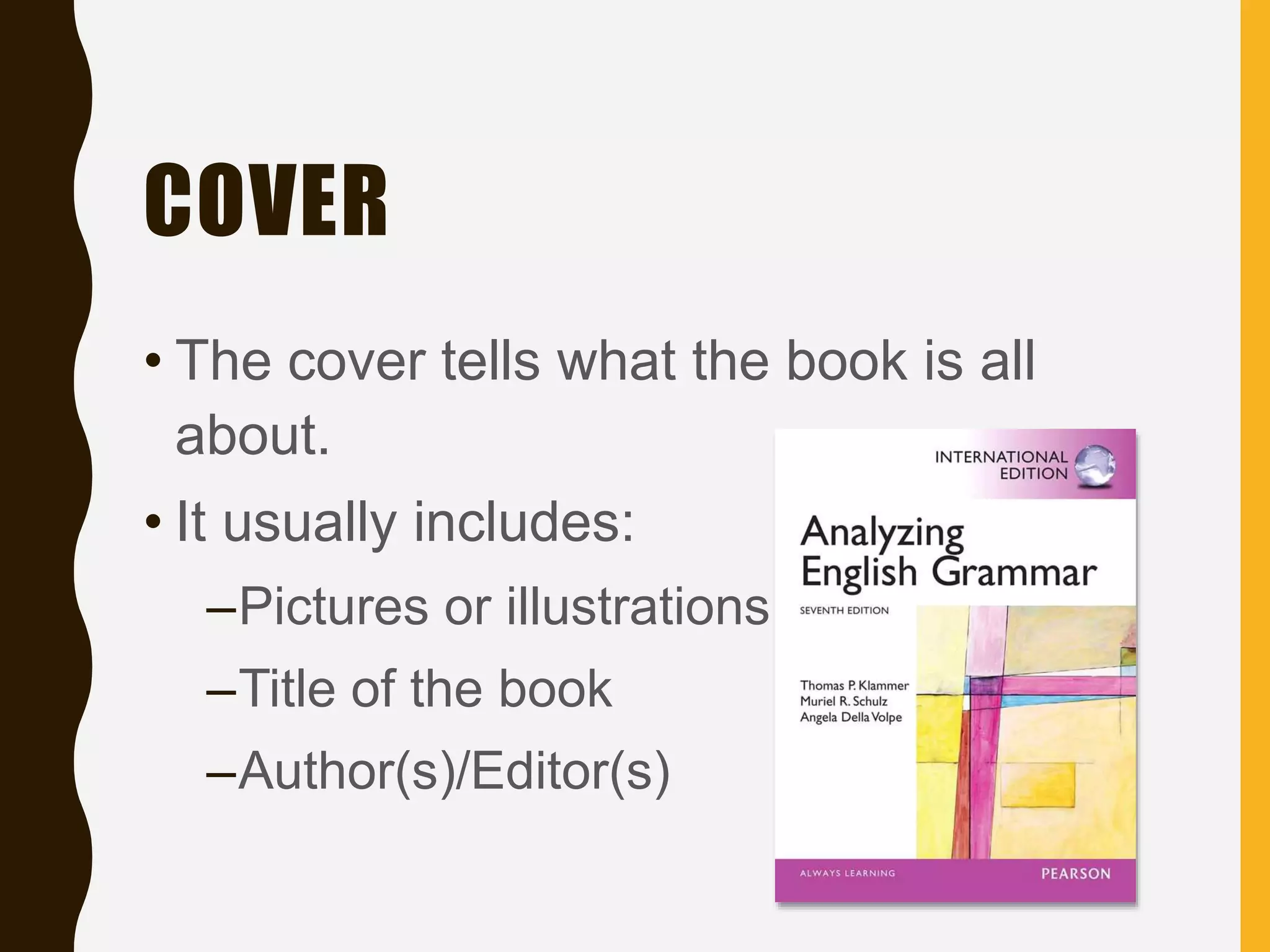
COVER
• The cover tells what the book is all
about.
• It usually includes:
–Pictures or illustrations
–Title of the book
–Author(s)/Editor(s)
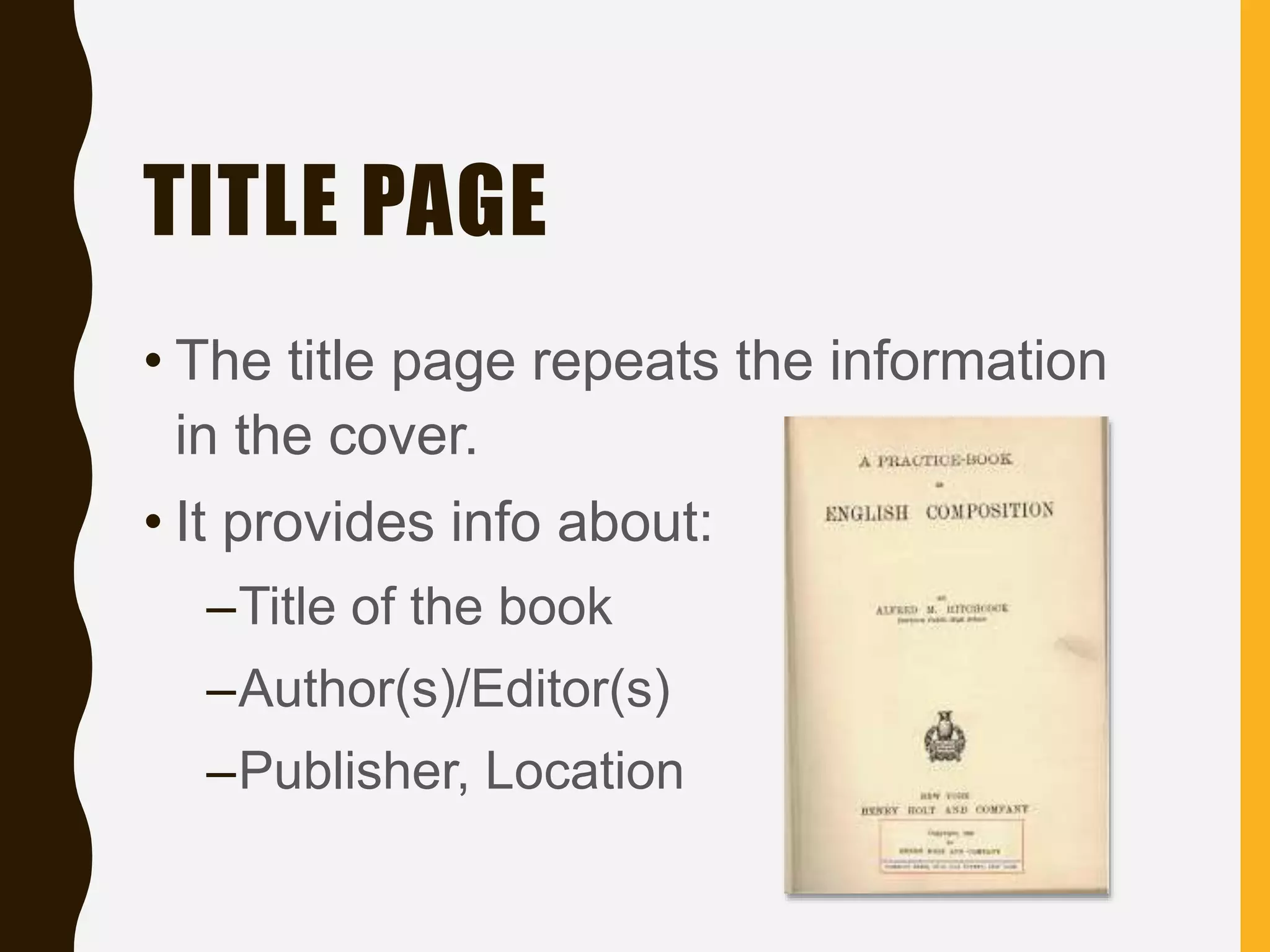
TITLE PAGE
• The title page repeats the information
in the cover.
• It provides info about:
–Title of the book
–Author(s)/Editor(s)
–Publisher, Location
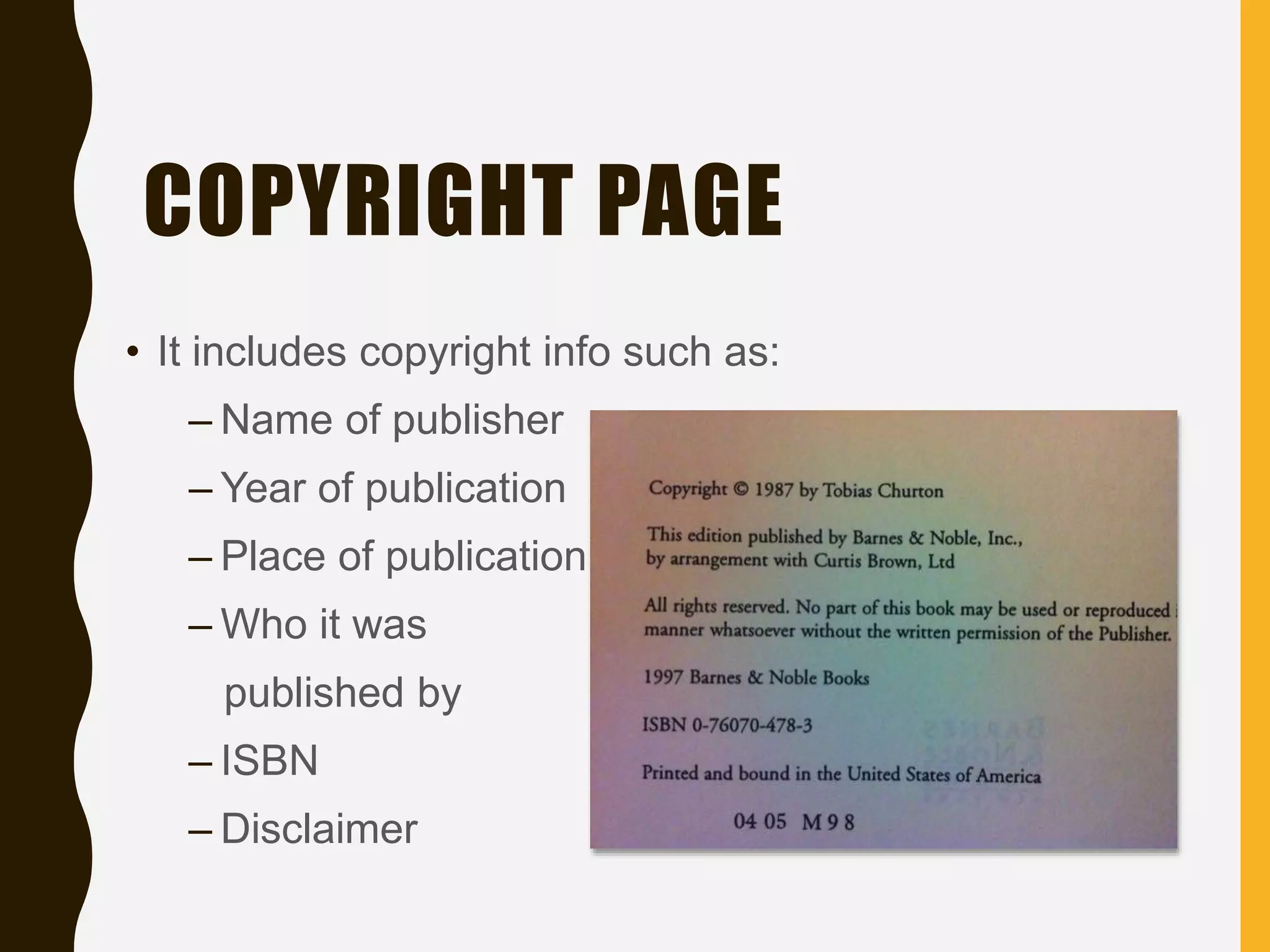
COPYRIGHT PAGE
• It includes copyright info such as:
– Name of publisher
– Year of publication
– Place of publication
– Who it was
published by
– ISBN
– Disclaimer
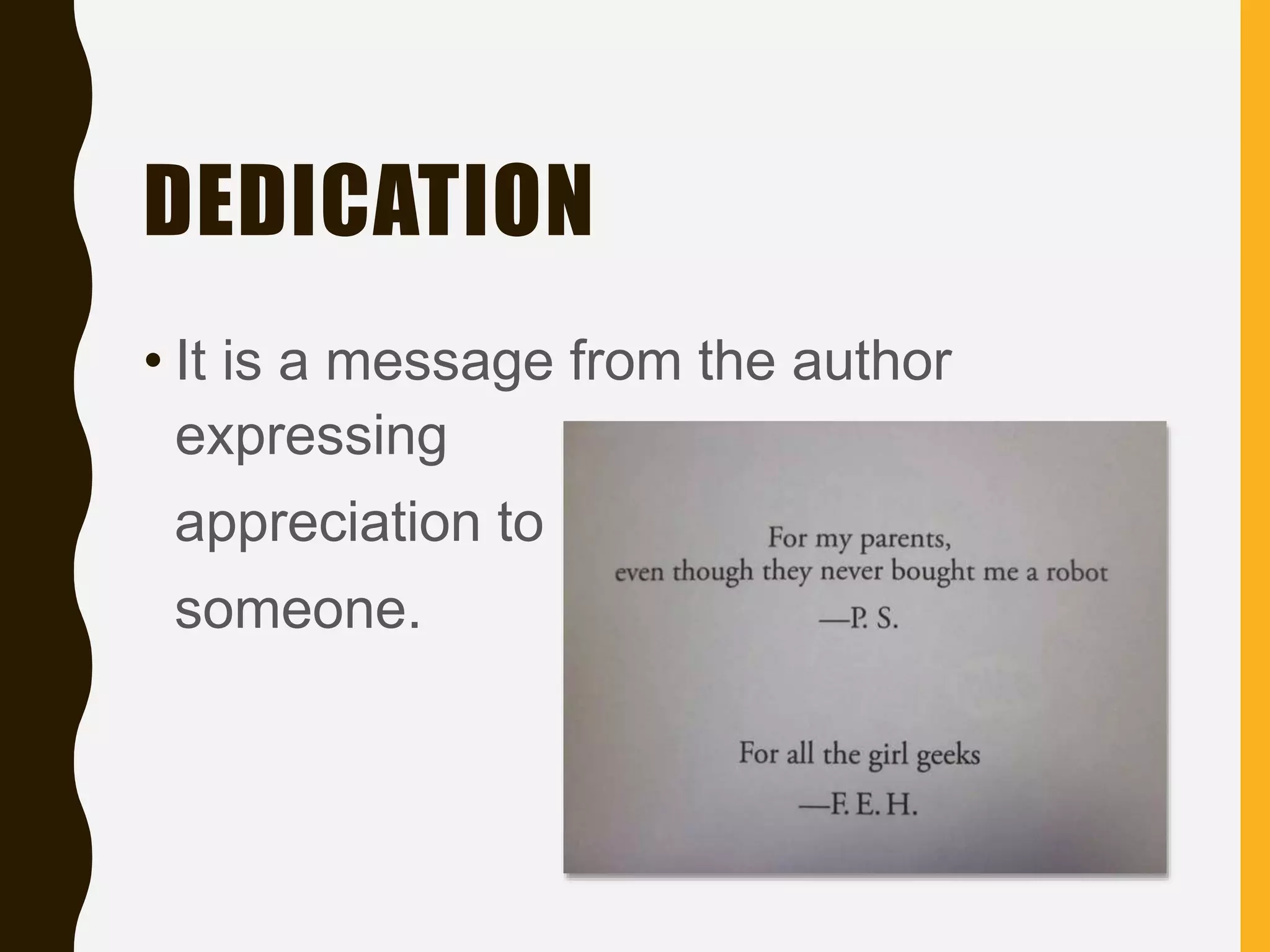
DEDICATION
• It is a message from the author
expressing
appreciation to
someone.
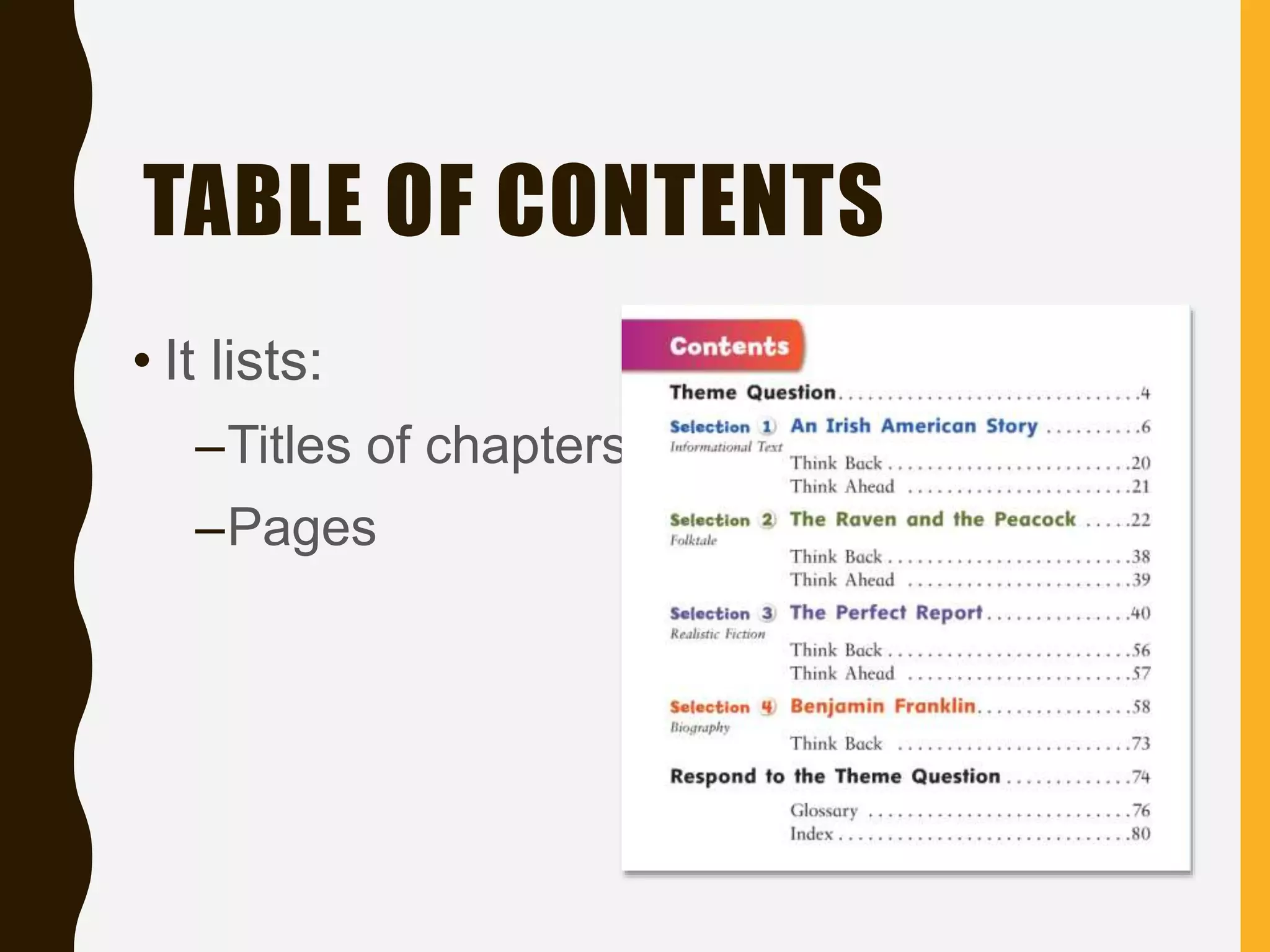
TABLE OF CONTENTS
• It lists:
–Titles of chapters
–Pages
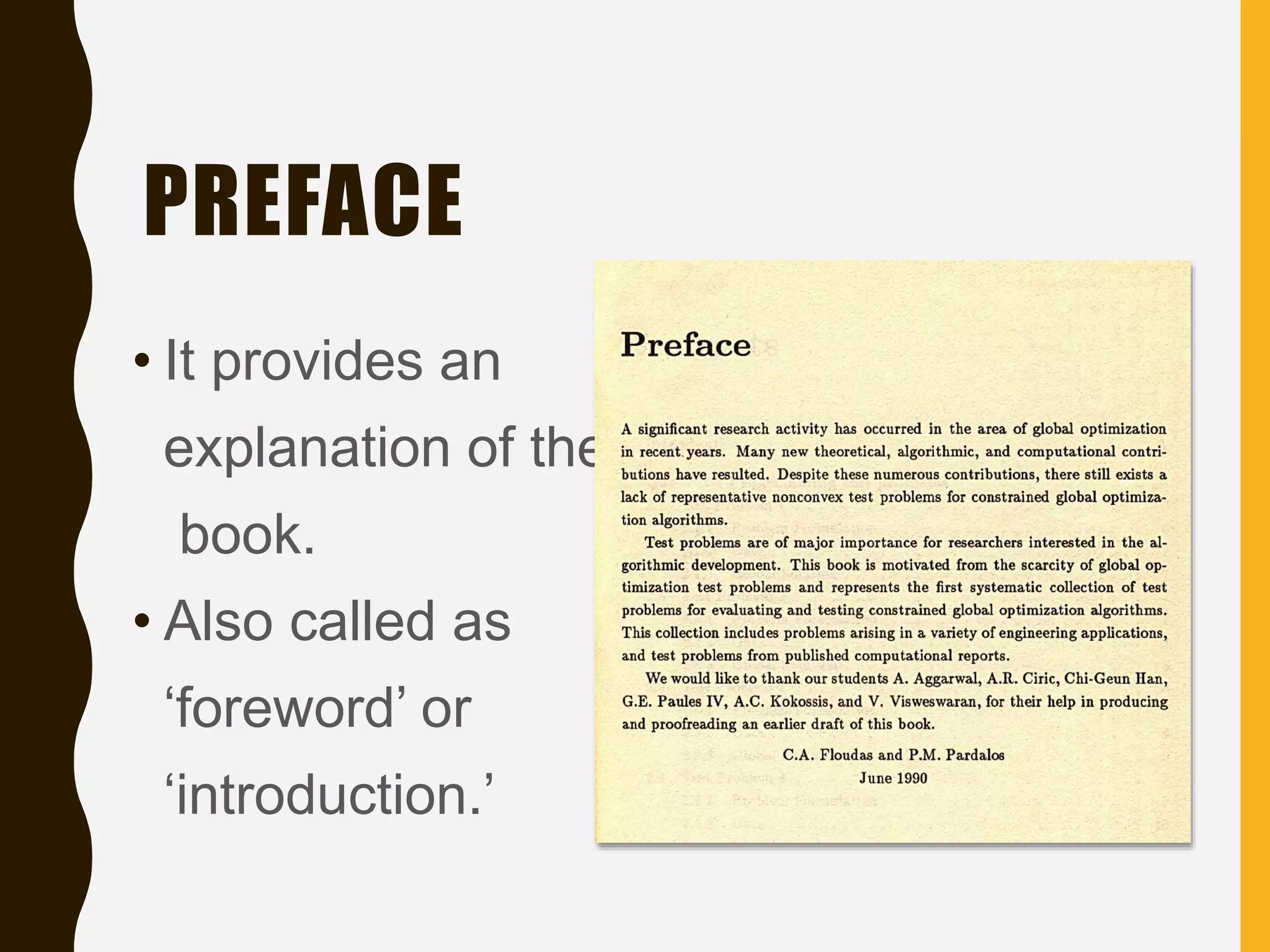
PREFACE
• It provides an
explanation of the
book.
• Also called as
‘foreword’ or
‘introduction.’
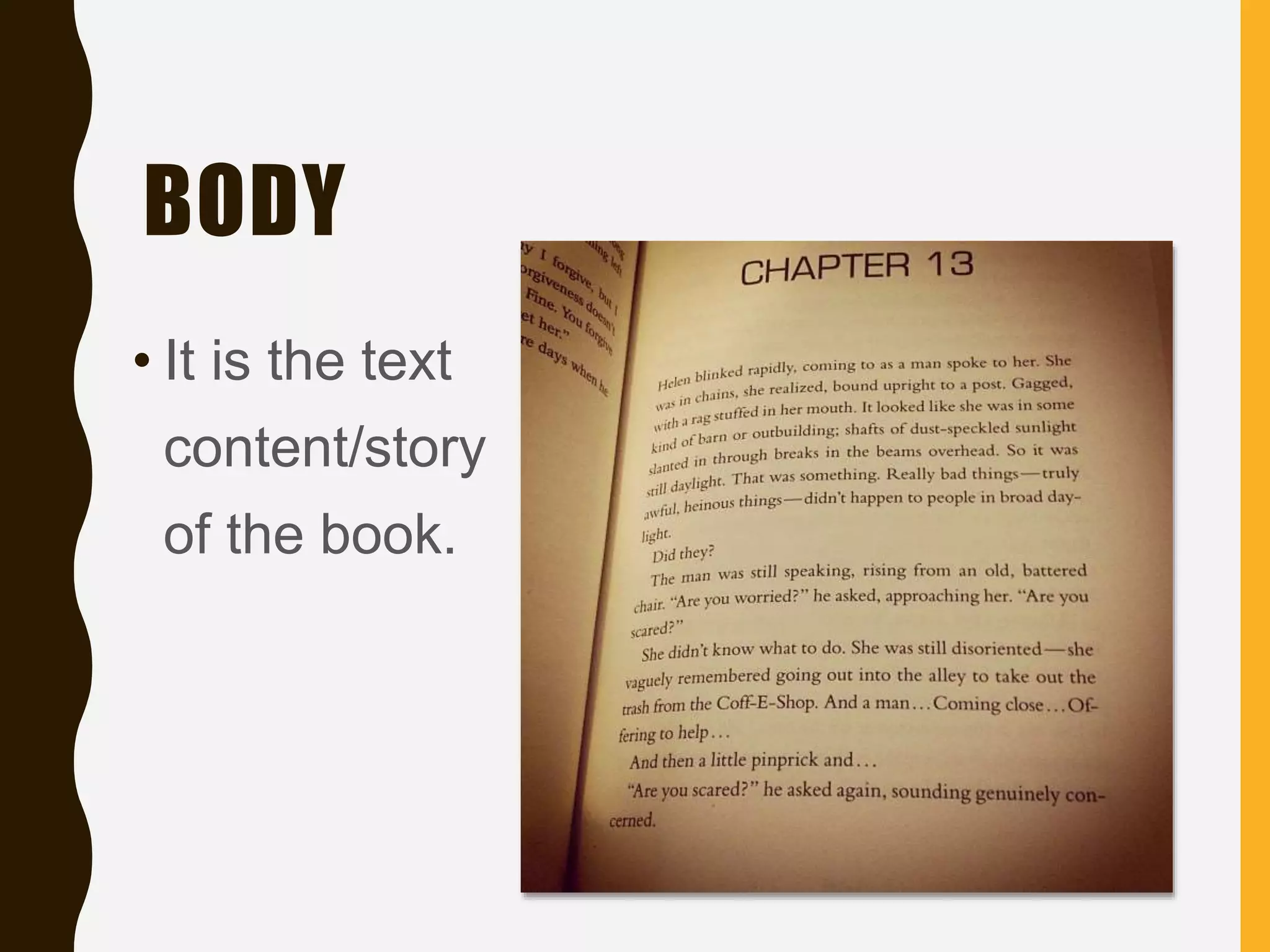
BODY
• It is the text
content/story
of the book.
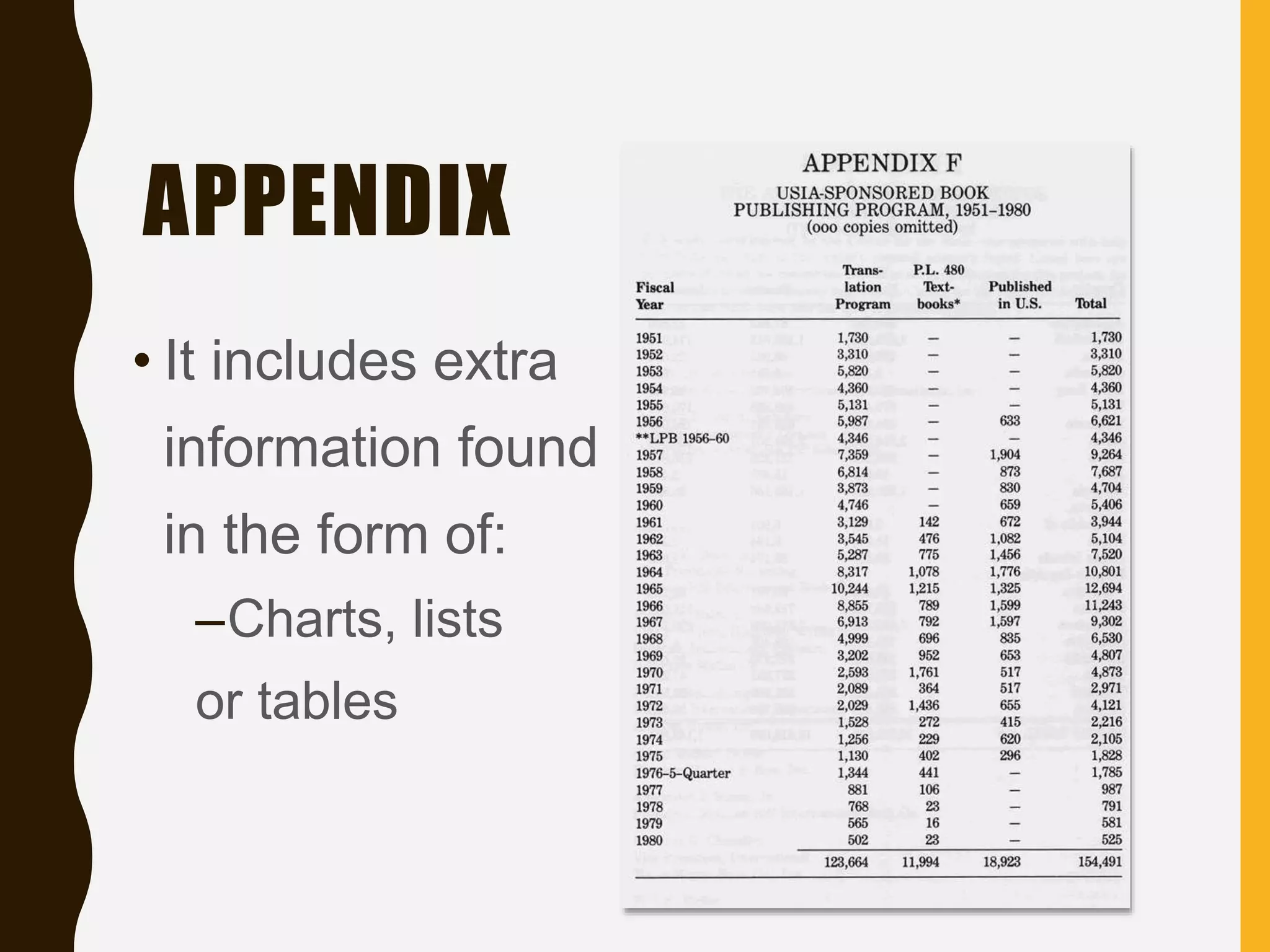
APPENDIX
• It includes extra
information found
in the form of:
–Charts, lists
or tables
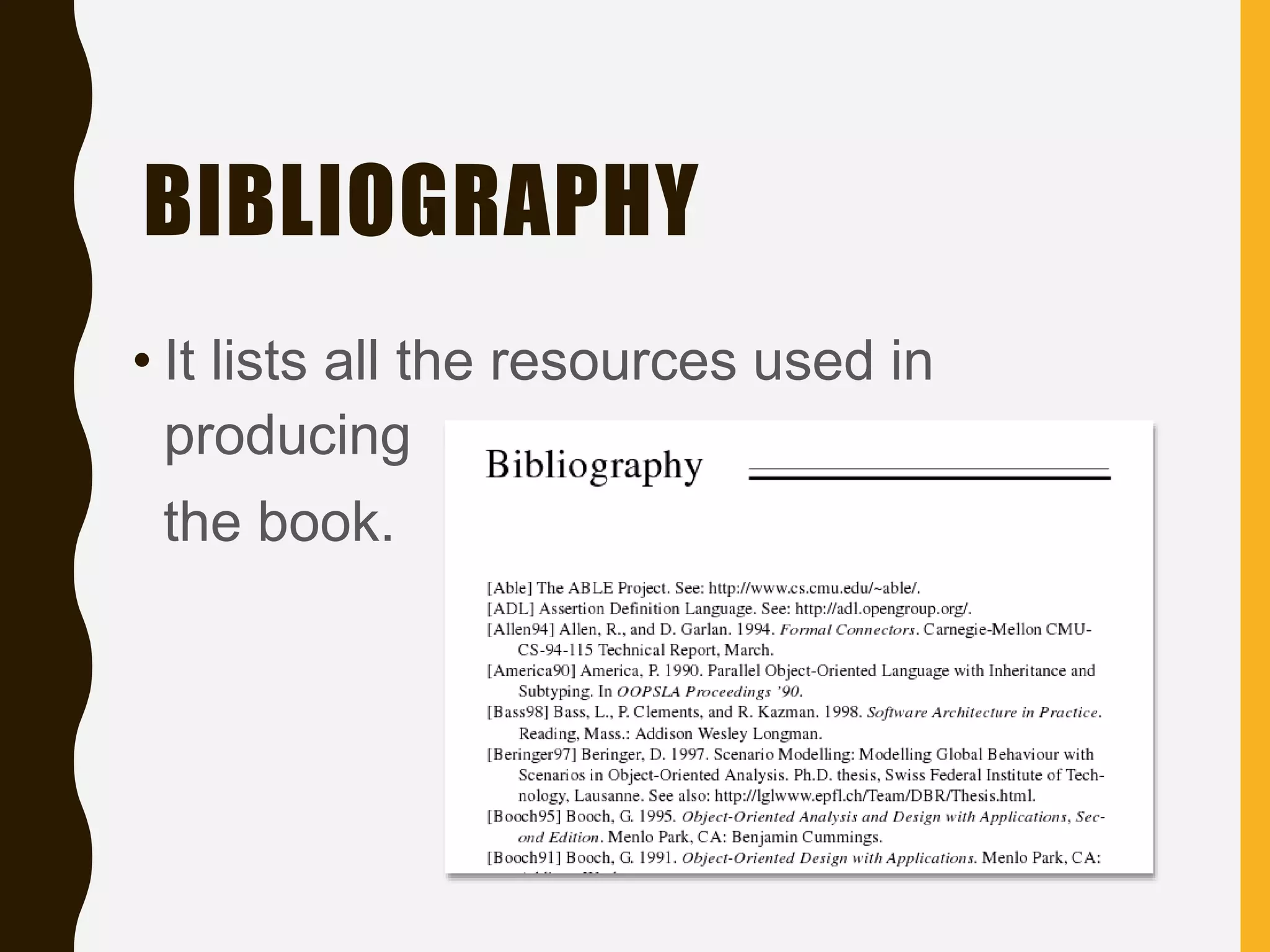
BIBLIOGRAPHY
• It lists all the resources used in
producing
the book.
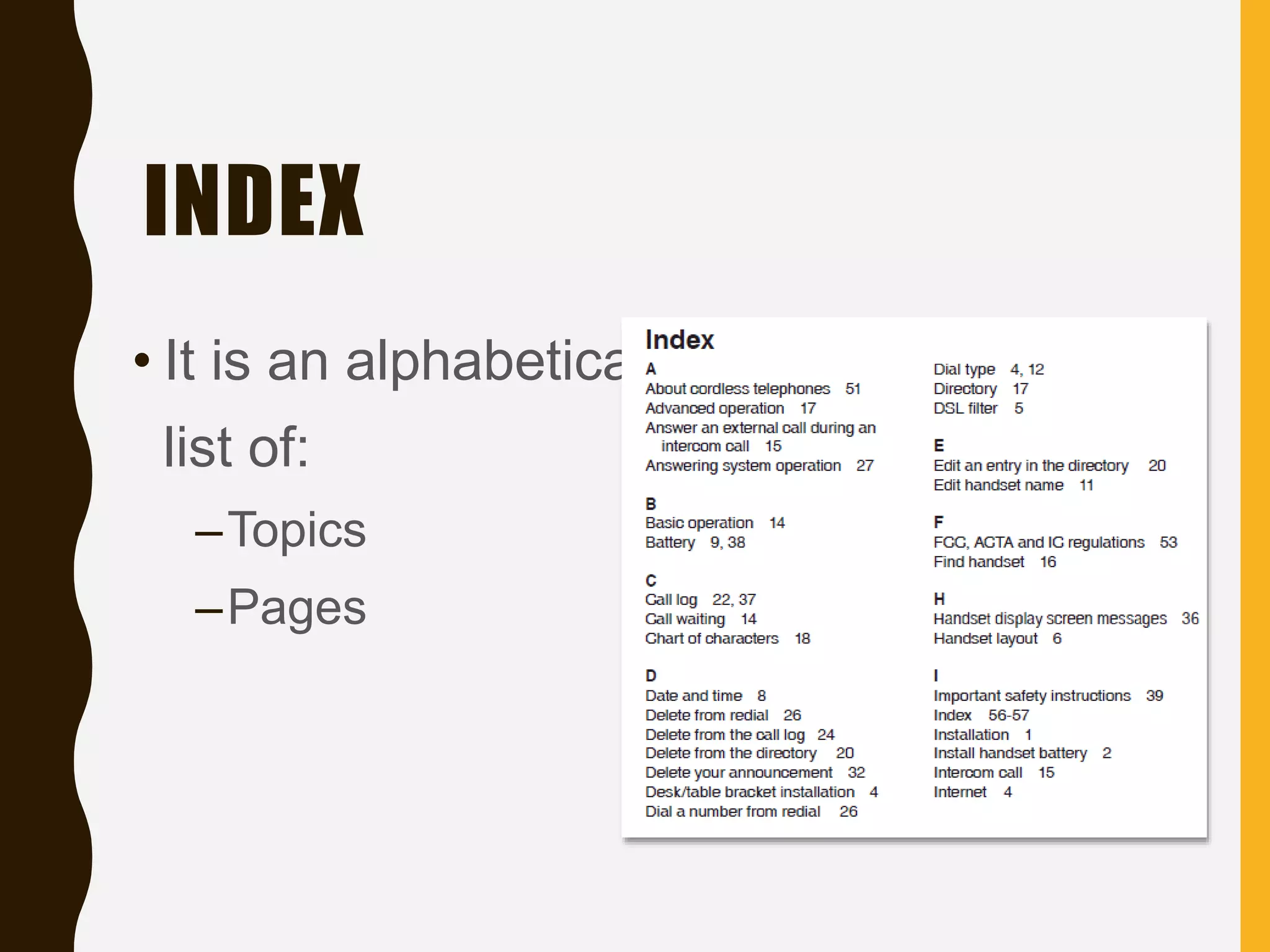
INDEX
• It is an alphabetical
list of:
–Topics
–Pages
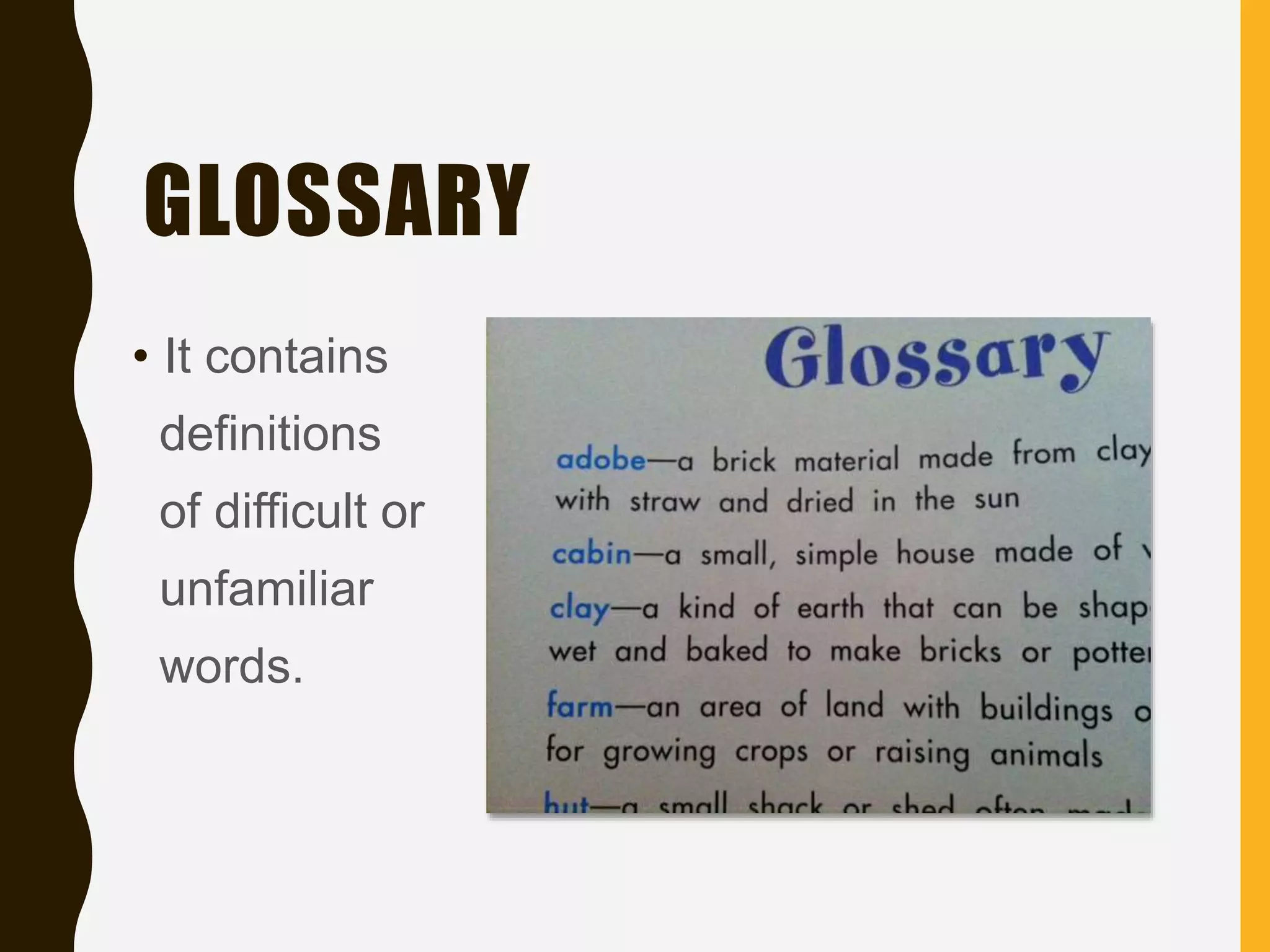
GLOSSARY
• It contains
definitions
of difficult or
unfamiliar
words.
For your fourth activity:
You will refer to the
parts of a book to be
presented to answer
the questions that
follow.
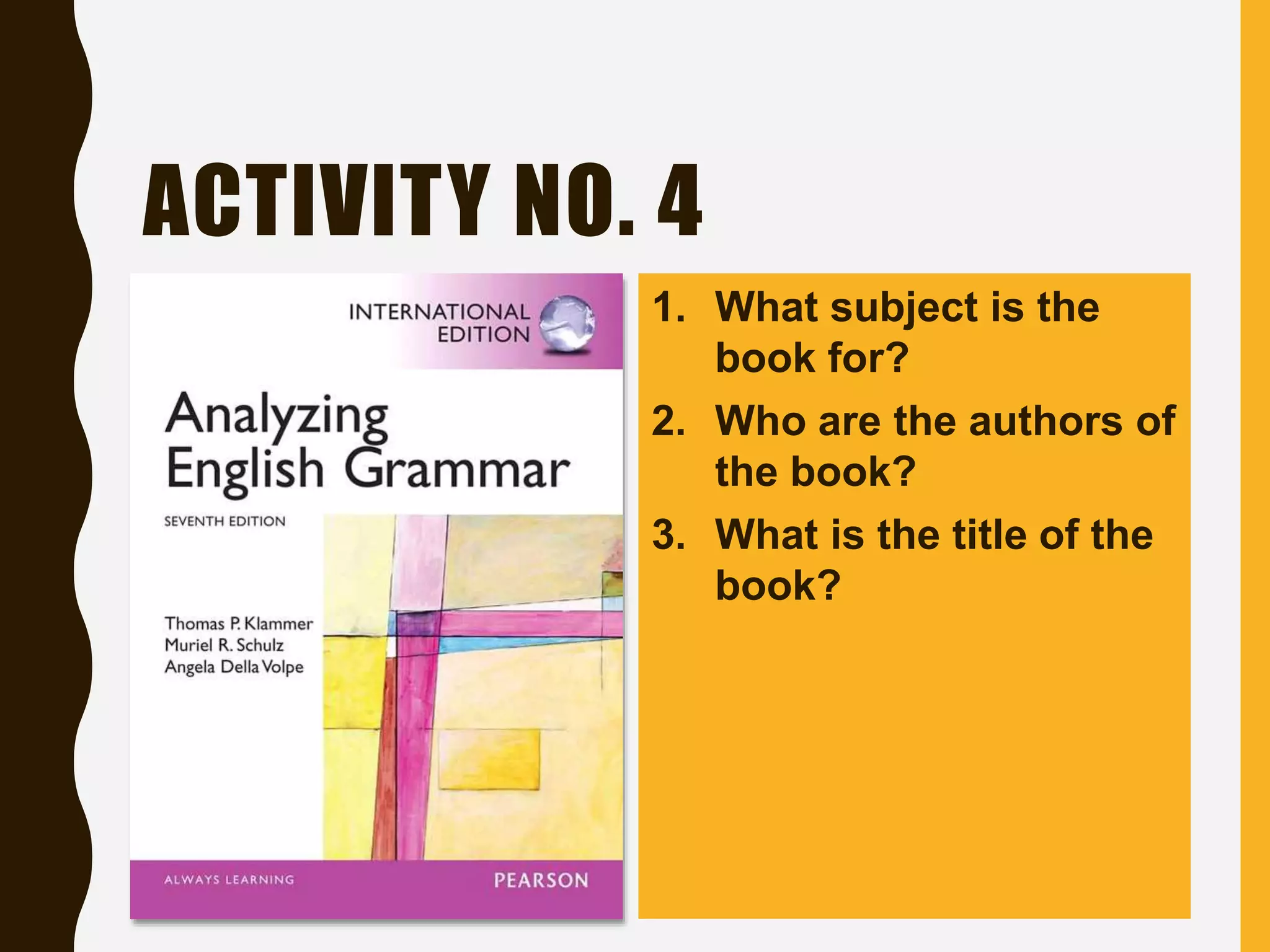
ACTIVITY NO. 4
1. What subject is the
book for?
2. Who are the authors of
the book?
3. What is the title of the
book?
ACTIVITY NO. 4
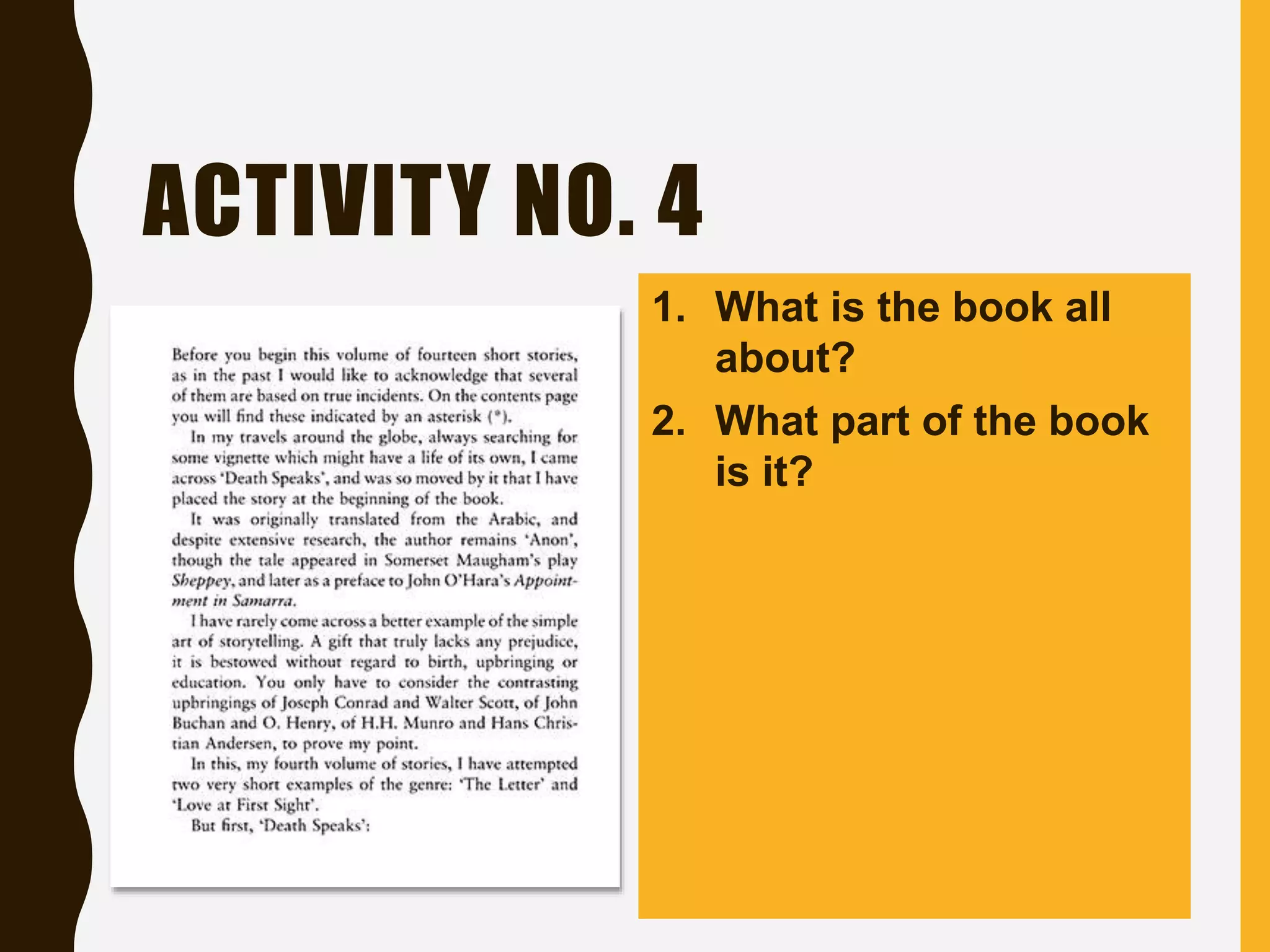
1. What is the book all
about?
2. What part of the book
is it?
ACTIVITY NO. 4
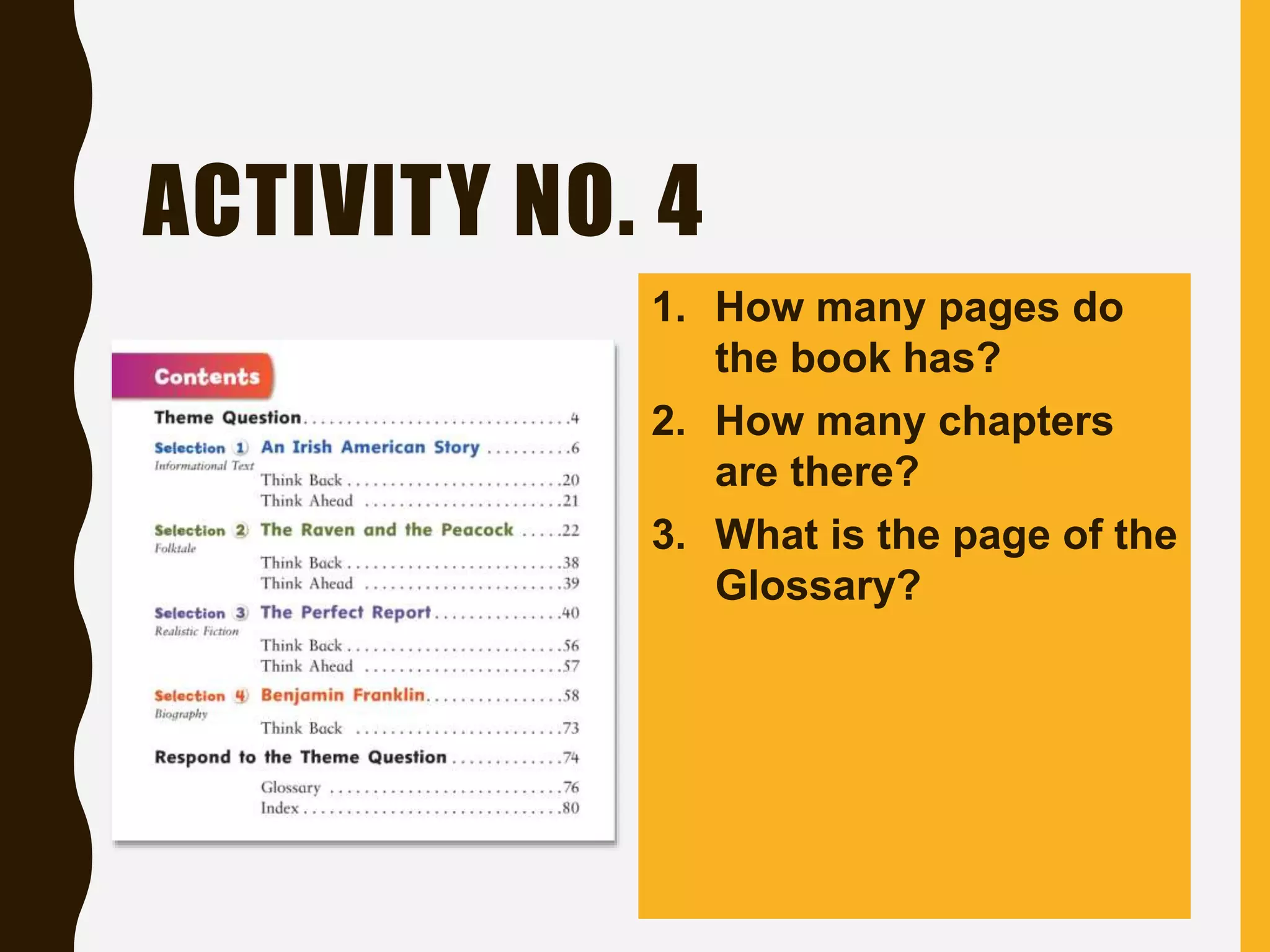
1. How many pages do
the book has?
2. How many chapters
are there?
3. What is the page of the
Glossary?
ACTIVITY NO. 4
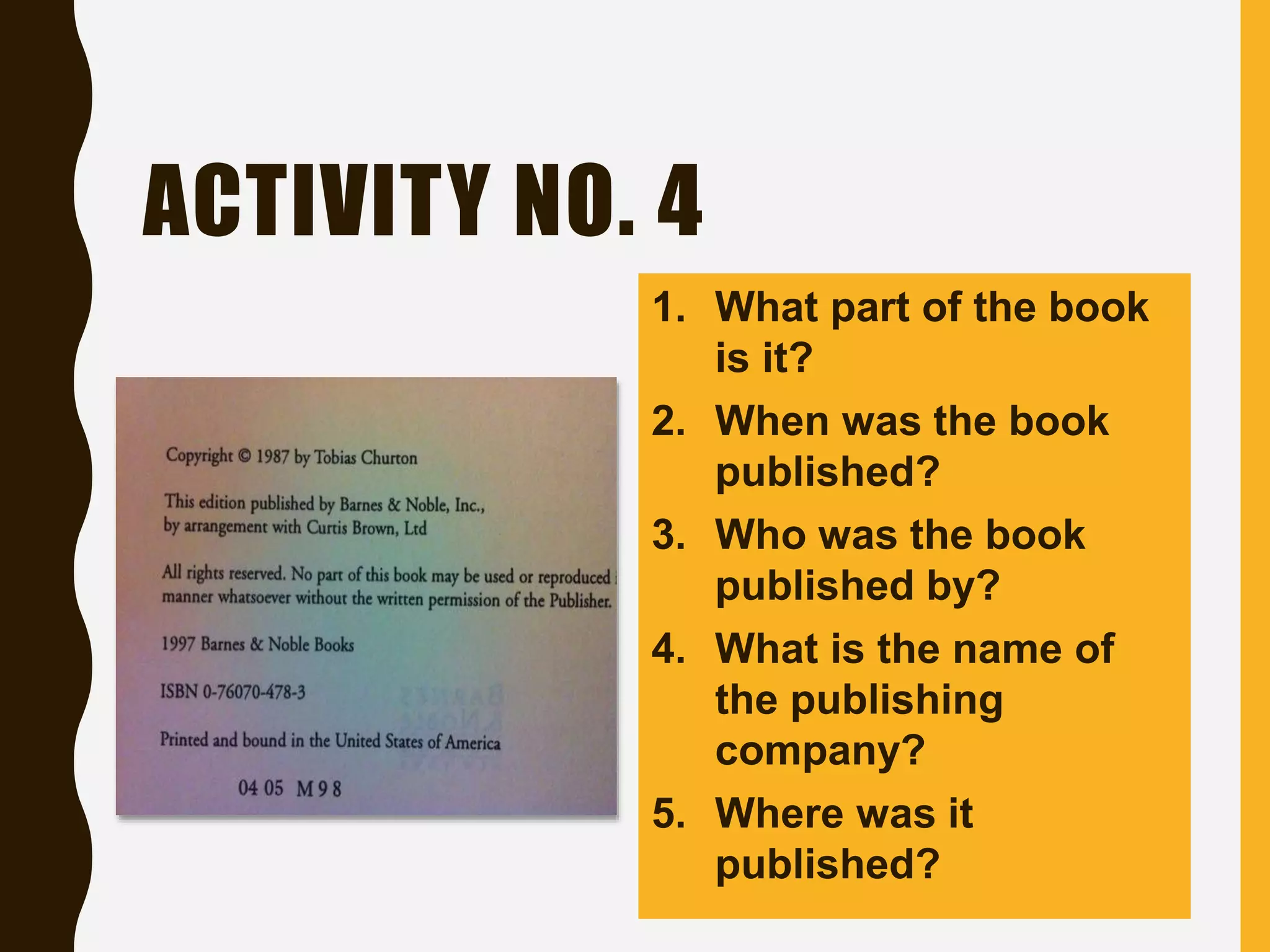
1. What part of the book
is it?
2. When was the book
published?
3. Who was the book
published by?
4. What is the name of
the publishing
company?
5. Where was it
published?
THE GENERAL REFERENCES
• Almanac - an annual compendium of practical dates,
facts, and statistics, current and/or retrospective, often
arranged in tables to facilitate comparison
• Bibliography - a systematic list or enumeration of written
works by a specific author or on a given subject, or that
share one or more common characteristics
• Dictionary - a single-volume or multivolume reference
work containing brief explanatory entries for terms and
topics related to a specific subject or field of inquiry,
usually arranged alphabetically
THE GENERAL REFERENCES
• Directory - a list of people, companies, institutions,
organizations, etc., in alphabetical or classified order,
providing contact information
• Encyclopedia – a book or numbered set of books
containing authoritative summary information about a
variety of topics in the form of short essays, usually
arranged alphabetically by headword or classified in
some manner.
•
For your fifth activity:
You will refer to the
information to be
presented to answer
the questions that
follow.
ACTIVITY NO. 5
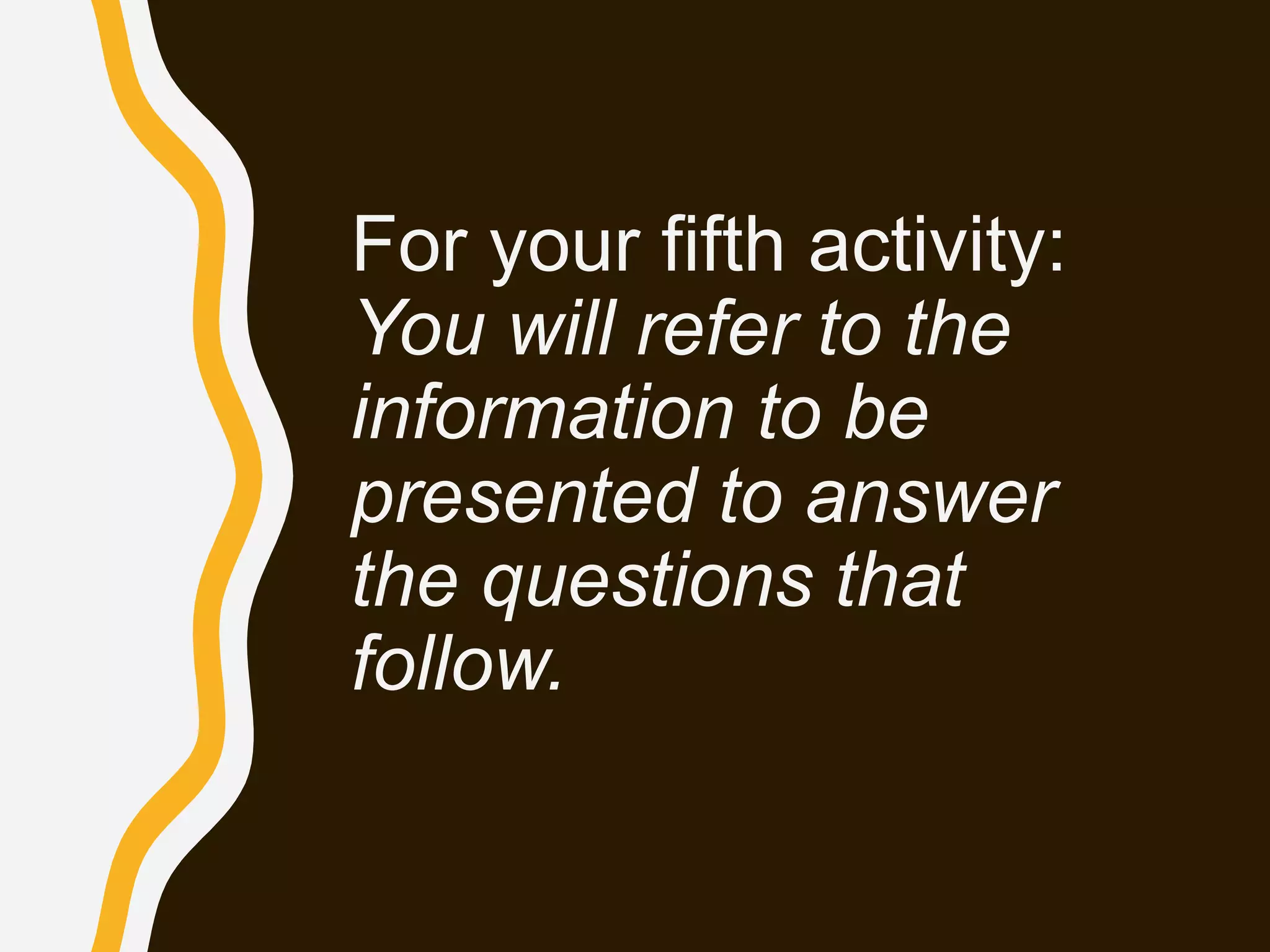
1. What is the
definition of the
word ‘dictionary’
based on the
dictionary?
2. Is the word
‘dynamic’
included in the
page?
Dictionary
ACTIVITY NO. 5
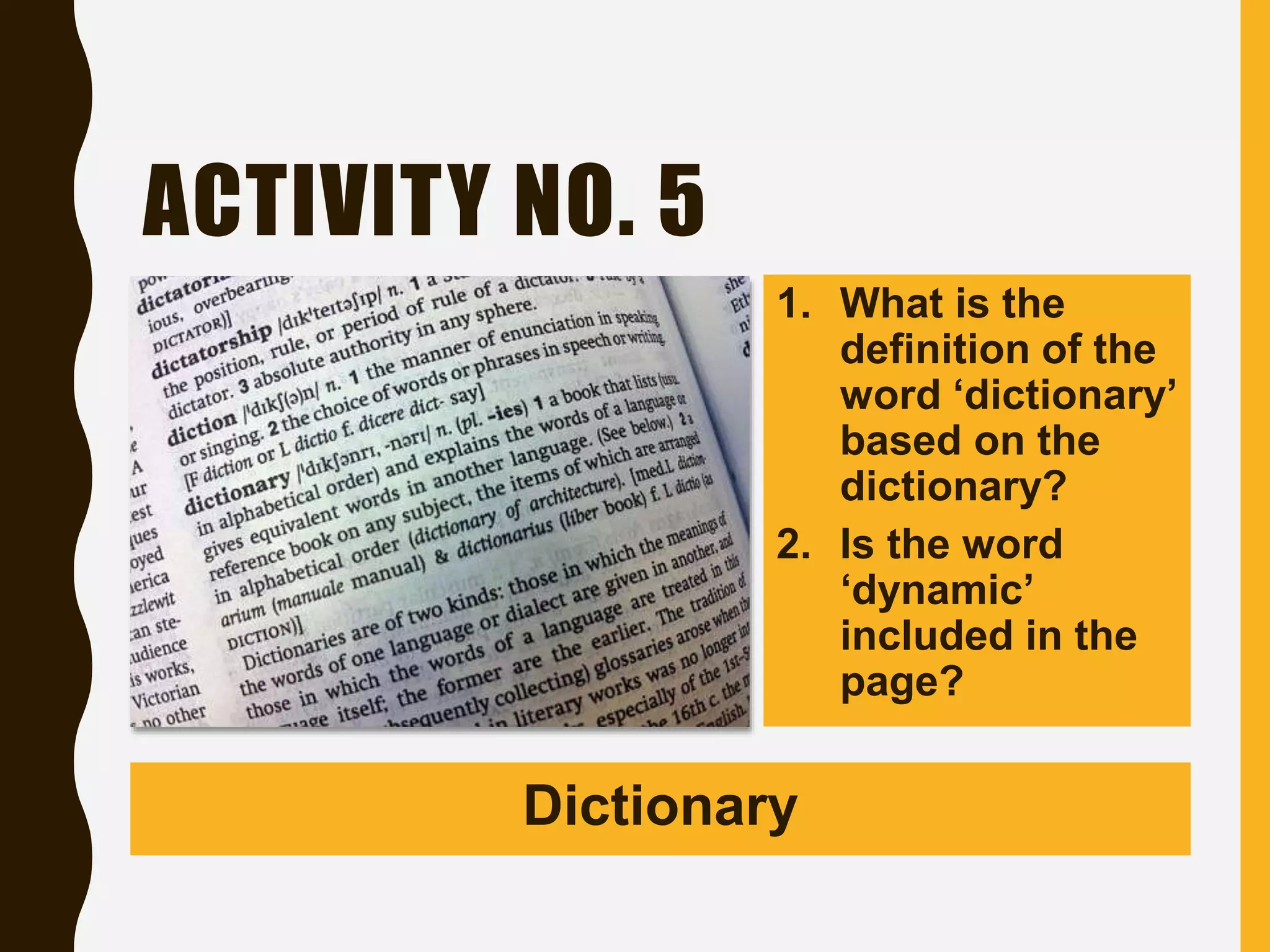
1. Based on the
table, what is
the predicted
report in
Tucson, AZ?
2. What is the
difference
between the P
and A in
Honolulu, HI?
Almanac
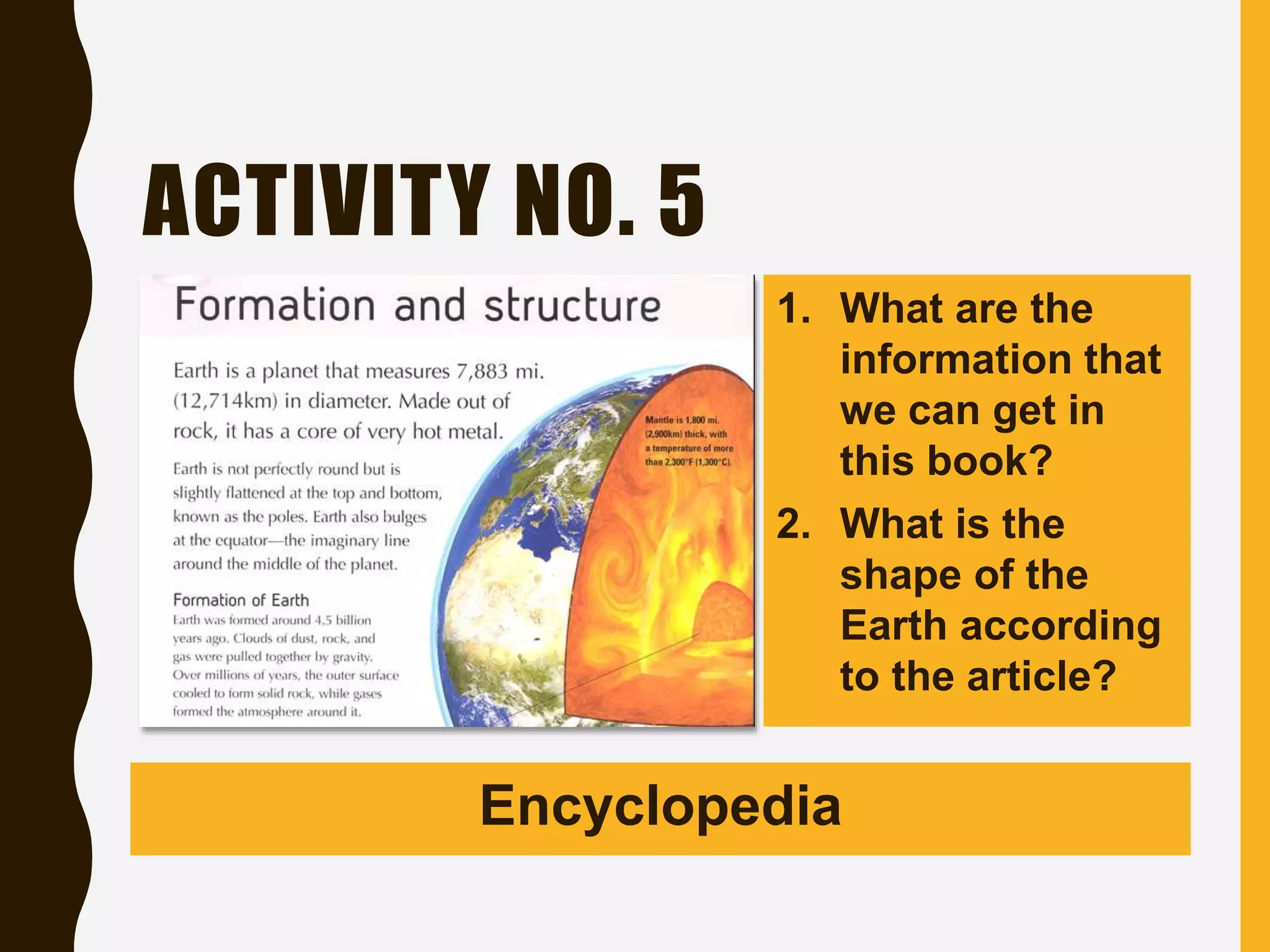
ACTIVITY NO. 5
1. What are the
information that
we can get in
this book?
2. What is the
shape of the
Earth according
to the article?
Encyclopedia
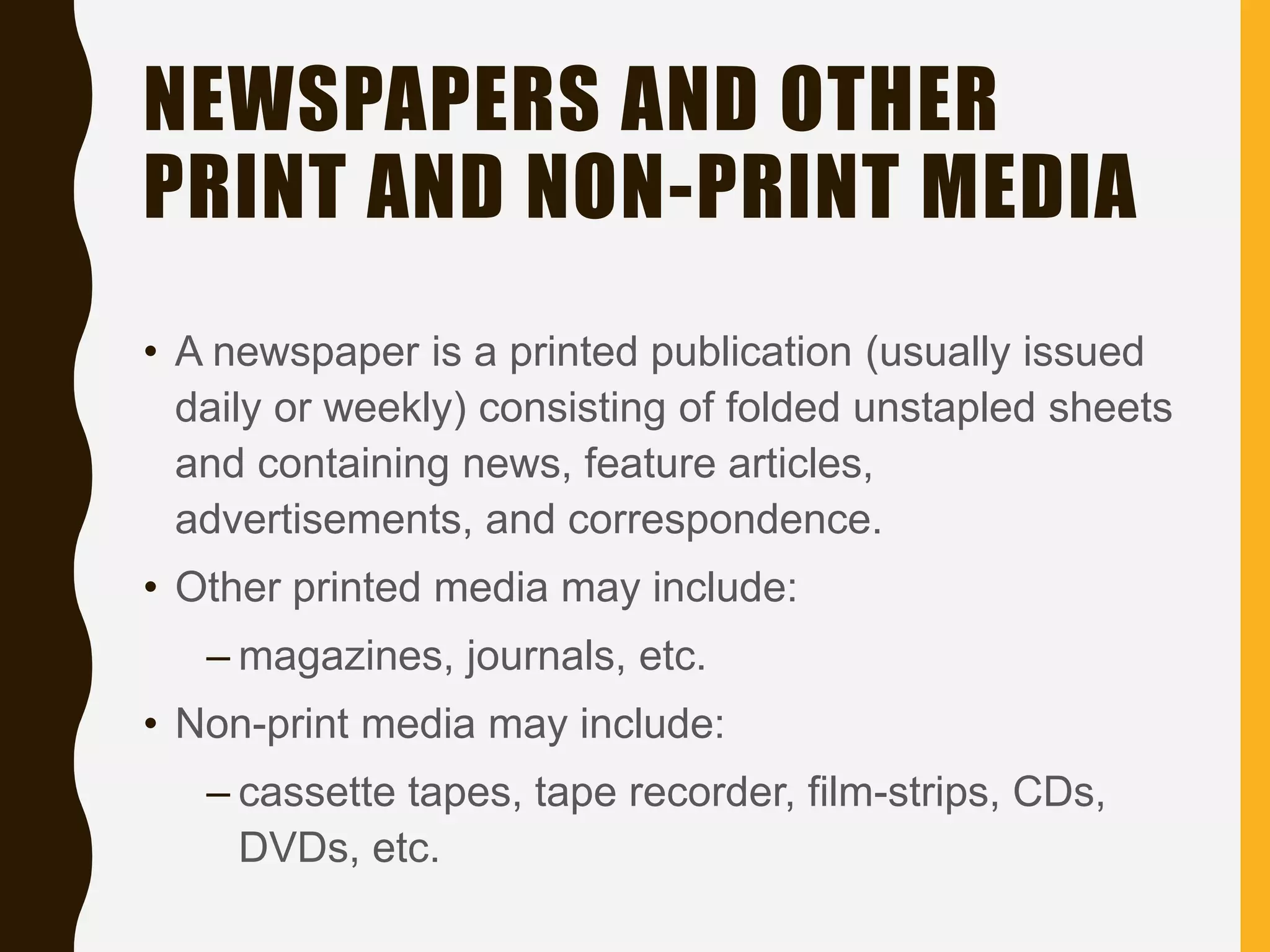
NEWSPAPERS AND OTHER
PRINT AND NON-PRINT MEDIA
• A newspaper is a printed publication (usually issued
daily or weekly) consisting of folded unstapled sheets
and containing news, feature articles,
advertisements, and correspondence.
• Other printed media may include:
– magazines, journals, etc.
• Non-print media may include:
– cassette tapes, tape recorder, film-strips, CDs,
DVDs, etc.
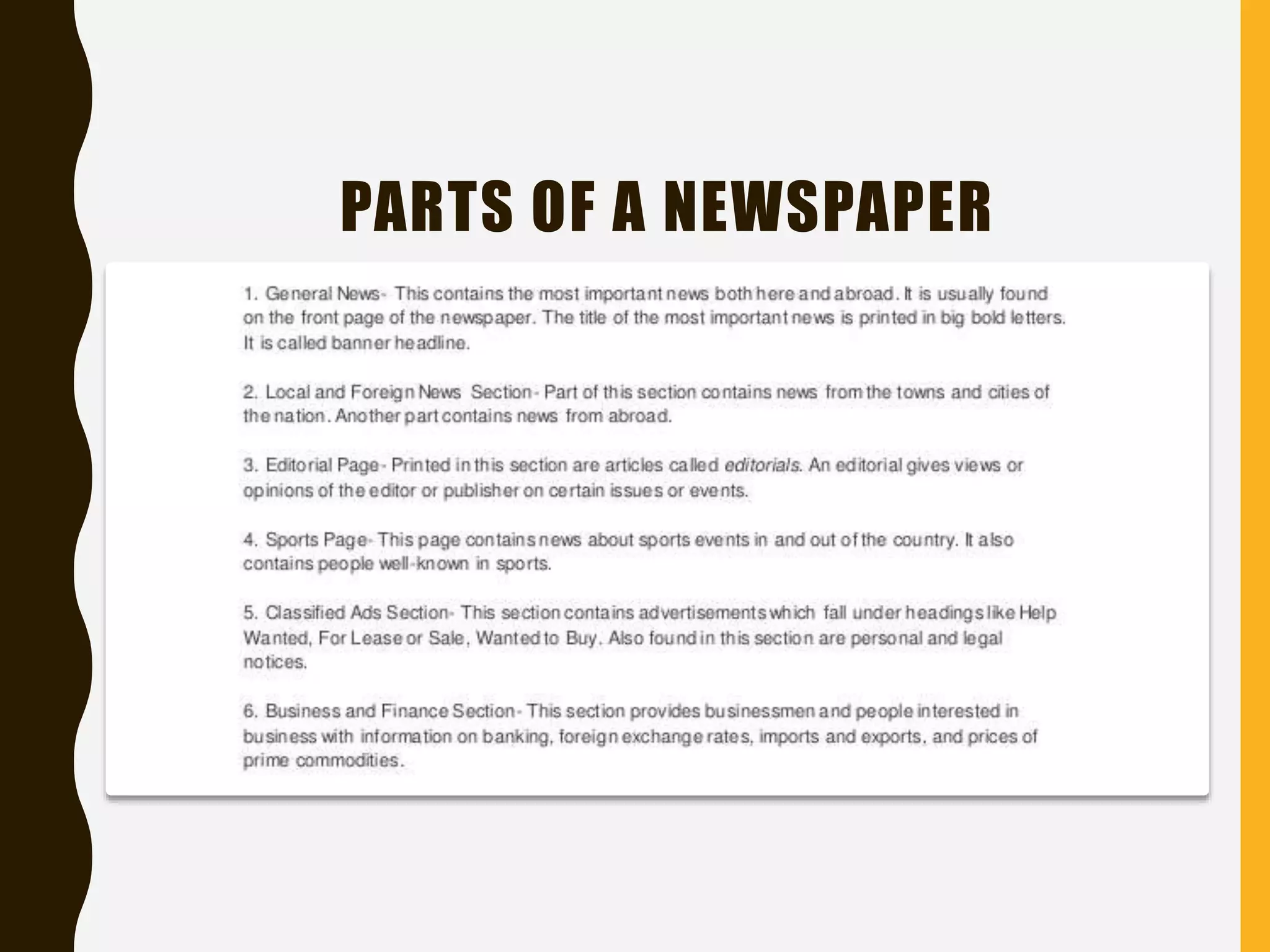
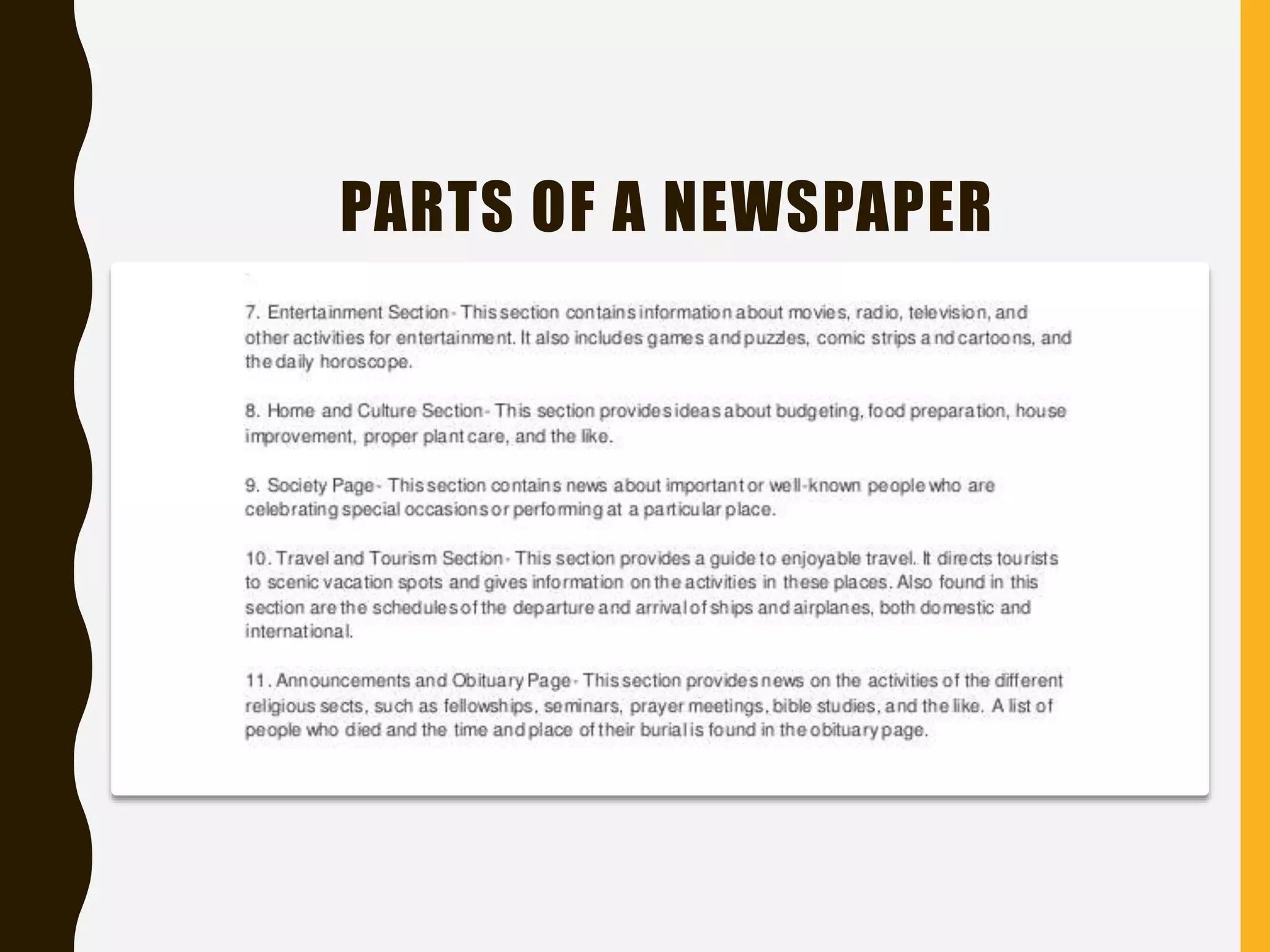
PARTS OF A NEWSPAPER
For your sixth activity:
You will refer to the
articles on newspapers
to be presented to
answer the questions
that follow.
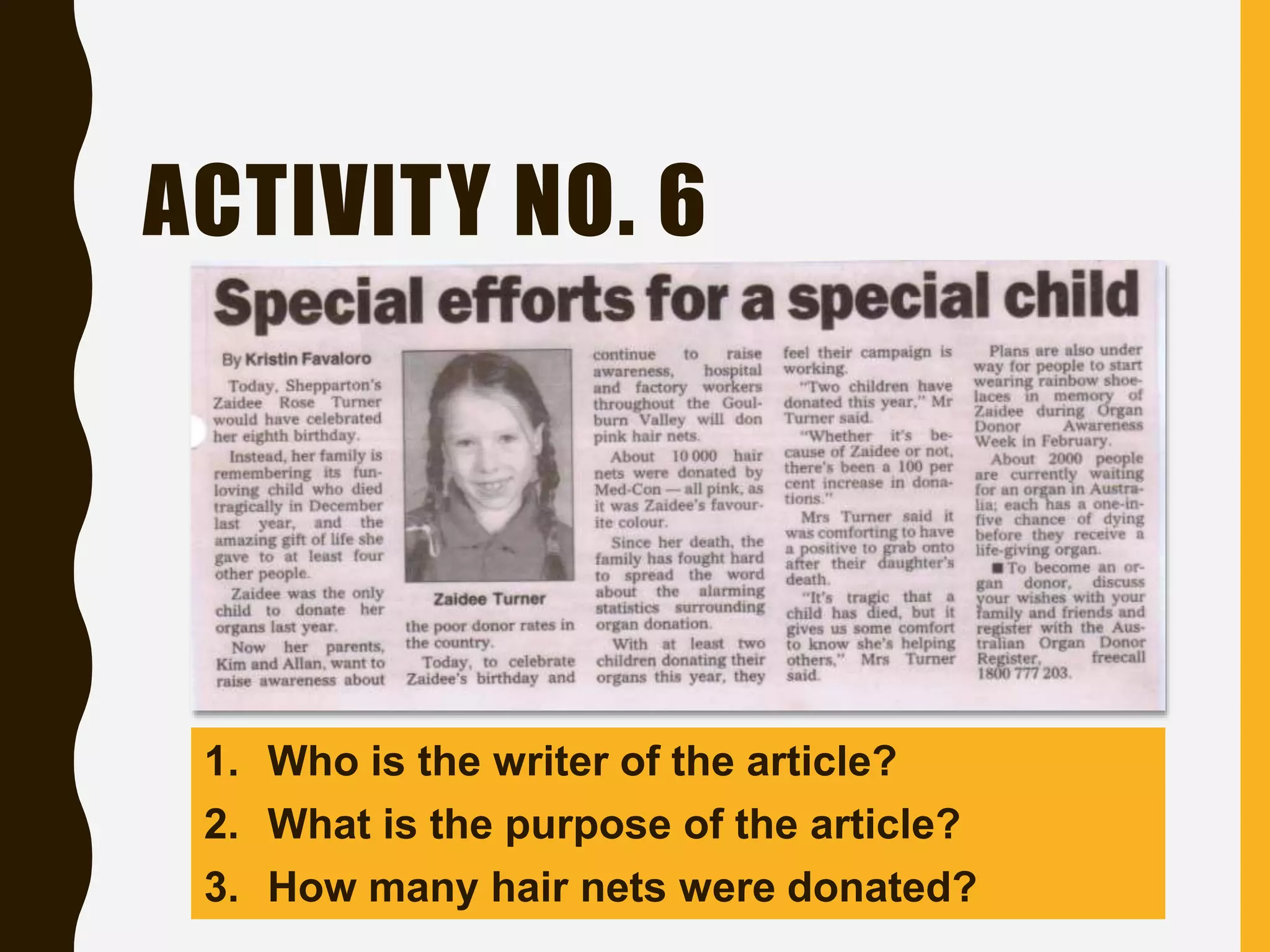
ACTIVITY NO. 6
1. Who is the writer of the article?
2. What is the purpose of the article?
3. How many hair nets were donated?

Reading Comprehension (Language Curriculum)

  • 1.
    READING COMPREHENSION T O OL S A N D M E C H A N I S M S I N T H E L I B R A R Y F O R L O C AT I N G R E S O U R C E S B Y C H R I S T I N E M A Y M . S E R R A N O
  • 2.
  • 3.
    WHAT IS ALIBRARY? A library is a building or room containing collections of books, periodicals, and sometimes films and recorded music for people to read, borrow, or refer to.
  • 4.
    INFORMATION SOURCES Different kindsof information are found in different types of information sources and different types of information sources use different access tools to locate the information source.
  • 5.
    INFORMATION SOURCES 1. Cardcatalog 2. Online Public Access Catalog (OPAC) 3. Electronic search engines 4. Books 5. General References 6. Newspapers and other print and non- print media
  • 6.
    THE CARD CATALOG •It is a method by which the library puts a system of all its acquisition. • A filing cabinet contains all the cards that are arranged in alphabetical order. • Guide letters are on the front of each drawer to tell what cards are in it.
  • 7.
    PARTS OF ACARD CATALOG
  • 8.
  • 9.
  • 10.
  • 11.
    For your firstactivity: You will identify the type of card catalog to be presented.
  • 12.
  • 13.
  • 14.
  • 15.
  • 16.
    For your second activity: Youwill refer to the card catalogs to be presented to answer the questions that follow.
  • 17.
    ACTIVITY NO. 2 1.Is it an author card? 2. What is the title of the book? 3. Are there any physical description included? What is it? 4. What year was it published?
  • 18.
    ACTIVITY NO. 2 1.What type of card is it? 2. Who is the author of the book? 3. Where is the place of publication? In what year? 4. Does it include bibliographical references and index?
  • 19.
    THE ONLINE PUBLIC ACCESSCATALOG (OPAC) • It is an electronic database of titles a library has in stock. The titles include books, journals, compact disks and any other sources of information the library has in store.
  • 20.
    WAYS OF SEARCHINGIN AN OPAC • Title search. Each information source has got a title and that title may be used to locate the information source using the OPAC. If you know the book's title, you can search for it. Computerized catalogs vary, but you will usually select a title search and type in at least the first few words of the title.
  • 21.
    WAYS OF SEARCHINGIN AN OPAC • Author search. The author is the creator of the information source. An information source may have two or more authors. Some titles also have editors. These can be used for searching whatever information source one wants as long as the author(s) or editor(s) is/are known. If you know the author of the book, or if you are interested in other works by a favorite author, you can search for that. Authors are usually listed by their last names.
  • 22.
    WAYS OF SEARCHINGIN AN OPAC • Subject search. The subject refers to some form of controlled keyword. Librarians do not just assign keywords to cover certain disciplines; they use some form of agreed and standardized keywords or phrases which are known as subjects or subject headings. If you know what you want to read about, or you're searching for particular information, but you don't know the title of a specific book, try a subject search.
  • 23.
    WAYS OF SEARCHINGIN AN OPAC • Keyword search. Most electronic catalogs will let you search on a keyword or words. For example, searching on the keyword "French" would find any book with that word in the title, be it about French cooking, French tourism, etc.
  • 24.
    For your thirdactivity: You will read the instructions and do as you follow.
  • 25.
    ACTIVITY NO. 3 STEP1 • Type the author's name (preferably the author's surname) in the search box. • Narrow down the search by clicking on the icon for "AUTHOR" to indicate that you are searching for an information source through the author's name. In the example provided we will use the author David Patterson. STEP 2 • If there are many authors by that name then there will be many books in the results. To select the one you want just click on the title. The details of the book will the come up. STEP 3 • By scrolling down you would be able to get more information on where the book is available. If it is on loan, you get details on when it will be returned to the library.
  • 26.
    THE ELECTRONIC SEARCH ENGINES •Search engines are programs (software) that search substantial subsets of the Internet and retrieve websites. • Although they retrieve huge numbers of websites, most of which are irrelevant and unreliable.
  • 27.
  • 28.
    THE BOOKS • Booksare handwritten or printed works of fiction or non-fiction, usually on sheets of paper fastened or bound together within covers.
  • 29.
    TYPES OF BOOKSIN THE LIBRARY • Periodicals. –Print journals, magazines, microfilm of back issues of newspapers, and newsletters • Reference books. –Almanacs, atlases, encyclopedias, dictionaries, thesaurus, etc.
  • 30.
    TYPES OF BOOKSIN THE LIBRARY • Archives. –Institutional documents with historical value • Theses and dissertations. • Electronic books. • Fiction books.
  • 31.
    PARTS OF ABOOK • Cover • Title Page • Copyright Page • Dedication • Table of Contents • Preface • Body • Appendix • Bibliography • Index • Glossary
  • 32.
    COVER • The covertells what the book is all about. • It usually includes: –Pictures or illustrations –Title of the book –Author(s)/Editor(s)
  • 33.
    TITLE PAGE • Thetitle page repeats the information in the cover. • It provides info about: –Title of the book –Author(s)/Editor(s) –Publisher, Location
  • 34.
    COPYRIGHT PAGE • Itincludes copyright info such as: – Name of publisher – Year of publication – Place of publication – Who it was published by – ISBN – Disclaimer
  • 35.
    DEDICATION • It isa message from the author expressing appreciation to someone.
  • 36.
    TABLE OF CONTENTS •It lists: –Titles of chapters –Pages
  • 37.
    PREFACE • It providesan explanation of the book. • Also called as ‘foreword’ or ‘introduction.’
  • 38.
    BODY • It isthe text content/story of the book.
  • 39.
    APPENDIX • It includesextra information found in the form of: –Charts, lists or tables
  • 40.
    BIBLIOGRAPHY • It listsall the resources used in producing the book.
  • 41.
    INDEX • It isan alphabetical list of: –Topics –Pages
  • 42.
    GLOSSARY • It contains definitions ofdifficult or unfamiliar words.
  • 43.
    For your fourthactivity: You will refer to the parts of a book to be presented to answer the questions that follow.
  • 44.
    ACTIVITY NO. 4 1.What subject is the book for? 2. Who are the authors of the book? 3. What is the title of the book?
  • 45.
    ACTIVITY NO. 4 1.What is the book all about? 2. What part of the book is it?
  • 46.
    ACTIVITY NO. 4 1.How many pages do the book has? 2. How many chapters are there? 3. What is the page of the Glossary?
  • 47.
    ACTIVITY NO. 4 1.What part of the book is it? 2. When was the book published? 3. Who was the book published by? 4. What is the name of the publishing company? 5. Where was it published?
  • 48.
    THE GENERAL REFERENCES •Almanac - an annual compendium of practical dates, facts, and statistics, current and/or retrospective, often arranged in tables to facilitate comparison • Bibliography - a systematic list or enumeration of written works by a specific author or on a given subject, or that share one or more common characteristics • Dictionary - a single-volume or multivolume reference work containing brief explanatory entries for terms and topics related to a specific subject or field of inquiry, usually arranged alphabetically
  • 49.
    THE GENERAL REFERENCES •Directory - a list of people, companies, institutions, organizations, etc., in alphabetical or classified order, providing contact information • Encyclopedia – a book or numbered set of books containing authoritative summary information about a variety of topics in the form of short essays, usually arranged alphabetically by headword or classified in some manner. •
  • 50.
    For your fifthactivity: You will refer to the information to be presented to answer the questions that follow.
  • 51.
    ACTIVITY NO. 5 1.What is the definition of the word ‘dictionary’ based on the dictionary? 2. Is the word ‘dynamic’ included in the page? Dictionary
  • 52.
    ACTIVITY NO. 5 1.Based on the table, what is the predicted report in Tucson, AZ? 2. What is the difference between the P and A in Honolulu, HI? Almanac
  • 53.
    ACTIVITY NO. 5 1.What are the information that we can get in this book? 2. What is the shape of the Earth according to the article? Encyclopedia
  • 54.
    NEWSPAPERS AND OTHER PRINTAND NON-PRINT MEDIA • A newspaper is a printed publication (usually issued daily or weekly) consisting of folded unstapled sheets and containing news, feature articles, advertisements, and correspondence. • Other printed media may include: – magazines, journals, etc. • Non-print media may include: – cassette tapes, tape recorder, film-strips, CDs, DVDs, etc.
  • 55.
    PARTS OF ANEWSPAPER
  • 56.
    PARTS OF ANEWSPAPER
  • 57.
    For your sixthactivity: You will refer to the articles on newspapers to be presented to answer the questions that follow.
  • 58.
    ACTIVITY NO. 6 1.Who is the writer of the article? 2. What is the purpose of the article? 3. How many hair nets were donated?