Phoebe
Rowlands
Q6
WHAT HAVE YOU LEARNT ABOUT
TECHNOLOGIES FROM THE PROCESS OF
CONSTRUCTING THIS PRODUCT?
In summary I have produced a front cover, contents page and a
double page spread. I used Adobe Photoshop to produce my
front cover whereas I used InDesign to produce the contents
page and double page spread. To produce my images for my
magazine I used a camera to take photographs.
TECHNOLOGIES
Photoshop contains many tools that helped me to create my
front cover for my rock magazine. Some of the tools I was
already familiar with and some I hadn’t used before, however, I
managed to pick up new skills quickly as I found that
Photoshop was easy to use. On the left hand side of the screen
there was a drop down bar with the tools I could use to alter
text, images and background.
FRONT COVER
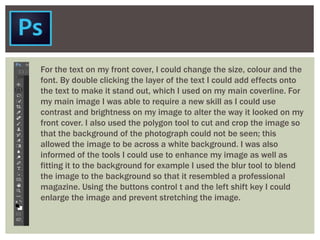
For the text on my front cover, I could change the size, colour and the
font. By double clicking the layer of the text I could add effects onto
the text to make it stand out, which I used on my main coverline. For
my main image I was able to require a new skill as I could use
contrast and brightness on my image to alter the way it looked on my
front cover. I also used the polygon tool to cut and crop the image so
that the background of the photograph could not be seen; this
allowed the image to be across a white background. I was also
informed of the tools I could use to enhance my image as well as
fitting it to the background for example I used the blur tool to blend
the image to the background so that it resembled a professional
magazine. Using the buttons control t and the left shift key I could
enlarge the image and prevent stretching the image.
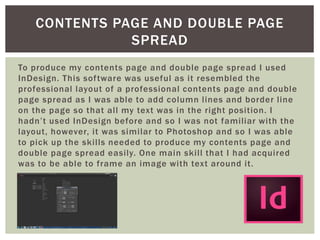
To produce my contents page and double page spread I used
InDesign. This software was useful as it resembled the
professional layout of a professional contents page and double
page spread as I was able to add column lines and border line
on the page so that all my text was in the right position. I
hadn’t used InDesign before and so I was not familiar with the
layout, however, it was similar to Photoshop and so I was able
to pick up the skills needed to produce my contents page and
double page spread easily. One main skill that I had acquired
was to be able to frame an image with text around it.
CONTENTS PAGE AND DOUBLE PAGE
SPREAD
For my magazine, it was important that I took good quality
photographs. This was achieved by using a professional camera.
I had not used this type of camera before and so I learnt how to
take good quality images and learnt what lighting worked best
with the camera. I also learnt that the flash worked best for my
photographs giving them a better quality of lighting.
CAMERA

Q6

  • 1.
    Phoebe Rowlands Q6 WHAT HAVE YOULEARNT ABOUT TECHNOLOGIES FROM THE PROCESS OF CONSTRUCTING THIS PRODUCT?
  • 2.
    In summary Ihave produced a front cover, contents page and a double page spread. I used Adobe Photoshop to produce my front cover whereas I used InDesign to produce the contents page and double page spread. To produce my images for my magazine I used a camera to take photographs. TECHNOLOGIES
  • 3.
    Photoshop contains manytools that helped me to create my front cover for my rock magazine. Some of the tools I was already familiar with and some I hadn’t used before, however, I managed to pick up new skills quickly as I found that Photoshop was easy to use. On the left hand side of the screen there was a drop down bar with the tools I could use to alter text, images and background. FRONT COVER
  • 4.
    For the texton my front cover, I could change the size, colour and the font. By double clicking the layer of the text I could add effects onto the text to make it stand out, which I used on my main coverline. For my main image I was able to require a new skill as I could use contrast and brightness on my image to alter the way it looked on my front cover. I also used the polygon tool to cut and crop the image so that the background of the photograph could not be seen; this allowed the image to be across a white background. I was also informed of the tools I could use to enhance my image as well as fitting it to the background for example I used the blur tool to blend the image to the background so that it resembled a professional magazine. Using the buttons control t and the left shift key I could enlarge the image and prevent stretching the image.
  • 5.
    To produce mycontents page and double page spread I used InDesign. This software was useful as it resembled the professional layout of a professional contents page and double page spread as I was able to add column lines and border line on the page so that all my text was in the right position. I hadn’t used InDesign before and so I was not familiar with the layout, however, it was similar to Photoshop and so I was able to pick up the skills needed to produce my contents page and double page spread easily. One main skill that I had acquired was to be able to frame an image with text around it. CONTENTS PAGE AND DOUBLE PAGE SPREAD
  • 6.
    For my magazine,it was important that I took good quality photographs. This was achieved by using a professional camera. I had not used this type of camera before and so I learnt how to take good quality images and learnt what lighting worked best with the camera. I also learnt that the flash worked best for my photographs giving them a better quality of lighting. CAMERA