Effective Presentation Skills &
Funder Communications
Monaghan Community Forum
Joanne Sweeney-Burke
Tuesday 25th
June 2013
Welcome & Introductions
Who Am I?
Who are You?
Why are you here?
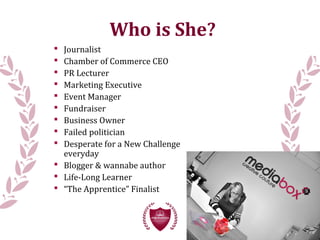
 Journalist
 Chamber of Commerce CEO
 PR Lecturer
 Marketing Executive
 Event Manager
 Fundraiser
 Business Owner
 Failed politician
 Desperate for a New Challenge
everyday
 Blogger & wannabe author
 Life-Long Learner
 “The Apprentice” Finalist
Who is She?
Course Objectives
 Powerpoint - the rules
 Generating Content for a Presentation
 Top Tips when preparing a presentation
 The art of Public Speaking - voice, posture,
delivery
 The skills of verbal and visual communications
 The skills of story-telling
 Your Presentation - practice and get to know your
technique
 Develop a more confident you!
PowerPoint
PowerPoint is a complete presentation graphics
package. It gives you everything you need to produce a
professional-looking presentation. PowerPoint
offers word processing, outlining, drawing,
graphing, and presentation management tools- all
designed to be easy to use and learn.
Why PowerPoint?
First impressions count - people will judge you
before you even speak.
Gives you and your audience direction
It provides a useful series of handouts that
participants can take home with them
It is user-friendly
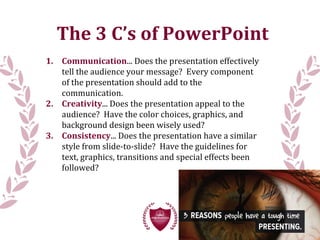
The 3 C’s of PowerPoint
1. Communication... Does the presentation effectively
tell the audience your message? Every component
of the presentation should add to the
communication.
2. Creativity... Does the presentation appeal to the
audience? Have the color choices, graphics, and
background design been wisely used?
3. Consistency... Does the presentation have a similar
style from slide-to-slide? Have the guidelines for
text, graphics, transitions and special effects been
followed?
PowerPoint Tips
1. Start PowerPoint and choose a Blank Presentation
2. Choose slide layout
3. Enter the title and any additional text
4. Remember to follow the text guidelines
5. Add graphic, your choice of clip art, original drawings,
scanned images, internet images, tables and charts.
6. Remember to follow the graphic guidelines
7. Insert new slides and repeat Steps 2-4 for each slide
8. Create and apply background design
9. Add transitions, special effects, animations, and sounds
10. Best Tip: Design a template for your organisation that
has funders logos included – see sample in next slide
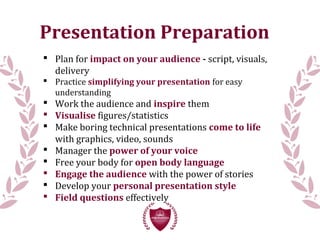
Presentation Preparation
 Plan for impact on your audience - script, visuals,
delivery
 Practice simplifying your presentation for easy
understanding
 Work the audience and inspire them
 Visualise figures/statistics
 Make boring technical presentations come to life
with graphics, video, sounds
 Manager the power of your voice
 Free your body for open body language
 Engage the audience with the power of stories
 Develop your personal presentation style
 Field questions effectively
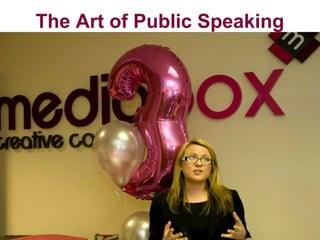
The Art of Public Speaking
Public Speaking Success
 Inform
 Educate
 Engage
 Inspire
 Persuade
 Entertain
 Memorable (for the right reasons!)
 Great first impression
 Think on your feet
 Audience analysis
 Audience rapport
“How would you describe your technique?”
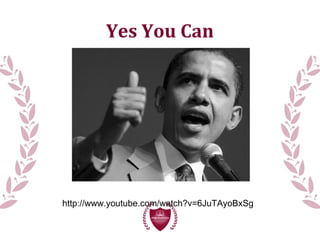
Yes You Can
http://www.youtube.com/watch?v=6JuTAyoBxSg
“Feel the Fear &
Do It Anyway”
My one bit of advice…
…trust me.
Presenting - Be Engaging
The Pitfalls of Presenting
“Team Spirit’s Kellogg’s
Presentation on The Apprentice”
26.39
http://www.youtube.com/watch?v=9BaqolKT85M&feature=uploademail
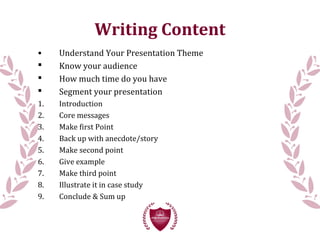
Writing Content
• Understand Your Presentation Theme
 Know your audience
 How much time do you have
 Segment your presentation
1. Introduction
2. Core messages
3. Make first Point
4. Back up with anecdote/story
5. Make second point
6. Give example
7. Make third point
8. Illustrate it in case study
9. Conclude & Sum up
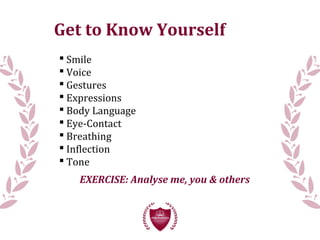
Get to Know Yourself
 Smile
 Voice
 Gestures
 Expressions
 Body Language
 Eye-Contact
 Breathing
 Inflection
 Tone
EXERCISE: Analyse me, you & others
 Introduce your organisation
 Prepare key points (60-second pitch)
 We will give feedback
“Speak with confidence, smile & use the
full power of your voice”
Your Presentation - Group Exercise
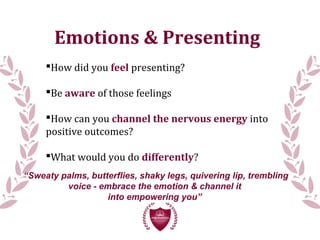
Emotions & Presenting
How did you feel presenting?
Be aware of those feelings
How can you channel the nervous energy into
positive outcomes?
What would you do differently?
“Sweaty palms, butterflies, shaky legs, quivering lip, trembling
voice - embrace the emotion & channel it
into empowering you”
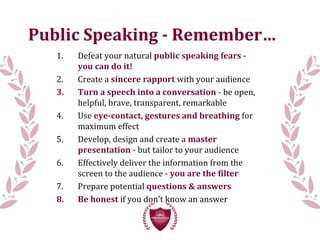
Public Speaking - Remember…
1. Defeat your natural public speaking fears -
you can do it!
2. Create a sincere rapport with your audience
3. Turn a speech into a conversation - be open,
helpful, brave, transparent, remarkable
4. Use eye-contact, gestures and breathing for
maximum effect
5. Develop, design and create a master
presentation - but tailor to your audience
6. Effectively deliver the information from the
screen to the audience - you are the filter
7. Prepare potential questions & answers
8. Be honest if you don’t know an answer
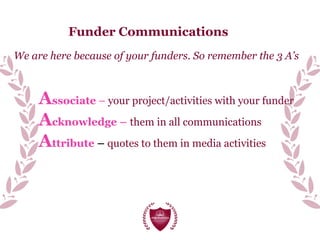
Funder Communications
We are here because of your funders. So remember the 3 A’s
Associate – your project/activities with your funder
Acknowledge – them in all communications
Attribute – quotes to them in media activities
Case Study
A project supported by the
European Union’s INTERREG
IVA Programme managed by
the Special EU Programmes
Body and delivered by
Co-operation and Working
Together’s (CAWT) Community
Awareness Programme
Step 1: Logos
Step 2: Wording
Funding for Change a Little, Change a Lot
Accessibility Awards Campaign has been provided by
the European Union’s INTERREG IVA
programme, secured by Co-operation and
Working Together’s (CAWT) Community
Awareness Programme.
This project is part financed by the European Union's
European Regional Development Fund through the
Peace III programme funded through Monaghan
Peace III Partnership."
************************
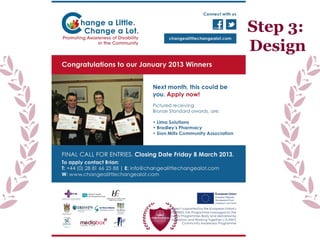
Step 3:
Design
Step 4: Quotes
CAWT CEO, Bernie McCrory says the programme is a significant step
forward in making the North West an accessibility friendly region.
“Accessibility is simply good business. Improving accessibility for
disabled people has a much broader public benefit for the whole
community. Our hope is that the North West will be viewed as a
region of excellence in terms of accessibility just as Louth is viewed
as an age-friendly county. This awards programme offers free
support, training and expertise in accessibility covering four areas:
built environment, awareness and attitudes, access to information
and communication. It is open to businesses, non-profits and
statutory organisations in Donegal and Strabane.
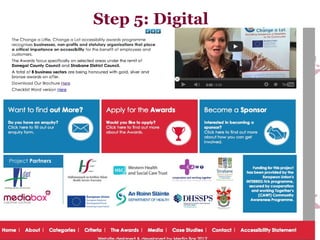
Step 5: Digital
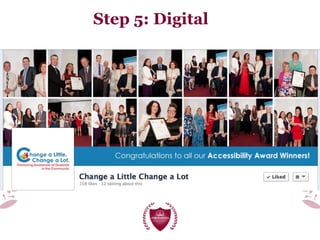
Step 5: Digital
Questions?
Thank You!
Evaluation & Feedback
www.mediabox.ie

Public Speaking & Presentation Skills

  • 1.
    Effective Presentation Skills& Funder Communications Monaghan Community Forum Joanne Sweeney-Burke Tuesday 25th June 2013
  • 2.
    Welcome & Introductions WhoAm I? Who are You? Why are you here?
  • 3.
     Journalist  Chamberof Commerce CEO  PR Lecturer  Marketing Executive  Event Manager  Fundraiser  Business Owner  Failed politician  Desperate for a New Challenge everyday  Blogger & wannabe author  Life-Long Learner  “The Apprentice” Finalist Who is She?
  • 4.
    Course Objectives  Powerpoint- the rules  Generating Content for a Presentation  Top Tips when preparing a presentation  The art of Public Speaking - voice, posture, delivery  The skills of verbal and visual communications  The skills of story-telling  Your Presentation - practice and get to know your technique  Develop a more confident you!
  • 5.
    PowerPoint PowerPoint is acomplete presentation graphics package. It gives you everything you need to produce a professional-looking presentation. PowerPoint offers word processing, outlining, drawing, graphing, and presentation management tools- all designed to be easy to use and learn.
  • 6.
    Why PowerPoint? First impressionscount - people will judge you before you even speak. Gives you and your audience direction It provides a useful series of handouts that participants can take home with them It is user-friendly
  • 7.
    The 3 C’sof PowerPoint 1. Communication... Does the presentation effectively tell the audience your message? Every component of the presentation should add to the communication. 2. Creativity... Does the presentation appeal to the audience? Have the color choices, graphics, and background design been wisely used? 3. Consistency... Does the presentation have a similar style from slide-to-slide? Have the guidelines for text, graphics, transitions and special effects been followed?
  • 8.
    PowerPoint Tips 1. StartPowerPoint and choose a Blank Presentation 2. Choose slide layout 3. Enter the title and any additional text 4. Remember to follow the text guidelines 5. Add graphic, your choice of clip art, original drawings, scanned images, internet images, tables and charts. 6. Remember to follow the graphic guidelines 7. Insert new slides and repeat Steps 2-4 for each slide 8. Create and apply background design 9. Add transitions, special effects, animations, and sounds 10. Best Tip: Design a template for your organisation that has funders logos included – see sample in next slide
  • 10.
    Presentation Preparation  Planfor impact on your audience - script, visuals, delivery  Practice simplifying your presentation for easy understanding  Work the audience and inspire them  Visualise figures/statistics  Make boring technical presentations come to life with graphics, video, sounds  Manager the power of your voice  Free your body for open body language  Engage the audience with the power of stories  Develop your personal presentation style  Field questions effectively
  • 12.
    The Art ofPublic Speaking
  • 13.
    Public Speaking Success Inform  Educate  Engage  Inspire  Persuade  Entertain  Memorable (for the right reasons!)  Great first impression  Think on your feet  Audience analysis  Audience rapport “How would you describe your technique?”
  • 14.
  • 15.
    “Feel the Fear& Do It Anyway” My one bit of advice… …trust me.
  • 16.
  • 17.
    The Pitfalls ofPresenting “Team Spirit’s Kellogg’s Presentation on The Apprentice” 26.39 http://www.youtube.com/watch?v=9BaqolKT85M&feature=uploademail
  • 18.
    Writing Content • UnderstandYour Presentation Theme  Know your audience  How much time do you have  Segment your presentation 1. Introduction 2. Core messages 3. Make first Point 4. Back up with anecdote/story 5. Make second point 6. Give example 7. Make third point 8. Illustrate it in case study 9. Conclude & Sum up
  • 19.
    Get to KnowYourself  Smile  Voice  Gestures  Expressions  Body Language  Eye-Contact  Breathing  Inflection  Tone EXERCISE: Analyse me, you & others
  • 20.
     Introduce yourorganisation  Prepare key points (60-second pitch)  We will give feedback “Speak with confidence, smile & use the full power of your voice” Your Presentation - Group Exercise
  • 21.
    Emotions & Presenting Howdid you feel presenting? Be aware of those feelings How can you channel the nervous energy into positive outcomes? What would you do differently? “Sweaty palms, butterflies, shaky legs, quivering lip, trembling voice - embrace the emotion & channel it into empowering you”
  • 22.
    Public Speaking -Remember… 1. Defeat your natural public speaking fears - you can do it! 2. Create a sincere rapport with your audience 3. Turn a speech into a conversation - be open, helpful, brave, transparent, remarkable 4. Use eye-contact, gestures and breathing for maximum effect 5. Develop, design and create a master presentation - but tailor to your audience 6. Effectively deliver the information from the screen to the audience - you are the filter 7. Prepare potential questions & answers 8. Be honest if you don’t know an answer
  • 23.
    Funder Communications We arehere because of your funders. So remember the 3 A’s Associate – your project/activities with your funder Acknowledge – them in all communications Attribute – quotes to them in media activities
  • 24.
  • 25.
    A project supportedby the European Union’s INTERREG IVA Programme managed by the Special EU Programmes Body and delivered by Co-operation and Working Together’s (CAWT) Community Awareness Programme Step 1: Logos
  • 26.
    Step 2: Wording Fundingfor Change a Little, Change a Lot Accessibility Awards Campaign has been provided by the European Union’s INTERREG IVA programme, secured by Co-operation and Working Together’s (CAWT) Community Awareness Programme. This project is part financed by the European Union's European Regional Development Fund through the Peace III programme funded through Monaghan Peace III Partnership." ************************
  • 27.
  • 28.
    Step 4: Quotes CAWTCEO, Bernie McCrory says the programme is a significant step forward in making the North West an accessibility friendly region. “Accessibility is simply good business. Improving accessibility for disabled people has a much broader public benefit for the whole community. Our hope is that the North West will be viewed as a region of excellence in terms of accessibility just as Louth is viewed as an age-friendly county. This awards programme offers free support, training and expertise in accessibility covering four areas: built environment, awareness and attitudes, access to information and communication. It is open to businesses, non-profits and statutory organisations in Donegal and Strabane.
  • 29.
  • 30.
  • 31.
  • 32.
    Thank You! Evaluation &Feedback www.mediabox.ie