PRESENTATION
SKILLS
PRESENTAION BY

• NITESH B
• MANOHAR N
TOPICS TO DISCUSS
•
•
•
•
•
•
•
•

Meaning
Preparing a Presentation
Structuring the presentation
Problems of presentation
Preparing Content
Questions & Answers
Handling Problems during a Presentation
Important Presentation Pointers: During and After
What is a Presentation?
A presentation is a means of communication which
can be adapted to various speaking situations, such
as talking to a group, addressing a meeting or
briefing a team. To be effective, step-by-step
preparation and the method and means of
presenting the information should be carefully
considered.
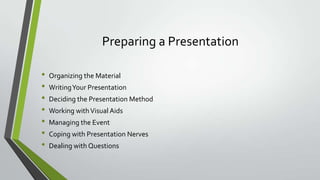
Preparing a Presentation
•
•
•
•
•
•
•

Organizing the Material
Writing Your Presentation
Deciding the Presentation Method
Working with Visual Aids
Managing the Event
Coping with Presentation Nerves

Dealing with Questions
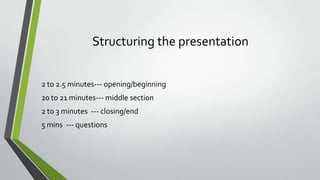
Structuring the presentation
2 to 2.5 minutes--- opening/beginning
20 to 21 minutes--- middle section
2 to 3 minutes --- closing/end
5 mins --- questions
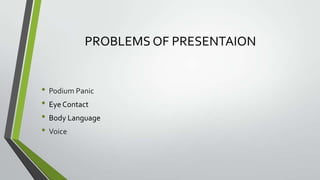
PROBLEMS OF PRESENTAION

• Podium Panic
• Eye Contact
• Body Language
• Voice
Podium Panic

For some people, the thought of giving a presentation is more frightening
than falling off a cliff, financial difficulties, snakes and even death.
Dealing with Podium Panic
•
•
•
•
•
•
•
•
•

Audiences are forgiving
Nervousness is usually invisible
Be yourself
Practice deep breathing/ visualization techniques
Begin in your comfort zone
Check out the room in advance
Concentrate on the message
Begin with a slow, well prepared intro; have a confident and clear conclusion
Be prepared and practice
Eye Contact
• Never let them out of your sight.
• Looking them in the eye makes them feel that they are influencing what you
say.

• Eye contact allows the presentation to approximate conversation—the
audience feels much more involved.
How to Make Eye Contact While Giving an Oral
Presentation
• Prepare your presentation.
• Make note of important points
• When you are speaking to people, look them in the eye.
• Give your entire presentation to yourself, in the mirror
• Go for it!
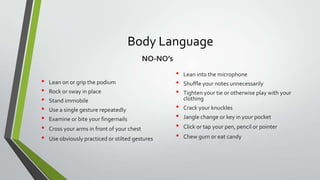
Body Language
NO-NO’s

•
•
•
•
•
•
•

Lean on or grip the podium
Rock or sway in place

Stand immobile
Use a single gesture repeatedly
Examine or bite your fingernails
Cross your arms in front of your chest
Use obviously practiced or stilted gestures

•
•
•
•
•
•
•

Lean into the microphone
Shuffle your notes unnecessarily
Tighten your tie or otherwise play with your
clothing
Crack your knuckles
Jangle change or key in your pocket
Click or tap your pen, pencil or pointer
Chew gum or eat candy
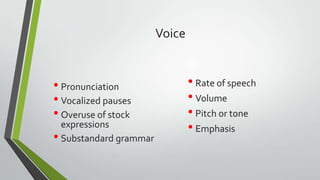
Voice

• Pronunciation
• Vocalized pauses
• Overuse of stock

expressions
• Substandard grammar

• Rate of speech
• Volume
• Pitch or tone
• Emphasis
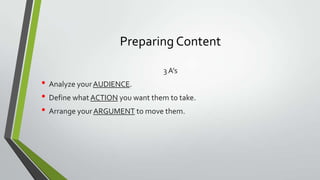
Preparing Content
3 A’s

• Analyze your AUDIENCE.
• Define what ACTION you want them to take.
• Arrange your ARGUMENT to move them.
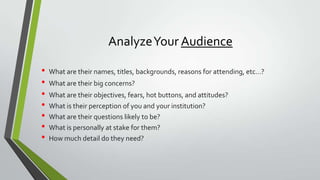
Analyze Your Audience
•
•
•
•
•
•
•

What are their names, titles, backgrounds, reasons for attending, etc…?
What are their big concerns?
What are their objectives, fears, hot buttons, and attitudes?
What is their perception of you and your institution?
What are their questions likely to be?
What is personally at stake for them?
How much detail do they need?
Define What Action

• What action do you want the audience to take?
• Define it in terms of the audience.
• What will they feel, believe, and do after hearing your talk?
Arranging Your Argument
• Shake hands with the audience.
• Get to the point.
• Present your theme.
• Tell ‘Em3.
• Develop your agenda point by point.
• Summarize and recommend.
Questions & Answers

• Beginning of a whole new interactive presentation
• Opportunity to make a point
• Most presentations are won or lost here
Questions & Answers
•
•
•
•
•
•

Anticipate lines of questioning
Rehearse
Don’t rank questions
Keep answers brief
Be honest—don’t BS
Avoid negative words

•
•
•
•
•

Don’t repeat negative questions
Clarify question

Defer to experts
Move your eyes off questioner
If negative, end your response focused on
somebody else
Handling Problems during a Presentation

• Visual-aid problems
• Distracting noises
• You make a mistake
THANK YOU

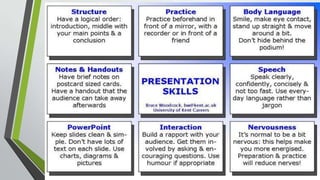
Presentation skills

  • 1.
  • 2.
  • 3.
    TOPICS TO DISCUSS • • • • • • • • Meaning Preparinga Presentation Structuring the presentation Problems of presentation Preparing Content Questions & Answers Handling Problems during a Presentation Important Presentation Pointers: During and After
  • 4.
    What is aPresentation? A presentation is a means of communication which can be adapted to various speaking situations, such as talking to a group, addressing a meeting or briefing a team. To be effective, step-by-step preparation and the method and means of presenting the information should be carefully considered.
  • 5.
    Preparing a Presentation • • • • • • • Organizingthe Material Writing Your Presentation Deciding the Presentation Method Working with Visual Aids Managing the Event Coping with Presentation Nerves Dealing with Questions
  • 6.
    Structuring the presentation 2to 2.5 minutes--- opening/beginning 20 to 21 minutes--- middle section 2 to 3 minutes --- closing/end 5 mins --- questions
  • 8.
    PROBLEMS OF PRESENTAION •Podium Panic • Eye Contact • Body Language • Voice
  • 9.
    Podium Panic For somepeople, the thought of giving a presentation is more frightening than falling off a cliff, financial difficulties, snakes and even death.
  • 10.
    Dealing with PodiumPanic • • • • • • • • • Audiences are forgiving Nervousness is usually invisible Be yourself Practice deep breathing/ visualization techniques Begin in your comfort zone Check out the room in advance Concentrate on the message Begin with a slow, well prepared intro; have a confident and clear conclusion Be prepared and practice
  • 11.
    Eye Contact • Neverlet them out of your sight. • Looking them in the eye makes them feel that they are influencing what you say. • Eye contact allows the presentation to approximate conversation—the audience feels much more involved.
  • 12.
    How to MakeEye Contact While Giving an Oral Presentation • Prepare your presentation. • Make note of important points • When you are speaking to people, look them in the eye. • Give your entire presentation to yourself, in the mirror • Go for it!
  • 13.
    Body Language NO-NO’s • • • • • • • Lean onor grip the podium Rock or sway in place Stand immobile Use a single gesture repeatedly Examine or bite your fingernails Cross your arms in front of your chest Use obviously practiced or stilted gestures • • • • • • • Lean into the microphone Shuffle your notes unnecessarily Tighten your tie or otherwise play with your clothing Crack your knuckles Jangle change or key in your pocket Click or tap your pen, pencil or pointer Chew gum or eat candy
  • 14.
    Voice • Pronunciation • Vocalizedpauses • Overuse of stock expressions • Substandard grammar • Rate of speech • Volume • Pitch or tone • Emphasis
  • 15.
    Preparing Content 3 A’s •Analyze your AUDIENCE. • Define what ACTION you want them to take. • Arrange your ARGUMENT to move them.
  • 16.
    Analyze Your Audience • • • • • • • Whatare their names, titles, backgrounds, reasons for attending, etc…? What are their big concerns? What are their objectives, fears, hot buttons, and attitudes? What is their perception of you and your institution? What are their questions likely to be? What is personally at stake for them? How much detail do they need?
  • 17.
    Define What Action •What action do you want the audience to take? • Define it in terms of the audience. • What will they feel, believe, and do after hearing your talk?
  • 18.
    Arranging Your Argument •Shake hands with the audience. • Get to the point. • Present your theme. • Tell ‘Em3. • Develop your agenda point by point. • Summarize and recommend.
  • 19.
    Questions & Answers •Beginning of a whole new interactive presentation • Opportunity to make a point • Most presentations are won or lost here
  • 20.
    Questions & Answers • • • • • • Anticipatelines of questioning Rehearse Don’t rank questions Keep answers brief Be honest—don’t BS Avoid negative words • • • • • Don’t repeat negative questions Clarify question Defer to experts Move your eyes off questioner If negative, end your response focused on somebody else
  • 21.
    Handling Problems duringa Presentation • Visual-aid problems • Distracting noises • You make a mistake
  • 22.