1. DATA DICTIONARY
2. FUNCTION MODULES
3. TRANSACTION CODES
TOPICS
1.Data Dictionary
• Data Dictionary is a central repository for the development of Objects.
• Data Dictionary is used to create and maintain meta data.
 T-Code – SE11
The Main Functions of Data Dictionary are :
• Data Base Tables
• Views
• Data Elements
• Domains
• Structures
• Search Helps
• Lock Objects
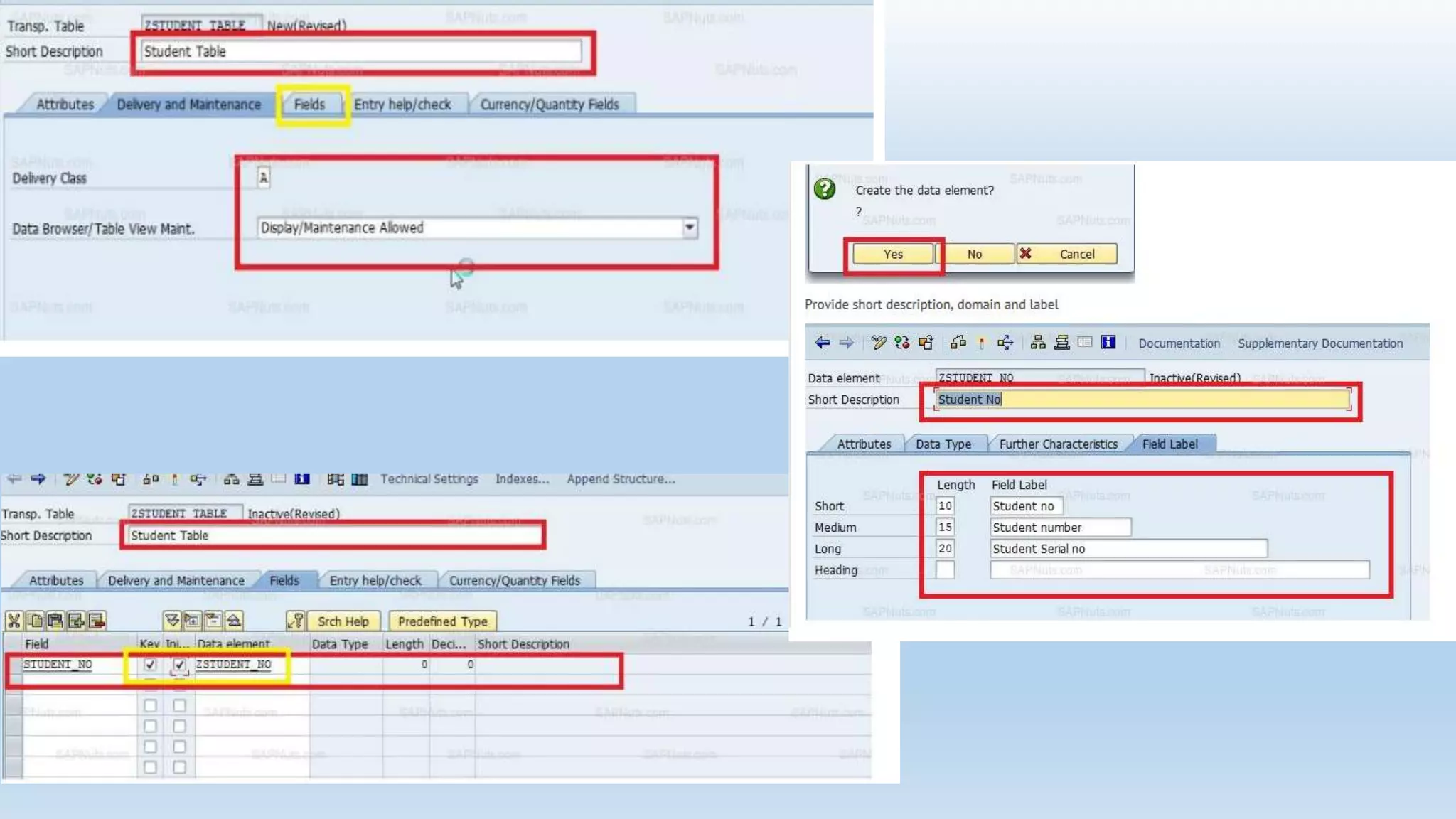
Creating tables.. 1. creation of domains.
2. creation of data Element.
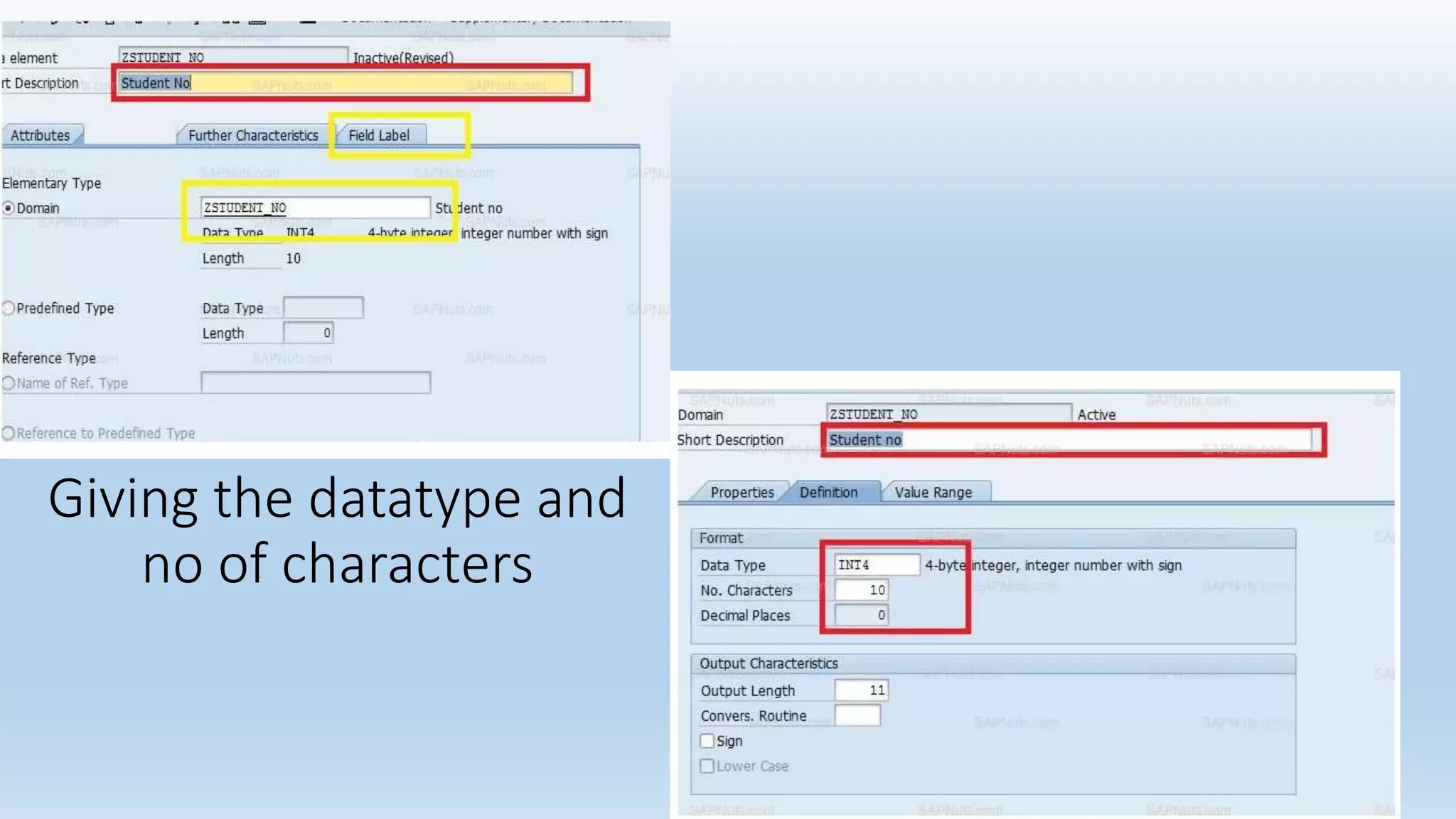
Domain: Domain is an object which specified technical information of a field in a table.
Data Element: Data element is an object which specified semantic information of a field.
Types of Data Types:
• Elementary Data types..1.Fixed
2.Variable
• Complex Types
• Reference Types
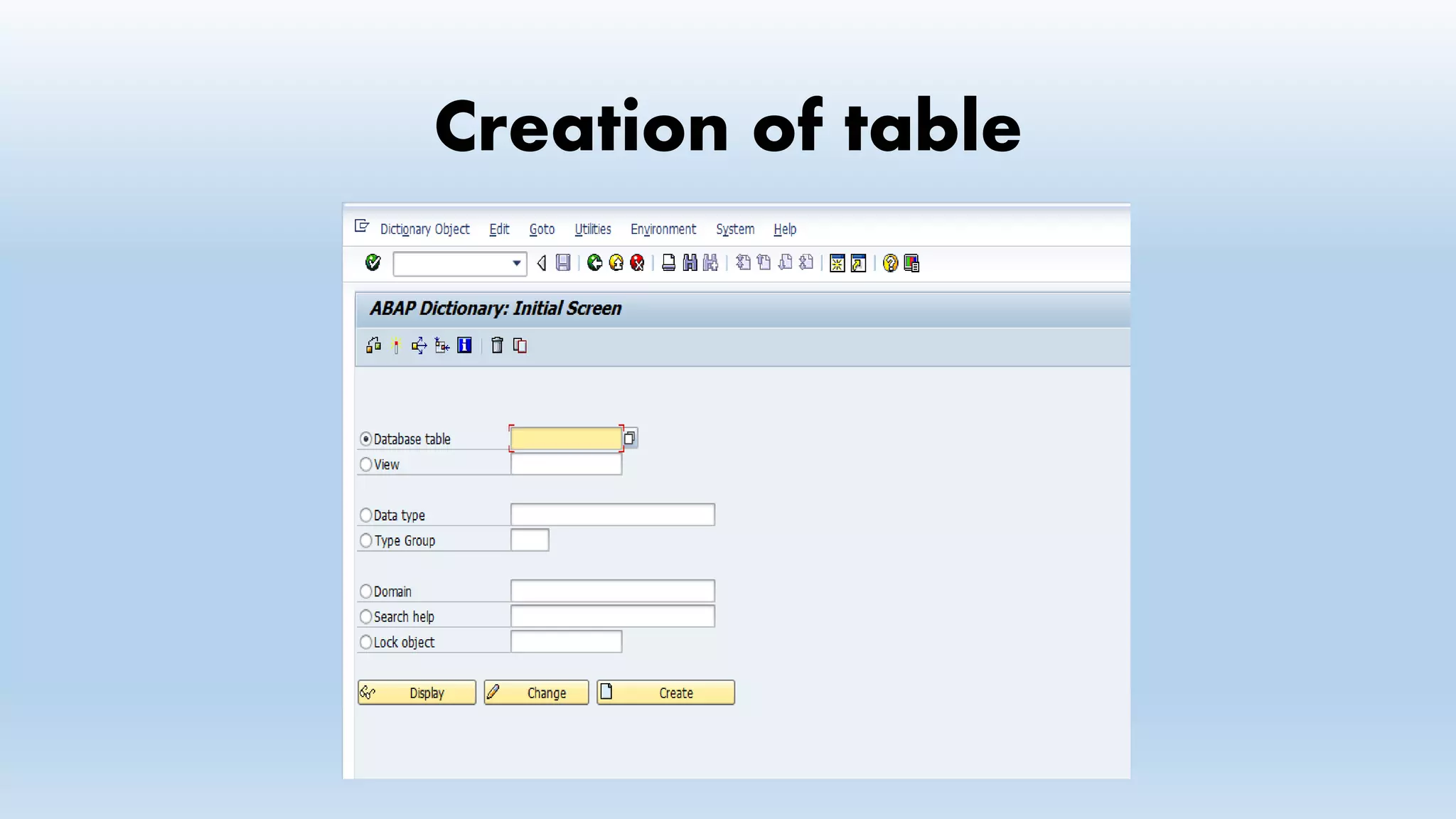
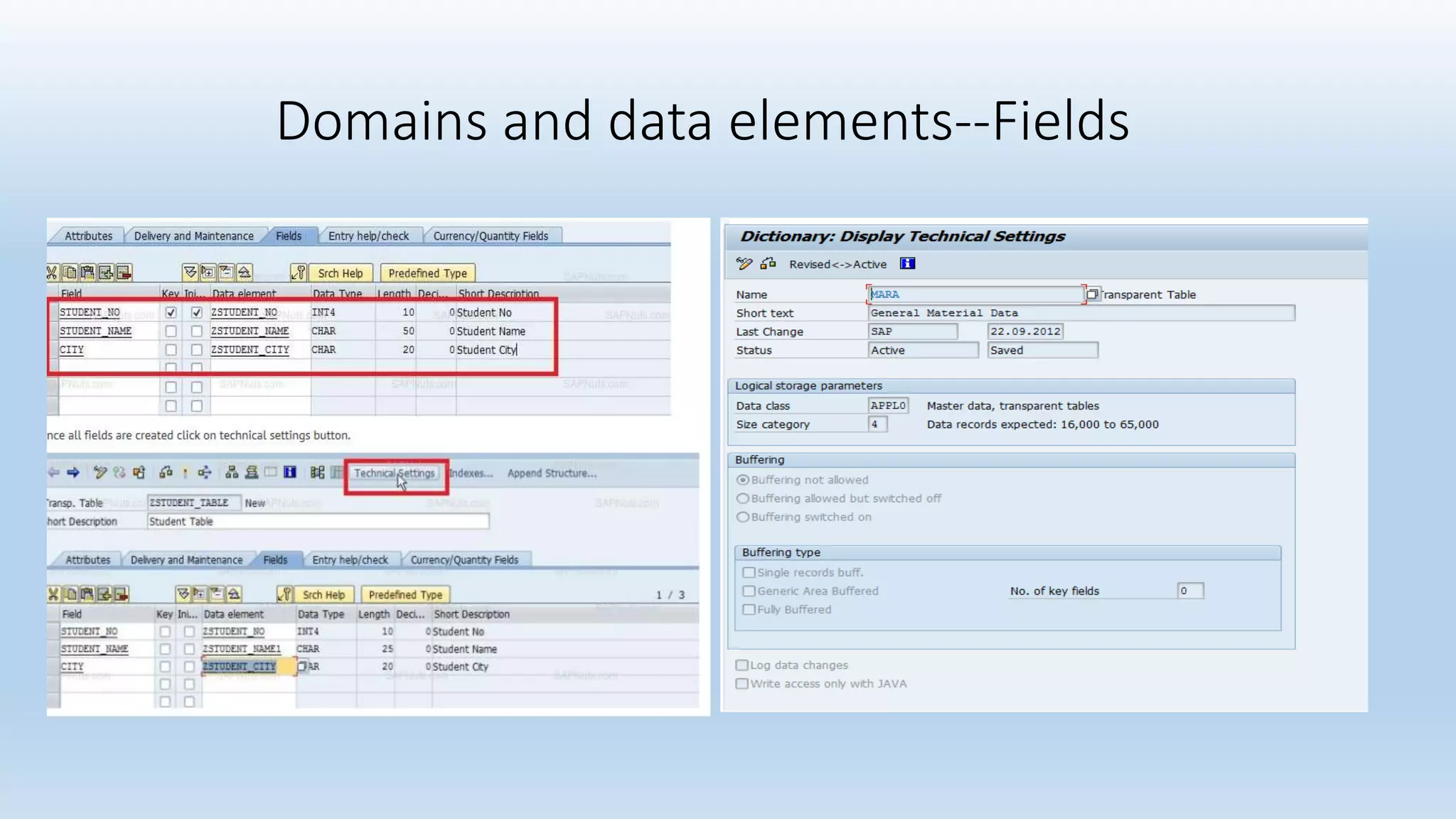
Creation of table
Domains and data elements--Fields
Giving the datatype and
no of characters
Views
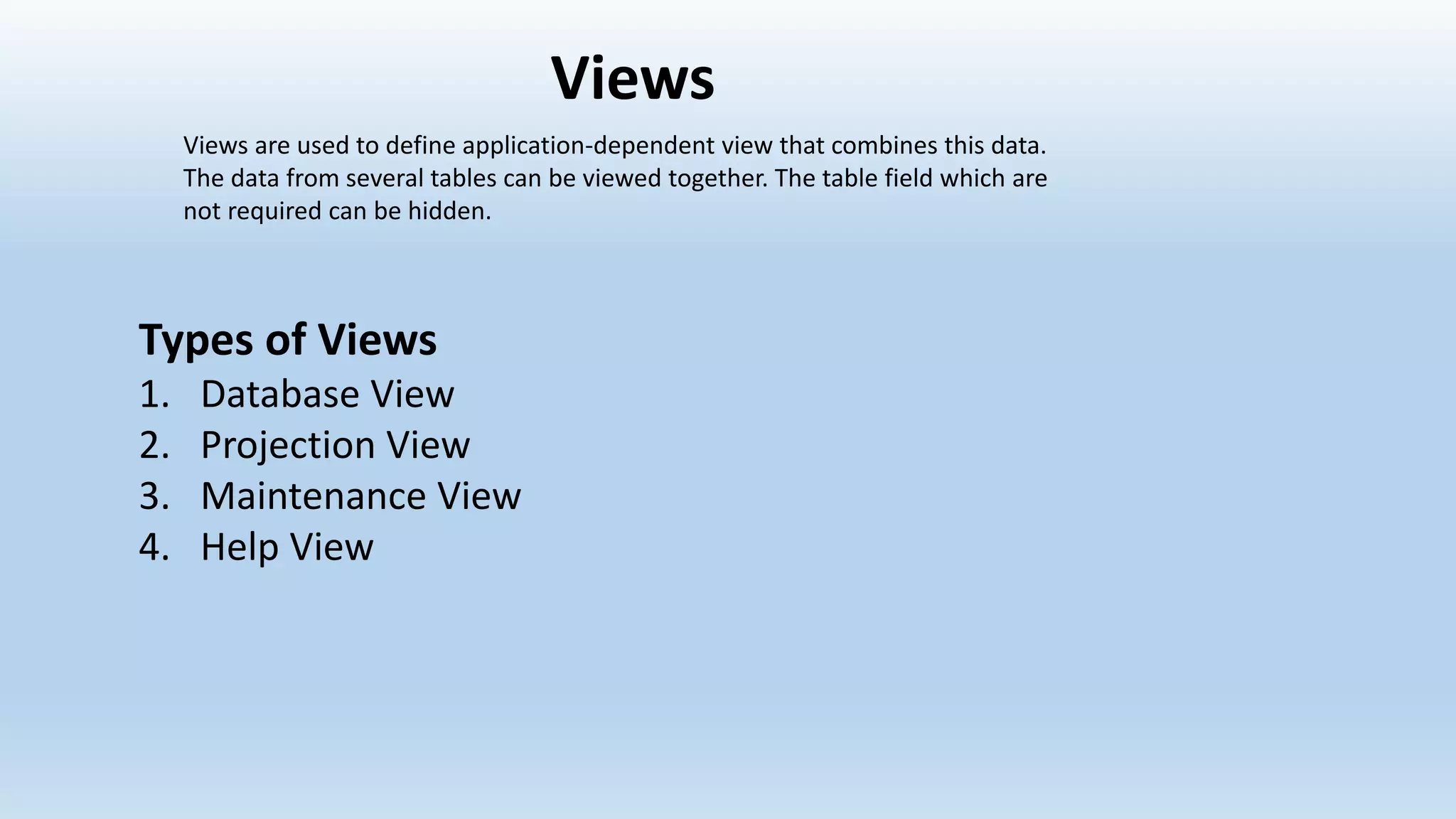
Types of Views
1. Database View
2. Projection View
3. Maintenance View
4. Help View
Views are used to define application-dependent view that combines this data.
The data from several tables can be viewed together. The table field which are
not required can be hidden.
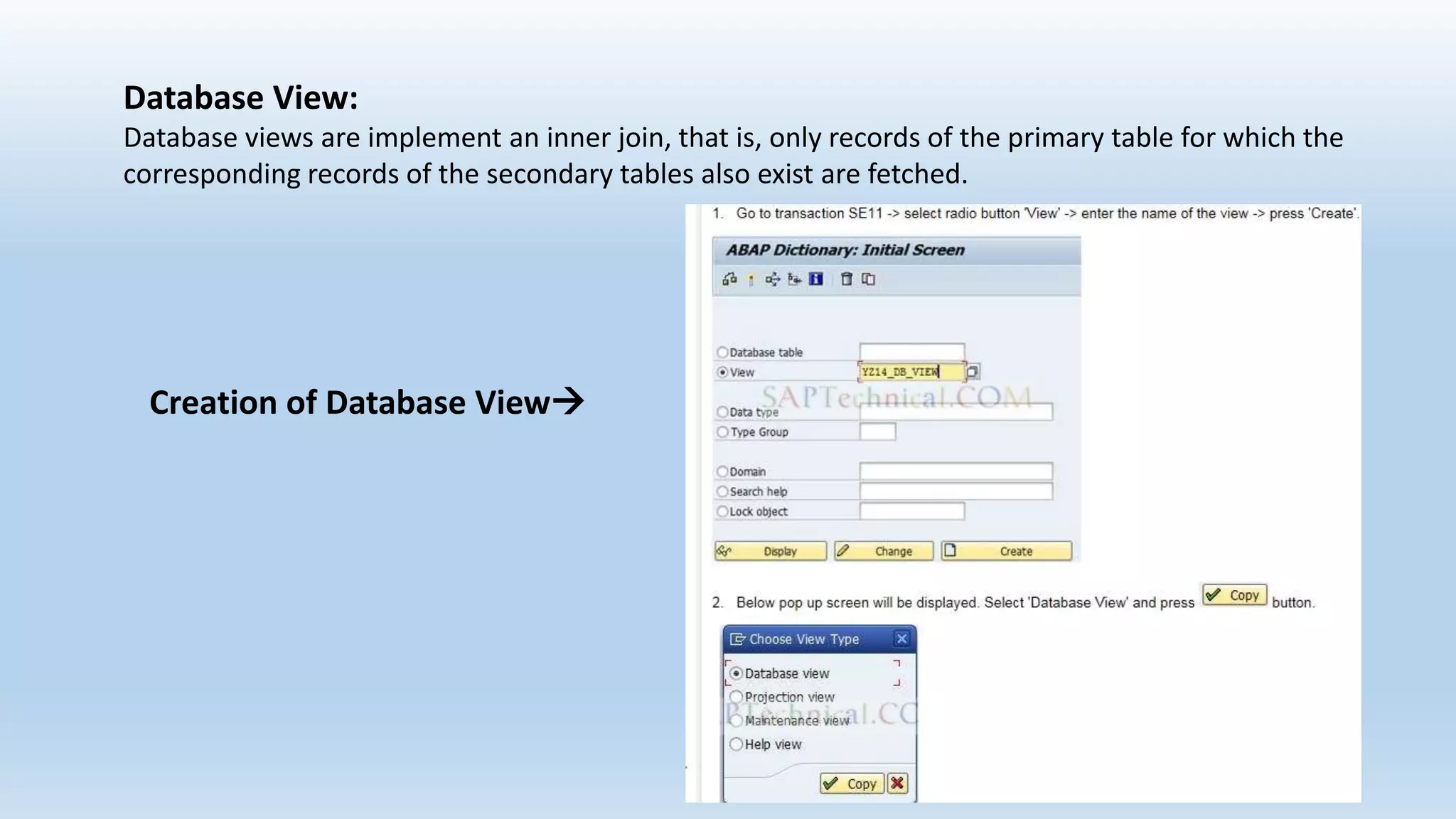
Database View:
Database views are implement an inner join, that is, only records of the primary table for which the
corresponding records of the secondary tables also exist are fetched.
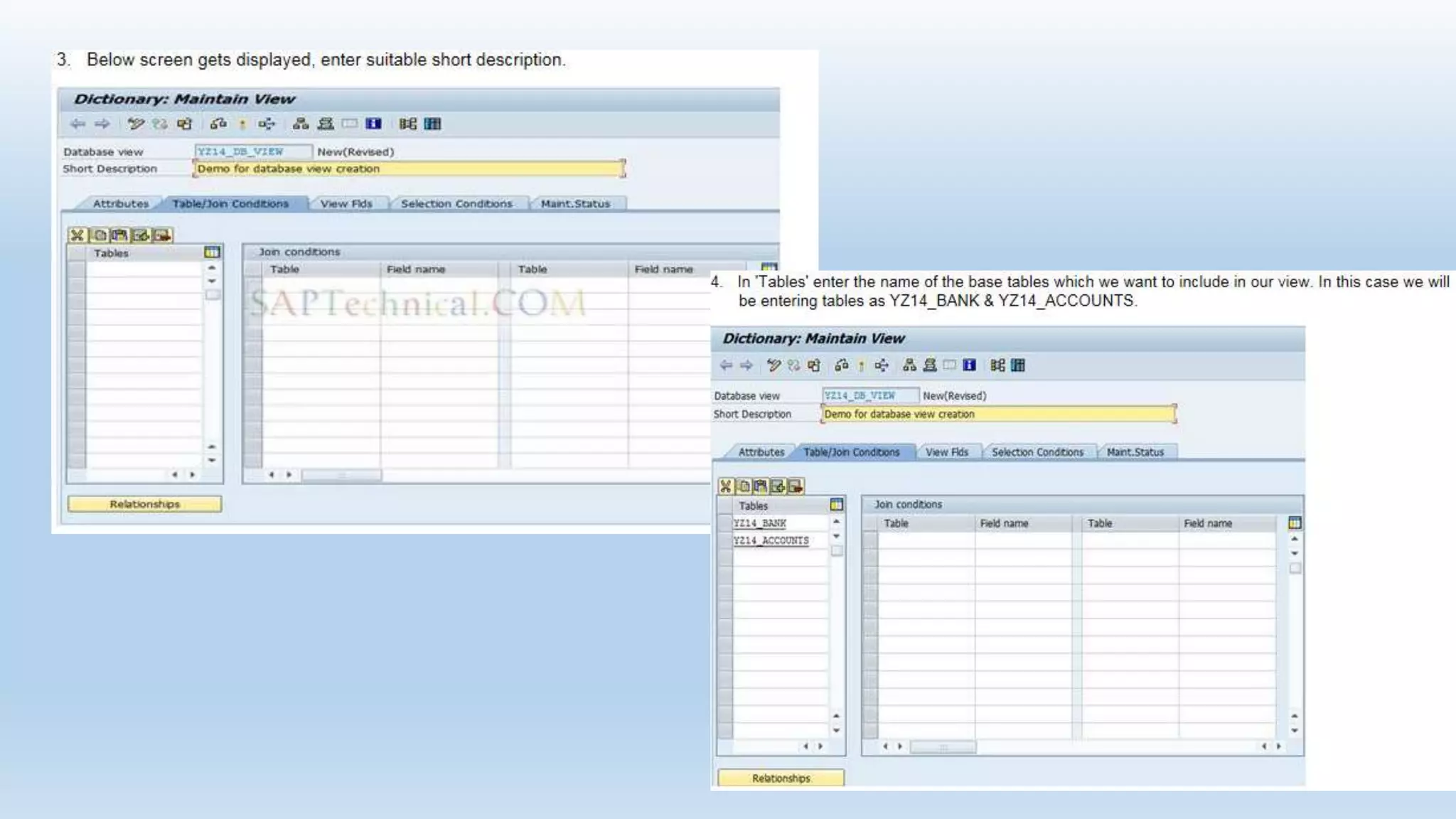
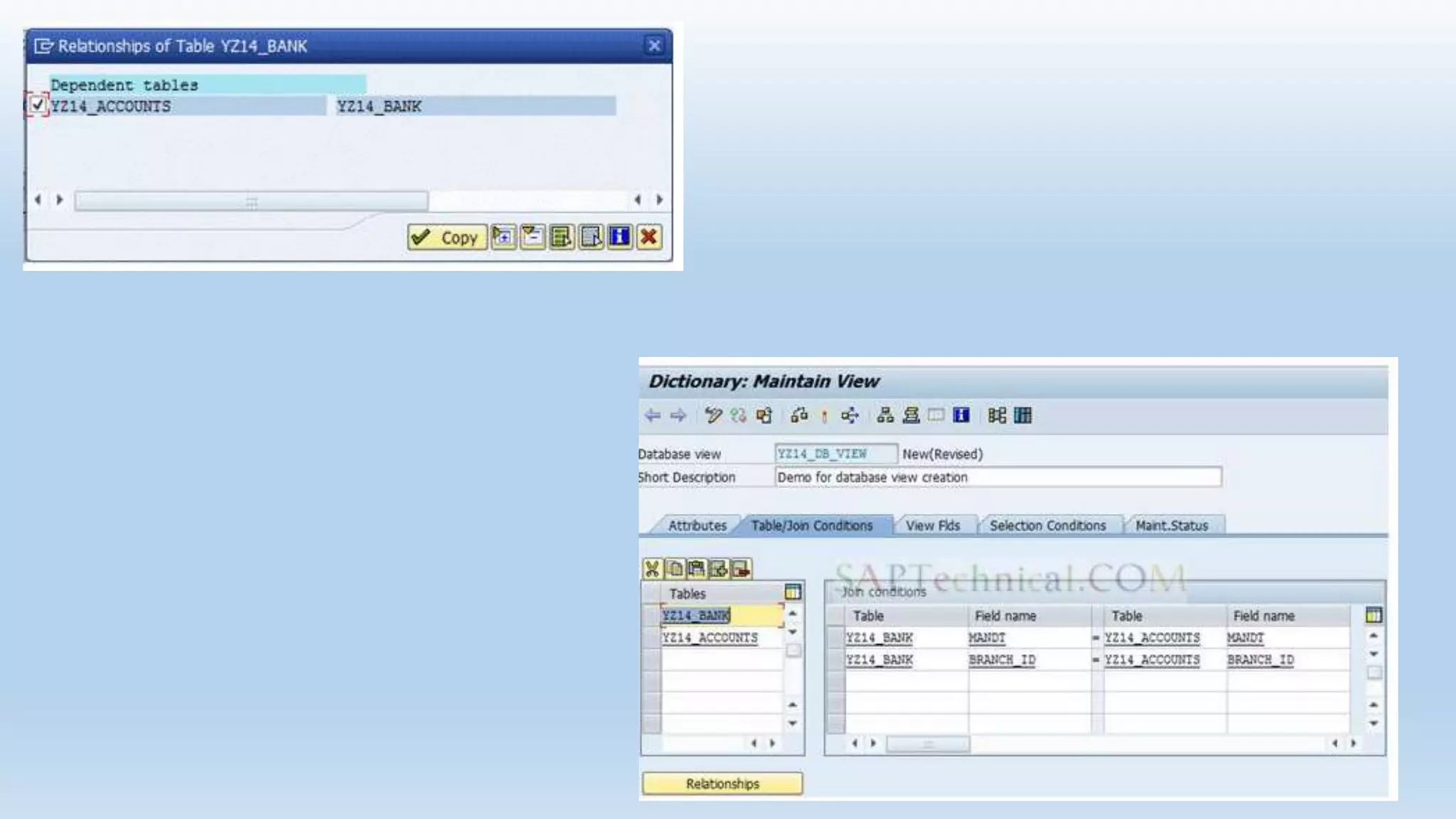
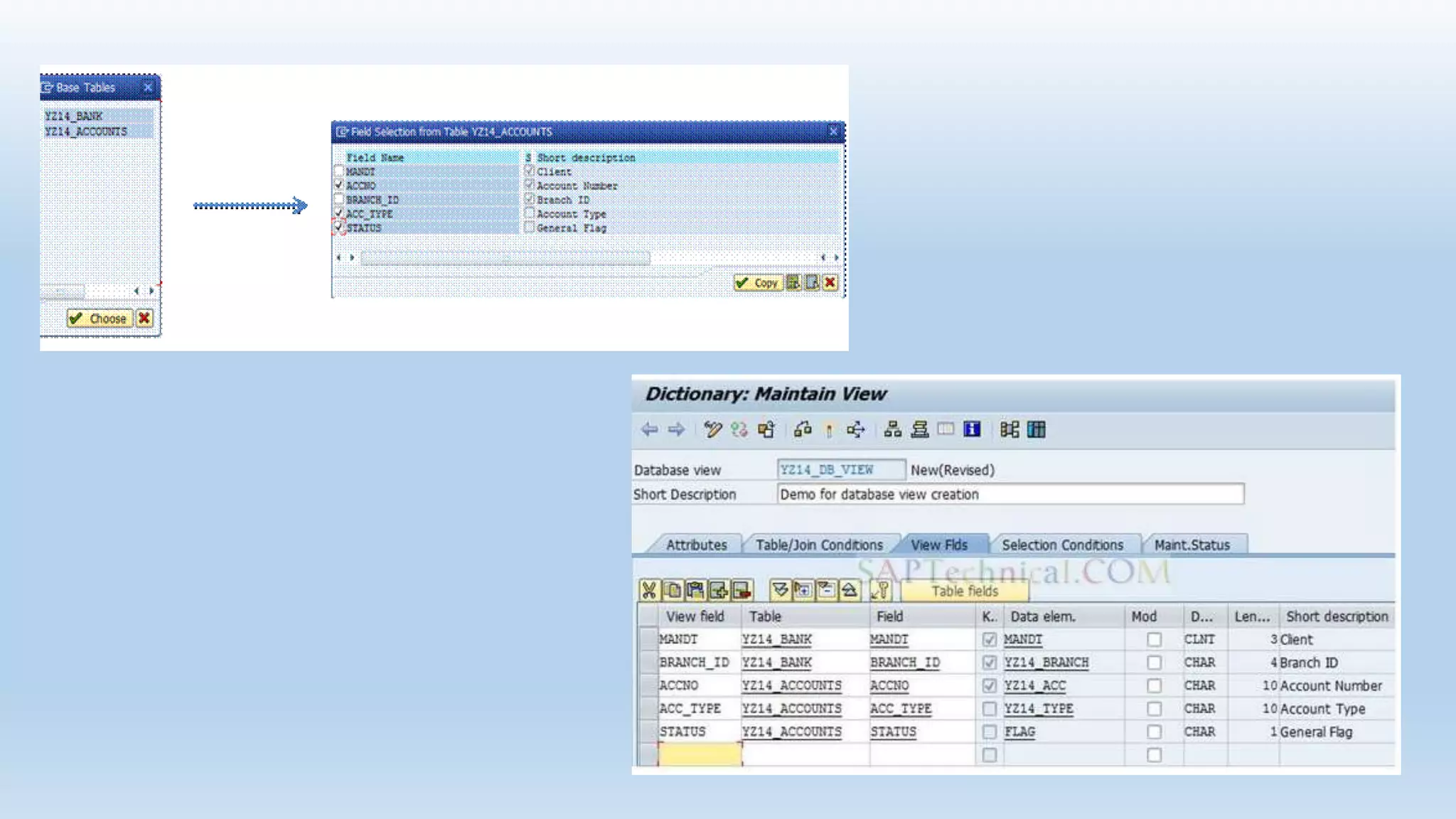
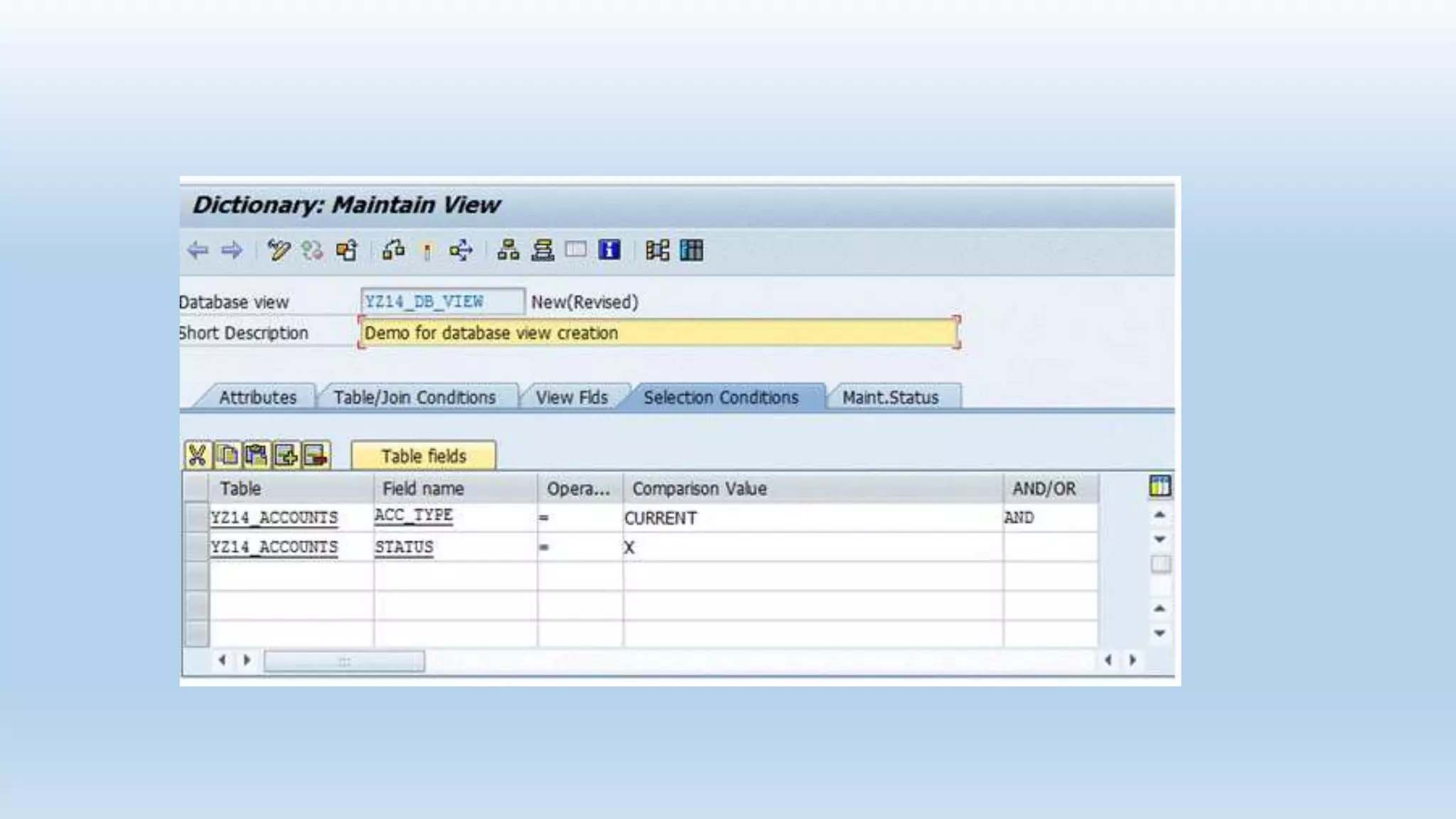
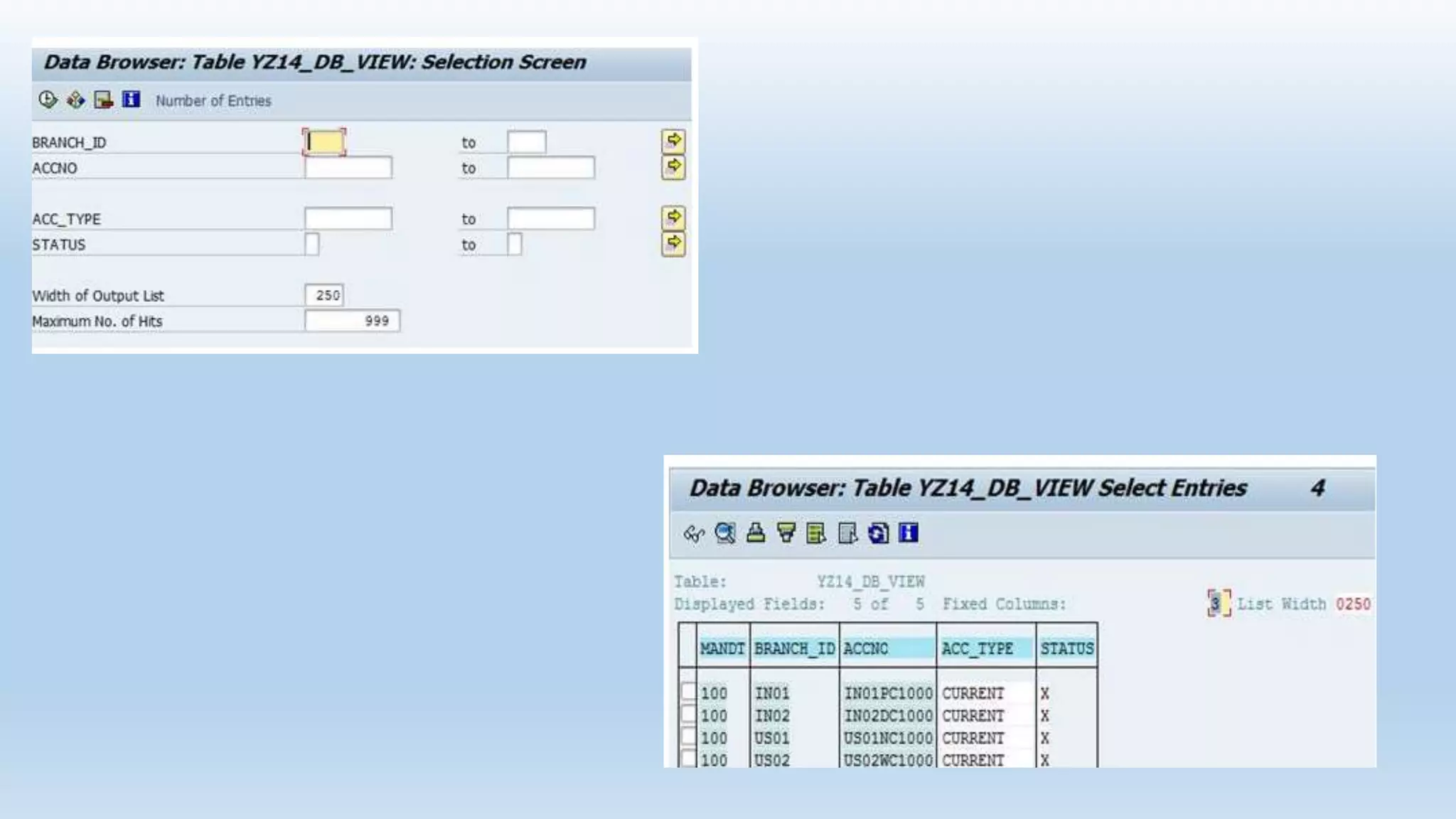
Creation of Database View
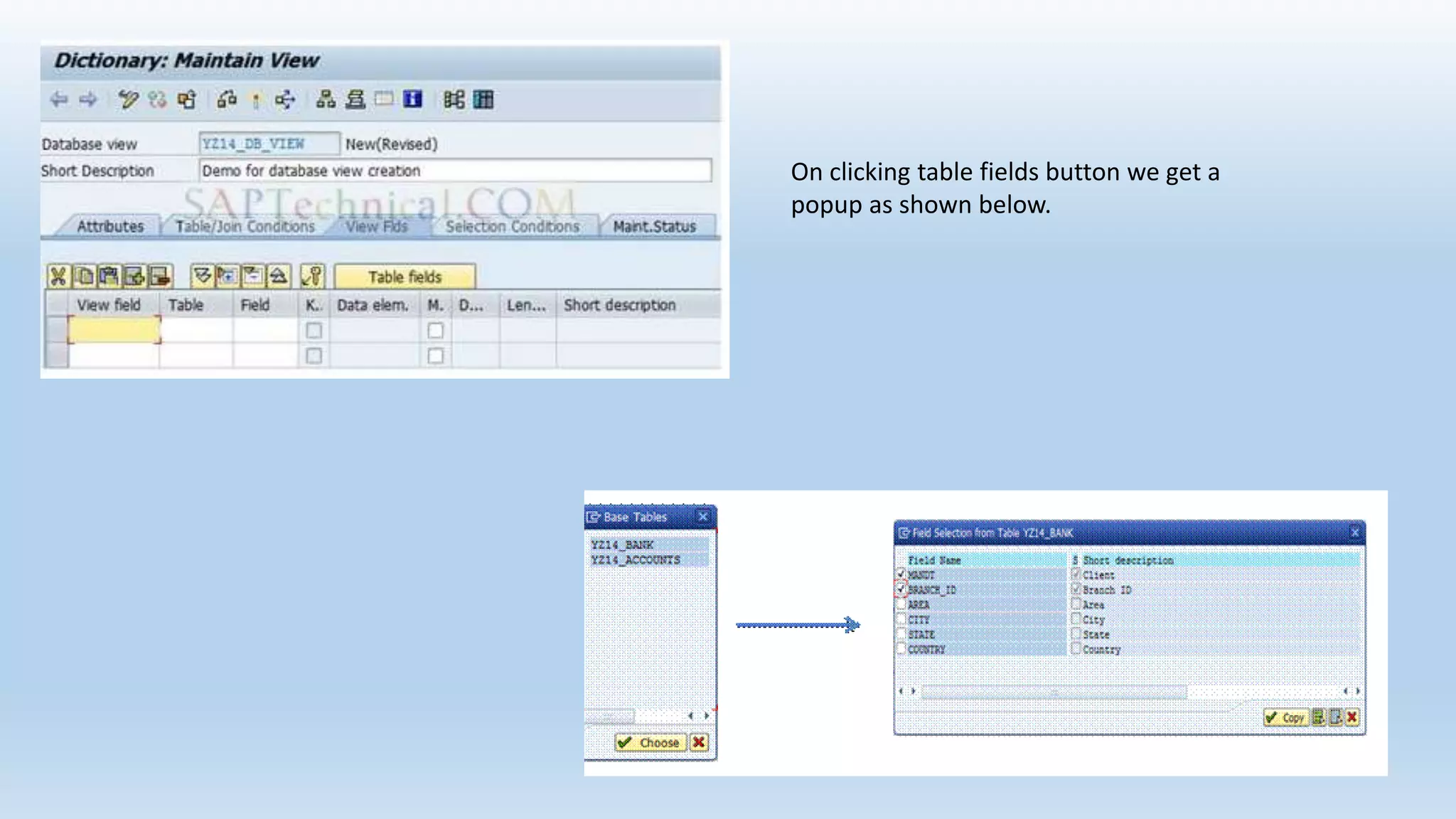
On clicking table fields button we get a
popup as shown below.
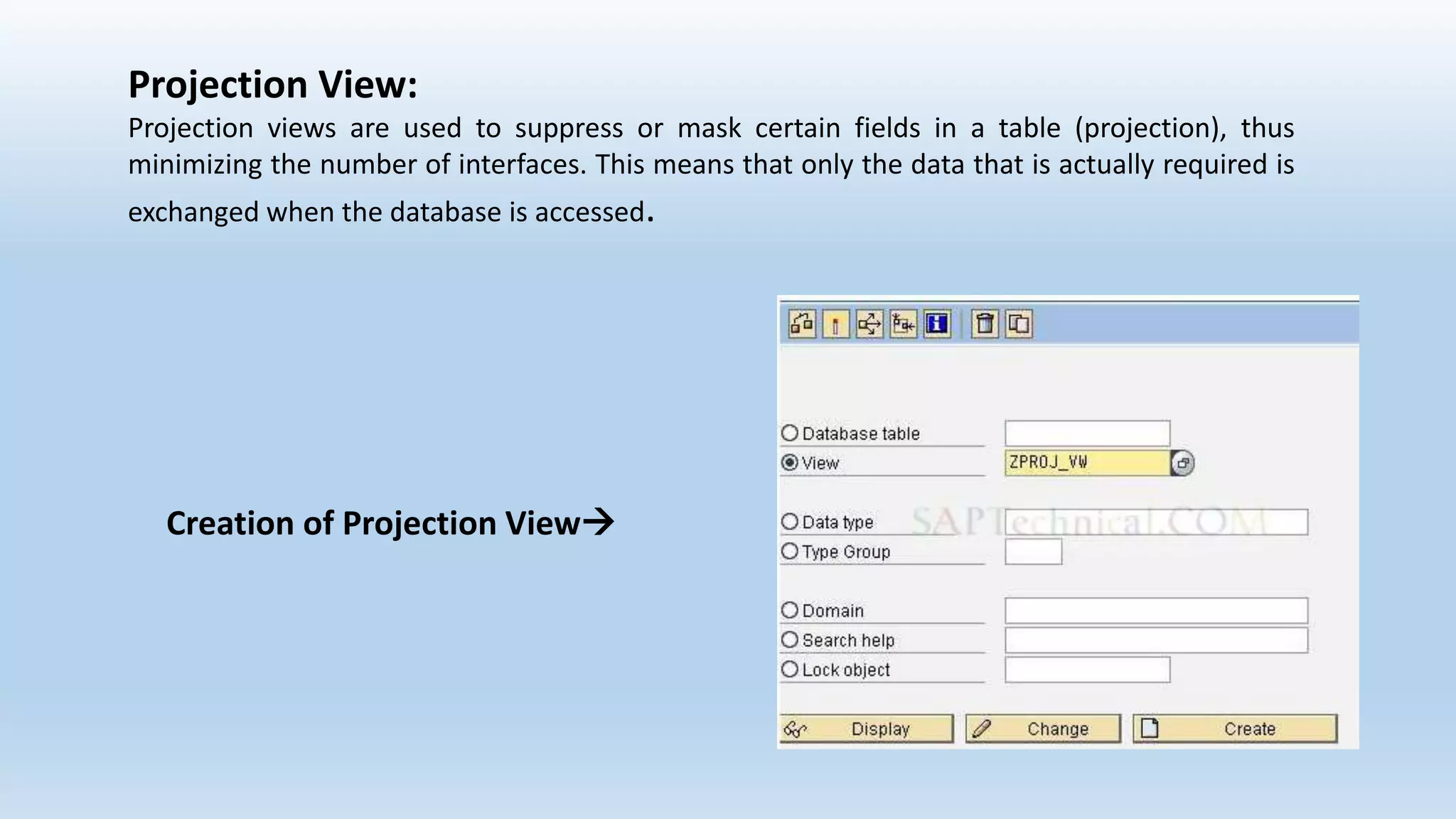
Projection View:
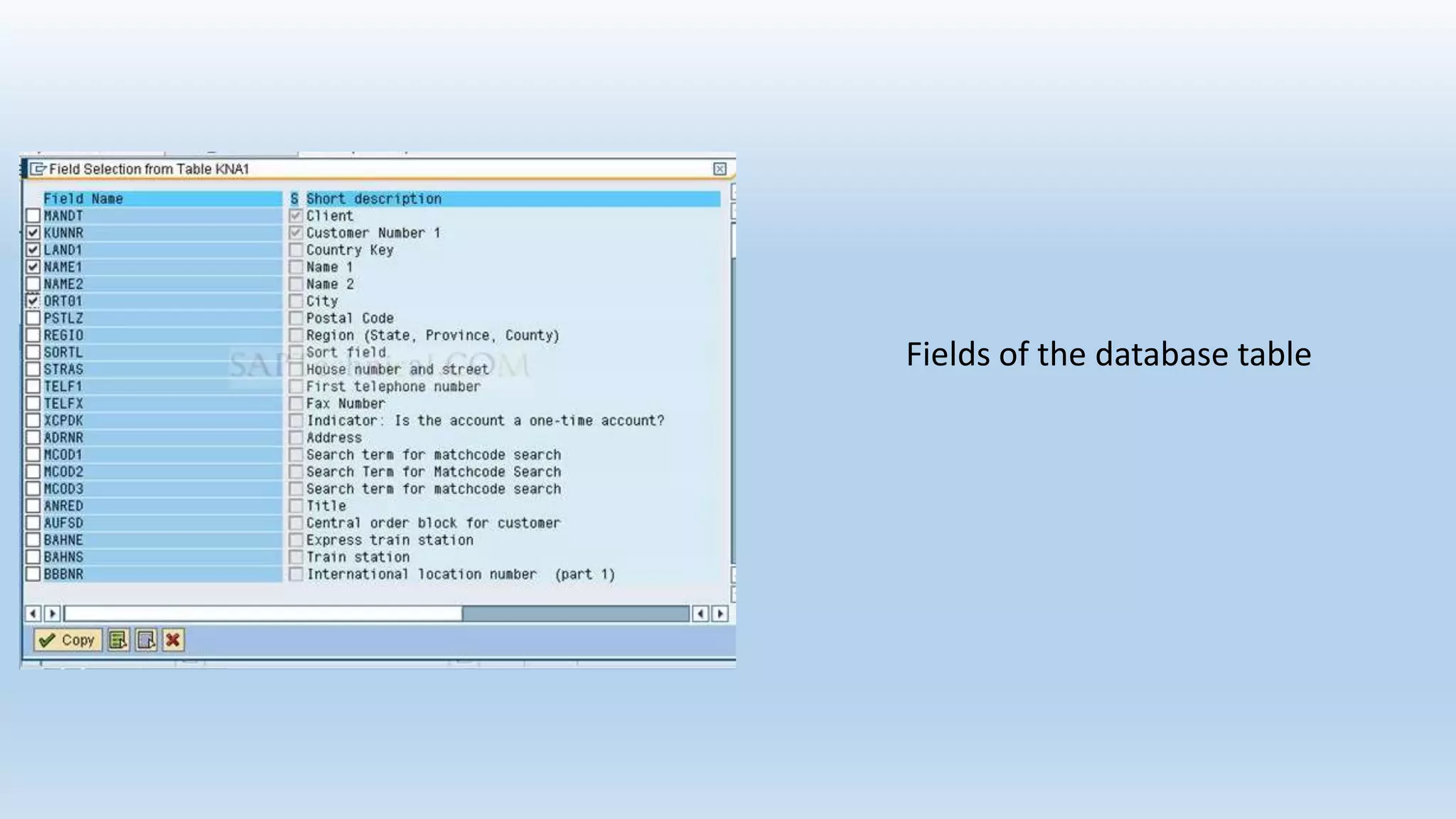
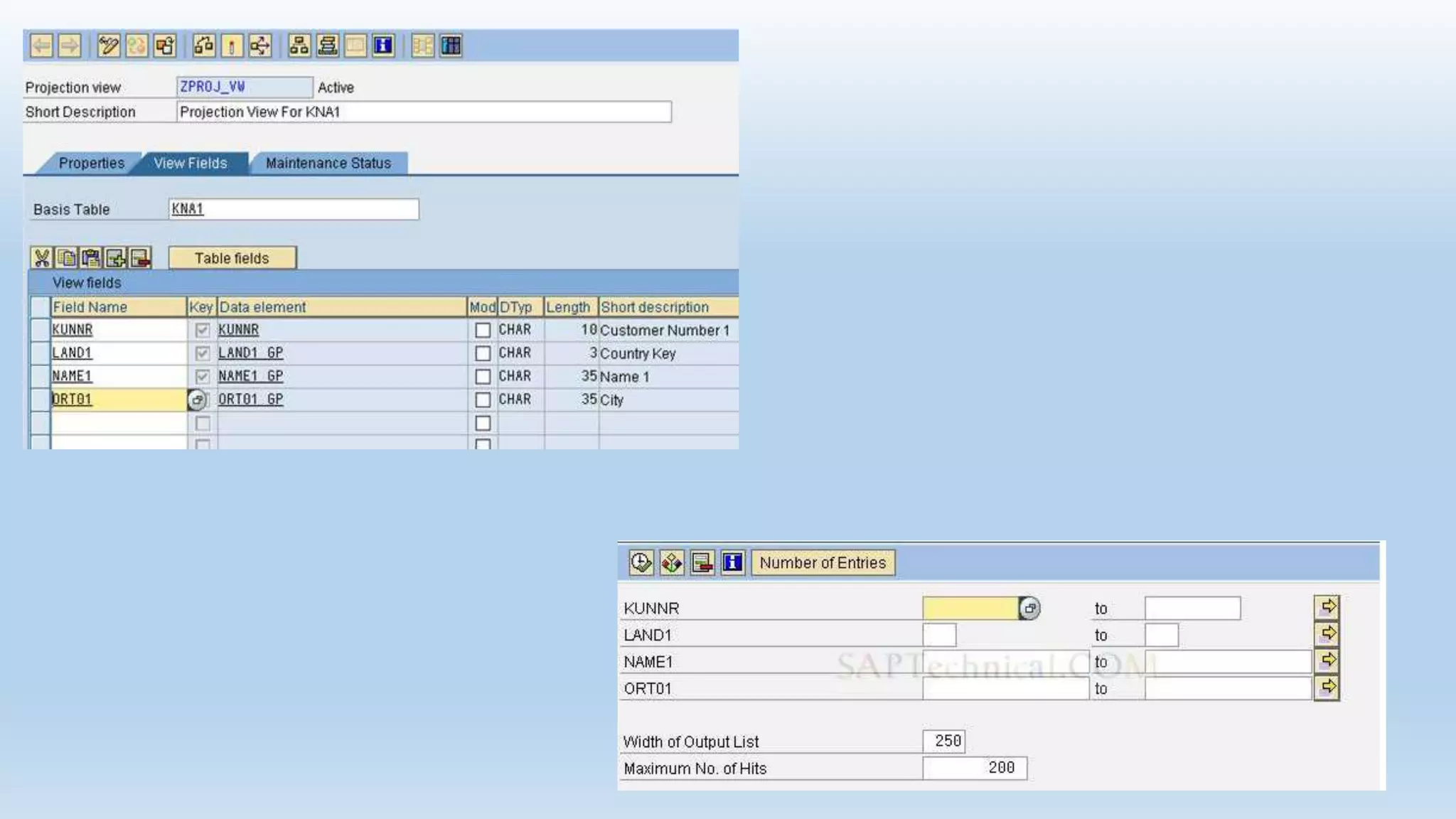
Projection views are used to suppress or mask certain fields in a table (projection), thus
minimizing the number of interfaces. This means that only the data that is actually required is
exchanged when the database is accessed.
Creation of Projection View
Give description and base table name
Fields of the database table
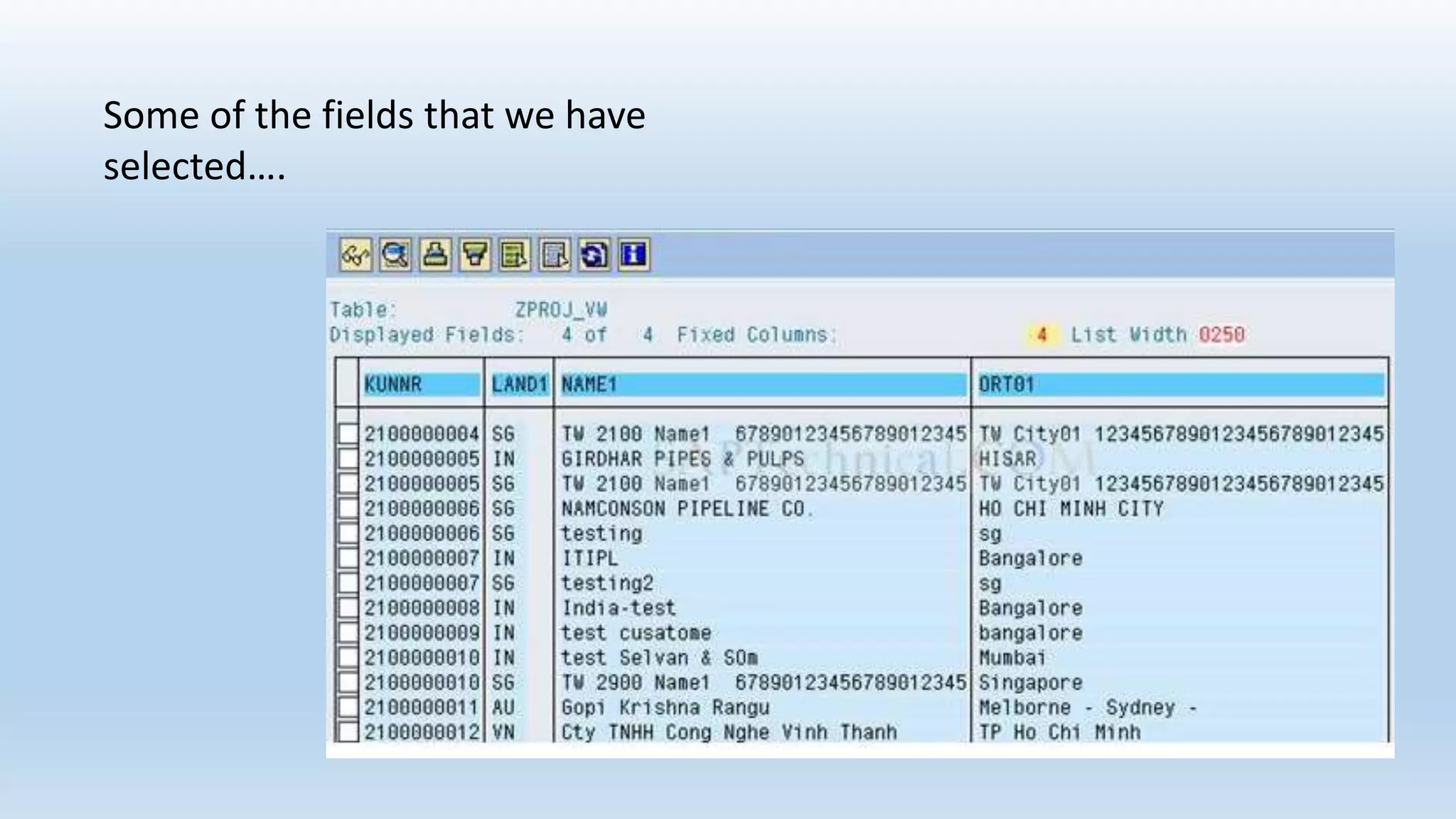
Some of the fields that we have
selected….
Maintenance View:
Maintenance views enable a business-oriented approach to looking at data, while at the same time,
making it possible to maintain the data involved. Data from several tables can be summarized in a
maintenance view and maintained collectively via this view.
Help View:
Help views are used to output additional information when the online help system is called.
Structure :
• A structure (structured type) comprises components (fields).
• A structure is just a list of fields defined under a name.
• Structures are used to hold data from tables during runtime of a transaction or a
program.
• Using structures we can retrieve the data from the database tables .
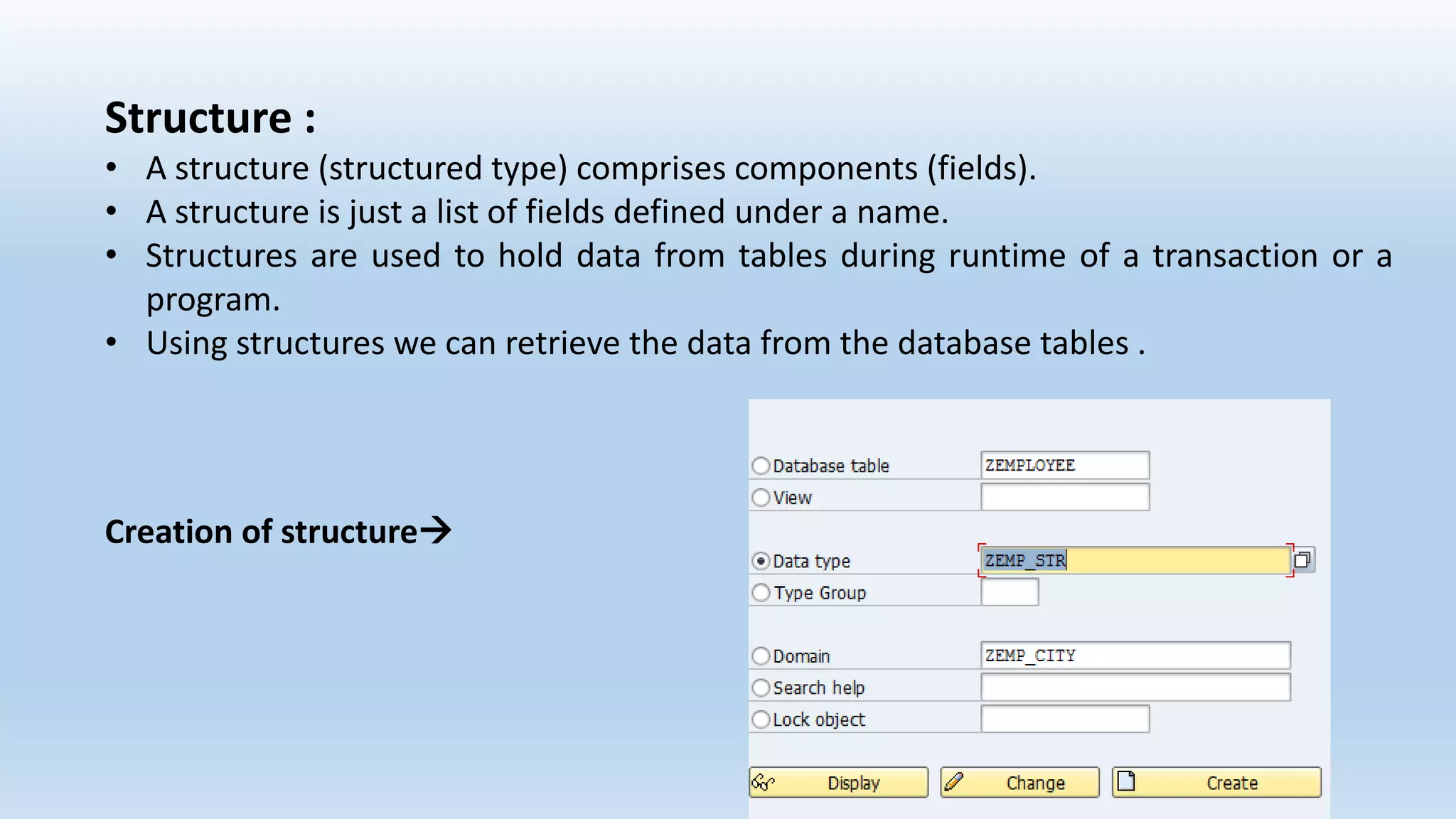
Creation of structure
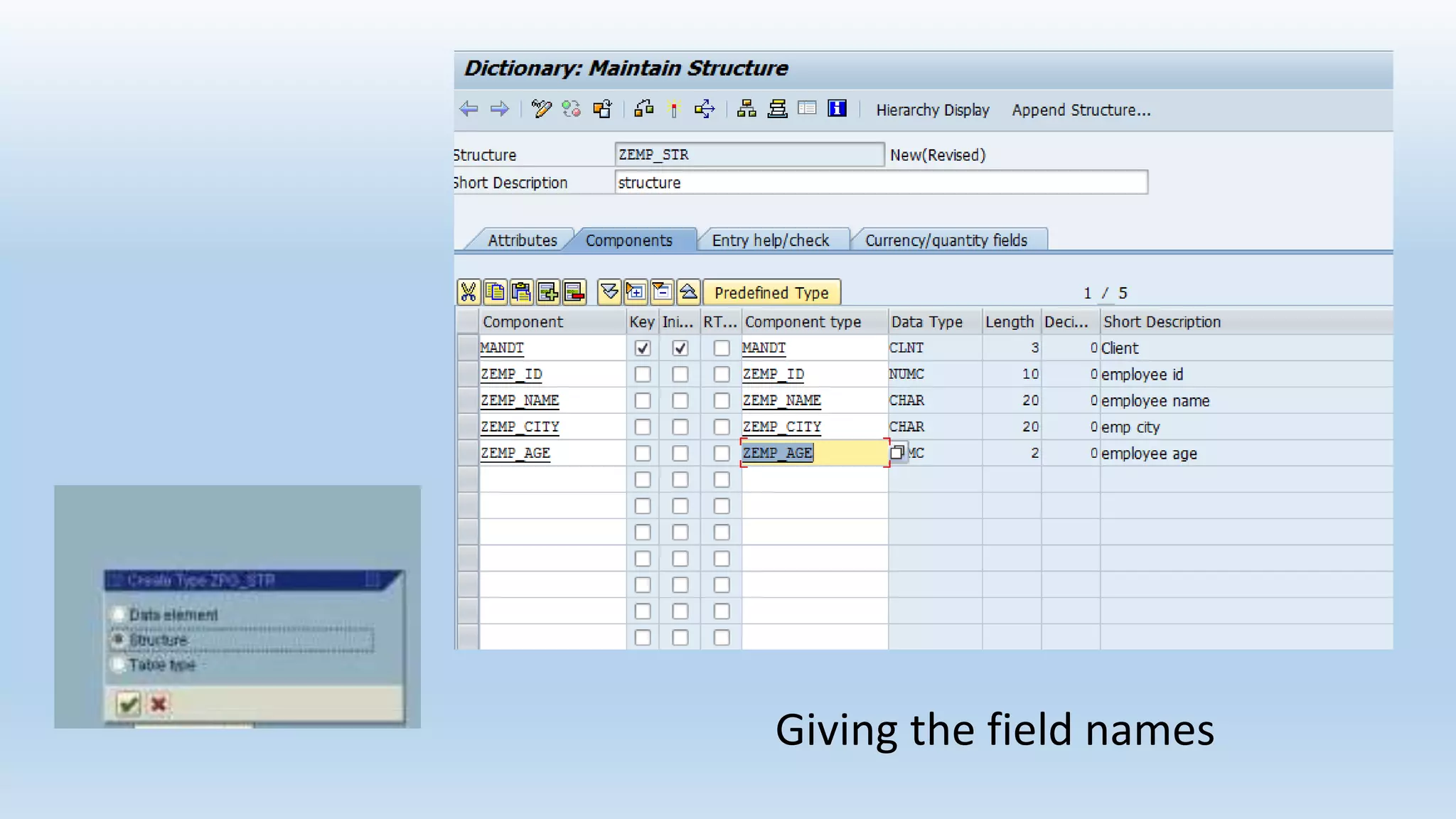
Giving the field names
Search Help
• Search helps are objects that you can use to assign input help (F4 Help) to
screen fields. You can do this by creating a search help in the ABAP Dictionary
and attaching it to the corresponding screen field.
There are two types of search helps:
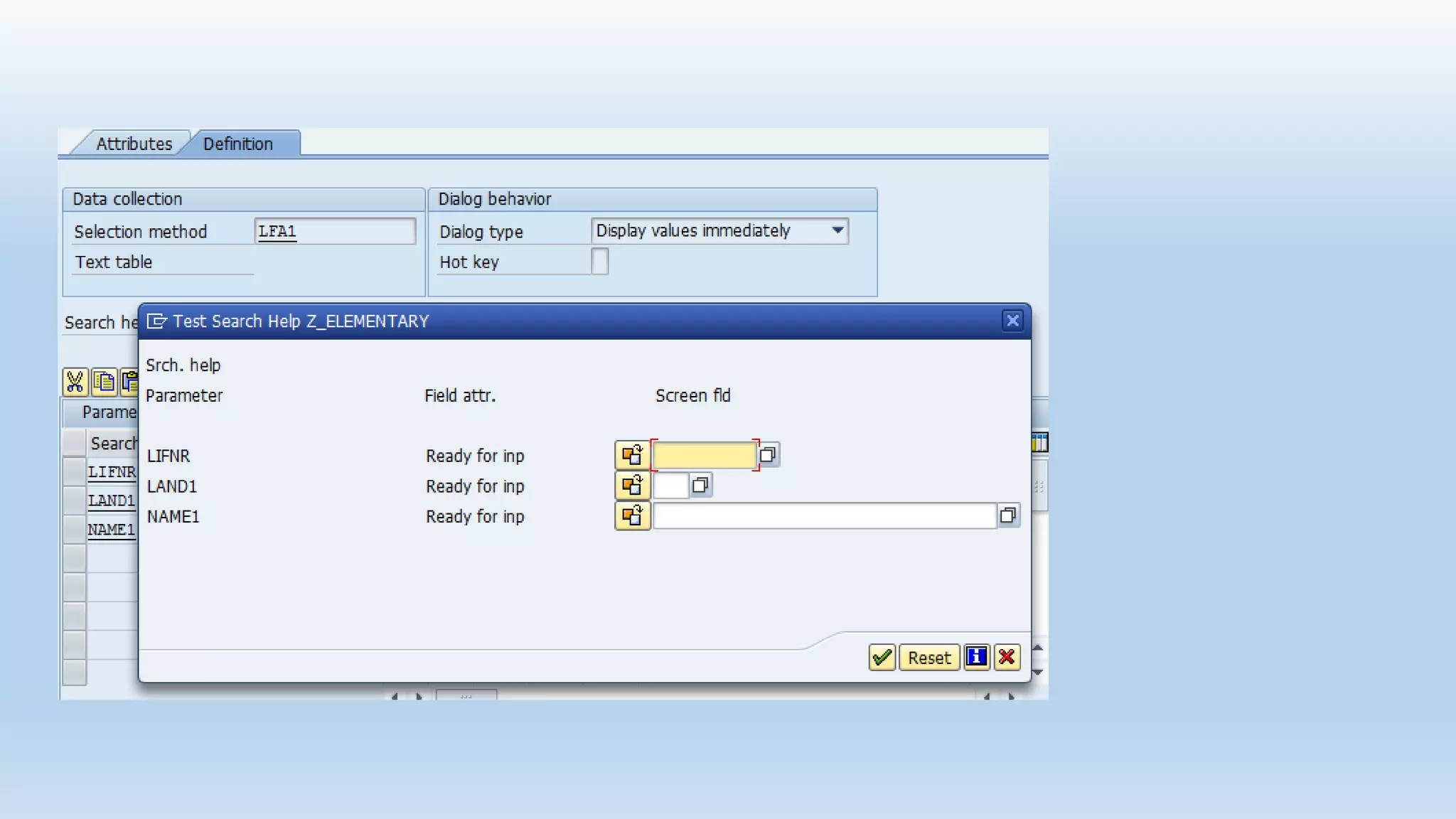
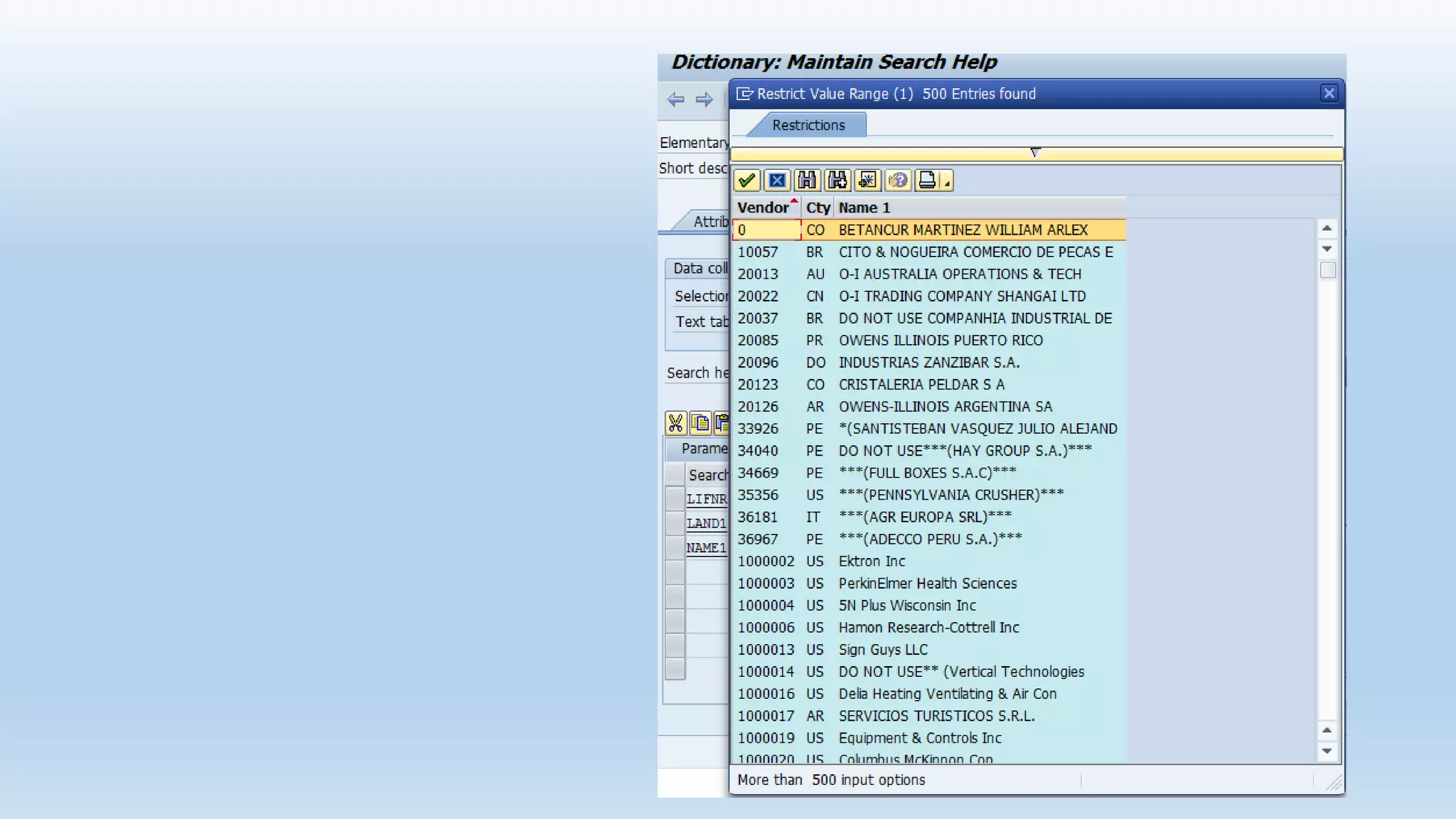
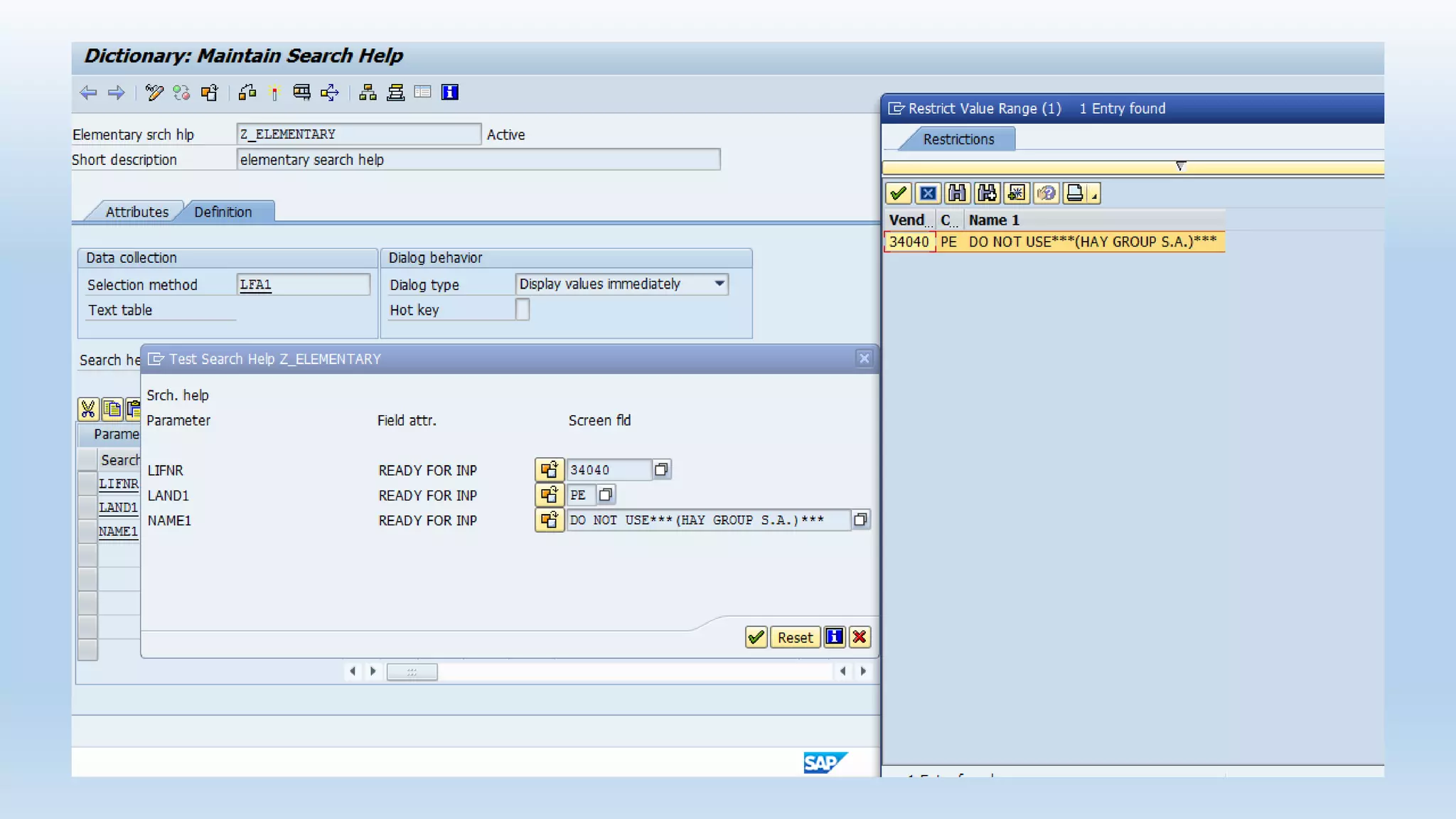
1. Elementary search help
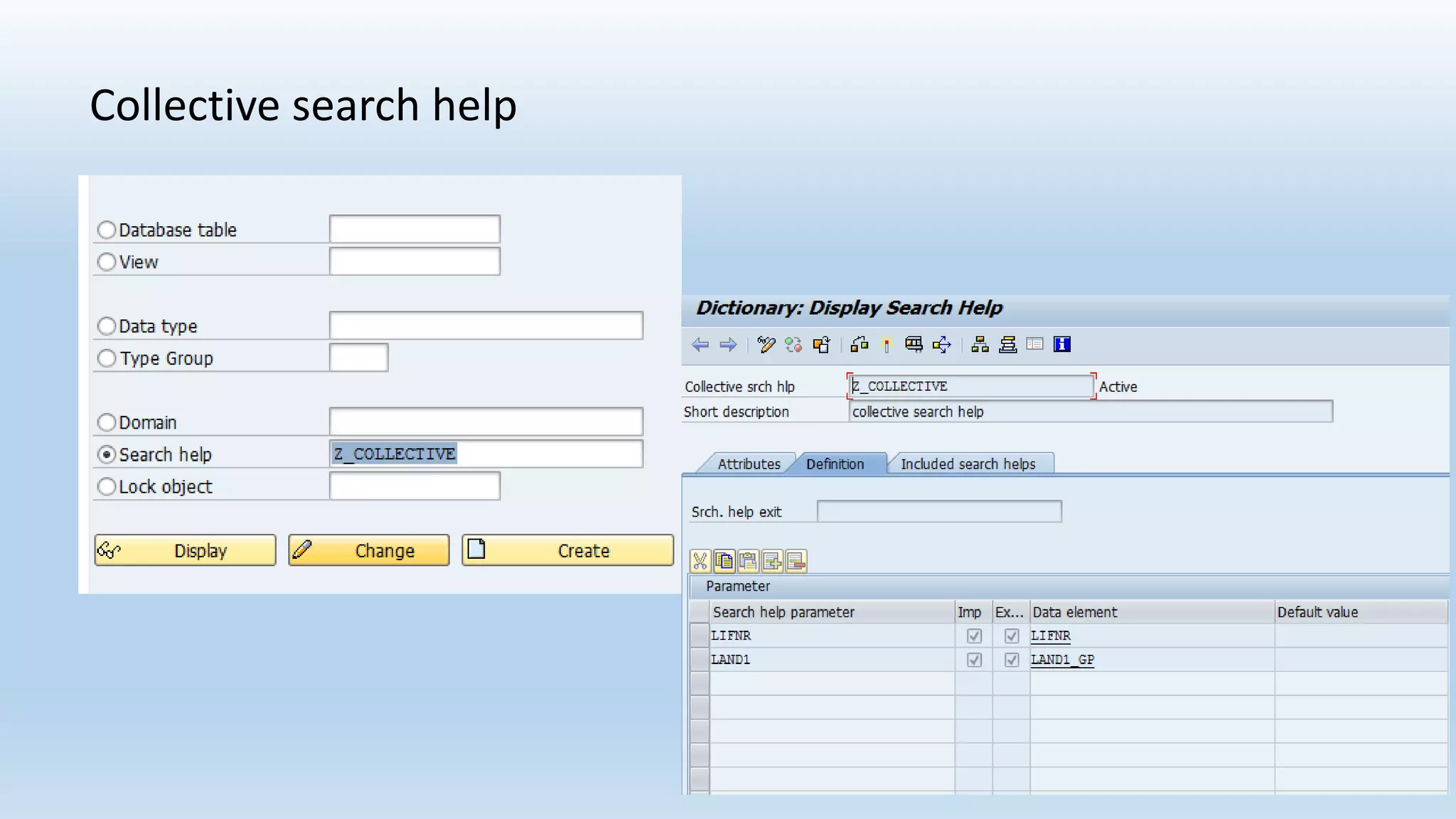
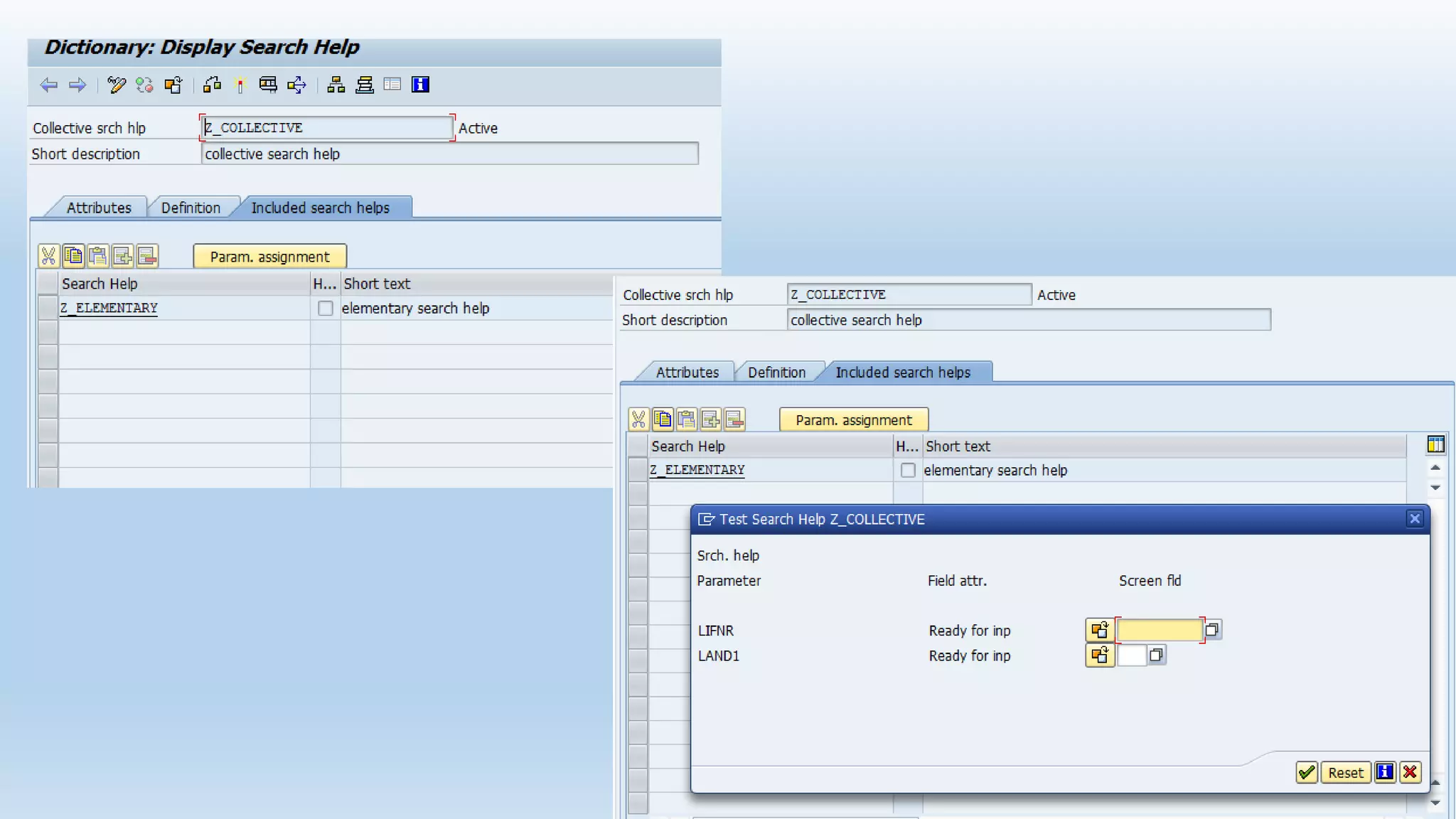
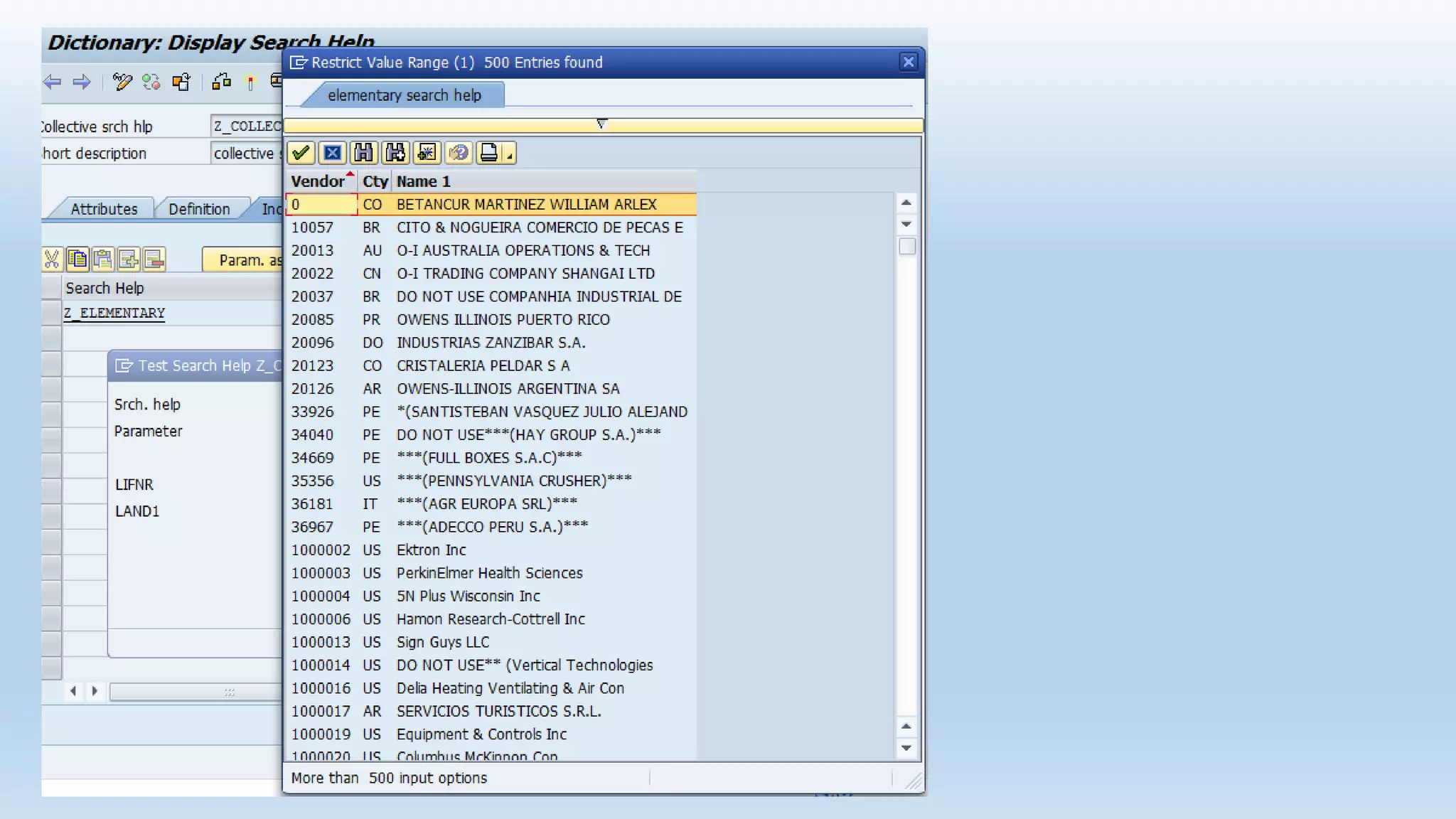
2. Collective search help
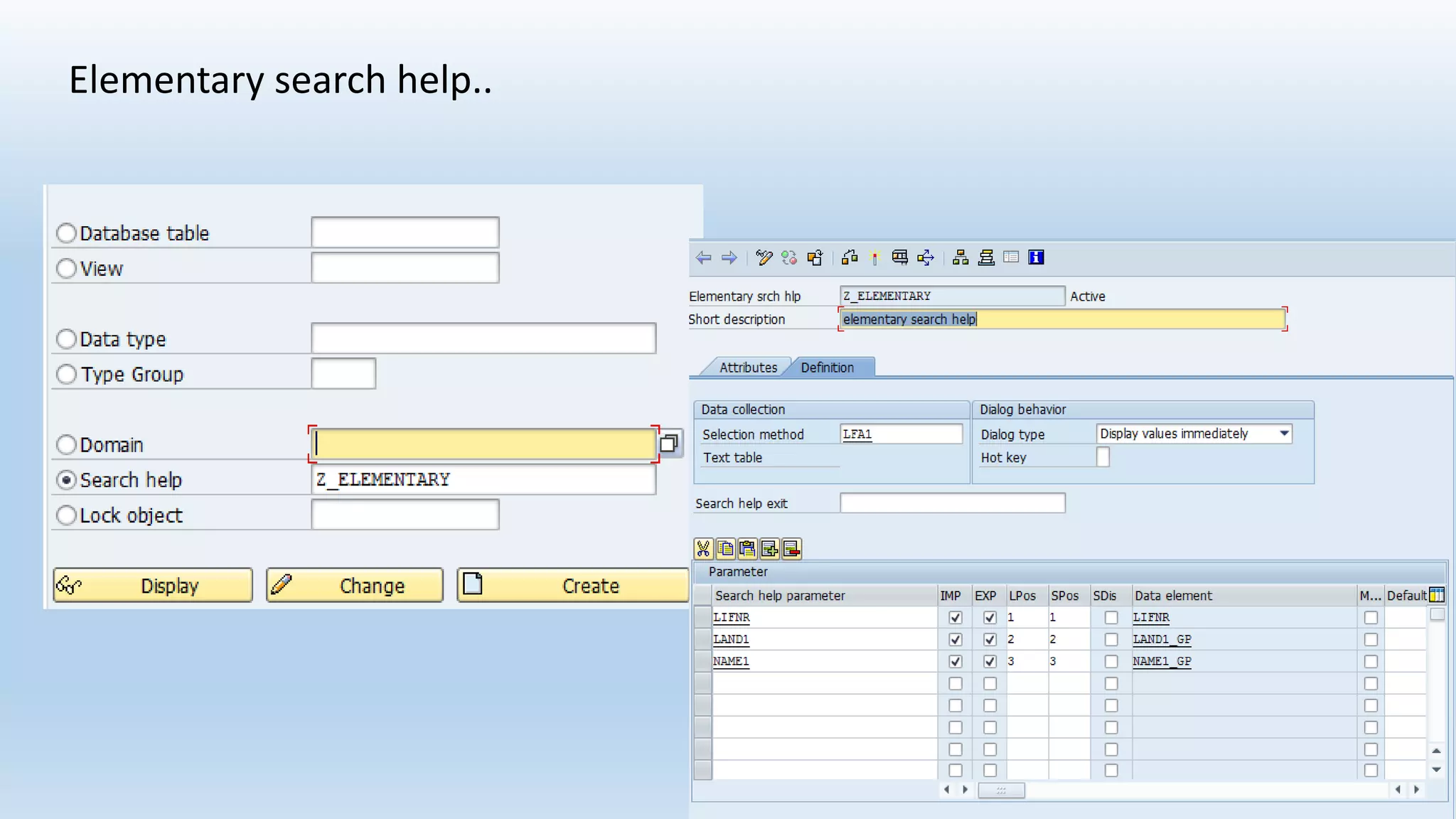
Elementary search help..
Collective search help
Lock object
Lock objects are used in SAP to avoid the inconsistency at the time of data is
being insert/change into database.
There are three types of Lock objects:
• Read Lock (Shared Locked) : protects read access to an object. The read
lock allows other transactions read access but not write access to the
locked area of the table
• Write Lock (exclusive lock) : protects write access to an object. The write
lock allows other transactions neither read nor write access to the locked
area of the table.
• Enhanced write lock (exclusive lock without cumulating) : works like a
write lock except that the enhanced write lock also protects from further
accesses from the same transaction.
Function Module
• These are sub-programs which contains set of reusable statements for better
readability and re-usability.
• Function modules contains parameter interface, that is importing and exporting
parameters.
• These Function Modules can be executed independently .
• Function modules contains exceptions to catch certain type of errors.
This is one of the modularization technique.
The concept of modularization is dividing the main program into
sub-programs for better readability and re-usability.
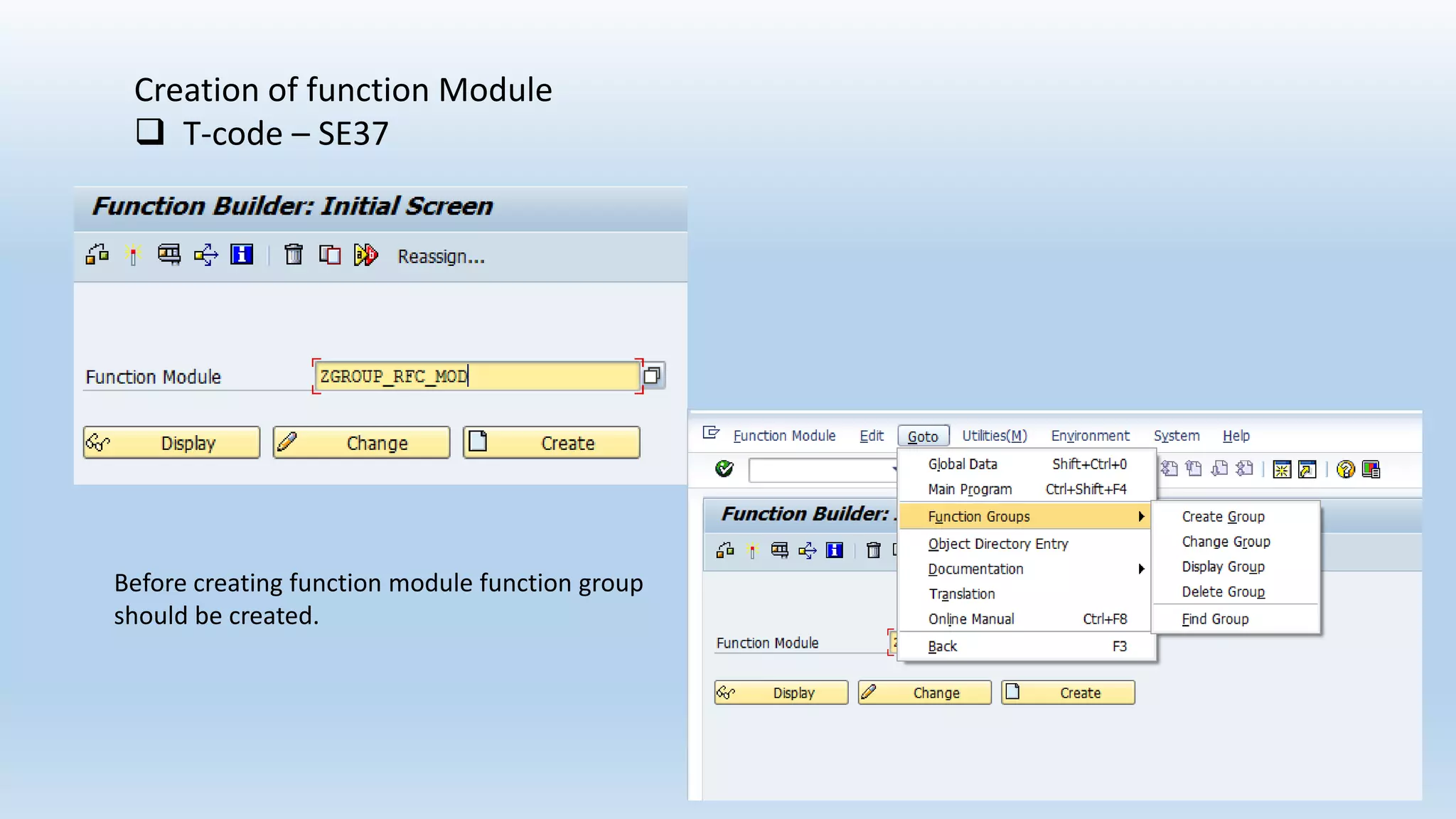
Creation of function Module
 T-code – SE37
Before creating function module function group
should be created.
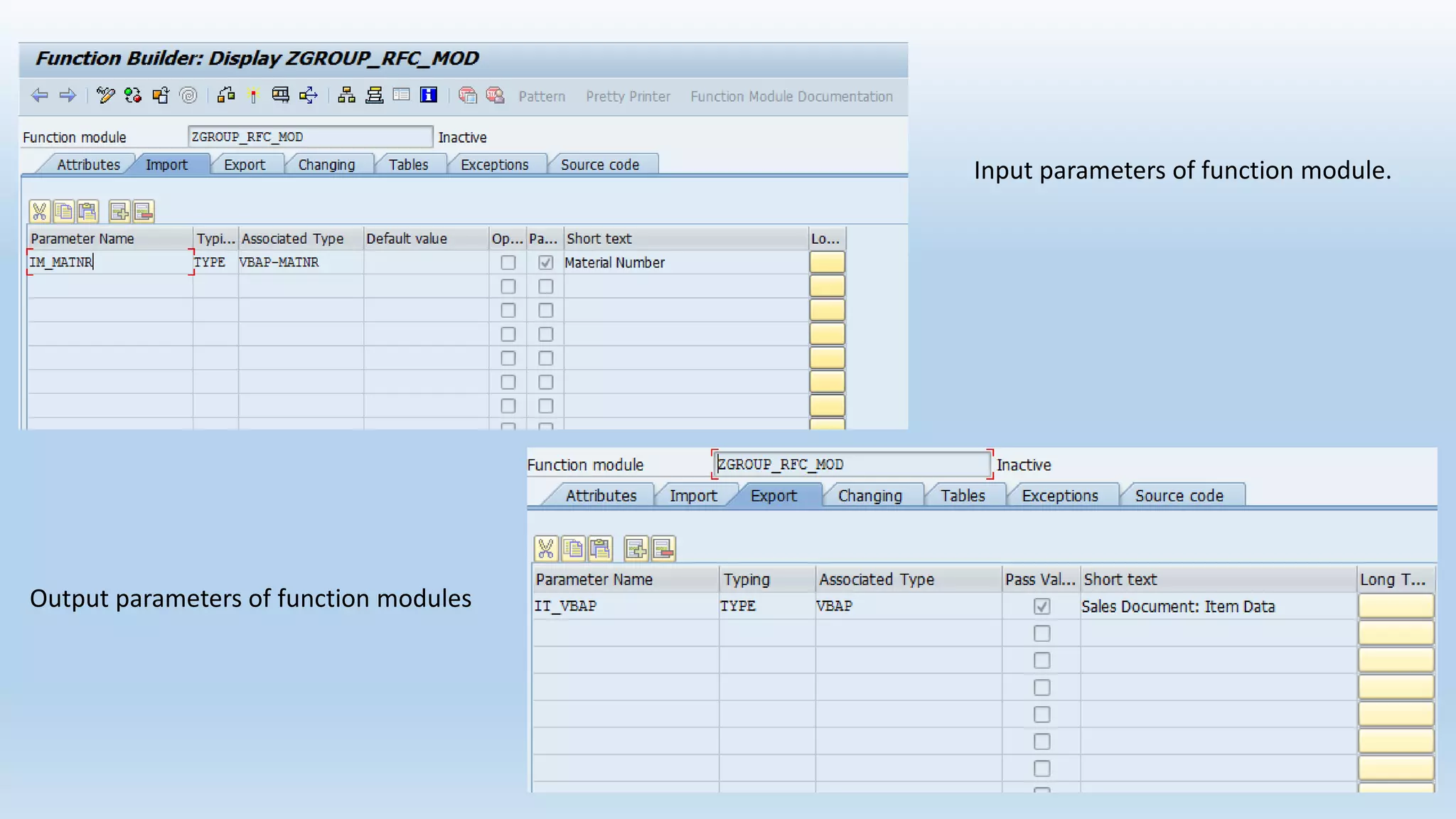
Input parameters of function module.
Output parameters of function modules
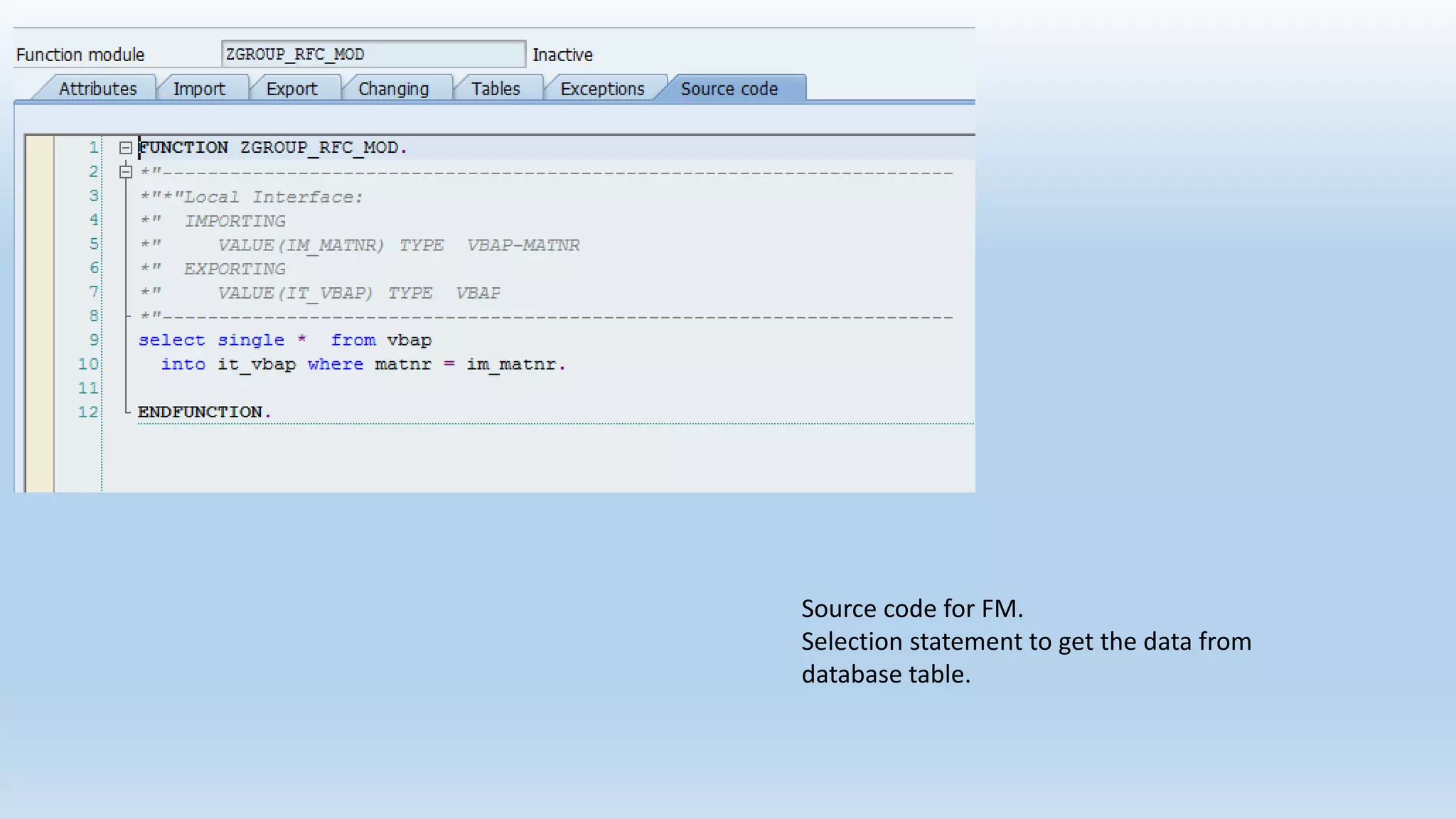
Source code for FM.
Selection statement to get the data from
database table.
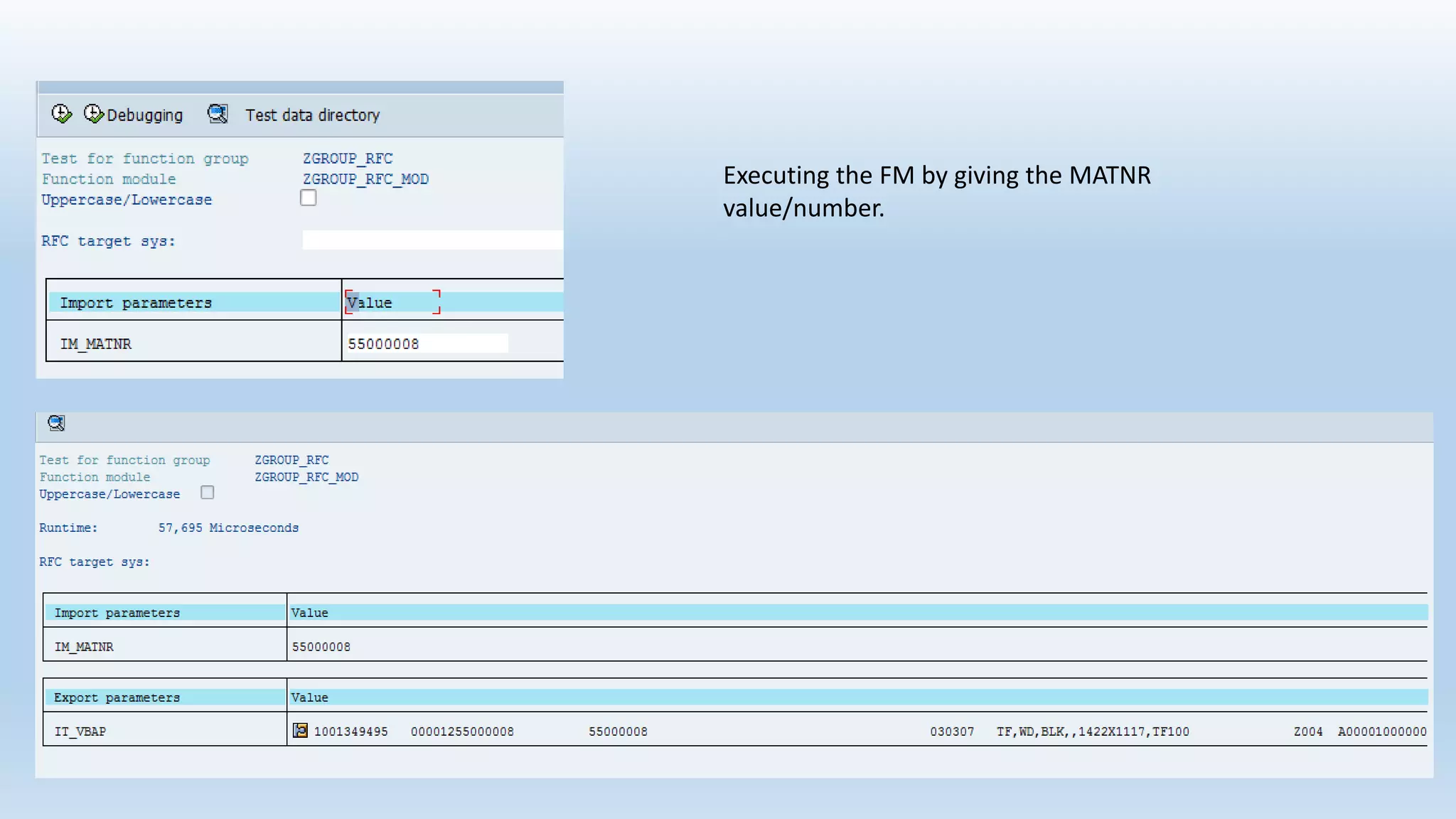
Executing the FM by giving the MATNR
value/number.
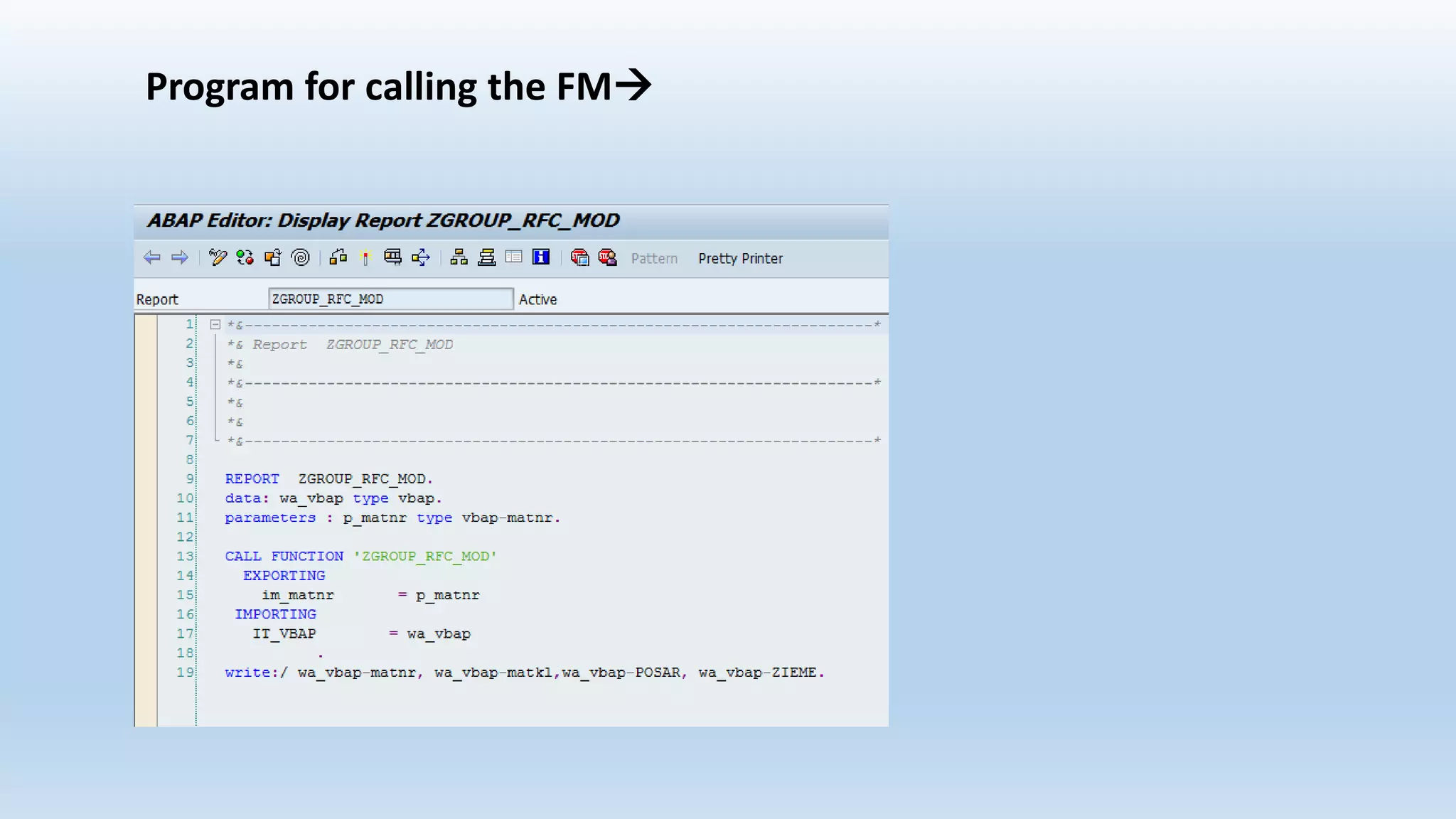
Program for calling the FM
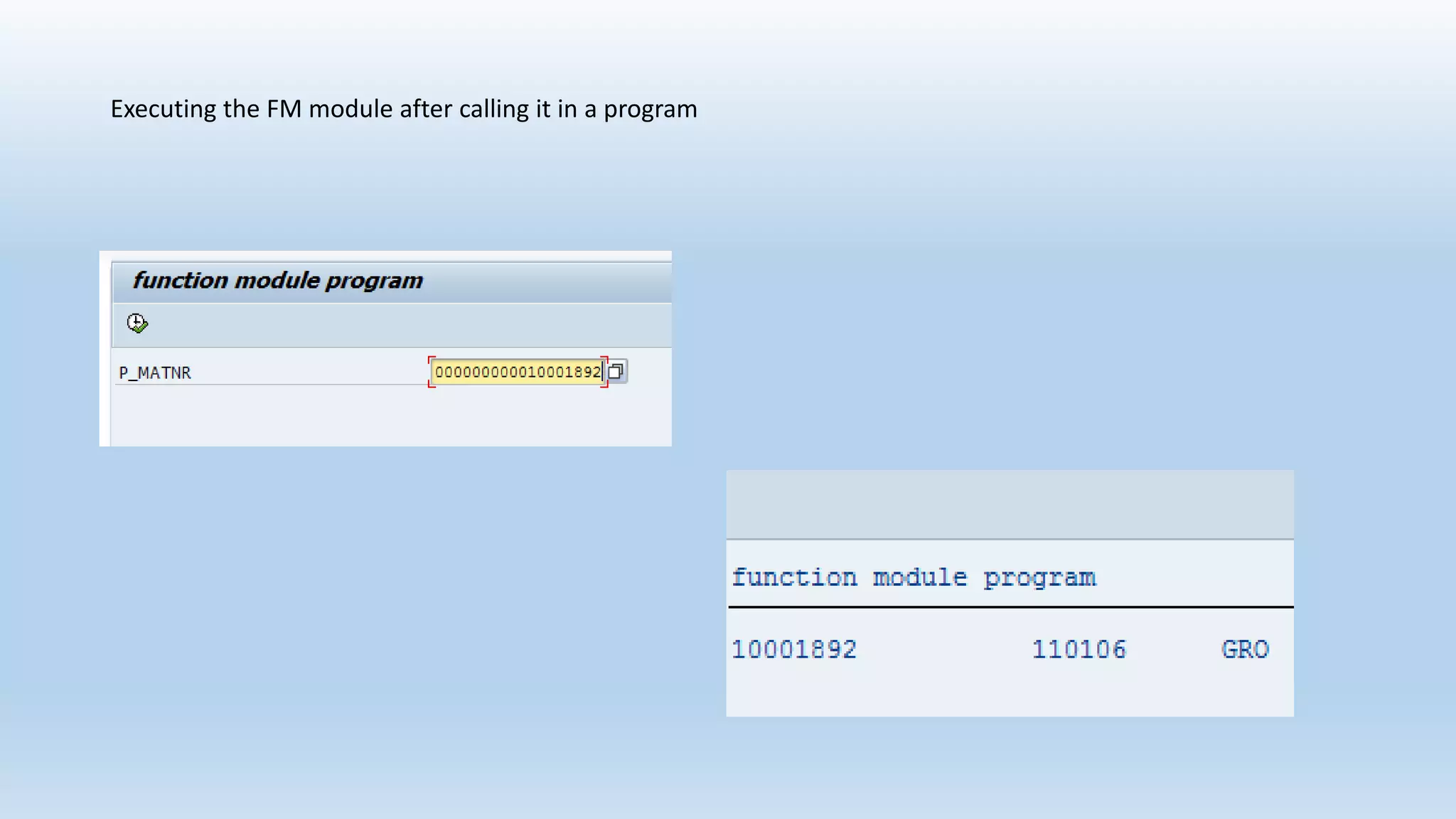
Executing the FM module after calling it in a program
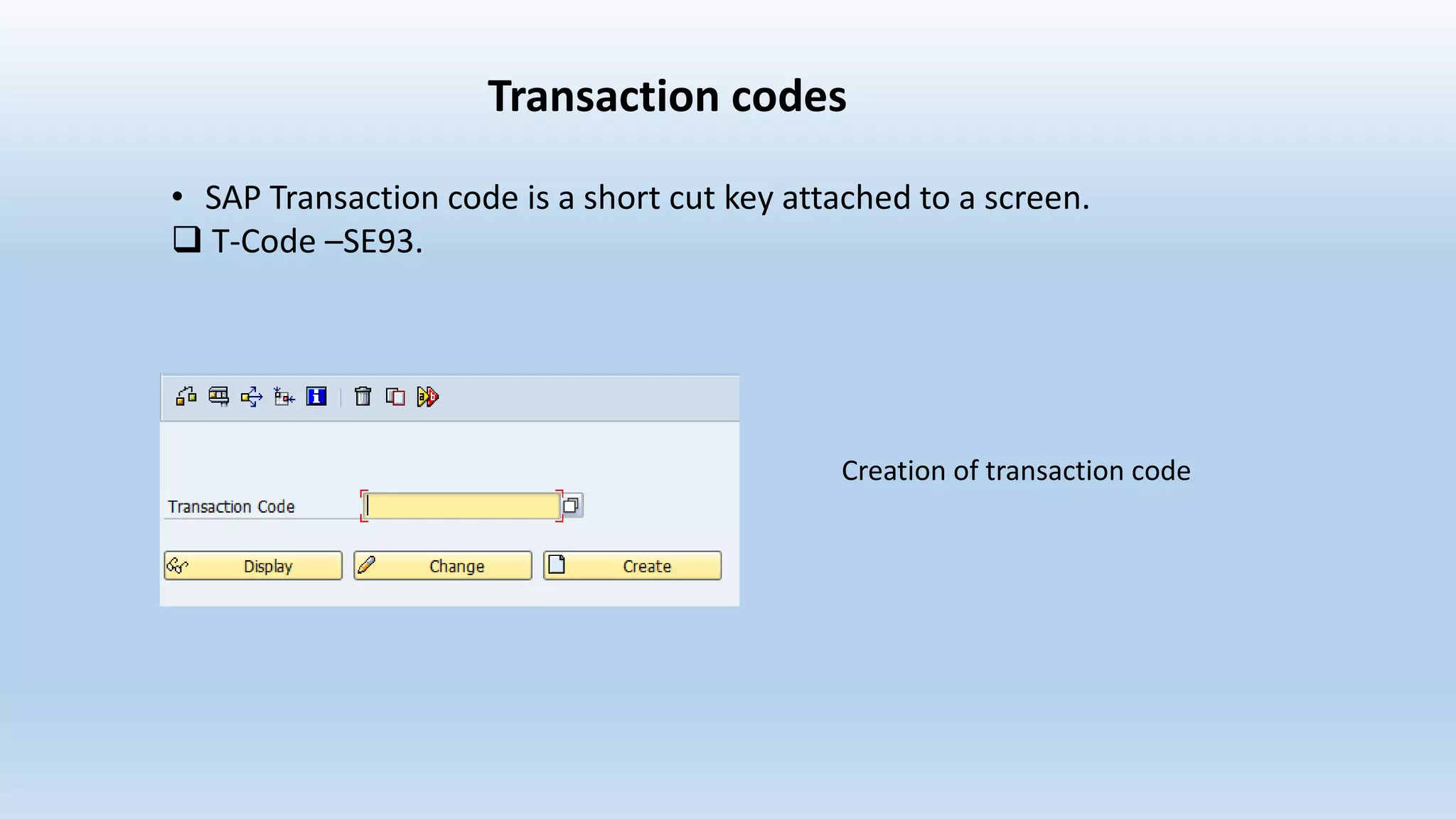
Transaction codes
• SAP Transaction code is a short cut key attached to a screen.
 T-Code –SE93.
Creation of transaction code
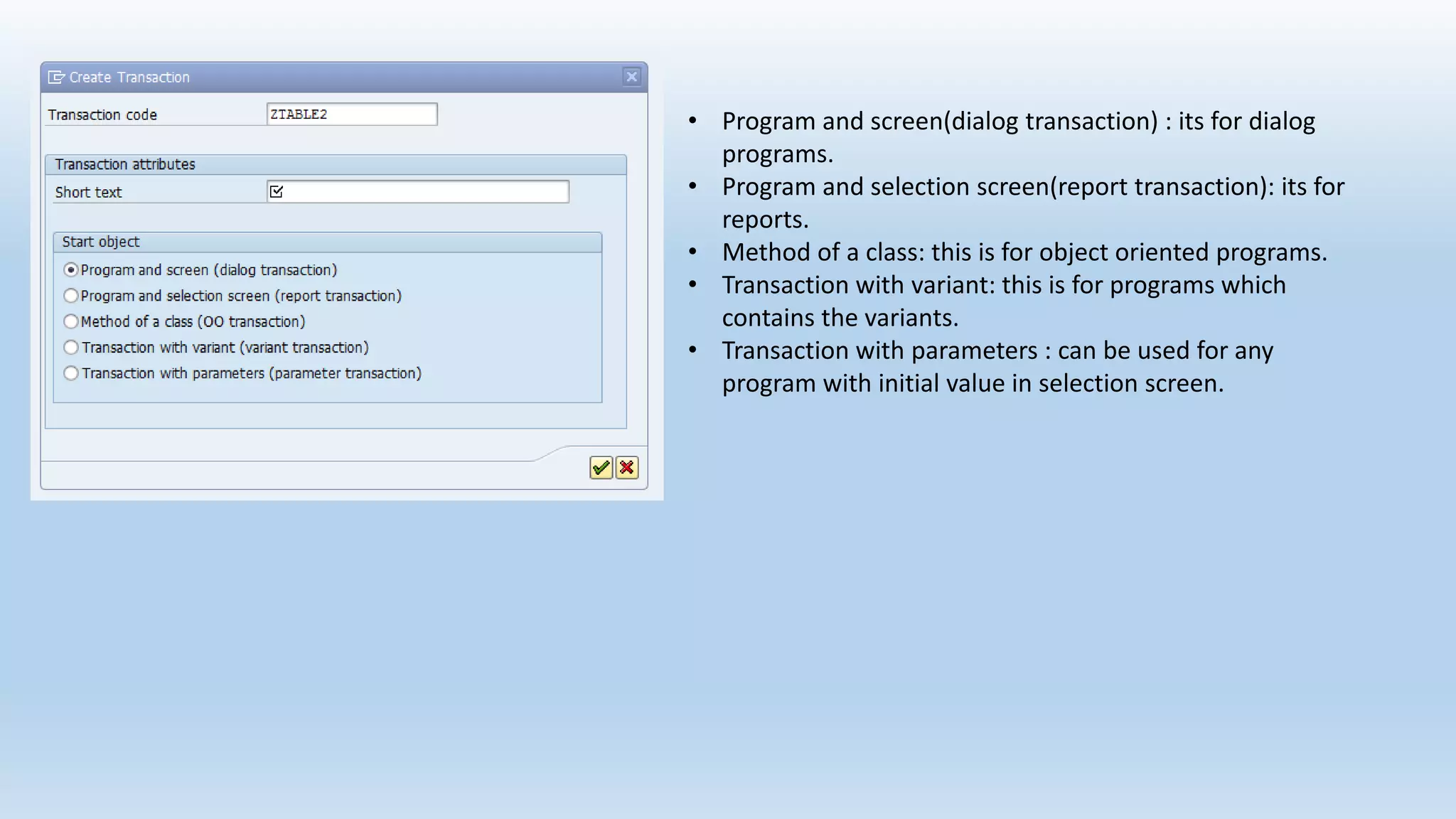
• Program and screen(dialog transaction) : its for dialog
programs.
• Program and selection screen(report transaction): its for
reports.
• Method of a class: this is for object oriented programs.
• Transaction with variant: this is for programs which
contains the variants.
• Transaction with parameters : can be used for any
program with initial value in selection screen.

Presentation2

  • 1.
    1. DATA DICTIONARY 2.FUNCTION MODULES 3. TRANSACTION CODES TOPICS
  • 2.
    1.Data Dictionary • DataDictionary is a central repository for the development of Objects. • Data Dictionary is used to create and maintain meta data.  T-Code – SE11 The Main Functions of Data Dictionary are : • Data Base Tables • Views • Data Elements • Domains • Structures • Search Helps • Lock Objects
  • 3.
    Creating tables.. 1.creation of domains. 2. creation of data Element. Domain: Domain is an object which specified technical information of a field in a table. Data Element: Data element is an object which specified semantic information of a field. Types of Data Types: • Elementary Data types..1.Fixed 2.Variable • Complex Types • Reference Types
  • 4.
  • 5.
    Domains and dataelements--Fields
  • 7.
    Giving the datatypeand no of characters
  • 8.
    Views Types of Views 1.Database View 2. Projection View 3. Maintenance View 4. Help View Views are used to define application-dependent view that combines this data. The data from several tables can be viewed together. The table field which are not required can be hidden.
  • 9.
    Database View: Database viewsare implement an inner join, that is, only records of the primary table for which the corresponding records of the secondary tables also exist are fetched. Creation of Database View
  • 12.
    On clicking tablefields button we get a popup as shown below.
  • 16.
    Projection View: Projection viewsare used to suppress or mask certain fields in a table (projection), thus minimizing the number of interfaces. This means that only the data that is actually required is exchanged when the database is accessed. Creation of Projection View
  • 17.
    Give description andbase table name
  • 18.
    Fields of thedatabase table
  • 20.
    Some of thefields that we have selected….
  • 21.
    Maintenance View: Maintenance viewsenable a business-oriented approach to looking at data, while at the same time, making it possible to maintain the data involved. Data from several tables can be summarized in a maintenance view and maintained collectively via this view. Help View: Help views are used to output additional information when the online help system is called.
  • 22.
    Structure : • Astructure (structured type) comprises components (fields). • A structure is just a list of fields defined under a name. • Structures are used to hold data from tables during runtime of a transaction or a program. • Using structures we can retrieve the data from the database tables . Creation of structure
  • 23.
  • 24.
    Search Help • Searchhelps are objects that you can use to assign input help (F4 Help) to screen fields. You can do this by creating a search help in the ABAP Dictionary and attaching it to the corresponding screen field. There are two types of search helps: 1. Elementary search help 2. Collective search help
  • 25.
  • 29.
  • 32.
    Lock object Lock objectsare used in SAP to avoid the inconsistency at the time of data is being insert/change into database. There are three types of Lock objects: • Read Lock (Shared Locked) : protects read access to an object. The read lock allows other transactions read access but not write access to the locked area of the table • Write Lock (exclusive lock) : protects write access to an object. The write lock allows other transactions neither read nor write access to the locked area of the table. • Enhanced write lock (exclusive lock without cumulating) : works like a write lock except that the enhanced write lock also protects from further accesses from the same transaction.
  • 33.
    Function Module • Theseare sub-programs which contains set of reusable statements for better readability and re-usability. • Function modules contains parameter interface, that is importing and exporting parameters. • These Function Modules can be executed independently . • Function modules contains exceptions to catch certain type of errors. This is one of the modularization technique. The concept of modularization is dividing the main program into sub-programs for better readability and re-usability.
  • 34.
    Creation of functionModule  T-code – SE37 Before creating function module function group should be created.
  • 35.
    Input parameters offunction module. Output parameters of function modules
  • 36.
    Source code forFM. Selection statement to get the data from database table.
  • 37.
    Executing the FMby giving the MATNR value/number.
  • 38.
  • 39.
    Executing the FMmodule after calling it in a program
  • 40.
    Transaction codes • SAPTransaction code is a short cut key attached to a screen.  T-Code –SE93. Creation of transaction code
  • 41.
    • Program andscreen(dialog transaction) : its for dialog programs. • Program and selection screen(report transaction): its for reports. • Method of a class: this is for object oriented programs. • Transaction with variant: this is for programs which contains the variants. • Transaction with parameters : can be used for any program with initial value in selection screen.