
for 5th Sem.
B.Sc. (SAE5B) & BCA (SAZ5A)
Unit II
• Query Basics
• Computation Using Queries
• Subtotals and GROUP BY Command
• Queries with Multiple Tables
• Subqueries
• Joins
• DDL & DML
• Testing Queries
Unit III
• Effective Design of Forms and Reports –
• Form Layout –
• Creating Forms –
• Graphical Objects –
• Reports –
• Procedural Languages –
• Data on Forms –
• Programs to Retrieve and Save Data –
• Error Handling.
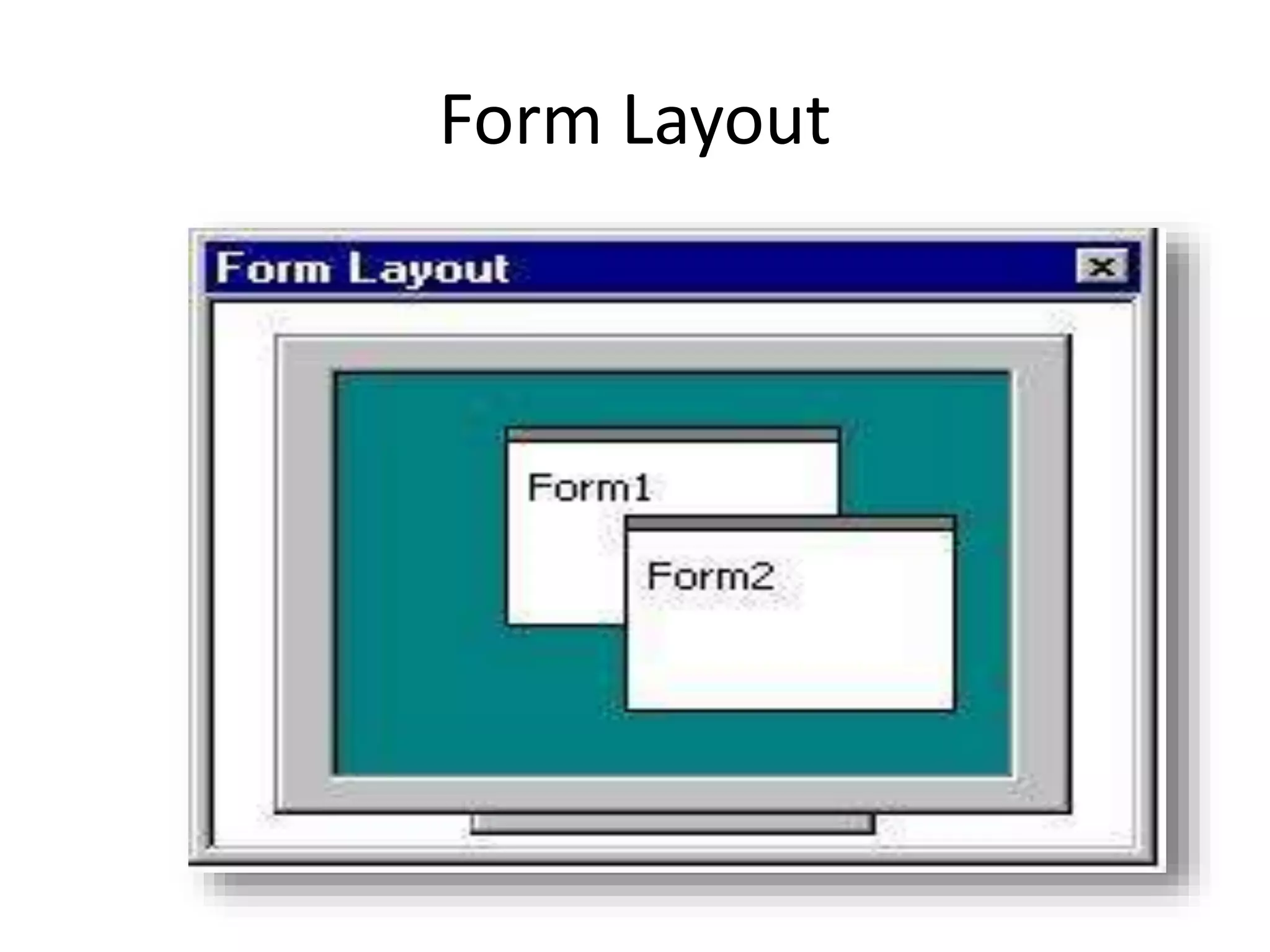
Form Layout
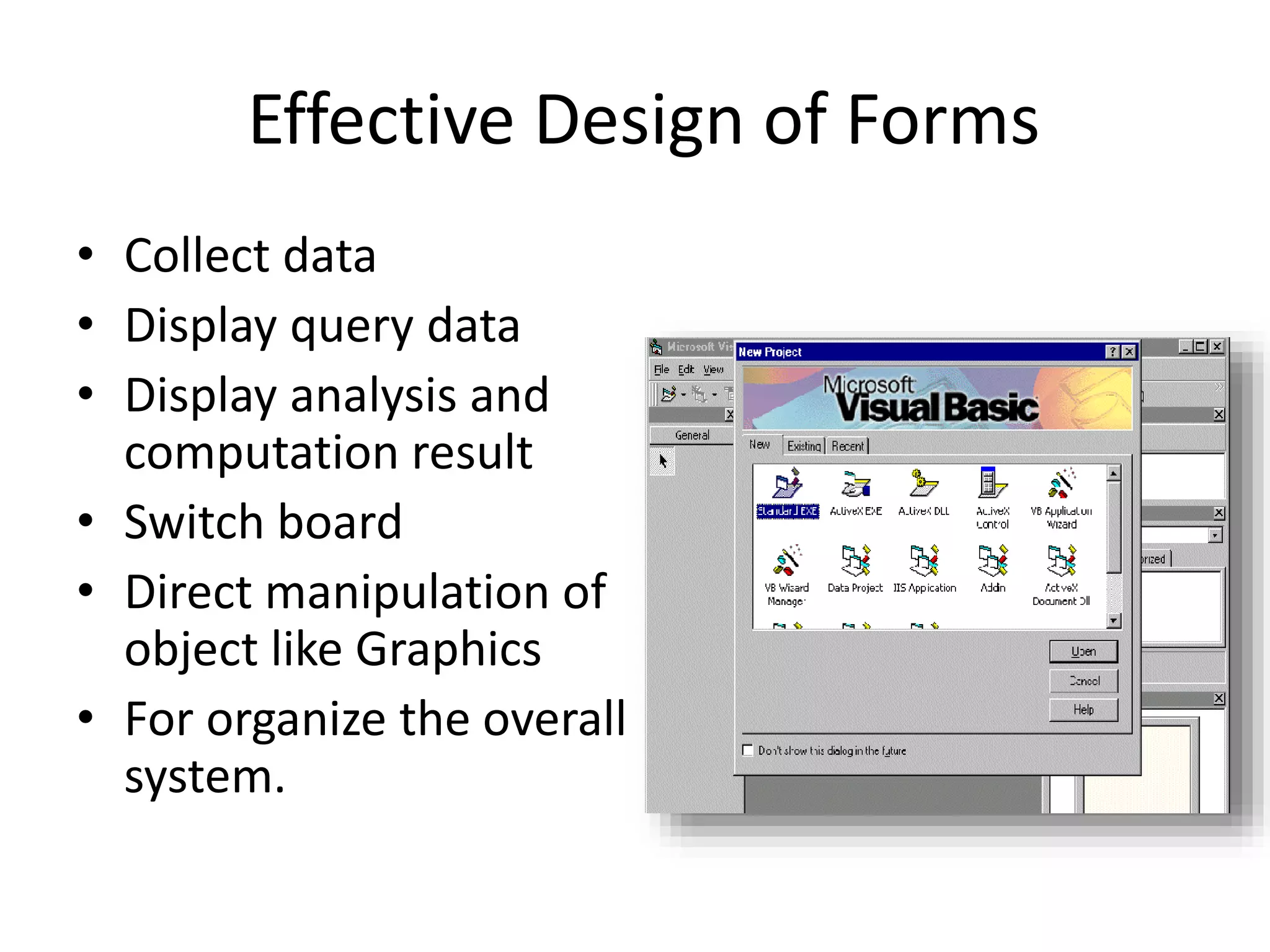
Effective Design of Forms
• Collect data
• Display query data
• Display analysis and
computation result
• Switch board
• Direct manipulation of
object like Graphics
• For organize the overall
system.
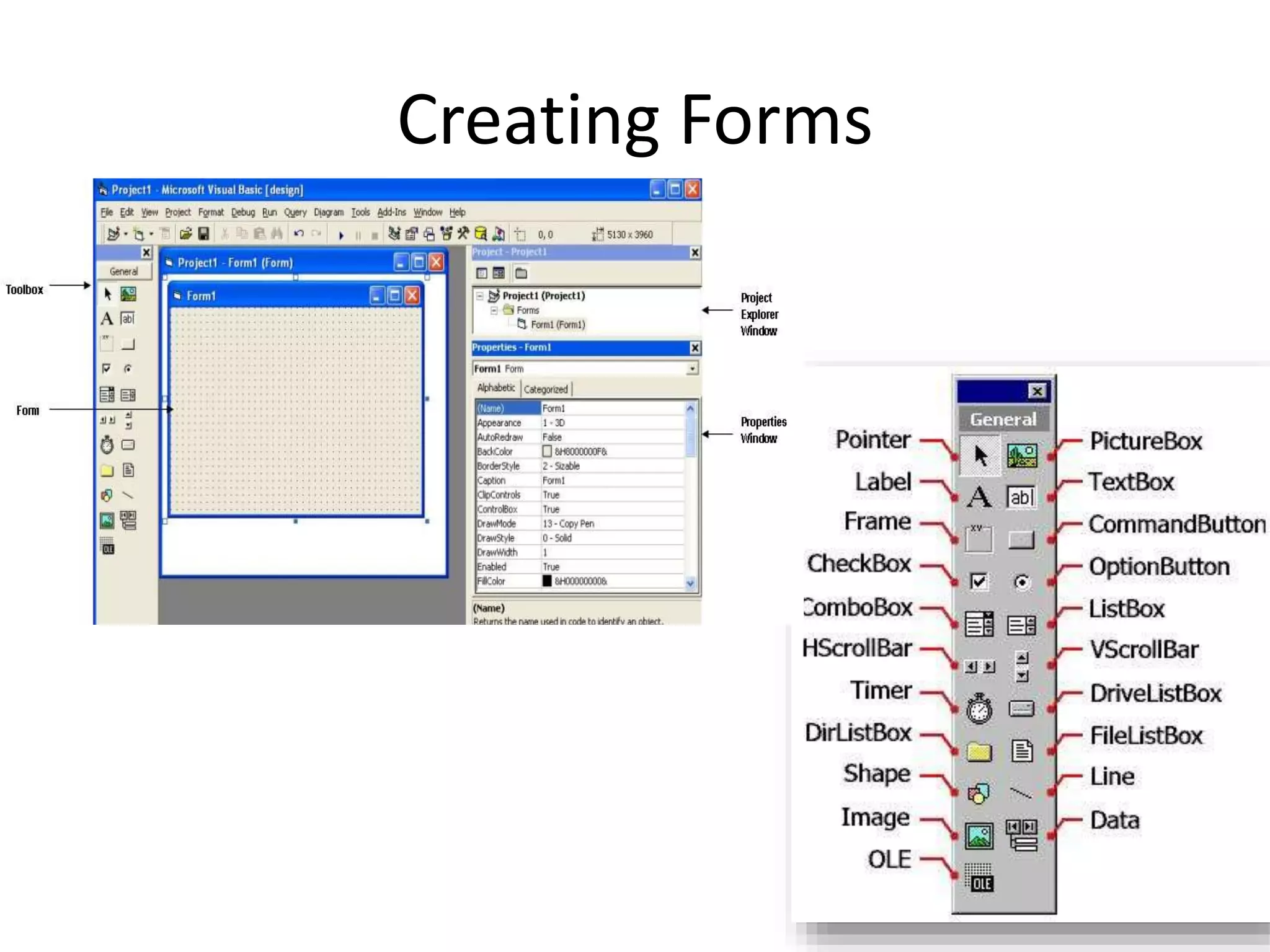
Creating Forms
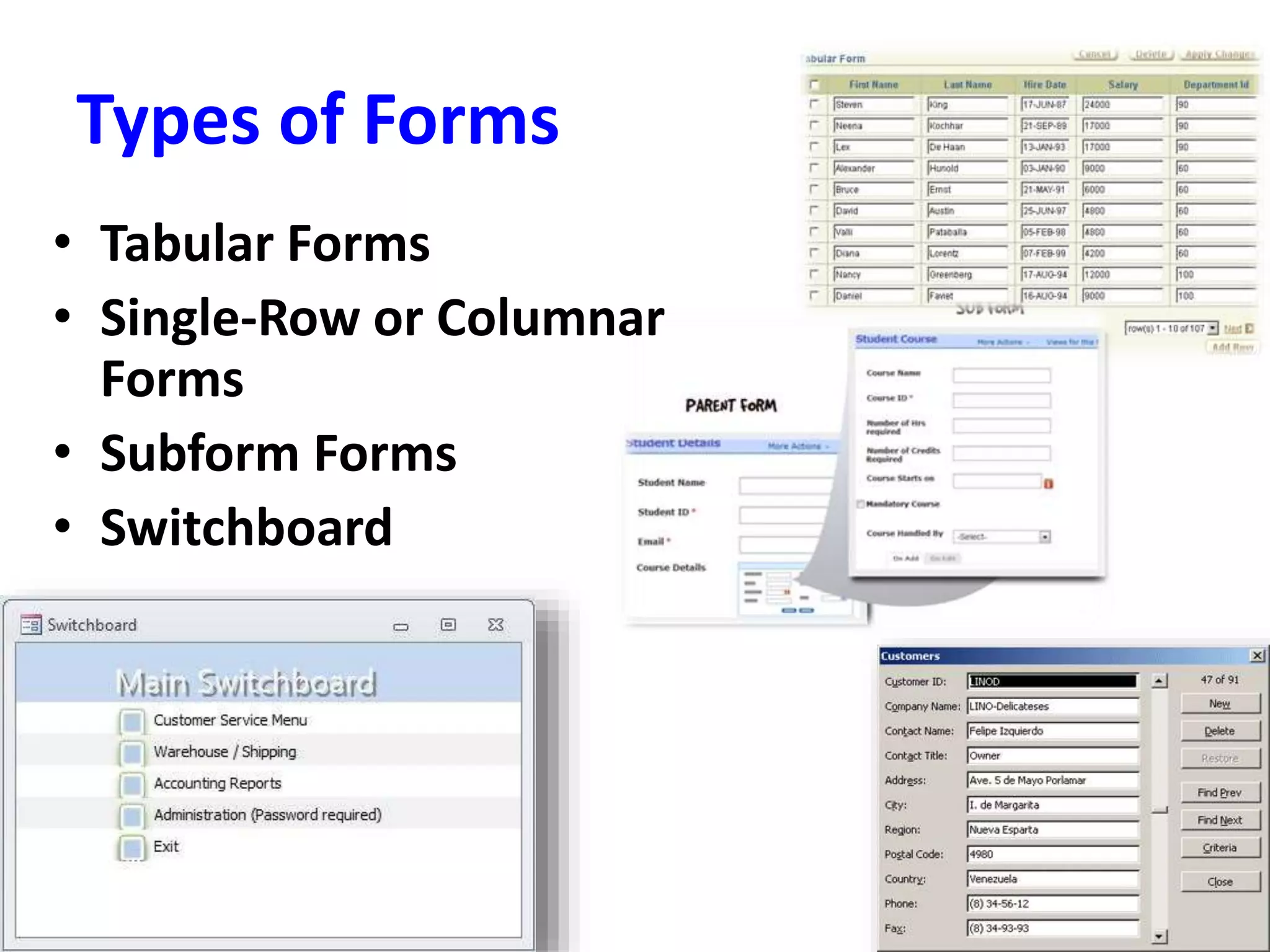
Types of Forms
• Tabular Forms
• Single-Row or Columnar
Forms
• Subform Forms
• Switchboard
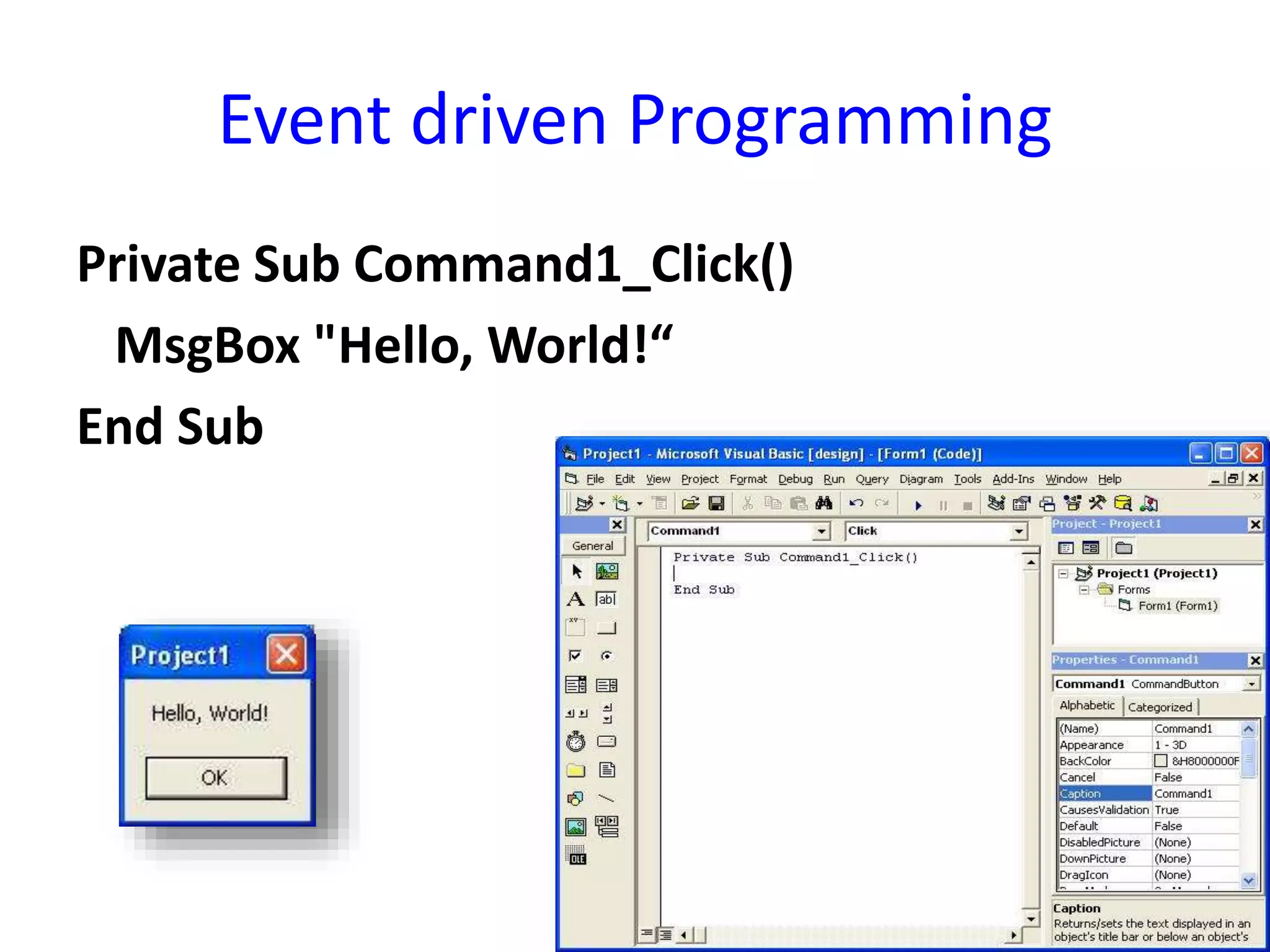
Event driven Programming
Private Sub Command1_Click()
MsgBox "Hello, World!“
End Sub
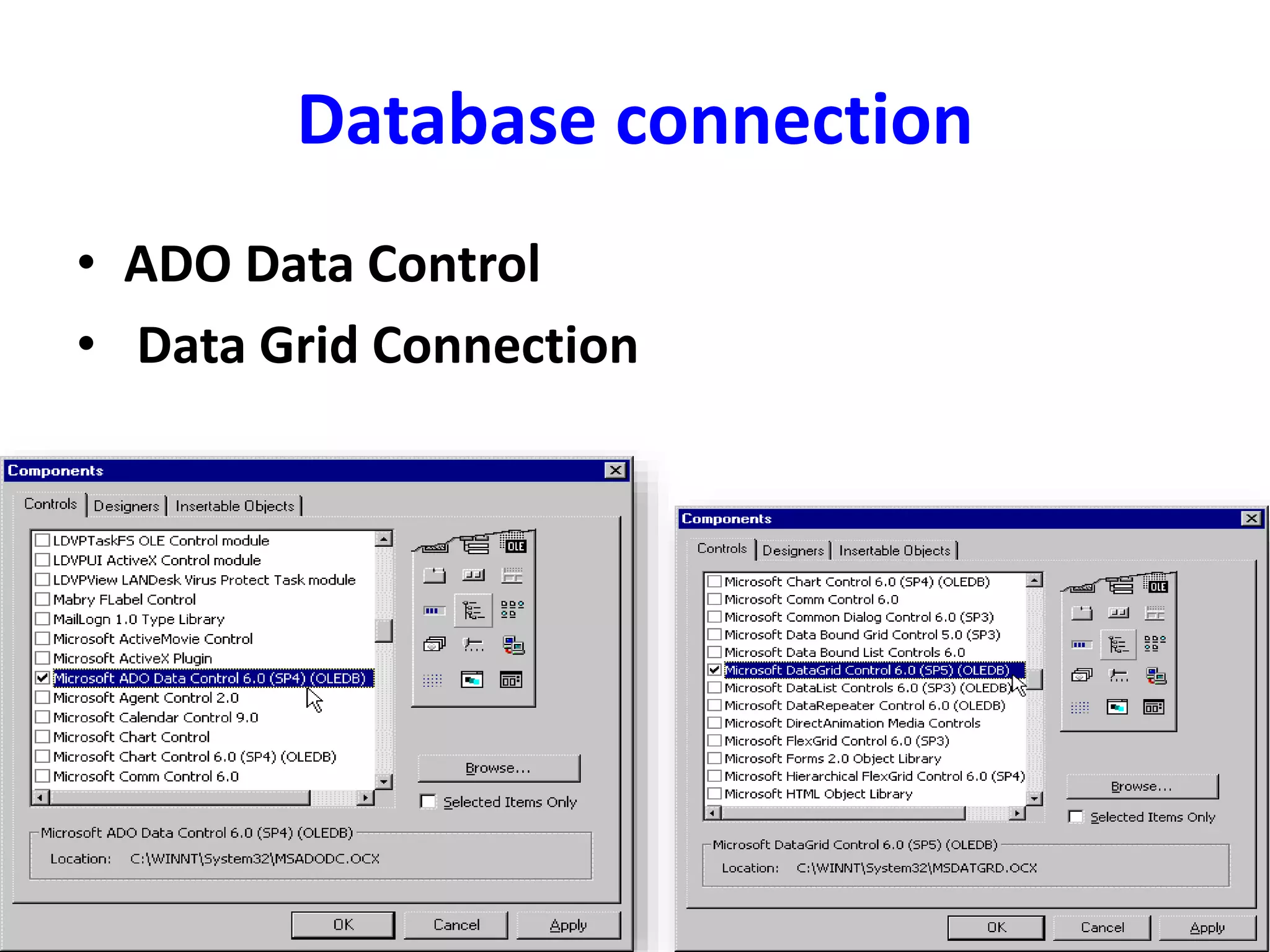
Database connection
• ADO Data Control
• Data Grid Connection
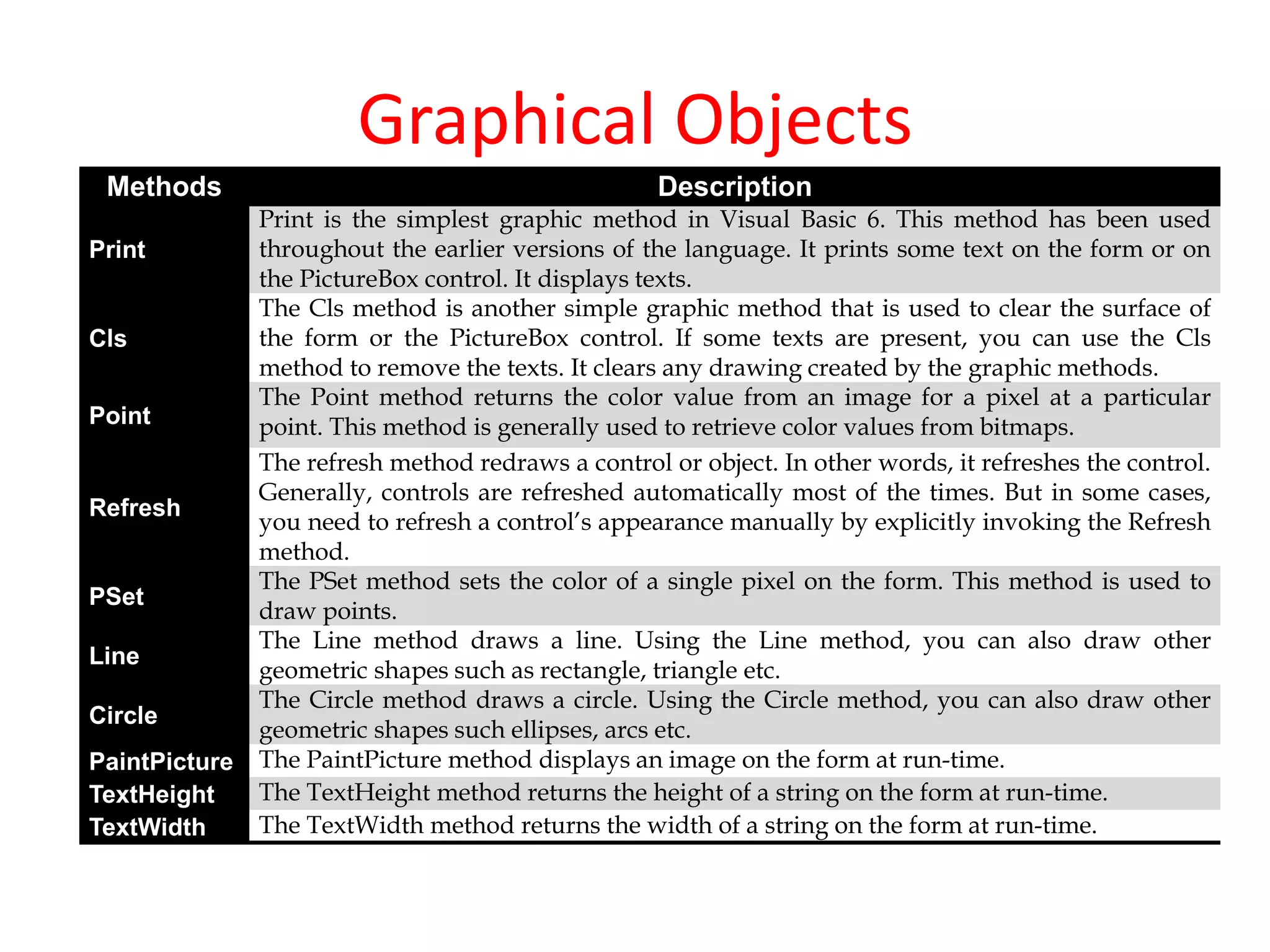
Graphical Objects
Methods Description
Print
Print is the simplest graphic method in Visual Basic 6. This method has been used
throughout the earlier versions of the language. It prints some text on the form or on
the PictureBox control. It displays texts.
Cls
The Cls method is another simple graphic method that is used to clear the surface of
the form or the PictureBox control. If some texts are present, you can use the Cls
method to remove the texts. It clears any drawing created by the graphic methods.
Point
The Point method returns the color value from an image for a pixel at a particular
point. This method is generally used to retrieve color values from bitmaps.
Refresh
The refresh method redraws a control or object. In other words, it refreshes the control.
Generally, controls are refreshed automatically most of the times. But in some cases,
you need to refresh a control’s appearance manually by explicitly invoking the Refresh
method.
PSet
The PSet method sets the color of a single pixel on the form. This method is used to
draw points.
Line
The Line method draws a line. Using the Line method, you can also draw other
geometric shapes such as rectangle, triangle etc.
Circle
The Circle method draws a circle. Using the Circle method, you can also draw other
geometric shapes such ellipses, arcs etc.
PaintPicture The PaintPicture method displays an image on the form at run-time.
TextHeight The TextHeight method returns the height of a string on the form at run-time.
TextWidth The TextWidth method returns the width of a string on the form at run-time.
• Design a form with appropriate triggers to
implement the main menu interface of your
application. The minimal functions provided
should be four buttons for Student,
Instructor/Faculty, Administration, Exit. Each of
the buttons should take the user to another form
or interface for an action like log in. Proper and
complete navigation from this main form with
appropriate alerts and messages to the next
interface completes this question.
Reports
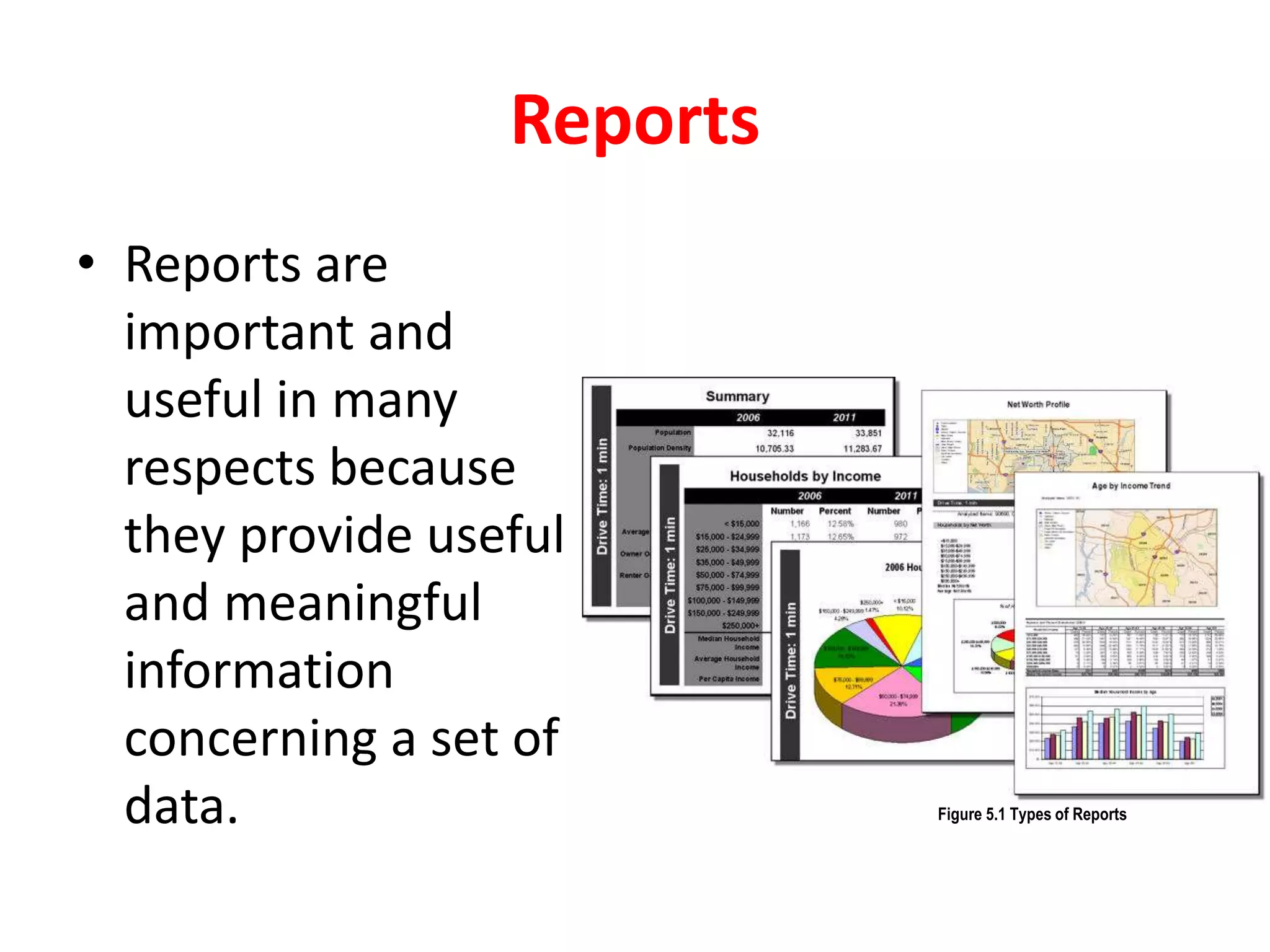
• Reports are
important and
useful in many
respects because
they provide useful
and meaningful
information
concerning a set of
data. Figure 5.1 Types of Reports
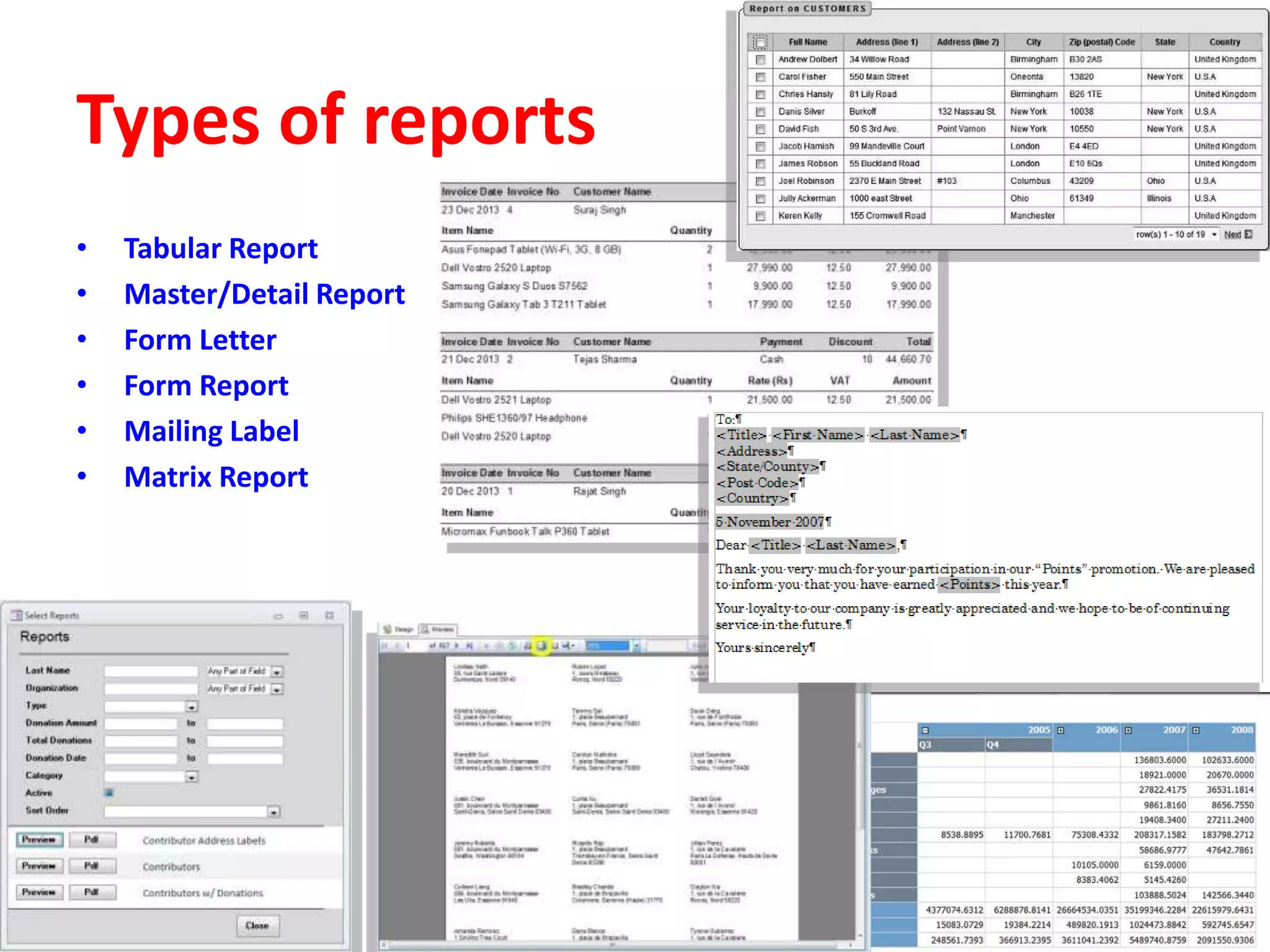
Types of reports
• Tabular Report
• Master/Detail Report
• Form Letter
• Form Report
• Mailing Label
• Matrix Report
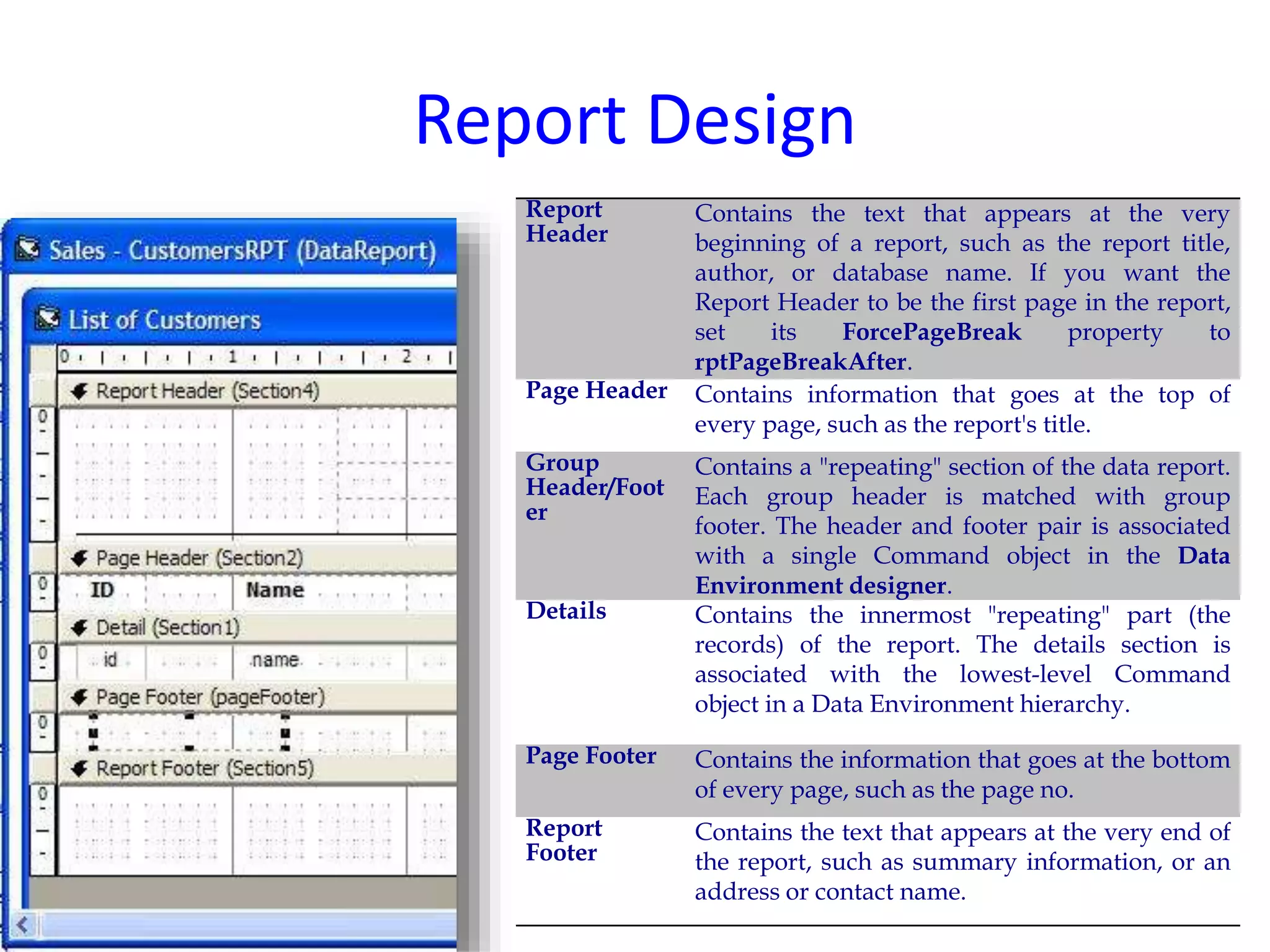
Report Design
Report
Header
Contains the text that appears at the very
beginning of a report, such as the report title,
author, or database name. If you want the
Report Header to be the first page in the report,
set its ForcePageBreak property to
rptPageBreakAfter.
Page Header Contains information that goes at the top of
every page, such as the report's title.
Group
Header/Foot
er
Contains a "repeating" section of the data report.
Each group header is matched with group
footer. The header and footer pair is associated
with a single Command object in the Data
Environment designer.
Details Contains the innermost "repeating" part (the
records) of the report. The details section is
associated with the lowest-level Command
object in a Data Environment hierarchy.
Page Footer Contains the information that goes at the bottom
of every page, such as the page no.
Report
Footer
Contains the text that appears at the very end of
the report, such as summary information, or an
address or contact name.
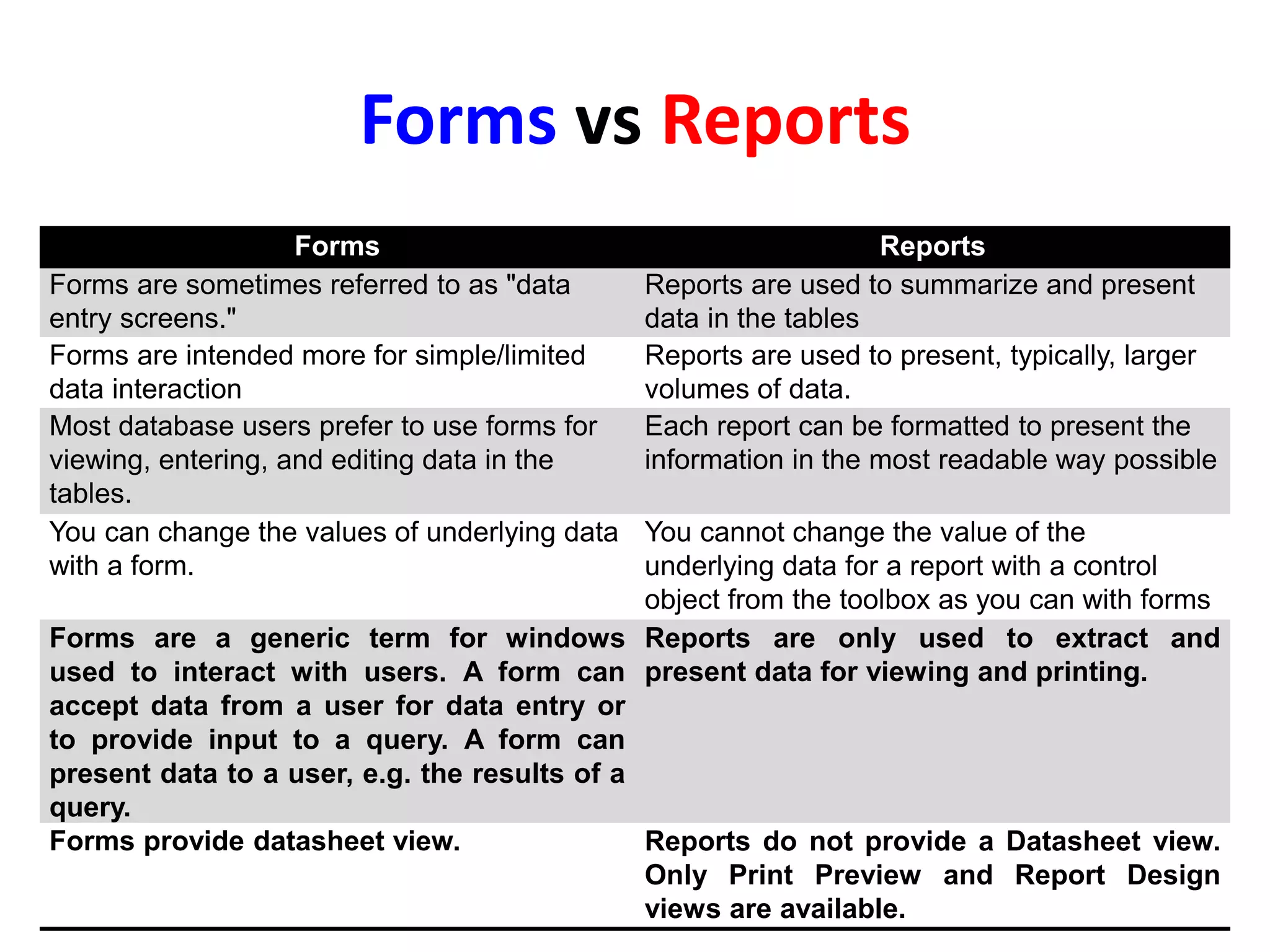
Forms vs Reports
Forms Reports
Forms are sometimes referred to as "data
entry screens."
Reports are used to summarize and present
data in the tables
Forms are intended more for simple/limited
data interaction
Reports are used to present, typically, larger
volumes of data.
Most database users prefer to use forms for
viewing, entering, and editing data in the
tables.
Each report can be formatted to present the
information in the most readable way possible
You can change the values of underlying data
with a form.
You cannot change the value of the
underlying data for a report with a control
object from the toolbox as you can with forms
Forms are a generic term for windows
used to interact with users. A form can
accept data from a user for data entry or
to provide input to a query. A form can
present data to a user, e.g. the results of a
query.
Reports are only used to extract and
present data for viewing and printing.
Forms provide datasheet view. Reports do not provide a Datasheet view.
Only Print Preview and Report Design
views are available.
• How do you bring a report up into the Report
Previewer using Reports Runtime
interactively? How can you accomplish the
same task from the command line?
• Which type of report is commonly used for
SQL*Plus output? What sort of report might
be used to display a select statement
containing a group by clause?
PL/SQL
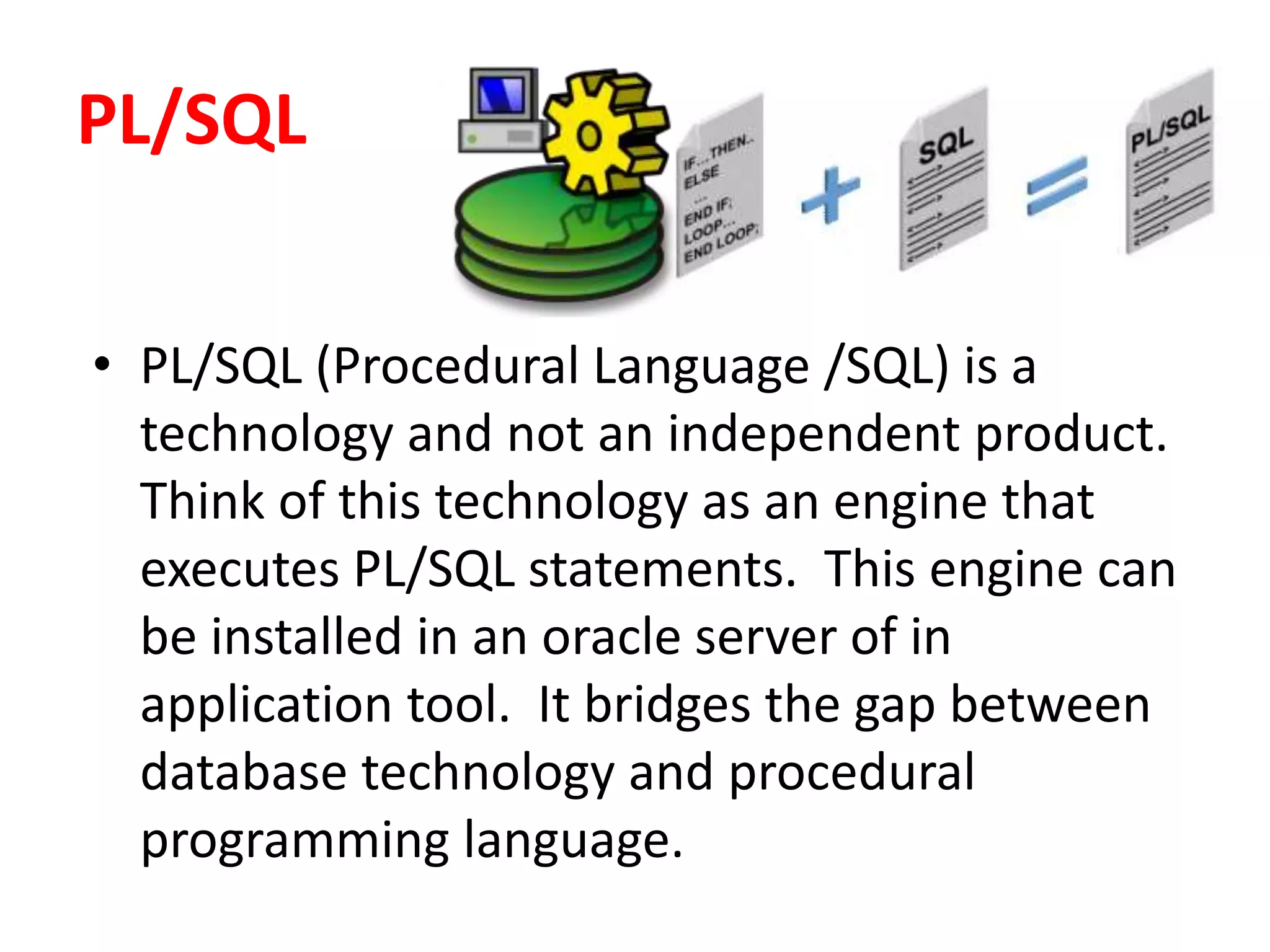
• PL/SQL (Procedural Language /SQL) is a
technology and not an independent product.
Think of this technology as an engine that
executes PL/SQL statements. This engine can
be installed in an oracle server of in
application tool. It bridges the gap between
database technology and procedural
programming language.
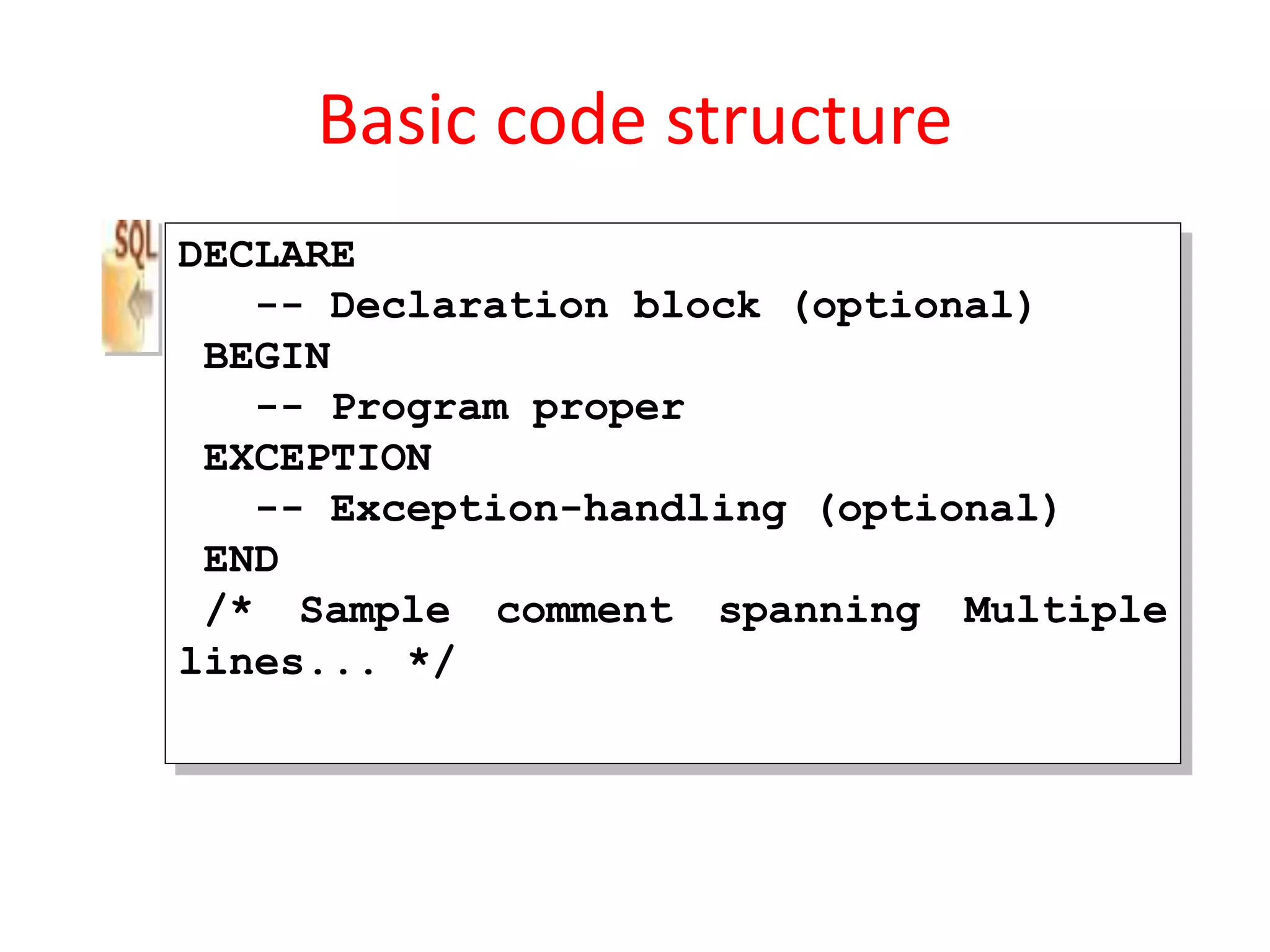
Basic code structure
DECLARE
-- Declaration block (optional)
BEGIN
-- Program proper
EXCEPTION
-- Exception-handling (optional)
END
/* Sample comment spanning Multiple
lines... */
TRIGGER
• Advantages of Triggers:
– Applying Complex Business rules.
– Security.
– Auditing.
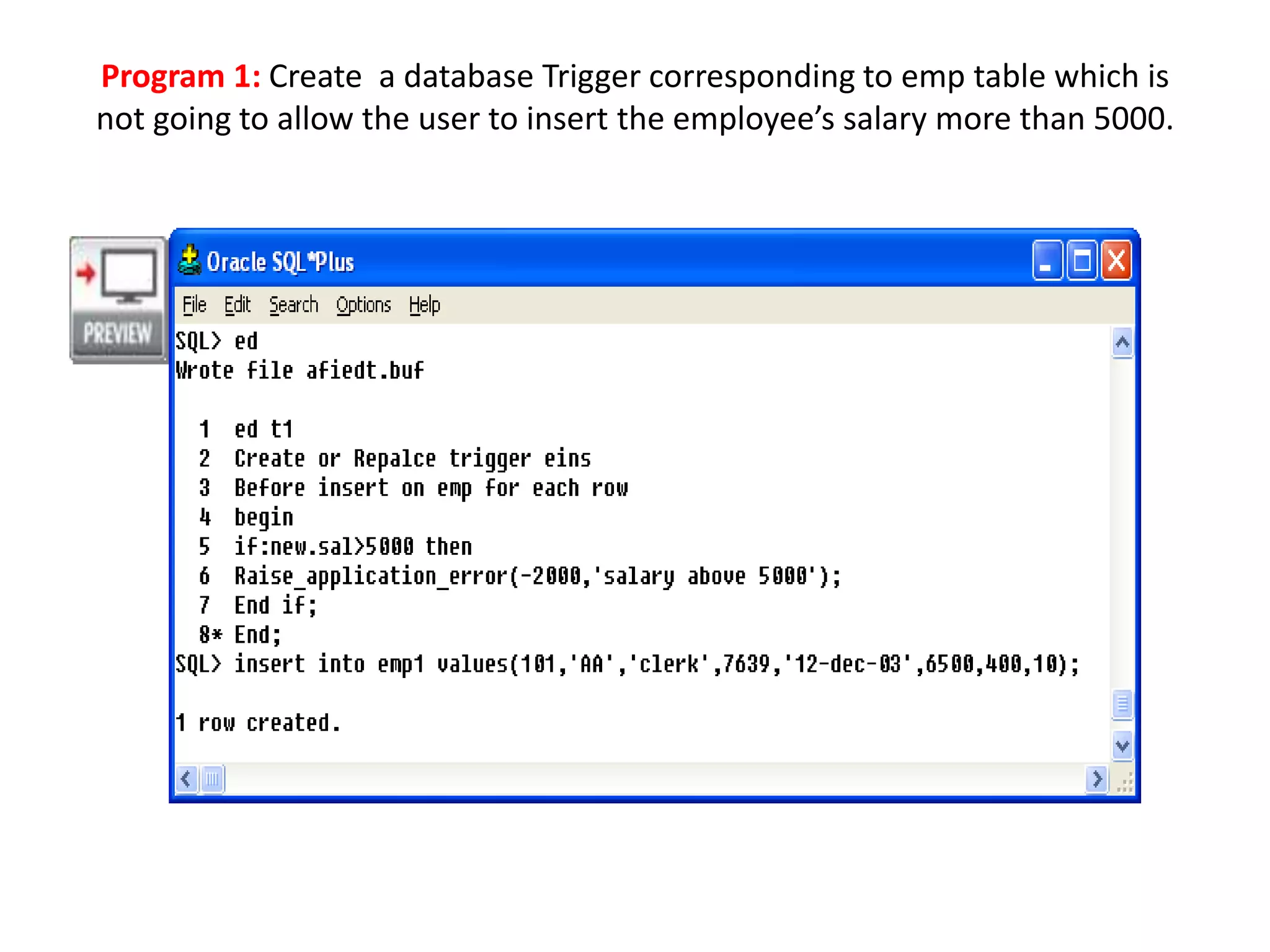
Program 1: Create a database Trigger corresponding to emp table which is
not going to allow the user to insert the employee’s salary more than 5000.
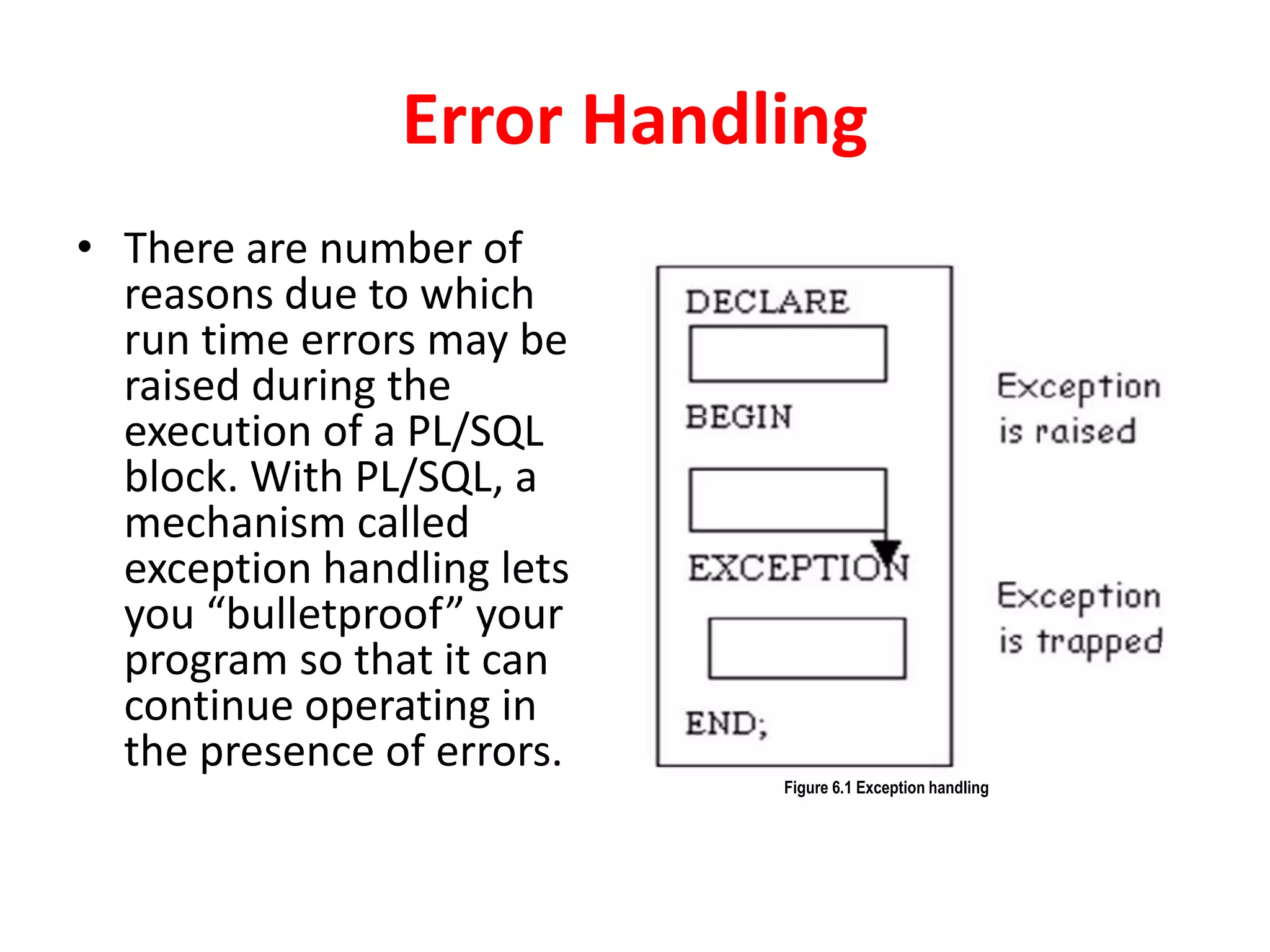
Error Handling
• There are number of
reasons due to which
run time errors may be
raised during the
execution of a PL/SQL
block. With PL/SQL, a
mechanism called
exception handling lets
you “bulletproof” your
program so that it can
continue operating in
the presence of errors.
Figure 6.1 Exception handling
Unit IV
• Power of Application Structure
• User Interface Features
• Transaction
• Forms Events
• Custom Reports
• Distributing Application
• Table Operations
• Data Storage Methods
• Storing Data Columns
• Data Clustering and Partitioning.
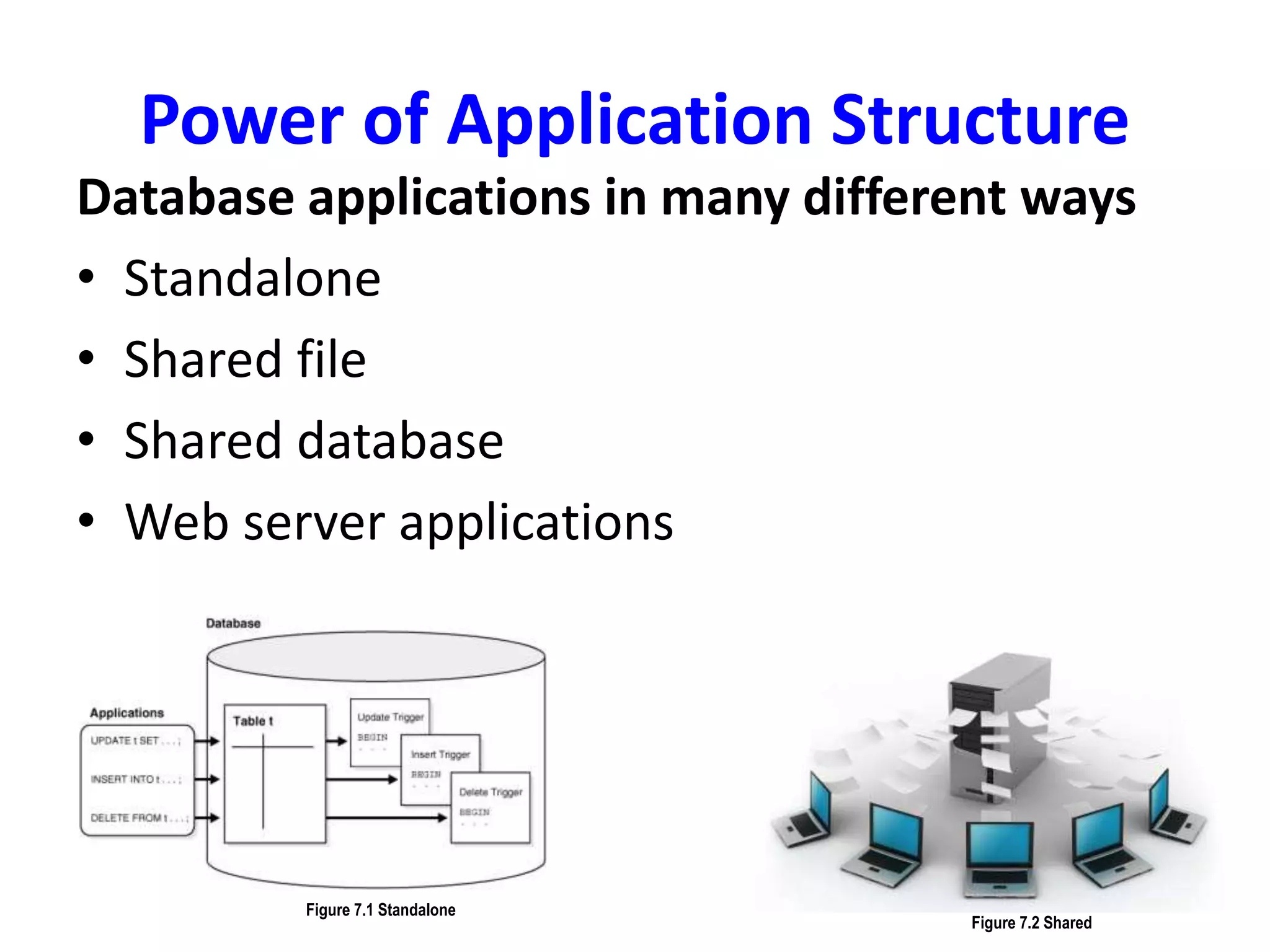
Power of Application Structure
Database applications in many different ways
• Standalone
• Shared file
• Shared database
• Web server applications
Figure 7.1 Standalone
Figure 7.2 Shared
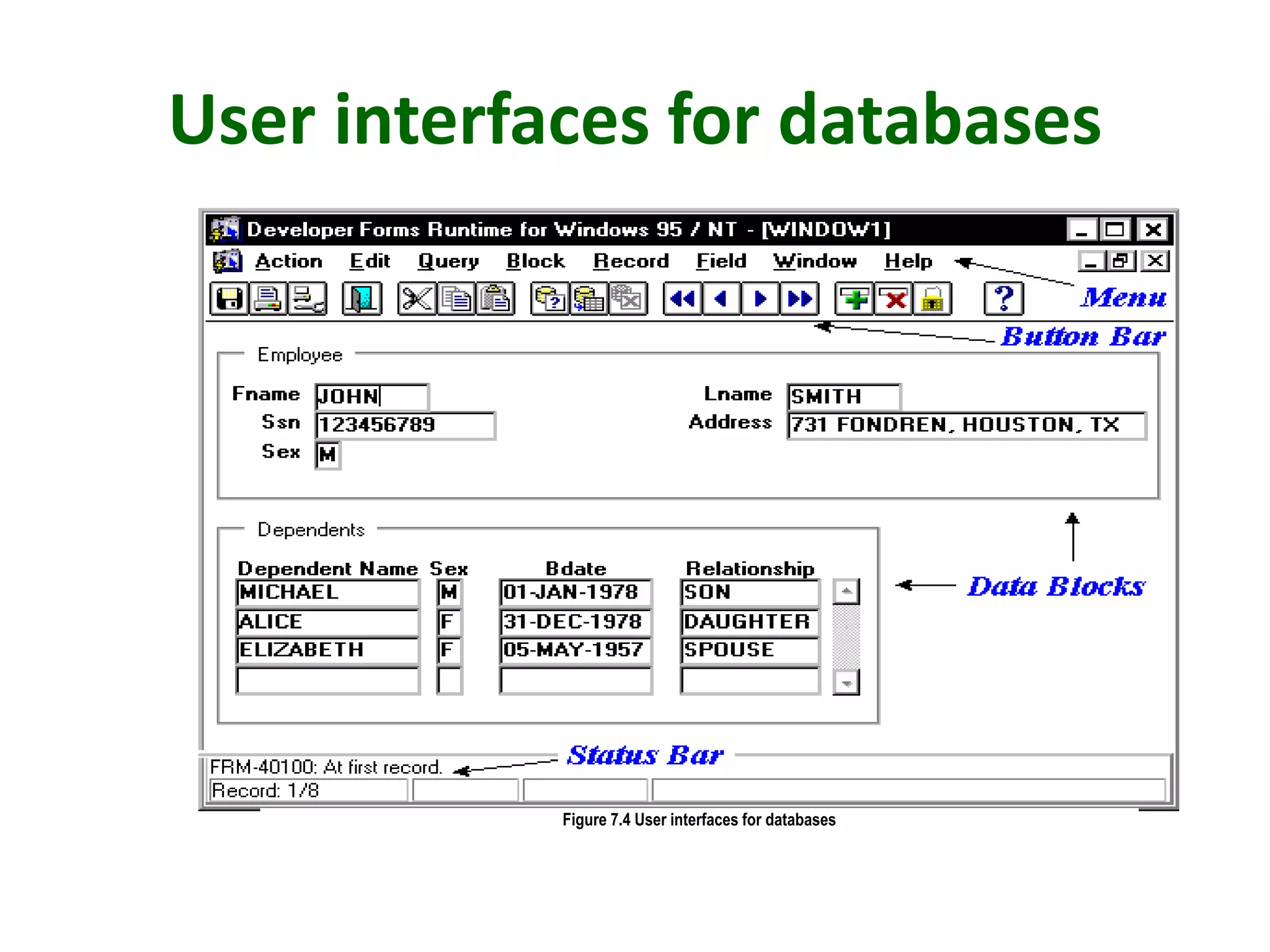
User interfaces for databases
Figure 7.4 User interfaces for databases
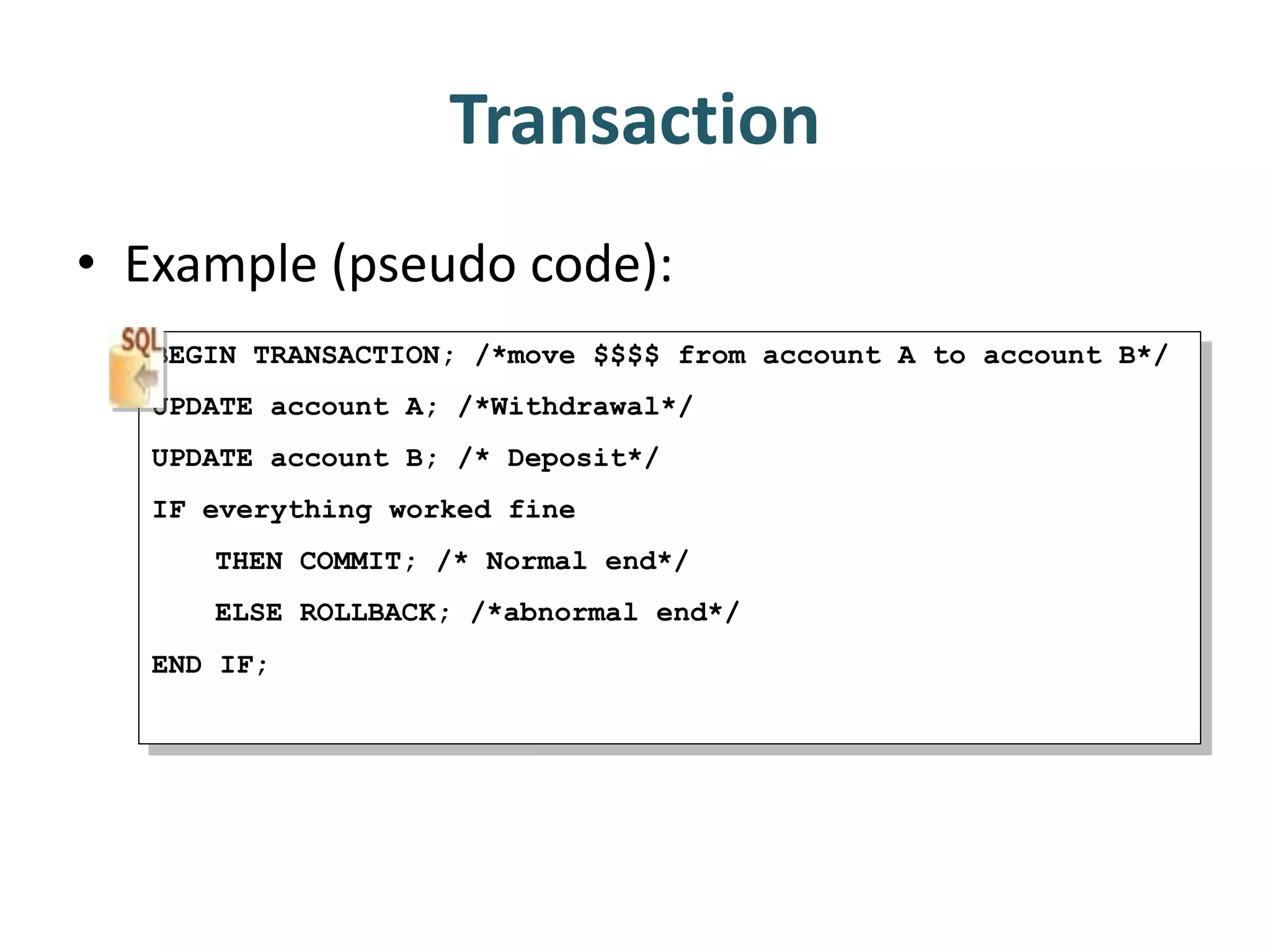
Transaction
• Example (pseudo code):
BEGIN TRANSACTION; /*move $$$$ from account A to account B*/
UPDATE account A; /*Withdrawal*/
UPDATE account B; /* Deposit*/
IF everything worked fine
THEN COMMIT; /* Normal end*/
ELSE ROLLBACK; /*abnormal end*/
END IF;
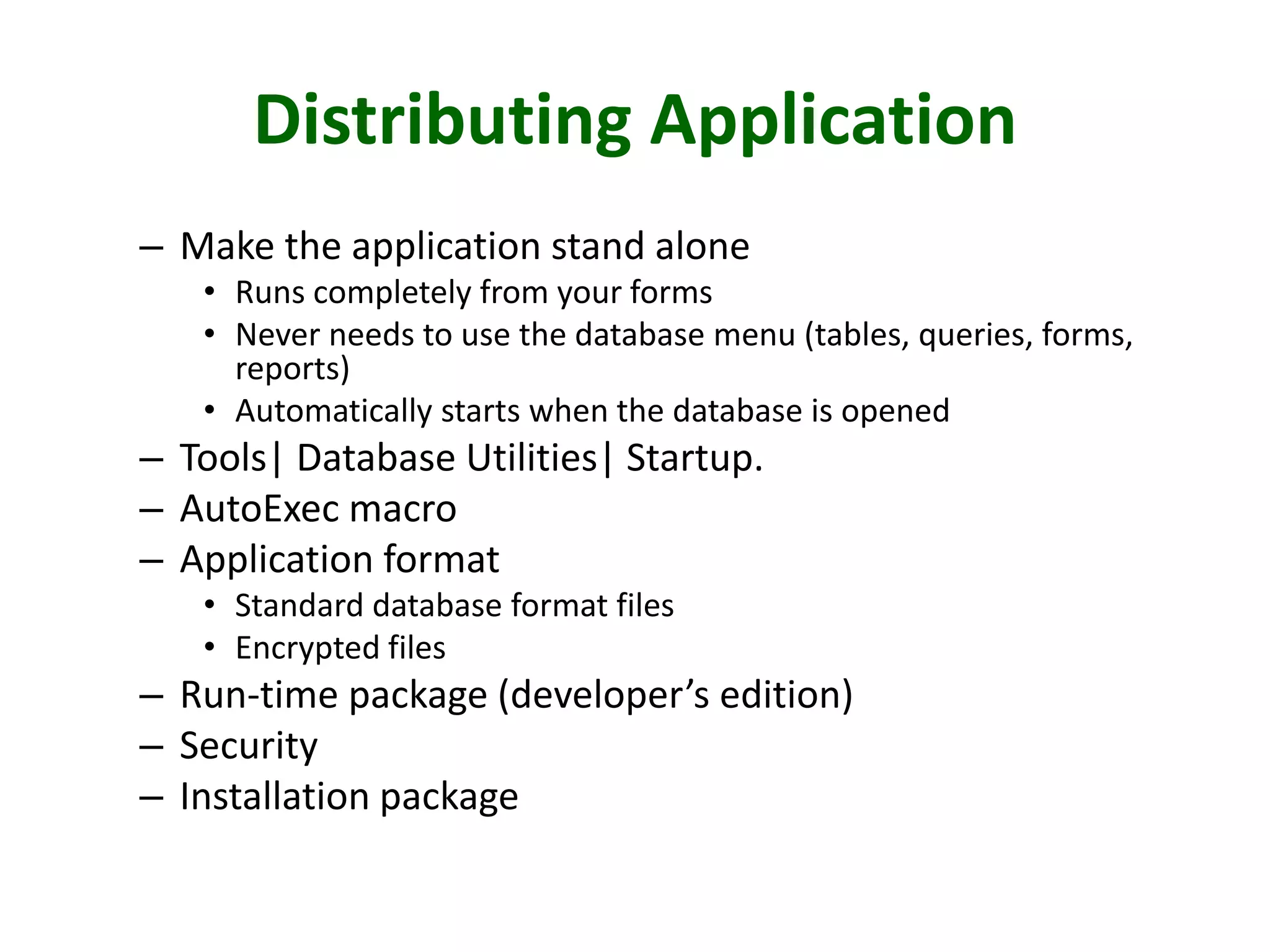
Distributing Application
– Make the application stand alone
• Runs completely from your forms
• Never needs to use the database menu (tables, queries, forms,
reports)
• Automatically starts when the database is opened
– Tools| Database Utilities| Startup.
– AutoExec macro
– Application format
• Standard database format files
• Encrypted files
– Run-time package (developer’s edition)
– Security
– Installation package
Table Operations
1. retrieving data,
2. storing data and
3. reorganizing the database.
Data Storage Methods
• Sequential storage
• Pointers
• Indexes
• Linked lists
• B+-Tree
• Hash Table
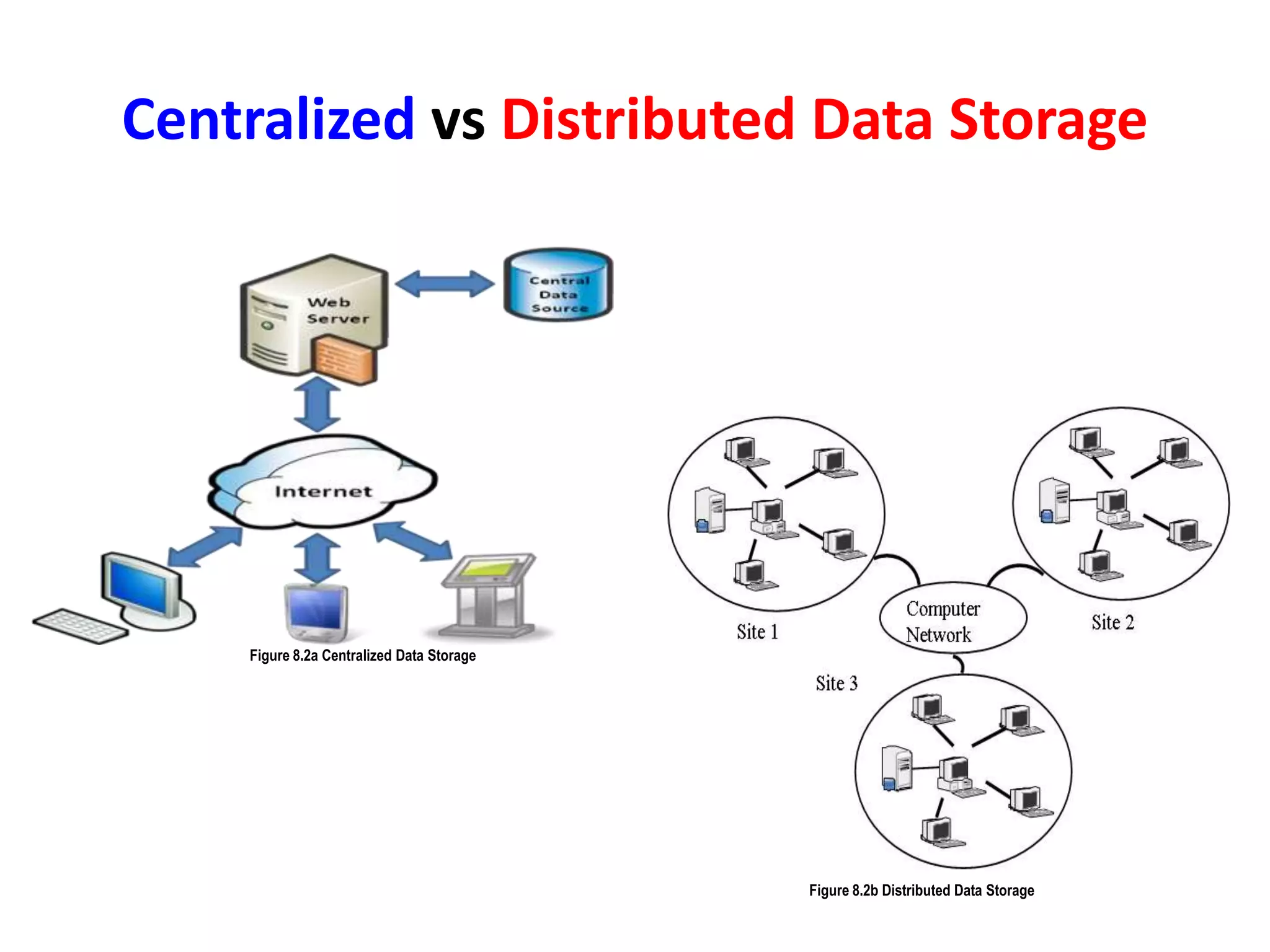
Centralized vs Distributed Data Storage
Figure 8.2a Centralized Data Storage
Figure 8.2b Distributed Data Storage
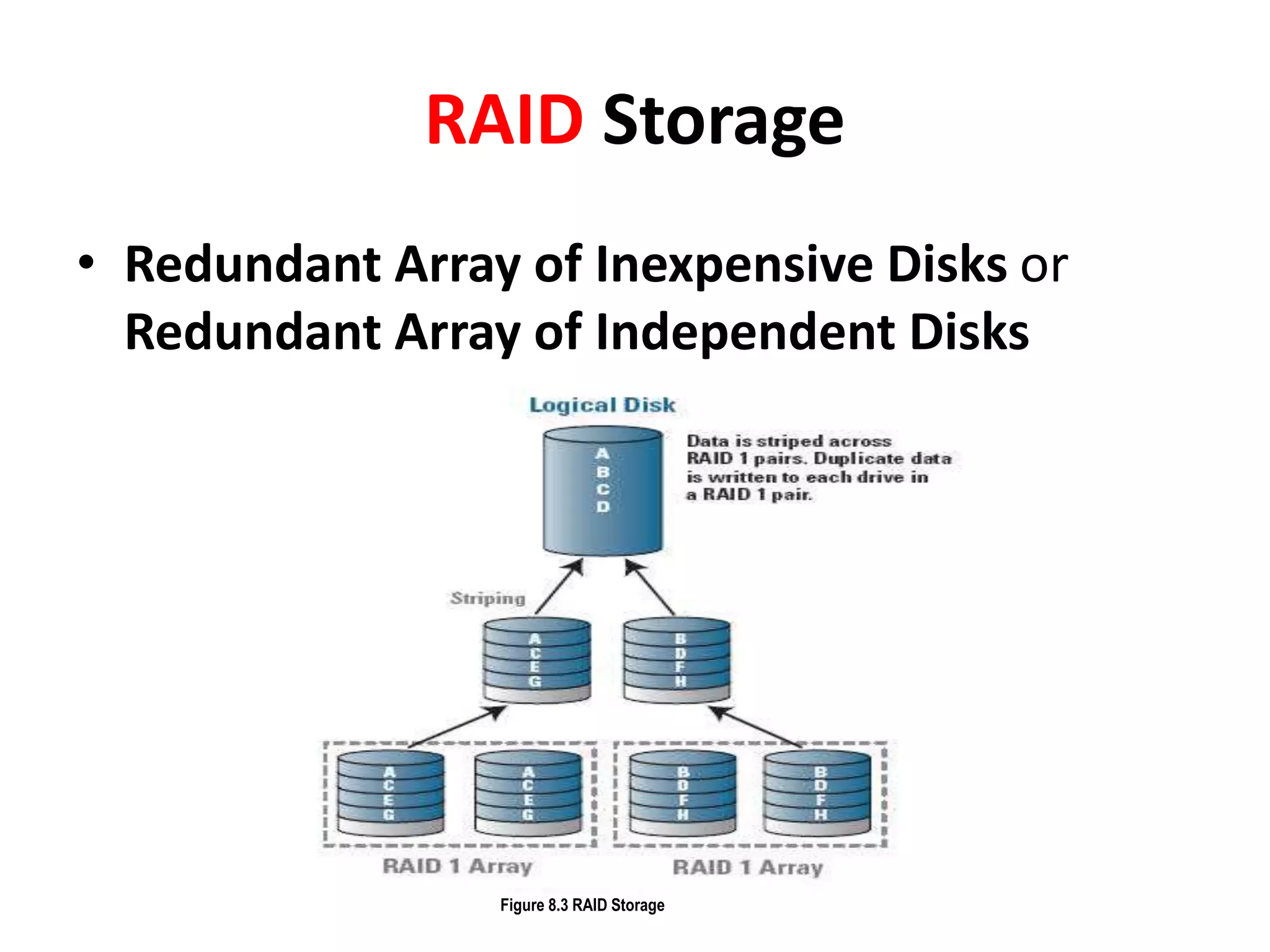
RAID Storage
• Redundant Array of Inexpensive Disks or
Redundant Array of Independent Disks
Figure 8.3 RAID Storage

Dbms fast track 2/3

  • 2.
    for 5th Sem. B.Sc.(SAE5B) & BCA (SAZ5A)
  • 3.
    Unit II • QueryBasics • Computation Using Queries • Subtotals and GROUP BY Command • Queries with Multiple Tables • Subqueries • Joins • DDL & DML • Testing Queries
  • 4.
    Unit III • EffectiveDesign of Forms and Reports – • Form Layout – • Creating Forms – • Graphical Objects – • Reports – • Procedural Languages – • Data on Forms – • Programs to Retrieve and Save Data – • Error Handling.
  • 5.
  • 6.
    Effective Design ofForms • Collect data • Display query data • Display analysis and computation result • Switch board • Direct manipulation of object like Graphics • For organize the overall system.
  • 7.
  • 8.
    Types of Forms •Tabular Forms • Single-Row or Columnar Forms • Subform Forms • Switchboard
  • 10.
    Event driven Programming PrivateSub Command1_Click() MsgBox "Hello, World!“ End Sub
  • 11.
    Database connection • ADOData Control • Data Grid Connection
  • 12.
    Graphical Objects Methods Description Print Printis the simplest graphic method in Visual Basic 6. This method has been used throughout the earlier versions of the language. It prints some text on the form or on the PictureBox control. It displays texts. Cls The Cls method is another simple graphic method that is used to clear the surface of the form or the PictureBox control. If some texts are present, you can use the Cls method to remove the texts. It clears any drawing created by the graphic methods. Point The Point method returns the color value from an image for a pixel at a particular point. This method is generally used to retrieve color values from bitmaps. Refresh The refresh method redraws a control or object. In other words, it refreshes the control. Generally, controls are refreshed automatically most of the times. But in some cases, you need to refresh a control’s appearance manually by explicitly invoking the Refresh method. PSet The PSet method sets the color of a single pixel on the form. This method is used to draw points. Line The Line method draws a line. Using the Line method, you can also draw other geometric shapes such as rectangle, triangle etc. Circle The Circle method draws a circle. Using the Circle method, you can also draw other geometric shapes such ellipses, arcs etc. PaintPicture The PaintPicture method displays an image on the form at run-time. TextHeight The TextHeight method returns the height of a string on the form at run-time. TextWidth The TextWidth method returns the width of a string on the form at run-time.
  • 13.
    • Design aform with appropriate triggers to implement the main menu interface of your application. The minimal functions provided should be four buttons for Student, Instructor/Faculty, Administration, Exit. Each of the buttons should take the user to another form or interface for an action like log in. Proper and complete navigation from this main form with appropriate alerts and messages to the next interface completes this question.
  • 14.
    Reports • Reports are importantand useful in many respects because they provide useful and meaningful information concerning a set of data. Figure 5.1 Types of Reports
  • 15.
    Types of reports •Tabular Report • Master/Detail Report • Form Letter • Form Report • Mailing Label • Matrix Report
  • 16.
    Report Design Report Header Contains thetext that appears at the very beginning of a report, such as the report title, author, or database name. If you want the Report Header to be the first page in the report, set its ForcePageBreak property to rptPageBreakAfter. Page Header Contains information that goes at the top of every page, such as the report's title. Group Header/Foot er Contains a "repeating" section of the data report. Each group header is matched with group footer. The header and footer pair is associated with a single Command object in the Data Environment designer. Details Contains the innermost "repeating" part (the records) of the report. The details section is associated with the lowest-level Command object in a Data Environment hierarchy. Page Footer Contains the information that goes at the bottom of every page, such as the page no. Report Footer Contains the text that appears at the very end of the report, such as summary information, or an address or contact name.
  • 17.
    Forms vs Reports FormsReports Forms are sometimes referred to as "data entry screens." Reports are used to summarize and present data in the tables Forms are intended more for simple/limited data interaction Reports are used to present, typically, larger volumes of data. Most database users prefer to use forms for viewing, entering, and editing data in the tables. Each report can be formatted to present the information in the most readable way possible You can change the values of underlying data with a form. You cannot change the value of the underlying data for a report with a control object from the toolbox as you can with forms Forms are a generic term for windows used to interact with users. A form can accept data from a user for data entry or to provide input to a query. A form can present data to a user, e.g. the results of a query. Reports are only used to extract and present data for viewing and printing. Forms provide datasheet view. Reports do not provide a Datasheet view. Only Print Preview and Report Design views are available.
  • 18.
    • How doyou bring a report up into the Report Previewer using Reports Runtime interactively? How can you accomplish the same task from the command line? • Which type of report is commonly used for SQL*Plus output? What sort of report might be used to display a select statement containing a group by clause?
  • 19.
    PL/SQL • PL/SQL (ProceduralLanguage /SQL) is a technology and not an independent product. Think of this technology as an engine that executes PL/SQL statements. This engine can be installed in an oracle server of in application tool. It bridges the gap between database technology and procedural programming language.
  • 20.
    Basic code structure DECLARE --Declaration block (optional) BEGIN -- Program proper EXCEPTION -- Exception-handling (optional) END /* Sample comment spanning Multiple lines... */
  • 21.
    TRIGGER • Advantages ofTriggers: – Applying Complex Business rules. – Security. – Auditing.
  • 22.
    Program 1: Createa database Trigger corresponding to emp table which is not going to allow the user to insert the employee’s salary more than 5000.
  • 23.
    Error Handling • Thereare number of reasons due to which run time errors may be raised during the execution of a PL/SQL block. With PL/SQL, a mechanism called exception handling lets you “bulletproof” your program so that it can continue operating in the presence of errors. Figure 6.1 Exception handling
  • 24.
    Unit IV • Powerof Application Structure • User Interface Features • Transaction • Forms Events • Custom Reports • Distributing Application • Table Operations • Data Storage Methods • Storing Data Columns • Data Clustering and Partitioning.
  • 25.
    Power of ApplicationStructure Database applications in many different ways • Standalone • Shared file • Shared database • Web server applications Figure 7.1 Standalone Figure 7.2 Shared
  • 26.
    User interfaces fordatabases Figure 7.4 User interfaces for databases
  • 27.
    Transaction • Example (pseudocode): BEGIN TRANSACTION; /*move $$$$ from account A to account B*/ UPDATE account A; /*Withdrawal*/ UPDATE account B; /* Deposit*/ IF everything worked fine THEN COMMIT; /* Normal end*/ ELSE ROLLBACK; /*abnormal end*/ END IF;
  • 28.
    Distributing Application – Makethe application stand alone • Runs completely from your forms • Never needs to use the database menu (tables, queries, forms, reports) • Automatically starts when the database is opened – Tools| Database Utilities| Startup. – AutoExec macro – Application format • Standard database format files • Encrypted files – Run-time package (developer’s edition) – Security – Installation package
  • 29.
    Table Operations 1. retrievingdata, 2. storing data and 3. reorganizing the database.
  • 30.
    Data Storage Methods •Sequential storage • Pointers • Indexes • Linked lists • B+-Tree • Hash Table
  • 31.
    Centralized vs DistributedData Storage Figure 8.2a Centralized Data Storage Figure 8.2b Distributed Data Storage
  • 32.
    RAID Storage • RedundantArray of Inexpensive Disks or Redundant Array of Independent Disks Figure 8.3 RAID Storage