Teaching with Technology Rhett McDaniel Educational Technologist Center for Teaching
“ Technology, in and of itself, cannot transform the teaching and learning process – only people can do it.” Mawka and Salim, 2007, p. 71
Emerging Technologies Watch List User-created content and personal web Social networking Mobile phones Virtual worlds Geo everything http://net.educause.edu/ir/library/pdf/CSD5612.pdf
What should I consider before using technology?
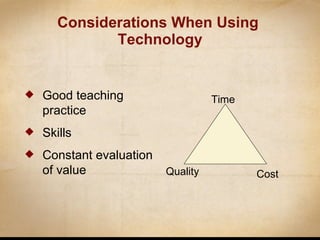
Considerations When Using  Technology Good teaching practice Skills Constant evaluation of value Time Quality Cost
Designing Backwards
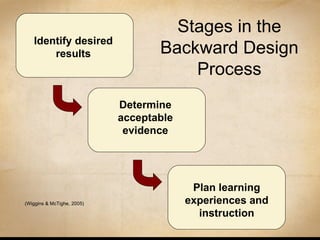
Identify desired results Determine acceptable evidence Plan learning experiences and instruction Stages in the Backward Design Process (Wiggins & McTighe, 2005)
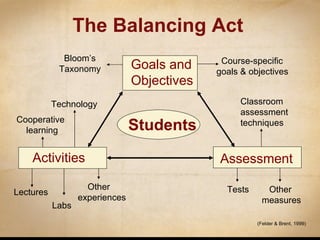
Students Bloom’s Taxonomy Course-specific goals & objectives Cooperative learning Lectures  Labs Other  experiences Classroom assessment techniques Tests Other measures Technology Assessment (Felder & Brent, 1999) The Balancing Act Goals and Objectives Activities
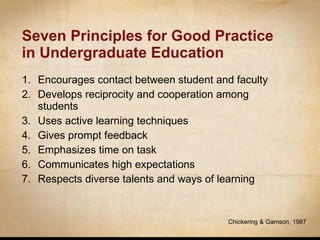
Seven Principles for Good Practice in Undergraduate Education Encourages contact between student and faculty Develops reciprocity and cooperation among students Uses active learning techniques Gives prompt feedback Emphasizes time on task Communicates high expectations Respects diverse talents and ways of learning Chickering & Gamson, 1987
How can learning be enhanced using instructional technology?
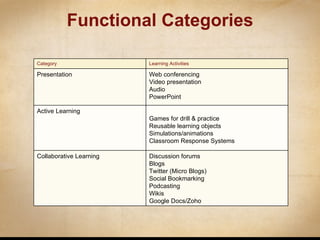
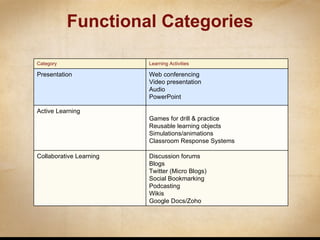
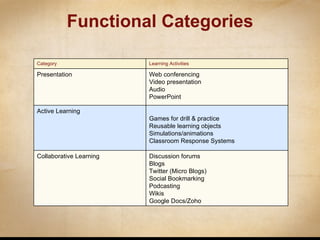
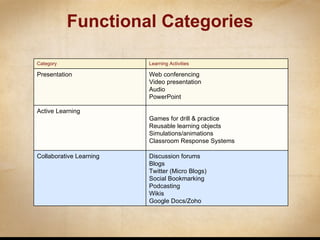
Functional Categories Category Learning Activities Presentation Web conferencing Video presentation Audio PowerPoint Active Learning Games for drill & practice Reusable learning objects Simulations/animations Classroom Response Systems Collaborative Learning Discussion forums Blogs Twitter (Micro Blogs) Social Bookmarking Podcasting Wikis Google Docs/Zoho
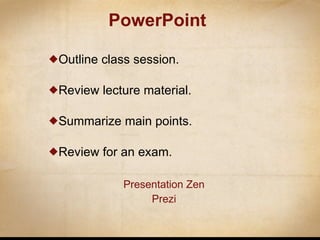
PowerPoint Outline class session. Review lecture material. Summarize main points. Review for an exam. Presentation Zen Prezi
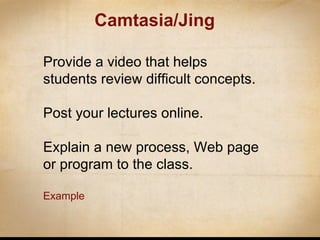
Camtasia/Jing Provide a video that helps students review difficult concepts. Post your lectures online. Explain a new process, Web page or program to the class. Example
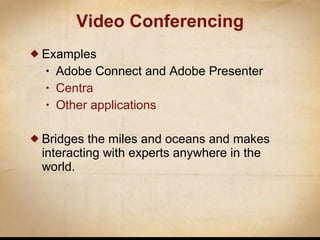
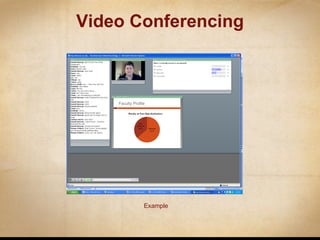
Examples Adobe Connect and Adobe Presenter Centra Other applications Bridges the miles and oceans and makes interacting with experts anywhere in the world. Video Conferencing
Audio Recordings  Online Audio Archives Creating Audio  Audacity Podcasting Video Recordings   youtube.com Creating video   videospin  / iMovie Audio / Video
Example Video Conferencing
Functional Categories Category Learning Activities Presentation Web conferencing Video presentation Audio PowerPoint Active Learning Games for drill & practice Reusable learning objects Simulations/animations Classroom Response Systems Collaborative Learning Discussion forums Blogs Twitter (Micro Blogs) Social Bookmarking Podcasting Wikis Google Docs/Zoho
Games  for Drill and Practice Allow for student self-assessment. Provide interactive means for student to study course material. Can be relatively easy for faculty members to create using free software programs.
Game Creation Software Half-baked Software  http://www.halfbakedsoftware.com/   Multiple-choice, short-answer, jumbled-sentence, crossword, matching/ordering and gap-fill exercises examples Quia http://www.quia.com/servlets/quia.web.QuiaWebManager   16 different types of online activities, including flashcards, matching, concentration (memory), word search, battleship, challenge board, columns, cloze exercises, hangman, jumbled words, ordered list, patterns, picture perfect, pop-ups, rags to riches (a quiz-show style trivia game), and scavenger hunt
Simulations and Animations Models a concept or idea Useful when concepts are difficult Strive to excite students about learning
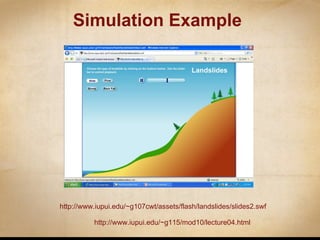
Simulation Example http://www.iupui.edu/~g107cwt/assets/flash/landslides/slides2.swf   http://www.iupui.edu/~g115/mod10/lecture04.html
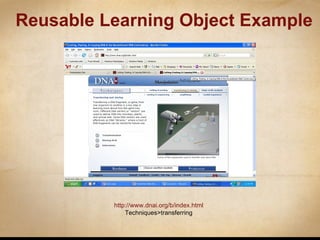
Reusable Learning Object A reusable learning object is a small digital component that can be selectively applied (alone or in combination with other materials) to meet individual needs for learning or performance support. Can be used in-class to enhance learning or as supplemental material students access online.
Reusable Learning Object Example http://www.dnai.org/b/index.html Techniques>transferring
Classroom Response Systems
Student Perspective Questions Your daughter is in an abusive relationship.  Which of the following do you say to her? During how many days a week do you get 30 minutes of exercise? Corly Brooke, Human Development & Family Studies, Iowa State University
One-Best-Answer Questions Hamlet’s lines following the death of Ophelia suggest that: Hamlet really loved Ophelia, and is so distraught to learn of her death that he proposes to eat a crocodile. Hamlet thinks that Laertes’s grief is mere posturing, and mocks it by exaggeration. Hamlet cares little for Ophelia, but is eager to enter into a rhetorical chest-thumping competition with her brother. Elizabeth Cullingford, English, University of Texas-Austin
Functional Categories Category Learning Activities Presentation Web conferencing Video presentation Audio PowerPoint Active Learning Games for drill & practice Reusable learning objects Simulations/animations Classroom Response Systems Collaborative Learning Discussion forums Blogs Twitter (Micro Blogs) Social Bookmarking Podcasting Wikis Google Docs/Zoho
Discussion Forums
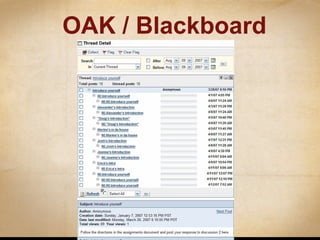
OAK / Blackboard
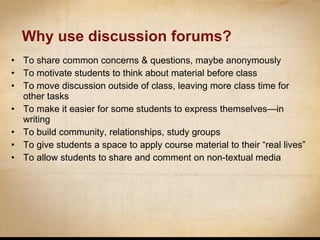
Why use discussion forums? To share common concerns & questions, maybe anonymously To motivate students to think about material before class To move discussion outside of class, leaving more class time for other tasks To make it easier for some students to express themselves—in writing To build community, relationships, study groups To give students a space to apply course material to their “real lives” To allow students to share and comment on non-textual media
Blogs EXAMPLES
Microblogging (Twitter)
Twitter Following, tweeting, and searching Monica Rankin’s Twitter  Experiment
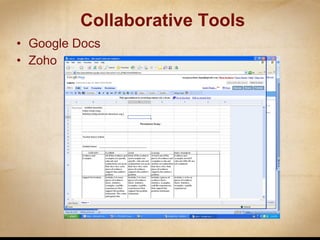
Collaborative Tools Google Docs Zoho
Wikis An open, collaborative community website where anyone can contribute. Group space in which many individuals can be part of the construction of knowledge and/or presentation of information. The most popular wiki is  Wikipedia . Effective as a way to get many students to contribute information about a particular subject. Wikis in Plain  English http://rhettmcdaniel.wetpaint.com
Support http://its.vanderbilt.edu/support/servicedelivery

Presentation Title

  • 1.
    Teaching with TechnologyRhett McDaniel Educational Technologist Center for Teaching
  • 2.
    “ Technology, inand of itself, cannot transform the teaching and learning process – only people can do it.” Mawka and Salim, 2007, p. 71
  • 3.
    Emerging Technologies WatchList User-created content and personal web Social networking Mobile phones Virtual worlds Geo everything http://net.educause.edu/ir/library/pdf/CSD5612.pdf
  • 4.
    What should Iconsider before using technology?
  • 5.
    Considerations When Using Technology Good teaching practice Skills Constant evaluation of value Time Quality Cost
  • 6.
  • 7.
    Identify desired resultsDetermine acceptable evidence Plan learning experiences and instruction Stages in the Backward Design Process (Wiggins & McTighe, 2005)
  • 8.
    Students Bloom’s TaxonomyCourse-specific goals & objectives Cooperative learning Lectures Labs Other experiences Classroom assessment techniques Tests Other measures Technology Assessment (Felder & Brent, 1999) The Balancing Act Goals and Objectives Activities
  • 9.
    Seven Principles forGood Practice in Undergraduate Education Encourages contact between student and faculty Develops reciprocity and cooperation among students Uses active learning techniques Gives prompt feedback Emphasizes time on task Communicates high expectations Respects diverse talents and ways of learning Chickering & Gamson, 1987
  • 10.
    How can learningbe enhanced using instructional technology?
  • 11.
    Functional Categories CategoryLearning Activities Presentation Web conferencing Video presentation Audio PowerPoint Active Learning Games for drill & practice Reusable learning objects Simulations/animations Classroom Response Systems Collaborative Learning Discussion forums Blogs Twitter (Micro Blogs) Social Bookmarking Podcasting Wikis Google Docs/Zoho
  • 12.
    Functional Categories CategoryLearning Activities Presentation Web conferencing Video presentation Audio PowerPoint Active Learning Games for drill & practice Reusable learning objects Simulations/animations Classroom Response Systems Collaborative Learning Discussion forums Blogs Twitter (Micro Blogs) Social Bookmarking Podcasting Wikis Google Docs/Zoho
  • 13.
    PowerPoint Outline classsession. Review lecture material. Summarize main points. Review for an exam. Presentation Zen Prezi
  • 14.
    Camtasia/Jing Provide avideo that helps students review difficult concepts. Post your lectures online. Explain a new process, Web page or program to the class. Example
  • 15.
    Examples Adobe Connectand Adobe Presenter Centra Other applications Bridges the miles and oceans and makes interacting with experts anywhere in the world. Video Conferencing
  • 16.
    Audio Recordings Online Audio Archives Creating Audio Audacity Podcasting Video Recordings youtube.com Creating video videospin / iMovie Audio / Video
  • 17.
  • 18.
    Functional Categories CategoryLearning Activities Presentation Web conferencing Video presentation Audio PowerPoint Active Learning Games for drill & practice Reusable learning objects Simulations/animations Classroom Response Systems Collaborative Learning Discussion forums Blogs Twitter (Micro Blogs) Social Bookmarking Podcasting Wikis Google Docs/Zoho
  • 19.
    Games forDrill and Practice Allow for student self-assessment. Provide interactive means for student to study course material. Can be relatively easy for faculty members to create using free software programs.
  • 20.
    Game Creation SoftwareHalf-baked Software http://www.halfbakedsoftware.com/ Multiple-choice, short-answer, jumbled-sentence, crossword, matching/ordering and gap-fill exercises examples Quia http://www.quia.com/servlets/quia.web.QuiaWebManager 16 different types of online activities, including flashcards, matching, concentration (memory), word search, battleship, challenge board, columns, cloze exercises, hangman, jumbled words, ordered list, patterns, picture perfect, pop-ups, rags to riches (a quiz-show style trivia game), and scavenger hunt
  • 21.
    Simulations and AnimationsModels a concept or idea Useful when concepts are difficult Strive to excite students about learning
  • 22.
  • 23.
    Reusable Learning ObjectA reusable learning object is a small digital component that can be selectively applied (alone or in combination with other materials) to meet individual needs for learning or performance support. Can be used in-class to enhance learning or as supplemental material students access online.
  • 24.
    Reusable Learning ObjectExample http://www.dnai.org/b/index.html Techniques>transferring
  • 25.
  • 26.
    Student Perspective QuestionsYour daughter is in an abusive relationship. Which of the following do you say to her? During how many days a week do you get 30 minutes of exercise? Corly Brooke, Human Development & Family Studies, Iowa State University
  • 27.
    One-Best-Answer Questions Hamlet’slines following the death of Ophelia suggest that: Hamlet really loved Ophelia, and is so distraught to learn of her death that he proposes to eat a crocodile. Hamlet thinks that Laertes’s grief is mere posturing, and mocks it by exaggeration. Hamlet cares little for Ophelia, but is eager to enter into a rhetorical chest-thumping competition with her brother. Elizabeth Cullingford, English, University of Texas-Austin
  • 28.
    Functional Categories CategoryLearning Activities Presentation Web conferencing Video presentation Audio PowerPoint Active Learning Games for drill & practice Reusable learning objects Simulations/animations Classroom Response Systems Collaborative Learning Discussion forums Blogs Twitter (Micro Blogs) Social Bookmarking Podcasting Wikis Google Docs/Zoho
  • 29.
  • 30.
  • 31.
    Why use discussionforums? To share common concerns & questions, maybe anonymously To motivate students to think about material before class To move discussion outside of class, leaving more class time for other tasks To make it easier for some students to express themselves—in writing To build community, relationships, study groups To give students a space to apply course material to their “real lives” To allow students to share and comment on non-textual media
  • 32.
  • 33.
  • 34.
    Twitter Following, tweeting,and searching Monica Rankin’s Twitter Experiment
  • 35.
  • 36.
    Wikis An open,collaborative community website where anyone can contribute. Group space in which many individuals can be part of the construction of knowledge and/or presentation of information. The most popular wiki is Wikipedia . Effective as a way to get many students to contribute information about a particular subject. Wikis in Plain English http://rhettmcdaniel.wetpaint.com
  • 37.

Editor's Notes

  • #6 Good teaching practice drives all decision making about the use of IT in teaching. Technology must enhance student learning and is therefore value-added. Technology advances communication, collaboration and/or active learning. The desired outcome is considered before determining tools. Technology is not an isolated event but a piece of the puzzle of how faculty teach and students learn. Technology is just a tool. Teachers and students must negotiate the role of technology in learning. Skills Learners have the skills required to use selected technology. The faculty member has the skills required to use the selected technology. Evaluation of costs, resources and time must be ongoing.


  • #8 Introduce Wiggins and McTighe’s backward design process as a structure for course design and for today’s discussion. Note that a “fourth step” is the construction of a syllabus. That step really should come after these other steps have been taken.
  • #18 Move adobe connect movie to about 23min in
  • #22 Digital media that models a concept or idea that is not easily communicated with words alone. Especially useful when concepts are difficult for many students to understand or when resources are not available to do a demonstration. Good simulations and animations strive to excite the student about learning.
  • #27 Student perspective questions include demographic questions (like the ones I asked earlier), opinion questions (like #1 here), and personal experience questions (like #2 here). Help students connect their own lives with course material, making the material more relevant to them. Help instructors get to know their students. Help students get to know each other. Help students learn about diverse points of view. Help students believe data from national surveys. Instructors often need to be careful to protect students with minority views. Also, student-student anonymity is helpful, but if students know that instructors know who said what, this can inhibit honest responses.
  • #28 Elizabeth says that Hamlet’s actions are always up for interpretation. After seeing the results of a question like this one, she’ll take the least popular answer and argue for it, showing her students the complexity of the play. She has 250 students in her course, but in a smaller class, this kind of question could generate a lot of discussion. The point isn’t getting the correct answer, it’s the arguments that students use in the subsequent discussion. In fact, this question wouldn’t be appropriate for a quiz, but it works great with clickers. A lot of students assume there’s a single correct answer to any question that could appear in a college course. These kinds of questions provide these students with motivation to move away from this “dualistic” thinking. Also, diagnostic questions.
  • #37 The term wiki is derived from the Hawaiian phrase, wiki-wiki, which means quick. An open, collaborative community website where anyone can contribute. Group space available online in which many individuals can be part of the construction of knowledge and/or presentation of information. The most popular wiki is Wikipedia . Especially effective as a way to get many students to contribute information about a particular subject. Wikis in Plain English