Alaa Sadik Ph.D, Hull, UK Department of Instructional & Learning Technologies  College of Education www.AlaaSadik.net Workshop 3   Information & Instructional Technologies . Centre for Educational Technology
PART ONE Types of Instructional Media PART TWO Message Design Information & Instructional Technologies PART THREE Utilization of Media & Technology PART FOUR Applications 1
PART ONE Types of Instructional Media
Types of Instructional Media   Image, Text and Audio
The  Human Ear Text  (words, numbers, signs, symbols, equations, etc.) The ear consists of three basic parts the outer ear, the middle ear, and the inner ear.  Each part of the ear serves a specific purpose in the task of detecting and interpreting sound. ……………………………… ……………………………… ………………………………
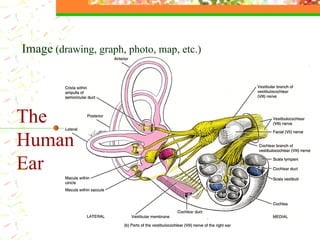
The  Human Ear Image  (drawing, graph, photo, map, etc.)
Line Drawing Illustrated Drawing Kroki  Sequenced Drawing Comparative Drawing Cartoon Caricatures Maps Posters Charts Flowchart  Hierarchical Drawing Geometrical Figures Screenshots Photographs Types of Instructional Images
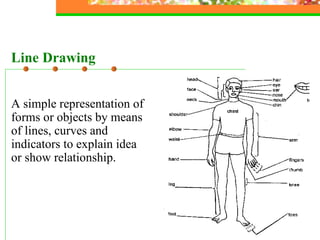
A simple representation of forms or objects by means of lines, curves and indicators to explain idea or show relationship. Line Drawing
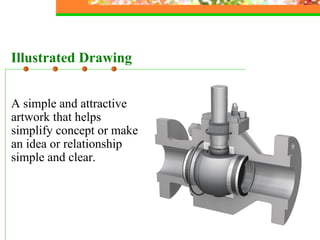
A simple and attractive artwork that helps simplify concept or make an idea or relationship simple and clear. Illustrated Drawing
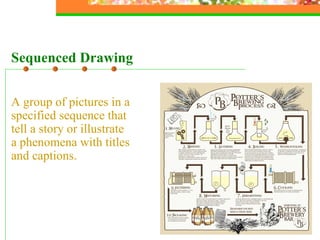
A group of pictures in a specified sequence that tell a story or illustrate a phenomena with titles and captions.  Sequenced Drawing
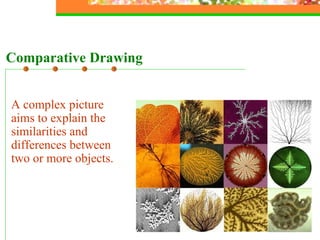
A complex picture aims to explain the similarities and differences between two or more objects. Comparative Drawing
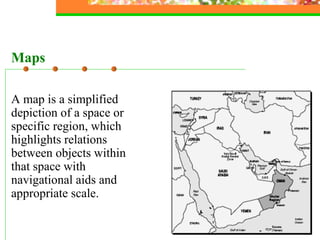
A map is a simplified depiction of a space or specific region, which highlights relations between objects within that space with navigational aids and appropriate scale. Maps
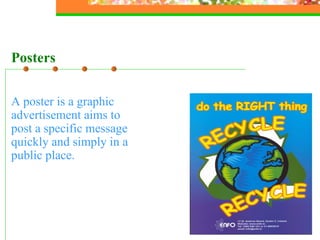
A poster is  a graphic advertisement aims to post a specific message quickly and simply in a public place. Posters
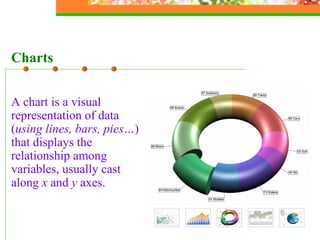
A chart is  a visual representation of data ( using lines, bars, pies… ) that displays the relationship among variables, usually cast along  x  and  y  axes.   Charts
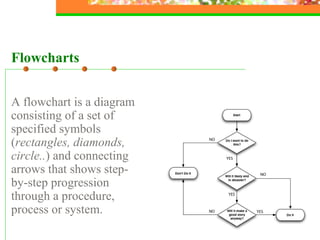
Flowcharts A flowchart is a diagram consisting of a set of specified symbols ( rectangles, diamonds, circle.. ) and connecting arrows that shows step-by-step progression through a procedure, process or system.
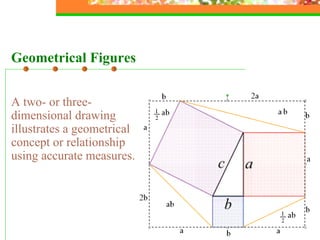
Geometrical Figures A two- or three-dimensional drawing illustrates a geometrical concept or relationship using accurate measures.
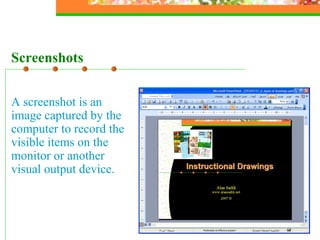
Screenshots A screenshot is an image captured by the computer to record the visible items on the monitor or another visual output device.
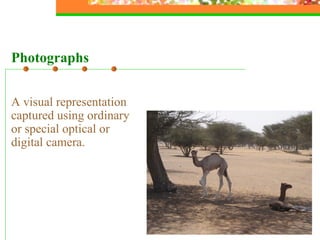
A visual representation captured using ordinary or special optical or digital camera. Photographs
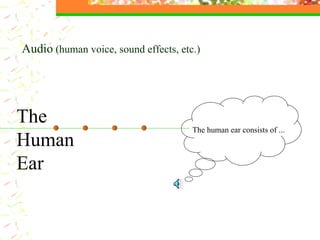
The  Human Ear Audio  (human voice, sound effects, etc.) The human ear consists of ...
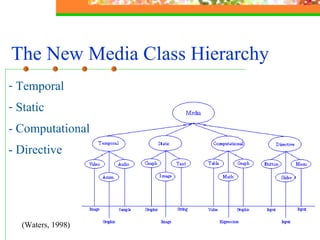
The New Media Class Hierarchy   Temporal  Static  - Computational - Directive (Waters, 1998)
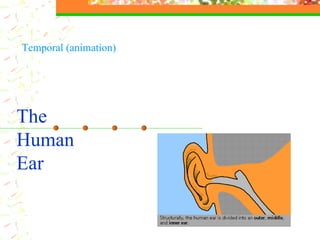
The  Human Ear Temporal (animation)
Landing The pilot managed to land the airoplane safely   Temporal (video)
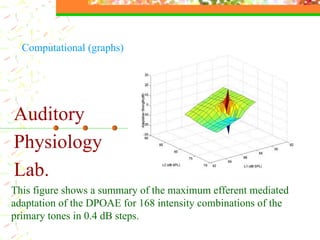
Auditory  Physiology  Lab. This figure shows a summary of the maximum efferent mediated adaptation of the DPOAE for 168 intensity combinations of the primary tones in 0.4 dB steps.  Computational (graphs)
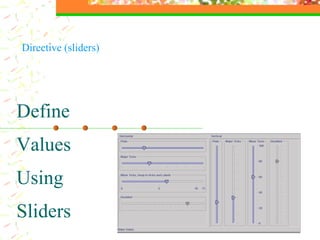
Define Values Using Sliders Directive (sliders)
Multimedia Transmission that combine  different  media of communication  ( text ,  graphics , audio, animation, video,  etc. )
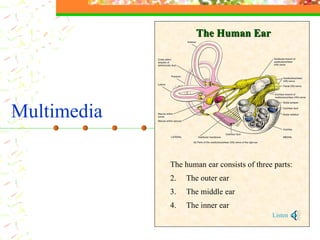
The human ear consists of three parts: The outer ear The middle ear The inner ear Listen The Human Ear Multimedia
PART TWO Message Design
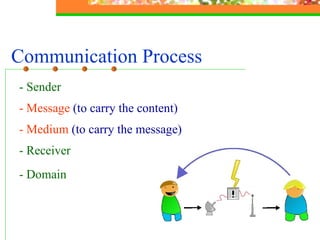
Communication Process   - Sender - Message  (to carry the content) - Medium  (to carry the message)   - Receiver - Domain
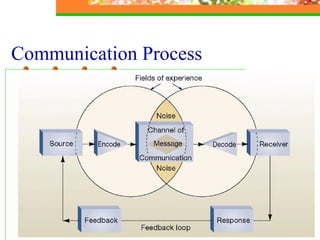
Communication Process
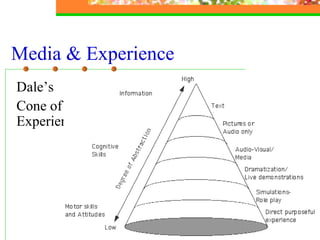
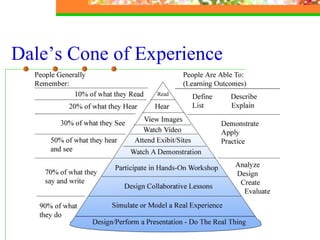
Media & Experience Dale’s  Cone of Experience
Dale’s Cone of Experience At the top:   provide more information,  compress information, faster for those able to process it,  need more instructional support. At the bottom: involve the learner, encourage active learning,  provide less information,  more stimuli and richer experience
Dale’s Cone of Experience
PART THREE Utilization of Media & Technology
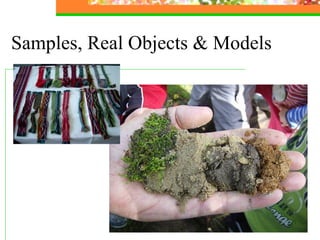
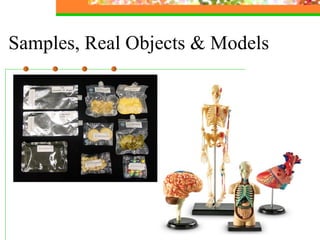
Writing boards Flipcharts OHP transparencies 35 mm slides Videotapes  Models/real objects/samples/shapes … … …  Audio-video-conferencing  Digital projectors Smart classrooms Computers (software and storage media) The Internet  Media & Technology Used in Higher Education
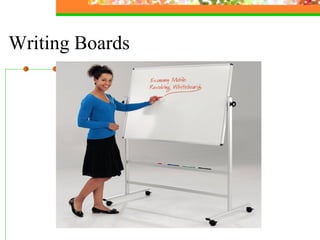
Writing Boards
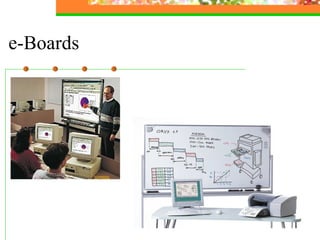
e-Boards
Samples, Real Objects & Models
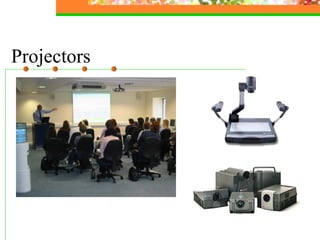
Projectors
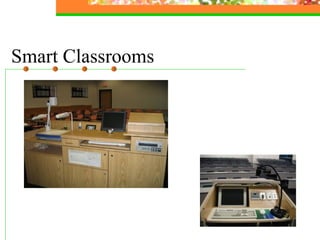
Smart Classrooms
Instructional Software Applications Drill-and-Practice Tutorials Simulation Instructional Games Problem-Solving Multimedia Teacher Utilities
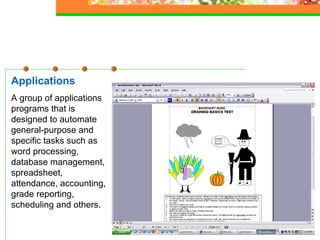
Applications A group of applications programs that is designed to automate general-purpose and specific tasks such as word processing, database management, spreadsheet, attendance, accounting, grade reporting, scheduling and others.
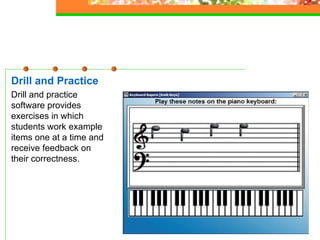
Drill and Practice Drill and practice software provides exercises in which students work example items one at a time and receive feedback on their correctness.
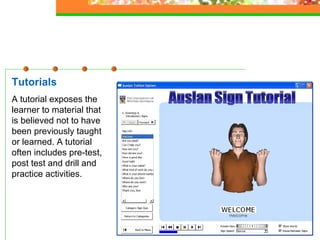
Tutorials A tutorial exposes the learner to material that is believed not to have been previously taught or learned. A tutorial often includes pre-test, post test and drill and practice activities.
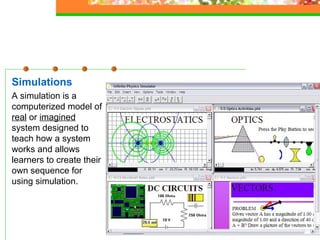
Simulations A simulation is a computerized model of  real  or  imagined  system designed to teach how a system works and allows learners to create their own sequence for using simulation.
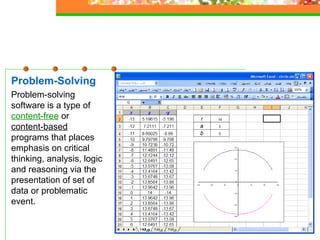
Problem-Solving Problem-solving software is a type of  content-free  or   content-based  programs that places emphasis on critical thinking, analysis, logic and reasoning via the presentation of set of data or problematic event.
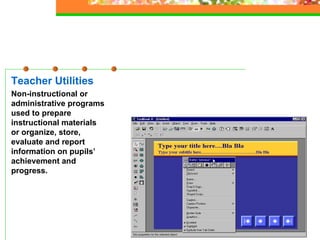
Teacher Utilities Non-instructional or administrative programs used to prepare instructional materials or organize, store, evaluate and report information on pupils’ achievement and progress.
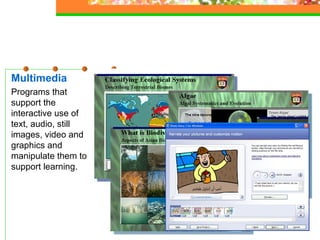
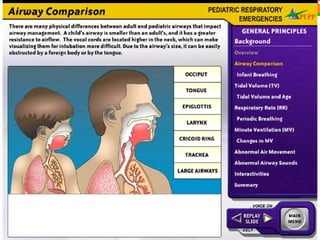
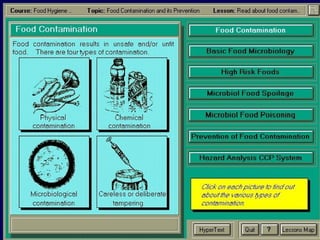
Multimedia Programs that support the interactive use of text, audio, still images, video and graphics and manipulate them to support learning.
Authoring and Support Tools - For general purposes  FrontPage, MX Flash, etc. - For instructional purposes ToolBook Instructor, Authorware, etc.
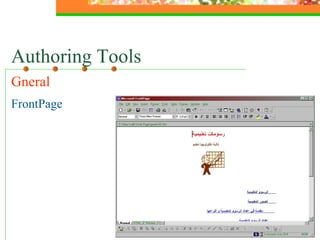
Authoring Tools Gneral  FrontPage
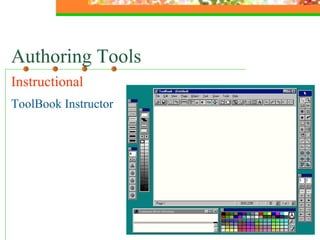
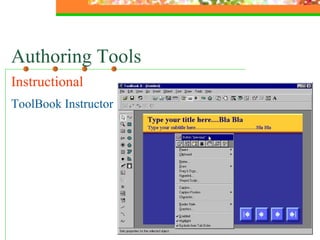
Authoring Tools Instructional  ToolBook Instructor
Authoring Tools Instructional   ToolBook Instructor
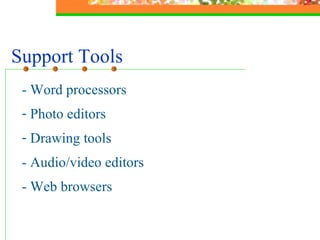
Support Tools - Word processors  Photo editors Drawing tools  - Audio/video editors - Web browsers
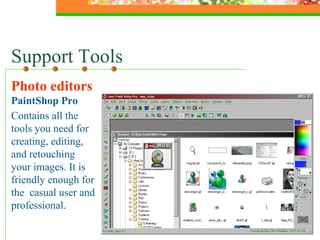
Support Tools Photo editors  PaintShop Pro Contains all the tools you need for creating, editing, and retouching your images. It is friendly enough for the  casual user and professional.
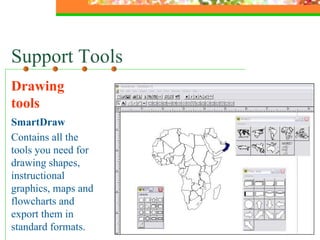
Support Tools Drawing tools SmartDraw Contains all the tools you need for drawing shapes, instructional graphics, maps and flowcharts and export them in standard formats.
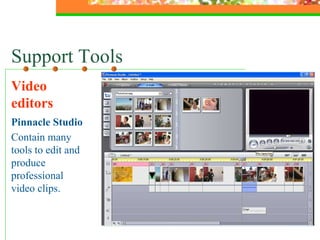
Support Tools Video editors Pinnacle Studio Contain many tools to edit and produce professional video clips.
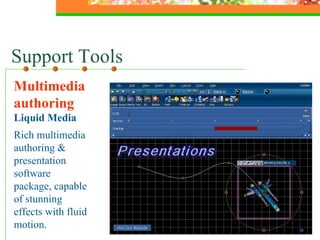
Support Tools Multimedia authoring  Liquid Media Rich multimedia authoring & presentation software package, capable of stunning effects with fluid motion.
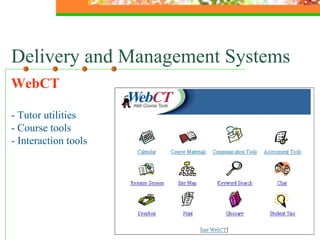
Delivery and Management Systems WebCT - Tutor utilities - Course tools - Interaction tools
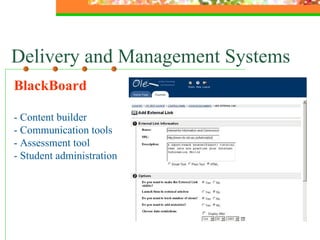
BlackBoard - Content builder - Communication tools - Assessment tool - Student administration  Delivery and Management Systems
PART FOUR Applications 1 Powerpoint FrontPage PhotoStory

Information & Instructional Technology

  • 1.
    Alaa Sadik Ph.D,Hull, UK Department of Instructional & Learning Technologies College of Education www.AlaaSadik.net Workshop 3 Information & Instructional Technologies . Centre for Educational Technology
  • 2.
    PART ONE Typesof Instructional Media PART TWO Message Design Information & Instructional Technologies PART THREE Utilization of Media & Technology PART FOUR Applications 1
  • 3.
    PART ONE Typesof Instructional Media
  • 4.
    Types of InstructionalMedia Image, Text and Audio
  • 5.
    The HumanEar Text (words, numbers, signs, symbols, equations, etc.) The ear consists of three basic parts the outer ear, the middle ear, and the inner ear. Each part of the ear serves a specific purpose in the task of detecting and interpreting sound. ……………………………… ……………………………… ………………………………
  • 6.
    The HumanEar Image (drawing, graph, photo, map, etc.)
  • 7.
    Line Drawing IllustratedDrawing Kroki Sequenced Drawing Comparative Drawing Cartoon Caricatures Maps Posters Charts Flowchart Hierarchical Drawing Geometrical Figures Screenshots Photographs Types of Instructional Images
  • 8.
    A simple representationof forms or objects by means of lines, curves and indicators to explain idea or show relationship. Line Drawing
  • 9.
    A simple andattractive artwork that helps simplify concept or make an idea or relationship simple and clear. Illustrated Drawing
  • 10.
    A group ofpictures in a specified sequence that tell a story or illustrate a phenomena with titles and captions. Sequenced Drawing
  • 11.
    A complex pictureaims to explain the similarities and differences between two or more objects. Comparative Drawing
  • 12.
    A map isa simplified depiction of a space or specific region, which highlights relations between objects within that space with navigational aids and appropriate scale. Maps
  • 13.
    A poster is a graphic advertisement aims to post a specific message quickly and simply in a public place. Posters
  • 14.
    A chart is a visual representation of data ( using lines, bars, pies… ) that displays the relationship among variables, usually cast along x and y axes. Charts
  • 15.
    Flowcharts A flowchartis a diagram consisting of a set of specified symbols ( rectangles, diamonds, circle.. ) and connecting arrows that shows step-by-step progression through a procedure, process or system.
  • 16.
    Geometrical Figures Atwo- or three-dimensional drawing illustrates a geometrical concept or relationship using accurate measures.
  • 17.
    Screenshots A screenshotis an image captured by the computer to record the visible items on the monitor or another visual output device.
  • 18.
    A visual representationcaptured using ordinary or special optical or digital camera. Photographs
  • 19.
    The HumanEar Audio (human voice, sound effects, etc.) The human ear consists of ...
  • 20.
    The New MediaClass Hierarchy Temporal Static - Computational - Directive (Waters, 1998)
  • 21.
    The HumanEar Temporal (animation)
  • 22.
    Landing The pilotmanaged to land the airoplane safely Temporal (video)
  • 23.
    Auditory Physiology Lab. This figure shows a summary of the maximum efferent mediated adaptation of the DPOAE for 168 intensity combinations of the primary tones in 0.4 dB steps. Computational (graphs)
  • 24.
    Define Values UsingSliders Directive (sliders)
  • 25.
    Multimedia Transmission thatcombine different media of communication ( text , graphics , audio, animation, video, etc. )
  • 26.
    The human earconsists of three parts: The outer ear The middle ear The inner ear Listen The Human Ear Multimedia
  • 27.
  • 28.
    Communication Process - Sender - Message (to carry the content) - Medium (to carry the message) - Receiver - Domain
  • 29.
  • 30.
    Media & ExperienceDale’s Cone of Experience
  • 31.
    Dale’s Cone ofExperience At the top: provide more information, compress information, faster for those able to process it, need more instructional support. At the bottom: involve the learner, encourage active learning, provide less information, more stimuli and richer experience
  • 32.
    Dale’s Cone ofExperience
  • 33.
    PART THREE Utilizationof Media & Technology
  • 34.
    Writing boards FlipchartsOHP transparencies 35 mm slides Videotapes Models/real objects/samples/shapes … … … Audio-video-conferencing Digital projectors Smart classrooms Computers (software and storage media) The Internet Media & Technology Used in Higher Education
  • 35.
  • 36.
  • 37.
  • 38.
  • 39.
  • 40.
  • 41.
    Instructional Software ApplicationsDrill-and-Practice Tutorials Simulation Instructional Games Problem-Solving Multimedia Teacher Utilities
  • 42.
    Applications A groupof applications programs that is designed to automate general-purpose and specific tasks such as word processing, database management, spreadsheet, attendance, accounting, grade reporting, scheduling and others.
  • 43.
    Drill and PracticeDrill and practice software provides exercises in which students work example items one at a time and receive feedback on their correctness.
  • 44.
    Tutorials A tutorialexposes the learner to material that is believed not to have been previously taught or learned. A tutorial often includes pre-test, post test and drill and practice activities.
  • 45.
    Simulations A simulationis a computerized model of real or imagined system designed to teach how a system works and allows learners to create their own sequence for using simulation.
  • 46.
    Problem-Solving Problem-solving softwareis a type of content-free or content-based programs that places emphasis on critical thinking, analysis, logic and reasoning via the presentation of set of data or problematic event.
  • 47.
    Teacher Utilities Non-instructionalor administrative programs used to prepare instructional materials or organize, store, evaluate and report information on pupils’ achievement and progress.
  • 48.
    Multimedia Programs thatsupport the interactive use of text, audio, still images, video and graphics and manipulate them to support learning.
  • 49.
    Authoring and SupportTools - For general purposes FrontPage, MX Flash, etc. - For instructional purposes ToolBook Instructor, Authorware, etc.
  • 50.
  • 51.
    Authoring Tools Instructional ToolBook Instructor
  • 52.
    Authoring Tools Instructional ToolBook Instructor
  • 53.
    Authoring Tools Instructional ToolBook Instructor
  • 54.
    Authoring Tools Instructional ToolBook Instructor
  • 55.
    Support Tools -Word processors Photo editors Drawing tools - Audio/video editors - Web browsers
  • 56.
    Support Tools Photoeditors PaintShop Pro Contains all the tools you need for creating, editing, and retouching your images. It is friendly enough for the casual user and professional.
  • 57.
    Support Tools Drawingtools SmartDraw Contains all the tools you need for drawing shapes, instructional graphics, maps and flowcharts and export them in standard formats.
  • 58.
    Support Tools Videoeditors Pinnacle Studio Contain many tools to edit and produce professional video clips.
  • 59.
    Support Tools Multimediaauthoring Liquid Media Rich multimedia authoring & presentation software package, capable of stunning effects with fluid motion.
  • 60.
    Delivery and ManagementSystems WebCT - Tutor utilities - Course tools - Interaction tools
  • 61.
    BlackBoard - Contentbuilder - Communication tools - Assessment tool - Student administration Delivery and Management Systems
  • 62.
    PART FOUR Applications1 Powerpoint FrontPage PhotoStory