USING GADGETS AS TECHNOLOGY TOOLS
PRESENTED BY: Munsif siyal
munsifsail@gmail.com
ROLL NUMBER: MSF1900315
PRESENTED TO: DR. IFTIKHAR AHMED BAIG
M. Phil. Education (Evening 2019-2021)
What are Gadgets
DEFINITION
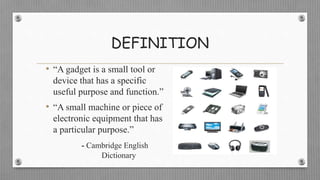
• “A gadget is a small tool or
device that has a specific
useful purpose and function.”
• “A small machine or piece of
electronic equipment that has
a particular purpose.”
- Cambridge English
Dictionary
Why Important to use technology tools
in classroom?
• We need these gadgets as technology tools in every
classroom and in every student and teacher’s hand,
because it is the pen and paper of our time, and it is the
lens through which we experience much of our world.
- David Warlick
Cont…
“Technology tools are driving force in education,
opening up many doors and preparing students for what
lies ahead, not behind.”
- Kirsty Kelly
Advances in technological tools have had a profound
effect on the way we learn and the way we teach.
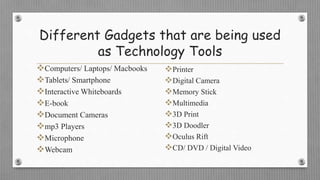
Different Gadgets that are being used
as Technology Tools
Computers/ Laptops/ Macbooks
Tablets/ Smartphone
Interactive Whiteboards
E-book
Document Cameras
mp3 Players
Microphone
Webcam
Printer
Digital Camera
Memory Stick
Multimedia
3D Print
3D Doodler
Oculus Rift
CD/ DVD / Digital Video
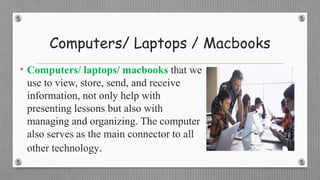
Computers/ Laptops / Macbooks
• Computers/ laptops/ macbooks that we
use to view, store, send, and receive
information, not only help with
presenting lessons but also with
managing and organizing. The computer
also serves as the main connector to all
other technology.
Cont…
• Computers / laptops are also being used for distance
learning and made educational opportunities accessible
to those who cannot physically attend a course.
• Computer Assisted Instruction (CAI) refers to the use
of the computer as a technological tool to facilitate and
improve instruction.
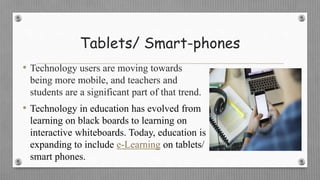
Tablets/ Smart-phones
• Technology users are moving towards
being more mobile, and teachers and
students are a significant part of that trend.
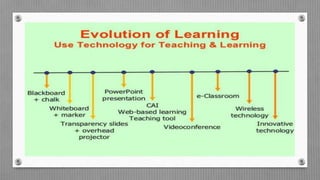
• Technology in education has evolved from
learning on black boards to learning on
interactive whiteboards. Today, education is
expanding to include e-Learning on tablets/
smart phones.
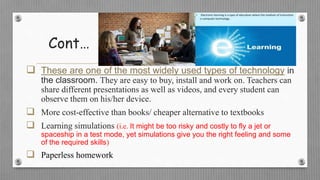
Cont…
 These are one of the most widely used types of technology in
the classroom. They are easy to buy, install and work on. Teachers can
share different presentations as well as videos, and every student can
observe them on his/her device.
 More cost-effective than books/ cheaper alternative to textbooks
 Learning simulations (i.e. It might be too risky and costly to fly a jet or
spaceship in a test mode, yet simulations give you the right feeling and some
of the required skills)
 Paperless homework
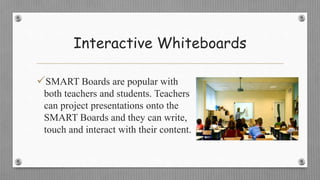
Interactive Whiteboards
SMART Boards are popular with
both teachers and students. Teachers
can project presentations onto the
SMART Boards and they can write,
touch and interact with their content.
Cont…
Interactive Whiteboards function like
• dry-erase boards
• Allows for interactivity and whole-class
participation
• Engagement
E-book
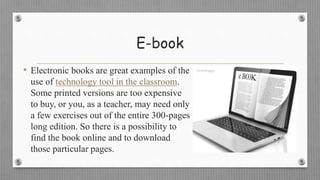
• Electronic books are great examples of the
use of technology tool in the classroom.
Some printed versions are too expensive
to buy, or you, as a teacher, may need only
a few exercises out of the entire 300-pages
long edition. So there is a possibility to
find the book online and to download
those particular pages.
Document Camera
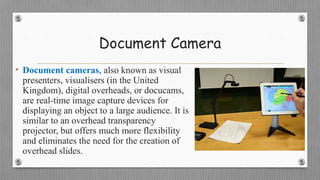
• Document cameras, also known as visual
presenters, visualisers (in the United
Kingdom), digital overheads, or docucams,
are real-time image capture devices for
displaying an object to a large audience. It is
similar to an overhead transparency
projector, but offers much more flexibility
and eliminates the need for the creation of
overhead slides.
mp3 Players
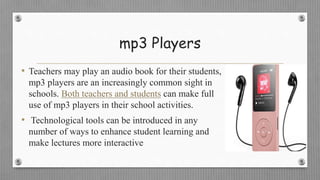
• Teachers may play an audio book for their students,
mp3 players are an increasingly common sight in
schools. Both teachers and students can make full
use of mp3 players in their school activities.
• Technological tools can be introduced in any
number of ways to enhance student learning and
make lectures more interactive
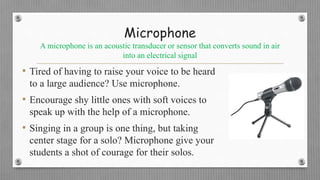
Microphone
A microphone is an acoustic transducer or sensor that converts sound in air
into an electrical signal
• Tired of having to raise your voice to be heard
to a large audience? Use microphone.
• Encourage shy little ones with soft voices to
speak up with the help of a microphone.
• Singing in a group is one thing, but taking
center stage for a solo? Microphone give your
students a shot of courage for their solos.
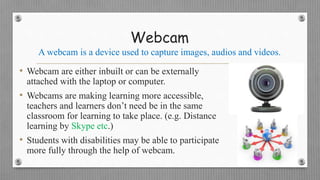
Webcam
A webcam is a device used to capture images, audios and videos.
• Webcam are either inbuilt or can be externally
attached with the laptop or computer.
• Webcams are making learning more accessible,
teachers and learners don’t need be in the same
classroom for learning to take place. (e.g. Distance
learning by Skype etc.)
• Students with disabilities may be able to participate
more fully through the help of webcam.
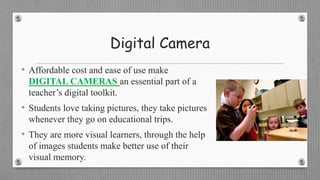
Digital Camera
• Affordable cost and ease of use make
DIGITAL CAMERAS an essential part of a
teacher’s digital toolkit.
• Students love taking pictures, they take pictures
whenever they go on educational trips.
• They are more visual learners, through the help
of images students make better use of their
visual memory.
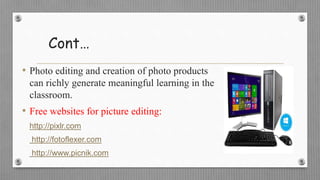
Cont…
• Photo editing and creation of photo products
can richly generate meaningful learning in the
classroom.
• Free websites for picture editing:
http://pixlr.com
http://fotoflexer.com
http://www.picnik.com
Cont…
• Ideas for classroom use:
Digital photo story for a book report (to narrate a story with a
series of photographs)
School events, classroom projects, art projects, music programs, and
just every day picture
Allow students to propose their own ideas . Enjoy and have fun with
digital cameras.
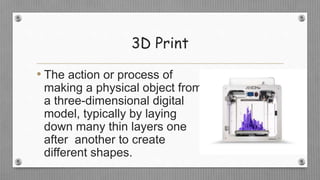
3D Print
• The action or process of
making a physical object from
a three-dimensional digital
model, typically by laying
down many thin layers one
after another to create
different shapes.
Cont…
• 1983 – Charles Hull invents stereolithography:-
A technique or process for creating 3D objects from
digital data to tangible solid object.
(Stereolithography used to create 3D-printed
objects).
How it works
 Create design using CAD (Computer-aided design) or modeling
software
 Send design to 3D printer in STL format. (STL – an abbreviation of
stereolithography)
 Choose material (e.g. plastic, paper, rubber or metal etc)
 Filament (fibre) material is fed to printer head
 Printer heats or melts filament material
 Material is squeezed layer by layer
Cont…
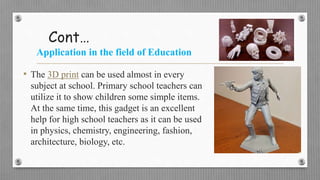
Application in the field of Education
• The 3D print can be used almost in every
subject at school. Primary school teachers can
utilize it to show children some simple items.
At the same time, this gadget is an excellent
help for high school teachers as it can be used
in physics, chemistry, engineering, fashion,
architecture, biology, etc.
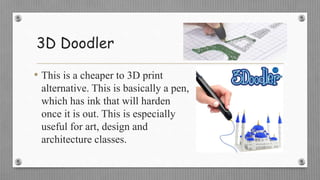
3D Doodler
• This is a cheaper to 3D print
alternative. This is basically a pen,
which has ink that will harden
once it is out. This is especially
useful for art, design and
architecture classes.
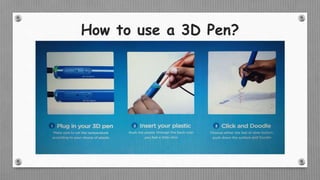
How to use a 3D Pen?
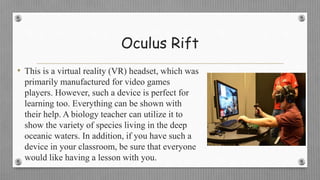
Oculus Rift
• This is a virtual reality (VR) headset, which was
primarily manufactured for video games
players. However, such a device is perfect for
learning too. Everything can be shown with
their help. A biology teacher can utilize it to
show the variety of species living in the deep
oceanic waters. In addition, if you have such a
device in your classroom, be sure that everyone
would like having a lesson with you.
Gadgets as technology tools Use In educational Sectors

Gadgets as technology tools Use In educational Sectors

  • 1.
    USING GADGETS ASTECHNOLOGY TOOLS PRESENTED BY: Munsif siyal munsifsail@gmail.com ROLL NUMBER: MSF1900315 PRESENTED TO: DR. IFTIKHAR AHMED BAIG M. Phil. Education (Evening 2019-2021)
  • 2.
  • 3.
    DEFINITION • “A gadgetis a small tool or device that has a specific useful purpose and function.” • “A small machine or piece of electronic equipment that has a particular purpose.” - Cambridge English Dictionary
  • 4.
    Why Important touse technology tools in classroom? • We need these gadgets as technology tools in every classroom and in every student and teacher’s hand, because it is the pen and paper of our time, and it is the lens through which we experience much of our world. - David Warlick
  • 5.
    Cont… “Technology tools aredriving force in education, opening up many doors and preparing students for what lies ahead, not behind.” - Kirsty Kelly Advances in technological tools have had a profound effect on the way we learn and the way we teach.
  • 7.
    Different Gadgets thatare being used as Technology Tools Computers/ Laptops/ Macbooks Tablets/ Smartphone Interactive Whiteboards E-book Document Cameras mp3 Players Microphone Webcam Printer Digital Camera Memory Stick Multimedia 3D Print 3D Doodler Oculus Rift CD/ DVD / Digital Video
  • 8.
    Computers/ Laptops /Macbooks • Computers/ laptops/ macbooks that we use to view, store, send, and receive information, not only help with presenting lessons but also with managing and organizing. The computer also serves as the main connector to all other technology.
  • 9.
    Cont… • Computers /laptops are also being used for distance learning and made educational opportunities accessible to those who cannot physically attend a course. • Computer Assisted Instruction (CAI) refers to the use of the computer as a technological tool to facilitate and improve instruction.
  • 10.
    Tablets/ Smart-phones • Technologyusers are moving towards being more mobile, and teachers and students are a significant part of that trend. • Technology in education has evolved from learning on black boards to learning on interactive whiteboards. Today, education is expanding to include e-Learning on tablets/ smart phones.
  • 11.
    Cont…  These areone of the most widely used types of technology in the classroom. They are easy to buy, install and work on. Teachers can share different presentations as well as videos, and every student can observe them on his/her device.  More cost-effective than books/ cheaper alternative to textbooks  Learning simulations (i.e. It might be too risky and costly to fly a jet or spaceship in a test mode, yet simulations give you the right feeling and some of the required skills)  Paperless homework
  • 12.
    Interactive Whiteboards SMART Boardsare popular with both teachers and students. Teachers can project presentations onto the SMART Boards and they can write, touch and interact with their content.
  • 13.
    Cont… Interactive Whiteboards functionlike • dry-erase boards • Allows for interactivity and whole-class participation • Engagement
  • 14.
    E-book • Electronic booksare great examples of the use of technology tool in the classroom. Some printed versions are too expensive to buy, or you, as a teacher, may need only a few exercises out of the entire 300-pages long edition. So there is a possibility to find the book online and to download those particular pages.
  • 15.
    Document Camera • Documentcameras, also known as visual presenters, visualisers (in the United Kingdom), digital overheads, or docucams, are real-time image capture devices for displaying an object to a large audience. It is similar to an overhead transparency projector, but offers much more flexibility and eliminates the need for the creation of overhead slides.
  • 16.
    mp3 Players • Teachersmay play an audio book for their students, mp3 players are an increasingly common sight in schools. Both teachers and students can make full use of mp3 players in their school activities. • Technological tools can be introduced in any number of ways to enhance student learning and make lectures more interactive
  • 17.
    Microphone A microphone isan acoustic transducer or sensor that converts sound in air into an electrical signal • Tired of having to raise your voice to be heard to a large audience? Use microphone. • Encourage shy little ones with soft voices to speak up with the help of a microphone. • Singing in a group is one thing, but taking center stage for a solo? Microphone give your students a shot of courage for their solos.
  • 18.
    Webcam A webcam isa device used to capture images, audios and videos. • Webcam are either inbuilt or can be externally attached with the laptop or computer. • Webcams are making learning more accessible, teachers and learners don’t need be in the same classroom for learning to take place. (e.g. Distance learning by Skype etc.) • Students with disabilities may be able to participate more fully through the help of webcam.
  • 19.
    Digital Camera • Affordablecost and ease of use make DIGITAL CAMERAS an essential part of a teacher’s digital toolkit. • Students love taking pictures, they take pictures whenever they go on educational trips. • They are more visual learners, through the help of images students make better use of their visual memory.
  • 20.
    Cont… • Photo editingand creation of photo products can richly generate meaningful learning in the classroom. • Free websites for picture editing: http://pixlr.com http://fotoflexer.com http://www.picnik.com
  • 21.
    Cont… • Ideas forclassroom use: Digital photo story for a book report (to narrate a story with a series of photographs) School events, classroom projects, art projects, music programs, and just every day picture Allow students to propose their own ideas . Enjoy and have fun with digital cameras.
  • 22.
    3D Print • Theaction or process of making a physical object from a three-dimensional digital model, typically by laying down many thin layers one after another to create different shapes.
  • 23.
    Cont… • 1983 –Charles Hull invents stereolithography:- A technique or process for creating 3D objects from digital data to tangible solid object. (Stereolithography used to create 3D-printed objects).
  • 24.
    How it works Create design using CAD (Computer-aided design) or modeling software  Send design to 3D printer in STL format. (STL – an abbreviation of stereolithography)  Choose material (e.g. plastic, paper, rubber or metal etc)  Filament (fibre) material is fed to printer head  Printer heats or melts filament material  Material is squeezed layer by layer
  • 25.
    Cont… Application in thefield of Education • The 3D print can be used almost in every subject at school. Primary school teachers can utilize it to show children some simple items. At the same time, this gadget is an excellent help for high school teachers as it can be used in physics, chemistry, engineering, fashion, architecture, biology, etc.
  • 26.
    3D Doodler • Thisis a cheaper to 3D print alternative. This is basically a pen, which has ink that will harden once it is out. This is especially useful for art, design and architecture classes.
  • 27.
    How to usea 3D Pen?
  • 28.
    Oculus Rift • Thisis a virtual reality (VR) headset, which was primarily manufactured for video games players. However, such a device is perfect for learning too. Everything can be shown with their help. A biology teacher can utilize it to show the variety of species living in the deep oceanic waters. In addition, if you have such a device in your classroom, be sure that everyone would like having a lesson with you.