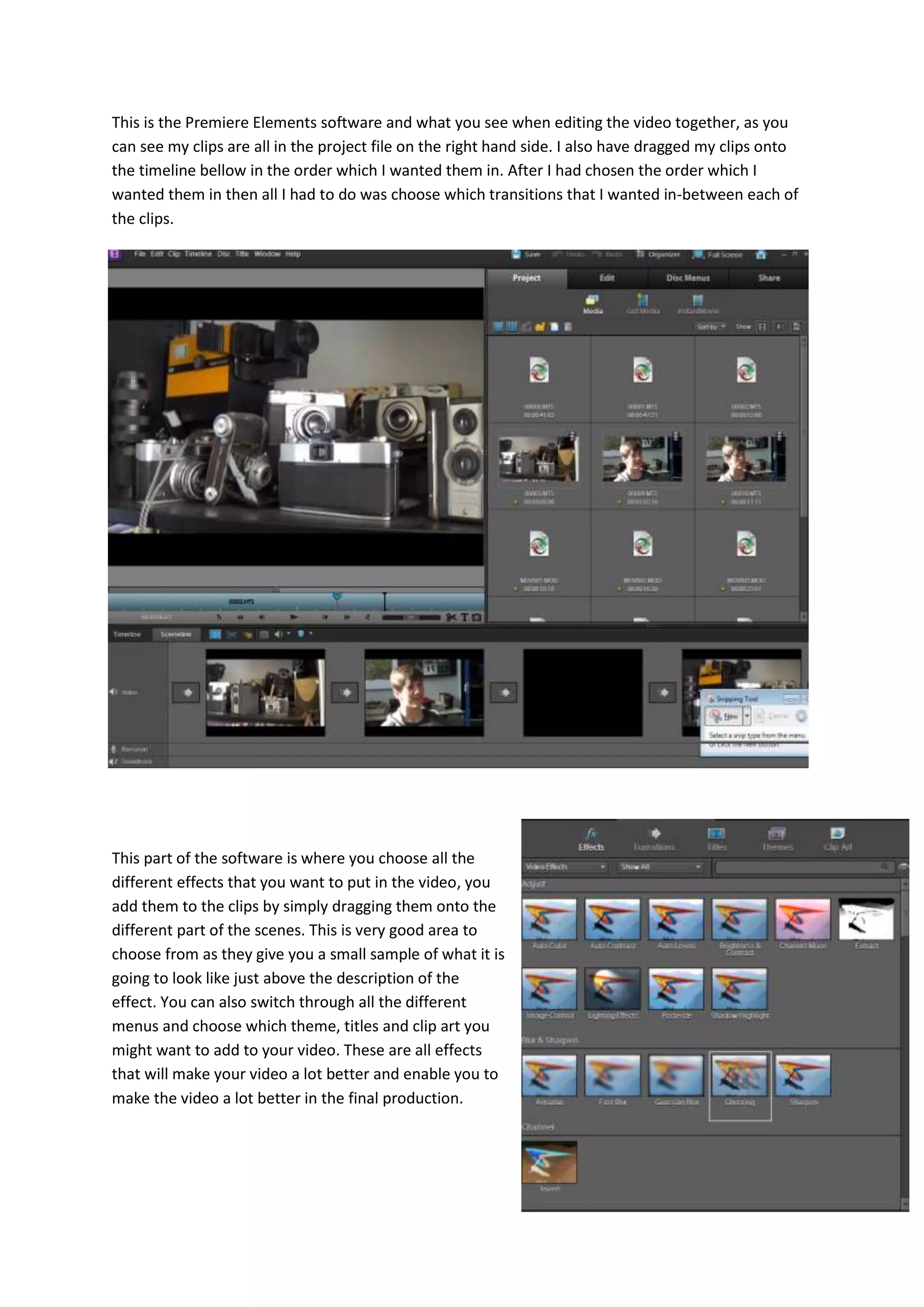
This is the Premiere Elements software and what you see when editing the video together, as you
can see my clips are all in the project file on the right hand side. I also have dragged my clips onto
the timeline bellow in the order which I wanted them in. After I had chosen the order which I
wanted them in then all I had to do was choose which transitions that I wanted in-between each of
the clips.
This part of the software is where you choose all the
different effects that you want to put in the video, you
add them to the clips by simply dragging them onto the
different part of the scenes. This is very good area to
choose from as they give you a small sample of what it is
going to look like just above the description of the
effect. You can also switch through all the different
menus and choose which theme, titles and clip art you
might want to add to your video. These are all effects
that will make your video a lot better and enable you to
make the video a lot better in the final production.

Premire elemnts

  • 1.
    This is thePremiere Elements software and what you see when editing the video together, as you can see my clips are all in the project file on the right hand side. I also have dragged my clips onto the timeline bellow in the order which I wanted them in. After I had chosen the order which I wanted them in then all I had to do was choose which transitions that I wanted in-between each of the clips. This part of the software is where you choose all the different effects that you want to put in the video, you add them to the clips by simply dragging them onto the different part of the scenes. This is very good area to choose from as they give you a small sample of what it is going to look like just above the description of the effect. You can also switch through all the different menus and choose which theme, titles and clip art you might want to add to your video. These are all effects that will make your video a lot better and enable you to make the video a lot better in the final production.