Adobe Premiere Pro
Sofia Nisco
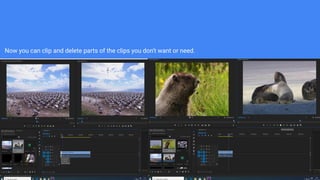
Now you can clip and delete parts of the clips you don't want or need.
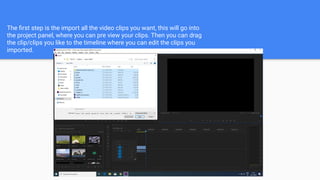
The first step is the import all the video clips you want, this will go into
the project panel, where you can pre view your clips. Then you can drag
the clip/clips you like to the timeline where you can edit the clips you
imported.
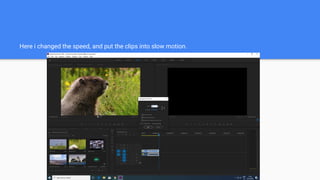
Here i changed the speed, and put the clips into slow motion.
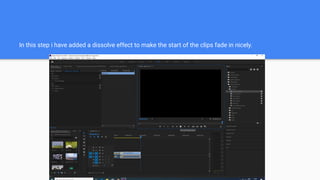
In this step i have added a dissolve effect to make the start of the clips fade in nicely.
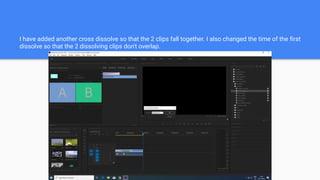
I have added another cross dissolve so that the 2 clips fall together. I also changed the time of the first
dissolve so that the 2 dissolving clips don't overlap.
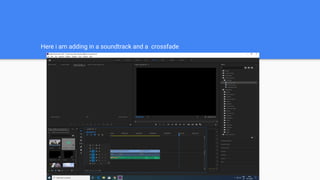
Here i am adding in a soundtrack and a crossfade
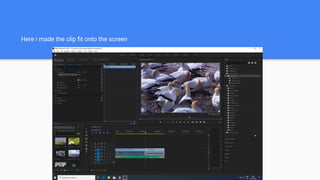
Here i made the clip fit onto the screen
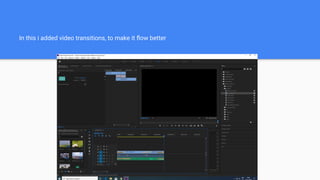
In this i added video transitions, to make it flow better
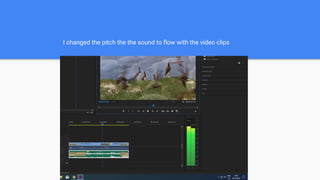
I changed the pitch the the sound to flow with the video clips
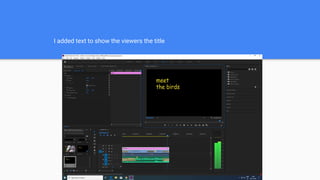
I added text to show the viewers the title
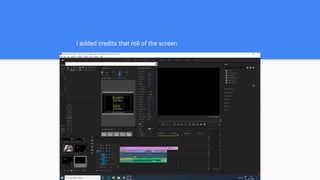
I added credits that roll of the screen

Adobe premiere pro

  • 1.
  • 2.
    Now you canclip and delete parts of the clips you don't want or need.
  • 3.
    The first stepis the import all the video clips you want, this will go into the project panel, where you can pre view your clips. Then you can drag the clip/clips you like to the timeline where you can edit the clips you imported.
  • 4.
    Here i changedthe speed, and put the clips into slow motion.
  • 5.
    In this stepi have added a dissolve effect to make the start of the clips fade in nicely.
  • 6.
    I have addedanother cross dissolve so that the 2 clips fall together. I also changed the time of the first dissolve so that the 2 dissolving clips don't overlap.
  • 7.
    Here i amadding in a soundtrack and a crossfade
  • 8.
    Here i madethe clip fit onto the screen
  • 9.
    In this iadded video transitions, to make it flow better
  • 10.
    I changed thepitch the the sound to flow with the video clips
  • 11.
    I added textto show the viewers the title
  • 12.
    I added creditsthat roll of the screen