By Teddy Boateng4. How did you use new media technologies in the construction and research, planning and evaluation stages?
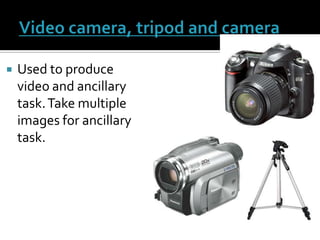
Video camera, tripod and cameraUsed to produce video and ancillary task. Take multiple images for ancillary task.
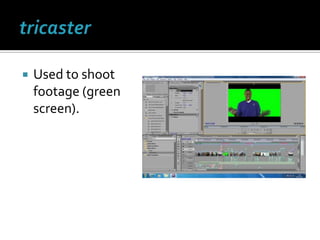
tricasterUsed to shoot footage (green screen).
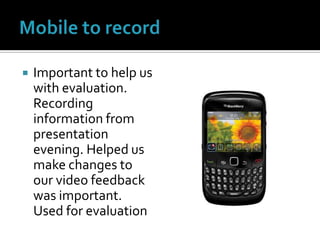
Mobile to recordImportant to help us with evaluation. Recording information from presentation evening. Helped us make changes to our video feedback was important. Used for evaluation
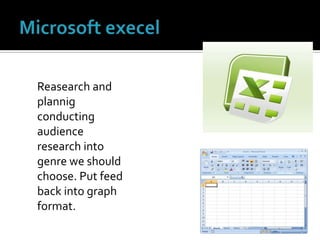
Microsoft execelReasearch and plannig conducting audience research into genre we should choose. Put feed back into graph format.
Microsoft powerpointAllowed me to upload information onto blog in a orderly manner. Work is more manageable like this. used for all stages
Online sites ( google chrome and internet exploreNeeded browser to upload on to blo g used for all stages
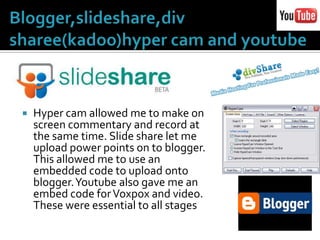
Blogger,slideshare,divsharee(kadoo)hyper cam and youtubeHyper cam allowed me to make on screen commentary and record at the same time. Slide share let me upload power points on to blogger. This allowed me to use an embedded code to upload onto blogger. Youtube also gave me an embed code for Voxpox and video. These were essential to all stages
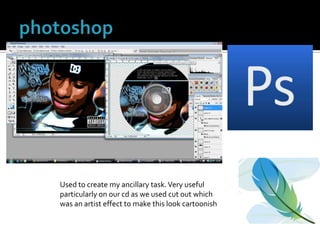
photoshopUsed to create my ancillary task. Very useful particularly on our cd as we used cut out which was an artist effect to make this look cartoonish
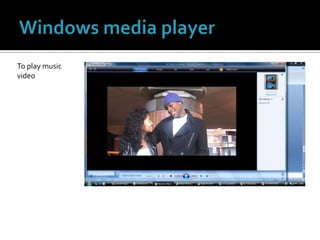
Windows media playerTo play music video
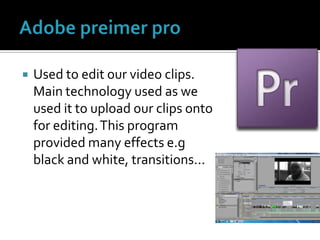
Adobe preimer proUsed to edit our video clips. Main technology used as we used it to upload our clips onto for editing. This program provided many effects e.g black and white, transitions...
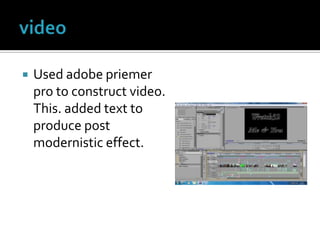
videoUsed adobe priemer pro to construct video. This. added text to produce post modernistic effect.
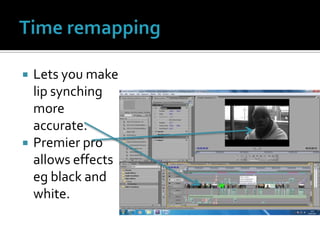
Time remapping Lets you make lip synching more accurate.Premier pro allows effects eg black and white.
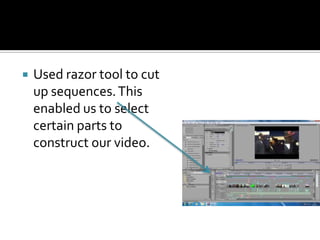
Used razor tool to cut up sequences. This enabled us to select certain parts to construct our video.
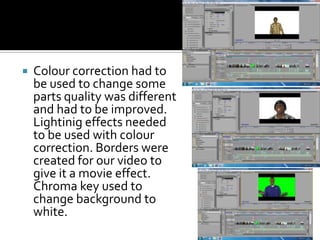
Colour correction had to be used to change some parts quality was different and had to be improved. Lightinig effects needed to be used with colour correction. Borders were created for our video to give it a movie effect. Chroma key used to change background to white.
OverallAll these technologies were vital into producing our product and making it visible for audiences e.gslideshare, div share, execel etc. The helped us in all our stages in uploading on to our blog.

By teddy boateng q4

  • 1.
    By Teddy Boateng4.How did you use new media technologies in the construction and research, planning and evaluation stages?
  • 2.
    Video camera, tripodand cameraUsed to produce video and ancillary task. Take multiple images for ancillary task.
  • 3.
    tricasterUsed to shootfootage (green screen).
  • 4.
    Mobile to recordImportantto help us with evaluation. Recording information from presentation evening. Helped us make changes to our video feedback was important. Used for evaluation
  • 5.
    Microsoft execelReasearch andplannig conducting audience research into genre we should choose. Put feed back into graph format.
  • 6.
    Microsoft powerpointAllowed meto upload information onto blog in a orderly manner. Work is more manageable like this. used for all stages
  • 7.
    Online sites (google chrome and internet exploreNeeded browser to upload on to blo g used for all stages
  • 8.
    Blogger,slideshare,divsharee(kadoo)hyper cam andyoutubeHyper cam allowed me to make on screen commentary and record at the same time. Slide share let me upload power points on to blogger. This allowed me to use an embedded code to upload onto blogger. Youtube also gave me an embed code for Voxpox and video. These were essential to all stages
  • 9.
    photoshopUsed to createmy ancillary task. Very useful particularly on our cd as we used cut out which was an artist effect to make this look cartoonish
  • 10.
    Windows media playerToplay music video
  • 11.
    Adobe preimer proUsedto edit our video clips. Main technology used as we used it to upload our clips onto for editing. This program provided many effects e.g black and white, transitions...
  • 12.
    videoUsed adobe priemerpro to construct video. This. added text to produce post modernistic effect.
  • 13.
    Time remapping Letsyou make lip synching more accurate.Premier pro allows effects eg black and white.
  • 14.
    Used razor toolto cut up sequences. This enabled us to select certain parts to construct our video.
  • 15.
    Colour correction hadto be used to change some parts quality was different and had to be improved. Lightinig effects needed to be used with colour correction. Borders were created for our video to give it a movie effect. Chroma key used to change background to white.
  • 16.
    OverallAll these technologieswere vital into producing our product and making it visible for audiences e.gslideshare, div share, execel etc. The helped us in all our stages in uploading on to our blog.