Technology Enhanced Instruction
Digital Presentation
Sandra Anthony
Grand Canyon University: TEC-516
April 25, 2018
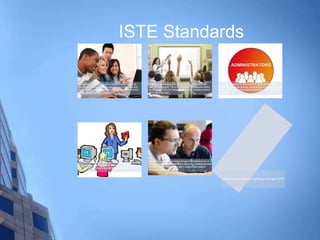
ISTE Standards
As educators, students are at the center of everything we do.
The student standards describe the skills and knowledge they
need to thrive, grow and contribute in a global, interconnected
and constantly changing society.
Educators have always held the key to student success. But
their role is changing. The ISTE Standards for Educators define
the digital age skills and pedagogical insights educators need to
teach, work and learn.
The ISTE Standards for Administrators guide administrators in
supporting digital age learning, creating technology-rich learning
environments and leading the transformation of the educational
landscape.
The ISTE Standards for Computer Science Educators describe
what computer science teachers must know and be able to do to
help students effectively integrate these essential concepts.
Technology coaches help bridge the gap from where we are to
where we need to be. The ISTE Standards for Coaches describe
the skills and knowledge they need to support their peers in
becoming digital age educators.
© 2018 International Society for Technology in Education (ISTE),
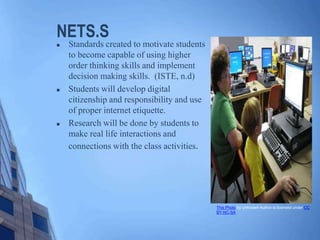
NETS.S
 Standards created to motivate students
to become capable of using higher
order thinking skills and implement
decision making skills. (ISTE, n.d)
 Students will develop digital
citizenship and responsibility and use
of proper internet etiquette.
 Research will be done by students to
make real life interactions and
connections with the class activities.
This Photo by Unknown Author is licensed under CC
BY-NC-SA
 Classes are given real life relevant materials to promote higher order
thinking.
 NETS Communication- Students will able to network and complete
their work.
 Tech Concepts - Students will have the available resources necessary
to complete.
 Inquiry- Students will utilize technology for research purposes.
 Higher Order Thinking – Given the tools students will be able
rationalize and propose possible solutions to situations.
 Digital citizenship – Access to possible harmful materials will be
blocked.
NETS.S
Using Technology Creativity
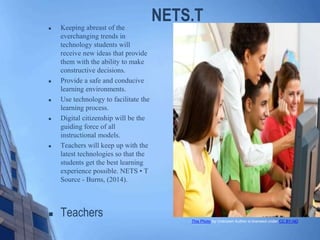
NETS.T Keeping abreast of the
everchanging trends in
technology students will
receive new ideas that provide
them with the ability to make
constructive decisions.
 Provide a safe and conducive
learning environments.
 Use technology to facilitate the
learning process.
 Digital citizenship will be the
guiding force of all
instructional models.
 Teachers will keep up with the
latest technologies so that the
students get the best learning
experience possible. NETS • T
Source - Burns, (2014).
 Teachers This Photo by Unknown Author is licensed under CC BY-ND
NET.T
 Promote Creativity- teachers will use current events and real life
situation in the daily in the classroom to stimulate higher order
thinking.
 NET-T Model – Using previous knowledge of a concept
teachers help student achieve a complete assessment.
 Create and Critique- After developing a project with allow
students to practice for all online assessments.
 Digital Citizenship-Teachers block access to non educational
materials and promote proper digital usage.
 Promoting Craft – Using network and professional learning
communities' teachers will work to improve themselves so that
students will be successful.
Other ISTE Contributors
NETS • C
 Provides structure in the classroo
NETS • A
 Provides a safe and conducive
learning environment.
NETS • CSE
 Provides assistance in implementing
technology in the learning process.
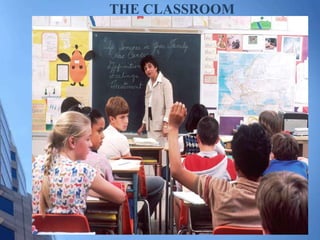
THE CLASSROOM
Technology Accessibility
Current Technology Available to me
 Smart board
 Audio Internet
 Internet based programs
 BrainPOP
 Ka hoot
 Clickers
 (Any technology that makes
the students active learners)
Best Practices
 Know the material you are
teaching well. Make sure
technology is available and
working.
 Assign authentic learning
activities that are achievable by
the students. Use collaborative
work. Use a flipped classroom
Source - Hsu, (2014). Source -
Proyectores de., (2016
Professional Practice
 When integrating technology in the
classroom three things are considered:
1. Digital Etiquette
2. Ethical Issues
3. Legal Issues
Professional Concerns
 Confidentiality – Understanding that information is going to be
seen by others.
 Negative Results – Understanding that they can do any to
present danger or detrimental result to others.
 Copying and Paste (plagiarism ) is the unlawful use of others
work.
 Professional Behavior –Practicing the type of behavior in the
digital realm.
Legalities (Concerns)
 District Use Policies are developed to explain what is
appropriate and inappropriate concerning technology
use.
 Computer Access Providing access to all students and
staff.
 Copying and Paste – The unauthorized copying of
another’s work.
 Professional Behavior –Practicing the type of behavior in
the digital realm.
Digital Citizenship for Parents [Photograph]. (n.d.). https://www.oldbridgeadmin.org/Page/13038
Digital Etiquette and Citizenship
 Students – Will work diligently to protect all aspects of
privacy.
 Ownership – Students will be aware of belong to others.
 Learners – Work collectively and collaborate
 Digital etiquette – How one conducts themselves.

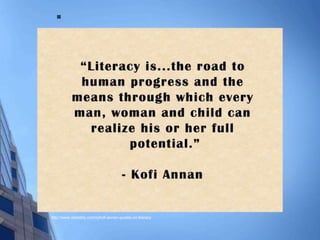
http://www.relatably.com/q/kofi-annan-quotes-on-literacy
References
 Hertz, M. (n.d.). Getting Started With Technology Integration in Your
Classroom. Retrieved from https://www.edutopia.org/blog/national-
educational-technology-standards-students
 ISTE - International Society for Technology in Education - Home. (n.d.).
Retrieved March 28, 2018, from https://www.iste.org/
 ISTE - International Society for Technology in ISTE - International Society for
Technology in Education - Home. (n.d.). Retrieved March 28, 2018,
from https://www.iste.org/ Proyectores de : Connecting content and kids.
ASCD
 Old Bridge Township Public Schools. (n.d.). Retrieved from
https://www.oldbridgeadmin.org/Page/13042
 Proyectores de ultracorta distancia para un aprendizaje colaborativo. (2016).
Retrieved March 28, 2018, from
h​t​t​p​s​:​/​/​w​w​w​.​d​i​g​i​t​a​l​a​v​m​a​g​a​z​i​n​e​.​c​o​m​/​2​0​1​6​/​0​2​/​0​5​/​p​r​o​y​e​c​t​o​r​e​s​-​d​e​-
u​l​t​r​a​c​o​r​t​a​-​d​i​s​t​a​n​c​i​a​-​p​a​r​a​-​u​n​-​a​p​r​e​n​d​i​z​a​j​e​-​c​o​l​a​b​o​r​a​t​i​v​o​/
 http://www.relatably.com/q/kofi-annan-quotes-on-literacy
 Tomlinson, C. A., & McTighe, J. (2006). Integrating differentiated instruction
& understanding by design/

Ppt 516

  • 1.
    Technology Enhanced Instruction DigitalPresentation Sandra Anthony Grand Canyon University: TEC-516 April 25, 2018
  • 3.
    ISTE Standards As educators,students are at the center of everything we do. The student standards describe the skills and knowledge they need to thrive, grow and contribute in a global, interconnected and constantly changing society. Educators have always held the key to student success. But their role is changing. The ISTE Standards for Educators define the digital age skills and pedagogical insights educators need to teach, work and learn. The ISTE Standards for Administrators guide administrators in supporting digital age learning, creating technology-rich learning environments and leading the transformation of the educational landscape. The ISTE Standards for Computer Science Educators describe what computer science teachers must know and be able to do to help students effectively integrate these essential concepts. Technology coaches help bridge the gap from where we are to where we need to be. The ISTE Standards for Coaches describe the skills and knowledge they need to support their peers in becoming digital age educators. © 2018 International Society for Technology in Education (ISTE),
  • 4.
    NETS.S  Standards createdto motivate students to become capable of using higher order thinking skills and implement decision making skills. (ISTE, n.d)  Students will develop digital citizenship and responsibility and use of proper internet etiquette.  Research will be done by students to make real life interactions and connections with the class activities. This Photo by Unknown Author is licensed under CC BY-NC-SA
  • 5.
     Classes aregiven real life relevant materials to promote higher order thinking.  NETS Communication- Students will able to network and complete their work.  Tech Concepts - Students will have the available resources necessary to complete.  Inquiry- Students will utilize technology for research purposes.  Higher Order Thinking – Given the tools students will be able rationalize and propose possible solutions to situations.  Digital citizenship – Access to possible harmful materials will be blocked. NETS.S Using Technology Creativity
  • 6.
    NETS.T Keeping abreastof the everchanging trends in technology students will receive new ideas that provide them with the ability to make constructive decisions.  Provide a safe and conducive learning environments.  Use technology to facilitate the learning process.  Digital citizenship will be the guiding force of all instructional models.  Teachers will keep up with the latest technologies so that the students get the best learning experience possible. NETS • T Source - Burns, (2014).  Teachers This Photo by Unknown Author is licensed under CC BY-ND
  • 7.
    NET.T  Promote Creativity-teachers will use current events and real life situation in the daily in the classroom to stimulate higher order thinking.  NET-T Model – Using previous knowledge of a concept teachers help student achieve a complete assessment.  Create and Critique- After developing a project with allow students to practice for all online assessments.  Digital Citizenship-Teachers block access to non educational materials and promote proper digital usage.  Promoting Craft – Using network and professional learning communities' teachers will work to improve themselves so that students will be successful.
  • 8.
    Other ISTE Contributors NETS• C  Provides structure in the classroo NETS • A  Provides a safe and conducive learning environment. NETS • CSE  Provides assistance in implementing technology in the learning process.
  • 9.
  • 10.
    Technology Accessibility Current TechnologyAvailable to me  Smart board  Audio Internet  Internet based programs  BrainPOP  Ka hoot  Clickers  (Any technology that makes the students active learners) Best Practices  Know the material you are teaching well. Make sure technology is available and working.  Assign authentic learning activities that are achievable by the students. Use collaborative work. Use a flipped classroom Source - Hsu, (2014). Source - Proyectores de., (2016
  • 11.
    Professional Practice  Whenintegrating technology in the classroom three things are considered: 1. Digital Etiquette 2. Ethical Issues 3. Legal Issues
  • 12.
    Professional Concerns  Confidentiality– Understanding that information is going to be seen by others.  Negative Results – Understanding that they can do any to present danger or detrimental result to others.  Copying and Paste (plagiarism ) is the unlawful use of others work.  Professional Behavior –Practicing the type of behavior in the digital realm.
  • 13.
    Legalities (Concerns)  DistrictUse Policies are developed to explain what is appropriate and inappropriate concerning technology use.  Computer Access Providing access to all students and staff.  Copying and Paste – The unauthorized copying of another’s work.  Professional Behavior –Practicing the type of behavior in the digital realm.
  • 14.
    Digital Citizenship forParents [Photograph]. (n.d.). https://www.oldbridgeadmin.org/Page/13038
  • 15.
    Digital Etiquette andCitizenship  Students – Will work diligently to protect all aspects of privacy.  Ownership – Students will be aware of belong to others.  Learners – Work collectively and collaborate  Digital etiquette – How one conducts themselves.
  • 16.
  • 17.
    References  Hertz, M.(n.d.). Getting Started With Technology Integration in Your Classroom. Retrieved from https://www.edutopia.org/blog/national- educational-technology-standards-students  ISTE - International Society for Technology in Education - Home. (n.d.). Retrieved March 28, 2018, from https://www.iste.org/  ISTE - International Society for Technology in ISTE - International Society for Technology in Education - Home. (n.d.). Retrieved March 28, 2018, from https://www.iste.org/ Proyectores de : Connecting content and kids. ASCD  Old Bridge Township Public Schools. (n.d.). Retrieved from https://www.oldbridgeadmin.org/Page/13042  Proyectores de ultracorta distancia para un aprendizaje colaborativo. (2016). Retrieved March 28, 2018, from h​t​t​p​s​:​/​/​w​w​w​.​d​i​g​i​t​a​l​a​v​m​a​g​a​z​i​n​e​.​c​o​m​/​2​0​1​6​/​0​2​/​0​5​/​p​r​o​y​e​c​t​o​r​e​s​-​d​e​- u​l​t​r​a​c​o​r​t​a​-​d​i​s​t​a​n​c​i​a​-​p​a​r​a​-​u​n​-​a​p​r​e​n​d​i​z​a​j​e​-​c​o​l​a​b​o​r​a​t​i​v​o​/  http://www.relatably.com/q/kofi-annan-quotes-on-literacy  Tomlinson, C. A., & McTighe, J. (2006). Integrating differentiated instruction & understanding by design/

Editor's Notes

  • #4  The ISTE developed Technology standards for; Students, Teachers, Administrators, Coaches and Computer Science Educators (ISTE., n.d.). The ISTE developed standards so educators can use technology to teach the students. They developed standards and essential conditions, resources and professional development opportunities for educators (ISTE., n.d.). This study will concentrate on the NETS-T and NETS-S standards.
  • #5  According to the ISTE(n.d) the standards designated for students consists of; networking and teamwork, discovery and problem solving, higher order thinking , digital etiquette and computer concepts and functions.
  • #6 ISTE Technology standards adopted for Administrators, Coaches, Computer Science Educators, Students and Teachers. States that all public educational facilities must prevent exposure to sites that pose a danger The ISTE developed Technology standards for; Students, Teachers, Administrators, Coaches and Computer Science Educators (ISTE., n.d.). Schools and libraries must block potentially dangerous sites from student access, or lose discounted funding. Students are given resources to access technology and are now receiving online assessments (Are we being., 2016).
  • #7 According the the standards set forth by ISTE (n.d) teachers are Per the ISTE (n.d.) the teachers standards are; facilitate and inspire student learning and creativity, design and develop digital age learning experiences and assessments, model digital age work and learning, promote and model digital citizenship and responsibility, and engage in professional growth and leadership
  • #8  Coaches standards include; visionary leader, teaching, learning and assessments, helping set up digital learning environments, helping with professional development, promoting digital citizenship and mastery of content knowledge (ISTE. n.d.). Administrators standards include; visionary leadership, a digital learning culture, promotion of excellence in teaching with technology, having resources available for continued improvement and the promotion of digital citizenship (ISTE. n.d.). Computer Science Educators standards include; knowledge of content being taught, having good teaching and learning strategies, knowledge of successful learning environments, and having professional knowledge and skills in their field (ISTE. n.d.).
  • #9  Coaches standards include; visionary leader, teaching, learning and assessments, helping set up digital learning environments, helping with professional development, promoting digital citizenship and mastery of content knowledge (ISTE. n.d.). Administrators standards include; visionary leadership, a digital learning culture, promotion of excellence in teaching with technology, having resources available for continued improvement and the promotion of digital citizenship (ISTE. n.d.). Computer Science Educators standards include; knowledge of content being taught, having good teaching and learning strategies, knowledge of successful learning environments, and having professional knowledge and skills in their field (ISTE. n.d.).
  • #12 With the use of many different types of technology in the learning environment there must be standards to guide educators through this process.
  • #14  Teaching students that information needs to be private to protect them from harm. Once their information is disseminated, the lives, passcodes, and home addresses are public information. Cyberbullying is not tolerated. Feedback must be given to avoid the use of plagiarism. Teachers must demonstrate digital etiquette when it comes to giving credit for work used. They must also be made aware of the ramification of the actions.
  • #15 There should be rules established to ensure that all stakeholders are not inappropriately using any computers in a matter that could pose danger. Teacher must ensure students have not be excluded from access due any factors that would be considered discriminatory. The teacher must make sure that the are not doing anything considered inappropriate or unethical. Procedures need to be available to make sure students are not using the computers in a way that would be illegal, or harmful to others. This would include the use of the technology to cause harm to others. With Equitable use, teachers must make sure that all students have access to the computers and other technology regardless of race, color social group, disability or any other factor that would be discriminatory. Teachers must review student work for proof of plagiarism. They need to obey and model the correct use of material found online to make sure it follows copyright laws.
  • #16 Safeguarding of one’s information is imperative to keep the online safe. It provides protection of private information. Digital etiquette does not protect anyone privacy. All of this encompasses every aspects of our lives. In the digital world they will collaborate to improve all situations. Performing duals aspects rotating from teacher to student and back again.