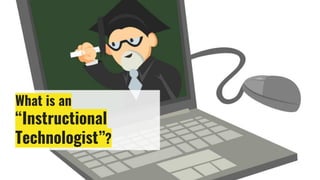
What is an
“Instructional
Technologist”?
The
NETS
(National Educational Technology Standards)
Or
ISTE
(International Society for Technology in Education)
STANDARDS
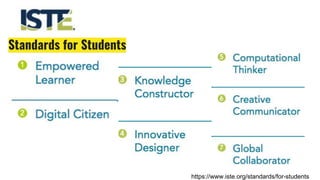
Standards for Students
https://www.iste.org/standards/for-students
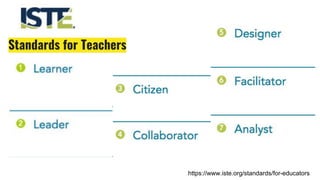
Standards for Teachers
https://www.iste.org/standards/for-educators
When implementing the ISTE
Standards into your
classroom...
UTILIZE YOUR RESOURCES!
https://connect.iste.org/communities/community-home/
https://www.iste.org/standards/standards-in-action
5 Tips for Successful
Tech Implementation
in the Classroom
Randles, J. (2017). 5 tips for successful tech implementation. Retrieved from
https://www.iste.org/explore/articleDetail?articleid=919&category=In-the-classroom&article
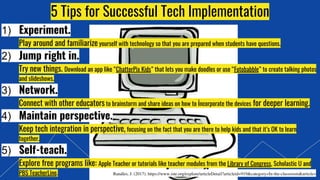
5 Tips for Successful Tech Implementation
1) Experiment.
Play around and familiarize yourself with technology so that you are prepared when students have questions.
2) Jump right in.
Try new things. Download an app like “ChatterPix Kids” that lets you make doodles or use “Fotobabble” to create talking photos
and slideshows.
3) Network.
Connect with other educators to brainstorm and share ideas on how to incorporate the devices for deeper learning.
4) Maintain perspective.
Keep tech integration in perspective, focusing on the fact that you are there to help kids and that it’s OK to learn
together.
5) Self-teach.
Explore free programs like: Apple Teacher or tutorials like teacher modules from the Library of Congress, Scholastic U and
PBS TeacherLine.
We must RETHINK
the 21st Century
Learner & Educator
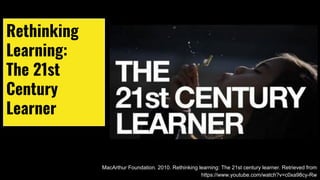
Rethinking
Learning:
The 21st
Century
Learner
MacArthur Foundation. 2010. Rethinking learning: The 21st century learner. Retrieved from
https://www.youtube.com/watch?v=c0xa98cy-Rw
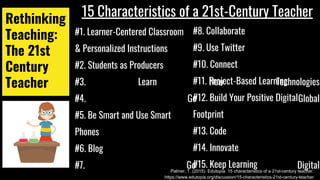
Rethinking
Teaching:
The 21st
Century
Teacher
15 Characteristics of a 21st-Century Teacher
#1. Learner-Centered Classroom
& Personalized Instructions
#2. Students as Producers
#3. Learn New Technologies
#4. Go Global
#5. Be Smart and Use Smart
Phones
#6. Blog
#7. Go Digital
#8. Collaborate
#9. Use Twitter
#10. Connect
#11. Project-Based Learning
#12. Build Your Positive Digital
Footprint
#13. Code
#14. Innovate
#15. Keep Learning
Palmer, T. (2015). Edutopia. 15 characteristics of a 21st-century teacher.
https://www.edutopia.org/discussion/15-characteristics-21st-century-teacher
TAKE ADVANTAGE OF TODAY’S INCREDIBLE
TECHNOLOGY
When students have access to advanced technologies and devices that have the
capabilities to produce blogs, infographics, books, how-to videos, tutorials, etc...
CAPITALIZE on these opportunities!
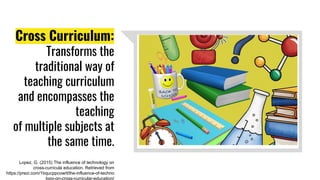
Cross Curriculum:
Transforms the
traditional way of
teaching curriculum
and encompasses the
teaching
of multiple subjects at
the same time.
Lopez, G. (2015) The influence of technology on
cross-curricula education. Retrieved from
https://prezi.com/1bqucppcowrl/the-influence-of-techno
logy-on-cross-curricular-education/
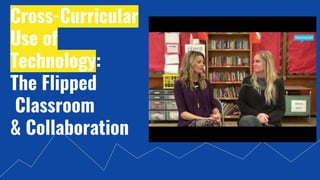
Cross-Curricular
Use of
Technology:
The Flipped
Classroom
& Collaboration
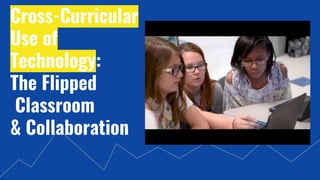
Cross-Curricular
Use of
Technology:
The Flipped
Classroom
& Collaboration
“the self-monitored habits that sustain and improve the digital
communities you enjoy or depend on”
Safety, Health, Legal,
and Ethical Issues
Teach students what digital citizenship means and how to
be a good digital citizen
https://www.edutopia.org/blog/digital-citizenship-need-to-kno
w-vicki-davis
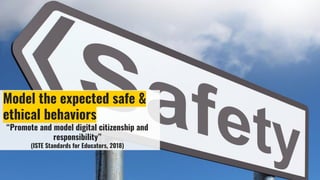
Model the expected safe &
ethical behaviors
“Promote and model digital citizenship and
responsibility”
(ISTE Standards for Educators, 2018)
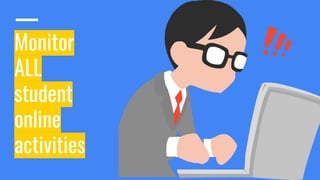
Monitor
ALL
student
online
activities
“Strategies for Teaching
Internet Ethics”
Martha Rader (2003)
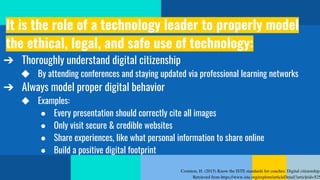
It is the role of a technology leader to properly model
the ethical, legal, and safe use of technology:
➔ Thoroughly understand digital citizenship
◆ By attending conferences and staying updated via professional learning networks
➔ Always model proper digital behavior
◆ Examples:
● Every presentation should correctly cite all images
● Only visit secure & credible websites
● Share experiences, like what personal information to share online
● Build a positive digital footprint
References
References

TEC 516 Technology Enhanced Instruction Digital Presentation- Aubrey Hall

  • 2.
  • 3.
    The NETS (National Educational TechnologyStandards) Or ISTE (International Society for Technology in Education) STANDARDS
  • 4.
  • 5.
  • 6.
    When implementing theISTE Standards into your classroom... UTILIZE YOUR RESOURCES! https://connect.iste.org/communities/community-home/ https://www.iste.org/standards/standards-in-action
  • 7.
    5 Tips forSuccessful Tech Implementation in the Classroom Randles, J. (2017). 5 tips for successful tech implementation. Retrieved from https://www.iste.org/explore/articleDetail?articleid=919&category=In-the-classroom&article
  • 8.
    5 Tips forSuccessful Tech Implementation 1) Experiment. Play around and familiarize yourself with technology so that you are prepared when students have questions. 2) Jump right in. Try new things. Download an app like “ChatterPix Kids” that lets you make doodles or use “Fotobabble” to create talking photos and slideshows. 3) Network. Connect with other educators to brainstorm and share ideas on how to incorporate the devices for deeper learning. 4) Maintain perspective. Keep tech integration in perspective, focusing on the fact that you are there to help kids and that it’s OK to learn together. 5) Self-teach. Explore free programs like: Apple Teacher or tutorials like teacher modules from the Library of Congress, Scholastic U and PBS TeacherLine.
  • 9.
    We must RETHINK the21st Century Learner & Educator
  • 10.
    Rethinking Learning: The 21st Century Learner MacArthur Foundation.2010. Rethinking learning: The 21st century learner. Retrieved from https://www.youtube.com/watch?v=c0xa98cy-Rw
  • 11.
    Rethinking Teaching: The 21st Century Teacher 15 Characteristicsof a 21st-Century Teacher #1. Learner-Centered Classroom & Personalized Instructions #2. Students as Producers #3. Learn New Technologies #4. Go Global #5. Be Smart and Use Smart Phones #6. Blog #7. Go Digital #8. Collaborate #9. Use Twitter #10. Connect #11. Project-Based Learning #12. Build Your Positive Digital Footprint #13. Code #14. Innovate #15. Keep Learning Palmer, T. (2015). Edutopia. 15 characteristics of a 21st-century teacher. https://www.edutopia.org/discussion/15-characteristics-21st-century-teacher
  • 12.
    TAKE ADVANTAGE OFTODAY’S INCREDIBLE TECHNOLOGY When students have access to advanced technologies and devices that have the capabilities to produce blogs, infographics, books, how-to videos, tutorials, etc... CAPITALIZE on these opportunities!
  • 13.
    Cross Curriculum: Transforms the traditionalway of teaching curriculum and encompasses the teaching of multiple subjects at the same time. Lopez, G. (2015) The influence of technology on cross-curricula education. Retrieved from https://prezi.com/1bqucppcowrl/the-influence-of-techno logy-on-cross-curricular-education/
  • 14.
  • 15.
  • 17.
    “the self-monitored habitsthat sustain and improve the digital communities you enjoy or depend on”
  • 19.
  • 20.
    Teach students whatdigital citizenship means and how to be a good digital citizen https://www.edutopia.org/blog/digital-citizenship-need-to-kno w-vicki-davis
  • 21.
    Model the expectedsafe & ethical behaviors “Promote and model digital citizenship and responsibility” (ISTE Standards for Educators, 2018)
  • 22.
  • 23.
    “Strategies for Teaching InternetEthics” Martha Rader (2003)
  • 24.
    It is therole of a technology leader to properly model the ethical, legal, and safe use of technology: ➔ Thoroughly understand digital citizenship ◆ By attending conferences and staying updated via professional learning networks ➔ Always model proper digital behavior ◆ Examples: ● Every presentation should correctly cite all images ● Only visit secure & credible websites ● Share experiences, like what personal information to share online ● Build a positive digital footprint
  • 25.
  • 26.