Putting Users in UX
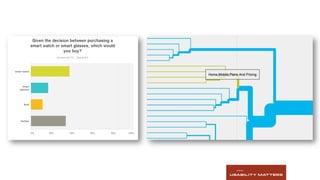
Episode 3
Planning, Executing and Analyzing
User Research
 	
  
Putting Users in UX
Episode 1
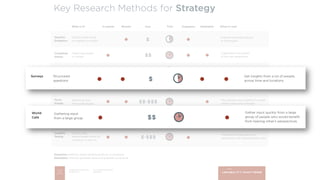
Research Methods for Strategy
Now Available at Usability Matters Blog
Episode 2
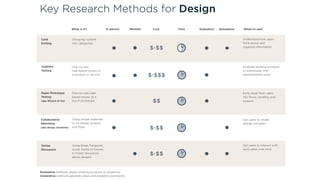
Research Methods for Design
Now Available at Usability Matters Blog
Episode 3
Planning, Executing and Analyzing User Research
Today
Meet Usability Matters
•  Passionate about making technology work
for people
•  Thrive in solving complex design problems
•  Dedication to finding the right solution
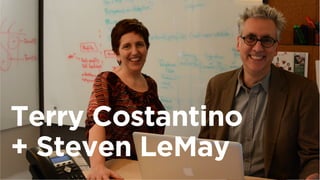
Terry Costantino
+ Steven LeMay
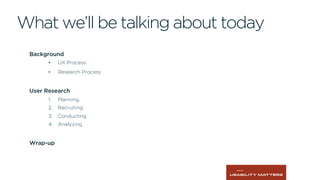
What we’ll be talking about today
Background
•  UX Process
•  Research Process
User Research
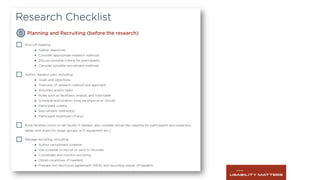
1.  Planning.
2.  Recruiting
3.  Conducting
4.  Analyzing
Wrap-up
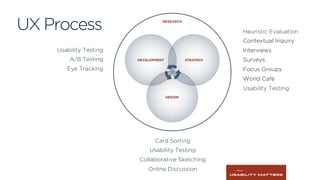
UX Process
Usability Testing
A/B Testing
Eye Tracking
Heuristic Evaluation
Contextual Inquiry
Interviews
Surveys
Focus Groups
World Café
Usability Testing
Card Sorting
Usability Testing
Collaborative Sketching
Online Discussion
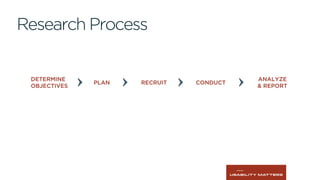
DETERMINE
OBJECTIVES
PLAN RECRUIT CONDUCT
ANALYZE
& REPORT
Research Process
1Planning
Determining the what, why, and how
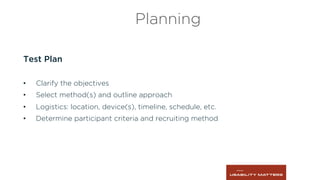
Planning
Test Plan
•  Clarify the objectives
•  Select method(s) and outline approach
•  Logistics: location, device(s), timeline, schedule, etc.
•  Determine participant criteria and recruiting method
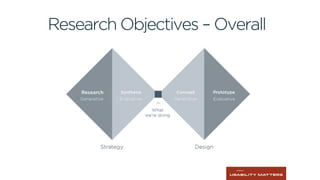
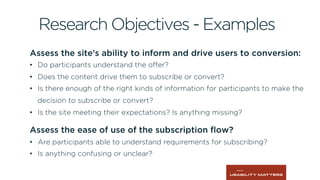
Research Objectives – Overall
Assess the site’s ability to inform and drive users to conversion:
•  Do participants understand the offer?
•  Does the content drive them to subscribe or convert?
•  Is there enough of the right kinds of information for participants to make the
decision to subscribe or convert?
•  Is the site meeting their expectations? Is anything missing?
  
Assess the ease of use of the subscription flow?
•  Are participants able to understand requirements for subscribing?
•  Is anything confusing or unclear?
Research Objectives - Examples
Planning
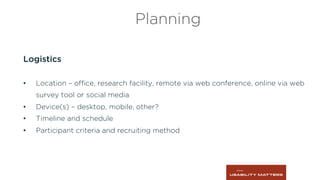
Logistics
•  Location – office, research facility, remote via web conference, online via web
survey tool or social media
•  Device(s) – desktop, mobile, other?
•  Timeline and schedule
•  Participant criteria and recruiting method
2Recruiting
Determining who will participate in the research and finding them
Image	
  bins	
  courtesy	
  of	
  slimmer_jimmer,	
  CC-­‐BY	
  2.0	
  
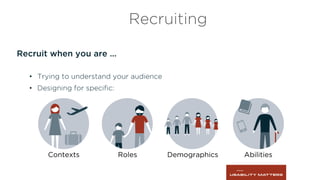
Recruit when you are …
•  Trying to understand your audience
•  Designing for specific:
Recruiting
Contexts Roles Demographics Abilities
Participant Criteria – Baseline Must-Have’s
•  Example: all participants must
•  Have access to a laptop or desktop computer with Internet access
•  Be able to speak English fluently and confidently enough to be well
understood
•  Not work for a market research company, telco or broadcaster
•  Be 18 years of age or older
Recruiting
Participant Criteria – Project Specific Variables
•  Example: the study must include
•  Customers who work in a small business
•  Members of our loyalty program
•  Small business customer who have called the customer support line
within the last 6 months
Recruiting
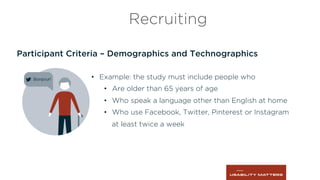
Participant Criteria – Demographics and Technographics
Recruiting
•  Example: the study must include people who
•  Are older than 65 years of age
•  Who speak a language other than English at home
•  Who use Facebook, Twitter, Pinterest or Instagram
at least twice a week
Recruiting process
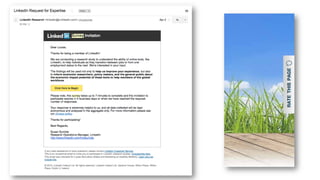
•  Invite people to complete an online qualification survey
•  Informal friends and family email
•  Email to a customer or member list
Recruiting
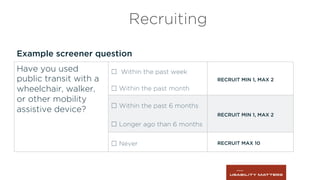
Example screener question
Recruiting
Have you used
public transit with a
wheelchair, walker,
or other mobility
assistive device?
☐ Within the past week
RECRUIT MIN 1, MAX 2
☐ Within the past month
☐ Within the past 6 months
RECRUIT MIN 1, MAX 2
☐ Longer ago than 6 months
☐ Never RECRUIT MAX 10
Incentives
•  Usually cash (or gift card)
•  Very specific criteria may require more $$$
•  Baked goods are great for guerrilla research!
•  May not be necessary in some cases.
•  May be prohibited in some cases.
Recruiting
What you need
•  Screener or survey
•  Schedule
•  Contact list
•  Overview of what to expect
•  Instructions for participants
•  NDA and recording waiver
•  Summary of participant answers
Recruiting
3Conducting
Using your preparation to have a useful dialogue with participants
Write research guide, script or survey
•  A few easy questions to get the participant warmed up
•  Instructions that guide the tasks and activities
•  Probe only as needed
•  Do at least one pilot session or survey response
Conducting
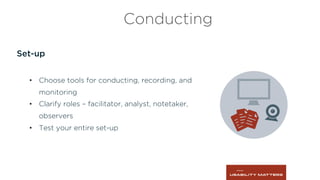
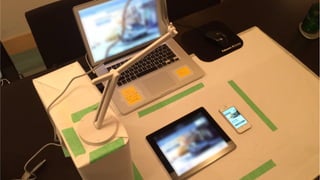
Set-up
•  Choose tools for conducting, recording, and
monitoring
•  Clarify roles – facilitator, analyst, notetaker,
observers
•  Test your entire set-up
Conducting
Facilitating
•  Getting warmed up
•  Guiding the tasks
•  Getting the participant(s) to talk
•  Listening to the participant(s)
•  Using probes to get more information
•  Letting the objectives guide you
Conducting
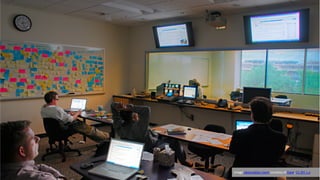
Image	
  observa6on	
  room	
  courtesy	
  of	
  Dave,	
  CC-­‐BY	
  2.0	
  
Monitoring
•  Watching responses
•  Planned and unplanned interventions
•  Probing for additional information
Conducting
Recording
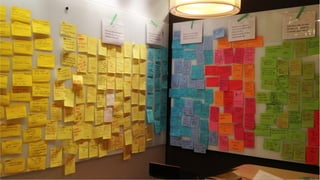
•  Flipcharts
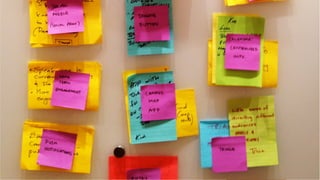
•  Sticky notes
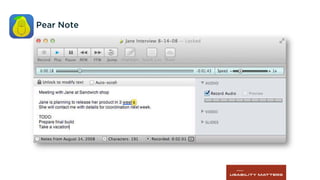
•  Note taking – manual and/or electronic
•  Audio
•  Video
Conducting
4Analyzing
Finding and communicating useful, actionable insights
Pear Note
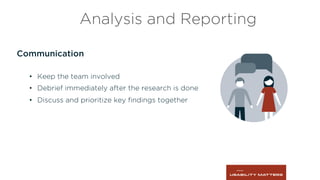
Communication
•  Keep the team involved
•  Debrief immediately after the research is done
•  Discuss and prioritize key findings together
Analysis and Reporting
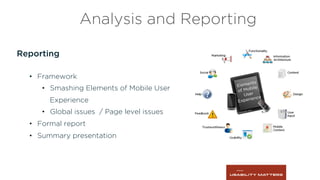
Reporting
•  Framework
•  Smashing Elements of Mobile User
Experience
•  Global issues / Page level issues
•  Formal report
•  Summary presentation
Analysis and Reporting
 	
  
Questions?
 	
  
Thank You
 	
  
3 Easy Ways to Improve the
Accessibility of Your Website
 	
  
Stay in touch
Terry Costantino and Steven LeMay
Usability Matters
www.usabilitymatters.com
Follow us on Twitter: @umatters
+1 416 598 7770
terry@usabilitymatters.com
steven@usabilitymatters.com

Planning, Conducting, and Analyzing User Research

  • 1.
        Putting Usersin UX Episode 3 Planning, Executing and Analyzing User Research
  • 2.
        Putting Usersin UX Episode 1 Research Methods for Strategy Now Available at Usability Matters Blog Episode 2 Research Methods for Design Now Available at Usability Matters Blog Episode 3 Planning, Executing and Analyzing User Research Today
  • 3.
    Meet Usability Matters • Passionate about making technology work for people •  Thrive in solving complex design problems •  Dedication to finding the right solution
  • 4.
  • 5.
    What we’ll betalking about today Background •  UX Process •  Research Process User Research 1.  Planning. 2.  Recruiting 3.  Conducting 4.  Analyzing Wrap-up
  • 6.
    UX Process Usability Testing A/BTesting Eye Tracking Heuristic Evaluation Contextual Inquiry Interviews Surveys Focus Groups World Café Usability Testing Card Sorting Usability Testing Collaborative Sketching Online Discussion
  • 7.
  • 8.
  • 9.
    Planning Test Plan •  Clarifythe objectives •  Select method(s) and outline approach •  Logistics: location, device(s), timeline, schedule, etc. •  Determine participant criteria and recruiting method
  • 10.
  • 11.
    Assess the site’sability to inform and drive users to conversion: •  Do participants understand the offer? •  Does the content drive them to subscribe or convert? •  Is there enough of the right kinds of information for participants to make the decision to subscribe or convert? •  Is the site meeting their expectations? Is anything missing?    Assess the ease of use of the subscription flow? •  Are participants able to understand requirements for subscribing? •  Is anything confusing or unclear? Research Objectives - Examples
  • 14.
    Planning Logistics •  Location –office, research facility, remote via web conference, online via web survey tool or social media •  Device(s) – desktop, mobile, other? •  Timeline and schedule •  Participant criteria and recruiting method
  • 15.
    2Recruiting Determining who willparticipate in the research and finding them
  • 16.
    Image  bins  courtesy  of  slimmer_jimmer,  CC-­‐BY  2.0  
  • 17.
    Recruit when youare … •  Trying to understand your audience •  Designing for specific: Recruiting Contexts Roles Demographics Abilities
  • 18.
    Participant Criteria –Baseline Must-Have’s •  Example: all participants must •  Have access to a laptop or desktop computer with Internet access •  Be able to speak English fluently and confidently enough to be well understood •  Not work for a market research company, telco or broadcaster •  Be 18 years of age or older Recruiting
  • 19.
    Participant Criteria –Project Specific Variables •  Example: the study must include •  Customers who work in a small business •  Members of our loyalty program •  Small business customer who have called the customer support line within the last 6 months Recruiting
  • 20.
    Participant Criteria –Demographics and Technographics Recruiting •  Example: the study must include people who •  Are older than 65 years of age •  Who speak a language other than English at home •  Who use Facebook, Twitter, Pinterest or Instagram at least twice a week
  • 21.
    Recruiting process •  Invitepeople to complete an online qualification survey •  Informal friends and family email •  Email to a customer or member list Recruiting
  • 23.
    Example screener question Recruiting Haveyou used public transit with a wheelchair, walker, or other mobility assistive device? ☐ Within the past week RECRUIT MIN 1, MAX 2 ☐ Within the past month ☐ Within the past 6 months RECRUIT MIN 1, MAX 2 ☐ Longer ago than 6 months ☐ Never RECRUIT MAX 10
  • 24.
    Incentives •  Usually cash(or gift card) •  Very specific criteria may require more $$$ •  Baked goods are great for guerrilla research! •  May not be necessary in some cases. •  May be prohibited in some cases. Recruiting
  • 25.
    What you need • Screener or survey •  Schedule •  Contact list •  Overview of what to expect •  Instructions for participants •  NDA and recording waiver •  Summary of participant answers Recruiting
  • 26.
    3Conducting Using your preparationto have a useful dialogue with participants
  • 27.
    Write research guide,script or survey •  A few easy questions to get the participant warmed up •  Instructions that guide the tasks and activities •  Probe only as needed •  Do at least one pilot session or survey response Conducting
  • 28.
    Set-up •  Choose toolsfor conducting, recording, and monitoring •  Clarify roles – facilitator, analyst, notetaker, observers •  Test your entire set-up Conducting
  • 30.
    Facilitating •  Getting warmedup •  Guiding the tasks •  Getting the participant(s) to talk •  Listening to the participant(s) •  Using probes to get more information •  Letting the objectives guide you Conducting
  • 31.
    Image  observa6on  room  courtesy  of  Dave,  CC-­‐BY  2.0  
  • 32.
    Monitoring •  Watching responses • Planned and unplanned interventions •  Probing for additional information Conducting
  • 33.
    Recording •  Flipcharts •  Stickynotes •  Note taking – manual and/or electronic •  Audio •  Video Conducting
  • 34.
    4Analyzing Finding and communicatinguseful, actionable insights
  • 37.
  • 40.
    Communication •  Keep theteam involved •  Debrief immediately after the research is done •  Discuss and prioritize key findings together Analysis and Reporting
  • 41.
    Reporting •  Framework •  SmashingElements of Mobile User Experience •  Global issues / Page level issues •  Formal report •  Summary presentation Analysis and Reporting
  • 43.
  • 44.
  • 45.
        3 EasyWays to Improve the Accessibility of Your Website
  • 46.
        Stay intouch Terry Costantino and Steven LeMay Usability Matters www.usabilitymatters.com Follow us on Twitter: @umatters +1 416 598 7770 terry@usabilitymatters.com steven@usabilitymatters.com