Personalized Learning at
    Your Fingertips: Building a
Professional Learning Network
                        By: Torrey Trust
Agenda
 What are Professional Learning Networks (PLN’s)?

 PLN Tools

 Information Literacy, Networking, Netiquette

 PLN Overload & Survival Tips
New Age Teaching & Learning

 In the information age, students must learn to navigate
  and evaluate an expanding network of information.
 Highly effective teachers model this process of information
  analysis and knowledge acquisition by continually learning
  through collaboration, professional development, and
  studying pedagogical techniques and best practices.
What is a PLN?
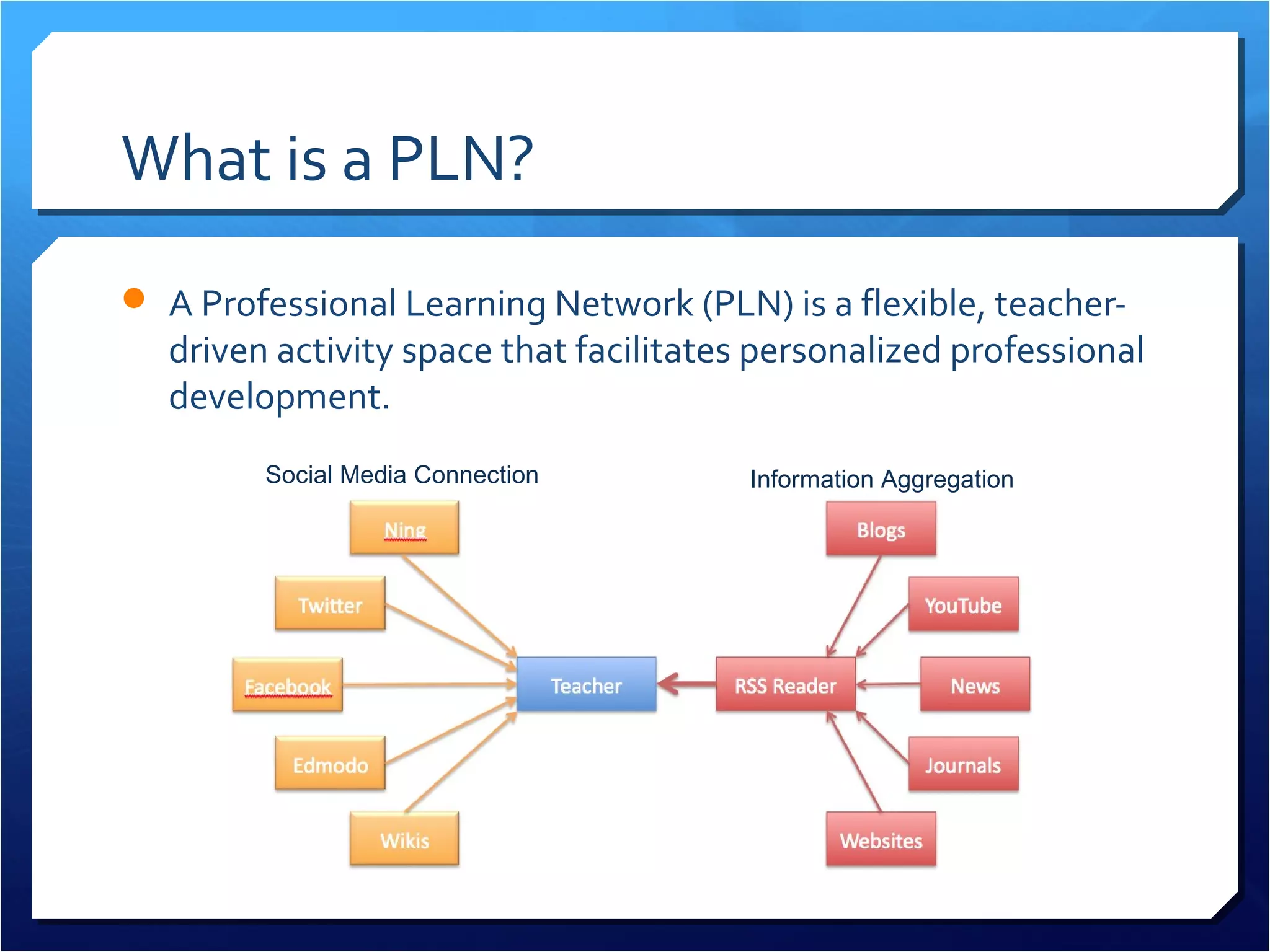
 A Professional Learning Network (PLN) is a flexible, teacher-
  driven activity space that facilitates personalized professional
  development.
         Social Media Connection        Information Aggregation
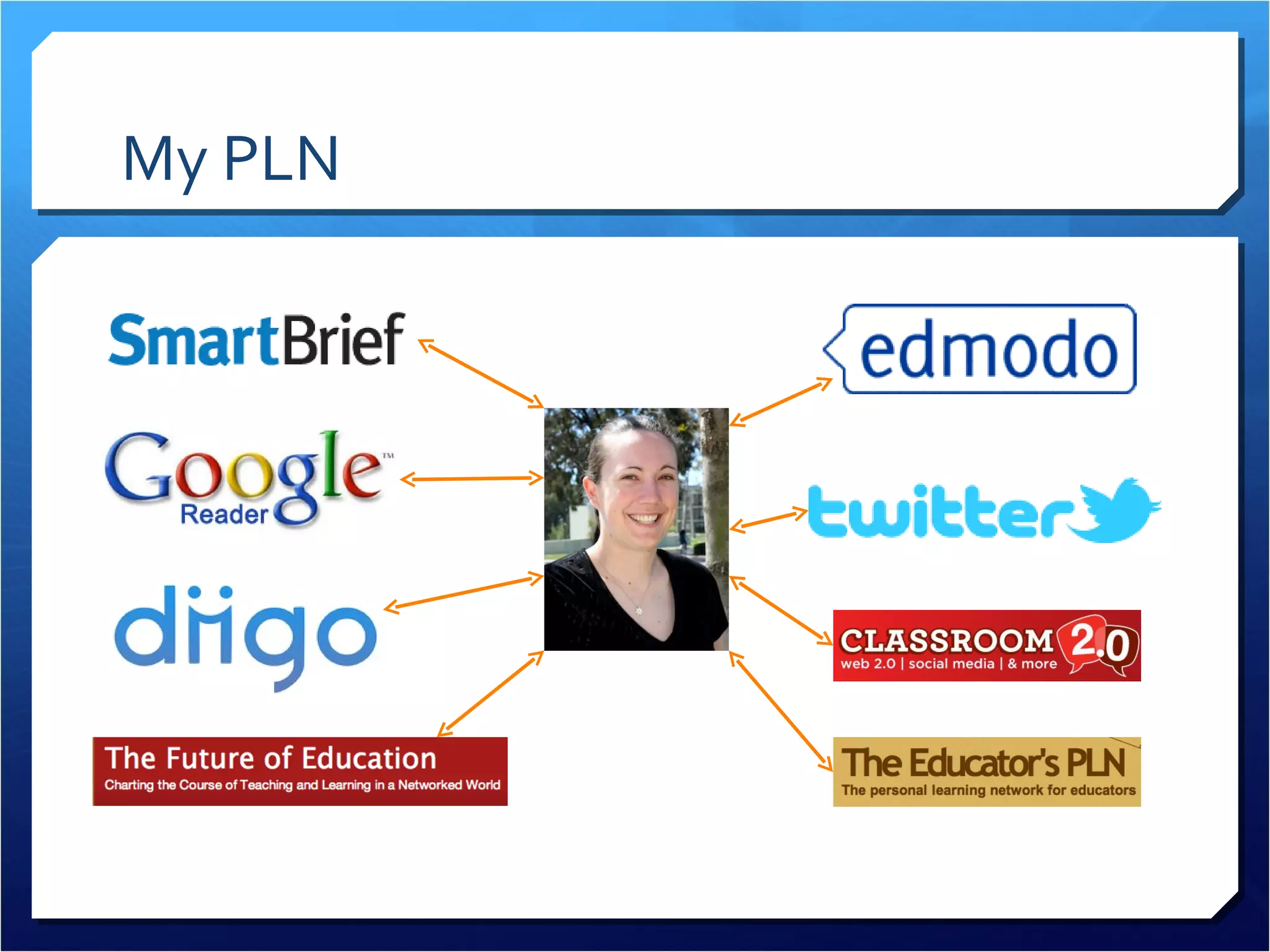
My PLN
Benefits of PLN’s
 Flexible

 Personalized

 Practical

 Real-Time Solutions

 Instant Access
Benefits of PLN’s
 Expertise

 Reduces isolation

 Increases opportunities for collaboration

 Don’t have to reinvent the wheel

 Best practices


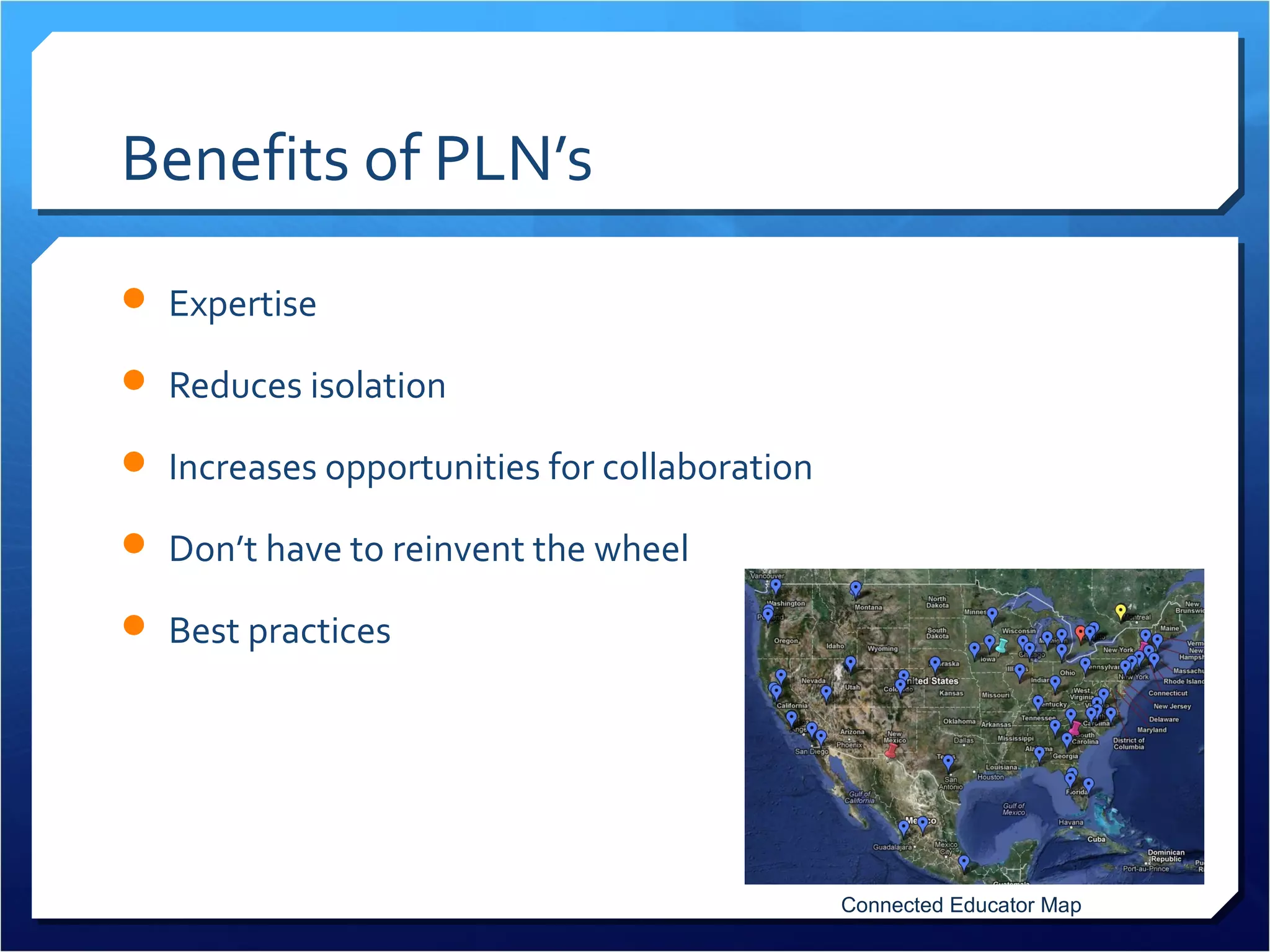
                                              Connected Educator Map
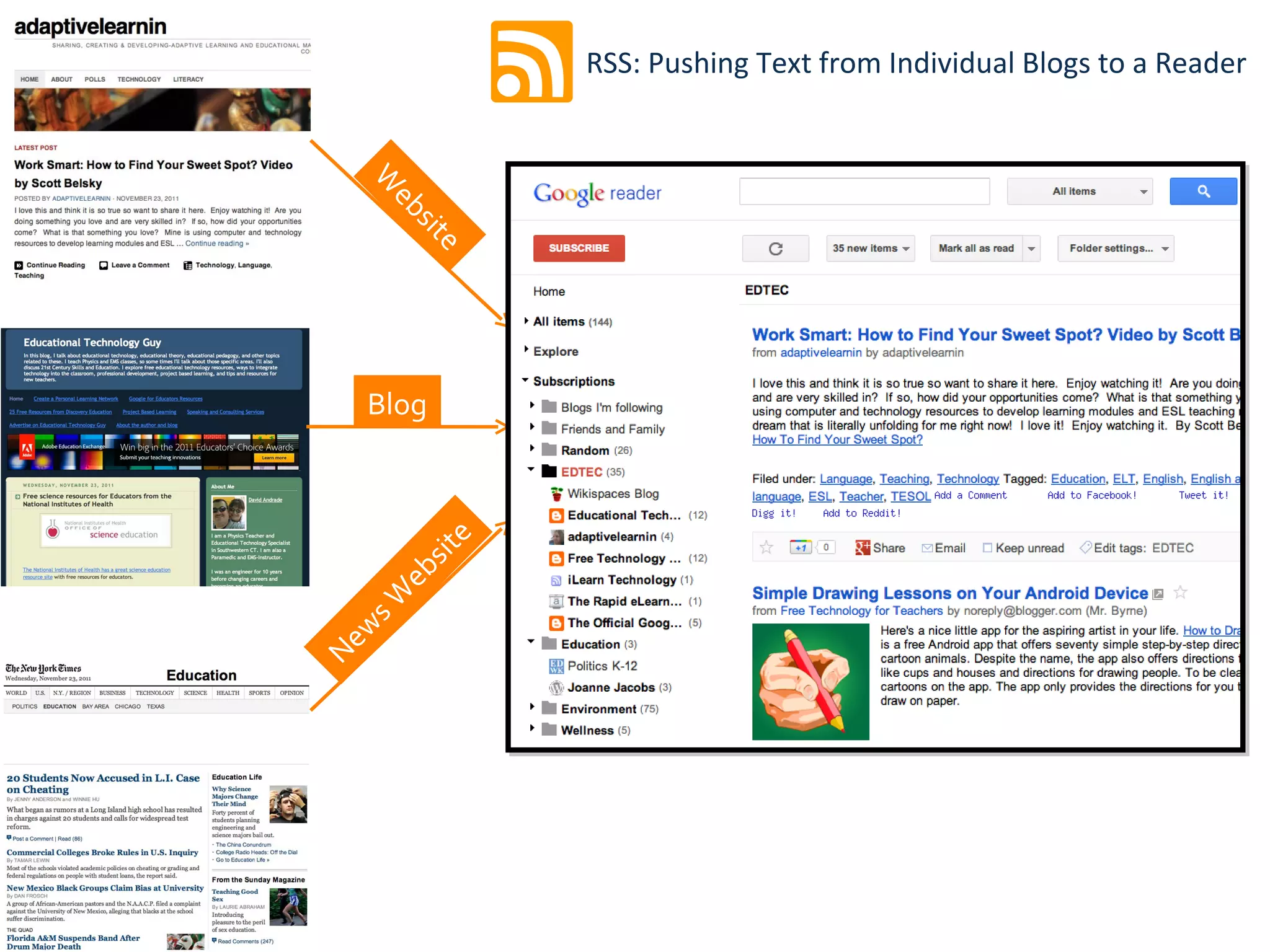
Information Aggregation
 Staying up-to-date on new information by following multiple
  websites and news sources through RSS feeds.
RSS: Pushing Text from Individual Blogs to a Reader


    W
     eb
       sit
          e


    Blog
           e
        sit
      eb
    sW
   w
Ne
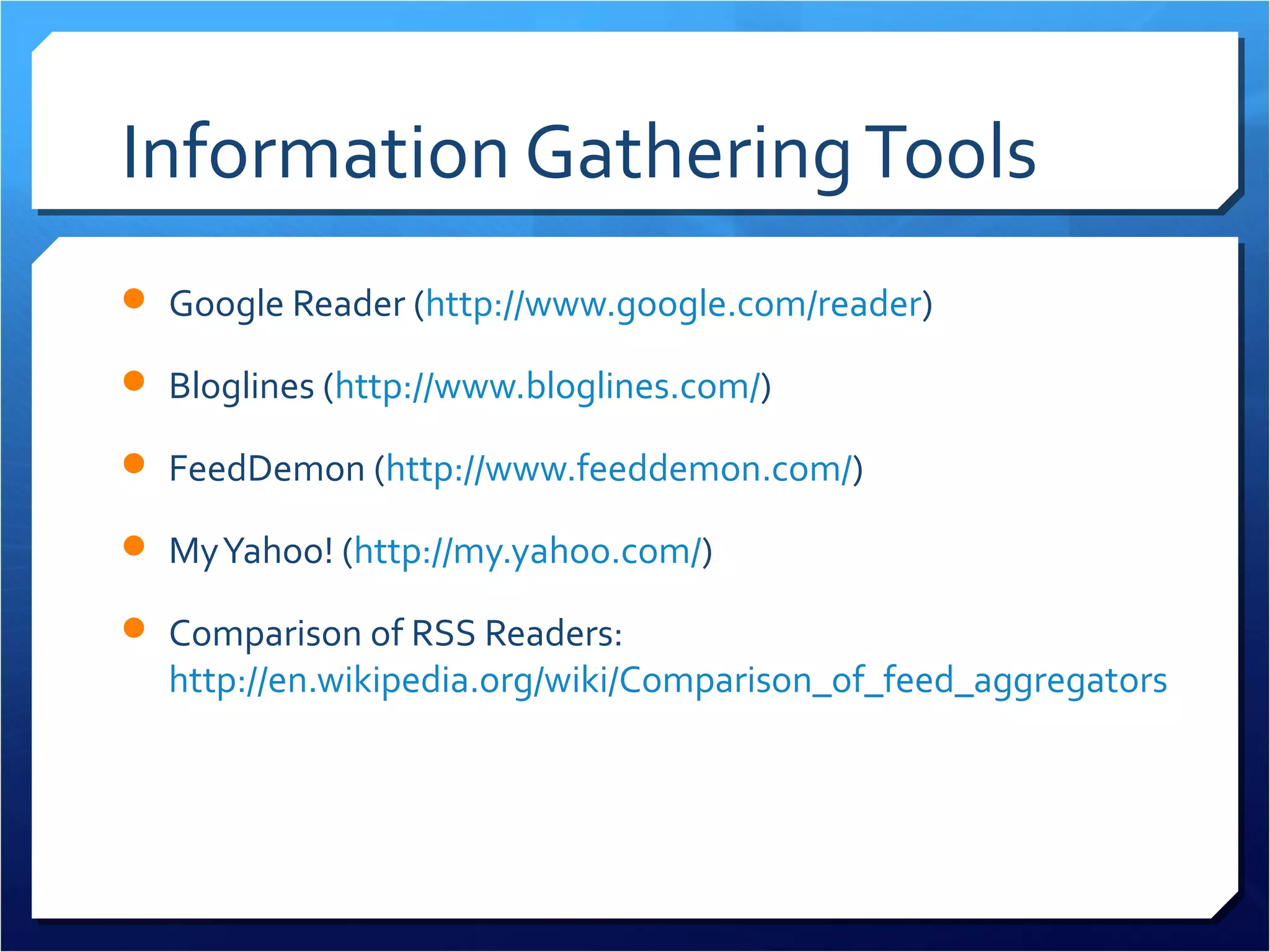
Information Gathering Tools
 Google Reader (http://www.google.com/reader)

 Bloglines (http://www.bloglines.com/)

 FeedDemon (http://www.feeddemon.com/)

 My Yahoo! (http://my.yahoo.com/)

 Comparison of RSS Readers:
  http://en.wikipedia.org/wiki/Comparison_of_feed_aggregators
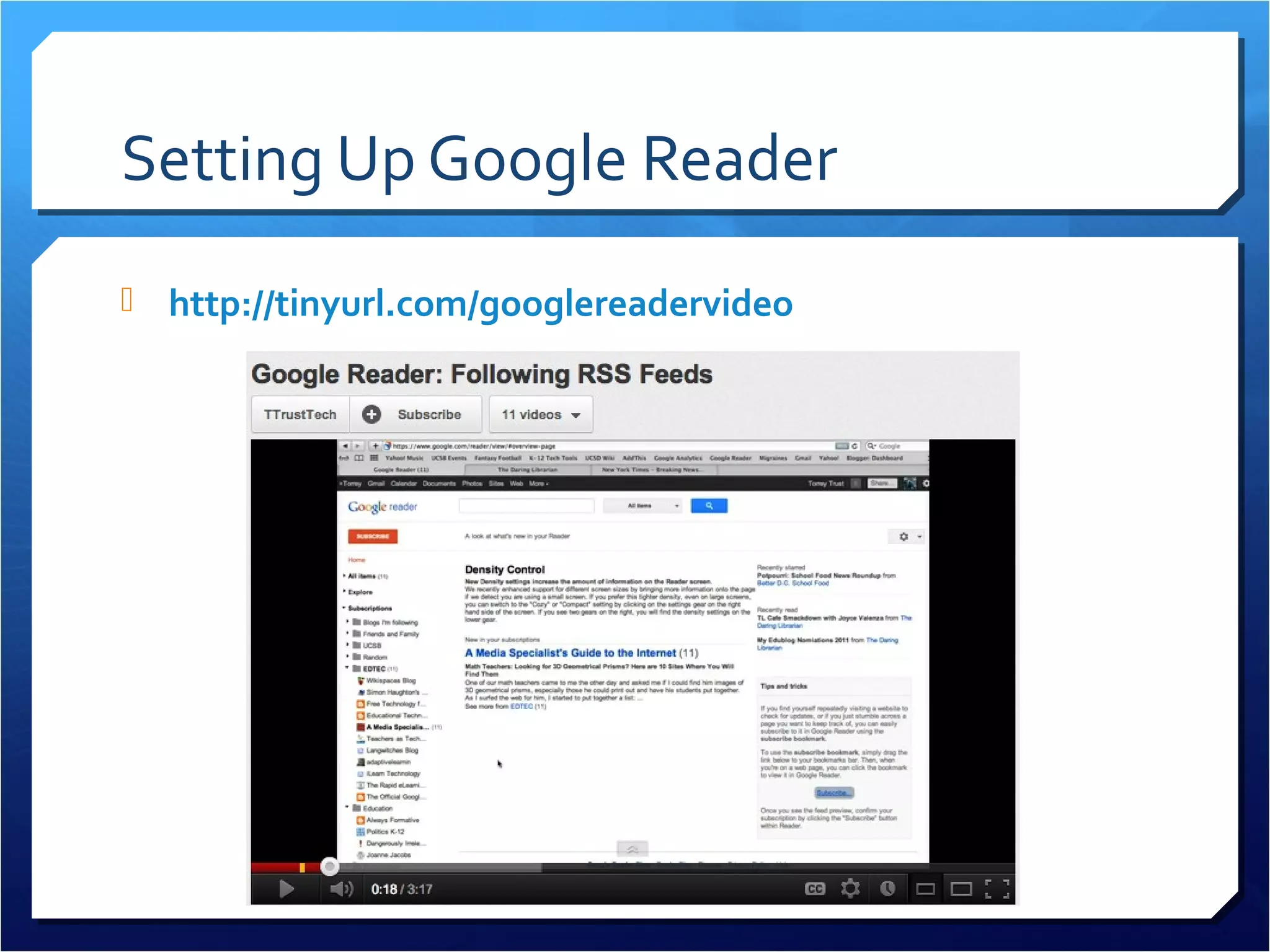
Setting Up Google Reader
 http://tinyurl.com/googlereadervideo
Education Sites to Follow
 EduBlog Awards: Top Individual Blog List
  http://edublogawards.com/
 Smartbriefs (Accomplished Teacher, ASCD, EdTech) –
  https://www.smartbrief.com/news/education
 41 Great Blogs to Follow by Subject Area:
  http://tinyurl.com/41edublogstofollow

 FreeTech4Teachers: http://www.freetech4teachers.com/
Social Bookmarking
 Diigo.com

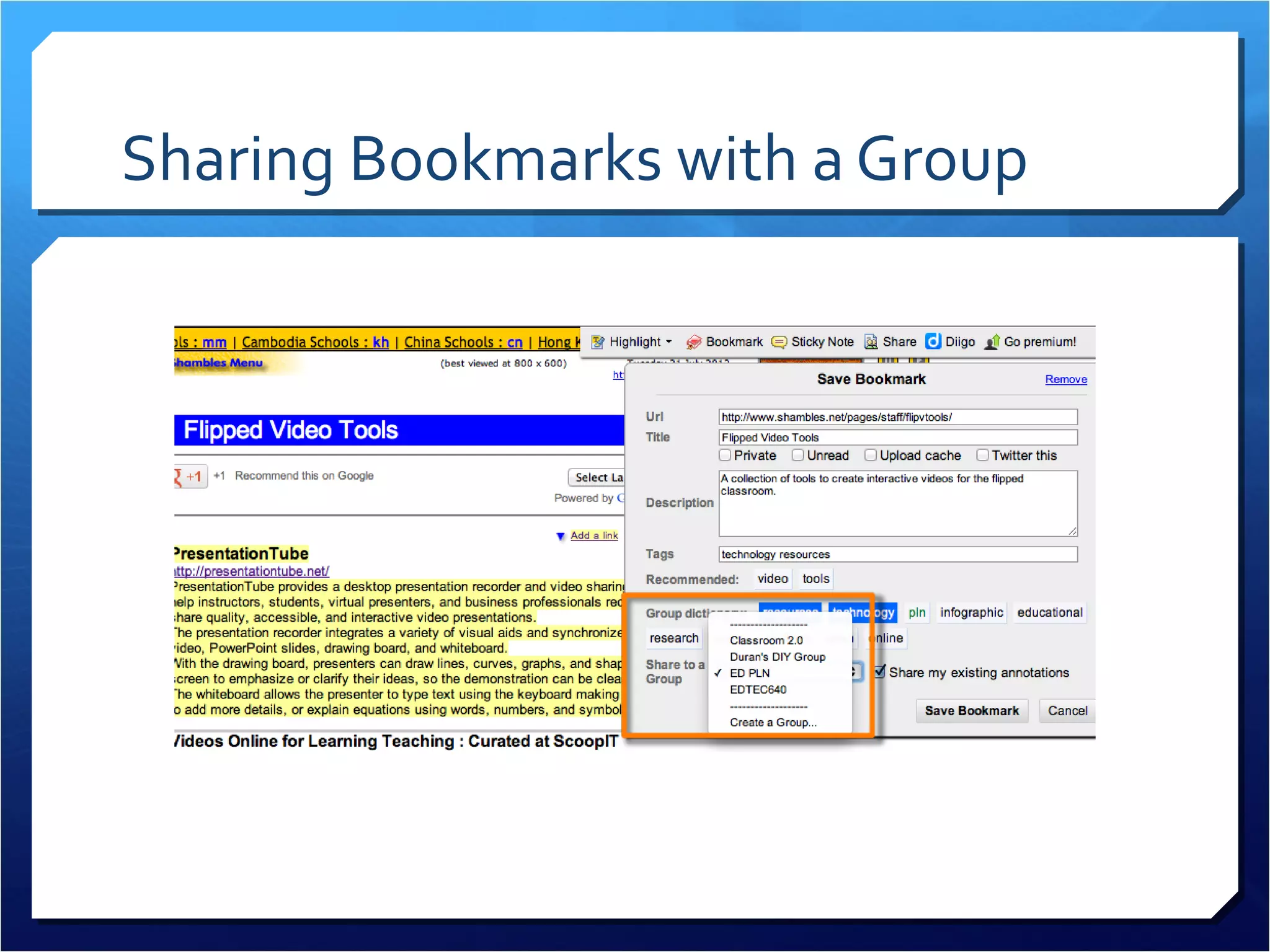
 Join groups: http://groups.diigo.com/

 Share resources

 Receive daily/weekly emails with
  newest resources
 Easy to add resources to Diigo (toolbar button)
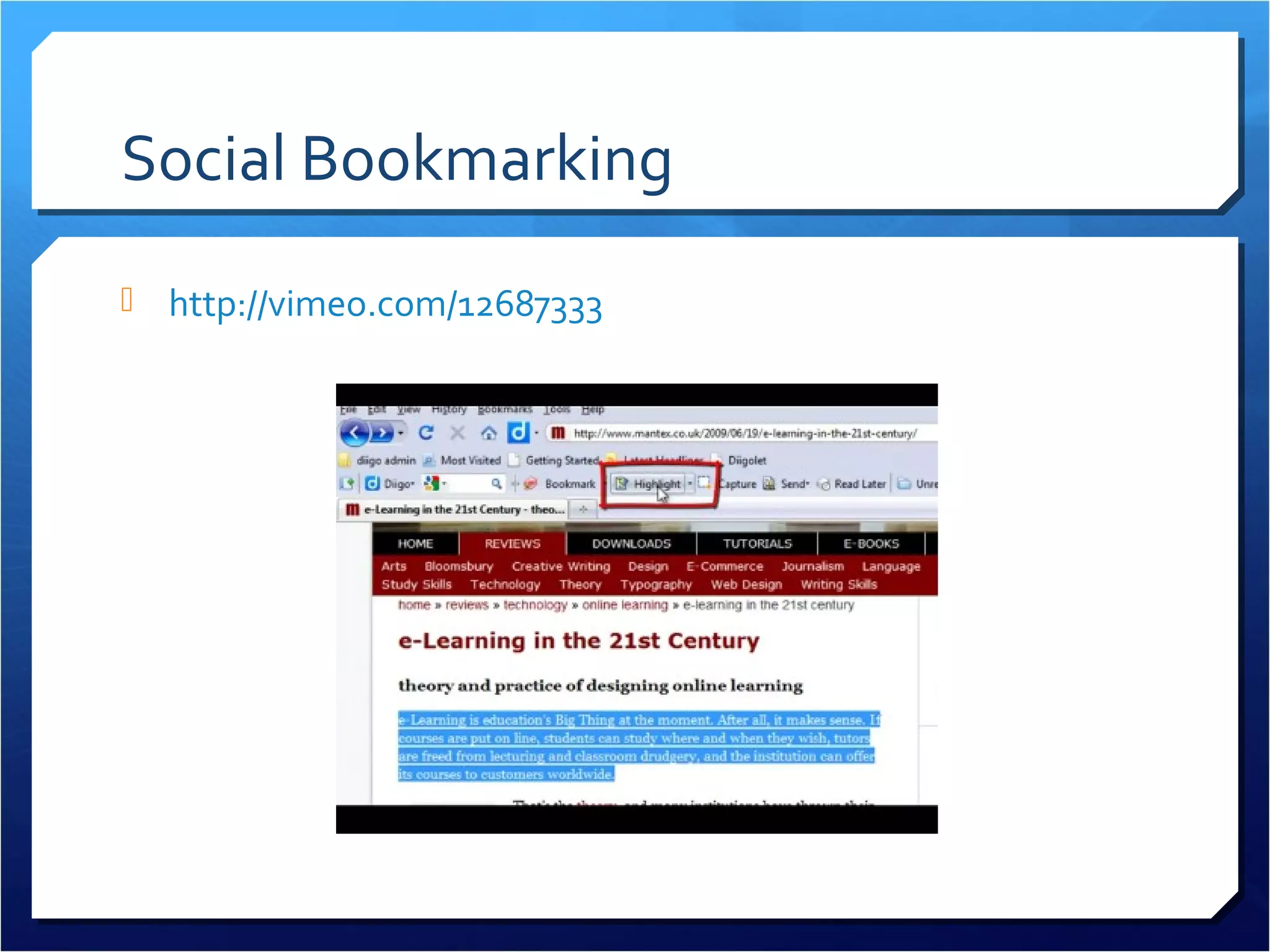
    Can highlight resources, take notes, decide what to share
Sharing Bookmarks with a Group
Social Bookmarking
 http://vimeo.com/12687333
Social Media Connection Tools
 These social media connection tools include:
   Social networking sites (Facebook, Edmodo, Twitter)
   Affinity-based group sites (Ning, Wikispaces)
   Real-time interaction tools (online chat rooms, instant
     messaging, Skype, Second Life).
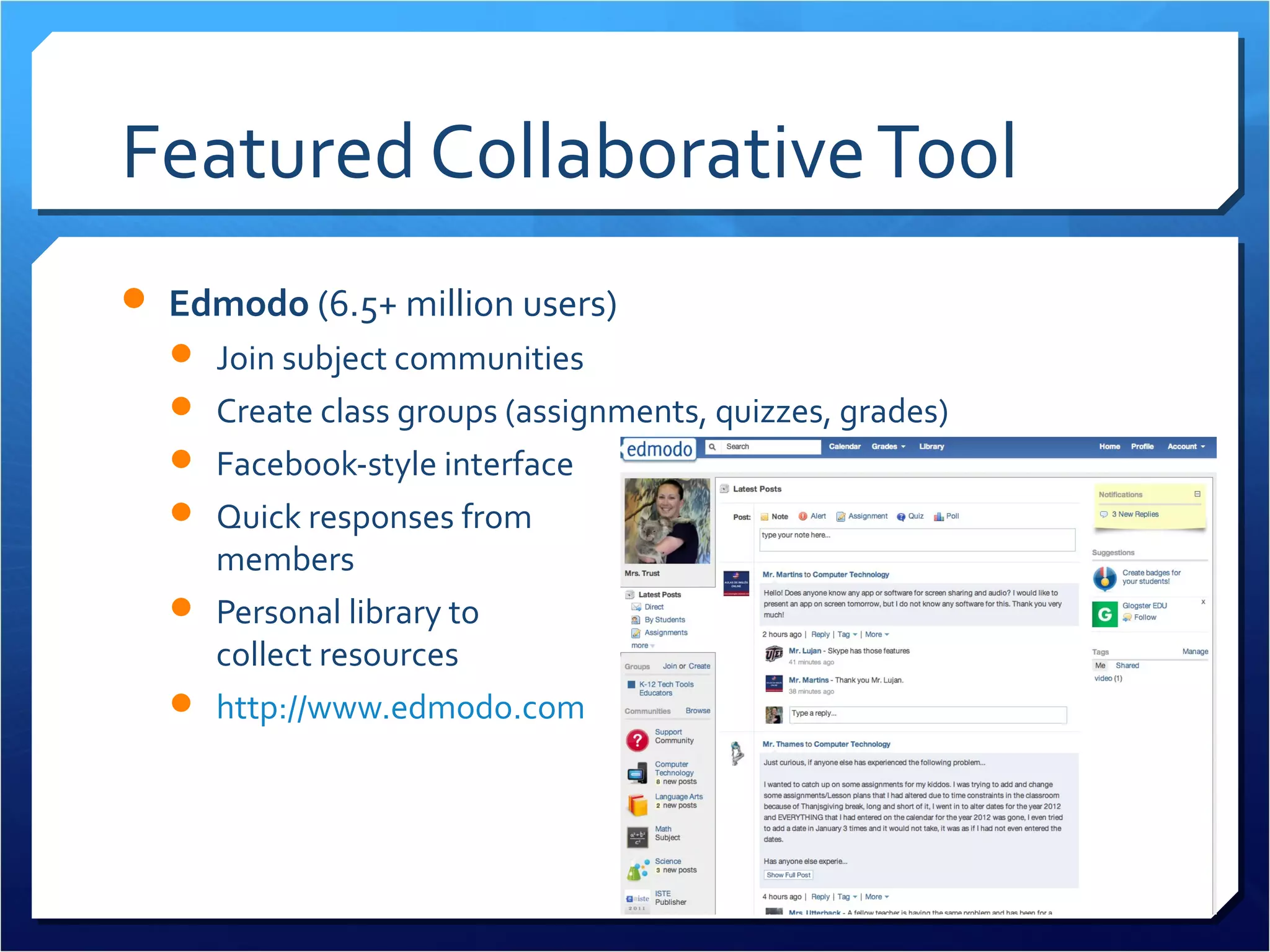
Featured Collaborative Tool
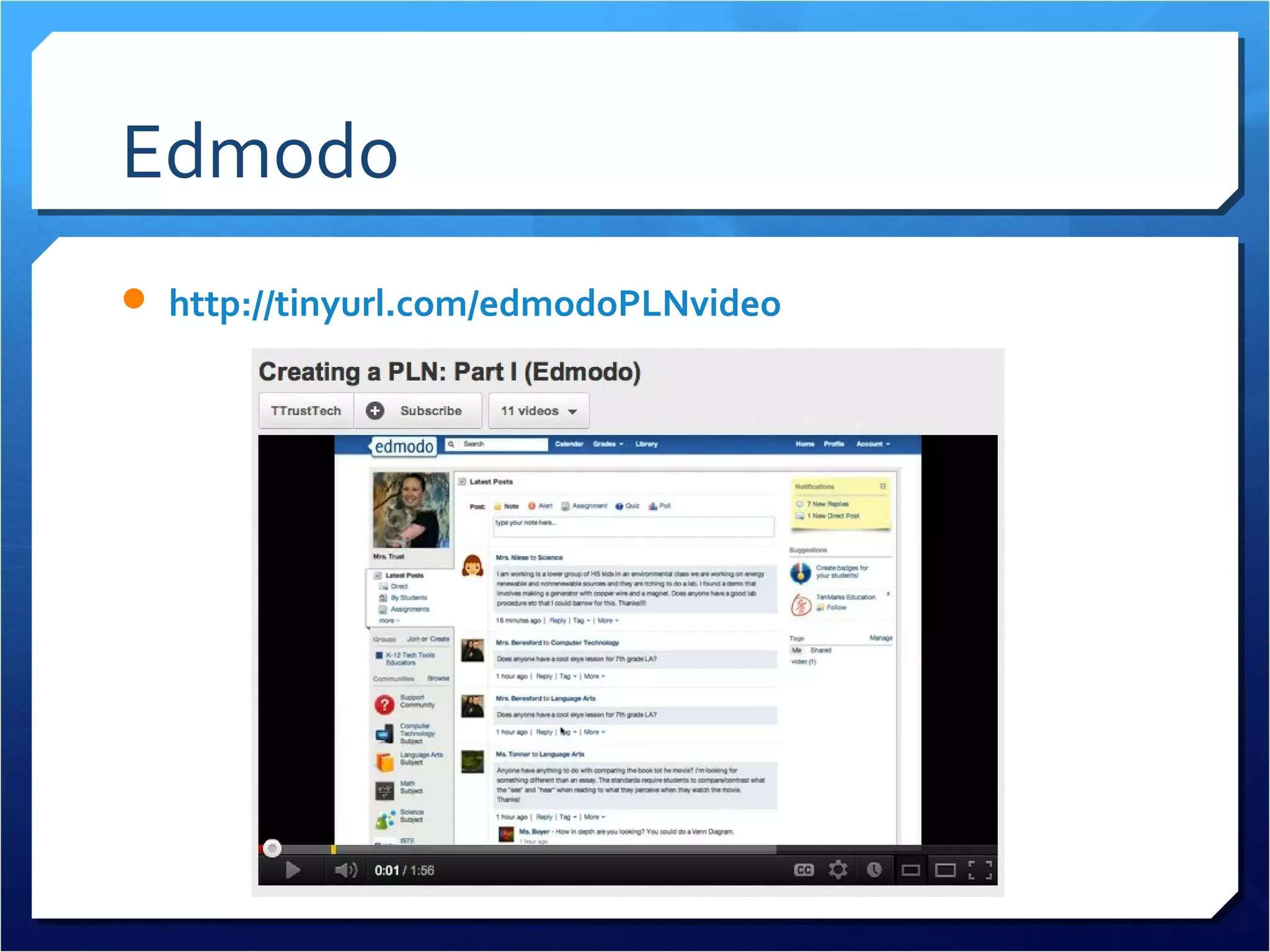
 Edmodo (6.5+ million users)
   Join subject communities
   Create class groups (assignments, quizzes, grades)
   Facebook-style interface
   Quick responses from
    members
   Personal library to
    collect resources
   http://www.edmodo.com
Edmodo
 http://tinyurl.com/edmodoPLNvideo
Featured Collaborative Tool
 Ning
   Instantly chat with other individuals on the website
   Add & RSVP to events
   Join special-interest groups
   Listen to education podcasts
   Add RSS feeds to your profile page
   Write blog posts & create your own blog
Featured Collaborative Tool
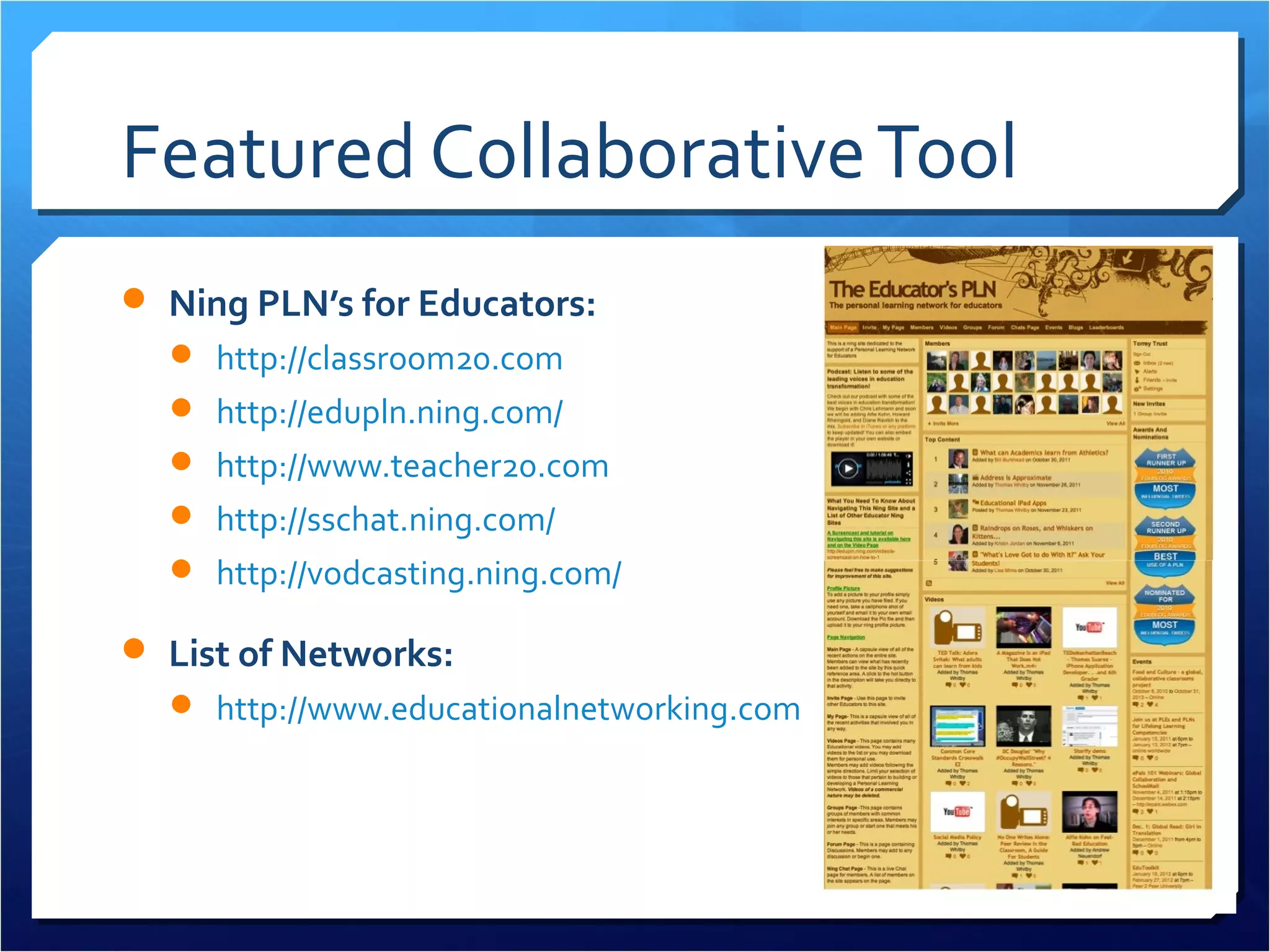
 Ning PLN’s for Educators:
   http://classroom20.com
   http://edupln.ning.com/
   http://www.teacher20.com
   http://sschat.ning.com/
   http://vodcasting.ning.com/

 List of Networks:
   http://www.educationalnetworking.com/List+of+Networks
Featured Collaborative Tool
 Twitter
   Follow educators, experts, policymakers
      Twitter4Teachers wiki
      Collaborative Google Doc of Teachers on Twitter
   Share your own links and resources
   Join education conversations (see next slide)
   Share ideas, ask for help, receive feedback from followers
   Connect with educators around the world
   http://www.twitter.com
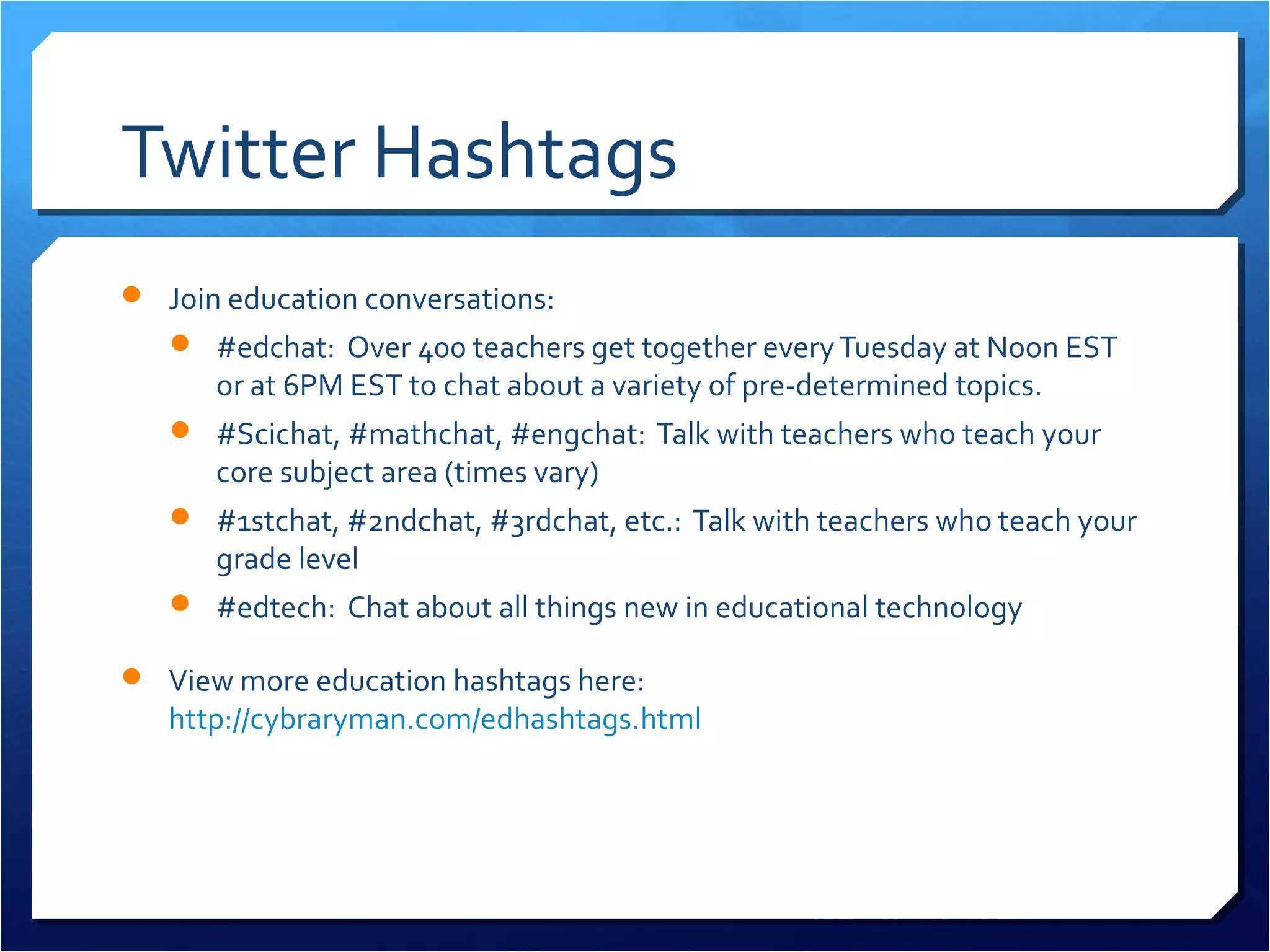
Twitter Hashtags
 Join education conversations:
    #edchat: Over 400 teachers get together every Tuesday at Noon EST
      or at 6PM EST to chat about a variety of pre-determined topics.
    #Scichat, #mathchat, #engchat: Talk with teachers who teach your
      core subject area (times vary)
    #1stchat, #2ndchat, #3rdchat, etc.: Talk with teachers who teach your
      grade level
    #edtech: Chat about all things new in educational technology

 View more education hashtags here:
   http://cybraryman.com/edhashtags.html
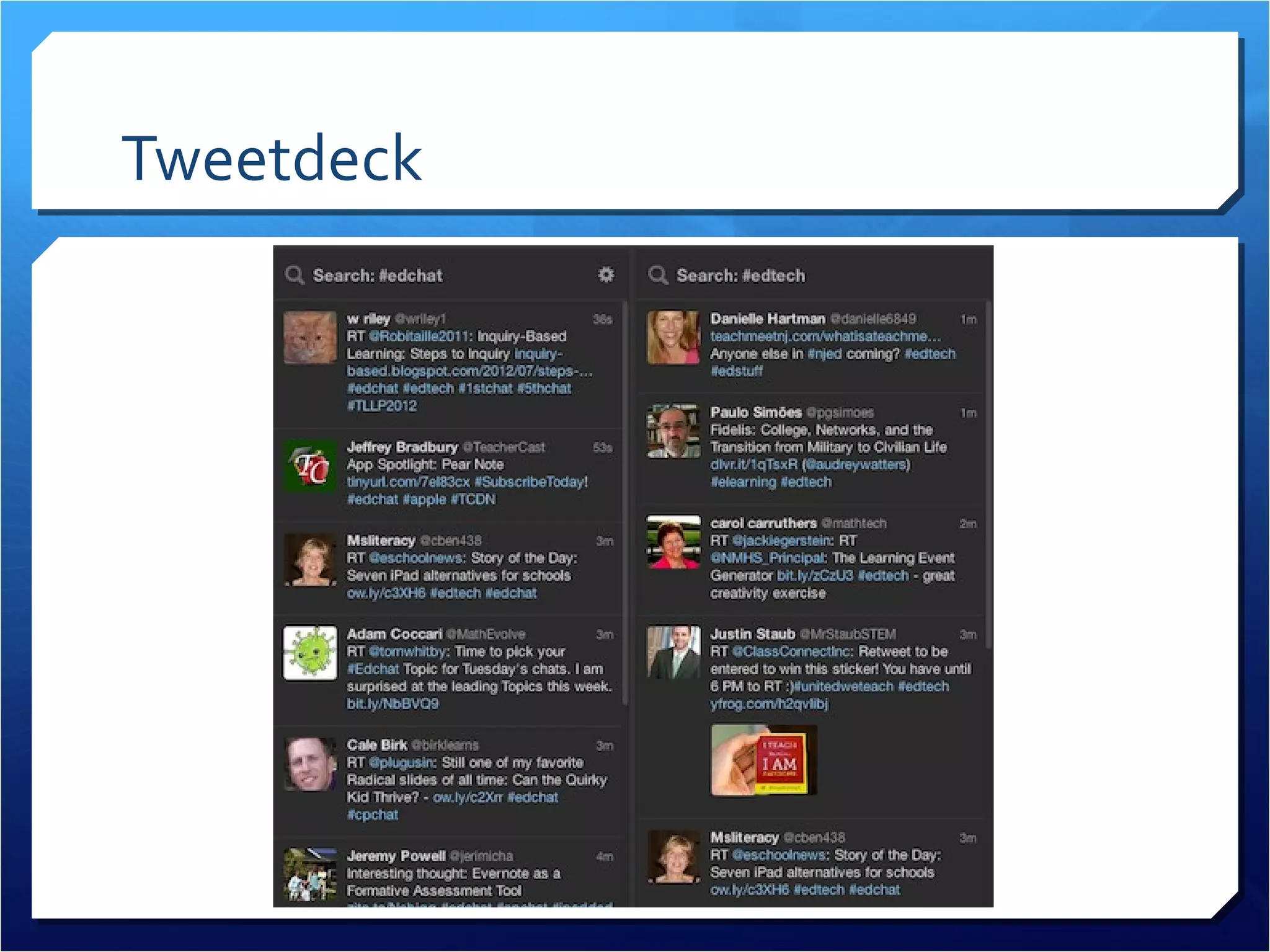
Tweetdeck
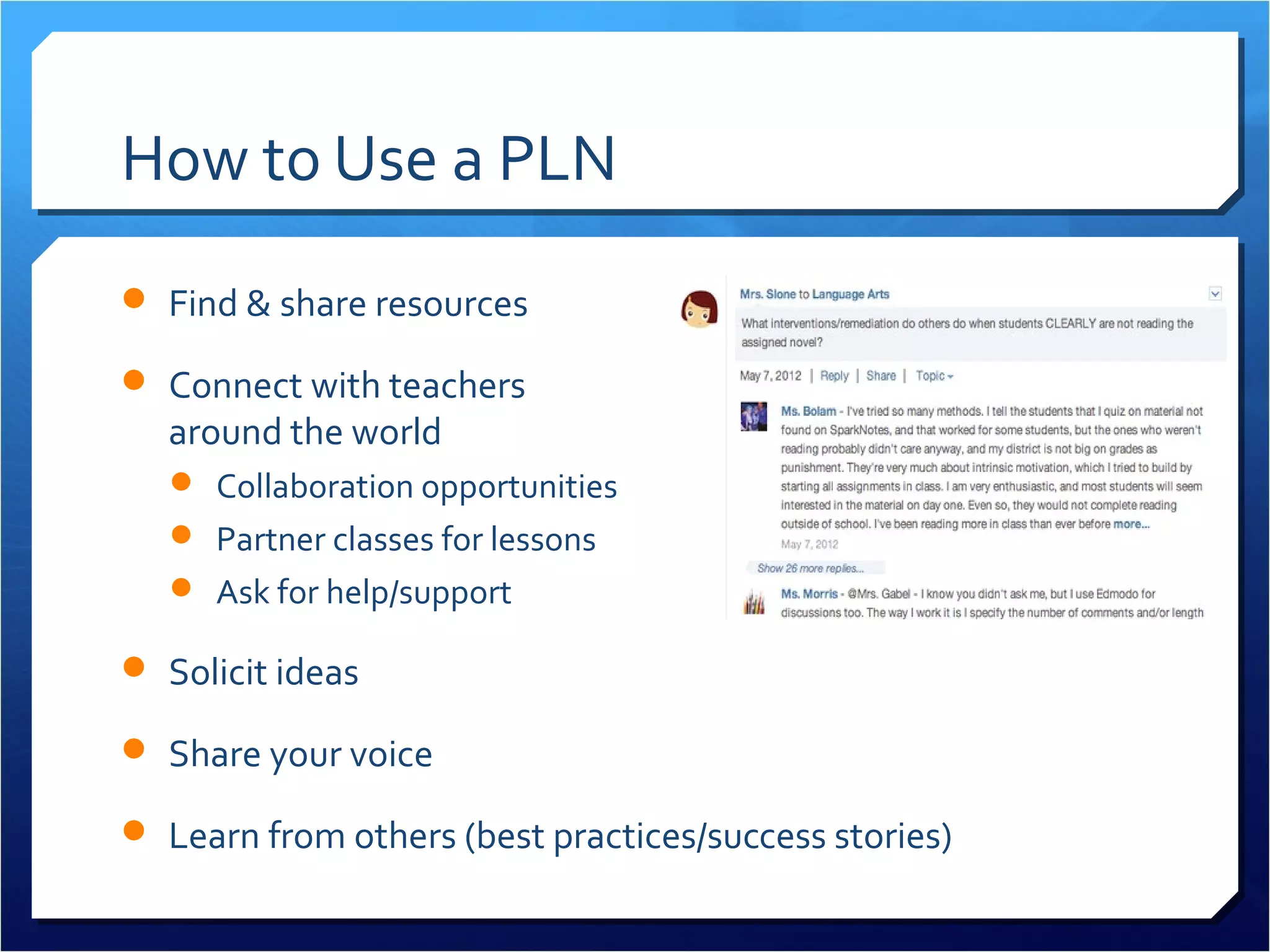
How to Use a PLN
 Find & share resources

 Connect with teachers
  around the world
    Collaboration opportunities
    Partner classes for lessons
    Ask for help/support

 Solicit ideas

 Share your voice

 Learn from others (best practices/success stories)
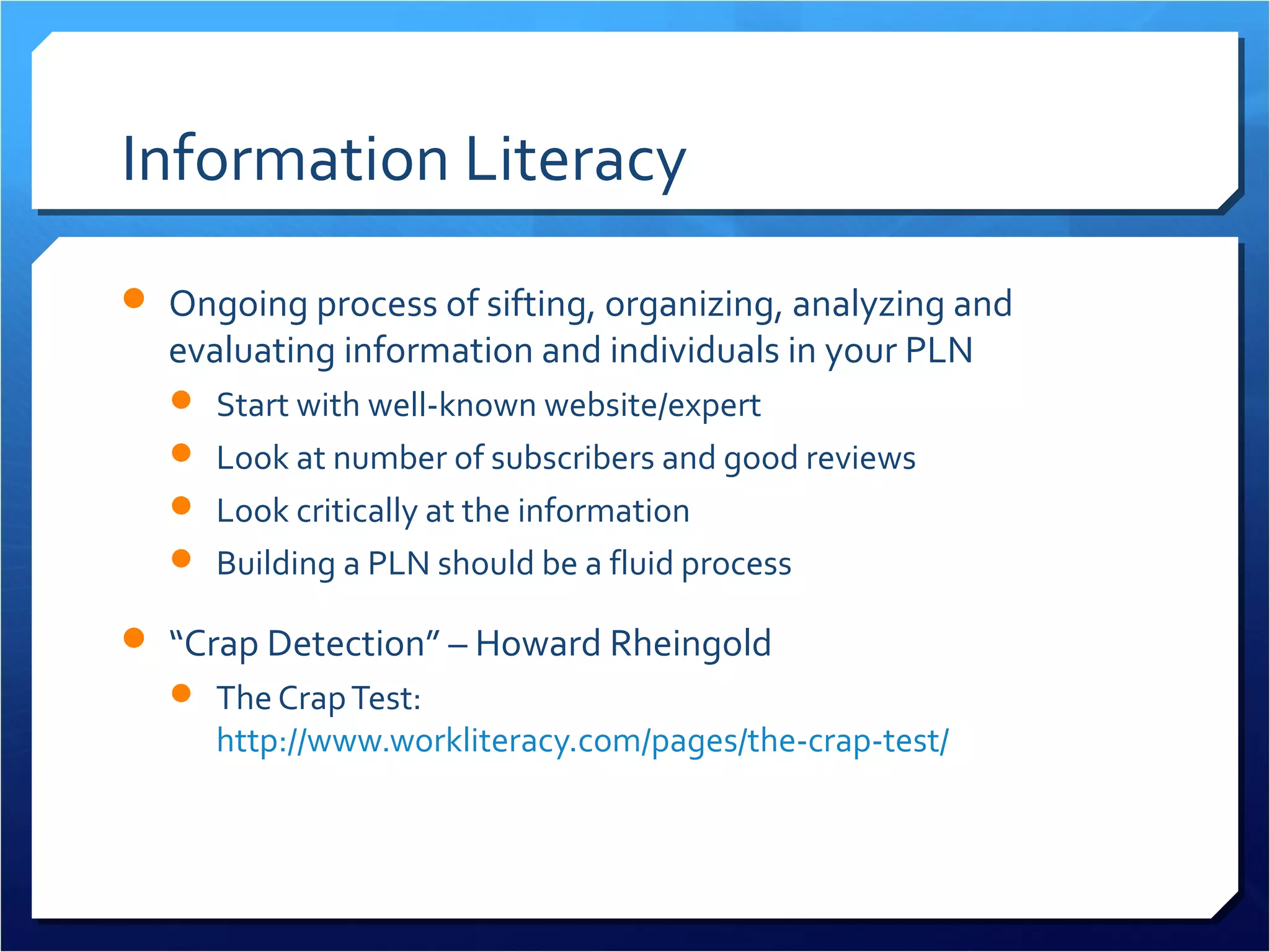
Information Literacy
 Ongoing process of sifting, organizing, analyzing and
  evaluating information and individuals in your PLN
   Start with well-known website/expert
   Look at number of subscribers and good reviews
   Look critically at the information
   Building a PLN should be a fluid process

 “Crap Detection” – Howard Rheingold
   The Crap Test:
     http://www.workliteracy.com/pages/the-crap-test/
Networking & Netiquette
 Aim for building relationships NOT having 500 “friends”

 Be a connector

 Give AND receive

 Build your expert credentials

 Lurk & learn

 Reach out (add friends, follow people)
Ethics & Privacy
 What you post is permanent

 Use the Grandmother Rule (would your grandma approve of
  your tweet/post?)
 Don’t fear the tools, build your confidence

 Understand the privacy settings of different tools

 Resources:
      Facebook for School Counselors Guide.pdf
    Creating Social Media Guidelines for Educators
    How to Create Social Media Guidelines for Your School
PLN Overload
 Thousands of blogs, websites, news sources to follow

 Thousands of groups to join, discussion forums to respond to,
  and members to connect with
 Figuring out social norms in the online space

 TMI!
PLN Overload (Survival Tips)
 Information Aggregation
   Start by identifying 2-3 information sources to follow (including
    email subscriptions)
   Set a reminder on your calendar to visit your RSS reader weekly

 Collaborative Tools
   Try to connect with 1-2 individuals (via friend request or
    responding to discussion posts)
   Ask these individuals about how to make the most out of the
    activity space
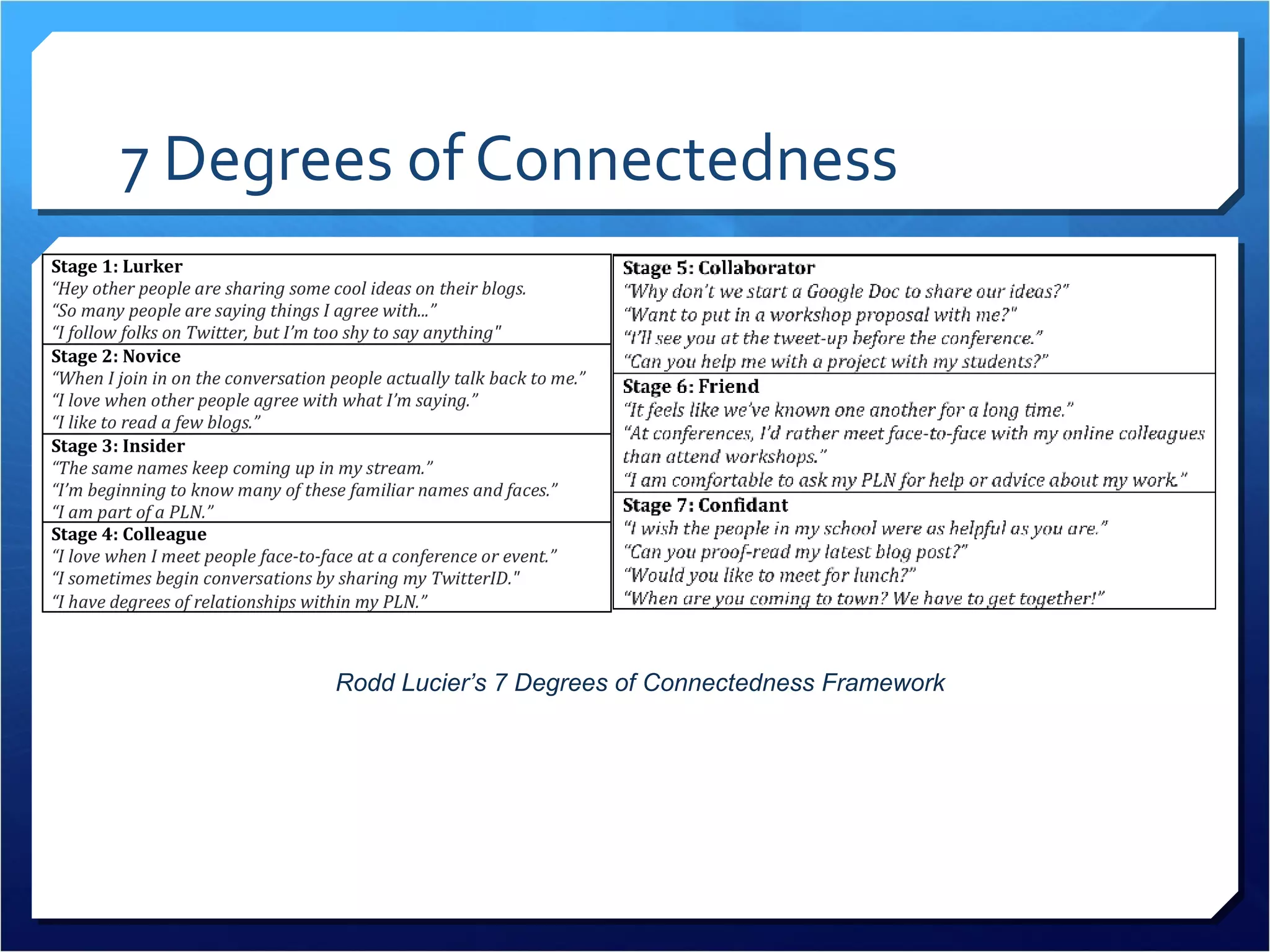
7 Degrees of Connectedness
                    Rodd Lucier’s
       7 Degrees of Connectedness Framework
Questions?
 Thoughts?

 Comments?

 Questions?
Add Me to Your PLN


       torreytrust@gmail.com

        www.torreytrust.com

            @torreytrust

http://edutechdatabase.wikispaces.com

Personalized Learning at Your Fingertips: Building a PLN

  • 1.
    Personalized Learning at Your Fingertips: Building a Professional Learning Network By: Torrey Trust
  • 2.
    Agenda  What areProfessional Learning Networks (PLN’s)?  PLN Tools  Information Literacy, Networking, Netiquette  PLN Overload & Survival Tips
  • 3.
    New Age Teaching& Learning  In the information age, students must learn to navigate and evaluate an expanding network of information.  Highly effective teachers model this process of information analysis and knowledge acquisition by continually learning through collaboration, professional development, and studying pedagogical techniques and best practices.
  • 4.
    What is aPLN?  A Professional Learning Network (PLN) is a flexible, teacher- driven activity space that facilitates personalized professional development. Social Media Connection Information Aggregation
  • 5.
  • 6.
    Benefits of PLN’s Flexible  Personalized  Practical  Real-Time Solutions  Instant Access
  • 7.
    Benefits of PLN’s Expertise  Reduces isolation  Increases opportunities for collaboration  Don’t have to reinvent the wheel  Best practices Connected Educator Map
  • 8.
    Information Aggregation  Stayingup-to-date on new information by following multiple websites and news sources through RSS feeds.
  • 9.
    RSS: Pushing Textfrom Individual Blogs to a Reader W eb sit e Blog e sit eb sW w Ne
  • 10.
    Information Gathering Tools Google Reader (http://www.google.com/reader)  Bloglines (http://www.bloglines.com/)  FeedDemon (http://www.feeddemon.com/)  My Yahoo! (http://my.yahoo.com/)  Comparison of RSS Readers: http://en.wikipedia.org/wiki/Comparison_of_feed_aggregators
  • 11.
    Setting Up GoogleReader  http://tinyurl.com/googlereadervideo
  • 12.
    Education Sites toFollow  EduBlog Awards: Top Individual Blog List http://edublogawards.com/  Smartbriefs (Accomplished Teacher, ASCD, EdTech) – https://www.smartbrief.com/news/education  41 Great Blogs to Follow by Subject Area: http://tinyurl.com/41edublogstofollow  FreeTech4Teachers: http://www.freetech4teachers.com/
  • 13.
    Social Bookmarking  Diigo.com Join groups: http://groups.diigo.com/  Share resources  Receive daily/weekly emails with newest resources  Easy to add resources to Diigo (toolbar button)  Can highlight resources, take notes, decide what to share
  • 14.
  • 15.
  • 16.
    Social Media ConnectionTools  These social media connection tools include:  Social networking sites (Facebook, Edmodo, Twitter)  Affinity-based group sites (Ning, Wikispaces)  Real-time interaction tools (online chat rooms, instant messaging, Skype, Second Life).
  • 17.
    Featured Collaborative Tool Edmodo (6.5+ million users)  Join subject communities  Create class groups (assignments, quizzes, grades)  Facebook-style interface  Quick responses from members  Personal library to collect resources  http://www.edmodo.com
  • 18.
  • 19.
    Featured Collaborative Tool Ning  Instantly chat with other individuals on the website  Add & RSVP to events  Join special-interest groups  Listen to education podcasts  Add RSS feeds to your profile page  Write blog posts & create your own blog
  • 20.
    Featured Collaborative Tool Ning PLN’s for Educators:  http://classroom20.com  http://edupln.ning.com/  http://www.teacher20.com  http://sschat.ning.com/  http://vodcasting.ning.com/  List of Networks:  http://www.educationalnetworking.com/List+of+Networks
  • 21.
    Featured Collaborative Tool Twitter  Follow educators, experts, policymakers  Twitter4Teachers wiki  Collaborative Google Doc of Teachers on Twitter  Share your own links and resources  Join education conversations (see next slide)  Share ideas, ask for help, receive feedback from followers  Connect with educators around the world  http://www.twitter.com
  • 22.
    Twitter Hashtags  Joineducation conversations:  #edchat: Over 400 teachers get together every Tuesday at Noon EST or at 6PM EST to chat about a variety of pre-determined topics.  #Scichat, #mathchat, #engchat: Talk with teachers who teach your core subject area (times vary)  #1stchat, #2ndchat, #3rdchat, etc.: Talk with teachers who teach your grade level  #edtech: Chat about all things new in educational technology  View more education hashtags here: http://cybraryman.com/edhashtags.html
  • 23.
  • 24.
    How to Usea PLN  Find & share resources  Connect with teachers around the world  Collaboration opportunities  Partner classes for lessons  Ask for help/support  Solicit ideas  Share your voice  Learn from others (best practices/success stories)
  • 25.
    Information Literacy  Ongoingprocess of sifting, organizing, analyzing and evaluating information and individuals in your PLN  Start with well-known website/expert  Look at number of subscribers and good reviews  Look critically at the information  Building a PLN should be a fluid process  “Crap Detection” – Howard Rheingold  The Crap Test: http://www.workliteracy.com/pages/the-crap-test/
  • 26.
    Networking & Netiquette Aim for building relationships NOT having 500 “friends”  Be a connector  Give AND receive  Build your expert credentials  Lurk & learn  Reach out (add friends, follow people)
  • 27.
    Ethics & Privacy What you post is permanent  Use the Grandmother Rule (would your grandma approve of your tweet/post?)  Don’t fear the tools, build your confidence  Understand the privacy settings of different tools  Resources:  Facebook for School Counselors Guide.pdf  Creating Social Media Guidelines for Educators  How to Create Social Media Guidelines for Your School
  • 28.
    PLN Overload  Thousandsof blogs, websites, news sources to follow  Thousands of groups to join, discussion forums to respond to, and members to connect with  Figuring out social norms in the online space  TMI!
  • 29.
    PLN Overload (SurvivalTips)  Information Aggregation  Start by identifying 2-3 information sources to follow (including email subscriptions)  Set a reminder on your calendar to visit your RSS reader weekly  Collaborative Tools  Try to connect with 1-2 individuals (via friend request or responding to discussion posts)  Ask these individuals about how to make the most out of the activity space
  • 30.
    7 Degrees ofConnectedness Rodd Lucier’s 7 Degrees of Connectedness Framework
  • 31.
  • 32.
    Add Me toYour PLN torreytrust@gmail.com www.torreytrust.com @torreytrust http://edutechdatabase.wikispaces.com