




PEERAGOGY
DR. CHRISTINE B. BOYD
E3tech Conference July 28-29, 2014
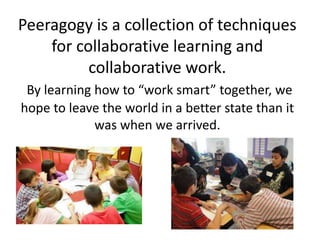
Peeragogy is a collection of techniques
for collaborative learning and
collaborative work.
By learning how to “work smart” together, we
hope to leave the world in a better state than it
was when we arrived.
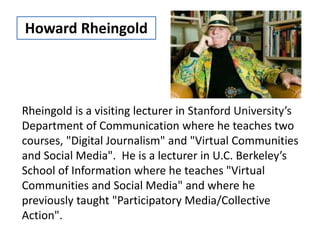
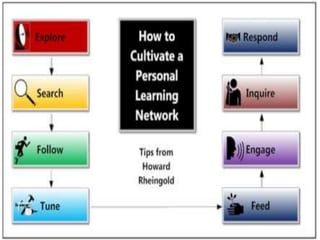
Rheingold is a visiting lecturer in Stanford University’s
Department of Communication where he teaches two
courses, "Digital Journalism" and "Virtual Communities
and Social Media". He is a lecturer in U.C. Berkeley’s
School of Information where he teaches "Virtual
Communities and Social Media" and where he
previously taught "Participatory Media/Collective
Action".
Howard Rheingold
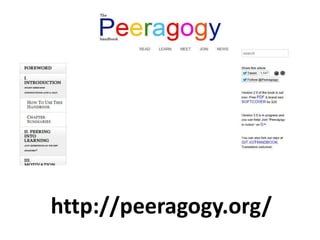
http://peeragogy.org/
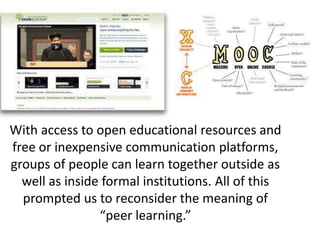
With access to open educational resources and
free or inexpensive communication platforms,
groups of people can learn together outside as
well as inside formal institutions. All of this
prompted us to reconsider the meaning of
“peer learning.”
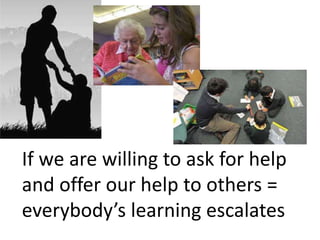
If we are willing to ask for help
and offer our help to others =
everybody’s learning escalates
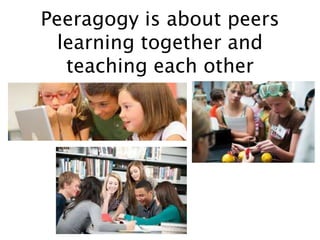
Peeragogy is about peers
learning together and
teaching each other
The connections that make it possible for us to
learn in the future are more relevant than the
knowledge we hold individually in the present.
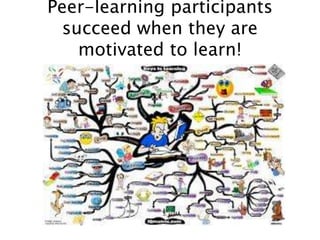
Peer-learning participants
succeed when they are
motivated to learn!
REFRAME THE VISION
EMPHASIS SHOULD
ALWAYS BE ON
LEARNING IN
ORDER TO DO
SOMETHING!
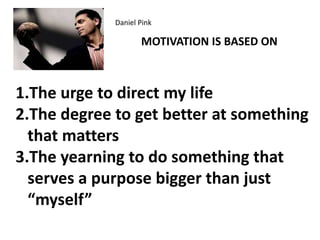
Daniel Pink
MOTIVATION IS BASED ON
1.The urge to direct my life
2.The degree to get better at something
that matters
3.The yearning to do something that
serves a purpose bigger than just
“myself”
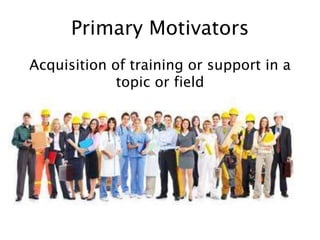
Primary Motivators
Acquisition of training or support in a
topic or field
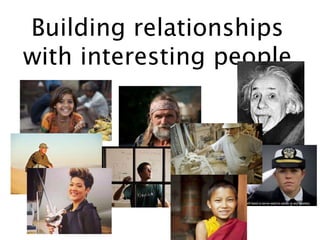
Building relationships
with interesting people
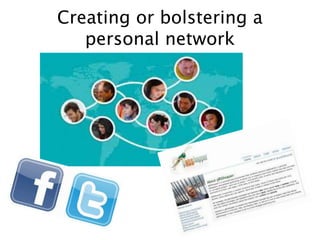
Creating or bolstering a
personal network
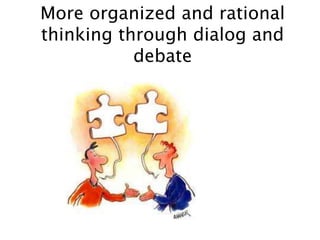
More organized and rational
thinking through dialog and
debate
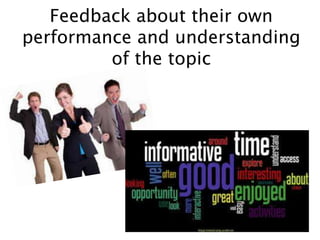
Feedback about their own
performance and understanding
of the topic
Education in the Information Age should enable
learners to find, analyze, evaluate, curate, and
act on the best available information.
This requires new literacies and a curriculum
that emphasizes mental fitness, physical
fitness, spiritual fitness, civic fitness, and
technological fitness.
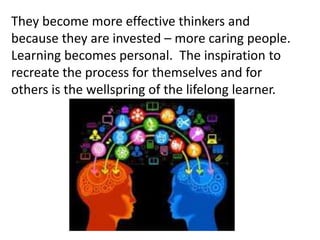
They become more effective thinkers and
because they are invested – more caring people.
Learning becomes personal. The inspiration to
recreate the process for themselves and for
others is the wellspring of the lifelong learner.
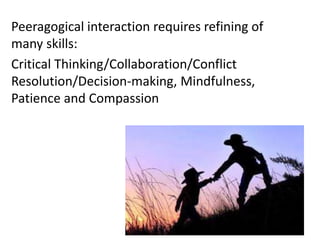
Peeragogical interaction requires refining of
many skills:
Critical Thinking/Collaboration/Conflict
Resolution/Decision-making, Mindfulness,
Patience and Compassion
1.Review what was supposed to happen
2.Establish what happened
3.Determine what was right or wrong with
what happened
4.Determine how the task should be done
differently the next time
Personalize my
experience and make
recommendations
Make it easy for me to
connect with friends,
like Facebook or
Twitter
Keep me in touch with
colleagues and associates
in other companies
Persistent reputations – so you can
trust who you are collaborating with
Multiple access options
Don’t overload students…let them
learn from YouTube, an FAQ, or linking
to an expert
Connect with what is hot…
Reddit
Digg
MetaFilter
Fark
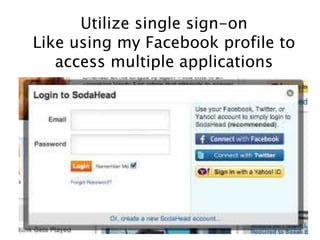
Utilize single sign-on
Like using my Facebook profile to
access multiple applications
Choose and subscribe to streams
of information like
BoingBoing
LifeHacker
Huffpost
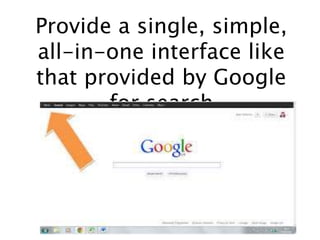
Provide a single, simple,
all-in-one interface like
that provided by Google
for search
Help me learn from a community of
kindred spirits like
SlashDot
Reddit
MetaFilter
Provide a way to voice opinions and
show personality..such as a blog
Show what others are interested in,
as with social bookmarks like
Diigo
Delicious
Make it easy to share photos and video
as on
Flickr
YouTube
Leverage “the wisdom of crowds” as when I
pose a question to my followers on Twitter or
Facebook
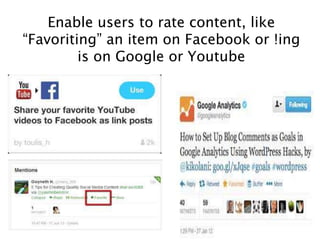
Enable users to rate content, like
“Favoriting” an item on Facebook or !ing
is on Google or Youtube
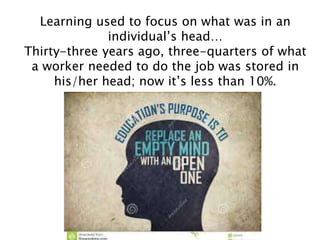
Learning used to focus on what was in an
individual’s head…
Thirty-three years ago, three-quarters of what
a worker needed to do the job was stored in
his/her head; now it’s less than 10%.
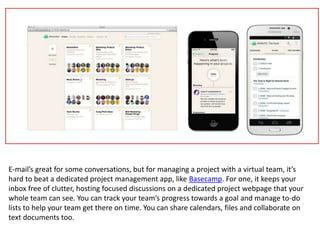
E-mail’s great for some conversations, but for managing a project with a virtual team, it’s
hard to beat a dedicated project management app, like Basecamp. For one, it keeps your
inbox free of clutter, hosting focused discussions on a dedicated project webpage that your
whole team can see. You can track your team’s progress towards a goal and manage to-do
lists to help your team get there on time. You can share calendars, files and collaborate on
text documents too.
Google Drive is the new home of Google Docs,
which is Google’s answer to Microsoft Office.
The real benefit for virtual teams is the ability
to collaborate on documents in real time. You
can leave comments on your team’s work or
chat while you work together.
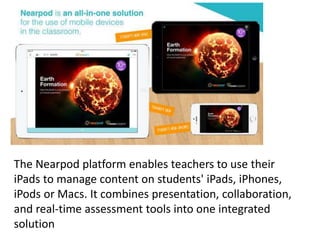
The Nearpod platform enables teachers to use their
iPads to manage content on students' iPads, iPhones,
iPods or Macs. It combines presentation, collaboration,
and real-time assessment tools into one integrated
solution
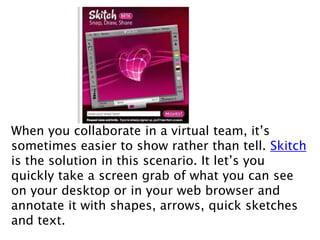
When you collaborate in a virtual team, it’s
sometimes easier to show rather than tell. Skitch
is the solution in this scenario. It let’s you
quickly take a screen grab of what you can see
on your desktop or in your web browser and
annotate it with shapes, arrows, quick sketches
and text.
Another app for show-don’t-tell scenarios,
join.me lets you share your screen with up to 10
other users, let them control your computer,
chat and swap files. It’s sort of magical how
quick and easy it is to do this – and it’s great for
showing work in progress or for helping out
team members with technical difficulties that are
hard to explain over the phone or over e-mail.
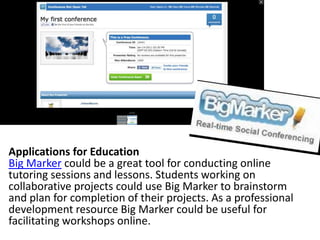
Applications for Education
Big Marker could be a great tool for conducting online
tutoring sessions and lessons. Students working on
collaborative projects could use Big Marker to brainstorm
and plan for completion of their projects. As a professional
development resource Big Marker could be useful for
facilitating workshops online.
For day-to-day communication
with your team, Skype is an
essential app to have in your dock
or taskbar. Not only does it allow
you to call and video call your
team members for free, it’s a
really easy way to instant
message one another and swap
files directly. We use it in our
team for quick conversations and
to let each other know when
we’re working and where we’re
working, which just helps us feel
like we’re together, even if we’re
miles apart!
With Dropbox software installed on your
computer, and on the computers of your
team members, files are automatically
updated, so everyone has the latest
version, and they’re backed up too, so
you won’t have to worry about losing
your stuff.
It can be easy to feel, in between hearing from your
team members, that no work is being done. This is a
crisis of faith that needs to be overcome, but it does
take some time – and, crucially, trust. In the
meantime, there’s iDoneThis – a simple web app that’s
more about celebrating your team’s achievements
than it is about spying on what’s been done. It sends
an evening email reminder that everyone on your team
writes a quick reply to saying what they did that day –
just one line per task. The next day, everyone gets a
digest with what everyone else has been working on.
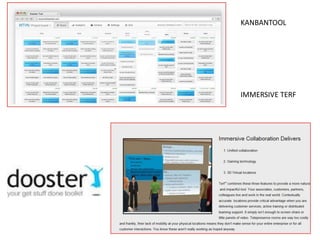
KANBANTOOL
IMMERSIVE TERF
"Future Learning Short Documentary." YouTube. YouTube, 5 May 2012. Web. 10 July 2014.
<https://www.youtube.com/watch?v=qC_T9ePzANg>.
Hosler, Aimee. "10 Team-Building Games That Promote Collaborative Critical Thinking."
TeachThought. N.p., 26 Sept. 2013. Web. 10 July 2014.
<http://www.teachthought.com/teaching/10-team-building-games-that-promote-critical-
thinking/>.
"In Collaboration We Trust." Thin Difference. N.p., n.d. Web. 07 July 2014.
<http://www.thindifference.com/2013/04/24/in-collaboration-we-trust/>.
Johnson, Roger T., and David W. Johnson. "Cooperative Learning." Context Institute. N.p.,
Dec. 1988. Web. 02 July 2014. <http://www.context.org/iclib/ic18/johnson/>.
"Peeragogy." Peer Learning Handbook. N.p., n.d. Web. 07 July 2014.
<http://peeragogy.org/>.
Schaffhauser, Dian. "Campus Technology." 16 OER Sites Every Educator Should Know --.
N.p., 02 July 2014. Web. 02 July 2014.
<http://campustechnology.com/Articles/2014/07/02/16-OER-Sites-Every-Educator-Should-
Know.aspx?Page=3>.
CONTACT ME FOR
QUESTIONS OR
ASSISTANCE
Chris Boyd
@boydwinona
2302 Isleview Drive
Winona Lake, IN 46590
574-269-2693 – home 574-265-3855-cell
boyd1437@comcast.net

Peeragogy and Tools for Collaboration

  • 1.
    PEERAGOGY DR. CHRISTINE B.BOYD E3tech Conference July 28-29, 2014
  • 2.
    Peeragogy is acollection of techniques for collaborative learning and collaborative work. By learning how to “work smart” together, we hope to leave the world in a better state than it was when we arrived.
  • 3.
    Rheingold is avisiting lecturer in Stanford University’s Department of Communication where he teaches two courses, "Digital Journalism" and "Virtual Communities and Social Media". He is a lecturer in U.C. Berkeley’s School of Information where he teaches "Virtual Communities and Social Media" and where he previously taught "Participatory Media/Collective Action". Howard Rheingold
  • 4.
  • 5.
    With access toopen educational resources and free or inexpensive communication platforms, groups of people can learn together outside as well as inside formal institutions. All of this prompted us to reconsider the meaning of “peer learning.”
  • 6.
    If we arewilling to ask for help and offer our help to others = everybody’s learning escalates
  • 7.
    Peeragogy is aboutpeers learning together and teaching each other
  • 8.
    The connections thatmake it possible for us to learn in the future are more relevant than the knowledge we hold individually in the present.
  • 10.
    Peer-learning participants succeed whenthey are motivated to learn!
  • 12.
  • 14.
    EMPHASIS SHOULD ALWAYS BEON LEARNING IN ORDER TO DO SOMETHING!
  • 16.
    Daniel Pink MOTIVATION ISBASED ON 1.The urge to direct my life 2.The degree to get better at something that matters 3.The yearning to do something that serves a purpose bigger than just “myself”
  • 17.
    Primary Motivators Acquisition oftraining or support in a topic or field
  • 18.
  • 19.
    Creating or bolsteringa personal network
  • 20.
    More organized andrational thinking through dialog and debate
  • 21.
    Feedback about theirown performance and understanding of the topic
  • 23.
    Education in theInformation Age should enable learners to find, analyze, evaluate, curate, and act on the best available information. This requires new literacies and a curriculum that emphasizes mental fitness, physical fitness, spiritual fitness, civic fitness, and technological fitness.
  • 24.
    They become moreeffective thinkers and because they are invested – more caring people. Learning becomes personal. The inspiration to recreate the process for themselves and for others is the wellspring of the lifelong learner.
  • 25.
    Peeragogical interaction requiresrefining of many skills: Critical Thinking/Collaboration/Conflict Resolution/Decision-making, Mindfulness, Patience and Compassion
  • 27.
    1.Review what wassupposed to happen 2.Establish what happened 3.Determine what was right or wrong with what happened 4.Determine how the task should be done differently the next time
  • 29.
    Personalize my experience andmake recommendations
  • 30.
    Make it easyfor me to connect with friends, like Facebook or Twitter
  • 31.
    Keep me intouch with colleagues and associates in other companies
  • 32.
    Persistent reputations –so you can trust who you are collaborating with
  • 33.
  • 34.
    Don’t overload students…letthem learn from YouTube, an FAQ, or linking to an expert
  • 35.
    Connect with whatis hot… Reddit Digg MetaFilter Fark
  • 36.
    Utilize single sign-on Likeusing my Facebook profile to access multiple applications
  • 37.
    Choose and subscribeto streams of information like BoingBoing LifeHacker Huffpost
  • 38.
    Provide a single,simple, all-in-one interface like that provided by Google for search
  • 39.
    Help me learnfrom a community of kindred spirits like SlashDot Reddit MetaFilter
  • 40.
    Provide a wayto voice opinions and show personality..such as a blog
  • 41.
    Show what othersare interested in, as with social bookmarks like Diigo Delicious
  • 42.
    Make it easyto share photos and video as on Flickr YouTube
  • 43.
    Leverage “the wisdomof crowds” as when I pose a question to my followers on Twitter or Facebook
  • 44.
    Enable users torate content, like “Favoriting” an item on Facebook or !ing is on Google or Youtube
  • 45.
    Learning used tofocus on what was in an individual’s head… Thirty-three years ago, three-quarters of what a worker needed to do the job was stored in his/her head; now it’s less than 10%.
  • 46.
    E-mail’s great forsome conversations, but for managing a project with a virtual team, it’s hard to beat a dedicated project management app, like Basecamp. For one, it keeps your inbox free of clutter, hosting focused discussions on a dedicated project webpage that your whole team can see. You can track your team’s progress towards a goal and manage to-do lists to help your team get there on time. You can share calendars, files and collaborate on text documents too.
  • 47.
    Google Drive isthe new home of Google Docs, which is Google’s answer to Microsoft Office. The real benefit for virtual teams is the ability to collaborate on documents in real time. You can leave comments on your team’s work or chat while you work together.
  • 48.
    The Nearpod platformenables teachers to use their iPads to manage content on students' iPads, iPhones, iPods or Macs. It combines presentation, collaboration, and real-time assessment tools into one integrated solution
  • 49.
    When you collaboratein a virtual team, it’s sometimes easier to show rather than tell. Skitch is the solution in this scenario. It let’s you quickly take a screen grab of what you can see on your desktop or in your web browser and annotate it with shapes, arrows, quick sketches and text.
  • 50.
    Another app forshow-don’t-tell scenarios, join.me lets you share your screen with up to 10 other users, let them control your computer, chat and swap files. It’s sort of magical how quick and easy it is to do this – and it’s great for showing work in progress or for helping out team members with technical difficulties that are hard to explain over the phone or over e-mail.
  • 51.
    Applications for Education BigMarker could be a great tool for conducting online tutoring sessions and lessons. Students working on collaborative projects could use Big Marker to brainstorm and plan for completion of their projects. As a professional development resource Big Marker could be useful for facilitating workshops online.
  • 52.
    For day-to-day communication withyour team, Skype is an essential app to have in your dock or taskbar. Not only does it allow you to call and video call your team members for free, it’s a really easy way to instant message one another and swap files directly. We use it in our team for quick conversations and to let each other know when we’re working and where we’re working, which just helps us feel like we’re together, even if we’re miles apart!
  • 53.
    With Dropbox softwareinstalled on your computer, and on the computers of your team members, files are automatically updated, so everyone has the latest version, and they’re backed up too, so you won’t have to worry about losing your stuff.
  • 54.
    It can beeasy to feel, in between hearing from your team members, that no work is being done. This is a crisis of faith that needs to be overcome, but it does take some time – and, crucially, trust. In the meantime, there’s iDoneThis – a simple web app that’s more about celebrating your team’s achievements than it is about spying on what’s been done. It sends an evening email reminder that everyone on your team writes a quick reply to saying what they did that day – just one line per task. The next day, everyone gets a digest with what everyone else has been working on.
  • 55.
  • 58.
    "Future Learning ShortDocumentary." YouTube. YouTube, 5 May 2012. Web. 10 July 2014. <https://www.youtube.com/watch?v=qC_T9ePzANg>. Hosler, Aimee. "10 Team-Building Games That Promote Collaborative Critical Thinking." TeachThought. N.p., 26 Sept. 2013. Web. 10 July 2014. <http://www.teachthought.com/teaching/10-team-building-games-that-promote-critical- thinking/>. "In Collaboration We Trust." Thin Difference. N.p., n.d. Web. 07 July 2014. <http://www.thindifference.com/2013/04/24/in-collaboration-we-trust/>. Johnson, Roger T., and David W. Johnson. "Cooperative Learning." Context Institute. N.p., Dec. 1988. Web. 02 July 2014. <http://www.context.org/iclib/ic18/johnson/>. "Peeragogy." Peer Learning Handbook. N.p., n.d. Web. 07 July 2014. <http://peeragogy.org/>. Schaffhauser, Dian. "Campus Technology." 16 OER Sites Every Educator Should Know --. N.p., 02 July 2014. Web. 02 July 2014. <http://campustechnology.com/Articles/2014/07/02/16-OER-Sites-Every-Educator-Should- Know.aspx?Page=3>.
  • 59.
    CONTACT ME FOR QUESTIONSOR ASSISTANCE Chris Boyd @boydwinona 2302 Isleview Drive Winona Lake, IN 46590 574-269-2693 – home 574-265-3855-cell boyd1437@comcast.net

Editor's Notes

  • #11 Learning situations frequently bore the learner when extrinsic motivation is involved. Whether by parents or society, being forced to do something, as opposed to choosing to, ends up making the individual less likely to succeed In peer learning, whether or not you’re pursuing a practical objective, you’re in charge, and this kind of learning is usually fun. Indeed, as we’ll describe below, there are deep links between play and learning. We believe we can improve the co-learning experience by adopting a playful mindset. Certainly some of our best learning moments in the Peeragogy project have been peppered with humor and banter. (Peeragogy Handbook, 2014)
  • #12 If you cultivate your social media relationships with care, you can develop a personal learning network that will put you in contact with a steady stream of valuable ideas (Reingold, 2014). When you EXPLORE - You need to be open: To new people, opportunities, possibilities, to knowledge. Search – Use Diigo, delicious, listorious, to find pools of expertise in the fields that interest you - Your goal is to identify people and potential sources you can add to your personal knowledge network. Follow - Once you’ve identified people who are posting information that appears to be relevant to your areas of intererst, follow them. Add them to your network. This is the only way you can vett them, to determine if they are worthy members of your network. Analyze the quality of their social media posts. What is their point of view? Is the information they’re posting accurate? Tune - That’s the beautiful thing about many of the social networks: You can not only see what your new-found online friends are posting, but you often get exposed to the ideas of their friends as well. Always keep tuning your network, dropping people who don’t gain sufficiently high interest; adding new candidates. Feed - This step is critical to relationship building within your social media channels. As you begin to understand what motivates some of the key people you follow, you will naturally encounter nuggets of information that may be of value to them. Make the first move. Share it with them. That increases the odds that they’ll share good stuff with you. You scratch my back, I’ll scratch yours. It’s just like in real life: If you’re open and generous, you’ll tend to build more and better relationships than if you’re stingy and selfish. So be proactive – share FIRST. Don’t wait for someone you’re connected with to share something with you. Engage - Engage the people you follow. Be polite, mindful of making demands on their attention. Put work into dialogue if they welcome it. Thank them for sharing. Tools like Twitter and Google+ aren’t just a powerful “radar” for discovering great ideas and sharing cool resources with others. They’re also a platform for dialogue and discussion, going beyond information exchanges into deeper levels of communication – sharing insights and experiences. Inquire – of the people you follow. Ask engaging questions – give value to receive value. Respond to inquiries made to you - Pay it forward. Be the kind of person that you’d like others to be. Set a good example and influence others, so they’re more likely to do the same for you.
  • #13 Reframe the educational vision using peeragogical eyes. Recast the classroom as a community of people who learn together, the teacher as a facilitator, and the curriculum as a starting point that can be used to organize and trigger community engagement
  • #43 Flickr (pronounced "flicker") is an image hosting and video hosting website, and web services suite that was created by Ludicorp in 2004 and acquired by Yahoo in 2005. In addition to being a popular website for users to share and embed personal photographs, and effectively an online community, the service is widely used by photo researchers and by bloggers to host images that they embed in blogs and social media.[3]
  • #48 Also OneDrive (formerly known as SkyDrive) – easily store documents, photos, videos, etc in one place
  • #49 Free