Web-Based Learning: Embrace Technology, Empower Yourself! Staci Trekles Milligan Clinical Assistant Professor Instructional Technology Purdue University Calumet [email_address]
Session Objectives
 
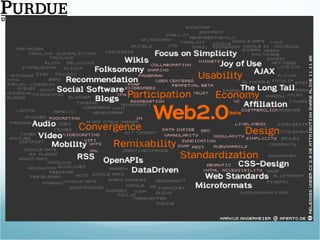
So What is “Web 2.0” Anyhow?
The Online Advantage
Issues of Safety on the Web
Communicating with the Web
Blogging A site that works like a public, online diary, allowing the author to post stories that others can read and comment on Excellent for diaries, question-and-answer dialogue between students and teachers or content experts Microblogs like Twitter are great for simple updates and commentary – following important people in a field is a great way to stay current Recommended Sites: http://www.edublogs.org http://www.wordpress.com   http://www.blogger.com   http://www.twitter.com  (micro-blog)  Ideas for the Classroom: http://oedb.org/library/features/top-100-education-blogs http://my-ecoach.com/online/webresourcelist.php?rlid=4992
Wikis A site created by its users; anyone who is allowed to do so may edit the content of the wiki site at will Excellent for project planning and group-writing/group-creation activities Recommended Sites: http://www.wikispaces.com http://www.wetpaint.com Ideas for the Classroom: http://educationalwikis.wikispaces.com/Classroom+Wikis   http://wik.ed.uiuc.edu/index.php/Wiki_in_a_K-12_classroom
Social Networks Multi-feature environments where people can post pictures, personal profiles, blog, send messages to one another, play games, and more  Profiles are generally restricted only to members within the user’s “network” of friends, allowing friends to connect semi-privately When a new friend is added to someone’s network, that friend is also part of all of his/her networked friends’ networks Recommended Sites: http://education.ning.com http://www.imbee.com   http://www.classroom20.com   http://www.linkedin.com   Ideas for the Classroom: http://socialnetworksined.wikispaces.com/ http://www.slideshare.net/brainopera/facebook-strategies-for-the-classroom/
Synchronous Communication Can’t get to class or to a meeting? Need to speak to someone in real-time but can’t be with them face-to-face? There are many sites today that allow for cheap or free real-time communication, often with a combination of text, video, and audio All you need is broadband and a microphone or webcam Recommended Sites: http://www.skype.com http://www.gotomeeting.com http://www.adobe.com/products/acrobatconnectpro/ http://www.elluminate.com http://www.google.com/talk/   Ideas for the Classroom: http://www.isteconnects.org/2009/02/15/the-many-roles-of-skype-in-the-classroom/ http://www.adobe.com/education/instruction/adsc/
Media and File Sharing Allows for the posting, sharing, categorization, and commenting of text, photos, videos, and presentations Searches can be performed on keywords assigned to media to put them into categories (known as “tagging”) Media sharing is different from podcasting in that everything is shared and streamed directly on the Web  Google Docs and DivShare are great for sharing documents other than multimedia Recommended sites: http://www.slideshare.net http://www.divshare.com http://www.flickr.com http://www.teachertube.com http://docs.google.com   Ideas for the Classroom: http://digitalstorytelling.coe.uh.edu   http://www.kn.pacbell.com/wired/fil/pages/listdigitalpa.html   http://www.slideshare.net/category/education   http://www.google.com/educators/p_apps.html
Learning from the Web
Finding Web Learning Opportunities
Atomic Learning Atomic Learning ( http://www.atomiclearning.com ) is a collection of high-quality, targeted video tutorials for all kinds of subjects Basic technology skills Integration of different technologies into the classroom Assistive technology Offers huge library of videos for Mac and Windows, as well as self-contained workshops on educational topics Has administrative options to assign tutorials to individuals, track progress, and assess learning Subscription service is reasonably priced
Screencast.com Screencast.com is a huge repository of tutorials uploaded by its users You can create your own screencasts with Jing ( http://www.jingproject.com )  or Camtasia ( http://www.techsmith.com ) and upload them directly to Screencast.com, or use another program and upload through the website Free accounts give up to 2GB of space; paid accounts are $10 per month and give you 25GB  Your posted screencasts each receive a permanent URL that you can share with others Each week there are several featured screencasts from other users available on the screencast.com homepage
YouTube, TeacherTube, and More There are a lot of great tutorials for all kinds of topics available at YouTube, TeacherTube, and other sites around the Web Whatever the software, hardware, or subject, there are always plenty of free or low-cost resource available to fill the need Try: http://www.youtube.com http://www.teachertube.com http://www.moodletutorials.org http://www.howstuffworks.com   http://www.nibipedia.com http://www.video-tutes.com   http://www.sutree.com   http://www.lynda.com
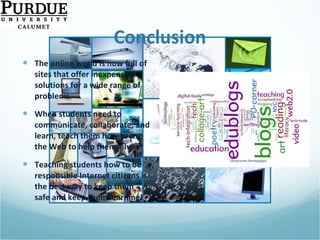
Conclusion The online world is now full of sites that offer inexpensive solutions for a wide range of problems When students need to communicate, collaborate, and learn, teach them how to use the Web to help themselves Teaching students how to be responsible Internet citizens is the best way to keep them safe and keep them learning!
Resources and References
Thank you!

Learning and Communicating with the Web

  • 1.
    Web-Based Learning: EmbraceTechnology, Empower Yourself! Staci Trekles Milligan Clinical Assistant Professor Instructional Technology Purdue University Calumet [email_address]
  • 2.
  • 3.
  • 4.
    So What is“Web 2.0” Anyhow?
  • 5.
  • 6.
    Issues of Safetyon the Web
  • 7.
  • 8.
    Blogging A sitethat works like a public, online diary, allowing the author to post stories that others can read and comment on Excellent for diaries, question-and-answer dialogue between students and teachers or content experts Microblogs like Twitter are great for simple updates and commentary – following important people in a field is a great way to stay current Recommended Sites: http://www.edublogs.org http://www.wordpress.com http://www.blogger.com http://www.twitter.com (micro-blog) Ideas for the Classroom: http://oedb.org/library/features/top-100-education-blogs http://my-ecoach.com/online/webresourcelist.php?rlid=4992
  • 9.
    Wikis A sitecreated by its users; anyone who is allowed to do so may edit the content of the wiki site at will Excellent for project planning and group-writing/group-creation activities Recommended Sites: http://www.wikispaces.com http://www.wetpaint.com Ideas for the Classroom: http://educationalwikis.wikispaces.com/Classroom+Wikis http://wik.ed.uiuc.edu/index.php/Wiki_in_a_K-12_classroom
  • 10.
    Social Networks Multi-featureenvironments where people can post pictures, personal profiles, blog, send messages to one another, play games, and more Profiles are generally restricted only to members within the user’s “network” of friends, allowing friends to connect semi-privately When a new friend is added to someone’s network, that friend is also part of all of his/her networked friends’ networks Recommended Sites: http://education.ning.com http://www.imbee.com http://www.classroom20.com http://www.linkedin.com Ideas for the Classroom: http://socialnetworksined.wikispaces.com/ http://www.slideshare.net/brainopera/facebook-strategies-for-the-classroom/
  • 11.
    Synchronous Communication Can’tget to class or to a meeting? Need to speak to someone in real-time but can’t be with them face-to-face? There are many sites today that allow for cheap or free real-time communication, often with a combination of text, video, and audio All you need is broadband and a microphone or webcam Recommended Sites: http://www.skype.com http://www.gotomeeting.com http://www.adobe.com/products/acrobatconnectpro/ http://www.elluminate.com http://www.google.com/talk/ Ideas for the Classroom: http://www.isteconnects.org/2009/02/15/the-many-roles-of-skype-in-the-classroom/ http://www.adobe.com/education/instruction/adsc/
  • 12.
    Media and FileSharing Allows for the posting, sharing, categorization, and commenting of text, photos, videos, and presentations Searches can be performed on keywords assigned to media to put them into categories (known as “tagging”) Media sharing is different from podcasting in that everything is shared and streamed directly on the Web Google Docs and DivShare are great for sharing documents other than multimedia Recommended sites: http://www.slideshare.net http://www.divshare.com http://www.flickr.com http://www.teachertube.com http://docs.google.com Ideas for the Classroom: http://digitalstorytelling.coe.uh.edu http://www.kn.pacbell.com/wired/fil/pages/listdigitalpa.html http://www.slideshare.net/category/education http://www.google.com/educators/p_apps.html
  • 13.
  • 14.
  • 15.
    Finding Web LearningOpportunities
  • 16.
    Atomic Learning AtomicLearning ( http://www.atomiclearning.com ) is a collection of high-quality, targeted video tutorials for all kinds of subjects Basic technology skills Integration of different technologies into the classroom Assistive technology Offers huge library of videos for Mac and Windows, as well as self-contained workshops on educational topics Has administrative options to assign tutorials to individuals, track progress, and assess learning Subscription service is reasonably priced
  • 17.
    Screencast.com Screencast.com isa huge repository of tutorials uploaded by its users You can create your own screencasts with Jing ( http://www.jingproject.com ) or Camtasia ( http://www.techsmith.com ) and upload them directly to Screencast.com, or use another program and upload through the website Free accounts give up to 2GB of space; paid accounts are $10 per month and give you 25GB Your posted screencasts each receive a permanent URL that you can share with others Each week there are several featured screencasts from other users available on the screencast.com homepage
  • 18.
    YouTube, TeacherTube, andMore There are a lot of great tutorials for all kinds of topics available at YouTube, TeacherTube, and other sites around the Web Whatever the software, hardware, or subject, there are always plenty of free or low-cost resource available to fill the need Try: http://www.youtube.com http://www.teachertube.com http://www.moodletutorials.org http://www.howstuffworks.com http://www.nibipedia.com http://www.video-tutes.com http://www.sutree.com http://www.lynda.com
  • 19.
    Conclusion The onlineworld is now full of sites that offer inexpensive solutions for a wide range of problems When students need to communicate, collaborate, and learn, teach them how to use the Web to help themselves Teaching students how to be responsible Internet citizens is the best way to keep them safe and keep them learning!
  • 20.
  • 21.

Editor's Notes

  • #7 Demo iSafe in particular, I think this is a good site for all ages, iKeepSafe is better for younger kids to use, the KidsHealth site is a great overview
  • #21 Be sure to show off slides on Atomic Learning