
Embedding M-Learning WA (Workshop 1) On the job Training and Assessment for Hairdressing Apprentices
Session Overview About Embedding m-learning in WA funding Aim of Hairdressing project Mobile learning explained Skills Self Assessment Survey Syncing PDAs with computers Introduction to using PDAs for content delivery Creating content for PDAs using PowerPoint
Aim of funding Promote and support project-based professional development activities on mobile learning Improve skills, practices, and/or processes to enhance the quality of teaching, learning and assessment using mobile technology Must include embedding m-learning with clients
Aim of your Project Improve your ability to use PDAs as a management tool Acquire skills to develop content for PDAs  Gain skills to use PDAs with students Gain skills to use PDAs for assessing
Mobile Learning
Skills self assessment survey It is a requirement of the funding that we determine the skills level of participants at the beginning and end of the project.  Your responses at the beginning of the project will be used to determine how to tailor the activities to best meet your needs.  Your responses will be kept confidential
Start Survey The information will only be reported in summary form.  No individual responses will be reported. Please go to: http://visagepda.wikispaces.com/workshop1m
Syncing PDAs with your computer
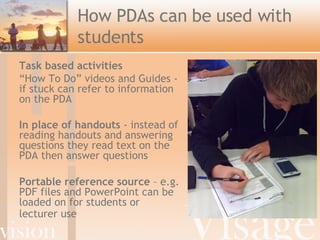
How PDAs can be used with students Task based activities “ How To Do” videos and Guides - if  stuck can refer to information on the PDA  In place of handouts  -  instead of reading handouts and answering questions they read text on the PDA then answer questions  Portable reference source  – e.g. PDF files and PowerPoint can be loaded on for students or lecturer use
Video: Delivering content on PDAs
Tips for creating content for PDAs using PowerPoint Minimize amount of text No smaller than size 22 font Use action buttons so that students can navigate easier on PDA

PDA Workshop 1

  • 1.
    Embedding M-Learning WA(Workshop 1) On the job Training and Assessment for Hairdressing Apprentices
  • 2.
    Session Overview AboutEmbedding m-learning in WA funding Aim of Hairdressing project Mobile learning explained Skills Self Assessment Survey Syncing PDAs with computers Introduction to using PDAs for content delivery Creating content for PDAs using PowerPoint
  • 3.
    Aim of fundingPromote and support project-based professional development activities on mobile learning Improve skills, practices, and/or processes to enhance the quality of teaching, learning and assessment using mobile technology Must include embedding m-learning with clients
  • 4.
    Aim of yourProject Improve your ability to use PDAs as a management tool Acquire skills to develop content for PDAs Gain skills to use PDAs with students Gain skills to use PDAs for assessing
  • 5.
  • 6.
    Skills self assessmentsurvey It is a requirement of the funding that we determine the skills level of participants at the beginning and end of the project. Your responses at the beginning of the project will be used to determine how to tailor the activities to best meet your needs. Your responses will be kept confidential
  • 7.
    Start Survey Theinformation will only be reported in summary form. No individual responses will be reported. Please go to: http://visagepda.wikispaces.com/workshop1m
  • 8.
    Syncing PDAs withyour computer
  • 9.
    How PDAs canbe used with students Task based activities “ How To Do” videos and Guides - if stuck can refer to information on the PDA In place of handouts - instead of reading handouts and answering questions they read text on the PDA then answer questions Portable reference source – e.g. PDF files and PowerPoint can be loaded on for students or lecturer use
  • 10.
  • 11.
    Tips for creatingcontent for PDAs using PowerPoint Minimize amount of text No smaller than size 22 font Use action buttons so that students can navigate easier on PDA