P L N b l o g : http://2blog2share2learn.edublogs.org/
P r e s e n t a t I o n s i t e: http://msbisonline.weebly.com/
            e C a r d : http://about.me/VRBurton
PBworks is an
easy-to-use free
 web page that
multiple people
  can edit, it’s
 based on wiki
  technology.
   WYSIWYG
Use PBworks to
communicate with
Administrators, Faculty,
Parents and Students
Host and share
 information between
 students, faculty and
 staff. Encourage staff
    development and
    shared resources
     across schools.
Make distance learning
 more interactive and
collaborative, support
  research teams, and
         improve
   inter-departmental
      coordination.
In the classroom,
PBworks is a free
     tool that
 empowers every
    student to
  participate in
 group projects.
Great way to communicate with students


                    Create     Publish
                   Comment     Converse
                   Post Ideas Respond
                      Share      Edit
                   Collaborate   Engage
You have assigned a
           team research project.
  What can you do to encourage the students to work
together, share resources and create high quality work?
It's so easy to
create a site to
help guide students
along with projects.
It's a good way to
make handouts
available to
students.
I post links to my
site so that parents
can access project
guidelines as well.
With PBworks,
you have a history of
     every edit
 You are notified of
    every change
No more “dog ate my homework”


Edits are time stamped. You
 know who made changes and
    when they were made.
Encourage student-centered learning. Even young
students can build web pages, embed images & video,
                and post documents.
Provide access to information sources, book lists, and
                links to good articles
Set it up and it works
just like typing in Microsoft Word
Just click edit and work on the pages
Easy to add things onto the wikipages
Post a picture or a video


      Wikis can house all
       of the resources
       that you want to
             share
Easy to create
    pages

PBworks allows
  you to use
 templates to
 make projects
    easier.

    Use their
  templates or
create your own.
Create folders to organize student work
PBworks is free, fast and easy
           to use.
    Create one now at
   www.PBworks.com
http://pbworks.com/education
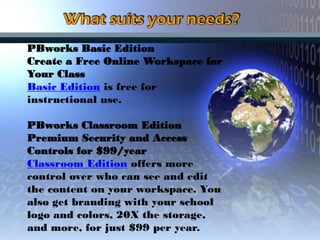
PBworks Basic Edition
Create a Free Online Workspace for
Your Class
Basic Edition is free for
instructional use.

PBworks Classroom Edition
Premium Security and Access
Controls for $99/year
Classroom Edition offers more
control over who can see and edit
the content on your workspace. You
also get branding with your school
logo and colors, 20X the storage,
and more, for just $99 per year.
PBworks hosts over
   300,000 educational
  workspaces, and has
    helped transform
teaching and learning for
   millions of students,
  parents and teachers.
As teachers, we want to be sure students
   are protected from the wider internet.
YOU control who sees your workspace


          You invite your students
Each student has a unique login and password
Pbworks Sites for
  Educators are
 free and never     NO ADS
     display
 advertisements
We want to make certain
   our students act
 appropriately on line.

Will our students write
offensive comments?

How can we monitor our
   students activity?
PBworks is Free and Easy to set up
       No IT department is needed!
Simply create an account, a
   site name and begin
For Classroom Teachers
     For Librarians
   For School/District
     Technologies
  For University Users
  Education Webinars
Education Case Studies
    Educators’ Wiki
 PBworks Resources

PBworks presentation

  • 1.
    P L Nb l o g : http://2blog2share2learn.edublogs.org/ P r e s e n t a t I o n s i t e: http://msbisonline.weebly.com/ e C a r d : http://about.me/VRBurton
  • 3.
    PBworks is an easy-to-usefree web page that multiple people can edit, it’s based on wiki technology. WYSIWYG
  • 4.
    Use PBworks to communicatewith Administrators, Faculty, Parents and Students
  • 7.
    Host and share information between students, faculty and staff. Encourage staff development and shared resources across schools. Make distance learning more interactive and collaborative, support research teams, and improve inter-departmental coordination.
  • 8.
    In the classroom, PBworksis a free tool that empowers every student to participate in group projects.
  • 9.
    Great way tocommunicate with students Create Publish Comment Converse Post Ideas Respond Share Edit Collaborate Engage
  • 10.
    You have assigneda team research project. What can you do to encourage the students to work together, share resources and create high quality work?
  • 11.
    It's so easyto create a site to help guide students along with projects. It's a good way to make handouts available to students. I post links to my site so that parents can access project guidelines as well.
  • 12.
    With PBworks, you havea history of every edit You are notified of every change
  • 13.
    No more “dogate my homework” Edits are time stamped. You know who made changes and when they were made.
  • 14.
    Encourage student-centered learning.Even young students can build web pages, embed images & video, and post documents. Provide access to information sources, book lists, and links to good articles
  • 15.
    Set it upand it works just like typing in Microsoft Word
  • 16.
    Just click editand work on the pages
  • 17.
    Easy to addthings onto the wikipages
  • 18.
    Post a pictureor a video Wikis can house all of the resources that you want to share
  • 19.
    Easy to create pages PBworks allows you to use templates to make projects easier. Use their templates or create your own.
  • 20.
    Create folders toorganize student work
  • 21.
    PBworks is free,fast and easy to use. Create one now at www.PBworks.com
  • 22.
  • 23.
    PBworks Basic Edition Createa Free Online Workspace for Your Class Basic Edition is free for instructional use. PBworks Classroom Edition Premium Security and Access Controls for $99/year Classroom Edition offers more control over who can see and edit the content on your workspace. You also get branding with your school logo and colors, 20X the storage, and more, for just $99 per year.
  • 24.
    PBworks hosts over 300,000 educational workspaces, and has helped transform teaching and learning for millions of students, parents and teachers.
  • 25.
    As teachers, wewant to be sure students are protected from the wider internet. YOU control who sees your workspace You invite your students Each student has a unique login and password
  • 26.
    Pbworks Sites for Educators are free and never NO ADS display advertisements
  • 27.
    We want tomake certain our students act appropriately on line. Will our students write offensive comments? How can we monitor our students activity?
  • 29.
    PBworks is Freeand Easy to set up No IT department is needed!
  • 30.
    Simply create anaccount, a site name and begin
  • 31.
    For Classroom Teachers For Librarians For School/District Technologies For University Users Education Webinars Education Case Studies Educators’ Wiki PBworks Resources