Wikis 101
North View Primary School
What’s a Wiki?
•   A wiki is a website that uses wiki software,
    allowing the easy creation and editing of any
    number of interlinked Web pages, using a simplified
    markup language or a WYSIWYG text editor,
    within the browser.

•   Wikis are often used to create collaborative
    websites and to power community websites. The
    collaborative encyclopedia Wikipedia is one of
    the best-known wikis.
Why WIKI at all?
• HBL due to H1N1 & other pandemics
• LEAD allows us only 2 slots - Tuesday:
  12noon to 2pm and Thursday: 6pm to 8pm
• Online collaborative work for the digital
  natives - our pupils!
• FREE ~ for our needs, at this point of time.
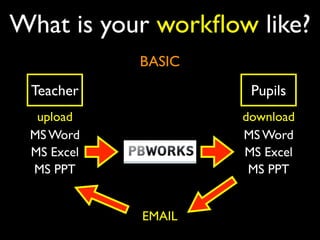
What is your workflow like?
            BASIC
 Teacher             Pupils
  upload            download
 MS Word            MS Word
 MS Excel           MS Excel
 MS PPT              MS PPT


            EMAIL
Powerful Collaboration
      Features
• Collaborative Page Editing
• Let multiple people collaborate on the
  same page. No need to send documents
  around and wait for comments -- your
  pages and documents can be centralized on
  the workspace for as many editors as you
  grant access to.
Powerful Collaboration
      Features
• Document management & file sharing
• Use PBworks's Document Management
  feature to share documents, spreadsheets,
  Powerpoints, or any kind of document
  imaginable -- right on your workspace.
Powerful Collaboration
      Features
• Complete history and audit trail
• PBworks keeps a complete audit trail of
  every change made to your workspace. See
  who changed what. Reverse any change
  with a couple clicks.Your PBworks allows
  you to maintain full accountability of your
  users.
Powerful Collaboration
      Features
• Easily invite others to collaborate
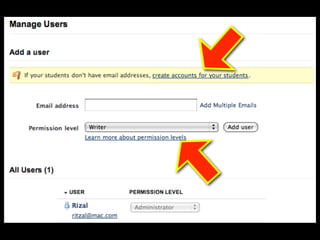
• Invite 1 or 1,000 users to your PBworks in
  seconds. (If you're a teacher, PBworks also
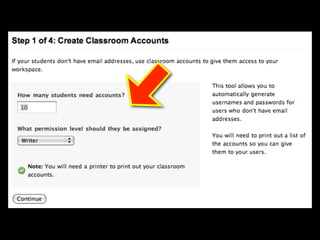
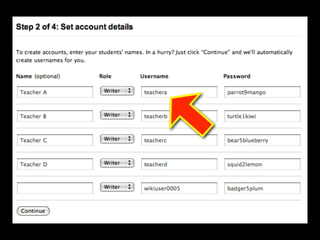
  features Classroom Accounts for students
  without email addresses.) No more
  complicated user provisioning and no more
  waiting for IT. Inviting users is easy.
Powerful Collaboration
      Features
• Automatic notifications by RSS and email
• PBworks notifies you of every edit so you
  can monitor changes and engage when you
  need to. Notifications by RSS and email
  allow you to keep up to date, automatically.
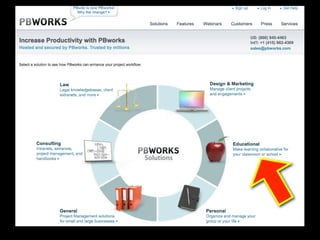
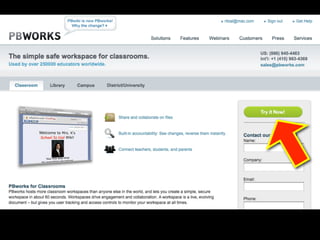
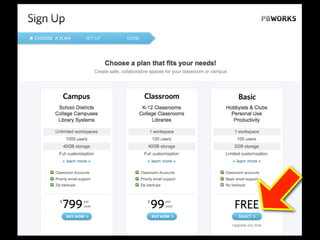
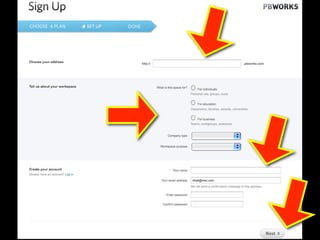
PB Works
(formerly pbWiki - peanut butter wiki, really)
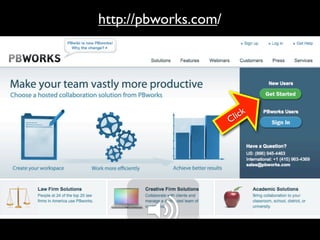
http://pbworks.com/


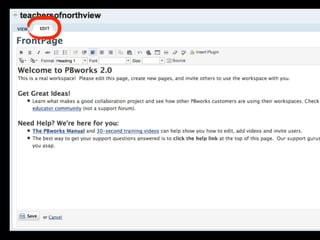
                          l ick
                      C
Uploading Resources
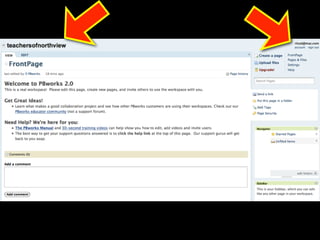
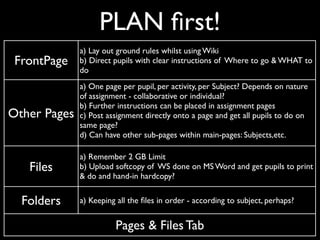
PLAN first!
              a) Lay out ground rules whilst using Wiki
 FrontPage    b) Direct pupils with clear instructions of Where to go & WHAT to
              do
              a) One page per pupil, per activity, per Subject? Depends on nature
              of assignment - collaborative or individual?
              b) Further instructions can be placed in assignment pages
Other Pages   c) Post assignment directly onto a page and get all pupils to do on
              same page?
              d) Can have other sub-pages within main-pages: Subjects,etc.

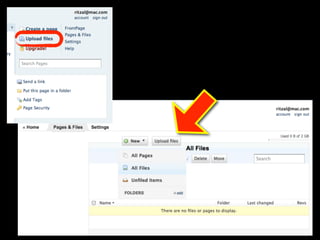
              a) Remember 2 GB Limit
   Files      b) Upload softcopy of WS done on MS Word and get pupils to print
              & do and hand-in hardcopy?


  Folders     a) Keeping all the files in order - according to subject, perhaps?


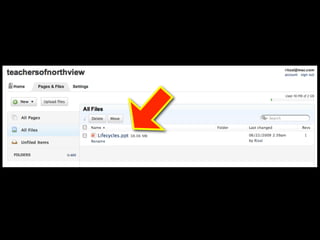
                        Pages & Files Tab
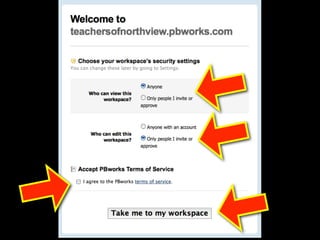
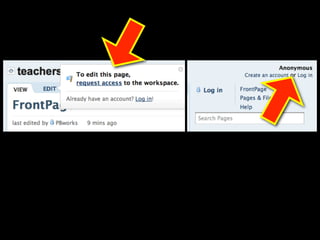
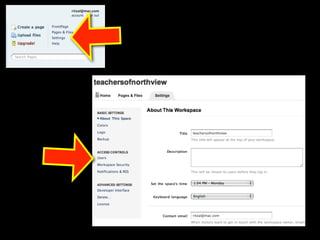
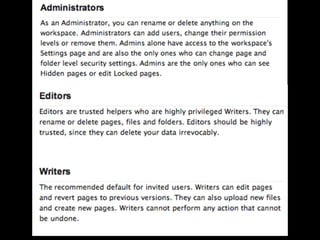
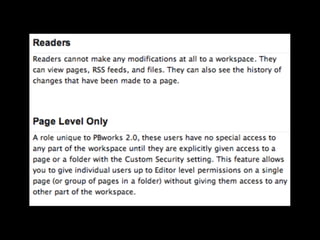
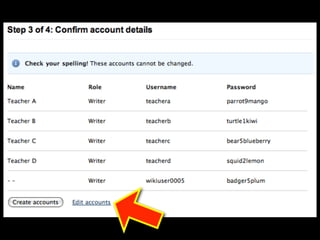
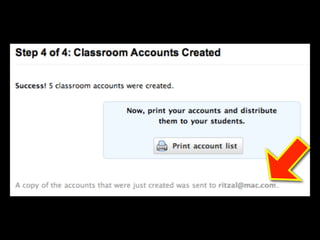
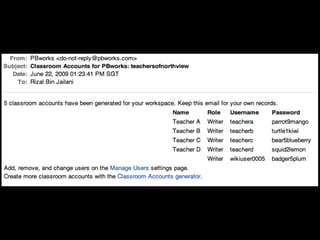
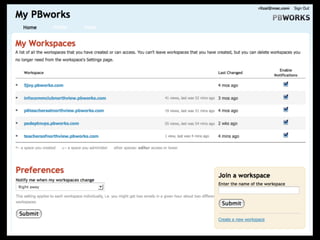
Adding pupils
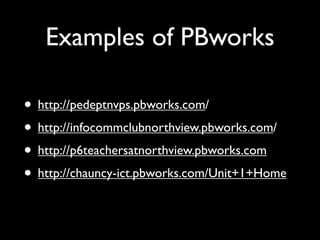
Examples of PBworks

• http://pedeptnvps.pbworks.com/
• http://infocommclubnorthview.pbworks.com/
• http://p6teachersatnorthview.pbworks.com
• http://chauncy-ict.pbworks.com/Unit+1+Home

Wiki101

  • 1.
    Wikis 101 North ViewPrimary School
  • 2.
    What’s a Wiki? • A wiki is a website that uses wiki software, allowing the easy creation and editing of any number of interlinked Web pages, using a simplified markup language or a WYSIWYG text editor, within the browser. • Wikis are often used to create collaborative websites and to power community websites. The collaborative encyclopedia Wikipedia is one of the best-known wikis.
  • 3.
    Why WIKI atall? • HBL due to H1N1 & other pandemics • LEAD allows us only 2 slots - Tuesday: 12noon to 2pm and Thursday: 6pm to 8pm • Online collaborative work for the digital natives - our pupils! • FREE ~ for our needs, at this point of time.
  • 4.
    What is yourworkflow like? BASIC Teacher Pupils upload download MS Word MS Word MS Excel MS Excel MS PPT MS PPT EMAIL
  • 5.
    Powerful Collaboration Features • Collaborative Page Editing • Let multiple people collaborate on the same page. No need to send documents around and wait for comments -- your pages and documents can be centralized on the workspace for as many editors as you grant access to.
  • 6.
    Powerful Collaboration Features • Document management & file sharing • Use PBworks's Document Management feature to share documents, spreadsheets, Powerpoints, or any kind of document imaginable -- right on your workspace.
  • 7.
    Powerful Collaboration Features • Complete history and audit trail • PBworks keeps a complete audit trail of every change made to your workspace. See who changed what. Reverse any change with a couple clicks.Your PBworks allows you to maintain full accountability of your users.
  • 8.
    Powerful Collaboration Features • Easily invite others to collaborate • Invite 1 or 1,000 users to your PBworks in seconds. (If you're a teacher, PBworks also features Classroom Accounts for students without email addresses.) No more complicated user provisioning and no more waiting for IT. Inviting users is easy.
  • 9.
    Powerful Collaboration Features • Automatic notifications by RSS and email • PBworks notifies you of every edit so you can monitor changes and engage when you need to. Notifications by RSS and email allow you to keep up to date, automatically.
  • 10.
    PB Works (formerly pbWiki- peanut butter wiki, really)
  • 11.
  • 21.
  • 22.
    PLAN first! a) Lay out ground rules whilst using Wiki FrontPage b) Direct pupils with clear instructions of Where to go & WHAT to do a) One page per pupil, per activity, per Subject? Depends on nature of assignment - collaborative or individual? b) Further instructions can be placed in assignment pages Other Pages c) Post assignment directly onto a page and get all pupils to do on same page? d) Can have other sub-pages within main-pages: Subjects,etc. a) Remember 2 GB Limit Files b) Upload softcopy of WS done on MS Word and get pupils to print & do and hand-in hardcopy? Folders a) Keeping all the files in order - according to subject, perhaps? Pages & Files Tab
  • 25.
  • 36.
    Examples of PBworks •http://pedeptnvps.pbworks.com/ • http://infocommclubnorthview.pbworks.com/ • http://p6teachersatnorthview.pbworks.com • http://chauncy-ict.pbworks.com/Unit+1+Home