Teachnologies forthe classroomPBWorksProf Melissa Lizmi , Oct 2010 Montgomery College
Why online?Wesch videos – meaningful connections are everywhere! An anthropological Introduction to YouTube presented @ Library of Congress http://www.youtube.com/watch?v=TPAO-lZ4_hU&feature=relatedA Portal to Media Literacy  http://www.youtube.com/watch?v=J4yApagnr0s&feature=channel
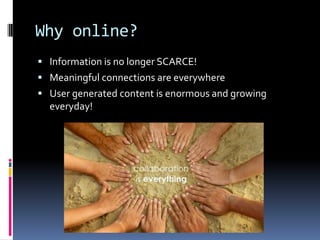
Why online?Information is no longer SCARCE!Meaningful connections are everywhereUser generated content is enormous and growing everyday!
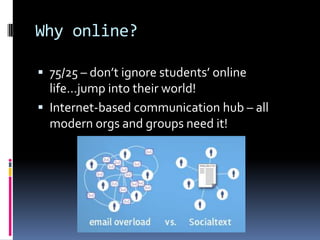
Why online?75/25 – don’t ignore students’ online life…jump into their world! Internet-based communication hub – all modern orgs and groups need it!
A faculty sitewww.proflizmi.comNotes, syllabus, schedule and more available 24/7Class list of student workDiscussion boardQuickTopics – www.quicktopics.comLow cost (5 mins) ….high benefits!After class conversations are helpful!
Students answer each others’ questions 24/7! homework,  help, clarify, discussDiscussion boards
A faculty siteGood – but, not collaborative enoughStudents still can’t post, share, and collaborate on information.  To 	truly learn from each other, students need toShare research and information (text, images, videos, links)Discuss, collaborate, analyze and organize INFOMATION
A collaborative place to beSetup a website in minutes…not weeks!Content Management Systems (CMS)Blogger (push info out – good for online journals/research)Google Sites (collaborative)Wikis (collaborative)WordPress (advanced site creation)“None of us is as smart as all of us”
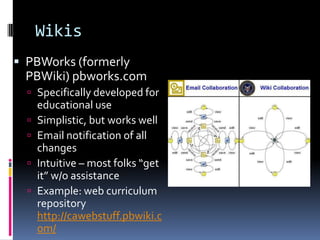
WikisPBWorks (formerly PBWiki) pbworks.com Specifically developed for educational useSimplistic, but works wellEmail notification of all changesIntuitive – most folks “get it” w/o assistanceExample: web curriculum repository http://cawebstuff.pbwiki.com/
WikisWetPaintWiki  wetpaint.com More complex to use  Lots of flexibility and features!Let students express themselves using their profiles!  Easy upload, doc creation and collaboration tools Tight student account control Can see exactly what each person has changed/contributedBan users if neededSuper update messages via email…including weekly bulletins of site activityHolds image, video and audio assets too!  Not just docsDiscussion options abound! Discuss each docExample: Ocean Issues video http://oceanissues.wetpaint.com/Smithsonian Project
Welcome to MC’s EduTech! http://mcedutech.pbworks.com/
Student ViewReceive and accept emailAdd text  - add your name to class listAdd a your own page Add a link to your pageStart a discussion
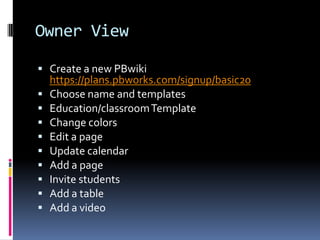
Owner ViewCreate a new PBwikihttps://plans.pbworks.com/signup/basic20Choose nameand templatesEducation/classroom TemplateChange colorsEdit a pageUpdate calendarAdd a pageInvite studentsAdd a tableAdd a video
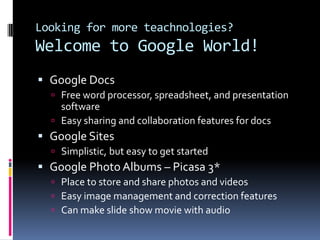
Looking for more teachnologies?Welcome to Google World! Google Docs Free word processor, spreadsheet, and presentation softwareEasy sharing and collaboration features for docs Google SitesSimplistic, but easy to get startedGoogle Photo Albums – Picasa 3*Place to store and share photos and videosEasy image management and correction featuresCan make slide show movie with audio
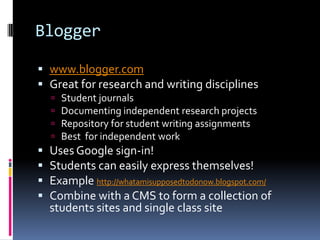
Bloggerwww.blogger.comGreat for research and writing disciplines Student journalsDocumenting independent research projectsRepository for student writing assignmentsBest  for independent work  Uses Google sign-in!Students can easily express themselves!Example http://whatamisupposedtodonow.blogspot.com/Combine with a CMS to form a collection of students sites and single class site
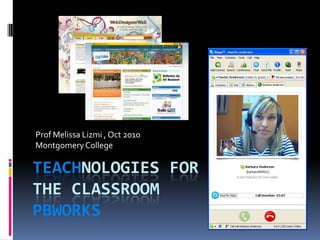
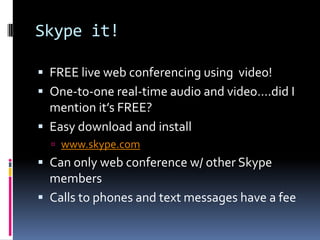
Skype it!FREE live web conferencing using  video! One-to-one real-time audio and video….did I mention it’s FREE?Easy download and install www.skype.comCan only web conference w/ other Skype membersCalls to phones and text messages have a fee
YouTubeAdd a little fun to your classes with YouTube!  Your students will thank you!Just plain fun! Where the Hell is Matt? www.wherethehellismatt.comEverything is so amazing and nobody is happy http://www.youtube.com/watch?v=jETv3NURwLcEven economists can laugh http://www.youtube.com/watch?v=VVp8UGjECt4&feature=channel_pageDon’t forget Michael Wesch!A Vision of Students Today http://www.youtube.com/watch?v=jETv3NURwLcThe Machine is Us/ing Us http://www.youtube.com/watch?v=NLlGopyXT_gWomen in Art! http://www.youtube.com/watch?v=nUDIoN-_Hxs

Teachnologies p bworks

  • 1.
    Teachnologies forthe classroomPBWorksProfMelissa Lizmi , Oct 2010 Montgomery College
  • 2.
    Why online?Wesch videos– meaningful connections are everywhere! An anthropological Introduction to YouTube presented @ Library of Congress http://www.youtube.com/watch?v=TPAO-lZ4_hU&feature=relatedA Portal to Media Literacy http://www.youtube.com/watch?v=J4yApagnr0s&feature=channel
  • 3.
    Why online?Information isno longer SCARCE!Meaningful connections are everywhereUser generated content is enormous and growing everyday!
  • 4.
    Why online?75/25 –don’t ignore students’ online life…jump into their world! Internet-based communication hub – all modern orgs and groups need it!
  • 5.
    A faculty sitewww.proflizmi.comNotes,syllabus, schedule and more available 24/7Class list of student workDiscussion boardQuickTopics – www.quicktopics.comLow cost (5 mins) ….high benefits!After class conversations are helpful!
  • 6.
    Students answer eachothers’ questions 24/7! homework, help, clarify, discussDiscussion boards
  • 7.
    A faculty siteGood– but, not collaborative enoughStudents still can’t post, share, and collaborate on information. To truly learn from each other, students need toShare research and information (text, images, videos, links)Discuss, collaborate, analyze and organize INFOMATION
  • 8.
    A collaborative placeto beSetup a website in minutes…not weeks!Content Management Systems (CMS)Blogger (push info out – good for online journals/research)Google Sites (collaborative)Wikis (collaborative)WordPress (advanced site creation)“None of us is as smart as all of us”
  • 9.
    WikisPBWorks (formerly PBWiki)pbworks.com Specifically developed for educational useSimplistic, but works wellEmail notification of all changesIntuitive – most folks “get it” w/o assistanceExample: web curriculum repository http://cawebstuff.pbwiki.com/
  • 10.
    WikisWetPaintWiki wetpaint.comMore complex to use Lots of flexibility and features!Let students express themselves using their profiles! Easy upload, doc creation and collaboration tools Tight student account control Can see exactly what each person has changed/contributedBan users if neededSuper update messages via email…including weekly bulletins of site activityHolds image, video and audio assets too! Not just docsDiscussion options abound! Discuss each docExample: Ocean Issues video http://oceanissues.wetpaint.com/Smithsonian Project
  • 11.
    Welcome to MC’sEduTech! http://mcedutech.pbworks.com/
  • 12.
    Student ViewReceive andaccept emailAdd text - add your name to class listAdd a your own page Add a link to your pageStart a discussion
  • 13.
    Owner ViewCreate anew PBwikihttps://plans.pbworks.com/signup/basic20Choose nameand templatesEducation/classroom TemplateChange colorsEdit a pageUpdate calendarAdd a pageInvite studentsAdd a tableAdd a video
  • 14.
    Looking for moreteachnologies?Welcome to Google World! Google Docs Free word processor, spreadsheet, and presentation softwareEasy sharing and collaboration features for docs Google SitesSimplistic, but easy to get startedGoogle Photo Albums – Picasa 3*Place to store and share photos and videosEasy image management and correction featuresCan make slide show movie with audio
  • 15.
    Bloggerwww.blogger.comGreat for researchand writing disciplines Student journalsDocumenting independent research projectsRepository for student writing assignmentsBest for independent work Uses Google sign-in!Students can easily express themselves!Example http://whatamisupposedtodonow.blogspot.com/Combine with a CMS to form a collection of students sites and single class site
  • 16.
    Skype it!FREE liveweb conferencing using video! One-to-one real-time audio and video….did I mention it’s FREE?Easy download and install www.skype.comCan only web conference w/ other Skype membersCalls to phones and text messages have a fee
  • 17.
    YouTubeAdd a littlefun to your classes with YouTube! Your students will thank you!Just plain fun! Where the Hell is Matt? www.wherethehellismatt.comEverything is so amazing and nobody is happy http://www.youtube.com/watch?v=jETv3NURwLcEven economists can laugh http://www.youtube.com/watch?v=VVp8UGjECt4&feature=channel_pageDon’t forget Michael Wesch!A Vision of Students Today http://www.youtube.com/watch?v=jETv3NURwLcThe Machine is Us/ing Us http://www.youtube.com/watch?v=NLlGopyXT_gWomen in Art! http://www.youtube.com/watch?v=nUDIoN-_Hxs