
Introducing pbworks
JenniferWorrilow
FRIT 8132
November 18, 2010
pbworks.com
Pbworks is a real-time
collaborative editing
system, also known as a
wiki. A wiki is a website
that allows the easy
creation and editing of
any number of interlinked
web pages through a web
browser.
Educational Benefits
NETS
Media
References
EducationalBenefitsofpbworks
 pbworks is used in educational settings throughout the
world.Wikis are now an integral process of teaching.
 Teachers and students in elementary-12th grade can use
pbworks for many different ideas.
pbworksforTeachers&Students
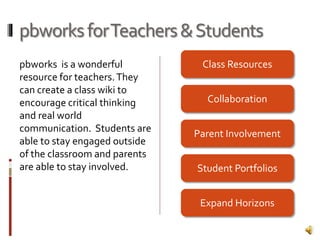
pbworks is a wonderful
resource for teachers.They
can create a class wiki to
encourage critical thinking
and real world
communication. Students are
able to stay engaged outside
of the classroom and parents
are able to stay involved.
Class Resources
Collaboration
Parent Involvement
Student Portfolios
Expand Horizons
ClassroomResources
 Syllabi and Pacing Guides
 Assignments
 Class notes
 PowerPoint presentations
Collaboration
 Discussions
 Work difficult problems
 Encourage comments and student
collaboration.
ParentInvolvement
 Classroom resources
 Classroom needs
 Volunteers
StudentPortfolios
 Post content
 Upload homework and projects
 Share work
ExpandHorizons
 Share and interact with others
 Classrooms in same school
 Classrooms in same district
 Classrooms in same country
 Classrooms from around the world
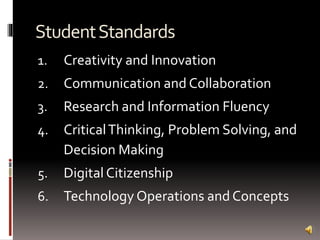
StudentStandards
1. Creativity and Innovation
2. Communication and Collaboration
3. Research and Information Fluency
4. CriticalThinking, Problem Solving, and
Decision Making
5. Digital Citizenship
6. Technology Operations and Concepts
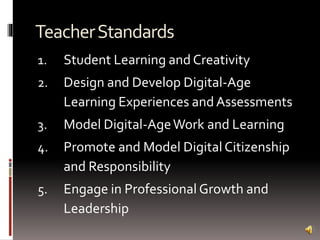
TeacherStandards
1. Student Learning and Creativity
2. Design and Develop Digital-Age
Learning Experiences and Assessments
3. Model Digital-AgeWork and Learning
4. Promote and Model Digital Citizenship
and Responsibility
5. Engage in Professional Growth and
Leadership
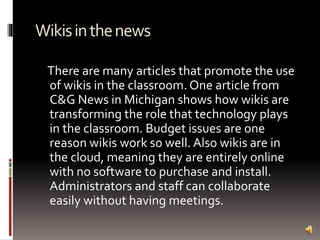
Wikisinthenews
There are many articles that promote the use
of wikis in the classroom. One article from
C&G News in Michigan shows how wikis are
transforming the role that technology plays
in the classroom. Budget issues are one
reason wikis work so well. Also wikis are in
the cloud, meaning they are entirely online
with no software to purchase and install.
Administrators and staff can collaborate
easily without having meetings.
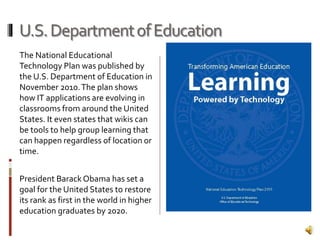
U.S.DepartmentofEducation
The National Educational
Technology Plan was published by
the U.S. Department of Education in
November 2010.The plan shows
how IT applications are evolving in
classrooms from around the United
States. It even states that wikis can
be tools to help group learning that
can happen regardless of location or
time.
President BarackObama has set a
goal for the United States to restore
its rank as first in the world in higher
education graduates by 2020.
International Society for Technology in Education. (2010). Standards for
global learning in the digital age. Retrieved from
http://www.iste.org/standards.aspx
U.S. Department of Education, Office of Educational Technology. (2010).
Transforming American education: Learning powered by
technology. Washington, DC: Retrieved from
http://www.ed.gov/sites/default/files/netp2010.pdf
Using pbworks in individual classrooms. (2010). Retrieved from
http://pbworks.com/content/edu-classroom-teachers
Wallace, D. (2010, November 3). District embraces wikis as learning tools.
C & G News, Retrieved from
http://www.candgnews.com/Homepage-
Articles/2010/11-3-10/Wikis-learning-tools.asp

Introducing pbworks

  • 1.
  • 2.
    pbworks.com Pbworks is areal-time collaborative editing system, also known as a wiki. A wiki is a website that allows the easy creation and editing of any number of interlinked web pages through a web browser. Educational Benefits NETS Media References
  • 4.
    EducationalBenefitsofpbworks  pbworks isused in educational settings throughout the world.Wikis are now an integral process of teaching.  Teachers and students in elementary-12th grade can use pbworks for many different ideas.
  • 5.
    pbworksforTeachers&Students pbworks is awonderful resource for teachers.They can create a class wiki to encourage critical thinking and real world communication. Students are able to stay engaged outside of the classroom and parents are able to stay involved. Class Resources Collaboration Parent Involvement Student Portfolios Expand Horizons
  • 6.
    ClassroomResources  Syllabi andPacing Guides  Assignments  Class notes  PowerPoint presentations
  • 7.
    Collaboration  Discussions  Workdifficult problems  Encourage comments and student collaboration.
  • 8.
    ParentInvolvement  Classroom resources Classroom needs  Volunteers
  • 9.
    StudentPortfolios  Post content Upload homework and projects  Share work
  • 10.
    ExpandHorizons  Share andinteract with others  Classrooms in same school  Classrooms in same district  Classrooms in same country  Classrooms from around the world
  • 12.
    StudentStandards 1. Creativity andInnovation 2. Communication and Collaboration 3. Research and Information Fluency 4. CriticalThinking, Problem Solving, and Decision Making 5. Digital Citizenship 6. Technology Operations and Concepts
  • 13.
    TeacherStandards 1. Student Learningand Creativity 2. Design and Develop Digital-Age Learning Experiences and Assessments 3. Model Digital-AgeWork and Learning 4. Promote and Model Digital Citizenship and Responsibility 5. Engage in Professional Growth and Leadership
  • 15.
    Wikisinthenews There are manyarticles that promote the use of wikis in the classroom. One article from C&G News in Michigan shows how wikis are transforming the role that technology plays in the classroom. Budget issues are one reason wikis work so well. Also wikis are in the cloud, meaning they are entirely online with no software to purchase and install. Administrators and staff can collaborate easily without having meetings.
  • 16.
    U.S.DepartmentofEducation The National Educational TechnologyPlan was published by the U.S. Department of Education in November 2010.The plan shows how IT applications are evolving in classrooms from around the United States. It even states that wikis can be tools to help group learning that can happen regardless of location or time. President BarackObama has set a goal for the United States to restore its rank as first in the world in higher education graduates by 2020.
  • 18.
    International Society forTechnology in Education. (2010). Standards for global learning in the digital age. Retrieved from http://www.iste.org/standards.aspx U.S. Department of Education, Office of Educational Technology. (2010). Transforming American education: Learning powered by technology. Washington, DC: Retrieved from http://www.ed.gov/sites/default/files/netp2010.pdf Using pbworks in individual classrooms. (2010). Retrieved from http://pbworks.com/content/edu-classroom-teachers Wallace, D. (2010, November 3). District embraces wikis as learning tools. C & G News, Retrieved from http://www.candgnews.com/Homepage- Articles/2010/11-3-10/Wikis-learning-tools.asp

Editor's Notes

  • #3 Pbworks is a real-time collaborative editing system, also known as a wiki. A wiki is a website that allows the easy creation and editing of any number of interlinked web pages through a web browser. I will present the educational benefits to using wikis, the National Educational Technology Standards that wikis promote and references to wikis in the media.
  • #5 There are many Educational Benefits of using pbworks as a classroom tool. pbworks is used in educational settings throughout the world. Wikis are now an integral process of teaching. Teachers and students in all grades from elementary to 12th can use pbworks for many different ideas.
  • #6 pbworks is a wonderful resource for teachers. They can create a class wiki to encourage critical thinking and real world communication. Students are able to stay engaged outside of the classroom and parents are able to stay involved. I will show how pbworks can be a valuable tool through class resources, collaboration, parent involvement, student portfolios and expanding students horizons
  • #7 Teachers can publish syllabi, pacing guides, assignments, class notes, PowerPoint presentations , and more that students and parents alike are able to access at anytime from any computer. Teachers can also show off examples of student work, from excellent to what not to do.
  • #8 Teachers can build wiki pages to start discussions, work difficult problems and encourage comments and student collaboration.
  • #9 In pbworks, parents are able to stay involved in their child’s classroom without leaving their computer. They are able to view the same classroom resources, such as syllabi and notes. Parents are also able to see classroom needs, whether it is school supplies or information. Parents could also view and edit volunteer lists, such as for party planning or field trips.
  • #10 students can use their pbworks wiki as a student portfolio. They can post content from different subjects, upload their homework and projects, and share their work with their classmates or friends around the world.
  • #11 Since pbworks is available for anyone to use via the internet, students are able to Share and interact with others from the same school, district, or country to Classrooms from around the world!
  • #12 Pbworks can be a great resource to implement the National Educational Technology Standards
  • #13 The student standards include the following six areas: Students show creative thinking and create original work. Students work collaboratively to support individual learning Students use digital tools to gather and use information Students use critical thinking skills to solve problems of their own or others Students must practice legal and ethical behavior when using a classroom wiki Students also demonstrate understanding of technology concepts
  • #14 The teacher standards include the following areas: Teachers must promote, support and model creative thinking and engage students in collaborative problem solving Teachers must be able to design and develop learning experiences that incorporate digital tools and collaboration Teachers must be able to model their own work through technology. This can be done through pbworks by collaborating with students, peers, and parents Teachers must also practice legal and ethical behavior when using a classroom wiki Teachers are able to engage in professional growth through the use of pbworks. They can interact and collaborate on wiki pages.
  • #16 There are many articles that promote the use of wikis in the classroom. One article from C&G News in Michigan shows how wikis are transforming the role that technology plays in the classroom. Budget issues are one reason wikis work so well. Also wikis are in the cloud, meaning they are entirely online with no software to purchase and install. Administrators and staff can collaborate easily without having meetings.
  • #17 The National Educational Technology Plan was published by the U.S. Department of Education in November 2010. The plan shows how IT applications are evolving in classrooms from around the United States. It even states that wikis can be tools to help group learning that can happen regardless of location or time. President Barack Obama has set a goal for the United States to restore its rank as first in the world in higher education graduates by 2020.