“Become a
„Connected‟ Educator”
Description: Increase (or
develop) your online presence. I
will help you create a PLN of
educators that will furnish you
with resources and advice. We
will create accounts and then
explore:
Twitter, Facebook, Blogs, ePortf
olios, online business
cards, and do-it-yourself
professional development.

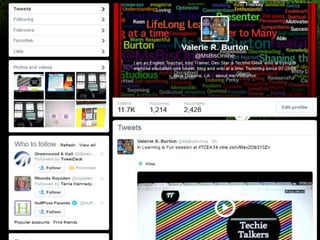
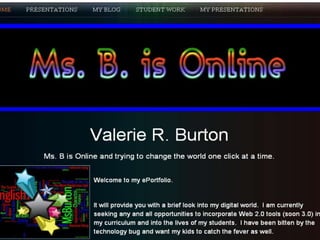
Valerie R. Burton
@MsBisOnline
Connected
Educators
How do I learn?
I am contact with
people who tweet,
blog, discuss and
share resources,
activities and
educational news
bits.
What is a
Connected
Educator?
A teacher who
recognizes and
embraces the new and
emerging web
technologies that
connect us all in ways
never before possible.

Networking
How can I
use ePortfolios to
document and
provide evidence of
what you do in the
classroom?
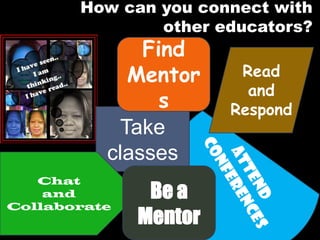
How can you connect with
other educators?

Find
Mentor
s
Take
classes

Chat
and
Collaborate

Be a
Mentor

Read
and
Respond
I am stillllll
figuring
everything
out.
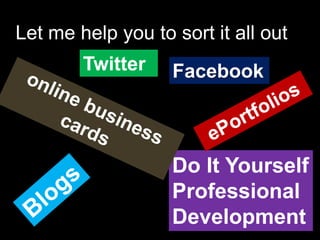
Let me help you to sort it all out
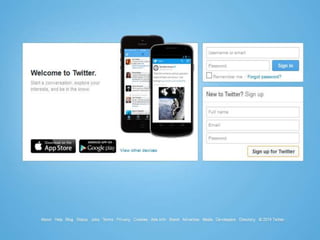
Twitter

Facebook

Do It Yourself
Professional
Development
It’s okay
if you
don’t get
it now.
You will
understan
d more
when you
PLAY!!
If you DO get
it, think
about the
ideas and
resources
that you want
to share.
Why would I
ever post
anything on
Twitter?
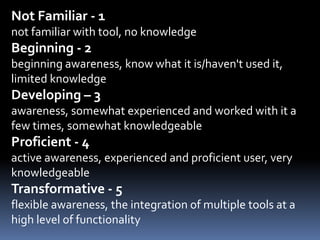
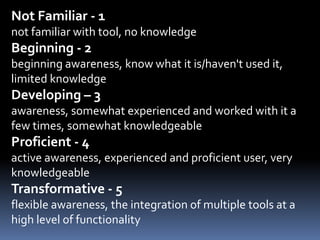
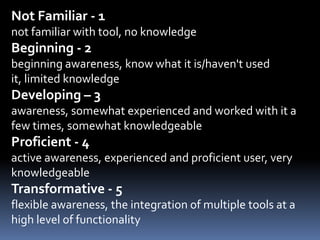
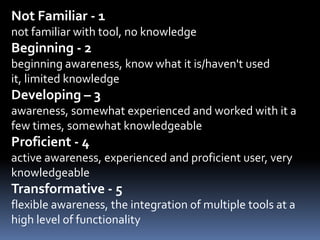
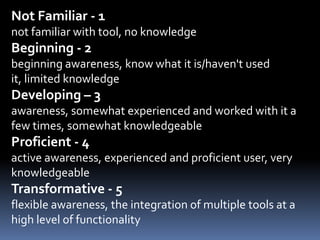
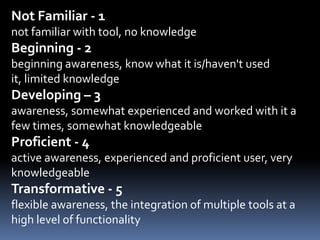
Not Familiar - 1
not familiar with tool, no knowledge

Beginning - 2
beginning awareness, know what it is/haven't used it,
limited knowledge

Developing – 3
awareness, somewhat experienced and worked with it a
few times, somewhat knowledgeable

Proficient - 4
active awareness, experienced and proficient user, very
knowledgeable

Transformative - 5
flexible awareness, the integration of multiple tools at a
high level of functionality
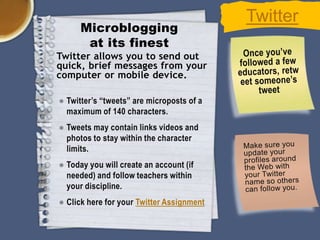
Microblogging
at its finest
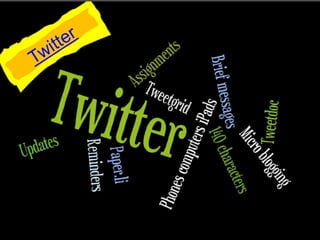
Twitter allows you to send out
quick, brief messages from your
computer or mobile device.
● Twitter’s “tweets” are microposts of a
maximum of 140 characters.
● Tweets may contain links videos and
photos to stay within the character
limits.
● Today you will create an account (if
needed) and follow teachers within
your discipline.
● Click here for your Twitter Assignment

Twitter
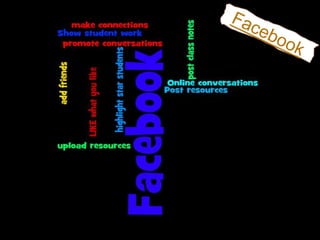
Faceboo
k
friends
really
want to
know
what I
Not Familiar - 1
not familiar with tool, no knowledge

Beginning - 2
beginning awareness, know what it is/haven't used it,
limited knowledge

Developing – 3
awareness, somewhat experienced and worked with it a
few times, somewhat knowledgeable

Proficient - 4
active awareness, experienced and proficient user, very
knowledgeable

Transformative - 5
flexible awareness, the integration of multiple tools at a
high level of functionality
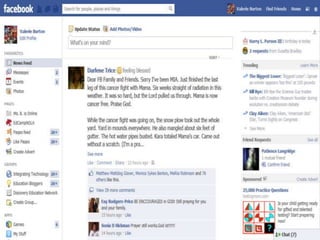
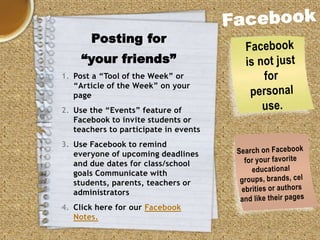
Posting for
“your friends”
1. Post a “Tool of the Week” or
“Article of the Week” on your
page
2. Use the “Events” feature of
Facebook to invite students or
teachers to participate in events

3. Use Facebook to remind
everyone of upcoming deadlines
and due dates for class/school
goals Communicate with
students, parents, teachers or
administrators
4. Click here for our Facebook
Notes.
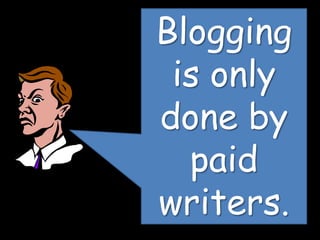
Blogging
is only
done by
paid
writers.
Not Familiar - 1
not familiar with tool, no knowledge

Beginning - 2
beginning awareness, know what it is/haven't used
it, limited knowledge

Developing – 3
awareness, somewhat experienced and worked with it a
few times, somewhat knowledgeable

Proficient - 4
active awareness, experienced and proficient user, very
knowledgeable

Transformative - 5
flexible awareness, the integration of multiple tools at a
high level of functionality
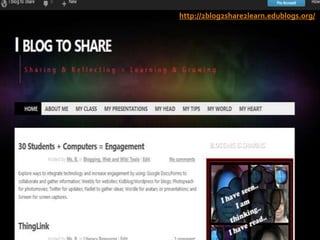
http://2blog2share2learn.edublogs.org/
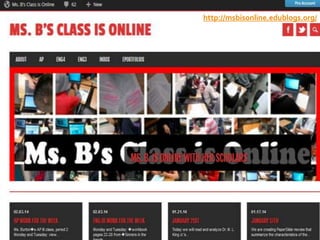
http://msbisonline.edublogs.org/
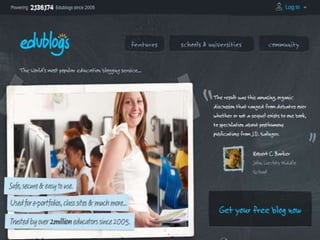
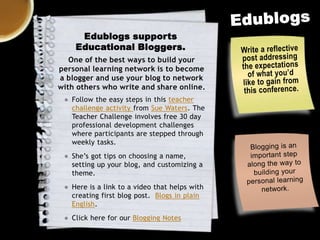
Edublogs supports
Educational Bloggers.
One of the best ways to build your
personal learning network is to become
a blogger and use your blog to network
with others who write and share online.
● Follow the easy steps in this teacher
challenge activity from Sue Waters. The
Teacher Challenge involves free 30 day
professional development challenges
where participants are stepped through
weekly tasks.
● She’s got tips on choosing a name,
setting up your blog, and customizing a
theme.
● Here is a link to a video that helps with
creating first blog post. Blogs in plain
English.
● Click here for our Blogging Notes
How do I
corral and
display my
digital
footprints?
Not Familiar - 1
not familiar with tool, no knowledge

Beginning - 2
beginning awareness, know what it is/haven't used
it, limited knowledge

Developing – 3
awareness, somewhat experienced and worked with it a
few times, somewhat knowledgeable

Proficient - 4
active awareness, experienced and proficient user, very
knowledgeable

Transformative - 5
flexible awareness, the integration of multiple tools at a
high level of functionality
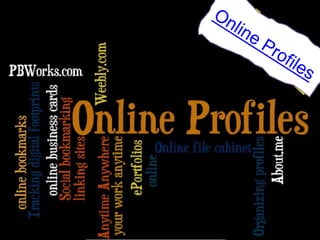
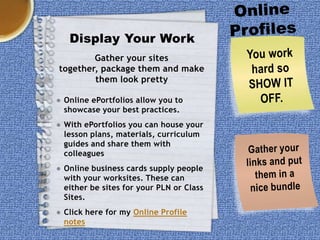
Display Your Work
Gather your sites
together, package them and make
them look pretty
● Online ePortfolios allow you to
showcase your best practices.
● With ePortfolios you can house your
lesson plans, materials, curriculum
guides and share them with
colleagues
● Online business cards supply people
with your worksites. These can
either be sites for your PLN or Class
Sites.
● Click here for my Online Profile
notes
What do I
do with
the ideas
that I
find
online?
Not Familiar - 1
not familiar with tool, no knowledge

Beginning - 2
beginning awareness, know what it is/haven't used
it, limited knowledge

Developing – 3
awareness, somewhat experienced and worked with it a
few times, somewhat knowledgeable

Proficient - 4
active awareness, experienced and proficient user, very
knowledgeable

Transformative - 5
flexible awareness, the integration of multiple tools at a
high level of functionality
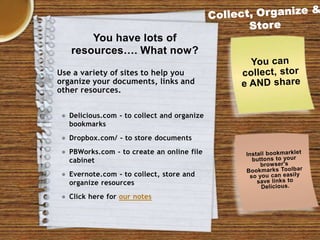
You have lots of
resources…. What now?
Use a variety of sites to help you
organize your documents, links and
other resources.
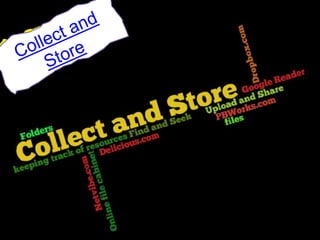
● Delicious.com - to collect and organize
bookmarks

● Dropbox.com/ - to store documents
● PBWorks.com - to create an online file
cabinet
● Evernote.com - to collect, store and
organize resources

● Click here for our notes
Not Familiar - 1
not familiar with tool, no knowledge

Beginning - 2
beginning awareness, know what it is/haven't used
it, limited knowledge

Developing – 3
awareness, somewhat experienced and worked with it a
few times, somewhat knowledgeable

Proficient - 4
active awareness, experienced and proficient user, very
knowledgeable

Transformative - 5
flexible awareness, the integration of multiple tools at a
high level of functionality
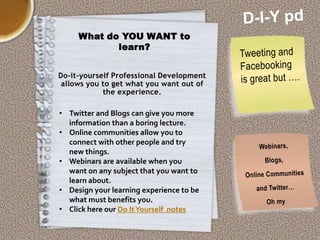
What do YOU WANT to
learn?
Do-it-yourself Professional Development
allows you to get what you want out of
the experience.

• Twitter and Blogs can give you more
information than a boring lecture.
• Online communities allow you to
connect with other people and try
new things.
• Webinars are available when you
want on any subject that you want to
learn about.
• Design your learning experience to be
what must benefits you.
• Click here our Do It Yourself notes
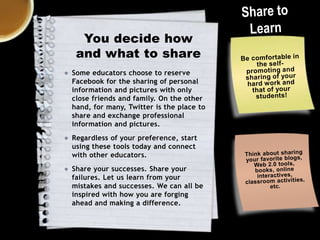
You decide how
and what to share
● Some educators choose to reserve
Facebook for the sharing of personal
information and pictures with only
close friends and family. On the other
hand, for many, Twitter is the place to
share and exchange professional
information and pictures.

● Regardless of your preference, start
using these tools today and connect
with other educators.
● Share your successes. Share your
failures. Let us learn from your
mistakes and successes. We can all be
inspired with how you are forging
ahead and making a difference.
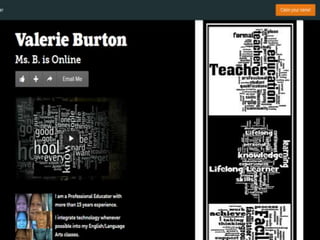
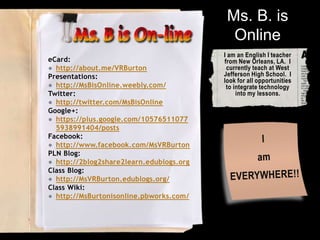
Ms. B. is
Online
eCard:
● http://about.me/VRBurton
Presentations:
● http://MsBisOnline.weebly.com/
Twitter:
● http://twitter.com/MsBisOnline
Google+:
● https://plus.google.com/10576511077
5938991404/posts
Facebook:
● http://www.facebook.com/MsVRBurton
PLN Blog:
● http://2blog2share2learn.edublogs.org
Class Blog:
● http://MsVRBurton.edublogs.org/
Class Wiki:
● http://MsBurtonisonline.pbworks.com/

I am an English I teacher
from New Orleans, LA. I
currently teach at West
Jefferson High School. I
look for all opportunities
to integrate technology
into my lessons.

Are you online and connected

  • 1.
    “Become a „Connected‟ Educator” Description:Increase (or develop) your online presence. I will help you create a PLN of educators that will furnish you with resources and advice. We will create accounts and then explore: Twitter, Facebook, Blogs, ePortf olios, online business cards, and do-it-yourself professional development. Valerie R. Burton @MsBisOnline Connected Educators
  • 2.
    How do Ilearn? I am contact with people who tweet, blog, discuss and share resources, activities and educational news bits.
  • 3.
    What is a Connected Educator? Ateacher who recognizes and embraces the new and emerging web technologies that connect us all in ways never before possible. Networking
  • 4.
    How can I useePortfolios to document and provide evidence of what you do in the classroom?
  • 5.
    How can youconnect with other educators? Find Mentor s Take classes Chat and Collaborate Be a Mentor Read and Respond
  • 6.
  • 7.
    Let me helpyou to sort it all out Twitter Facebook Do It Yourself Professional Development
  • 9.
    It’s okay if you don’tget it now. You will understan d more when you PLAY!!
  • 10.
    If you DOget it, think about the ideas and resources that you want to share.
  • 11.
    Why would I everpost anything on Twitter?
  • 13.
    Not Familiar -1 not familiar with tool, no knowledge Beginning - 2 beginning awareness, know what it is/haven't used it, limited knowledge Developing – 3 awareness, somewhat experienced and worked with it a few times, somewhat knowledgeable Proficient - 4 active awareness, experienced and proficient user, very knowledgeable Transformative - 5 flexible awareness, the integration of multiple tools at a high level of functionality
  • 16.
    Microblogging at its finest Twitterallows you to send out quick, brief messages from your computer or mobile device. ● Twitter’s “tweets” are microposts of a maximum of 140 characters. ● Tweets may contain links videos and photos to stay within the character limits. ● Today you will create an account (if needed) and follow teachers within your discipline. ● Click here for your Twitter Assignment Twitter
  • 17.
  • 19.
    Not Familiar -1 not familiar with tool, no knowledge Beginning - 2 beginning awareness, know what it is/haven't used it, limited knowledge Developing – 3 awareness, somewhat experienced and worked with it a few times, somewhat knowledgeable Proficient - 4 active awareness, experienced and proficient user, very knowledgeable Transformative - 5 flexible awareness, the integration of multiple tools at a high level of functionality
  • 22.
    Posting for “your friends” 1.Post a “Tool of the Week” or “Article of the Week” on your page 2. Use the “Events” feature of Facebook to invite students or teachers to participate in events 3. Use Facebook to remind everyone of upcoming deadlines and due dates for class/school goals Communicate with students, parents, teachers or administrators 4. Click here for our Facebook Notes.
  • 23.
  • 25.
    Not Familiar -1 not familiar with tool, no knowledge Beginning - 2 beginning awareness, know what it is/haven't used it, limited knowledge Developing – 3 awareness, somewhat experienced and worked with it a few times, somewhat knowledgeable Proficient - 4 active awareness, experienced and proficient user, very knowledgeable Transformative - 5 flexible awareness, the integration of multiple tools at a high level of functionality
  • 27.
  • 28.
  • 29.
    Edublogs supports Educational Bloggers. Oneof the best ways to build your personal learning network is to become a blogger and use your blog to network with others who write and share online. ● Follow the easy steps in this teacher challenge activity from Sue Waters. The Teacher Challenge involves free 30 day professional development challenges where participants are stepped through weekly tasks. ● She’s got tips on choosing a name, setting up your blog, and customizing a theme. ● Here is a link to a video that helps with creating first blog post. Blogs in plain English. ● Click here for our Blogging Notes
  • 30.
    How do I corraland display my digital footprints?
  • 32.
    Not Familiar -1 not familiar with tool, no knowledge Beginning - 2 beginning awareness, know what it is/haven't used it, limited knowledge Developing – 3 awareness, somewhat experienced and worked with it a few times, somewhat knowledgeable Proficient - 4 active awareness, experienced and proficient user, very knowledgeable Transformative - 5 flexible awareness, the integration of multiple tools at a high level of functionality
  • 35.
    Display Your Work Gatheryour sites together, package them and make them look pretty ● Online ePortfolios allow you to showcase your best practices. ● With ePortfolios you can house your lesson plans, materials, curriculum guides and share them with colleagues ● Online business cards supply people with your worksites. These can either be sites for your PLN or Class Sites. ● Click here for my Online Profile notes
  • 36.
    What do I dowith the ideas that I find online?
  • 38.
    Not Familiar -1 not familiar with tool, no knowledge Beginning - 2 beginning awareness, know what it is/haven't used it, limited knowledge Developing – 3 awareness, somewhat experienced and worked with it a few times, somewhat knowledgeable Proficient - 4 active awareness, experienced and proficient user, very knowledgeable Transformative - 5 flexible awareness, the integration of multiple tools at a high level of functionality
  • 39.
    You have lotsof resources…. What now? Use a variety of sites to help you organize your documents, links and other resources. ● Delicious.com - to collect and organize bookmarks ● Dropbox.com/ - to store documents ● PBWorks.com - to create an online file cabinet ● Evernote.com - to collect, store and organize resources ● Click here for our notes
  • 41.
    Not Familiar -1 not familiar with tool, no knowledge Beginning - 2 beginning awareness, know what it is/haven't used it, limited knowledge Developing – 3 awareness, somewhat experienced and worked with it a few times, somewhat knowledgeable Proficient - 4 active awareness, experienced and proficient user, very knowledgeable Transformative - 5 flexible awareness, the integration of multiple tools at a high level of functionality
  • 42.
    What do YOUWANT to learn? Do-it-yourself Professional Development allows you to get what you want out of the experience. • Twitter and Blogs can give you more information than a boring lecture. • Online communities allow you to connect with other people and try new things. • Webinars are available when you want on any subject that you want to learn about. • Design your learning experience to be what must benefits you. • Click here our Do It Yourself notes
  • 43.
    You decide how andwhat to share ● Some educators choose to reserve Facebook for the sharing of personal information and pictures with only close friends and family. On the other hand, for many, Twitter is the place to share and exchange professional information and pictures. ● Regardless of your preference, start using these tools today and connect with other educators. ● Share your successes. Share your failures. Let us learn from your mistakes and successes. We can all be inspired with how you are forging ahead and making a difference.
  • 44.
    Ms. B. is Online eCard: ●http://about.me/VRBurton Presentations: ● http://MsBisOnline.weebly.com/ Twitter: ● http://twitter.com/MsBisOnline Google+: ● https://plus.google.com/10576511077 5938991404/posts Facebook: ● http://www.facebook.com/MsVRBurton PLN Blog: ● http://2blog2share2learn.edublogs.org Class Blog: ● http://MsVRBurton.edublogs.org/ Class Wiki: ● http://MsBurtonisonline.pbworks.com/ I am an English I teacher from New Orleans, LA. I currently teach at West Jefferson High School. I look for all opportunities to integrate technology into my lessons.