Make a free wiki as easily as a  Peanut butter sandwich.
A wiki is an easy-to-use free web page that multiple people can edit.
Wiki means Quick in Hawaiian
In the classroom, a wiki is a free tool that empowers every student to participate in group projects.
James has assigned a team research project. What can he do to encourage the students to work together, share resources and create high quality work?
Converse Post ideas Respond Forum Write Publish  Comment Create Publish Comment Converse Post Ideas Respond Share Edit Collaborate Engage Blog Wiki Three great ways to communicate  with students
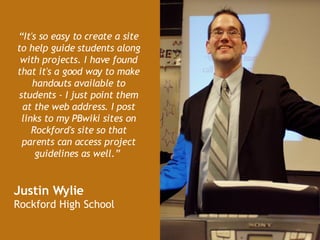
“ It's so easy to create a site to help guide students along with projects. I have found that it's a good way to make handouts available to students - I just point them at the web address. I post links to my PBwiki sites on Rockford's site so that parents can access project guidelines as well.”   Justin Wylie  Rockford High School
How can she make certain her online site is  off limits to child predators?  How can she be sure that her students  won’t be drawn onto the web? Mary wants to be sure her students are is protected from the wider internet.
YOU control who sees your wiki You set the  password. You choose  who  participates .
Educator wikis are free and  never  display   advertisements NO  ADS
Jamie wants to make certain her students act appropriately on line. Will her students  write offensive comments ? How can she  monitor  her students activity?
You have a history of every edit  You are notified of every change
No more  “dog ate my homework” Edits are time stamped.  You know  who  made changes and  when  they were made.
Wikis are Free and Easy to set up No IT department is needed!
Simply create a password and begin
Set it up and it works just like typing in Microsoft Word
Just like creating a Word document Easily insert Images and Video Just click and begin
Post a picture or a video in three easy steps Step 1 Step 2 Step 3 – You’re Done!!!
Teachers can make coursework and homework information easily available to both students and parents. With easy to use plugins you can create a calendar.
Quickly create new pages  Templates designed with teachers in mind Unlimited pages for free educator wikis!
 
For more ideas check out the PBwiki educator page.  You can find tips, suggestions, templates and a community of fellow teacher users. http://educators.pbwiki.com
Join the more than 135,000 teachers who  have used PBwikis for their classrooms, from elementary schools to Stanford and Harvard.   http:// epochewiki.pbwiki.com   http:// mrlindsay.pbwiki.com http://missb.pbwiki.com http://cas100b.pbwiki.com
Educator wikis are free, fast and ready to use. Create one now at www.pbwiki.com

Education Presentation

  • 1.
    Makea free wiki as easily as a Peanut butter sandwich.
  • 2.
    A wiki isan easy-to-use free web page that multiple people can edit.
  • 3.
    Wiki means Quickin Hawaiian
  • 4.
    In the classroom,a wiki is a free tool that empowers every student to participate in group projects.
  • 5.
    James has assigneda team research project. What can he do to encourage the students to work together, share resources and create high quality work?
  • 6.
    Converse Post ideasRespond Forum Write Publish Comment Create Publish Comment Converse Post Ideas Respond Share Edit Collaborate Engage Blog Wiki Three great ways to communicate with students
  • 7.
    “ It's soeasy to create a site to help guide students along with projects. I have found that it's a good way to make handouts available to students - I just point them at the web address. I post links to my PBwiki sites on Rockford's site so that parents can access project guidelines as well.” Justin Wylie Rockford High School
  • 8.
    How can shemake certain her online site is off limits to child predators? How can she be sure that her students won’t be drawn onto the web? Mary wants to be sure her students are is protected from the wider internet.
  • 9.
    YOU control whosees your wiki You set the password. You choose who participates .
  • 10.
    Educator wikis arefree and never display advertisements NO ADS
  • 11.
    Jamie wants tomake certain her students act appropriately on line. Will her students write offensive comments ? How can she monitor her students activity?
  • 12.
    You have ahistory of every edit You are notified of every change
  • 13.
    No more “dog ate my homework” Edits are time stamped. You know who made changes and when they were made.
  • 14.
    Wikis are Freeand Easy to set up No IT department is needed!
  • 15.
    Simply create apassword and begin
  • 16.
    Set it upand it works just like typing in Microsoft Word
  • 17.
    Just like creatinga Word document Easily insert Images and Video Just click and begin
  • 18.
    Post a pictureor a video in three easy steps Step 1 Step 2 Step 3 – You’re Done!!!
  • 19.
    Teachers can makecoursework and homework information easily available to both students and parents. With easy to use plugins you can create a calendar.
  • 20.
    Quickly create newpages Templates designed with teachers in mind Unlimited pages for free educator wikis!
  • 21.
  • 22.
    For more ideascheck out the PBwiki educator page. You can find tips, suggestions, templates and a community of fellow teacher users. http://educators.pbwiki.com
  • 23.
    Join the morethan 135,000 teachers who have used PBwikis for their classrooms, from elementary schools to Stanford and Harvard. http:// epochewiki.pbwiki.com http:// mrlindsay.pbwiki.com http://missb.pbwiki.com http://cas100b.pbwiki.com
  • 24.
    Educator wikis arefree, fast and ready to use. Create one now at www.pbwiki.com