


Package Management on Windows
With Chocolatey
Kenaz Kwa
Sr. Product Manager
Rob Reynolds
Sr. Software Engineer, creator of Chocolatey
Agenda
• How Puppet Enterprise works
• Why Chocolatey
• Chocolatey Puppet Provider
• Creating Packages
• Hosting Your Own Server
• Demo
• Puppet Labs Windows support
• Resources
• Q&A
Our software
automates the provisioning,
configuration &
ongoing management
of your machines & the applications,
services & software running on them.
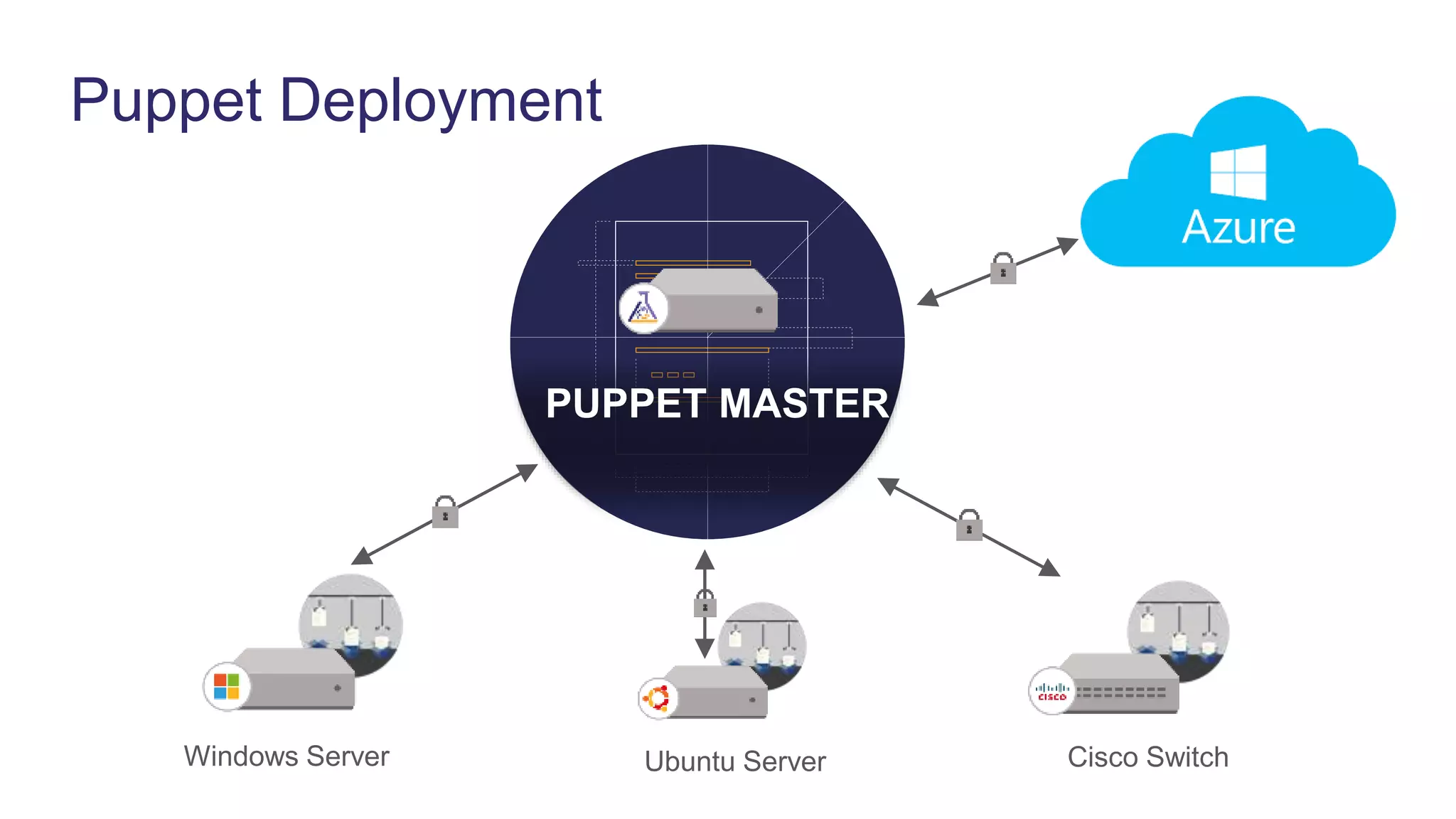
Puppet Deployment
Ubuntu Server
PUPPET MASTER
Windows Server Cisco Switch
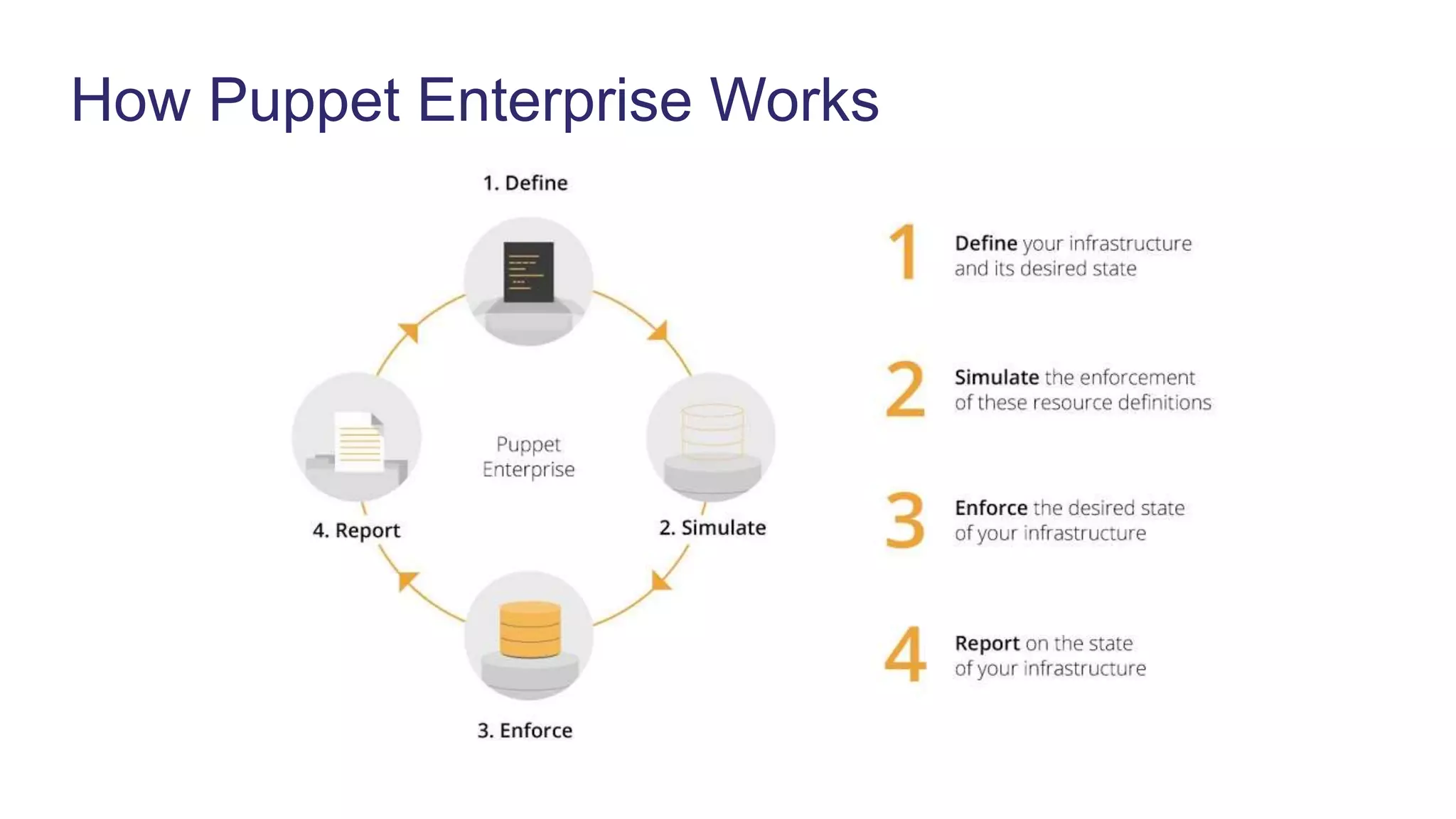
How Puppet Enterprise Works
Why Chocolatey
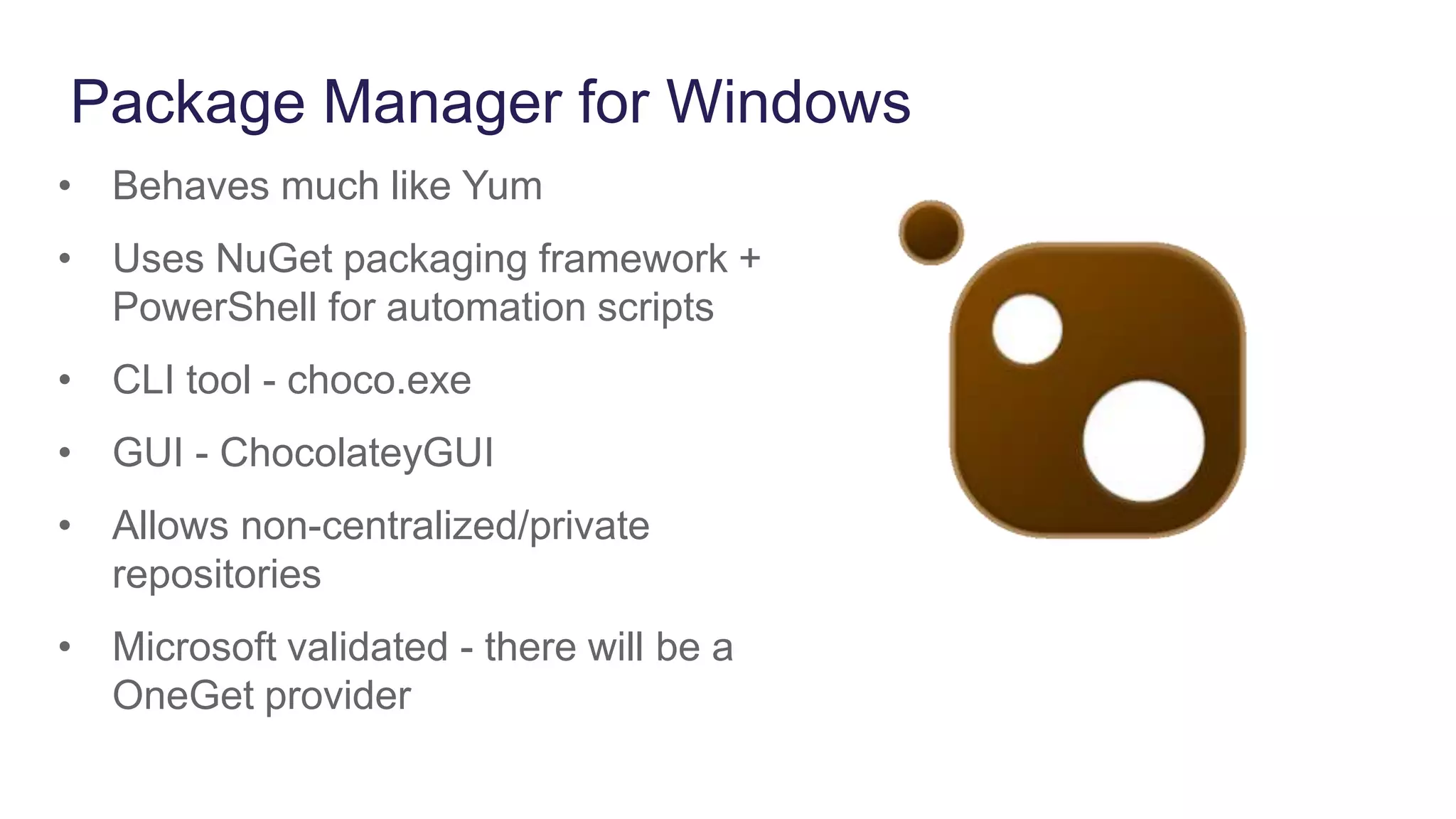
Package Manager for Windows
• Behaves much like Yum
• Uses NuGet packaging framework +
PowerShell for automation scripts
• CLI tool - choco.exe
• GUI - ChocolateyGUI
• Allows non-centralized/private
repositories
• Microsoft validated - there will be a
OneGet provider
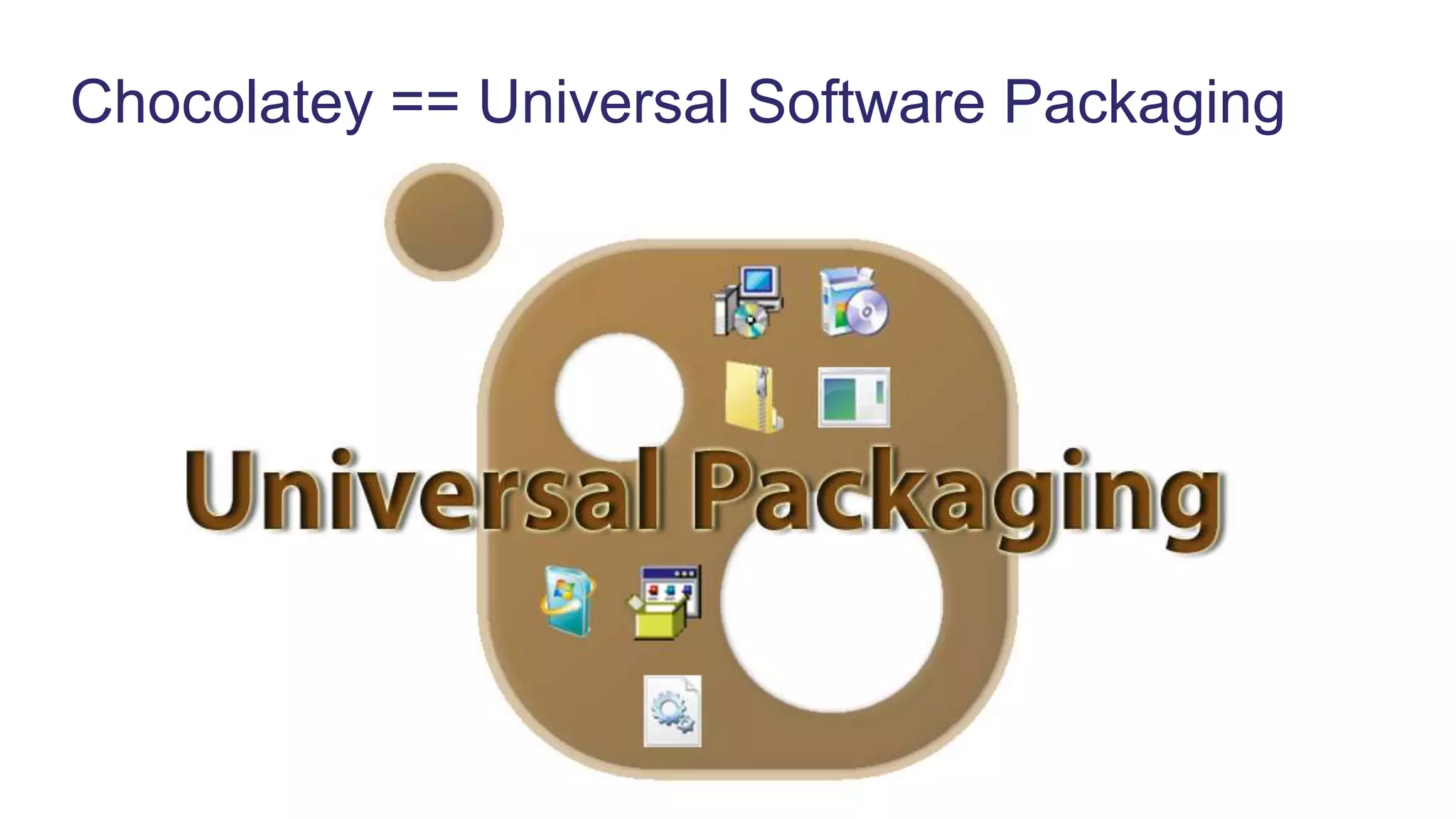
Chocolatey == Universal Software Packaging
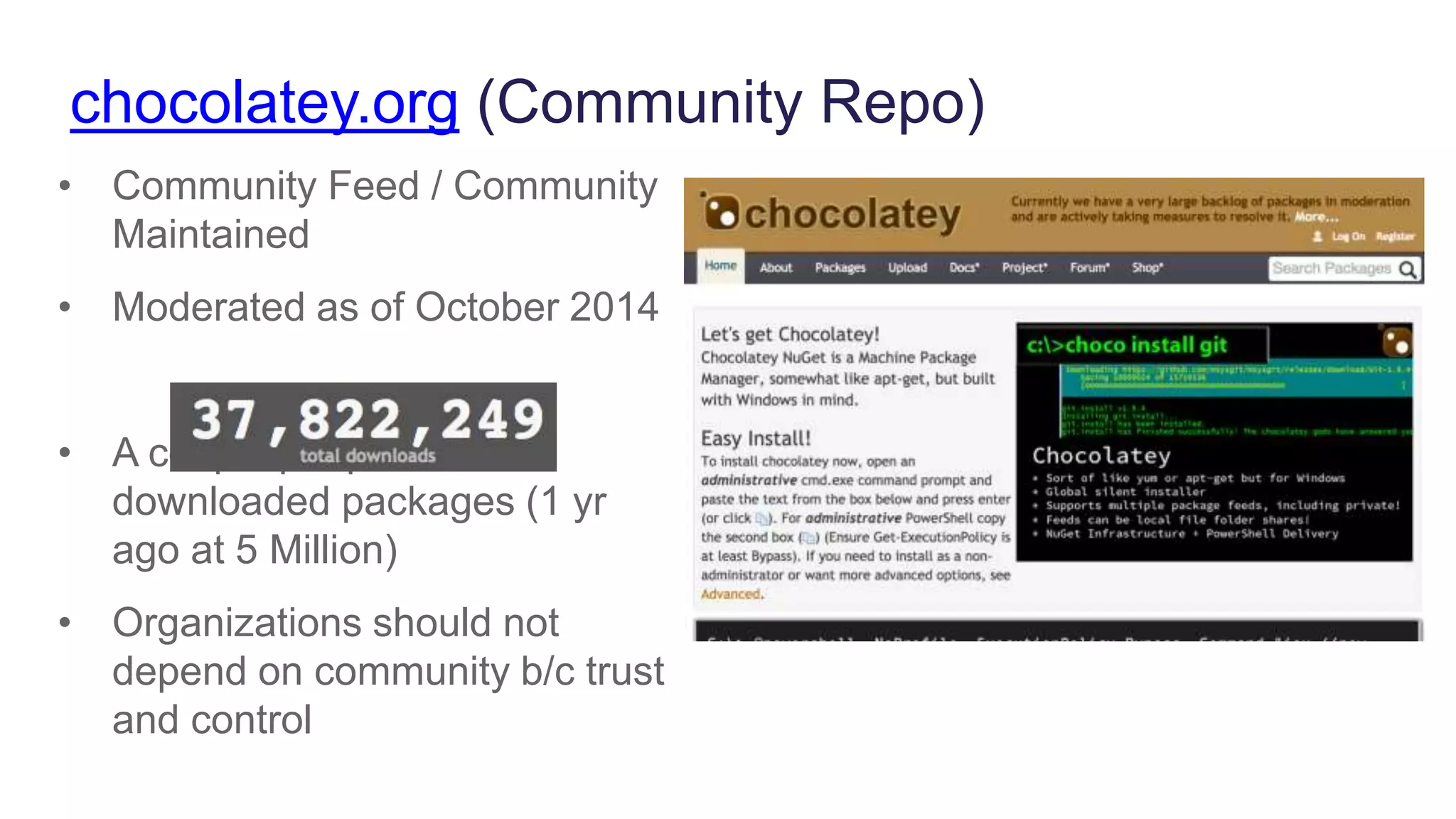
chocolatey.org (Community Repo)
• Community Feed / Community
Maintained
• Moderated as of October 2014
• A couple people have
downloaded packages (1 yr
ago at 5 Million)
• Organizations should not
depend on community b/c trust
and control
Chocolatey Puppet Provider
Puppet Provider
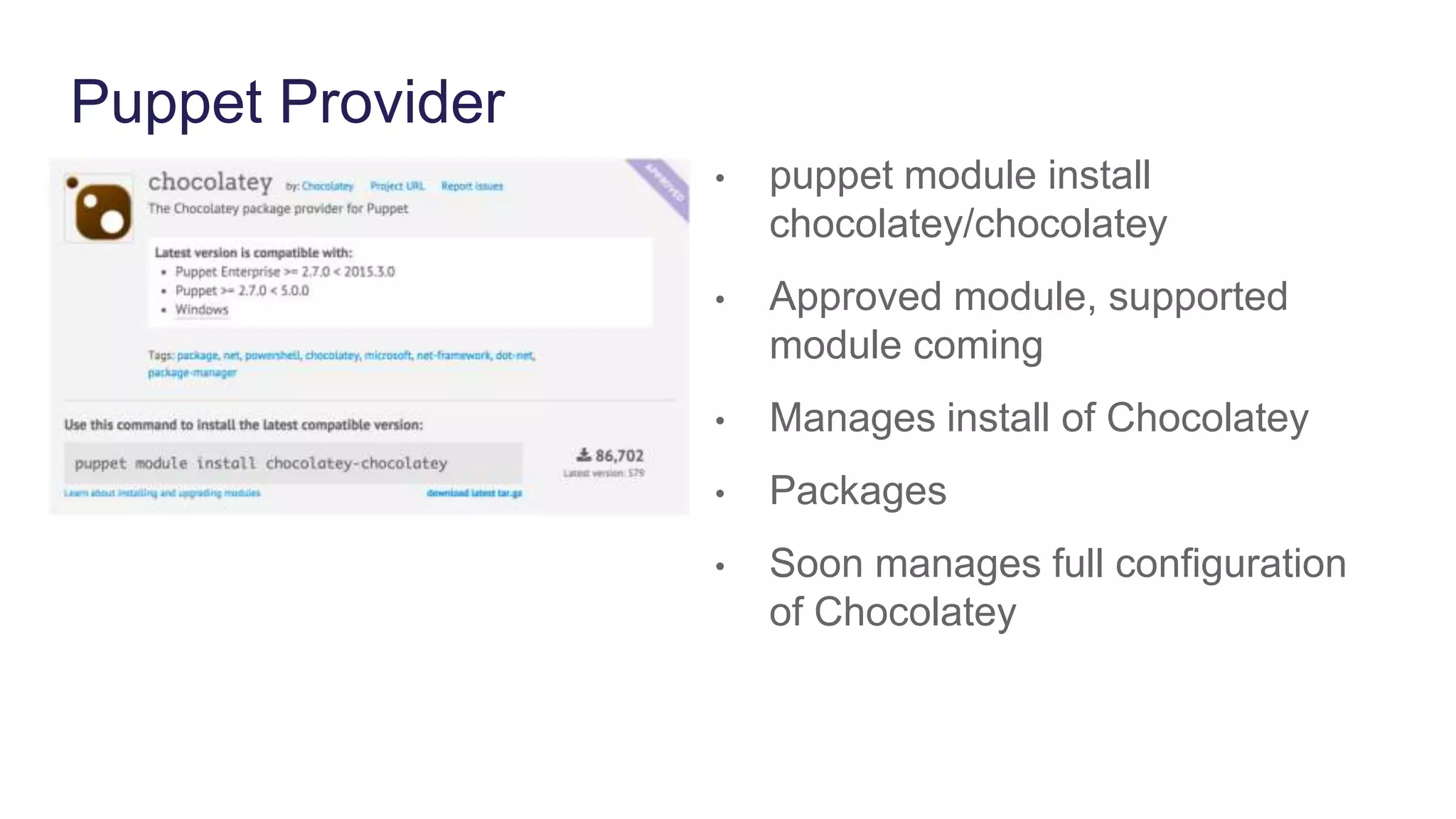
• puppet module install
chocolatey/chocolatey
• Approved module, supported
module coming
• Manages install of Chocolatey
• Packages
• Soon manages full configuration
of Chocolatey
Install Chocolatey
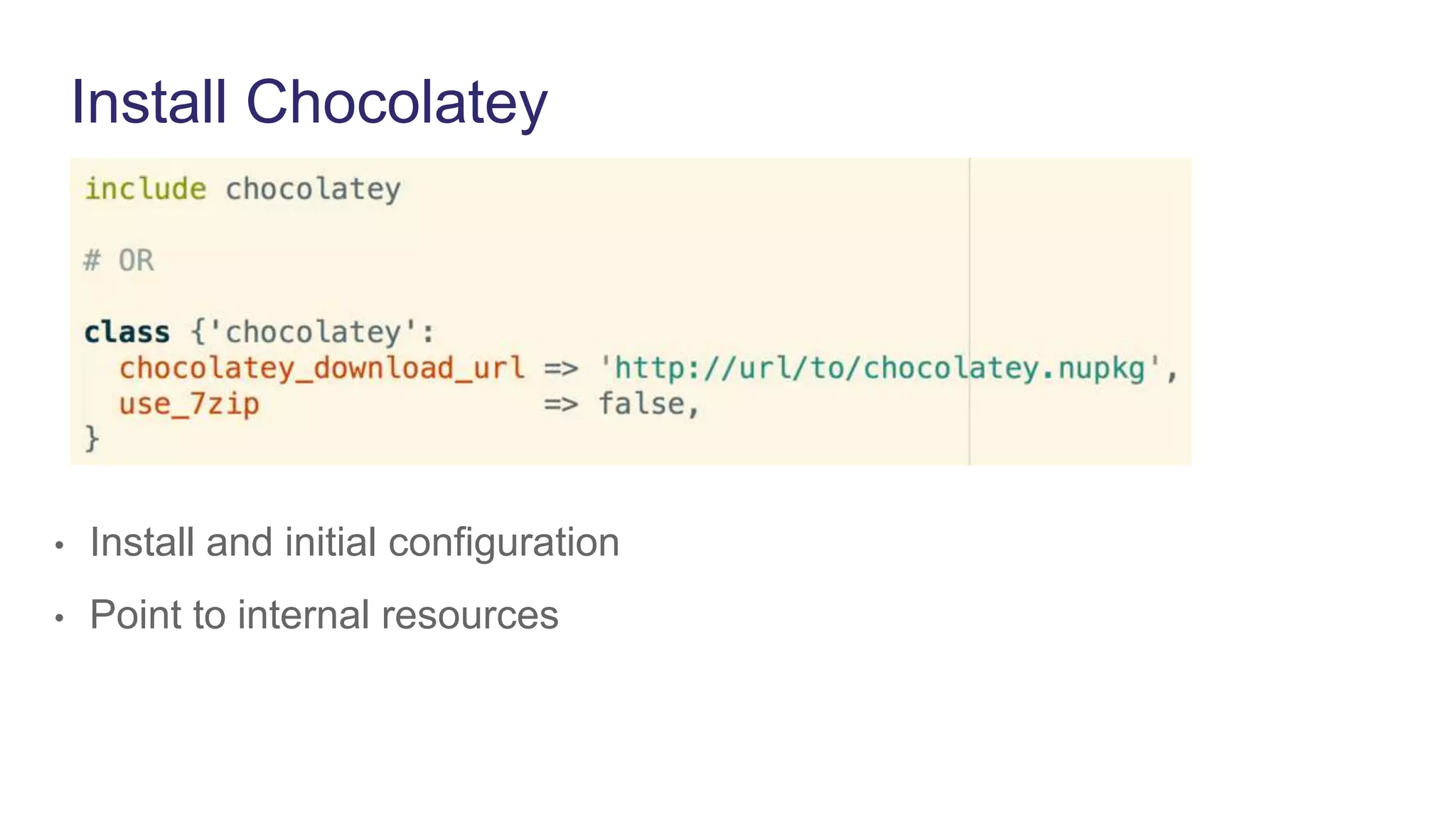
• Install and initial configuration
• Point to internal resources
Package Resource
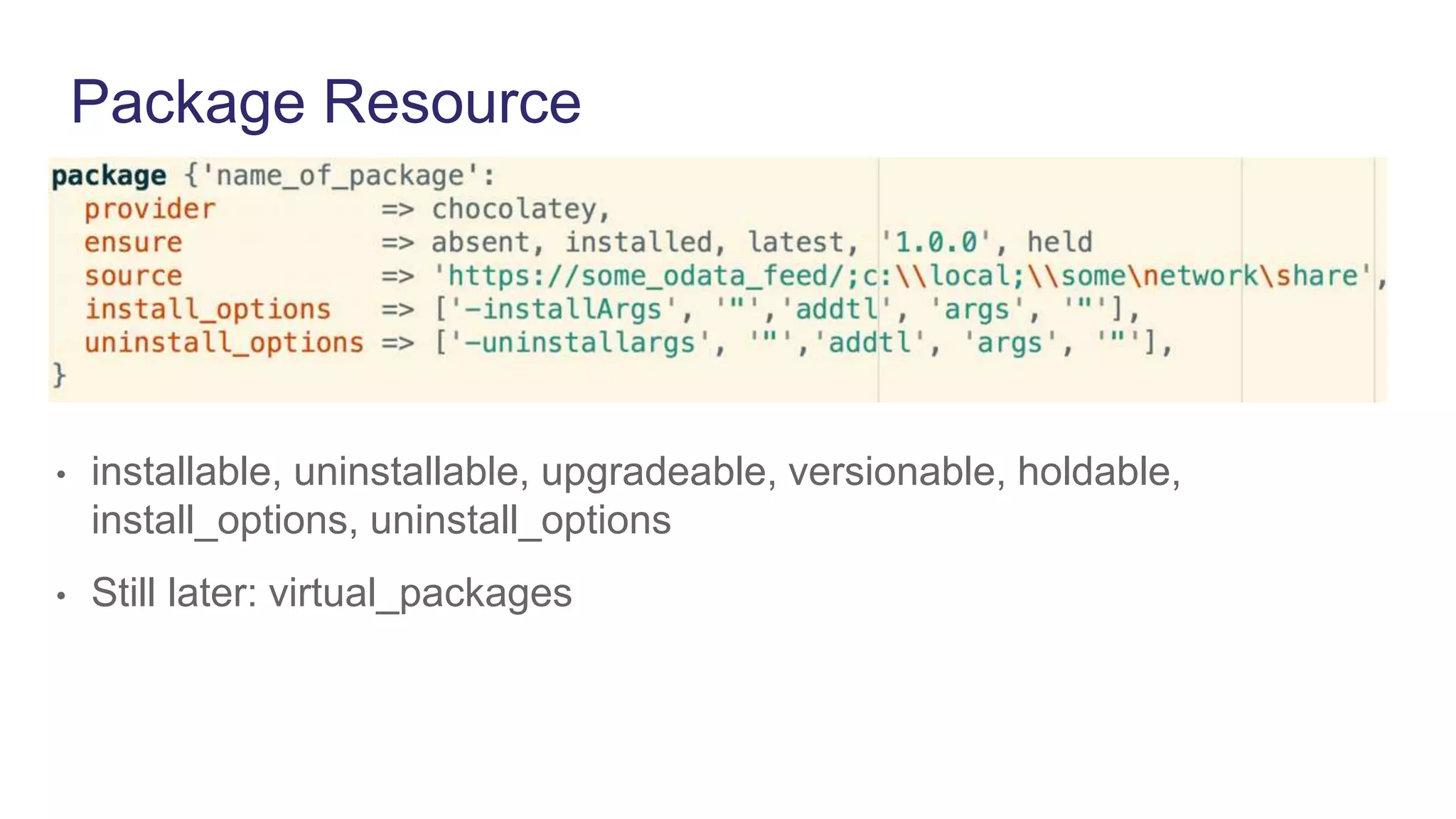
• installable, uninstallable, upgradeable, versionable, holdable,
install_options, uninstall_options
• Still later: virtual_packages
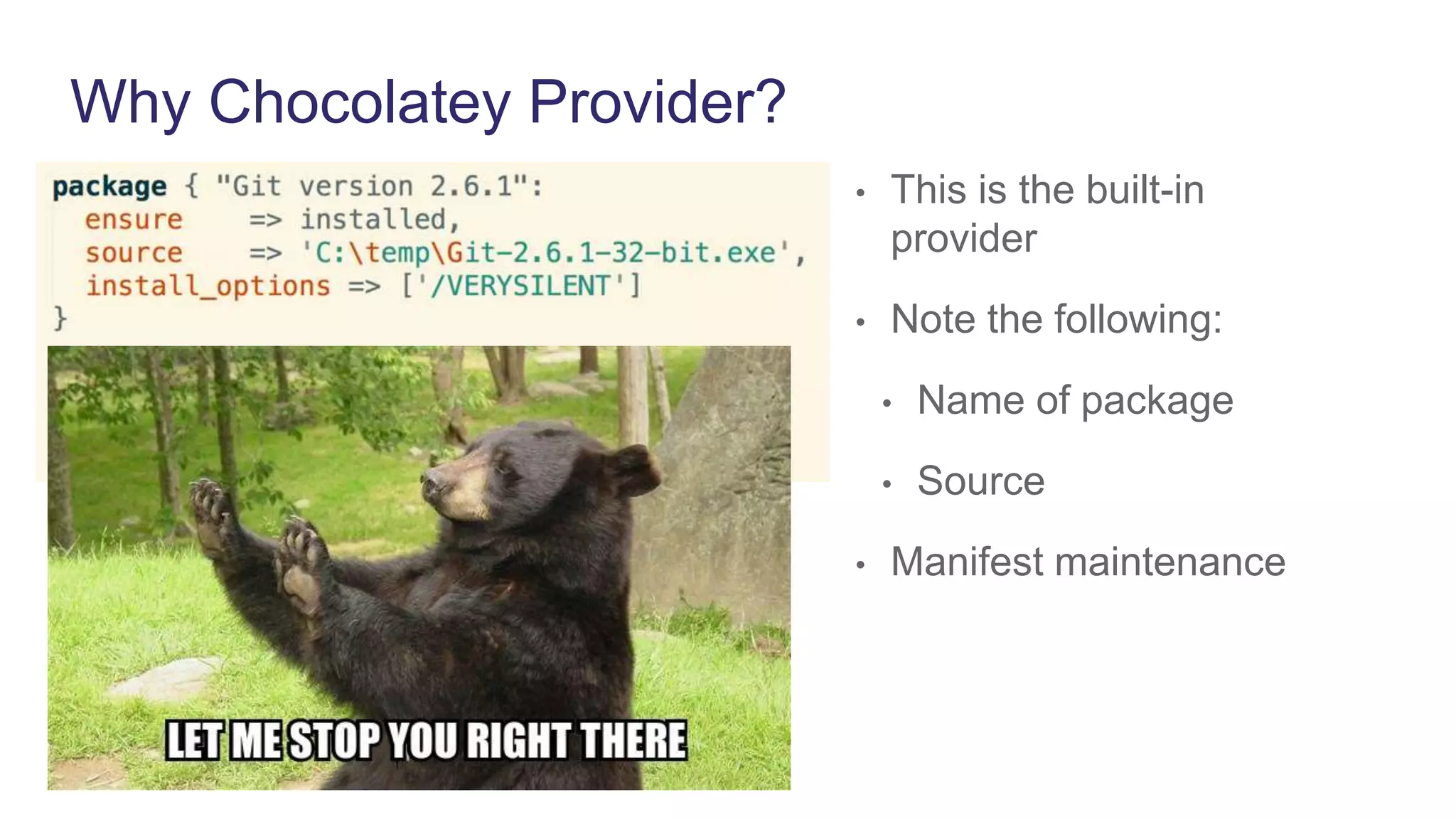
Why Chocolatey Provider?
• This is the built-in
provider
• Note the following:
• Name of package
• Source
• Manifest maintenance
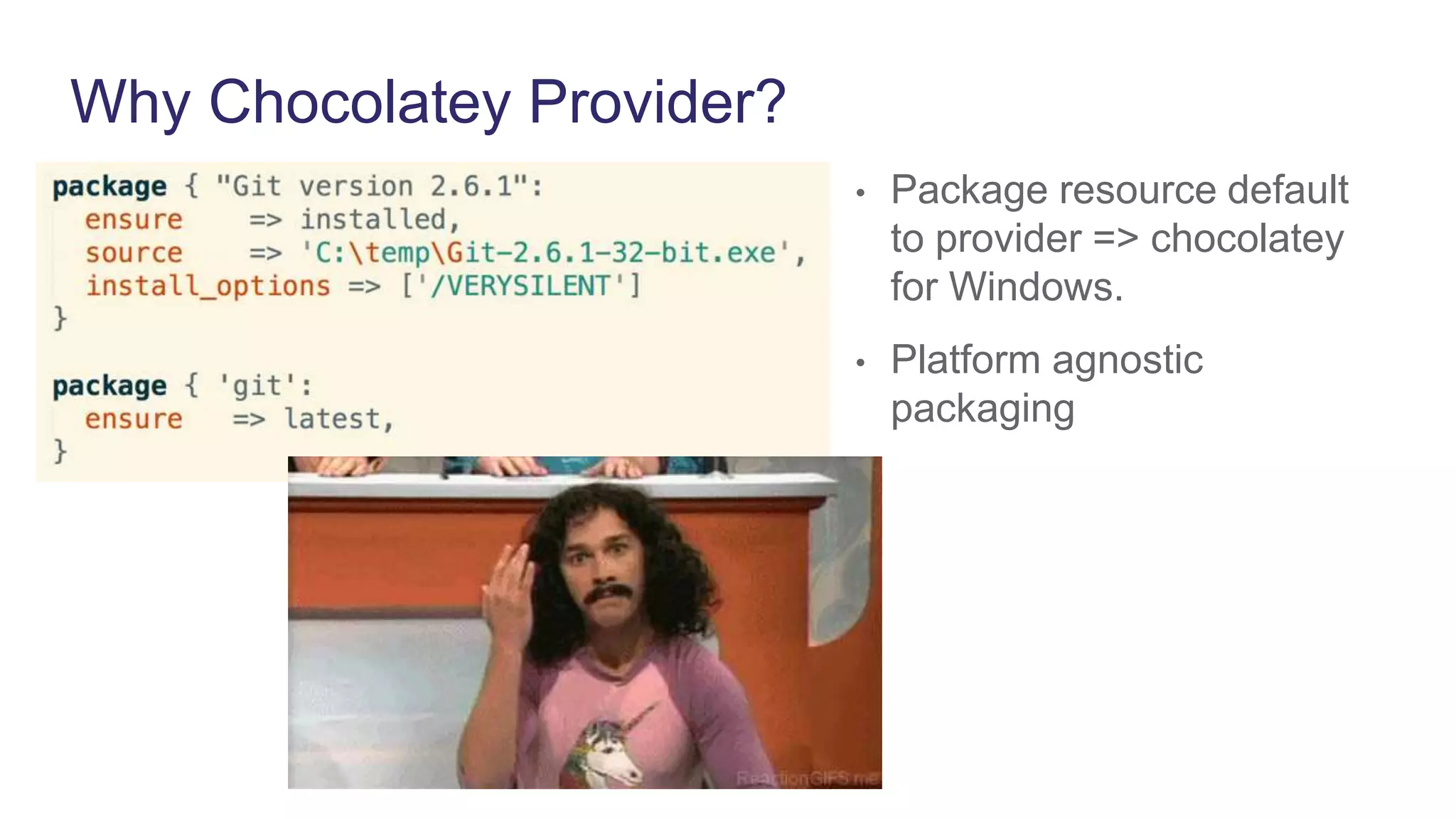
Why Chocolatey Provider?
• Package resource default
to provider => chocolatey
for Windows.
• Platform agnostic
packaging
Creating Packages
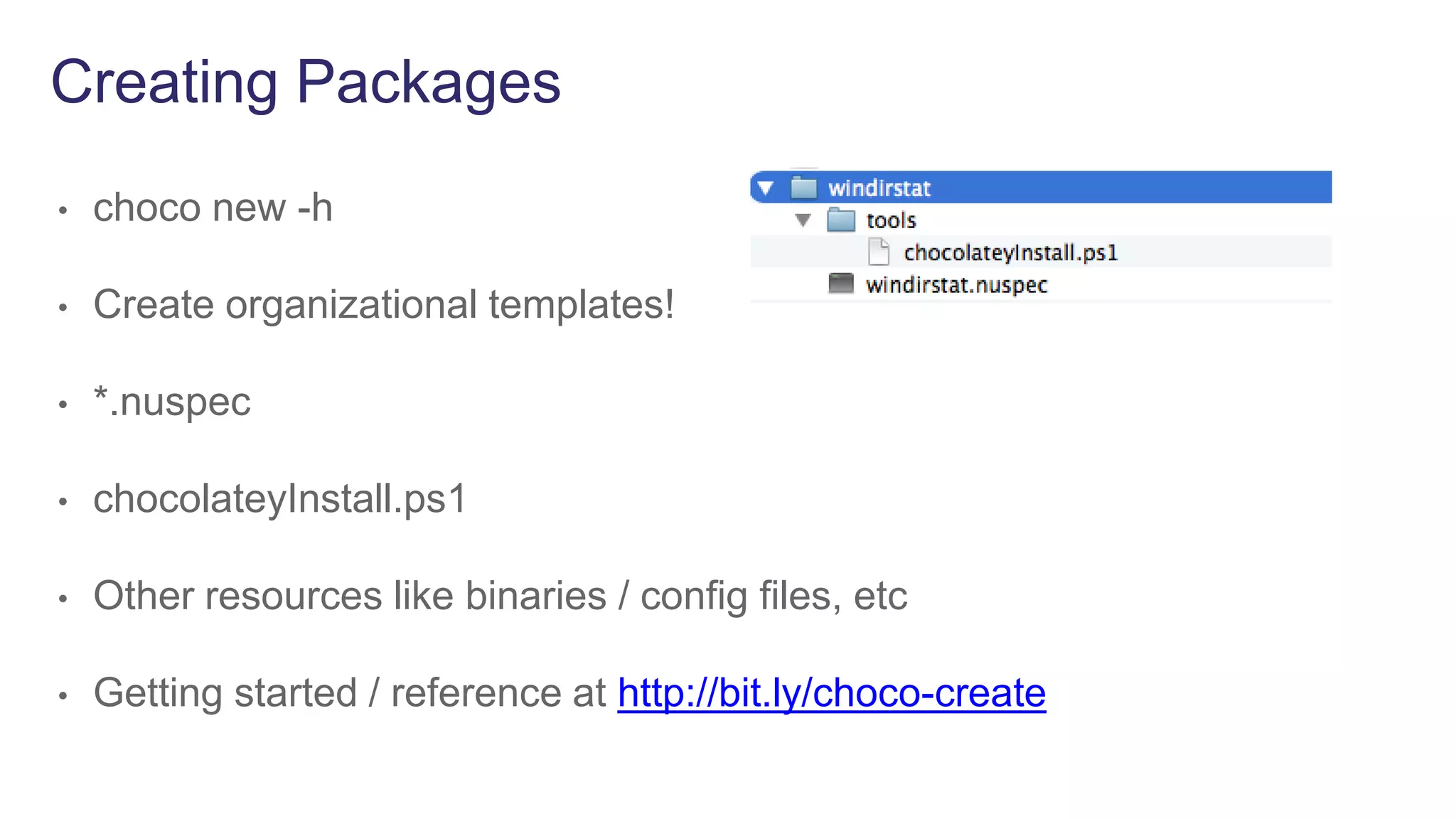
Creating Packages
• choco new -h
• Create organizational templates!
• *.nuspec
• chocolateyInstall.ps1
• Other resources like binaries / config files, etc
• Getting started / reference at http://bit.ly/choco-create
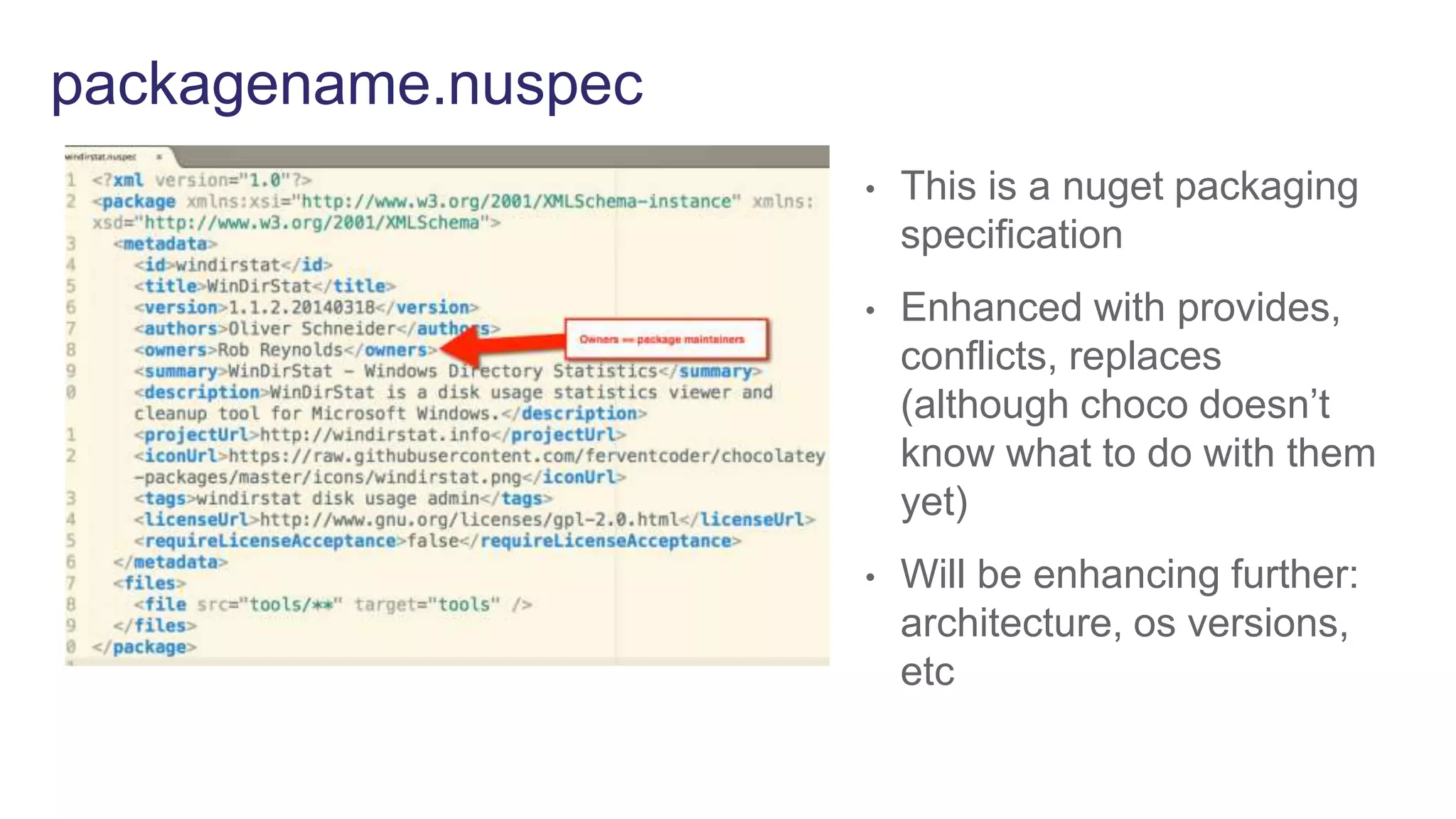
packagename.nuspec
• This is a nuget packaging
specification
• Enhanced with provides,
conflicts, replaces
(although choco doesn’t
know what to do with them
yet)
• Will be enhancing further:
architecture, os versions,
etc
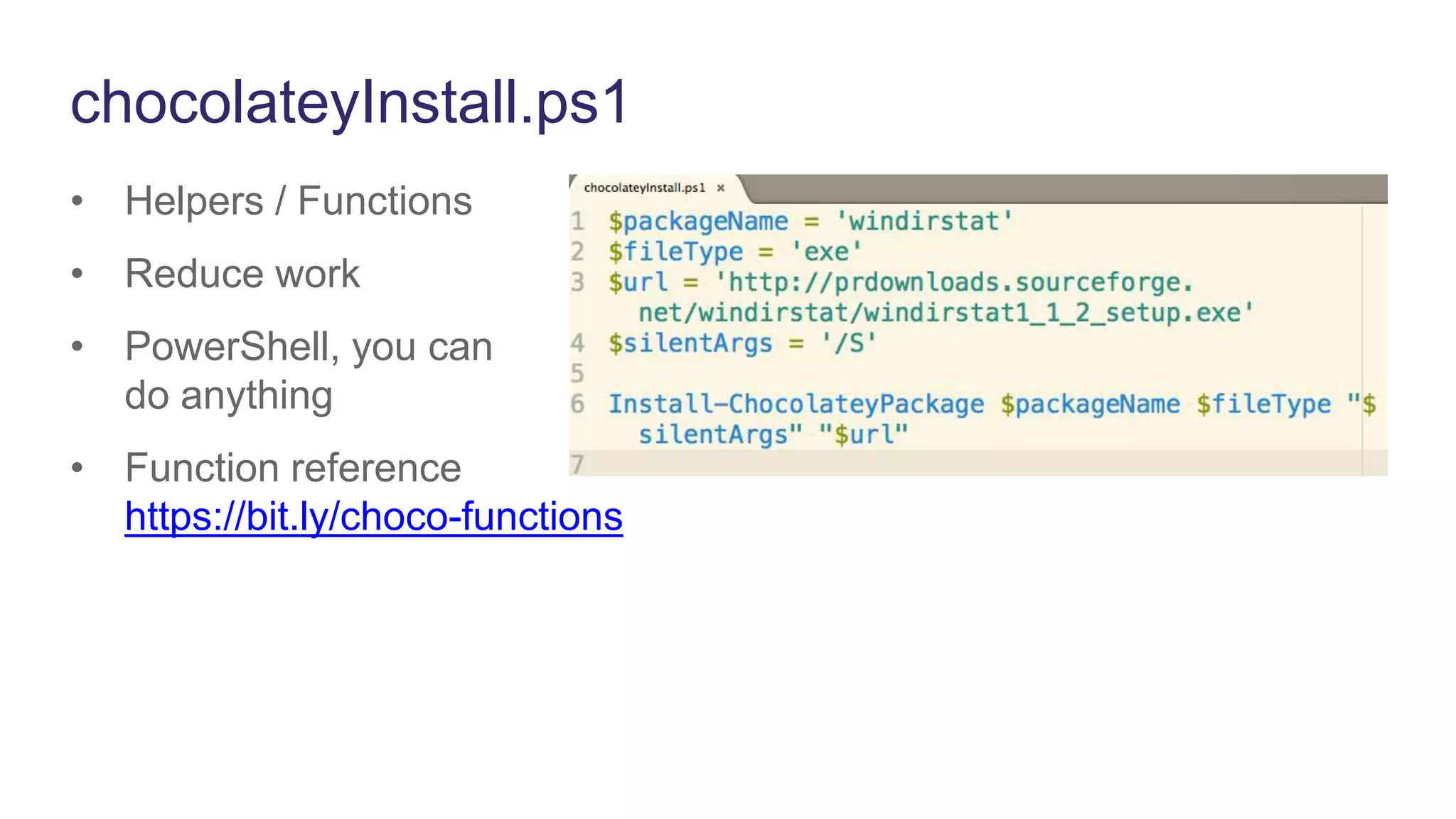
chocolateyInstall.ps1
• Helpers / Functions
• Reduce work
• PowerShell, you can
do anything
• Function reference
https://bit.ly/choco-functions
Hosting Your Own Server
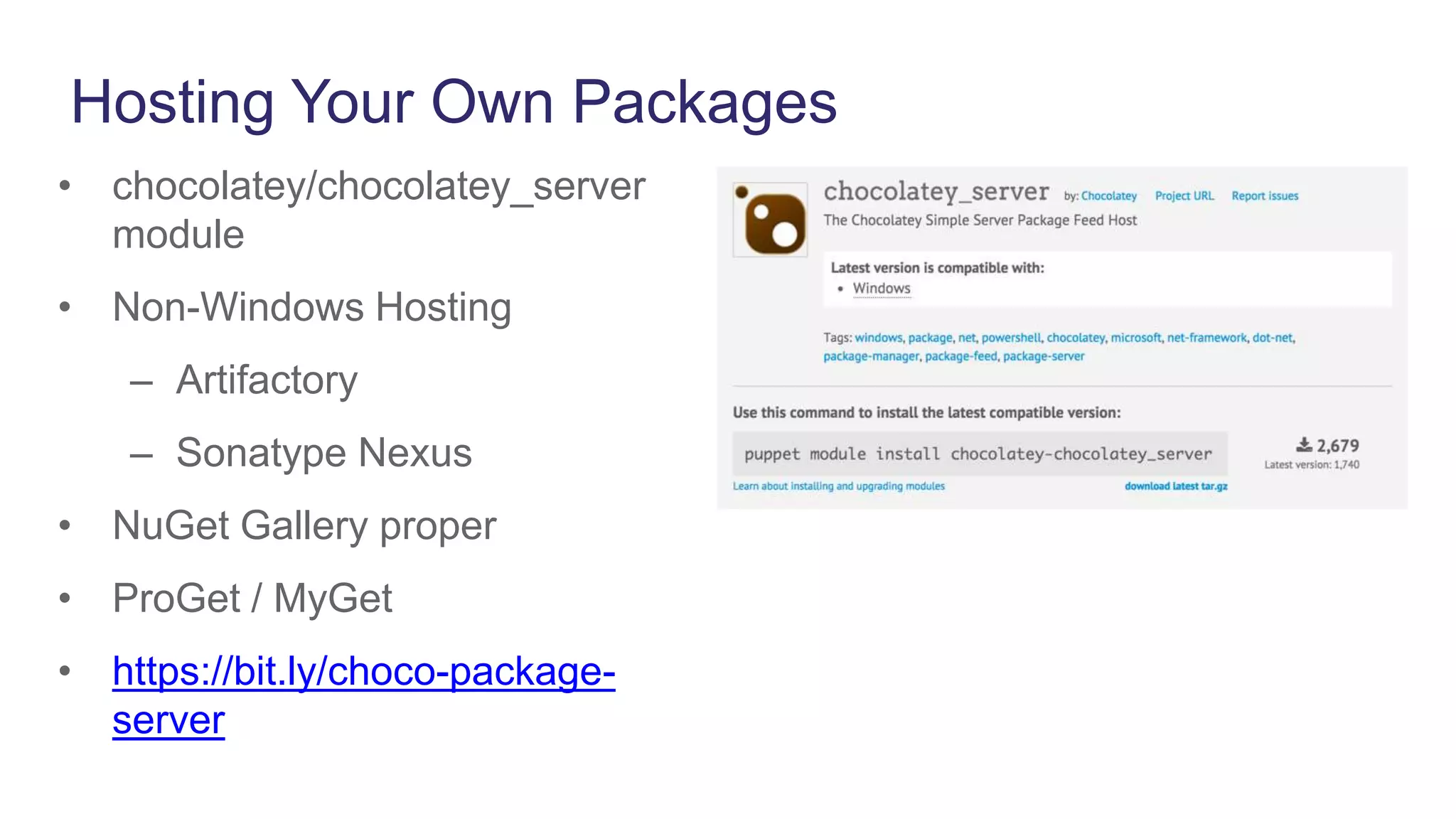
Hosting Your Own Packages
• chocolatey/chocolatey_server
module
• Non-Windows Hosting
– Artifactory
– Sonatype Nexus
• NuGet Gallery proper
• ProGet / MyGet
• https://bit.ly/choco-package-
server
DEMO
Puppet Labs Windows Support
• 32- & 64-bit Support – Native MSI packages for x64 as of Puppet
Enterprise 3.7
• Broad Platform Support - Windows 2008, 2012, 7, 8
• Windows Provisioning - Provision Windows OSes with Razor
• Puppet Supported & Approved Modules for Windows – Including
Windows Module Pack, Supported SQL Sever & DSC modules
• Azure Integration – Microsoft Azure extension handler for
bootstrapping Puppet installs. Supported Azure module.
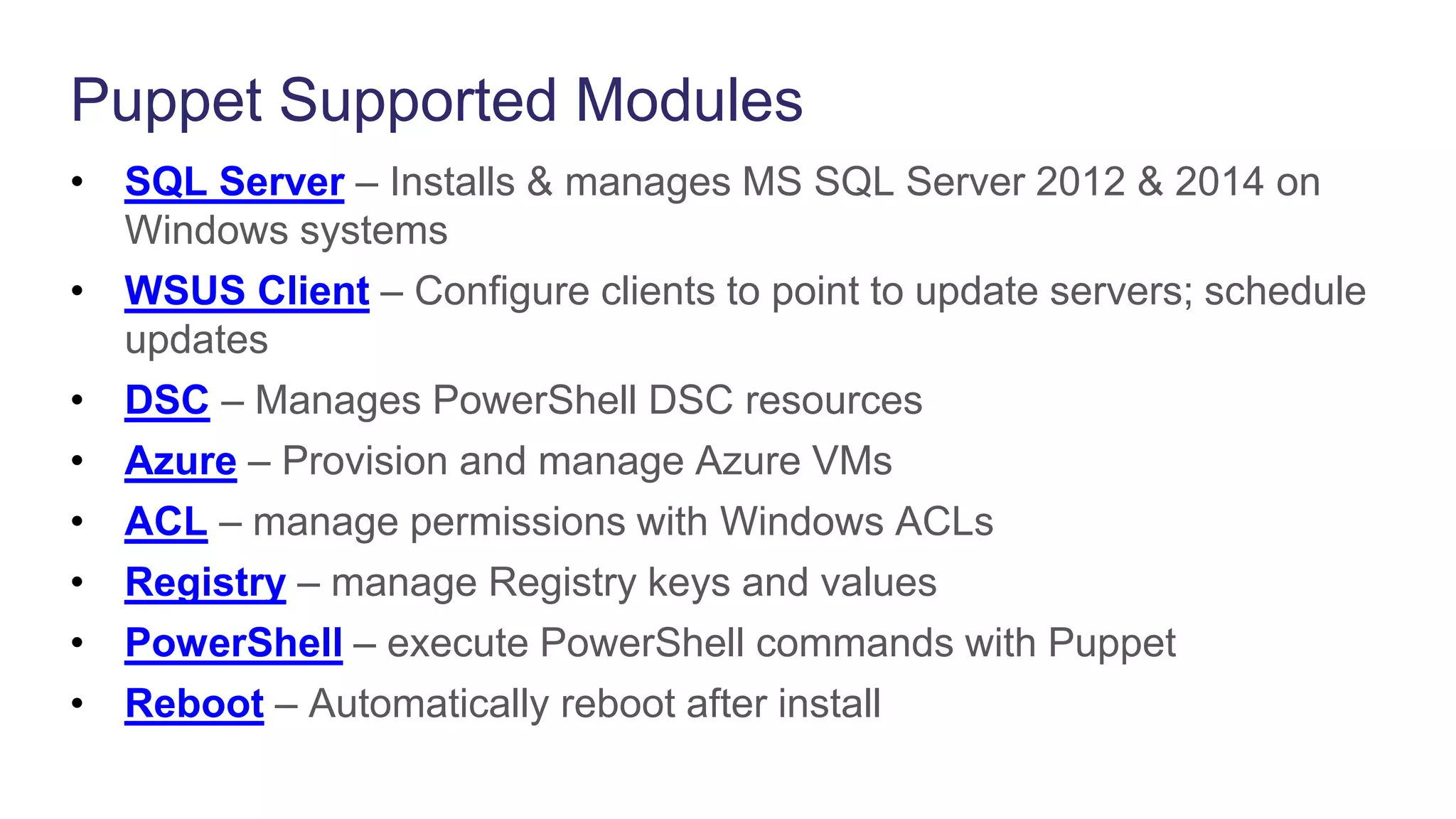
Puppet Supported Modules
• SQL Server – Installs & manages MS SQL Server 2012 & 2014 on
Windows systems
• WSUS Client – Configure clients to point to update servers; schedule
updates
• DSC – Manages PowerShell DSC resources
• Azure – Provision and manage Azure VMs
• ACL – manage permissions with Windows ACLs
• Registry – manage Registry keys and values
• PowerShell – execute PowerShell commands with Puppet
• Reboot – Automatically reboot after install
Puppet Approved Modules
• IIS – install and manage IIS
• Chocolatey – package manager
• windows_env – manage Windows environment variables
• Windows Java – Install and manage Oracle Java on Windows
• pget – PowerShell alternative to wget or curl
Windows Webinar Series
Register for upcoming webinars at: http://info.puppetlabs.com/1885-
Windows-Series-Main_LP-Registration.html
• Managing PowerShell DSC with Puppet
• Patch Management on Windows with Puppet
• Setting up Windows for System and Application Monitoring
• Getting Up and Running with the Windows Module Pack
• Get Started on Azure with Puppet
Questions &
Answers
Resources
PuppetConf 2015 Windows Track
• Chocolatey and Puppet - Rob Reynolds
• Azure for the Non-Microsoft Person - Rob Reynolds & Scott Hanselman, MSFT
• Better Together: Managing Windows with Puppet and DSC - Ethan Brown & Bruce Payette,
MSFT
• Beyond the Registry - Matthew Stone, T-Mobile
• The Wild World of Windows: Developing for Puppet on Windows - Travis Fields, Nike
Blog
• Chocolatey blog series
• PowerShell DSC blog series
Docs
• Managing Windows Configurations
Education
• Learning VM
• Puppet Essentials for Windows – Instructor-led
• Puppet Essentials for Windows - Virtual

Package Management on Windows with Chocolatey

  • 1.
    Package Management onWindows With Chocolatey Kenaz Kwa Sr. Product Manager Rob Reynolds Sr. Software Engineer, creator of Chocolatey
  • 2.
    Agenda • How PuppetEnterprise works • Why Chocolatey • Chocolatey Puppet Provider • Creating Packages • Hosting Your Own Server • Demo • Puppet Labs Windows support • Resources • Q&A
  • 3.
    Our software automates theprovisioning, configuration & ongoing management of your machines & the applications, services & software running on them.
  • 4.
    Puppet Deployment Ubuntu Server PUPPETMASTER Windows Server Cisco Switch
  • 5.
  • 6.
  • 7.
    Package Manager forWindows • Behaves much like Yum • Uses NuGet packaging framework + PowerShell for automation scripts • CLI tool - choco.exe • GUI - ChocolateyGUI • Allows non-centralized/private repositories • Microsoft validated - there will be a OneGet provider
  • 8.
    Chocolatey == UniversalSoftware Packaging
  • 9.
    chocolatey.org (Community Repo) •Community Feed / Community Maintained • Moderated as of October 2014 • A couple people have downloaded packages (1 yr ago at 5 Million) • Organizations should not depend on community b/c trust and control
  • 10.
  • 11.
    Puppet Provider • puppetmodule install chocolatey/chocolatey • Approved module, supported module coming • Manages install of Chocolatey • Packages • Soon manages full configuration of Chocolatey
  • 12.
    Install Chocolatey • Installand initial configuration • Point to internal resources
  • 13.
    Package Resource • installable,uninstallable, upgradeable, versionable, holdable, install_options, uninstall_options • Still later: virtual_packages
  • 14.
    Why Chocolatey Provider? •This is the built-in provider • Note the following: • Name of package • Source • Manifest maintenance
  • 15.
    Why Chocolatey Provider? •Package resource default to provider => chocolatey for Windows. • Platform agnostic packaging
  • 16.
  • 17.
    Creating Packages • choconew -h • Create organizational templates! • *.nuspec • chocolateyInstall.ps1 • Other resources like binaries / config files, etc • Getting started / reference at http://bit.ly/choco-create
  • 18.
    packagename.nuspec • This isa nuget packaging specification • Enhanced with provides, conflicts, replaces (although choco doesn’t know what to do with them yet) • Will be enhancing further: architecture, os versions, etc
  • 19.
    chocolateyInstall.ps1 • Helpers /Functions • Reduce work • PowerShell, you can do anything • Function reference https://bit.ly/choco-functions
  • 20.
  • 21.
    Hosting Your OwnPackages • chocolatey/chocolatey_server module • Non-Windows Hosting – Artifactory – Sonatype Nexus • NuGet Gallery proper • ProGet / MyGet • https://bit.ly/choco-package- server
  • 22.
  • 23.
    Puppet Labs WindowsSupport • 32- & 64-bit Support – Native MSI packages for x64 as of Puppet Enterprise 3.7 • Broad Platform Support - Windows 2008, 2012, 7, 8 • Windows Provisioning - Provision Windows OSes with Razor • Puppet Supported & Approved Modules for Windows – Including Windows Module Pack, Supported SQL Sever & DSC modules • Azure Integration – Microsoft Azure extension handler for bootstrapping Puppet installs. Supported Azure module.
  • 24.
    Puppet Supported Modules •SQL Server – Installs & manages MS SQL Server 2012 & 2014 on Windows systems • WSUS Client – Configure clients to point to update servers; schedule updates • DSC – Manages PowerShell DSC resources • Azure – Provision and manage Azure VMs • ACL – manage permissions with Windows ACLs • Registry – manage Registry keys and values • PowerShell – execute PowerShell commands with Puppet • Reboot – Automatically reboot after install
  • 25.
    Puppet Approved Modules •IIS – install and manage IIS • Chocolatey – package manager • windows_env – manage Windows environment variables • Windows Java – Install and manage Oracle Java on Windows • pget – PowerShell alternative to wget or curl
  • 26.
    Windows Webinar Series Registerfor upcoming webinars at: http://info.puppetlabs.com/1885- Windows-Series-Main_LP-Registration.html • Managing PowerShell DSC with Puppet • Patch Management on Windows with Puppet • Setting up Windows for System and Application Monitoring • Getting Up and Running with the Windows Module Pack • Get Started on Azure with Puppet
  • 27.
  • 28.
    Resources PuppetConf 2015 WindowsTrack • Chocolatey and Puppet - Rob Reynolds • Azure for the Non-Microsoft Person - Rob Reynolds & Scott Hanselman, MSFT • Better Together: Managing Windows with Puppet and DSC - Ethan Brown & Bruce Payette, MSFT • Beyond the Registry - Matthew Stone, T-Mobile • The Wild World of Windows: Developing for Puppet on Windows - Travis Fields, Nike Blog • Chocolatey blog series • PowerShell DSC blog series Docs • Managing Windows Configurations Education • Learning VM • Puppet Essentials for Windows – Instructor-led • Puppet Essentials for Windows - Virtual

Editor's Notes

  • #2 Sales Presentation Deck – 4Q FY2016 –v7
  • #3 Installing packages Choco / Choco module; or use Puppet base resource types Managing Services Windows time, creating registry keys Disable services with PE and create scheduled tasks PowerShell - How to use with Puppet; use puppet with PowerShell
  • #4 Our software helps you automate the configuration and ongoing management of your machines and the software running on them, so you spend less time fighting fires and more time deploying great software. We help you make rapid, repeatable changes and automatically enforce the consistency of systems and devices–across physical and virtual machines, on prem or in the cloud.
  • #5 First, we think it’s critical to adopt automation technology that helps you model and enforce the desired state of the services you deliver. Second, we think that you should automate those processes (among others) from your core infrastructure up through your applications, all in one place for full enforcement, traceability and auditability. Third, we think you should automate across the entire lifecycle, from initial provisioning of infrastructure through decommissioning. Finally, you should do this across everything. If it has an IP address, you should automate the management of it. Let’s dig into each of these.
  • #6 First, we think it’s critical to adopt automation technology that helps you model and enforce the desired state of the services you deliver. Second, we think that you should automate those processes (among others) from your core infrastructure up through your applications, all in one place for full enforcement, traceability and auditability. Third, we think you should automate across the entire lifecycle, from initial provisioning of infrastructure through decommissioning. Finally, you should do this across everything. If it has an IP address, you should automate the management of it. Let’s dig into each of these.
  • #8 https://puppetlabs.com/blog/chocolatey-hosting-your-own-server
  • #24 First, we think it’s critical to adopt automation technology that helps you model and enforce the desired state of the services you deliver. Second, we think that you should automate those processes (among others) from your core infrastructure up through your applications, all in one place for full enforcement, traceability and auditability. Third, we think you should automate across the entire lifecycle, from initial provisioning of infrastructure through decommissioning. Finally, you should do this across everything. If it has an IP address, you should automate the management of it. Let’s dig into each of these.
  • #25 First, we think it’s critical to adopt automation technology that helps you model and enforce the desired state of the services you deliver. Second, we think that you should automate those processes (among others) from your core infrastructure up through your applications, all in one place for full enforcement, traceability and auditability. Third, we think you should automate across the entire lifecycle, from initial provisioning of infrastructure through decommissioning. Finally, you should do this across everything. If it has an IP address, you should automate the management of it. Let’s dig into each of these.
  • #26 First, we think it’s critical to adopt automation technology that helps you model and enforce the desired state of the services you deliver. Second, we think that you should automate those processes (among others) from your core infrastructure up through your applications, all in one place for full enforcement, traceability and auditability. Third, we think you should automate across the entire lifecycle, from initial provisioning of infrastructure through decommissioning. Finally, you should do this across everything. If it has an IP address, you should automate the management of it. Let’s dig into each of these.