indeedops.github.io/puppetconf2015
Alex Elman
Devops Engineer, Operations
Puppet Reporting with
Elasticsearch, Logstash, and
Kibana
Indeed.com
indeedops.github.io/puppetconf2015
Alex Elman
@_pkill
github.com/pkill
Connor Kelly
@cllyross
github.com/clly
Who we are
indeedops.github.io/puppetconf2015
I help
people
get jobs.
indeedops.github.io/puppetconf2015indeedops.github.io/puppetconf2015
What this talk will cover
● Using Puppet reporting to reduce technical debt
● Installing and configuring Elasticsearch, Logstash, and
Kibana
● Getting reports into Elasticsearch
● Using Puppet reports to
○ Troubleshoot failures
○ Reveal bottlenecks in catalog application
○ Identify git commits that broke Puppet
indeedops.github.io/puppetconf2015indeedops.github.io/puppetconf2015
What this talk won’t be covering
● Architecture of Elasticsearch or Logstash
● In-depth exploration of the Elasticsearch query API
● How to scale Elasticsearch and Logstash
● Opinions on the best Puppet report processor
indeedops.github.io/puppetconf2015
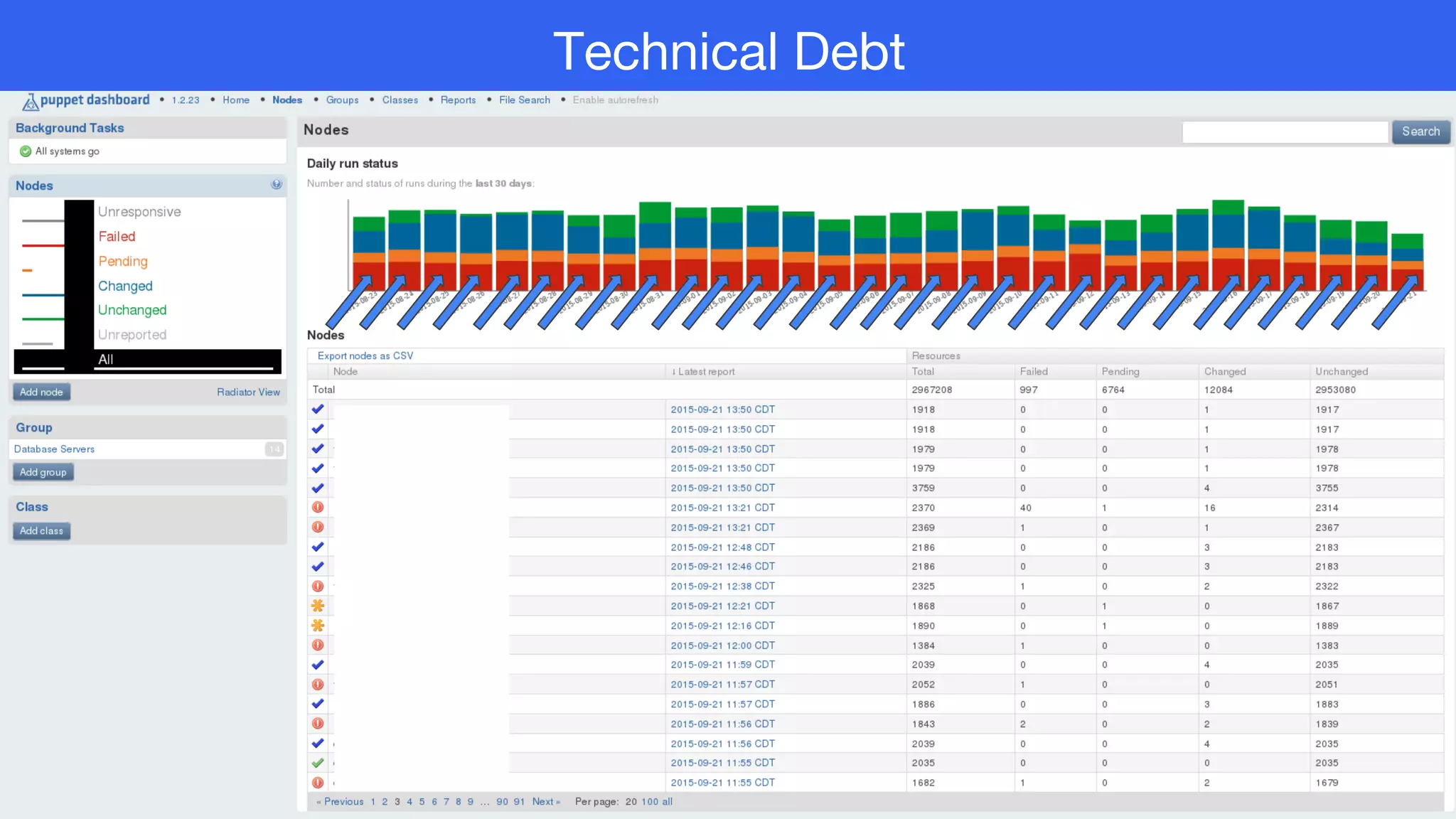
Technical Debt
indeedops.github.io/puppetconf2015
“When technical debt accrues, everybody loses.”
- Gene Kim
indeedops.github.io/puppetconf2015indeedops.github.io/puppetconf2015
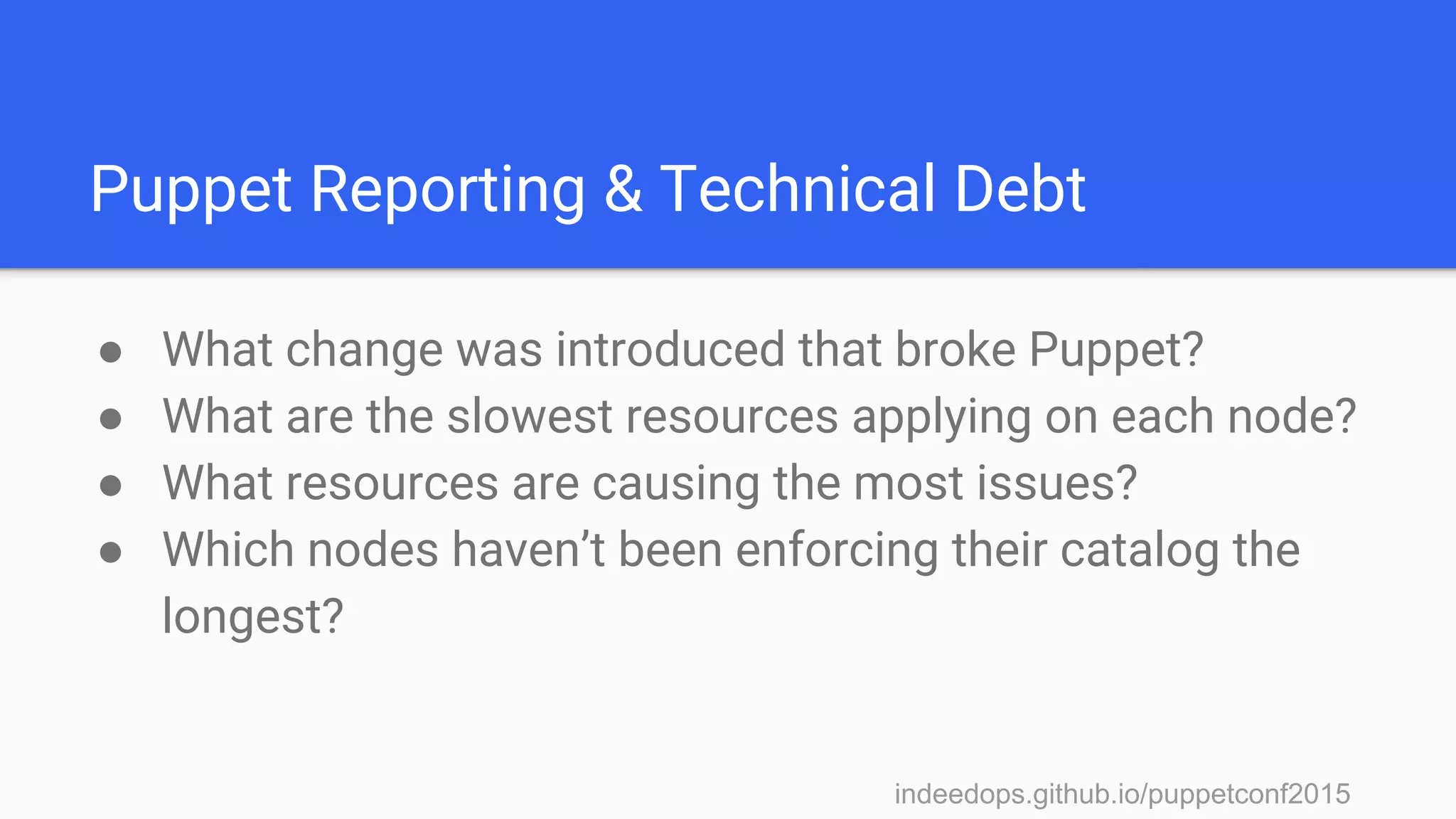
Puppet Reporting & Technical Debt
● What change was introduced that broke Puppet?
● What are the slowest resources applying on each node?
● What resources are causing the most issues?
● Which nodes haven’t been enforcing their catalog the
longest?
indeedops.github.io/puppetconf2015
Puppet Report processors and
integrations
indeedops.github.io/puppetconf2015indeedops.github.io/puppetconf2015
There are lots of
them...
● Puppet dashboard
● Puppet Enterprise
● PuppetDB
● Riemann
● Ganglia
● tagmail
● graphite/graphana
● HTTP
indeedops.github.io/puppetconf2015
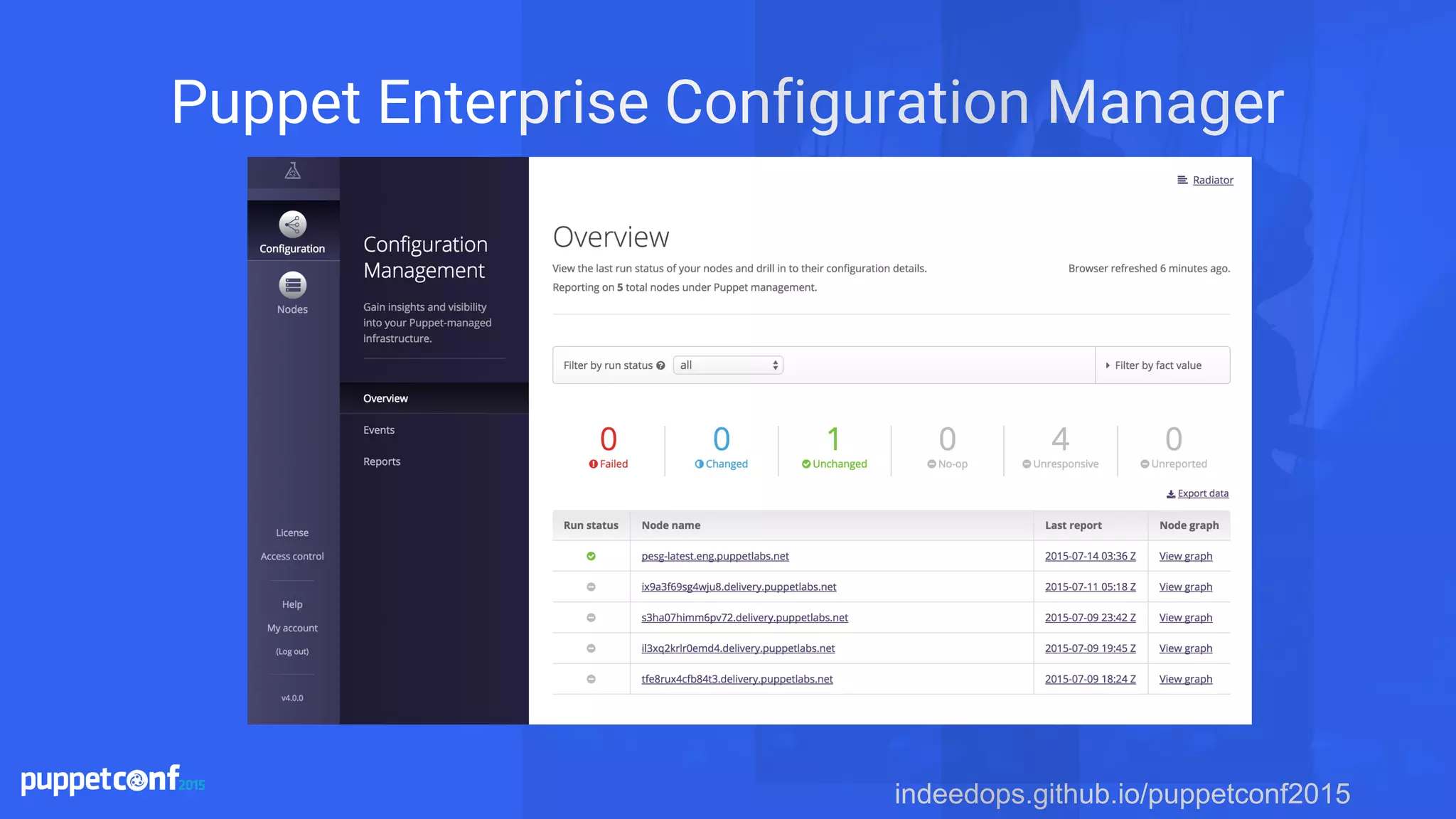
Puppet Enterprise Configuration Manager
indeedops.github.io/puppetconf2015indeedops.github.io/puppetconf2015
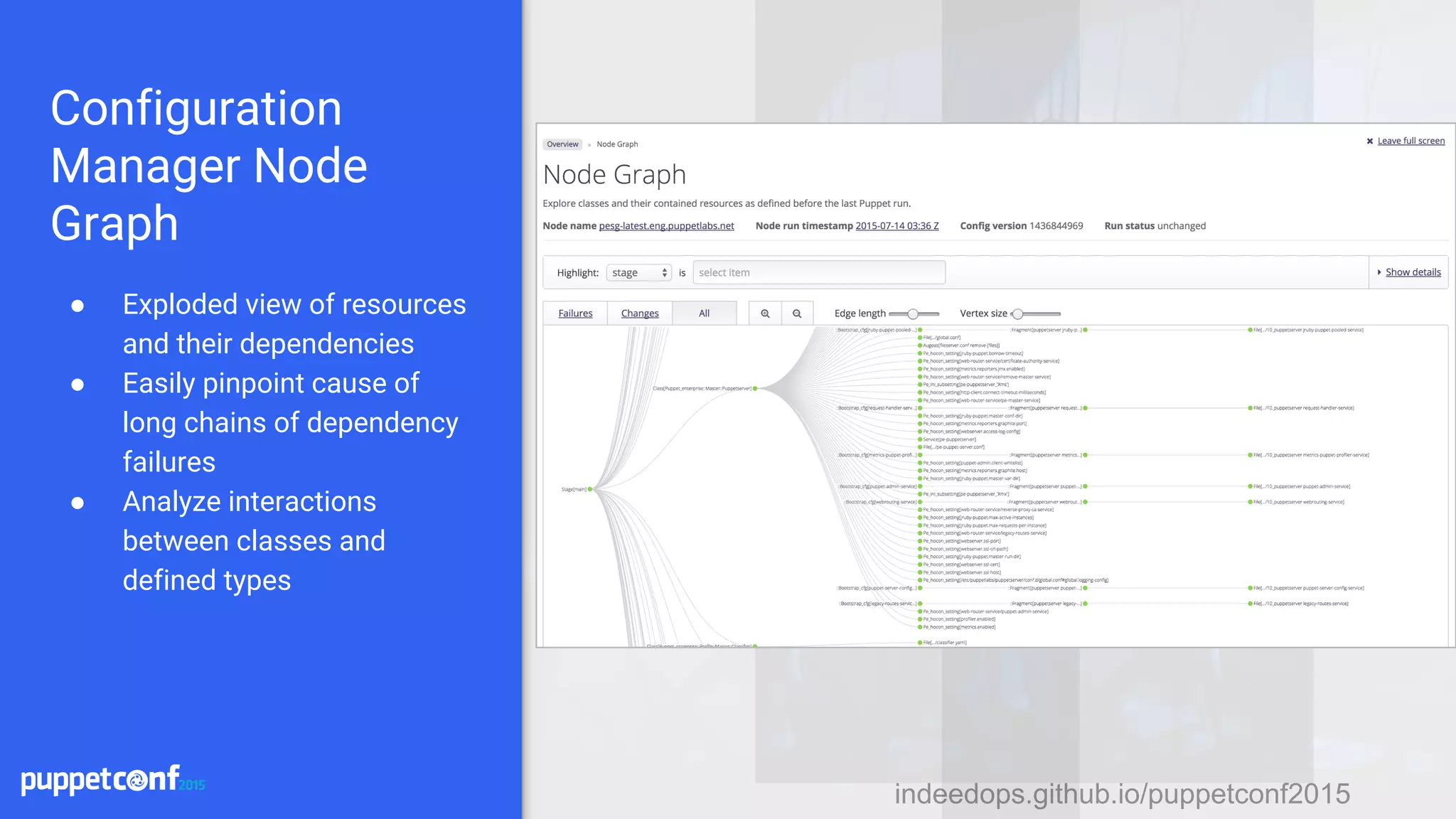
Configuration
Manager Node
Graph
● Exploded view of resources
and their dependencies
● Easily pinpoint cause of
long chains of dependency
failures
● Analyze interactions
between classes and
defined types
indeedops.github.io/puppetconf2015
Elasticsearch, Logstash and Kibana
indeedops.github.io/puppetconf2015indeedops.github.io/puppetconf2015
Elasticsearch, Logstash and Kibana
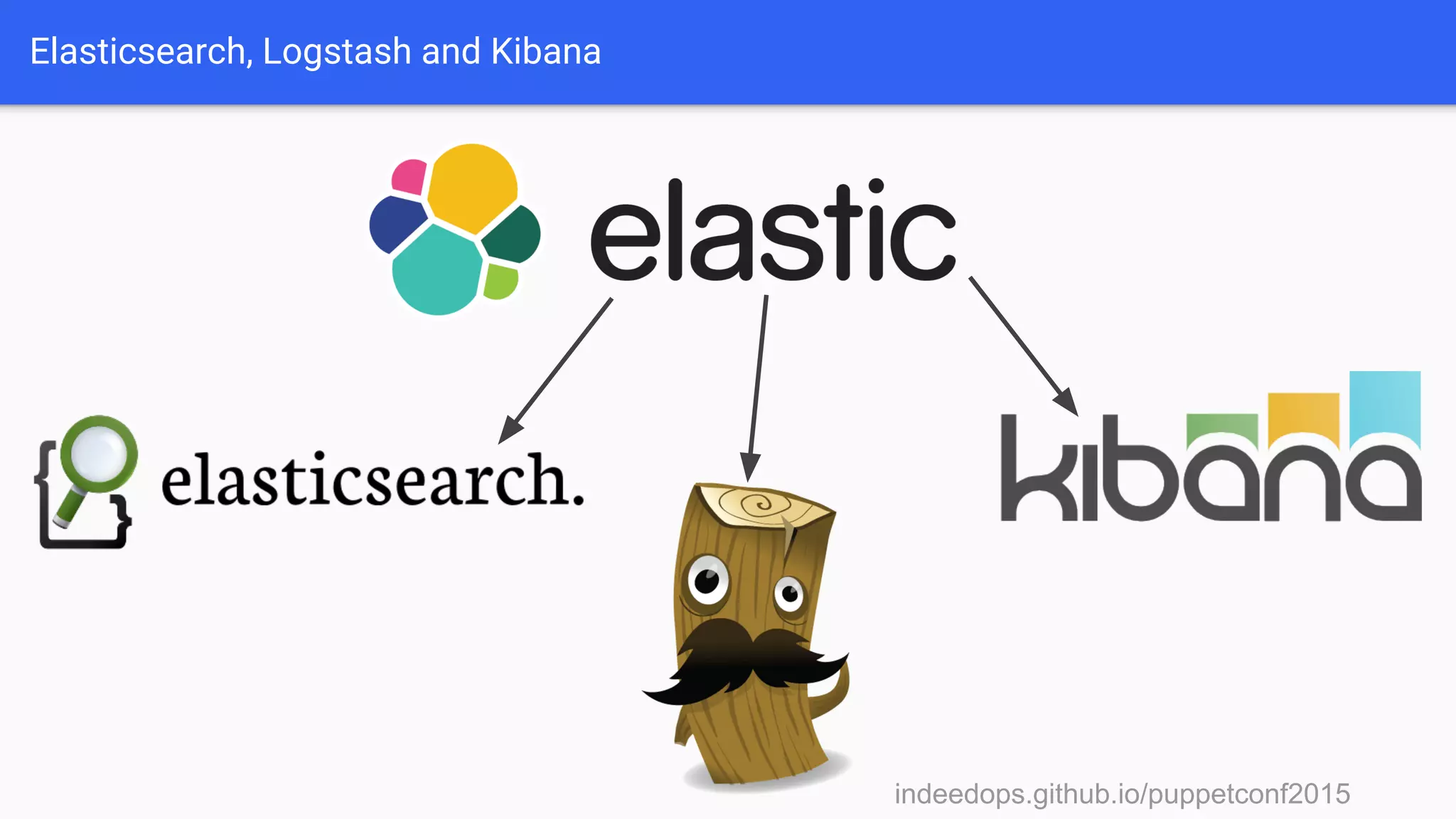
Maintained by a
company called Elastic.
indeedops.github.io/puppetconf2015indeedops.github.io/puppetconf2015
Elasticsearch, Logstash and Kibana
Elasticsearch is an
analytics platform built
on top of a distributed
search engine.
indeedops.github.io/puppetconf2015indeedops.github.io/puppetconf2015
Elasticsearch, Logstash and Kibana
Logstash is a log
processing engine. It takes
incoming logs and uses
grok filters to create
structured data from
unstructured messages.
indeedops.github.io/puppetconf2015indeedops.github.io/puppetconf2015
Elasticsearch, Logstash and Kibana
Kibana allows you to analyze and
visualize data in Elasticsearch.
These visualizations can be
grouped into dashboards.
indeedops.github.io/puppetconf2015indeedops.github.io/puppetconf2015
Elasticsearch, Logstash and Kibana
indeedops.github.io/puppetconf2015
Elasticsearch, Logstash and Kibana
“ELK STACK”
indeedops.github.io/puppetconf2015
Getting Puppet reports into
Elasticsearch
indeedops.github.io/puppetconf2015indeedops.github.io/puppetconf2015
Getting reports into
Elasticsearch
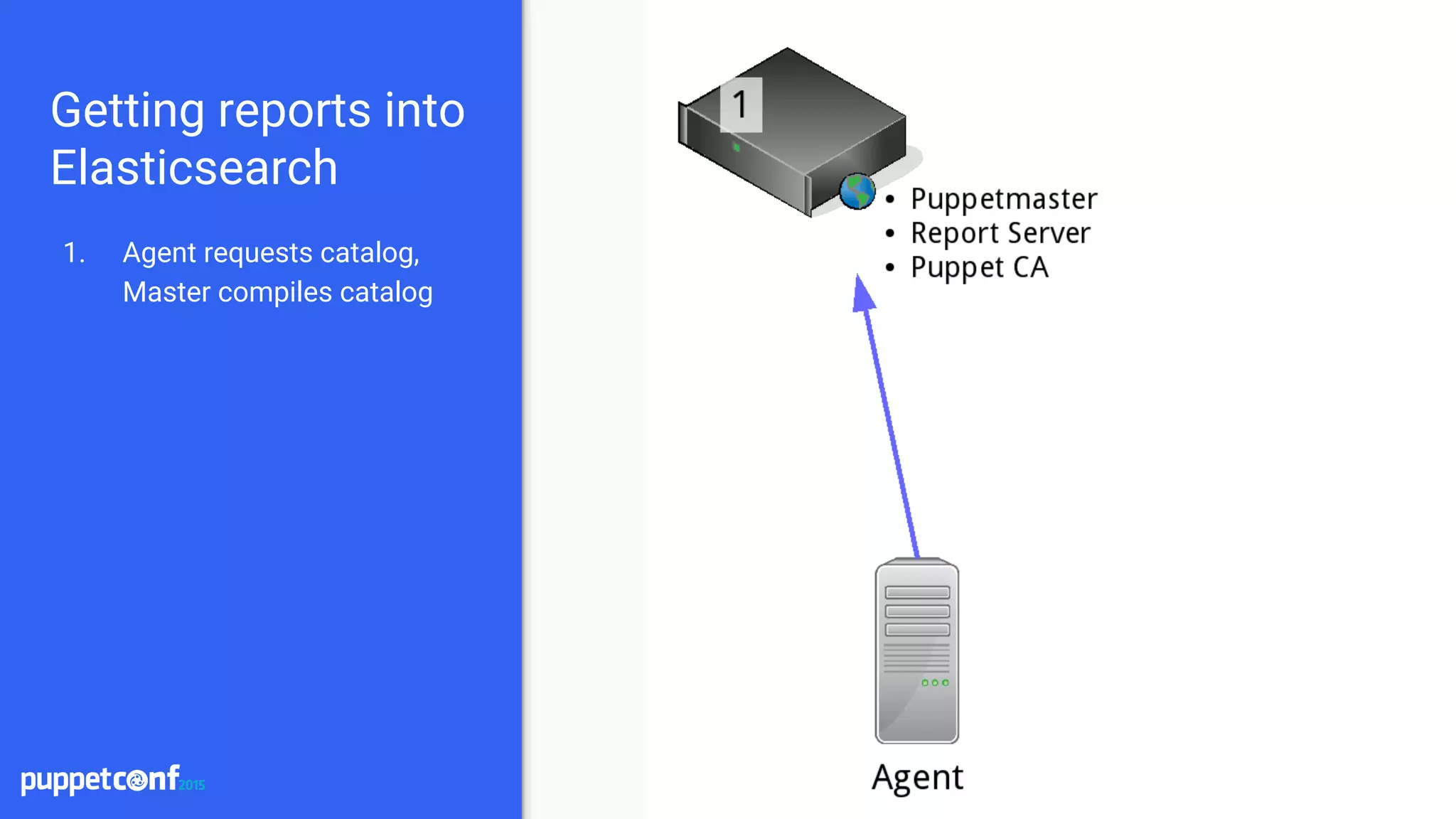
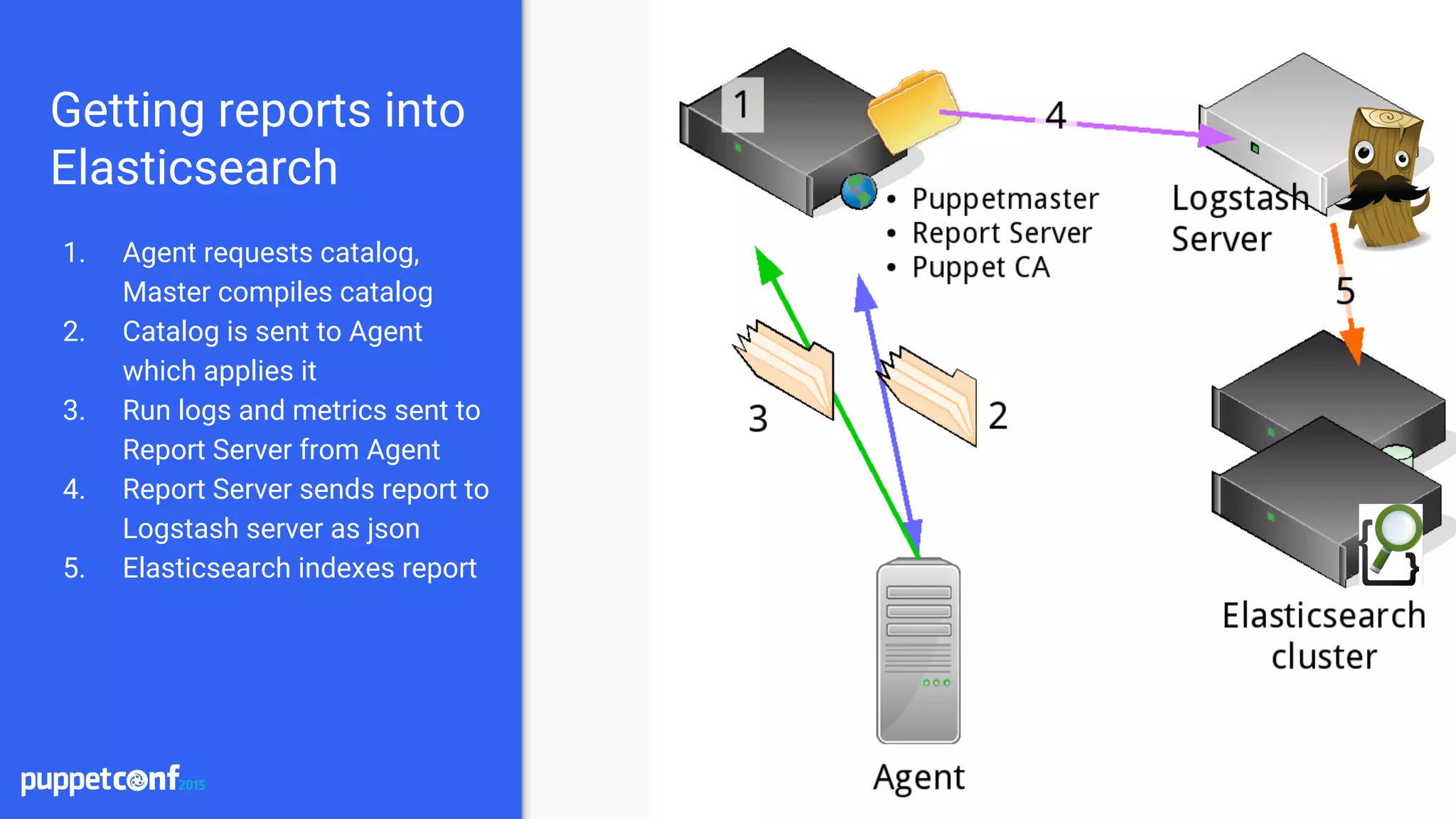
1. Agent requests catalog,
Master compiles catalog
indeedops.github.io/puppetconf2015indeedops.github.io/puppetconf2015
Getting reports into
Elasticsearch
1. Agent requests catalog,
Master compiles catalog
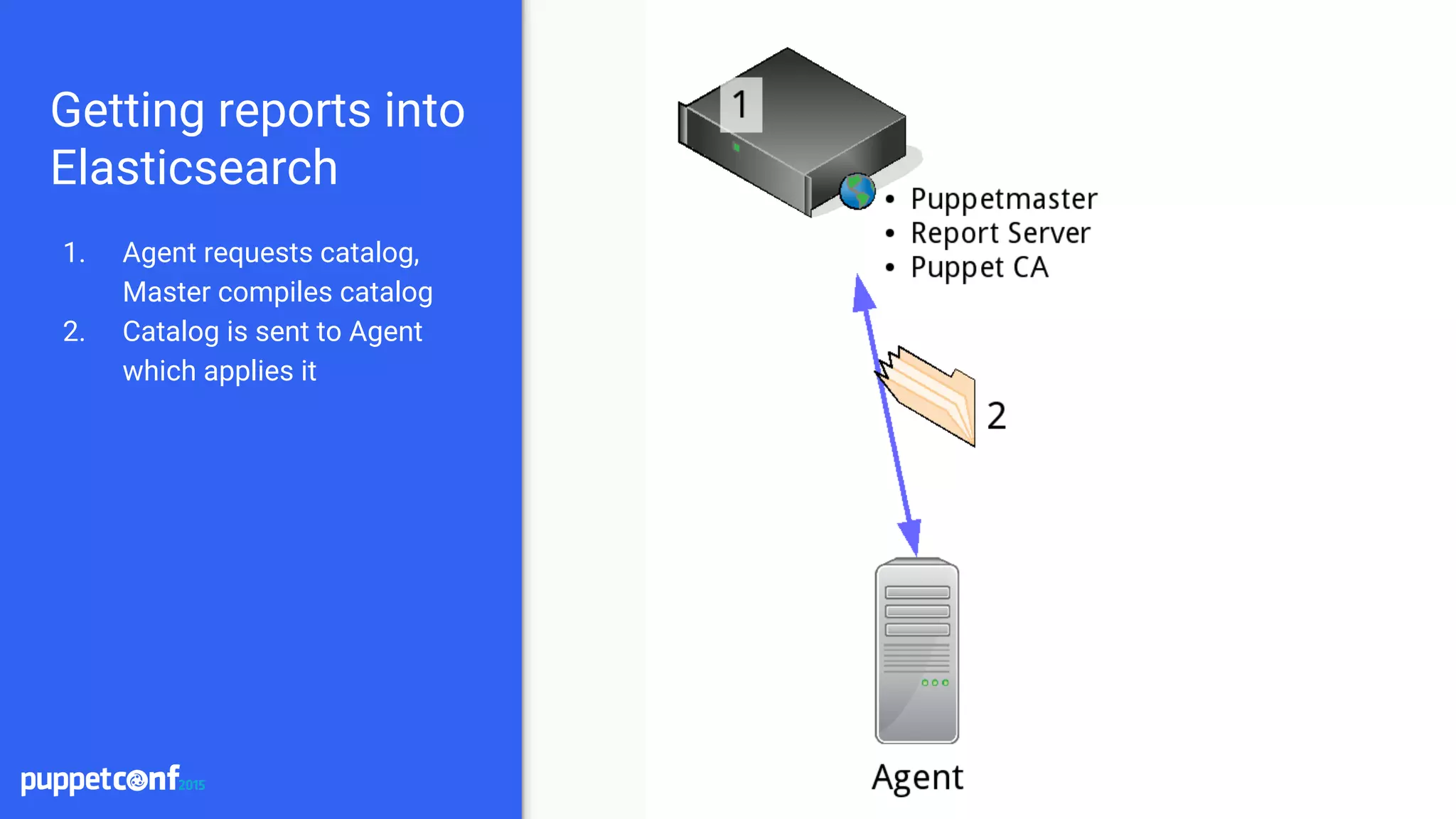
2. Catalog is sent to Agent
which applies it
indeedops.github.io/puppetconf2015indeedops.github.io/puppetconf2015
Getting reports into
Elasticsearch
1. Agent requests catalog,
Master compiles catalog
2. Catalog is sent to Agent
which applies it
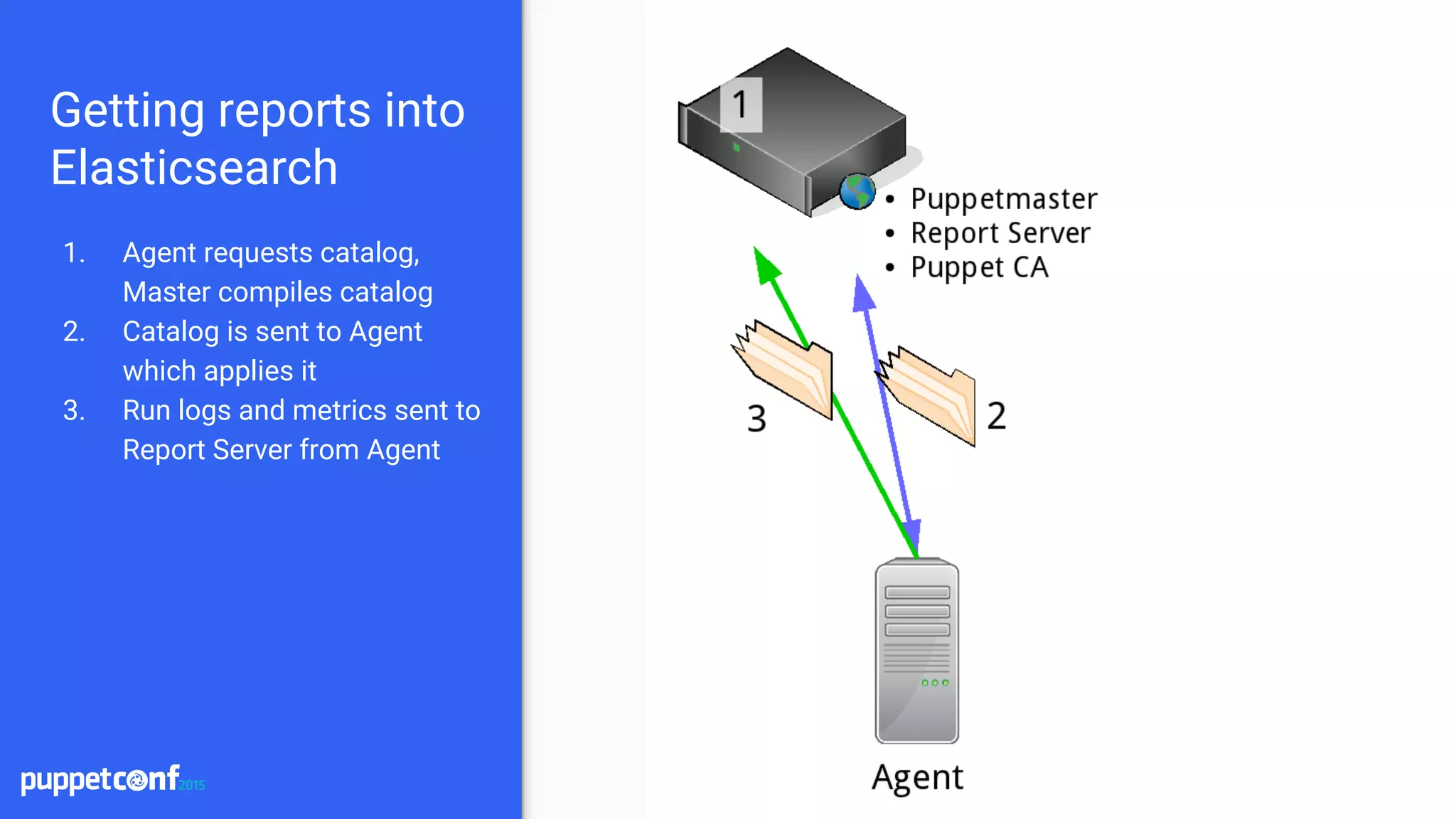
3. Run logs and metrics sent to
Report Server from Agent
indeedops.github.io/puppetconf2015indeedops.github.io/puppetconf2015
Getting reports into
Elasticsearch
1. Agent requests catalog,
Master compiles catalog
2. Catalog is sent to Agent
which applies it
3. Run logs and metrics sent to
Report Server from Agent
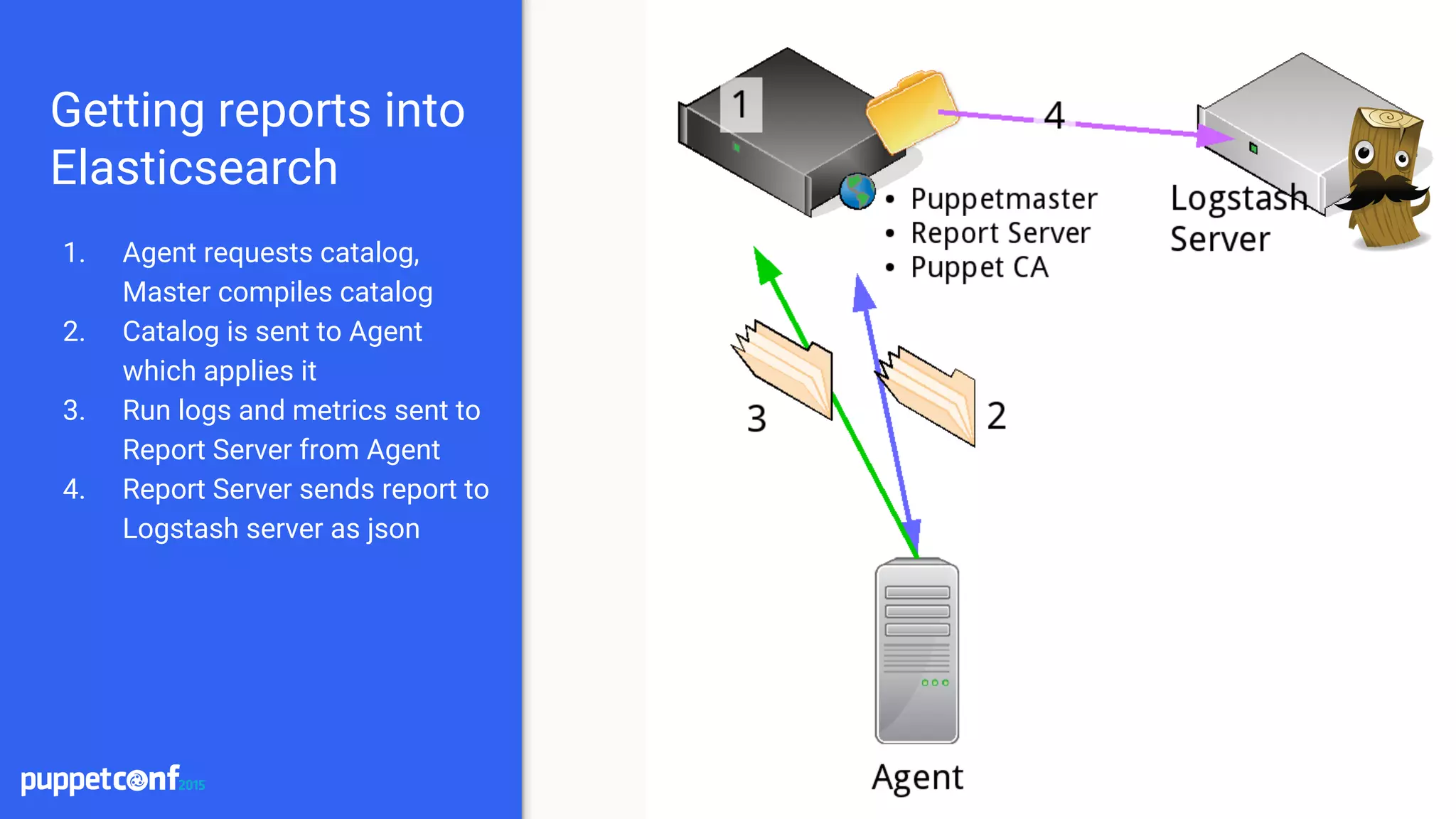
4. Report Server sends report to
Logstash server as json
indeedops.github.io/puppetconf2015indeedops.github.io/puppetconf2015
Getting reports into
Elasticsearch
1. Agent requests catalog,
Master compiles catalog
2. Catalog is sent to Agent
which applies it
3. Run logs and metrics sent to
Report Server from Agent
4. Report Server sends report to
Logstash server as json
5. Elasticsearch indexes report
indeedops.github.io/puppetconf2015indeedops.github.io/puppetconf2015
Installation
● Install Elasticsearch and Logstash
○ Place on separate servers for scaling
● Install the puppet-logstash-reporter
○ https://github.com/elastic/puppet-logstash-reporter
○ Configure the master and agent configs
○ Setup logstash host and port
● Install Kibana
○ Setup a proxying webserver to proxy requests
○ Tie into existing authentication system
○ Terminate SSL at the webserver
[master]
report = true
reports = logstash
pluginsync = true
[agent]
report = true
pluginsync = true
Master configuration
---
:host: puppetreports.logstashserver.net
port: 5603
/etc/puppet/logstash.yaml
Agent configuration
indeedops.github.io/puppetconf2015indeedops.github.io/puppetconf2015
Maintenance
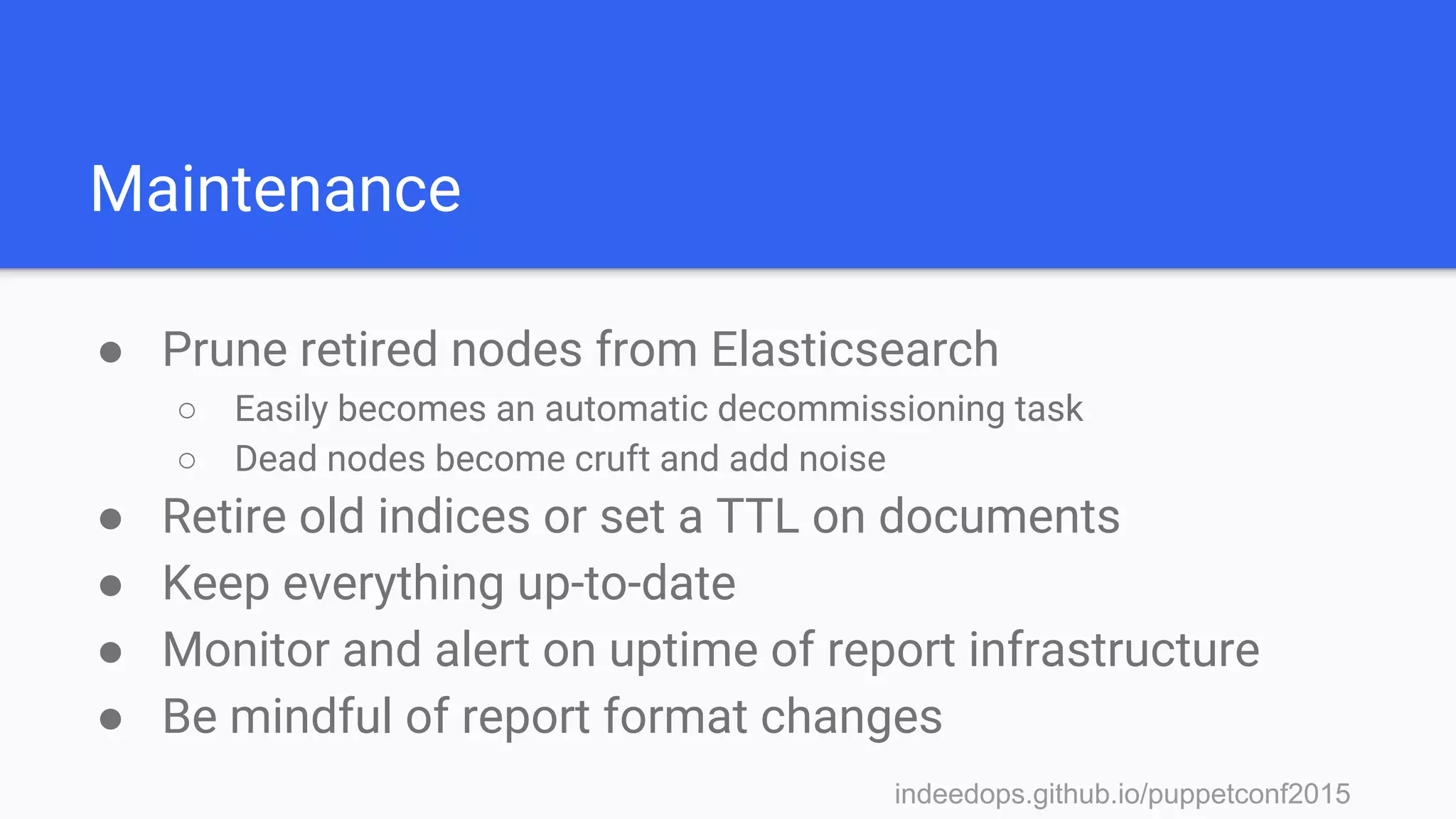
● Prune retired nodes from Elasticsearch
○ Easily becomes an automatic decommissioning task
○ Dead nodes become cruft and add noise
● Retire old indices or set a TTL on documents
● Keep everything up-to-date
● Monitor and alert on uptime of report infrastructure
● Be mindful of report format changes
indeedops.github.io/puppetconf2015indeedops.github.io/puppetconf2015
What’s in a Puppet
Report?
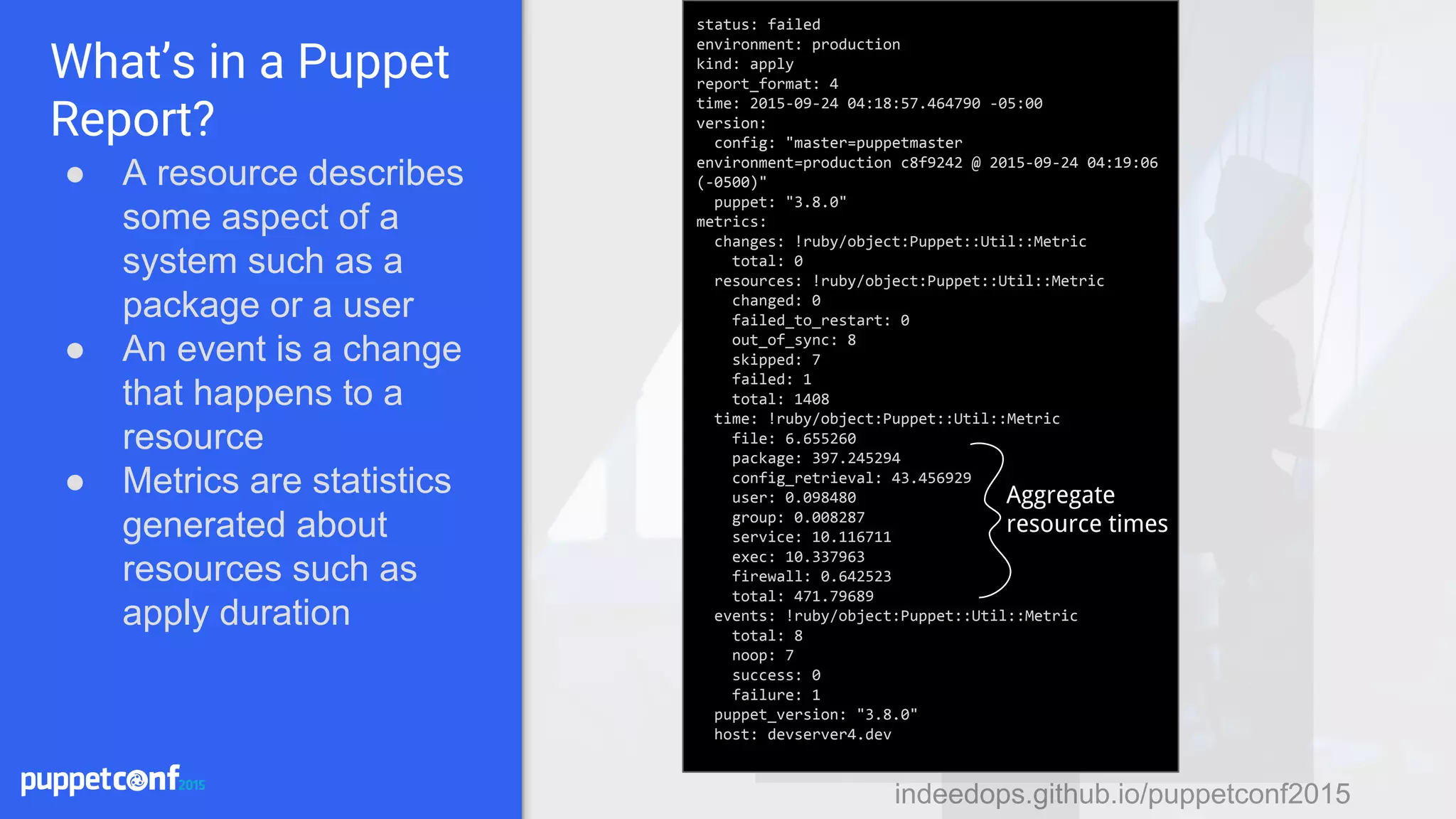
● A resource describes
some aspect of a
system such as a
package or a user
● An event is a change
that happens to a
resource
● Metrics are statistics
generated about
resources such as
apply duration
status: failed
environment: production
kind: apply
report_format: 4
time: 2015-09-24 04:18:57.464790 -05:00
version:
config: "master=puppetmaster
environment=production c8f9242 @ 2015-09-24 04:19:06
(-0500)"
puppet: "3.8.0"
metrics:
changes: !ruby/object:Puppet::Util::Metric
total: 0
resources: !ruby/object:Puppet::Util::Metric
changed: 0
failed_to_restart: 0
out_of_sync: 8
skipped: 7
failed: 1
total: 1408
time: !ruby/object:Puppet::Util::Metric
file: 6.655260
package: 397.245294
config_retrieval: 43.456929
user: 0.098480
group: 0.008287
service: 10.116711
exec: 10.337963
firewall: 0.642523
total: 471.79689
events: !ruby/object:Puppet::Util::Metric
total: 8
noop: 7
success: 0
failure: 1
puppet_version: "3.8.0"
host: devserver4.dev
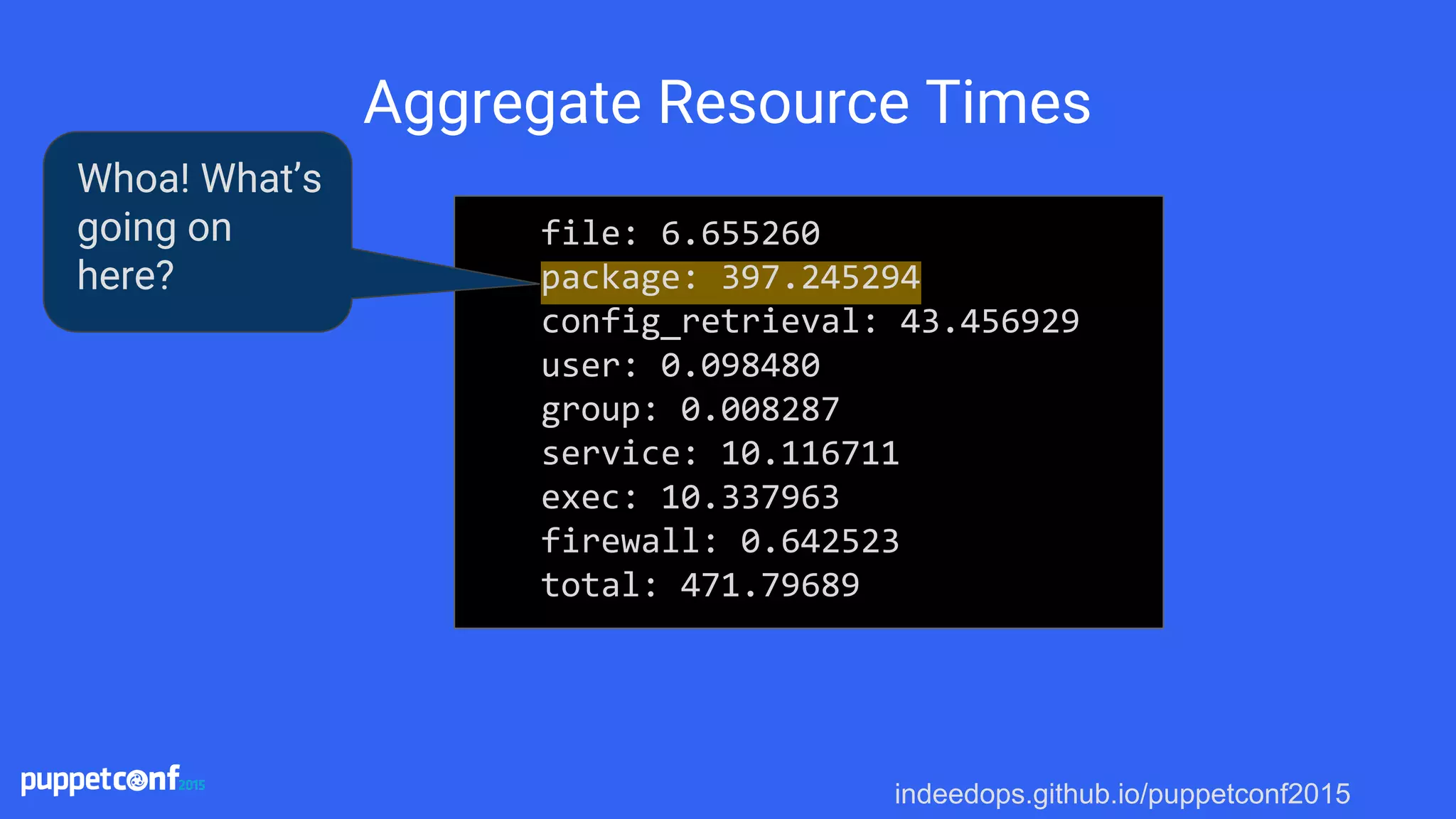
Aggregate
resource times
indeedops.github.io/puppetconf2015
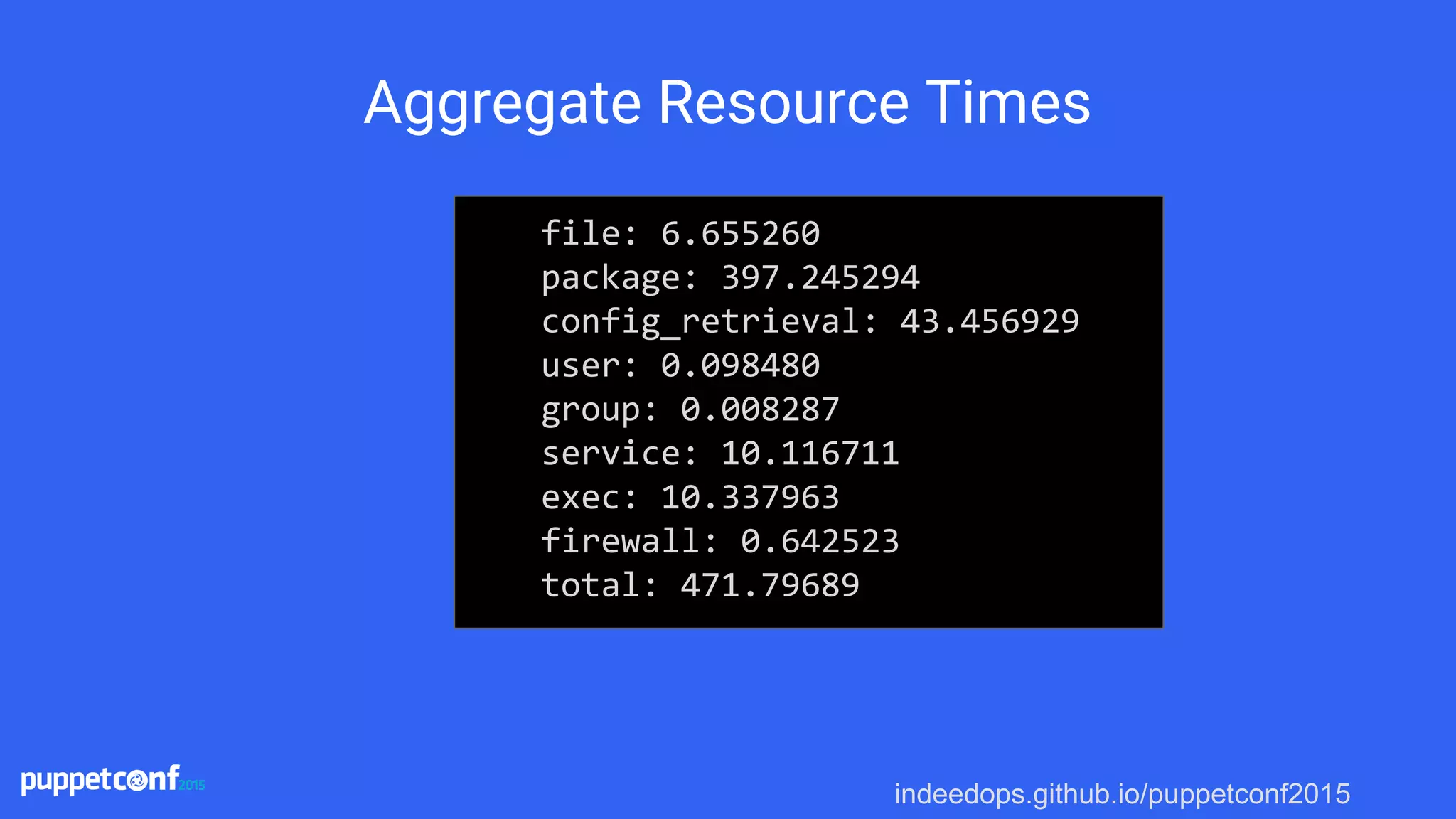
Aggregate Resource Times
file: 6.655260
package: 397.245294
config_retrieval: 43.456929
user: 0.098480
group: 0.008287
service: 10.116711
exec: 10.337963
firewall: 0.642523
total: 471.79689
indeedops.github.io/puppetconf2015
Aggregate Resource Times
file: 6.655260
package: 397.245294
config_retrieval: 43.456929
user: 0.098480
group: 0.008287
service: 10.116711
exec: 10.337963
firewall: 0.642523
total: 471.79689
Whoa! What’s
going on
here?
indeedops.github.io/puppetconf2015indeedops.github.io/puppetconf2015
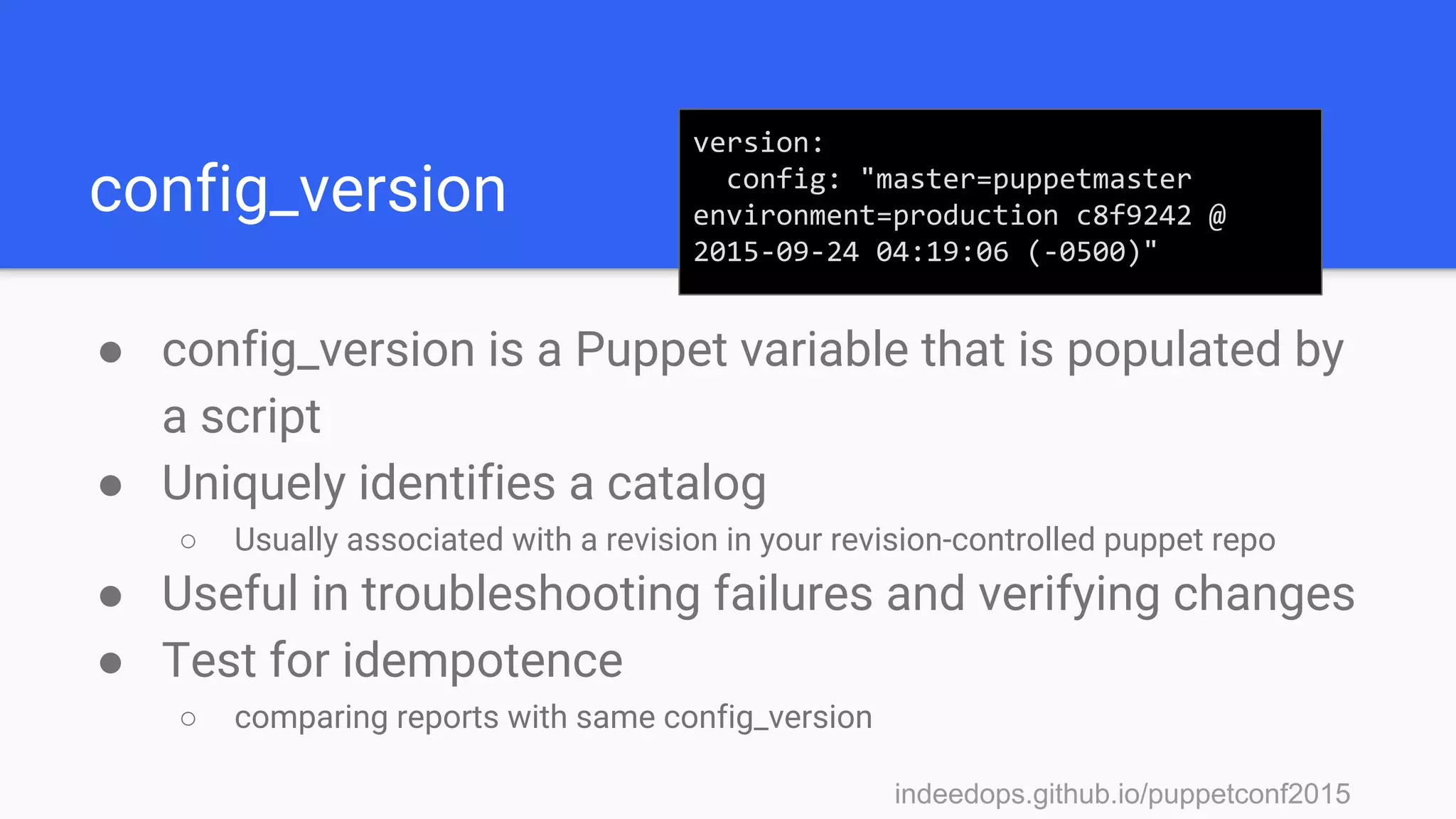
config_version
● config_version is a Puppet variable that is populated by
a script
● Uniquely identifies a catalog
○ Usually associated with a revision in your revision-controlled puppet repo
● Useful in troubleshooting failures and verifying changes
● Test for idempotence
○ comparing reports with same config_version
version:
config: "master=puppetmaster
environment=production c8f9242 @
2015-09-24 04:19:06 (-0500)"
indeedops.github.io/puppetconf2015indeedops.github.io/puppetconf2015
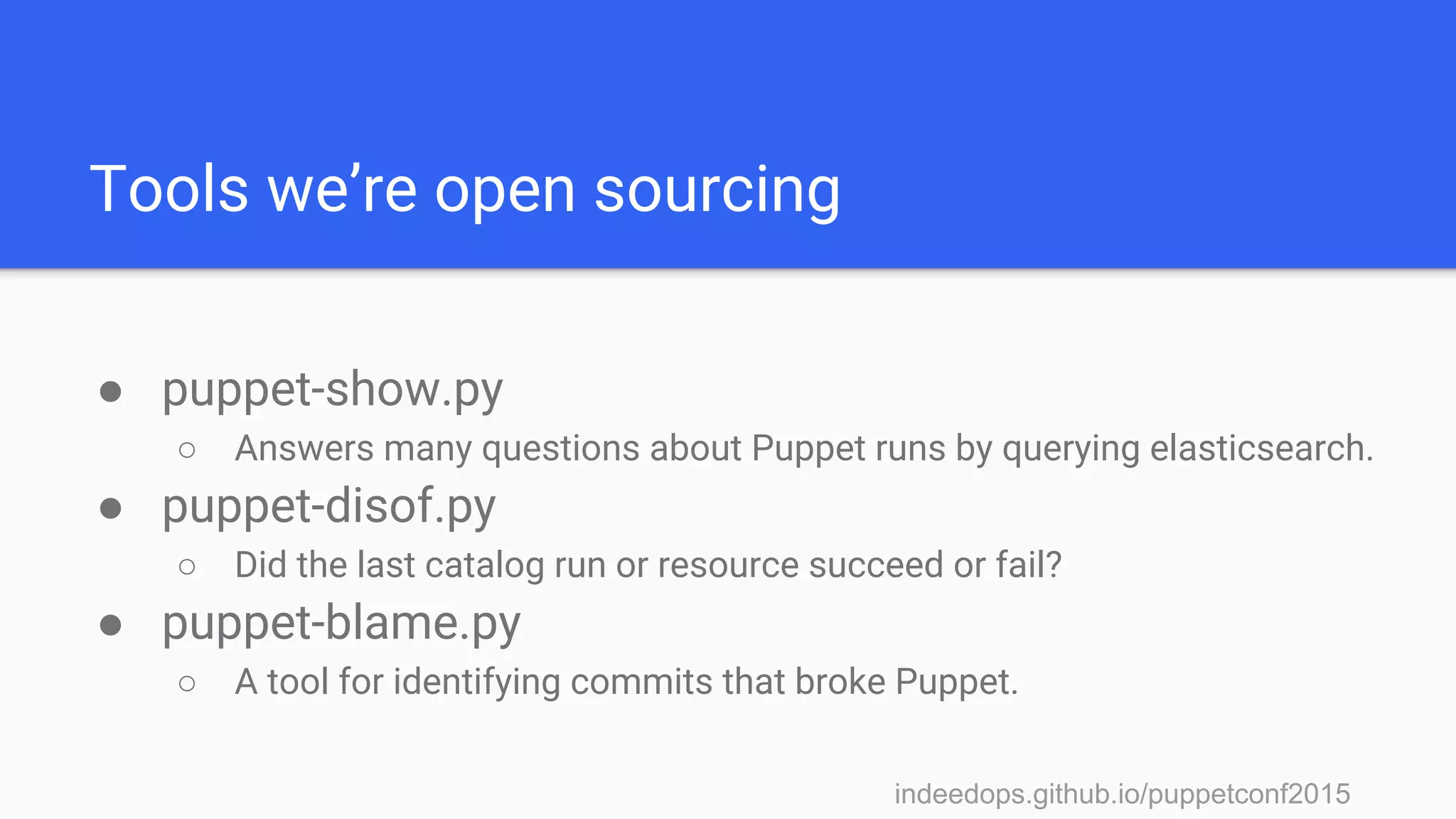
Tools we’re open sourcing
● puppet-show.py
○ Answers many questions about Puppet runs by querying elasticsearch.
● puppet-disof.py
○ Did the last catalog run or resource succeed or fail?
● puppet-blame.py
○ A tool for identifying commits that broke Puppet.
indeedops.github.io/puppetconf2015indeedops.github.io/puppetconf2015
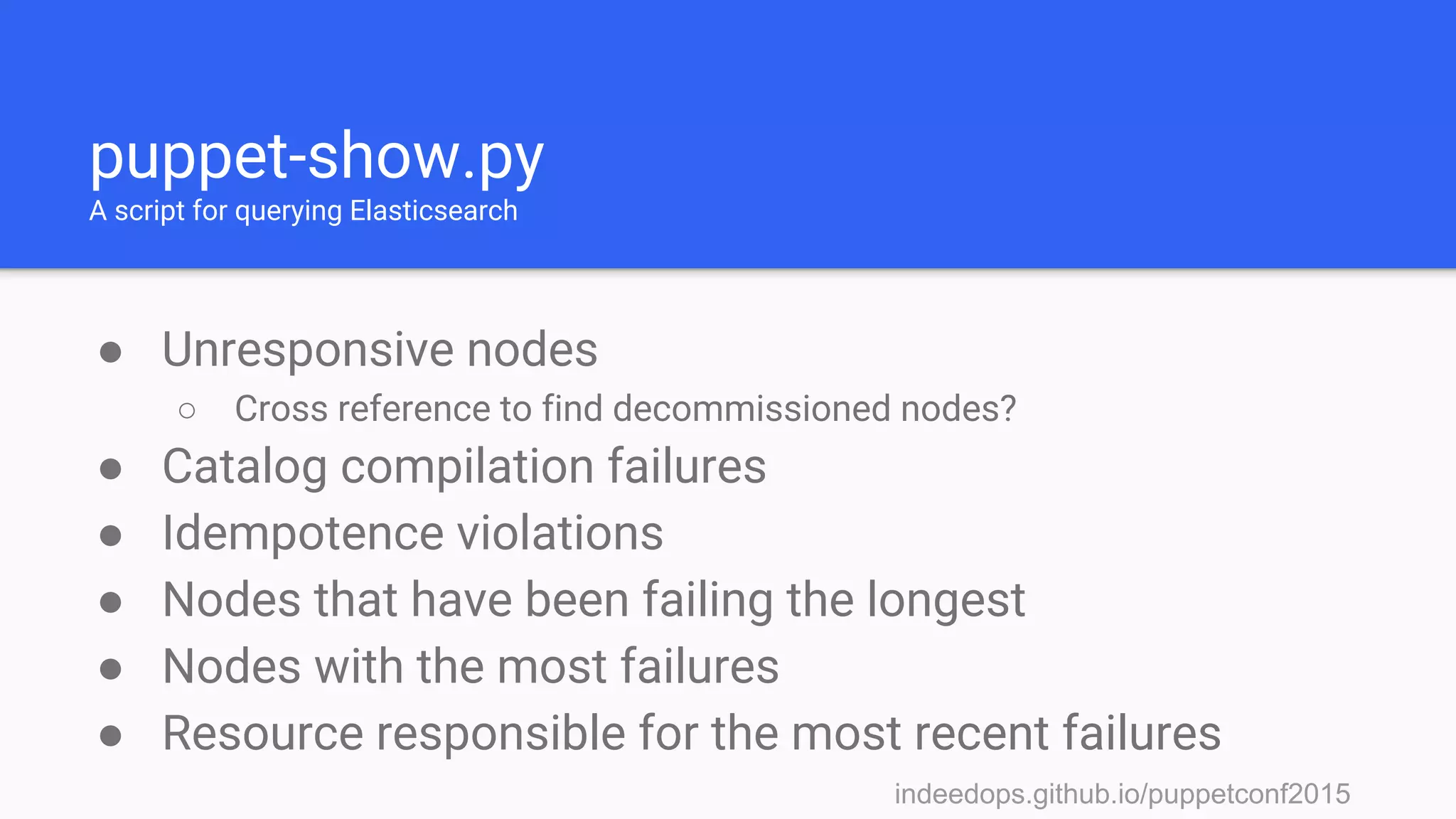
puppet-show.py
A script for querying Elasticsearch
● Unresponsive nodes
○ Cross reference to find decommissioned nodes?
● Catalog compilation failures
● Idempotence violations
● Nodes that have been failing the longest
● Nodes with the most failures
● Resource responsible for the most recent failures
indeedops.github.io/puppetconf2015indeedops.github.io/puppetconf2015
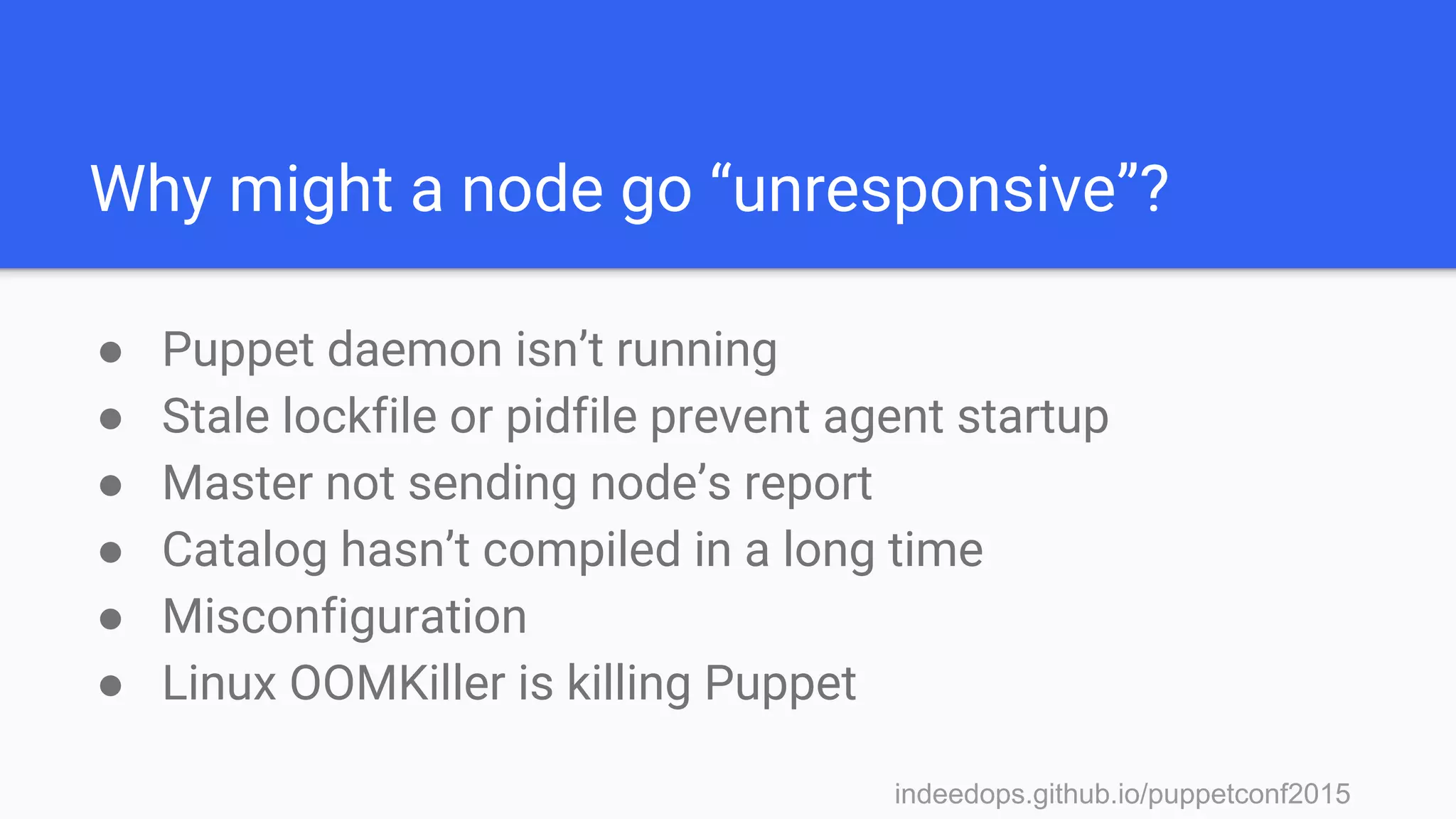
Why might a node go “unresponsive”?
● Puppet daemon isn’t running
● Stale lockfile or pidfile prevent agent startup
● Master not sending node’s report
● Catalog hasn’t compiled in a long time
● Misconfiguration
● Linux OOMKiller is killing Puppet
indeedops.github.io/puppetconf2015
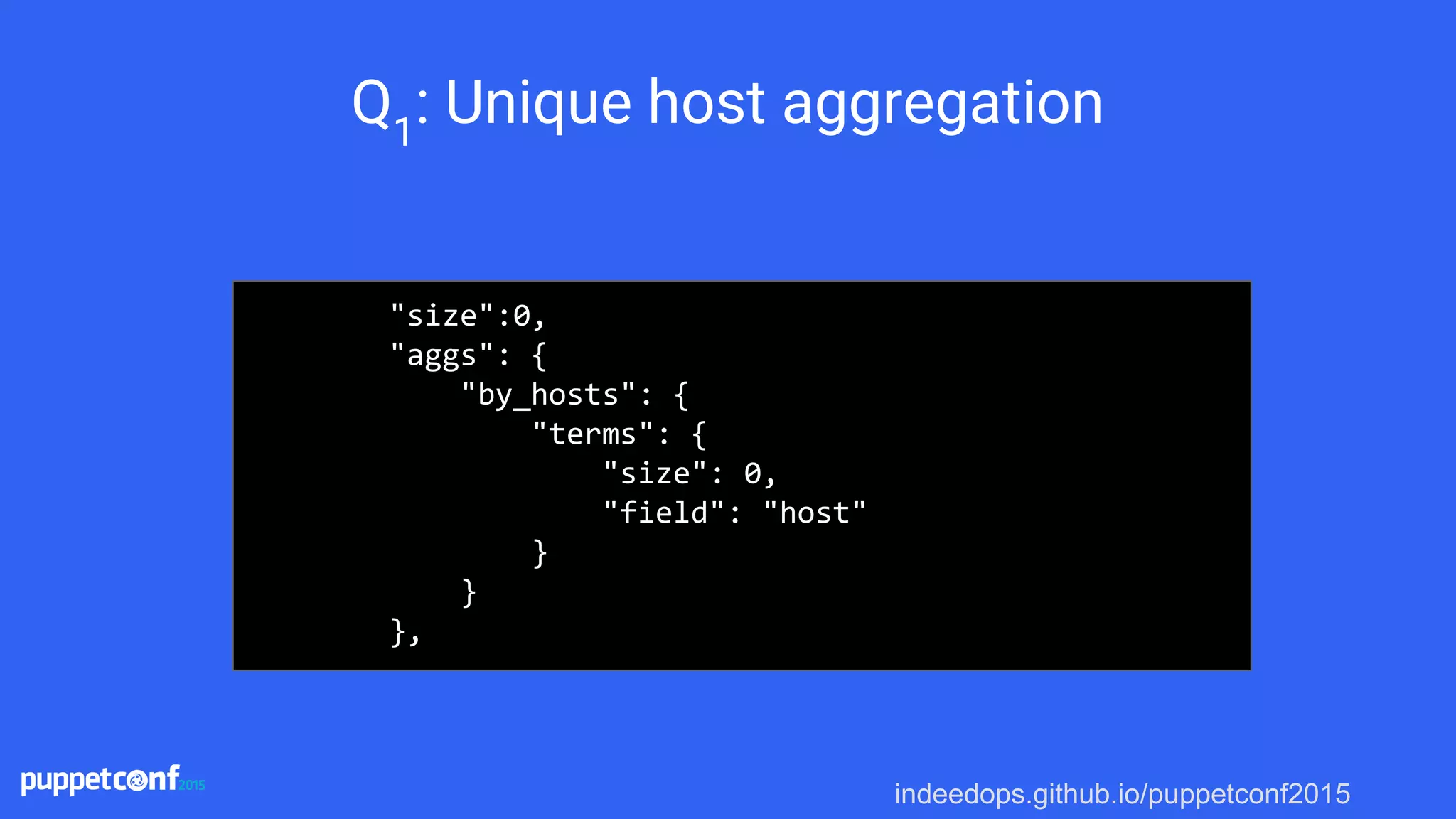
Q1
: Unique host aggregation
"size":0,
"aggs": {
"by_hosts": {
"terms": {
"size": 0,
"field": "host"
}
}
},
indeedops.github.io/puppetconf2015
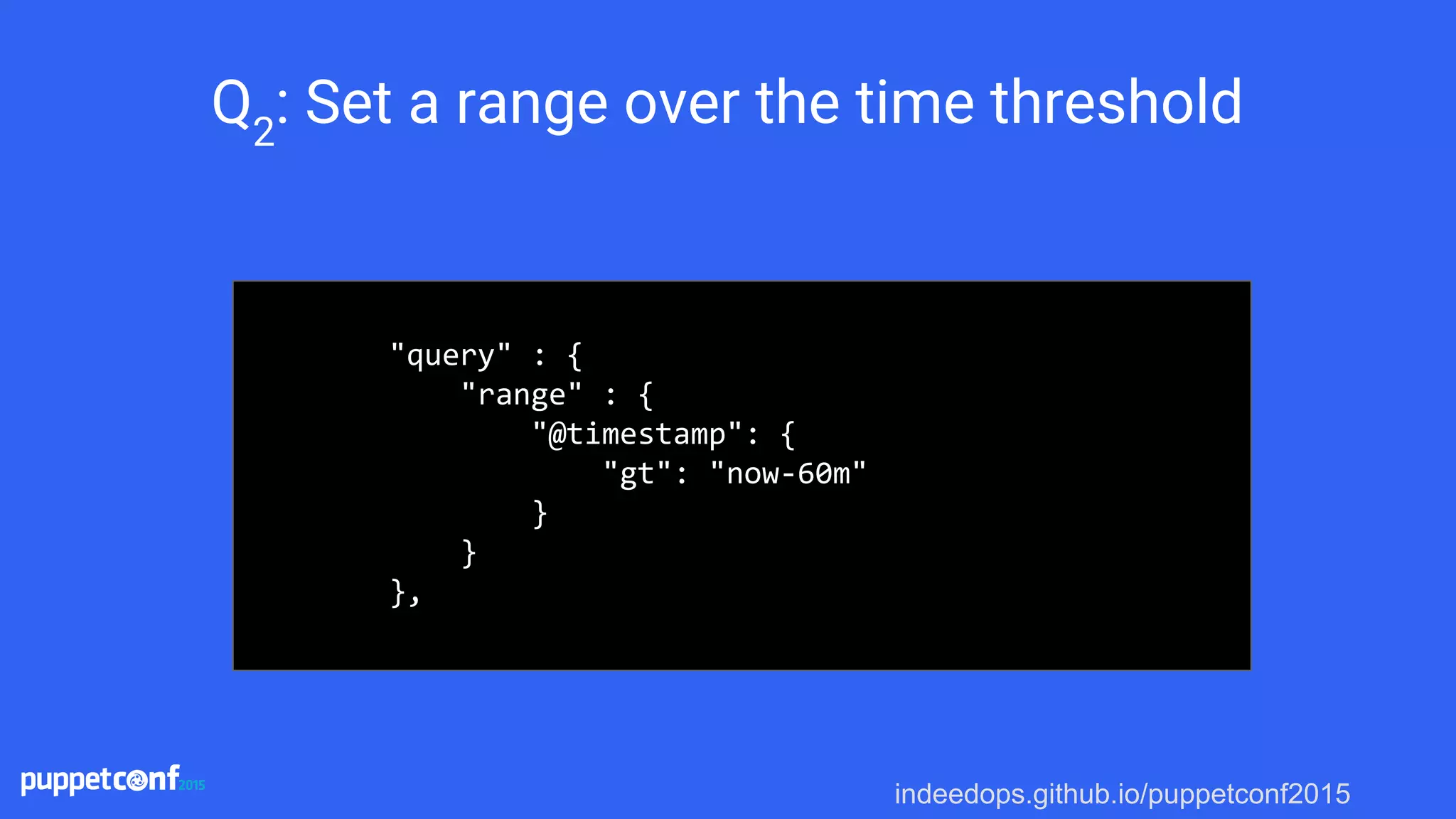
Q2
: Set a range over the time threshold
"query" : {
"range" : {
"@timestamp": {
"gt": "now-60m"
}
}
},
indeedops.github.io/puppetconf2015
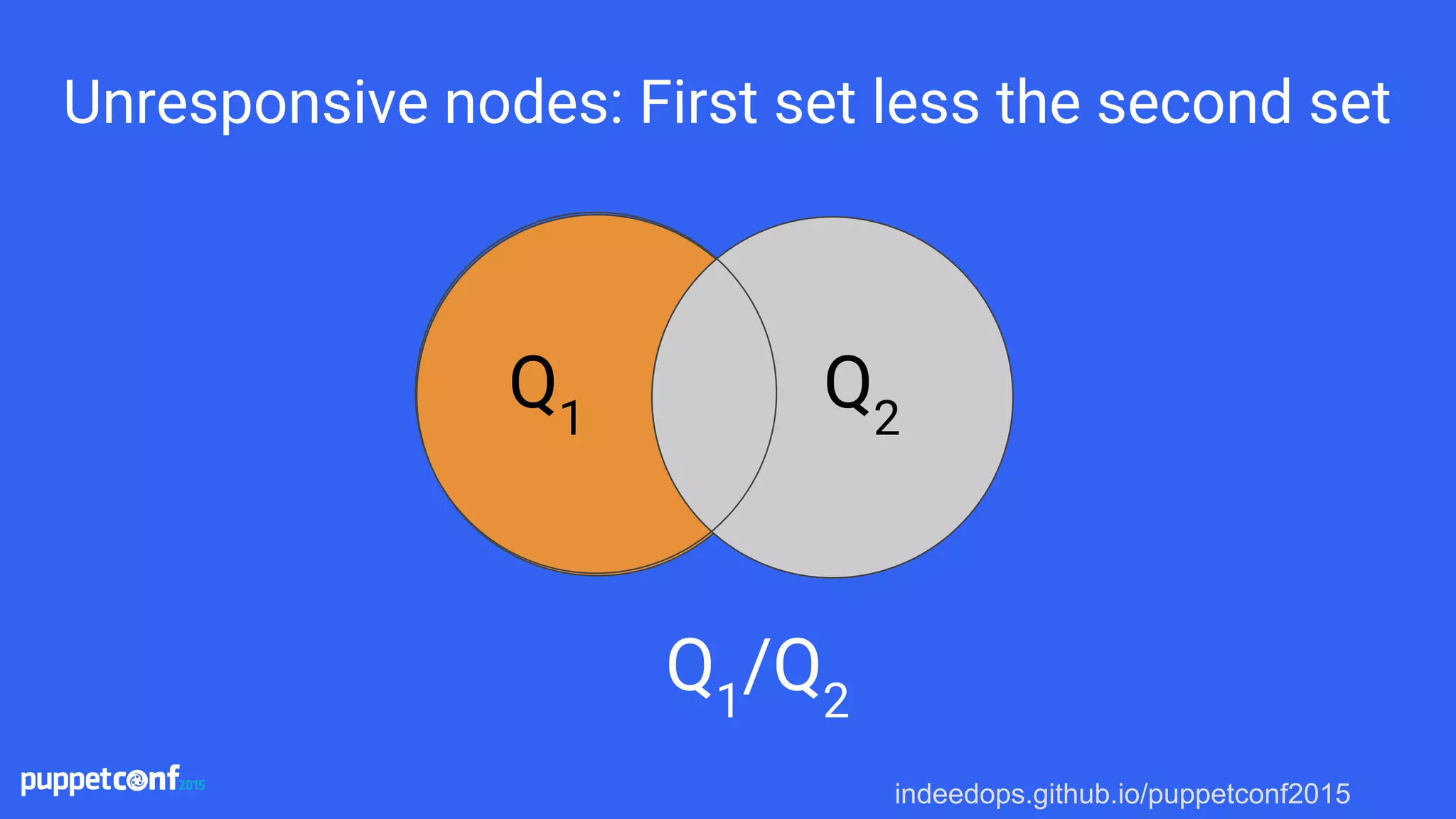
Unresponsive nodes: First set less the second set
Q1
/Q2
Q1
Q2
indeedops.github.io/puppetconf2015
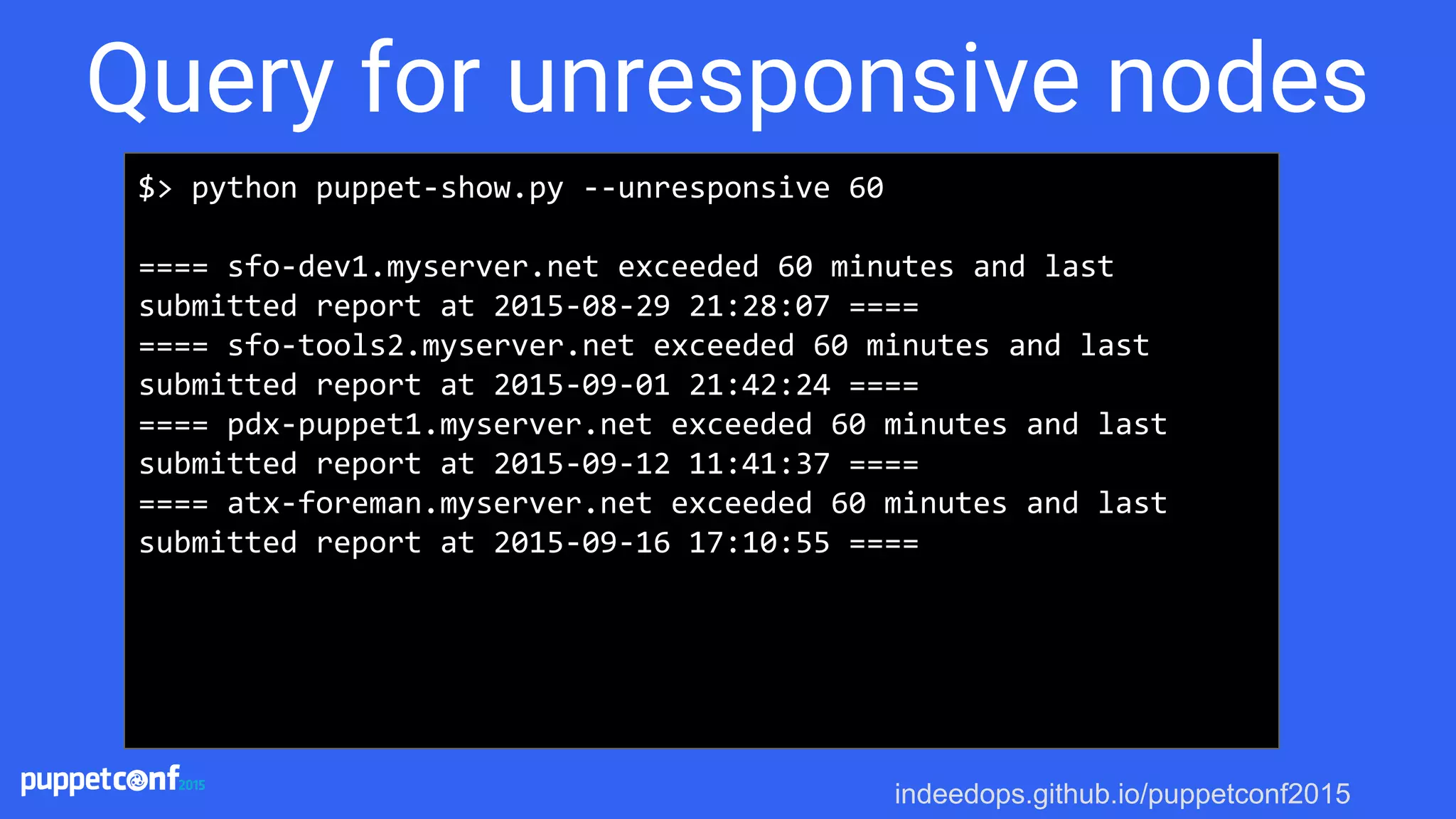
$> python puppet-show.py --unresponsive 60
==== sfo-dev1.myserver.net exceeded 60 minutes and last
submitted report at 2015-08-29 21:28:07 ====
==== sfo-tools2.myserver.net exceeded 60 minutes and last
submitted report at 2015-09-01 21:42:24 ====
==== pdx-puppet1.myserver.net exceeded 60 minutes and last
submitted report at 2015-09-12 11:41:37 ====
==== atx-foreman.myserver.net exceeded 60 minutes and last
submitted report at 2015-09-16 17:10:55 ====
Query for unresponsive nodes
indeedops.github.io/puppetconf2015
If the catalog didn’t
compile how do we know?
indeedops.github.io/puppetconf2015
Could not retrieve catalog from remote
server: Error 400 on SERVER
indeedops.github.io/puppetconf2015indeedops.github.io/puppetconf2015
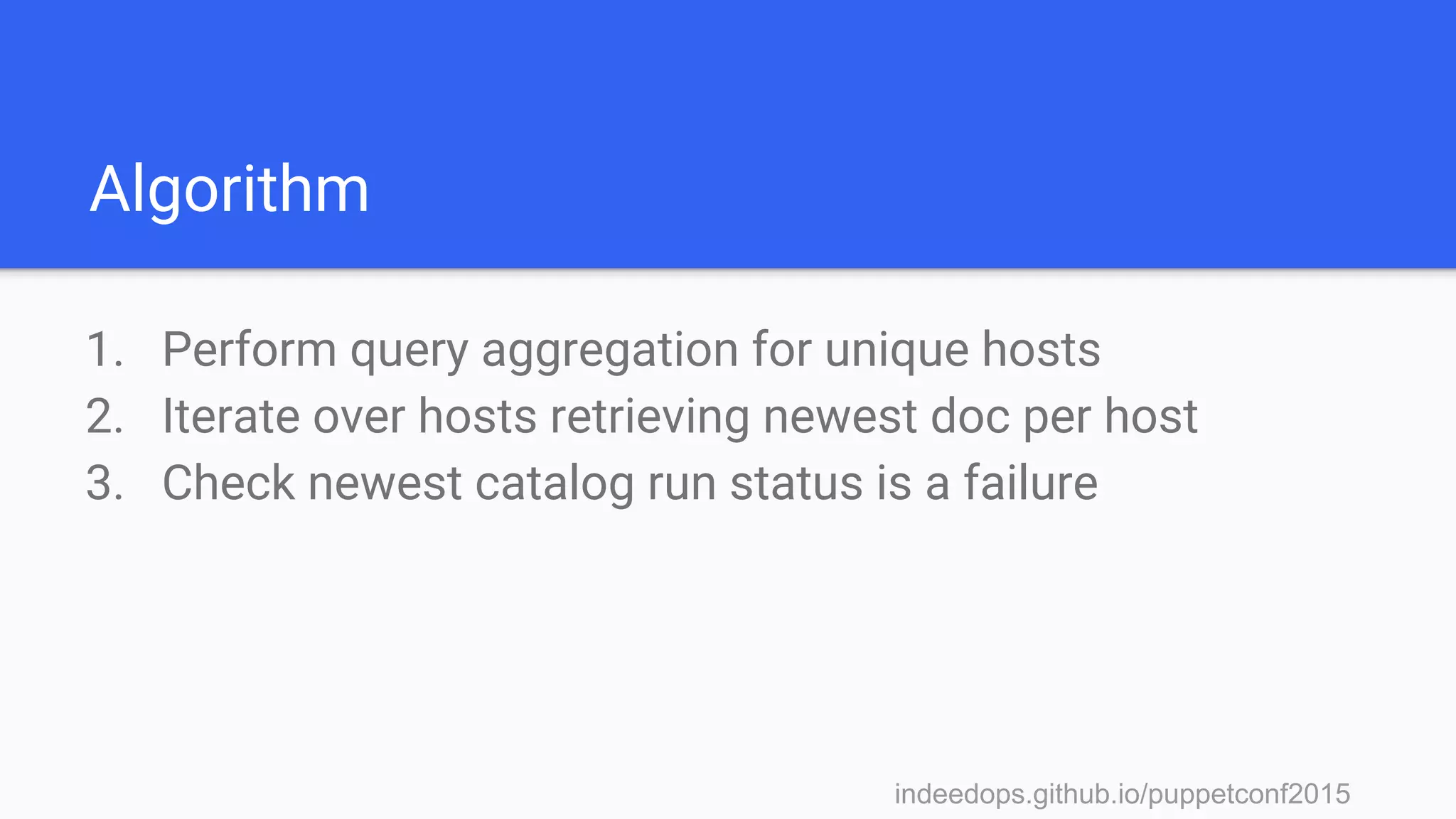
Algorithm
1. Perform query aggregation for unique hosts
indeedops.github.io/puppetconf2015indeedops.github.io/puppetconf2015
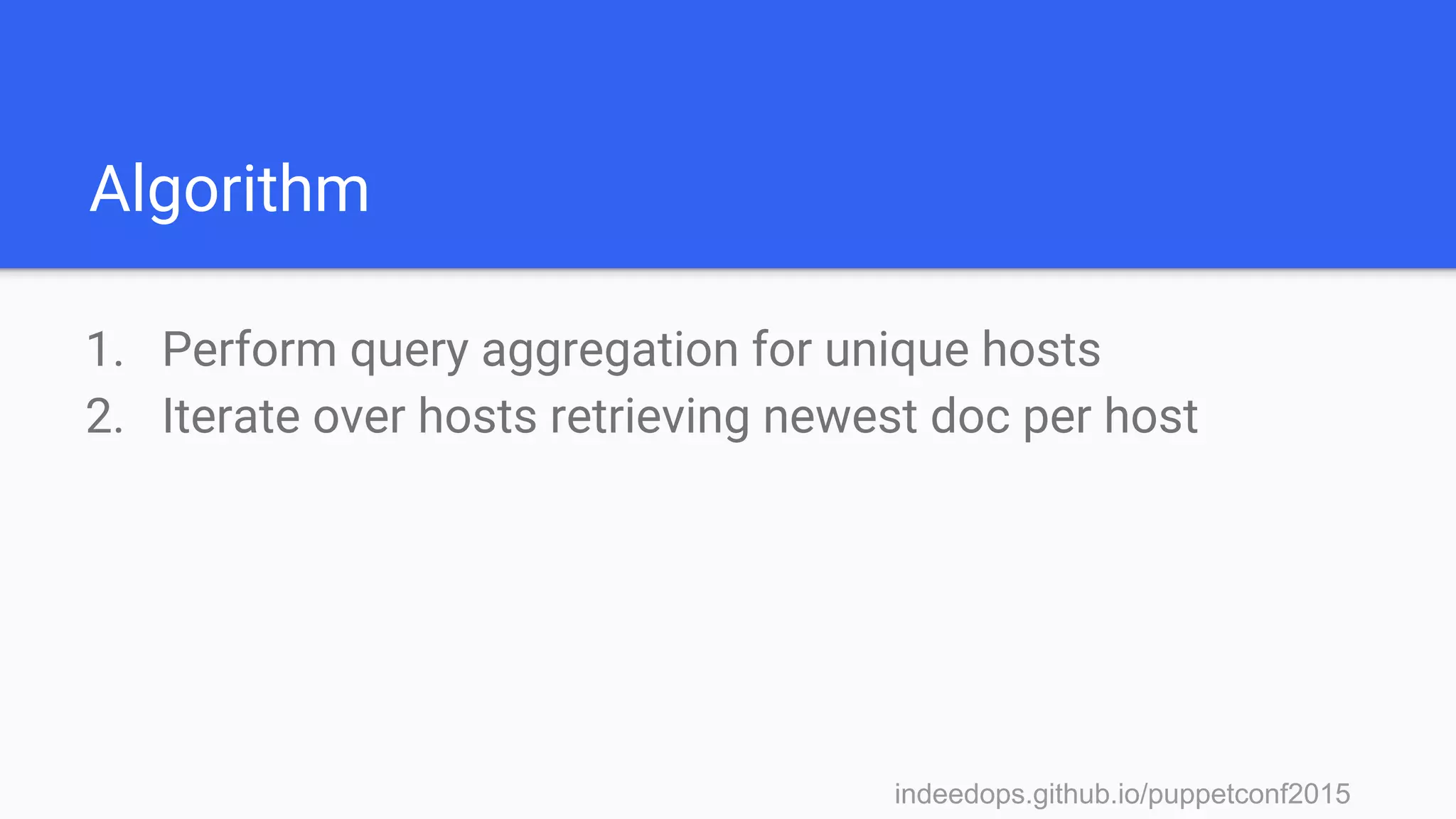
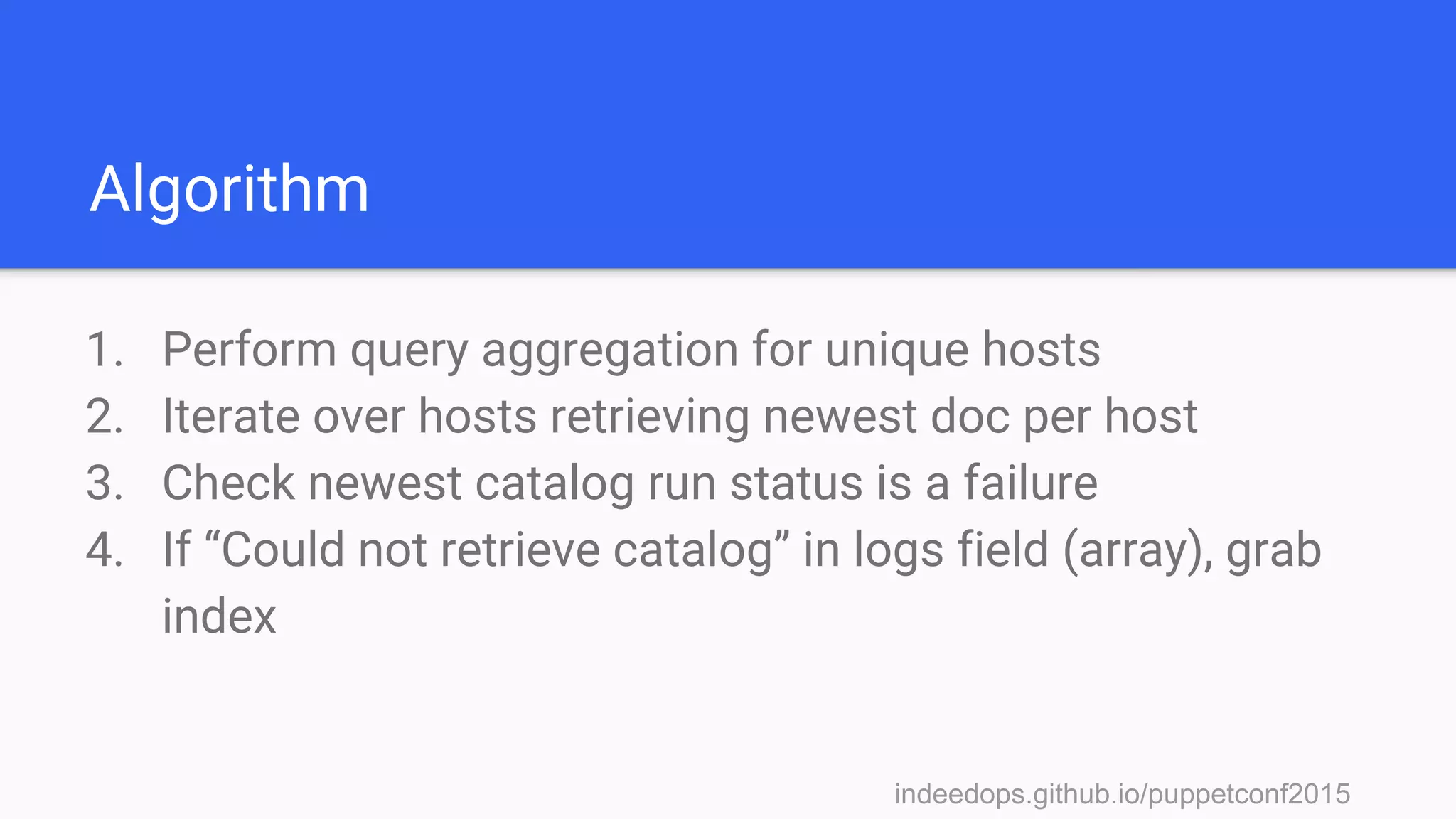
Algorithm
1. Perform query aggregation for unique hosts
2. Iterate over hosts retrieving newest doc per host
indeedops.github.io/puppetconf2015indeedops.github.io/puppetconf2015
Algorithm
1. Perform query aggregation for unique hosts
2. Iterate over hosts retrieving newest doc per host
3. Check newest catalog run status is a failure
indeedops.github.io/puppetconf2015indeedops.github.io/puppetconf2015
Algorithm
1. Perform query aggregation for unique hosts
2. Iterate over hosts retrieving newest doc per host
3. Check newest catalog run status is a failure
4. If “Could not retrieve catalog” in logs field (array), grab
index
indeedops.github.io/puppetconf2015indeedops.github.io/puppetconf2015
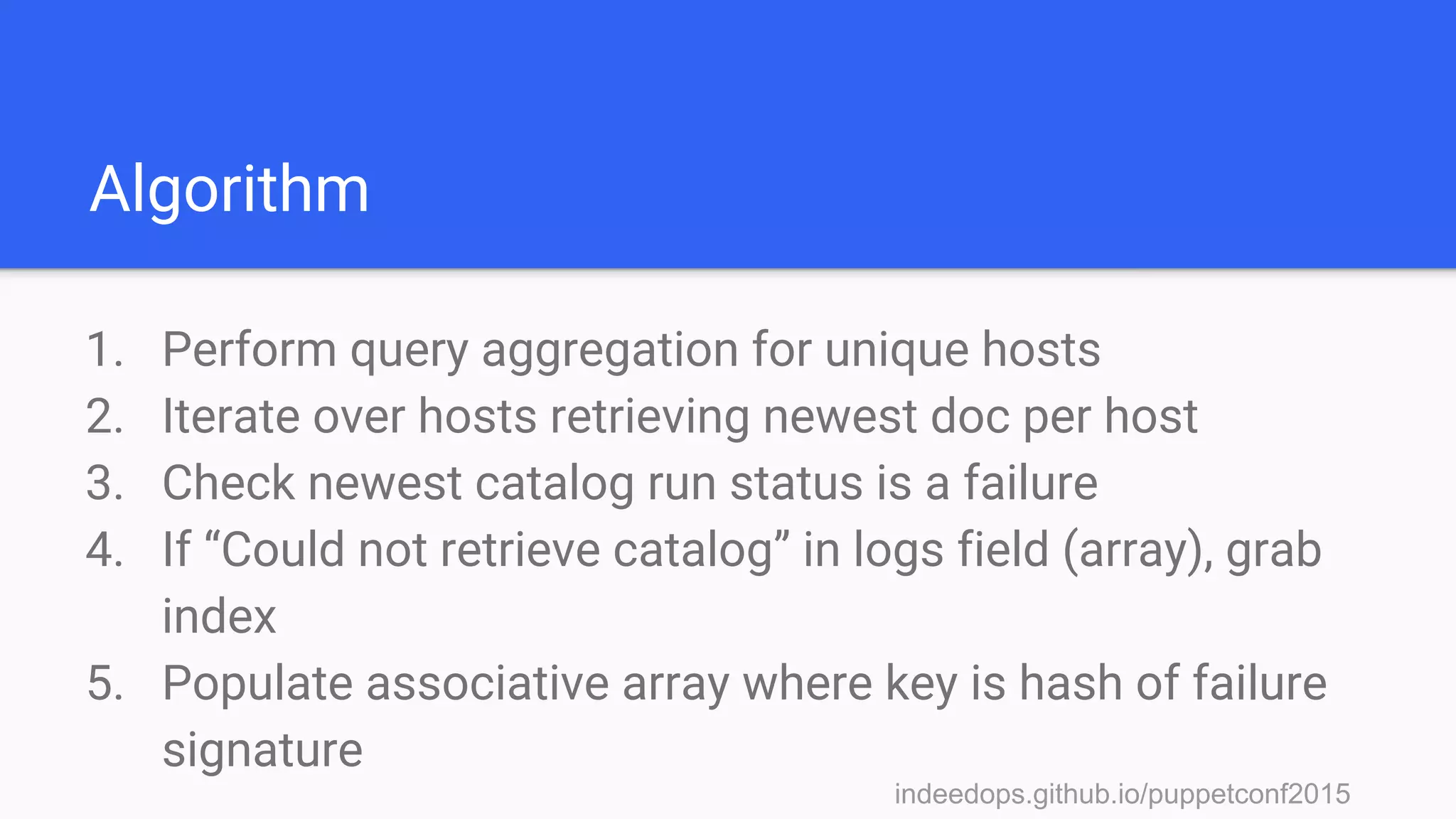
Algorithm
1. Perform query aggregation for unique hosts
2. Iterate over hosts retrieving newest doc per host
3. Check newest catalog run status is a failure
4. If “Could not retrieve catalog” in logs field (array), grab
index
5. Populate associative array where key is hash of failure
signature
indeedops.github.io/puppetconf2015
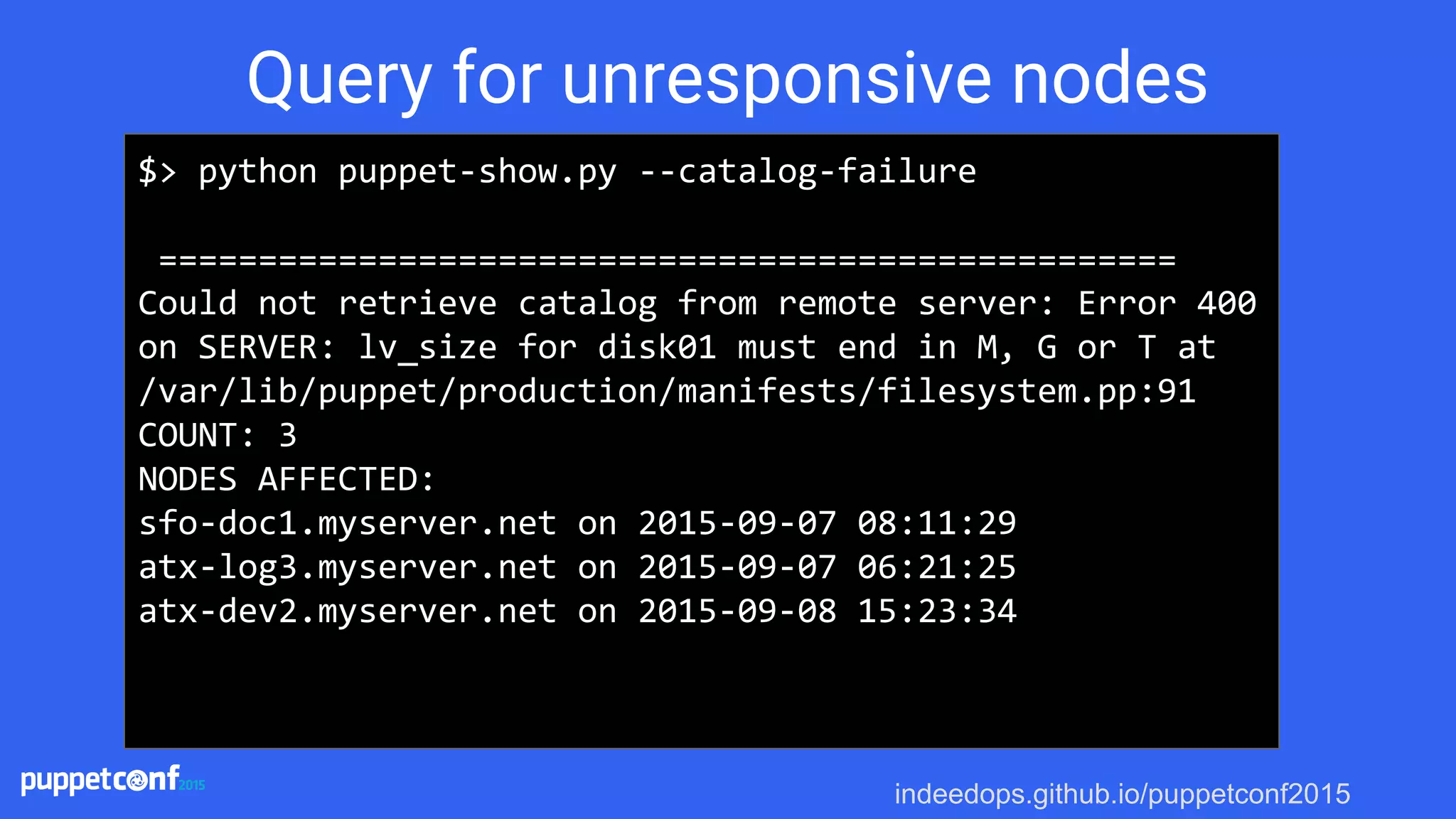
$> python puppet-show.py --catalog-failure
===================================================
Could not retrieve catalog from remote server: Error 400
on SERVER: lv_size for disk01 must end in M, G or T at
/var/lib/puppet/production/manifests/filesystem.pp:91
COUNT: 3
NODES AFFECTED:
sfo-doc1.myserver.net on 2015-09-07 08:11:29
atx-log3.myserver.net on 2015-09-07 06:21:25
atx-dev2.myserver.net on 2015-09-08 15:23:34
Query for unresponsive nodes
indeedops.github.io/puppetconf2015indeedops.github.io/puppetconf2015
Checking for idempotence
● Running puppet twice against the same catalog should
yield the same result
● When is idempotence violated?
indeedops.github.io/puppetconf2015indeedops.github.io/puppetconf2015
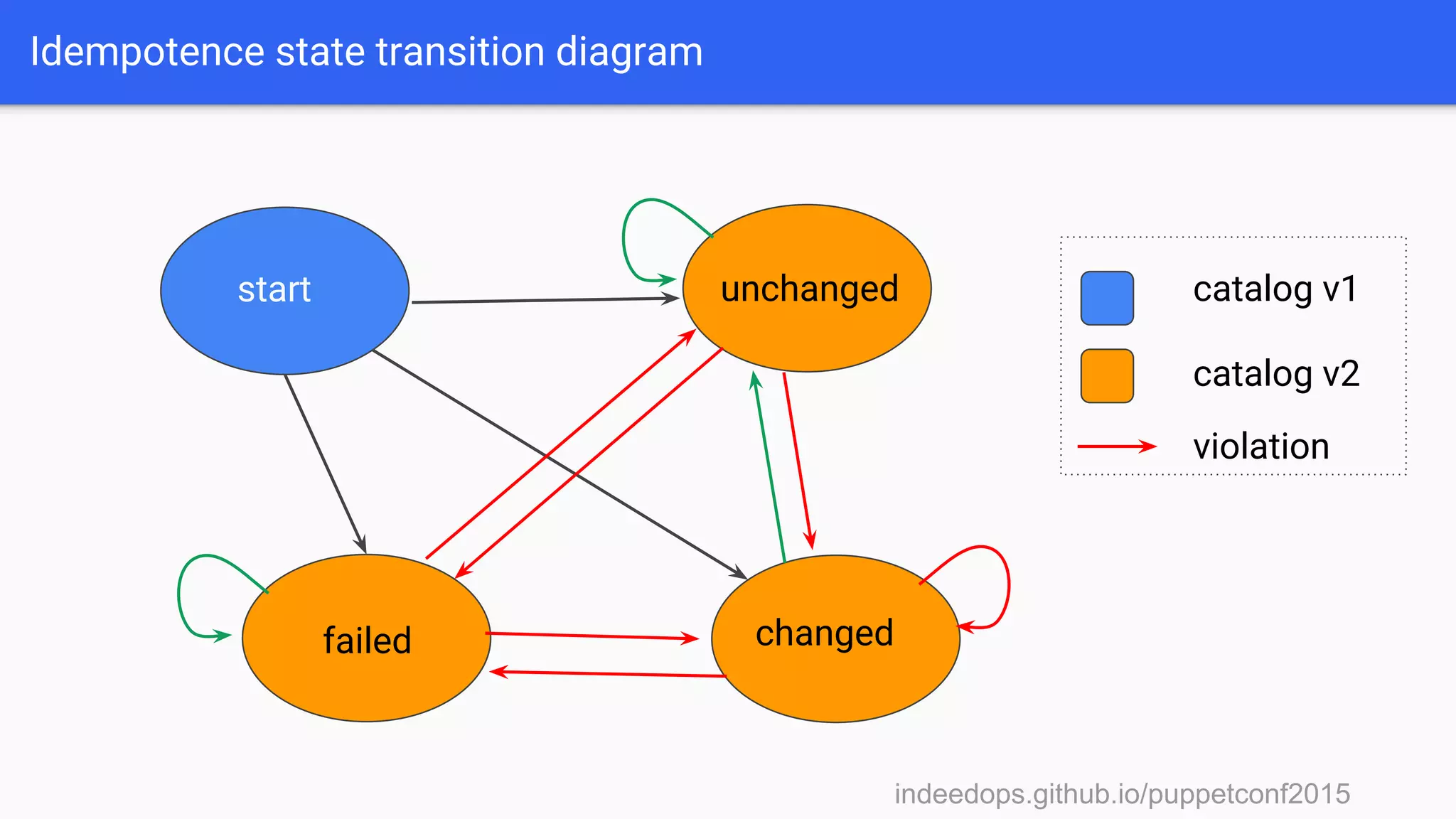
Idempotence state transition diagram
start unchanged
changedfailed
catalog v1
catalog v2
violation
indeedops.github.io/puppetconf2015indeedops.github.io/puppetconf2015
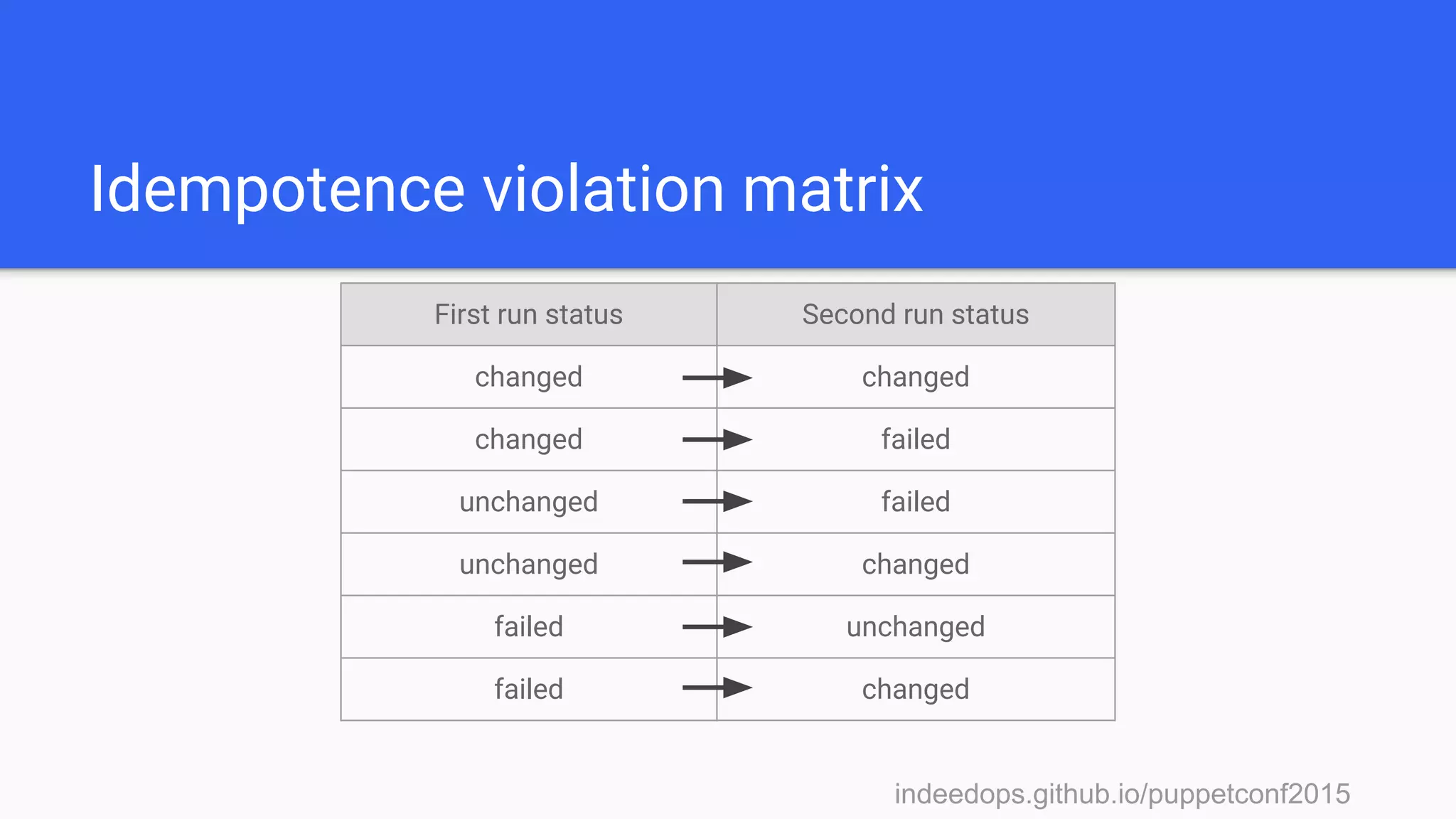
Idempotence violation matrix
First run status Second run status
changed changed
changed failed
unchanged failed
unchanged changed
failed unchanged
failed changed
indeedops.github.io/puppetconf2015indeedops.github.io/puppetconf2015
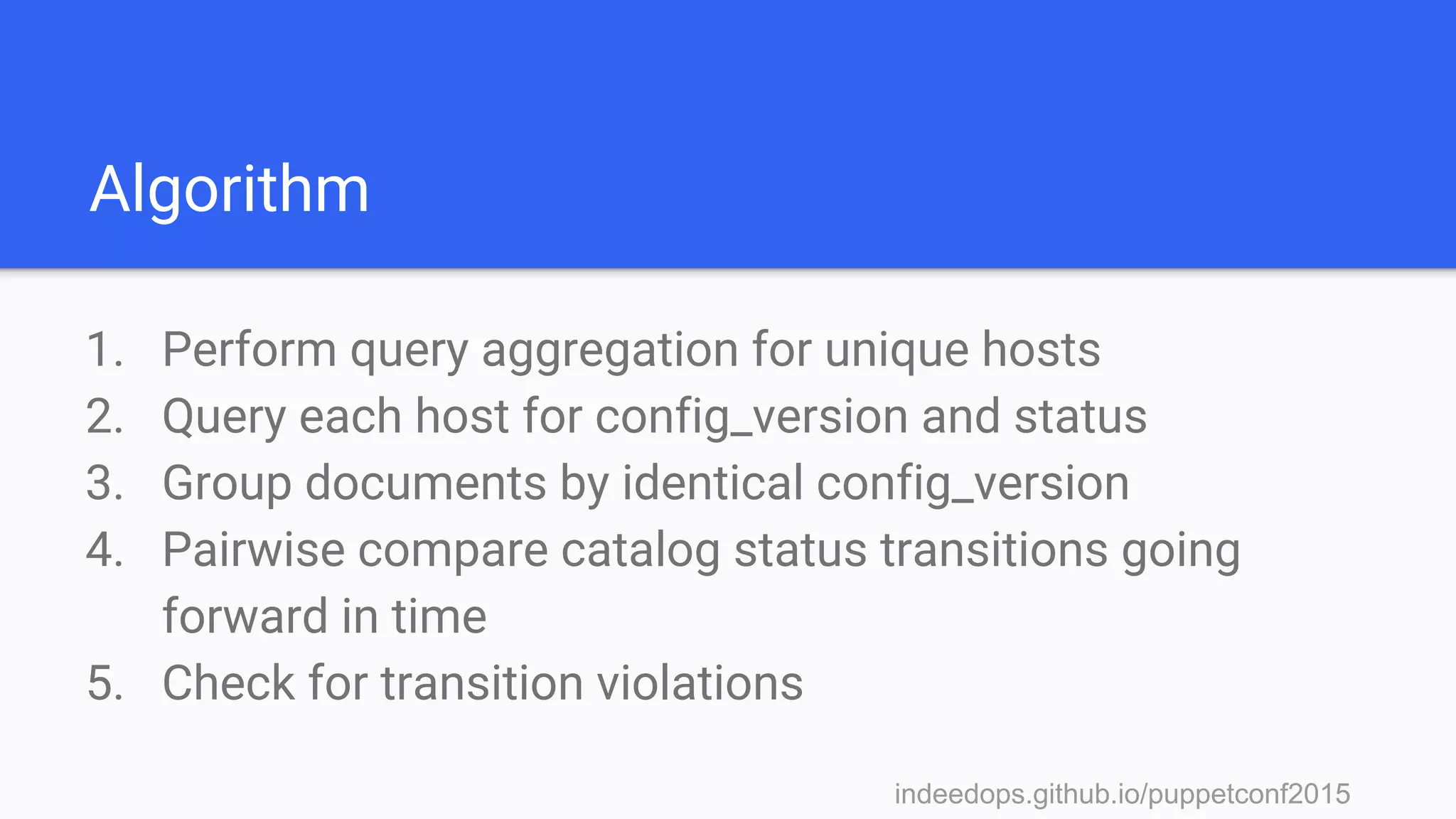
Algorithm
1. Perform query aggregation for unique hosts
2. Query each host for config_version and status
3. Group documents by identical config_version
4. Pairwise compare catalog status transitions going
forward in time
5. Check for transition violations
indeedops.github.io/puppetconf2015
Making the query
{
"fields" : ["configuration_version", "status"],
"query": {
"bool": {
"must": [
{ "match": { "host": "node1.myserver.net" } },
{ "match": { "environment": "production" } }
]
}
},
"sort": [{"@timestamp":{"order":"desc"}}]
}
indeedops.github.io/puppetconf2015
Interrogating Puppet runs with
Kibana
indeedops.github.io/puppetconf2015indeedops.github.io/puppetconf2015
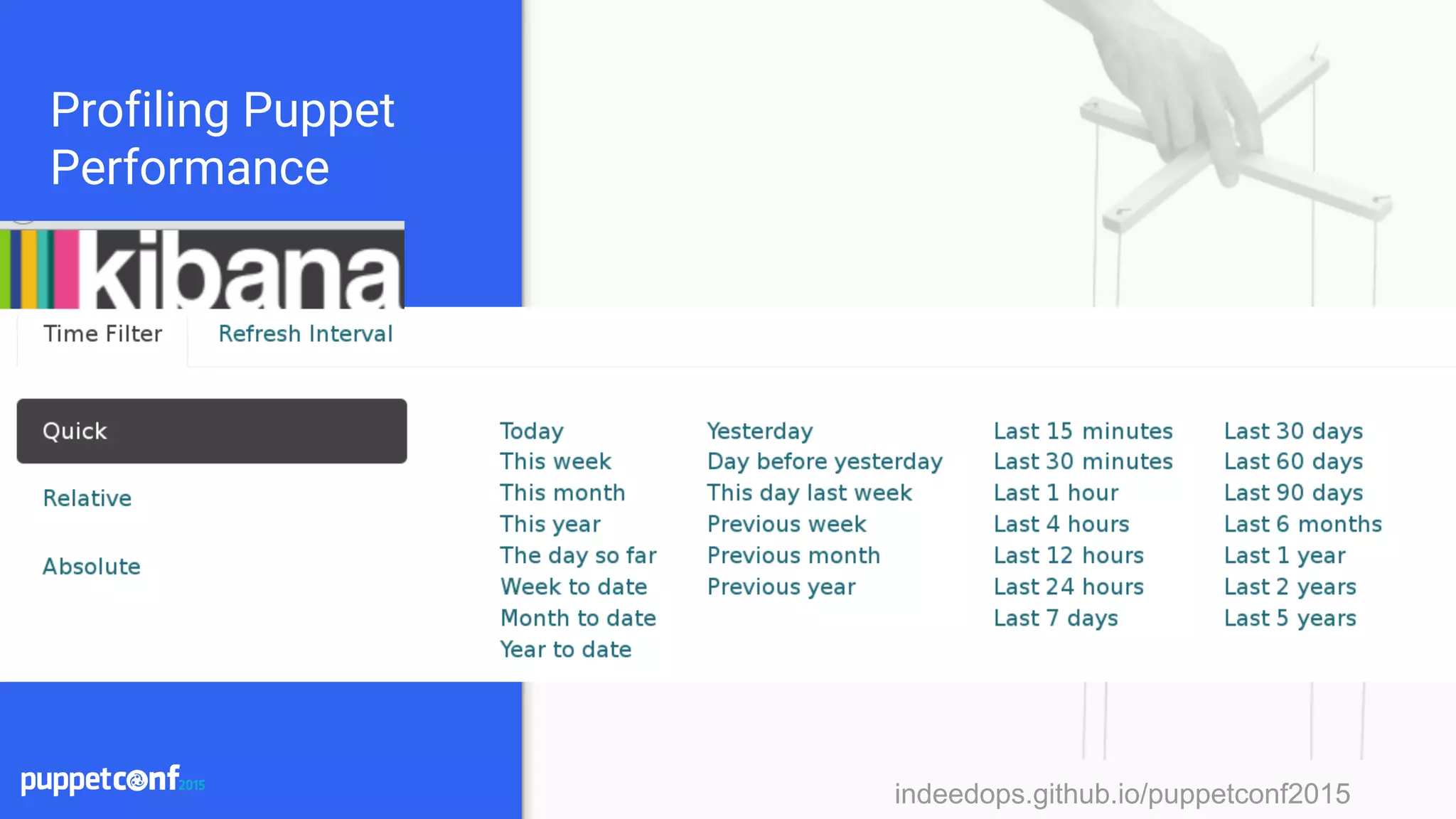
Profiling Puppet
Performance
indeedops.github.io/puppetconf2015indeedops.github.io/puppetconf2015
Profiling Puppet
Performance
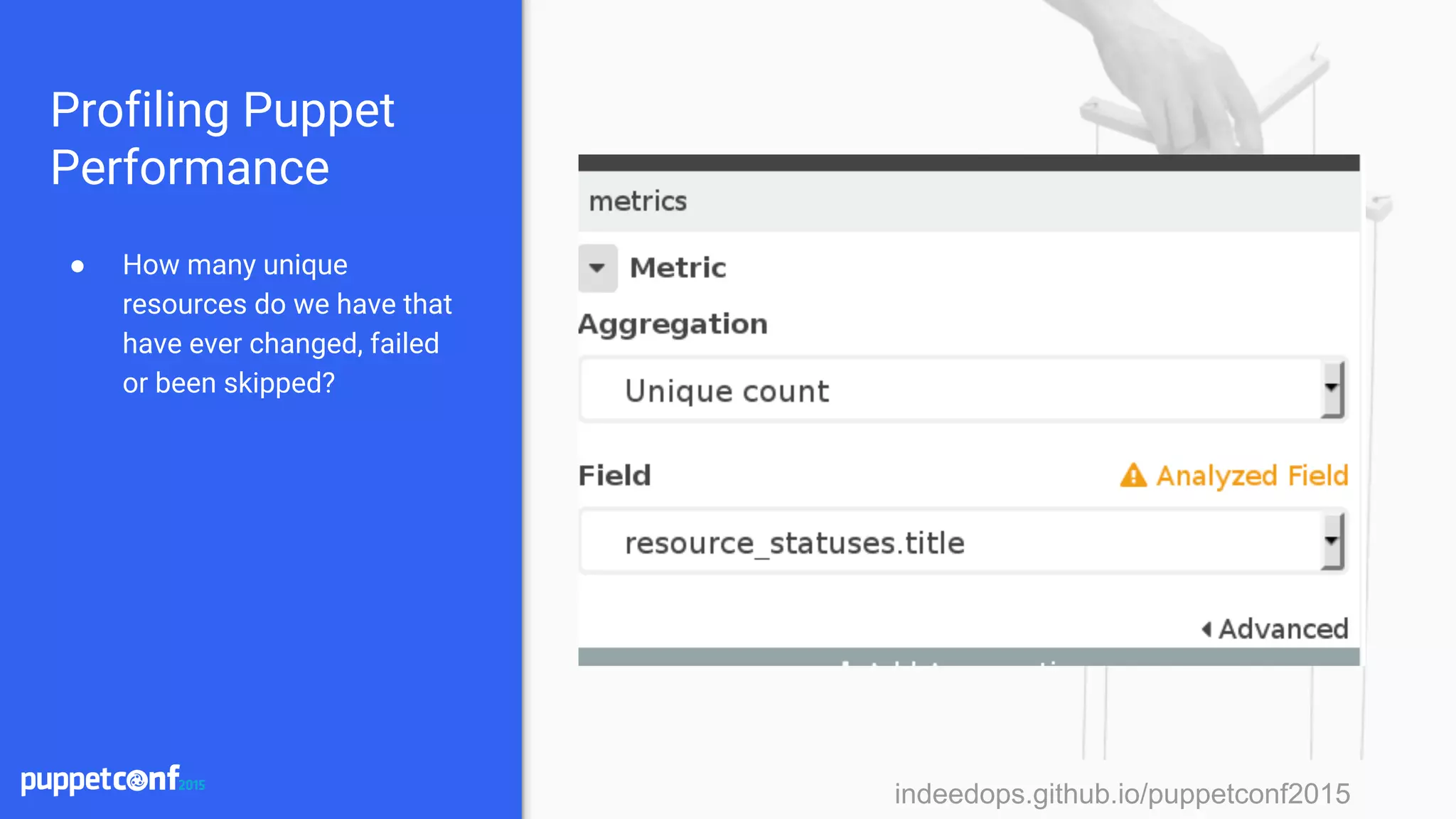
● How many unique
resources do we have that
have ever changed, failed
or been skipped?
indeedops.github.io/puppetconf2015indeedops.github.io/puppetconf2015
Profiling Puppet
Performance
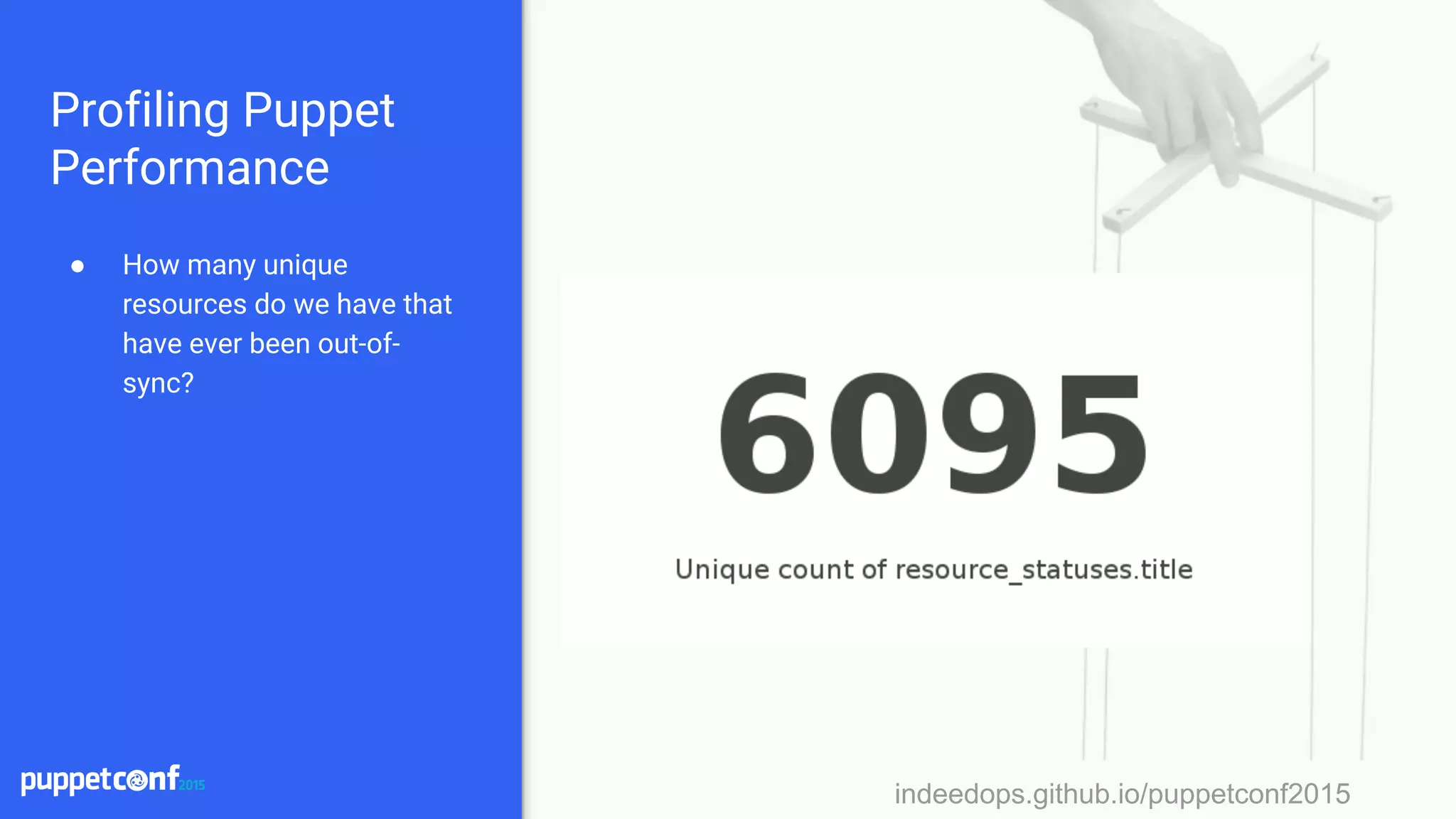
● How many unique
resources do we have that
have ever been out-of-
sync?
indeedops.github.io/puppetconf2015indeedops.github.io/puppetconf2015
Profiling Puppet
Performance
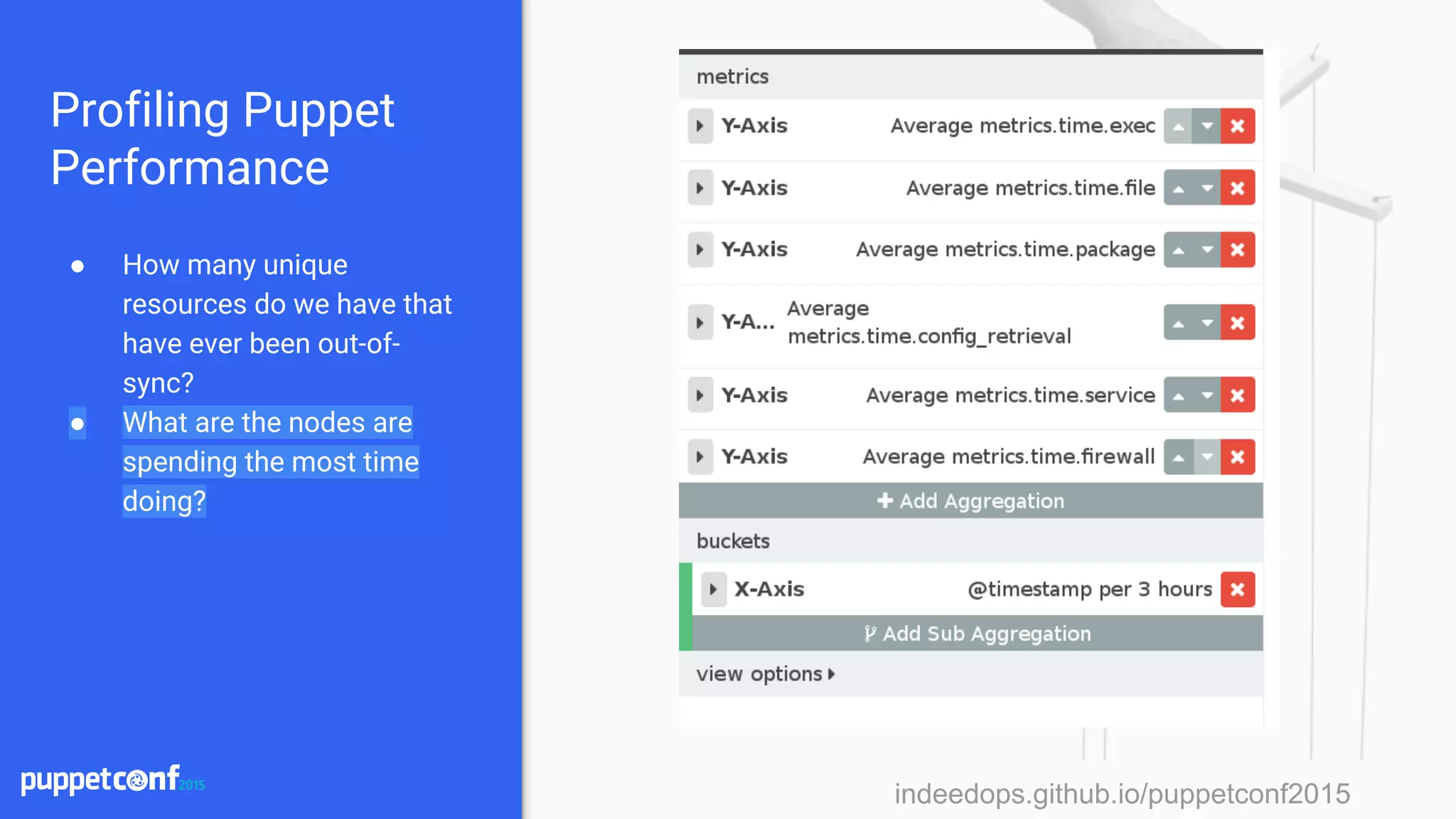
● How many unique
resources do we have that
have ever been out-of-
sync?
● What are the nodes are
spending the most time
doing?
indeedops.github.io/puppetconf2015
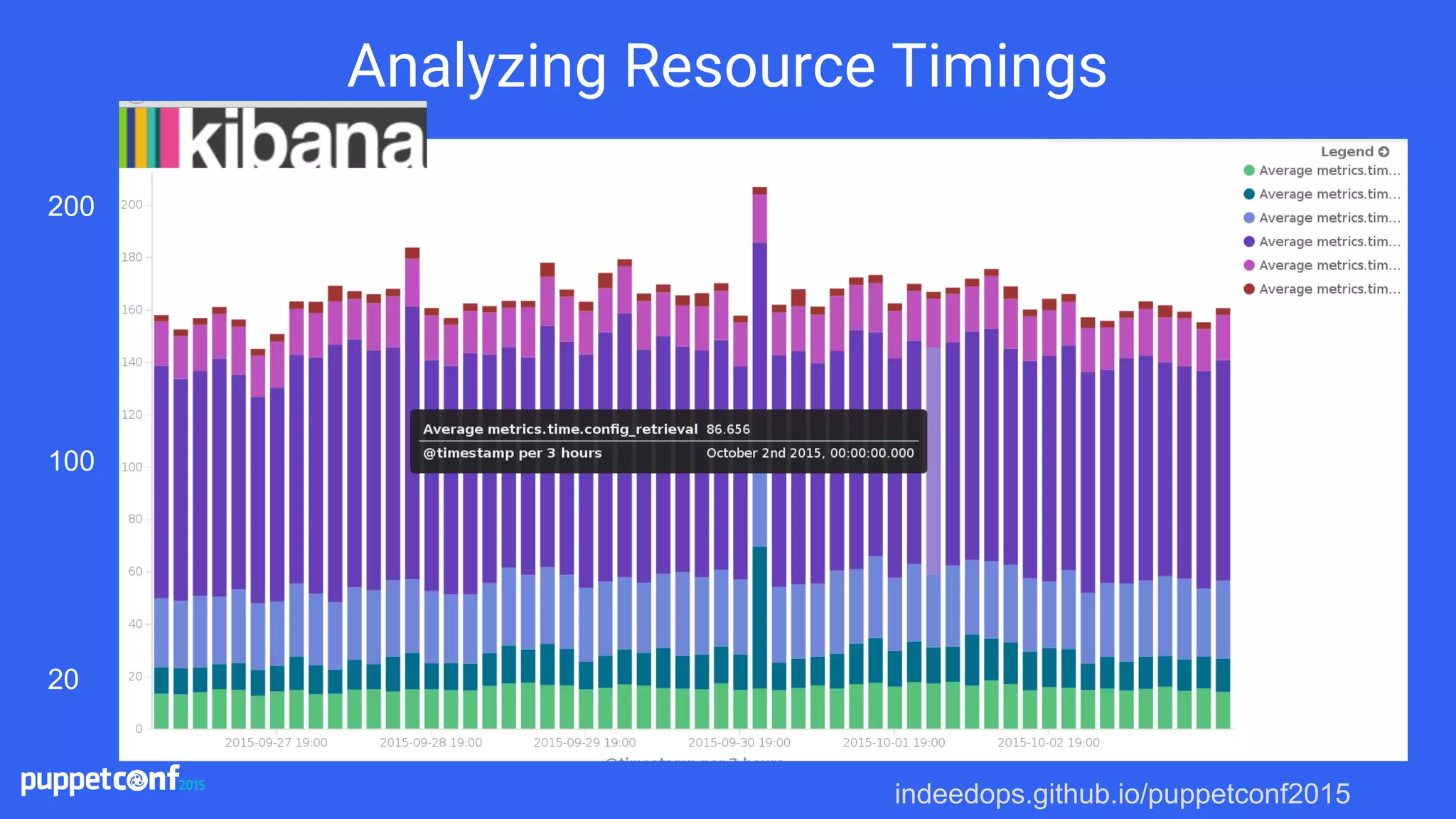
Analyzing Resource Timings
200
100
20
indeedops.github.io/puppetconf2015indeedops.github.io/puppetconf2015
Profiling Puppet
Performance
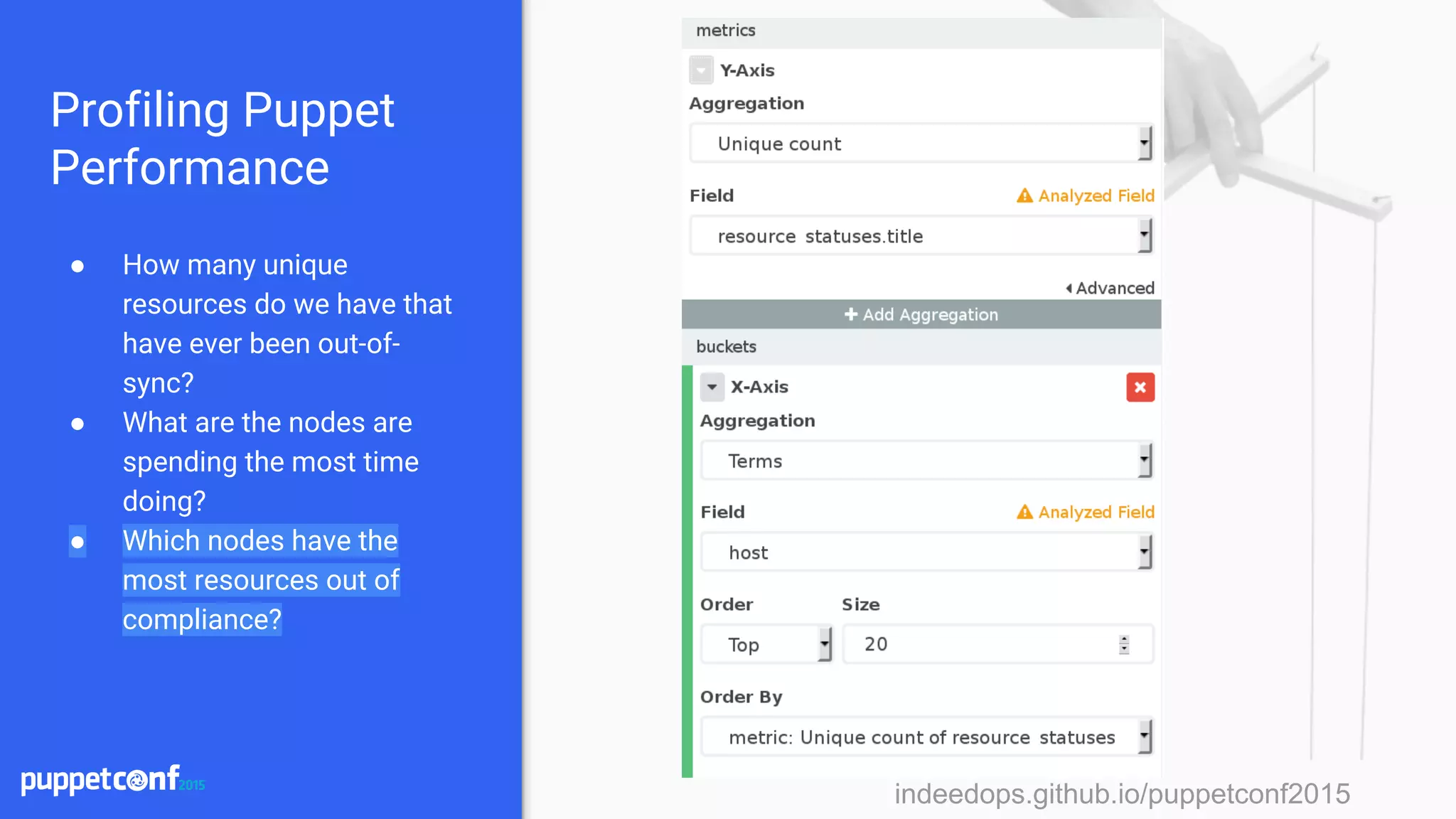
● How many unique
resources do we have that
have ever been out-of-
sync?
● What are the nodes are
spending the most time
doing?
● Which nodes have the
most resources out of
compliance?
indeedops.github.io/puppetconf2015
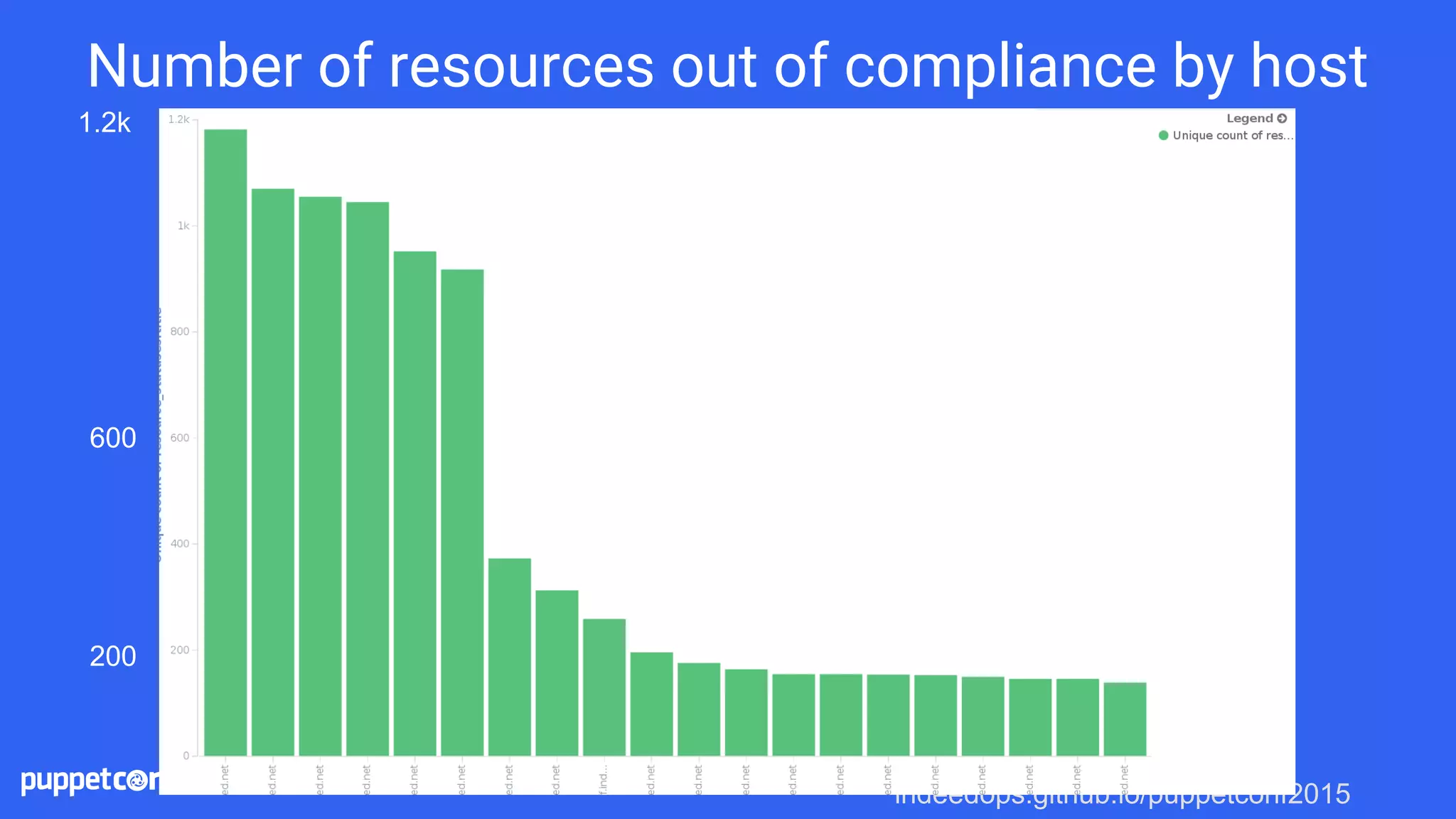
Number of resources out of compliance by host
600
1.2k
200
indeedops.github.io/puppetconf2015indeedops.github.io/puppetconf2015
Profiling Puppet
Performance
● How many unique
resources do we have that
have ever been out-of-
sync?
● What are the nodes are
spending the most time
doing?
● Which nodes have the
most resources out of
compliance?
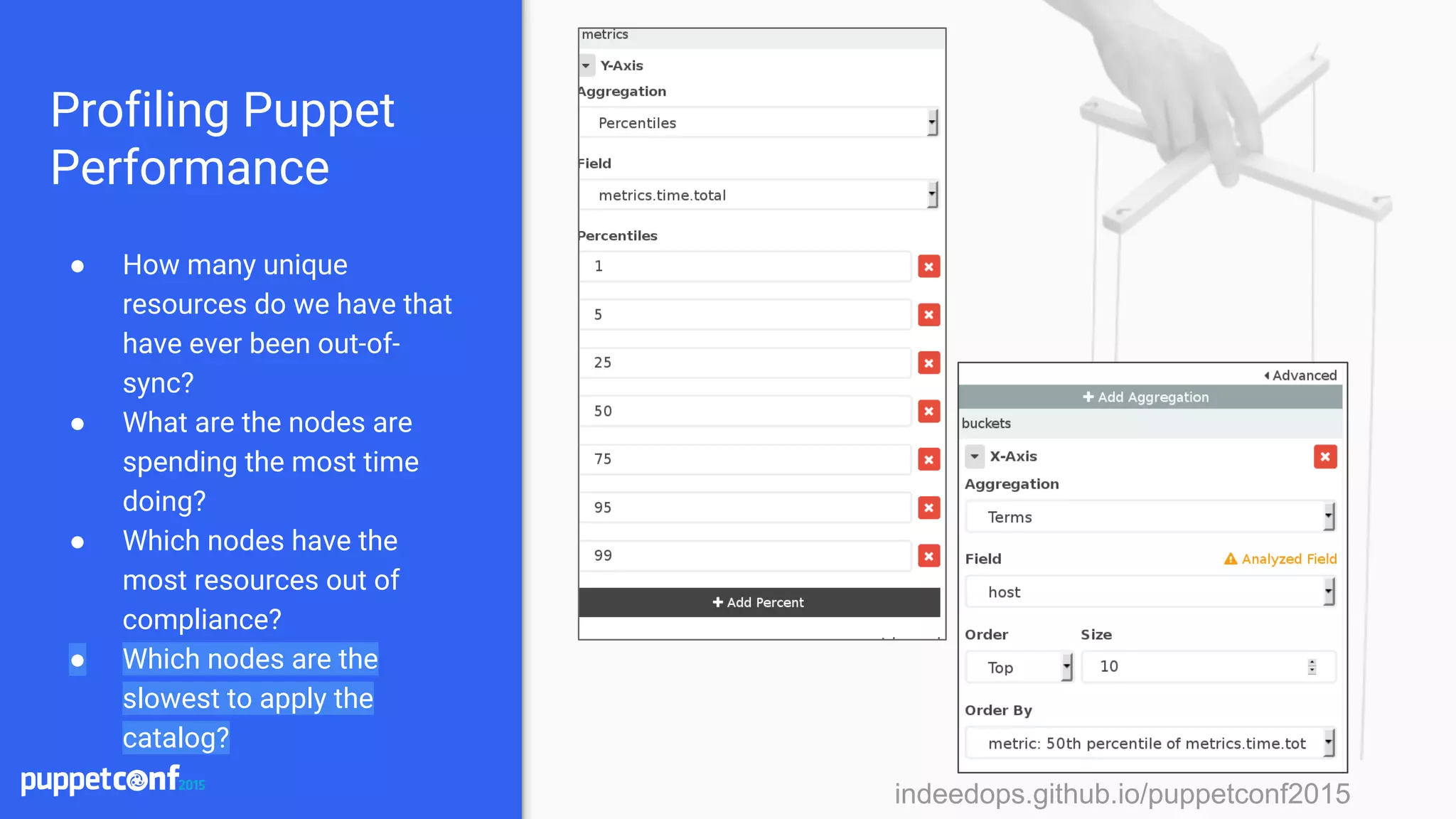
● Which nodes are the
slowest to apply the
catalog?
indeedops.github.io/puppetconf2015
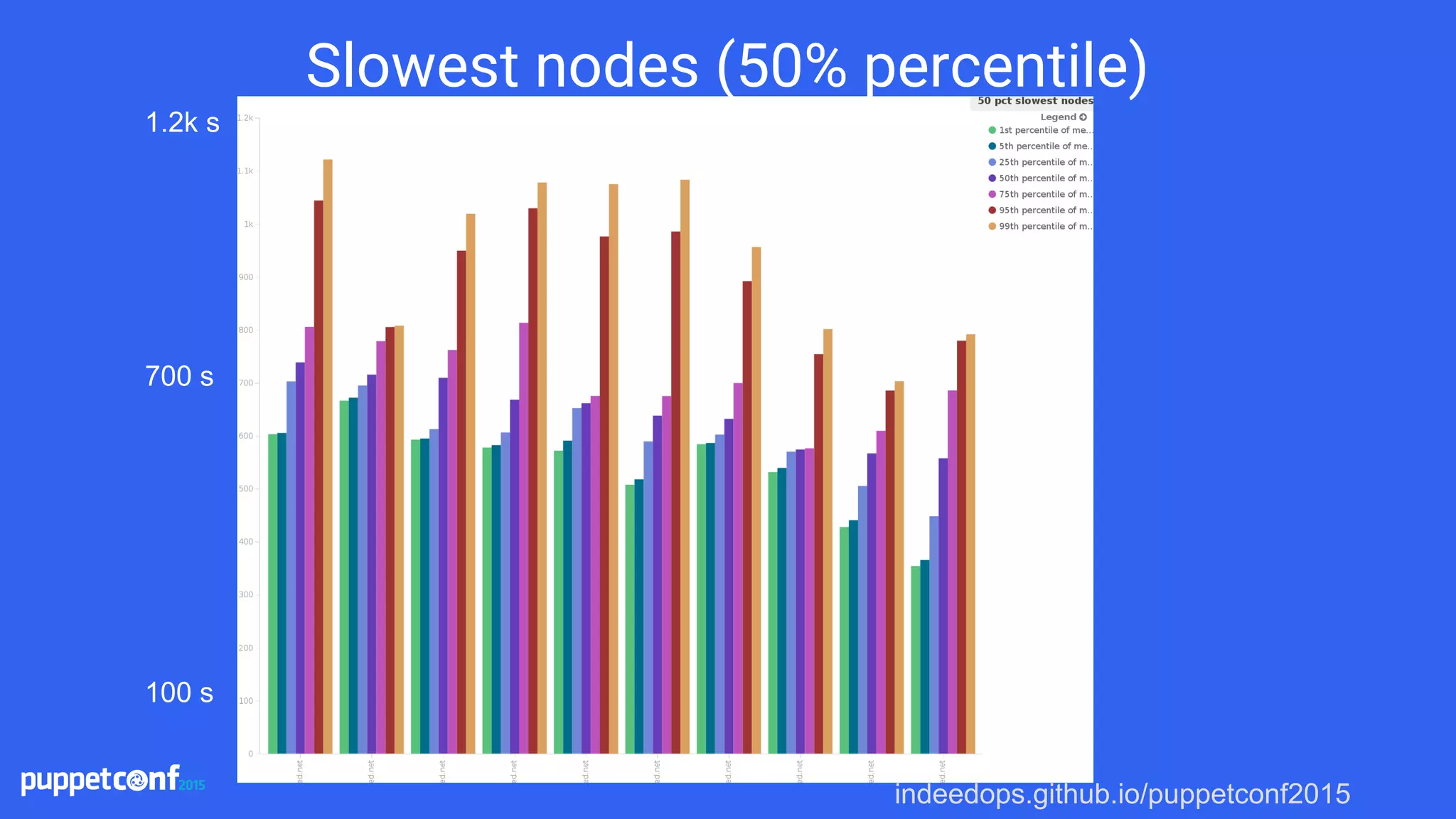
Slowest nodes (50% percentile)
1.2k s
100 s
700 s
indeedops.github.io/puppetconf2015
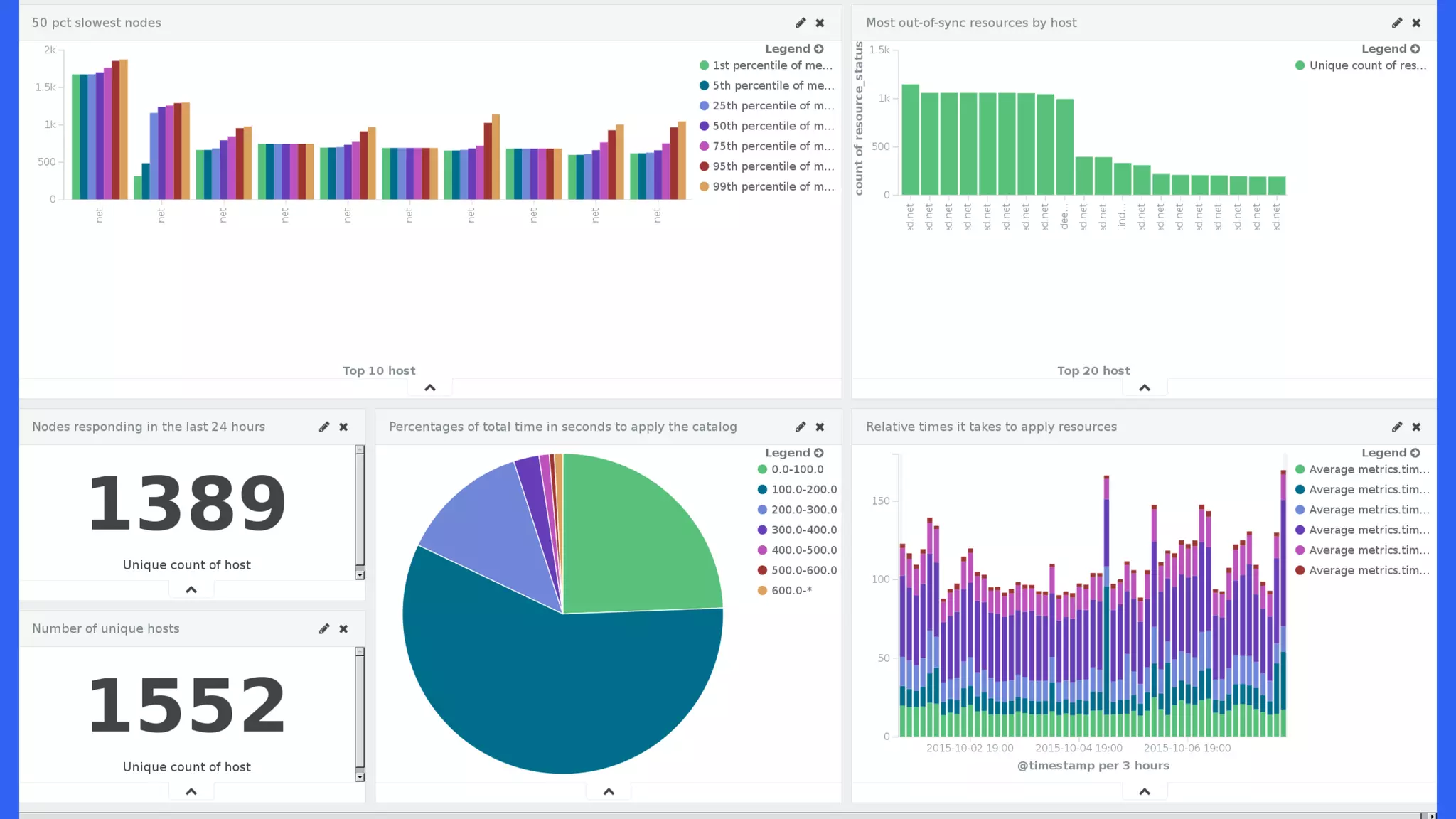
Dashboards: Putting it all together
indeedops.github.io/puppetconf2015
Did Puppet succeed for fail?
indeedops.github.io/puppetconf2015indeedops.github.io/puppetconf2015
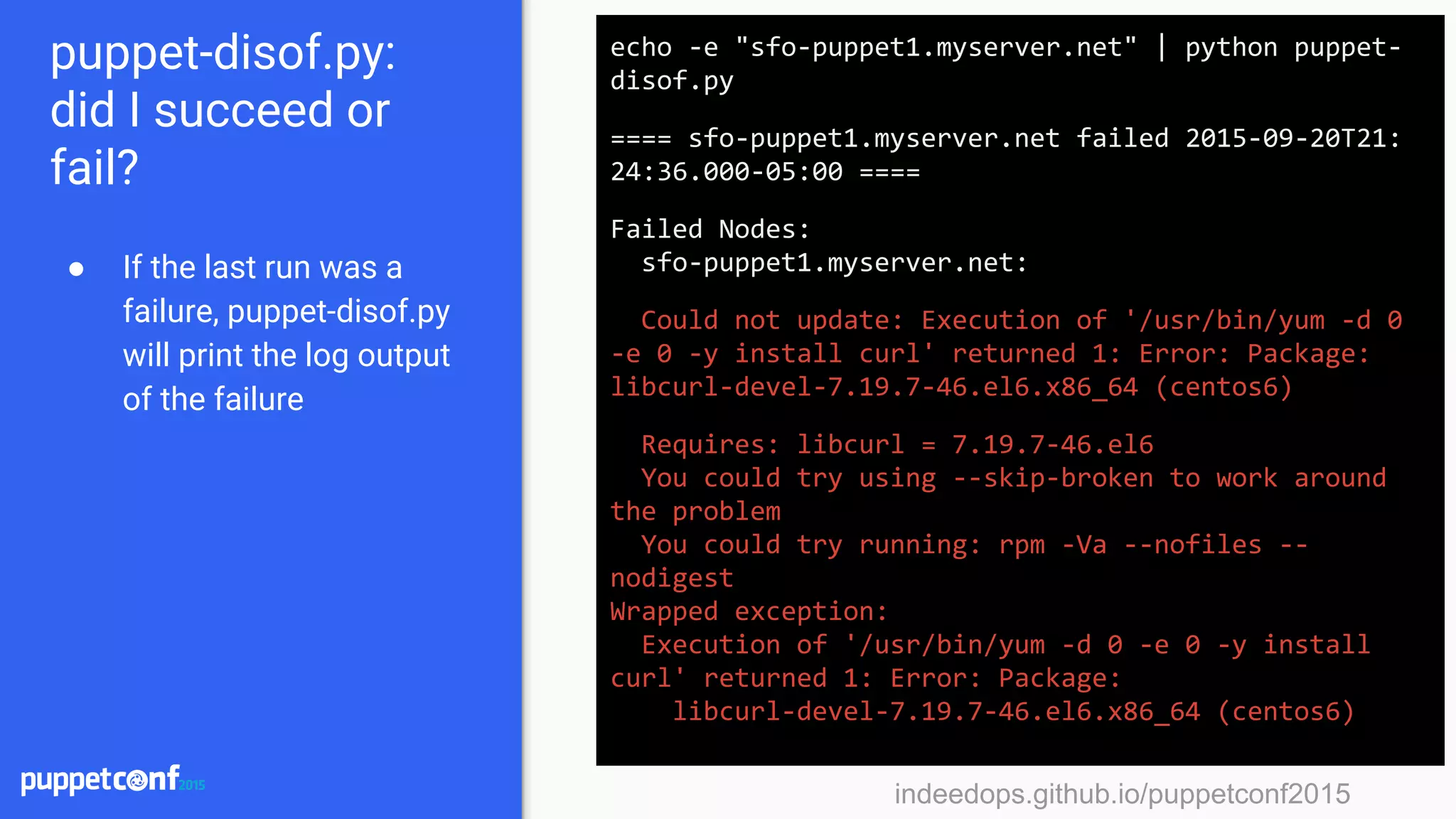
puppet-disof.py:
did I succeed or
fail?
● If the last run was a
failure, puppet-disof.py
will print the log output
of the failure
echo -e "sfo-puppet1.myserver.net" | python puppet-
disof.py
==== sfo-puppet1.myserver.net failed 2015-09-20T21:
24:36.000-05:00 ====
Failed Nodes:
sfo-puppet1.myserver.net:
Could not update: Execution of '/usr/bin/yum -d 0
-e 0 -y install curl' returned 1: Error: Package:
libcurl-devel-7.19.7-46.el6.x86_64 (centos6)
Requires: libcurl = 7.19.7-46.el6
You could try using --skip-broken to work around
the problem
You could try running: rpm -Va --nofiles --
nodigest
Wrapped exception:
Execution of '/usr/bin/yum -d 0 -e 0 -y install
curl' returned 1: Error: Package:
libcurl-devel-7.19.7-46.el6.x86_64 (centos6)
indeedops.github.io/puppetconf2015indeedops.github.io/puppetconf2015
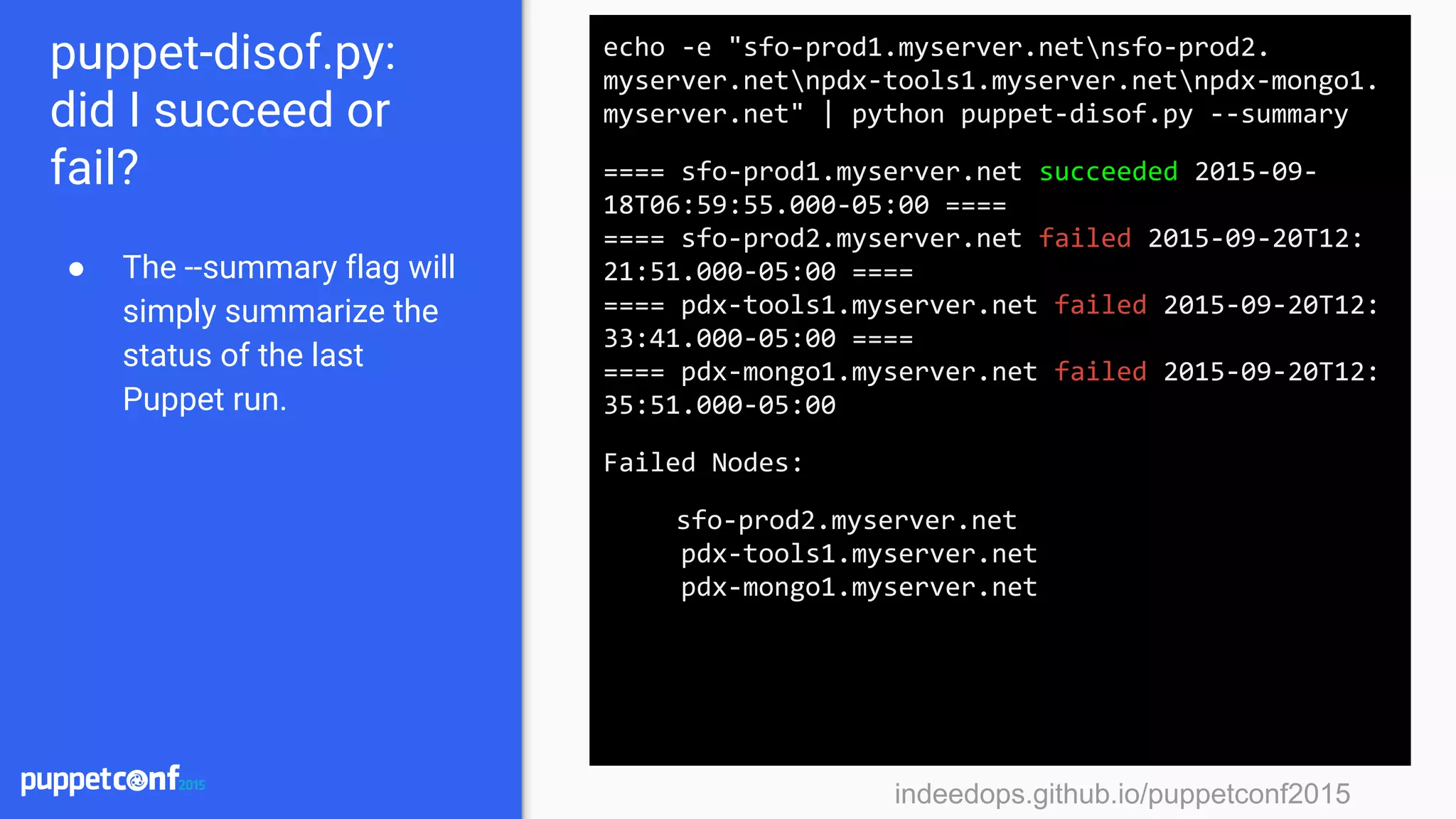
puppet-disof.py:
did I succeed or
fail?
● The --summary flag will
simply summarize the
status of the last
Puppet run.
echo -e "sfo-prod1.myserver.netnsfo-prod2.
myserver.netnpdx-tools1.myserver.netnpdx-mongo1.
myserver.net" | python puppet-disof.py --summary
==== sfo-prod1.myserver.net succeeded 2015-09-
18T06:59:55.000-05:00 ====
==== sfo-prod2.myserver.net failed 2015-09-20T12:
21:51.000-05:00 ====
==== pdx-tools1.myserver.net failed 2015-09-20T12:
33:41.000-05:00 ====
==== pdx-mongo1.myserver.net failed 2015-09-20T12:
35:51.000-05:00
Failed Nodes:
sfo-prod2.myserver.net
pdx-tools1.myserver.net
pdx-mongo1.myserver.net
indeedops.github.io/puppetconf2015indeedops.github.io/puppetconf2015
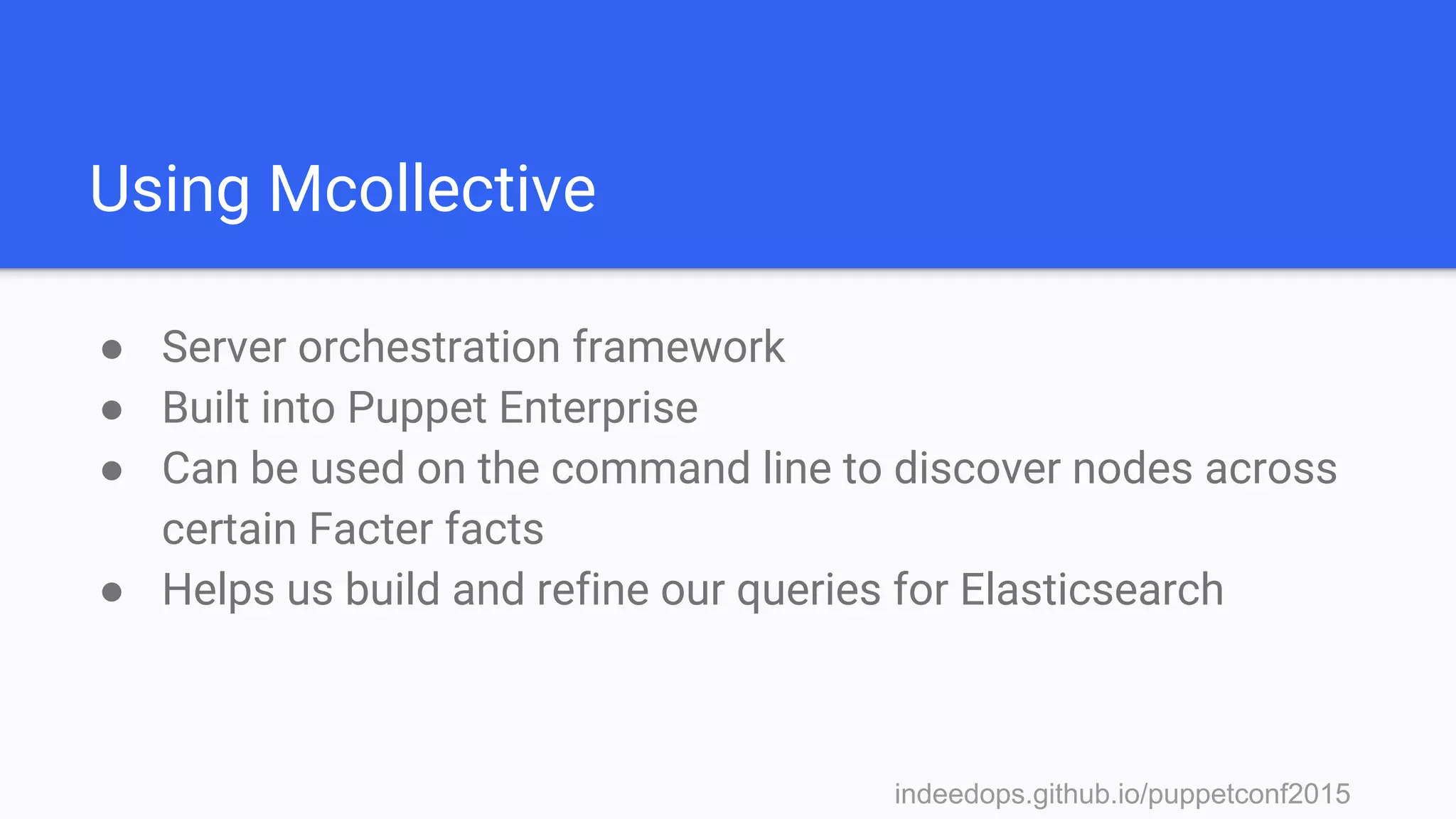
Using Mcollective
● Server orchestration framework
● Built into Puppet Enterprise
● Can be used on the command line to discover nodes across
certain Facter facts
● Helps us build and refine our queries for Elasticsearch
indeedops.github.io/puppetconf2015
Story time!
An upgrade to an NRPE script that
checks RAID volumes became
available and was applied
everywhere.
indeedops.github.io/puppetconf2015indeedops.github.io/puppetconf2015
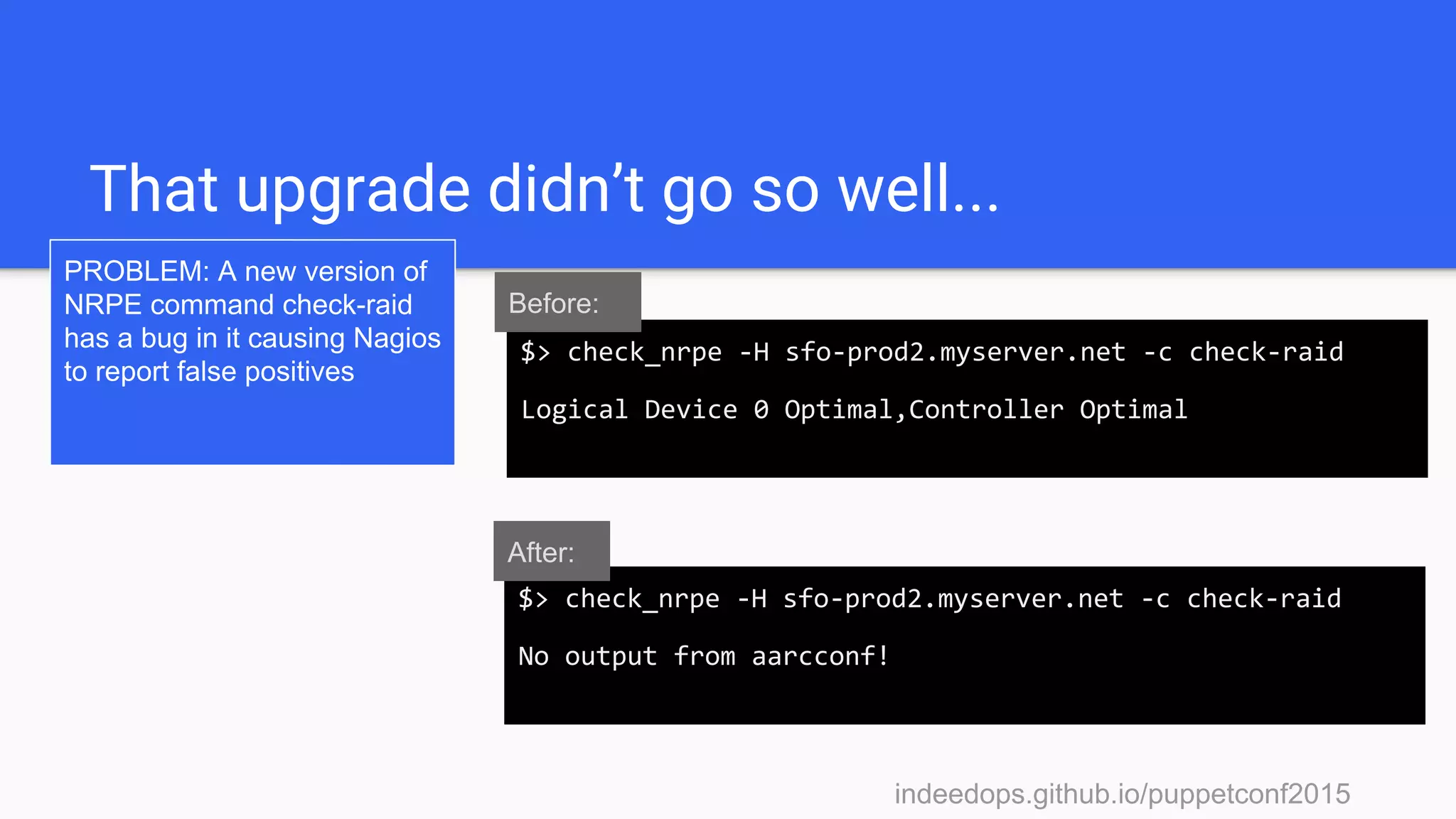
That upgrade didn’t go so well...
PROBLEM: A new version of
NRPE command check-raid
has a bug in it causing Nagios
to report false positives
$> check_nrpe -H sfo-prod2.myserver.net -c check-raid
No output from aarcconf!
$> check_nrpe -H sfo-prod2.myserver.net -c check-raid
Logical Device 0 Optimal,Controller Optimal
Before:
After:
indeedops.github.io/puppetconf2015
Don’t worry, we have a patch that
fixes the upgrade. Let’s push this out
with Puppet!
indeedops.github.io/puppetconf2015
An hour later
pagers are still
going off...
Puppet, you had
one job!
indeedops.github.io/puppetconf2015indeedops.github.io/puppetconf2015
Mcollective + puppet-disof.py
This runs the
mcollective NRPE
plugin against all
nodes that have the
has_raid fact set.
$> sudo mc-nrpe -S has_raid=true check-raid | grep
myserver.net | awk ‘{ print $1 }’ | python puppet-
disof.py --resource check_raid
==== Nrpe[check_raid] succeeded on sfo-prod1.
myserver.net at 2015-09-18T06:59:55 ====
==== Nrpe[check_raid] failed on sfo-prod2.myserver.
net at 2015-09-20T12:21:51 ====
==== Nrpe[check_raid] failed on pdx-tools1.myserver.
net at 2015-09-20T12:33:41 ====
==== Nrpe[check_raid] failed on pdx-mongo1.myserver.
net at 2015-09-20T12:35:51 ====
indeedops.github.io/puppetconf2015indeedops.github.io/puppetconf2015
Mcollective + puppet-disof.py
mc-nrpe will run
check-raid and output
only the server names
failing the check. Here
we massage the
output into a newline
separated list
$> sudo mc-nrpe -S has_raid=true check-raid | grep
myserver.net | awk ‘{ print $1 }’ | python puppet-
disof.py --resource check_raid
==== Nrpe[check_raid] succeeded on sfo-prod1.
myserver.net at 2015-09-18T06:59:55 ====
==== Nrpe[check_raid] failed on sfo-prod2.myserver.
net at 2015-09-20T12:21:51 ====
==== Nrpe[check_raid] failed on pdx-tools1.myserver.
net at 2015-09-20T12:33:41 ====
==== Nrpe[check_raid] failed on pdx-mongo1.myserver.
net at 2015-09-20T12:35:51 ====
indeedops.github.io/puppetconf2015indeedops.github.io/puppetconf2015
Mcollective + puppet-disof.py
Of the nodes with
false-positives what is
the status of Nrpe
[check_raid] resource
during their last
Puppet run?
$> sudo mc-nrpe -S has_raid=true check-raid | grep
myserver.net | awk ‘{ print $1 }’ | python puppet-
disof.py --resource check_raid
==== Nrpe[check_raid] succeeded on sfo-prod1.
myserver.net at 2015-09-18T06:59:55 ====
==== Nrpe[check_raid] failed on sfo-prod2.myserver.
net at 2015-09-20T12:21:51 ====
==== Nrpe[check_raid] failed on pdx-tools1.myserver.
net at 2015-09-20T12:33:41 ====
==== Nrpe[check_raid] failed on pdx-mongo1.myserver.
net at 2015-09-20T12:35:51 ====
indeedops.github.io/puppetconf2015indeedops.github.io/puppetconf2015
Mcollective + puppet-disof.py
The resource during
the last Puppet run on
sfo-prod1 was
successful but notice
that there hasn’t been
a run in several days.
$> sudo mc-nrpe -S has_raid=true check-raid | grep
myserver.net | awk ‘{ print $1 }’ | python puppet-
disof.py --resource check_raid
==== Nrpe[check_raid] succeeded on sfo-prod1.
myserver.net at 2015-09-18T06:59:55 ====
==== Nrpe[check_raid] failed on sfo-prod2.myserver.
net at 2015-09-20T12:21:51 ====
==== Nrpe[check_raid] failed on pdx-tools1.myserver.
net at 2015-09-20T12:33:41 ====
==== Nrpe[check_raid] failed on pdx-mongo1.myserver.
net at 2015-09-20T12:35:51 ====
indeedops.github.io/puppetconf2015indeedops.github.io/puppetconf2015
Mcollective + puppet-disof.py
These three nodes all
have recent Puppet
runs but the resources
are failing to be
applied.
$> sudo mc-nrpe -S has_raid=true check-raid | grep
myserver.net | awk ‘{ print $1 }’ | python puppet-
disof.py --resource check_raid
==== Nrpe[check_raid] succeeded on sfo-prod1.
myserver.net at 2015-09-18T06:59:55 ====
==== Nrpe[check_raid] failed on sfo-prod2.myserver.
net at 2015-09-20T12:21:51 ====
==== Nrpe[check_raid] failed on pdx-tools1.myserver.
net at 2015-09-20T12:33:41 ====
==== Nrpe[check_raid] failed on pdx-mongo1.myserver.
net at 2015-09-20T12:35:51 ====
indeedops.github.io/puppetconf2015
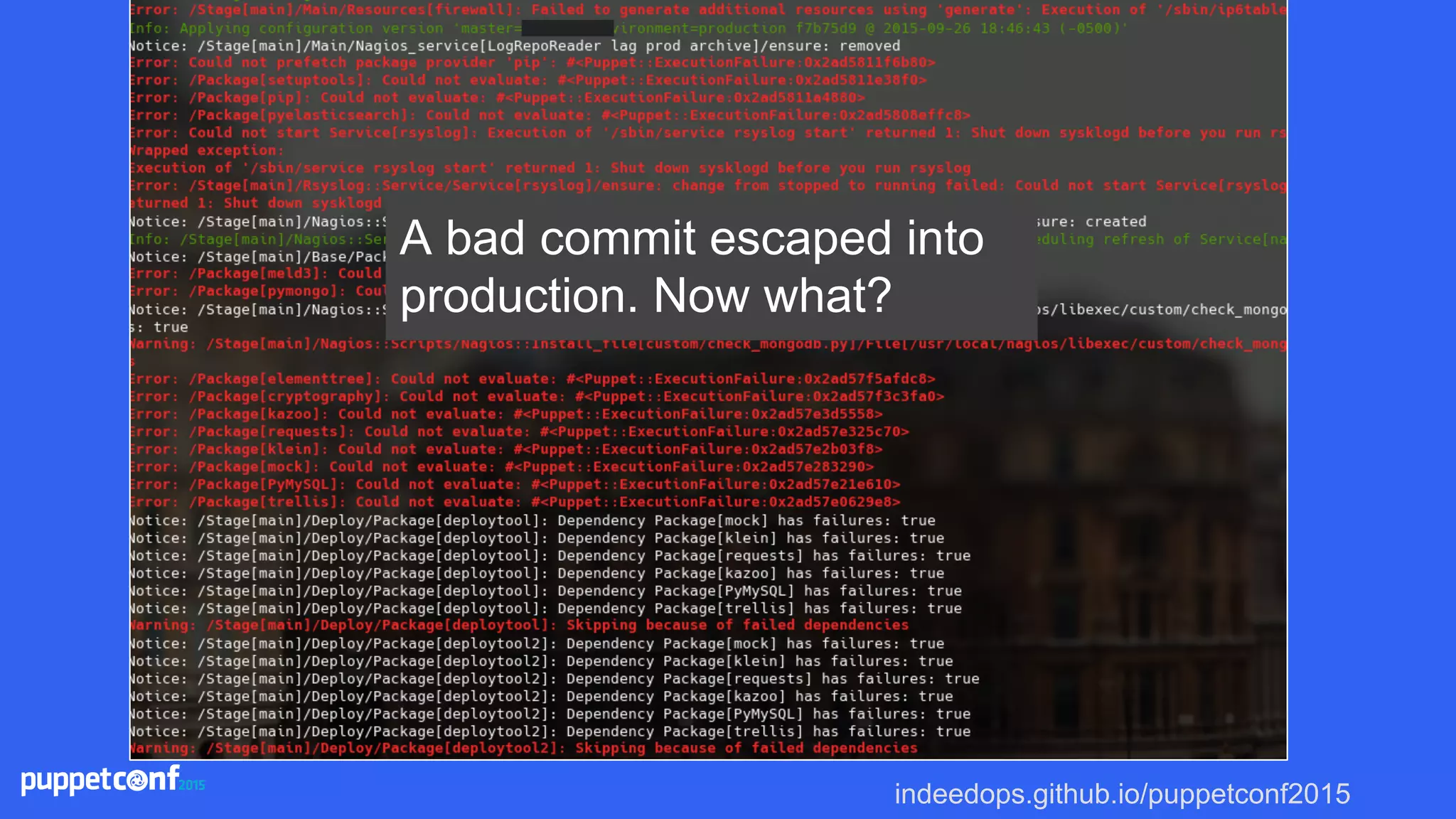
A bad commit escaped into
production. Now what?
indeedops.github.io/puppetconf2015indeedops.github.io/puppetconf2015
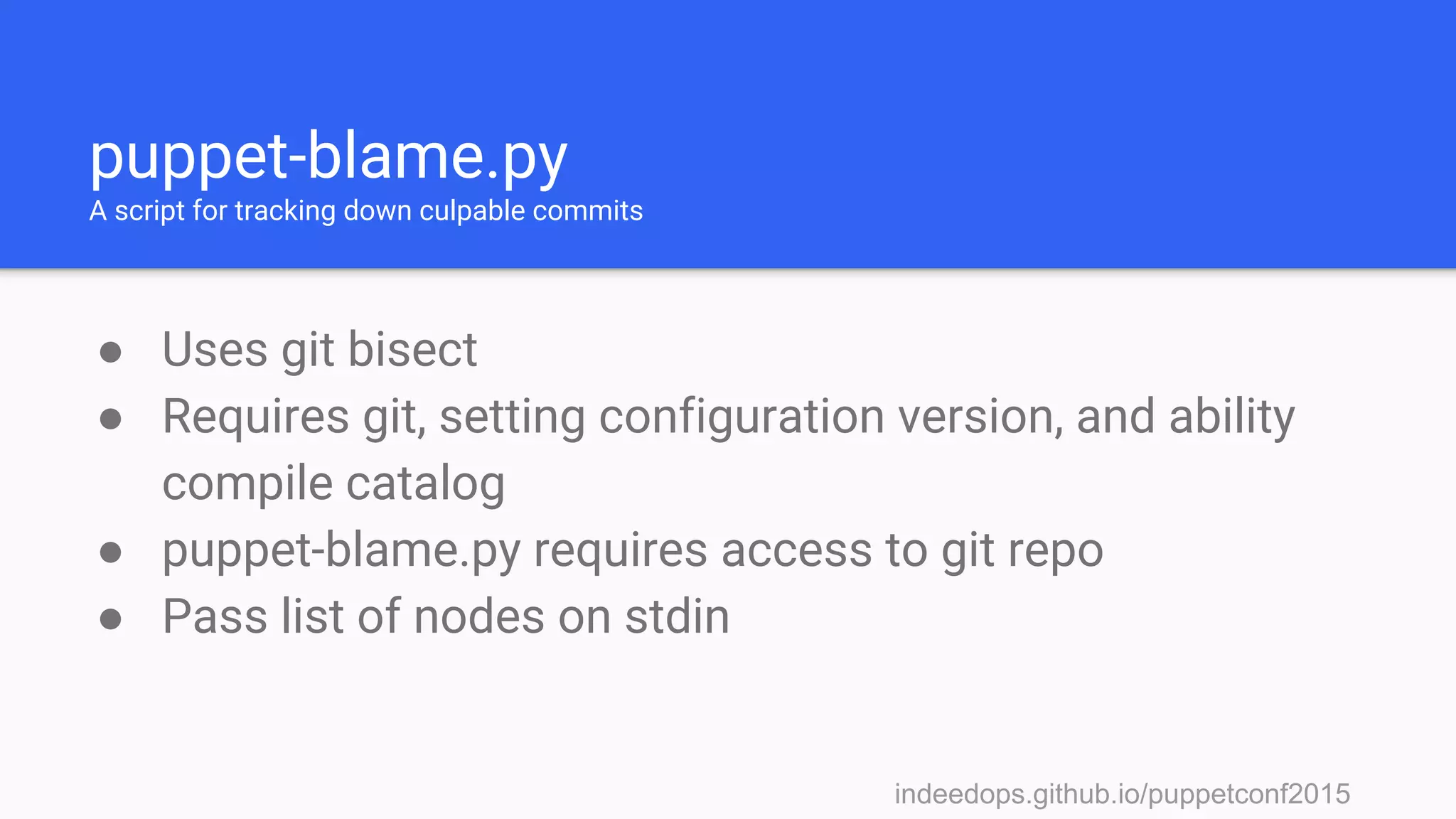
puppet-blame.py
A script for tracking down culpable commits
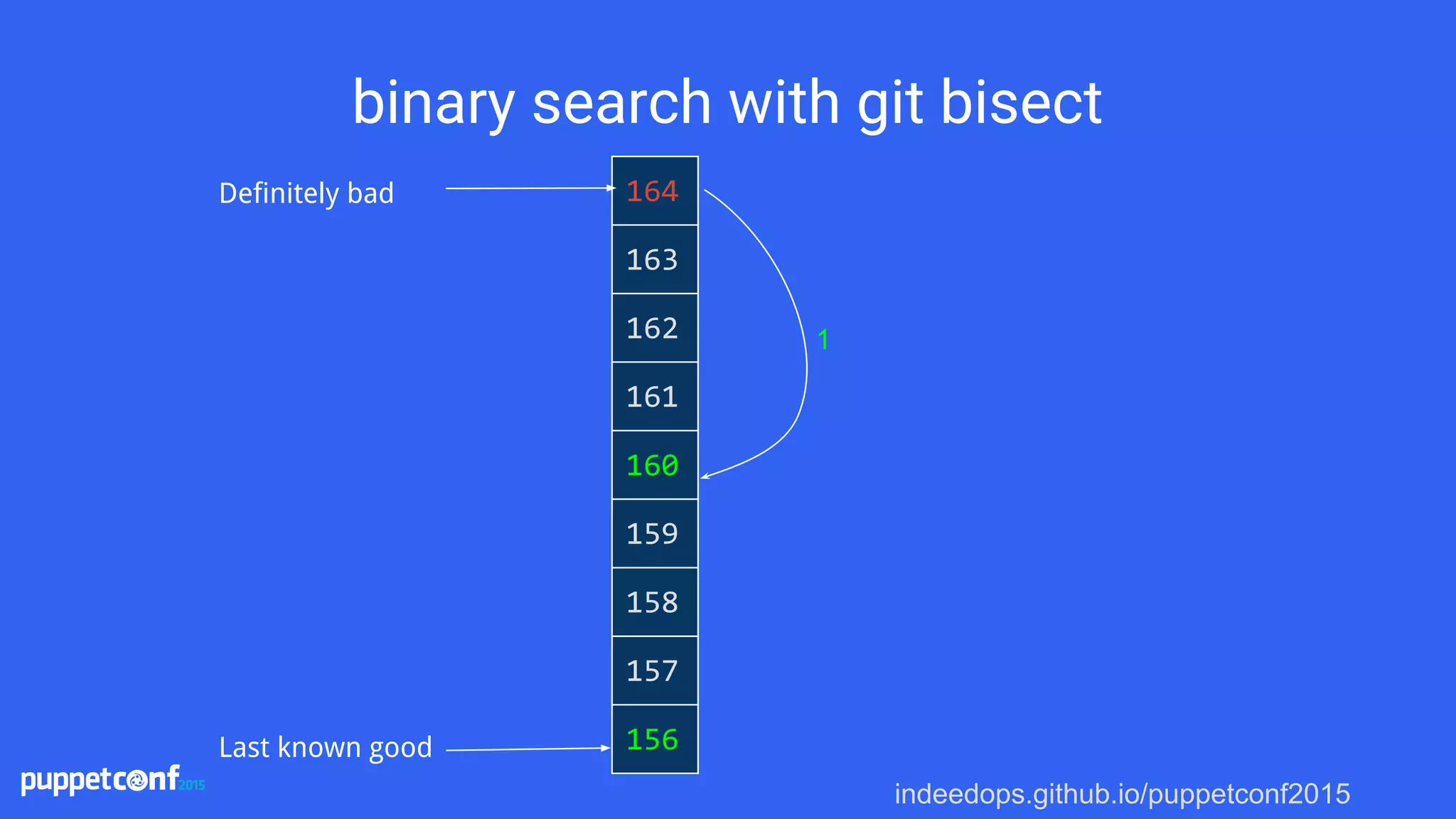
● Uses git bisect
● Requires git, setting configuration version, and ability
compile catalog
● puppet-blame.py requires access to git repo
● Pass list of nodes on stdin
indeedops.github.io/puppetconf2015
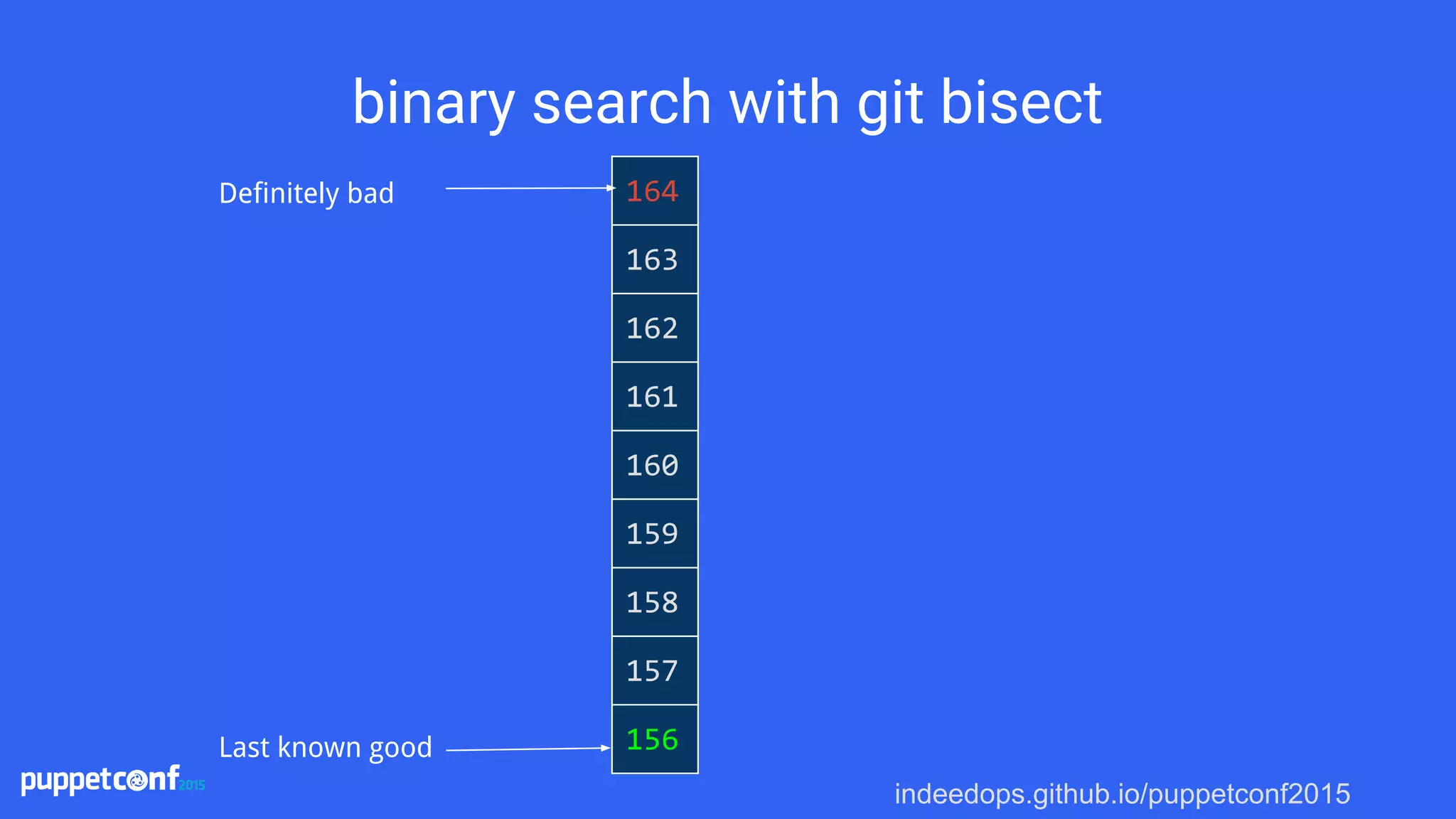
binary search with git bisect
164
163
162
161
160
159
158
157
156
Definitely bad
Last known good
indeedops.github.io/puppetconf2015
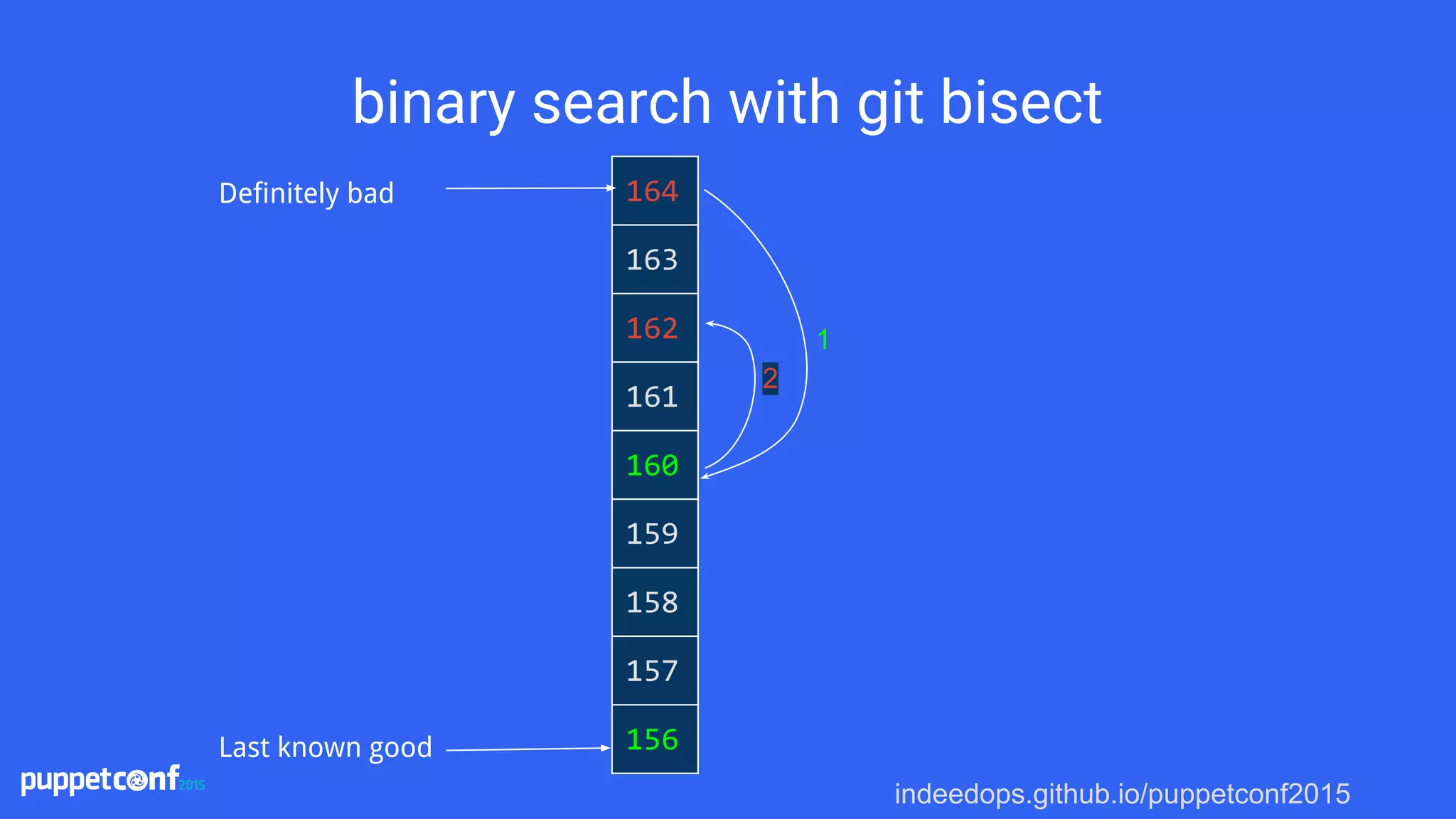
binary search with git bisect
164
163
162
161
160
159
158
157
156
Definitely bad
Last known good
1
indeedops.github.io/puppetconf2015
binary search with git bisect
164
163
162
161
160
159
158
157
156
Definitely bad
Last known good
1
2
indeedops.github.io/puppetconf2015
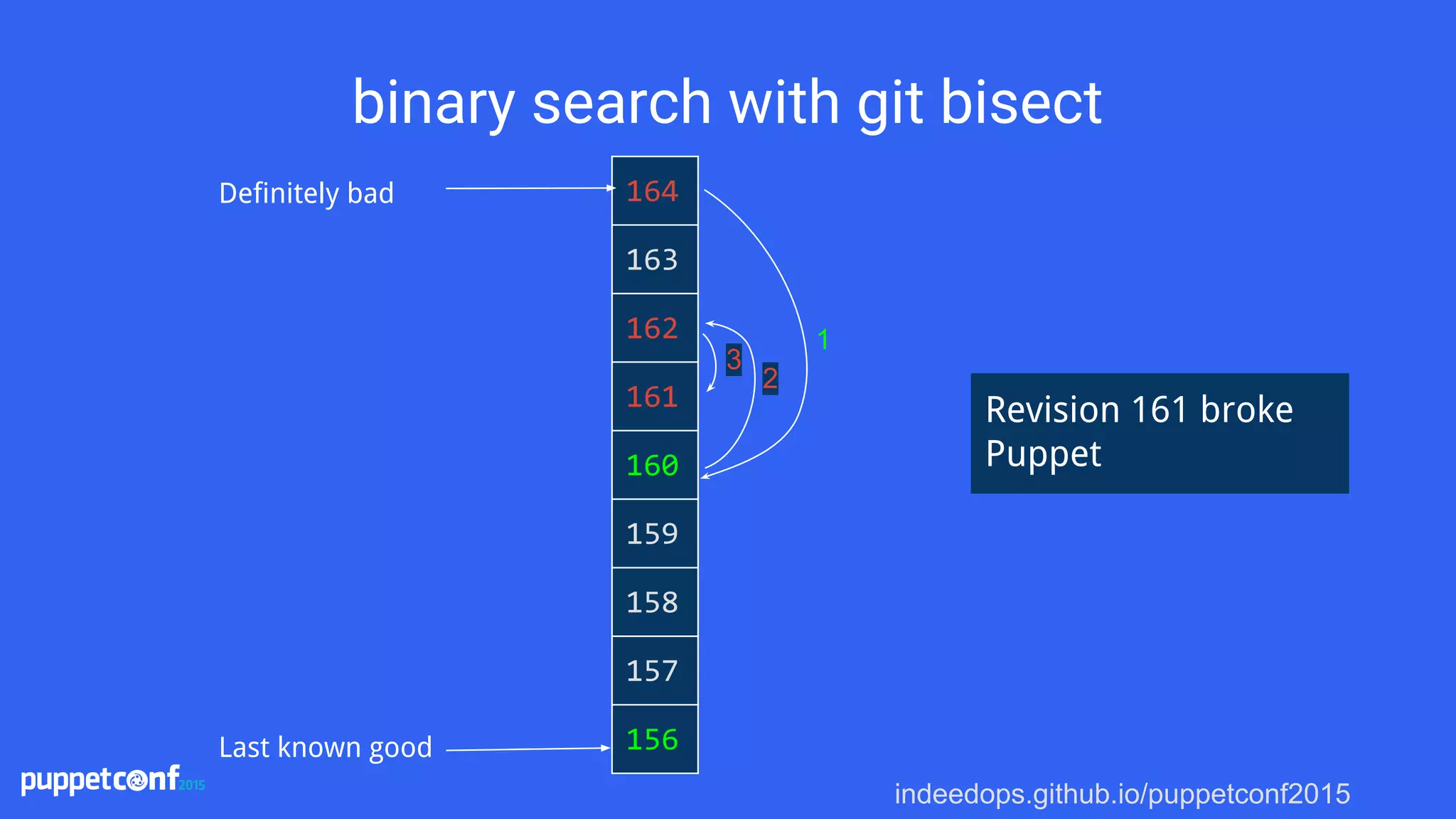
binary search with git bisect
164
163
162
161
160
159
158
157
156
Definitely bad
Last known good
1
Revision 161 broke
Puppet
2
3
indeedops.github.io/puppetconf2015indeedops.github.io/puppetconf2015
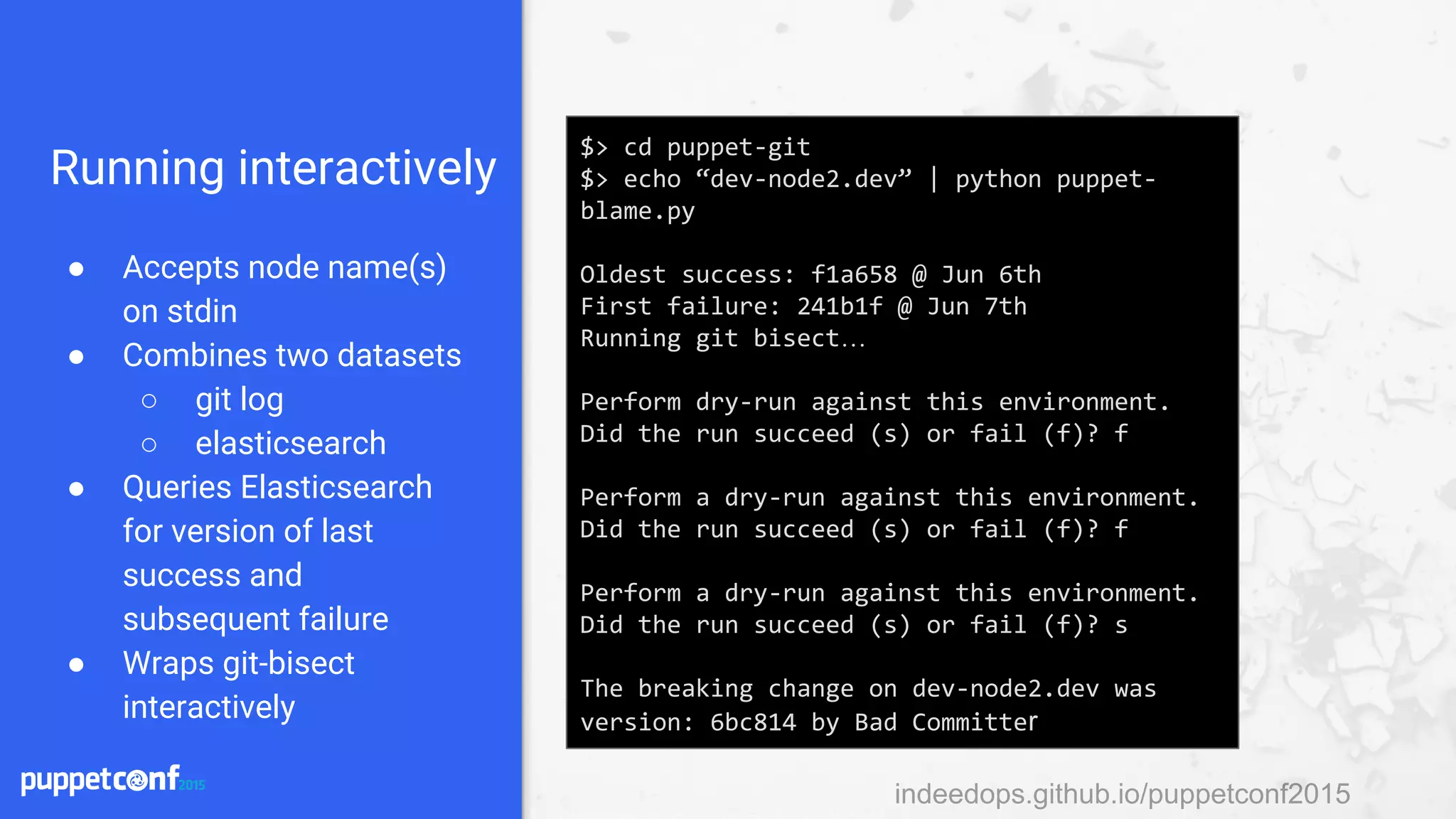
Running interactively
● Accepts node name(s)
on stdin
● Combines two datasets
○ git log
○ elasticsearch
● Queries Elasticsearch
for version of last
success and
subsequent failure
● Wraps git-bisect
interactively
$> cd puppet-git
$> echo “dev-node2.dev” | python puppet-
blame.py
Oldest success: f1a658 @ Jun 6th
First failure: 241b1f @ Jun 7th
Running git bisect…
Perform dry-run against this environment.
Did the run succeed (s) or fail (f)? f
Perform a dry-run against this environment.
Did the run succeed (s) or fail (f)? f
Perform a dry-run against this environment.
Did the run succeed (s) or fail (f)? s
The breaking change on dev-node2.dev was
version: 6bc814 by Bad Committer
indeedops.github.io/puppetconf2015
Could not retrieve catalog from remote
server: Error 400 on SERVER
indeedops.github.io/puppetconf2015
Could not retrieve catalog from remote
server: Error 400 on SERVER
But the agent doesn’t
report what version of
the catalog it tried to
compile! Now what?
indeedops.github.io/puppetconf2015indeedops.github.io/puppetconf2015
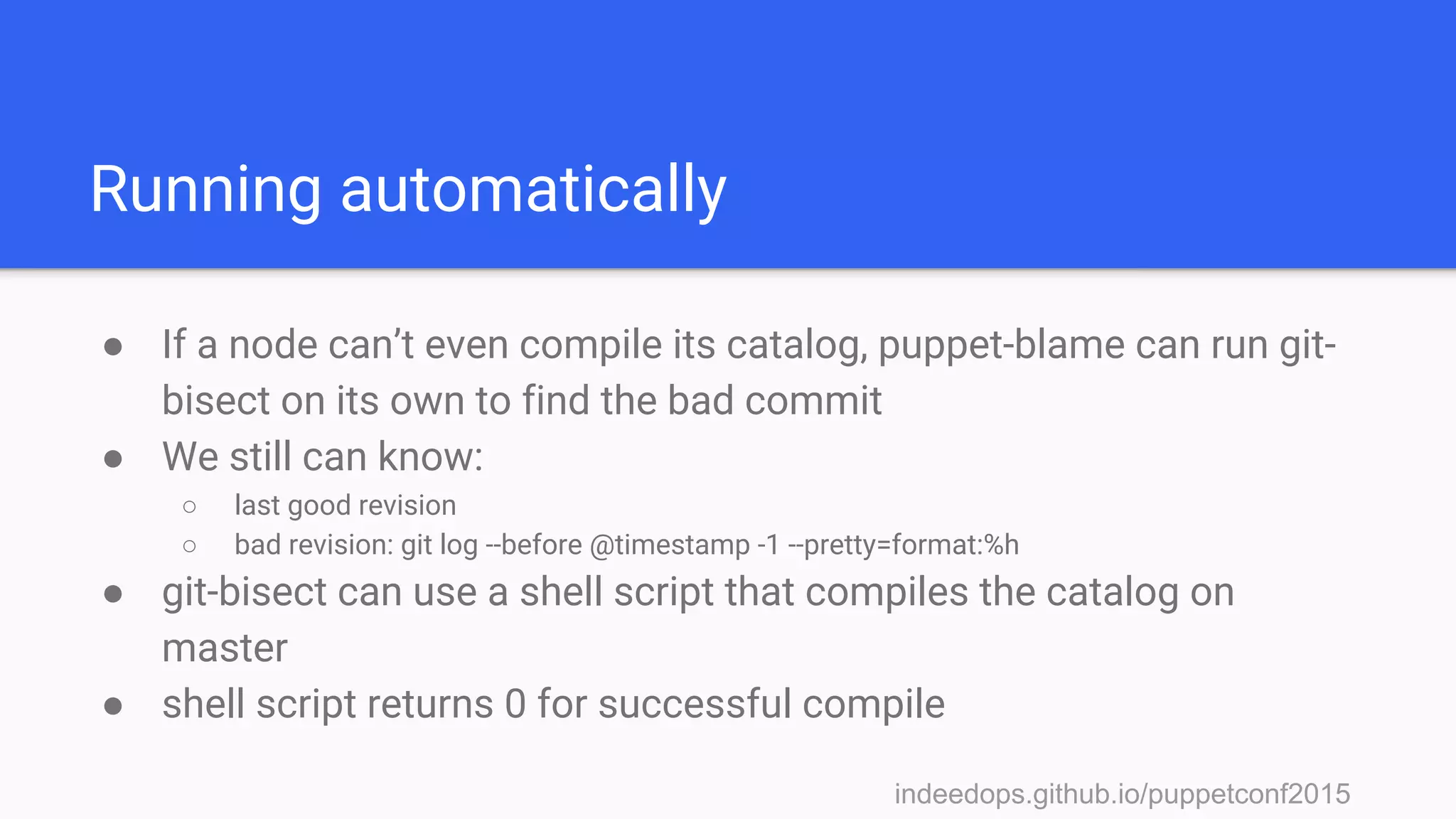
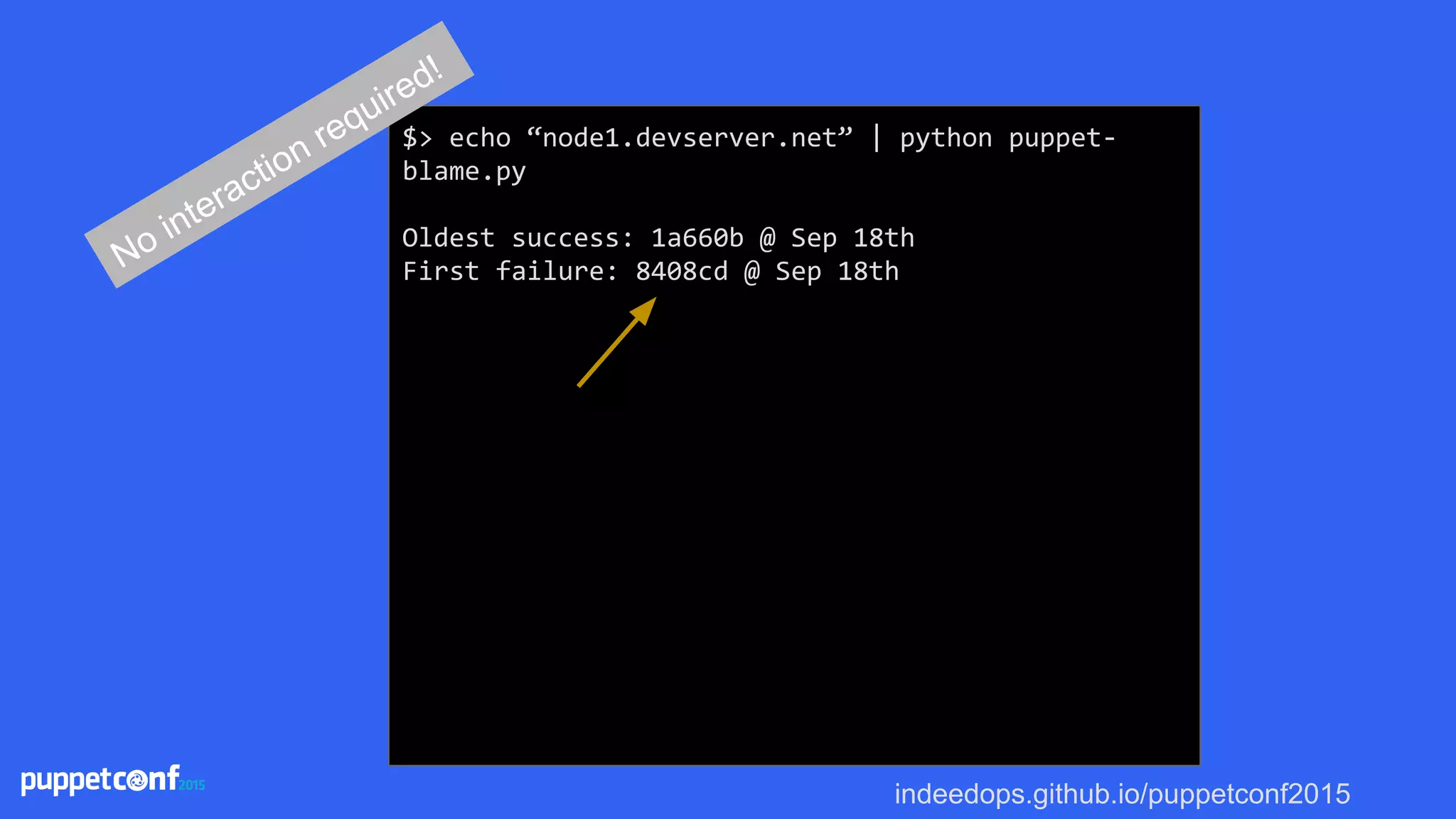
Running automatically
● If a node can’t even compile its catalog, puppet-blame can run git-
bisect on its own to find the bad commit
● We still can know:
○ last good revision
○ bad revision: git log --before @timestamp -1 --pretty=format:%h
● git-bisect can use a shell script that compiles the catalog on
master
● shell script returns 0 for successful compile
indeedops.github.io/puppetconf2015
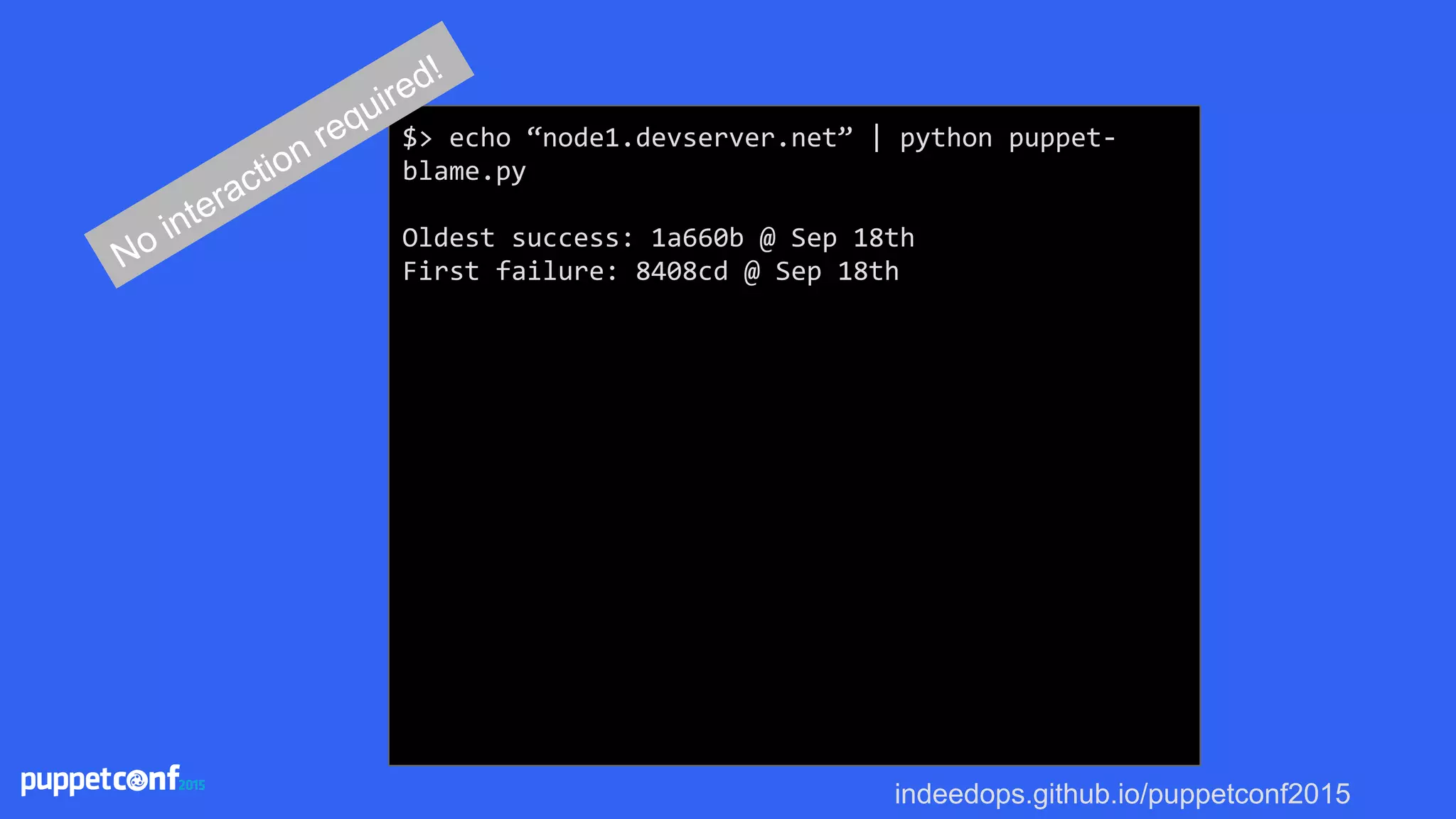
$> echo “node1.devserver.net” | python puppet-
blame.py
Oldest success: 1a660b @ Sep 18th
First failure: 8408cd @ Sep 18thNo interaction required!
indeedops.github.io/puppetconf2015
$> echo “node1.devserver.net” | python puppet-
blame.py
Oldest success: 1a660b @ Sep 18th
First failure: 8408cd @ Sep 18thNo interaction required!
indeedops.github.io/puppetconf2015
$> echo “node1.devserver.net” | python puppet-
blame.py
Oldest success: 1a660b @ Sep 18th
First failure: 8408cd @ Sep 18th
Bisecting: 7 revisions left to test after this
(roughly 3 steps)
[6c0cba] Some commit message
running puppet_compile.sh node1.devserver.net
No interaction required!
indeedops.github.io/puppetconf2015
Bisecting: 3 revisions left to test after this
(roughly 2 steps)
[a13130] More changes here
running puppet_compile.sh node1.devserver.net
Bisecting: 1 revision left to test after this
(roughly 1 step)
[f23f33] Changes that broke Puppet
running puppet_compile.sh node1.devserver.net
Bisecting: 0 revisions left to test after this
(roughly 0 steps)
[e63b0a] Other changes
running puppet_compile.sh node1.devserver.net
No interaction required!
indeedops.github.io/puppetconf2015
Bisecting: 0 revisions left to test after this
(roughly 0 steps)
[e63b0a] Other changes
running puppet_compile.sh node1.devserver.net
f23f33 is the first bad commit
commit f23f33
Author: Bad Committer <bc@devserver.com>
Date: Fri Sep 18 11:42:29 2015 -0500
Changes that broke Puppet
bisect run success
No interaction required!
indeedops.github.io/puppetconf2015
Bisecting: 0 revisions left to test after this
(roughly 0 steps)
[e63b0a] Other changes in this commit
running puppet_compile.sh node1.devserver.net
f23f33 is the first bad commit
commit f23f33
Author: Bad Committer <bc@devserver.com>
Date: Fri Sep 18 11:42:29 2015 -0500
Changes that broke Puppet
bisect run success
No interaction required!
indeedops.github.io/puppetconf2015indeedops.github.io/puppetconf2015
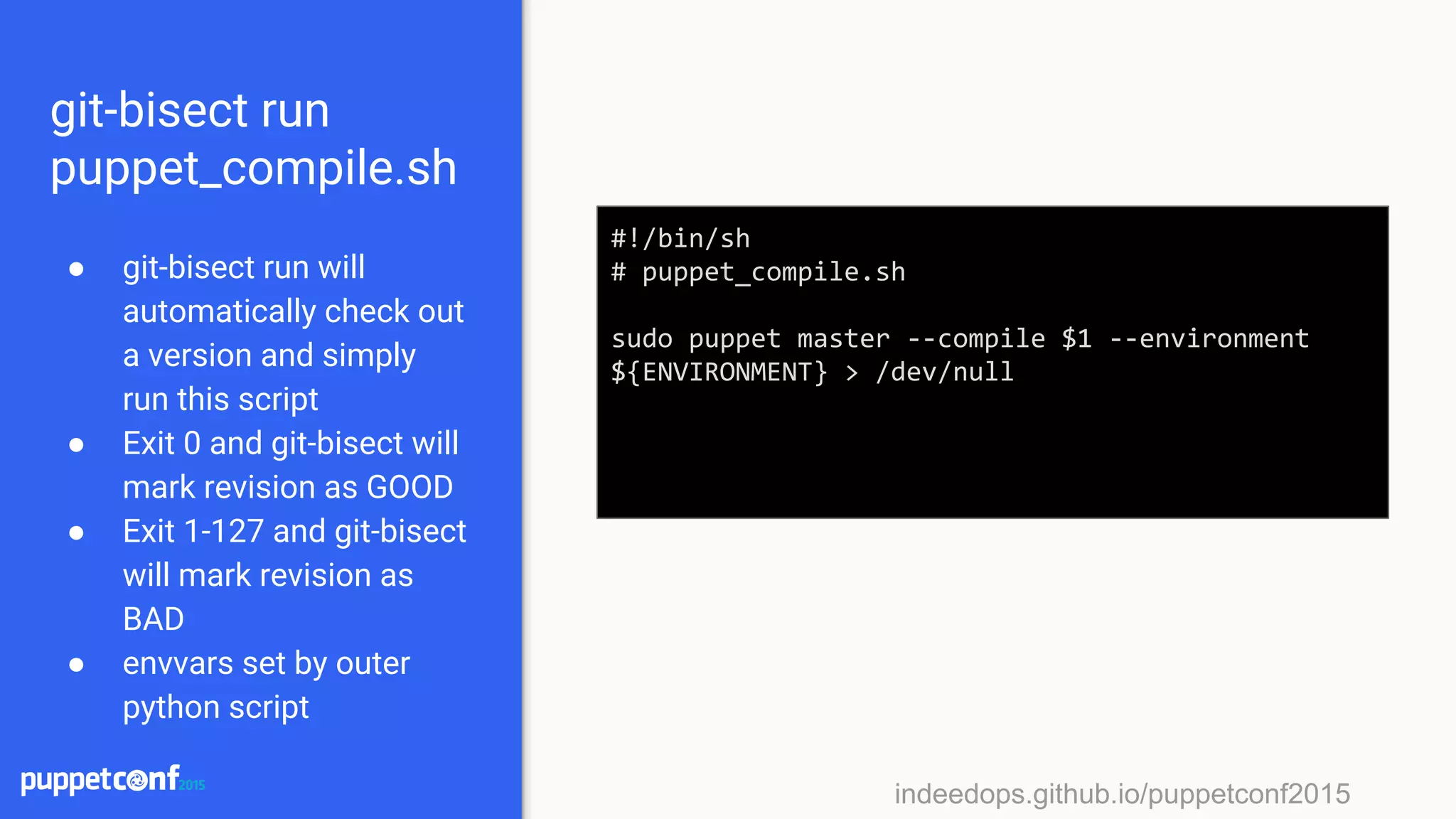
git-bisect run
puppet_compile.sh
● git-bisect run will
automatically check out
a version and simply
run this script
● Exit 0 and git-bisect will
mark revision as GOOD
● Exit 1-127 and git-bisect
will mark revision as
BAD
● envvars set by outer
python script
#!/bin/sh
# puppet_compile.sh
sudo puppet master --compile $1 --environment
${ENVIRONMENT} > /dev/null
indeedops.github.io/puppetconf2015indeedops.github.io/puppetconf2015
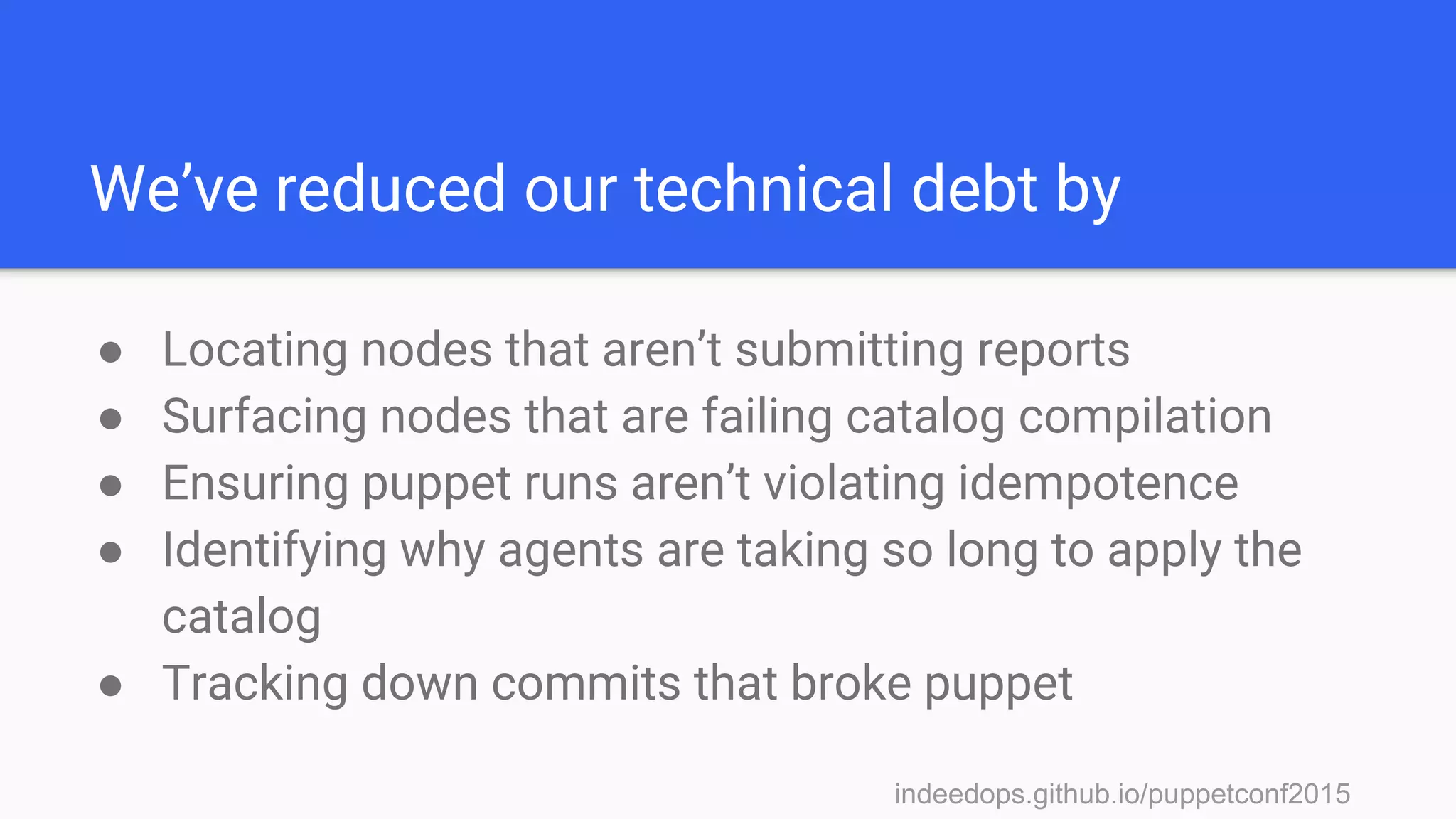
We’ve reduced our technical debt by
● Locating nodes that aren’t submitting reports
● Surfacing nodes that are failing catalog compilation
● Ensuring puppet runs aren’t violating idempotence
● Identifying why agents are taking so long to apply the
catalog
● Tracking down commits that broke puppet
indeedops.github.io/puppetconf2015indeedops.github.io/puppetconf2015
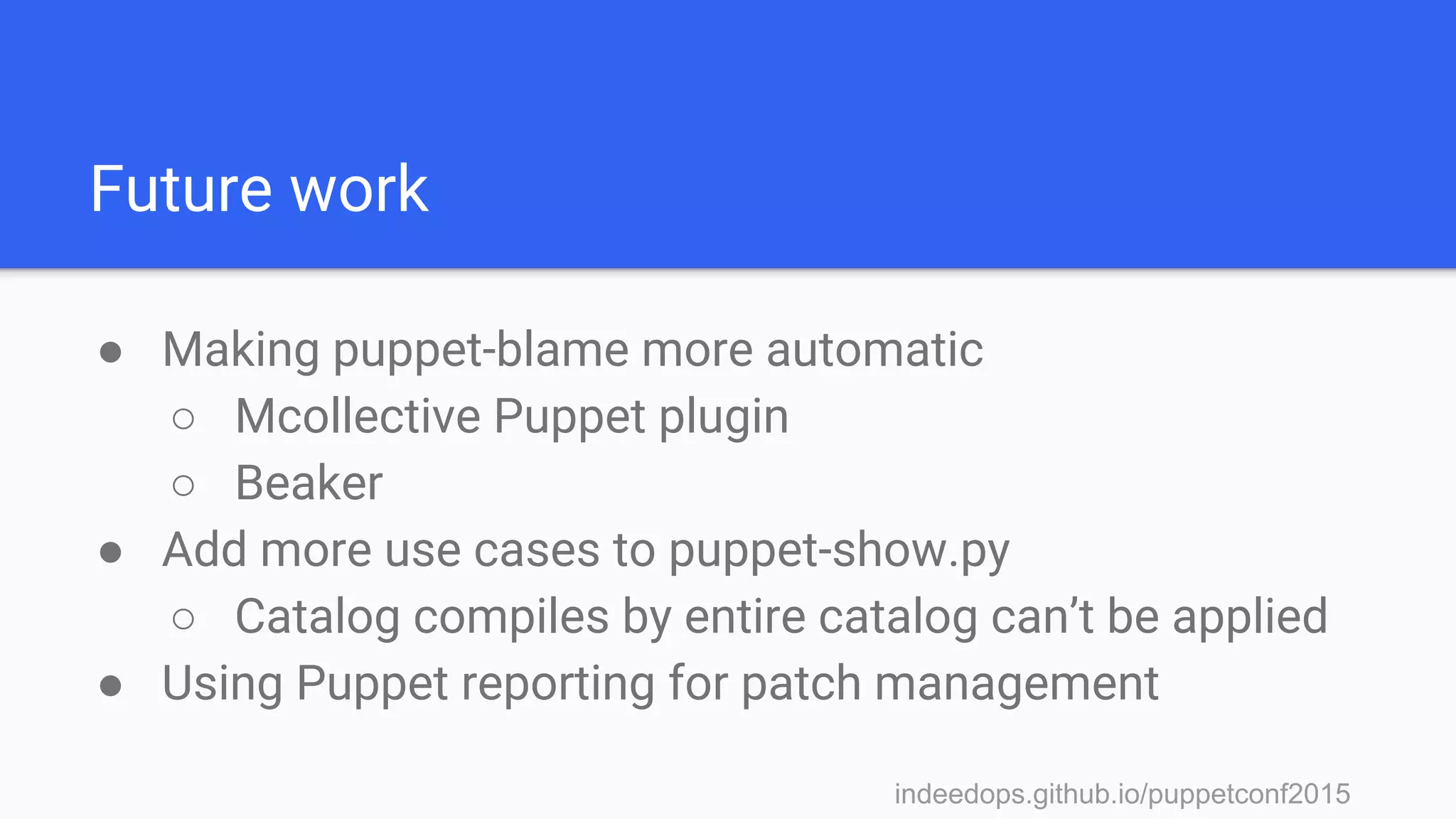
Future work
● Making puppet-blame more automatic
○ Mcollective Puppet plugin
○ Beaker
● Add more use cases to puppet-show.py
○ Catalog compiles by entire catalog can’t be applied
● Using Puppet reporting for patch management
indeedops.github.io/puppetconf2015
“When technical debt accrues, everybody loses.”
- Gene Kim
indeedops.github.io/puppetconf2015
Alex Elman
Devops Engineer, Operations
Puppet Reporting with
Elasticsearch, Logstash, and
Kibana
Indeed.com
indeedops.github.io/puppetconf2015
Alex Elman
@_pkill
github.com/pkill
Connor Kelly
@cllyross
github.com/clly
Find us here
indeedops.github.io/puppetconf2015
Links and References
● https://docs.puppetlabs.com/puppet/3/reference/format_report.html
● https://github.com/elastic/puppet-logstash-reporter
● https://puppetlabs.com/presentations/introducing-puppet-enterprises-
event-inspector
● https://docs.puppetlabs.com/pe/latest/CM_overview.html
● Puppet Reporting Book
● https://git-scm.com/docs/git-bisect
● Jordan Sissel @ PuppetConf 2012, 2013, 2014
● Gene Kim @ PuppetConf 2014

Puppetconf 2015 - Puppet Reporting with Elasticsearch Logstash and Kibana