@PatrickMcFadin
Owning Time Series with Team Apache:
Kafka, Spark Cassandra
1
Patrick McFadin

Chief Evangelist for Apache Cassandra, DataStax
Agenda for the day
Core Concepts: 9:00-10:30
• Prep for the tutorials
• Introduction to Apache Cassandra
• Why Cassandra is used for storing time series data
• Data models for time series
• Apache Spark
• How Spark and Cassandra work so well together
• Kafka
Break: 10:30-11:00
Key Foundational Skills:
• Using Apache Cassandra
• Creating the right development environment
• Basic integration with Apache Spark and Cassandra
Integrating An End-To-End Data Pipeline
• Technologies used: Spark, Spark Streaming, Cassandra, Kafka, Akka, Scala
• Ingesting time series data into Kafka
• Leveraging Spark Streaming to store the raw data in Cassandra for later analysis
• Apply Spark Streaming transformations and aggregation to streaming data, and store material views in Cassandra
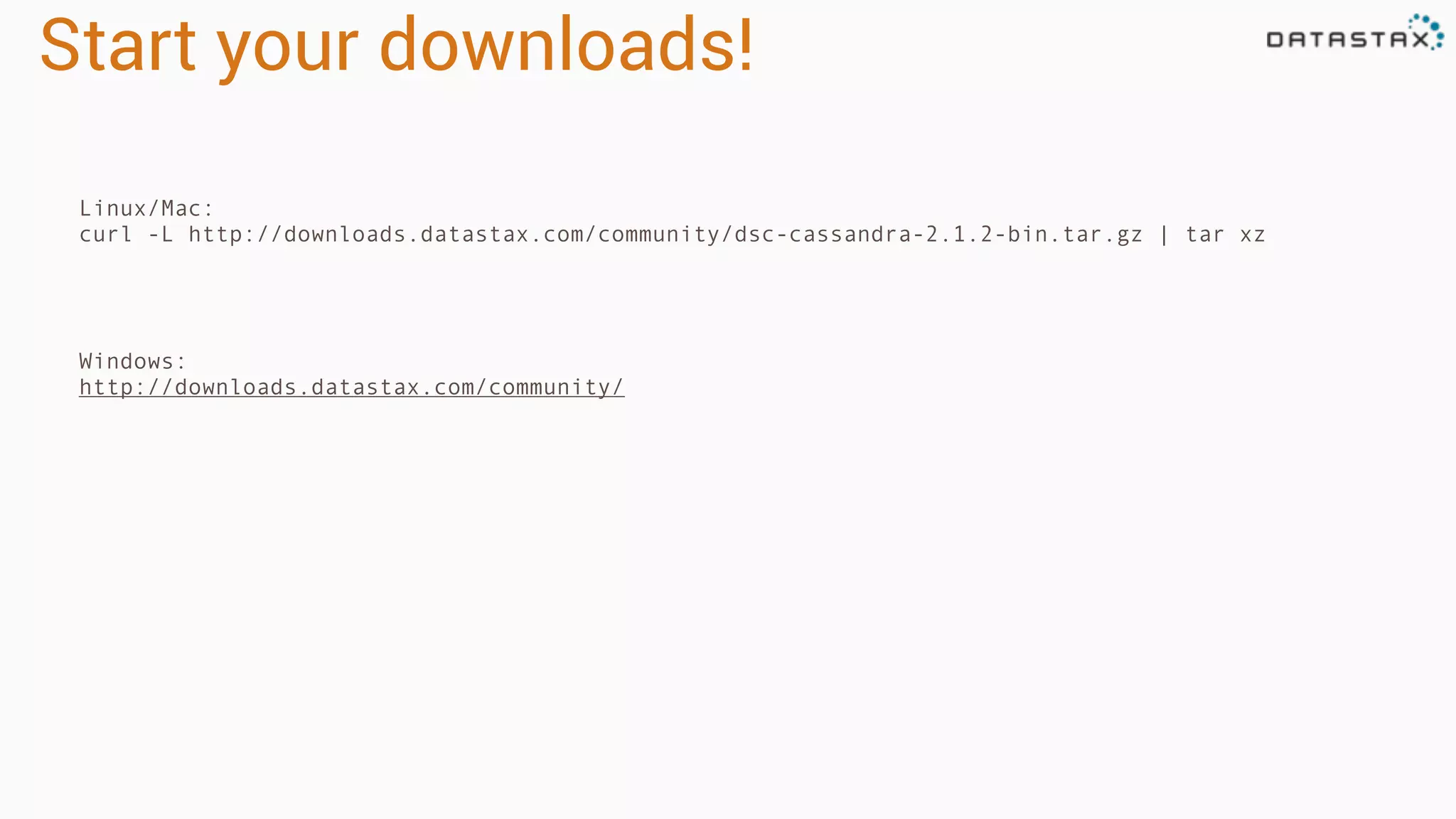
Start your downloads!
Linux/Mac:
curl -L http://downloads.datastax.com/community/dsc-cassandra-2.1.2-bin.tar.gz | tar xz
Windows:
http://downloads.datastax.com/community/
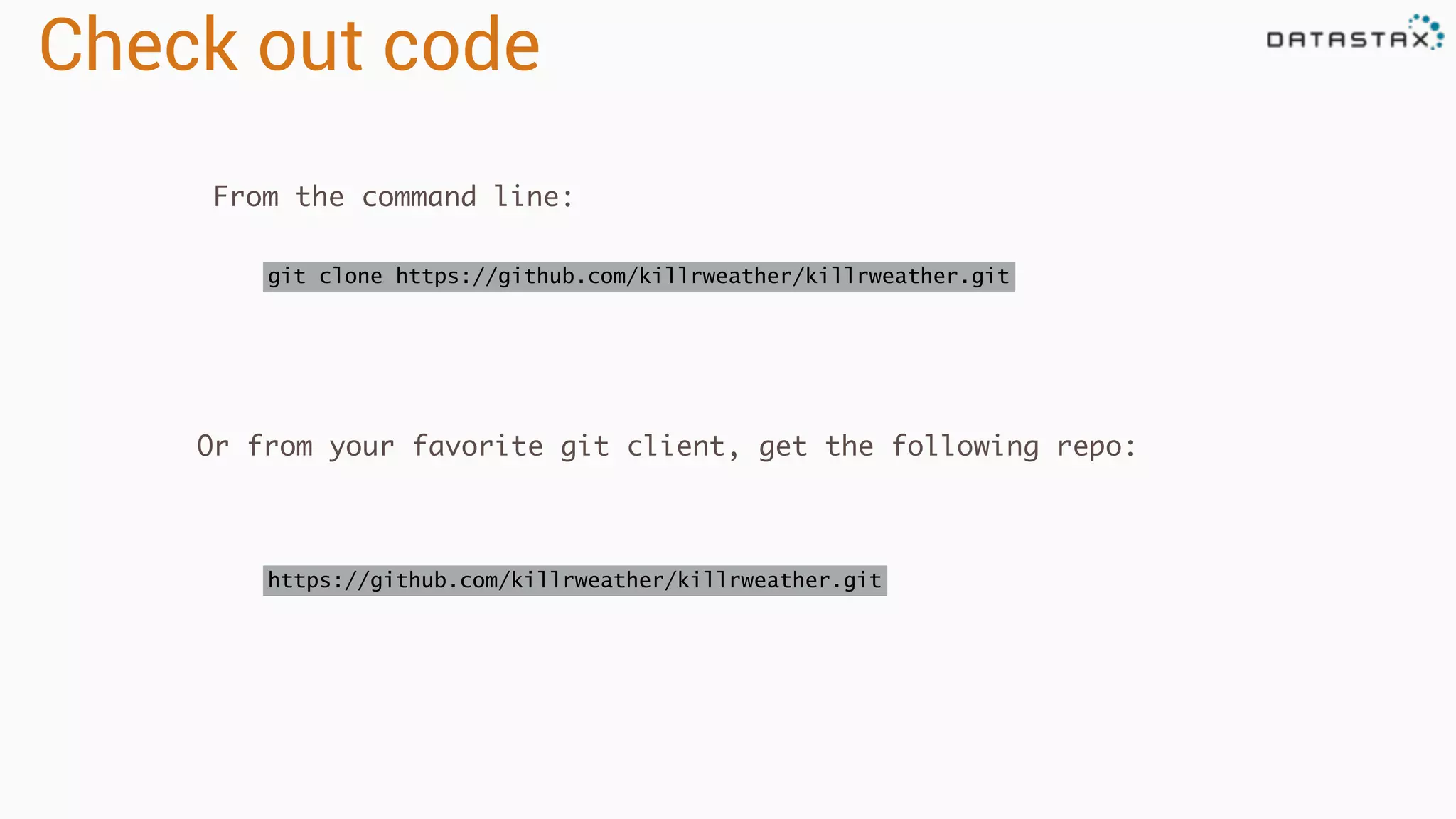
Check out code
git clone https://github.com/killrweather/killrweather.git
From the command line:
Or from your favorite git client, get the following repo:
https://github.com/killrweather/killrweather.git
Build code
cd killrweather
sbt compile
Download the internet… wait for it….
# For IntelliJ users, this creates Intellij project files
sbt gen-idea
Core Concepts
Introduction to Apache Cassandra
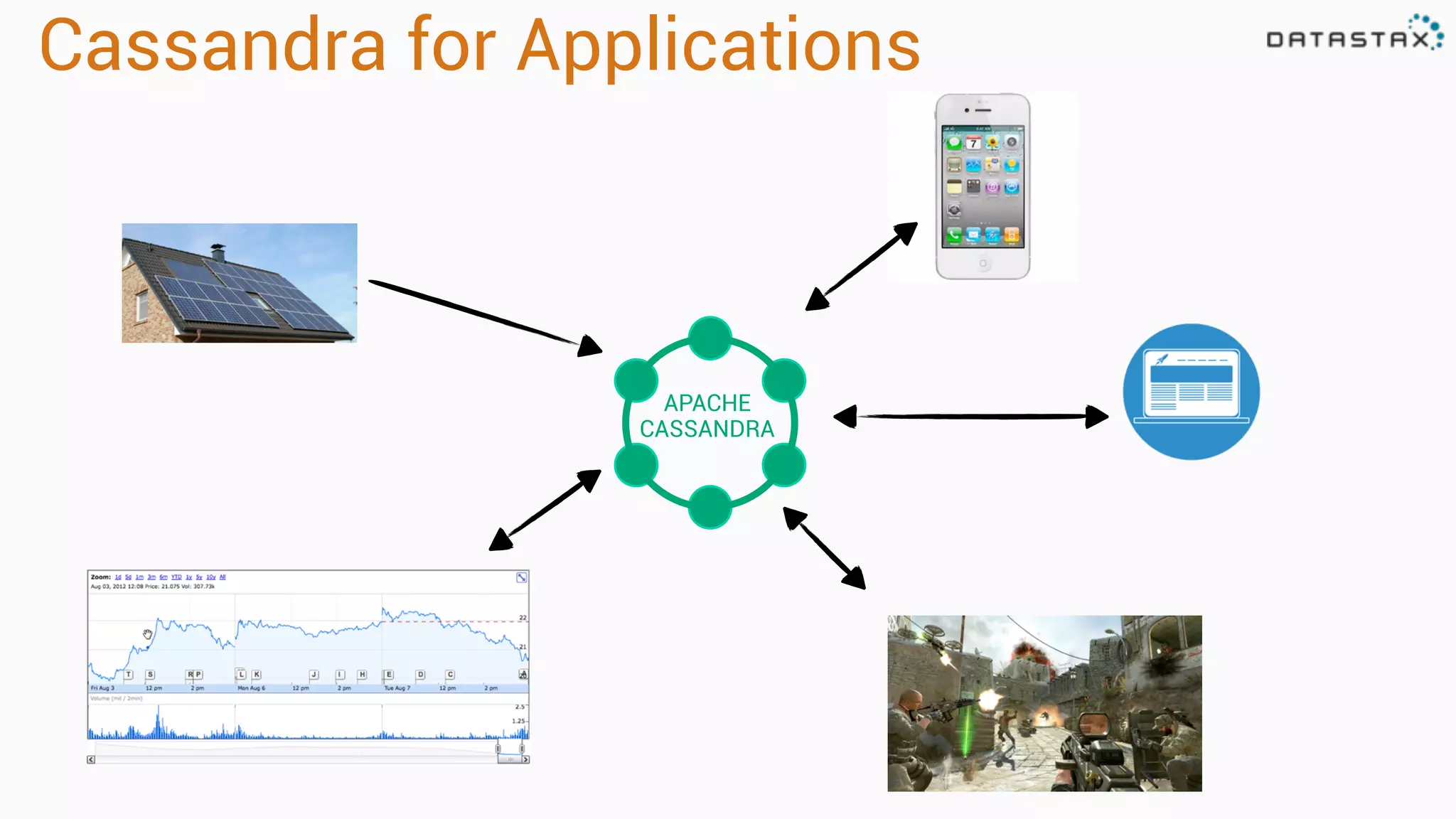
Cassandra for Applications
APACHE
CASSANDRA
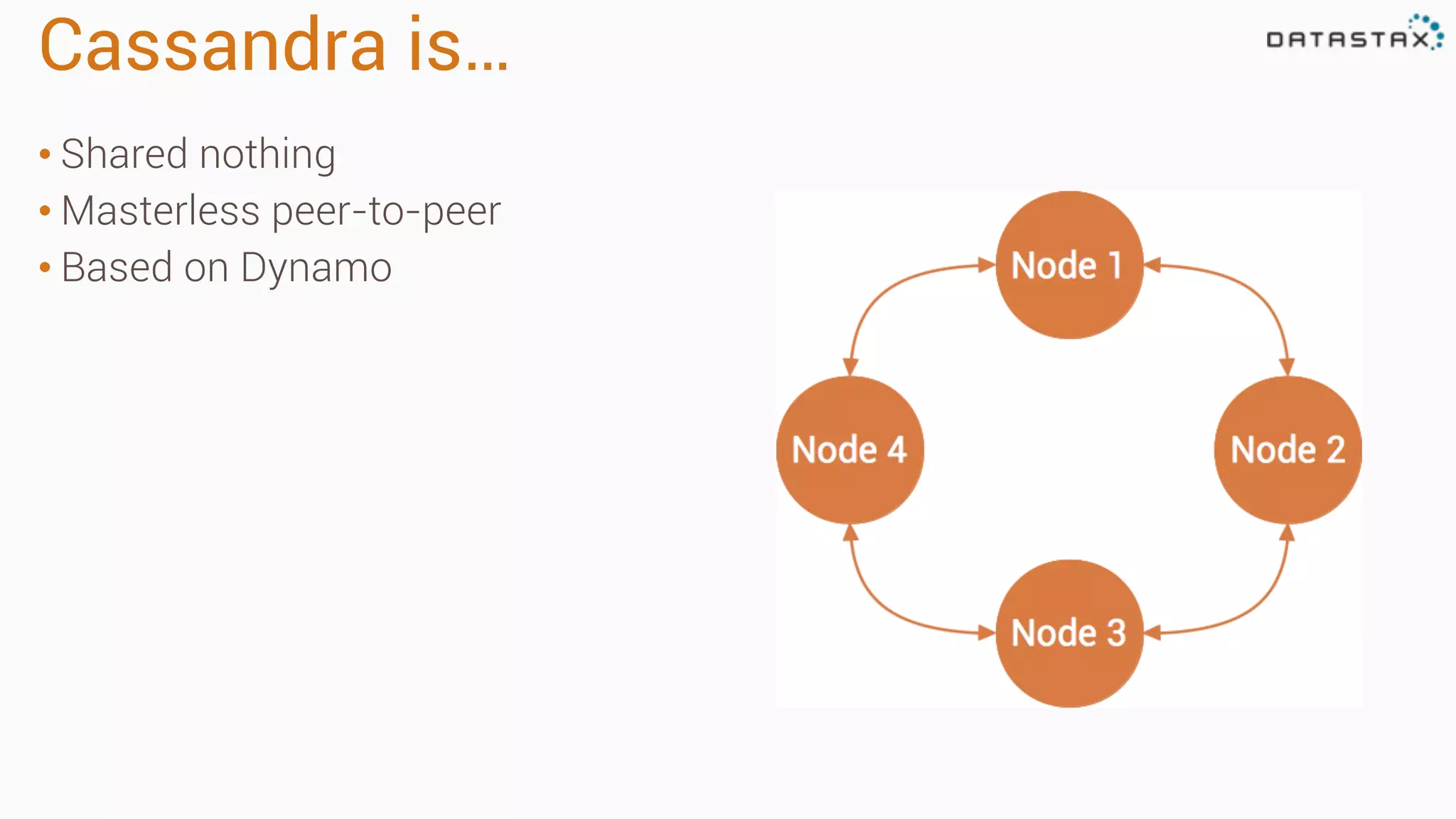
Cassandra is…
• Shared nothing
• Masterless peer-to-peer
• Based on Dynamo
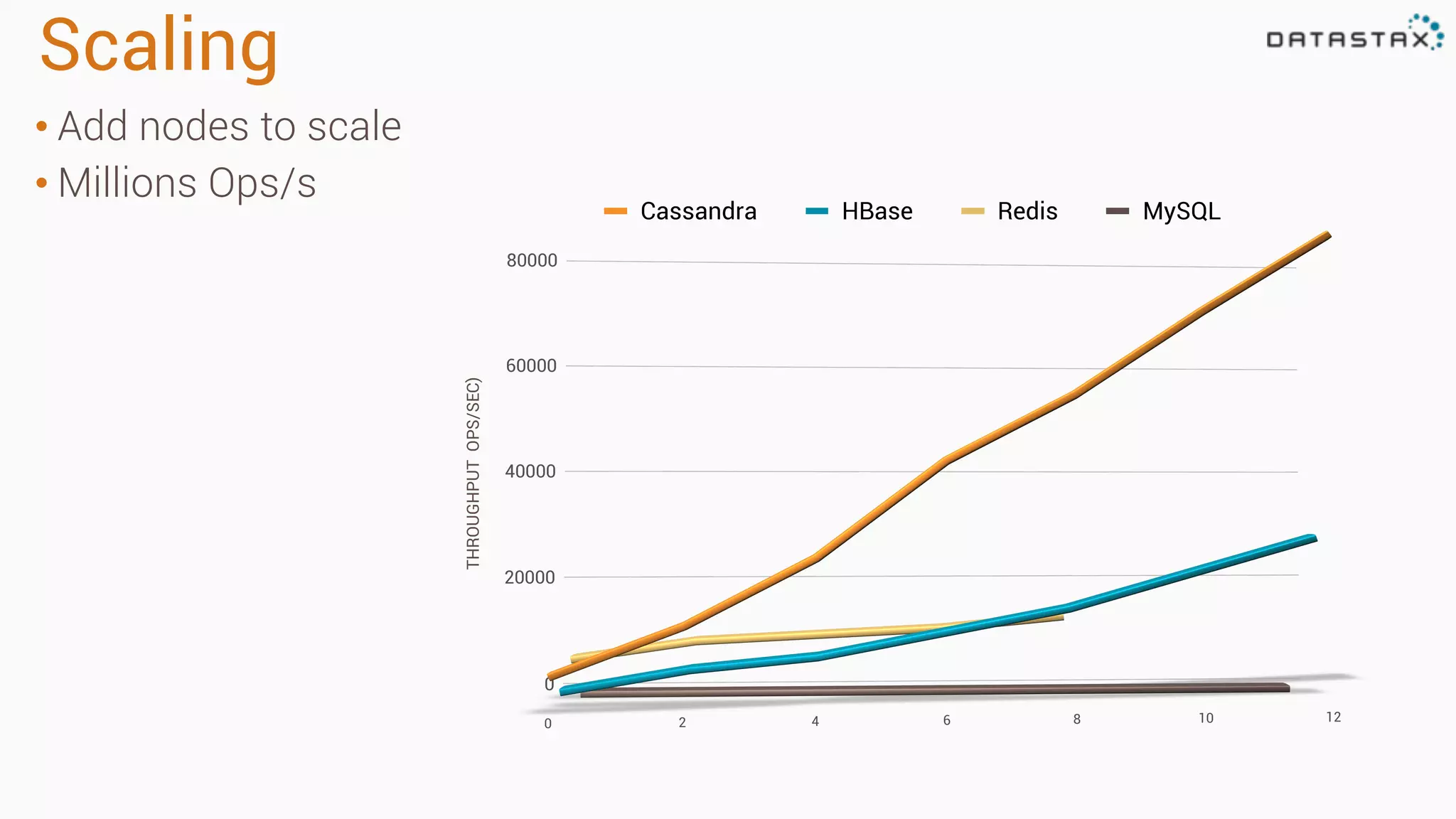
Scaling
• Add nodes to scale
• Millions Ops/s
Cassandra HBase Redis MySQL
THROUGHPUTOPS/SEC)
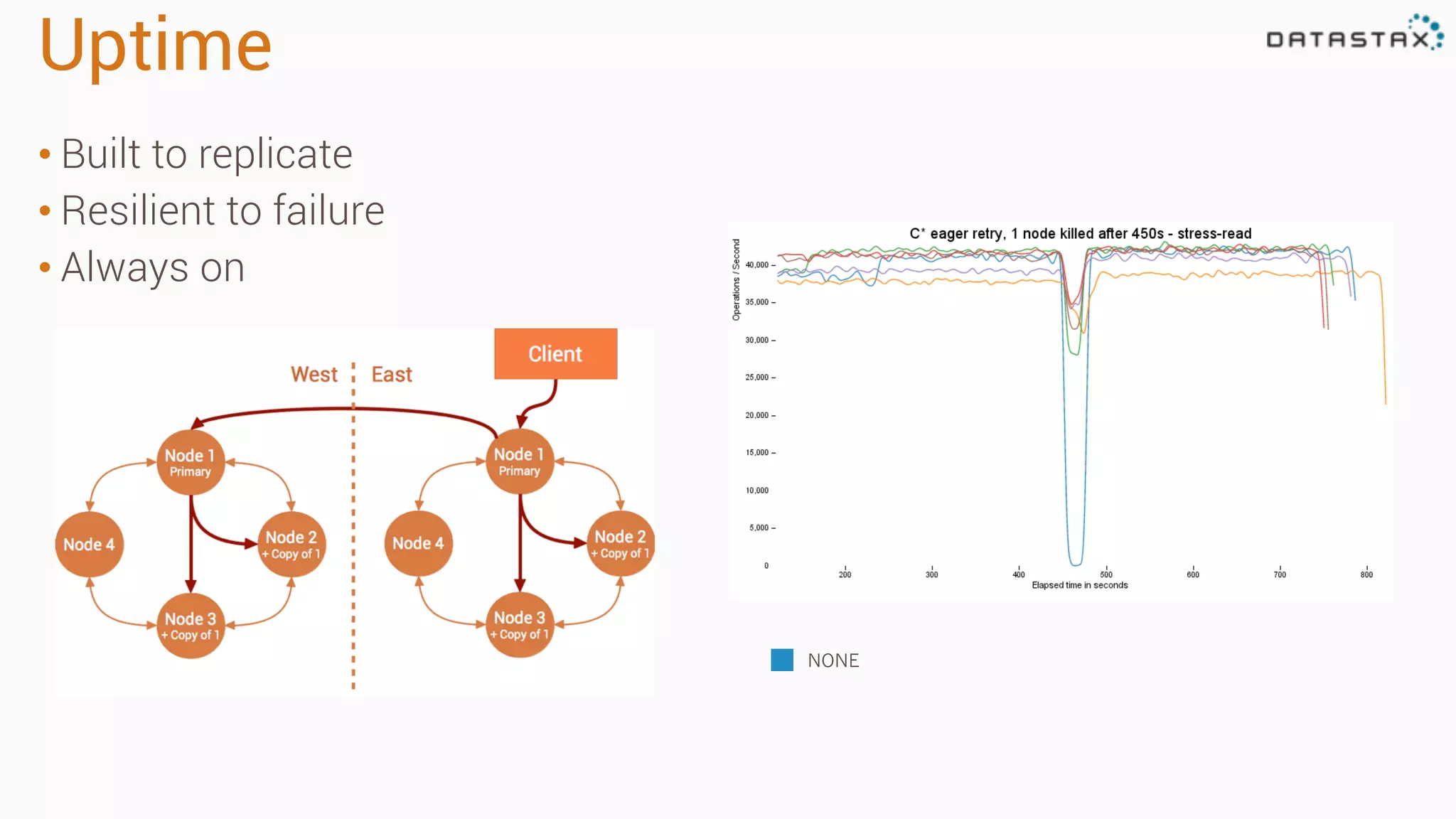
Uptime
• Built to replicate
• Resilient to failure
• Always on
NONE
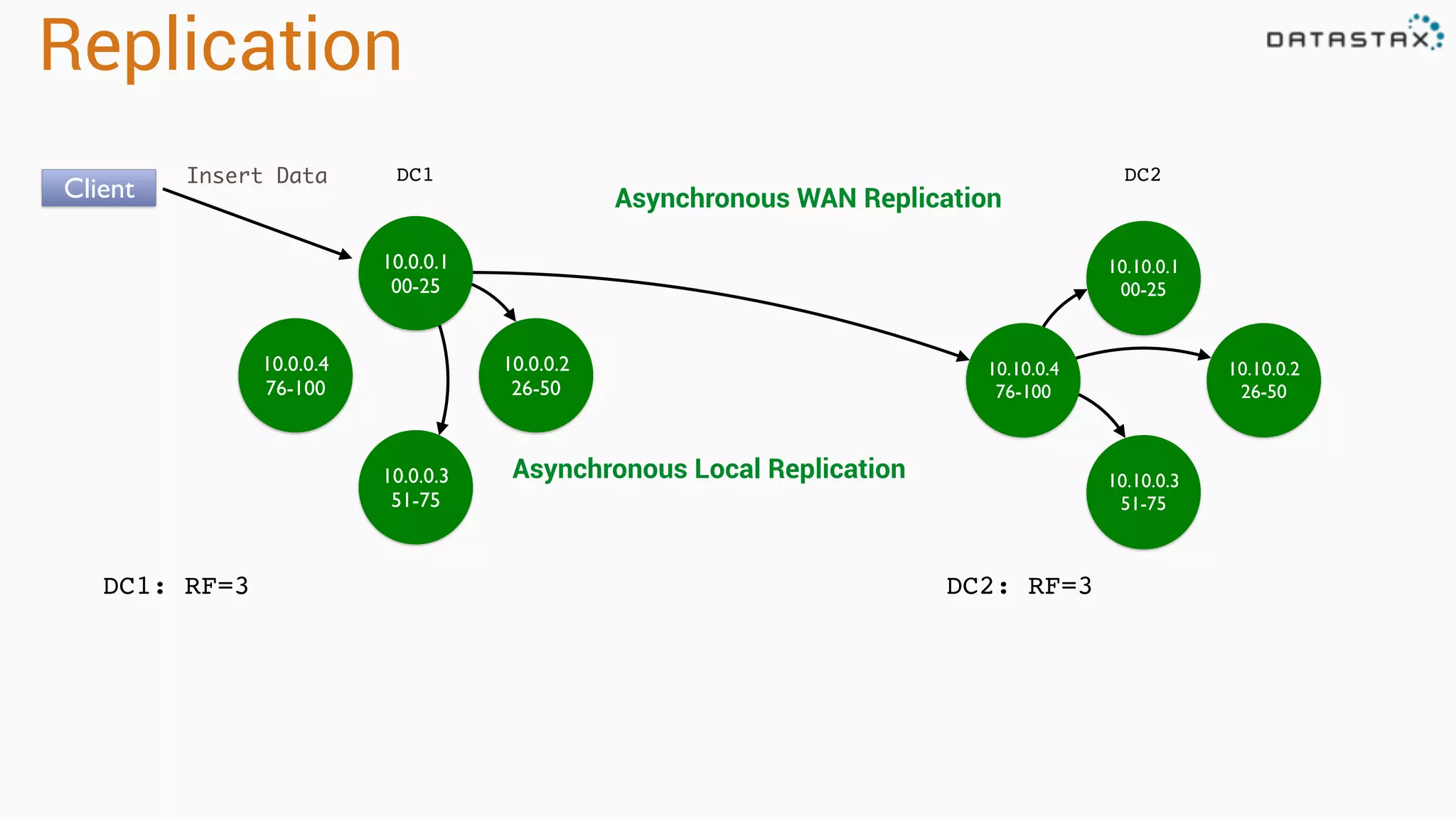
Replication
10.0.0.1
00-25
10.0.0.4
76-100
10.0.0.2
26-50
10.0.0.3
51-75
DC1
DC1: RF=3
10.10.0.1
00-25
10.10.0.4
76-100
10.10.0.2
26-50
10.10.0.3
51-75
DC2
DC2: RF=3
Client
Insert Data
Asynchronous Local Replication
Asynchronous WAN Replication
Data Model
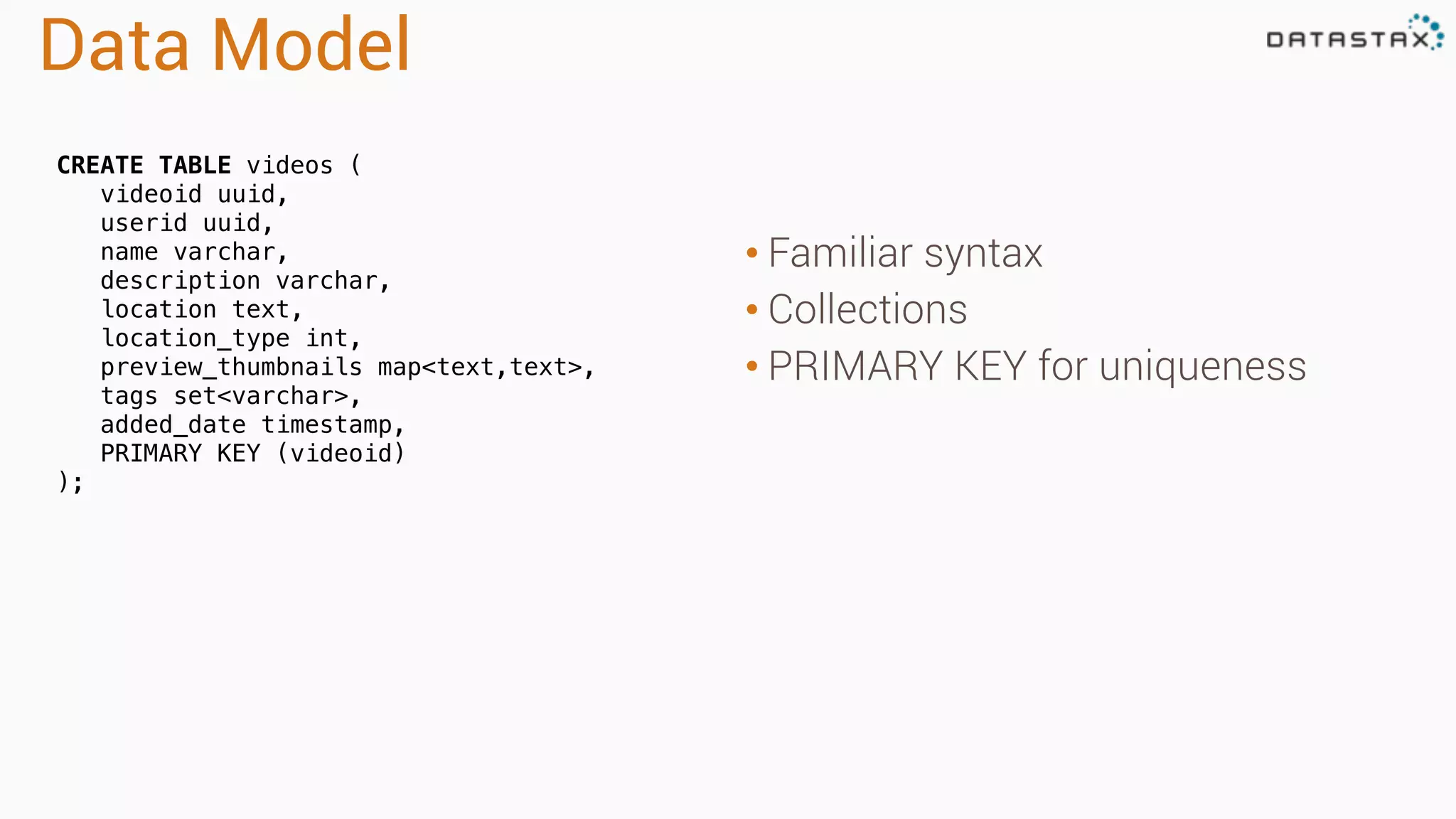
• Familiar syntax
• Collections
• PRIMARY KEY for uniqueness
CREATE TABLE videos (
videoid uuid,
userid uuid,
name varchar,
description varchar,
location text,
location_type int,
preview_thumbnails map<text,text>,
tags set<varchar>,
added_date timestamp,
PRIMARY KEY (videoid)
);
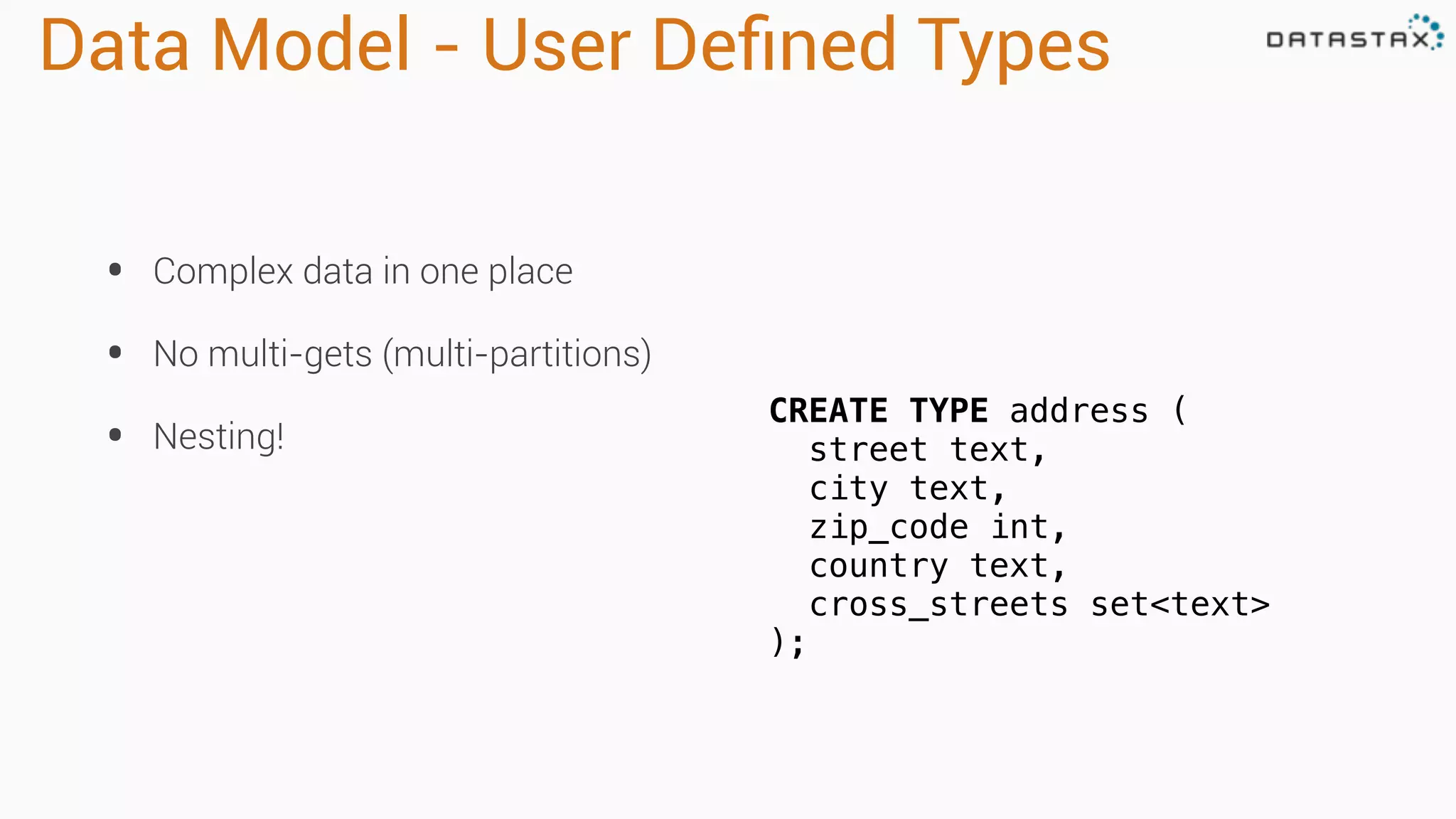
Data Model - User Defined Types
• Complex data in one place
• No multi-gets (multi-partitions)
• Nesting!
CREATE TYPE address (
street text,
city text,
zip_code int,
country text,
cross_streets set<text>
);
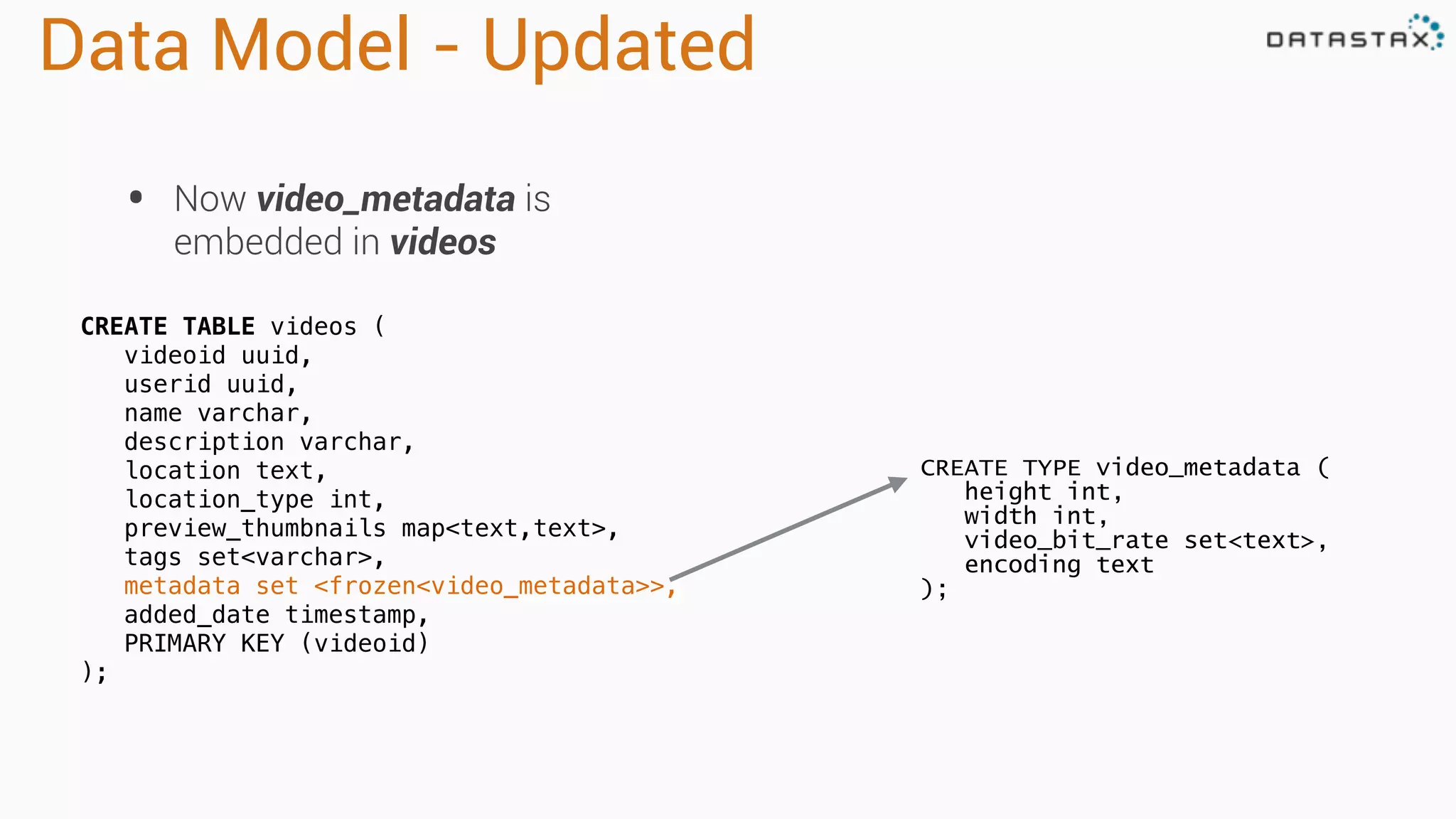
Data Model - Updated
• Now video_metadata is
embedded in videos
CREATE TYPE video_metadata (
height int,
width int,
video_bit_rate set<text>,
encoding text
);
CREATE TABLE videos (
videoid uuid,
userid uuid,
name varchar,
description varchar,
location text,
location_type int,
preview_thumbnails map<text,text>,
tags set<varchar>,
metadata set <frozen<video_metadata>>,
added_date timestamp,
PRIMARY KEY (videoid)
);
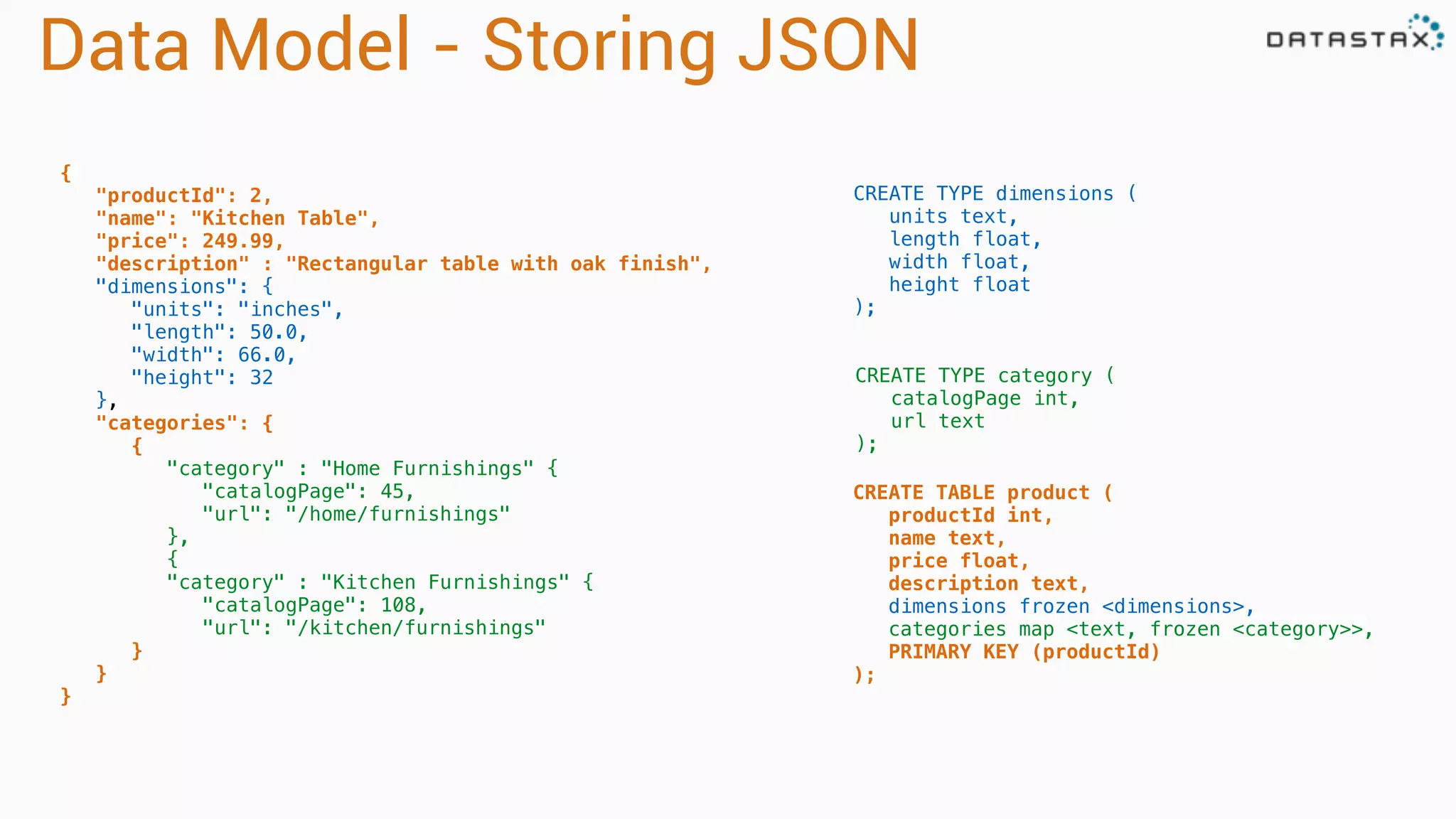
Data Model - Storing JSON
{
"productId": 2,
"name": "Kitchen Table",
"price": 249.99,
"description" : "Rectangular table with oak finish",
"dimensions": {
"units": "inches",
"length": 50.0,
"width": 66.0,
"height": 32
},
"categories": {
{
"category" : "Home Furnishings" {
"catalogPage": 45,
"url": "/home/furnishings"
},
{
"category" : "Kitchen Furnishings" {
"catalogPage": 108,
"url": "/kitchen/furnishings"
}
}
}
CREATE TYPE dimensions (
units text,
length float,
width float,
height float
);
CREATE TYPE category (
catalogPage int,
url text
);
CREATE TABLE product (
productId int,
name text,
price float,
description text,
dimensions frozen <dimensions>,
categories map <text, frozen <category>>,
PRIMARY KEY (productId)
);
Why…
Cassandra for Time Series?
Spark as a great addition to Cassandra?
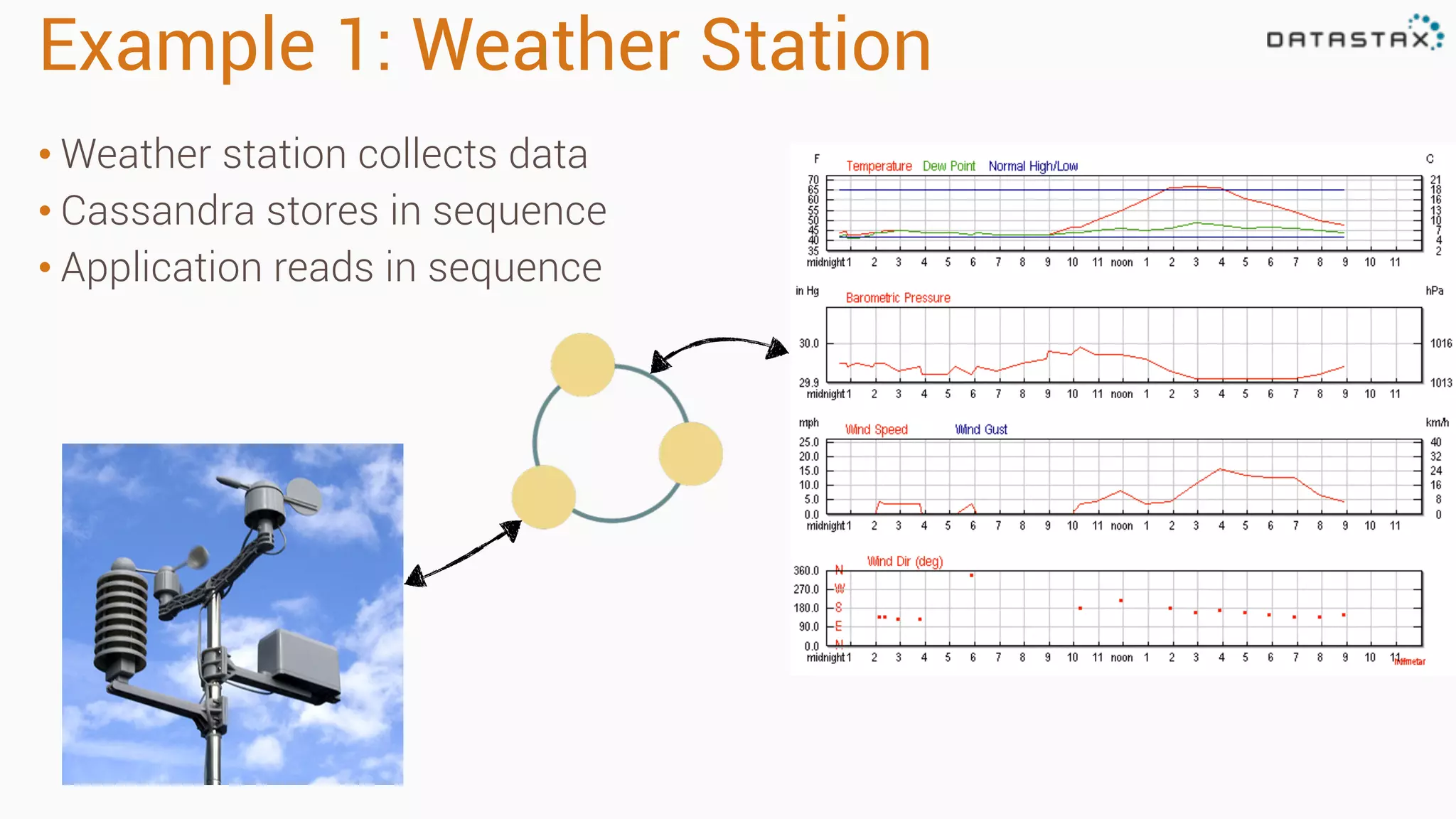
Example 1: Weather Station
• Weather station collects data
• Cassandra stores in sequence
• Application reads in sequence
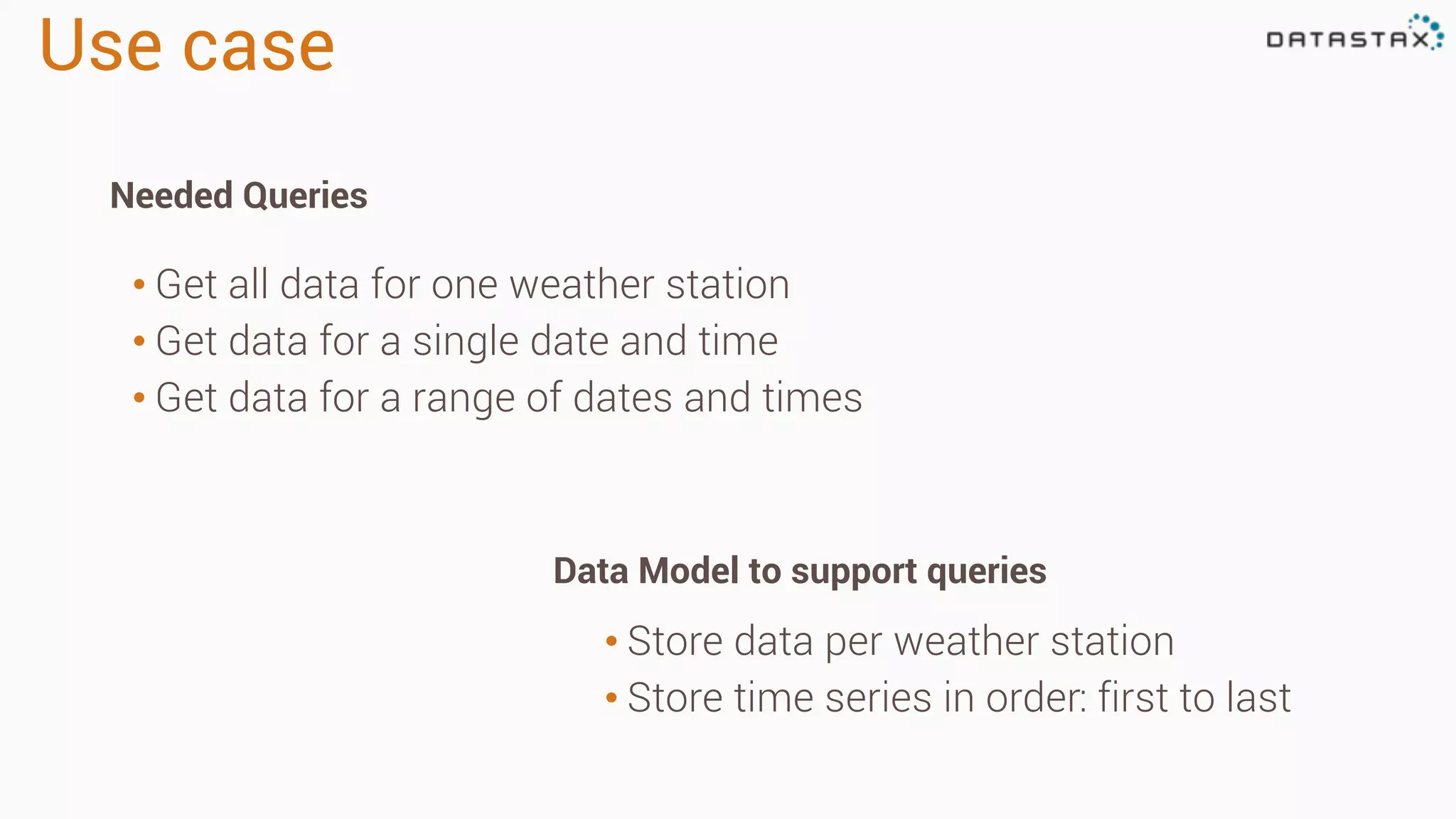
Use case
• Store data per weather station
• Store time series in order: first to last
• Get all data for one weather station
• Get data for a single date and time
• Get data for a range of dates and times
Needed Queries
Data Model to support queries
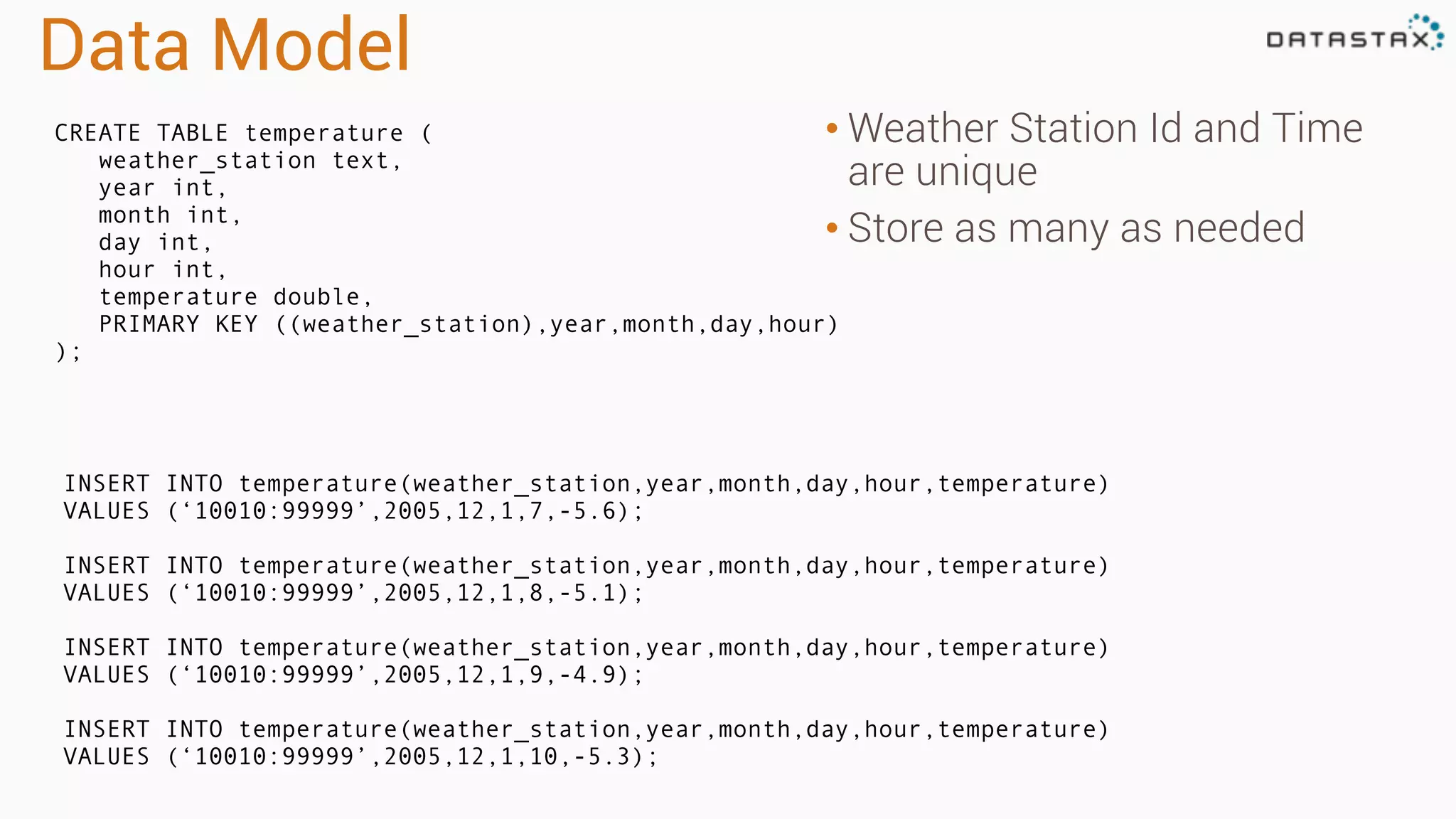
Data Model
• Weather Station Id and Time
are unique
• Store as many as needed
CREATE TABLE temperature (
weather_station text,
year int,
month int,
day int,
hour int,
temperature double,
PRIMARY KEY ((weather_station),year,month,day,hour)
);
INSERT INTO temperature(weather_station,year,month,day,hour,temperature)
VALUES (‘10010:99999’,2005,12,1,7,-5.6);
INSERT INTO temperature(weather_station,year,month,day,hour,temperature)
VALUES (‘10010:99999’,2005,12,1,8,-5.1);
INSERT INTO temperature(weather_station,year,month,day,hour,temperature)
VALUES (‘10010:99999’,2005,12,1,9,-4.9);
INSERT INTO temperature(weather_station,year,month,day,hour,temperature)
VALUES (‘10010:99999’,2005,12,1,10,-5.3);
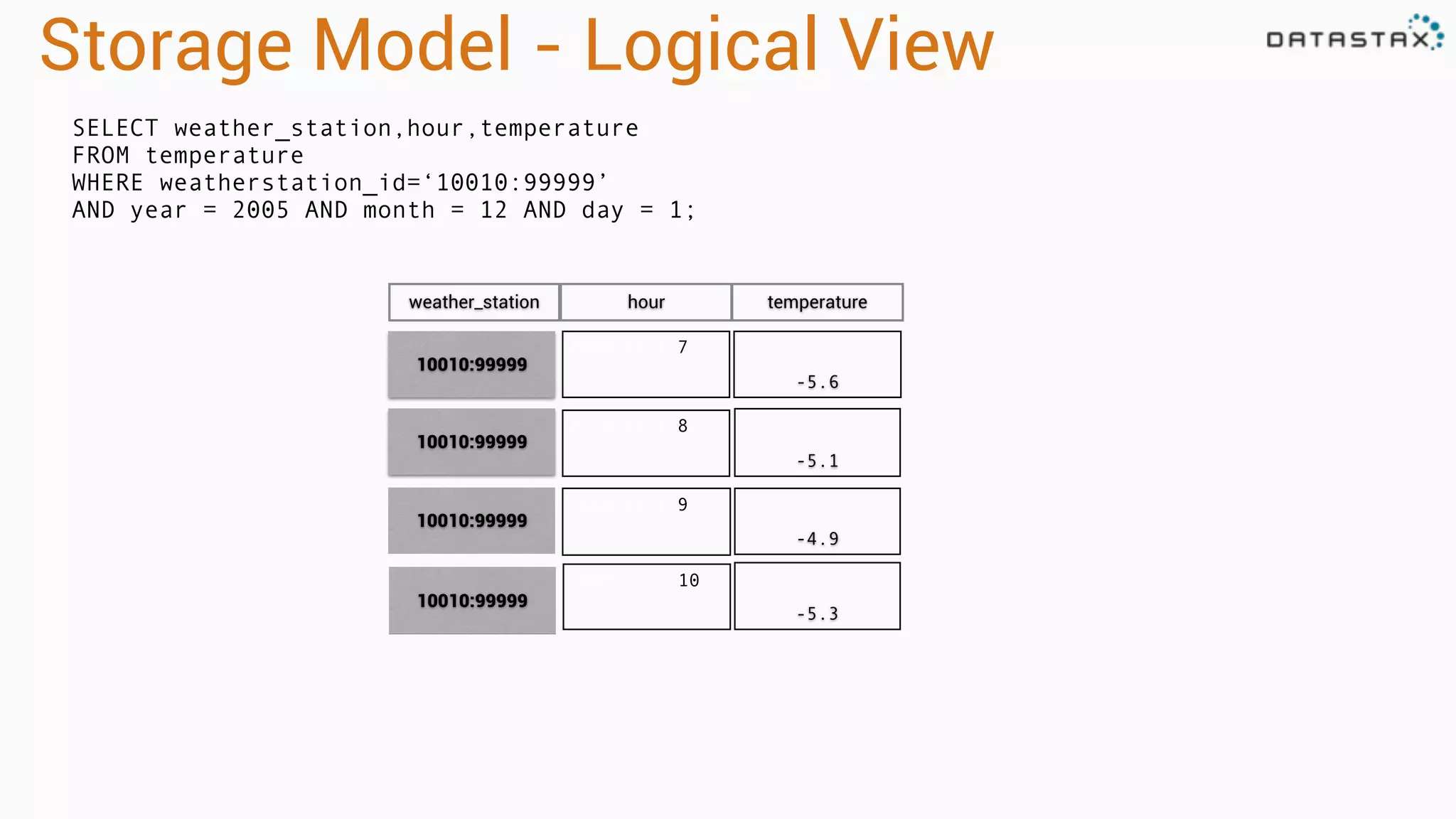
Storage Model - Logical View
2005:12:1:7
-5.6
2005:12:1:8
-5.1
2005:12:1:9
-4.9
SELECT weather_station,hour,temperature
FROM temperature
WHERE weatherstation_id=‘10010:99999’
AND year = 2005 AND month = 12 AND day = 1;
10010:99999
10010:99999
10010:99999
weather_station hour temperature
2005:12:1:10
-5.3
10010:99999
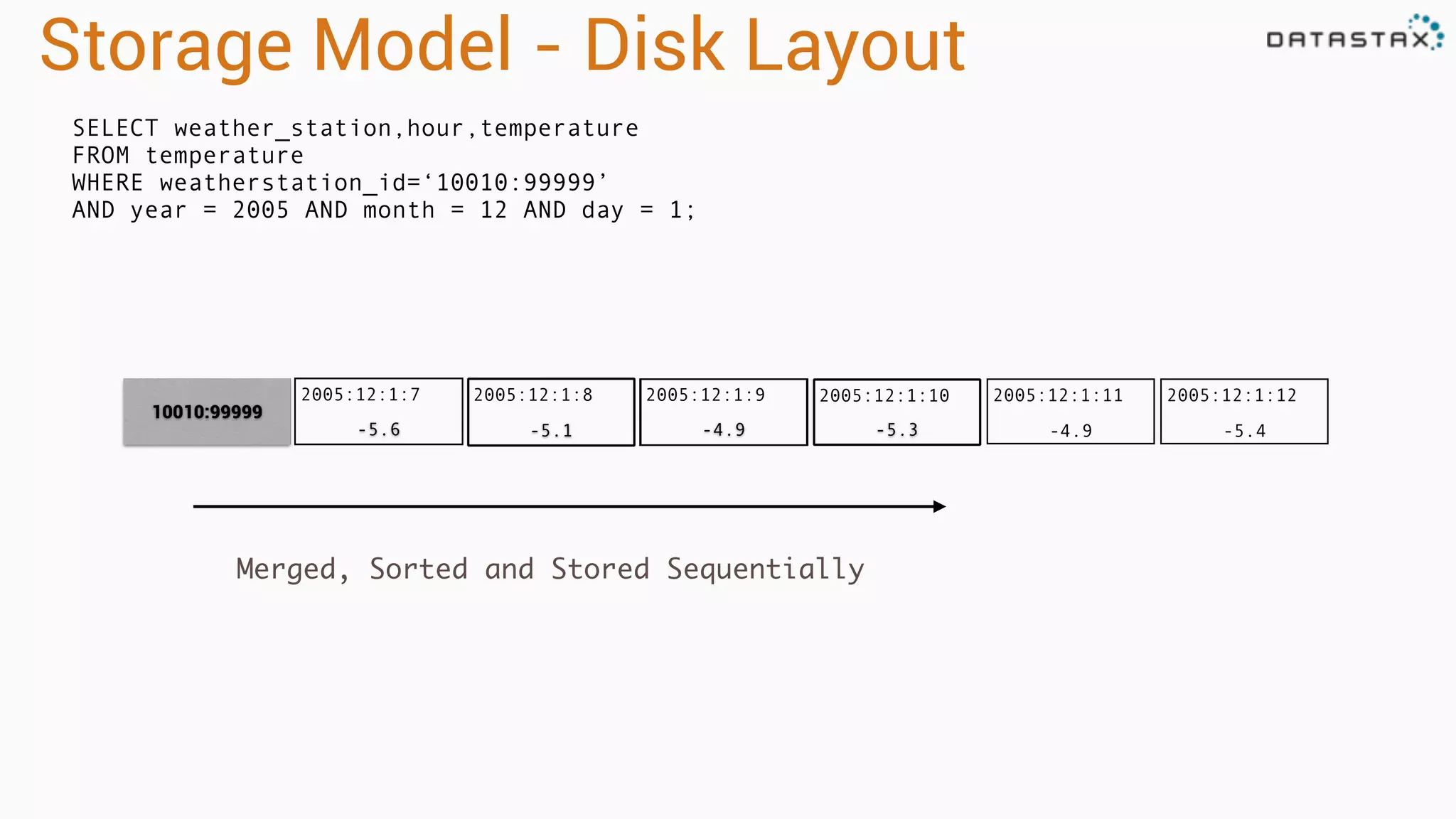
2005:12:1:12
-5.4
2005:12:1:11
-4.9-5.3-4.9-5.1
2005:12:1:7
-5.6
Storage Model - Disk Layout
2005:12:1:8 2005:12:1:9
10010:99999
2005:12:1:10
Merged, Sorted and Stored Sequentially
SELECT weather_station,hour,temperature
FROM temperature
WHERE weatherstation_id=‘10010:99999’
AND year = 2005 AND month = 12 AND day = 1;
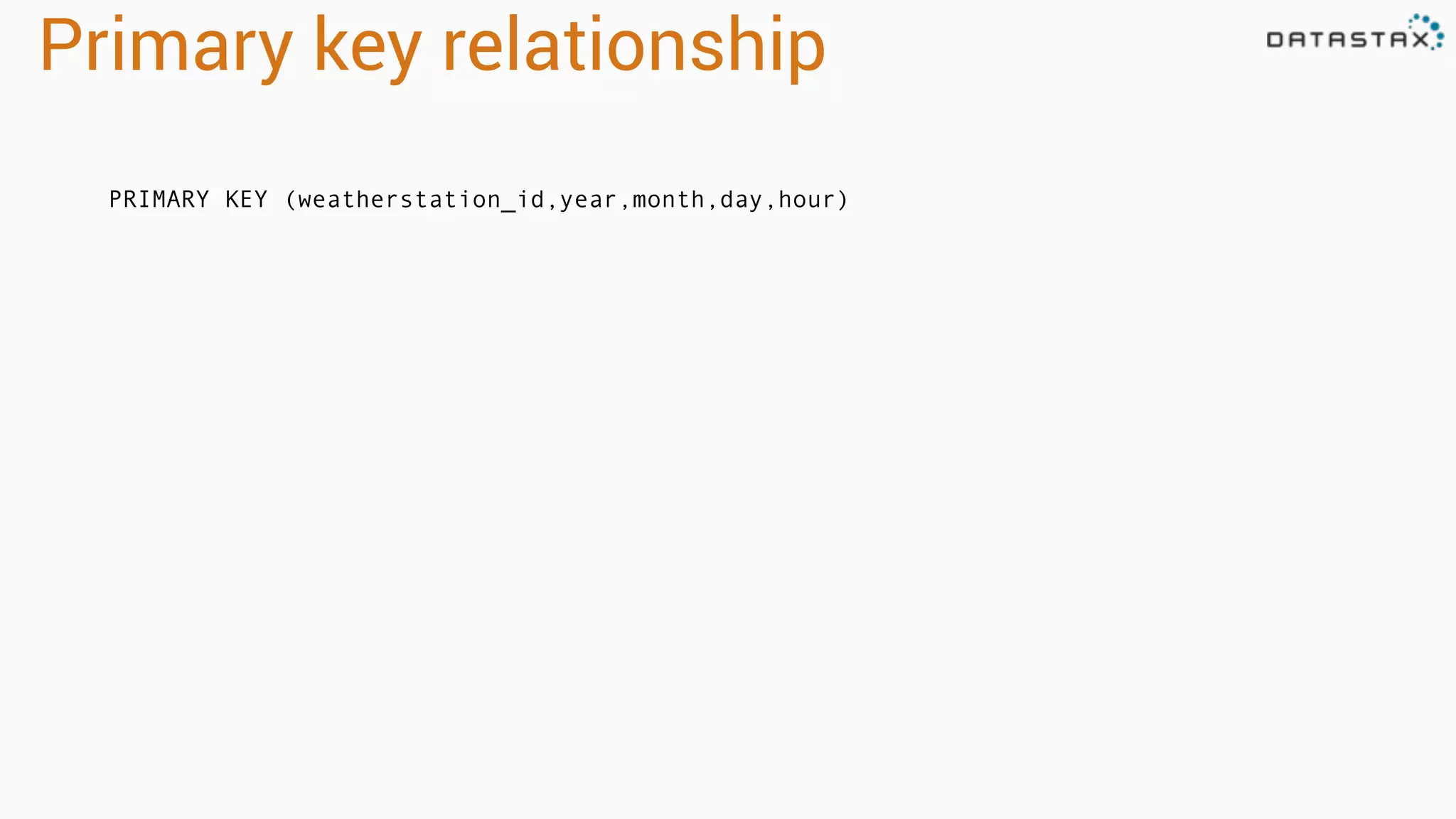
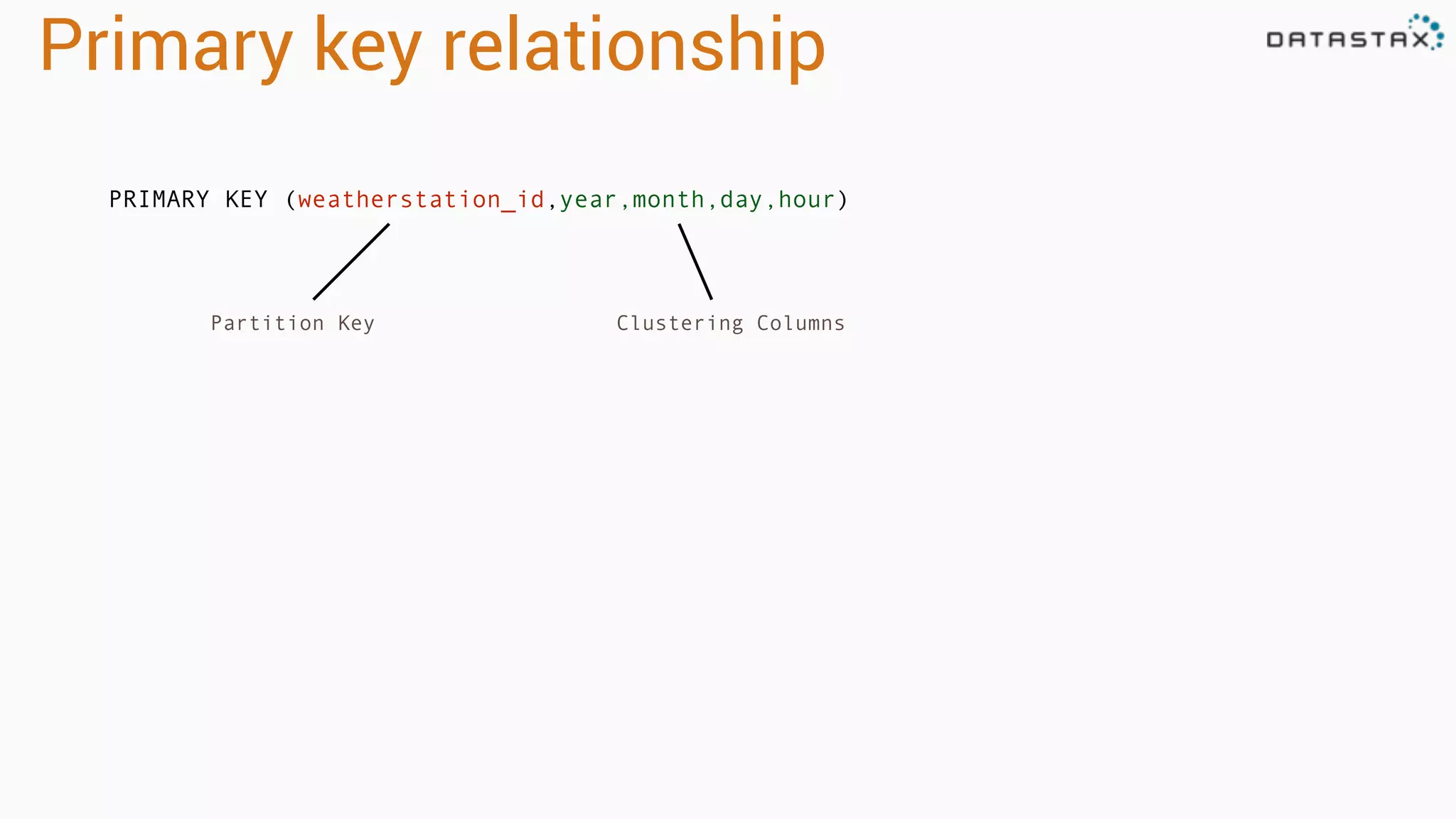
Primary key relationship
PRIMARY KEY (weatherstation_id,year,month,day,hour)
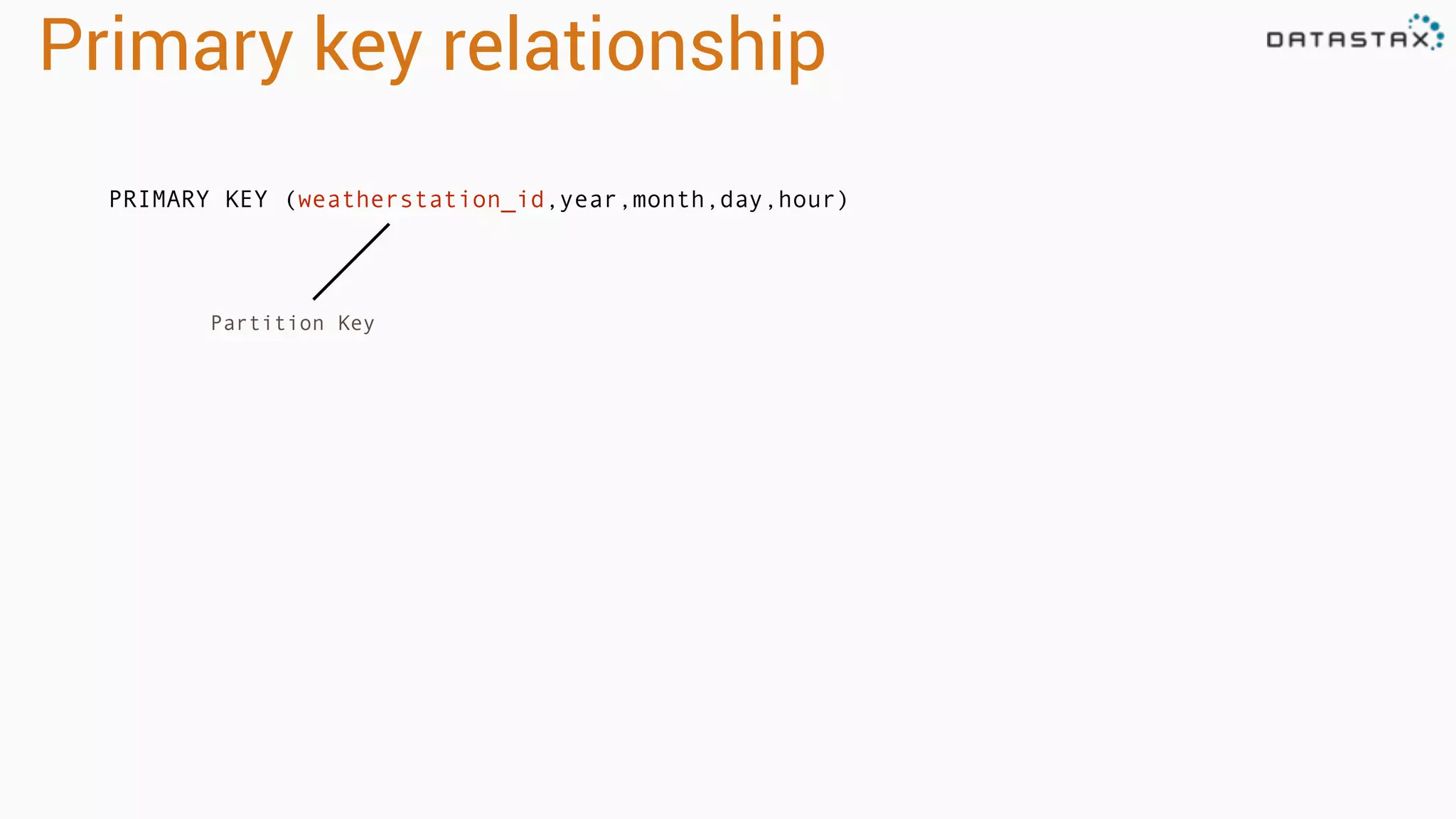
Primary key relationship
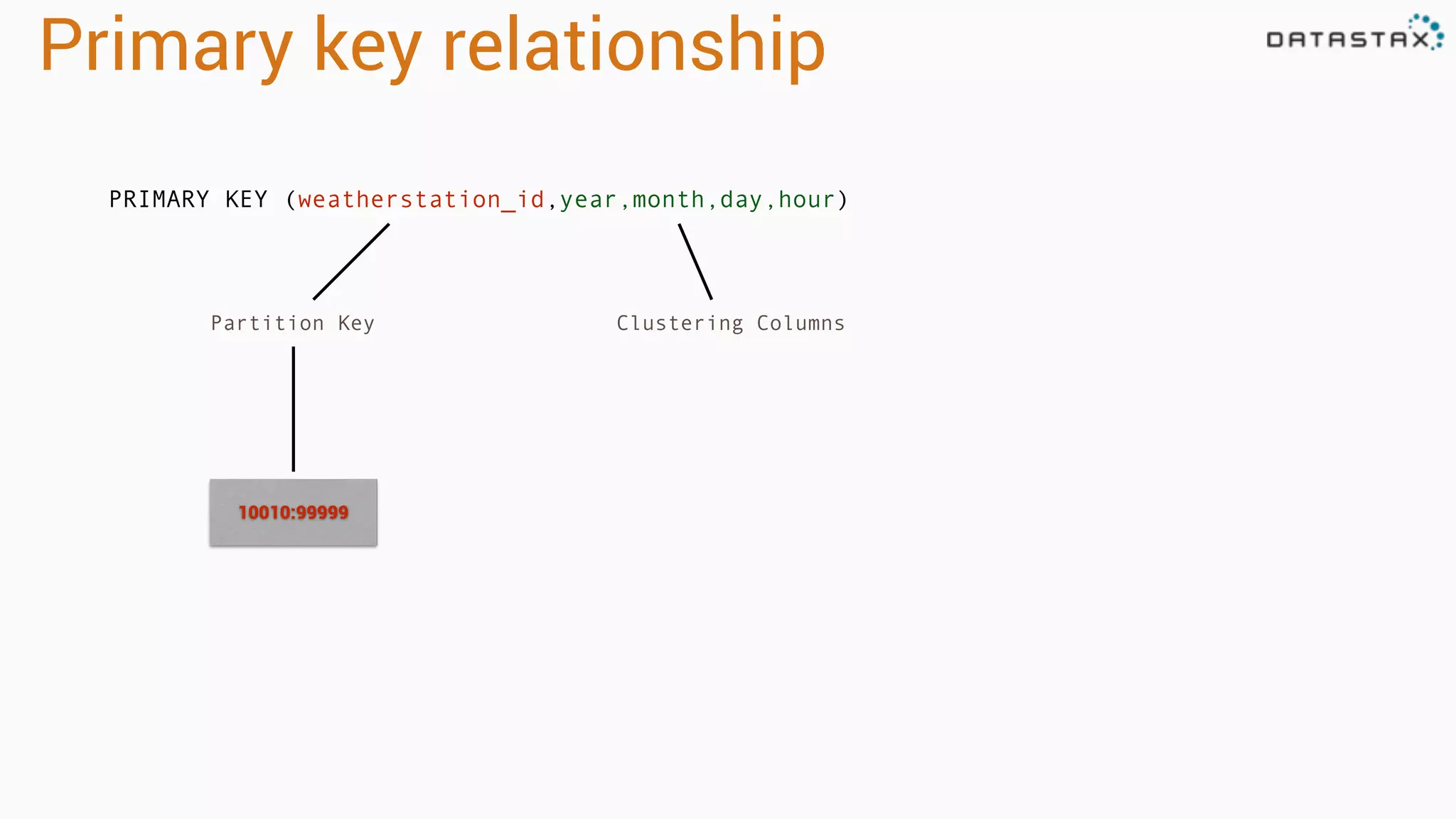
PRIMARY KEY (weatherstation_id,year,month,day,hour)
Partition Key
Primary key relationship
PRIMARY KEY (weatherstation_id,year,month,day,hour)
Partition Key Clustering Columns
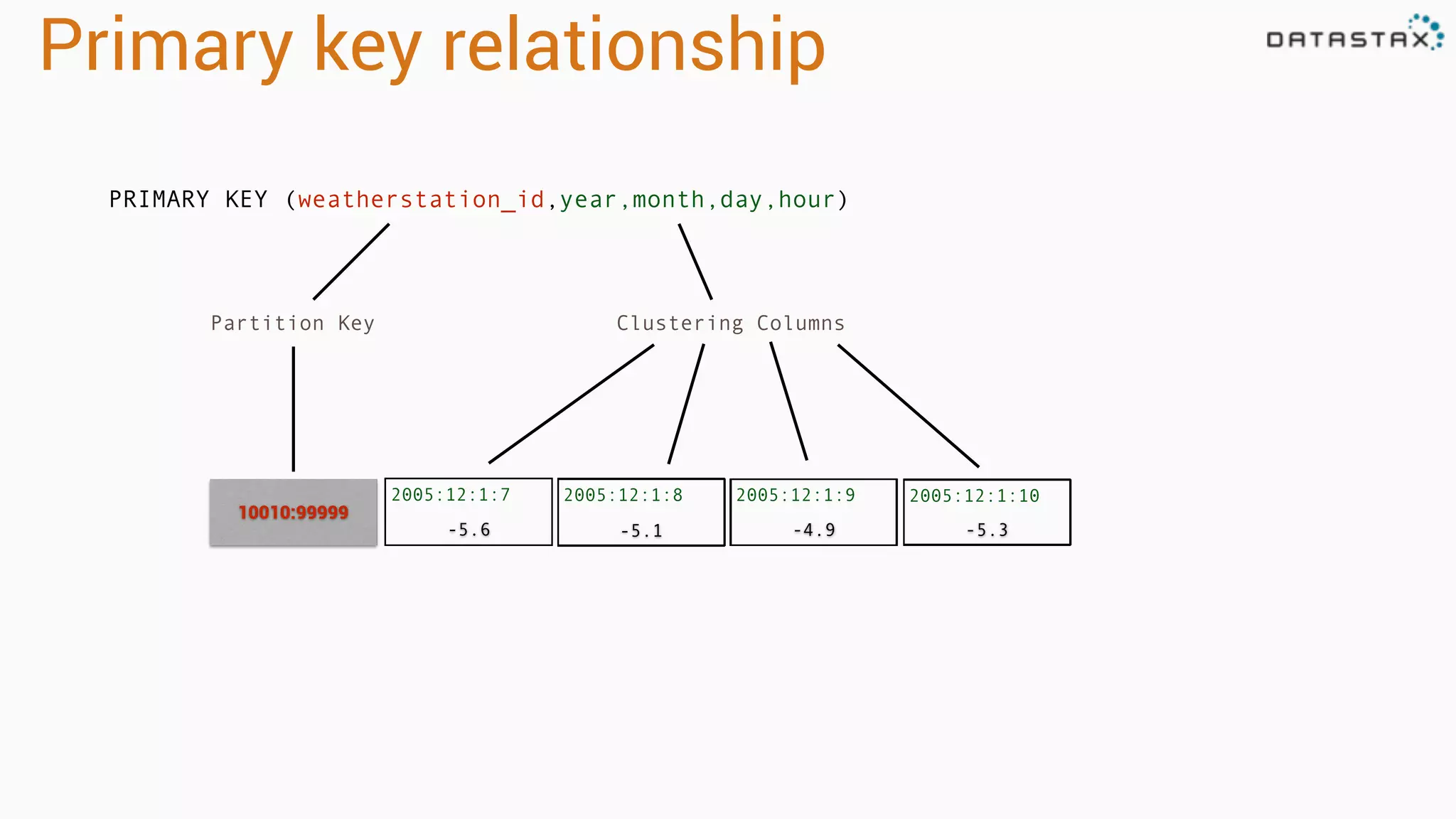
Primary key relationship
PRIMARY KEY (weatherstation_id,year,month,day,hour)
Partition Key Clustering Columns
10010:99999
2005:12:1:7
-5.6
Primary key relationship
PRIMARY KEY (weatherstation_id,year,month,day,hour)
Partition Key Clustering Columns
10010:99999
-5.3-4.9-5.1
2005:12:1:8 2005:12:1:9 2005:12:1:10
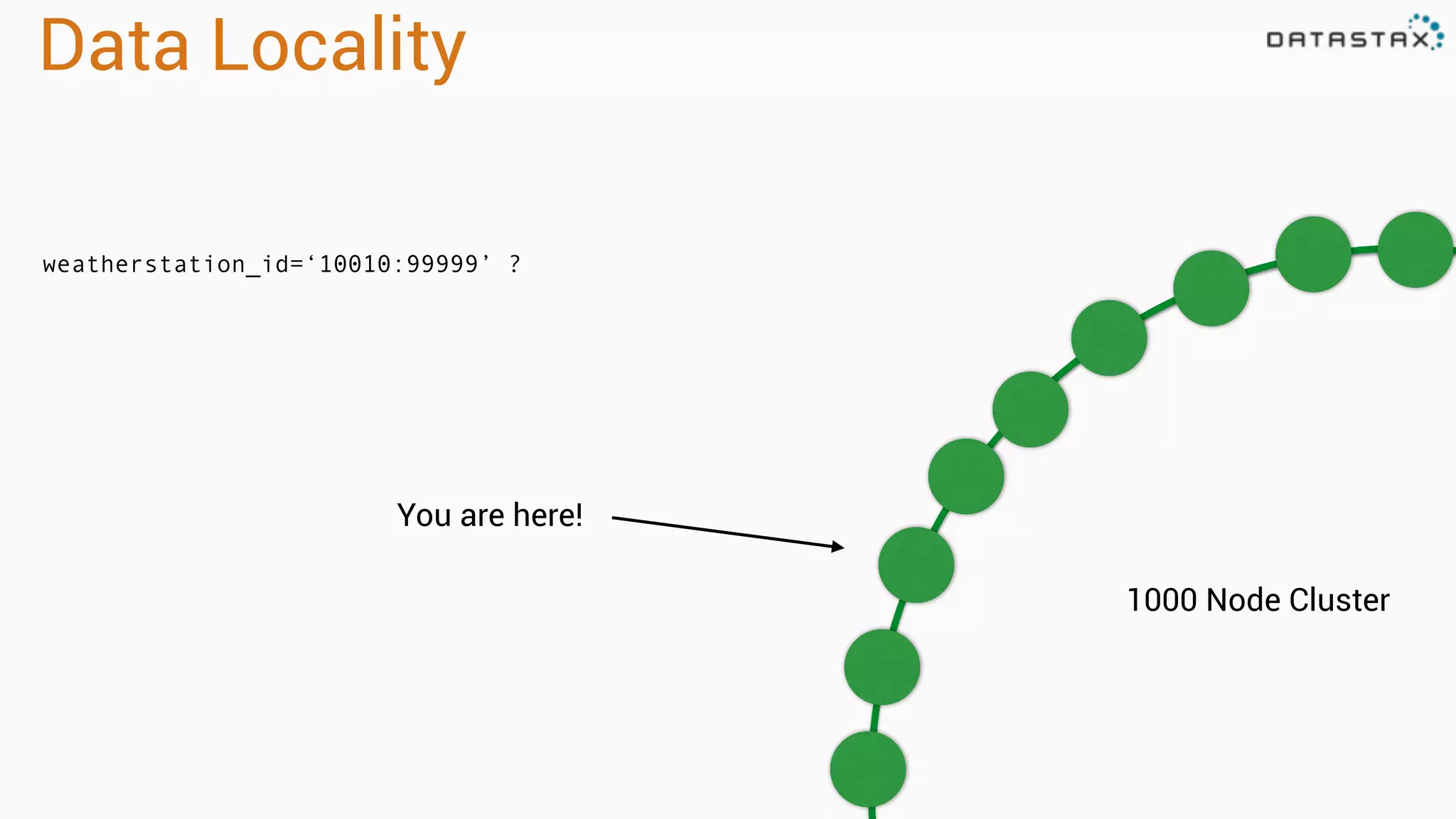
Data Locality
weatherstation_id=‘10010:99999’ ?
1000 Node Cluster
You are here!
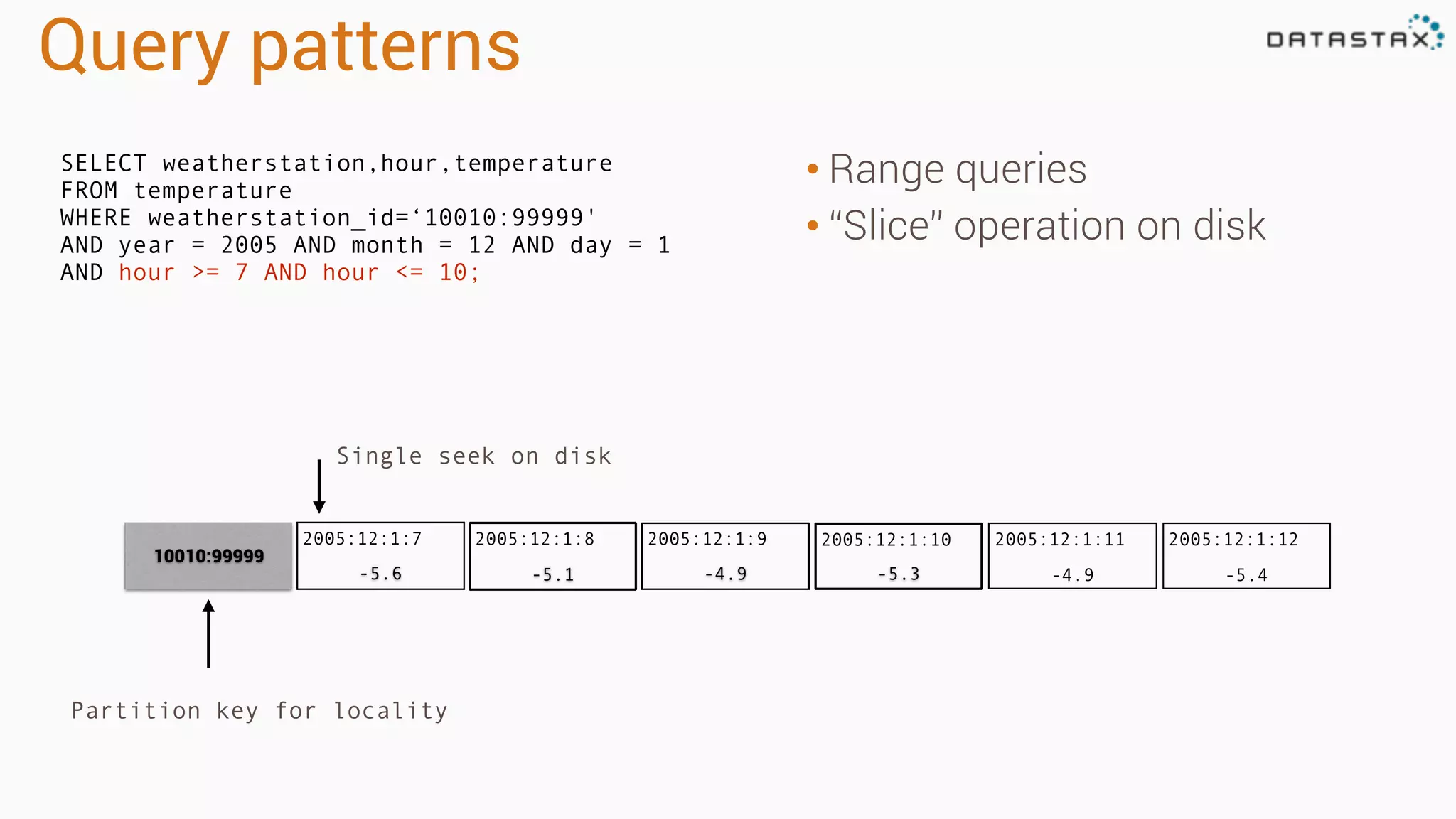
Query patterns
• Range queries
• “Slice” operation on disk
SELECT weatherstation,hour,temperature
FROM temperature
WHERE weatherstation_id=‘10010:99999'
AND year = 2005 AND month = 12 AND day = 1
AND hour >= 7 AND hour <= 10;
Single seek on disk
2005:12:1:12
-5.4
2005:12:1:11
-4.9-5.3-4.9-5.1
2005:12:1:7
-5.6
2005:12:1:8 2005:12:1:9
10010:99999
2005:12:1:10
Partition key for locality
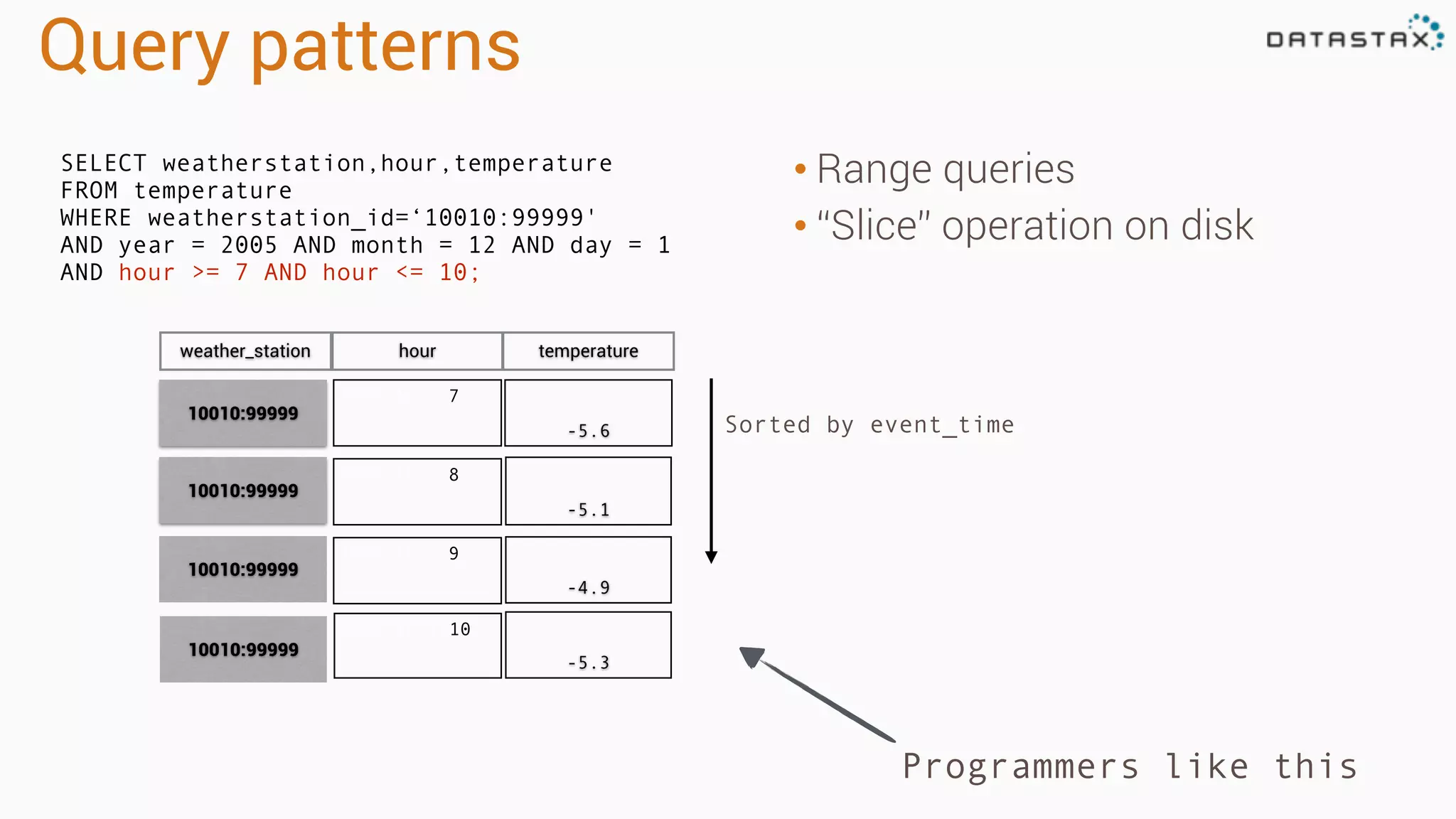
Query patterns
• Range queries
• “Slice” operation on disk
Programmers like this
Sorted by event_time
2005:12:1:7
-5.6
2005:12:1:8
-5.1
2005:12:1:9
-4.9
10010:99999
10010:99999
10010:99999
weather_station hour temperature
2005:12:1:10
-5.3
10010:99999
SELECT weatherstation,hour,temperature
FROM temperature
WHERE weatherstation_id=‘10010:99999'
AND year = 2005 AND month = 12 AND day = 1
AND hour >= 7 AND hour <= 10;
Apache Spark
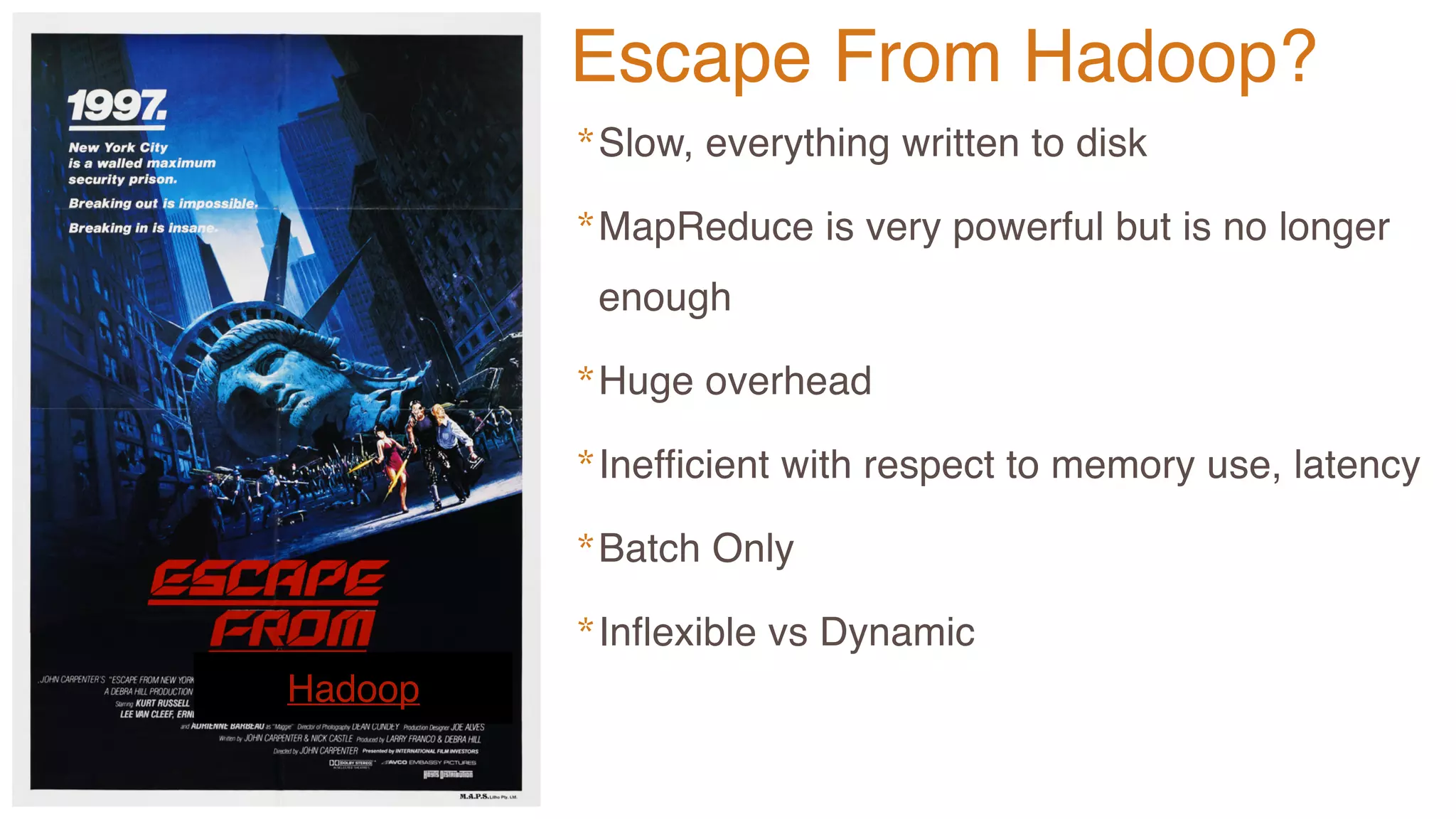
Hadoop
*Slow, everything written to disk
*MapReduce is very powerful but is no longer
enough
*Huge overhead
*Inefficient with respect to memory use, latency
*Batch Only
*Inflexible vs Dynamic
Escape From Hadoop?
Analytic
Analytic
Search
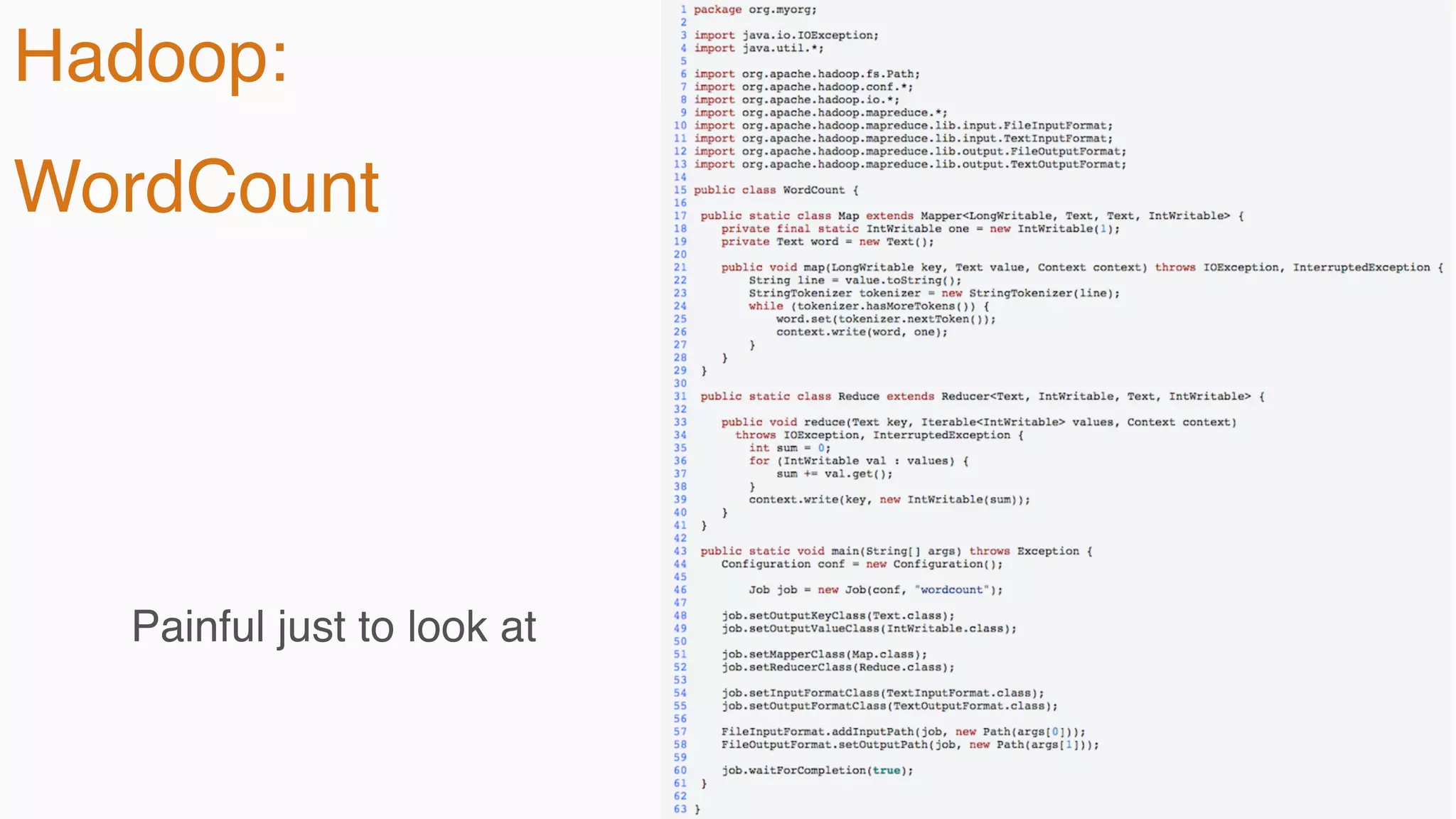
Hadoop:
WordCount
Painful just to look at
Analytic
Analytic
Search
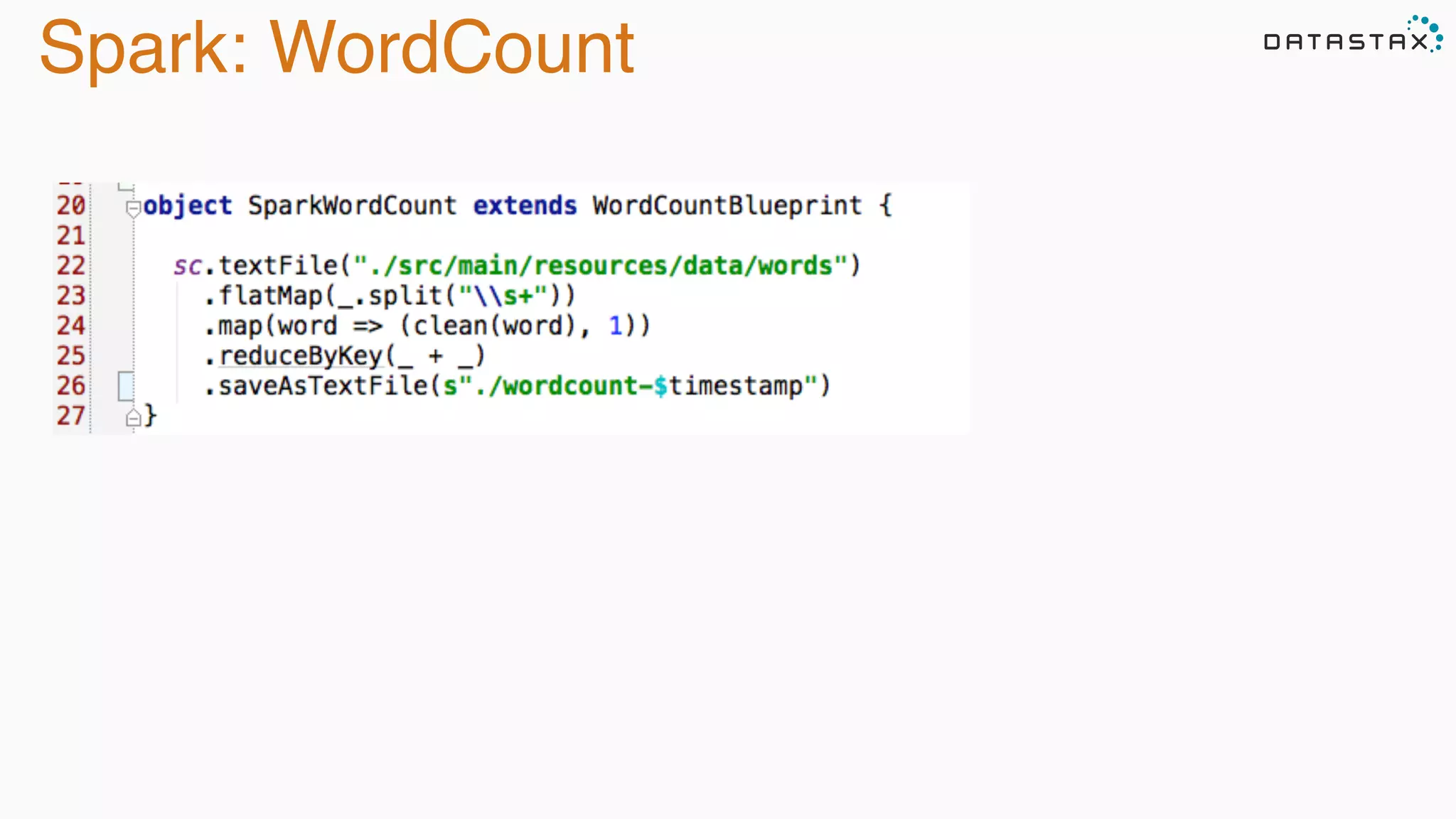
Spark: WordCount
Analytic
Analytic
Search
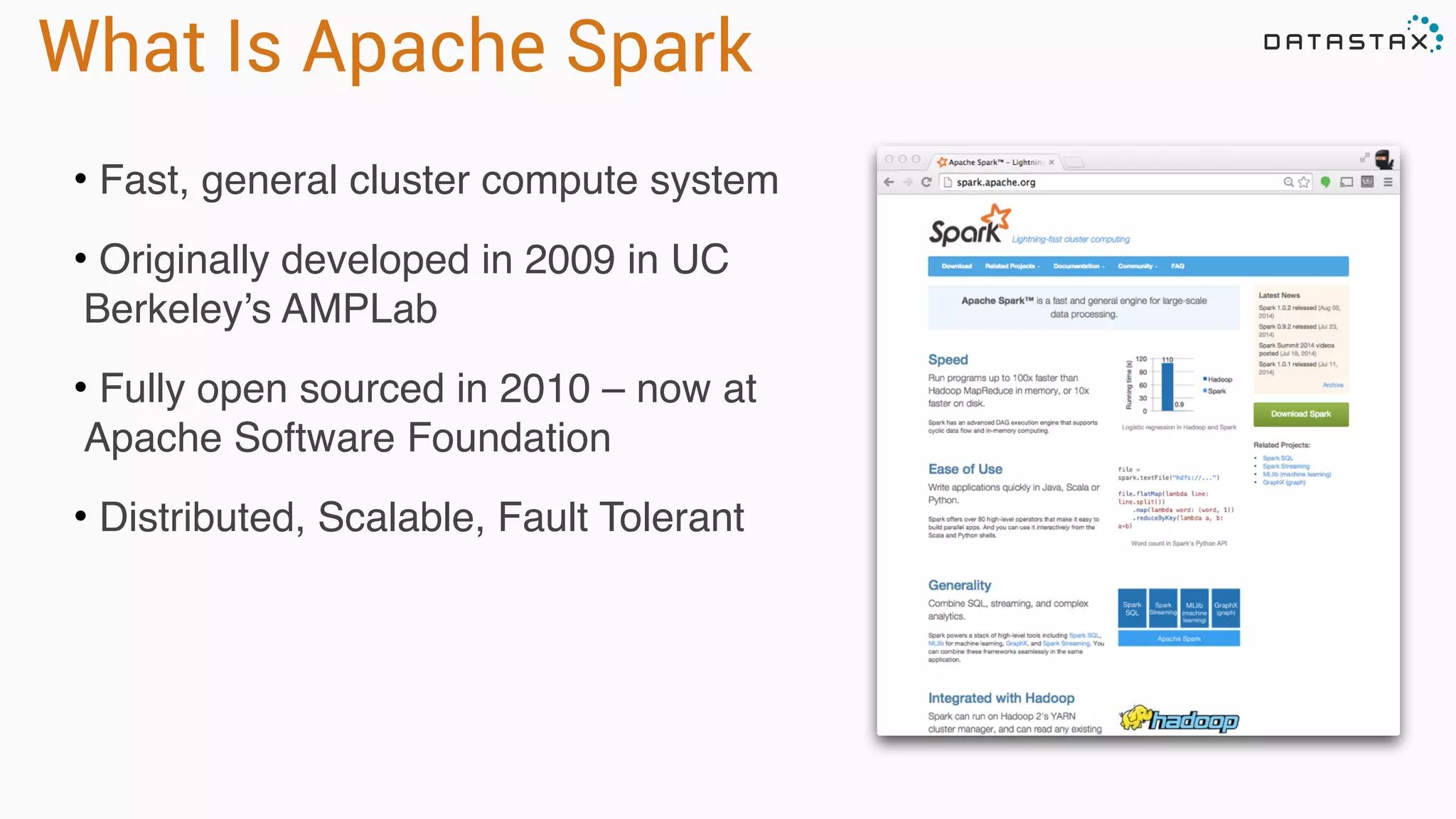
• Fast, general cluster compute system
• Originally developed in 2009 in UC
Berkeley’s AMPLab
• Fully open sourced in 2010 – now at
Apache Software Foundation
• Distributed, Scalable, Fault Tolerant
What Is Apache Spark
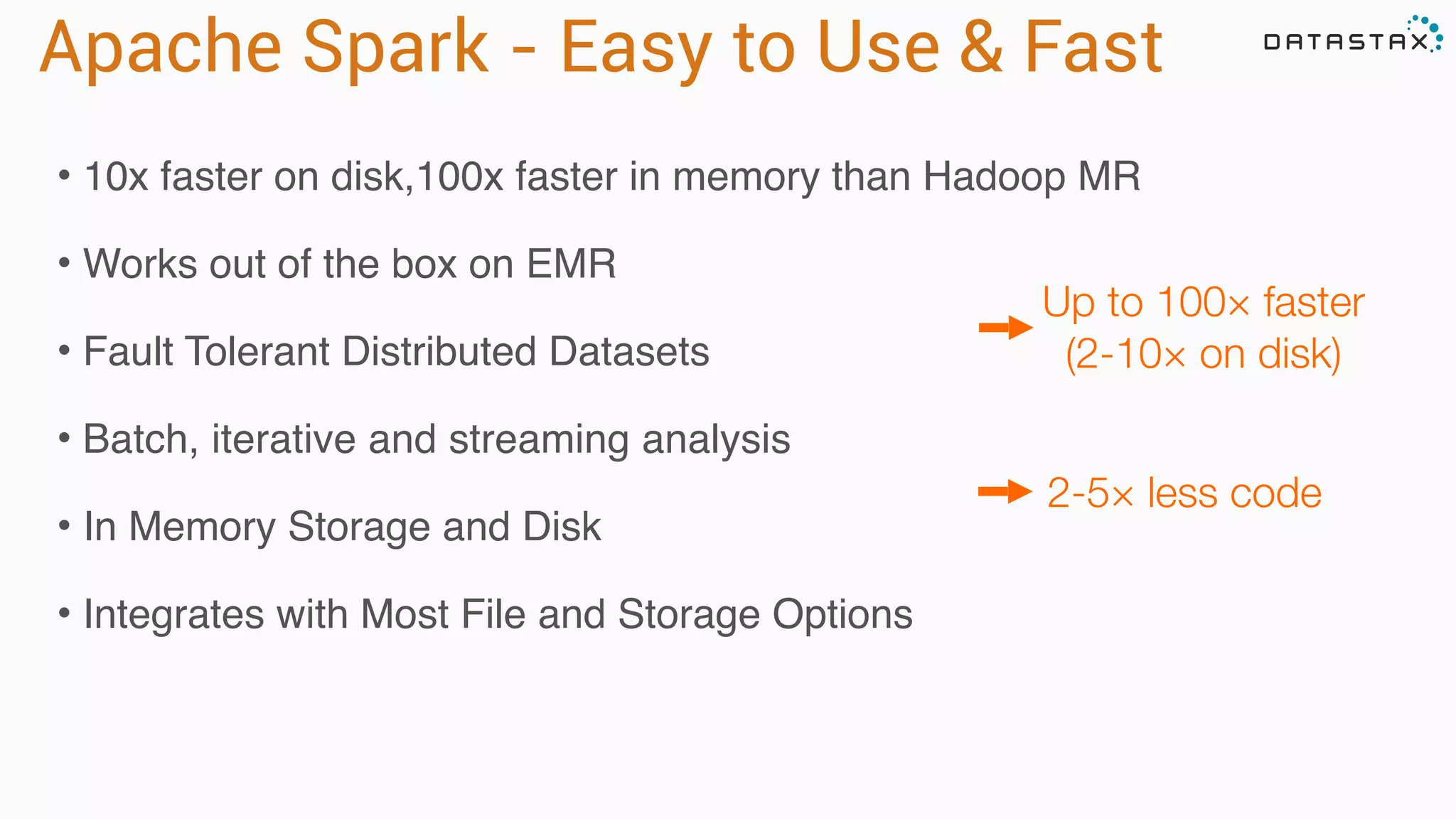
Apache Spark - Easy to Use & Fast
• 10x faster on disk,100x faster in memory than Hadoop MR
• Works out of the box on EMR
• Fault Tolerant Distributed Datasets
• Batch, iterative and streaming analysis
• In Memory Storage and Disk
• Integrates with Most File and Storage Options
Analytic
Analytic
Search
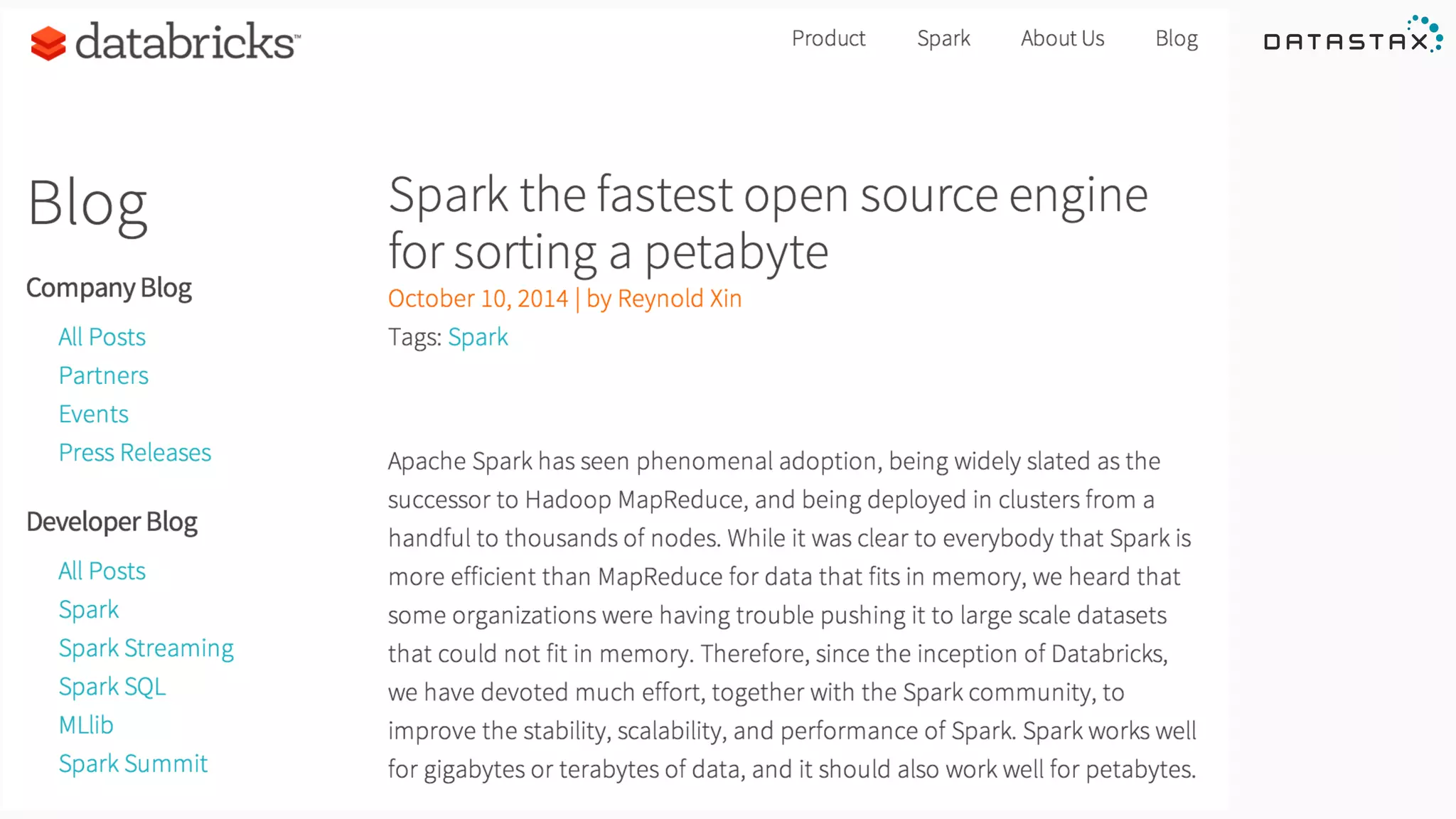
Up to 100× faster
(2-10× on disk)
2-5× less code
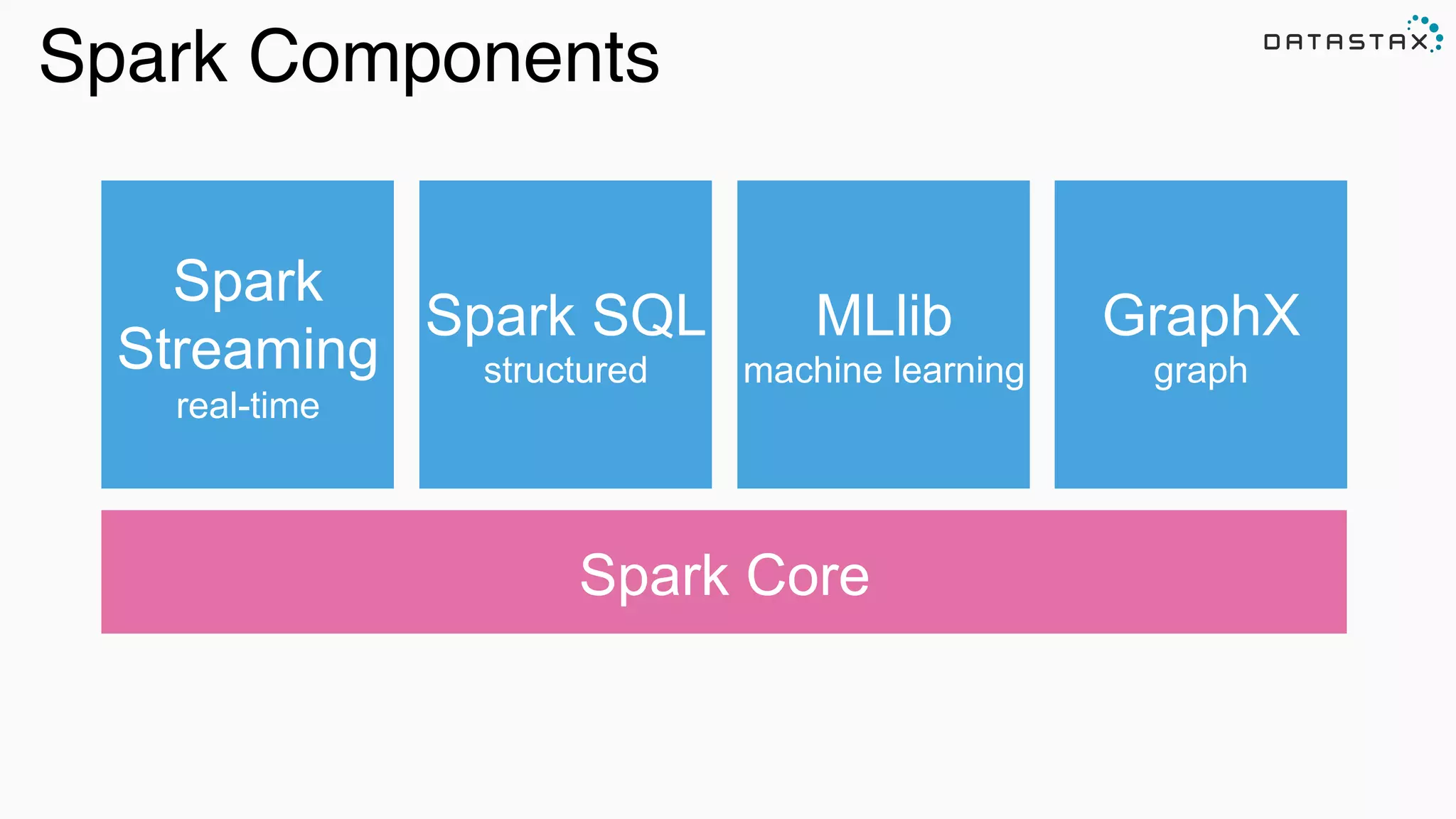
Spark Components
Spark Core
Spark SQL
structured
Spark
Streaming
real-time
MLlib
machine learning
GraphX
graph
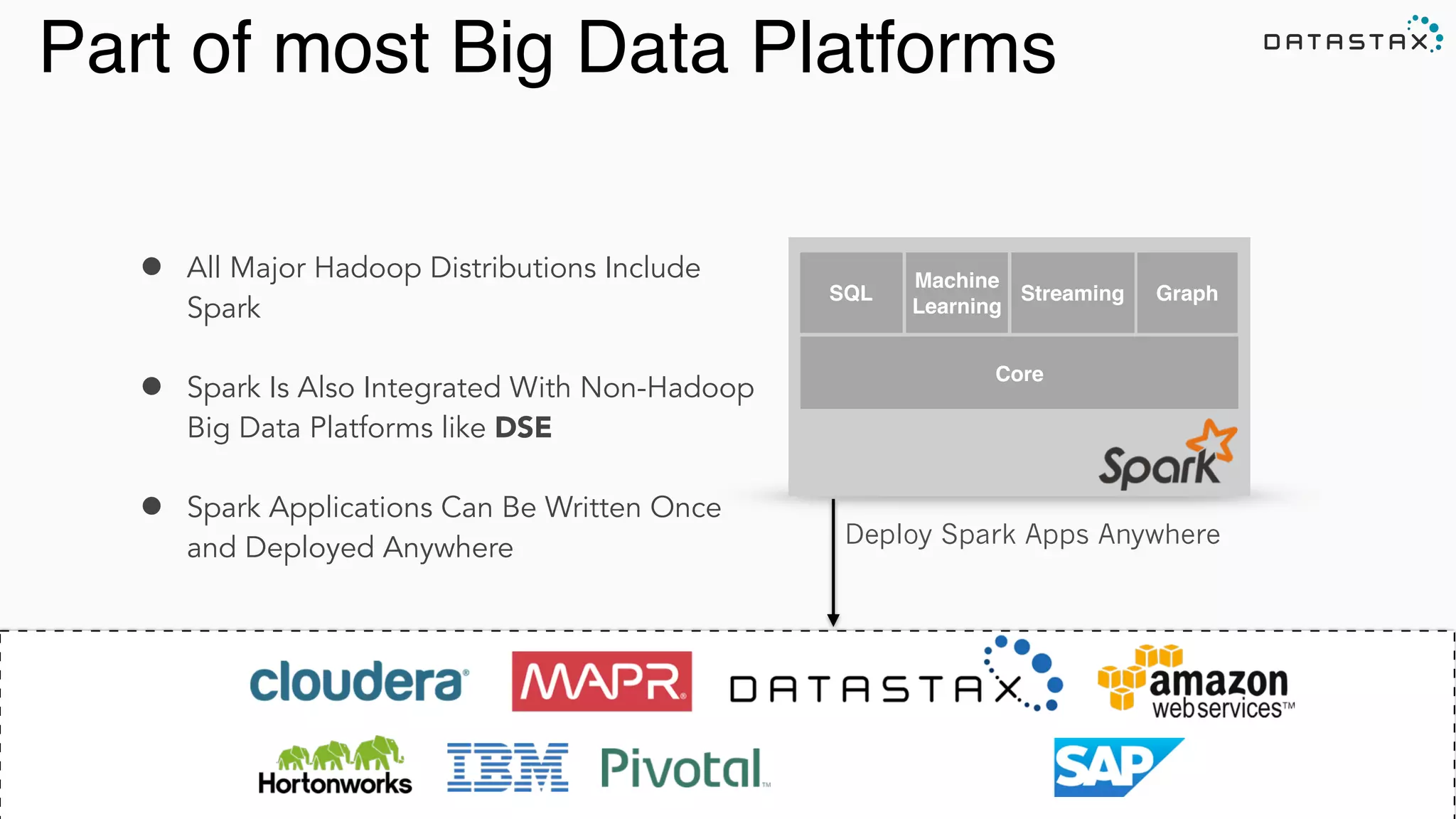
Part of most Big Data Platforms
Analytic
Search
• All Major Hadoop Distributions Include
Spark
• Spark Is Also Integrated With Non-Hadoop
Big Data Platforms like DSE
• Spark Applications Can Be Written Once
and Deployed Anywhere
SQL
Machine
Learning
Streaming Graph
Core
Deploy Spark Apps Anywhere
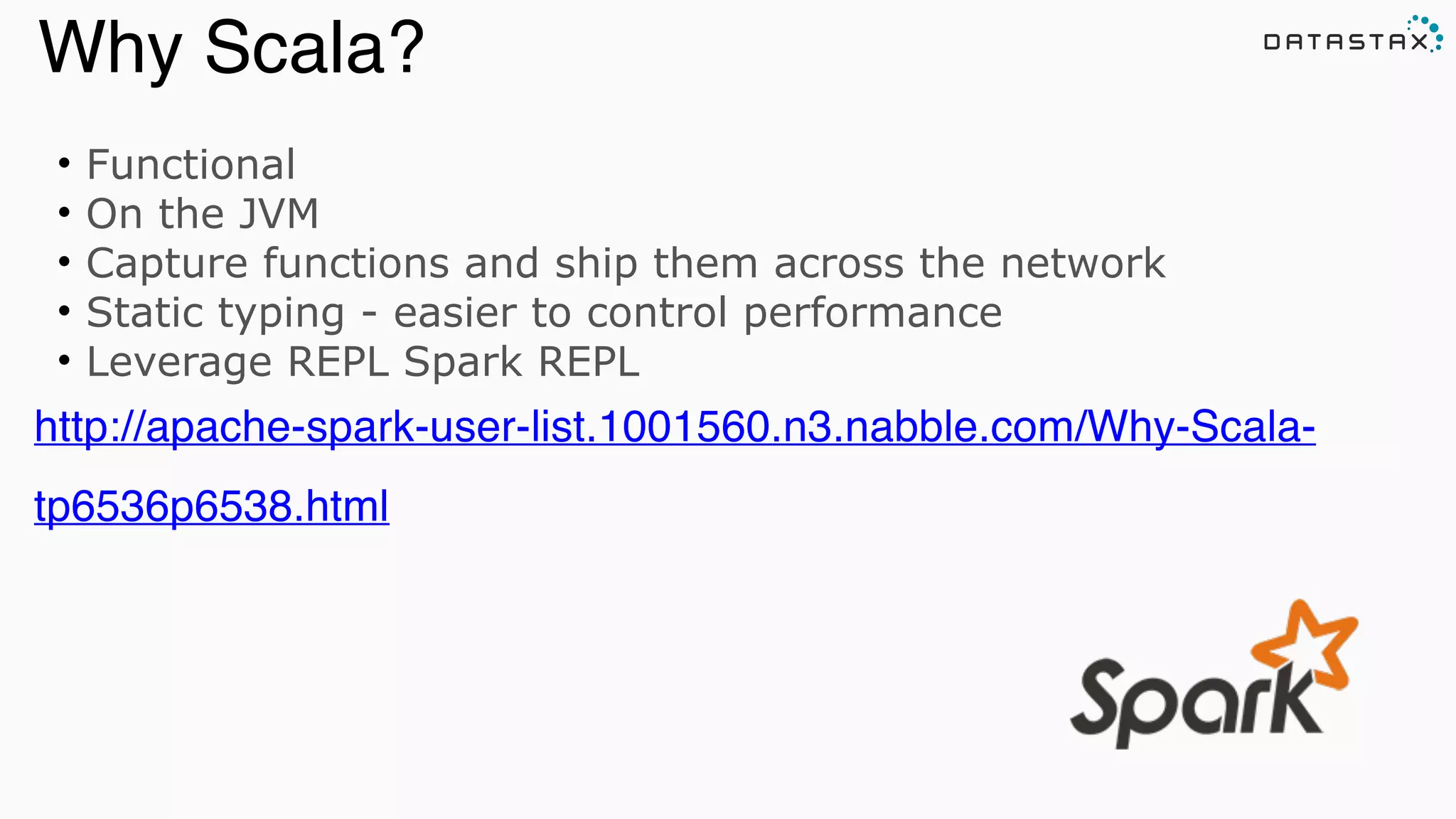
• Functional
• On the JVM
• Capture functions and ship them across the network
• Static typing - easier to control performance
• Leverage REPL Spark REPL
http://apache-spark-user-list.1001560.n3.nabble.com/Why-Scala-
tp6536p6538.html
Analytic
Analytic
Search
Why Scala?
• Like Collections API over large datasets
• Functional programming model
• Scala, Java and Python APIs, with Closure DSL coming
• Stream processing
• Easily integrate SQL, streaming, and complex analytics
Analytic
Analytic
Search
Intuitive Clean API
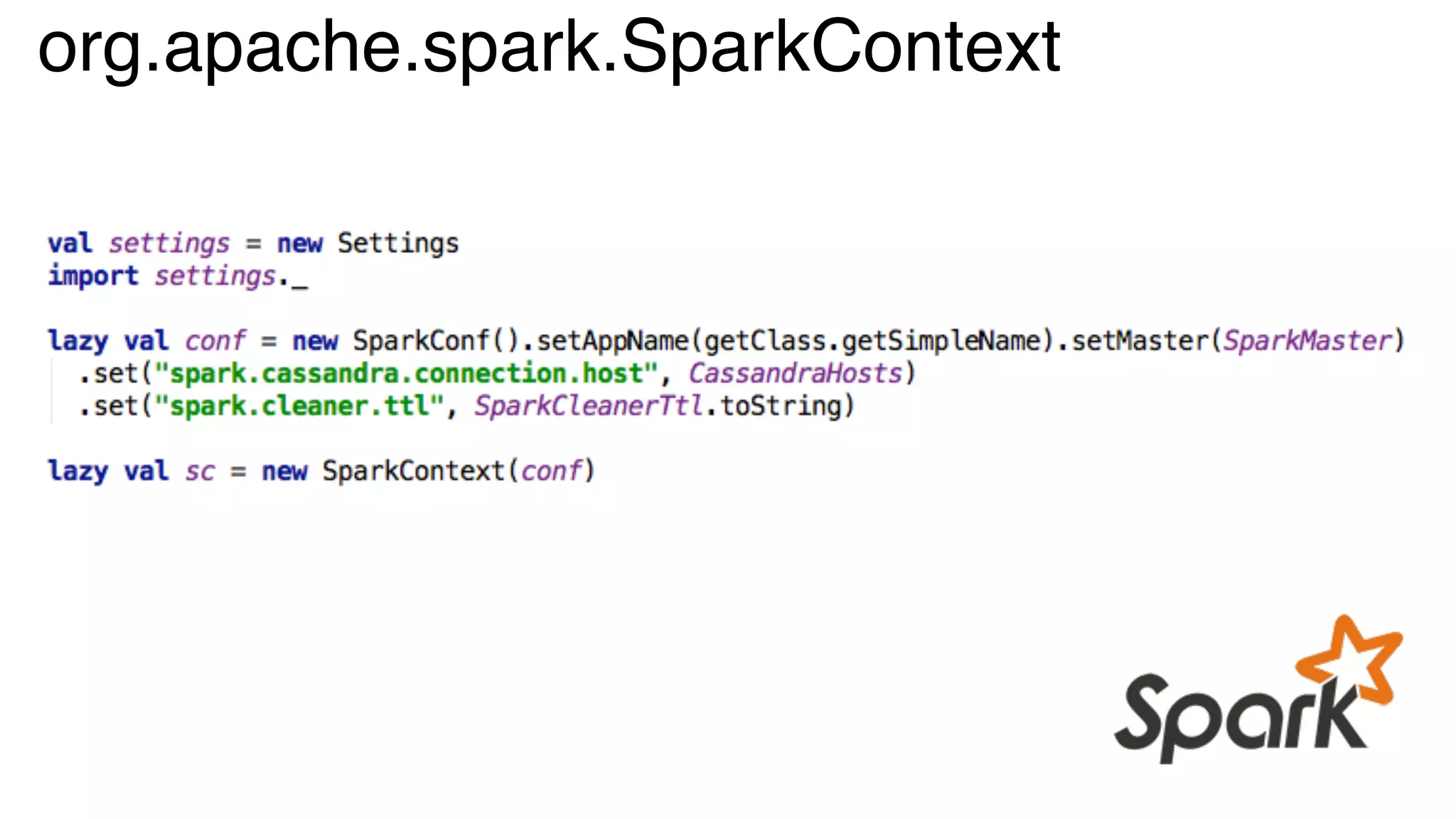
org.apache.spark.SparkContext
org.apache.spark.rdd.RDD
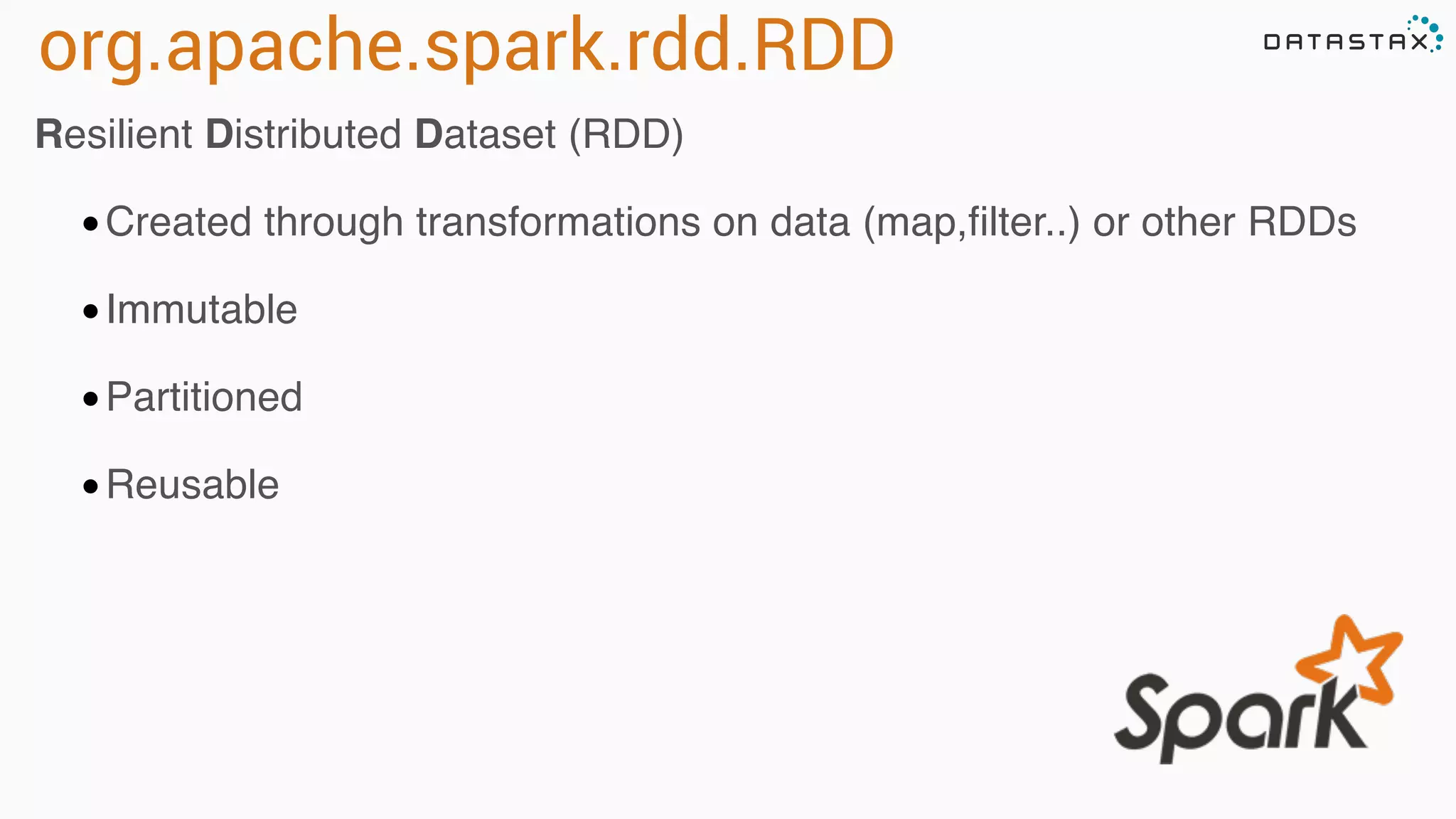
Resilient Distributed Dataset (RDD)
•Created through transformations on data (map,filter..) or other RDDs
•Immutable
•Partitioned
•Reusable
RDD Operations
•Transformations - Similar to scala collections API
•Produce new RDDs
•filter, flatmap, map, distinct, groupBy, union, zip,
reduceByKey, subtract
•Actions
•Require materialization of the records to generate a value
•collect: Array[T], count, fold, reduce..
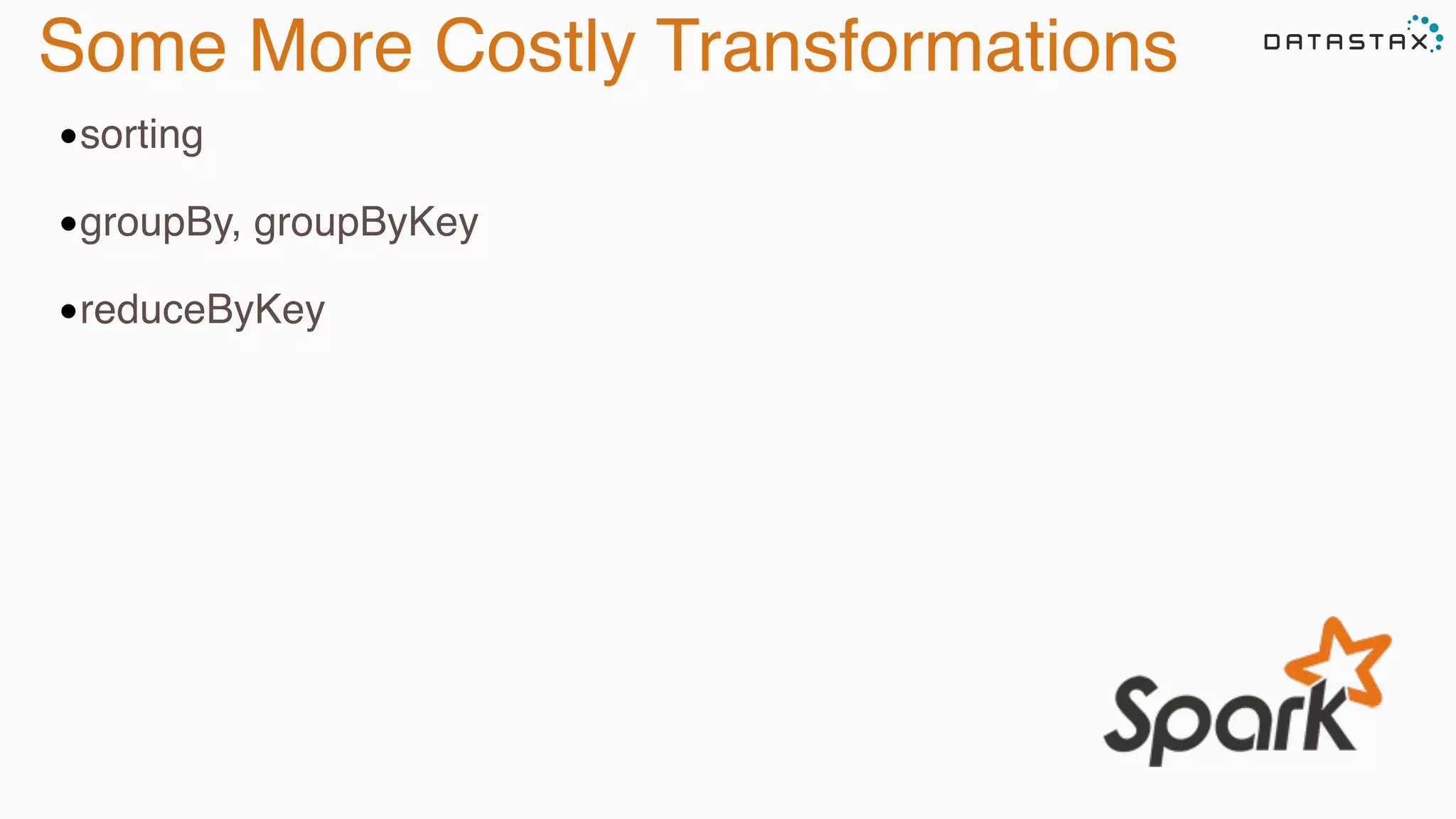
Some More Costly Transformations
•sorting
•groupBy, groupByKey
•reduceByKey
Analytic
Analytic
Search
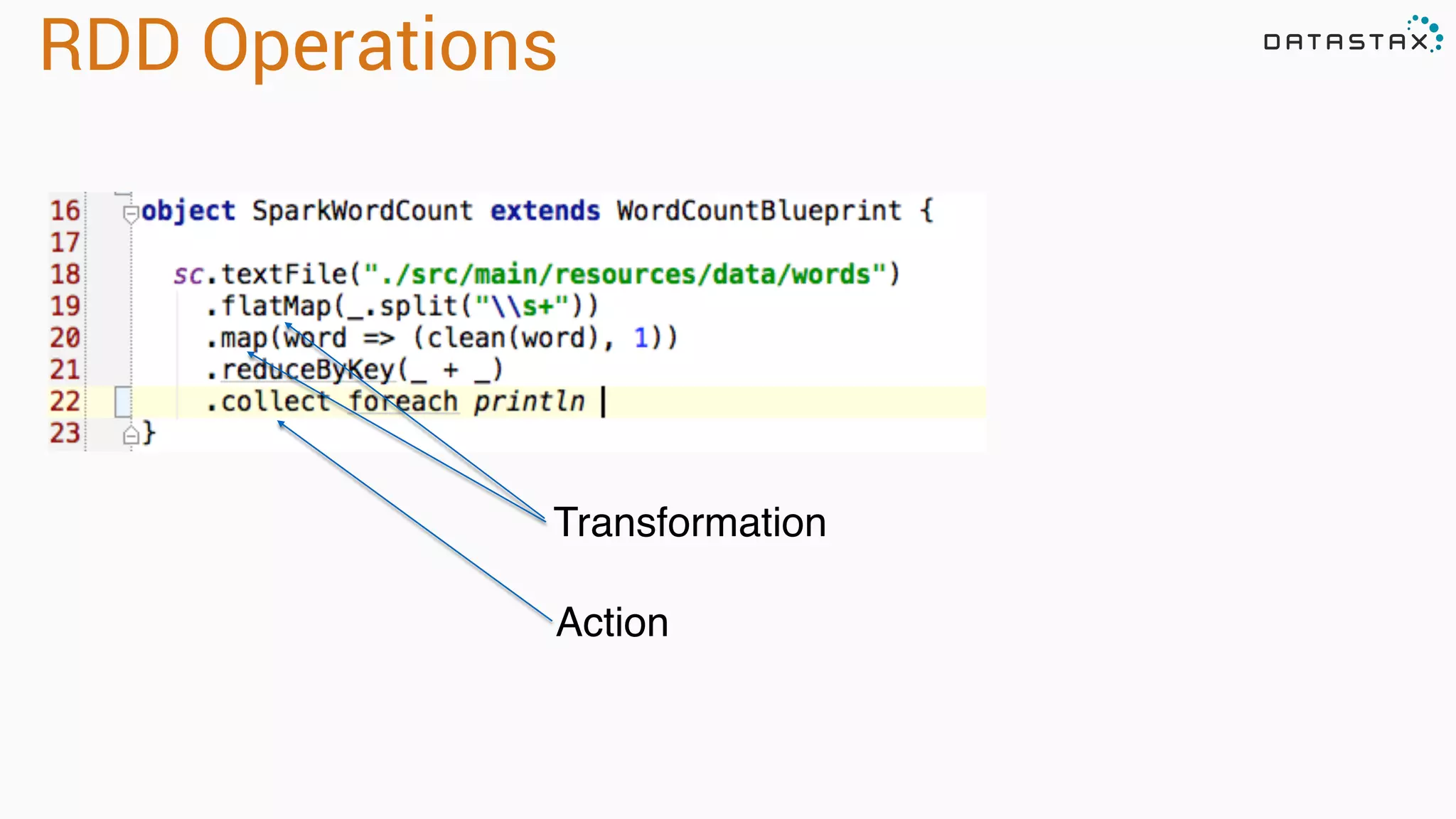
Transformation
Action
RDD Operations
Collections and Files To RDD
scala> val distData = sc.parallelize(Seq(1,2,3,4,5)

distData: spark.RDD[Int] = spark.ParallelCollection@10d13e3e
val distFile: RDD[String] = sc.textFile(“directory/*.txt”)
val distFile = sc.textFile(“hdfs://namenode:9000/path/file”)
val distFile = sc.sequenceFile(“hdfs://namenode:9000/path/file”)
Apache Spark Streaming
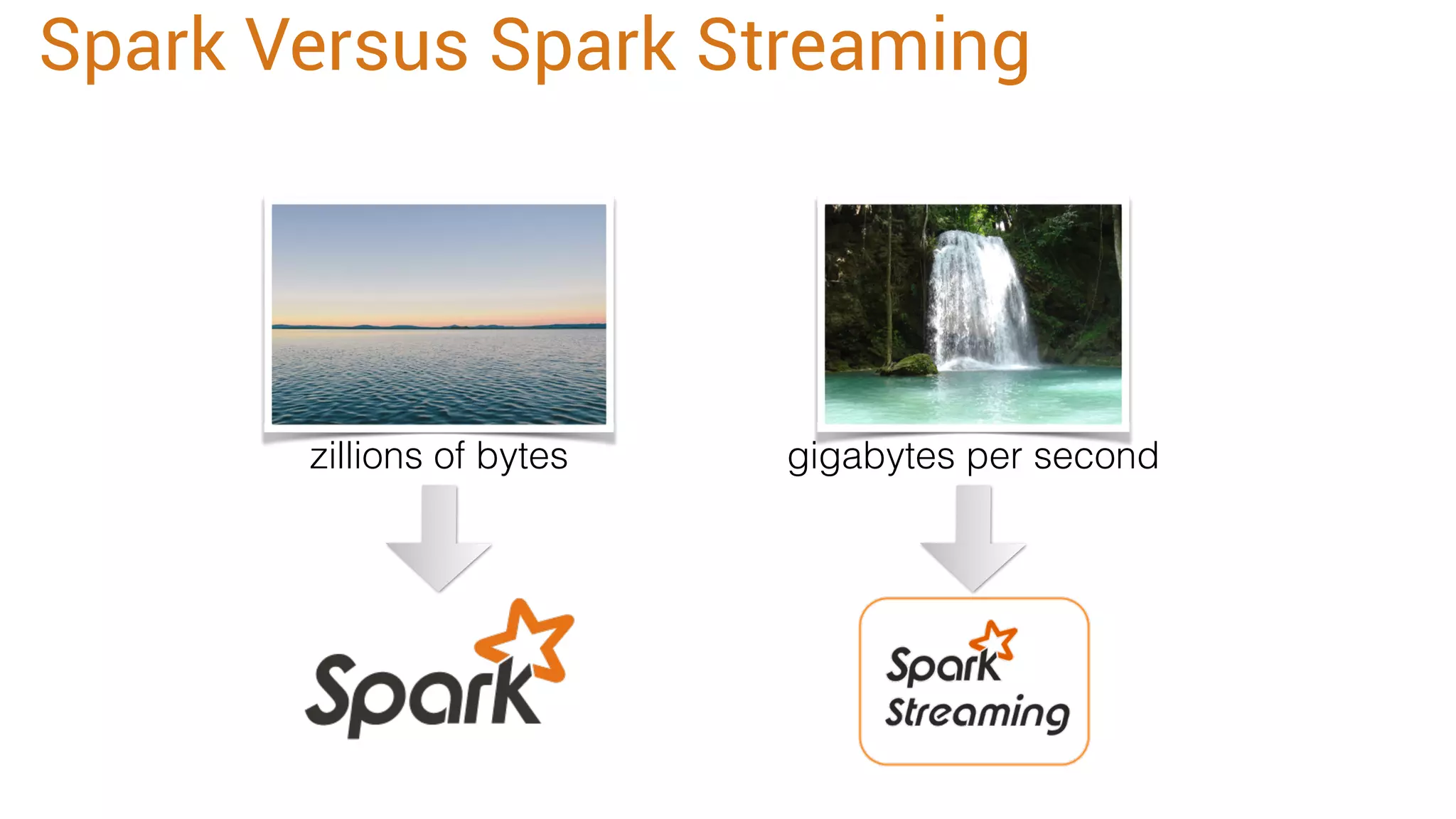
zillions of bytes gigabytes per second
Spark Versus Spark Streaming
Analytic
Analytic
Search
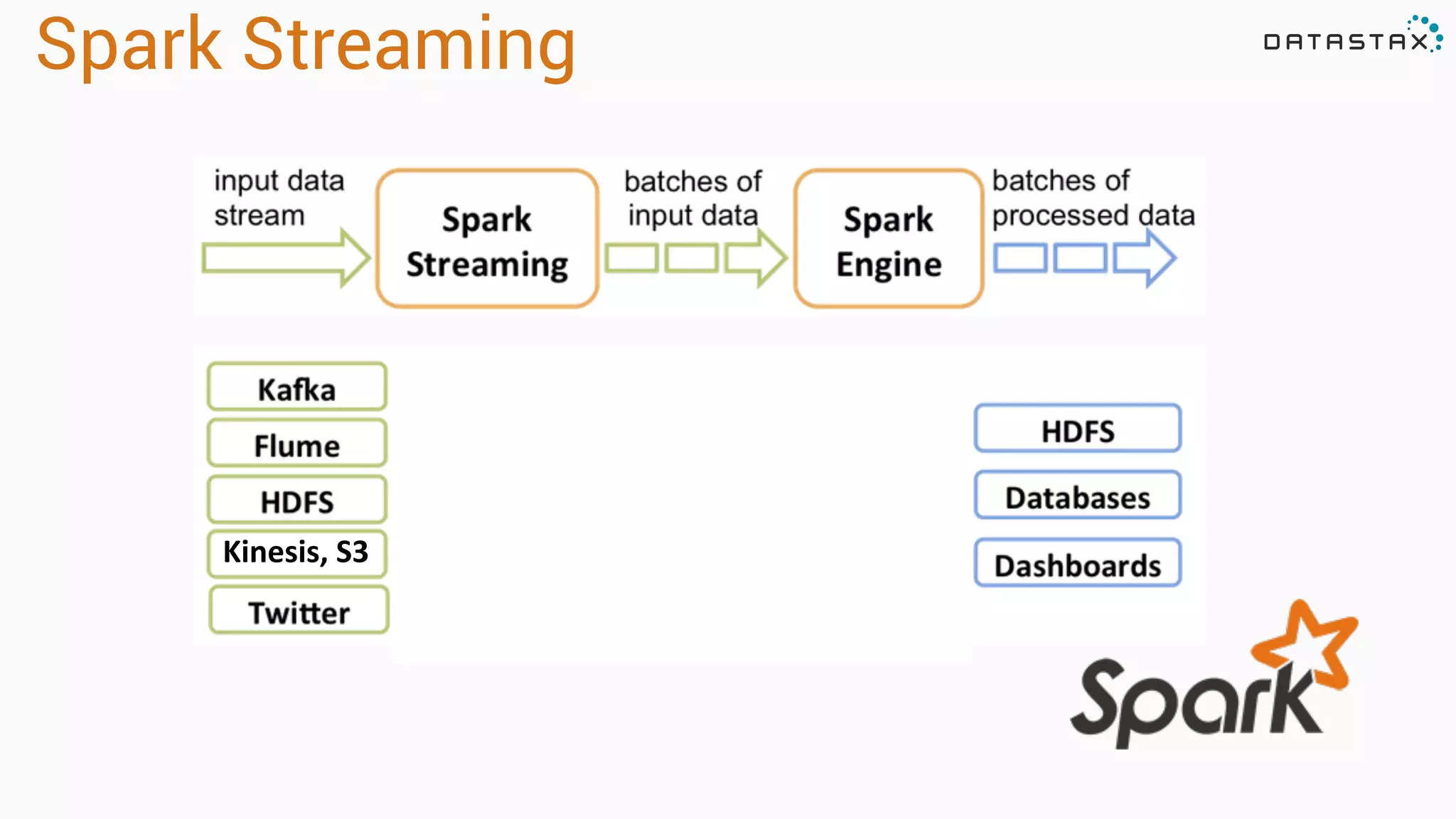
Spark Streaming
Kinesis,'S3'
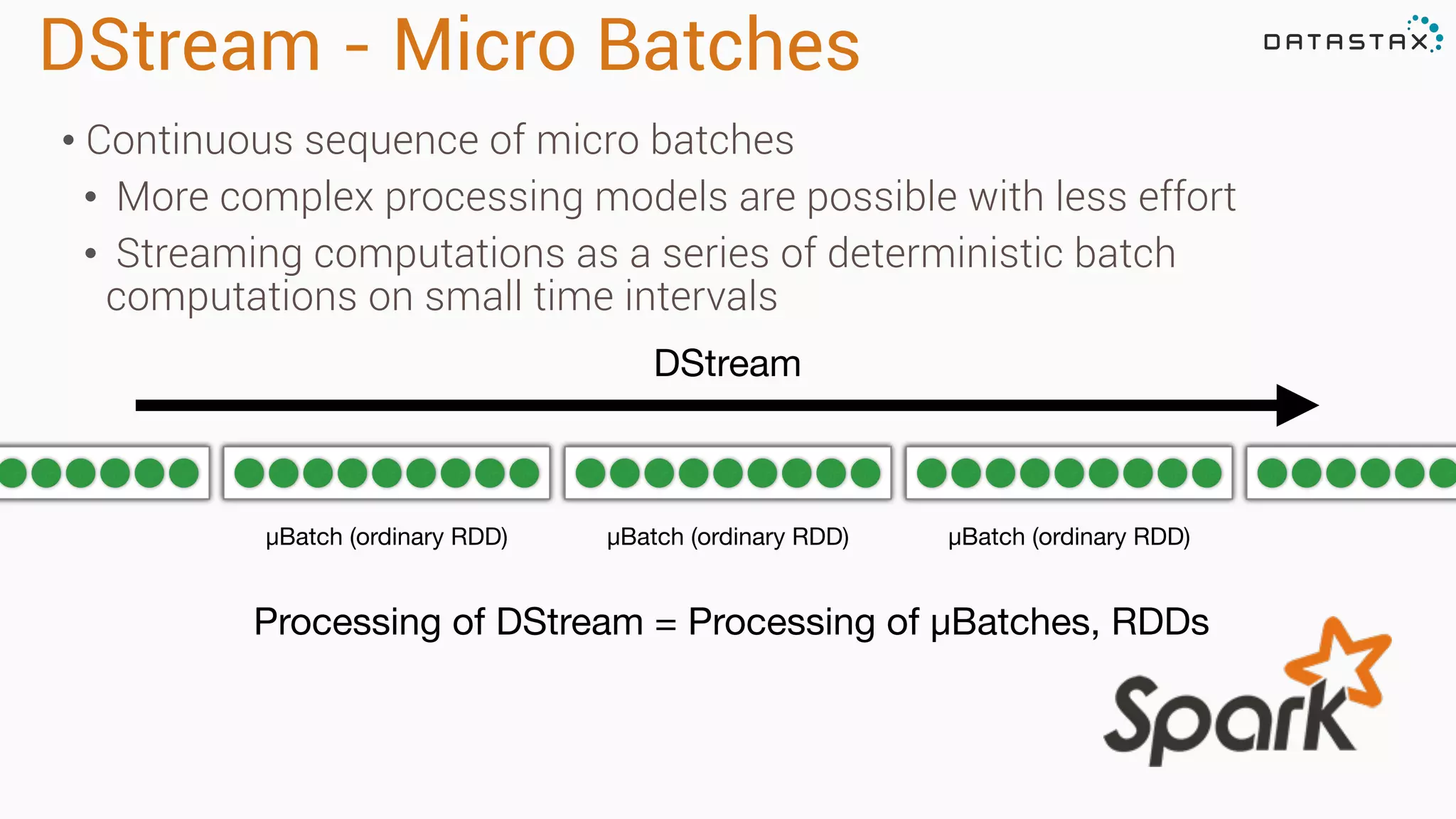
DStream - Micro Batches
μBatch (ordinary RDD) μBatch (ordinary RDD) μBatch (ordinary RDD)
Processing of DStream = Processing of μBatches, RDDs
DStream
• Continuous sequence of micro batches
• More complex processing models are possible with less effort
• Streaming computations as a series of deterministic batch
computations on small time intervals
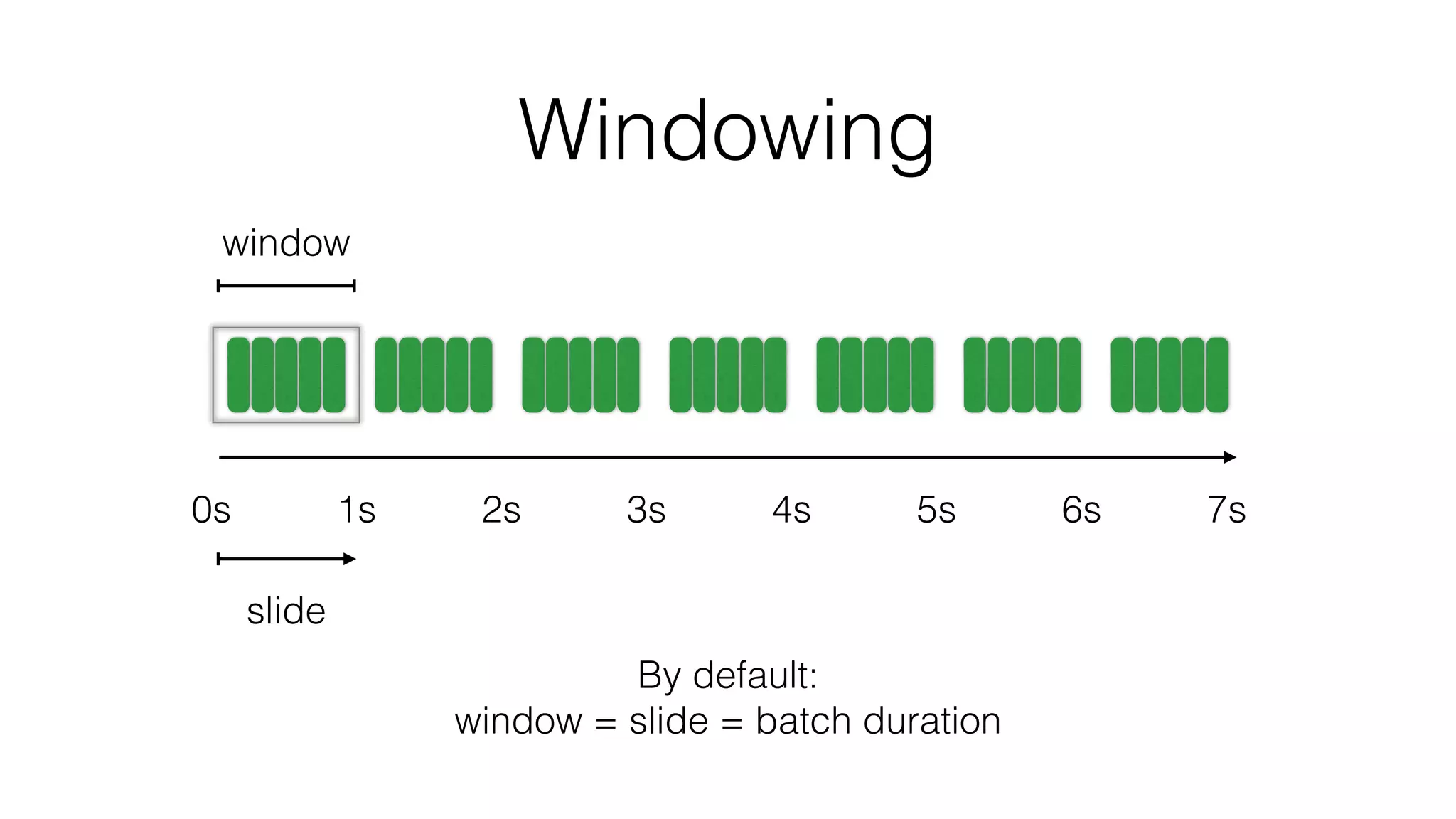
Windowing
0s 1s 2s 3s 4s 5s 6s 7s
By default:
window = slide = batch duration
window
slide
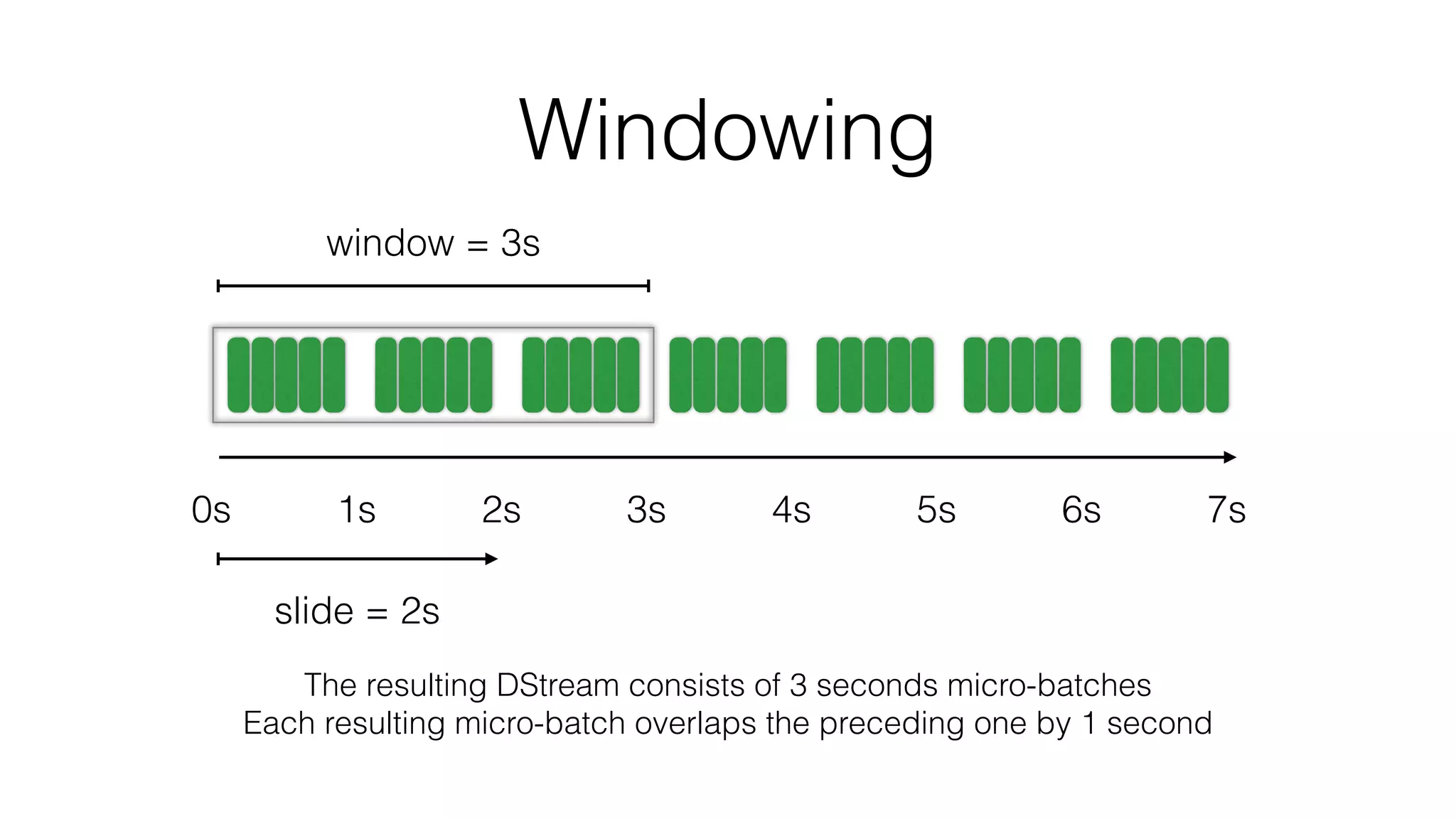
Windowing
0s 1s 2s 3s 4s 5s 6s 7s
window = 3s
slide = 2s
The resulting DStream consists of 3 seconds micro-batches
Each resulting micro-batch overlaps the preceding one by 1 second
Cassandra and Spark
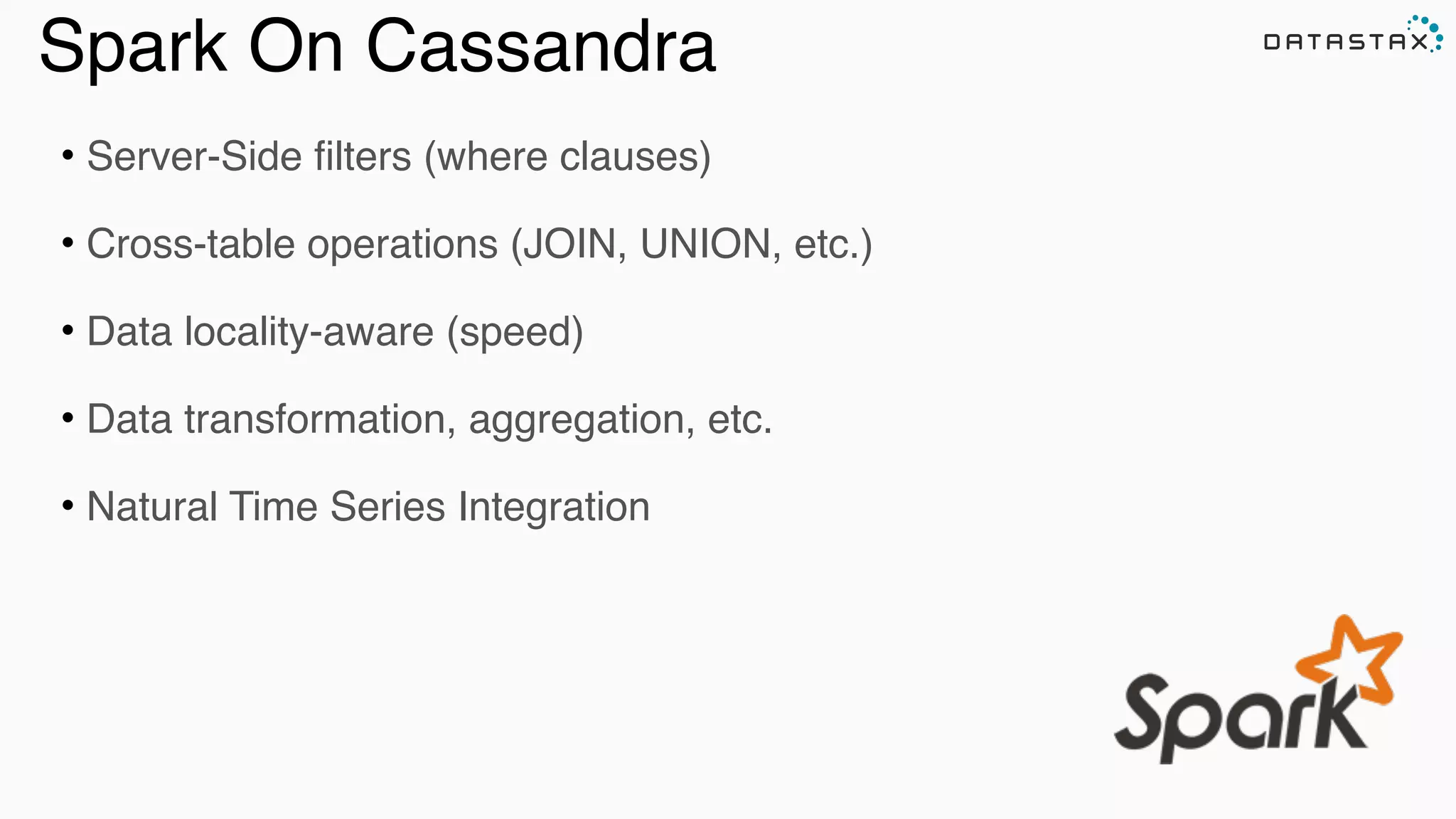
Spark On Cassandra
• Server-Side filters (where clauses)
• Cross-table operations (JOIN, UNION, etc.)
• Data locality-aware (speed)
• Data transformation, aggregation, etc.
• Natural Time Series Integration
Spark Cassandra Connector
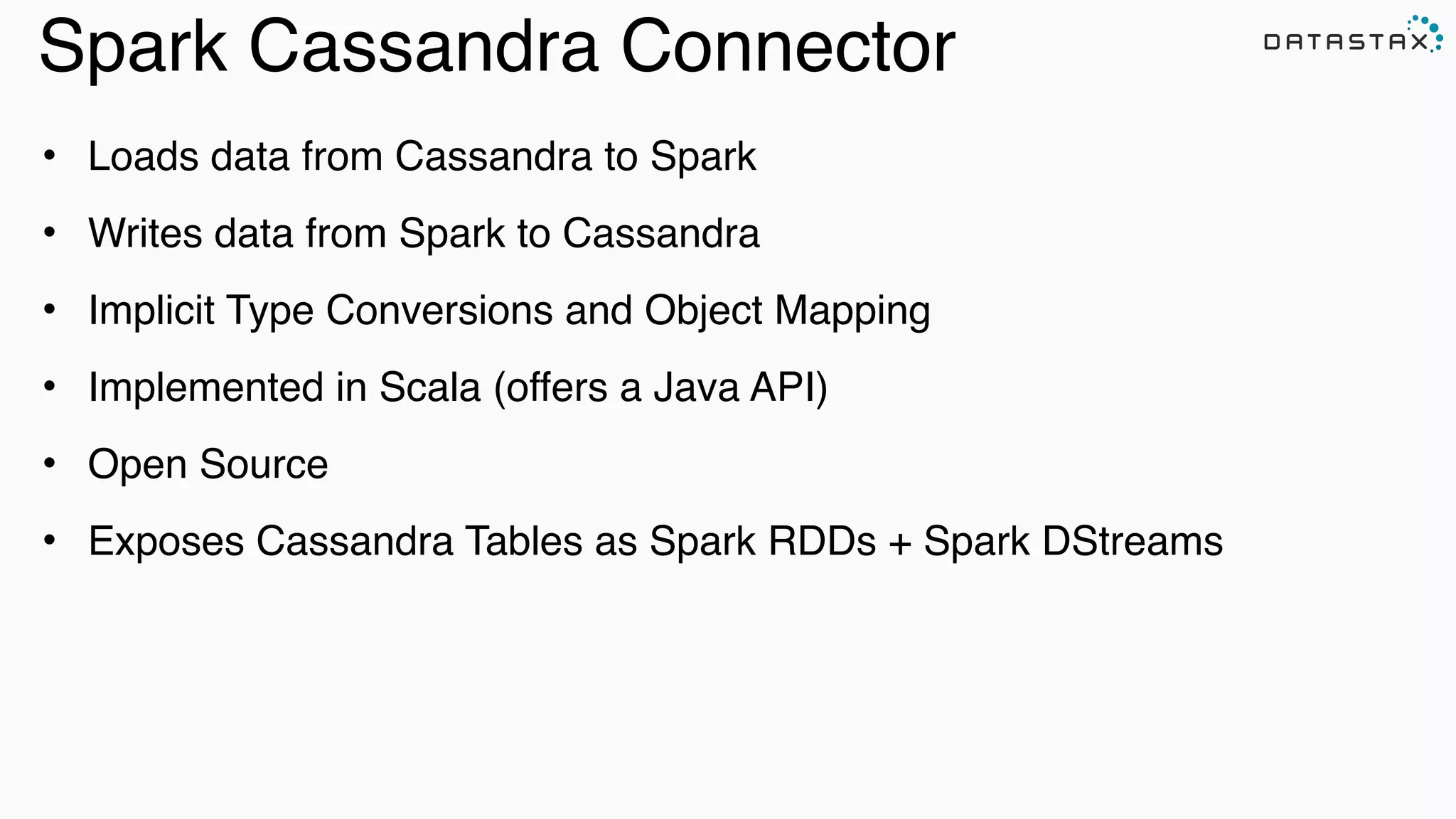
• Loads data from Cassandra to Spark
• Writes data from Spark to Cassandra
• Implicit Type Conversions and Object Mapping
• Implemented in Scala (offers a Java API)
• Open Source
• Exposes Cassandra Tables as Spark RDDs + Spark DStreams
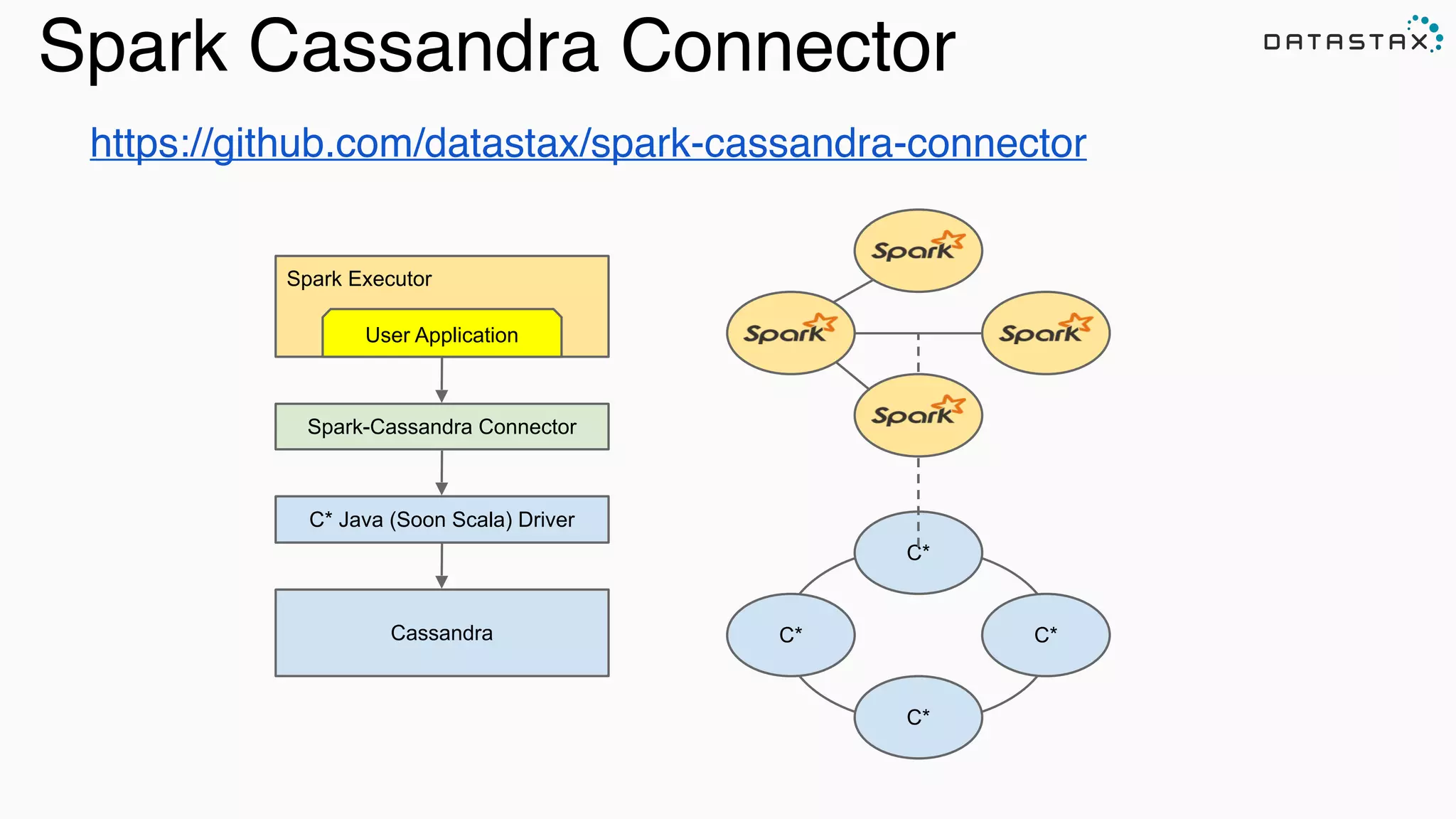
https://github.com/datastax/spark-cassandra-connector
C*
C*
C*C*Cassandra
Spark Executor
C* Java (Soon Scala) Driver
Spark-Cassandra Connector
User Application
Spark Cassandra Connector
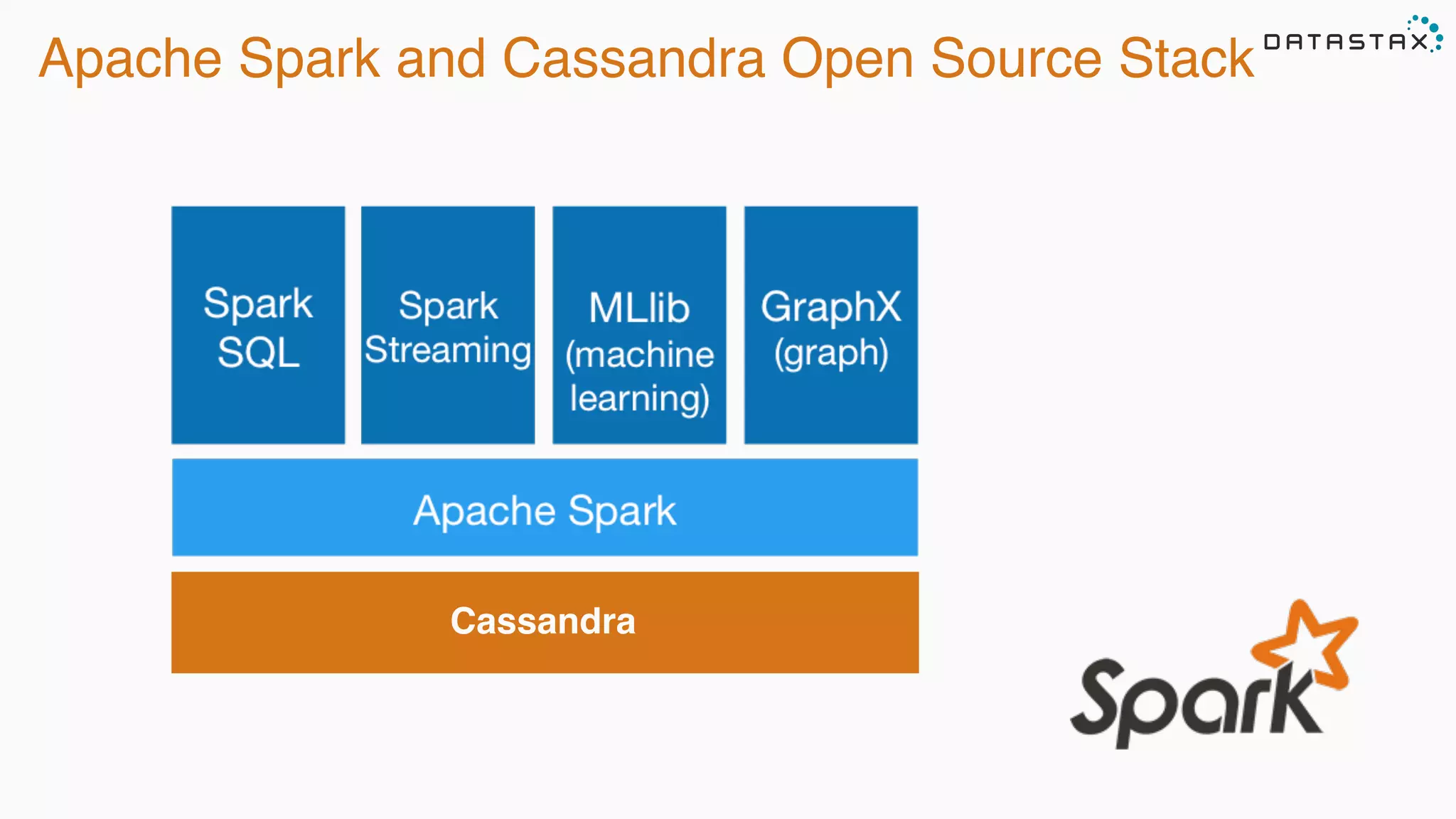
Apache Spark and Cassandra Open Source Stack
Cassandra
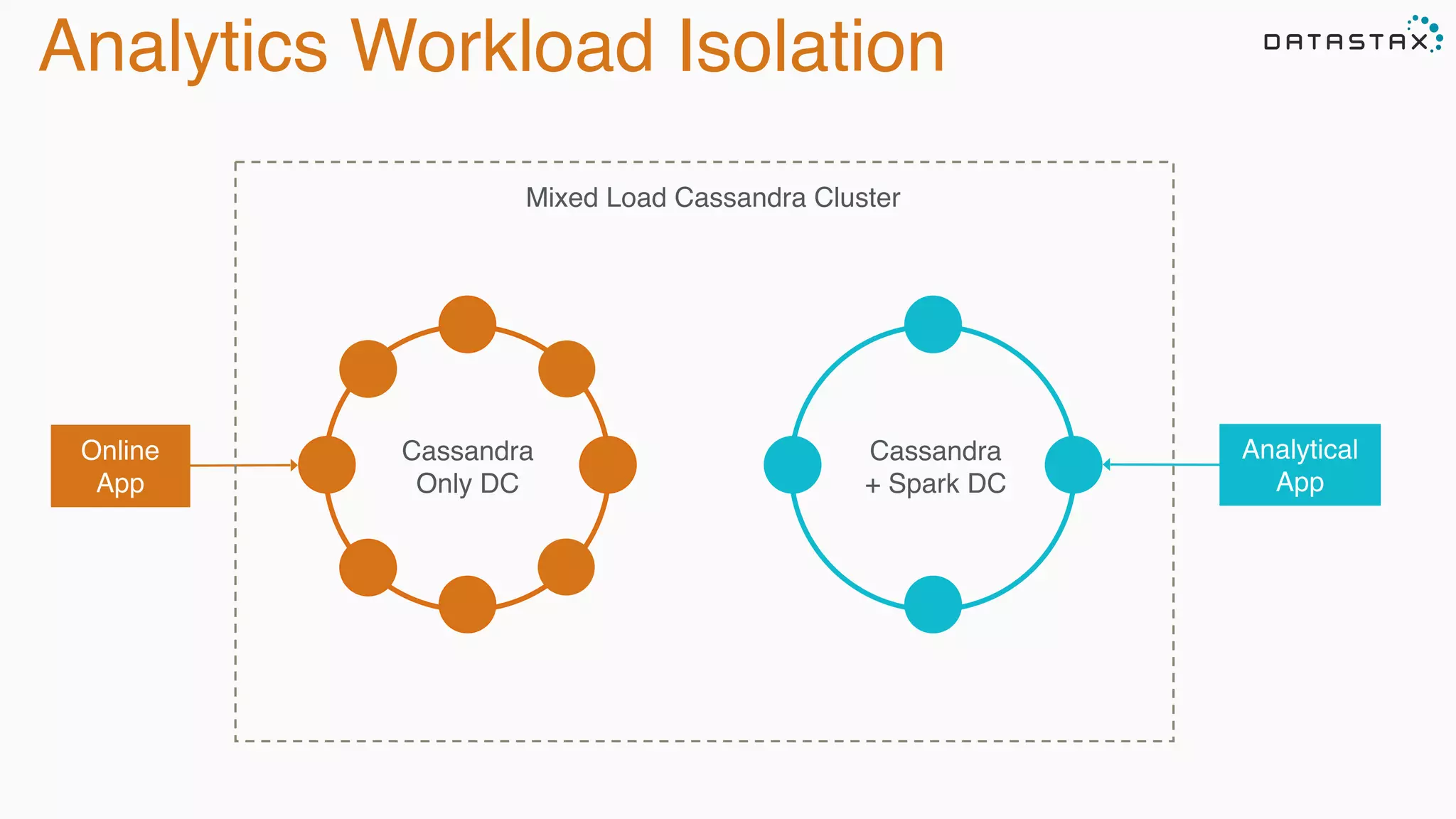
Analytics Workload Isolation
Cassandra
+ Spark DC
Cassandra
Only DC
Online
App
Analytical
App
Mixed Load Cassandra Cluster
Spark Cassandra Example
val conf = new SparkConf(loadDefaults = true)
.set("spark.cassandra.connection.host", "127.0.0.1")
.setMaster("spark://127.0.0.1:7077")
val sc = new SparkContext(conf)
val table: CassandraRDD[CassandraRow] = sc.cassandraTable("keyspace", "tweets")


val ssc = new StreamingContext(sc, Seconds(30))


val stream = KafkaUtils.createStream[String, String, StringDecoder,
StringDecoder](

ssc, kafka.kafkaParams, Map(topic -> 1), StorageLevel.MEMORY_ONLY)


stream.map(_._2).countByValue().saveToCassandra("demo", "wordcount")


ssc.start()

ssc.awaitTermination()
Initialization
Transformations
and Action
CassandraRDD
Stream Initialization
Spark Cassandra Example
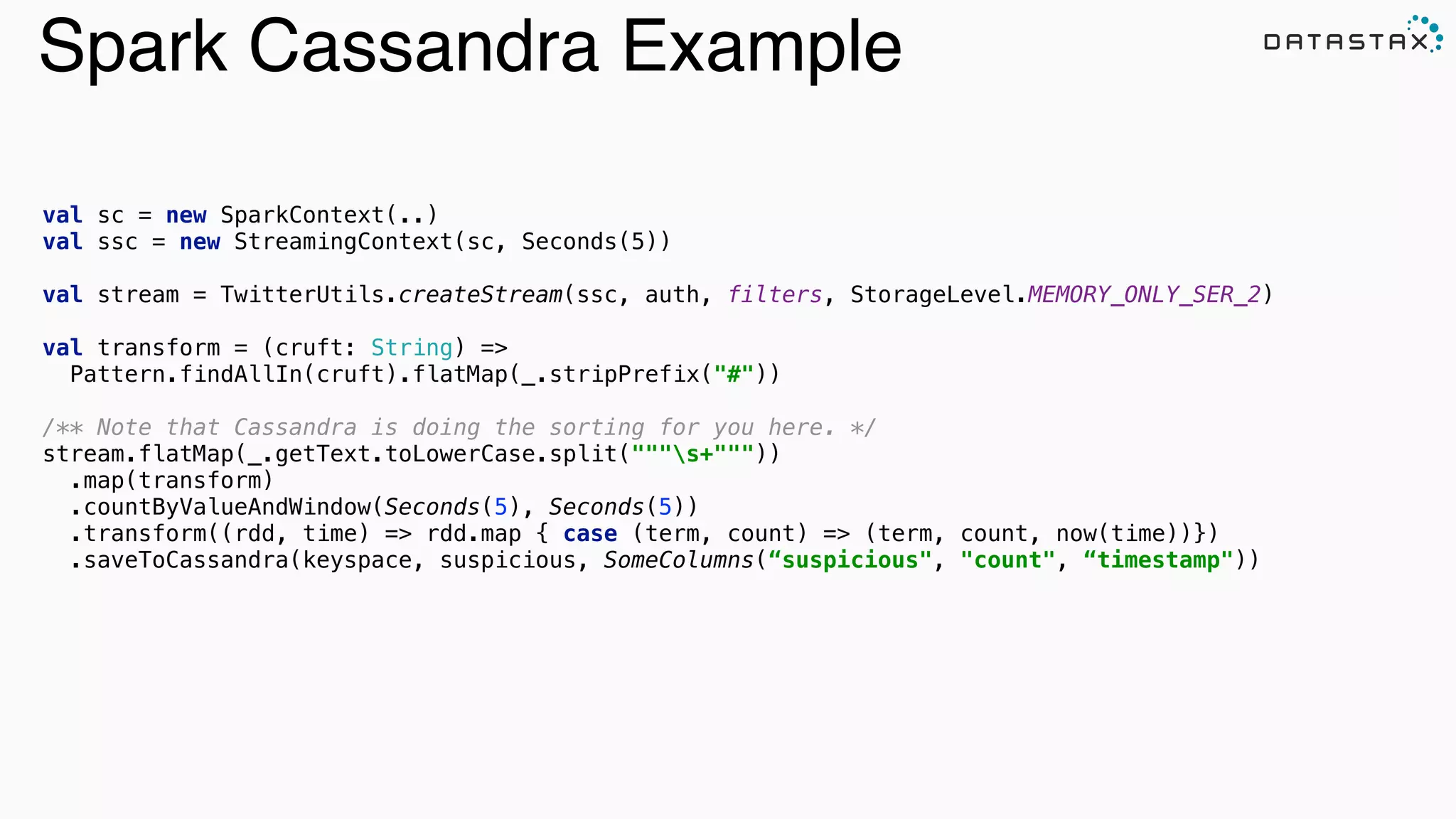
val sc = new SparkContext(..)
val ssc = new StreamingContext(sc, Seconds(5))
val stream = TwitterUtils.createStream(ssc, auth, filters, StorageLevel.MEMORY_ONLY_SER_2)

val transform = (cruft: String) =>
Pattern.findAllIn(cruft).flatMap(_.stripPrefix("#"))


/** Note that Cassandra is doing the sorting for you here. */

stream.flatMap(_.getText.toLowerCase.split("""s+"""))

.map(transform)

.countByValueAndWindow(Seconds(5), Seconds(5))

.transform((rdd, time) => rdd.map { case (term, count) => (term, count, now(time))})
.saveToCassandra(keyspace, suspicious, SomeColumns(“suspicious", "count", “timestamp")) 

val table = sc
.cassandraTable[CassandraRow]("keyspace", "tweets")
.select("user_name", "message")
.where("user_name = ?", "ewa")
row 

representation keyspace table
server side
column and row
selection
Reading: From C* To Spark
class CassandraRDD[R](..., keyspace: String, table: String, ...) 

extends RDD[R](...) {
// Splits the table into multiple Spark partitions,

// each processed by single Spark Task

override def getPartitions: Array[Partition]
// Returns names of hosts storing given partition (for data locality!)

override def getPreferredLocations(split: Partition): Seq[String]
// Returns iterator over Cassandra rows in the given partition

override def compute(split: Partition, context: TaskContext): Iterator[R]
}
CassandraRDD
/** RDD representing a Cassandra table for Spark Streaming.

* @see [[com.datastax.spark.connector.rdd.CassandraRDD]]
*/

class CassandraStreamingRDD[R] private[connector] (

sctx: StreamingContext,

connector: CassandraConnector,

keyspace: String,

table: String,

columns: ColumnSelector = AllColumns,

where: CqlWhereClause = CqlWhereClause.empty,

readConf: ReadConf = ReadConf())(

implicit ct : ClassTag[R], @transient rrf: RowReaderFactory[R])

extends CassandraRDD[R](sctx.sparkContext, connector, keyspace, table, columns, where, readConf)

CassandraStreamingRDD
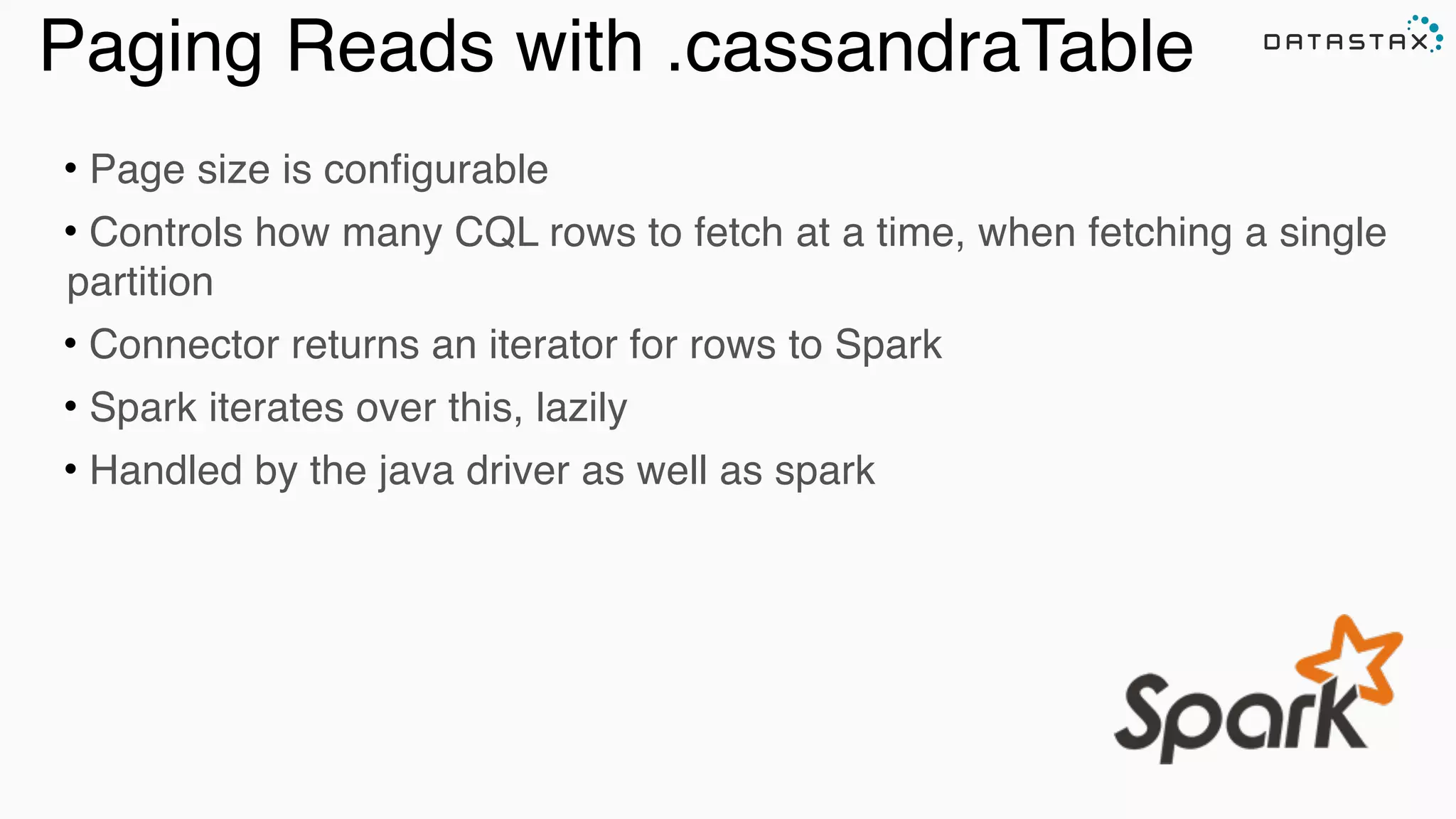
Paging Reads with .cassandraTable
• Page size is configurable
• Controls how many CQL rows to fetch at a time, when fetching a single
partition
• Connector returns an iterator for rows to Spark
• Spark iterates over this, lazily
• Handled by the java driver as well as spark
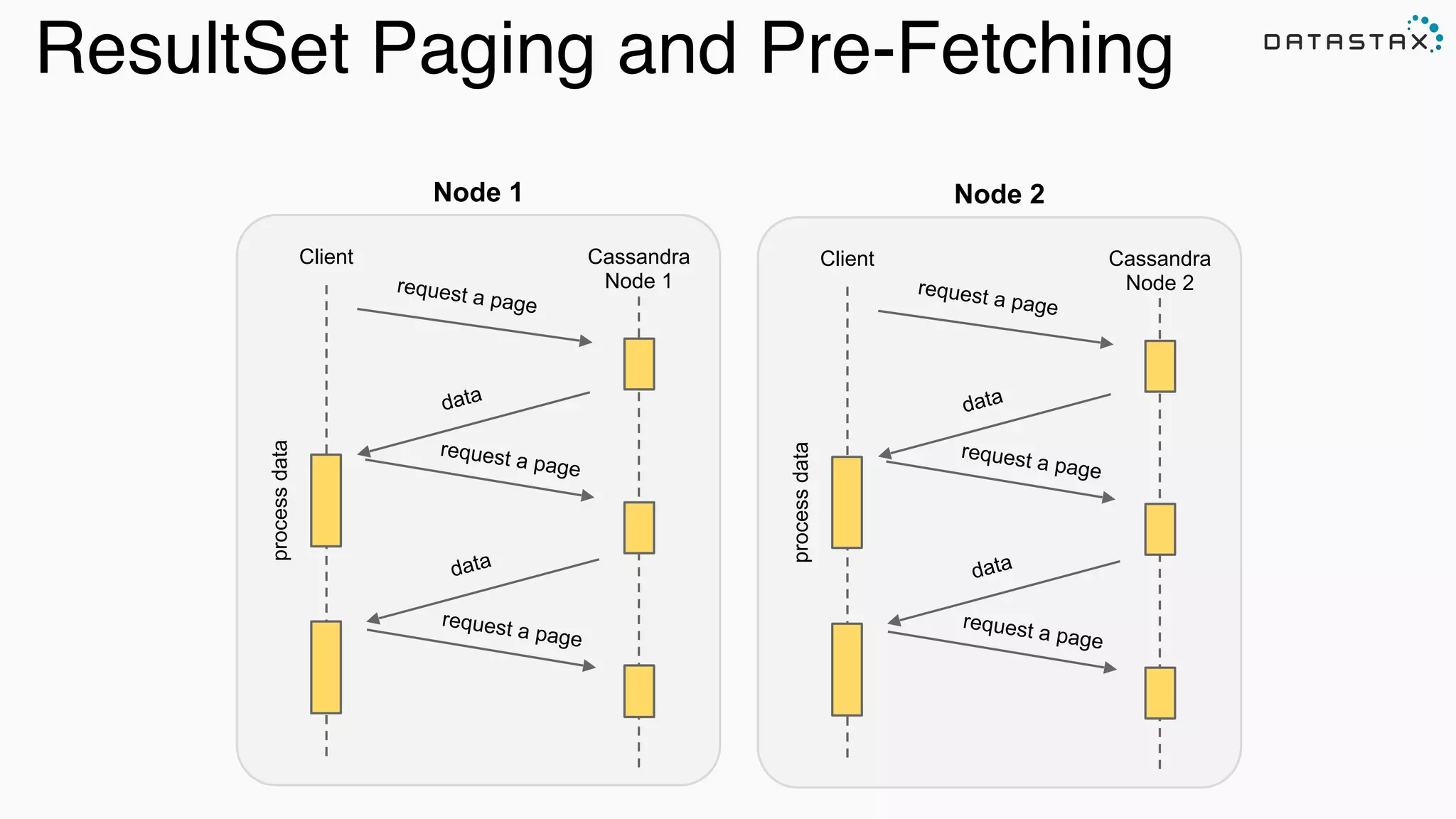
Node 1
Client Cassandra
Node 1request a page
data
processdata
request a page
data
request a page
Node 2
Client Cassandra
Node 2request a page
data
processdata
request a page
data
request a page
ResultSet Paging and Pre-Fetching
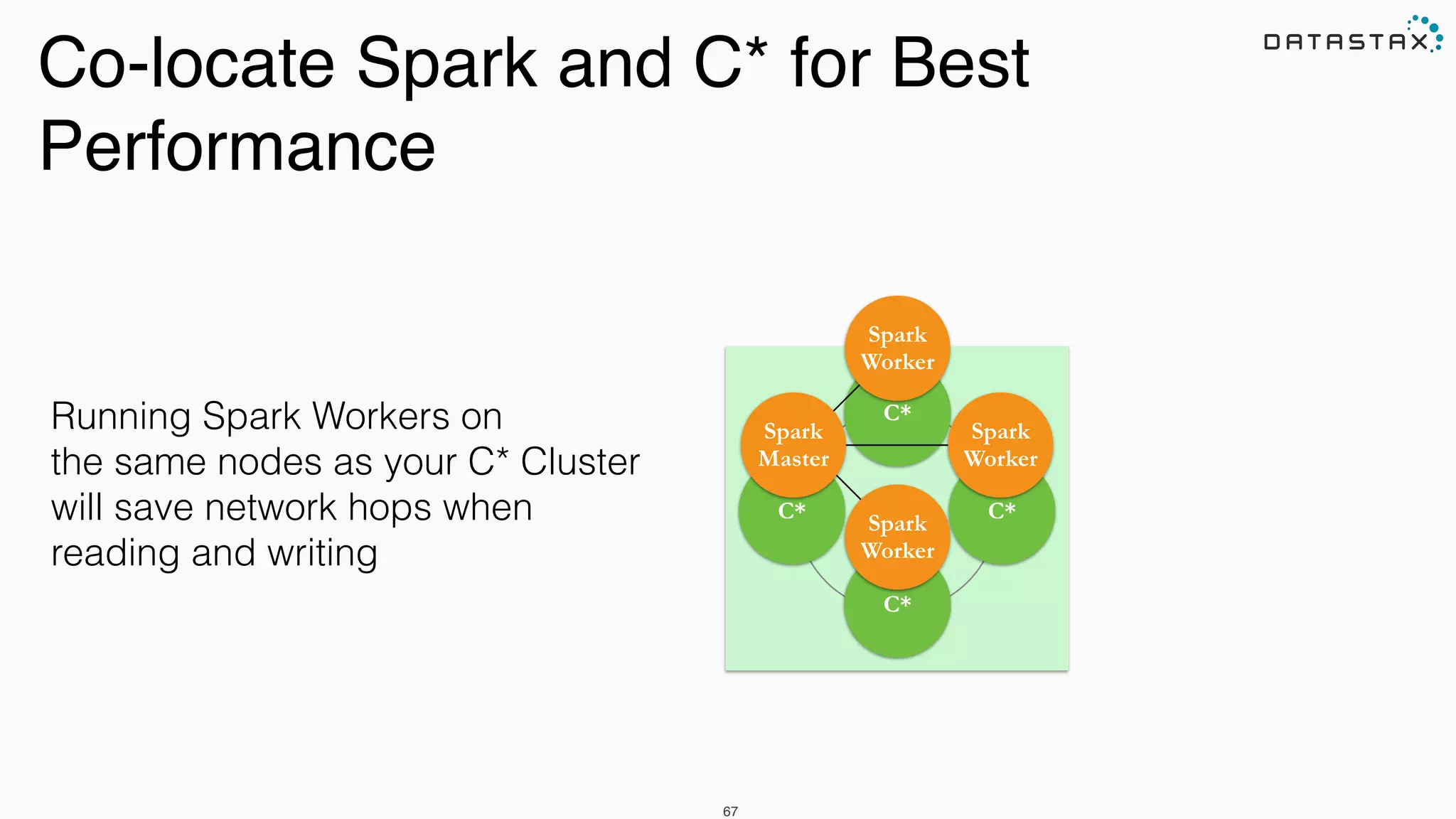
Co-locate Spark and C* for Best
Performance
67
C*
C*C*
C*
Spark

Worker
Spark

Worker
Spark
Master
Spark
Worker
Running Spark Workers on
the same nodes as your C* Cluster
will save network hops when
reading and writing
Analytic
Analytic
Search
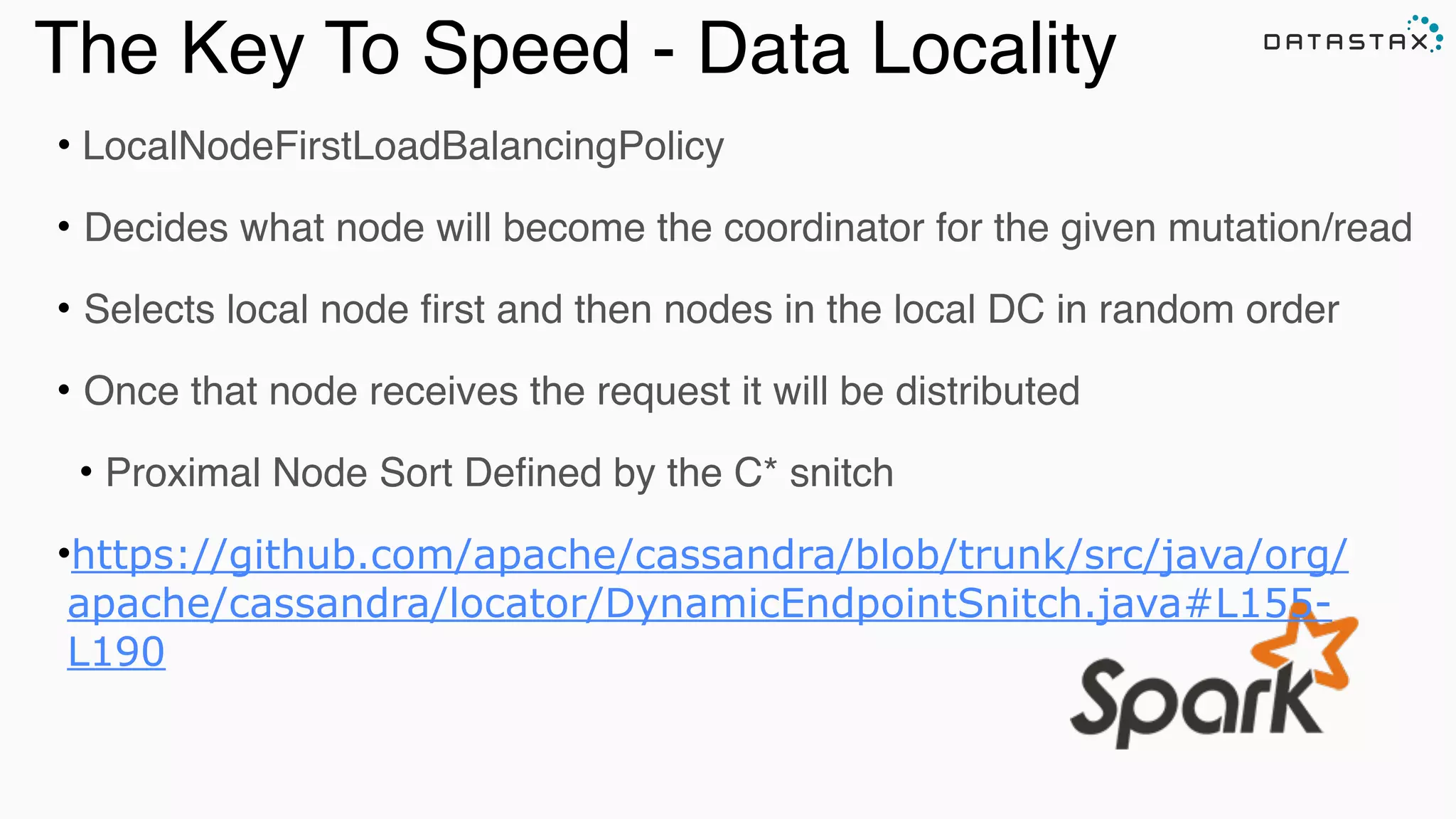
The Key To Speed - Data Locality
• LocalNodeFirstLoadBalancingPolicy
• Decides what node will become the coordinator for the given mutation/read
• Selects local node first and then nodes in the local DC in random order
• Once that node receives the request it will be distributed
• Proximal Node Sort Defined by the C* snitch
•https://github.com/apache/cassandra/blob/trunk/src/java/org/
apache/cassandra/locator/DynamicEndpointSnitch.java#L155-
L190
Spark Reads on Cassandra
Awesome animation by DataStax’s own Russel Spitzer
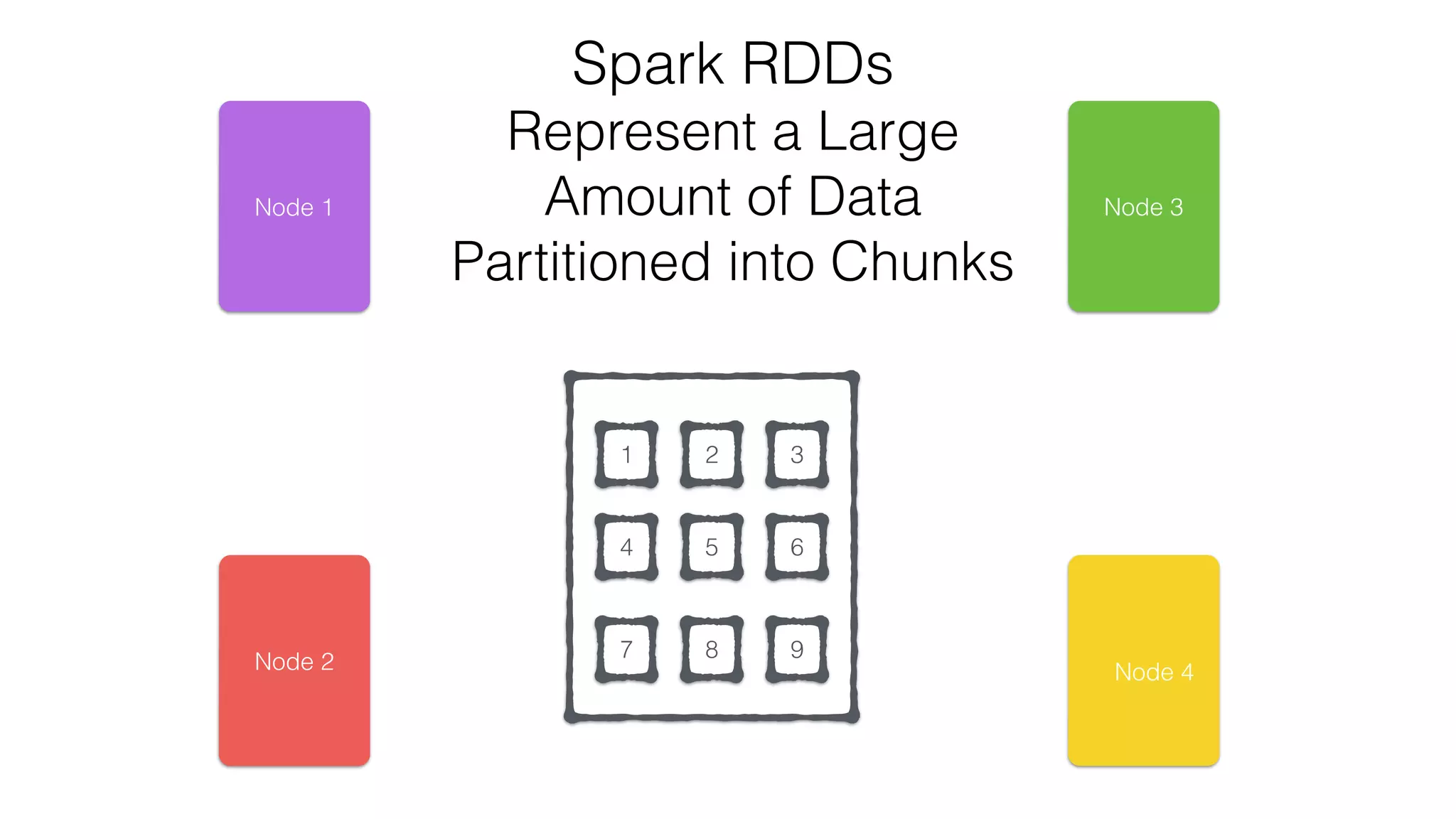
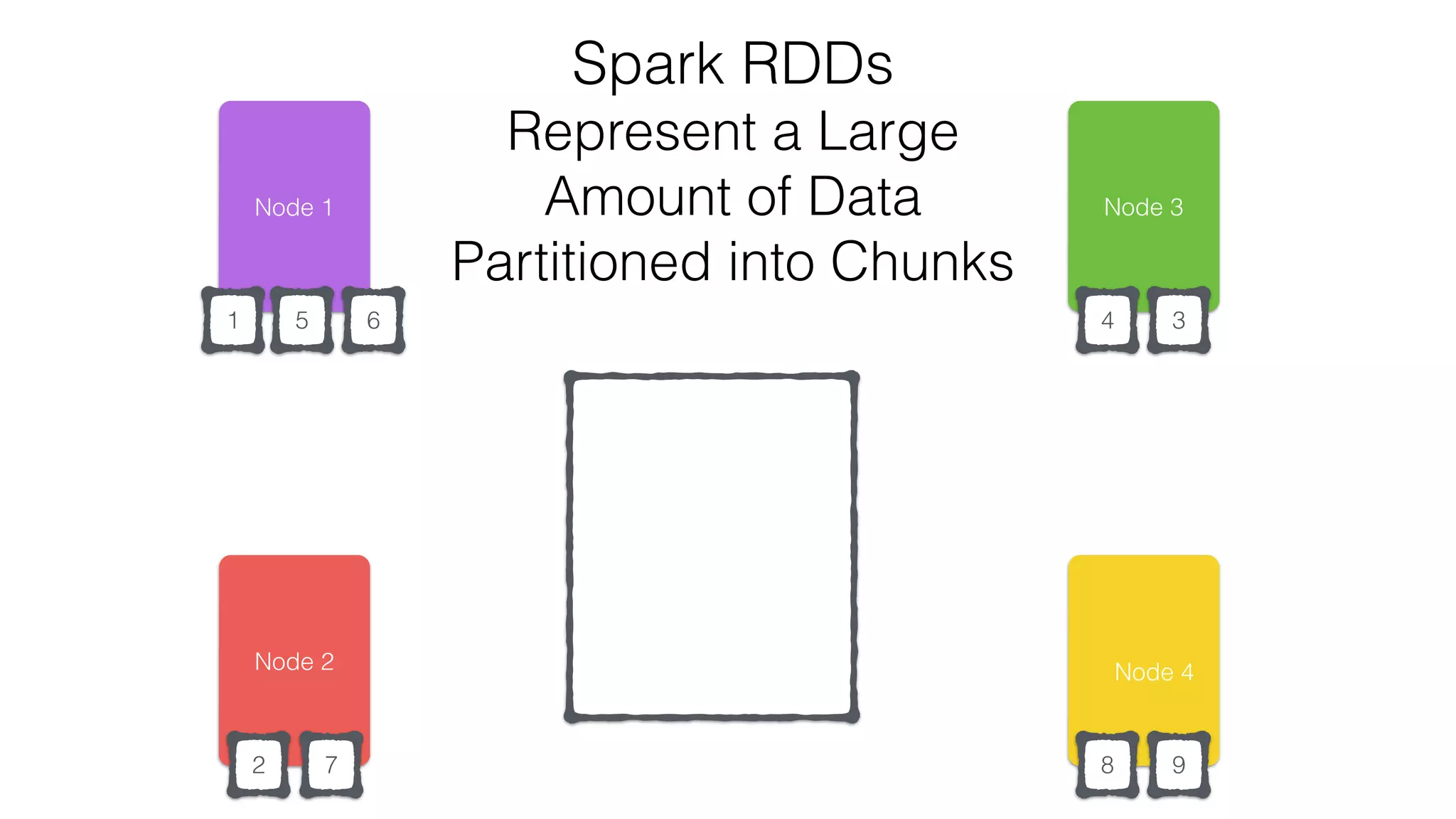
Spark RDDs
Represent a Large
Amount of Data
Partitioned into Chunks
RDD
1 2 3
4 5 6
7 8 9Node 2
Node 1 Node 3
Node 4
Node 2
Node 1
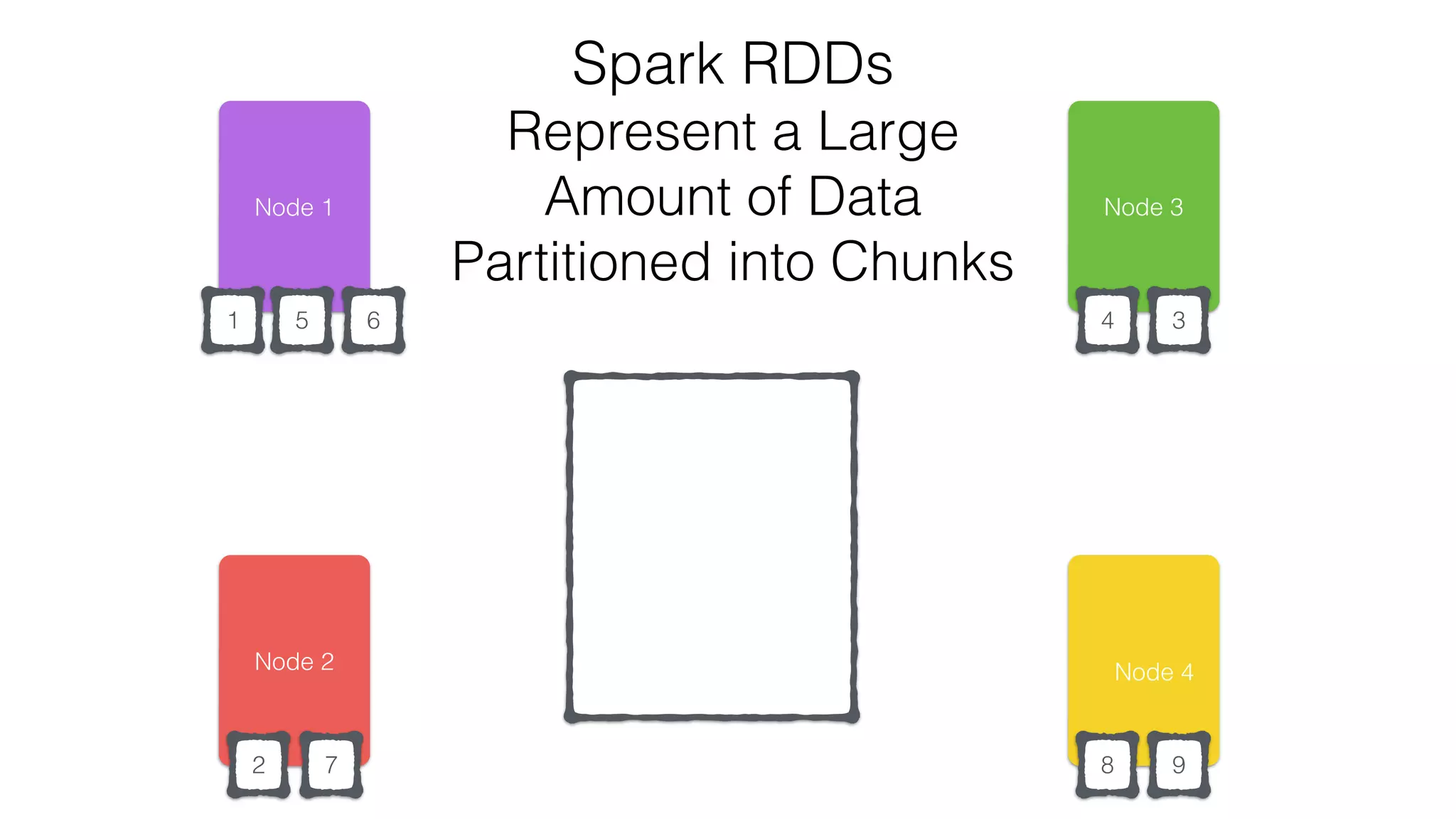
Spark RDDs
Represent a Large
Amount of Data
Partitioned into Chunks
RDD
2
346
7 8 9
Node 3
Node 4
1 5
Node 2
Node 1
RDD
2
346
7 8 9
Node 3
Node 4
1 5
Spark RDDs
Represent a Large
Amount of Data
Partitioned into Chunks
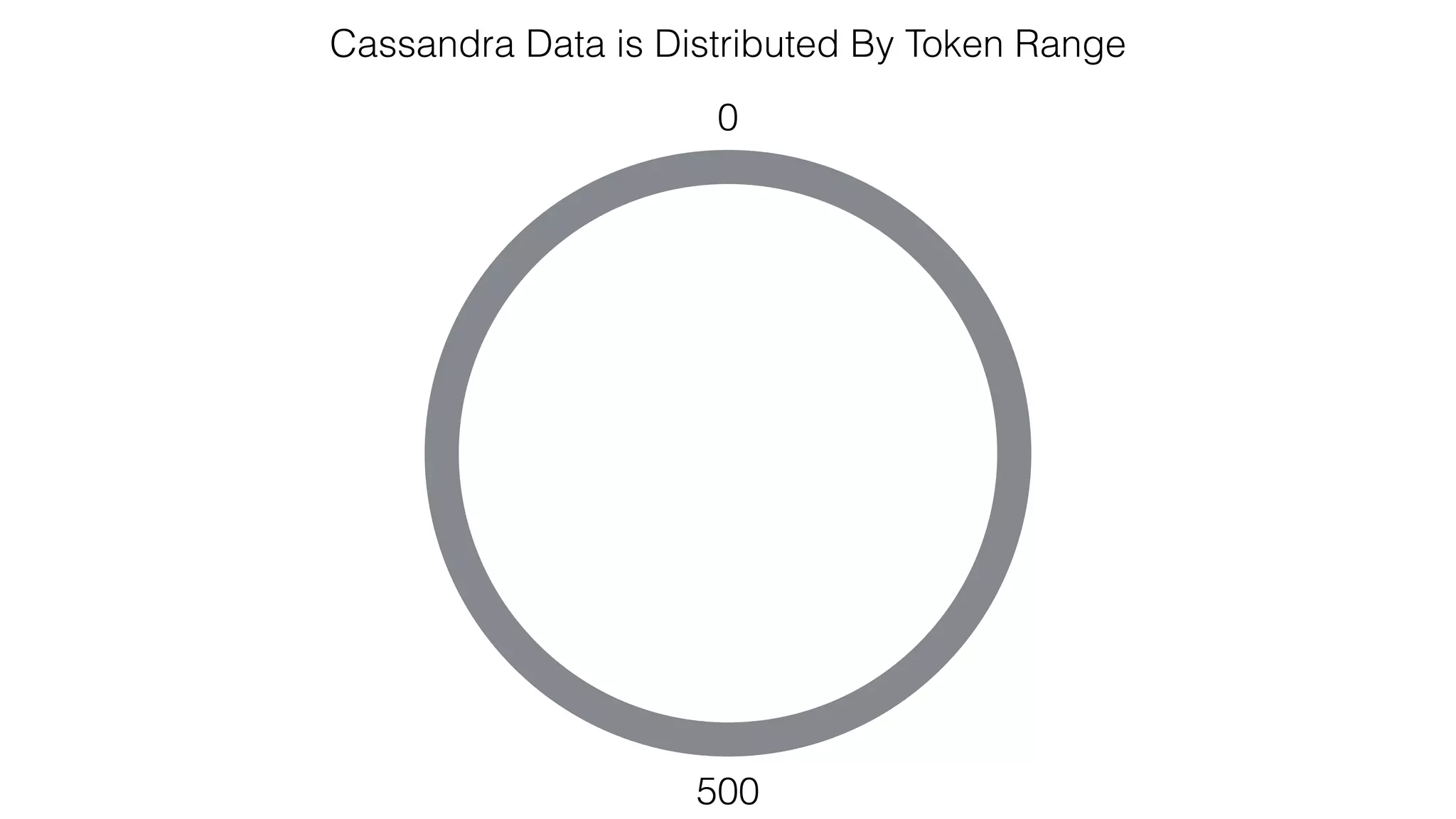
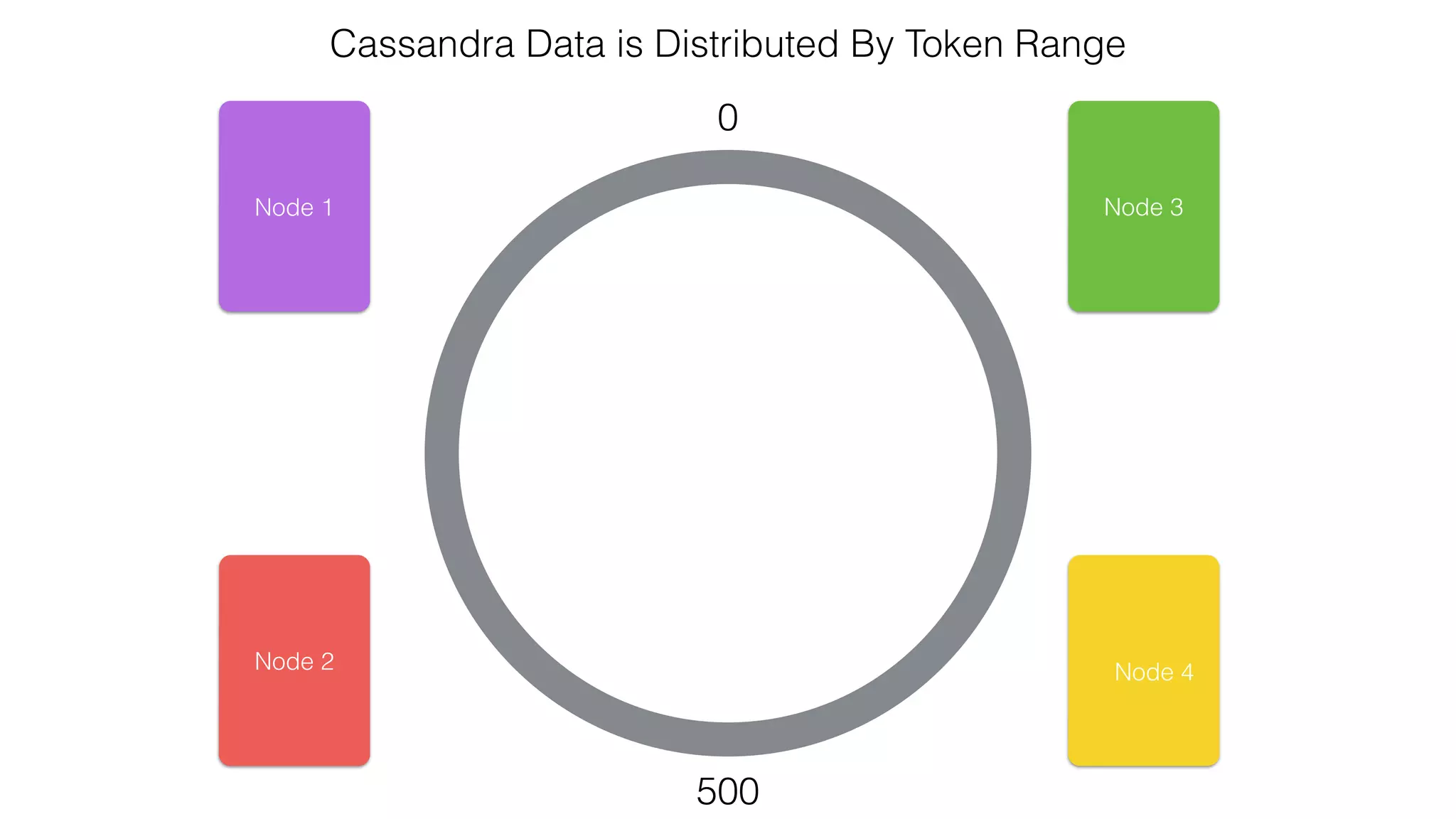
Cassandra Data is Distributed By Token Range
0
500
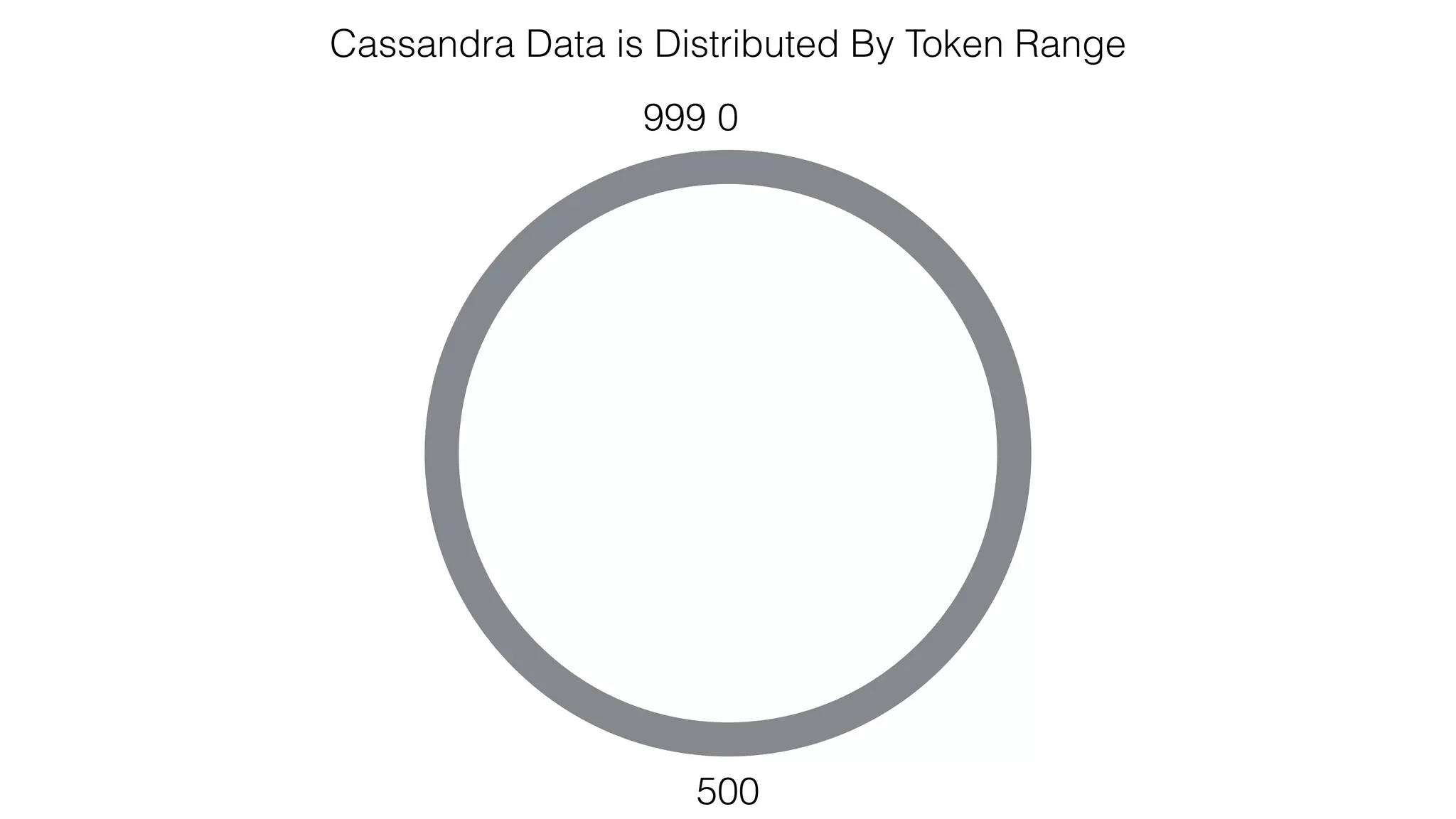
Cassandra Data is Distributed By Token Range
0
500
999
Cassandra Data is Distributed By Token Range
0
500
Node 1
Node 2
Node 3
Node 4
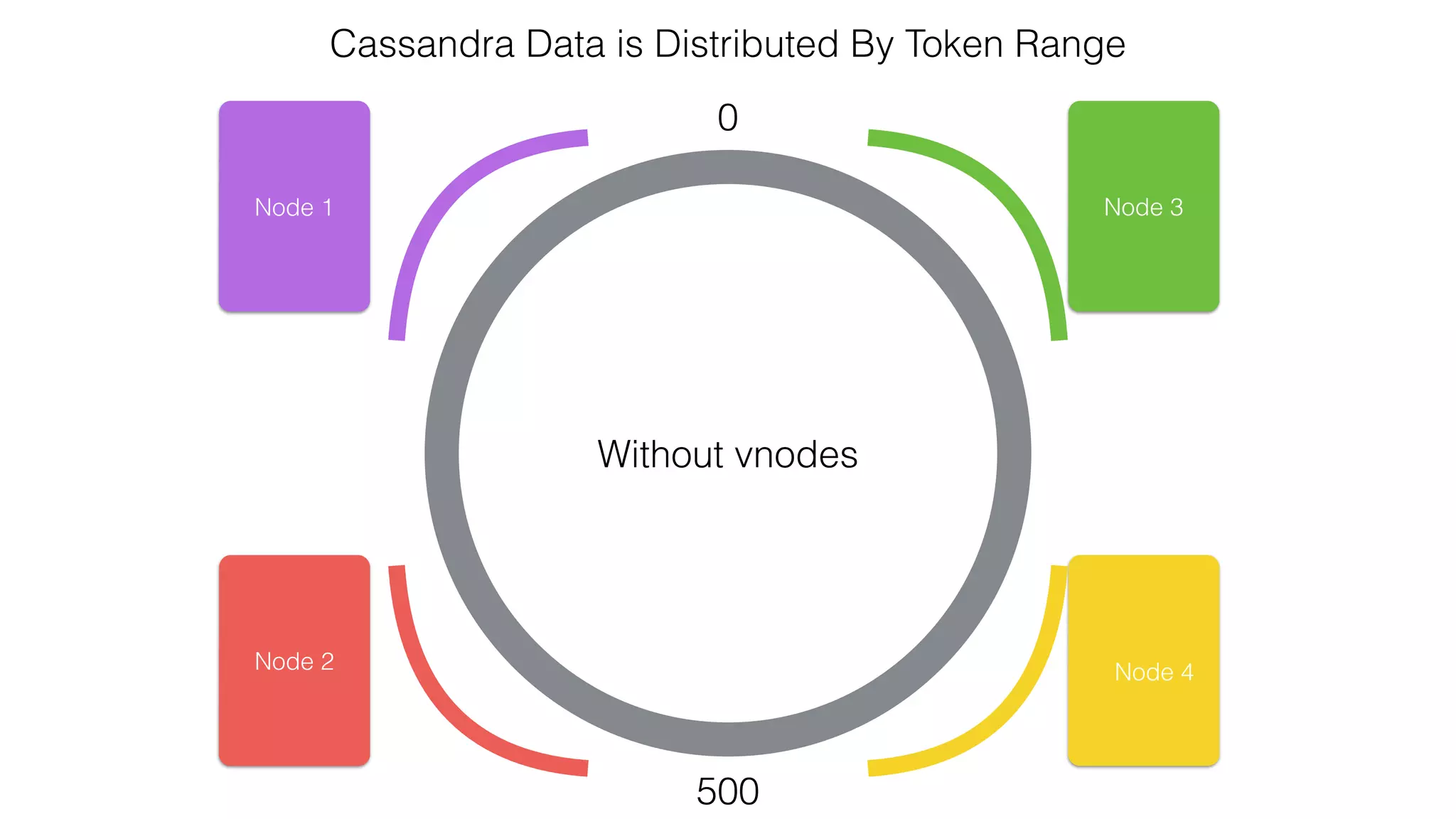
Cassandra Data is Distributed By Token Range
0
500
Node 1
Node 2
Node 3
Node 4
Without vnodes
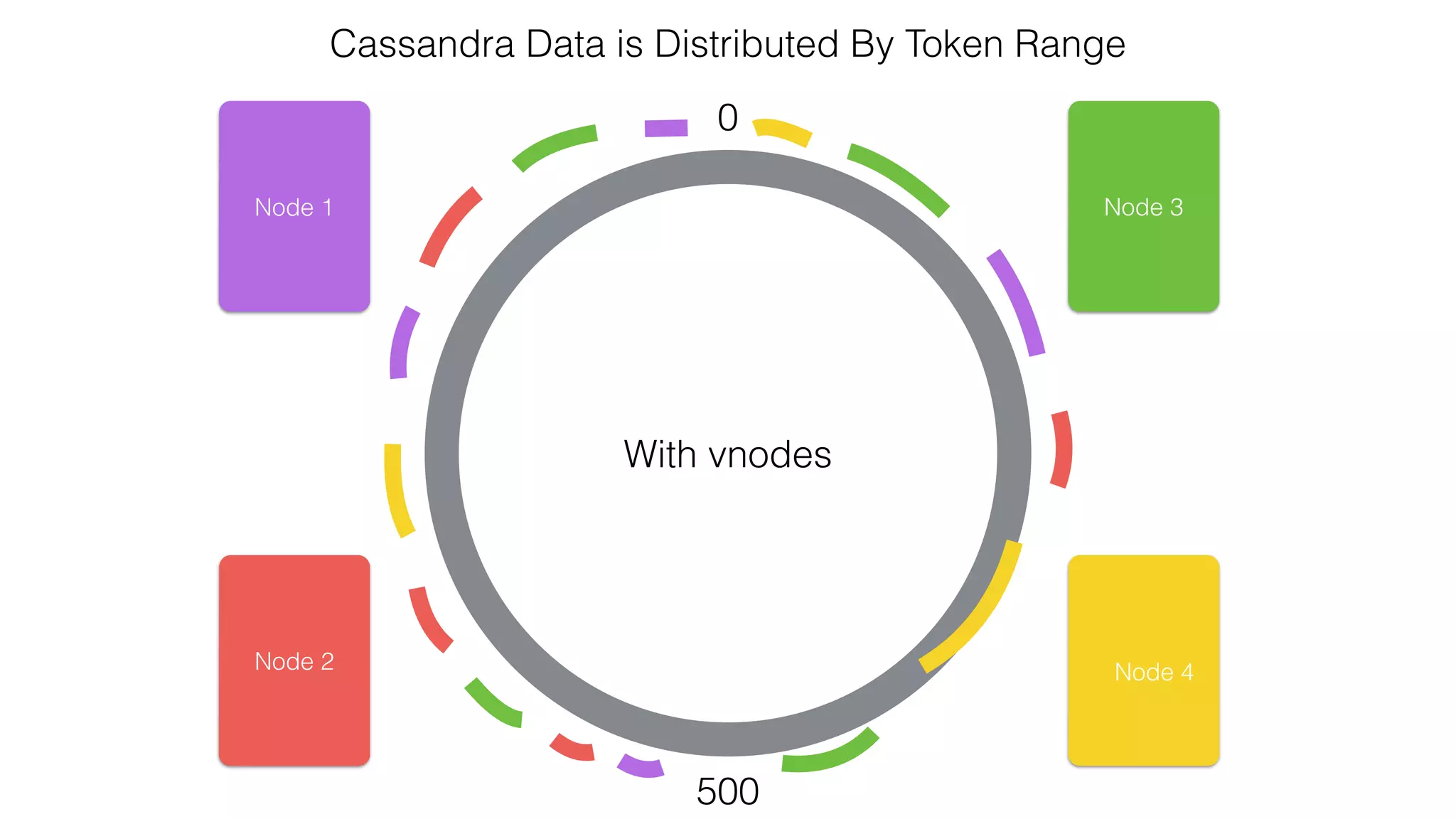
Cassandra Data is Distributed By Token Range
0
500
Node 1
Node 2
Node 3
Node 4
With vnodes
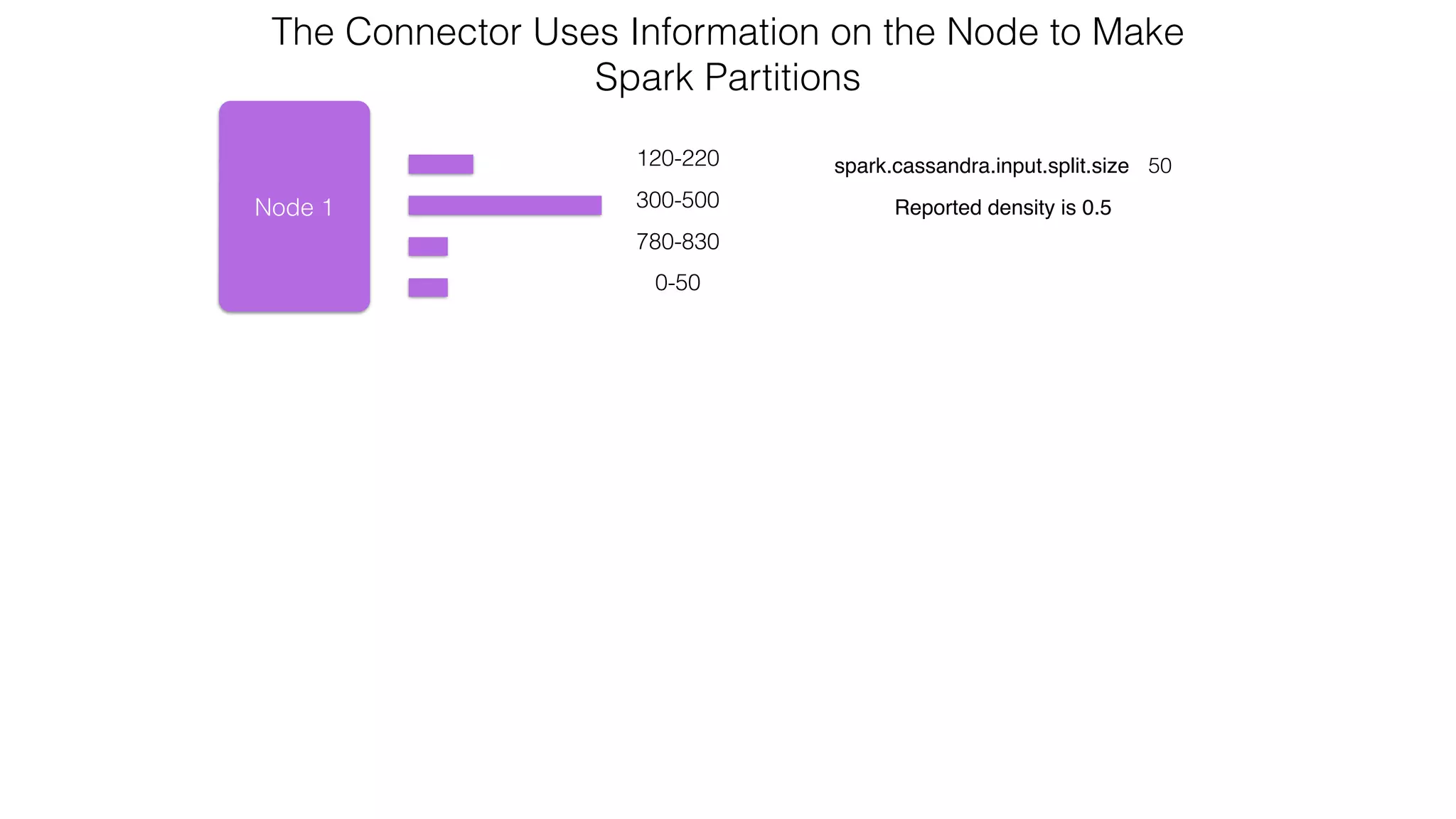
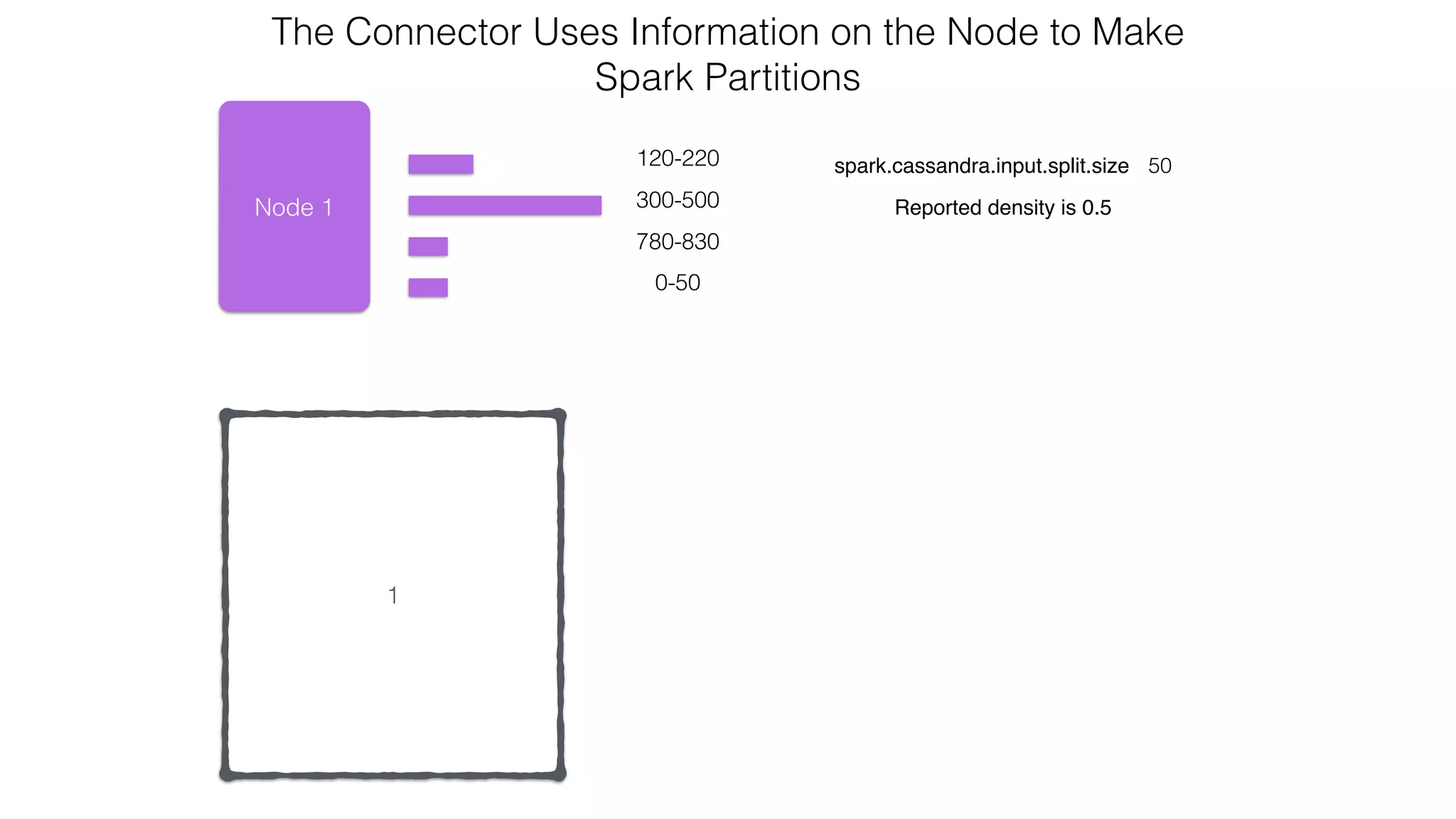
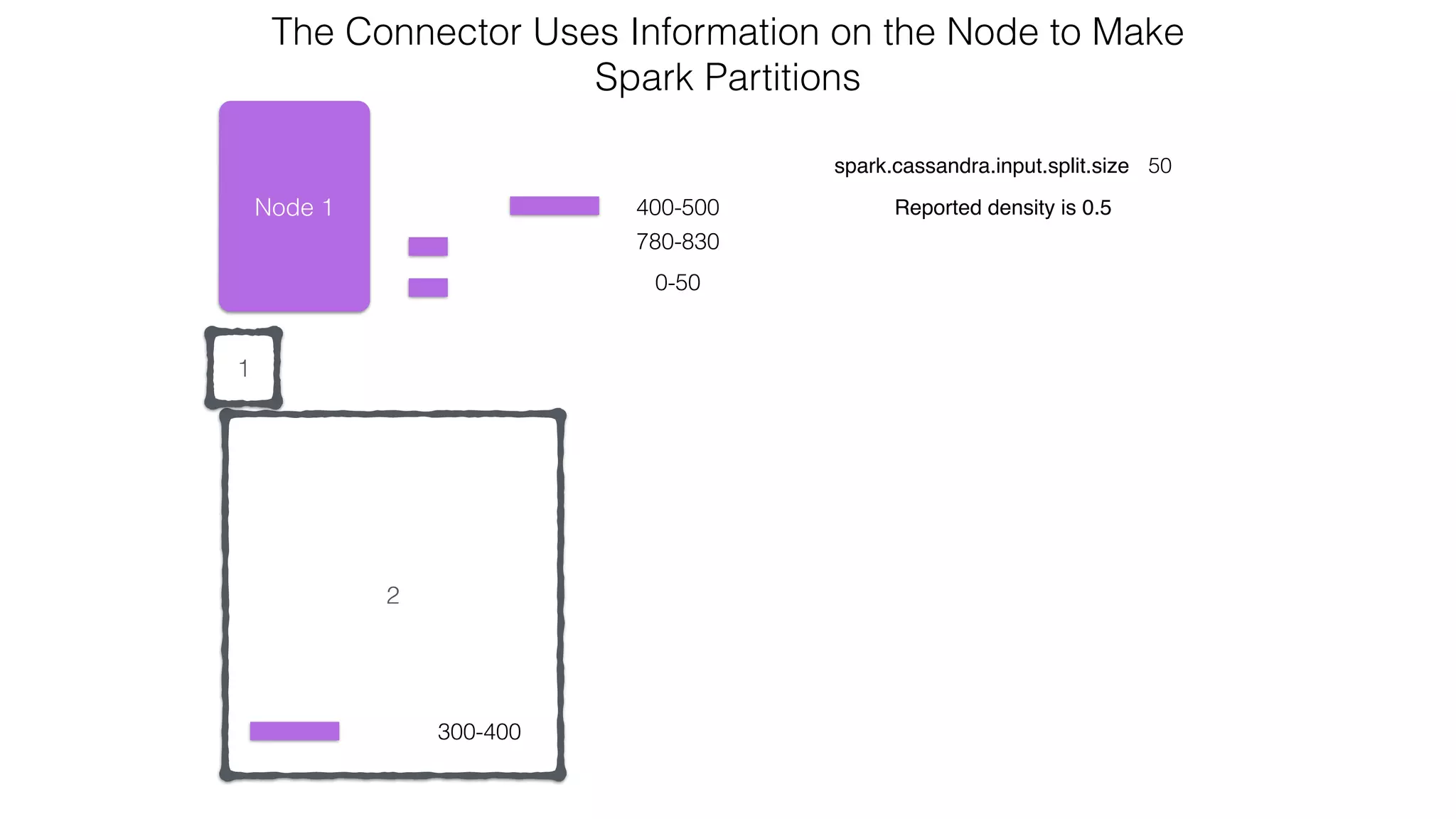
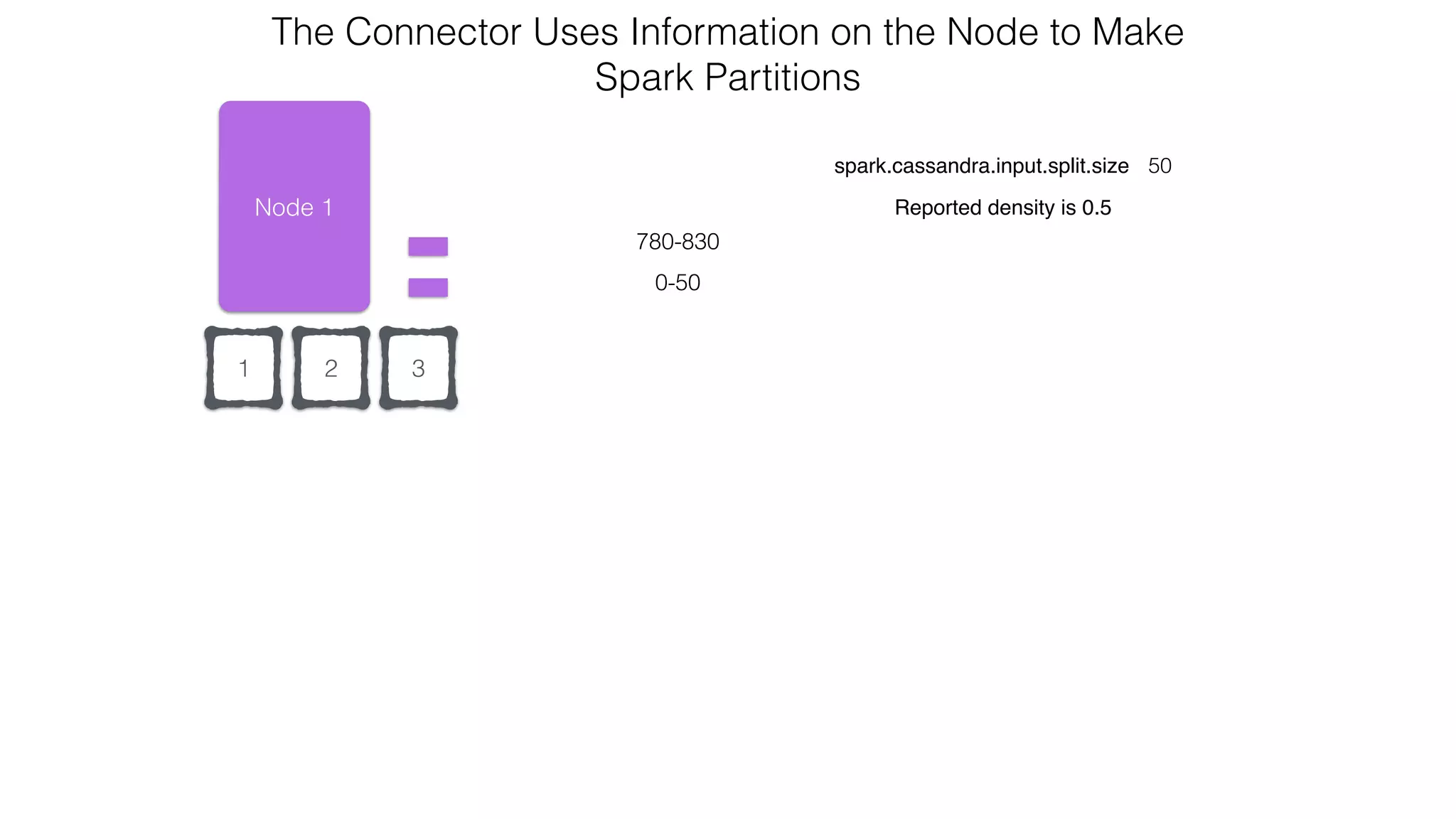
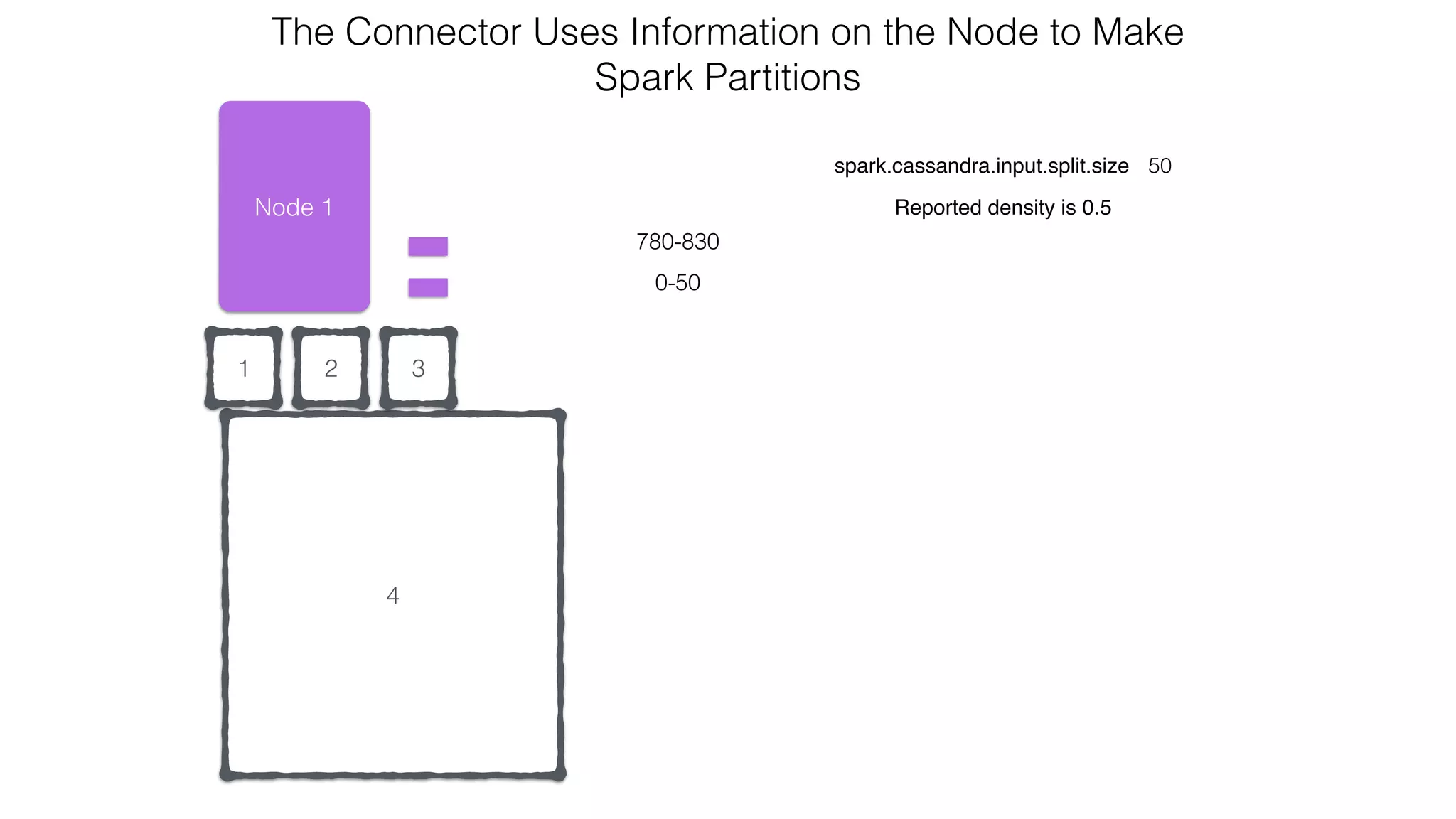
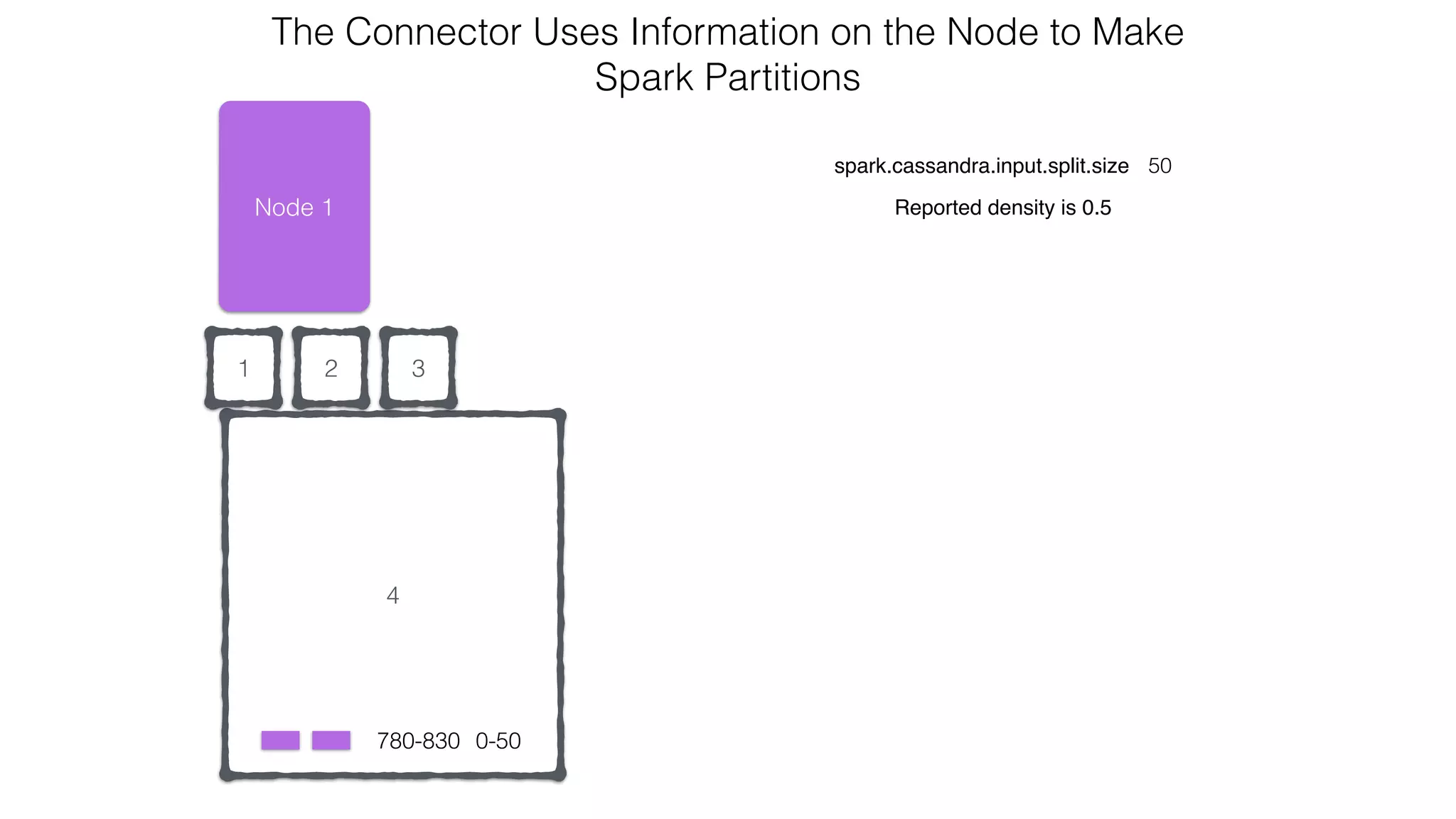
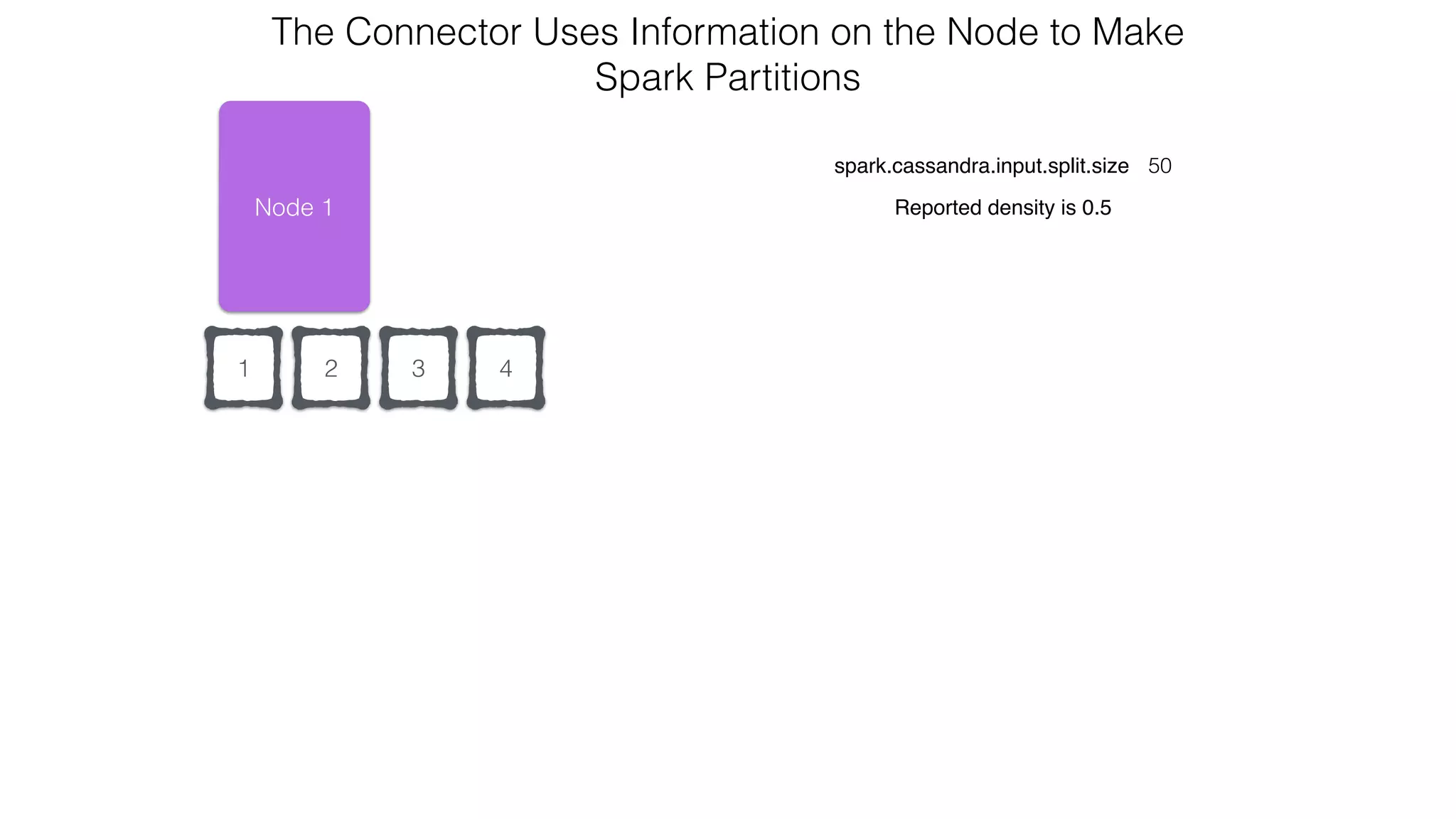
Node 1
120-220
300-500
780-830
0-50
spark.cassandra.input.split.size 50
Reported density is 0.5
The Connector Uses Information on the Node to Make 

Spark Partitions
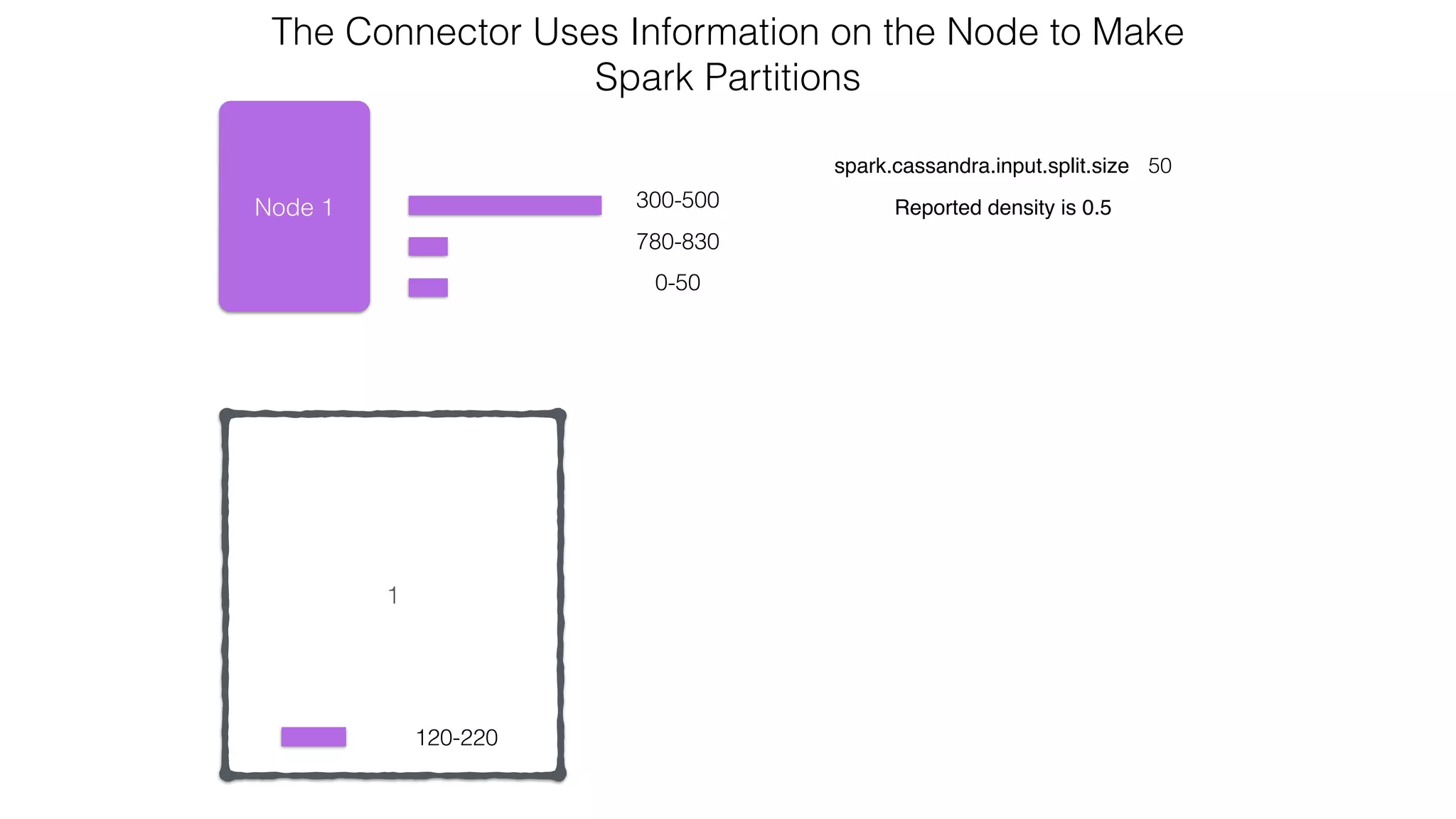
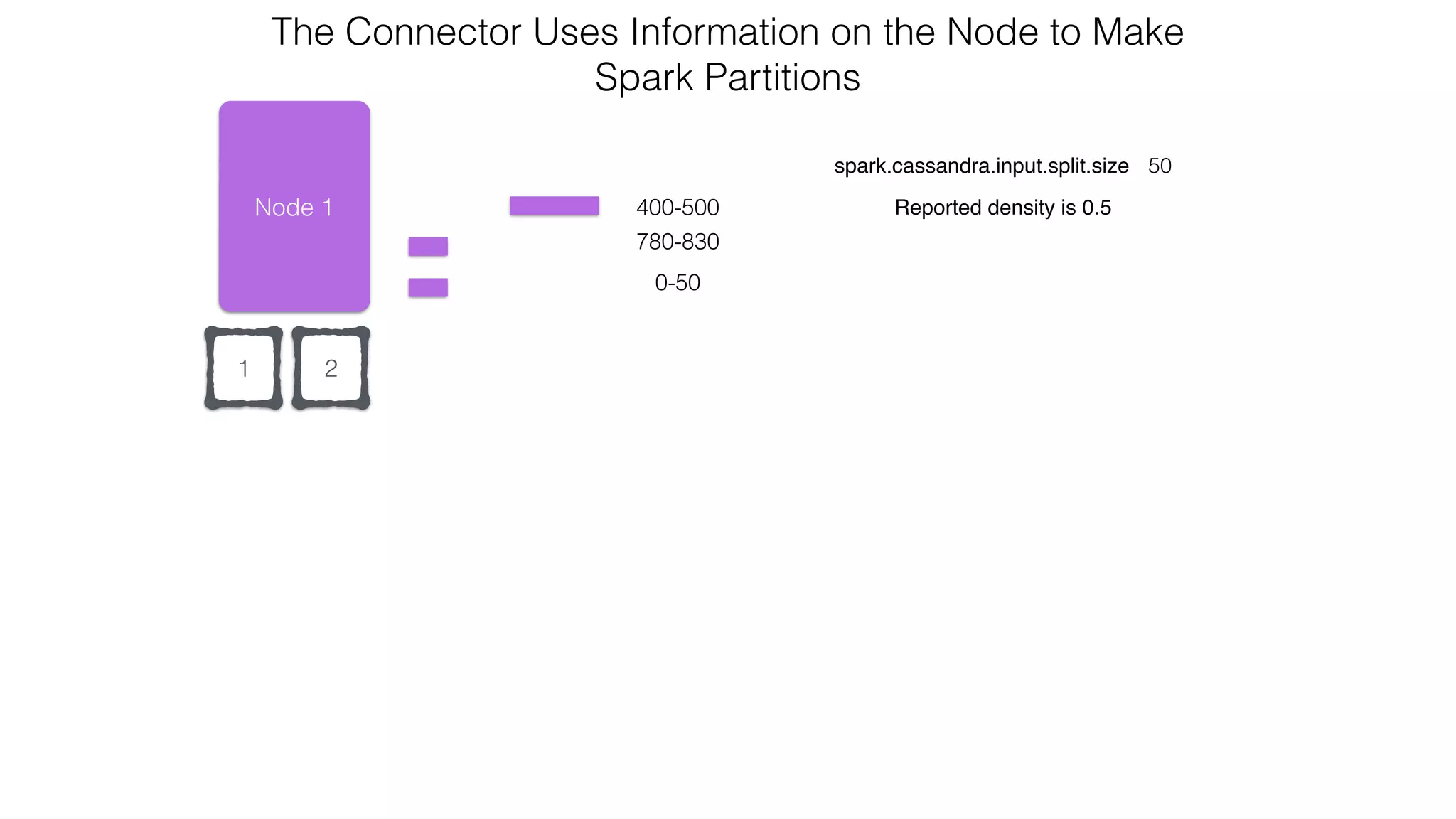
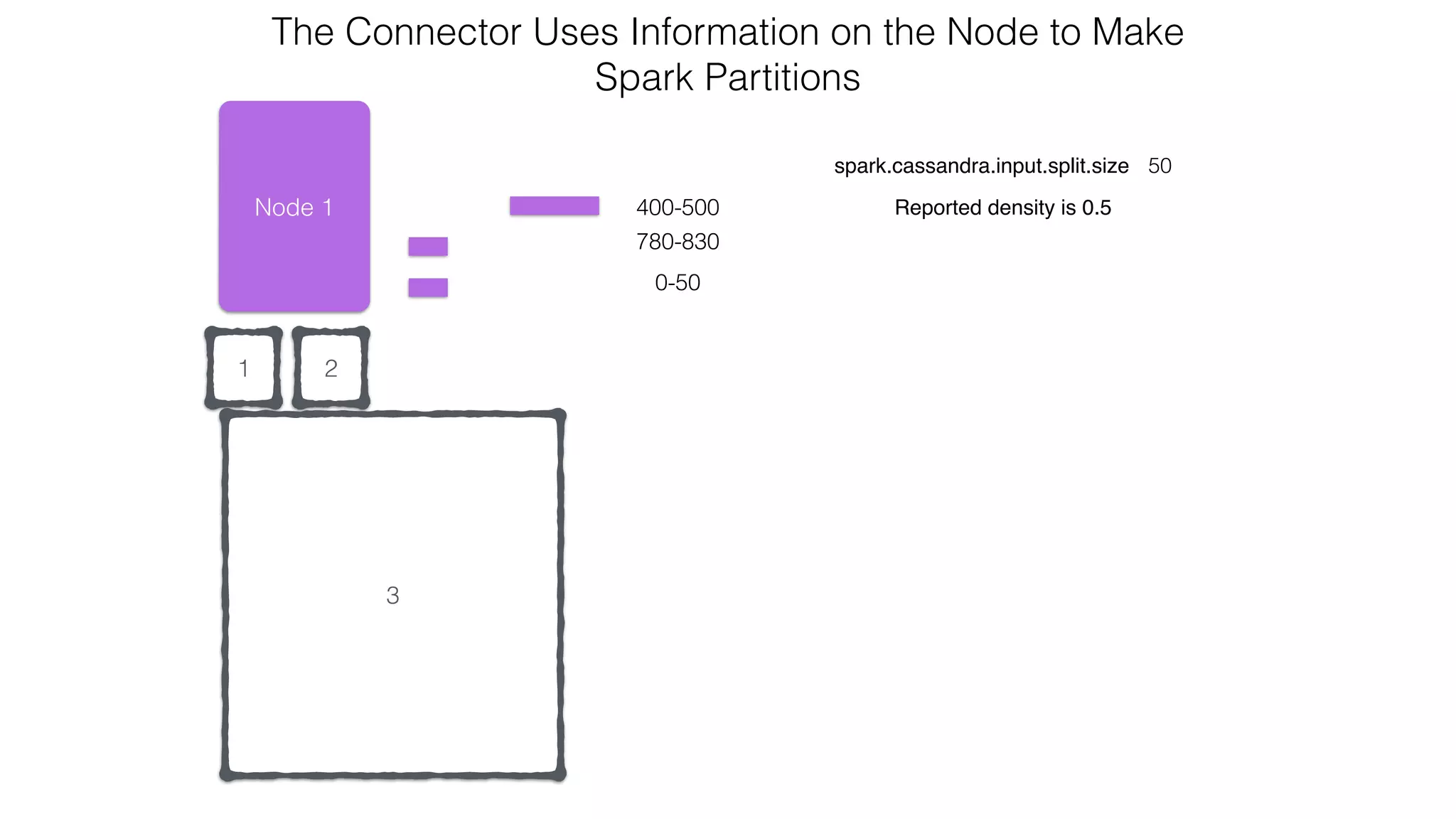
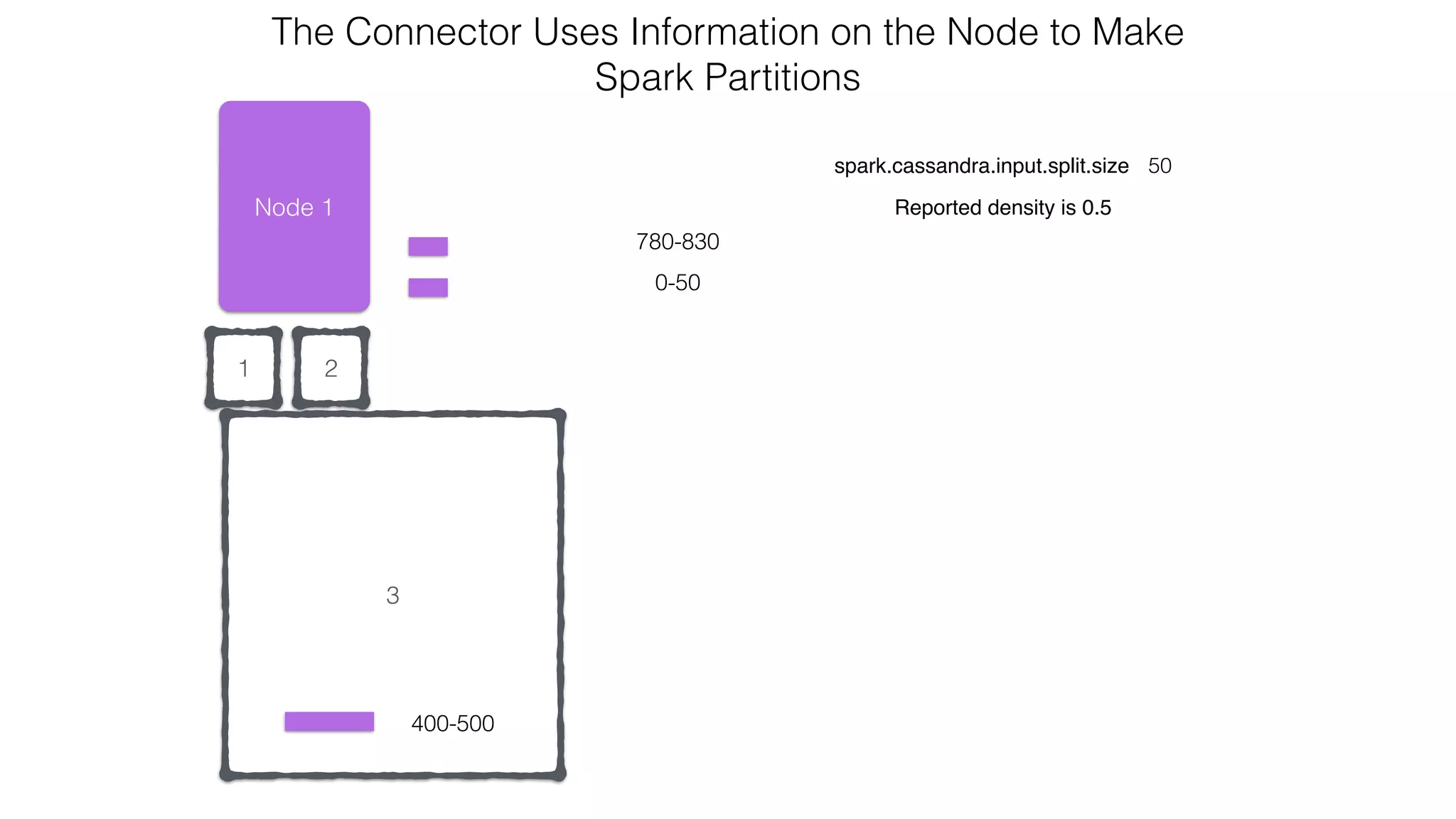
Node 1
120-220
300-500
0-50
spark.cassandra.input.split.size 50
Reported density is 0.5
The Connector Uses Information on the Node to Make 

Spark Partitions
1
780-830
1
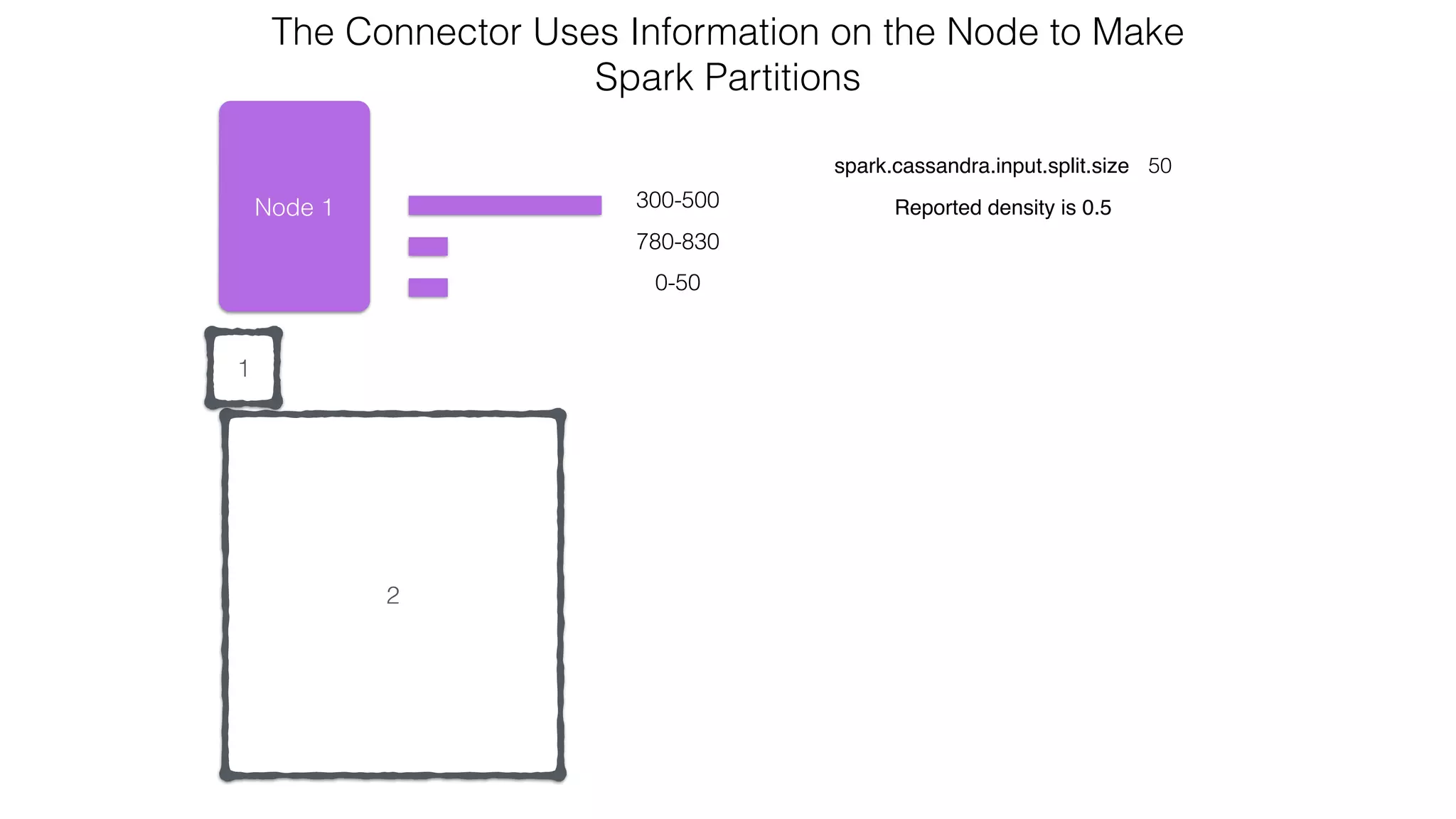
Node 1
120-220
300-500
0-50
spark.cassandra.input.split.size 50
Reported density is 0.5
The Connector Uses Information on the Node to Make 

Spark Partitions
780-830
2
1
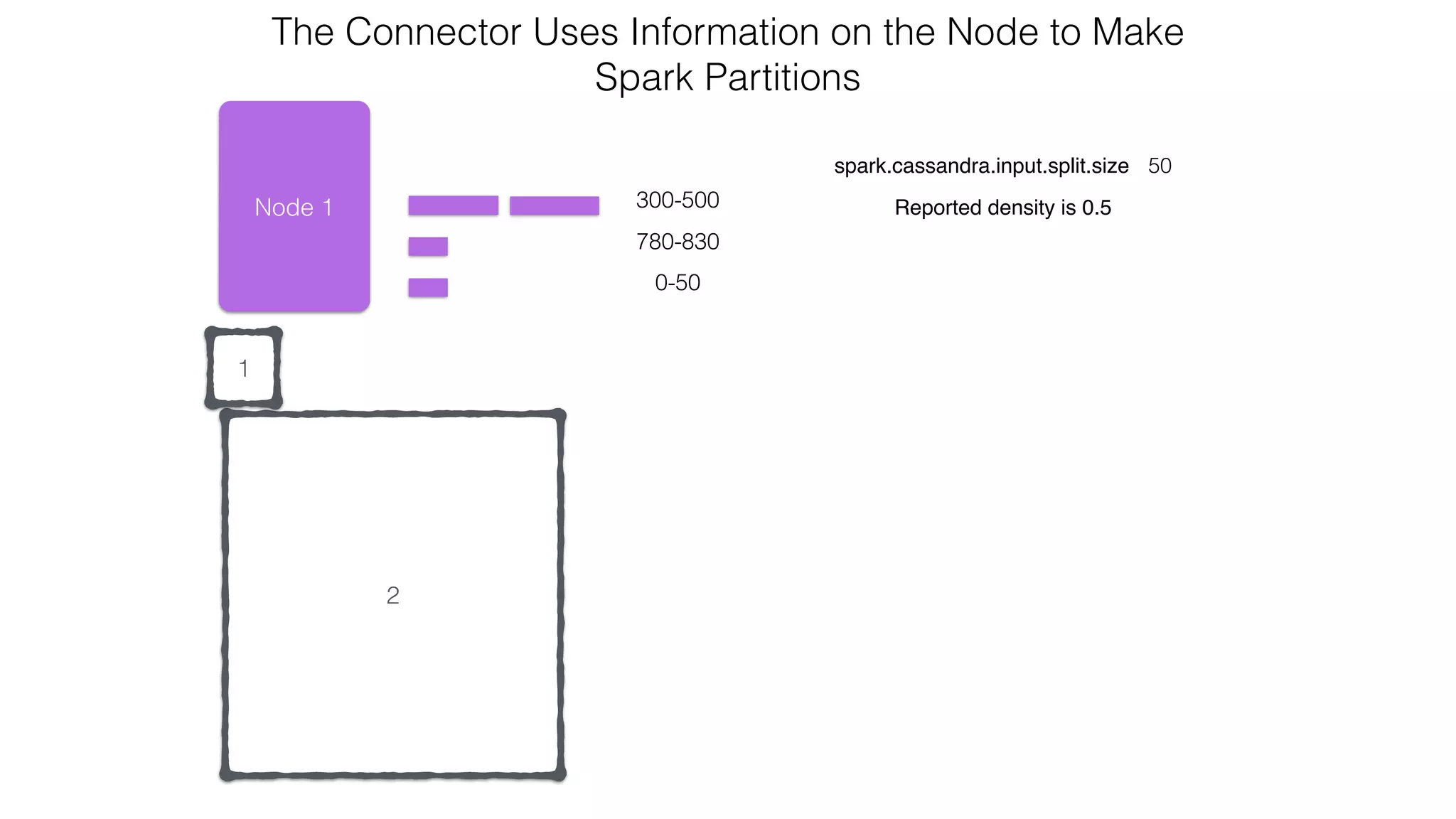
Node 1 300-500
0-50
spark.cassandra.input.split.size 50
Reported density is 0.5
The Connector Uses Information on the Node to Make 

Spark Partitions
780-830
2
1
Node 1 300-500
0-50
spark.cassandra.input.split.size 50
Reported density is 0.5
The Connector Uses Information on the Node to Make 

Spark Partitions
780-830
2
1
Node 1
300-400
0-50
spark.cassandra.input.split.size 50
Reported density is 0.5
The Connector Uses Information on the Node to Make 

Spark Partitions
780-830
400-500
21
Node 1
0-50
spark.cassandra.input.split.size 50
Reported density is 0.5
The Connector Uses Information on the Node to Make 

Spark Partitions
780-830
400-500
21
Node 1
0-50
spark.cassandra.input.split.size 50
Reported density is 0.5
The Connector Uses Information on the Node to Make 

Spark Partitions
780-830
400-500
3
21
Node 1
0-50
spark.cassandra.input.split.size 50
Reported density is 0.5
The Connector Uses Information on the Node to Make 

Spark Partitions
780-830
3
400-500
21
Node 1
0-50
spark.cassandra.input.split.size 50
Reported density is 0.5
The Connector Uses Information on the Node to Make 

Spark Partitions
780-830
3
4
21
Node 1
0-50
spark.cassandra.input.split.size 50
Reported density is 0.5
The Connector Uses Information on the Node to Make 

Spark Partitions
780-830
3
4
21
Node 1
0-50
spark.cassandra.input.split.size 50
Reported density is 0.5
The Connector Uses Information on the Node to Make 

Spark Partitions
780-830
3
421
Node 1
spark.cassandra.input.split.size 50
Reported density is 0.5
The Connector Uses Information on the Node to Make 

Spark Partitions
3
4
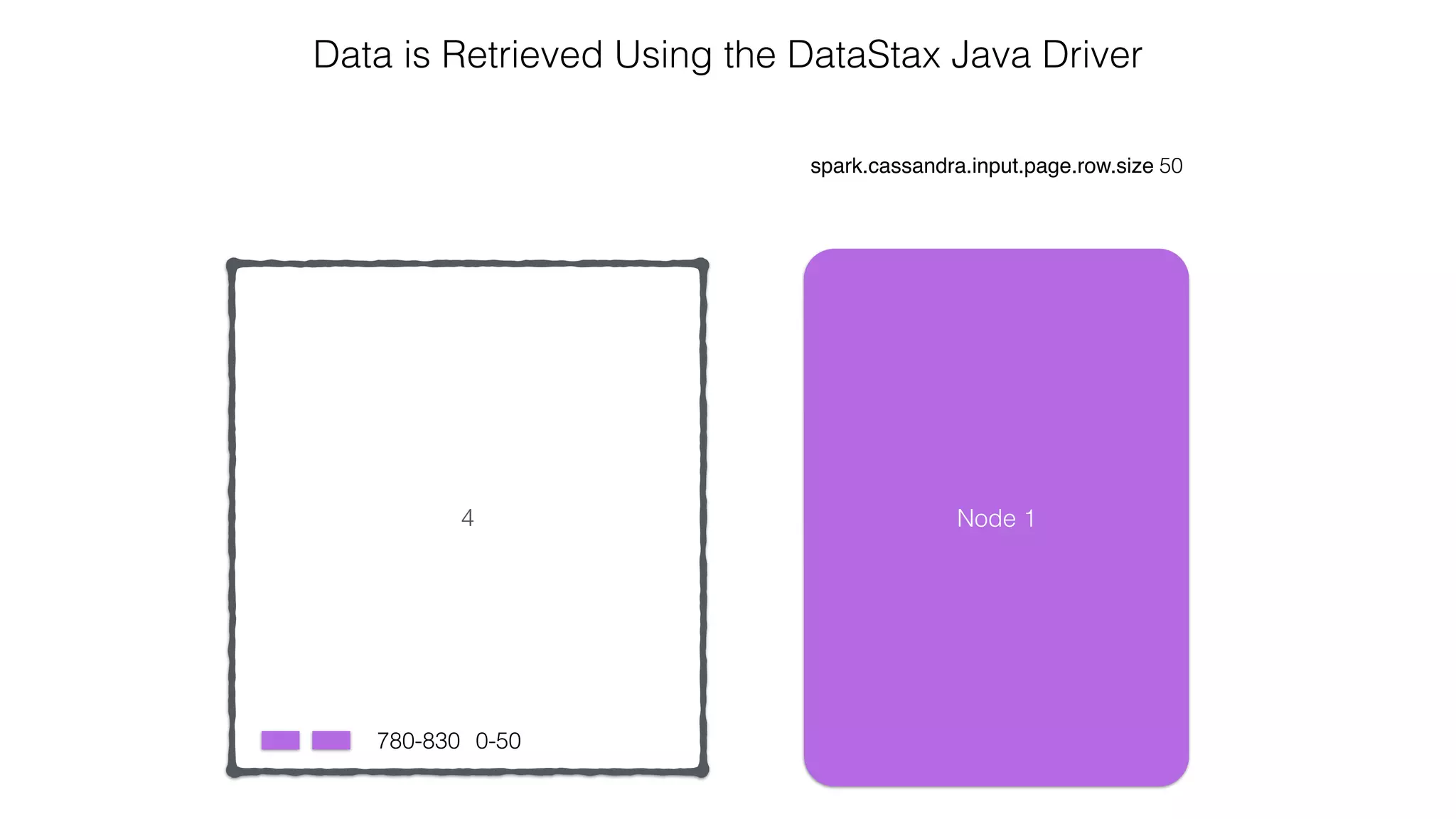
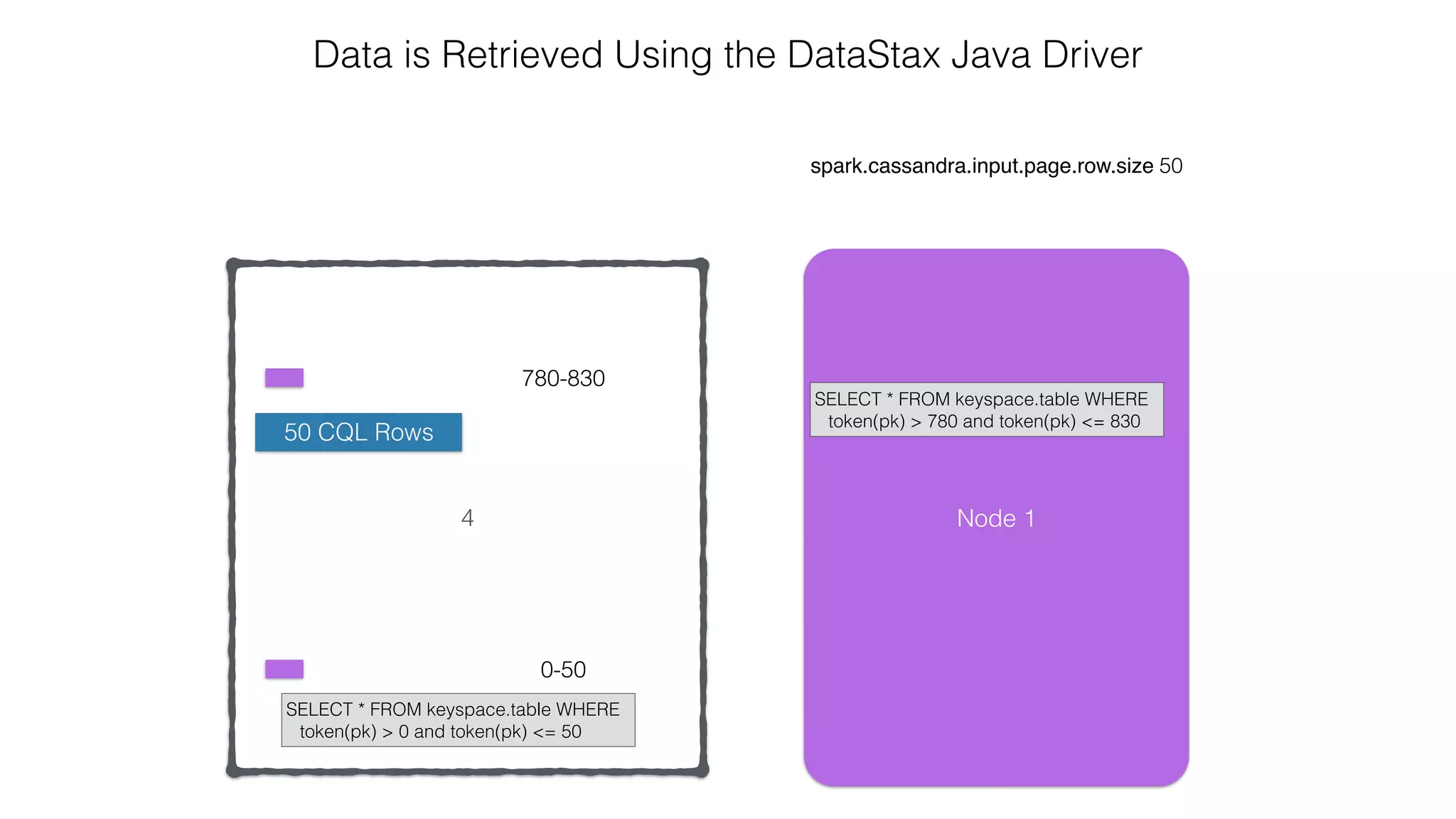
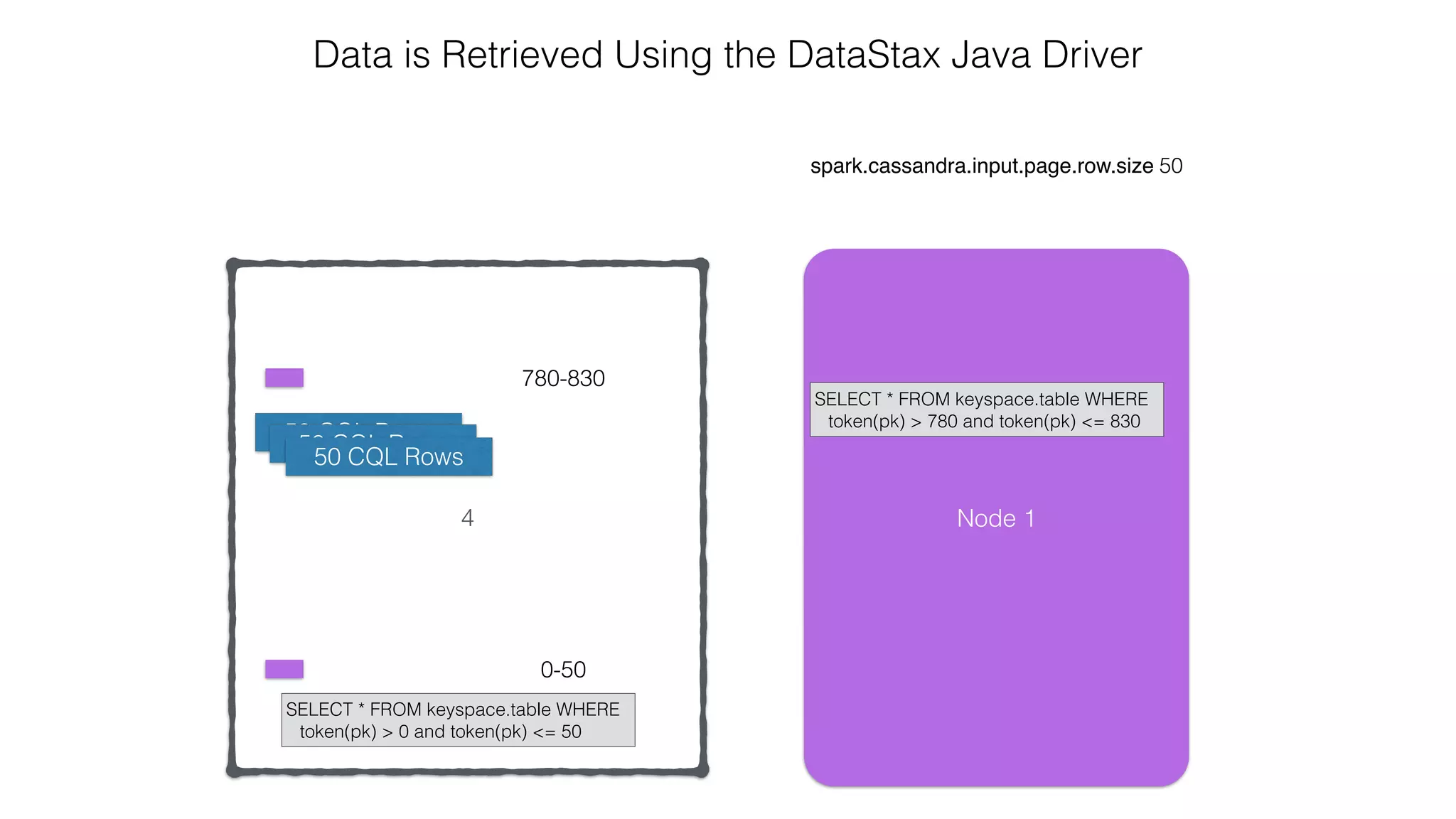
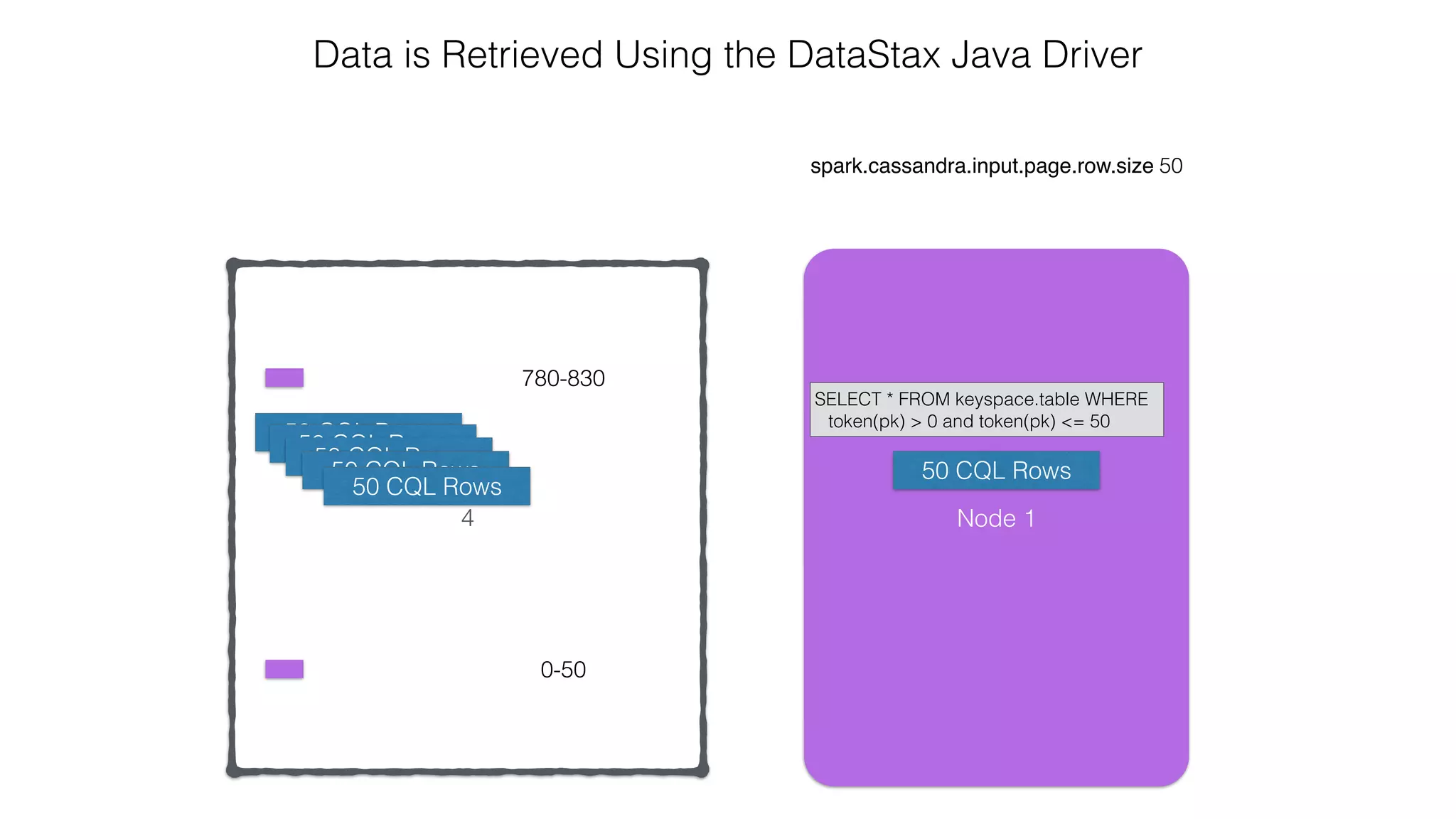
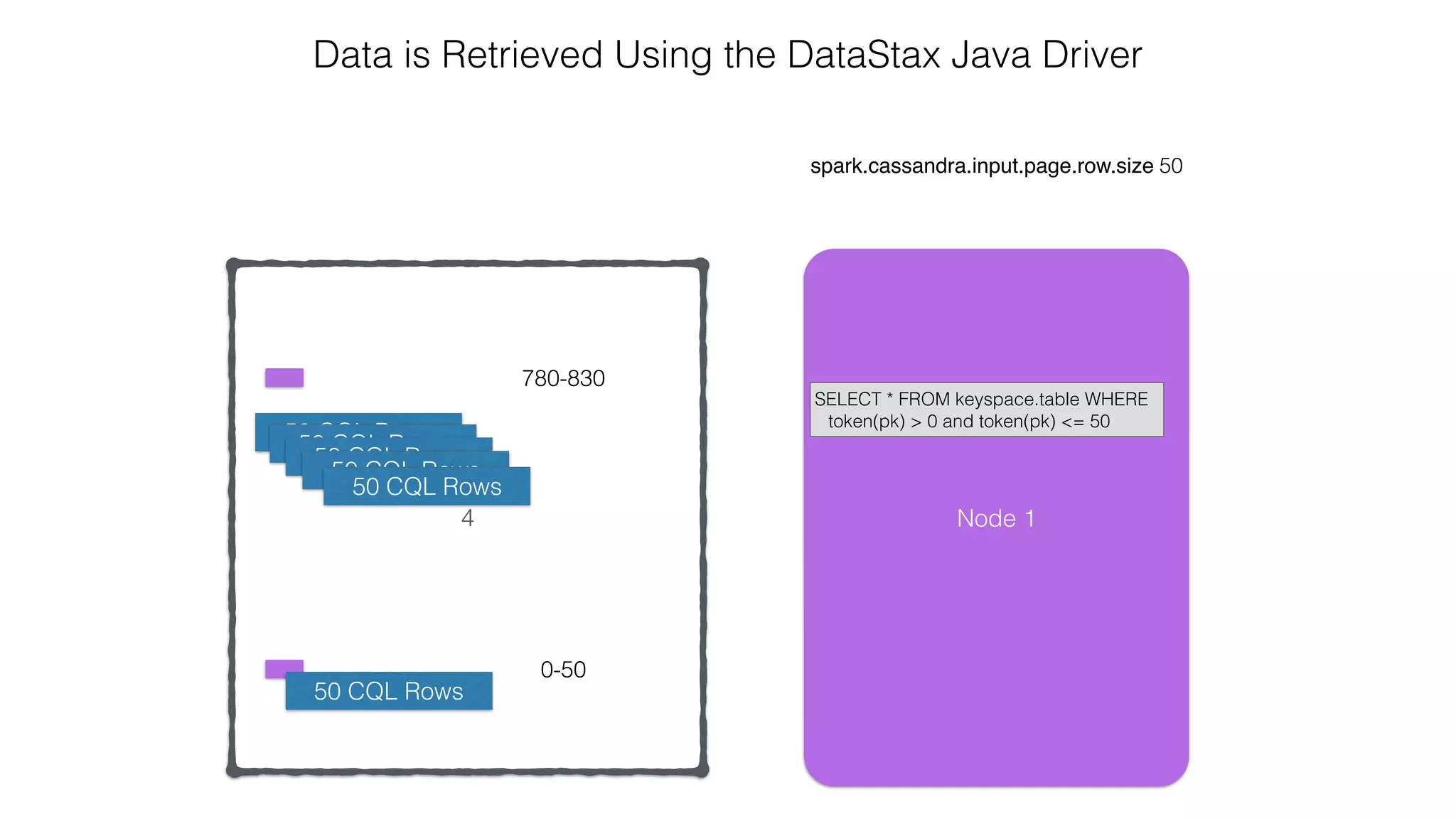
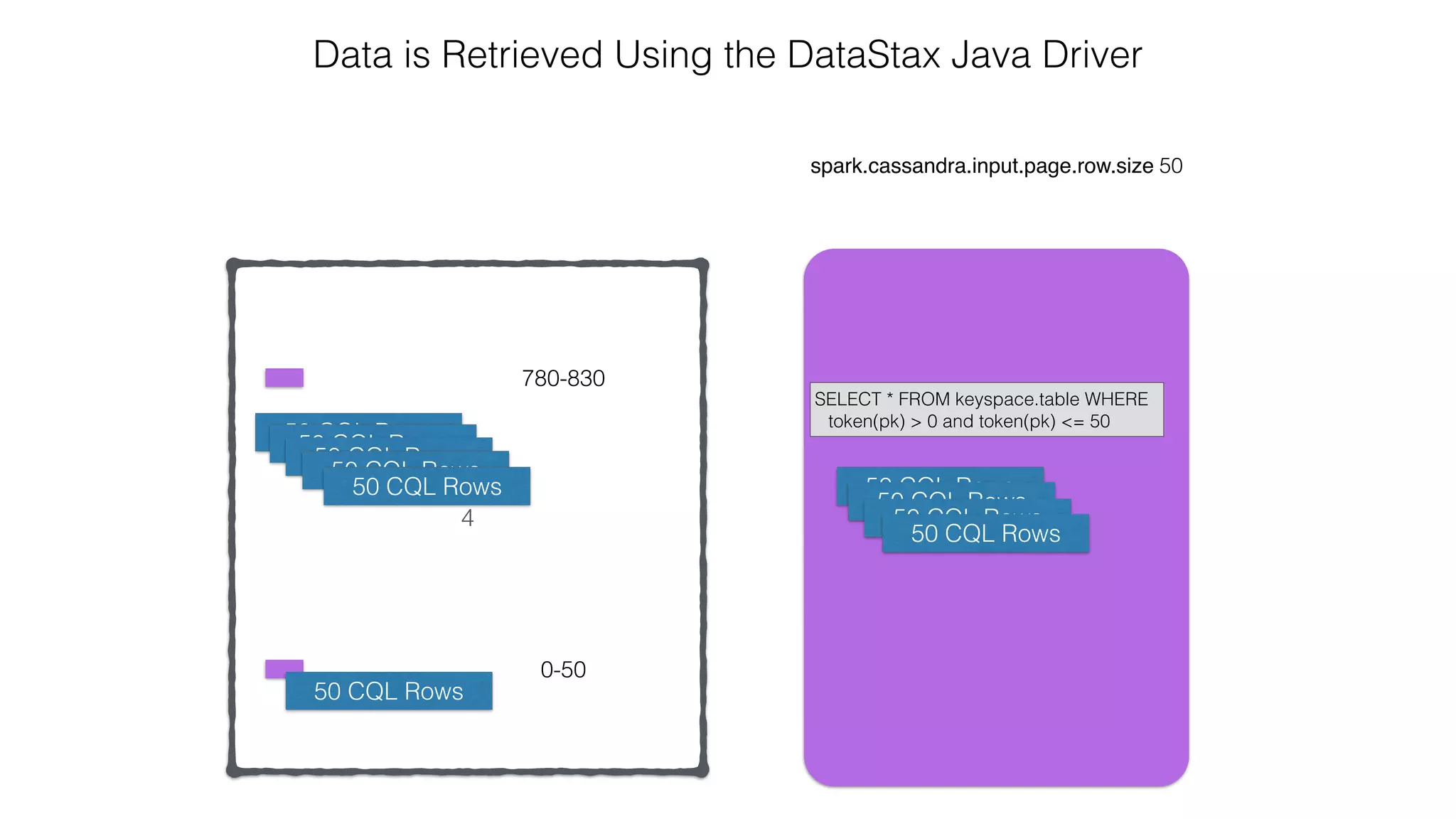
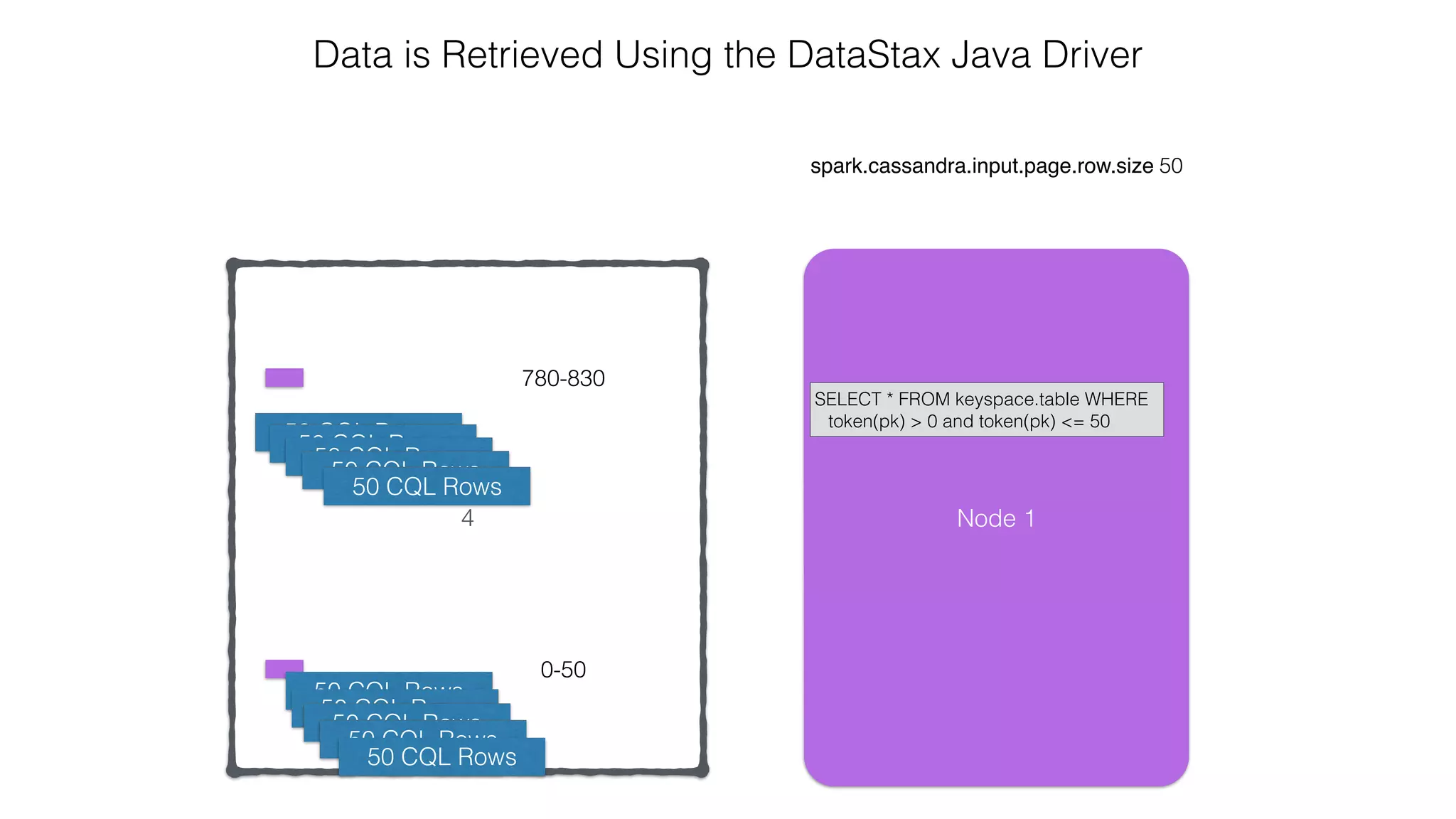
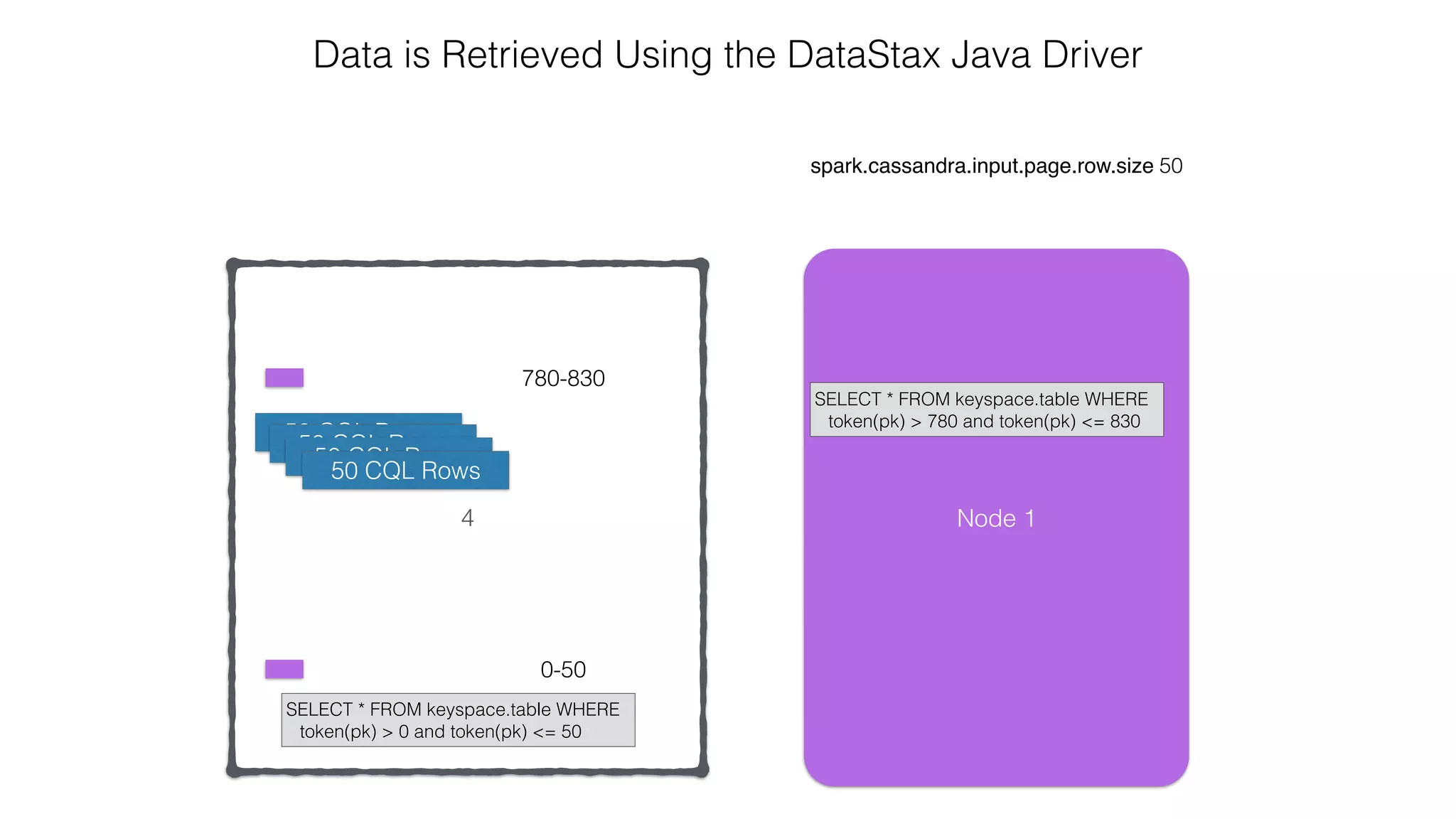
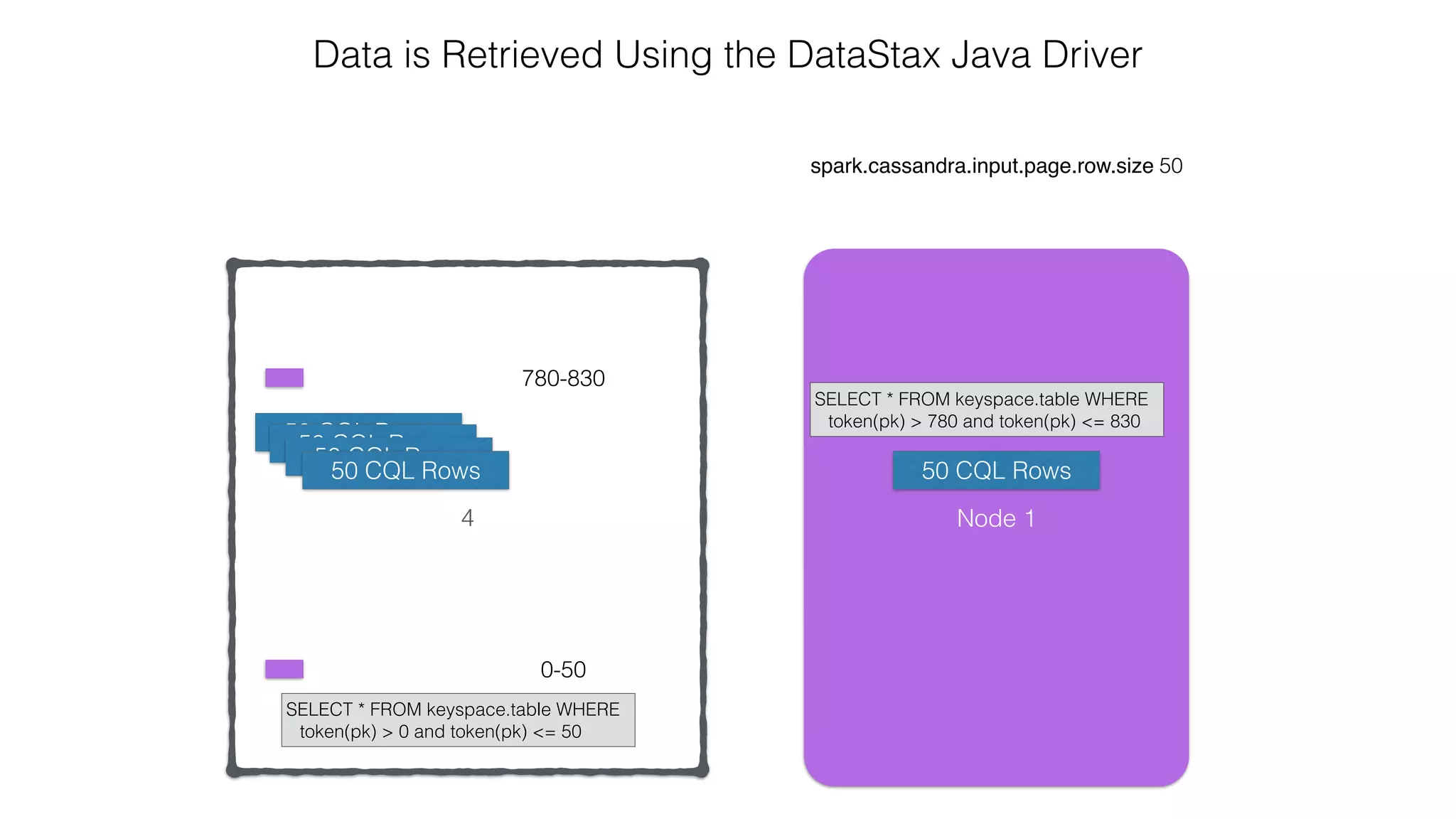
spark.cassandra.input.page.row.size 50
Data is Retrieved Using the DataStax Java Driver
0-50780-830
Node 1
4
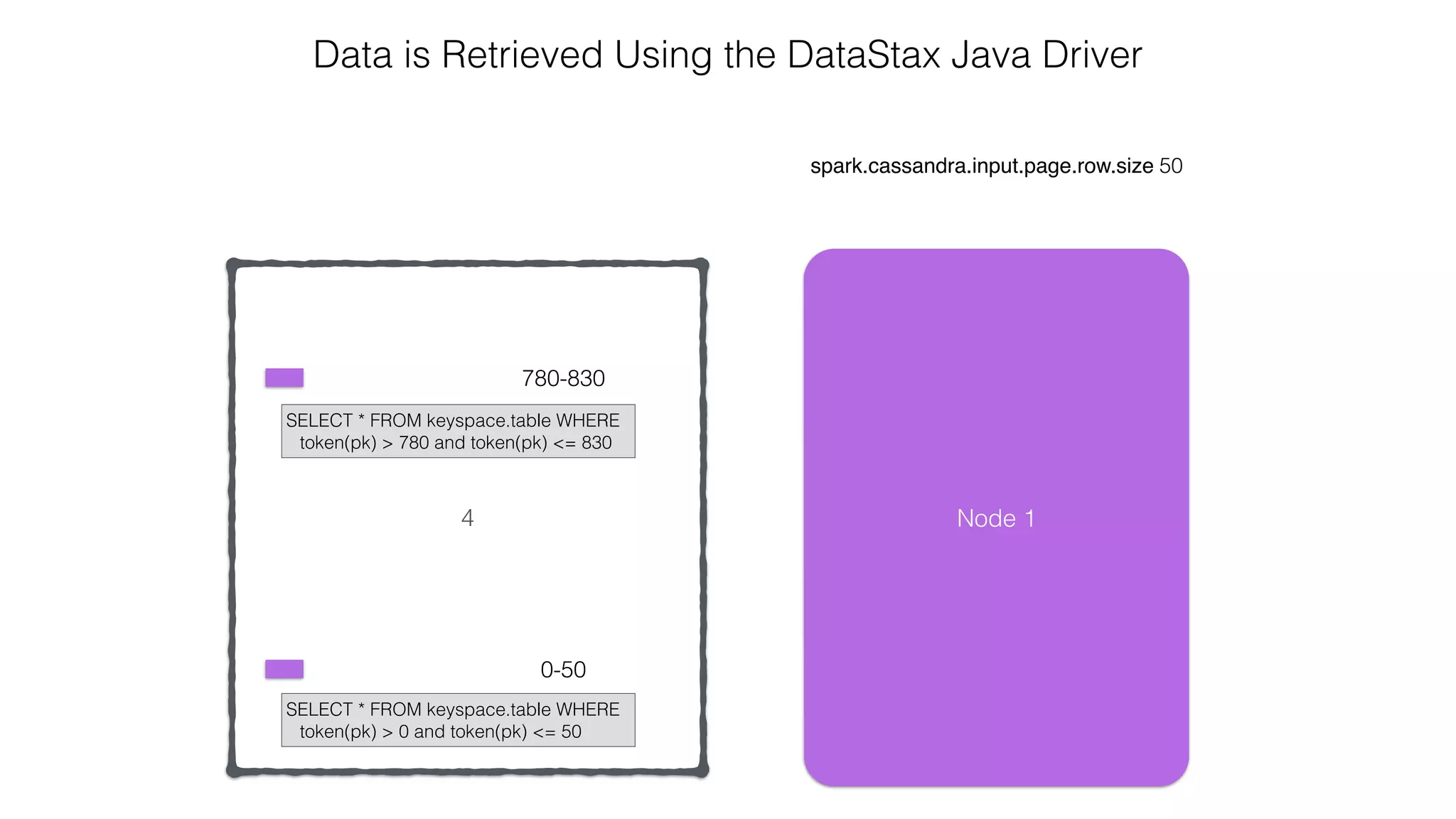
spark.cassandra.input.page.row.size 50
Data is Retrieved Using the DataStax Java Driver
0-50
780-830
Node 1
SELECT * FROM keyspace.table WHERE
token(pk) > 780 and token(pk) <= 830
SELECT * FROM keyspace.table WHERE
token(pk) > 0 and token(pk) <= 50
4
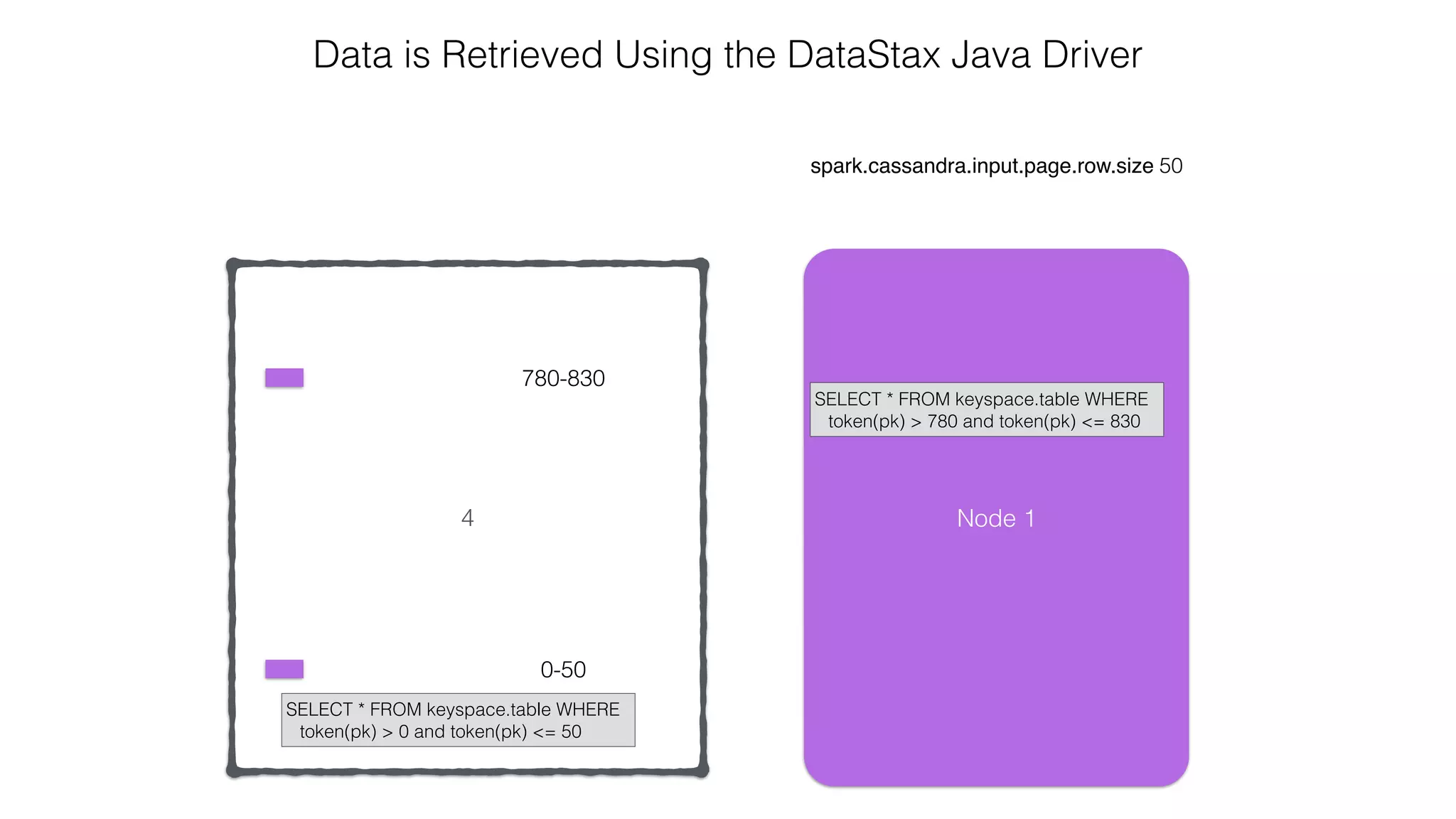
spark.cassandra.input.page.row.size 50
Data is Retrieved Using the DataStax Java Driver
0-50
780-830
Node 1
SELECT * FROM keyspace.table WHERE
token(pk) > 780 and token(pk) <= 830
SELECT * FROM keyspace.table WHERE
token(pk) > 0 and token(pk) <= 50
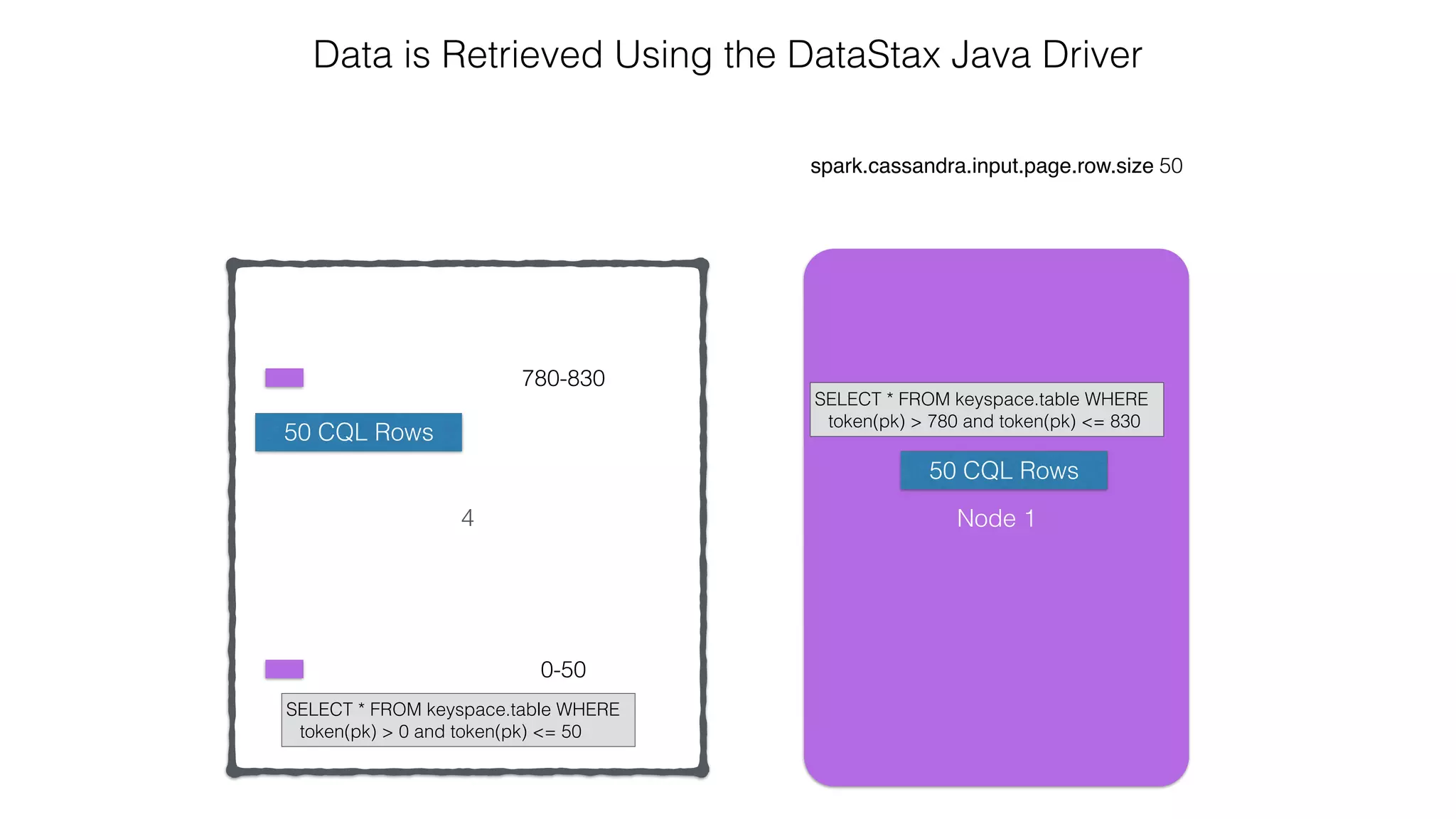
4
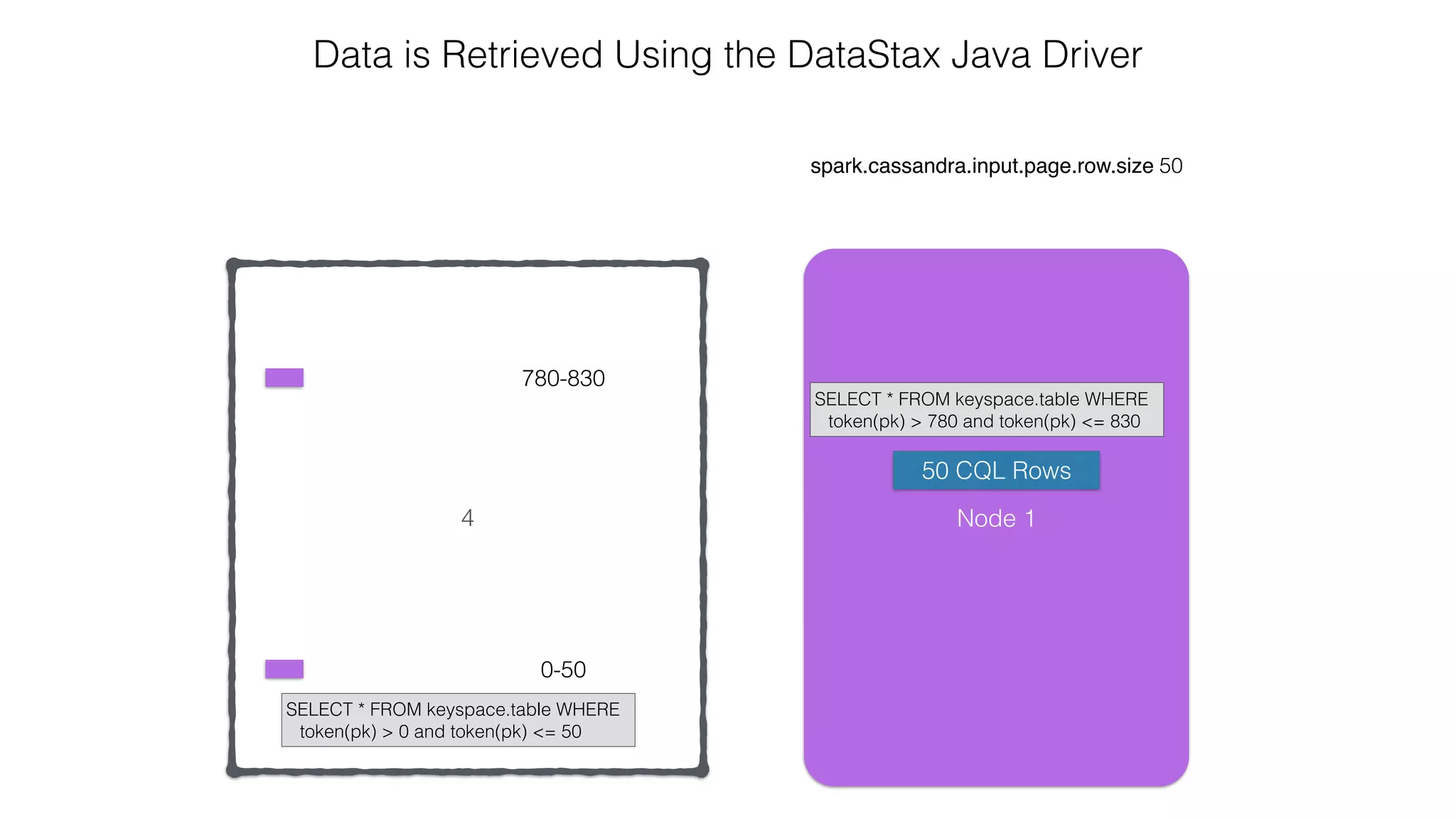
spark.cassandra.input.page.row.size 50
Data is Retrieved Using the DataStax Java Driver
0-50
780-830
Node 1
SELECT * FROM keyspace.table WHERE
token(pk) > 780 and token(pk) <= 830
SELECT * FROM keyspace.table WHERE
token(pk) > 0 and token(pk) <= 50
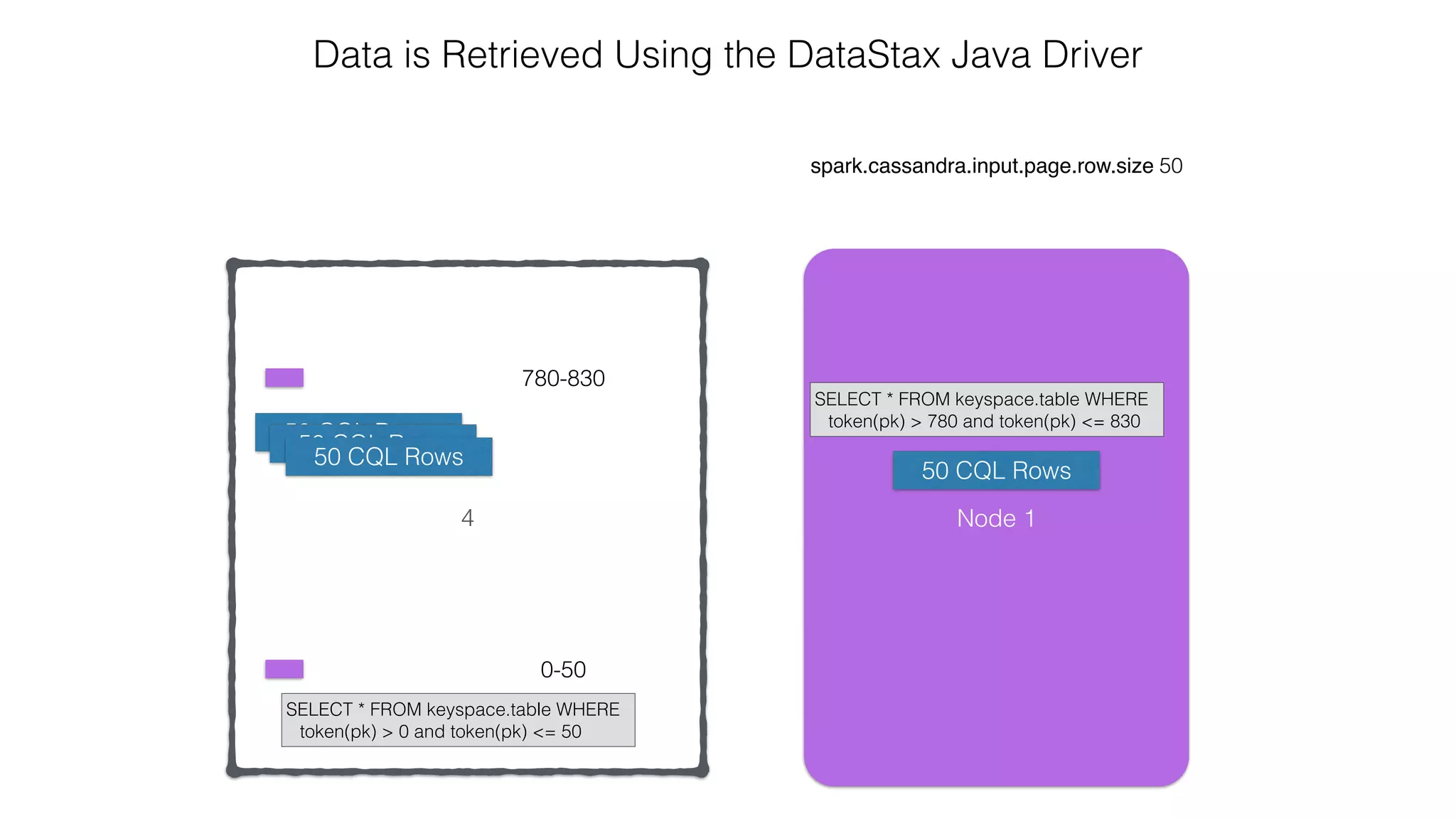
50 CQL Rows
4
spark.cassandra.input.page.row.size 50
Data is Retrieved Using the DataStax Java Driver
0-50
780-830
Node 1
SELECT * FROM keyspace.table WHERE
token(pk) > 780 and token(pk) <= 830
SELECT * FROM keyspace.table WHERE
token(pk) > 0 and token(pk) <= 50
50 CQL Rows
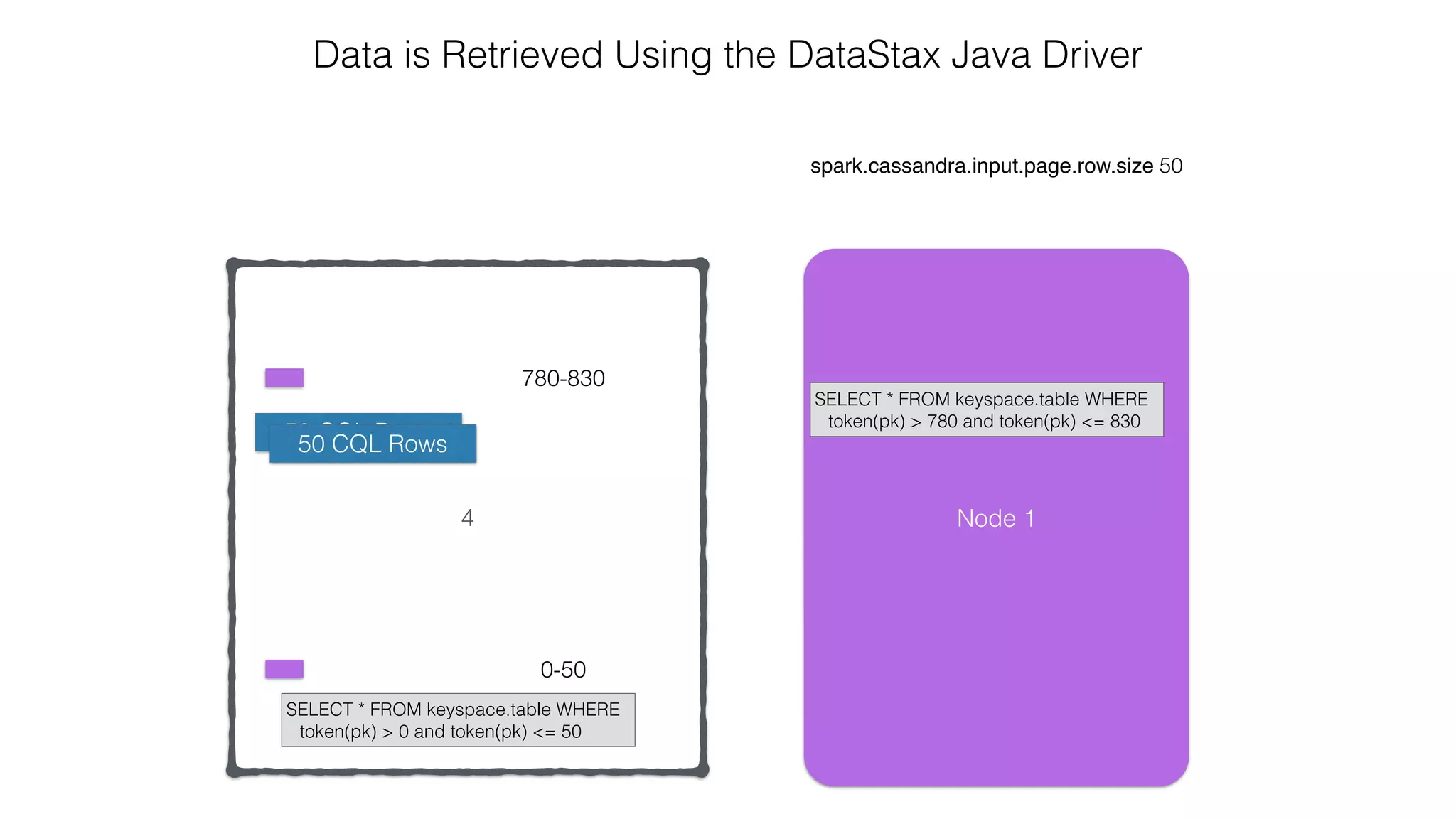
4
spark.cassandra.input.page.row.size 50
Data is Retrieved Using the DataStax Java Driver
0-50
780-830
Node 1
SELECT * FROM keyspace.table WHERE
token(pk) > 780 and token(pk) <= 830
SELECT * FROM keyspace.table WHERE
token(pk) > 0 and token(pk) <= 50
50 CQL Rows
50 CQL Rows
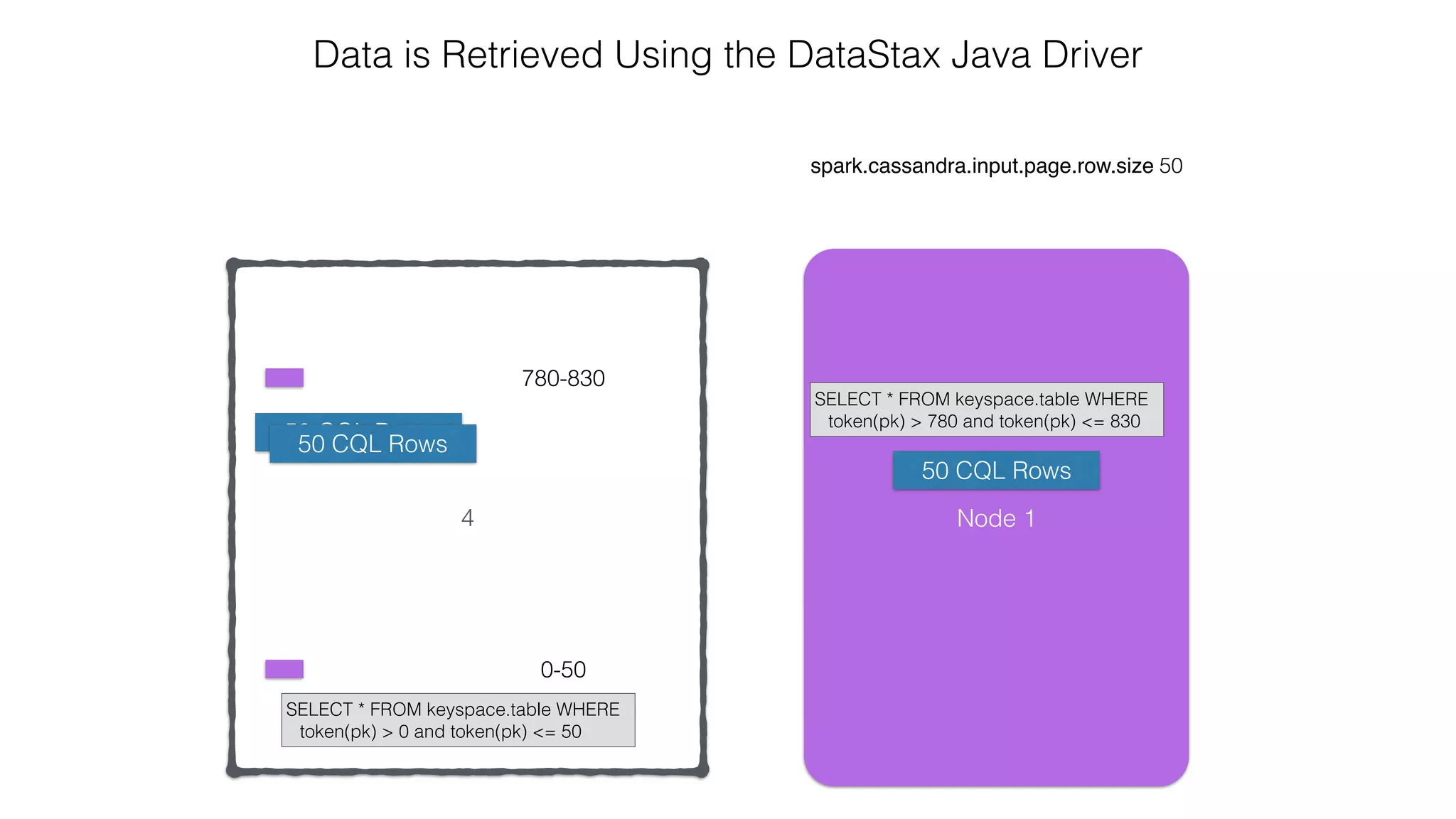
4
spark.cassandra.input.page.row.size 50
Data is Retrieved Using the DataStax Java Driver
0-50
780-830
Node 1
SELECT * FROM keyspace.table WHERE
token(pk) > 780 and token(pk) <= 830
SELECT * FROM keyspace.table WHERE
token(pk) > 0 and token(pk) <= 50
50 CQL Rows50 CQL Rows
4
spark.cassandra.input.page.row.size 50
Data is Retrieved Using the DataStax Java Driver
0-50
780-830
Node 1
SELECT * FROM keyspace.table WHERE
token(pk) > 780 and token(pk) <= 830
SELECT * FROM keyspace.table WHERE
token(pk) > 0 and token(pk) <= 50
50 CQL Rows50 CQL Rows
50 CQL Rows
4
spark.cassandra.input.page.row.size 50
Data is Retrieved Using the DataStax Java Driver
0-50
780-830
Node 1
SELECT * FROM keyspace.table WHERE
token(pk) > 780 and token(pk) <= 830
SELECT * FROM keyspace.table WHERE
token(pk) > 0 and token(pk) <= 50
50 CQL Rows50 CQL Rows
50 CQL Rows
4
spark.cassandra.input.page.row.size 50
Data is Retrieved Using the DataStax Java Driver
0-50
780-830
Node 1
SELECT * FROM keyspace.table WHERE
token(pk) > 780 and token(pk) <= 830
SELECT * FROM keyspace.table WHERE
token(pk) > 0 and token(pk) <= 50
50 CQL Rows50 CQL Rows
50 CQL Rows
50 CQL Rows
4
spark.cassandra.input.page.row.size 50
Data is Retrieved Using the DataStax Java Driver
0-50
780-830
Node 1
SELECT * FROM keyspace.table WHERE
token(pk) > 780 and token(pk) <= 830
SELECT * FROM keyspace.table WHERE
token(pk) > 0 and token(pk) <= 50
50 CQL Rows50 CQL Rows
50 CQL Rows
50 CQL Rows
4
spark.cassandra.input.page.row.size 50
Data is Retrieved Using the DataStax Java Driver
0-50
780-830
Node 1
SELECT * FROM keyspace.table WHERE
token(pk) > 780 and token(pk) <= 830
SELECT * FROM keyspace.table WHERE
token(pk) > 0 and token(pk) <= 50
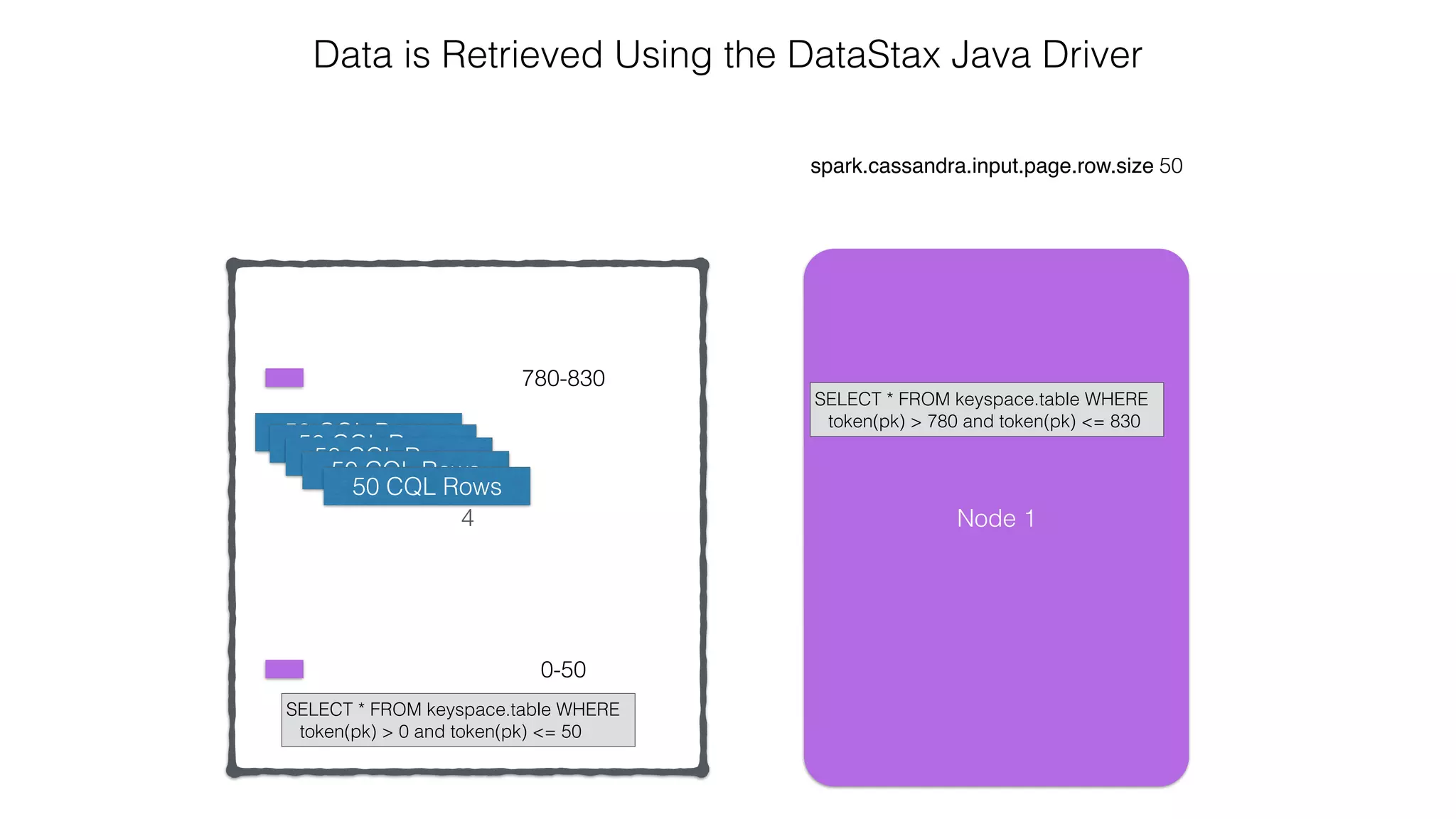
50 CQL Rows50 CQL Rows
50 CQL Rows
50 CQL Rows 50 CQL Rows
4
spark.cassandra.input.page.row.size 50
Data is Retrieved Using the DataStax Java Driver
0-50
780-830
Node 1
SELECT * FROM keyspace.table WHERE
token(pk) > 780 and token(pk) <= 830
SELECT * FROM keyspace.table WHERE
token(pk) > 0 and token(pk) <= 50
50 CQL Rows50 CQL Rows
50 CQL Rows
50 CQL Rows
50 CQL Rows
4
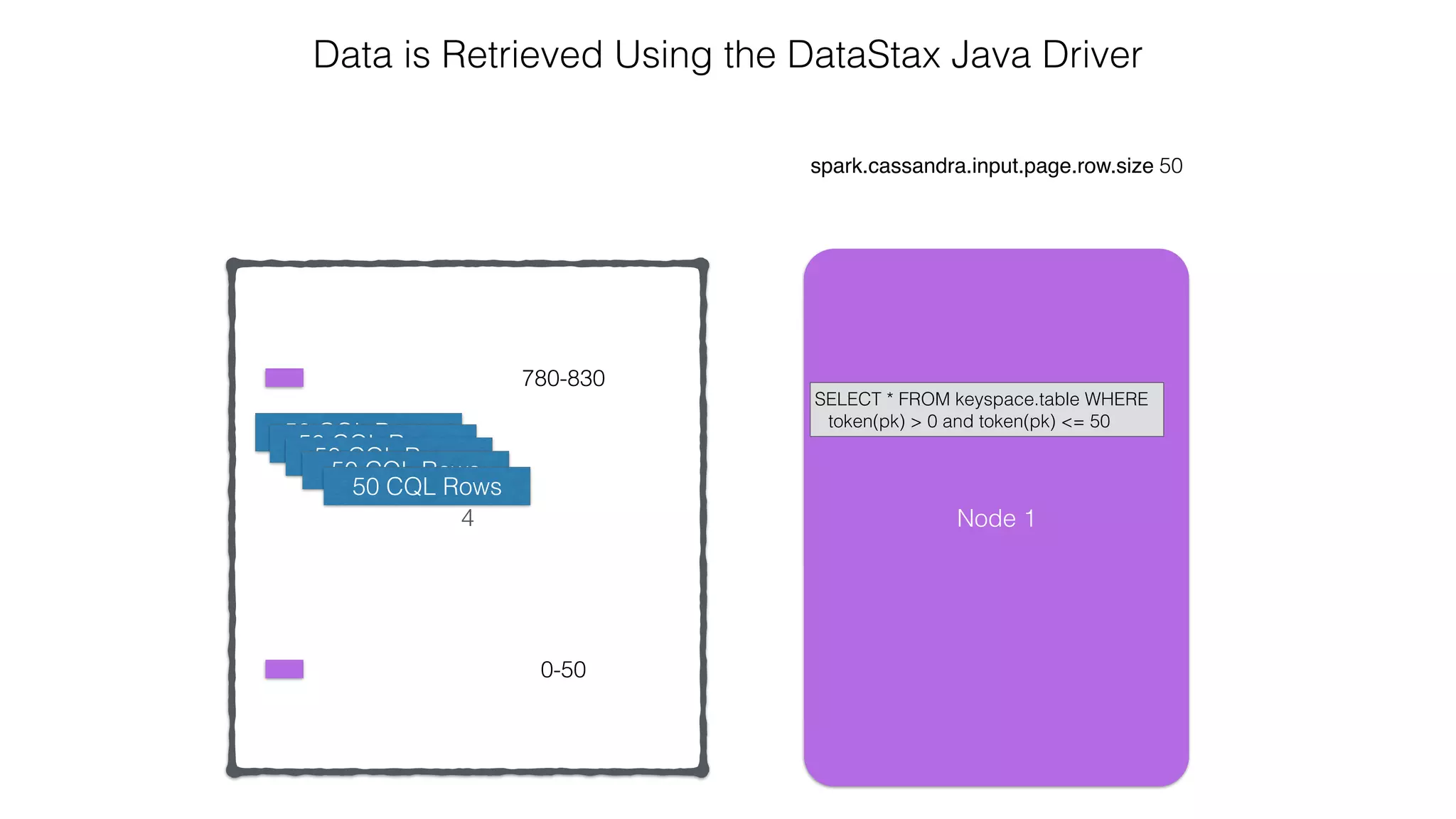
spark.cassandra.input.page.row.size 50
Data is Retrieved Using the DataStax Java Driver
0-50
780-830
Node 1
SELECT * FROM keyspace.table WHERE
token(pk) > 0 and token(pk) <= 50
50 CQL Rows50 CQL Rows
50 CQL Rows
50 CQL Rows
50 CQL Rows
4
spark.cassandra.input.page.row.size 50
Data is Retrieved Using the DataStax Java Driver
0-50
780-830
Node 1
SELECT * FROM keyspace.table WHERE
token(pk) > 0 and token(pk) <= 50
50 CQL Rows50 CQL Rows
50 CQL Rows
50 CQL Rows
50 CQL Rows
50 CQL Rows
4
spark.cassandra.input.page.row.size 50
Data is Retrieved Using the DataStax Java Driver
0-50
780-830
Node 1
SELECT * FROM keyspace.table WHERE
token(pk) > 0 and token(pk) <= 50
50 CQL Rows50 CQL Rows
50 CQL Rows
50 CQL Rows
50 CQL Rows
50 CQL Rows
4
spark.cassandra.input.page.row.size 50
Data is Retrieved Using the DataStax Java Driver
0-50
780-830
Node 1
SELECT * FROM keyspace.table WHERE
token(pk) > 0 and token(pk) <= 50
50 CQL Rows50 CQL Rows
50 CQL Rows
50 CQL Rows
50 CQL Rows
50 CQL Rows
50 CQL Rows
50 CQL Rows
50 CQL Rows
50 CQL Rows
4
spark.cassandra.input.page.row.size 50
Data is Retrieved Using the DataStax Java Driver
0-50
780-830
Node 1
SELECT * FROM keyspace.table WHERE
token(pk) > 0 and token(pk) <= 50
50 CQL Rows50 CQL Rows
50 CQL Rows
50 CQL Rows
50 CQL Rows
50 CQL Rows
50 CQL Rows
50 CQL Rows
50 CQL Rows
50 CQL Rows
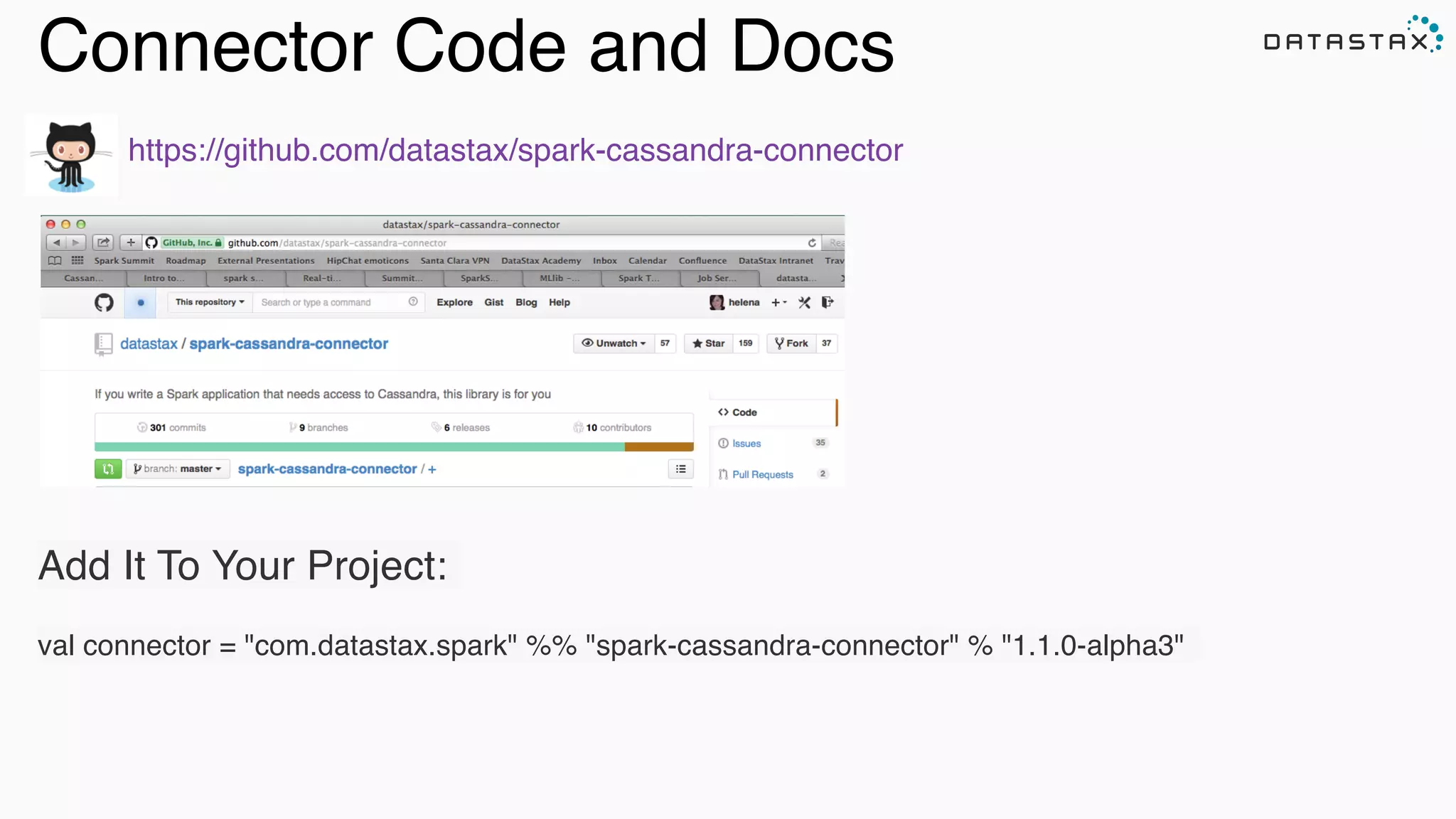
Connector Code and Docs
https://github.com/datastax/spark-cassandra-connector
Add It To Your Project:
val connector = "com.datastax.spark" %% "spark-cassandra-connector" % "1.1.0-alpha3"
Apache Kafka
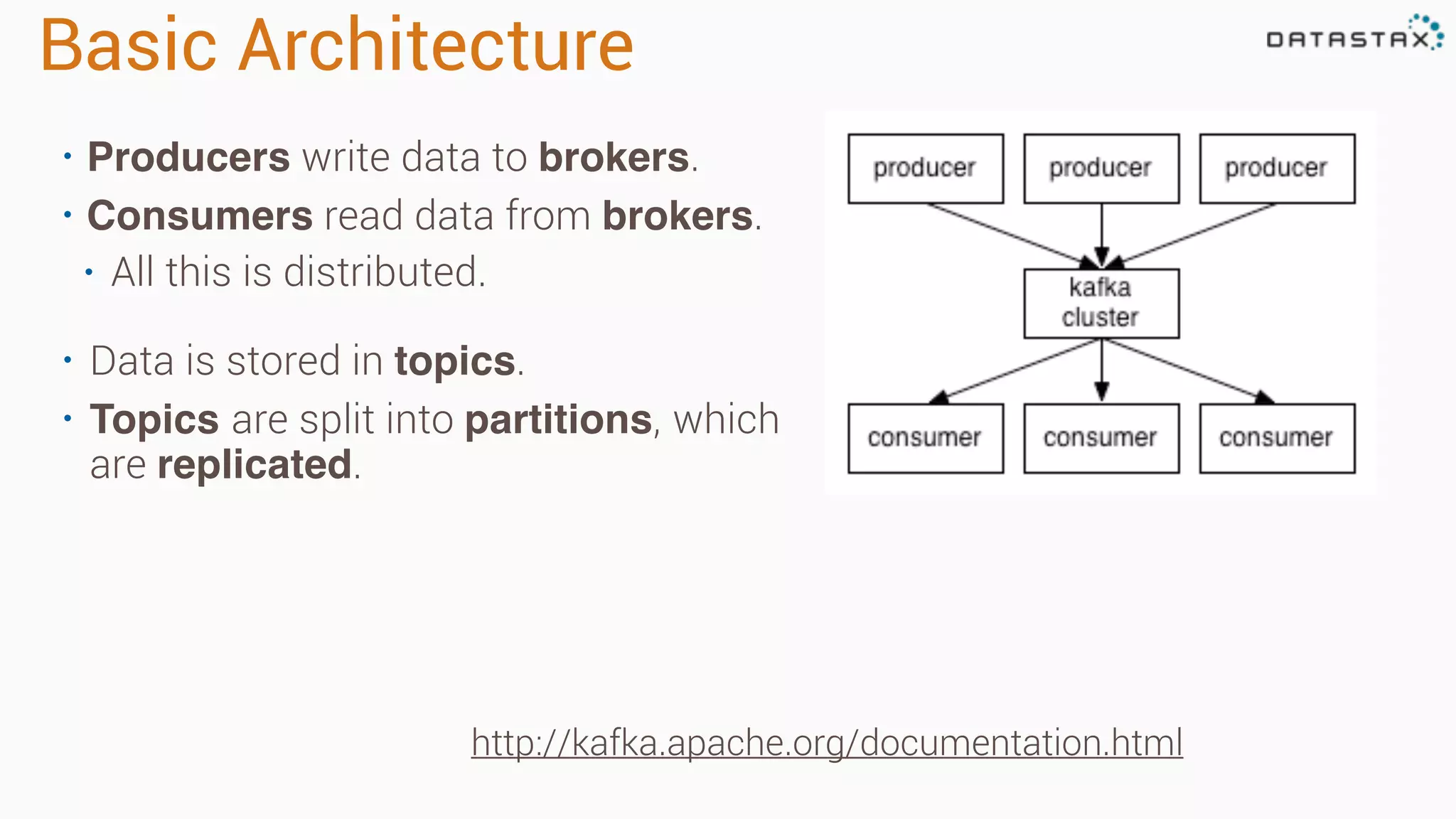
Basic Architecture
• Producers write data to brokers.
• Consumers read data from brokers.
• All this is distributed.
• Data is stored in topics.
• Topics are split into partitions, which
are replicated.
http://kafka.apache.org/documentation.html
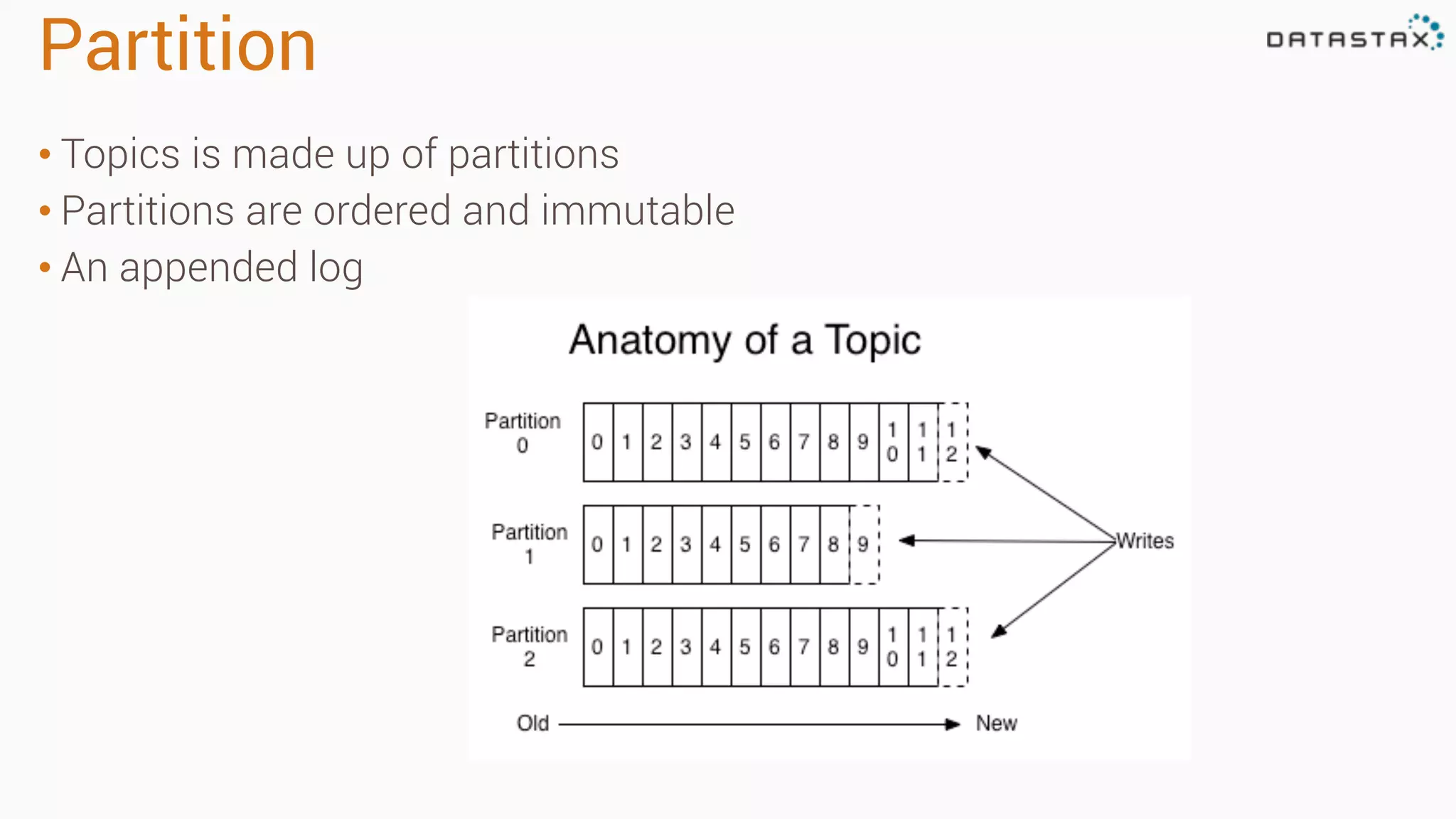
Partition
• Topics is made up of partitions
• Partitions are ordered and immutable
• An appended log
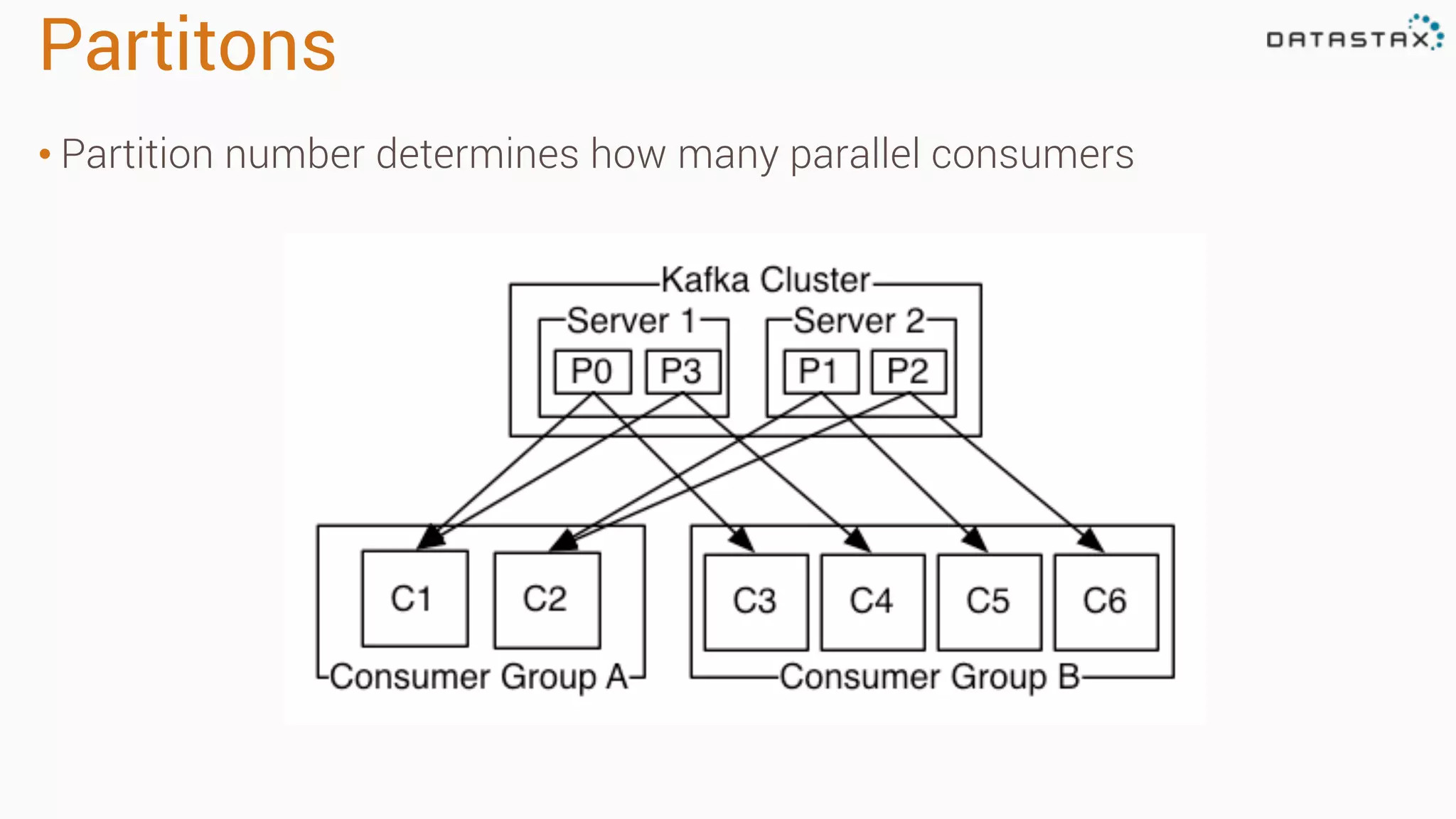
Partitons
• Partition number determines how many parallel consumers
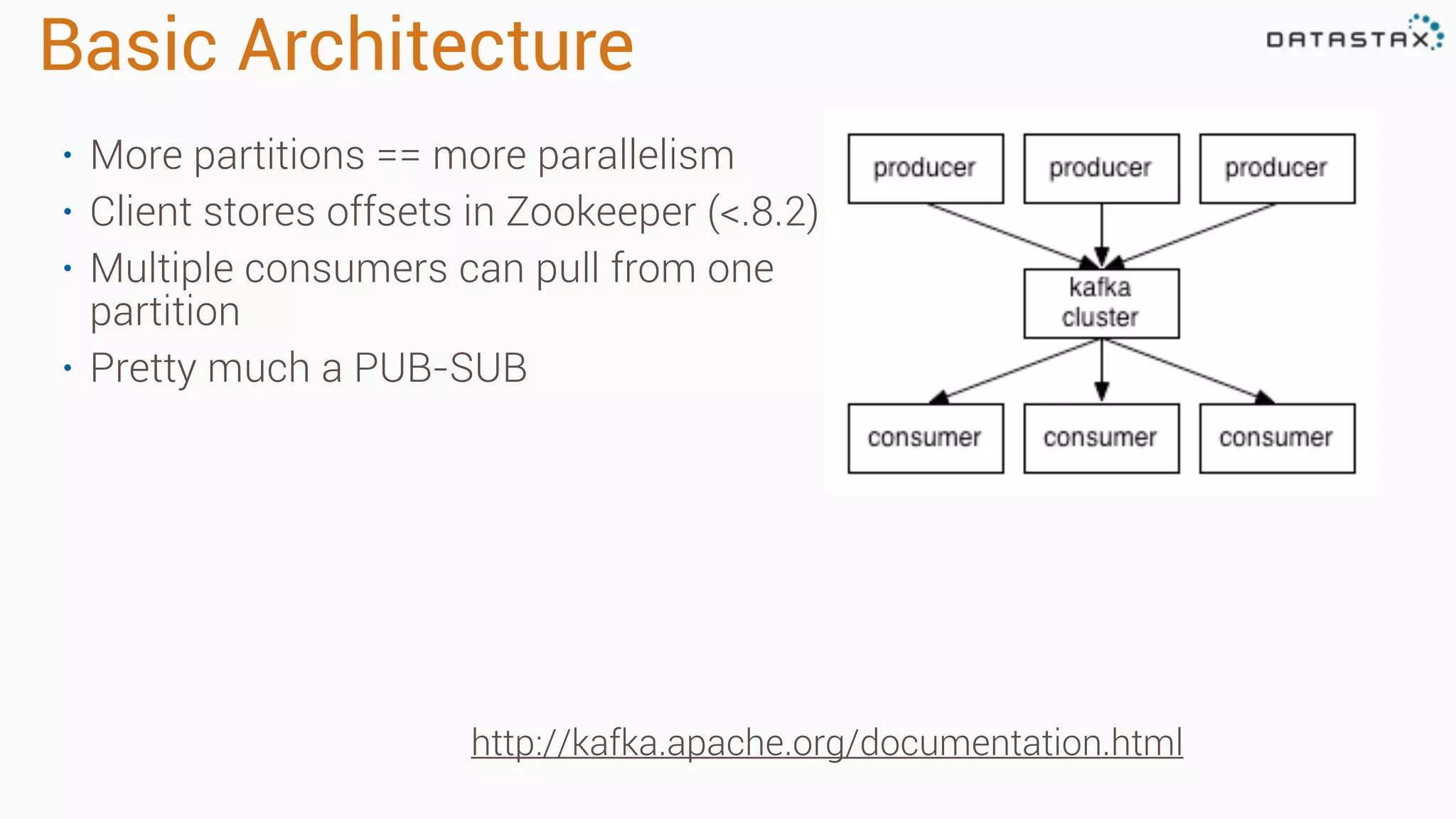
Basic Architecture
• More partitions == more parallelism
• Client stores offsets in Zookeeper (<.8.2)
• Multiple consumers can pull from one
partition
• Pretty much a PUB-SUB
http://kafka.apache.org/documentation.html
Key Foundational Skills
Install Apache Cassandra
http://planetcassandra.org/cassandra/
•Download Apache Cassandra 2.1
•Linux & Mac:
•Most cases a tar.gz is perfect
•Windows:
•msi package
Install and run
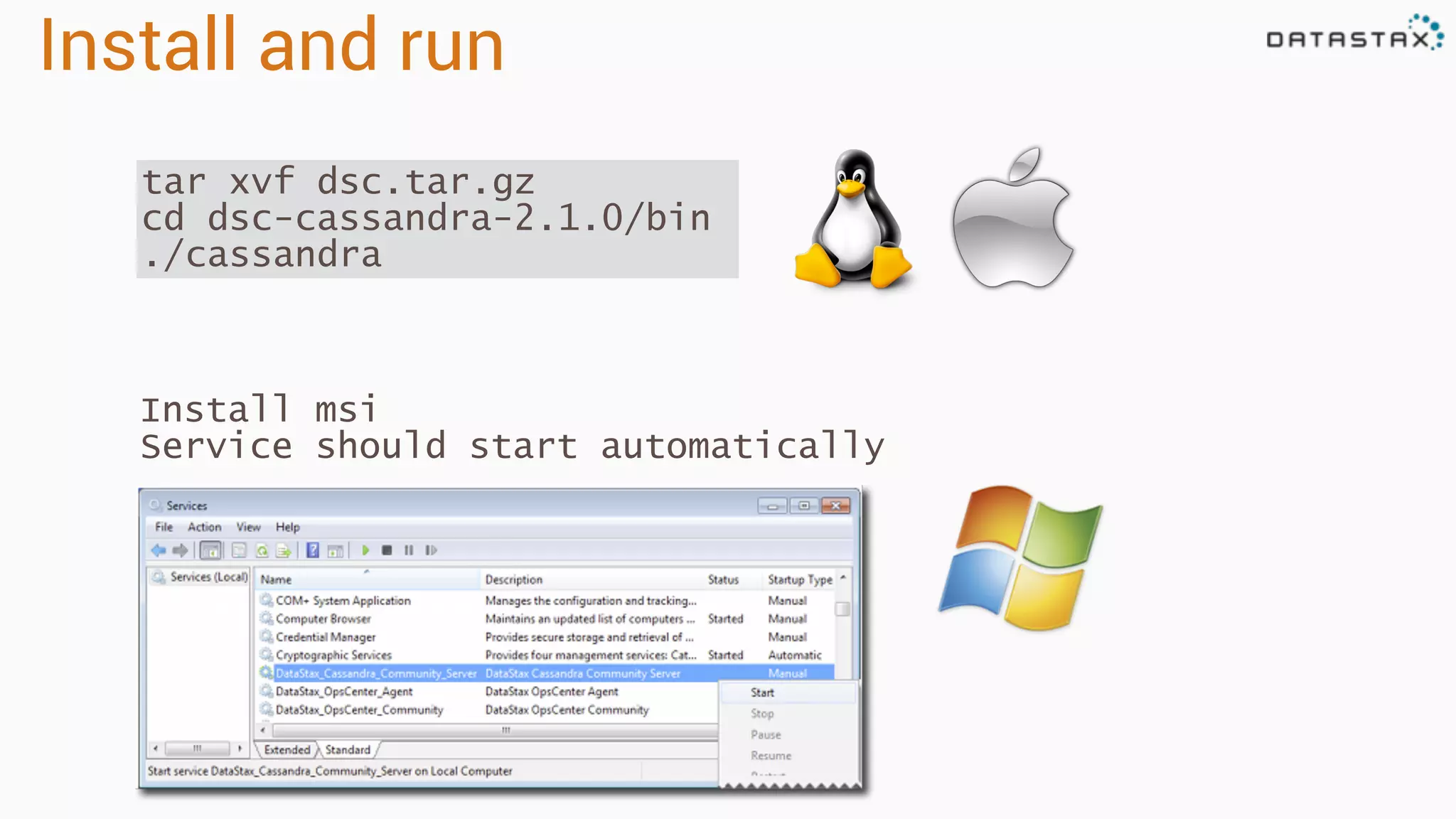
tar xvf dsc.tar.gz
cd dsc-cassandra-2.1.0/bin
./cassandra
Install msi
Service should start automatically
Verify install
Run cqlsh
Connected to Test Cluster at 127.0.0.1:9042.
[cqlsh 5.0.1 | Cassandra 2.1.0 | CQL spec 3.2.0 | Native protocol v3]
Use HELP for help.
cqlsh>
cd Program FilesDataStax Communityapache-cassandrabin
cqlsh
<from dsc-cassandra-2.1.0/bin>
./cqlsh
Expected output
Load schema
Go to data directory
> cd killrweather/data
> ls
> 2005.csv.gz create-timeseries.cql load-timeseries.cqlweather_stations.csv
Load data
> <cassandra_dir>/bin/cqlsh
Connected to Test Cluster at 127.0.0.1:9042.
[cqlsh 5.0.1 | Cassandra 2.1.0 | CQL spec 3.2.0 | Native protocol v3]
Use HELP for help.
cqlsh> source 'create-timeseries.cql';
cqlsh> source 'load-timeseries.cql';
cqlsh> describe keyspace isd_weather_data;
cqlsh> use isd_weather_data;
cqlsh:isd_weather_data> select * from weather_station limit 10;
id | call_sign | country_code | elevation | lat | long | name | state_code
--------------+-----------+--------------+-----------+--------+---------+-----------------------+------------
408930:99999 | OIZJ | IR | 4 | 25.65 | 57.767 | JASK | null
725500:14942 | KOMA | US | 299.3 | 41.317 | -95.9 | OMAHA EPPLEY AIRFIELD | NE
725474:99999 | KCSQ | US | 394 | 41.017 | -94.367 | CRESTON | IA
480350:99999 | VBLS | BM | 749 | 22.933 | 97.75 | LASHIO | null
719380:99999 | CYCO | CN | 22 | 67.817 | -115.15 | COPPERMINE AIRPORT | null
992790:99999 | DB279 | US | 3 | 40.5 | -69.467 | ENVIRONM BUOY 44008 | null
85120:99999 | LPPD | PO | 72 | 37.733 | -25.7 | PONTA DELGADA/NORDE | null
150140:99999 | LRBM | RO | 218 | 47.667 | 23.583 | BAIA MARE | null
435330:99999 | null | MV | 1 | 6.733 | 73.15 | HANIMADU | null
536150:99999 | null | CI | 1005 | 38.467 | 106.27 |
The End-To-End Data Pipeline
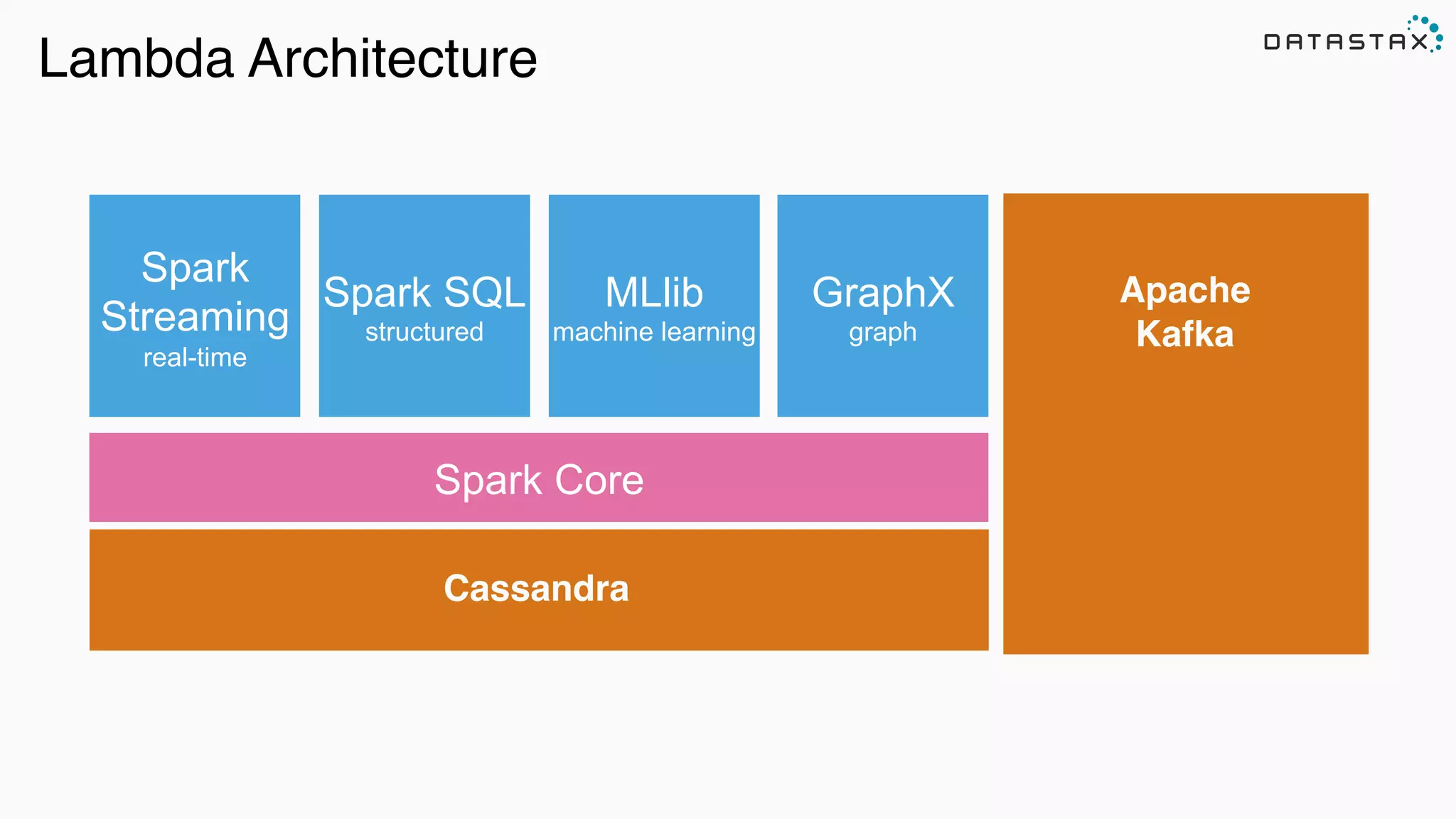
Lambda Architecture
Cassandra
Spark Core
Spark SQL
structured
Spark
Streaming
real-time
MLlib
machine learning
GraphX
graph
Apache
Kafka
Schema
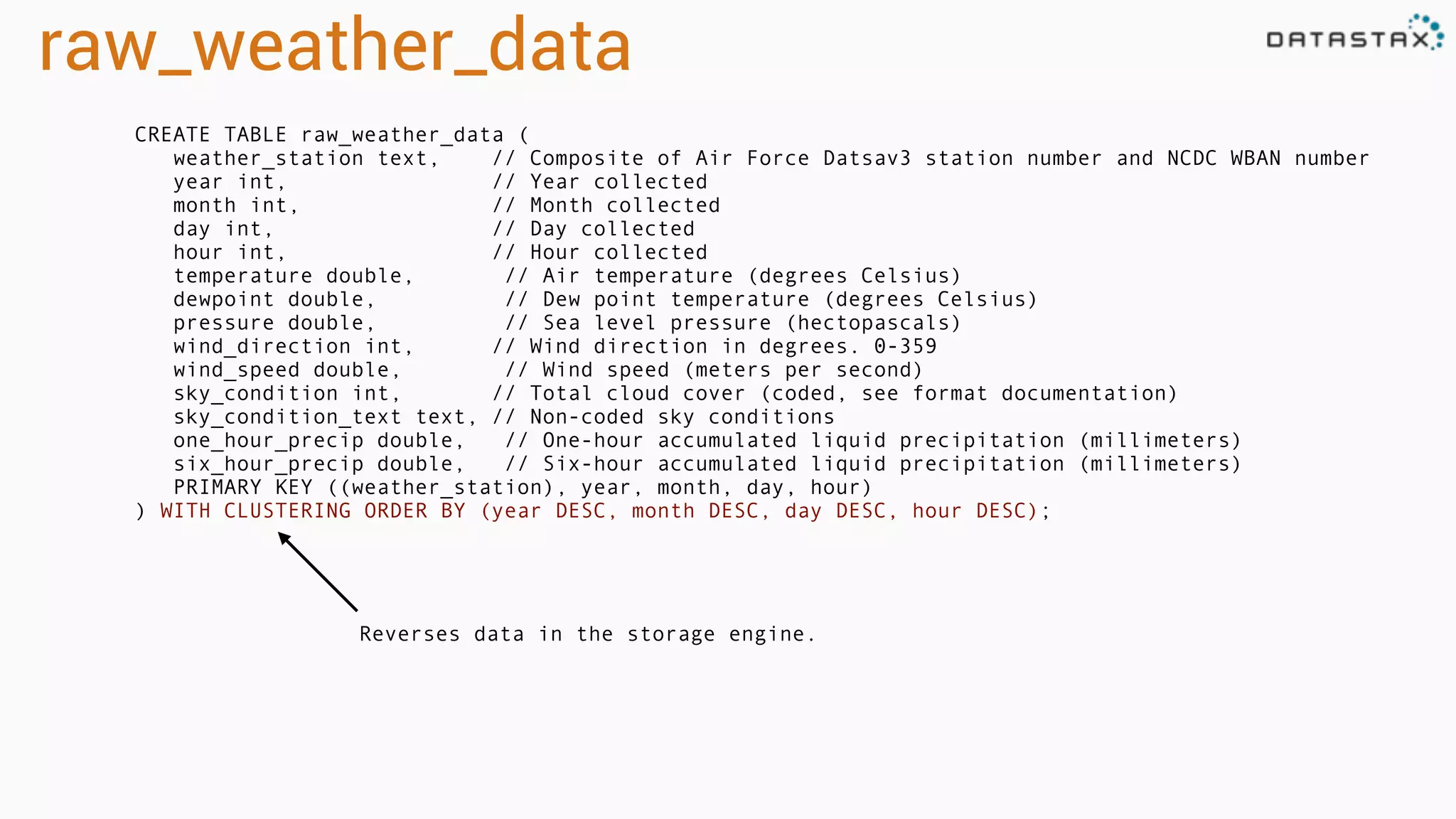
raw_weather_data
CREATE TABLE raw_weather_data (
weather_station text, // Composite of Air Force Datsav3 station number and NCDC WBAN number
year int, // Year collected
month int, // Month collected
day int, // Day collected
hour int, // Hour collected
temperature double, // Air temperature (degrees Celsius)
dewpoint double, // Dew point temperature (degrees Celsius)
pressure double, // Sea level pressure (hectopascals)
wind_direction int, // Wind direction in degrees. 0-359
wind_speed double, // Wind speed (meters per second)
sky_condition int, // Total cloud cover (coded, see format documentation)
sky_condition_text text, // Non-coded sky conditions
one_hour_precip double, // One-hour accumulated liquid precipitation (millimeters)
six_hour_precip double, // Six-hour accumulated liquid precipitation (millimeters)
PRIMARY KEY ((weather_station), year, month, day, hour)
) WITH CLUSTERING ORDER BY (year DESC, month DESC, day DESC, hour DESC);
Reverses data in the storage engine.
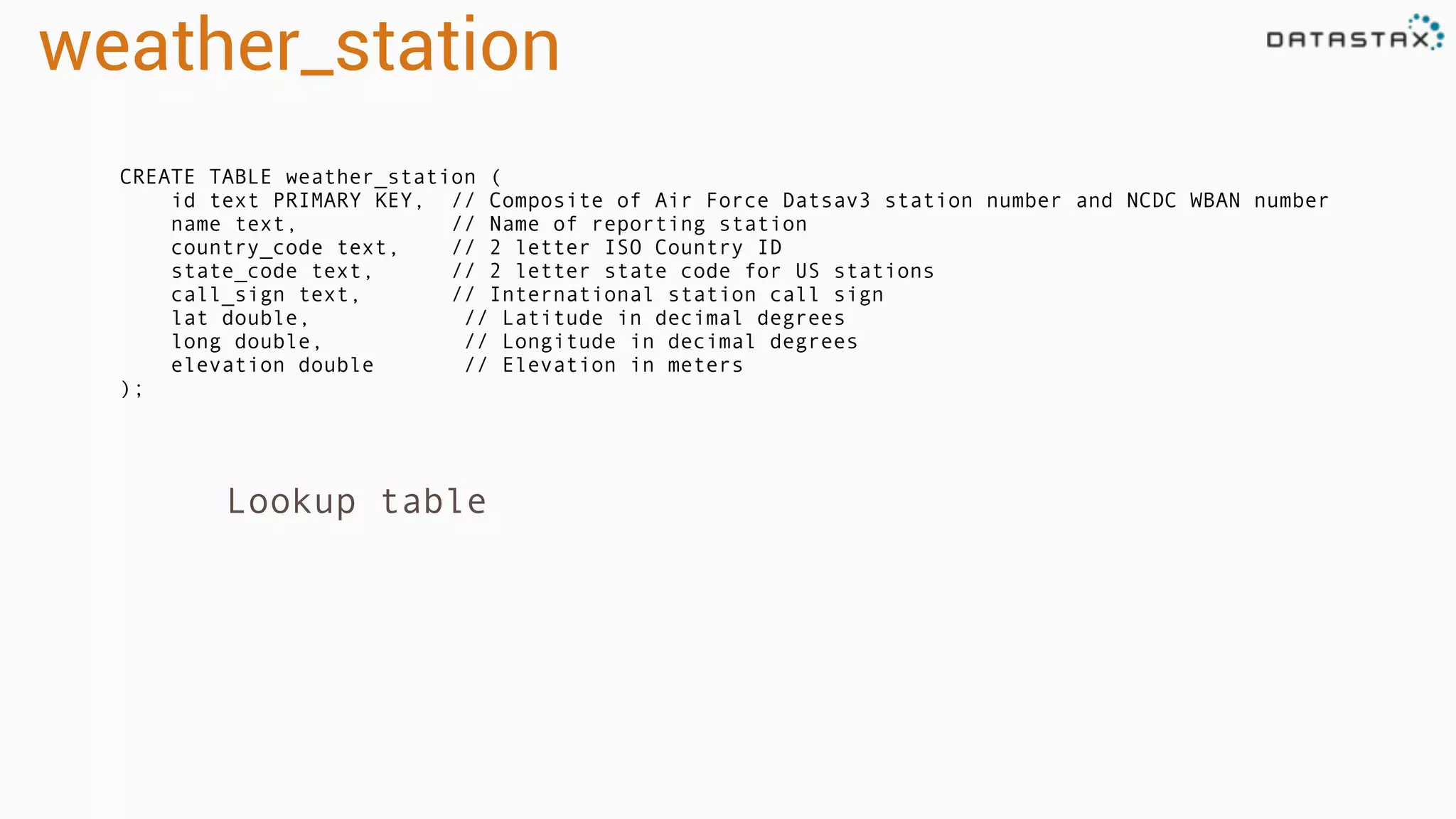
weather_station
CREATE TABLE weather_station (
id text PRIMARY KEY, // Composite of Air Force Datsav3 station number and NCDC WBAN number
name text, // Name of reporting station
country_code text, // 2 letter ISO Country ID
state_code text, // 2 letter state code for US stations
call_sign text, // International station call sign
lat double, // Latitude in decimal degrees
long double, // Longitude in decimal degrees
elevation double // Elevation in meters
);
Lookup table
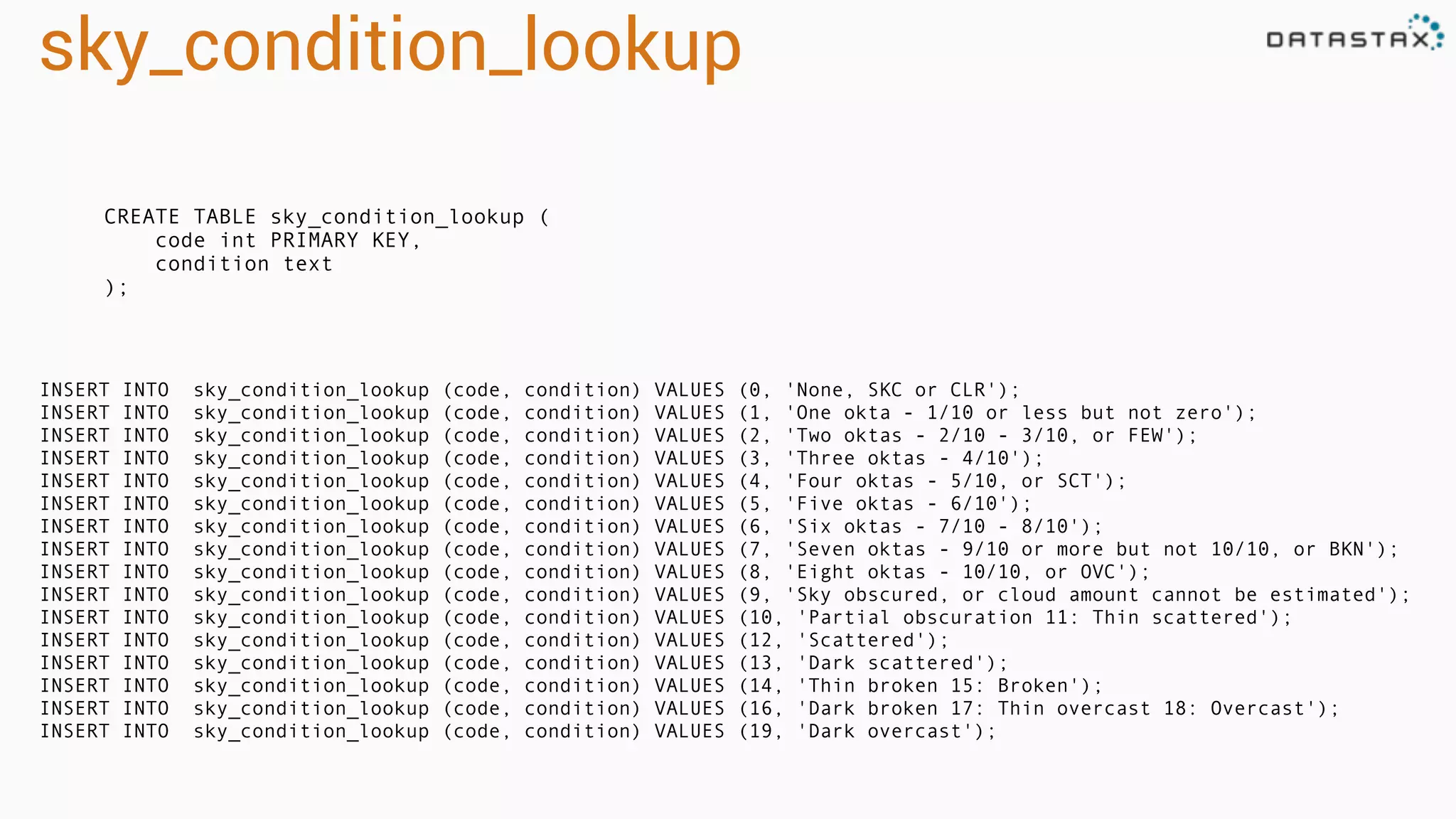
sky_condition_lookup
CREATE TABLE sky_condition_lookup (
code int PRIMARY KEY,
condition text
);
INSERT INTO sky_condition_lookup (code, condition) VALUES (0, 'None, SKC or CLR');
INSERT INTO sky_condition_lookup (code, condition) VALUES (1, 'One okta - 1/10 or less but not zero');
INSERT INTO sky_condition_lookup (code, condition) VALUES (2, 'Two oktas - 2/10 - 3/10, or FEW');
INSERT INTO sky_condition_lookup (code, condition) VALUES (3, 'Three oktas - 4/10');
INSERT INTO sky_condition_lookup (code, condition) VALUES (4, 'Four oktas - 5/10, or SCT');
INSERT INTO sky_condition_lookup (code, condition) VALUES (5, 'Five oktas - 6/10');
INSERT INTO sky_condition_lookup (code, condition) VALUES (6, 'Six oktas - 7/10 - 8/10');
INSERT INTO sky_condition_lookup (code, condition) VALUES (7, 'Seven oktas - 9/10 or more but not 10/10, or BKN');
INSERT INTO sky_condition_lookup (code, condition) VALUES (8, 'Eight oktas - 10/10, or OVC');
INSERT INTO sky_condition_lookup (code, condition) VALUES (9, 'Sky obscured, or cloud amount cannot be estimated');
INSERT INTO sky_condition_lookup (code, condition) VALUES (10, 'Partial obscuration 11: Thin scattered');
INSERT INTO sky_condition_lookup (code, condition) VALUES (12, 'Scattered');
INSERT INTO sky_condition_lookup (code, condition) VALUES (13, 'Dark scattered');
INSERT INTO sky_condition_lookup (code, condition) VALUES (14, 'Thin broken 15: Broken');
INSERT INTO sky_condition_lookup (code, condition) VALUES (16, 'Dark broken 17: Thin overcast 18: Overcast');
INSERT INTO sky_condition_lookup (code, condition) VALUES (19, 'Dark overcast');
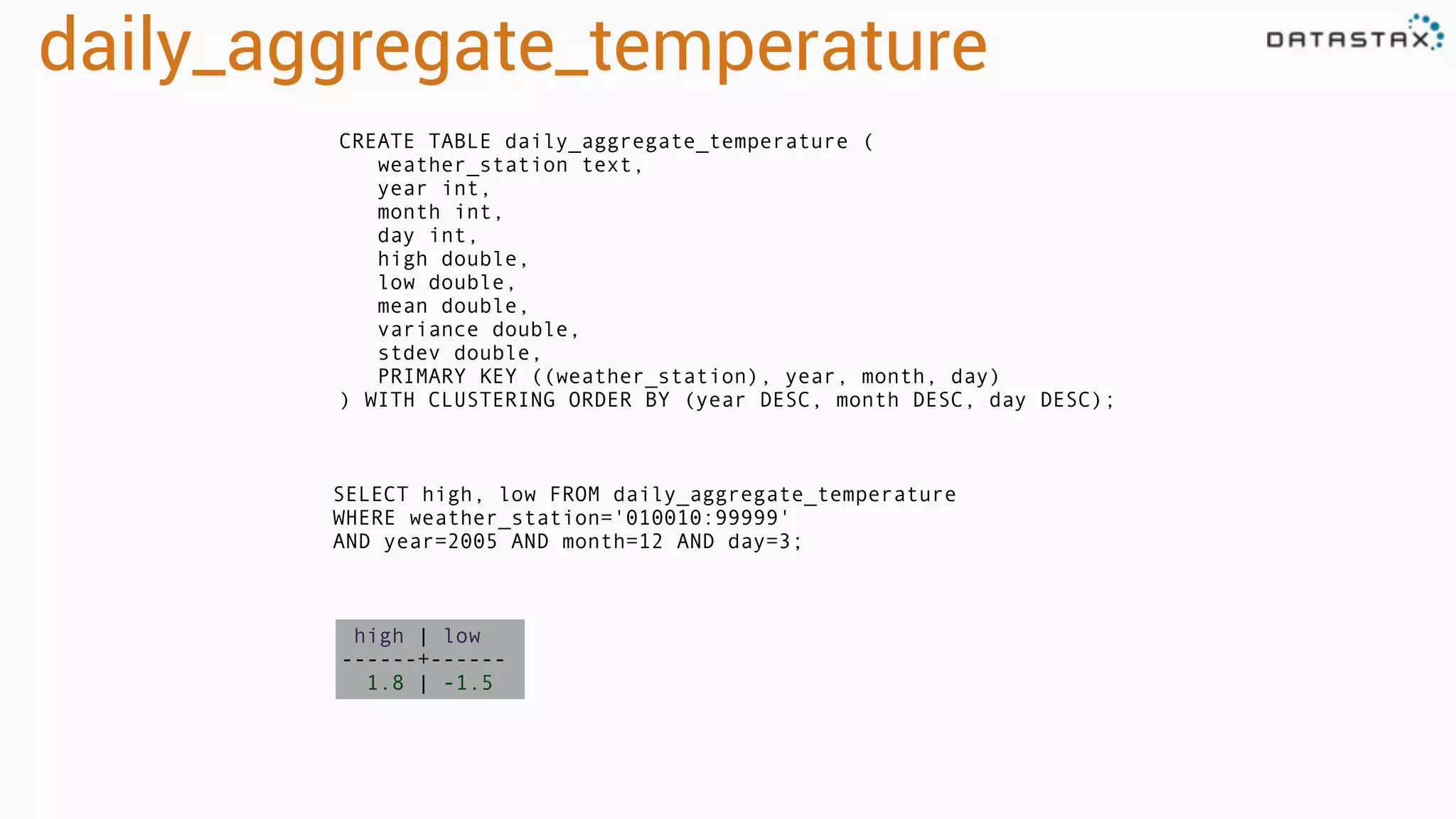
daily_aggregate_temperature
CREATE TABLE daily_aggregate_temperature (
weather_station text,
year int,
month int,
day int,
high double,
low double,
mean double,
variance double,
stdev double,
PRIMARY KEY ((weather_station), year, month, day)
) WITH CLUSTERING ORDER BY (year DESC, month DESC, day DESC);
SELECT high, low FROM daily_aggregate_temperature
WHERE weather_station='010010:99999'
AND year=2005 AND month=12 AND day=3;
high | low
------+------
1.8 | -1.5
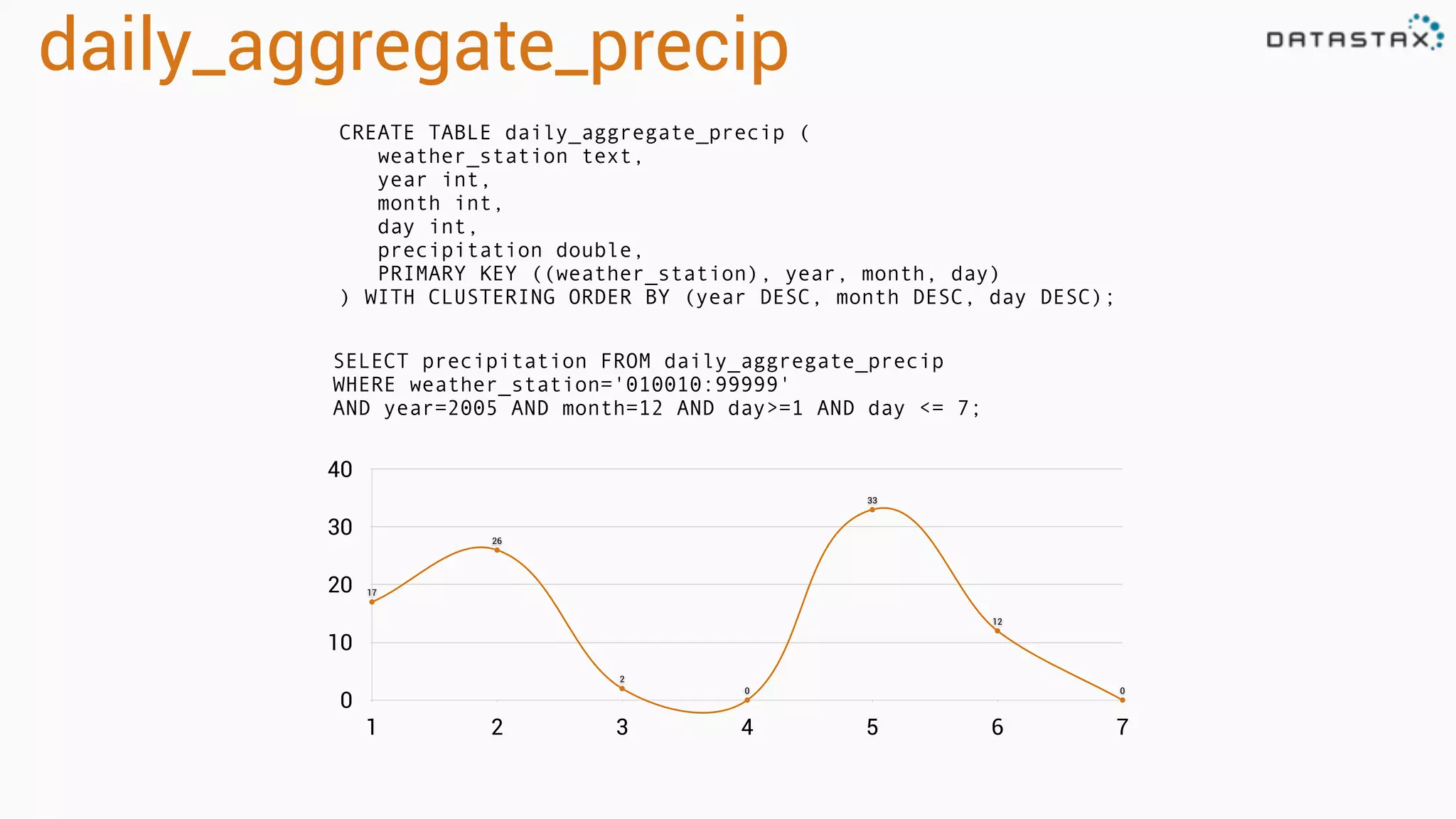
daily_aggregate_precip
CREATE TABLE daily_aggregate_precip (
weather_station text,
year int,
month int,
day int,
precipitation double,
PRIMARY KEY ((weather_station), year, month, day)
) WITH CLUSTERING ORDER BY (year DESC, month DESC, day DESC);
SELECT precipitation FROM daily_aggregate_precip
WHERE weather_station='010010:99999'
AND year=2005 AND month=12 AND day>=1 AND day <= 7;
0
10
20
30
40
1 2 3 4 5 6 7
17
26
2
0
33
12
0
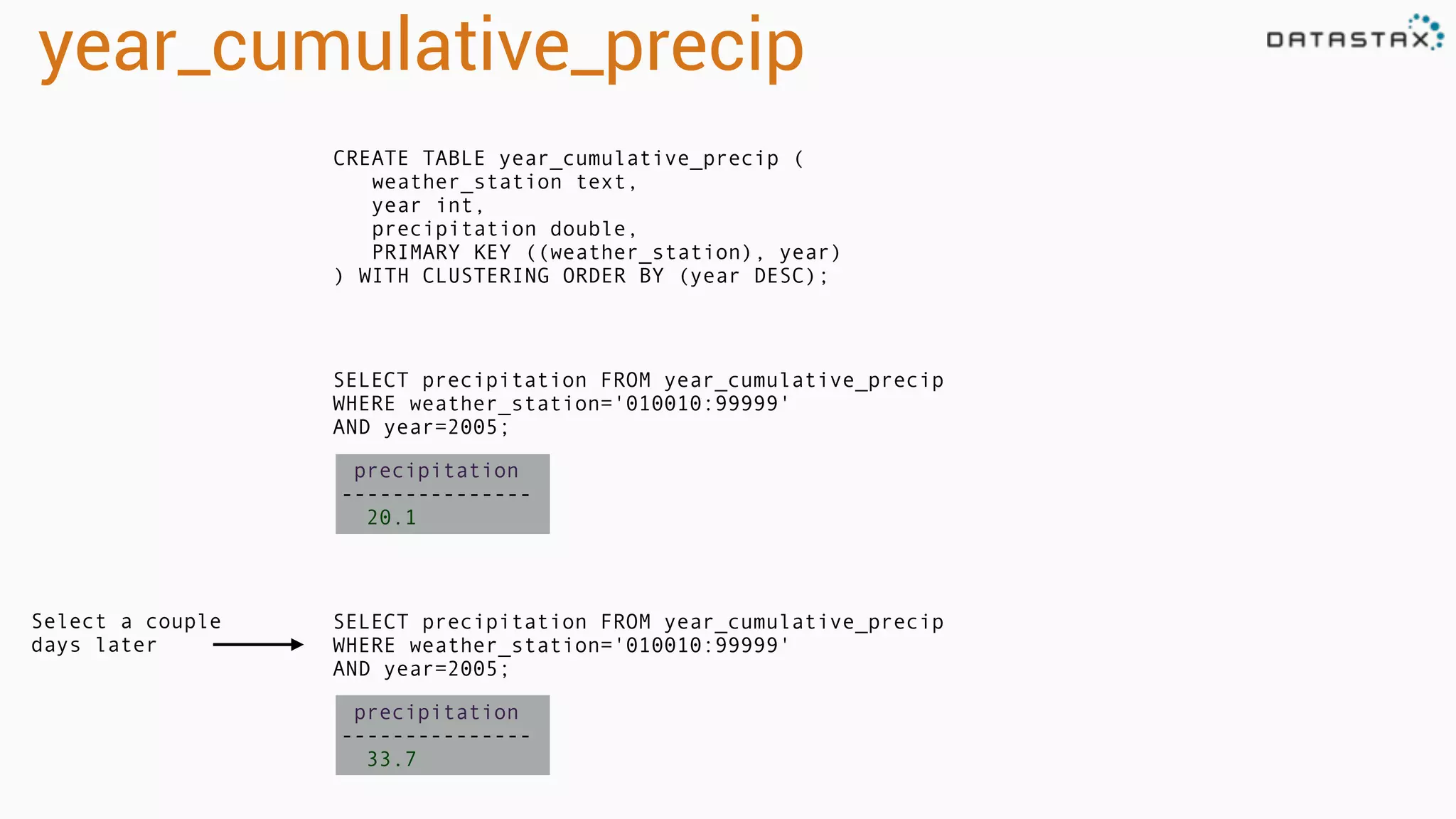
year_cumulative_precip
CREATE TABLE year_cumulative_precip (
weather_station text,
year int,
precipitation double,
PRIMARY KEY ((weather_station), year)
) WITH CLUSTERING ORDER BY (year DESC);
SELECT precipitation FROM year_cumulative_precip
WHERE weather_station='010010:99999'
AND year=2005;
precipitation
---------------
20.1
SELECT precipitation FROM year_cumulative_precip
WHERE weather_station='010010:99999'
AND year=2005;
precipitation
---------------
33.7
Select a couple
days later
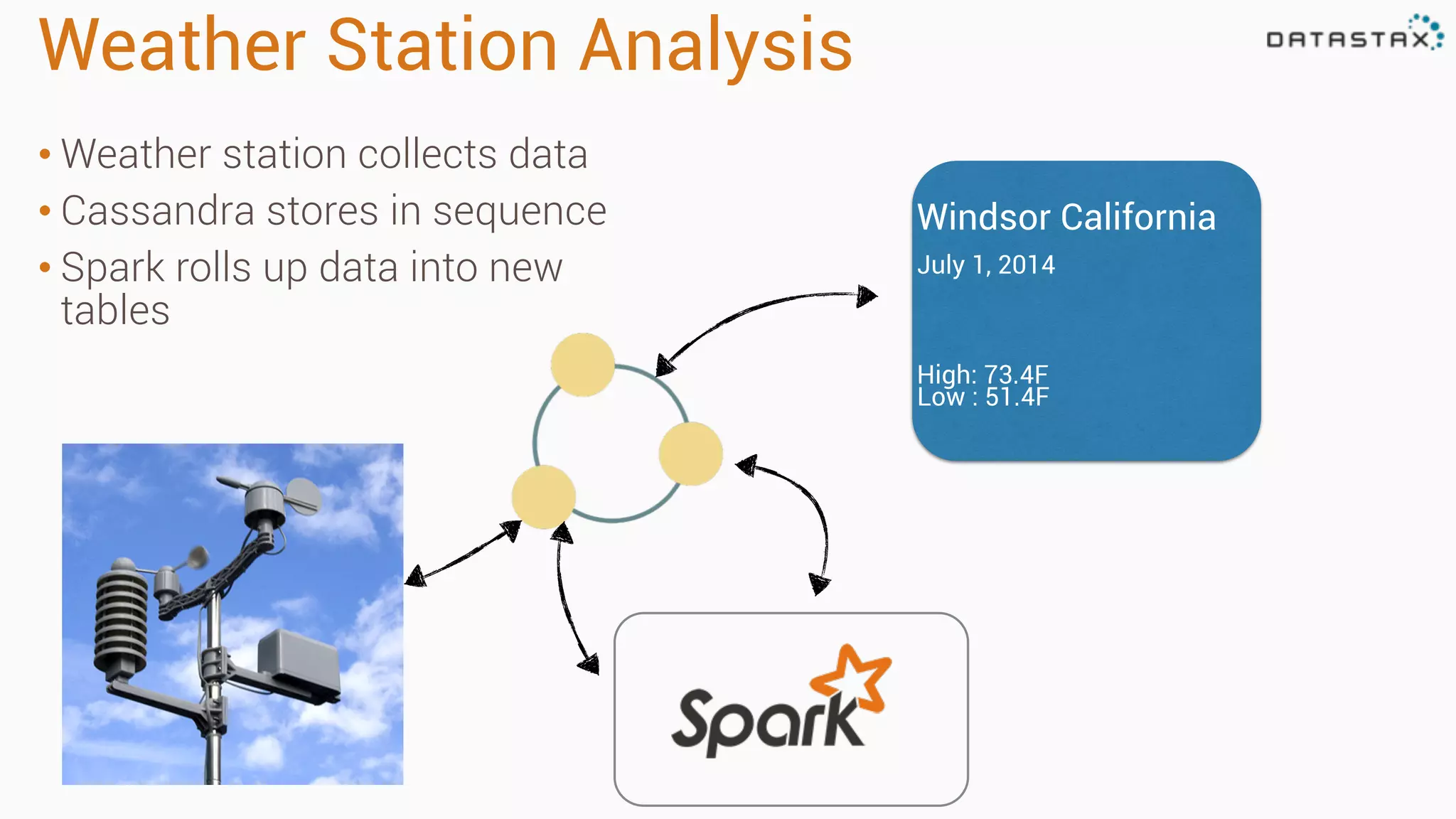
Weather Station Analysis
• Weather station collects data
• Cassandra stores in sequence
• Spark rolls up data into new
tables
Windsor California
July 1, 2014
High: 73.4F
Low : 51.4F
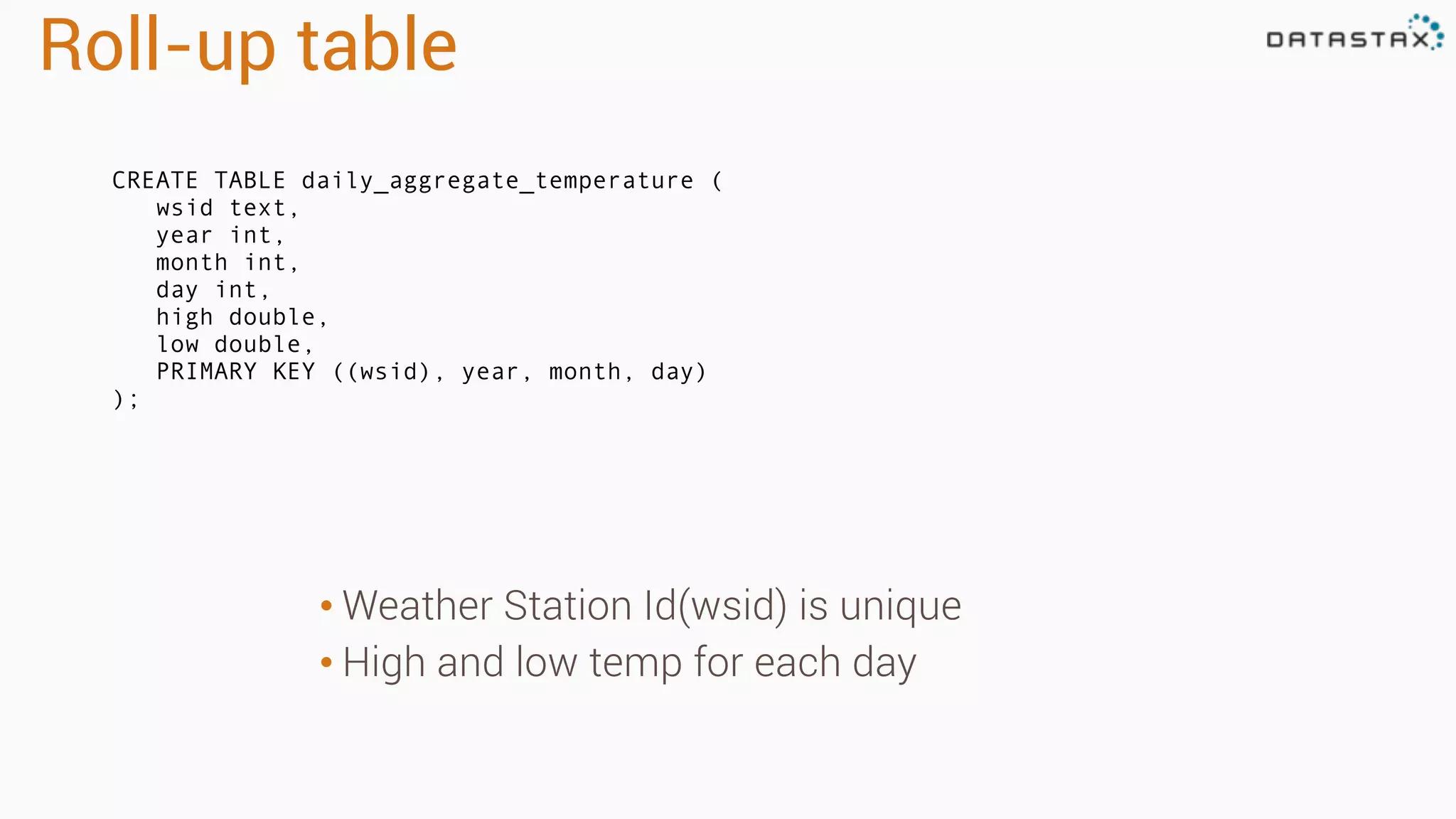
Roll-up table
CREATE TABLE daily_aggregate_temperature (
wsid text,
year int,
month int,
day int,
high double,
low double,
PRIMARY KEY ((wsid), year, month, day)
);
• Weather Station Id(wsid) is unique
• High and low temp for each day
Setup connection
def main(args: Array[String]): Unit = {
// the setMaster("local") lets us run & test the job right in our IDE
val conf = new SparkConf(true).set("spark.cassandra.connection.host", "127.0.0.1").setMaster("local")
// "local" here is the master, meaning we don't explicitly have a spark master set up
val sc = new SparkContext("local", "weather", conf)
val connector = CassandraConnector(conf)
val cc = new CassandraSQLContext(sc)
cc.setKeyspace("isd_weather_data")
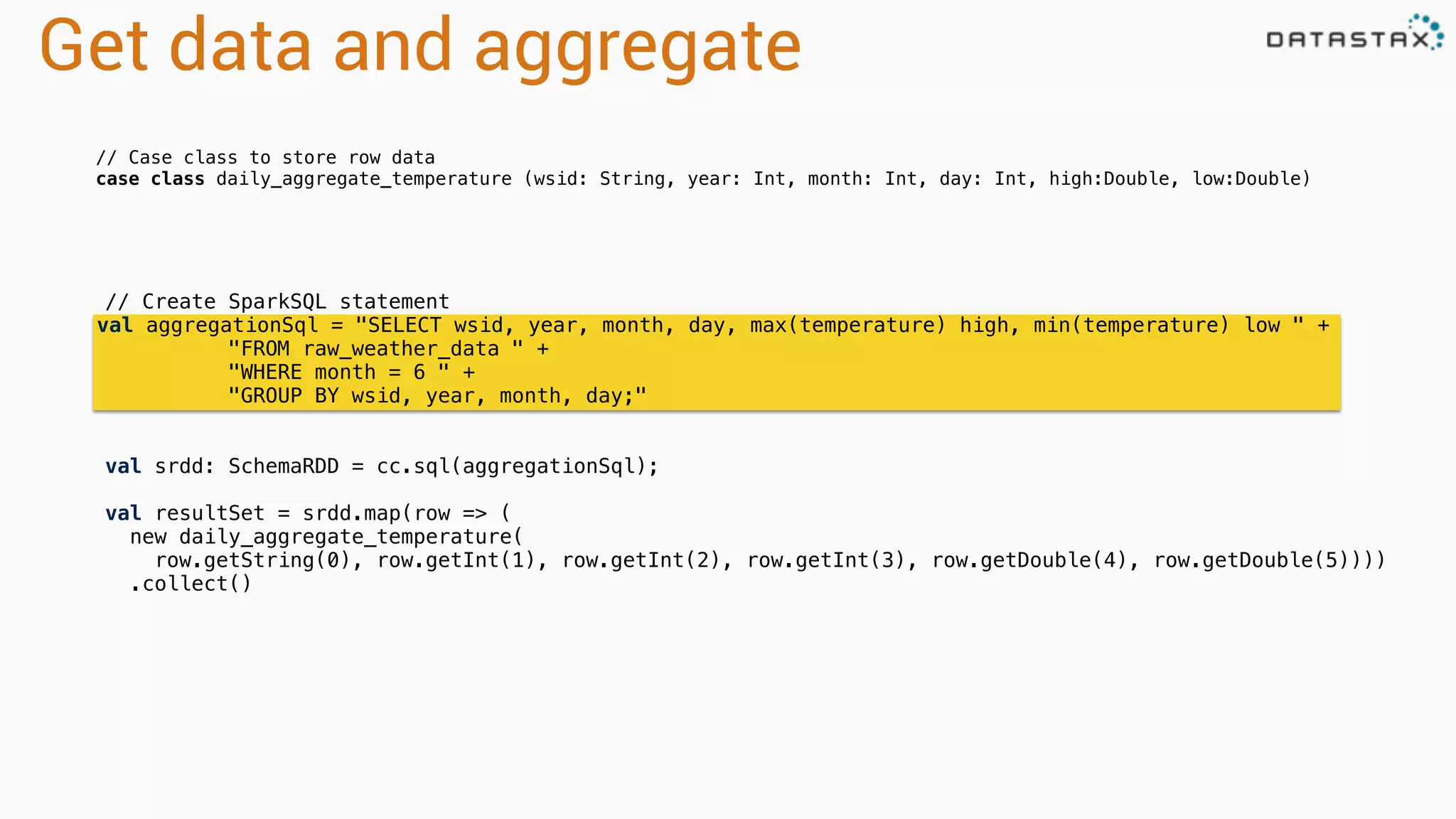
Get data and aggregate
// Create SparkSQL statement
val aggregationSql = "SELECT wsid, year, month, day, max(temperature) high, min(temperature) low " +
"FROM raw_weather_data " +
"WHERE month = 6 " +
"GROUP BY wsid, year, month, day;"
val srdd: SchemaRDD = cc.sql(aggregationSql);
val resultSet = srdd.map(row => (
new daily_aggregate_temperature(
row.getString(0), row.getInt(1), row.getInt(2), row.getInt(3), row.getDouble(4), row.getDouble(5))))
.collect()
// Case class to store row data
case class daily_aggregate_temperature (wsid: String, year: Int, month: Int, day: Int, high:Double, low:Double)
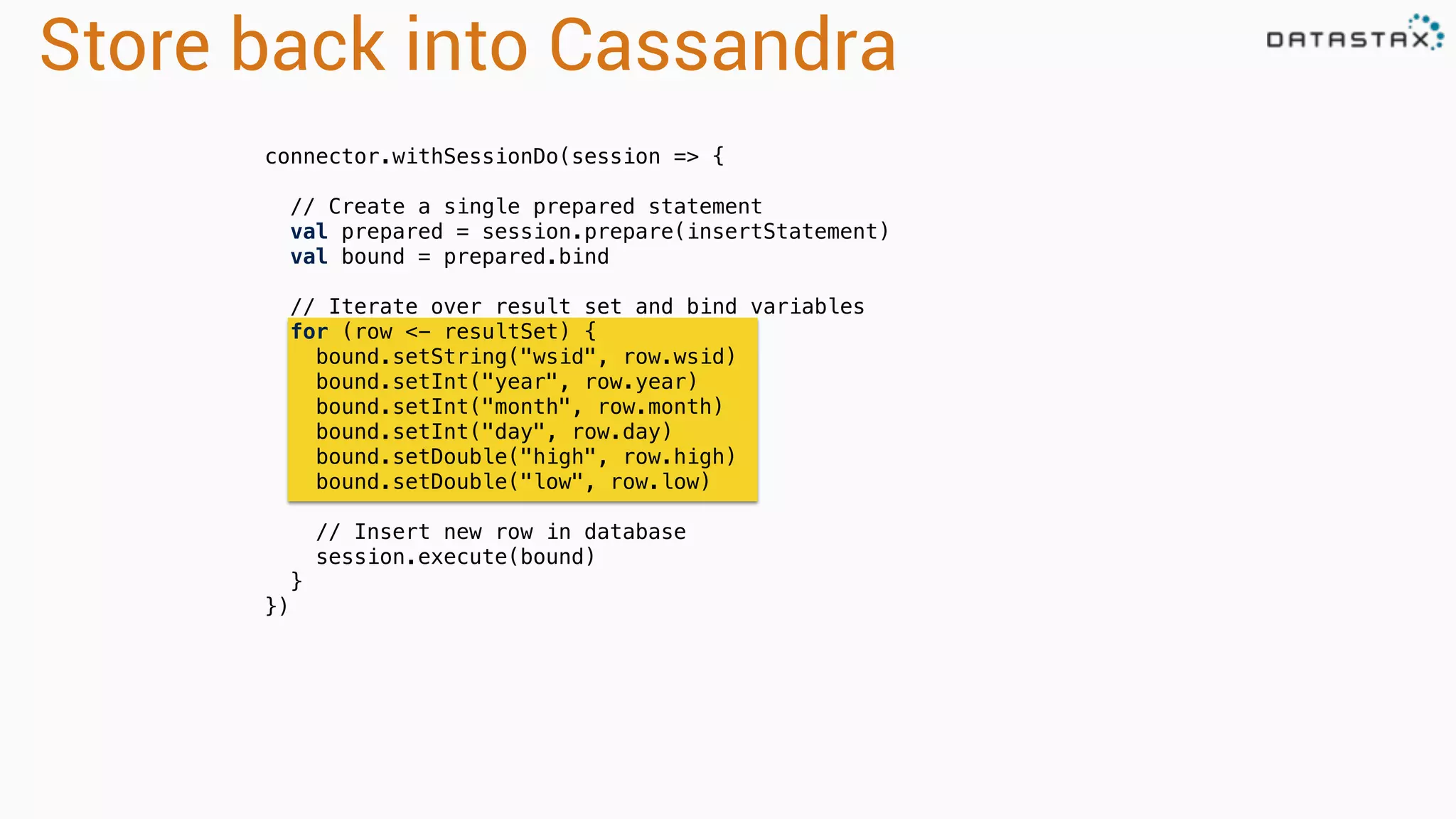
Store back into Cassandra
connector.withSessionDo(session => {
// Create a single prepared statement
val prepared = session.prepare(insertStatement)
val bound = prepared.bind
// Iterate over result set and bind variables
for (row <- resultSet) {
bound.setString("wsid", row.wsid)
bound.setInt("year", row.year)
bound.setInt("month", row.month)
bound.setInt("day", row.day)
bound.setDouble("high", row.high)
bound.setDouble("low", row.low)
// Insert new row in database
session.execute(bound)
}
})
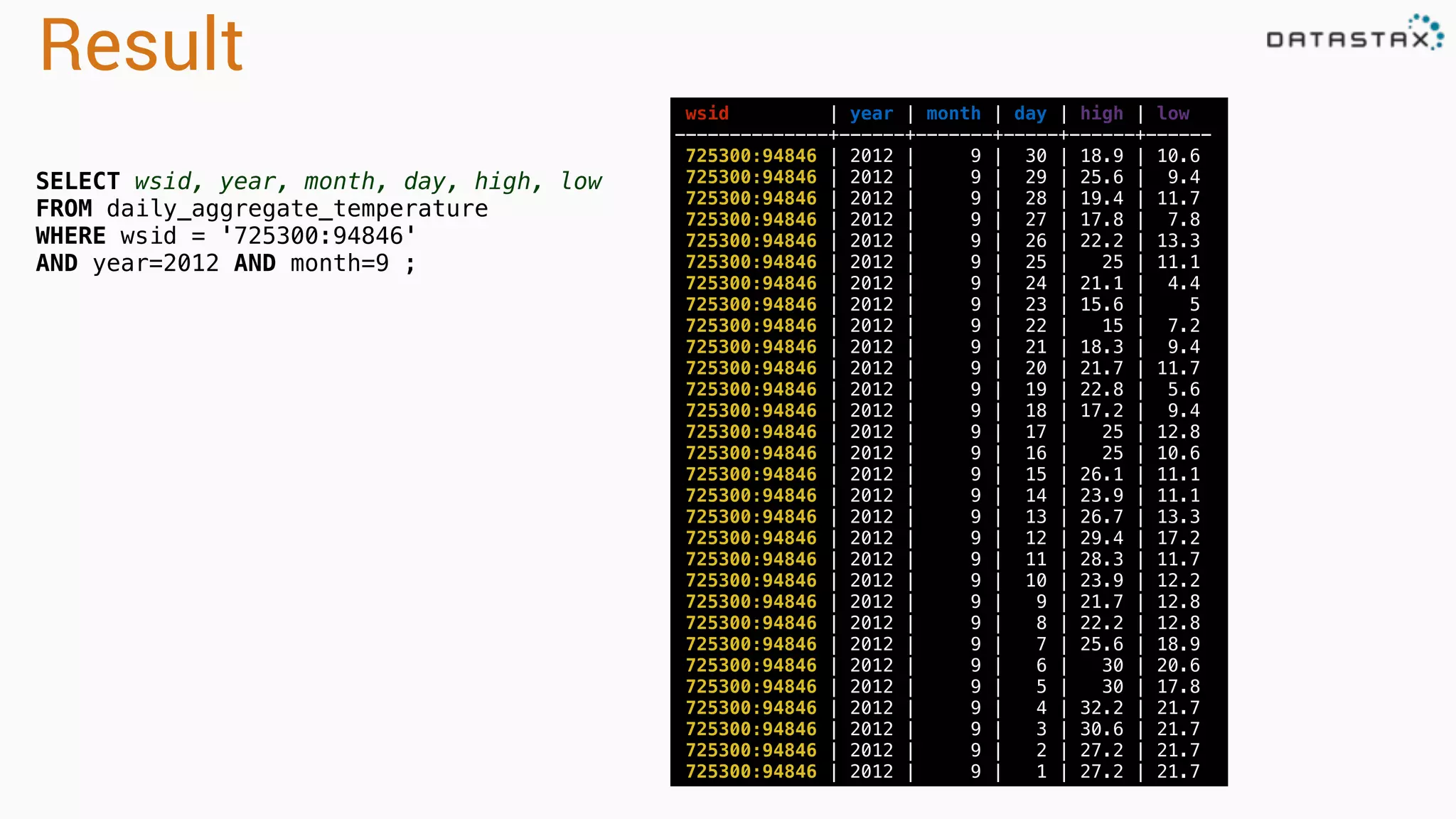
Result
wsid | year | month | day | high | low
--------------+------+-------+-----+------+------
725300:94846 | 2012 | 9 | 30 | 18.9 | 10.6
725300:94846 | 2012 | 9 | 29 | 25.6 | 9.4
725300:94846 | 2012 | 9 | 28 | 19.4 | 11.7
725300:94846 | 2012 | 9 | 27 | 17.8 | 7.8
725300:94846 | 2012 | 9 | 26 | 22.2 | 13.3
725300:94846 | 2012 | 9 | 25 | 25 | 11.1
725300:94846 | 2012 | 9 | 24 | 21.1 | 4.4
725300:94846 | 2012 | 9 | 23 | 15.6 | 5
725300:94846 | 2012 | 9 | 22 | 15 | 7.2
725300:94846 | 2012 | 9 | 21 | 18.3 | 9.4
725300:94846 | 2012 | 9 | 20 | 21.7 | 11.7
725300:94846 | 2012 | 9 | 19 | 22.8 | 5.6
725300:94846 | 2012 | 9 | 18 | 17.2 | 9.4
725300:94846 | 2012 | 9 | 17 | 25 | 12.8
725300:94846 | 2012 | 9 | 16 | 25 | 10.6
725300:94846 | 2012 | 9 | 15 | 26.1 | 11.1
725300:94846 | 2012 | 9 | 14 | 23.9 | 11.1
725300:94846 | 2012 | 9 | 13 | 26.7 | 13.3
725300:94846 | 2012 | 9 | 12 | 29.4 | 17.2
725300:94846 | 2012 | 9 | 11 | 28.3 | 11.7
725300:94846 | 2012 | 9 | 10 | 23.9 | 12.2
725300:94846 | 2012 | 9 | 9 | 21.7 | 12.8
725300:94846 | 2012 | 9 | 8 | 22.2 | 12.8
725300:94846 | 2012 | 9 | 7 | 25.6 | 18.9
725300:94846 | 2012 | 9 | 6 | 30 | 20.6
725300:94846 | 2012 | 9 | 5 | 30 | 17.8
725300:94846 | 2012 | 9 | 4 | 32.2 | 21.7
725300:94846 | 2012 | 9 | 3 | 30.6 | 21.7
725300:94846 | 2012 | 9 | 2 | 27.2 | 21.7
725300:94846 | 2012 | 9 | 1 | 27.2 | 21.7
SELECT wsid, year, month, day, high, low
FROM daily_aggregate_temperature
WHERE wsid = '725300:94846'
AND year=2012 AND month=9 ;
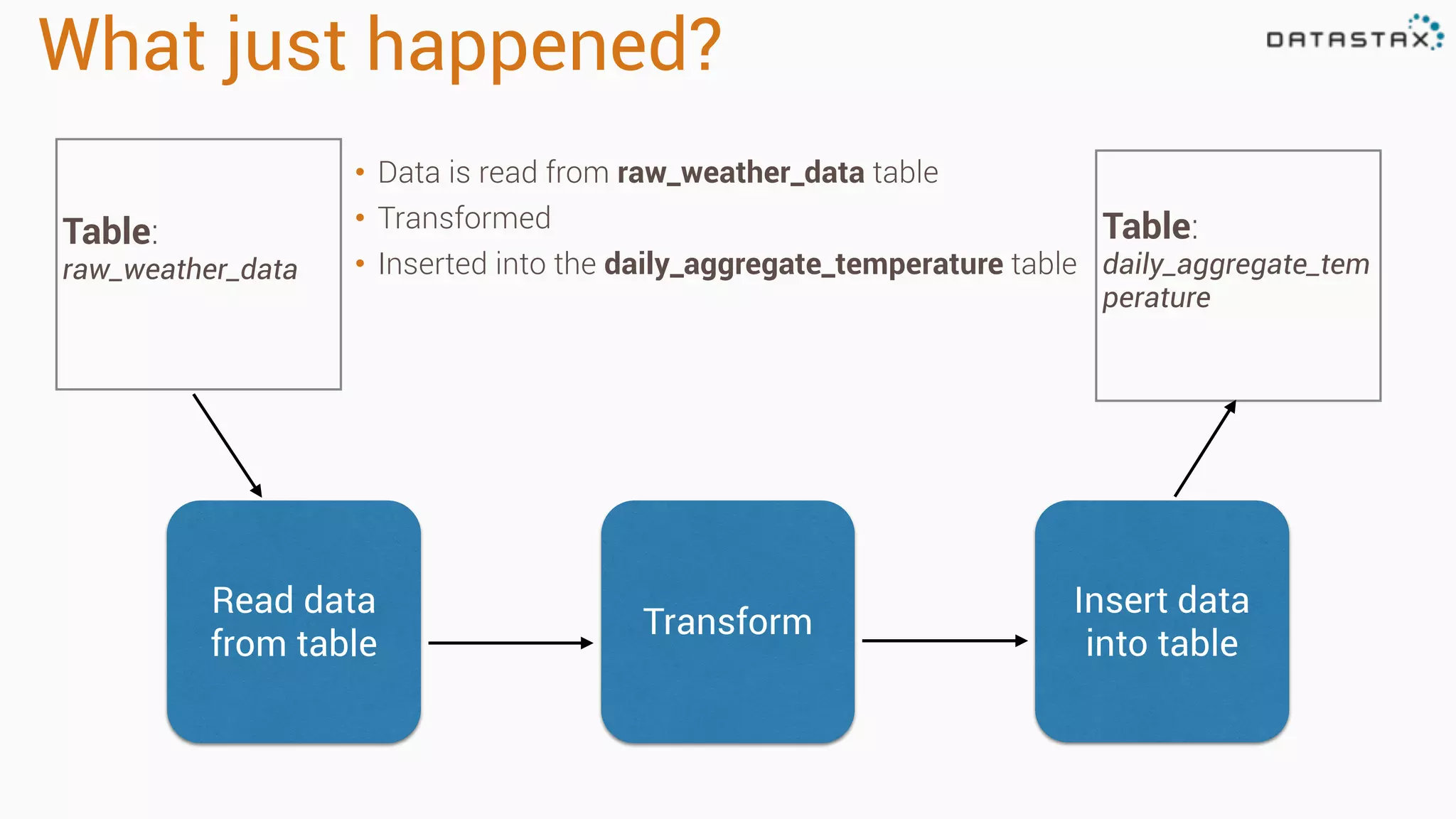
What just happened?
• Data is read from raw_weather_data table
• Transformed
• Inserted into the daily_aggregate_temperature table
Table:
raw_weather_data
Table:
daily_aggregate_tem
perature
Read data
from table
Transform
Insert data
into table
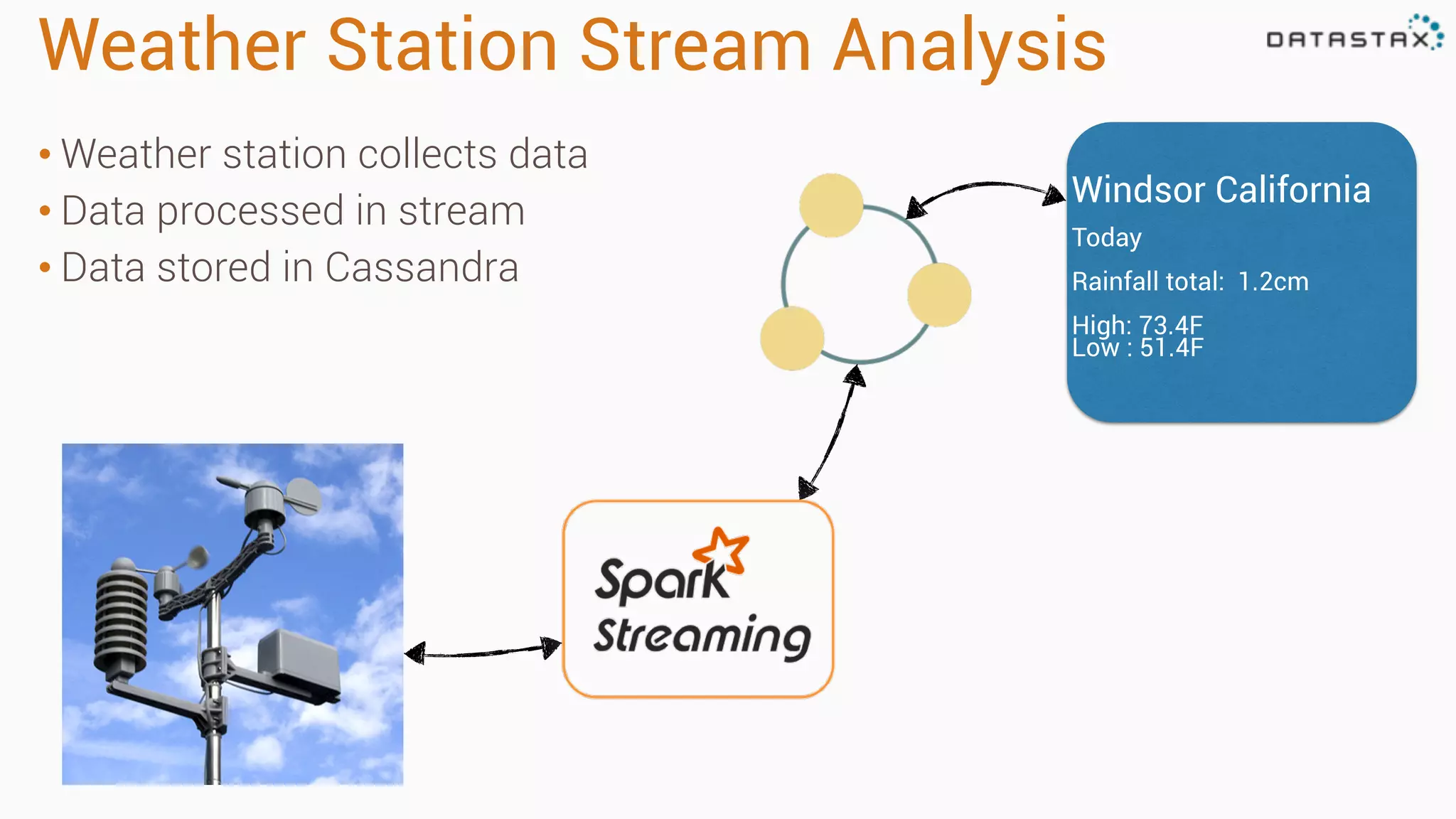
Weather Station Stream Analysis
• Weather station collects data
• Data processed in stream
• Data stored in Cassandra
Windsor California
Today
Rainfall total: 1.2cm
High: 73.4F
Low : 51.4F
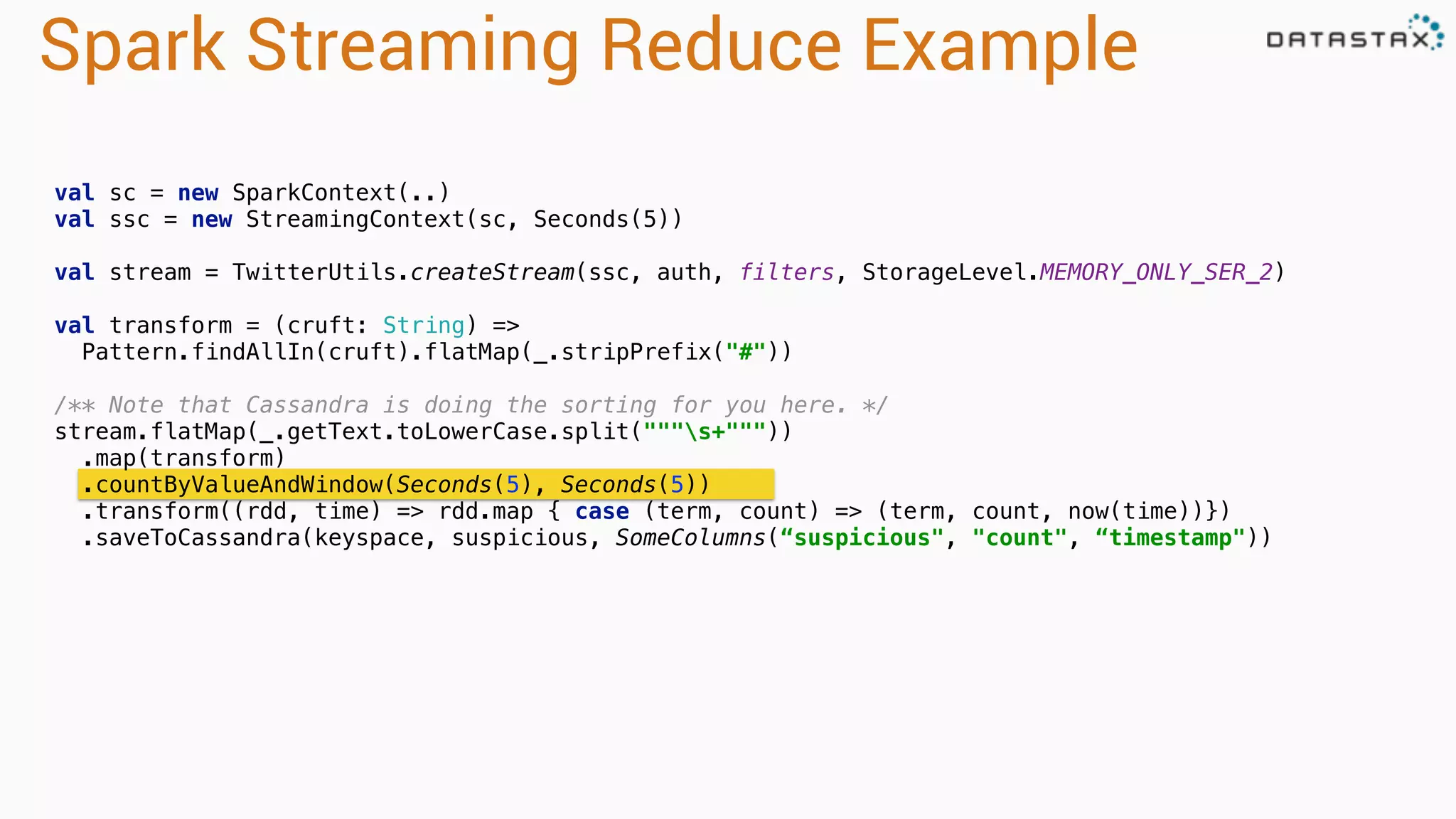
Spark Streaming Reduce Example
val sc = new SparkContext(..)
val ssc = new StreamingContext(sc, Seconds(5))
val stream = TwitterUtils.createStream(ssc, auth, filters, StorageLevel.MEMORY_ONLY_SER_2)

val transform = (cruft: String) =>
Pattern.findAllIn(cruft).flatMap(_.stripPrefix("#"))


/** Note that Cassandra is doing the sorting for you here. */

stream.flatMap(_.getText.toLowerCase.split("""s+"""))

.map(transform)

.countByValueAndWindow(Seconds(5), Seconds(5))

.transform((rdd, time) => rdd.map { case (term, count) => (term, count, now(time))})
.saveToCassandra(keyspace, suspicious, SomeColumns(“suspicious", "count", “timestamp")) 

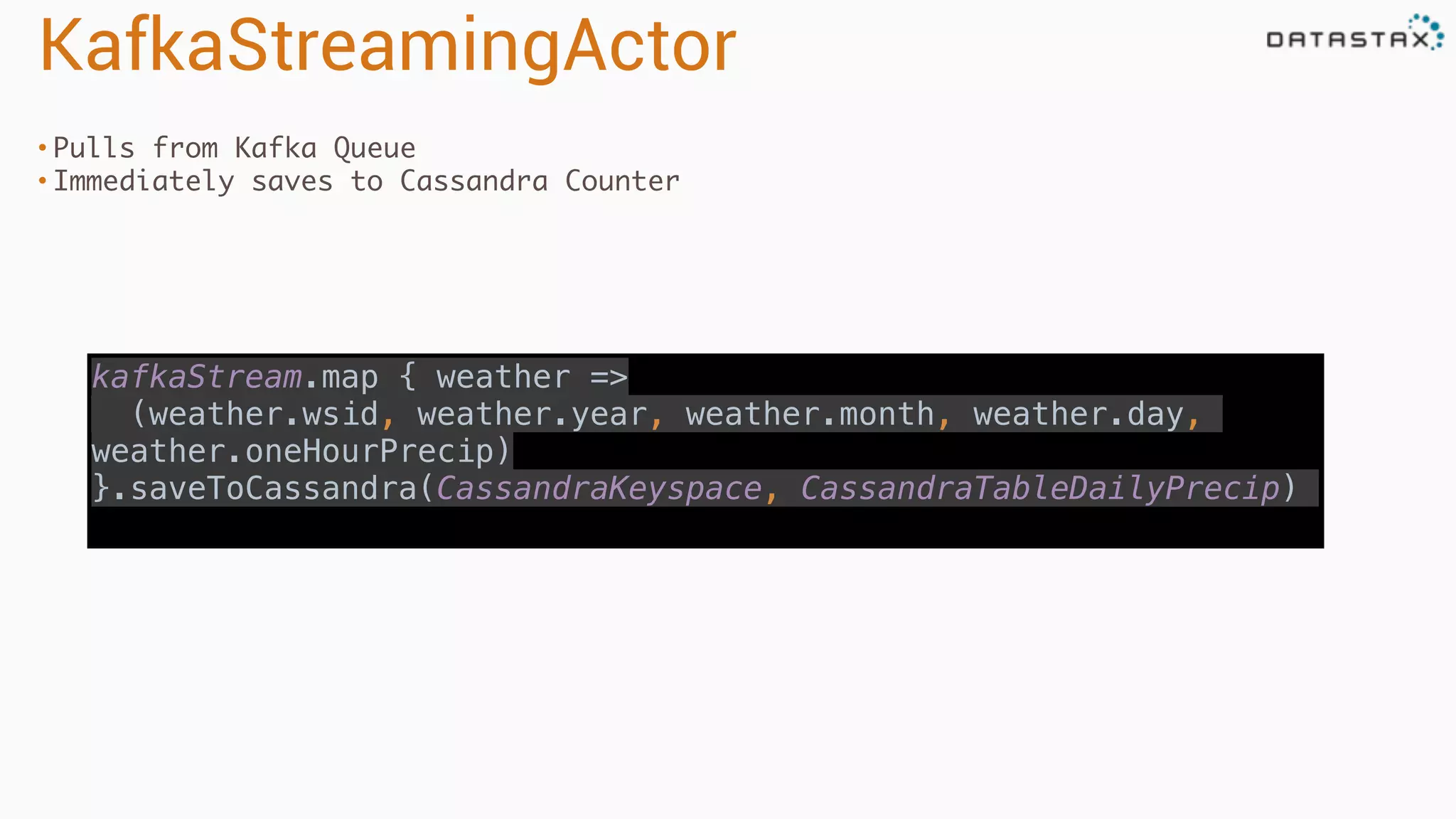
KafkaStreamingActor
• Pulls from Kafka Queue
• Immediately saves to Cassandra Counter
kafkaStream.map { weather =>

(weather.wsid, weather.year, weather.month, weather.day,
weather.oneHourPrecip)

}.saveToCassandra(CassandraKeyspace, CassandraTableDailyPrecip)
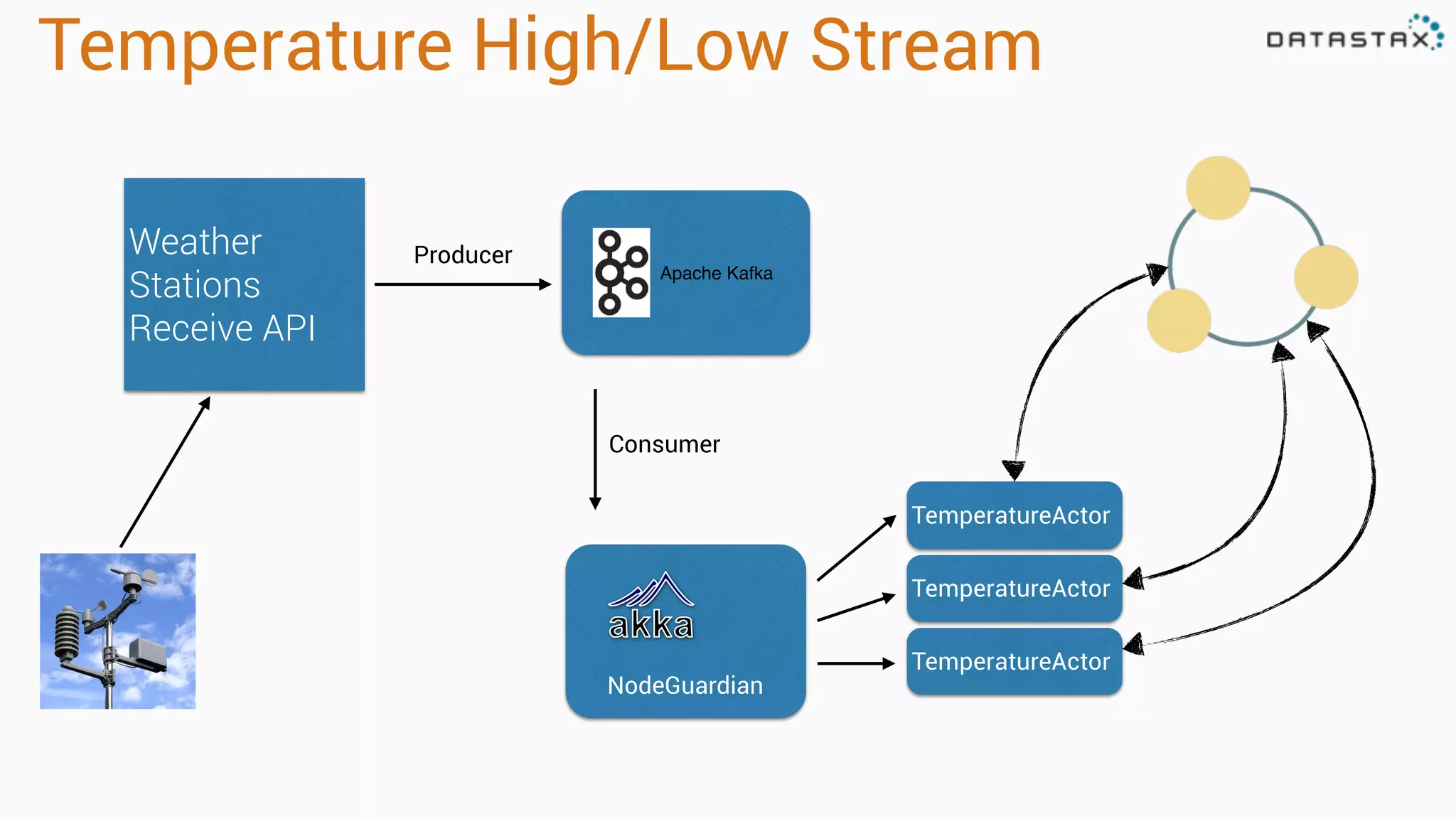
Temperature High/Low Stream
Weather
Stations
Receive API
Apache Kafka
Producer
TemperatureActor
TemperatureActor
TemperatureActor
Consumer
NodeGuardian
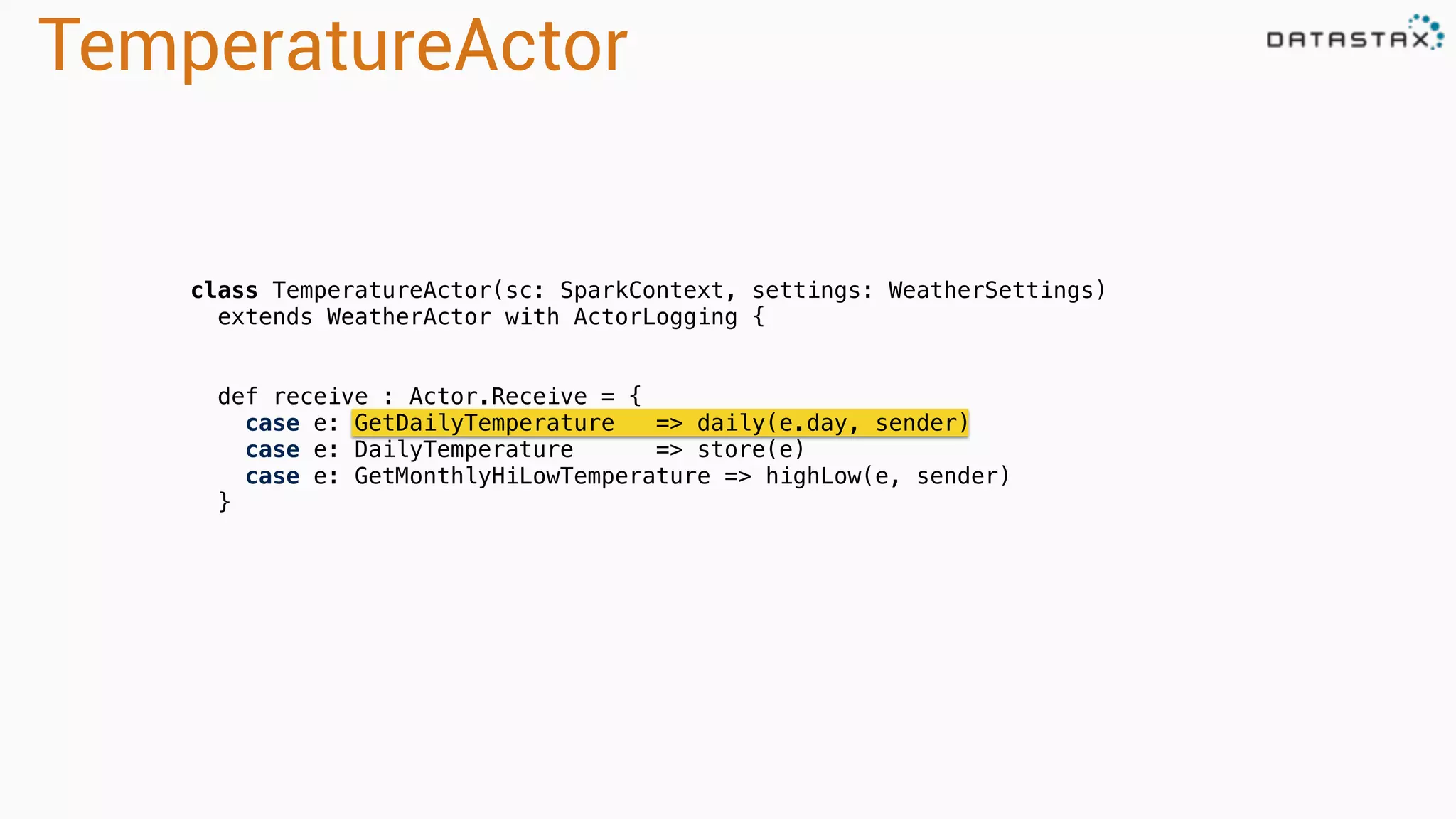
TemperatureActor
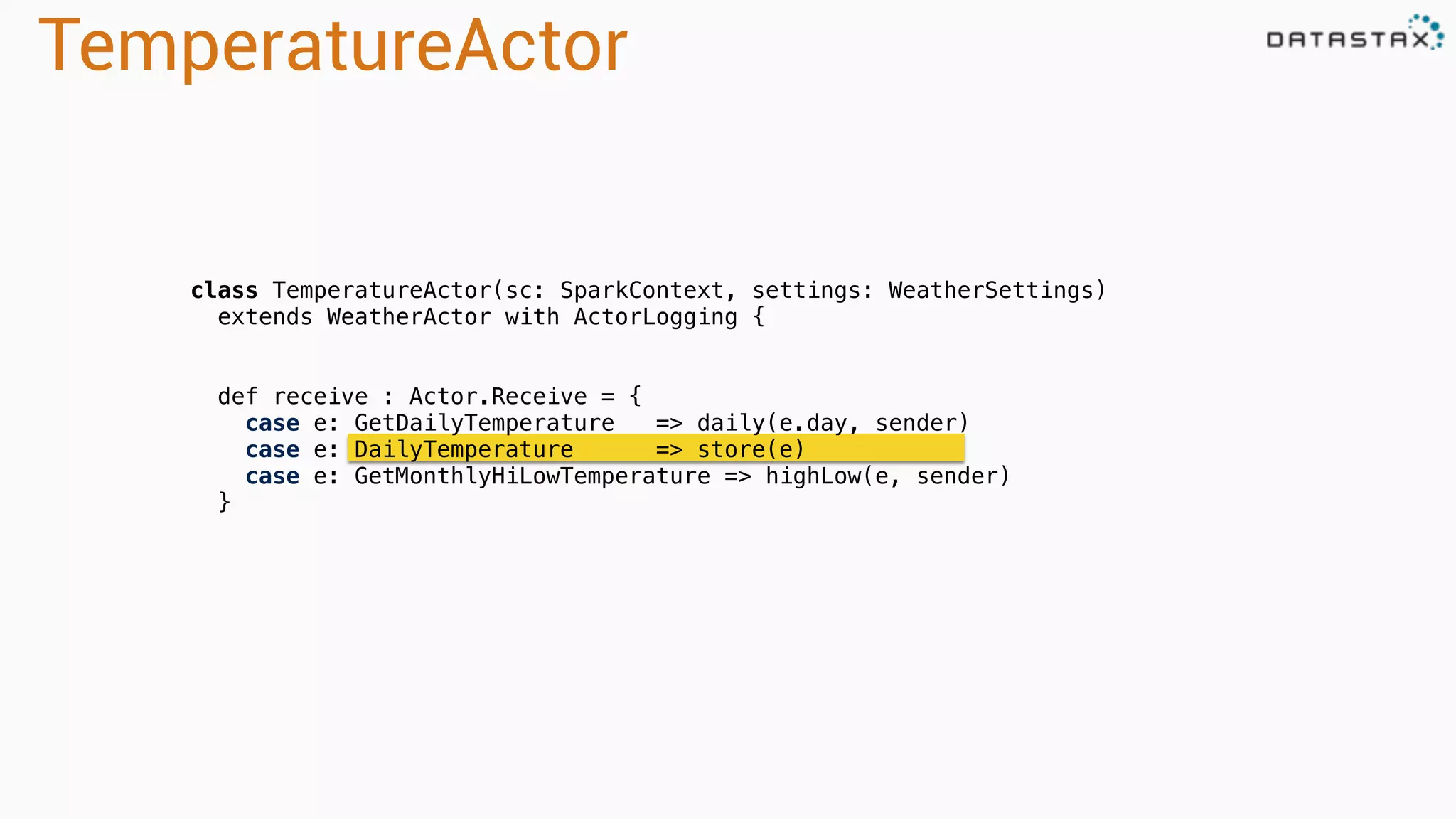
class TemperatureActor(sc: SparkContext, settings: WeatherSettings)
extends WeatherActor with ActorLogging {
def receive : Actor.Receive = {
case e: GetDailyTemperature => daily(e.day, sender)
case e: DailyTemperature => store(e)
case e: GetMonthlyHiLowTemperature => highLow(e, sender)
}
TemperatureActor
/** Computes and sends the daily aggregation to the `requester` actor.
* We aggregate this data on-demand versus in the stream.
*
* For the given day of the year, aggregates 0 - 23 temp values to statistics:
* high, low, mean, std, etc., and persists to Cassandra daily temperature table
* by weather station, automatically sorted by most recent - due to our cassandra schema -
* you don't need to do a sort in spark.
*
* Because the gov. data is not by interval (window/slide) but by specific date/time
* we look for historic data for hours 0-23 that may or may not already exist yet
* and create stats on does exist at the time of request.
*/
def daily(day: Day, requester: ActorRef): Unit =
(for {
aggregate <- sc.cassandraTable[Double](keyspace, rawtable)
.select("temperature").where("wsid = ? AND year = ? AND month = ? AND day = ?",
day.wsid, day.year, day.month, day.day)
.collectAsync()
} yield forDay(day, aggregate)) pipeTo requester
TemperatureActor
/**
* Would only be handling handles 0-23 small items or fewer.
*/
private def forDay(key: Day, temps: Seq[Double]): WeatherAggregate =
if (temps.nonEmpty) {
val stats = StatCounter(temps)
val data = DailyTemperature(
key.wsid, key.year, key.month, key.day,
high = stats.max, low = stats.min,
mean = stats.mean, variance = stats.variance, stdev = stats.stdev)
self ! data
data
} else NoDataAvailable(key.wsid, key.year, classOf[DailyTemperature])
TemperatureActor
class TemperatureActor(sc: SparkContext, settings: WeatherSettings)
extends WeatherActor with ActorLogging {
def receive : Actor.Receive = {
case e: GetDailyTemperature => daily(e.day, sender)
case e: DailyTemperature => store(e)
case e: GetMonthlyHiLowTemperature => highLow(e, sender)
}
TemperatureActor
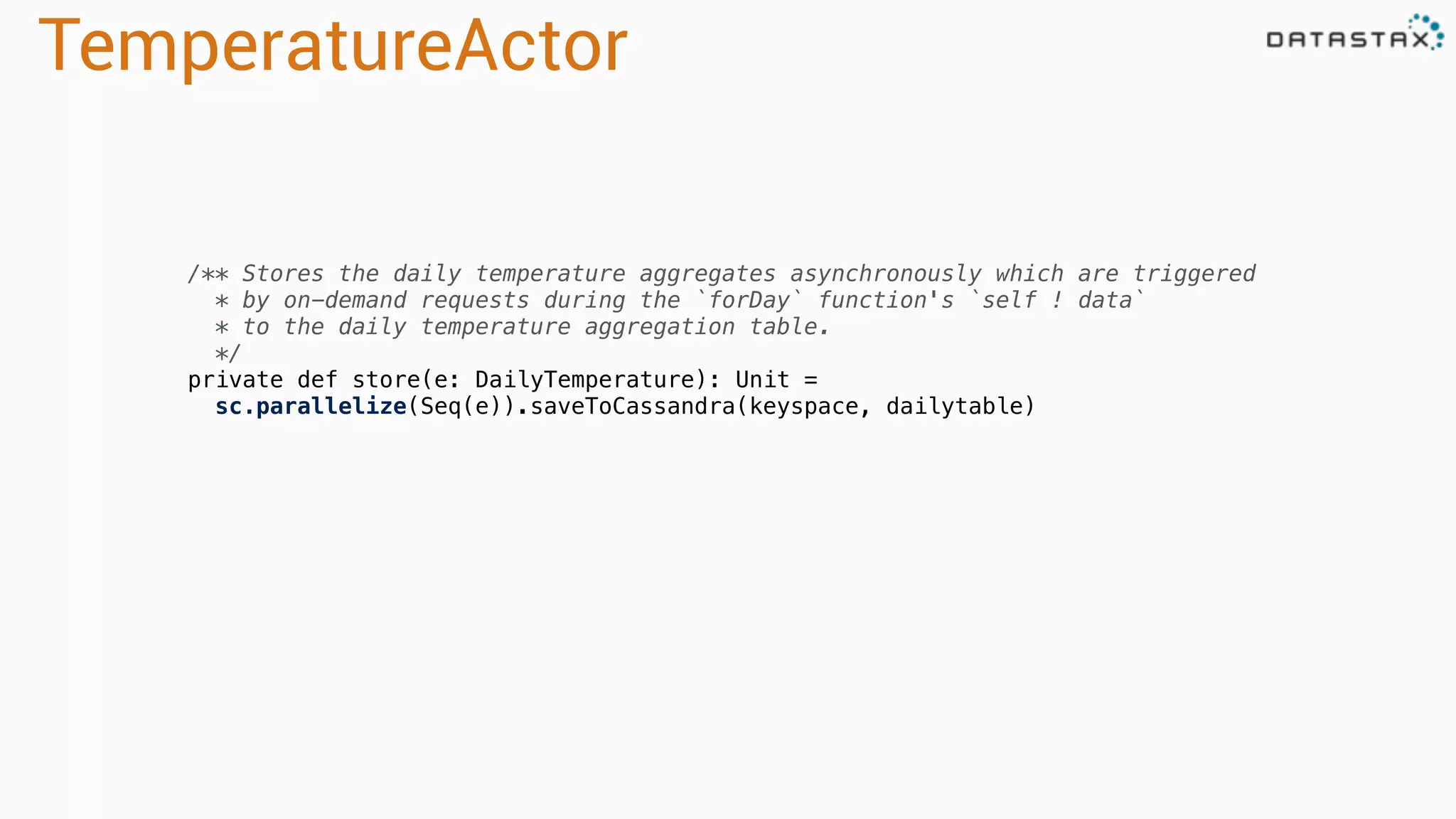
/** Stores the daily temperature aggregates asynchronously which are triggered
* by on-demand requests during the `forDay` function's `self ! data`
* to the daily temperature aggregation table.
*/
private def store(e: DailyTemperature): Unit =
sc.parallelize(Seq(e)).saveToCassandra(keyspace, dailytable)
Fun with code
Run code
sbt app/run
Run code
> sbt clients/run
[1] com.datastax.killrweather.DataFeedApp
[2] com.datastax.killrweather.KillrWeatherClientApp
Enter number: 1
[DEBUG] [2015-02-18 06:49:12,073]
[com.datastax.killrweather.FileFeedActor]: Sending
'725030:14732,2008,12,15,12,10.0,6.7,1028.3,160,2.6,8,0.0,-0.1'
> sbt clients/run
[1] com.datastax.killrweather.DataFeedApp
[2] com.datastax.killrweather.KillrWeatherClientApp
Enter number: 2
[INFO] [2015-02-18 06:50:10,369]
[com.datastax.killrweather.WeatherApiQueries]: Requesting the current
weather for weather station 722020:12839
[INFO] [2015-02-18 06:50:10,369]
[com.datastax.killrweather.WeatherApiQueries]: Requesting annual
precipitation for weather station 722020:12839 in year 2008
[INFO] [2015-02-18 06:50:10,369]
[com.datastax.killrweather.WeatherApiQueries]: Requesting top-k
Precipitation for weather station 722020:12839
[INFO] [2015-02-18 06:50:10,369]
[com.datastax.killrweather.WeatherApiQueries]: Requesting the daily
temperature aggregate for weather station 722020:12839
[INFO] [2015-02-18 06:50:10,370]
[com.datastax.killrweather.WeatherApiQueries]: Requesting the high-low
temperature aggregate for weather station 722020:12839
[INFO] [2015-02-18 06:50:10,370]
[com.datastax.killrweather.WeatherApiQueries]: Requesting weather
station 722020:12839
Terminal 1 Terminal 2
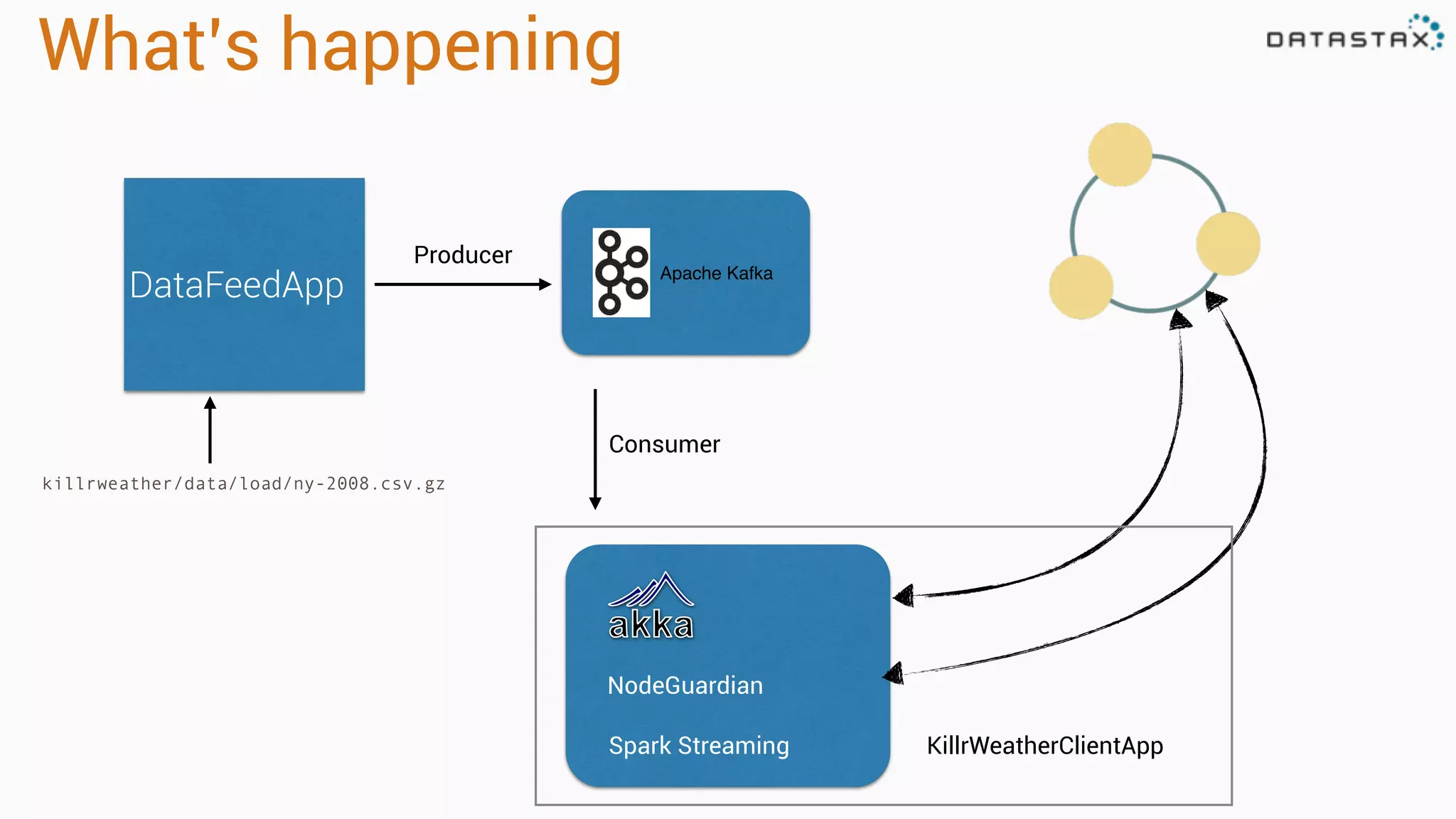
What’s happening
DataFeedApp Apache Kafka
Producer
Consumer
NodeGuardian
killrweather/data/load/ny-2008.csv.gz
Spark Streaming KillrWeatherClientApp
Play time!!
Thank you!
Bring the questions
Follow me on twitter
@PatrickMcFadin

Owning time series with team apache Strata San Jose 2015

  • 1.
    @PatrickMcFadin Owning Time Serieswith Team Apache: Kafka, Spark Cassandra 1 Patrick McFadin
 Chief Evangelist for Apache Cassandra, DataStax
  • 2.
    Agenda for theday Core Concepts: 9:00-10:30 • Prep for the tutorials • Introduction to Apache Cassandra • Why Cassandra is used for storing time series data • Data models for time series • Apache Spark • How Spark and Cassandra work so well together • Kafka Break: 10:30-11:00 Key Foundational Skills: • Using Apache Cassandra • Creating the right development environment • Basic integration with Apache Spark and Cassandra Integrating An End-To-End Data Pipeline • Technologies used: Spark, Spark Streaming, Cassandra, Kafka, Akka, Scala • Ingesting time series data into Kafka • Leveraging Spark Streaming to store the raw data in Cassandra for later analysis • Apply Spark Streaming transformations and aggregation to streaming data, and store material views in Cassandra
  • 3.
    Start your downloads! Linux/Mac: curl-L http://downloads.datastax.com/community/dsc-cassandra-2.1.2-bin.tar.gz | tar xz Windows: http://downloads.datastax.com/community/
  • 4.
    Check out code gitclone https://github.com/killrweather/killrweather.git From the command line: Or from your favorite git client, get the following repo: https://github.com/killrweather/killrweather.git
  • 5.
    Build code cd killrweather sbtcompile Download the internet… wait for it…. # For IntelliJ users, this creates Intellij project files sbt gen-idea
  • 6.
  • 7.
  • 8.
  • 9.
    Cassandra is… • Sharednothing • Masterless peer-to-peer • Based on Dynamo
  • 10.
    Scaling • Add nodesto scale • Millions Ops/s Cassandra HBase Redis MySQL THROUGHPUTOPS/SEC)
  • 11.
    Uptime • Built toreplicate • Resilient to failure • Always on NONE
  • 12.
  • 13.
    Data Model • Familiarsyntax • Collections • PRIMARY KEY for uniqueness CREATE TABLE videos ( videoid uuid, userid uuid, name varchar, description varchar, location text, location_type int, preview_thumbnails map<text,text>, tags set<varchar>, added_date timestamp, PRIMARY KEY (videoid) );
  • 14.
    Data Model -User Defined Types • Complex data in one place • No multi-gets (multi-partitions) • Nesting! CREATE TYPE address ( street text, city text, zip_code int, country text, cross_streets set<text> );
  • 15.
    Data Model -Updated • Now video_metadata is embedded in videos CREATE TYPE video_metadata ( height int, width int, video_bit_rate set<text>, encoding text ); CREATE TABLE videos ( videoid uuid, userid uuid, name varchar, description varchar, location text, location_type int, preview_thumbnails map<text,text>, tags set<varchar>, metadata set <frozen<video_metadata>>, added_date timestamp, PRIMARY KEY (videoid) );
  • 16.
    Data Model -Storing JSON { "productId": 2, "name": "Kitchen Table", "price": 249.99, "description" : "Rectangular table with oak finish", "dimensions": { "units": "inches", "length": 50.0, "width": 66.0, "height": 32 }, "categories": { { "category" : "Home Furnishings" { "catalogPage": 45, "url": "/home/furnishings" }, { "category" : "Kitchen Furnishings" { "catalogPage": 108, "url": "/kitchen/furnishings" } } } CREATE TYPE dimensions ( units text, length float, width float, height float ); CREATE TYPE category ( catalogPage int, url text ); CREATE TABLE product ( productId int, name text, price float, description text, dimensions frozen <dimensions>, categories map <text, frozen <category>>, PRIMARY KEY (productId) );
  • 17.
    Why… Cassandra for TimeSeries? Spark as a great addition to Cassandra?
  • 18.
    Example 1: WeatherStation • Weather station collects data • Cassandra stores in sequence • Application reads in sequence
  • 19.
    Use case • Storedata per weather station • Store time series in order: first to last • Get all data for one weather station • Get data for a single date and time • Get data for a range of dates and times Needed Queries Data Model to support queries
  • 20.
    Data Model • WeatherStation Id and Time are unique • Store as many as needed CREATE TABLE temperature ( weather_station text, year int, month int, day int, hour int, temperature double, PRIMARY KEY ((weather_station),year,month,day,hour) ); INSERT INTO temperature(weather_station,year,month,day,hour,temperature) VALUES (‘10010:99999’,2005,12,1,7,-5.6); INSERT INTO temperature(weather_station,year,month,day,hour,temperature) VALUES (‘10010:99999’,2005,12,1,8,-5.1); INSERT INTO temperature(weather_station,year,month,day,hour,temperature) VALUES (‘10010:99999’,2005,12,1,9,-4.9); INSERT INTO temperature(weather_station,year,month,day,hour,temperature) VALUES (‘10010:99999’,2005,12,1,10,-5.3);
  • 21.
    Storage Model -Logical View 2005:12:1:7 -5.6 2005:12:1:8 -5.1 2005:12:1:9 -4.9 SELECT weather_station,hour,temperature FROM temperature WHERE weatherstation_id=‘10010:99999’ AND year = 2005 AND month = 12 AND day = 1; 10010:99999 10010:99999 10010:99999 weather_station hour temperature 2005:12:1:10 -5.3 10010:99999
  • 22.
    2005:12:1:12 -5.4 2005:12:1:11 -4.9-5.3-4.9-5.1 2005:12:1:7 -5.6 Storage Model -Disk Layout 2005:12:1:8 2005:12:1:9 10010:99999 2005:12:1:10 Merged, Sorted and Stored Sequentially SELECT weather_station,hour,temperature FROM temperature WHERE weatherstation_id=‘10010:99999’ AND year = 2005 AND month = 12 AND day = 1;
  • 23.
    Primary key relationship PRIMARYKEY (weatherstation_id,year,month,day,hour)
  • 24.
    Primary key relationship PRIMARYKEY (weatherstation_id,year,month,day,hour) Partition Key
  • 25.
    Primary key relationship PRIMARYKEY (weatherstation_id,year,month,day,hour) Partition Key Clustering Columns
  • 26.
    Primary key relationship PRIMARYKEY (weatherstation_id,year,month,day,hour) Partition Key Clustering Columns 10010:99999
  • 27.
    2005:12:1:7 -5.6 Primary key relationship PRIMARYKEY (weatherstation_id,year,month,day,hour) Partition Key Clustering Columns 10010:99999 -5.3-4.9-5.1 2005:12:1:8 2005:12:1:9 2005:12:1:10
  • 28.
  • 29.
    Query patterns • Rangequeries • “Slice” operation on disk SELECT weatherstation,hour,temperature FROM temperature WHERE weatherstation_id=‘10010:99999' AND year = 2005 AND month = 12 AND day = 1 AND hour >= 7 AND hour <= 10; Single seek on disk 2005:12:1:12 -5.4 2005:12:1:11 -4.9-5.3-4.9-5.1 2005:12:1:7 -5.6 2005:12:1:8 2005:12:1:9 10010:99999 2005:12:1:10 Partition key for locality
  • 30.
    Query patterns • Rangequeries • “Slice” operation on disk Programmers like this Sorted by event_time 2005:12:1:7 -5.6 2005:12:1:8 -5.1 2005:12:1:9 -4.9 10010:99999 10010:99999 10010:99999 weather_station hour temperature 2005:12:1:10 -5.3 10010:99999 SELECT weatherstation,hour,temperature FROM temperature WHERE weatherstation_id=‘10010:99999' AND year = 2005 AND month = 12 AND day = 1 AND hour >= 7 AND hour <= 10;
  • 31.
  • 32.
    Hadoop *Slow, everything writtento disk *MapReduce is very powerful but is no longer enough *Huge overhead *Inefficient with respect to memory use, latency *Batch Only *Inflexible vs Dynamic Escape From Hadoop?
  • 33.
  • 34.
  • 35.
    Analytic Analytic Search • Fast, generalcluster compute system • Originally developed in 2009 in UC Berkeley’s AMPLab • Fully open sourced in 2010 – now at Apache Software Foundation • Distributed, Scalable, Fault Tolerant What Is Apache Spark
  • 36.
    Apache Spark -Easy to Use & Fast • 10x faster on disk,100x faster in memory than Hadoop MR • Works out of the box on EMR • Fault Tolerant Distributed Datasets • Batch, iterative and streaming analysis • In Memory Storage and Disk • Integrates with Most File and Storage Options Analytic Analytic Search Up to 100× faster (2-10× on disk) 2-5× less code
  • 37.
    Spark Components Spark Core SparkSQL structured Spark Streaming real-time MLlib machine learning GraphX graph
  • 38.
    Part of mostBig Data Platforms Analytic Search • All Major Hadoop Distributions Include Spark • Spark Is Also Integrated With Non-Hadoop Big Data Platforms like DSE • Spark Applications Can Be Written Once and Deployed Anywhere SQL Machine Learning Streaming Graph Core Deploy Spark Apps Anywhere
  • 39.
    • Functional • Onthe JVM • Capture functions and ship them across the network • Static typing - easier to control performance • Leverage REPL Spark REPL http://apache-spark-user-list.1001560.n3.nabble.com/Why-Scala- tp6536p6538.html Analytic Analytic Search Why Scala?
  • 41.
    • Like CollectionsAPI over large datasets • Functional programming model • Scala, Java and Python APIs, with Closure DSL coming • Stream processing • Easily integrate SQL, streaming, and complex analytics Analytic Analytic Search Intuitive Clean API
  • 42.
  • 43.
    org.apache.spark.rdd.RDD Resilient Distributed Dataset(RDD) •Created through transformations on data (map,filter..) or other RDDs •Immutable •Partitioned •Reusable
  • 44.
    RDD Operations •Transformations -Similar to scala collections API •Produce new RDDs •filter, flatmap, map, distinct, groupBy, union, zip, reduceByKey, subtract •Actions •Require materialization of the records to generate a value •collect: Array[T], count, fold, reduce..
  • 45.
    Some More CostlyTransformations •sorting •groupBy, groupByKey •reduceByKey
  • 46.
  • 47.
    Collections and FilesTo RDD scala> val distData = sc.parallelize(Seq(1,2,3,4,5)
 distData: spark.RDD[Int] = spark.ParallelCollection@10d13e3e val distFile: RDD[String] = sc.textFile(“directory/*.txt”) val distFile = sc.textFile(“hdfs://namenode:9000/path/file”) val distFile = sc.sequenceFile(“hdfs://namenode:9000/path/file”)
  • 48.
  • 49.
    zillions of bytesgigabytes per second Spark Versus Spark Streaming
  • 50.
  • 51.
    DStream - MicroBatches μBatch (ordinary RDD) μBatch (ordinary RDD) μBatch (ordinary RDD) Processing of DStream = Processing of μBatches, RDDs DStream • Continuous sequence of micro batches • More complex processing models are possible with less effort • Streaming computations as a series of deterministic batch computations on small time intervals
  • 52.
    Windowing 0s 1s 2s3s 4s 5s 6s 7s By default: window = slide = batch duration window slide
  • 53.
    Windowing 0s 1s 2s3s 4s 5s 6s 7s window = 3s slide = 2s The resulting DStream consists of 3 seconds micro-batches Each resulting micro-batch overlaps the preceding one by 1 second
  • 54.
  • 55.
    Spark On Cassandra •Server-Side filters (where clauses) • Cross-table operations (JOIN, UNION, etc.) • Data locality-aware (speed) • Data transformation, aggregation, etc. • Natural Time Series Integration
  • 56.
    Spark Cassandra Connector •Loads data from Cassandra to Spark • Writes data from Spark to Cassandra • Implicit Type Conversions and Object Mapping • Implemented in Scala (offers a Java API) • Open Source • Exposes Cassandra Tables as Spark RDDs + Spark DStreams
  • 57.
    https://github.com/datastax/spark-cassandra-connector C* C* C*C*Cassandra Spark Executor C* Java(Soon Scala) Driver Spark-Cassandra Connector User Application Spark Cassandra Connector
  • 58.
    Apache Spark andCassandra Open Source Stack Cassandra
  • 59.
    Analytics Workload Isolation Cassandra +Spark DC Cassandra Only DC Online App Analytical App Mixed Load Cassandra Cluster
  • 60.
    Spark Cassandra Example valconf = new SparkConf(loadDefaults = true) .set("spark.cassandra.connection.host", "127.0.0.1") .setMaster("spark://127.0.0.1:7077") val sc = new SparkContext(conf) val table: CassandraRDD[CassandraRow] = sc.cassandraTable("keyspace", "tweets") 
 val ssc = new StreamingContext(sc, Seconds(30))
 
 val stream = KafkaUtils.createStream[String, String, StringDecoder, StringDecoder](
 ssc, kafka.kafkaParams, Map(topic -> 1), StorageLevel.MEMORY_ONLY)
 
 stream.map(_._2).countByValue().saveToCassandra("demo", "wordcount")
 
 ssc.start()
 ssc.awaitTermination() Initialization Transformations and Action CassandraRDD Stream Initialization
  • 61.
    Spark Cassandra Example valsc = new SparkContext(..) val ssc = new StreamingContext(sc, Seconds(5)) val stream = TwitterUtils.createStream(ssc, auth, filters, StorageLevel.MEMORY_ONLY_SER_2)
 val transform = (cruft: String) => Pattern.findAllIn(cruft).flatMap(_.stripPrefix("#"))
 
 /** Note that Cassandra is doing the sorting for you here. */
 stream.flatMap(_.getText.toLowerCase.split("""s+"""))
 .map(transform)
 .countByValueAndWindow(Seconds(5), Seconds(5))
 .transform((rdd, time) => rdd.map { case (term, count) => (term, count, now(time))}) .saveToCassandra(keyspace, suspicious, SomeColumns(“suspicious", "count", “timestamp")) 

  • 62.
    val table =sc .cassandraTable[CassandraRow]("keyspace", "tweets") .select("user_name", "message") .where("user_name = ?", "ewa") row 
 representation keyspace table server side column and row selection Reading: From C* To Spark
  • 63.
    class CassandraRDD[R](..., keyspace:String, table: String, ...) 
 extends RDD[R](...) { // Splits the table into multiple Spark partitions,
 // each processed by single Spark Task
 override def getPartitions: Array[Partition] // Returns names of hosts storing given partition (for data locality!)
 override def getPreferredLocations(split: Partition): Seq[String] // Returns iterator over Cassandra rows in the given partition
 override def compute(split: Partition, context: TaskContext): Iterator[R] } CassandraRDD
  • 64.
    /** RDD representinga Cassandra table for Spark Streaming.
 * @see [[com.datastax.spark.connector.rdd.CassandraRDD]] */
 class CassandraStreamingRDD[R] private[connector] (
 sctx: StreamingContext,
 connector: CassandraConnector,
 keyspace: String,
 table: String,
 columns: ColumnSelector = AllColumns,
 where: CqlWhereClause = CqlWhereClause.empty,
 readConf: ReadConf = ReadConf())(
 implicit ct : ClassTag[R], @transient rrf: RowReaderFactory[R])
 extends CassandraRDD[R](sctx.sparkContext, connector, keyspace, table, columns, where, readConf)
 CassandraStreamingRDD
  • 65.
    Paging Reads with.cassandraTable • Page size is configurable • Controls how many CQL rows to fetch at a time, when fetching a single partition • Connector returns an iterator for rows to Spark • Spark iterates over this, lazily • Handled by the java driver as well as spark
  • 66.
    Node 1 Client Cassandra Node1request a page data processdata request a page data request a page Node 2 Client Cassandra Node 2request a page data processdata request a page data request a page ResultSet Paging and Pre-Fetching
  • 67.
    Co-locate Spark andC* for Best Performance 67 C* C*C* C* Spark
 Worker Spark
 Worker Spark Master Spark Worker Running Spark Workers on the same nodes as your C* Cluster will save network hops when reading and writing
  • 68.
    Analytic Analytic Search The Key ToSpeed - Data Locality • LocalNodeFirstLoadBalancingPolicy • Decides what node will become the coordinator for the given mutation/read • Selects local node first and then nodes in the local DC in random order • Once that node receives the request it will be distributed • Proximal Node Sort Defined by the C* snitch •https://github.com/apache/cassandra/blob/trunk/src/java/org/ apache/cassandra/locator/DynamicEndpointSnitch.java#L155- L190
  • 69.
    Spark Reads onCassandra Awesome animation by DataStax’s own Russel Spitzer
  • 70.
    Spark RDDs Represent aLarge Amount of Data Partitioned into Chunks RDD 1 2 3 4 5 6 7 8 9Node 2 Node 1 Node 3 Node 4
  • 71.
    Node 2 Node 1 SparkRDDs Represent a Large Amount of Data Partitioned into Chunks RDD 2 346 7 8 9 Node 3 Node 4 1 5
  • 72.
    Node 2 Node 1 RDD 2 346 78 9 Node 3 Node 4 1 5 Spark RDDs Represent a Large Amount of Data Partitioned into Chunks
  • 73.
    Cassandra Data isDistributed By Token Range
  • 74.
    Cassandra Data isDistributed By Token Range 0 500
  • 75.
    Cassandra Data isDistributed By Token Range 0 500 999
  • 76.
    Cassandra Data isDistributed By Token Range 0 500 Node 1 Node 2 Node 3 Node 4
  • 77.
    Cassandra Data isDistributed By Token Range 0 500 Node 1 Node 2 Node 3 Node 4 Without vnodes
  • 78.
    Cassandra Data isDistributed By Token Range 0 500 Node 1 Node 2 Node 3 Node 4 With vnodes
  • 79.
    Node 1 120-220 300-500 780-830 0-50 spark.cassandra.input.split.size 50 Reporteddensity is 0.5 The Connector Uses Information on the Node to Make 
 Spark Partitions
  • 80.
    Node 1 120-220 300-500 0-50 spark.cassandra.input.split.size 50 Reporteddensity is 0.5 The Connector Uses Information on the Node to Make 
 Spark Partitions 1 780-830
  • 81.
    1 Node 1 120-220 300-500 0-50 spark.cassandra.input.split.size 50 Reporteddensity is 0.5 The Connector Uses Information on the Node to Make 
 Spark Partitions 780-830
  • 82.
    2 1 Node 1 300-500 0-50 spark.cassandra.input.split.size50 Reported density is 0.5 The Connector Uses Information on the Node to Make 
 Spark Partitions 780-830
  • 83.
    2 1 Node 1 300-500 0-50 spark.cassandra.input.split.size50 Reported density is 0.5 The Connector Uses Information on the Node to Make 
 Spark Partitions 780-830
  • 84.
    2 1 Node 1 300-400 0-50 spark.cassandra.input.split.size 50 Reporteddensity is 0.5 The Connector Uses Information on the Node to Make 
 Spark Partitions 780-830 400-500
  • 85.
    21 Node 1 0-50 spark.cassandra.input.split.size 50 Reporteddensity is 0.5 The Connector Uses Information on the Node to Make 
 Spark Partitions 780-830 400-500
  • 86.
    21 Node 1 0-50 spark.cassandra.input.split.size 50 Reporteddensity is 0.5 The Connector Uses Information on the Node to Make 
 Spark Partitions 780-830 400-500 3
  • 87.
    21 Node 1 0-50 spark.cassandra.input.split.size 50 Reporteddensity is 0.5 The Connector Uses Information on the Node to Make 
 Spark Partitions 780-830 3 400-500
  • 88.
    21 Node 1 0-50 spark.cassandra.input.split.size 50 Reporteddensity is 0.5 The Connector Uses Information on the Node to Make 
 Spark Partitions 780-830 3
  • 89.
    4 21 Node 1 0-50 spark.cassandra.input.split.size 50 Reporteddensity is 0.5 The Connector Uses Information on the Node to Make 
 Spark Partitions 780-830 3
  • 90.
    4 21 Node 1 0-50 spark.cassandra.input.split.size 50 Reporteddensity is 0.5 The Connector Uses Information on the Node to Make 
 Spark Partitions 780-830 3
  • 91.
    421 Node 1 spark.cassandra.input.split.size 50 Reporteddensity is 0.5 The Connector Uses Information on the Node to Make 
 Spark Partitions 3
  • 92.
    4 spark.cassandra.input.page.row.size 50 Data isRetrieved Using the DataStax Java Driver 0-50780-830 Node 1
  • 93.
    4 spark.cassandra.input.page.row.size 50 Data isRetrieved Using the DataStax Java Driver 0-50 780-830 Node 1 SELECT * FROM keyspace.table WHERE token(pk) > 780 and token(pk) <= 830 SELECT * FROM keyspace.table WHERE token(pk) > 0 and token(pk) <= 50
  • 94.
    4 spark.cassandra.input.page.row.size 50 Data isRetrieved Using the DataStax Java Driver 0-50 780-830 Node 1 SELECT * FROM keyspace.table WHERE token(pk) > 780 and token(pk) <= 830 SELECT * FROM keyspace.table WHERE token(pk) > 0 and token(pk) <= 50
  • 95.
    4 spark.cassandra.input.page.row.size 50 Data isRetrieved Using the DataStax Java Driver 0-50 780-830 Node 1 SELECT * FROM keyspace.table WHERE token(pk) > 780 and token(pk) <= 830 SELECT * FROM keyspace.table WHERE token(pk) > 0 and token(pk) <= 50 50 CQL Rows
  • 96.
    4 spark.cassandra.input.page.row.size 50 Data isRetrieved Using the DataStax Java Driver 0-50 780-830 Node 1 SELECT * FROM keyspace.table WHERE token(pk) > 780 and token(pk) <= 830 SELECT * FROM keyspace.table WHERE token(pk) > 0 and token(pk) <= 50 50 CQL Rows
  • 97.
    4 spark.cassandra.input.page.row.size 50 Data isRetrieved Using the DataStax Java Driver 0-50 780-830 Node 1 SELECT * FROM keyspace.table WHERE token(pk) > 780 and token(pk) <= 830 SELECT * FROM keyspace.table WHERE token(pk) > 0 and token(pk) <= 50 50 CQL Rows 50 CQL Rows
  • 98.
    4 spark.cassandra.input.page.row.size 50 Data isRetrieved Using the DataStax Java Driver 0-50 780-830 Node 1 SELECT * FROM keyspace.table WHERE token(pk) > 780 and token(pk) <= 830 SELECT * FROM keyspace.table WHERE token(pk) > 0 and token(pk) <= 50 50 CQL Rows50 CQL Rows
  • 99.
    4 spark.cassandra.input.page.row.size 50 Data isRetrieved Using the DataStax Java Driver 0-50 780-830 Node 1 SELECT * FROM keyspace.table WHERE token(pk) > 780 and token(pk) <= 830 SELECT * FROM keyspace.table WHERE token(pk) > 0 and token(pk) <= 50 50 CQL Rows50 CQL Rows 50 CQL Rows
  • 100.
    4 spark.cassandra.input.page.row.size 50 Data isRetrieved Using the DataStax Java Driver 0-50 780-830 Node 1 SELECT * FROM keyspace.table WHERE token(pk) > 780 and token(pk) <= 830 SELECT * FROM keyspace.table WHERE token(pk) > 0 and token(pk) <= 50 50 CQL Rows50 CQL Rows 50 CQL Rows
  • 101.
    4 spark.cassandra.input.page.row.size 50 Data isRetrieved Using the DataStax Java Driver 0-50 780-830 Node 1 SELECT * FROM keyspace.table WHERE token(pk) > 780 and token(pk) <= 830 SELECT * FROM keyspace.table WHERE token(pk) > 0 and token(pk) <= 50 50 CQL Rows50 CQL Rows 50 CQL Rows 50 CQL Rows
  • 102.
    4 spark.cassandra.input.page.row.size 50 Data isRetrieved Using the DataStax Java Driver 0-50 780-830 Node 1 SELECT * FROM keyspace.table WHERE token(pk) > 780 and token(pk) <= 830 SELECT * FROM keyspace.table WHERE token(pk) > 0 and token(pk) <= 50 50 CQL Rows50 CQL Rows 50 CQL Rows 50 CQL Rows
  • 103.
    4 spark.cassandra.input.page.row.size 50 Data isRetrieved Using the DataStax Java Driver 0-50 780-830 Node 1 SELECT * FROM keyspace.table WHERE token(pk) > 780 and token(pk) <= 830 SELECT * FROM keyspace.table WHERE token(pk) > 0 and token(pk) <= 50 50 CQL Rows50 CQL Rows 50 CQL Rows 50 CQL Rows 50 CQL Rows
  • 104.
    4 spark.cassandra.input.page.row.size 50 Data isRetrieved Using the DataStax Java Driver 0-50 780-830 Node 1 SELECT * FROM keyspace.table WHERE token(pk) > 780 and token(pk) <= 830 SELECT * FROM keyspace.table WHERE token(pk) > 0 and token(pk) <= 50 50 CQL Rows50 CQL Rows 50 CQL Rows 50 CQL Rows 50 CQL Rows
  • 105.
    4 spark.cassandra.input.page.row.size 50 Data isRetrieved Using the DataStax Java Driver 0-50 780-830 Node 1 SELECT * FROM keyspace.table WHERE token(pk) > 0 and token(pk) <= 50 50 CQL Rows50 CQL Rows 50 CQL Rows 50 CQL Rows 50 CQL Rows
  • 106.
    4 spark.cassandra.input.page.row.size 50 Data isRetrieved Using the DataStax Java Driver 0-50 780-830 Node 1 SELECT * FROM keyspace.table WHERE token(pk) > 0 and token(pk) <= 50 50 CQL Rows50 CQL Rows 50 CQL Rows 50 CQL Rows 50 CQL Rows 50 CQL Rows
  • 107.
    4 spark.cassandra.input.page.row.size 50 Data isRetrieved Using the DataStax Java Driver 0-50 780-830 Node 1 SELECT * FROM keyspace.table WHERE token(pk) > 0 and token(pk) <= 50 50 CQL Rows50 CQL Rows 50 CQL Rows 50 CQL Rows 50 CQL Rows 50 CQL Rows
  • 108.
    4 spark.cassandra.input.page.row.size 50 Data isRetrieved Using the DataStax Java Driver 0-50 780-830 Node 1 SELECT * FROM keyspace.table WHERE token(pk) > 0 and token(pk) <= 50 50 CQL Rows50 CQL Rows 50 CQL Rows 50 CQL Rows 50 CQL Rows 50 CQL Rows 50 CQL Rows 50 CQL Rows 50 CQL Rows 50 CQL Rows
  • 109.
    4 spark.cassandra.input.page.row.size 50 Data isRetrieved Using the DataStax Java Driver 0-50 780-830 Node 1 SELECT * FROM keyspace.table WHERE token(pk) > 0 and token(pk) <= 50 50 CQL Rows50 CQL Rows 50 CQL Rows 50 CQL Rows 50 CQL Rows 50 CQL Rows 50 CQL Rows 50 CQL Rows 50 CQL Rows 50 CQL Rows
  • 110.
    Connector Code andDocs https://github.com/datastax/spark-cassandra-connector Add It To Your Project: val connector = "com.datastax.spark" %% "spark-cassandra-connector" % "1.1.0-alpha3"
  • 111.
  • 112.
    Basic Architecture • Producerswrite data to brokers. • Consumers read data from brokers. • All this is distributed. • Data is stored in topics. • Topics are split into partitions, which are replicated. http://kafka.apache.org/documentation.html
  • 113.
    Partition • Topics ismade up of partitions • Partitions are ordered and immutable • An appended log
  • 114.
    Partitons • Partition numberdetermines how many parallel consumers
  • 115.
    Basic Architecture • Morepartitions == more parallelism • Client stores offsets in Zookeeper (<.8.2) • Multiple consumers can pull from one partition • Pretty much a PUB-SUB http://kafka.apache.org/documentation.html
  • 116.
  • 117.
    Install Apache Cassandra http://planetcassandra.org/cassandra/ •DownloadApache Cassandra 2.1 •Linux & Mac: •Most cases a tar.gz is perfect •Windows: •msi package
  • 118.
    Install and run tarxvf dsc.tar.gz cd dsc-cassandra-2.1.0/bin ./cassandra Install msi Service should start automatically
  • 119.
    Verify install Run cqlsh Connectedto Test Cluster at 127.0.0.1:9042. [cqlsh 5.0.1 | Cassandra 2.1.0 | CQL spec 3.2.0 | Native protocol v3] Use HELP for help. cqlsh> cd Program FilesDataStax Communityapache-cassandrabin cqlsh <from dsc-cassandra-2.1.0/bin> ./cqlsh Expected output
  • 120.
    Load schema Go todata directory > cd killrweather/data > ls > 2005.csv.gz create-timeseries.cql load-timeseries.cqlweather_stations.csv Load data > <cassandra_dir>/bin/cqlsh Connected to Test Cluster at 127.0.0.1:9042. [cqlsh 5.0.1 | Cassandra 2.1.0 | CQL spec 3.2.0 | Native protocol v3] Use HELP for help. cqlsh> source 'create-timeseries.cql'; cqlsh> source 'load-timeseries.cql'; cqlsh> describe keyspace isd_weather_data; cqlsh> use isd_weather_data; cqlsh:isd_weather_data> select * from weather_station limit 10; id | call_sign | country_code | elevation | lat | long | name | state_code --------------+-----------+--------------+-----------+--------+---------+-----------------------+------------ 408930:99999 | OIZJ | IR | 4 | 25.65 | 57.767 | JASK | null 725500:14942 | KOMA | US | 299.3 | 41.317 | -95.9 | OMAHA EPPLEY AIRFIELD | NE 725474:99999 | KCSQ | US | 394 | 41.017 | -94.367 | CRESTON | IA 480350:99999 | VBLS | BM | 749 | 22.933 | 97.75 | LASHIO | null 719380:99999 | CYCO | CN | 22 | 67.817 | -115.15 | COPPERMINE AIRPORT | null 992790:99999 | DB279 | US | 3 | 40.5 | -69.467 | ENVIRONM BUOY 44008 | null 85120:99999 | LPPD | PO | 72 | 37.733 | -25.7 | PONTA DELGADA/NORDE | null 150140:99999 | LRBM | RO | 218 | 47.667 | 23.583 | BAIA MARE | null 435330:99999 | null | MV | 1 | 6.733 | 73.15 | HANIMADU | null 536150:99999 | null | CI | 1005 | 38.467 | 106.27 |
  • 121.
  • 122.
    Lambda Architecture Cassandra Spark Core SparkSQL structured Spark Streaming real-time MLlib machine learning GraphX graph Apache Kafka
  • 123.
  • 124.
    raw_weather_data CREATE TABLE raw_weather_data( weather_station text, // Composite of Air Force Datsav3 station number and NCDC WBAN number year int, // Year collected month int, // Month collected day int, // Day collected hour int, // Hour collected temperature double, // Air temperature (degrees Celsius) dewpoint double, // Dew point temperature (degrees Celsius) pressure double, // Sea level pressure (hectopascals) wind_direction int, // Wind direction in degrees. 0-359 wind_speed double, // Wind speed (meters per second) sky_condition int, // Total cloud cover (coded, see format documentation) sky_condition_text text, // Non-coded sky conditions one_hour_precip double, // One-hour accumulated liquid precipitation (millimeters) six_hour_precip double, // Six-hour accumulated liquid precipitation (millimeters) PRIMARY KEY ((weather_station), year, month, day, hour) ) WITH CLUSTERING ORDER BY (year DESC, month DESC, day DESC, hour DESC); Reverses data in the storage engine.
  • 125.
    weather_station CREATE TABLE weather_station( id text PRIMARY KEY, // Composite of Air Force Datsav3 station number and NCDC WBAN number name text, // Name of reporting station country_code text, // 2 letter ISO Country ID state_code text, // 2 letter state code for US stations call_sign text, // International station call sign lat double, // Latitude in decimal degrees long double, // Longitude in decimal degrees elevation double // Elevation in meters ); Lookup table
  • 126.
    sky_condition_lookup CREATE TABLE sky_condition_lookup( code int PRIMARY KEY, condition text ); INSERT INTO sky_condition_lookup (code, condition) VALUES (0, 'None, SKC or CLR'); INSERT INTO sky_condition_lookup (code, condition) VALUES (1, 'One okta - 1/10 or less but not zero'); INSERT INTO sky_condition_lookup (code, condition) VALUES (2, 'Two oktas - 2/10 - 3/10, or FEW'); INSERT INTO sky_condition_lookup (code, condition) VALUES (3, 'Three oktas - 4/10'); INSERT INTO sky_condition_lookup (code, condition) VALUES (4, 'Four oktas - 5/10, or SCT'); INSERT INTO sky_condition_lookup (code, condition) VALUES (5, 'Five oktas - 6/10'); INSERT INTO sky_condition_lookup (code, condition) VALUES (6, 'Six oktas - 7/10 - 8/10'); INSERT INTO sky_condition_lookup (code, condition) VALUES (7, 'Seven oktas - 9/10 or more but not 10/10, or BKN'); INSERT INTO sky_condition_lookup (code, condition) VALUES (8, 'Eight oktas - 10/10, or OVC'); INSERT INTO sky_condition_lookup (code, condition) VALUES (9, 'Sky obscured, or cloud amount cannot be estimated'); INSERT INTO sky_condition_lookup (code, condition) VALUES (10, 'Partial obscuration 11: Thin scattered'); INSERT INTO sky_condition_lookup (code, condition) VALUES (12, 'Scattered'); INSERT INTO sky_condition_lookup (code, condition) VALUES (13, 'Dark scattered'); INSERT INTO sky_condition_lookup (code, condition) VALUES (14, 'Thin broken 15: Broken'); INSERT INTO sky_condition_lookup (code, condition) VALUES (16, 'Dark broken 17: Thin overcast 18: Overcast'); INSERT INTO sky_condition_lookup (code, condition) VALUES (19, 'Dark overcast');
  • 127.
    daily_aggregate_temperature CREATE TABLE daily_aggregate_temperature( weather_station text, year int, month int, day int, high double, low double, mean double, variance double, stdev double, PRIMARY KEY ((weather_station), year, month, day) ) WITH CLUSTERING ORDER BY (year DESC, month DESC, day DESC); SELECT high, low FROM daily_aggregate_temperature WHERE weather_station='010010:99999' AND year=2005 AND month=12 AND day=3; high | low ------+------ 1.8 | -1.5
  • 128.
    daily_aggregate_precip CREATE TABLE daily_aggregate_precip( weather_station text, year int, month int, day int, precipitation double, PRIMARY KEY ((weather_station), year, month, day) ) WITH CLUSTERING ORDER BY (year DESC, month DESC, day DESC); SELECT precipitation FROM daily_aggregate_precip WHERE weather_station='010010:99999' AND year=2005 AND month=12 AND day>=1 AND day <= 7; 0 10 20 30 40 1 2 3 4 5 6 7 17 26 2 0 33 12 0
  • 129.
    year_cumulative_precip CREATE TABLE year_cumulative_precip( weather_station text, year int, precipitation double, PRIMARY KEY ((weather_station), year) ) WITH CLUSTERING ORDER BY (year DESC); SELECT precipitation FROM year_cumulative_precip WHERE weather_station='010010:99999' AND year=2005; precipitation --------------- 20.1 SELECT precipitation FROM year_cumulative_precip WHERE weather_station='010010:99999' AND year=2005; precipitation --------------- 33.7 Select a couple days later
  • 130.
    Weather Station Analysis •Weather station collects data • Cassandra stores in sequence • Spark rolls up data into new tables Windsor California July 1, 2014 High: 73.4F Low : 51.4F
  • 131.
    Roll-up table CREATE TABLEdaily_aggregate_temperature ( wsid text, year int, month int, day int, high double, low double, PRIMARY KEY ((wsid), year, month, day) ); • Weather Station Id(wsid) is unique • High and low temp for each day
  • 132.
    Setup connection def main(args:Array[String]): Unit = { // the setMaster("local") lets us run & test the job right in our IDE val conf = new SparkConf(true).set("spark.cassandra.connection.host", "127.0.0.1").setMaster("local") // "local" here is the master, meaning we don't explicitly have a spark master set up val sc = new SparkContext("local", "weather", conf) val connector = CassandraConnector(conf) val cc = new CassandraSQLContext(sc) cc.setKeyspace("isd_weather_data")
  • 133.
    Get data andaggregate // Create SparkSQL statement val aggregationSql = "SELECT wsid, year, month, day, max(temperature) high, min(temperature) low " + "FROM raw_weather_data " + "WHERE month = 6 " + "GROUP BY wsid, year, month, day;" val srdd: SchemaRDD = cc.sql(aggregationSql); val resultSet = srdd.map(row => ( new daily_aggregate_temperature( row.getString(0), row.getInt(1), row.getInt(2), row.getInt(3), row.getDouble(4), row.getDouble(5)))) .collect() // Case class to store row data case class daily_aggregate_temperature (wsid: String, year: Int, month: Int, day: Int, high:Double, low:Double)
  • 134.
    Store back intoCassandra connector.withSessionDo(session => { // Create a single prepared statement val prepared = session.prepare(insertStatement) val bound = prepared.bind // Iterate over result set and bind variables for (row <- resultSet) { bound.setString("wsid", row.wsid) bound.setInt("year", row.year) bound.setInt("month", row.month) bound.setInt("day", row.day) bound.setDouble("high", row.high) bound.setDouble("low", row.low) // Insert new row in database session.execute(bound) } })
  • 135.
    Result wsid | year| month | day | high | low --------------+------+-------+-----+------+------ 725300:94846 | 2012 | 9 | 30 | 18.9 | 10.6 725300:94846 | 2012 | 9 | 29 | 25.6 | 9.4 725300:94846 | 2012 | 9 | 28 | 19.4 | 11.7 725300:94846 | 2012 | 9 | 27 | 17.8 | 7.8 725300:94846 | 2012 | 9 | 26 | 22.2 | 13.3 725300:94846 | 2012 | 9 | 25 | 25 | 11.1 725300:94846 | 2012 | 9 | 24 | 21.1 | 4.4 725300:94846 | 2012 | 9 | 23 | 15.6 | 5 725300:94846 | 2012 | 9 | 22 | 15 | 7.2 725300:94846 | 2012 | 9 | 21 | 18.3 | 9.4 725300:94846 | 2012 | 9 | 20 | 21.7 | 11.7 725300:94846 | 2012 | 9 | 19 | 22.8 | 5.6 725300:94846 | 2012 | 9 | 18 | 17.2 | 9.4 725300:94846 | 2012 | 9 | 17 | 25 | 12.8 725300:94846 | 2012 | 9 | 16 | 25 | 10.6 725300:94846 | 2012 | 9 | 15 | 26.1 | 11.1 725300:94846 | 2012 | 9 | 14 | 23.9 | 11.1 725300:94846 | 2012 | 9 | 13 | 26.7 | 13.3 725300:94846 | 2012 | 9 | 12 | 29.4 | 17.2 725300:94846 | 2012 | 9 | 11 | 28.3 | 11.7 725300:94846 | 2012 | 9 | 10 | 23.9 | 12.2 725300:94846 | 2012 | 9 | 9 | 21.7 | 12.8 725300:94846 | 2012 | 9 | 8 | 22.2 | 12.8 725300:94846 | 2012 | 9 | 7 | 25.6 | 18.9 725300:94846 | 2012 | 9 | 6 | 30 | 20.6 725300:94846 | 2012 | 9 | 5 | 30 | 17.8 725300:94846 | 2012 | 9 | 4 | 32.2 | 21.7 725300:94846 | 2012 | 9 | 3 | 30.6 | 21.7 725300:94846 | 2012 | 9 | 2 | 27.2 | 21.7 725300:94846 | 2012 | 9 | 1 | 27.2 | 21.7 SELECT wsid, year, month, day, high, low FROM daily_aggregate_temperature WHERE wsid = '725300:94846' AND year=2012 AND month=9 ;
  • 136.
    What just happened? •Data is read from raw_weather_data table • Transformed • Inserted into the daily_aggregate_temperature table Table: raw_weather_data Table: daily_aggregate_tem perature Read data from table Transform Insert data into table
  • 137.
    Weather Station StreamAnalysis • Weather station collects data • Data processed in stream • Data stored in Cassandra Windsor California Today Rainfall total: 1.2cm High: 73.4F Low : 51.4F
  • 138.
    Spark Streaming ReduceExample val sc = new SparkContext(..) val ssc = new StreamingContext(sc, Seconds(5)) val stream = TwitterUtils.createStream(ssc, auth, filters, StorageLevel.MEMORY_ONLY_SER_2)
 val transform = (cruft: String) => Pattern.findAllIn(cruft).flatMap(_.stripPrefix("#"))
 
 /** Note that Cassandra is doing the sorting for you here. */
 stream.flatMap(_.getText.toLowerCase.split("""s+"""))
 .map(transform)
 .countByValueAndWindow(Seconds(5), Seconds(5))
 .transform((rdd, time) => rdd.map { case (term, count) => (term, count, now(time))}) .saveToCassandra(keyspace, suspicious, SomeColumns(“suspicious", "count", “timestamp")) 

  • 139.
    KafkaStreamingActor • Pulls fromKafka Queue • Immediately saves to Cassandra Counter kafkaStream.map { weather =>
 (weather.wsid, weather.year, weather.month, weather.day, weather.oneHourPrecip)
 }.saveToCassandra(CassandraKeyspace, CassandraTableDailyPrecip)
  • 140.
    Temperature High/Low Stream Weather Stations ReceiveAPI Apache Kafka Producer TemperatureActor TemperatureActor TemperatureActor Consumer NodeGuardian
  • 141.
    TemperatureActor class TemperatureActor(sc: SparkContext,settings: WeatherSettings) extends WeatherActor with ActorLogging { def receive : Actor.Receive = { case e: GetDailyTemperature => daily(e.day, sender) case e: DailyTemperature => store(e) case e: GetMonthlyHiLowTemperature => highLow(e, sender) }
  • 142.
    TemperatureActor /** Computes andsends the daily aggregation to the `requester` actor. * We aggregate this data on-demand versus in the stream. * * For the given day of the year, aggregates 0 - 23 temp values to statistics: * high, low, mean, std, etc., and persists to Cassandra daily temperature table * by weather station, automatically sorted by most recent - due to our cassandra schema - * you don't need to do a sort in spark. * * Because the gov. data is not by interval (window/slide) but by specific date/time * we look for historic data for hours 0-23 that may or may not already exist yet * and create stats on does exist at the time of request. */ def daily(day: Day, requester: ActorRef): Unit = (for { aggregate <- sc.cassandraTable[Double](keyspace, rawtable) .select("temperature").where("wsid = ? AND year = ? AND month = ? AND day = ?", day.wsid, day.year, day.month, day.day) .collectAsync() } yield forDay(day, aggregate)) pipeTo requester
  • 143.
    TemperatureActor /** * Would onlybe handling handles 0-23 small items or fewer. */ private def forDay(key: Day, temps: Seq[Double]): WeatherAggregate = if (temps.nonEmpty) { val stats = StatCounter(temps) val data = DailyTemperature( key.wsid, key.year, key.month, key.day, high = stats.max, low = stats.min, mean = stats.mean, variance = stats.variance, stdev = stats.stdev) self ! data data } else NoDataAvailable(key.wsid, key.year, classOf[DailyTemperature])
  • 144.
    TemperatureActor class TemperatureActor(sc: SparkContext,settings: WeatherSettings) extends WeatherActor with ActorLogging { def receive : Actor.Receive = { case e: GetDailyTemperature => daily(e.day, sender) case e: DailyTemperature => store(e) case e: GetMonthlyHiLowTemperature => highLow(e, sender) }
  • 145.
    TemperatureActor /** Stores thedaily temperature aggregates asynchronously which are triggered * by on-demand requests during the `forDay` function's `self ! data` * to the daily temperature aggregation table. */ private def store(e: DailyTemperature): Unit = sc.parallelize(Seq(e)).saveToCassandra(keyspace, dailytable)
  • 146.
  • 148.
  • 149.
    Run code > sbtclients/run [1] com.datastax.killrweather.DataFeedApp [2] com.datastax.killrweather.KillrWeatherClientApp Enter number: 1 [DEBUG] [2015-02-18 06:49:12,073] [com.datastax.killrweather.FileFeedActor]: Sending '725030:14732,2008,12,15,12,10.0,6.7,1028.3,160,2.6,8,0.0,-0.1' > sbt clients/run [1] com.datastax.killrweather.DataFeedApp [2] com.datastax.killrweather.KillrWeatherClientApp Enter number: 2 [INFO] [2015-02-18 06:50:10,369] [com.datastax.killrweather.WeatherApiQueries]: Requesting the current weather for weather station 722020:12839 [INFO] [2015-02-18 06:50:10,369] [com.datastax.killrweather.WeatherApiQueries]: Requesting annual precipitation for weather station 722020:12839 in year 2008 [INFO] [2015-02-18 06:50:10,369] [com.datastax.killrweather.WeatherApiQueries]: Requesting top-k Precipitation for weather station 722020:12839 [INFO] [2015-02-18 06:50:10,369] [com.datastax.killrweather.WeatherApiQueries]: Requesting the daily temperature aggregate for weather station 722020:12839 [INFO] [2015-02-18 06:50:10,370] [com.datastax.killrweather.WeatherApiQueries]: Requesting the high-low temperature aggregate for weather station 722020:12839 [INFO] [2015-02-18 06:50:10,370] [com.datastax.killrweather.WeatherApiQueries]: Requesting weather station 722020:12839 Terminal 1 Terminal 2
  • 150.
    What’s happening DataFeedApp ApacheKafka Producer Consumer NodeGuardian killrweather/data/load/ny-2008.csv.gz Spark Streaming KillrWeatherClientApp
  • 151.
    Play time!! Thank you! Bringthe questions Follow me on twitter @PatrickMcFadin