Our everyday
tools for success
20 June 2013
Distance Education Symposium,
NSW Department of Education
and Communities
Judy O’Connell
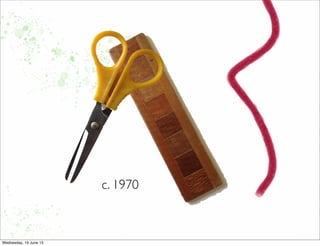
c. 1970
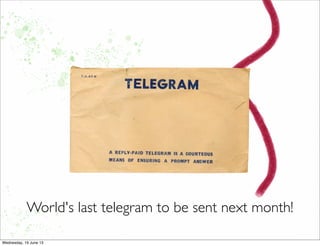
World's last telegram to be sent next month!
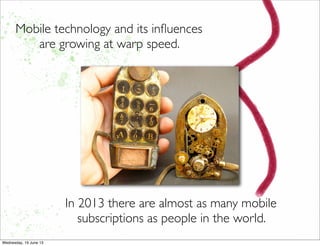
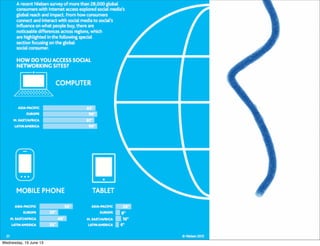
Mobile technology and its influences
are growing at warp speed.
In 2013 there are almost as many mobile
subscriptions as people in the world.
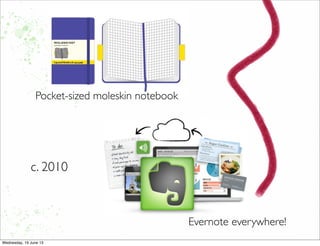
Pocket-sized moleskin notebook
Evernote everywhere!
c. 2010
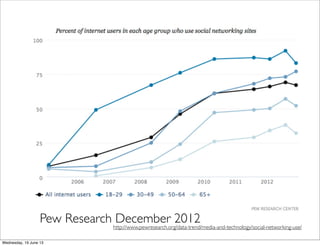
Pew Research December 2012http://www.pewresearch.org/data-trend/media-and-technology/social-networking-use/
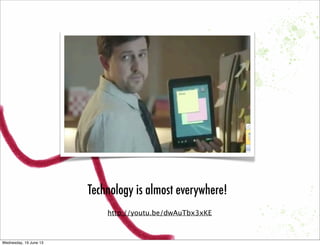
Technology is almost everywhere!
http://youtu.be/dwAuTbx3xKE
Horizon Report 2013
Time-to-Adoption Horizon: OneYear or Less
•Cloud Computing
•Mobile Learning
Time-to-Adoption Horizon:Two to ThreeYears
•Learning Analytics
•Open Content
Time-to-Adoption Horizon: Four to FiveYears
•3D Printing
•Virtual and Remote Laboratories
http://www.nmc.org/pdf/2013-horizon-report-k12.pdf
Learning with Mobile millenials
Born in 1995, they do not remember a world without social media.
3 years old – Google changes the way we search the web.
4 years old – Netflix begins digitally delivering movies and TV shows.
6 years old – The iPod hits the market and changes the way the world listened to
music.
7 years old – American Idol airs and “live voting” by mobile device becomes
mainstream
8 years old – Tom launches Myspace, and social media begins the climb to world
domination..
9 years old – The first episode of Lost hits the airwaves. Facebook is born.
10 years old – Youtube adds a whole new element to searching the web.
11 years old – Twitter – and 140 characters – becomes popular.
12 years old – The iPhone took the world by storm. (2008)
.......the rest, as they say, is history
http://m.guardian.co.uk/education/2013/jun/15/schools-teaching-curriculum-education-google?INTCMP=SRCH
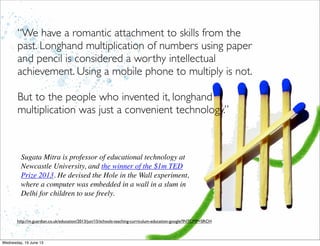
“We have a romantic attachment to skills from the
past. Longhand multiplication of numbers using paper
and pencil is considered a worthy intellectual
achievement. Using a mobile phone to multiply is not.
But to the people who invented it, longhand
multiplication was just a convenient technology.”
Sugata Mitra is professor of educational technology at
Newcastle University, and the winner of the $1m TED
Prize 2013. He devised the Hole in the Wall experiment,
where a computer was embedded in a wall in a slum in
Delhi for children to use freely.
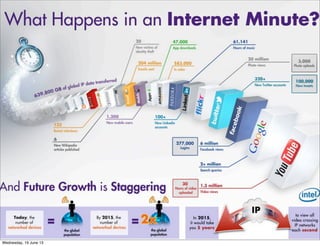
BIGA information world
BIG
A time to get organised
We live in a connected
world. Nearly two
billion people connect
to the internet, share
information and
communicate over
blogs, Wikis, social
networks and a host of
other media.
Anything imaginable is
capable of being
connected to the
network, become
intelligent offering
almost endless
possibilities.
The question is.....?
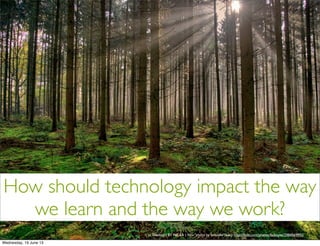
How should technology impact the way
we learn and the way we work?
cc licensed ( BY NC SA ) flickr photo by fatboyke (Luc): http://flickr.com/photos/fatboyke/2984569992/
More content, streams of data,
topic structures, (theoretically)
better quality - all of these in
online environments
require an equivalent shift in our
online capabilities.
1. Find the right thing
2. Get the best summary
3. Go broader and deeper
What should we do...?
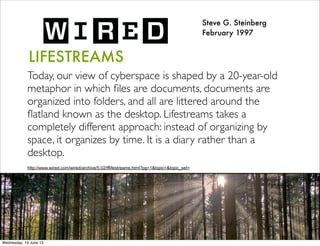
LIFESTREAMS
Today, our view of cyberspace is shaped by a 20-year-old
metaphor in which files are documents, documents are
organized into folders, and all are littered around the
flatland known as the desktop. Lifestreams takes a
completely different approach: instead of organizing by
space, it organizes by time. It is a diary rather than a
desktop.
Steve G. Steinberg
February 1997
http://www.wired.com/wired/archive/5.02/fflifestreams.html?pg=1&topic=&topic_set=
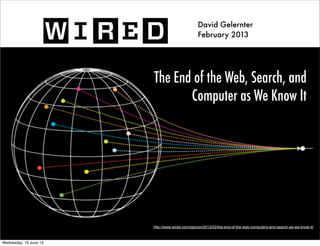
The End of the Web, Search, and
Computer as We Know It
David Gelernter
February 2013
http://www.wired.com/opinion/2013/02/the-end-of-the-web-computers-and-search-as-we-know-it/
David Gelernter
February 2013
This LIFESTREAM — a heterogeneous,
content-searchable, real-time messaging
stream — arrived in the form of blog posts
and RSS feeds,Twitter and other
chatstreams, and Facebook walls and
timelines.
David Gelernter
February 2013
Today, the most important function of the
internet is to deliver the latest information,
to tell us what’s happening right now.
Whether tweet or timeline, all are time-
ordered streams designed to tell you what’s
new.
The answer is....?
We must be
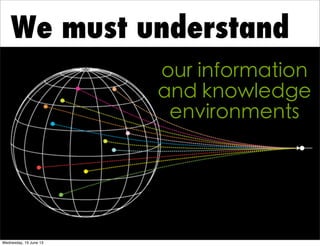
We must understand
our information
and knowledge
environments
cc licensed ( BY ) flickr photo by Louise Docker: http://flickr.com/photos/aussiegall/316350537/
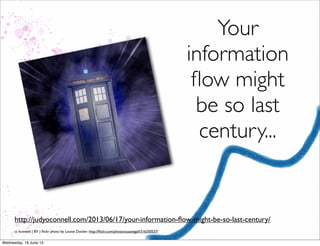
Your
information
flow might
be so last
century...
http://judyoconnell.com/2013/06/17/your-information-flow-might-be-so-last-century/
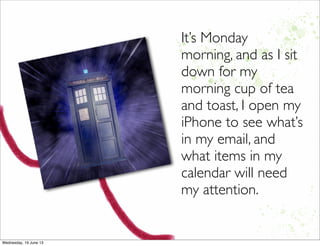
It’s Monday
morning, and as I sit
down for my
morning cup of tea
and toast, I open my
iPhone to see what’s
in my email, and
what items in my
calendar will need
my attention.
In just a couple of minutes of my twitter feed (never mind all the
hours I was asleep) I found:
• Founders Online – a new online History resources from the
US
• The name of a Dr Who episode I must rewatch
• Google’s efforts to build a system to help eradicate Child Porn
on the web
• A good post about the new learning organisation
• A commentary article from the ABC that asks if Big Data is all
that it’s cracked up to be
• A post speculating on MOOCs as slowly deflating bubbles
• A little piece of historical memorabilia about to happen – last
telegram in the world
• A new ProjectTomorrow research report which confirms that
teachers’ unsophisticated use of tech is creating the second
level digital divide
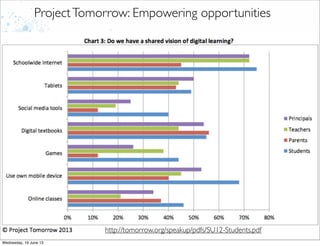
Project Tomorrow
ProjectTomorrow: Empowering opportunities
http://tomorrow.org/speakup/pdfs/SU12-Students.pdf
http://vimeo.com/32674575#
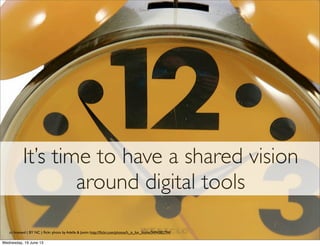
It’s time to have a shared vision
around digital tools
cc licensed ( BY NC ) flickr photo by Adelle & Justin: http://flickr.com/photos/h_is_for_home/3494382794/
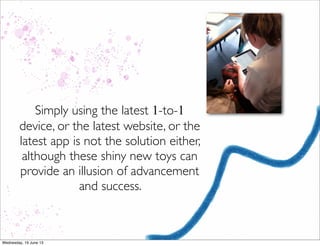
Simply using the latest 1-to-1
device, or the latest website, or the
latest app is not the solution either,
although these shiny new toys can
provide an illusion of advancement
and success.
Delicious tools!
cc licensed ( BY ) flickr photo by Clever Cupcakes: http://flickr.com/photos/clevercupcakes/4402962654/
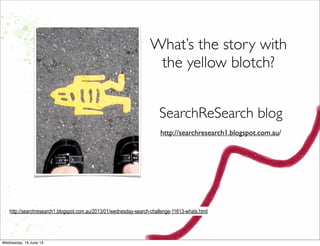
What’s the story with
the yellow blotch?
http://searchresearch1.blogspot.com.au/2013/01/wednesday-search-challenge-11613-whats.html
SearchReSearch blog
http://searchresearch1.blogspot.com.au/
Learn about the latest
additions to search so as to
get the most out of Google.
http://www.google.com/insidesearch/features/
Because
Google is
where
everyone starts!
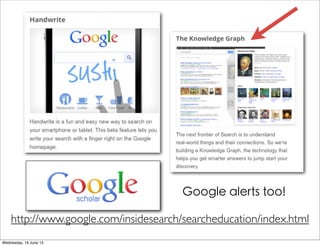
http://www.google.com/insidesearch/searcheducation/index.html
Google alerts too!
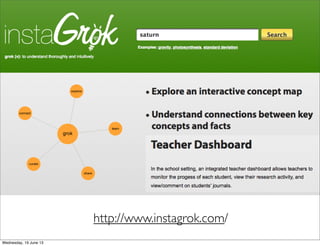
http://www.instagrok.com/
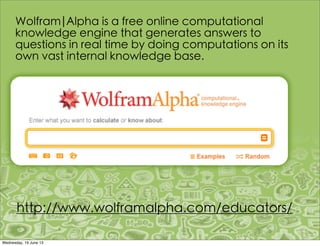
Wolfram|Alpha is a free online computational
knowledge engine that generates answers to
questions in real time by doing computations on its
own vast internal knowledge base.
http://www.wolframalpha.com/educators/
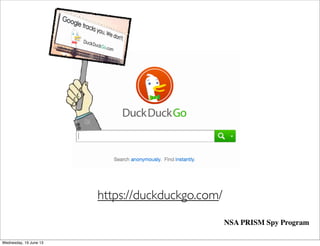
https://duckduckgo.com/
NSA PRISM Spy Program
Choose the best
search for your
information and
knowledge needs!
Leverage computational
thinking
Logical Thinking
Algorithmic Thinking
Efficient Solutions
Scientific Thinking
Innovative Thinking
http://www.google.com/edu/computational-thinking/resources.html
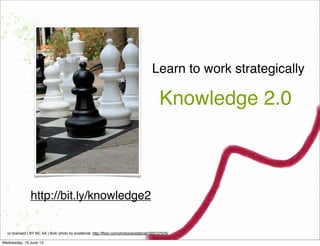
Learn to work strategically
cc licensed ( BY NC SA ) flickr photo by ecstaticist: http://flickr.com/photos/ecstaticist/395737939/
Knowledge 2.0
http://bit.ly/knowledge2
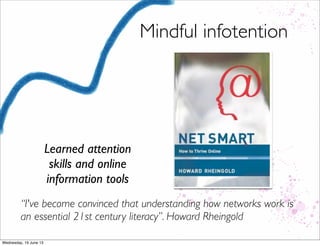
Mindful infotention
Learned attention
skills and online
information tools
“I've become convinced that understanding how networks work is
an essential 21st century literacy”. Howard Rheingold
•Highly flexible search
and collection
strategies
•Collaborative forms of
information
organization and
dissemination
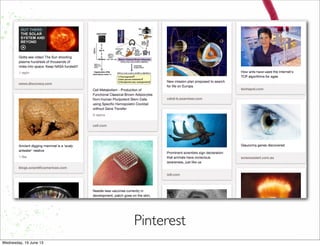
Pinterest
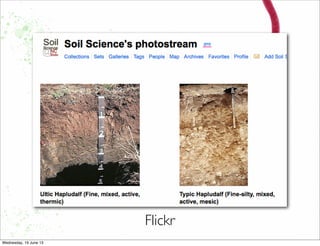
Flickr
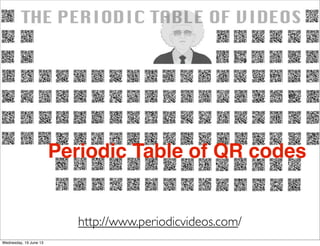
http://www.periodicvideos.com/
Periodic Table of QR codes
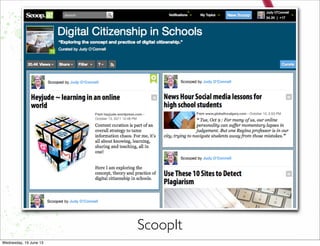
ScoopIt
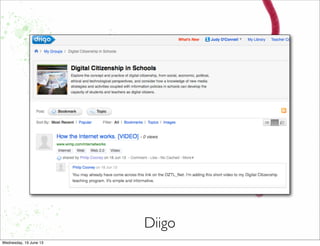
Diigo
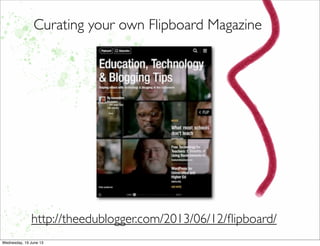
Curating your own Flipboard Magazine
http://theedublogger.com/2013/06/12/flipboard/
h"p://23mobilethings.net/wpress/
Modelling
exemplary use of
social media,
search engines,
and collaborative
research strategies.
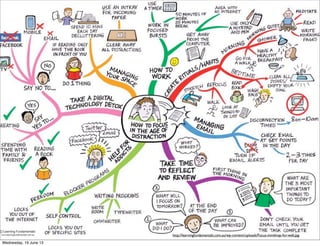
http://learningfundamentals.com.au/wp-content/uploads/Focus-mindmap-for-web.jpg
Our everyday
tools for success
Top 100 tools for learning
http://c4lpt.co.uk/top100tools/
Spartan Guides
http://sdst.libguides.com/index.php
Best Apps for Academics
http://smallwow.com/apps
Look who’s talking onTwitter,
Diigo and LinkedIn
http://www.livebinders.com/play/play_or_edit?id=288178
Personal web
tools – used for
tracking our life
and powering our
information
organisation.
Relying on the
people we
connect with
through social
networks and
collaborative tools
and environments
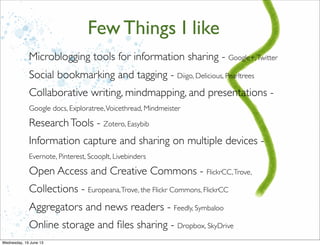
Microblogging tools for information sharing - Google+,Twitter
Social bookmarking and tagging - Diigo, Delicious, Pearltrees
Collaborative writing, mindmapping, and presentations -
Google docs, Exploratree,Voicethread, Mindmeister
ResearchTools - Zotero, Easybib
Information capture and sharing on multiple devices -
Evernote, Pinterest, ScoopIt, Livebinders
Open Access and Creative Commons - FlickrCC,Trove,
Collections - Europeana,Trove, the Flickr Commons, FlickrCC
Aggregators and news readers - Feedly, Symbaloo
Online storage and files sharing - Dropbox, SkyDrive
Few Things I like
Working together
http://hojoki.com
cc licensed ( BY NC SA ) flickr photo byVicki & Chuck Rogers: http://flickr.com/photos/two-wrongs/24935477/
Extreme adventure!
cc licensed ( BY ) flickr photo by Theresa Thompson: http://flickr.com/photos/theresasthompson/7163227255/
For example.....
What do you know about
FlickrCC Attribution Helper?
How would it help you?
You’ll find the answer, and
more good information about
images at....
http://judyoconnell.com/find-free-images-online/
For example.....
Where do you hangout online?
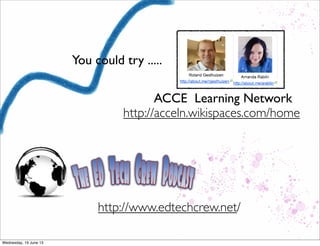
You could try .....
ACCE Learning Network
http://acceln.wikispaces.com/home
http://www.edtechcrew.net/
Our everyday tools for
success are our
professional drivers for
understanding the
concepts and practices for
learning and teaching in
digital environments.
Search strategies
Evaluation strategies
Critical thinking and problem solving
Networked conversation & collaboration
Cloud computing environments
Ethical use and production of information
Information curation of personal &
distributed knowledge.
Topics for discussion
heyjudeonline
Judy O’Connell
http://judyoconnell.com
Judy O’Connell

Our Everyday Tools for Success

  • 1.
    Our everyday tools forsuccess 20 June 2013 Distance Education Symposium, NSW Department of Education and Communities Judy O’Connell
  • 2.
  • 3.
  • 4.
    Mobile technology andits influences are growing at warp speed. In 2013 there are almost as many mobile subscriptions as people in the world.
  • 5.
  • 8.
    Pew Research December2012http://www.pewresearch.org/data-trend/media-and-technology/social-networking-use/
  • 9.
    Technology is almosteverywhere! http://youtu.be/dwAuTbx3xKE
  • 10.
    Horizon Report 2013 Time-to-AdoptionHorizon: OneYear or Less •Cloud Computing •Mobile Learning Time-to-Adoption Horizon:Two to ThreeYears •Learning Analytics •Open Content Time-to-Adoption Horizon: Four to FiveYears •3D Printing •Virtual and Remote Laboratories http://www.nmc.org/pdf/2013-horizon-report-k12.pdf
  • 11.
    Learning with Mobilemillenials Born in 1995, they do not remember a world without social media. 3 years old – Google changes the way we search the web. 4 years old – Netflix begins digitally delivering movies and TV shows. 6 years old – The iPod hits the market and changes the way the world listened to music. 7 years old – American Idol airs and “live voting” by mobile device becomes mainstream 8 years old – Tom launches Myspace, and social media begins the climb to world domination.. 9 years old – The first episode of Lost hits the airwaves. Facebook is born. 10 years old – Youtube adds a whole new element to searching the web. 11 years old – Twitter – and 140 characters – becomes popular. 12 years old – The iPhone took the world by storm. (2008) .......the rest, as they say, is history
  • 12.
    http://m.guardian.co.uk/education/2013/jun/15/schools-teaching-curriculum-education-google?INTCMP=SRCH “We have aromantic attachment to skills from the past. Longhand multiplication of numbers using paper and pencil is considered a worthy intellectual achievement. Using a mobile phone to multiply is not. But to the people who invented it, longhand multiplication was just a convenient technology.” Sugata Mitra is professor of educational technology at Newcastle University, and the winner of the $1m TED Prize 2013. He devised the Hole in the Wall experiment, where a computer was embedded in a wall in a slum in Delhi for children to use freely.
  • 13.
  • 14.
    BIG A time toget organised
  • 17.
    We live ina connected world. Nearly two billion people connect to the internet, share information and communicate over blogs, Wikis, social networks and a host of other media.
  • 18.
    Anything imaginable is capableof being connected to the network, become intelligent offering almost endless possibilities.
  • 19.
  • 20.
    How should technologyimpact the way we learn and the way we work? cc licensed ( BY NC SA ) flickr photo by fatboyke (Luc): http://flickr.com/photos/fatboyke/2984569992/
  • 21.
    More content, streamsof data, topic structures, (theoretically) better quality - all of these in online environments require an equivalent shift in our online capabilities.
  • 22.
    1. Find theright thing 2. Get the best summary 3. Go broader and deeper What should we do...?
  • 23.
    LIFESTREAMS Today, our viewof cyberspace is shaped by a 20-year-old metaphor in which files are documents, documents are organized into folders, and all are littered around the flatland known as the desktop. Lifestreams takes a completely different approach: instead of organizing by space, it organizes by time. It is a diary rather than a desktop. Steve G. Steinberg February 1997 http://www.wired.com/wired/archive/5.02/fflifestreams.html?pg=1&topic=&topic_set=
  • 24.
    The End ofthe Web, Search, and Computer as We Know It David Gelernter February 2013 http://www.wired.com/opinion/2013/02/the-end-of-the-web-computers-and-search-as-we-know-it/
  • 25.
    David Gelernter February 2013 ThisLIFESTREAM — a heterogeneous, content-searchable, real-time messaging stream — arrived in the form of blog posts and RSS feeds,Twitter and other chatstreams, and Facebook walls and timelines.
  • 26.
    David Gelernter February 2013 Today,the most important function of the internet is to deliver the latest information, to tell us what’s happening right now. Whether tweet or timeline, all are time- ordered streams designed to tell you what’s new.
  • 27.
  • 28.
  • 29.
    We must understand ourinformation and knowledge environments
  • 31.
    cc licensed (BY ) flickr photo by Louise Docker: http://flickr.com/photos/aussiegall/316350537/ Your information flow might be so last century... http://judyoconnell.com/2013/06/17/your-information-flow-might-be-so-last-century/
  • 32.
    It’s Monday morning, andas I sit down for my morning cup of tea and toast, I open my iPhone to see what’s in my email, and what items in my calendar will need my attention.
  • 33.
    In just acouple of minutes of my twitter feed (never mind all the hours I was asleep) I found: • Founders Online – a new online History resources from the US • The name of a Dr Who episode I must rewatch • Google’s efforts to build a system to help eradicate Child Porn on the web • A good post about the new learning organisation • A commentary article from the ABC that asks if Big Data is all that it’s cracked up to be • A post speculating on MOOCs as slowly deflating bubbles • A little piece of historical memorabilia about to happen – last telegram in the world • A new ProjectTomorrow research report which confirms that teachers’ unsophisticated use of tech is creating the second level digital divide
  • 34.
    Project Tomorrow ProjectTomorrow: Empoweringopportunities http://tomorrow.org/speakup/pdfs/SU12-Students.pdf
  • 35.
  • 36.
    It’s time tohave a shared vision around digital tools cc licensed ( BY NC ) flickr photo by Adelle & Justin: http://flickr.com/photos/h_is_for_home/3494382794/
  • 37.
    Simply using thelatest 1-to-1 device, or the latest website, or the latest app is not the solution either, although these shiny new toys can provide an illusion of advancement and success.
  • 38.
    Delicious tools! cc licensed( BY ) flickr photo by Clever Cupcakes: http://flickr.com/photos/clevercupcakes/4402962654/
  • 39.
    What’s the storywith the yellow blotch? http://searchresearch1.blogspot.com.au/2013/01/wednesday-search-challenge-11613-whats.html SearchReSearch blog http://searchresearch1.blogspot.com.au/
  • 40.
    Learn about thelatest additions to search so as to get the most out of Google. http://www.google.com/insidesearch/features/ Because Google is where everyone starts!
  • 41.
  • 42.
  • 43.
    Wolfram|Alpha is afree online computational knowledge engine that generates answers to questions in real time by doing computations on its own vast internal knowledge base. http://www.wolframalpha.com/educators/
  • 44.
  • 45.
    Choose the best searchfor your information and knowledge needs!
  • 46.
    Leverage computational thinking Logical Thinking AlgorithmicThinking Efficient Solutions Scientific Thinking Innovative Thinking http://www.google.com/edu/computational-thinking/resources.html
  • 47.
    Learn to workstrategically cc licensed ( BY NC SA ) flickr photo by ecstaticist: http://flickr.com/photos/ecstaticist/395737939/ Knowledge 2.0 http://bit.ly/knowledge2
  • 48.
    Mindful infotention Learned attention skillsand online information tools “I've become convinced that understanding how networks work is an essential 21st century literacy”. Howard Rheingold
  • 49.
    •Highly flexible search andcollection strategies •Collaborative forms of information organization and dissemination
  • 50.
  • 51.
  • 52.
  • 53.
  • 54.
  • 55.
    Curating your ownFlipboard Magazine http://theedublogger.com/2013/06/12/flipboard/
  • 57.
    h"p://23mobilethings.net/wpress/ Modelling exemplary use of socialmedia, search engines, and collaborative research strategies.
  • 58.
  • 59.
  • 60.
    Top 100 toolsfor learning http://c4lpt.co.uk/top100tools/
  • 61.
  • 62.
    Best Apps forAcademics http://smallwow.com/apps
  • 63.
    Look who’s talkingonTwitter, Diigo and LinkedIn http://www.livebinders.com/play/play_or_edit?id=288178
  • 64.
    Personal web tools –used for tracking our life and powering our information organisation.
  • 65.
    Relying on the peoplewe connect with through social networks and collaborative tools and environments
  • 66.
    Microblogging tools forinformation sharing - Google+,Twitter Social bookmarking and tagging - Diigo, Delicious, Pearltrees Collaborative writing, mindmapping, and presentations - Google docs, Exploratree,Voicethread, Mindmeister ResearchTools - Zotero, Easybib Information capture and sharing on multiple devices - Evernote, Pinterest, ScoopIt, Livebinders Open Access and Creative Commons - FlickrCC,Trove, Collections - Europeana,Trove, the Flickr Commons, FlickrCC Aggregators and news readers - Feedly, Symbaloo Online storage and files sharing - Dropbox, SkyDrive Few Things I like
  • 67.
  • 68.
    cc licensed (BY NC SA ) flickr photo byVicki & Chuck Rogers: http://flickr.com/photos/two-wrongs/24935477/
  • 69.
    Extreme adventure! cc licensed( BY ) flickr photo by Theresa Thompson: http://flickr.com/photos/theresasthompson/7163227255/
  • 70.
    For example..... What doyou know about FlickrCC Attribution Helper? How would it help you?
  • 71.
    You’ll find theanswer, and more good information about images at.... http://judyoconnell.com/find-free-images-online/
  • 72.
    For example..... Where doyou hangout online?
  • 73.
    You could try..... ACCE Learning Network http://acceln.wikispaces.com/home http://www.edtechcrew.net/
  • 74.
    Our everyday toolsfor success are our professional drivers for understanding the concepts and practices for learning and teaching in digital environments.
  • 75.
    Search strategies Evaluation strategies Criticalthinking and problem solving Networked conversation & collaboration Cloud computing environments Ethical use and production of information Information curation of personal & distributed knowledge. Topics for discussion
  • 77.