

21st Century Skills:What Do We Need to Know?Marian Thacher, OTANSanta Ana College Continuing Education Flex DaysAugust, 22 2011
What do adult learners need to know in order to survive and thrive in employment and further education?
Who are Your partners?3
How is Tech Changing the Way We Live?4
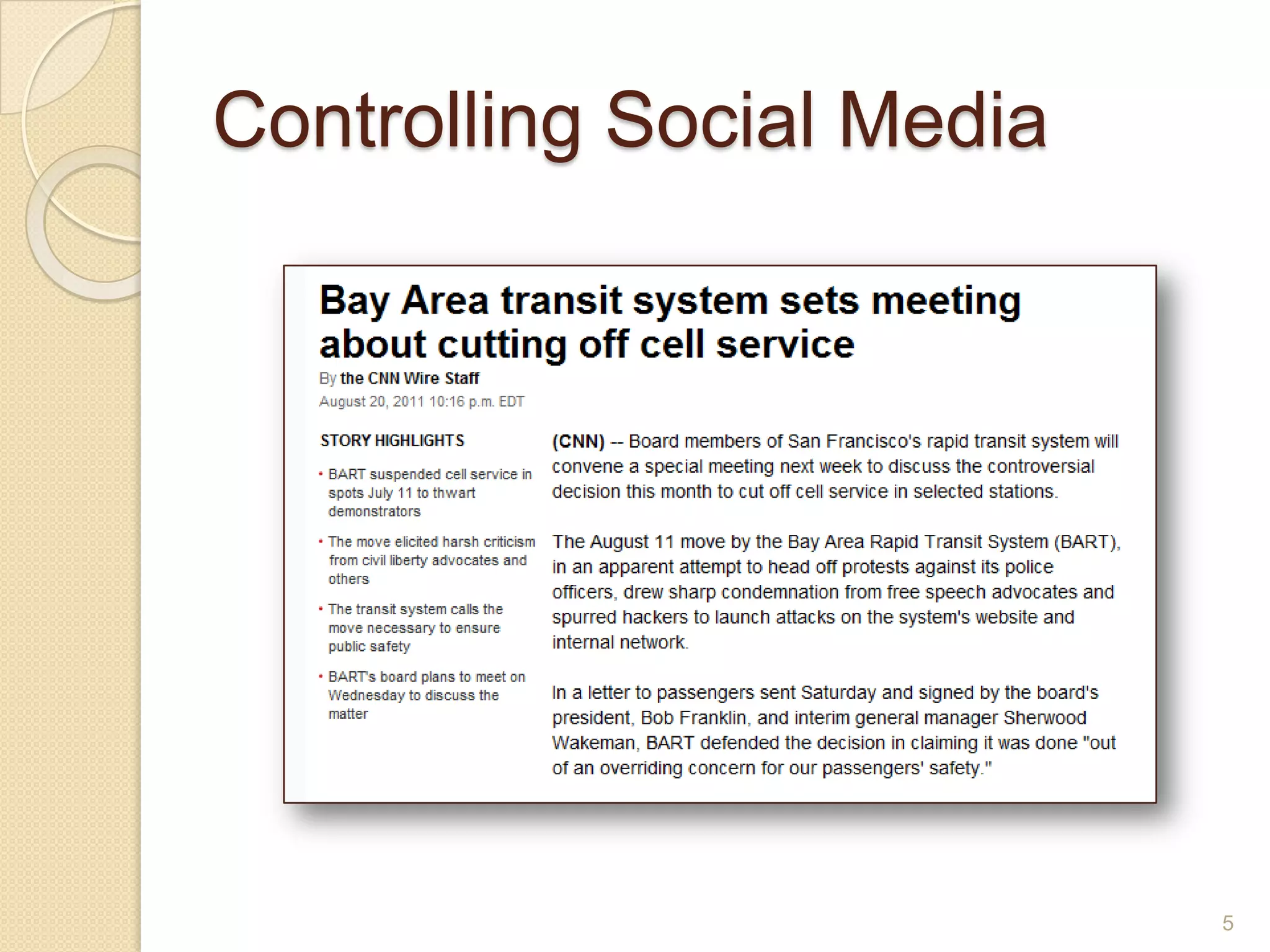
Controlling Social Media5
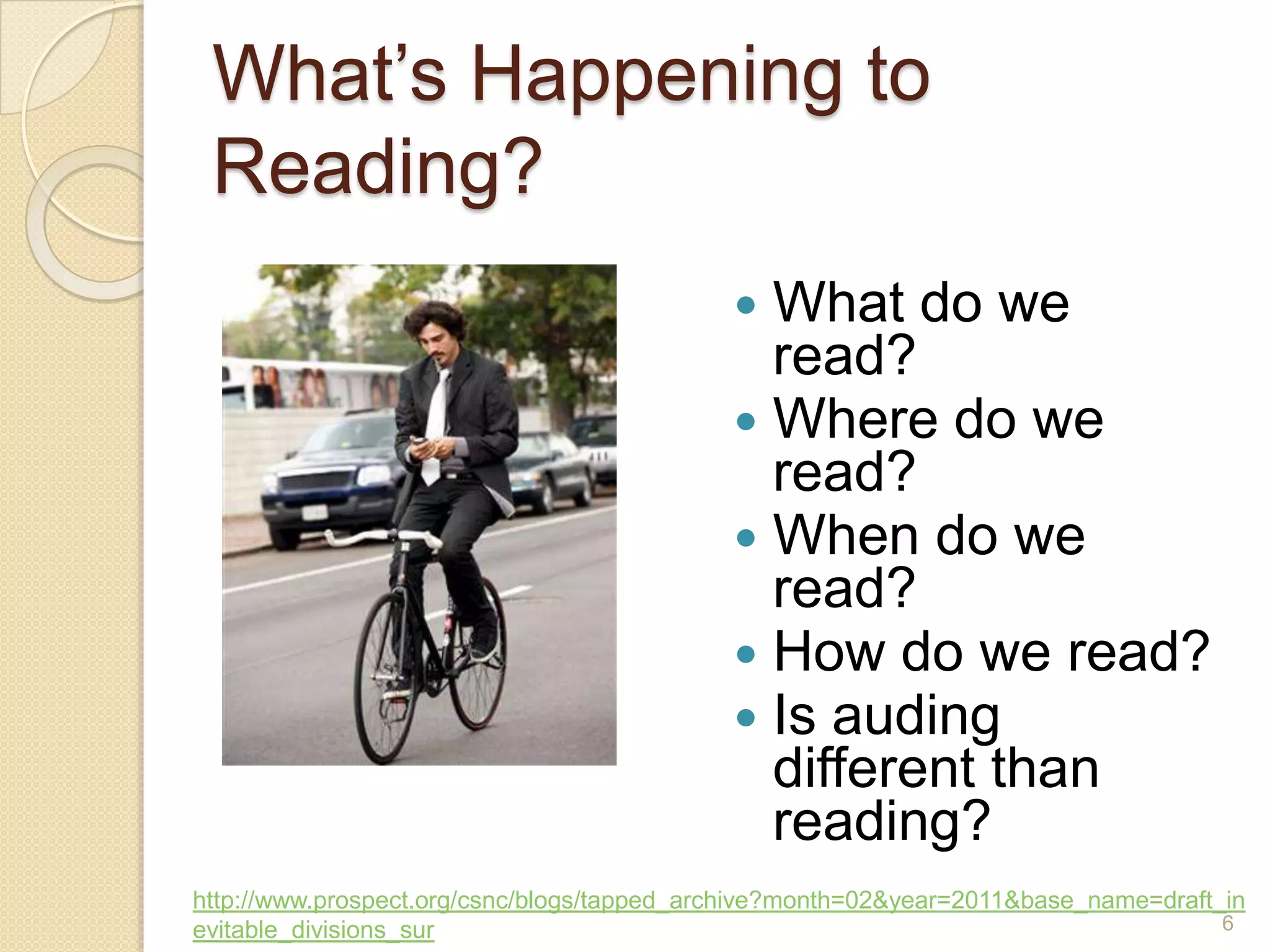
What’s Happening to Reading?What do we read?Where do we read?When do we read?How do we read?Is auding different than reading?http://www.prospect.org/csnc/blogs/tapped_archive?month=02&year=2011&base_name=draft_inevitable_divisions_sur6
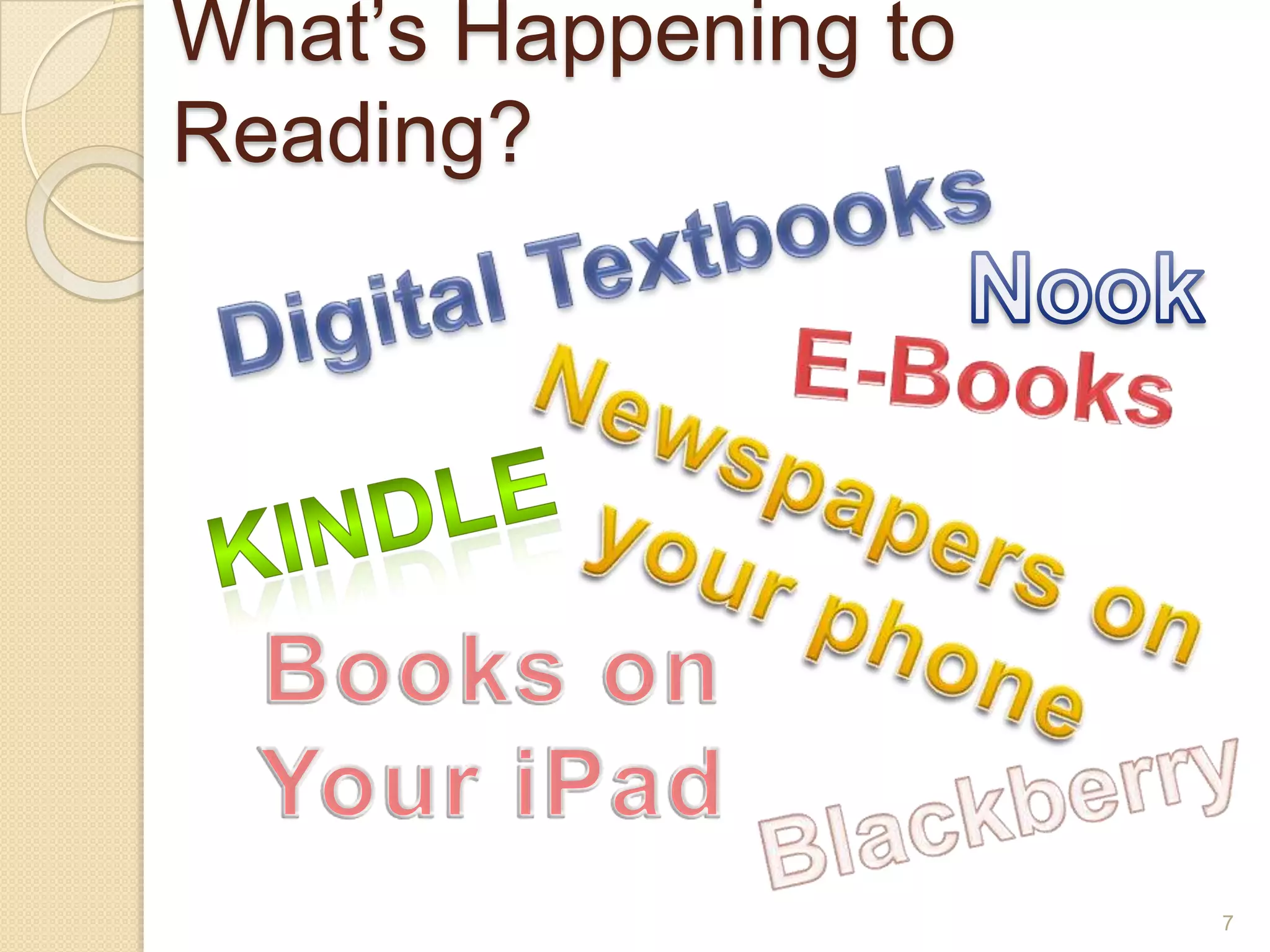
What’s Happening to Reading?Digital TextbooksNookE-BooksNewspapers on your phoneKindleBooks onYour iPadBlackberry7
One way that reading has changed for you in the last 5 years8
Borrowing eBooks from Library66% of libraries report offering free eBooksHarperCollins to allow only 26 borrows per eBookCan a borrower put it on two devices?Can a borrower lend it to someone else?How many copies does the library have to buy?9
Digital TextbooksBy 2017, digital textbook sales will match traditionalKindergarteners in Maine to receive iPad2California Digital Textbook Initiative10
FlexBooksck-12.org/flexbook/Digital textbooks for STEMFree!Customize your textbookSelect the whole book, or a few chaptersCombine chapters from different booksSave in 3 formats – pdf, html or online readerPost, print, share – just don’t sell!11
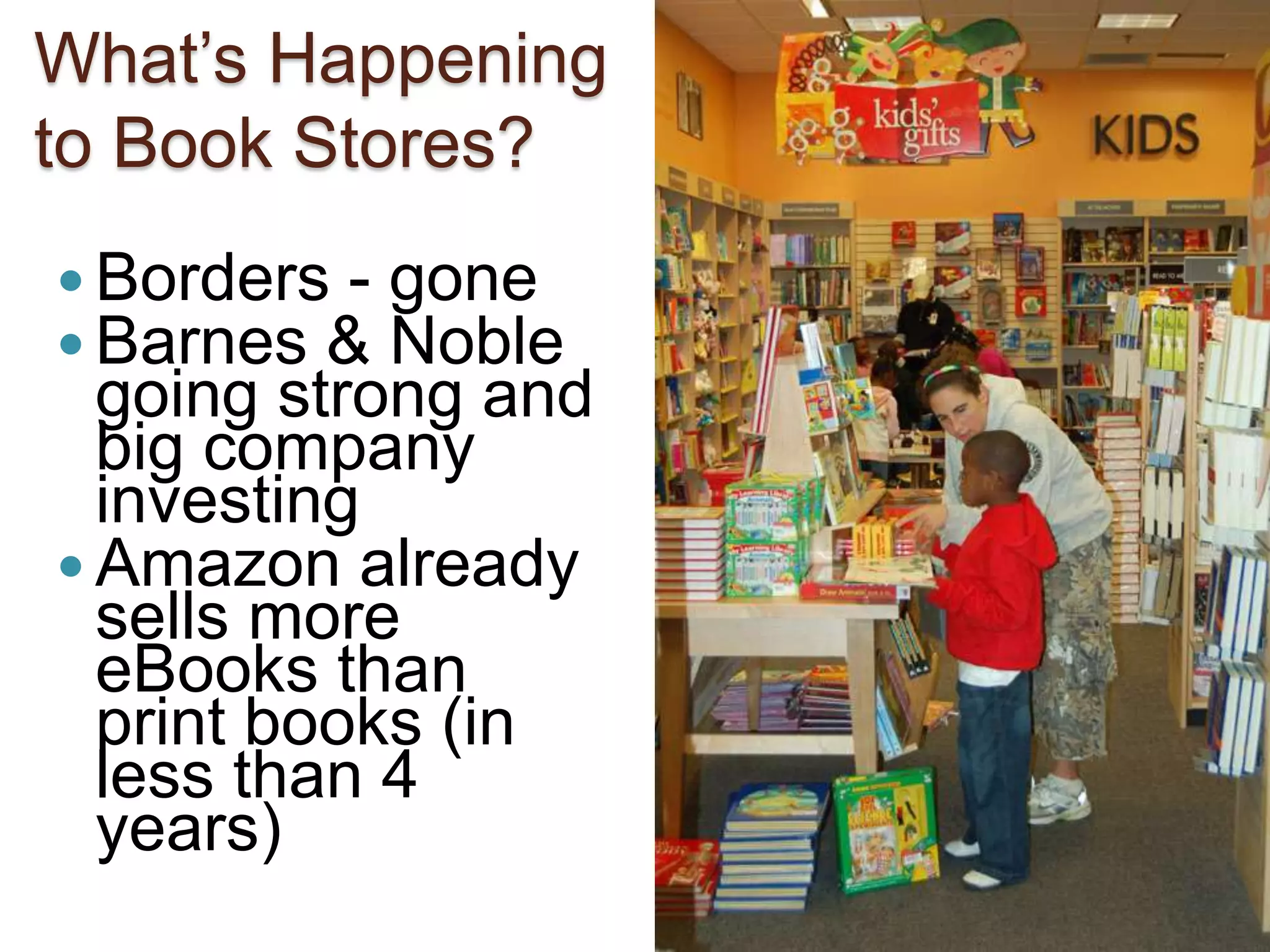
12What’s Happening to Book Stores?Borders - goneBarnes & Noble going strong and big company investingAmazon already sells more eBooks than print books (in less than 4 years)
A New Kind of Book13TED Video of Mike MatasVideo
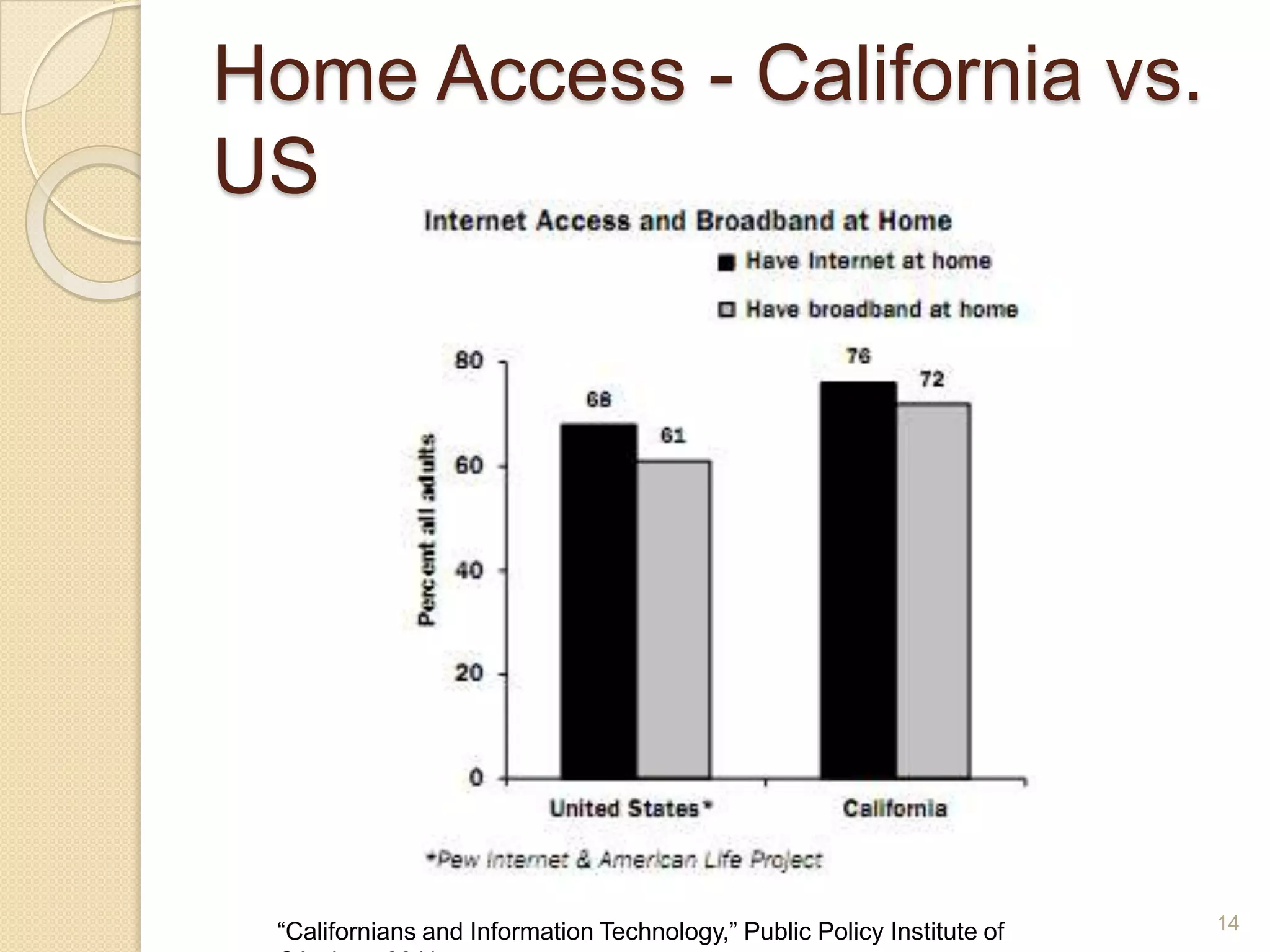
Home Access - California vs. US14“Californians and Information Technology,” Public Policy Institute of CA, June 2011
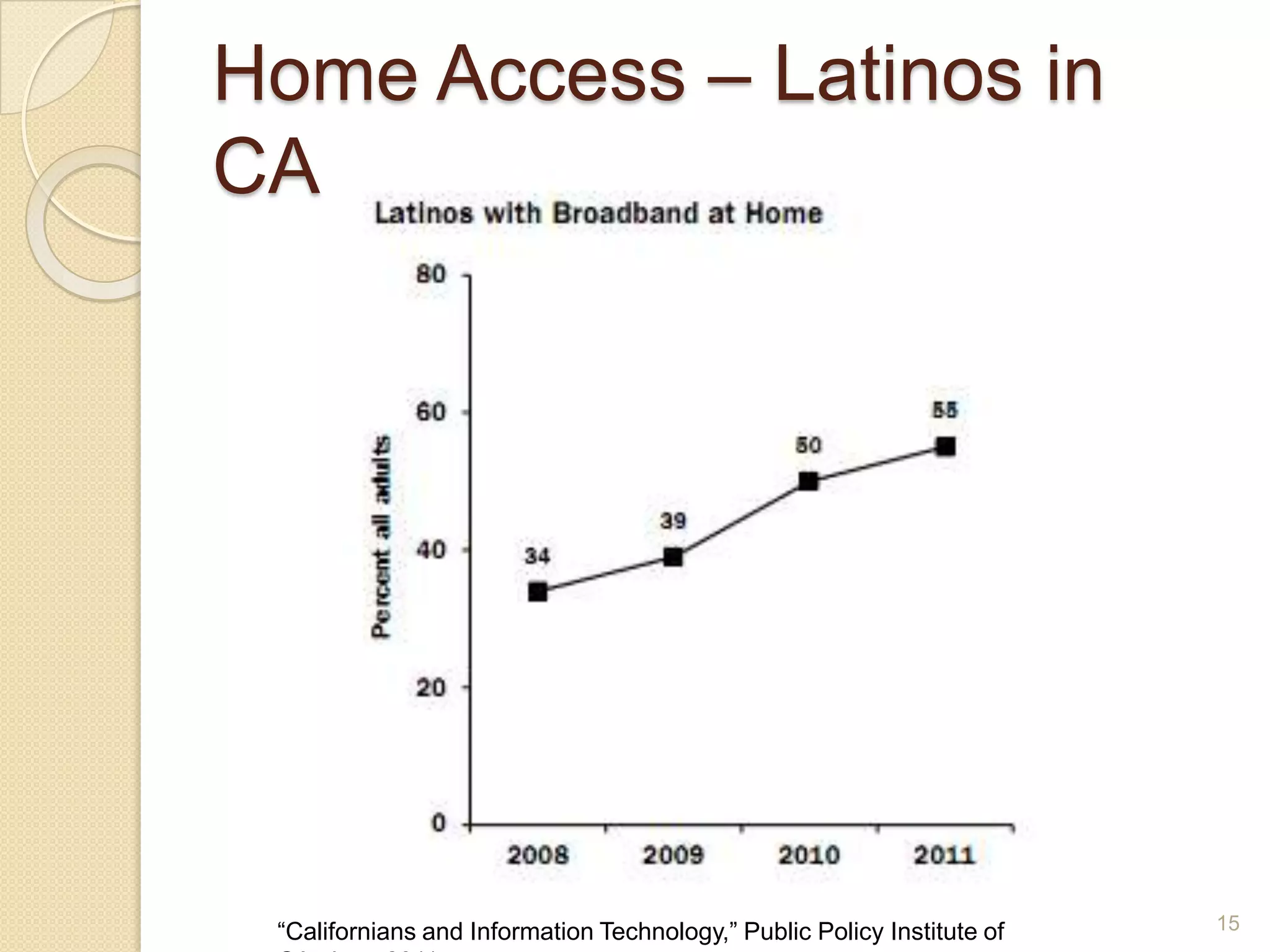
Home Access – Latinos in CA15“Californians and Information Technology,” Public Policy Institute of CA, June 2011
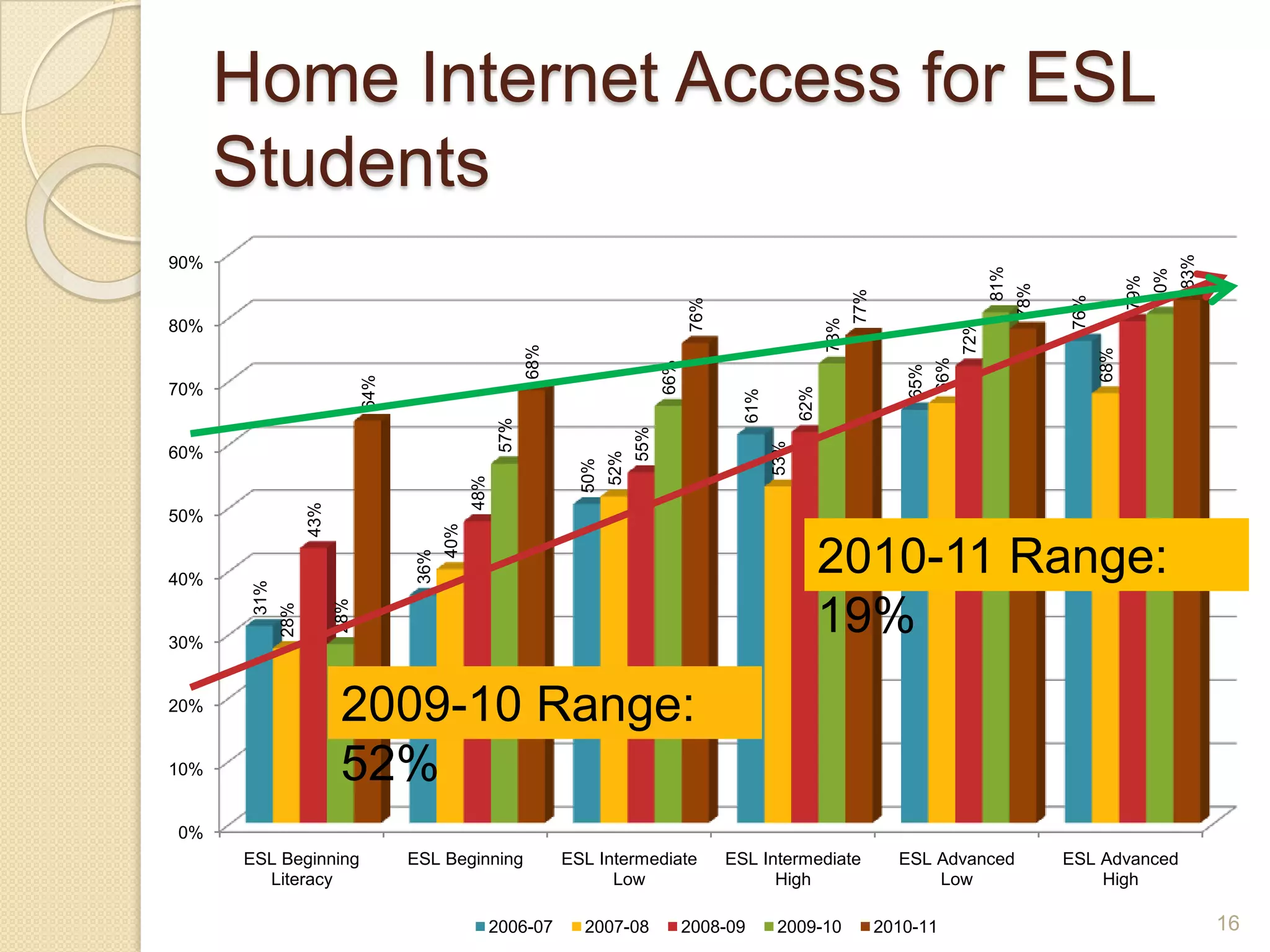
Home Internet Access for ESL Students2010-11 Range:  19%2009-10 Range: 52%16
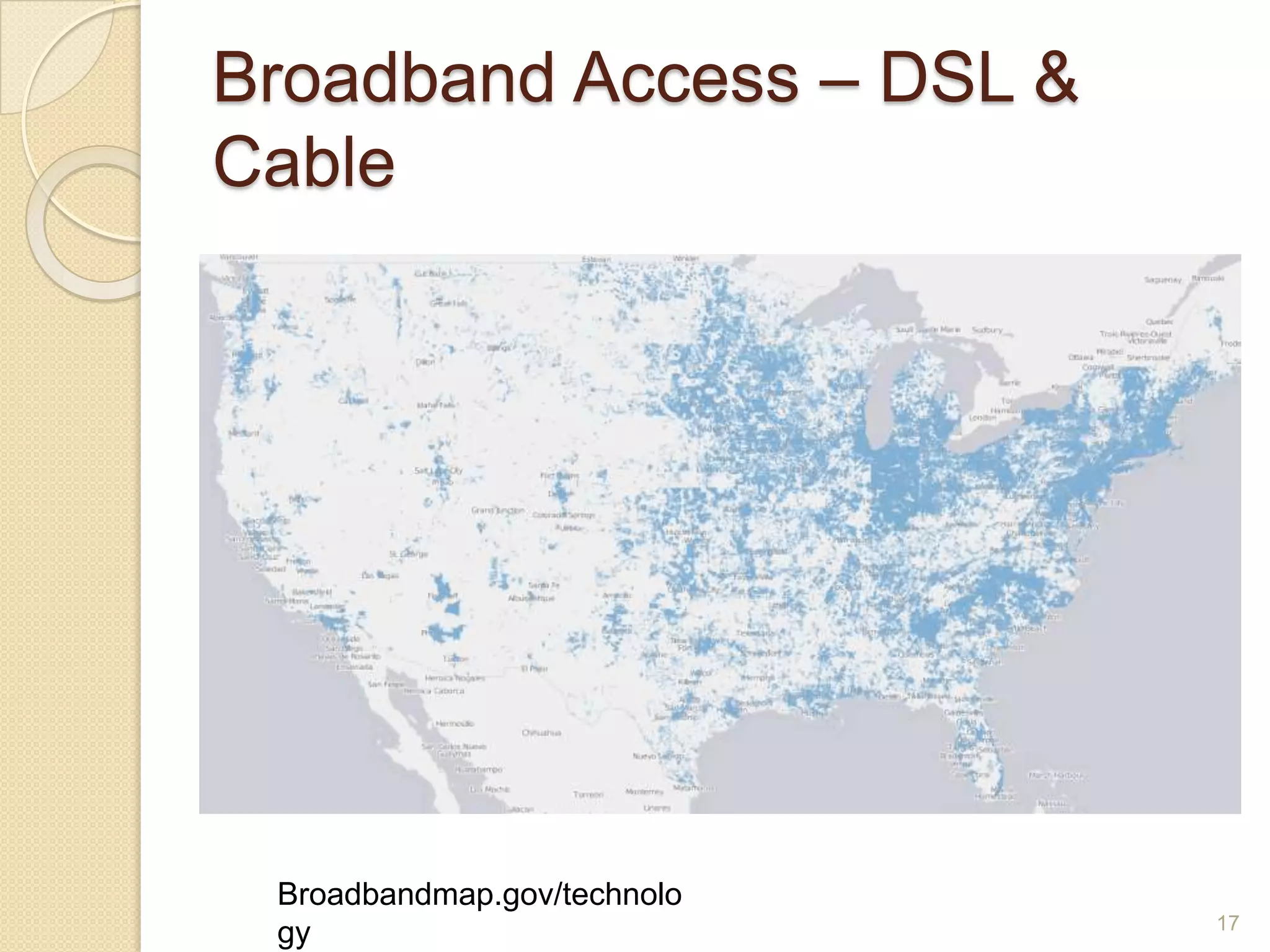
Broadband Access – DSL & Cable Broadbandmap.gov/technology17
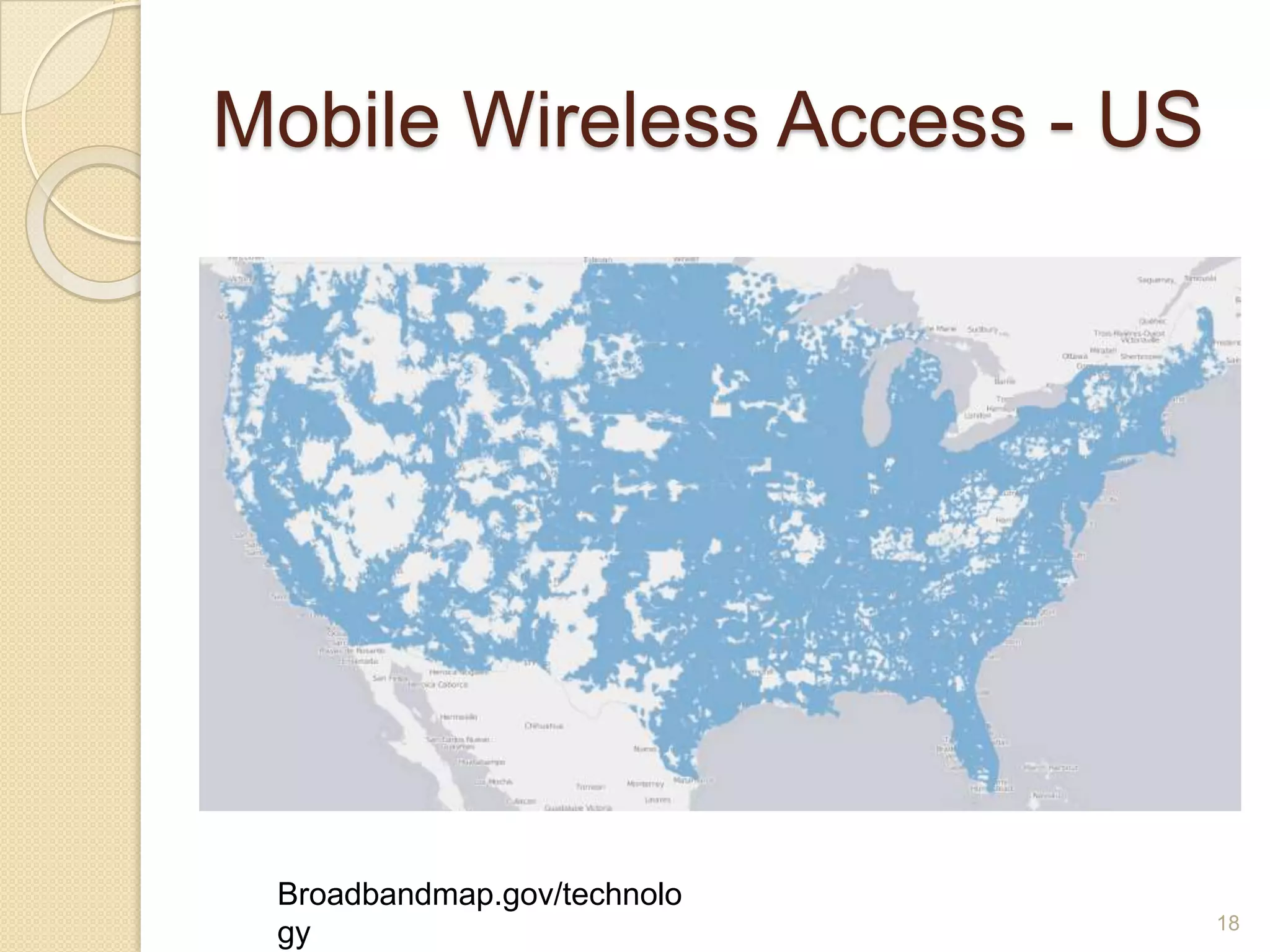
Mobile Wireless Access - USBroadbandmap.gov/technology18
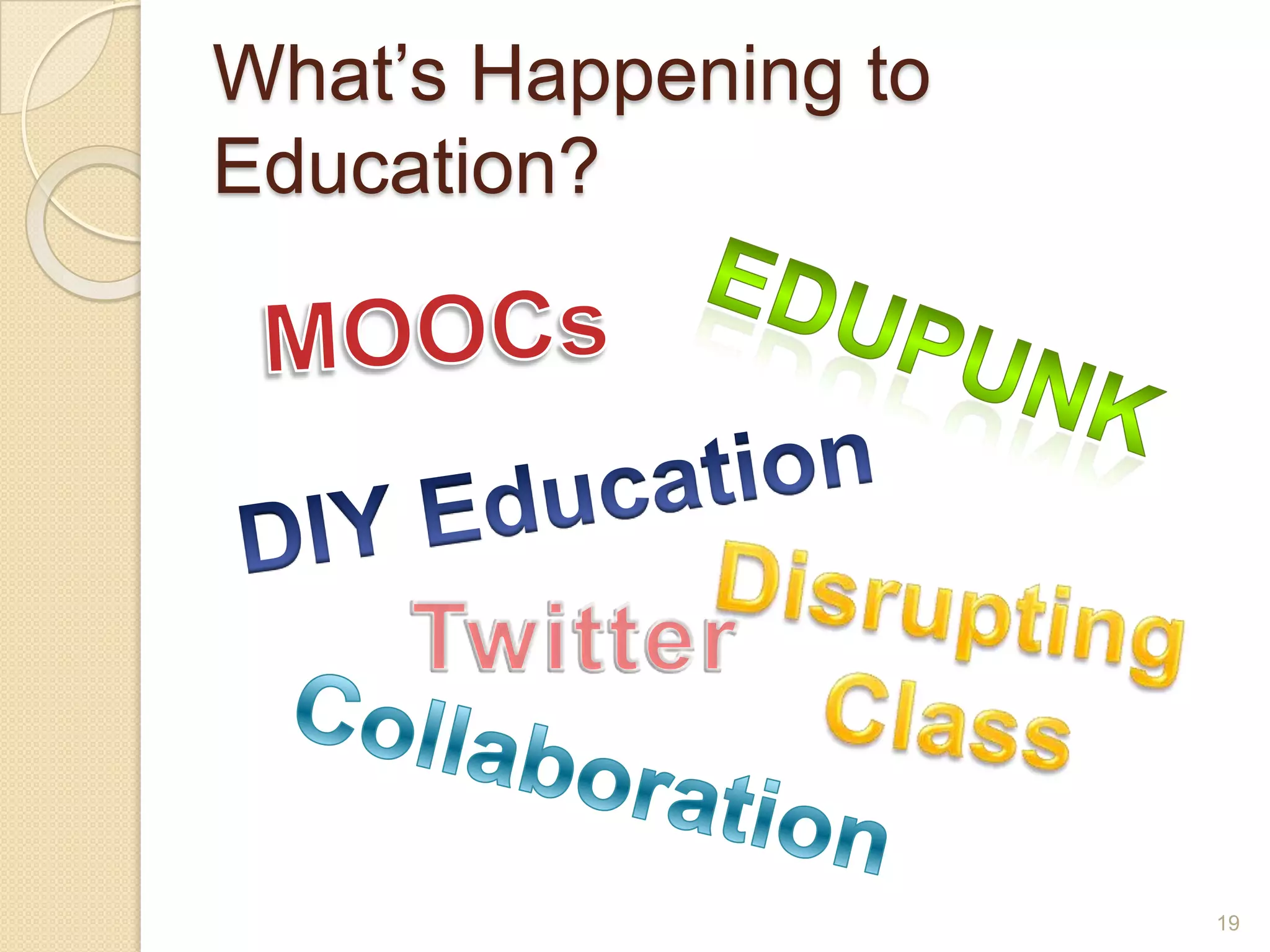
What’s Happening to Education?MOOCsEdupunkDIY EducationDisrupting ClassTwitterCollaboration19
What do adult learners need to know in order to survive and thrive in employment and further education?
Three SourcesNational Education Technology PlanPartnership for 21st Century SkillsISTE National Education Technology Standards for students21
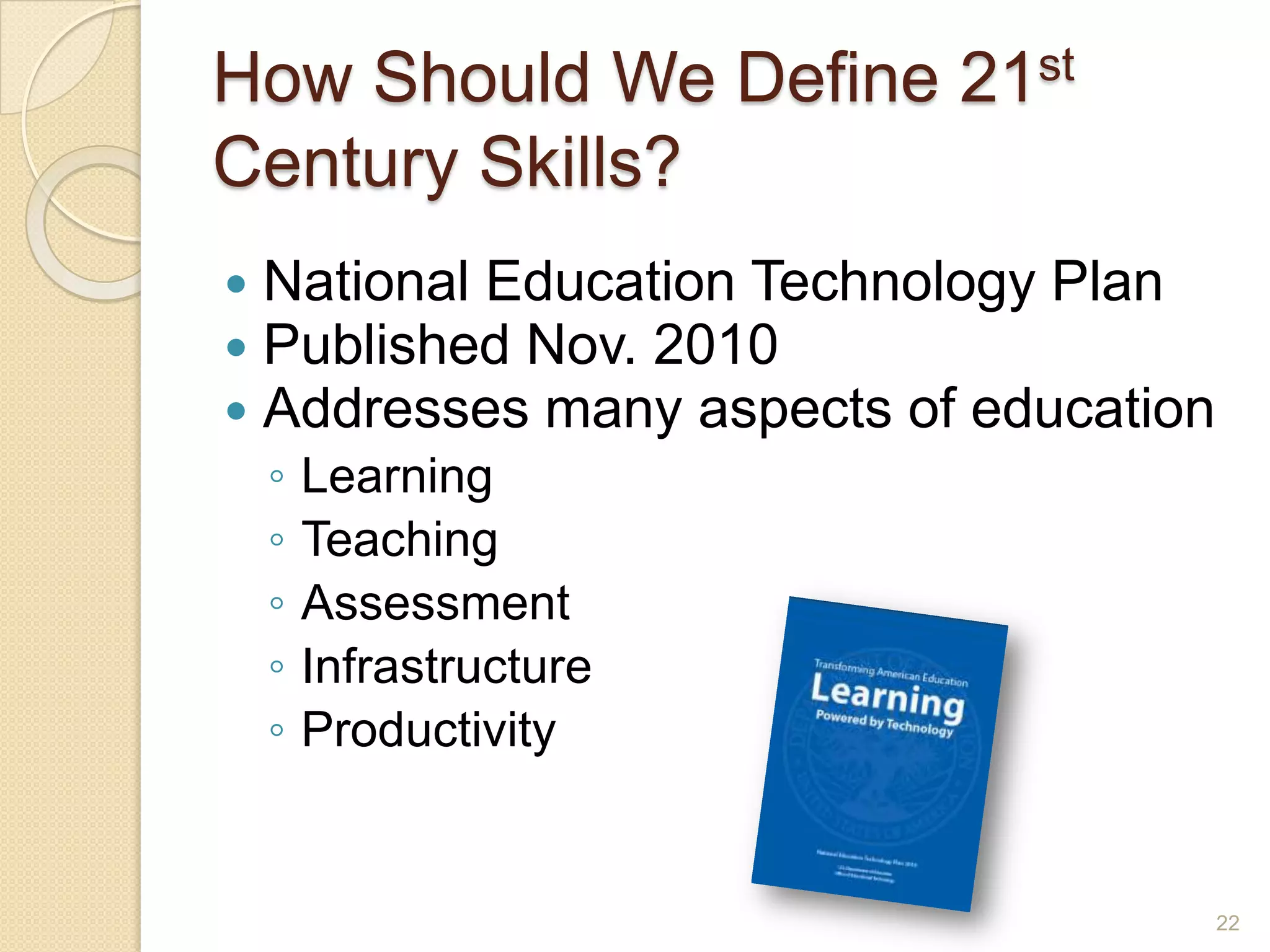
How Should We Define 21st Century Skills?National Education Technology PlanPublished Nov. 2010Addresses many aspects of educationLearningTeachingAssessmentInfrastructureProductivity22
National Education Technology PlanLearningCritical thinking, complex problem solvingInformation tools – Web sites, online libraries, online books, original resourcesCollaboration tools - social networking, wikis, blogsMobile learning – not confined to the classroom, even the digital classroom23
C-/E-/M-LearningC-LearningFace to faceShared physical contextEasier to build relationshipsWell-balanced mealE-Learning
Online
Any time, any place, any pace
Collabora-tion tools
Assessment
Delicious buffet
M-Learning
Small chunks
Context-specific
Location-specific
Immediate application
Power snack24
National Education Technology PlanTeachingTechnology-based professional developmentLeverage social networking to create communities of practiceDevelop a teaching force skilled in online instruction25
National Education Technology PlanAssessmentTechnology-based to give timely feedback to shape instructionMake use of simulations, collaborative environments, gamesRevise policies to support these changes26
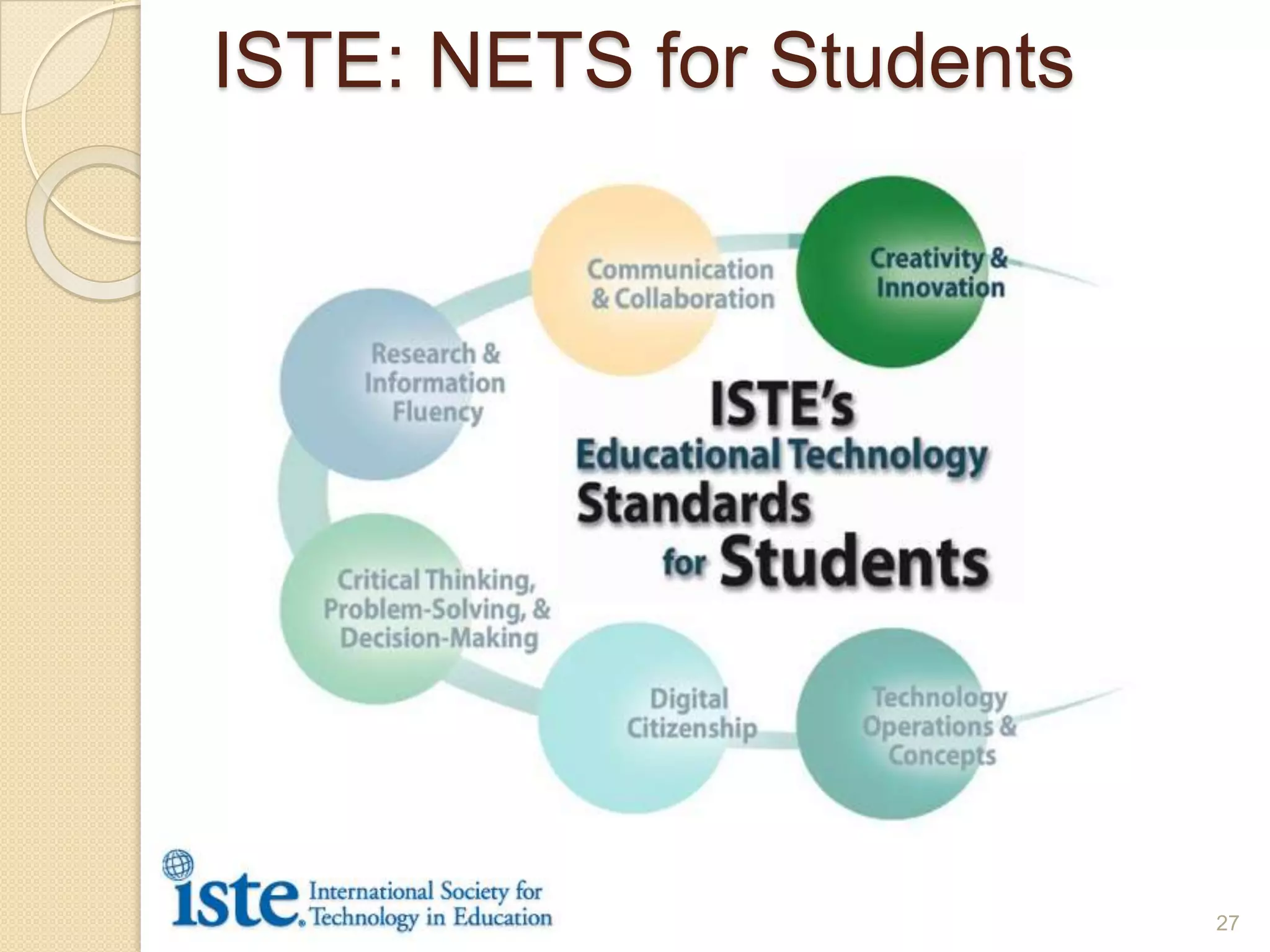
ISTE: NETS for Students27
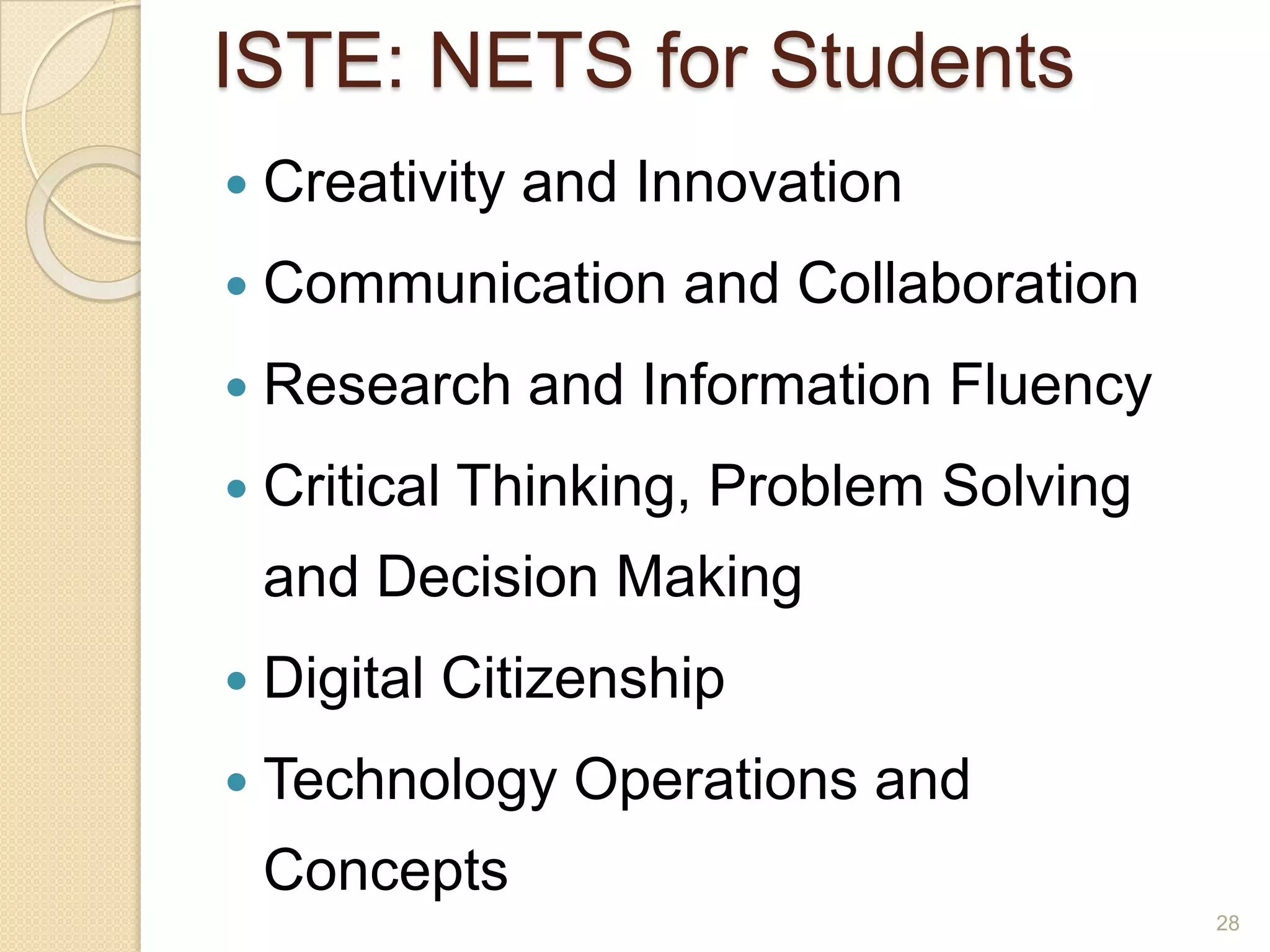
ISTE: NETS for StudentsCreativity and InnovationCommunication and CollaborationResearch and Information FluencyCritical Thinking, Problem Solving and Decision MakingDigital CitizenshipTechnology Operations and Concepts28
ISTE: NETS for StudentsCreativity and InnovationCommunication and CollaborationResearch and Information FluencyCritical Thinking, Problem Solving and Decision MakingDigital CitizenshipTechnology Operations and Concepts29
So What’s New? The Context!Creativity & InnovationApply existing knowledge to new ideasCreate original worksIdentify trends and forecast possibilities30
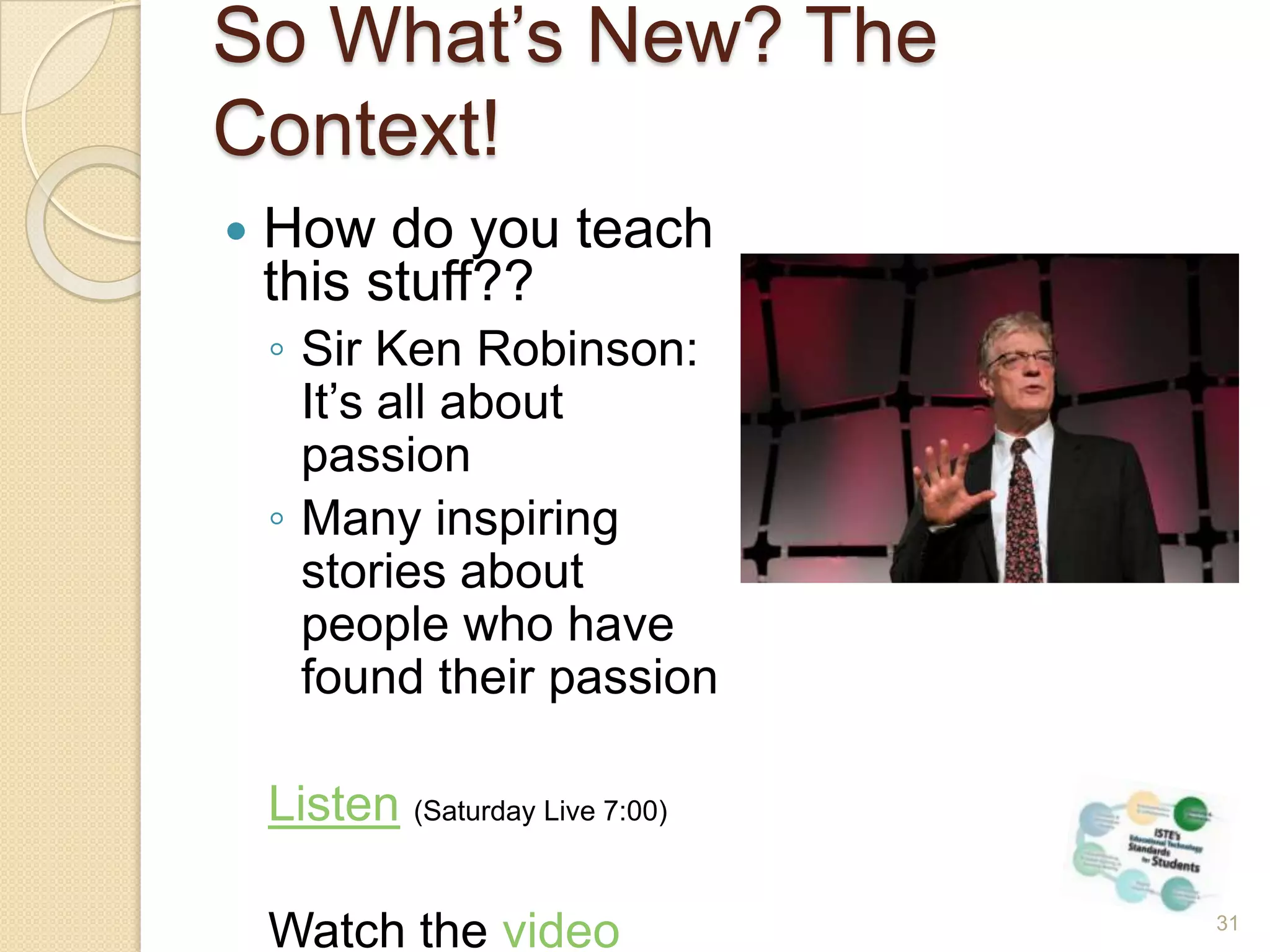
So What’s New? The Context!How do you teach this stuff??Sir Ken Robinson: It’s all about passionMany inspiring stories about people who have found their passionListen(Saturday Live 7:00)Watch the video31
So What’s New? The Context!6 myths of creativity debunkedOnly creative types are creativeMoney is a motivatorFear forces breakthroughsCompetition beats collaborationEfficiency fosters creativity32A time when you were playing – when time disappeared
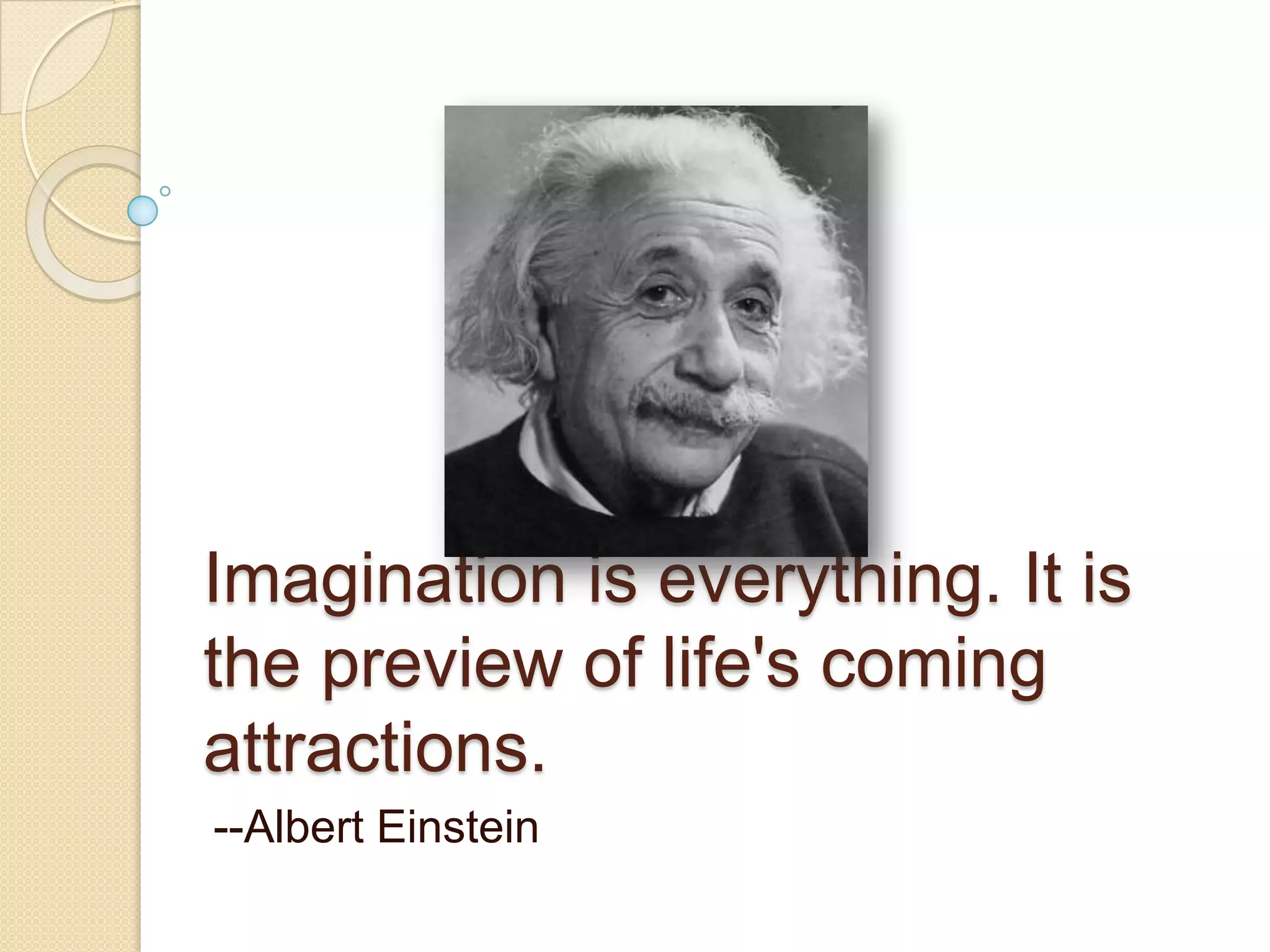
Imagination is everything. It is the preview of life's coming attractions. --Albert Einstein
Creativity in the ClassroomFrame the collaborative pair or team taskMake the learning outcomes clearSet the ground rulesALLOW TIMEBE QUIET34
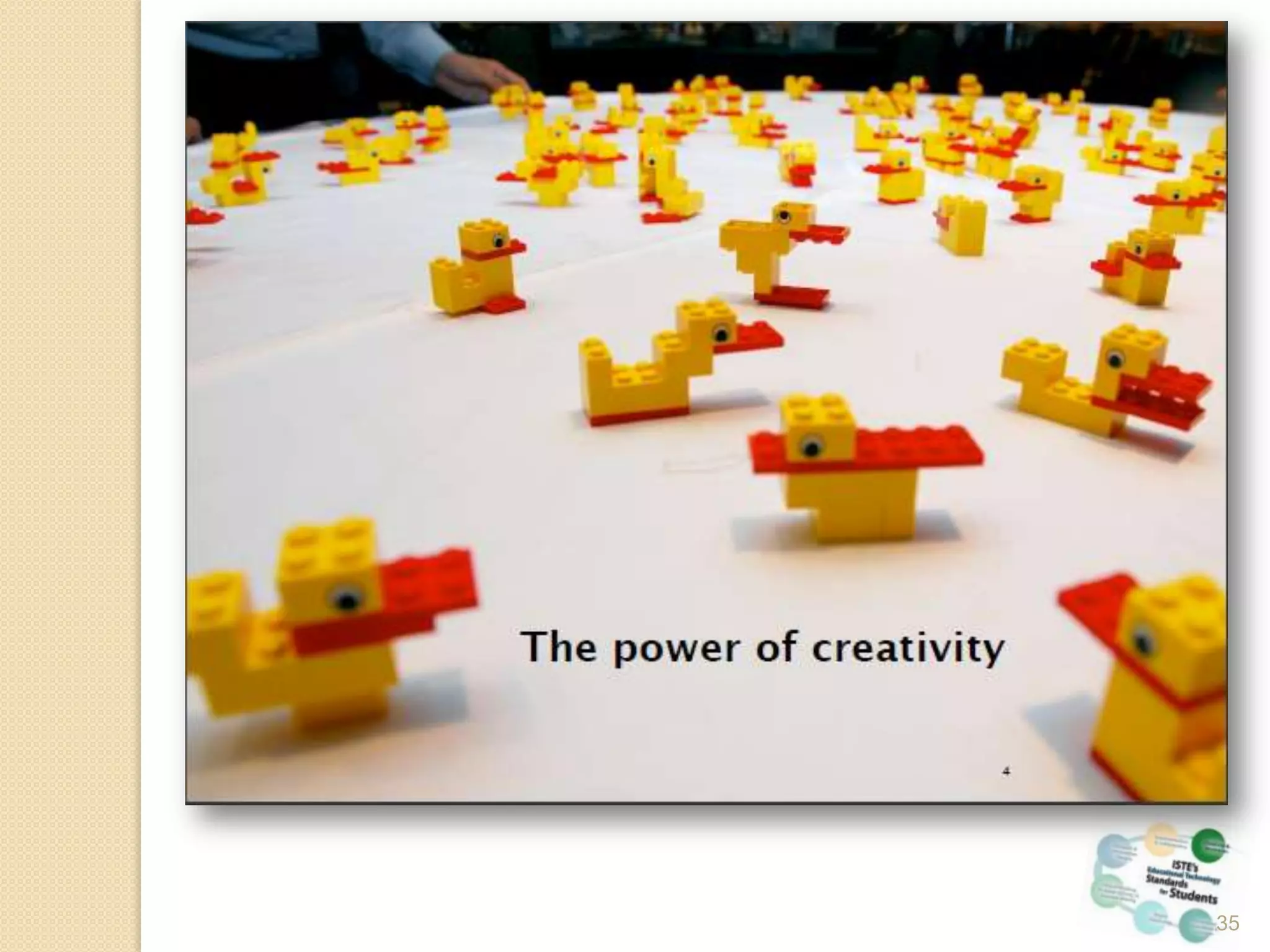
35
Collaborative ProjectsAn online project between Santa Ana students and some high school students in ArkansasNewport Mesa Adult School students create a wiki for their student councilJose Lopez Mercedes works with his students on a Voki project36
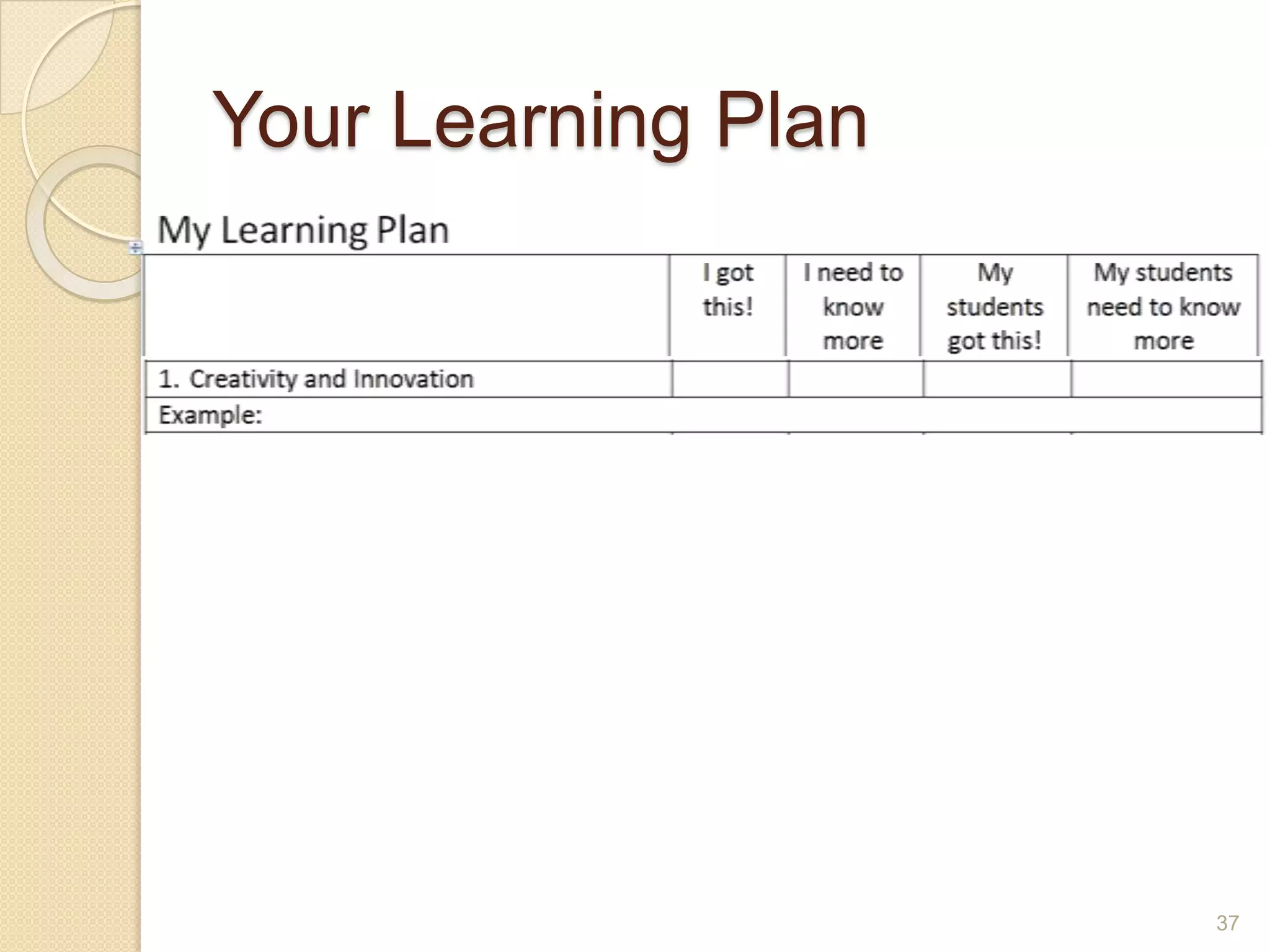
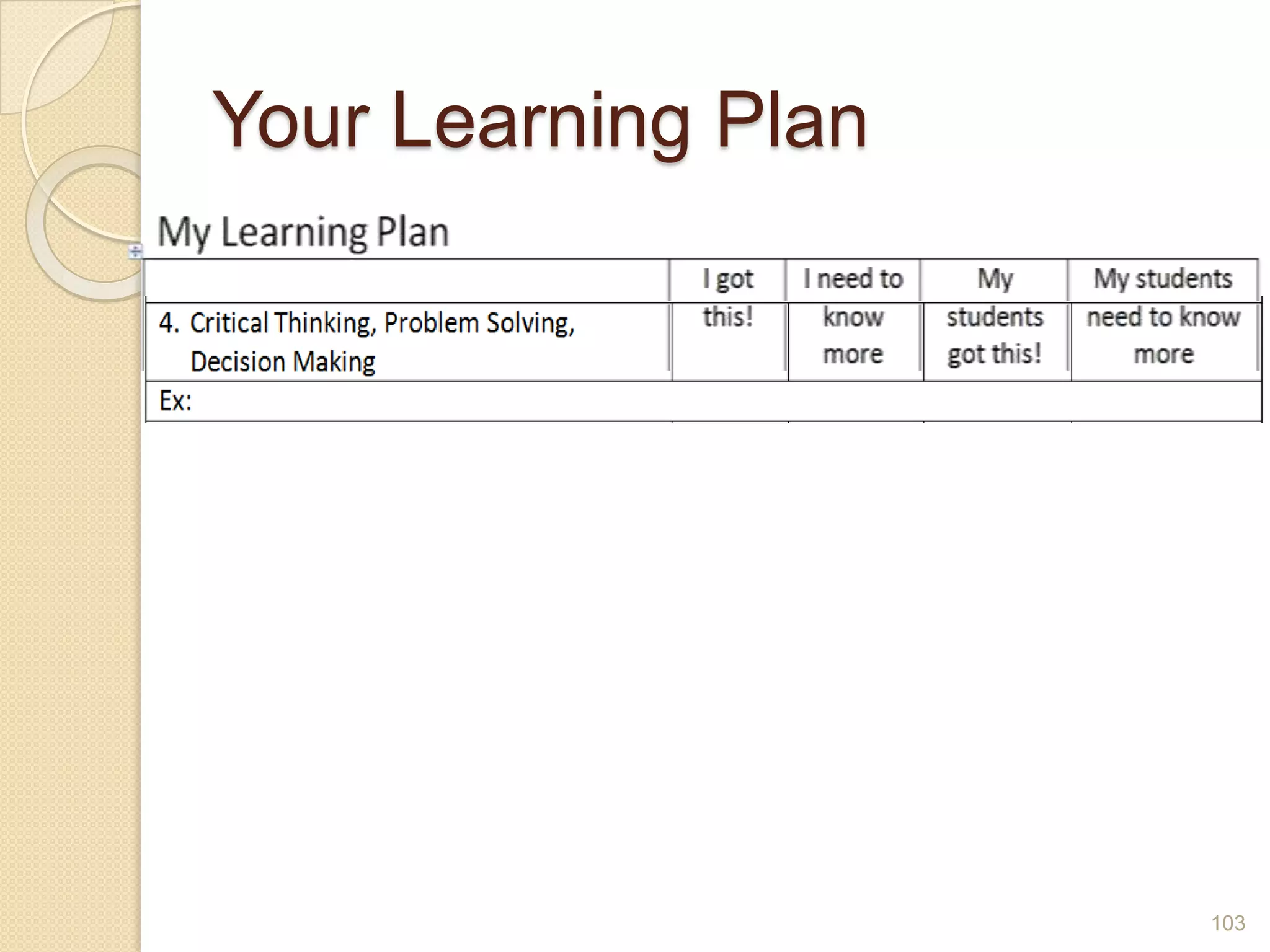
Your Learning Plan37
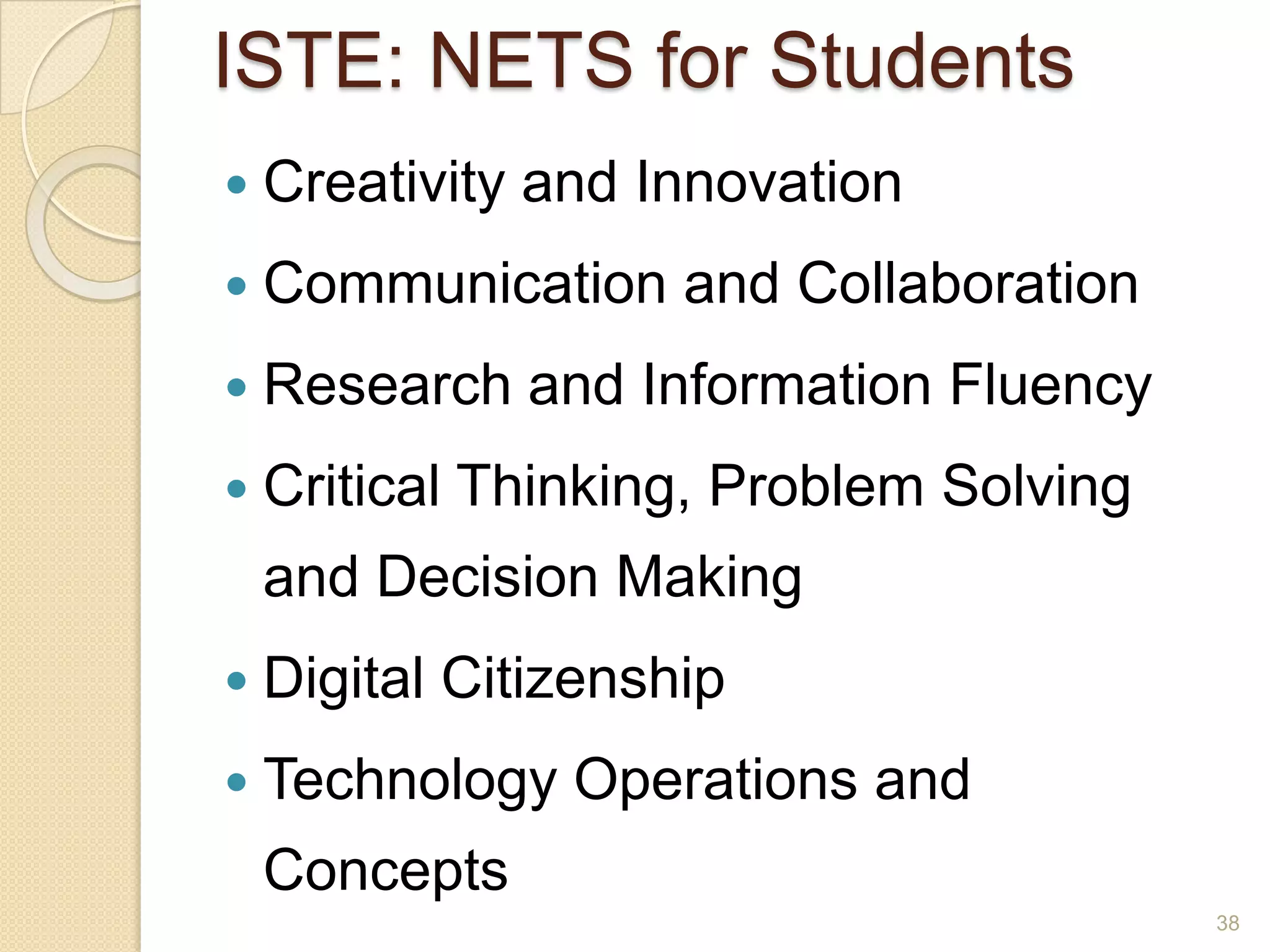
ISTE: NETS for StudentsCreativity and InnovationCommunication and CollaborationResearch and Information FluencyCritical Thinking, Problem Solving and Decision MakingDigital CitizenshipTechnology Operations and Concepts38
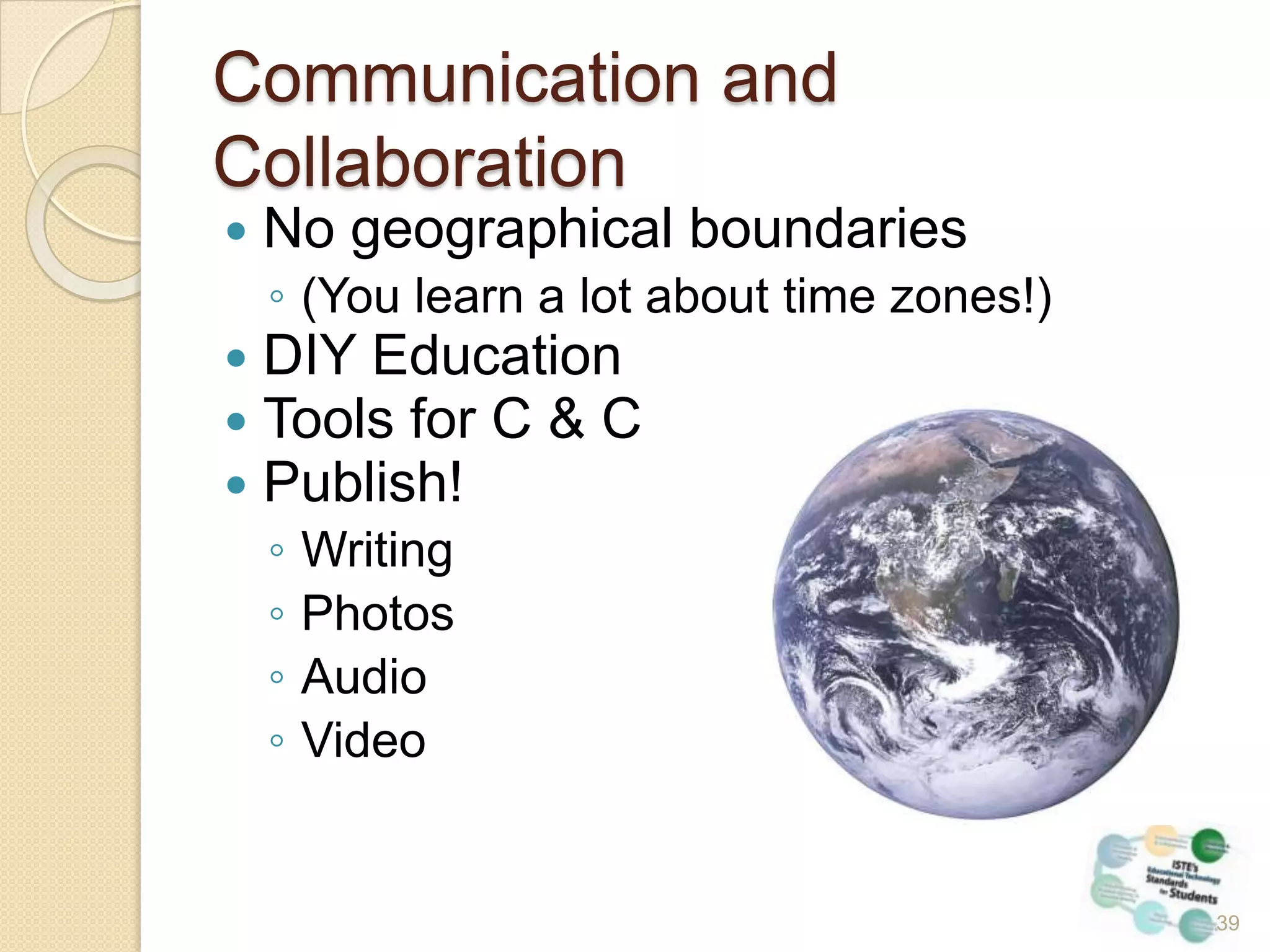
Communication and CollaborationNo geographical boundaries(You learn a lot about time zones!)DIY EducationTools for C & CPublish!WritingPhotosAudioVideo39
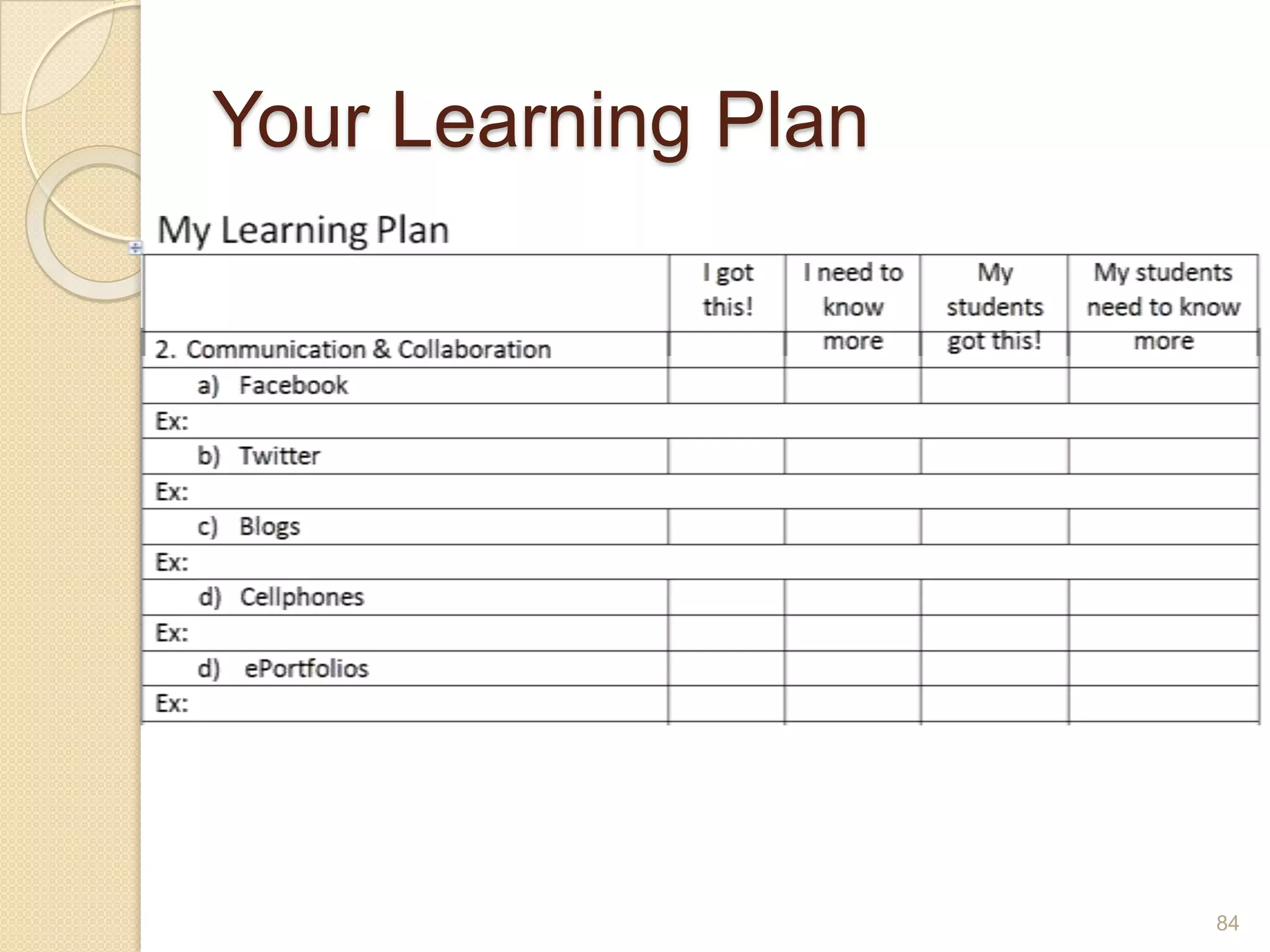
Communication and CollaborationFacebookTwitterBlogsPodcastsCell PhonesePortfolios40
Social Media41
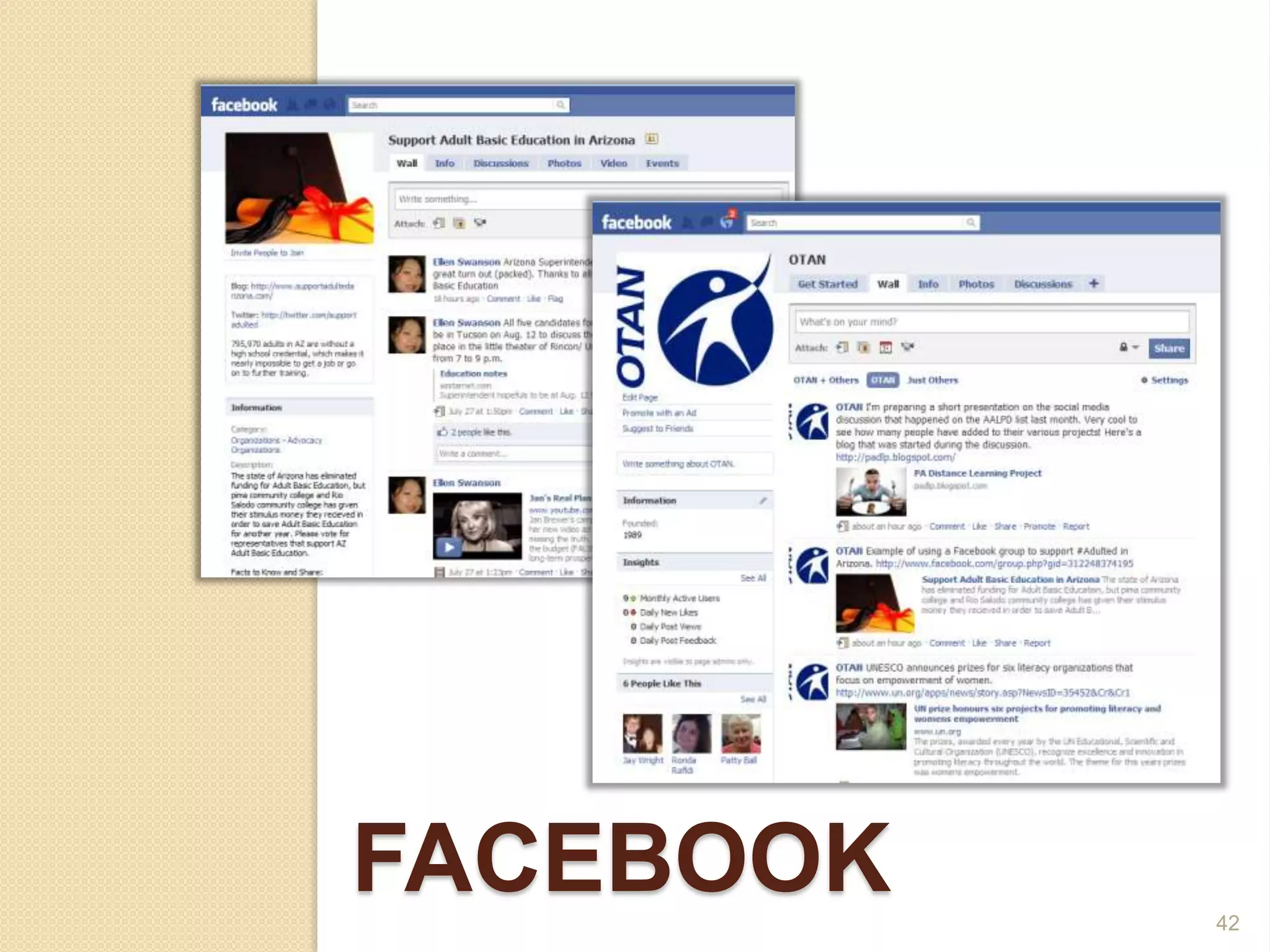
Facebook42
FacebookWho uses it?What is the biggest benefit?What is the biggest concern?43
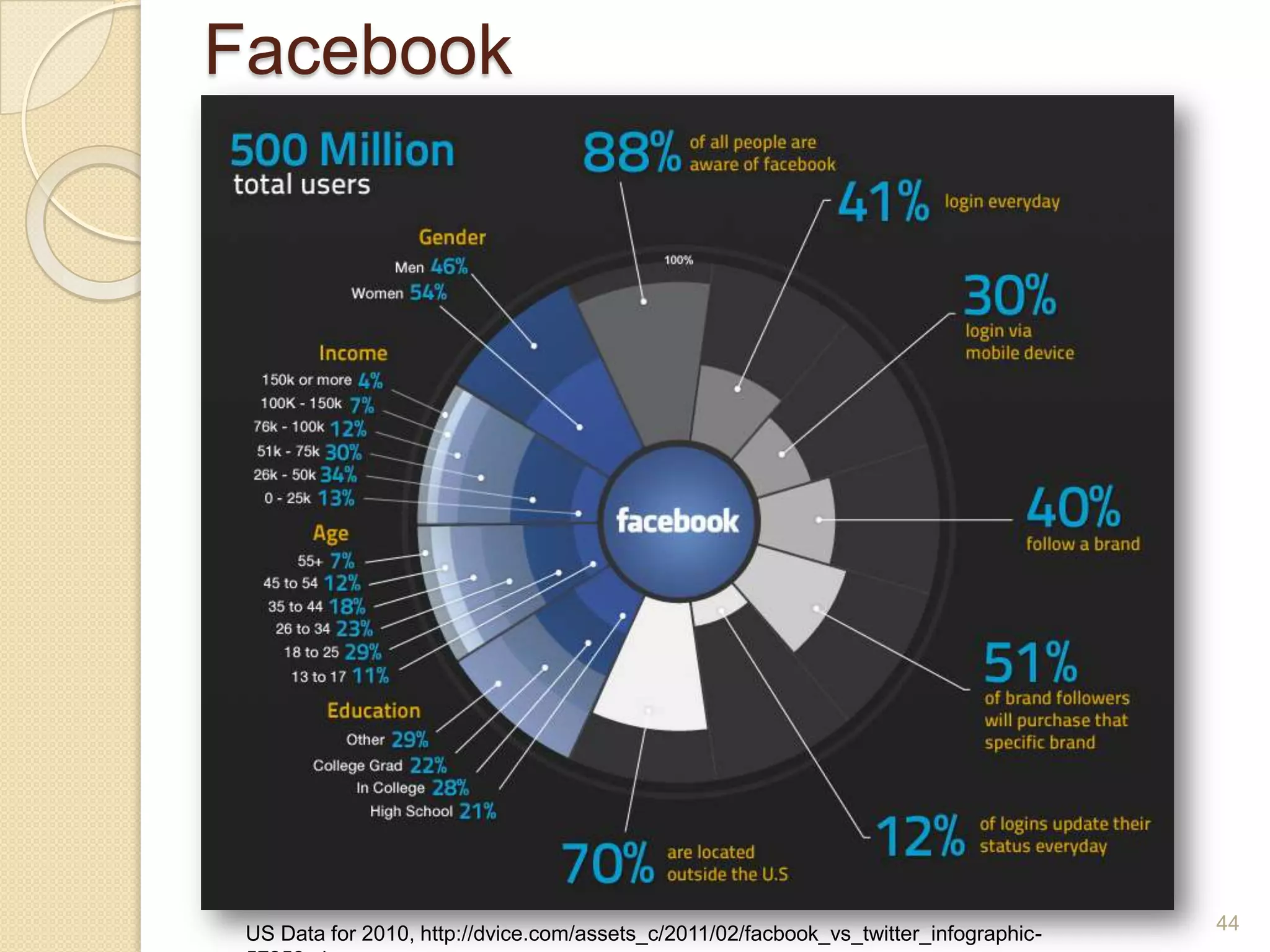
Facebook44US Data for 2010, http://dvice.com/assets_c/2011/02/facbook_vs_twitter_infographic-57359.php
FacebookPROsCONs45
FacebookPROsEverybody is already here!Variety of page types – group, business page, personalWide access for discussions and sharingCONsPrivacy issuesConfusing re types of pagesNeed to have a separate professional account46
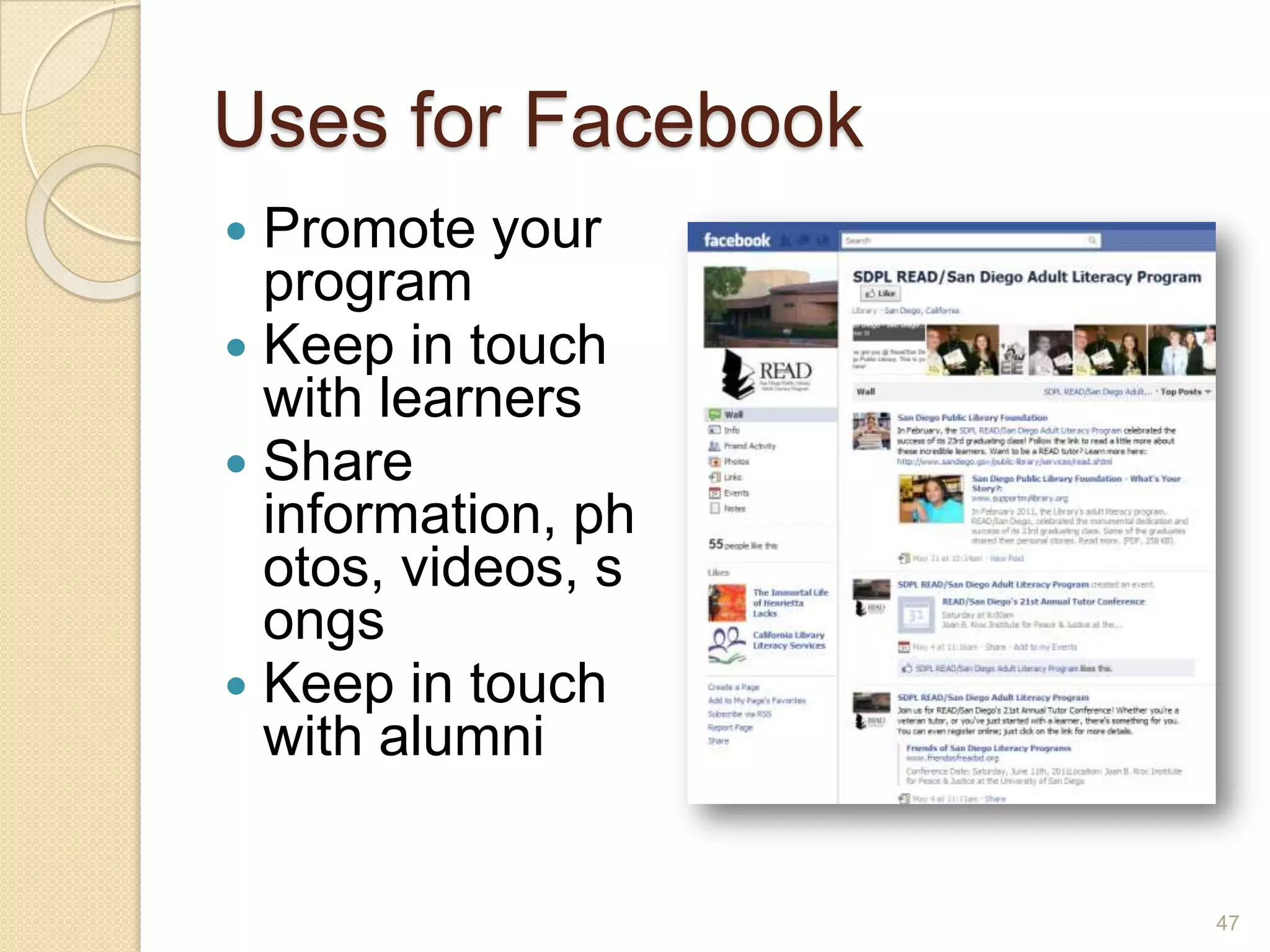
Uses for FacebookPromote your programKeep in touch with learnersShare information, photos, videos, songsKeep in touch with alumni47
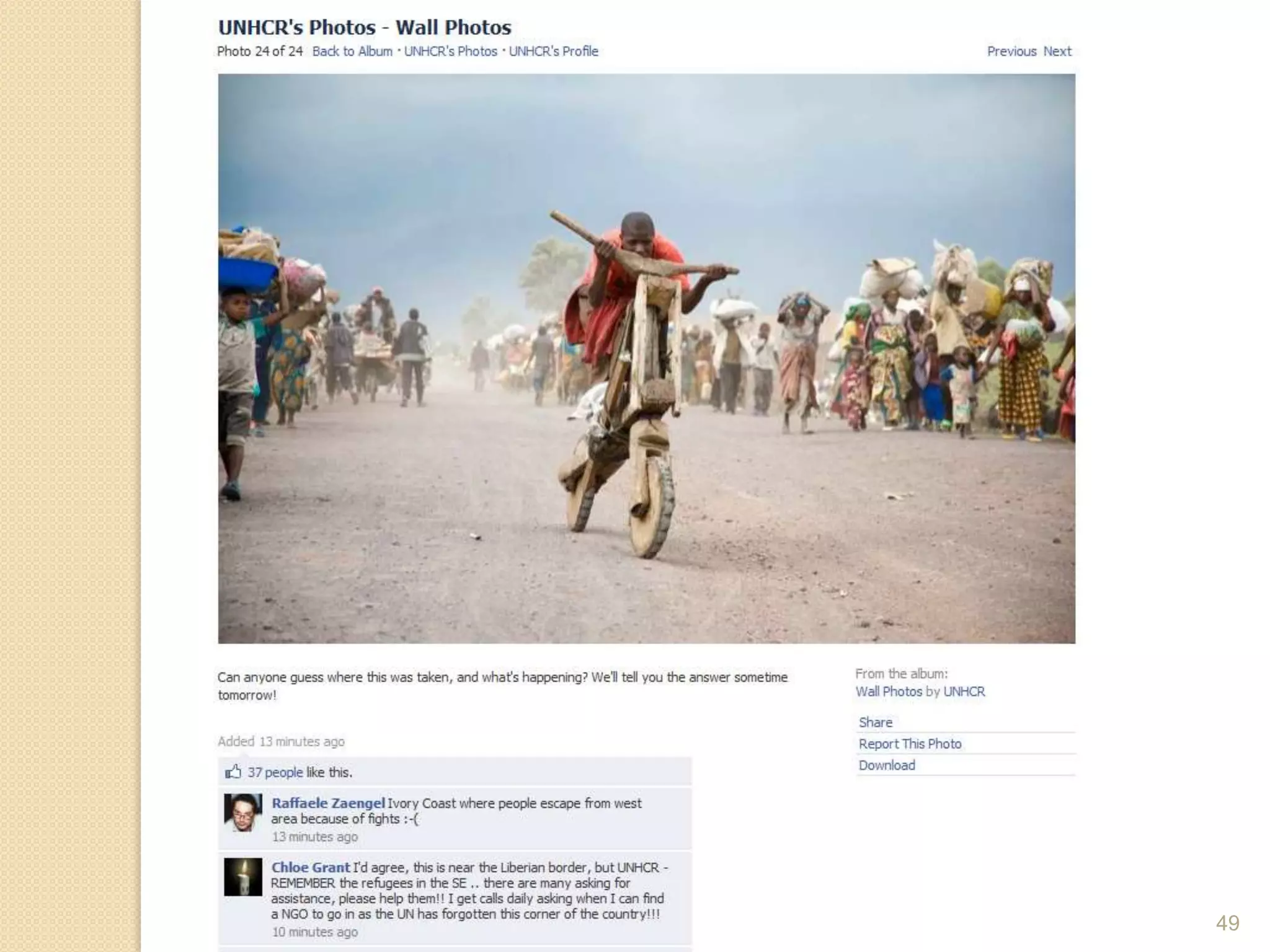
Types of FB PagesPersonalTo share or not to share…Fan/BusinessFor promoting a programGroupOpen or closed?Under whose account?Set email notificationsInvite membersPost content regularlyCheck daily48
49
Share your thoughts about Facebook with your partnersDo you use it?Have you thought about using it with learners?Is it a good idea?Why, or why not?50
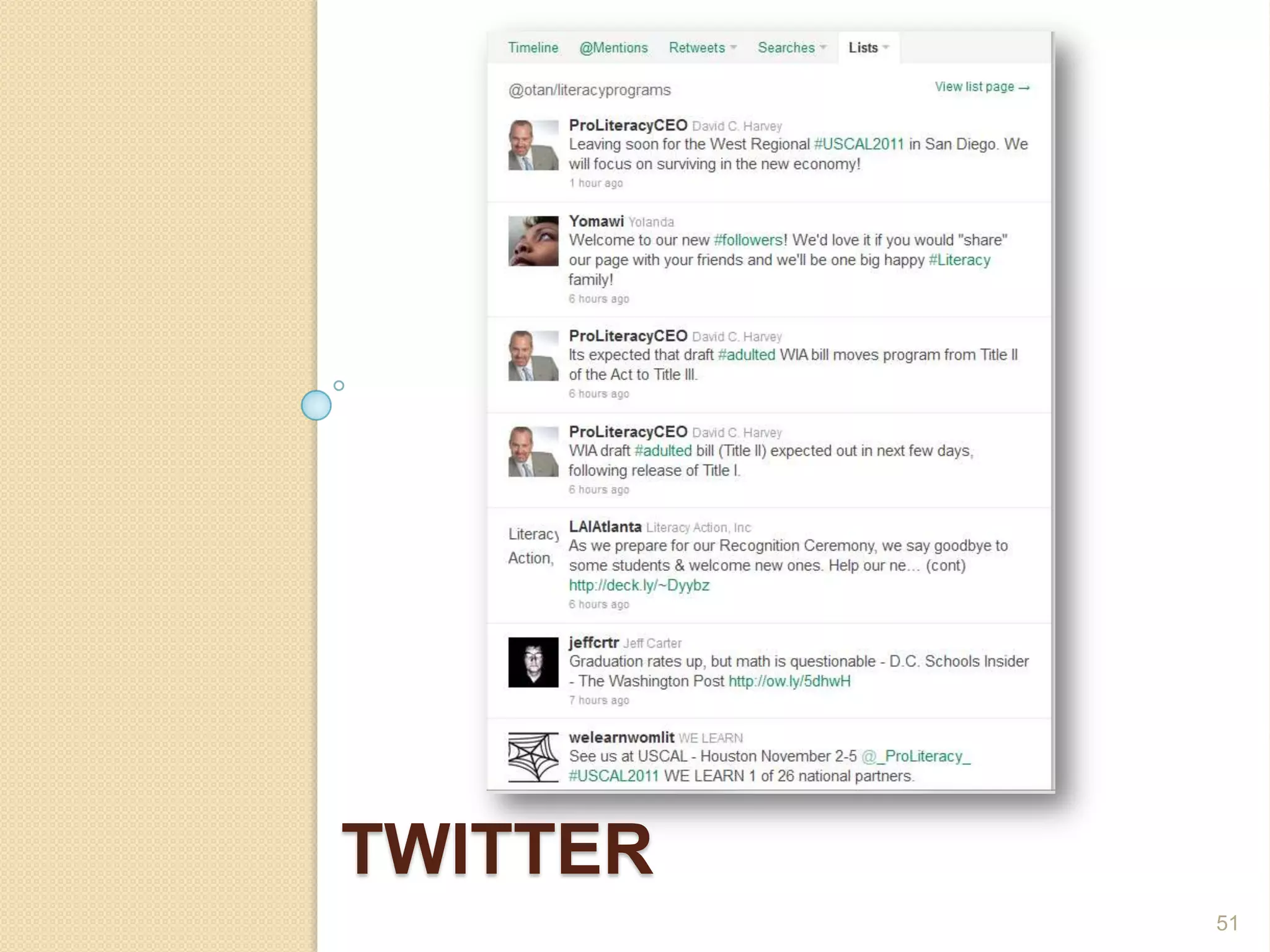
twitter51
TwitterWho uses it?What is the biggest benefit?What is the biggest concern?52
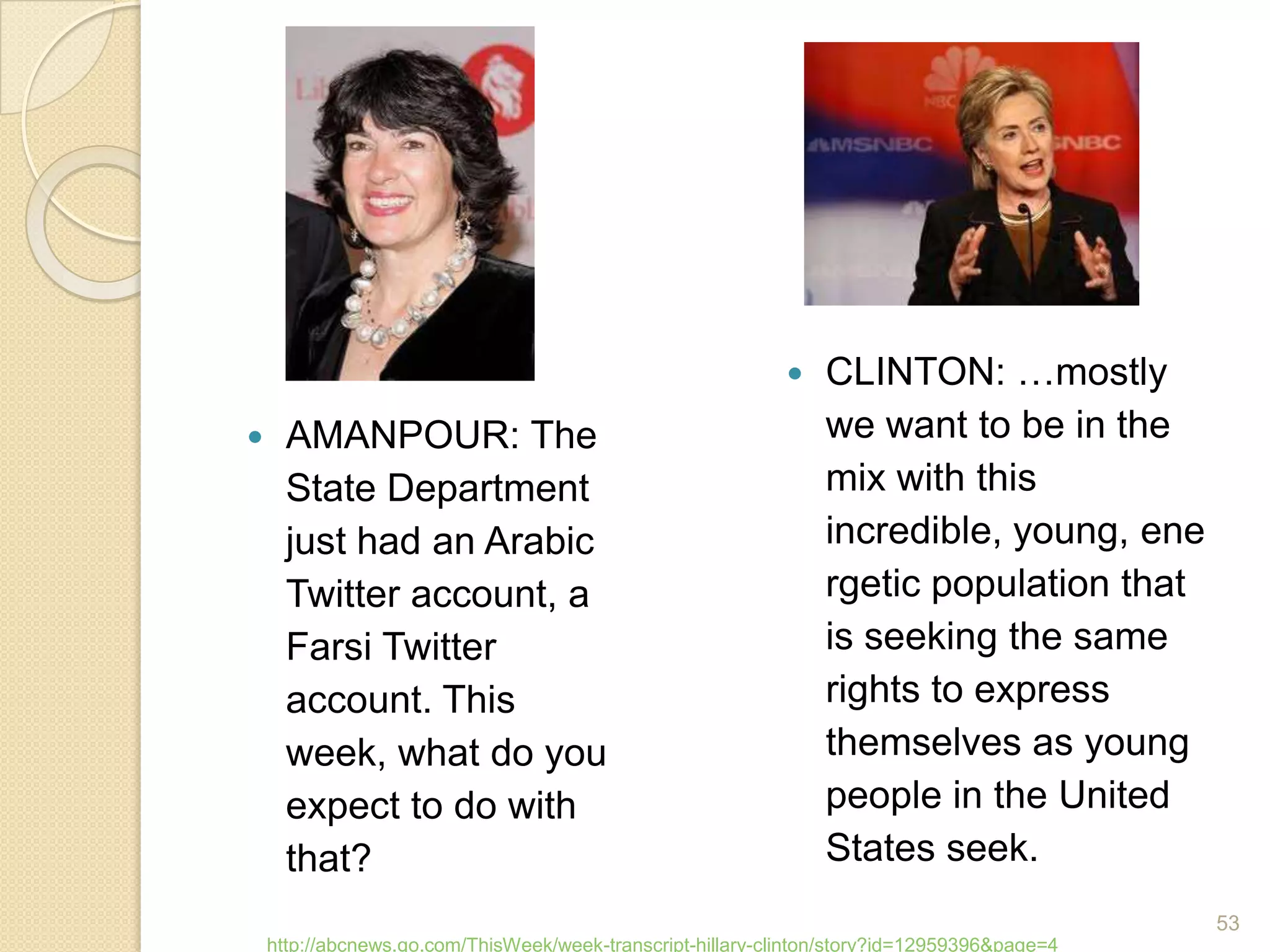
CLINTON: …mostly we want to be in the mix with this incredible, young, energetic population that is seeking the same rights to express themselves as young people in the United States seek.AMANPOUR: The State Department just had an Arabic Twitter account, a Farsi Twitter account. This week, what do you expect to do with that?http://abcnews.go.com/ThisWeek/week-transcript-hillary-clinton/story?id=12959396&page=453
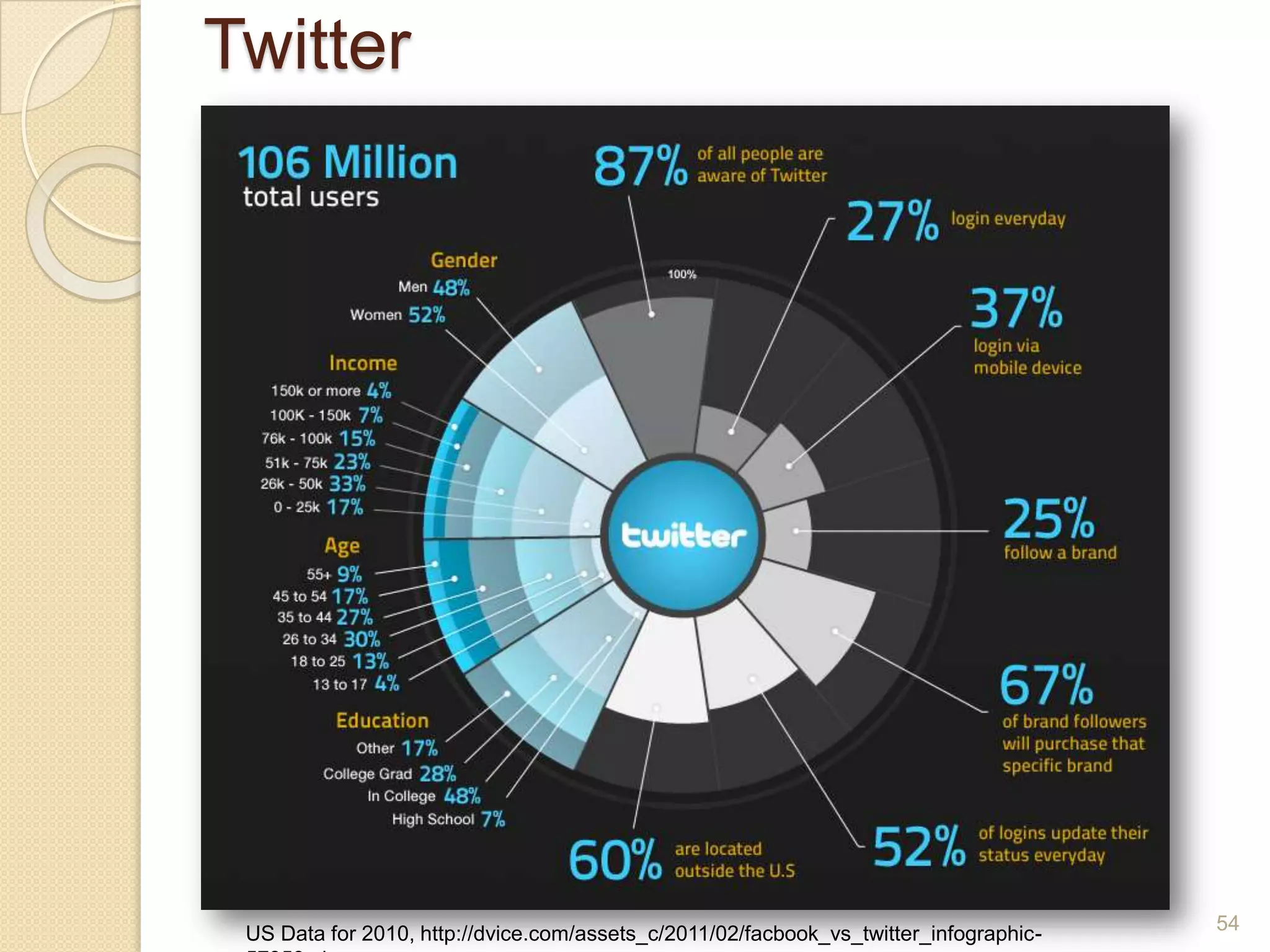
Twitter54US Data for 2010, http://dvice.com/assets_c/2011/02/facbook_vs_twitter_infographic-57359.php
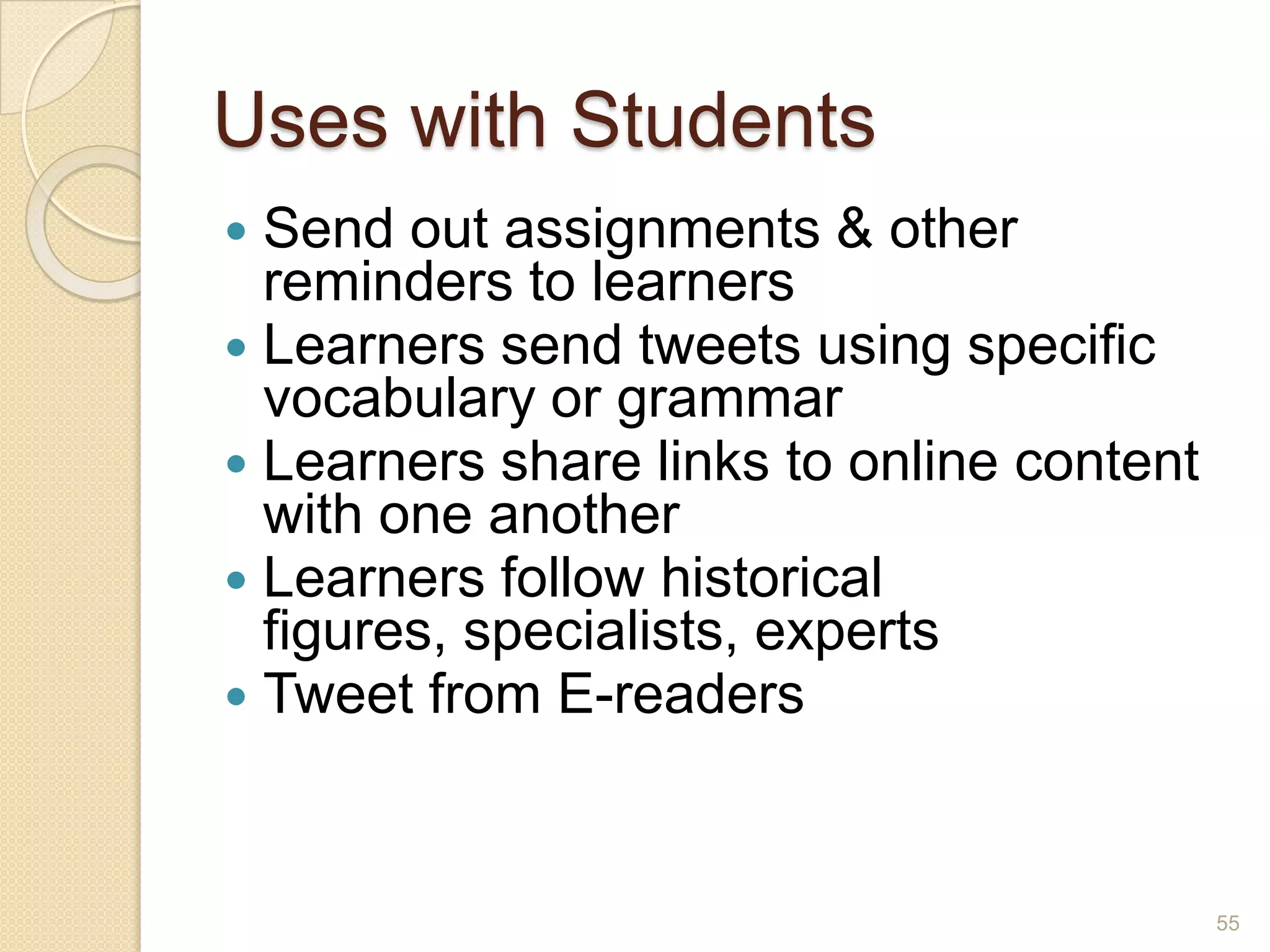
Uses with StudentsSend out assignments & other reminders to learnersLearners send tweets using specific vocabulary or grammarLearners share links to online content with one anotherLearners follow historical figures, specialists, expertsTweet from E-readers55
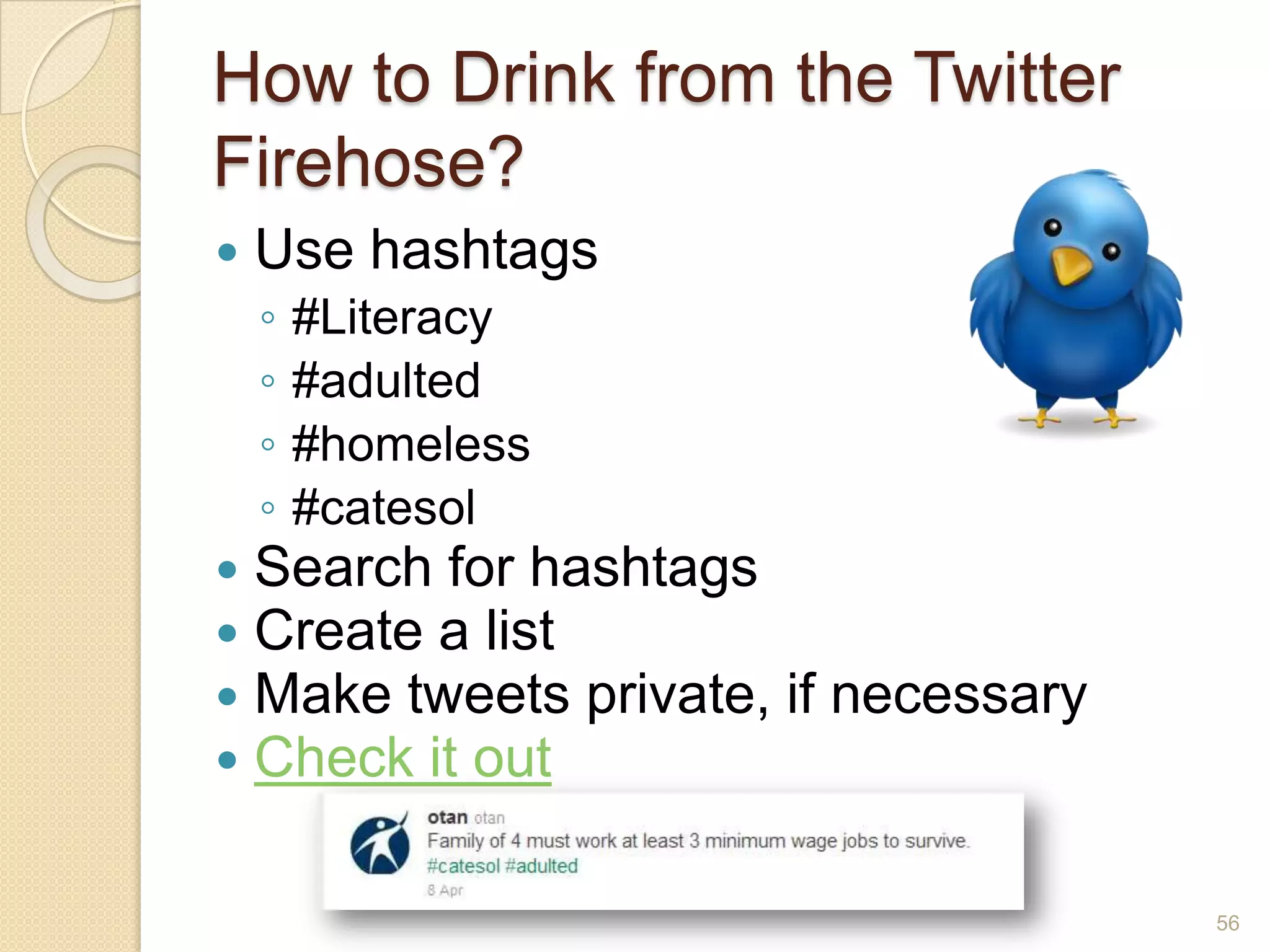
How to Drink from the Twitter Firehose?Use hashtags#Literacy#adulted#homeless#catesolSearch for hashtagsCreate a listMake tweets private, if necessaryCheck it out56
Reading & WritingWrite/read student stories published on blog or Web siteCreate a Twitter channel – short communicationsAbout a topic from readingAs an historical or current public figureCreate a slide show and post on blog, Web site, Scribd, VoiceThread, Google DocsCreate a class or group photo account, students post and write about favorite item from their closet57
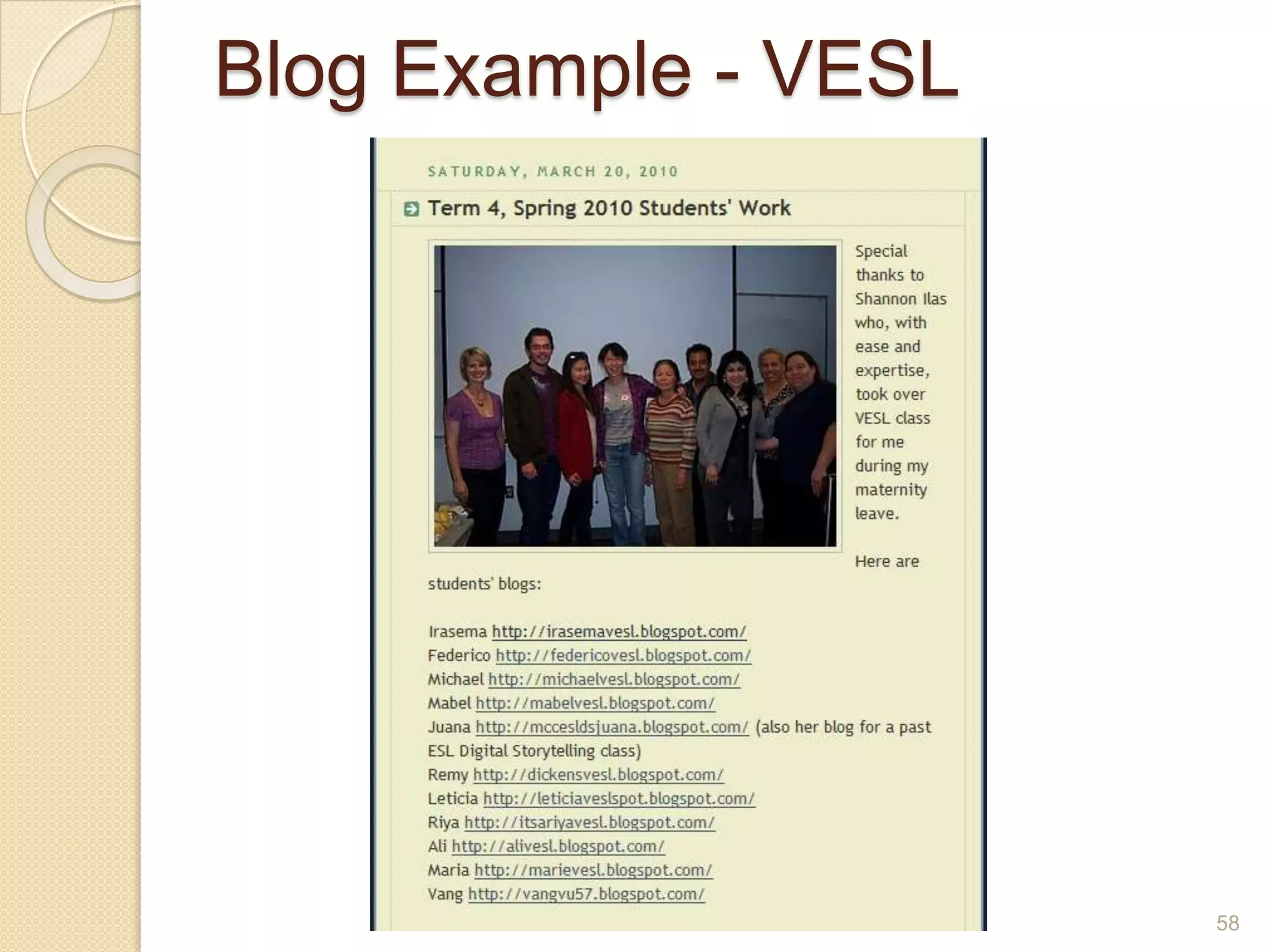
Blog Example - VESL58
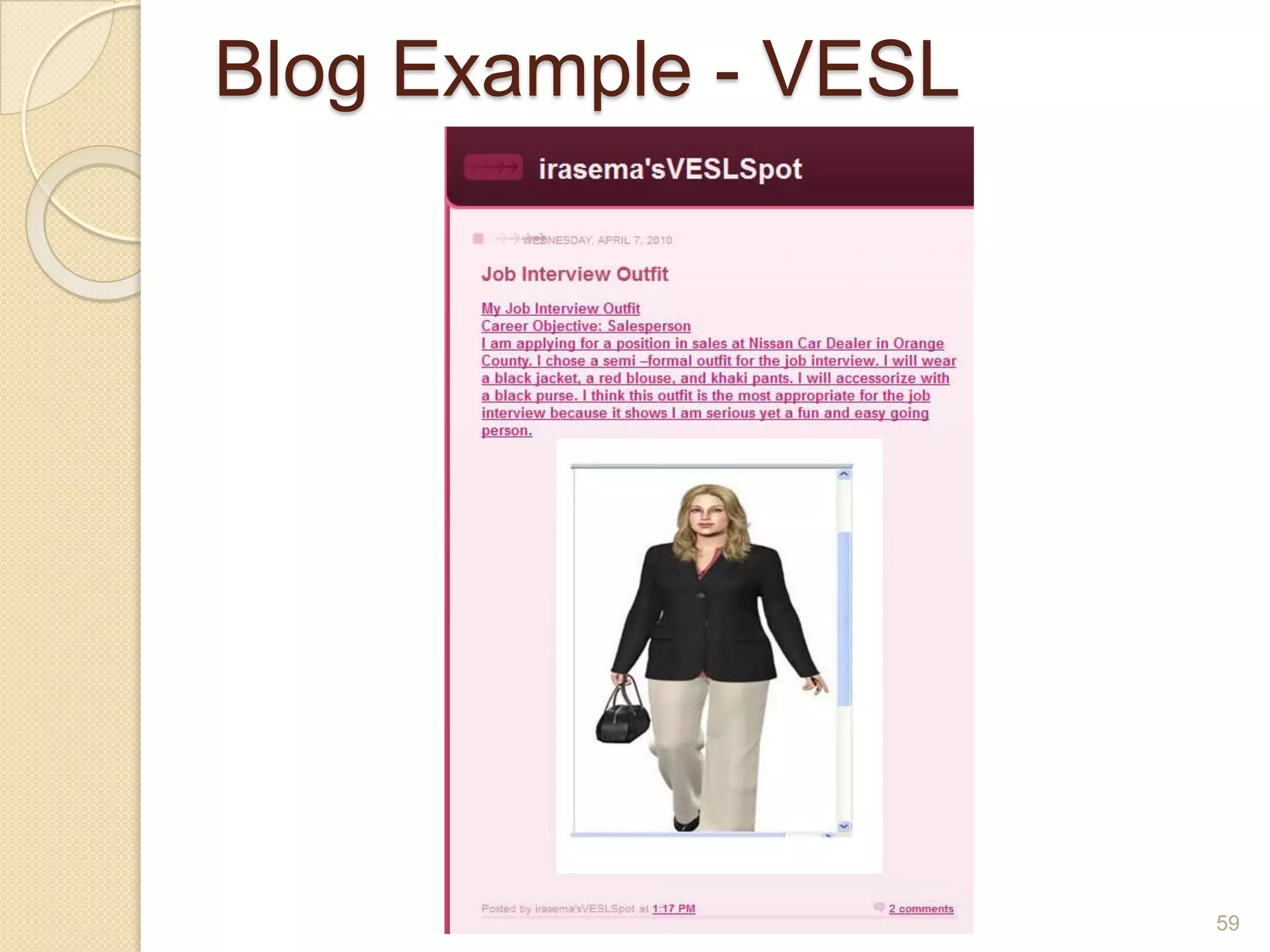
Blog Example - VESL59
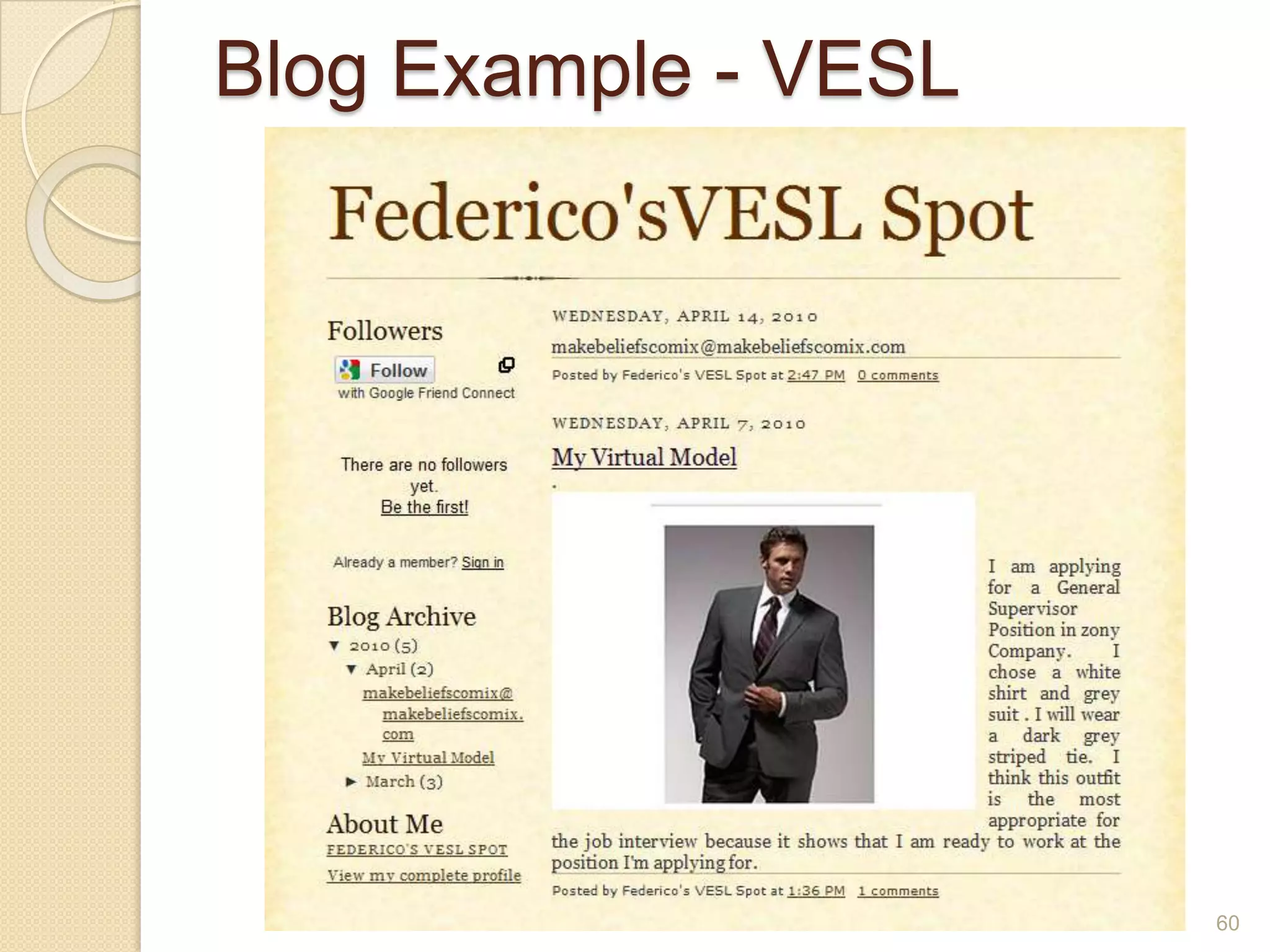
Blog Example - VESL60
Speaking & ListeningClass Skype call with an author, expert, or other guest Leave audio or video 	comments on VoiceThread	slidesHave an online meeting 	with another class or 	groupPost a podcast at Podomatic or Gabcast, to which students reply with audio commentshttp://realestateresuscitation.blogspot.com/2010/08/indiana-state-fair-is-in-town.html61
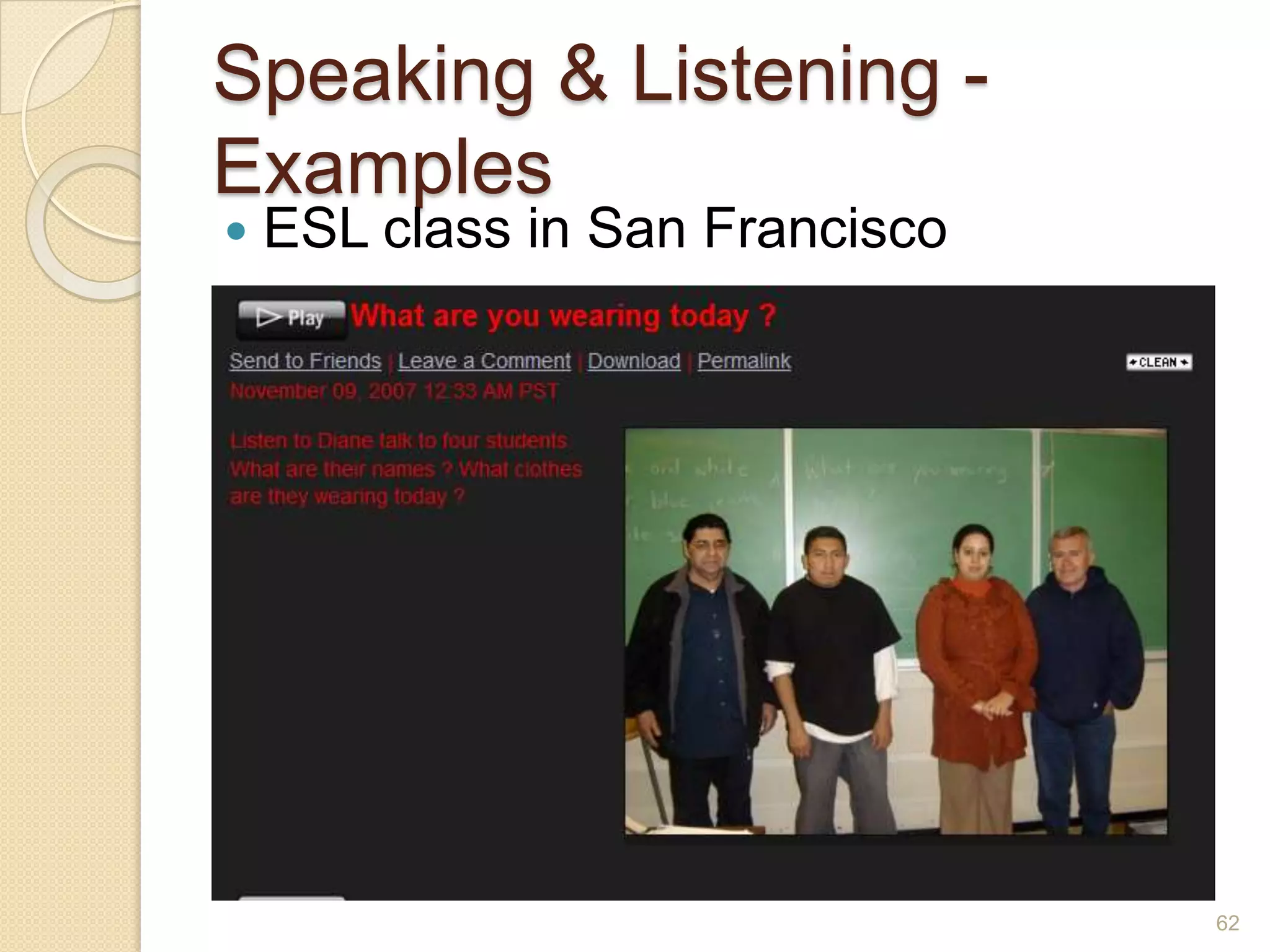
Speaking & Listening - ExamplesESL class in San Francisco62
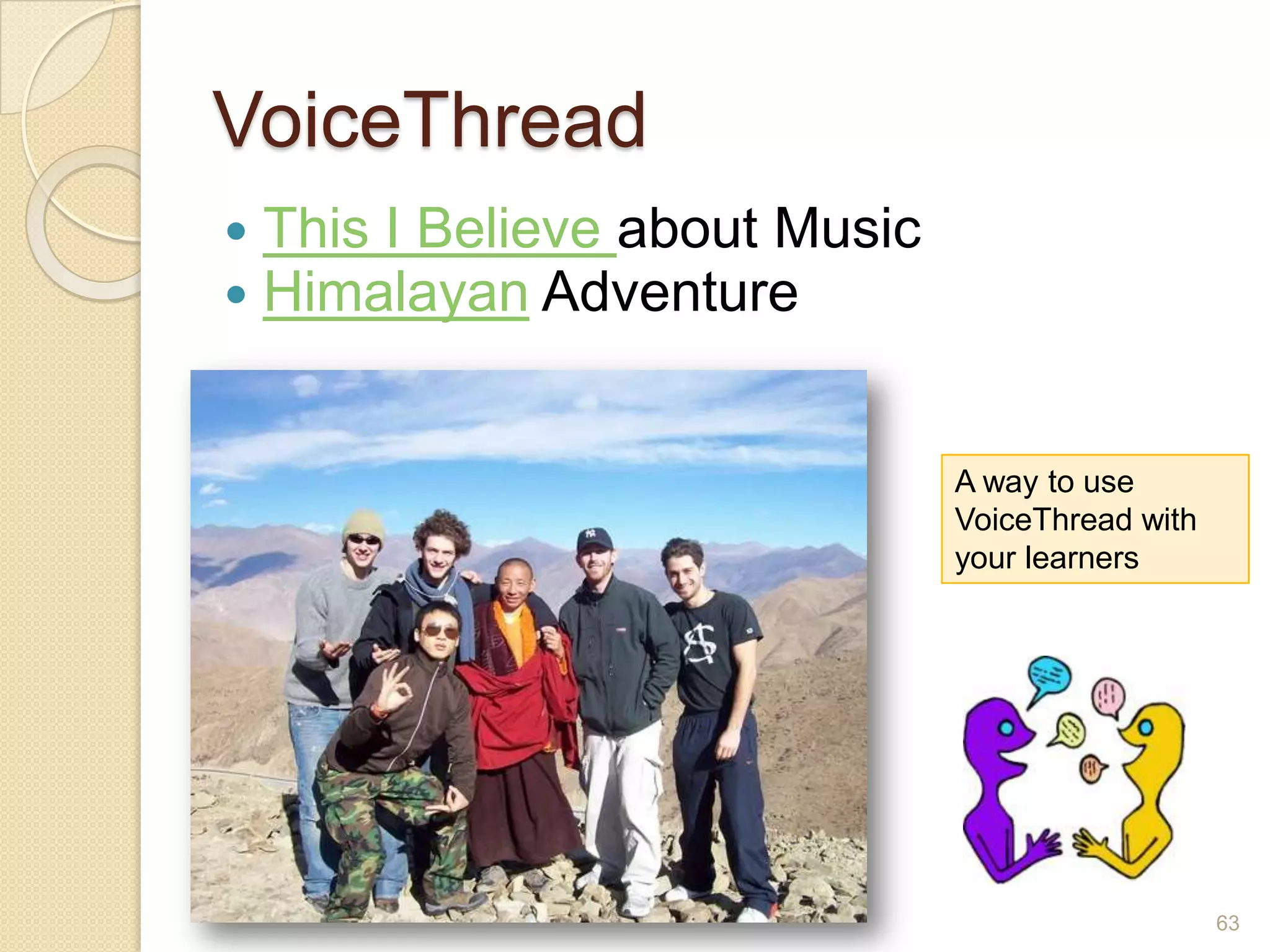
VoiceThreadThis I Believe about MusicHimalayan Adventure63A way to use VoiceThread with your learners
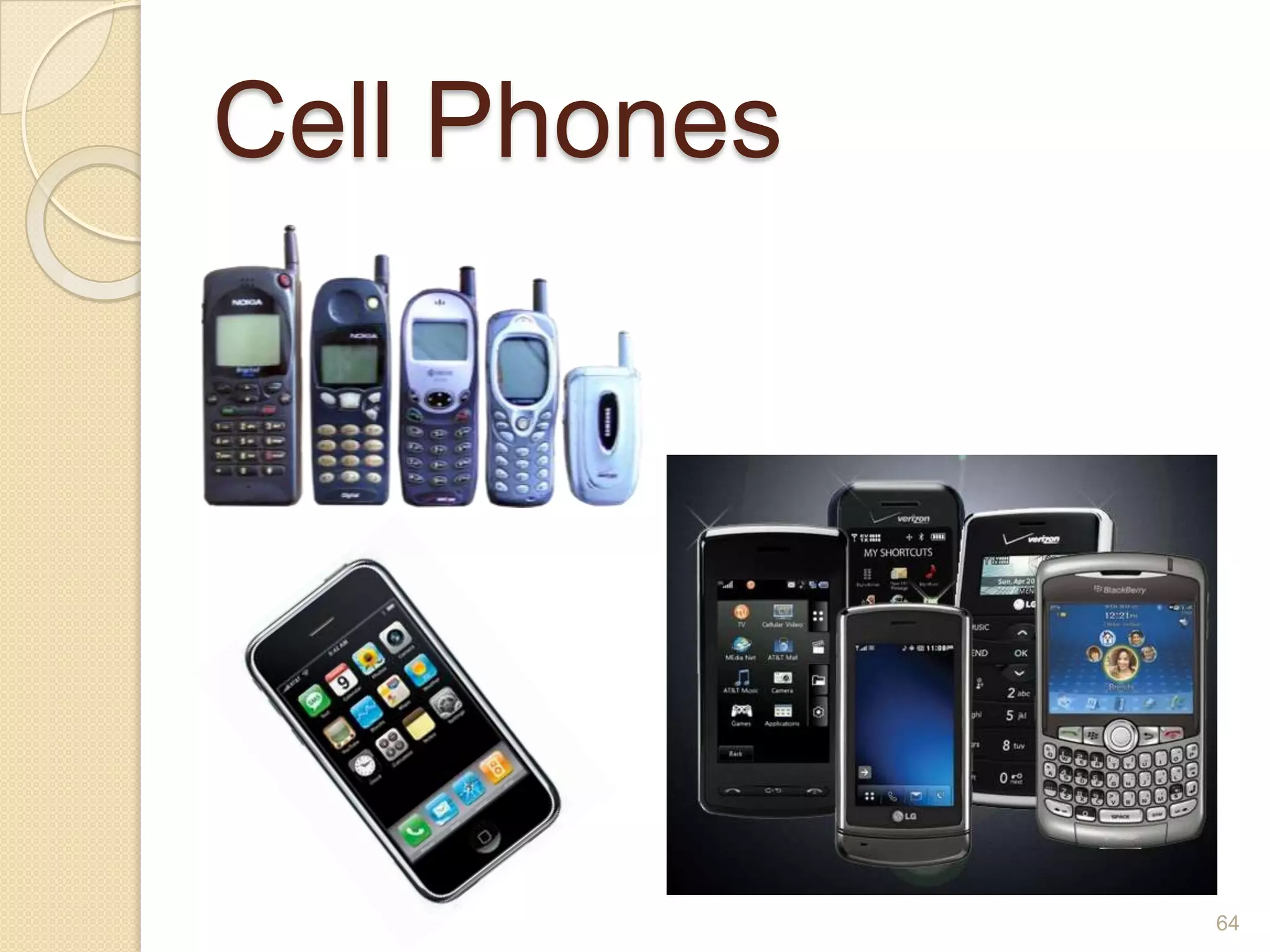
Cell Phones64
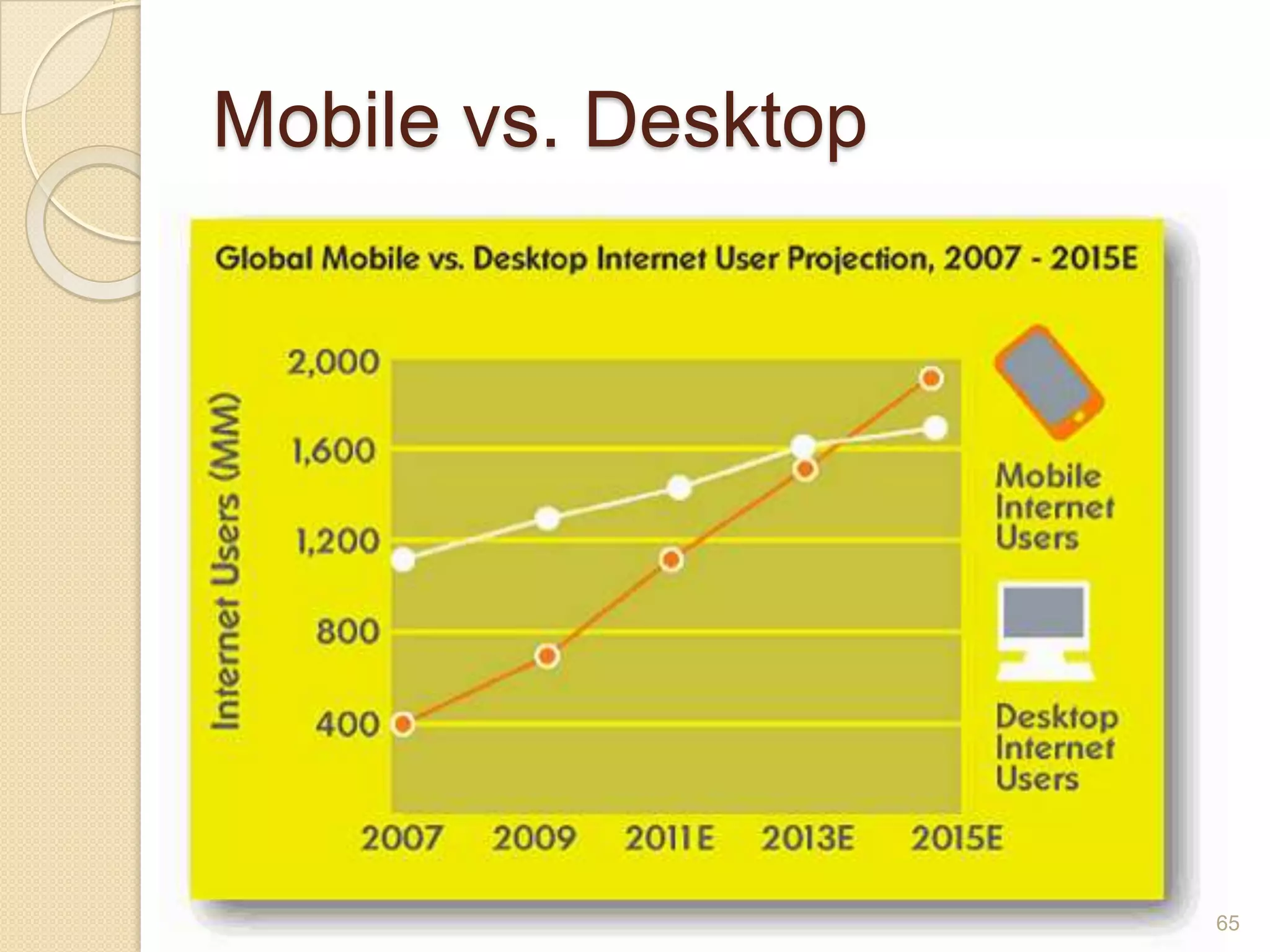
Mobile vs. Desktop65
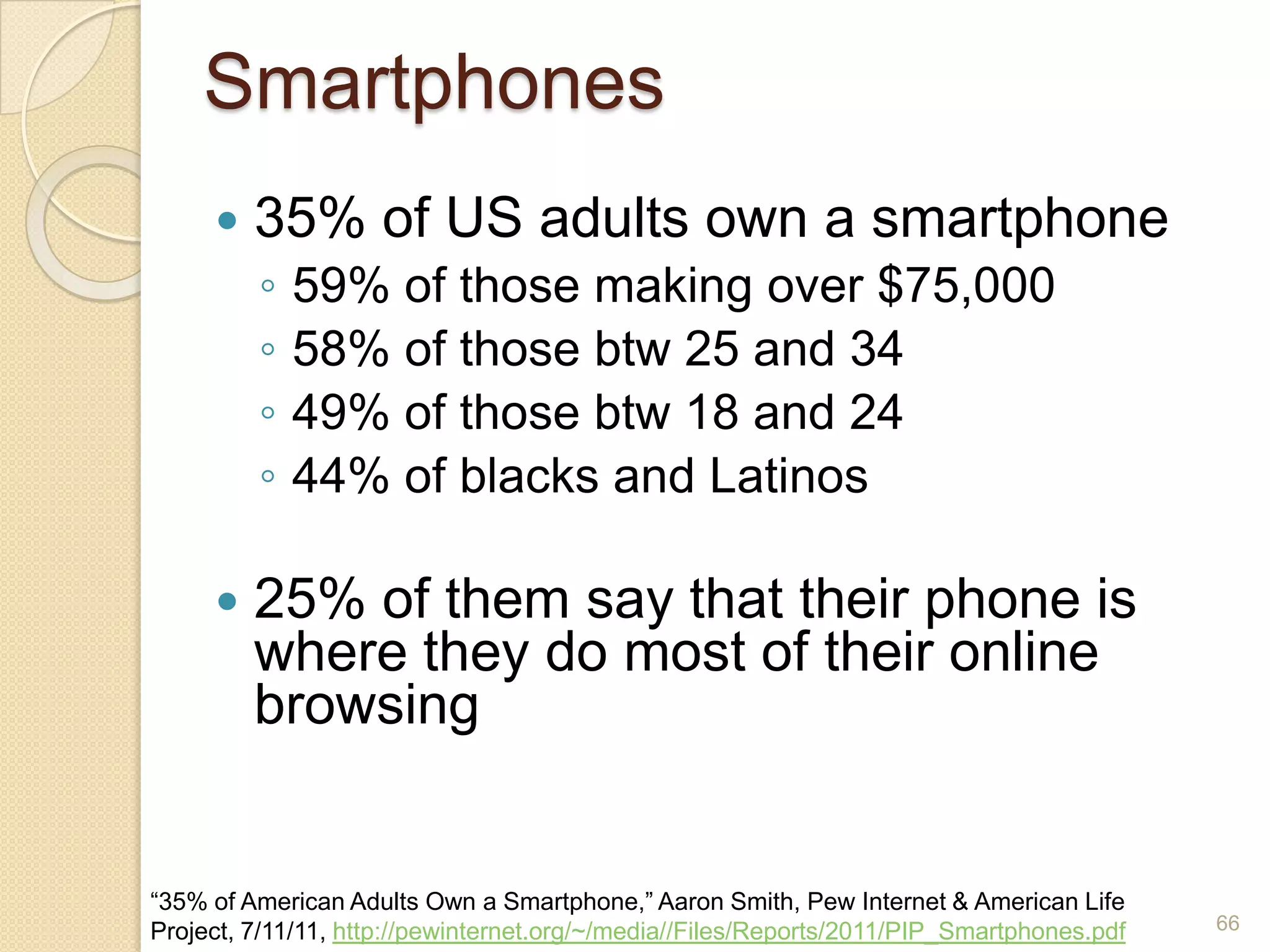
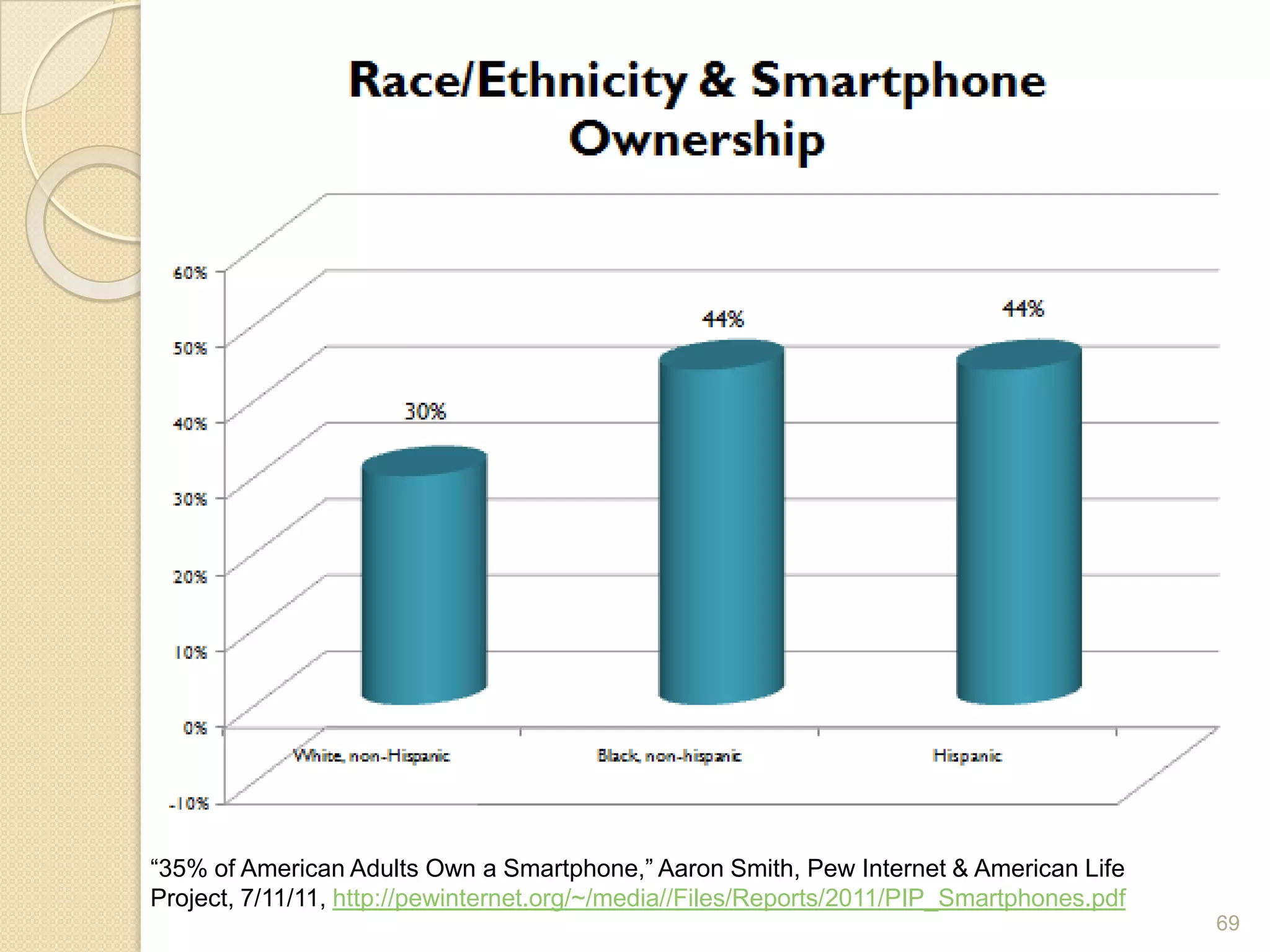
Smartphones35% of US adults own a smartphone59% of those making over $75,00058% of those btw 25 and 3449% of those btw 18 and 2444% of blacks and Latinos25% of them say that their phone is where they do most of their online browsing66“35% of American Adults Own a Smartphone,” Aaron Smith, Pew Internet & American Life Project, 7/11/11, http://pewinternet.org/~/media//Files/Reports/2011/PIP_Smartphones.pdf
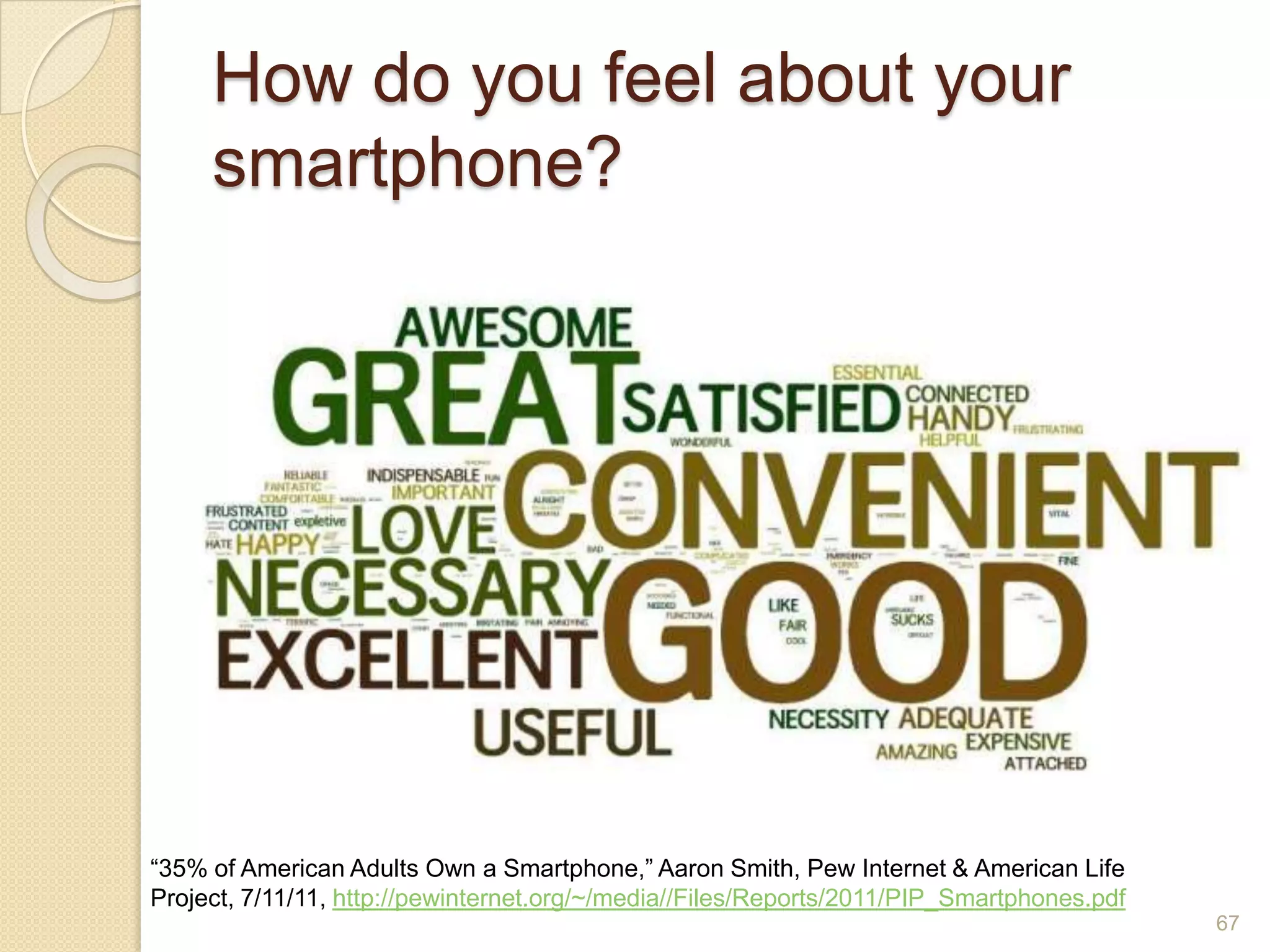
How do you feel about your smartphone?67“35% of American Adults Own a Smartphone,” Aaron Smith, Pew Internet & American Life Project, 7/11/11, http://pewinternet.org/~/media//Files/Reports/2011/PIP_Smartphones.pdf
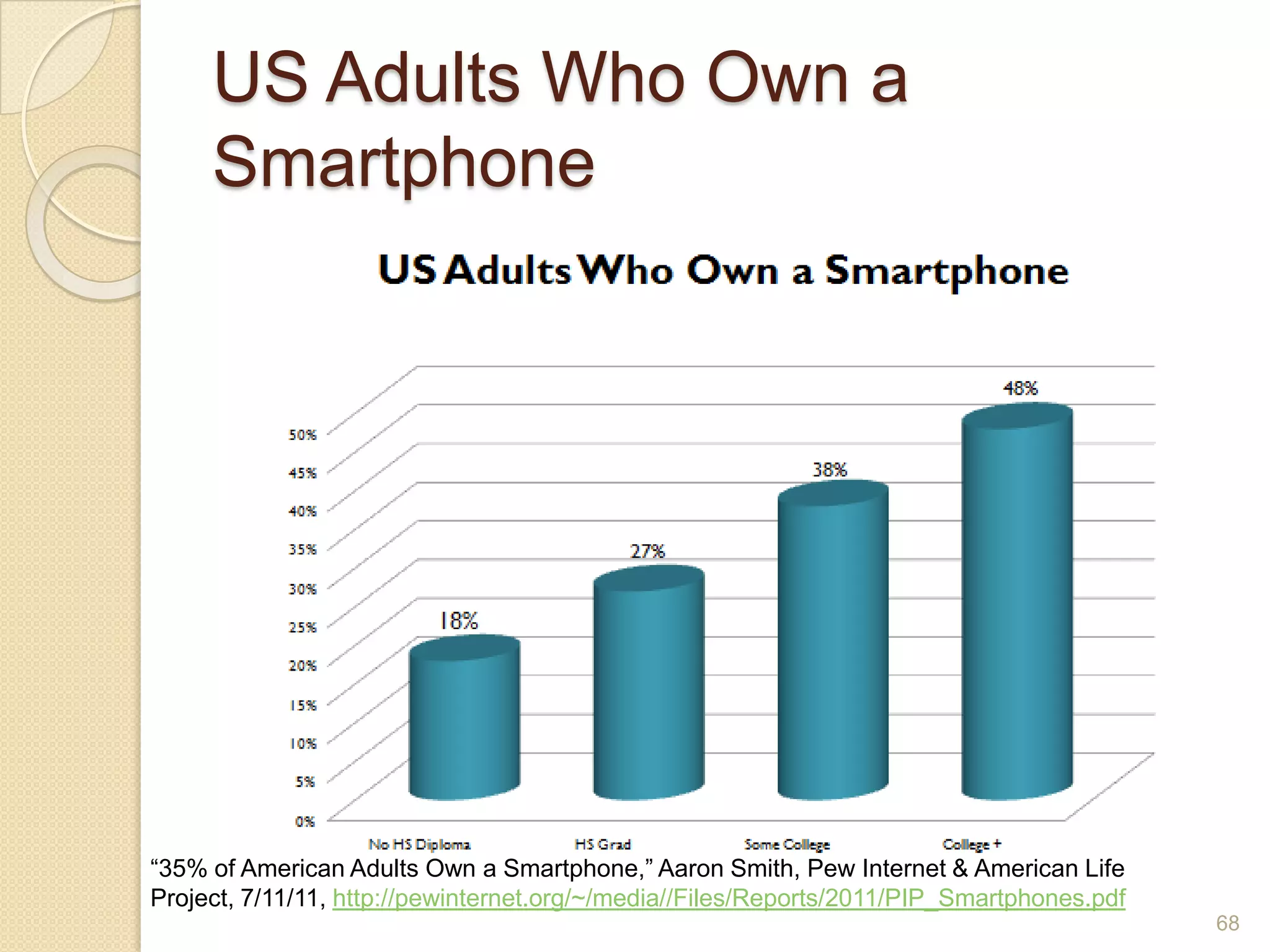
US Adults Who Own a Smartphone68“35% of American Adults Own a Smartphone,” Aaron Smith, Pew Internet & American Life Project, 7/11/11, http://pewinternet.org/~/media//Files/Reports/2011/PIP_Smartphones.pdf
69“35% of American Adults Own a Smartphone,” Aaron Smith, Pew Internet & American Life Project, 7/11/11, http://pewinternet.org/~/media//Files/Reports/2011/PIP_Smartphones.pdf
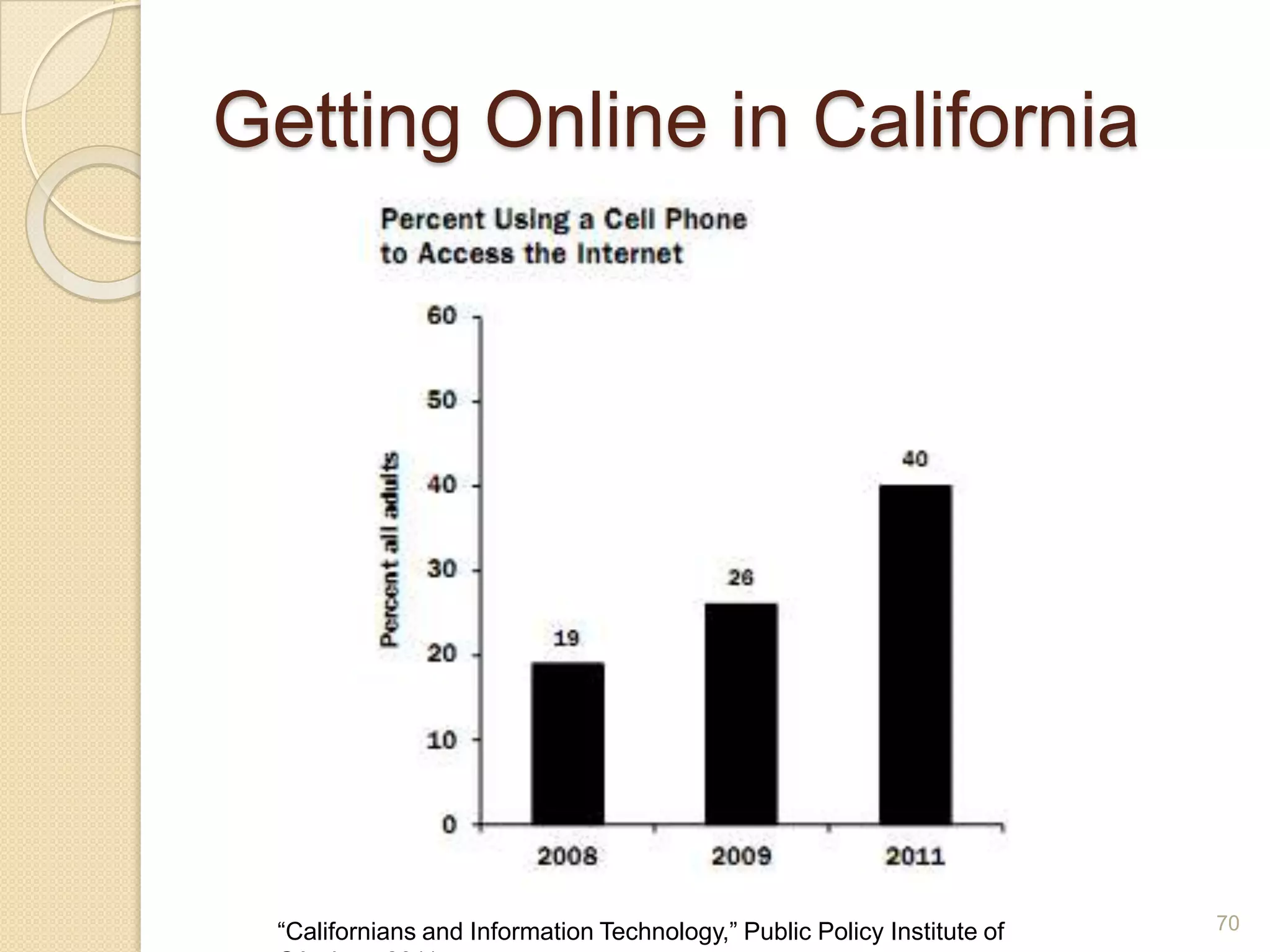
Getting Online in California70“Californians and Information Technology,” Public Policy Institute of CA, June 2011
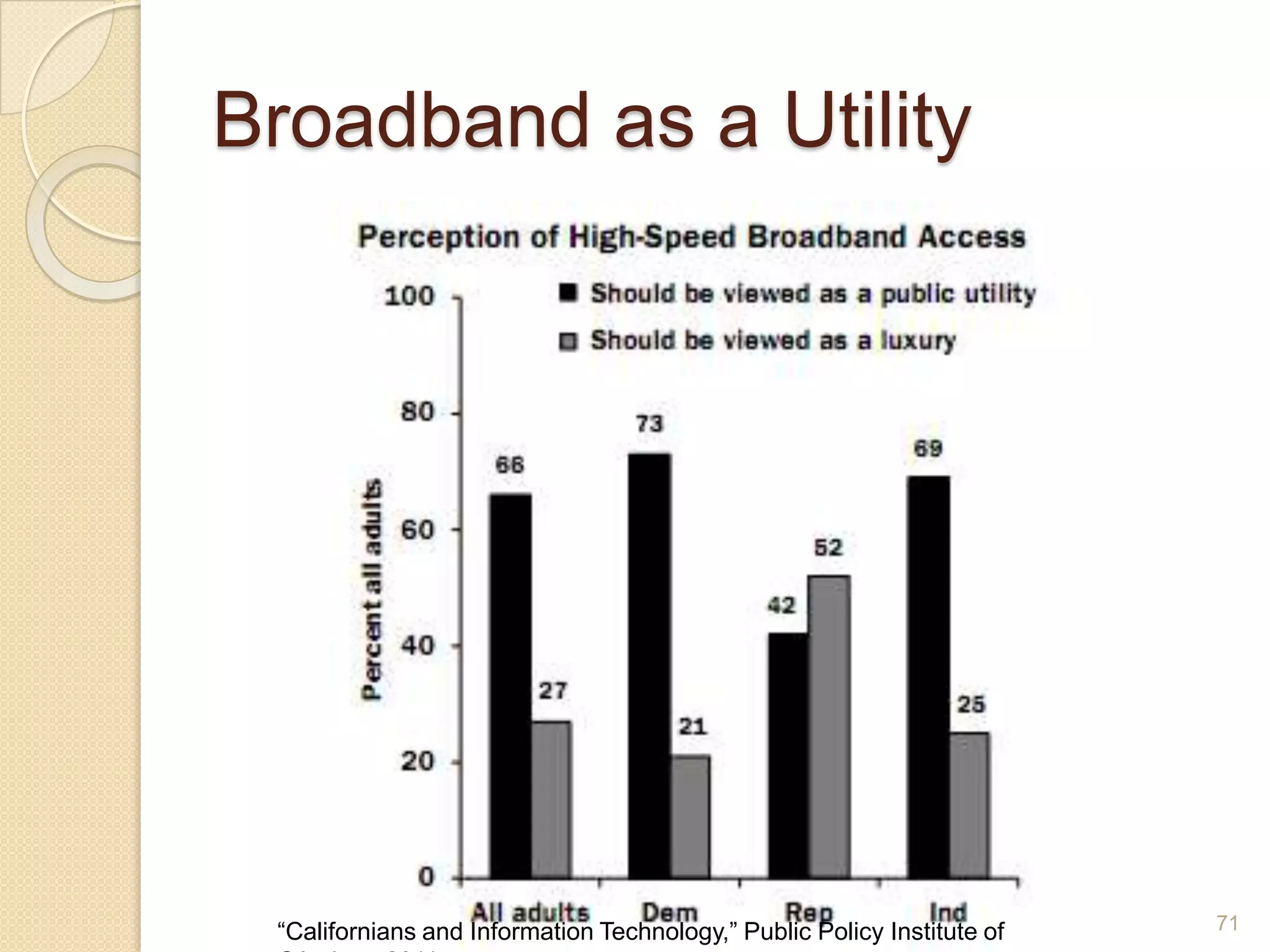
Broadband as a Utility71“Californians and Information Technology,” Public Policy Institute of CA, June 2011
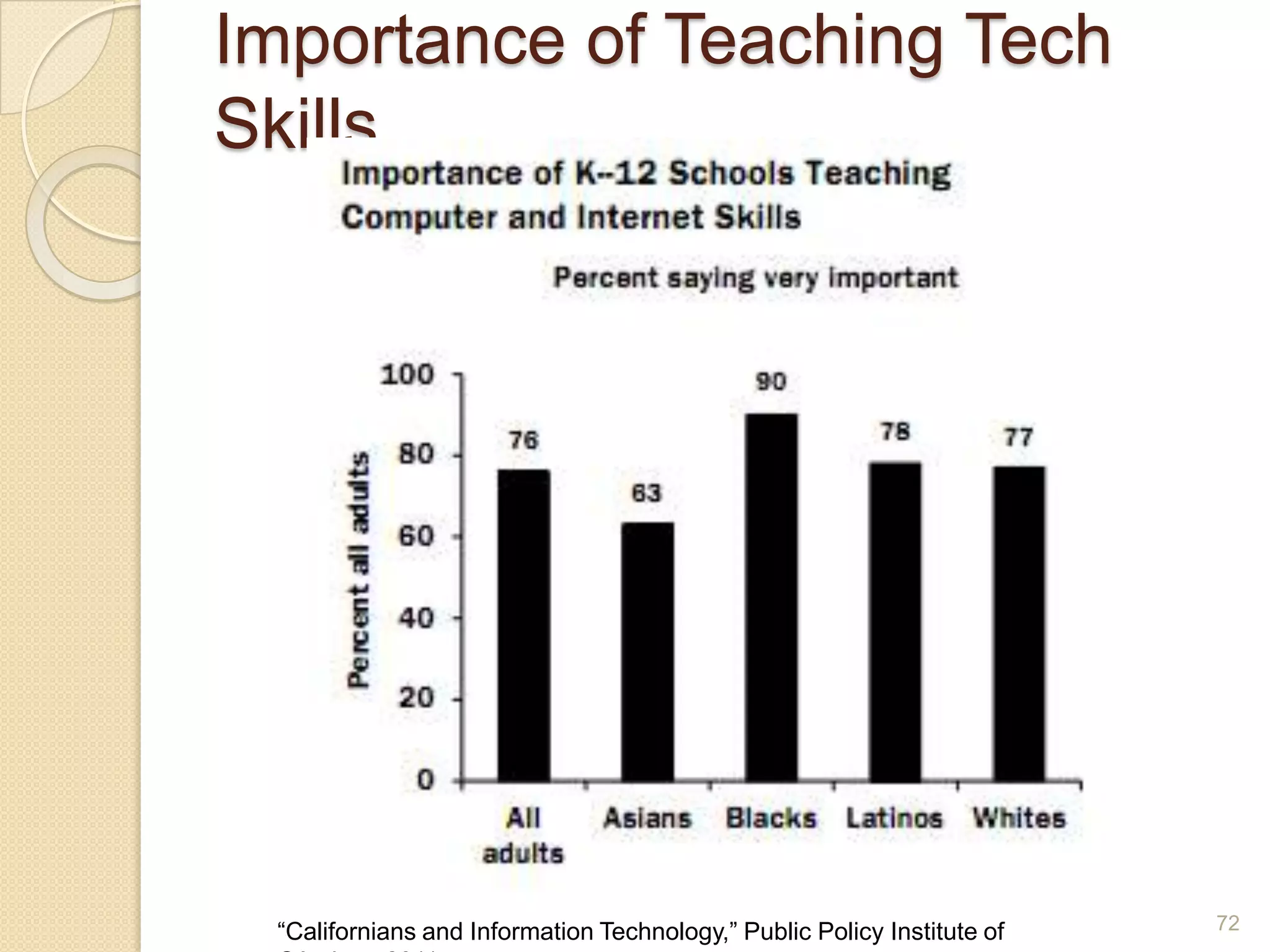
Importance of Teaching Tech Skills72“Californians and Information Technology,” Public Policy Institute of CA, June 2011
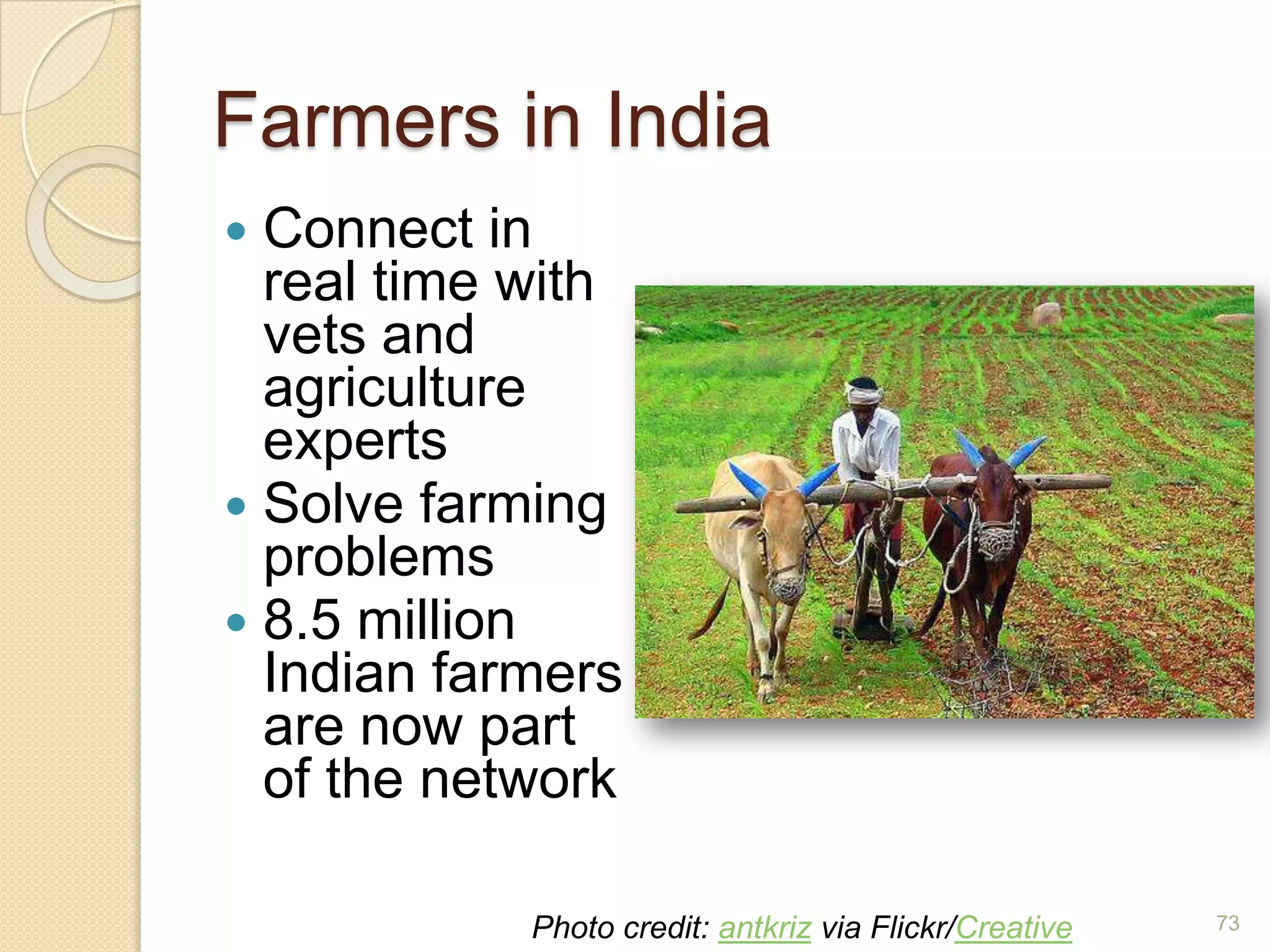
Farmers in IndiaConnect in real time with vets and agriculture expertsSolve farming problems8.5 million Indian farmers are now part of the network73Photo credit: antkriz via Flickr/Creative Commons
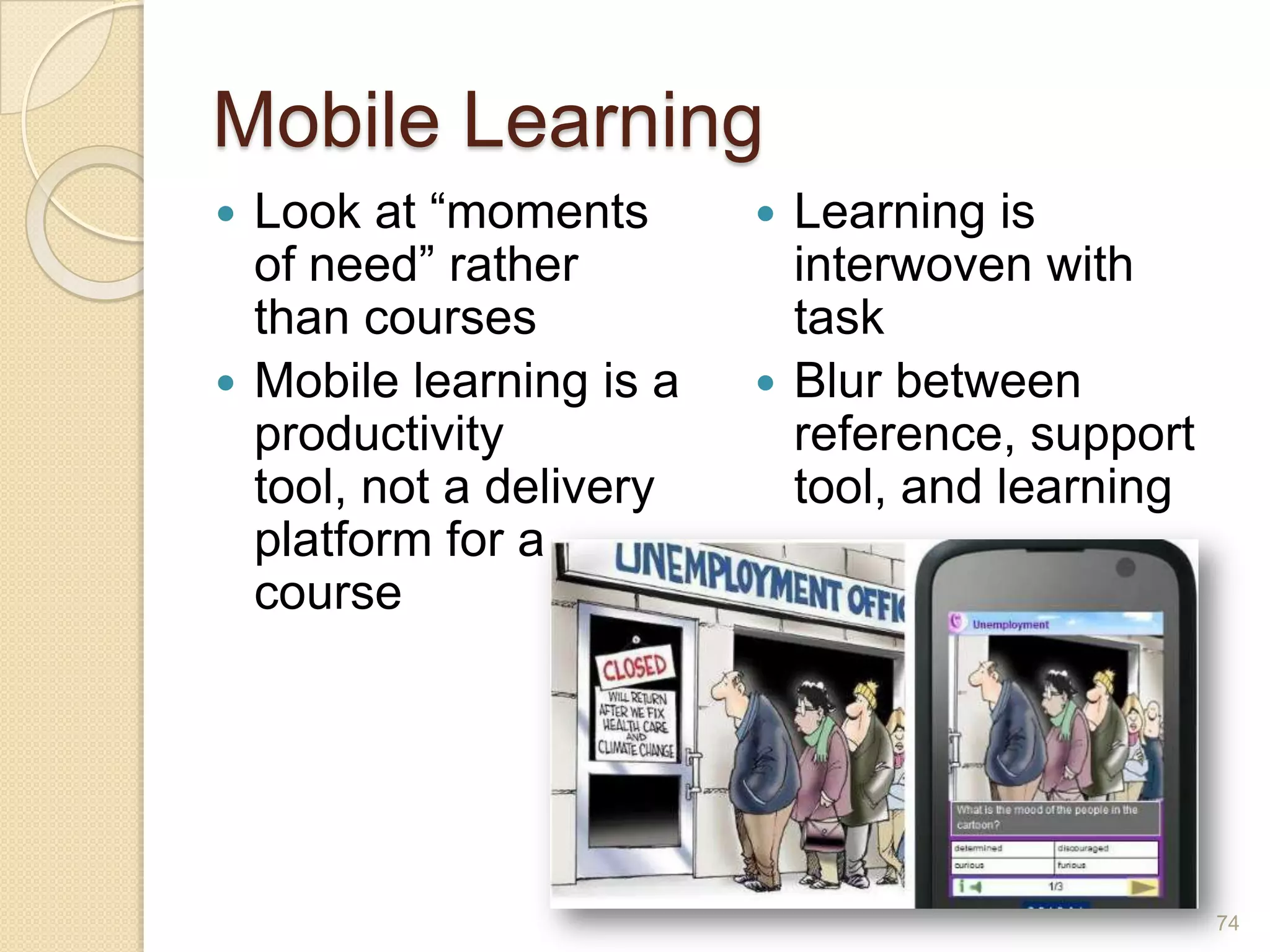
Mobile LearningLook at “moments of need” rather than coursesMobile learning is a productivity tool, not a delivery platform for a courseLearning is interwoven with taskBlur between reference, support tool, and learning74
“Mobile phones are misnamed. They should be called ‘gateways to all human knowledge’.”-Ray Kurzweil75
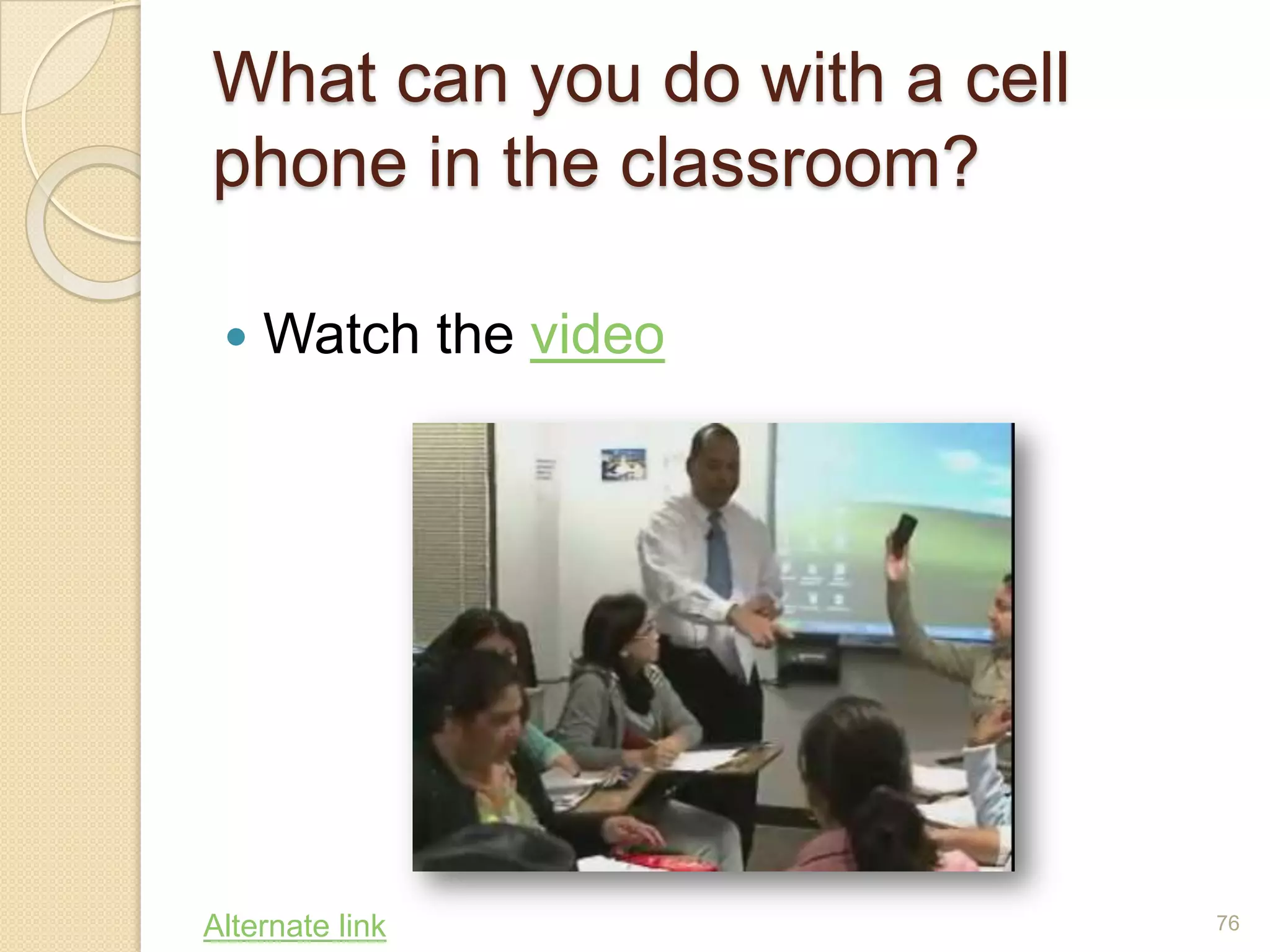
What can you do with a cell phone in the classroom?Watch the video76Alternate link
Feedback on VideoAre the students using smartphones?What examples of using cell phones do you remember?Do you think you might try any of the examples?Did the video give you enough information to get started on a project?Where could you go for more help?77
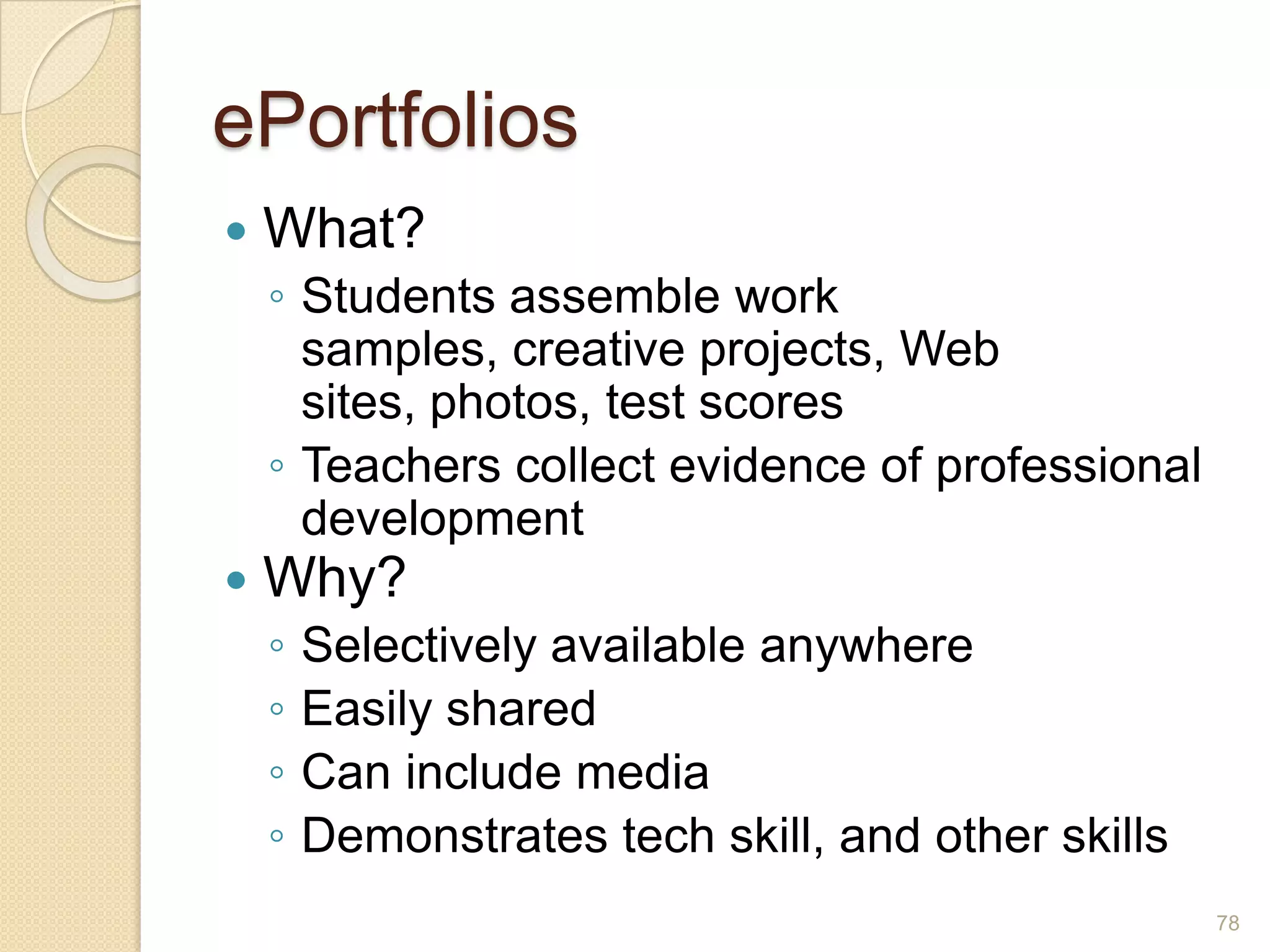
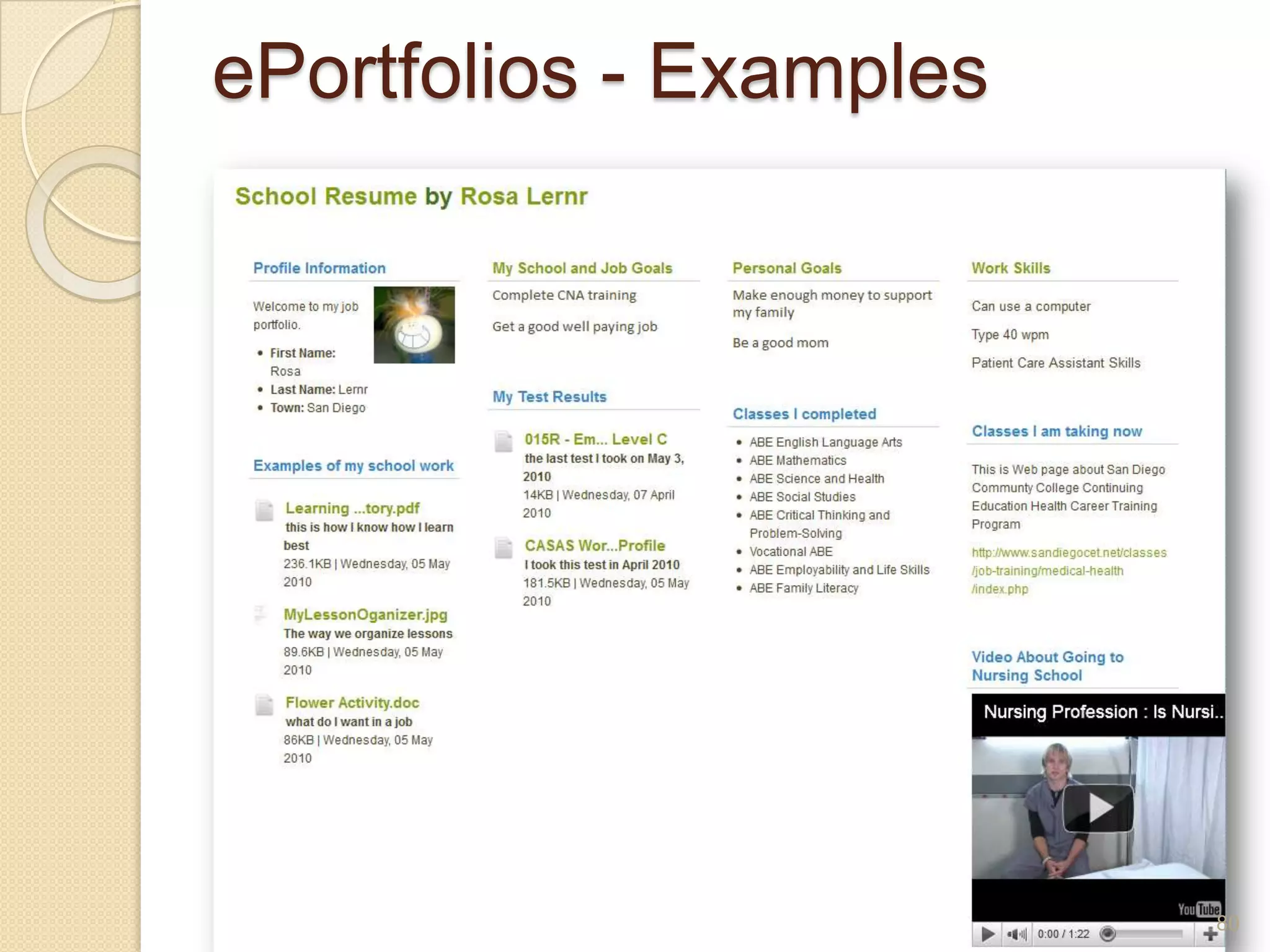
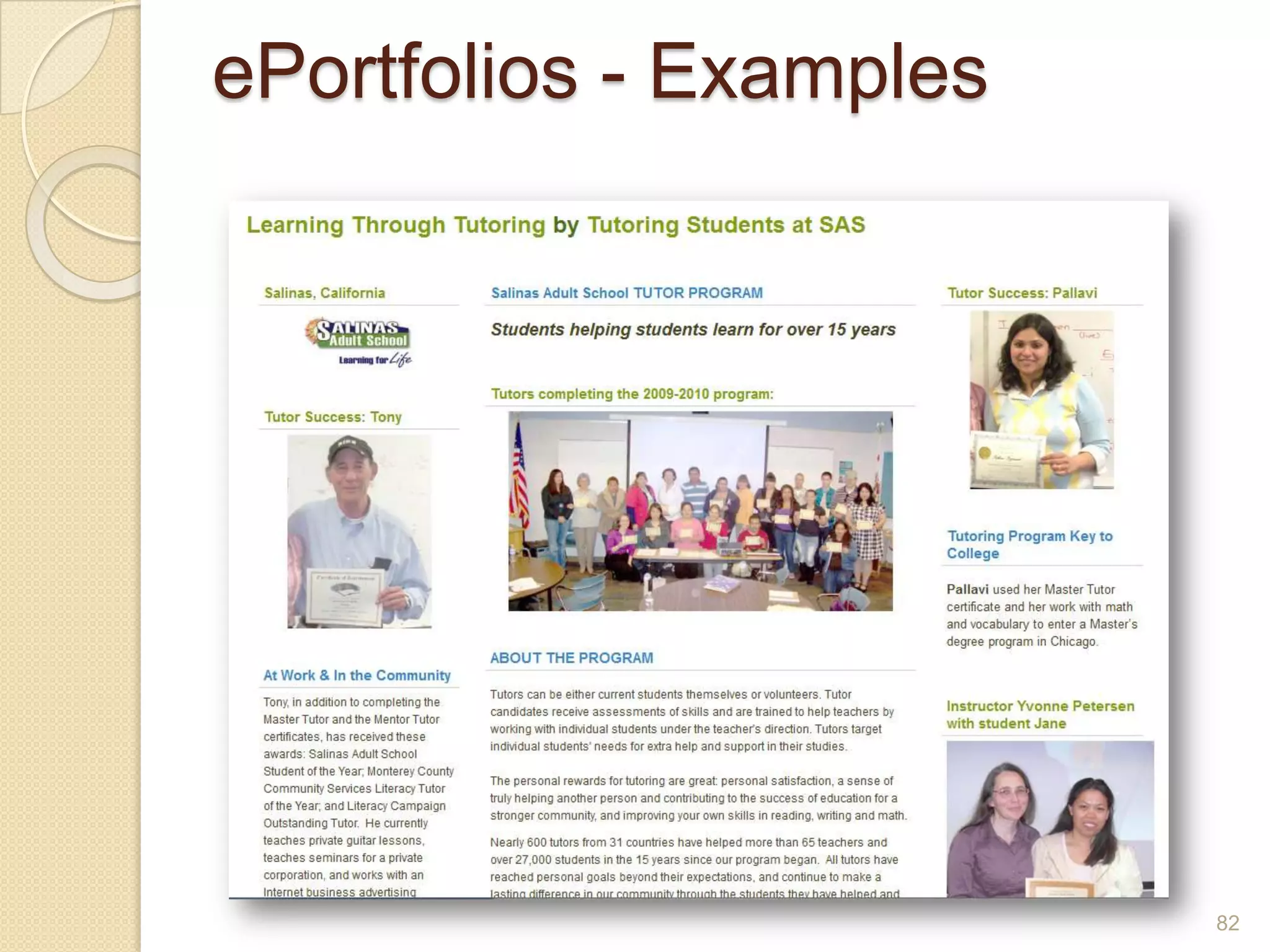
ePortfoliosWhat?Students assemble work samples, creative projects, Web sites, photos, test scoresTeachers collect evidence of professional developmentWhy?Selectively available anywhereEasily sharedCan include mediaDemonstrates tech skill, and other skills78
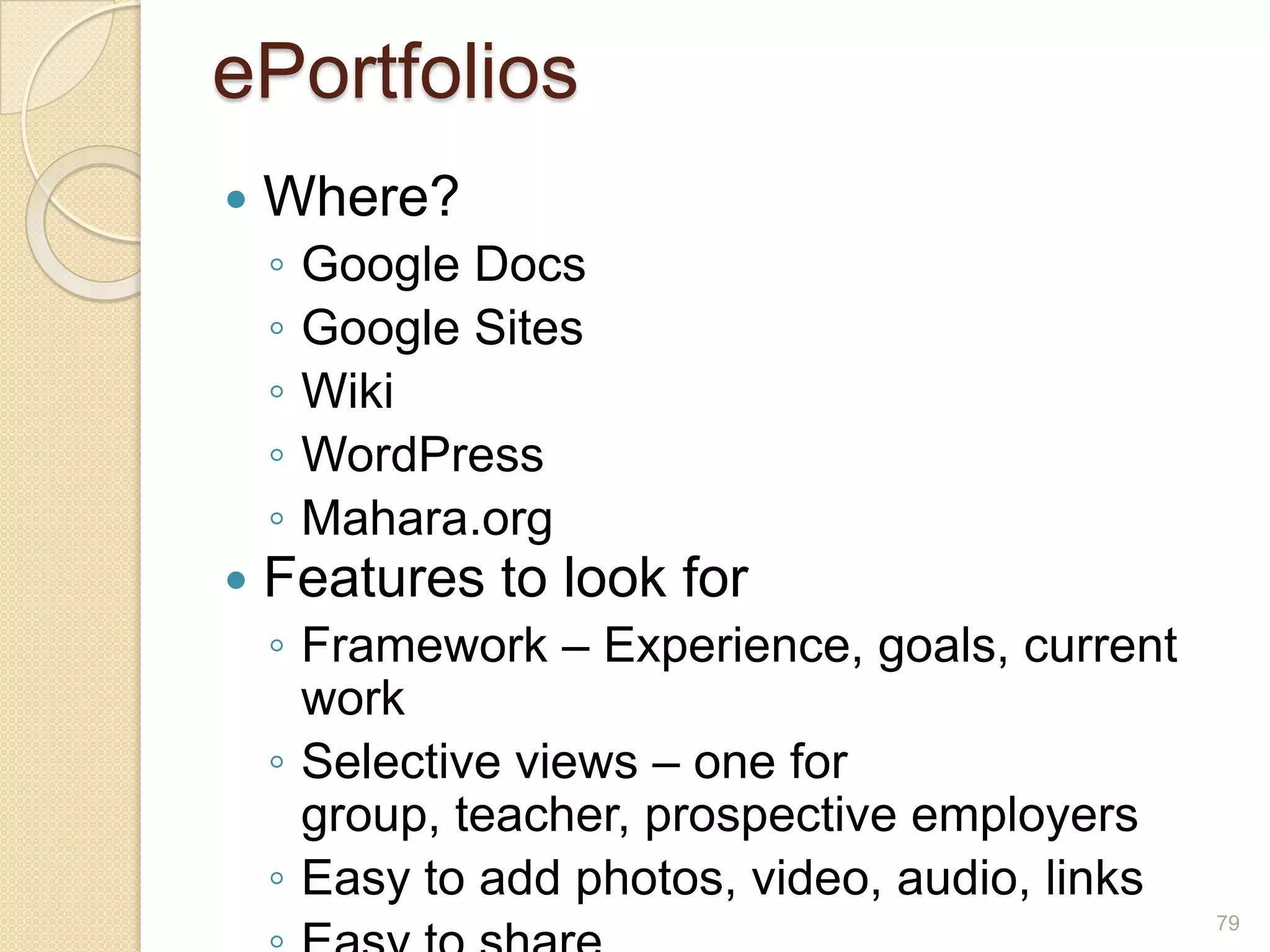
ePortfoliosWhere?Google DocsGoogle SitesWikiWordPressMahara.orgFeatures to look forFramework – Experience, goals, current workSelective views – one for group, teacher, prospective employersEasy to add photos, video, audio, linksEasy to share79
ePortfolios - Examples80
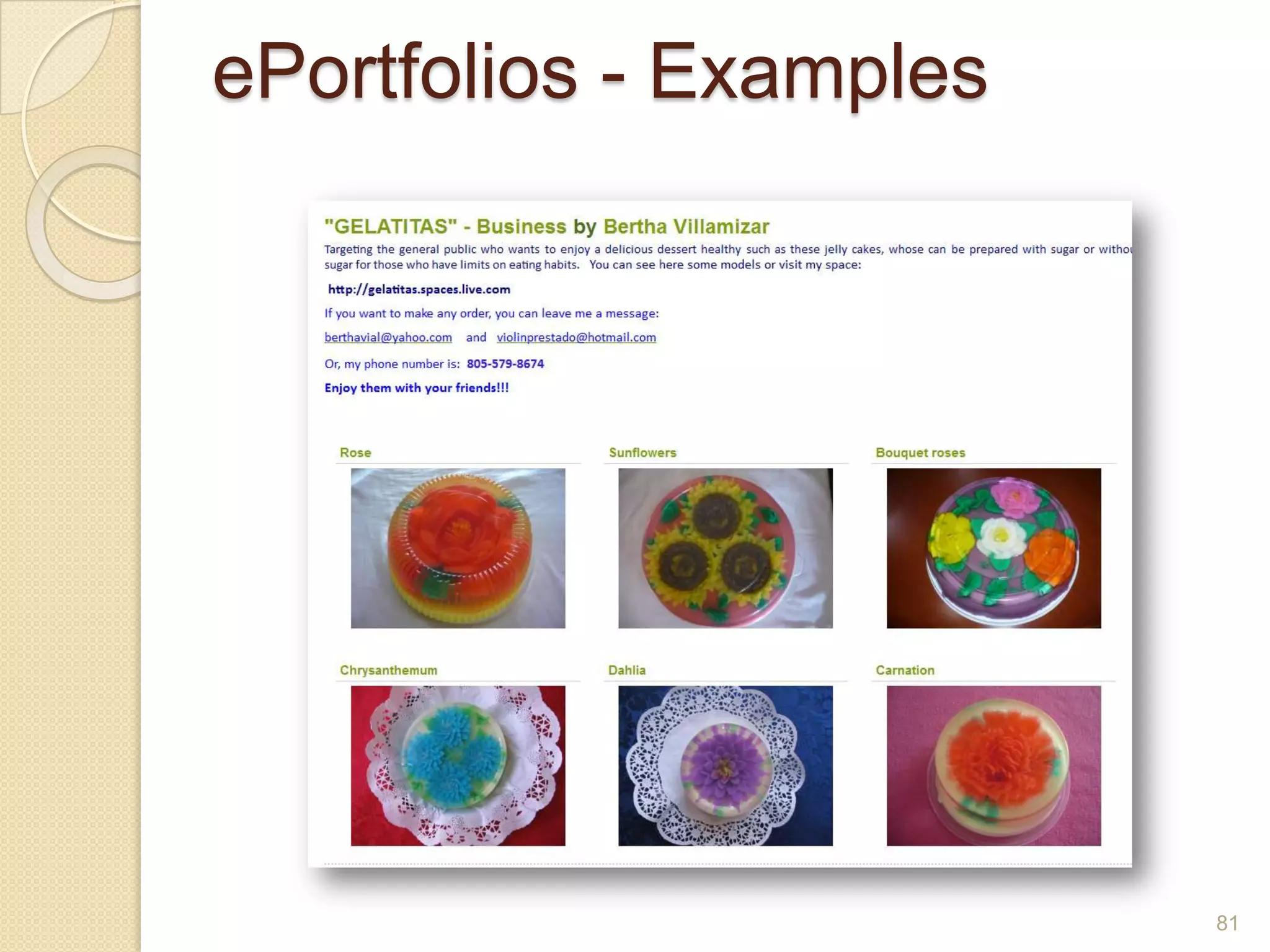
ePortfolios - Examples81
ePortfolios - Examples82
Using The CloudKeep your documents onlineUse your software onlineRun servers from a distant locationGoogle DocsText documentsSlidesSpreadsheetsForms83
Your Learning Plan84
ISTE: NETS for StudentsCreativity and InnovationCommunication and CollaborationResearch and Information FluencyCritical Thinking, Problem Solving and Decision MakingDigital CitizenshipTechnology Operations and Concepts85
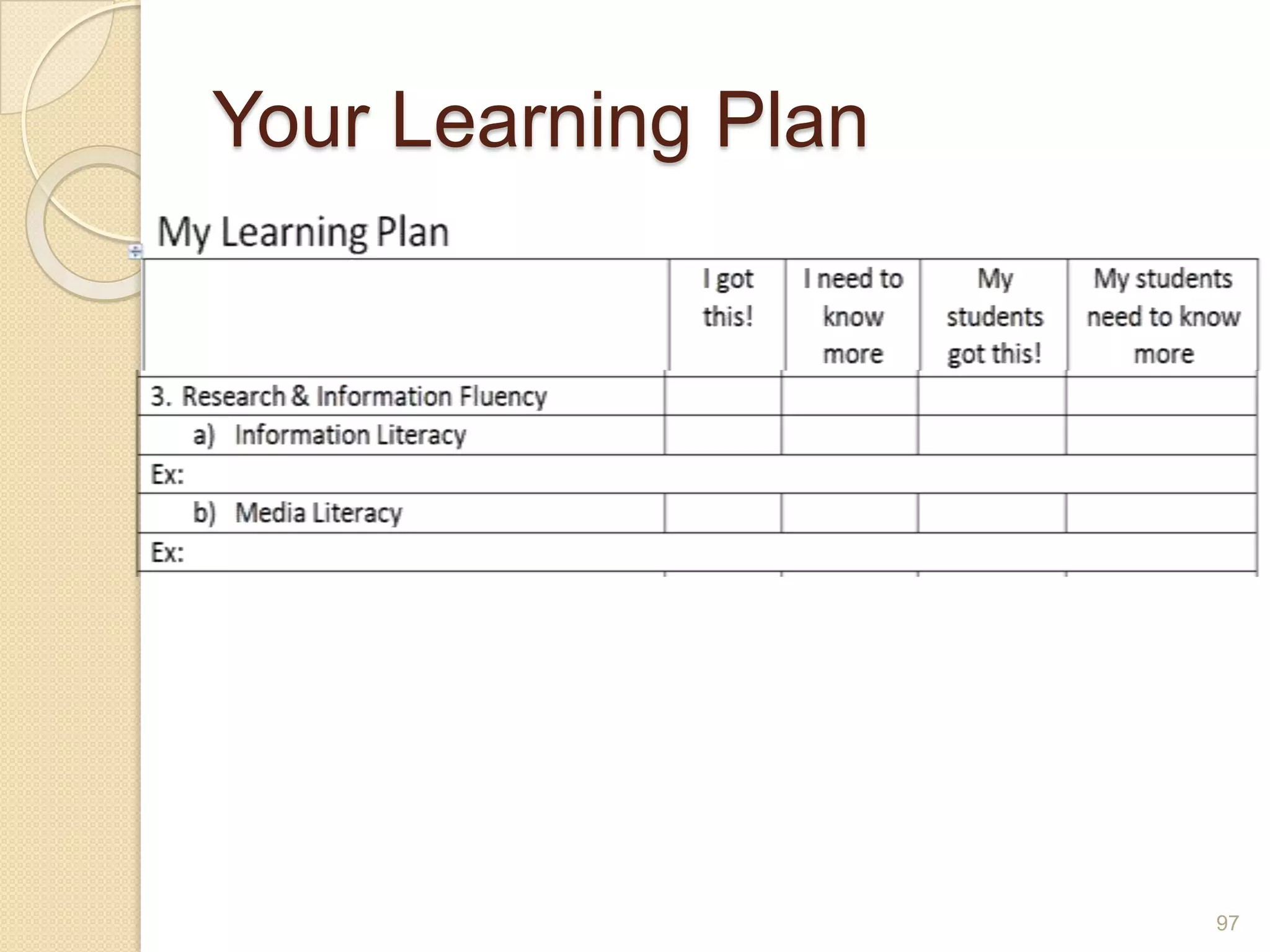
Information LiteracyWhat is it?86
Partnership for 21st Century SkillsInformation LiteracyAccess and Evaluate InformationAccess information efficiently (time) and effectively (sources)Evaluate information critically and competentlyUse and Manage InformationUse information accurately and creativelyManage the flow of information from a wide variety of sourcesApply a fundamental understanding of the ethical/legal issues re use of information87
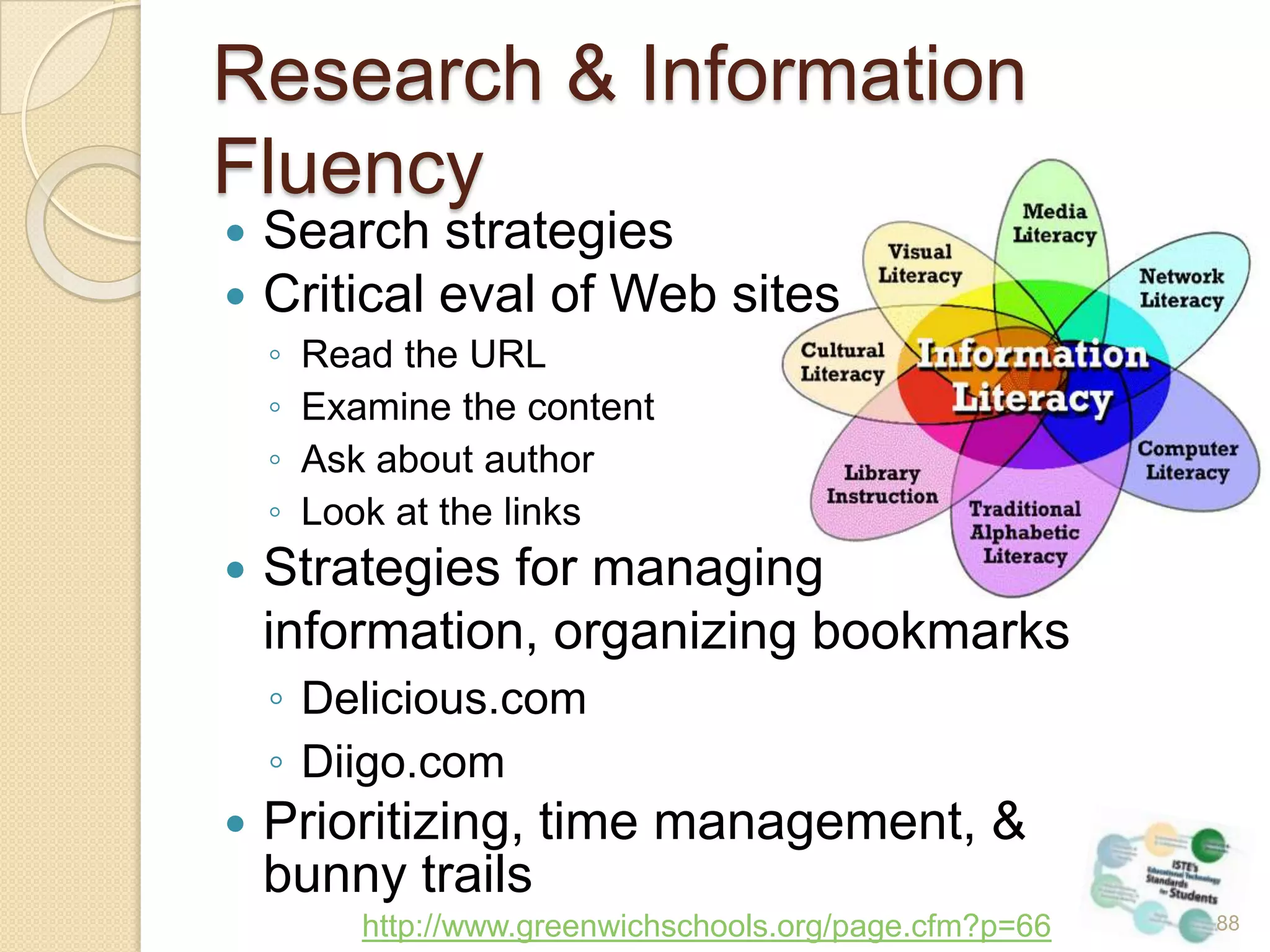
Research & Information FluencySearch strategiesCritical eval of Web sitesRead the URLExamine the contentAsk about authorLook at the linksStrategies for managing 	information, organizing bookmarksDelicious.comDiigo.comPrioritizing, time management, & bunny trailshttp://www.greenwichschools.org/page.cfm?p=665788
Teaching Information FluencyWhat are your strategies for locating, sifting and managing information?How do you model these strategies for your students, or staff?Do you provide direct instruction for these strategies?89
Teaching Information FluencyDo you teach a little about search strategies every day?Have you provided critical thinking activities about Web sites?Are you modeling information management?Do you discuss information management directly?Do you monitor how your students manage information?Do you suggest or assign management tools?Do you model selecting the appropriate tool for the task?Do you ask how students need to manage information at work or at home?90
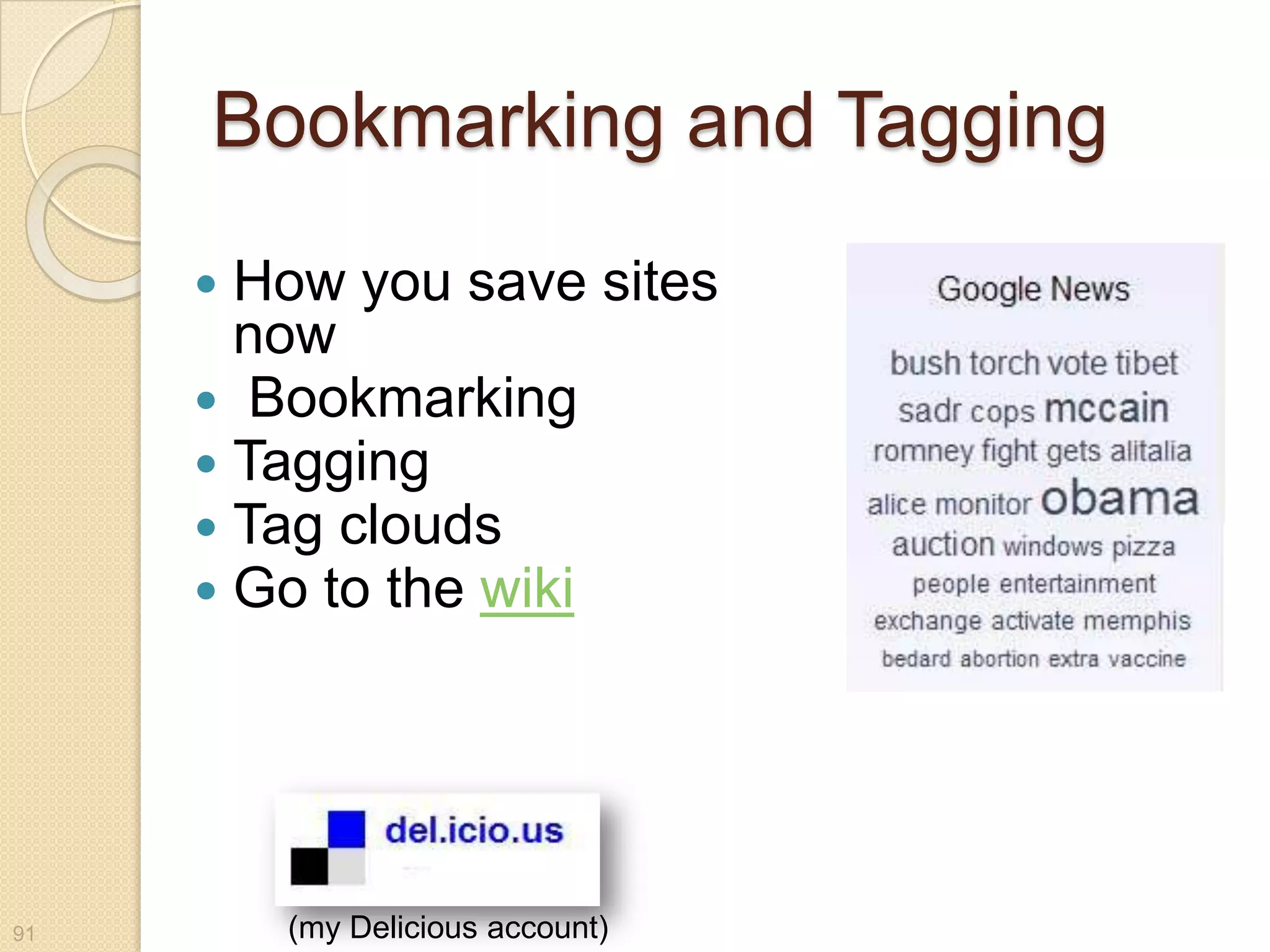
Bookmarking and TaggingHow you save sites now BookmarkingTaggingTag cloudsGo to the wiki91(my Delicious account)
Media LiteracyWhat is media?What is media literacy?92
Five Key QuestionsWho created this message?What techniques are used to attract my attention?How might different people understand this message differently from me?What lifestyles, values, and points of view are represented in or omitted from this message?Why was this message sent?93http://www.media-awareness.ca/english/teachers/media_literacy/key_concept.cfm
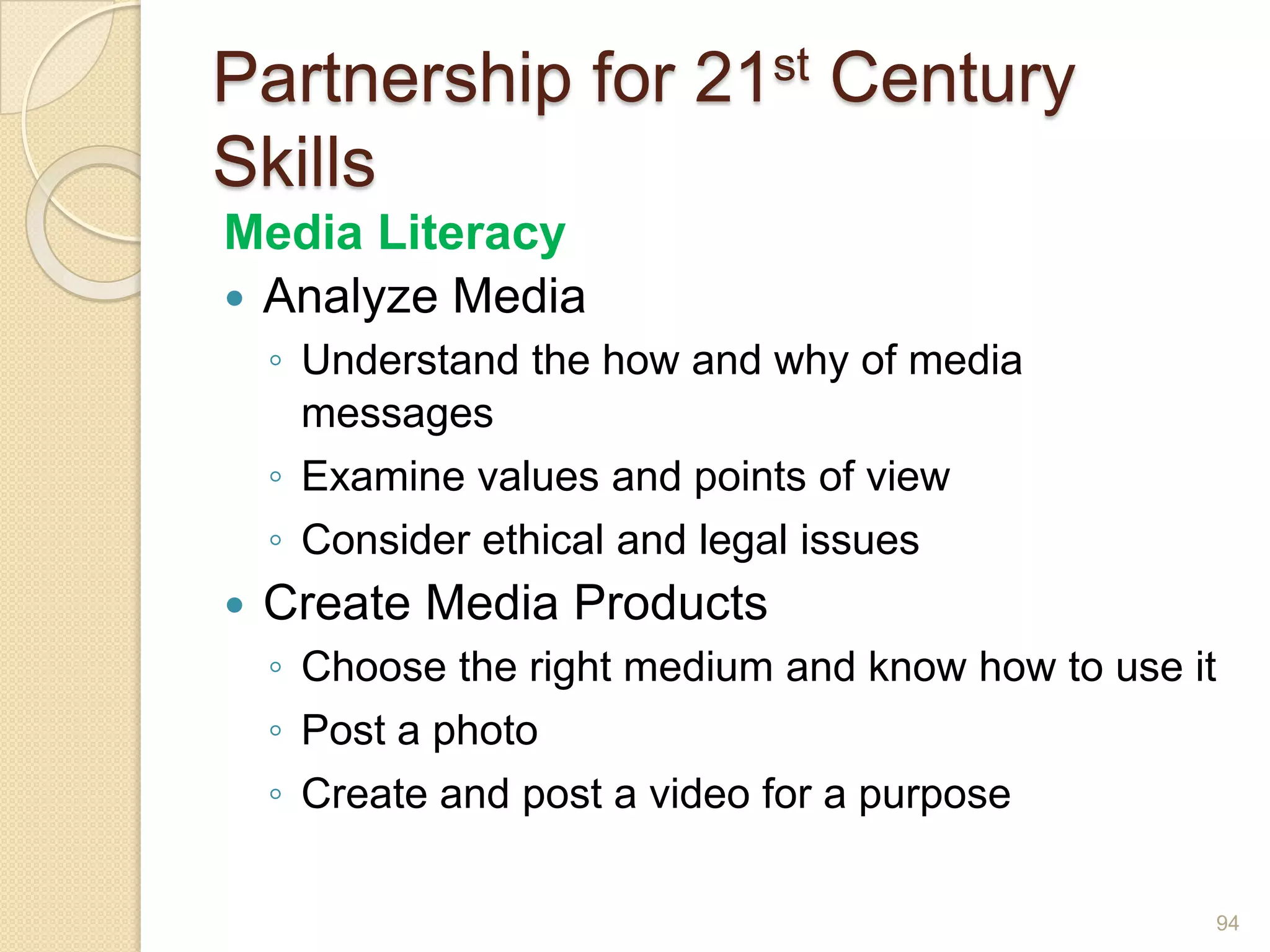
Partnership for 21st Century SkillsMedia LiteracyAnalyze MediaUnderstand the how and why of media messagesExamine values and points of viewConsider ethical and legal issuesCreate Media ProductsChoose the right medium and know how to use itPost a photoCreate and post a video for a purpose94
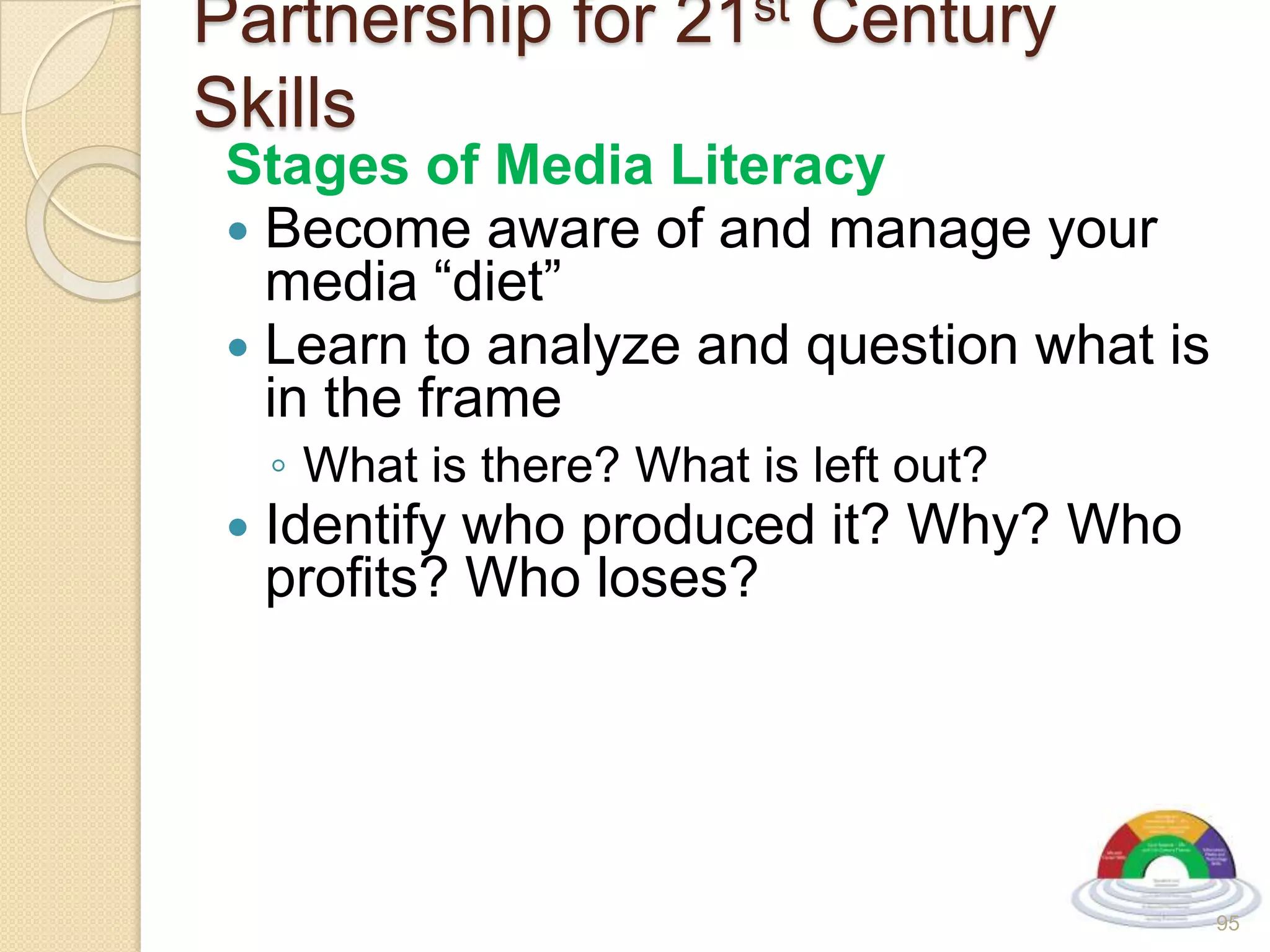
Partnership for 21st Century SkillsStages of Media LiteracyBecome aware of and manage your media “diet”Learn to analyze and question what is in the frameWhat is there? What is left out?Identify who produced it? Why? Who profits? Who loses?95
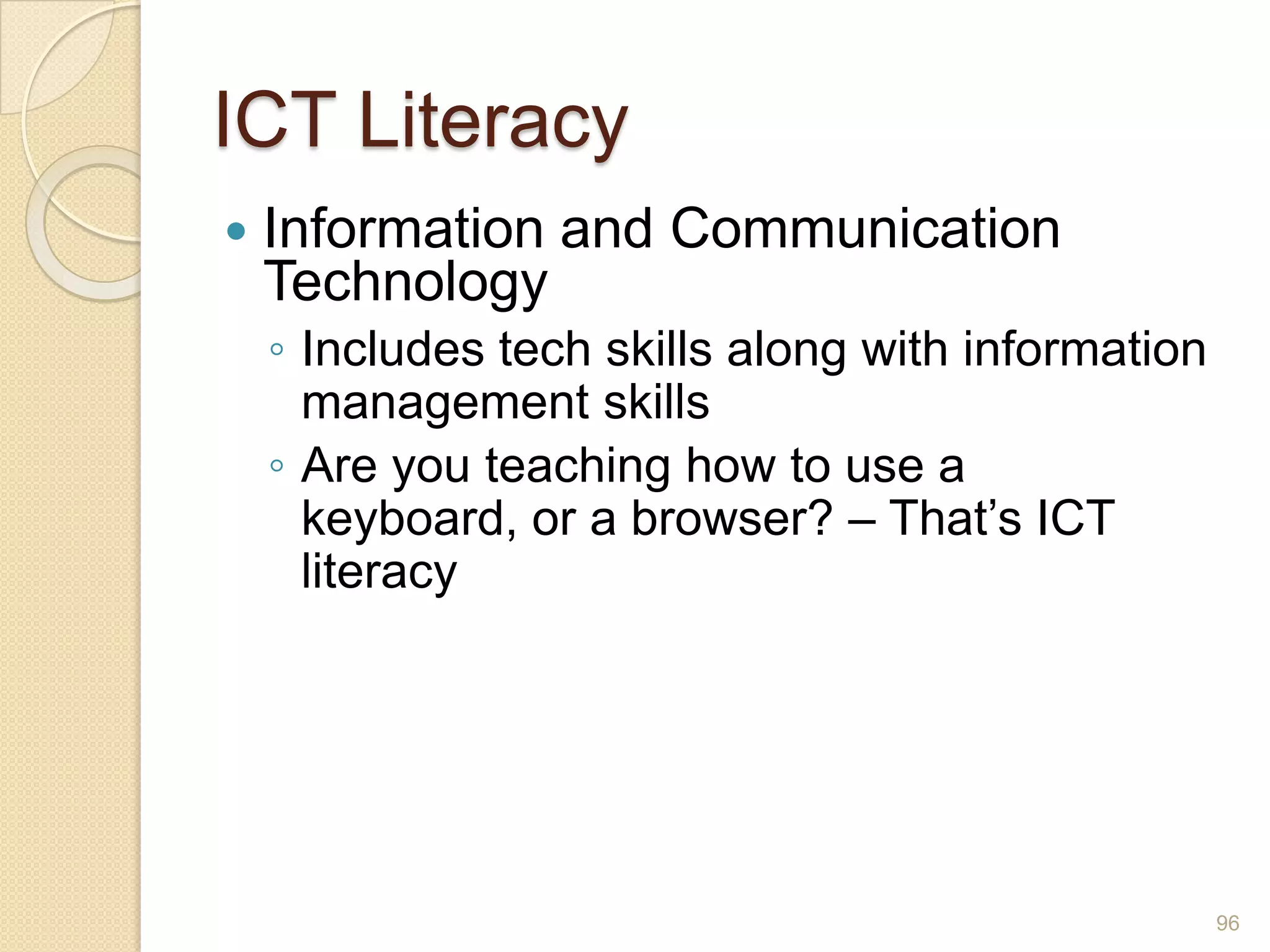
ICT LiteracyInformation and Communication TechnologyIncludes tech skills along with information management skillsAre you teaching how to use a keyboard, or a browser? – That’s ICT literacy96
Your Learning Plan97
ISTE: NETS for StudentsCreativity and InnovationCommunication and CollaborationResearch and Information FluencyCritical Thinking, Problem Solving and Decision MakingDigital CitizenshipTechnology Operations and Concepts98
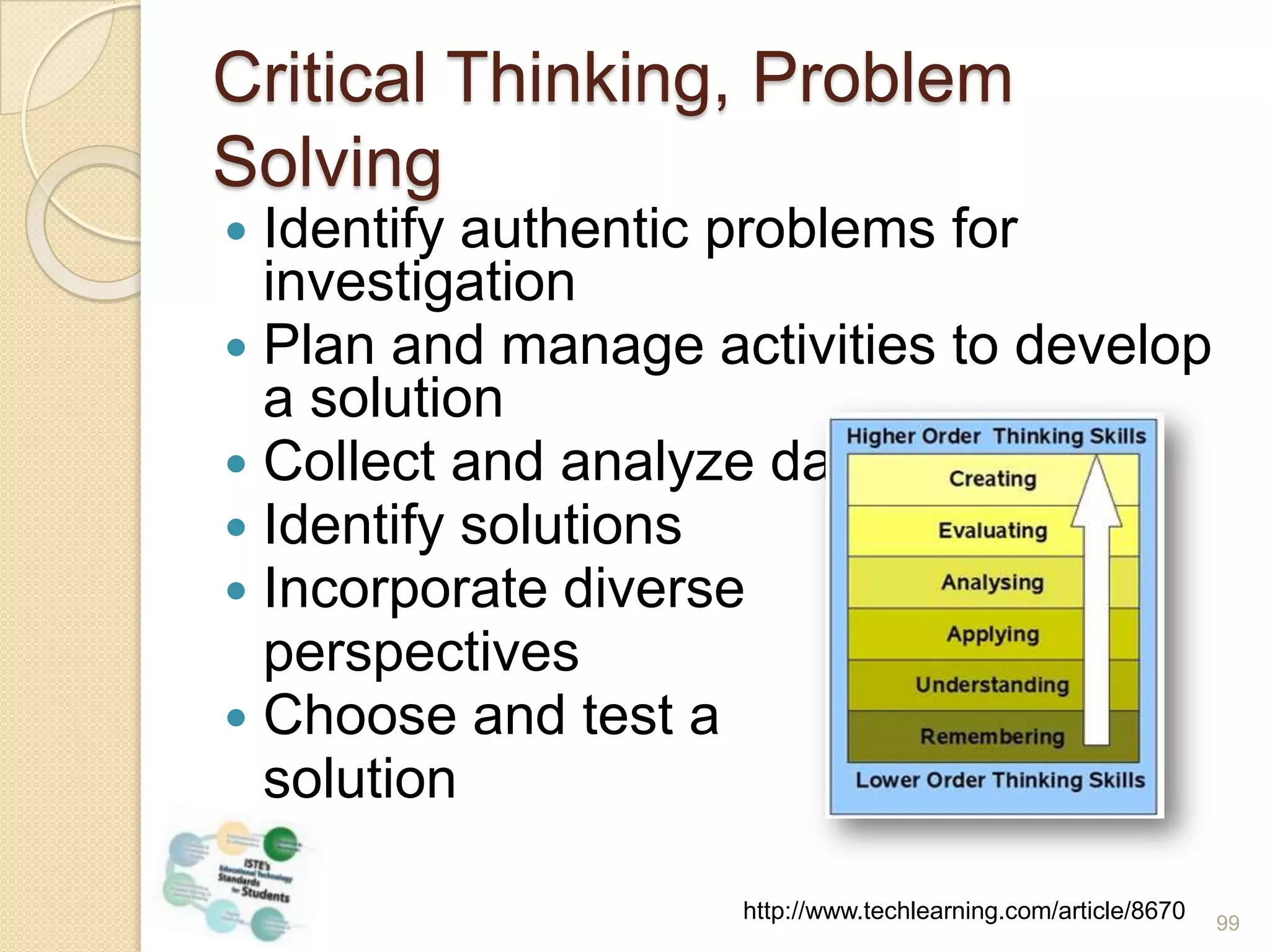
Critical Thinking, Problem SolvingIdentify authentic problems for investigationPlan and manage activities to develop a solutionCollect and analyze dataIdentify solutionsIncorporate diverse 	perspectivesChoose and test a 	solutionhttp://www.techlearning.com/article/867099
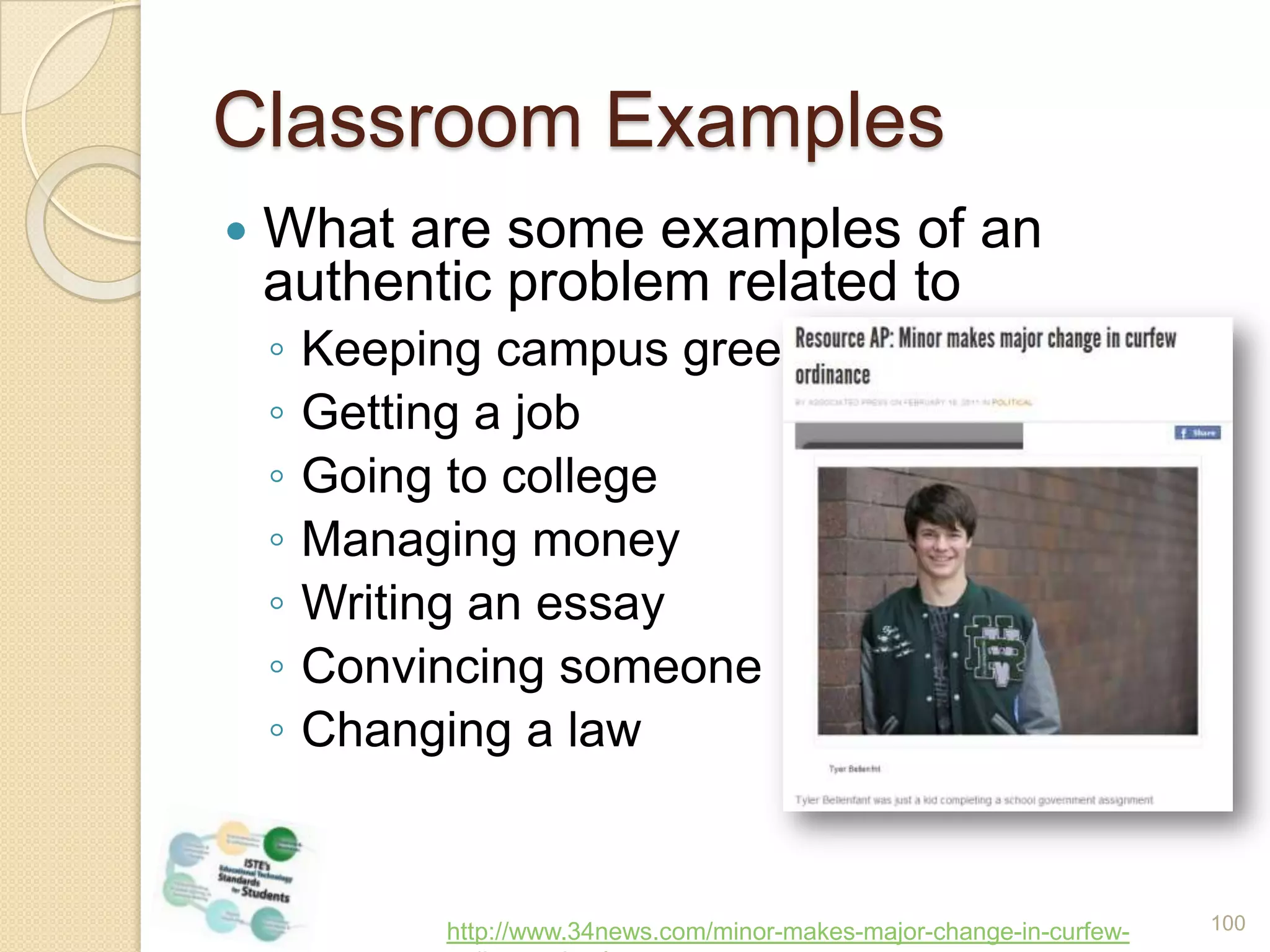
Classroom ExamplesWhat are some examples of an authentic problem related toKeeping campus greenGetting a jobGoing to collegeManaging moneyWriting an essayConvincing someoneChanging a lawhttp://www.34news.com/minor-makes-major-change-in-curfew-ordinance.html100
VALUE:  Voices of Adult Learners United to Educate101National adult learner organizationGoal is to develop adult learner leadersLeadership Institute annually
VALUE:  Voices of Adult Learners United to Educate102
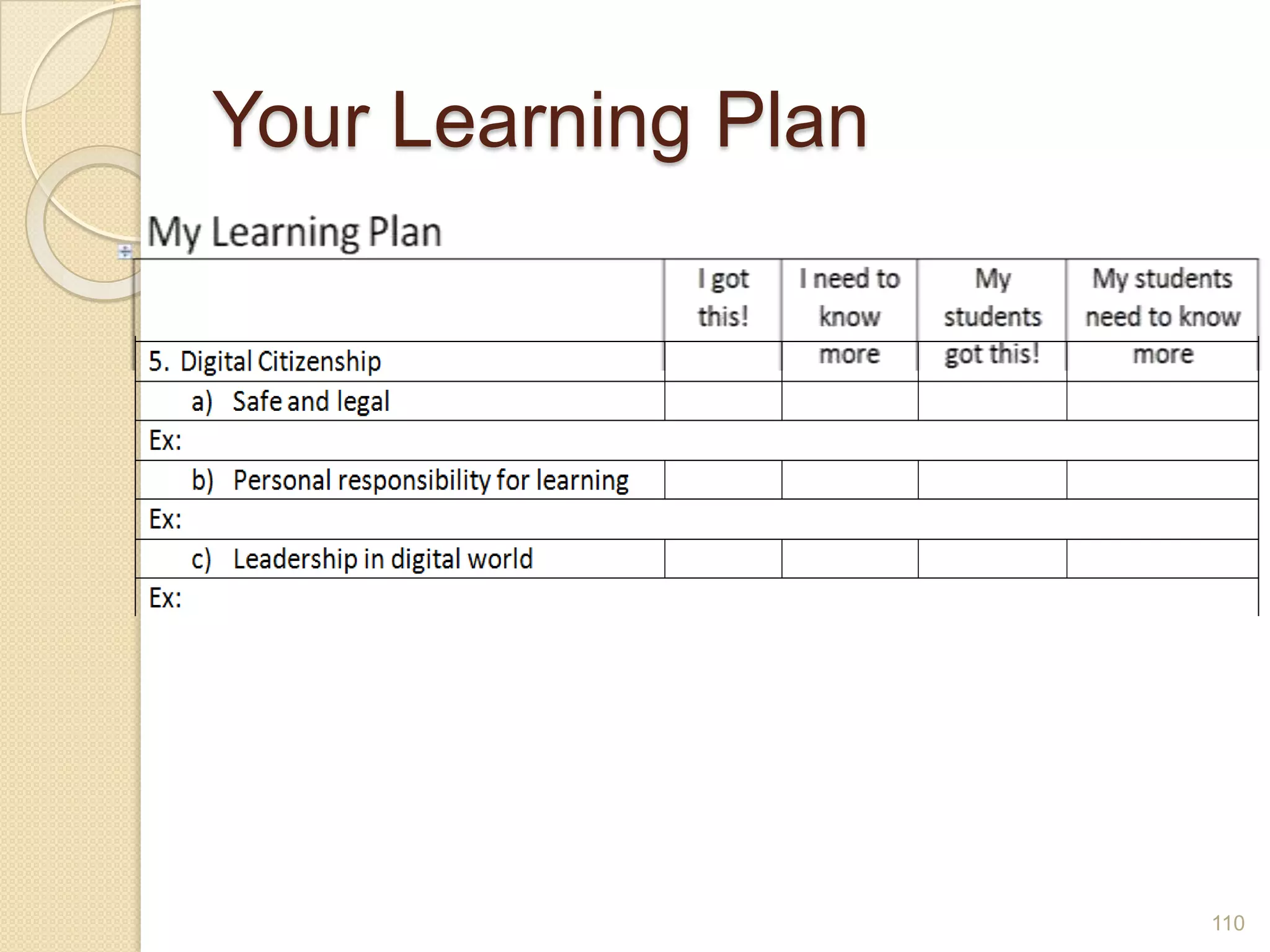
Your Learning Plan103
ISTE: NETS for StudentsCreativity and InnovationCommunication and CollaborationResearch and Information FluencyCritical Thinking, Problem Solving and Decision MakingDigital CitizenshipTechnology Operations and Concepts104
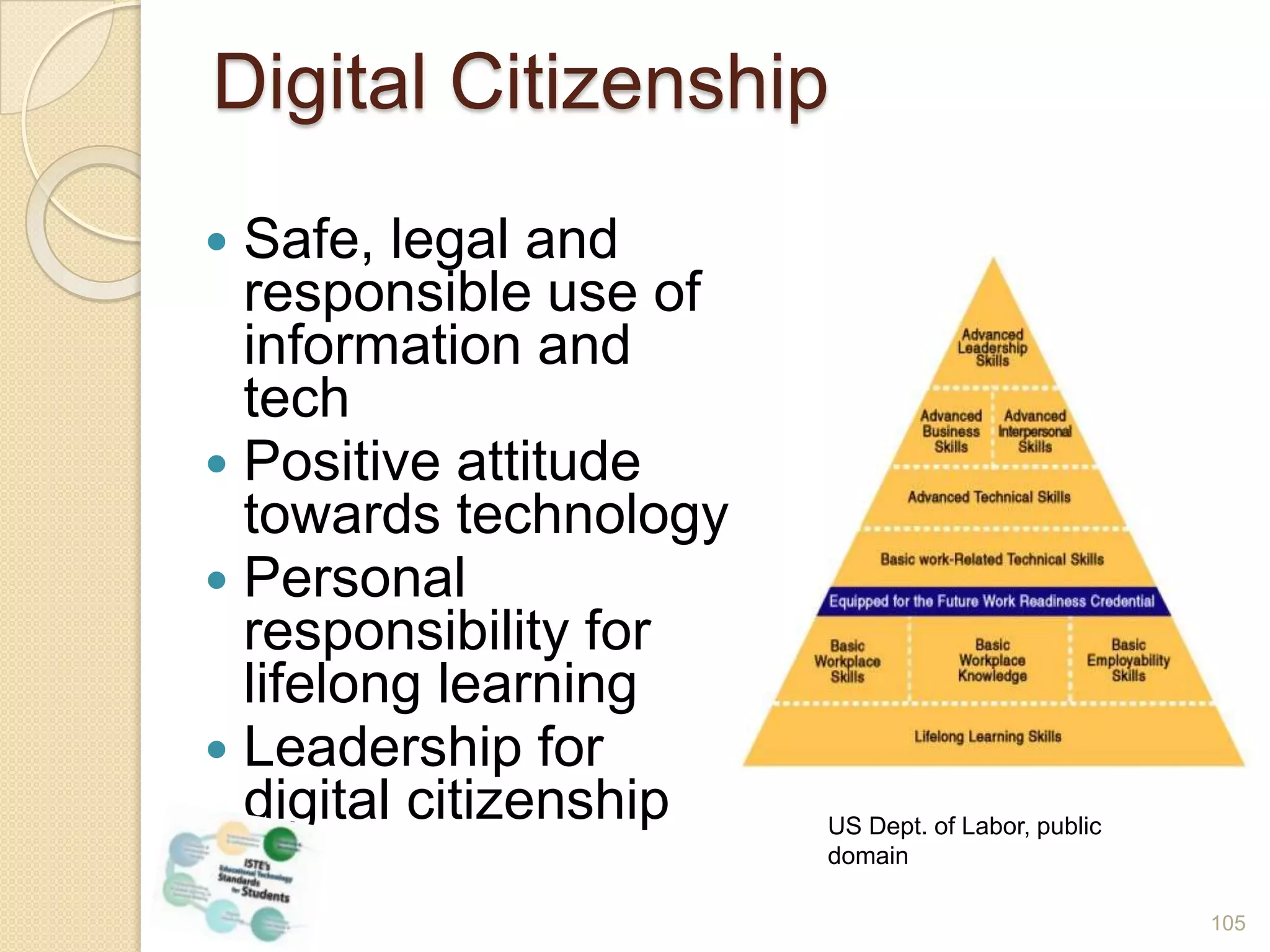
Digital CitizenshipSafe, legal and responsible use of information and techPositive attitude towards technologyPersonal responsibility for lifelong learningLeadership for digital citizenshipUS Dept. of Labor, public domain105
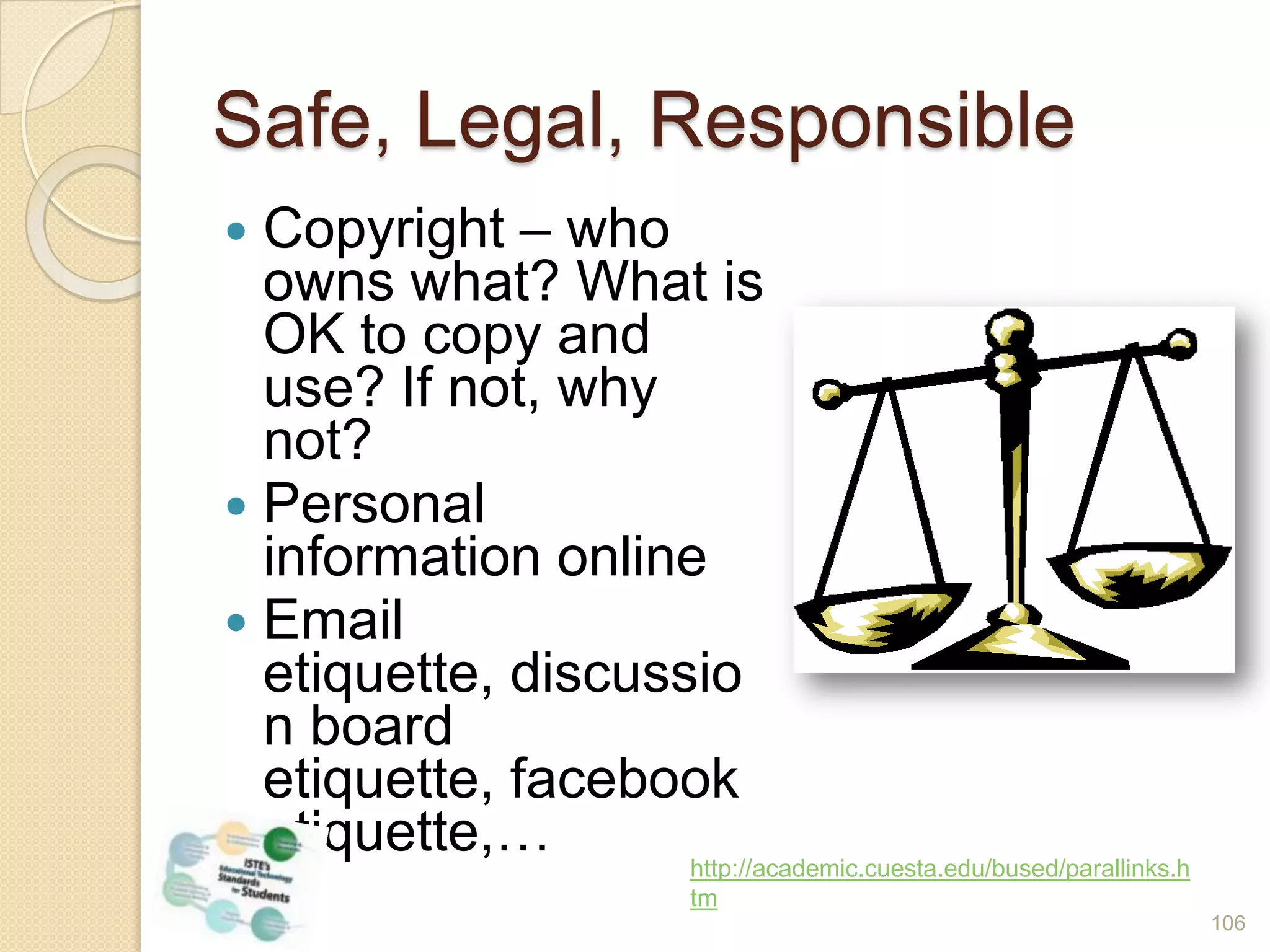
Safe, Legal, ResponsibleCopyright – who owns what? What is OK to copy and use? If not, why not?Personal information onlineEmail etiquette, discussion board etiquette, facebook etiquette,…http://academic.cuesta.edu/bused/parallinks.htm106

21st Century Skills: What do Adult Educators Need to Know?

  • 1.
    21st Century Skills:WhatDo We Need to Know?Marian Thacher, OTANSanta Ana College Continuing Education Flex DaysAugust, 22 2011
  • 2.
    What do adultlearners need to know in order to survive and thrive in employment and further education?
  • 3.
    Who are Yourpartners?3
  • 4.
    How is TechChanging the Way We Live?4
  • 5.
  • 6.
    What’s Happening toReading?What do we read?Where do we read?When do we read?How do we read?Is auding different than reading?http://www.prospect.org/csnc/blogs/tapped_archive?month=02&year=2011&base_name=draft_inevitable_divisions_sur6
  • 7.
    What’s Happening toReading?Digital TextbooksNookE-BooksNewspapers on your phoneKindleBooks onYour iPadBlackberry7
  • 8.
    One way thatreading has changed for you in the last 5 years8
  • 9.
    Borrowing eBooks fromLibrary66% of libraries report offering free eBooksHarperCollins to allow only 26 borrows per eBookCan a borrower put it on two devices?Can a borrower lend it to someone else?How many copies does the library have to buy?9
  • 10.
    Digital TextbooksBy 2017,digital textbook sales will match traditionalKindergarteners in Maine to receive iPad2California Digital Textbook Initiative10
  • 11.
    FlexBooksck-12.org/flexbook/Digital textbooks forSTEMFree!Customize your textbookSelect the whole book, or a few chaptersCombine chapters from different booksSave in 3 formats – pdf, html or online readerPost, print, share – just don’t sell!11
  • 12.
    12What’s Happening toBook Stores?Borders - goneBarnes & Noble going strong and big company investingAmazon already sells more eBooks than print books (in less than 4 years)
  • 13.
    A New Kindof Book13TED Video of Mike MatasVideo
  • 14.
    Home Access -California vs. US14“Californians and Information Technology,” Public Policy Institute of CA, June 2011
  • 15.
    Home Access –Latinos in CA15“Californians and Information Technology,” Public Policy Institute of CA, June 2011
  • 16.
    Home Internet Accessfor ESL Students2010-11 Range: 19%2009-10 Range: 52%16
  • 17.
    Broadband Access –DSL & Cable Broadbandmap.gov/technology17
  • 18.
    Mobile Wireless Access- USBroadbandmap.gov/technology18
  • 19.
    What’s Happening toEducation?MOOCsEdupunkDIY EducationDisrupting ClassTwitterCollaboration19
  • 20.
    What do adultlearners need to know in order to survive and thrive in employment and further education?
  • 21.
    Three SourcesNational EducationTechnology PlanPartnership for 21st Century SkillsISTE National Education Technology Standards for students21
  • 22.
    How Should WeDefine 21st Century Skills?National Education Technology PlanPublished Nov. 2010Addresses many aspects of educationLearningTeachingAssessmentInfrastructureProductivity22
  • 23.
    National Education TechnologyPlanLearningCritical thinking, complex problem solvingInformation tools – Web sites, online libraries, online books, original resourcesCollaboration tools - social networking, wikis, blogsMobile learning – not confined to the classroom, even the digital classroom23
  • 24.
    C-/E-/M-LearningC-LearningFace to faceSharedphysical contextEasier to build relationshipsWell-balanced mealE-Learning
  • 25.
  • 26.
    Any time, anyplace, any pace
  • 27.
  • 28.
  • 29.
  • 30.
  • 31.
  • 32.
  • 33.
  • 34.
  • 35.
  • 36.
    National Education TechnologyPlanTeachingTechnology-based professional developmentLeverage social networking to create communities of practiceDevelop a teaching force skilled in online instruction25
  • 37.
    National Education TechnologyPlanAssessmentTechnology-based to give timely feedback to shape instructionMake use of simulations, collaborative environments, gamesRevise policies to support these changes26
  • 38.
    ISTE: NETS forStudents27
  • 39.
    ISTE: NETS forStudentsCreativity and InnovationCommunication and CollaborationResearch and Information FluencyCritical Thinking, Problem Solving and Decision MakingDigital CitizenshipTechnology Operations and Concepts28
  • 40.
    ISTE: NETS forStudentsCreativity and InnovationCommunication and CollaborationResearch and Information FluencyCritical Thinking, Problem Solving and Decision MakingDigital CitizenshipTechnology Operations and Concepts29
  • 41.
    So What’s New?The Context!Creativity & InnovationApply existing knowledge to new ideasCreate original worksIdentify trends and forecast possibilities30
  • 42.
    So What’s New?The Context!How do you teach this stuff??Sir Ken Robinson: It’s all about passionMany inspiring stories about people who have found their passionListen(Saturday Live 7:00)Watch the video31
  • 43.
    So What’s New?The Context!6 myths of creativity debunkedOnly creative types are creativeMoney is a motivatorFear forces breakthroughsCompetition beats collaborationEfficiency fosters creativity32A time when you were playing – when time disappeared
  • 44.
    Imagination is everything.It is the preview of life's coming attractions. --Albert Einstein
  • 45.
    Creativity in theClassroomFrame the collaborative pair or team taskMake the learning outcomes clearSet the ground rulesALLOW TIMEBE QUIET34
  • 46.
  • 47.
    Collaborative ProjectsAn onlineproject between Santa Ana students and some high school students in ArkansasNewport Mesa Adult School students create a wiki for their student councilJose Lopez Mercedes works with his students on a Voki project36
  • 48.
  • 49.
    ISTE: NETS forStudentsCreativity and InnovationCommunication and CollaborationResearch and Information FluencyCritical Thinking, Problem Solving and Decision MakingDigital CitizenshipTechnology Operations and Concepts38
  • 50.
    Communication and CollaborationNogeographical boundaries(You learn a lot about time zones!)DIY EducationTools for C & CPublish!WritingPhotosAudioVideo39
  • 51.
  • 52.
  • 53.
  • 54.
    FacebookWho uses it?Whatis the biggest benefit?What is the biggest concern?43
  • 55.
    Facebook44US Data for2010, http://dvice.com/assets_c/2011/02/facbook_vs_twitter_infographic-57359.php
  • 56.
  • 57.
    FacebookPROsEverybody is alreadyhere!Variety of page types – group, business page, personalWide access for discussions and sharingCONsPrivacy issuesConfusing re types of pagesNeed to have a separate professional account46
  • 58.
    Uses for FacebookPromoteyour programKeep in touch with learnersShare information, photos, videos, songsKeep in touch with alumni47
  • 59.
    Types of FBPagesPersonalTo share or not to share…Fan/BusinessFor promoting a programGroupOpen or closed?Under whose account?Set email notificationsInvite membersPost content regularlyCheck daily48
  • 60.
  • 61.
    Share your thoughtsabout Facebook with your partnersDo you use it?Have you thought about using it with learners?Is it a good idea?Why, or why not?50
  • 62.
  • 63.
    TwitterWho uses it?Whatis the biggest benefit?What is the biggest concern?52
  • 64.
    CLINTON: …mostly wewant to be in the mix with this incredible, young, energetic population that is seeking the same rights to express themselves as young people in the United States seek.AMANPOUR: The State Department just had an Arabic Twitter account, a Farsi Twitter account. This week, what do you expect to do with that?http://abcnews.go.com/ThisWeek/week-transcript-hillary-clinton/story?id=12959396&page=453
  • 65.
    Twitter54US Data for2010, http://dvice.com/assets_c/2011/02/facbook_vs_twitter_infographic-57359.php
  • 66.
    Uses with StudentsSendout assignments & other reminders to learnersLearners send tweets using specific vocabulary or grammarLearners share links to online content with one anotherLearners follow historical figures, specialists, expertsTweet from E-readers55
  • 67.
    How to Drinkfrom the Twitter Firehose?Use hashtags#Literacy#adulted#homeless#catesolSearch for hashtagsCreate a listMake tweets private, if necessaryCheck it out56
  • 68.
    Reading & WritingWrite/readstudent stories published on blog or Web siteCreate a Twitter channel – short communicationsAbout a topic from readingAs an historical or current public figureCreate a slide show and post on blog, Web site, Scribd, VoiceThread, Google DocsCreate a class or group photo account, students post and write about favorite item from their closet57
  • 69.
  • 70.
  • 71.
  • 72.
    Speaking & ListeningClassSkype call with an author, expert, or other guest Leave audio or video comments on VoiceThread slidesHave an online meeting with another class or groupPost a podcast at Podomatic or Gabcast, to which students reply with audio commentshttp://realestateresuscitation.blogspot.com/2010/08/indiana-state-fair-is-in-town.html61
  • 73.
    Speaking & Listening- ExamplesESL class in San Francisco62
  • 74.
    VoiceThreadThis I Believeabout MusicHimalayan Adventure63A way to use VoiceThread with your learners
  • 75.
  • 76.
  • 77.
    Smartphones35% of USadults own a smartphone59% of those making over $75,00058% of those btw 25 and 3449% of those btw 18 and 2444% of blacks and Latinos25% of them say that their phone is where they do most of their online browsing66“35% of American Adults Own a Smartphone,” Aaron Smith, Pew Internet & American Life Project, 7/11/11, http://pewinternet.org/~/media//Files/Reports/2011/PIP_Smartphones.pdf
  • 78.
    How do youfeel about your smartphone?67“35% of American Adults Own a Smartphone,” Aaron Smith, Pew Internet & American Life Project, 7/11/11, http://pewinternet.org/~/media//Files/Reports/2011/PIP_Smartphones.pdf
  • 79.
    US Adults WhoOwn a Smartphone68“35% of American Adults Own a Smartphone,” Aaron Smith, Pew Internet & American Life Project, 7/11/11, http://pewinternet.org/~/media//Files/Reports/2011/PIP_Smartphones.pdf
  • 80.
    69“35% of AmericanAdults Own a Smartphone,” Aaron Smith, Pew Internet & American Life Project, 7/11/11, http://pewinternet.org/~/media//Files/Reports/2011/PIP_Smartphones.pdf
  • 81.
    Getting Online inCalifornia70“Californians and Information Technology,” Public Policy Institute of CA, June 2011
  • 82.
    Broadband as aUtility71“Californians and Information Technology,” Public Policy Institute of CA, June 2011
  • 83.
    Importance of TeachingTech Skills72“Californians and Information Technology,” Public Policy Institute of CA, June 2011
  • 84.
    Farmers in IndiaConnectin real time with vets and agriculture expertsSolve farming problems8.5 million Indian farmers are now part of the network73Photo credit: antkriz via Flickr/Creative Commons
  • 85.
    Mobile LearningLook at“moments of need” rather than coursesMobile learning is a productivity tool, not a delivery platform for a courseLearning is interwoven with taskBlur between reference, support tool, and learning74
  • 86.
    “Mobile phones aremisnamed. They should be called ‘gateways to all human knowledge’.”-Ray Kurzweil75
  • 87.
    What can youdo with a cell phone in the classroom?Watch the video76Alternate link
  • 88.
    Feedback on VideoArethe students using smartphones?What examples of using cell phones do you remember?Do you think you might try any of the examples?Did the video give you enough information to get started on a project?Where could you go for more help?77
  • 89.
    ePortfoliosWhat?Students assemble worksamples, creative projects, Web sites, photos, test scoresTeachers collect evidence of professional developmentWhy?Selectively available anywhereEasily sharedCan include mediaDemonstrates tech skill, and other skills78
  • 90.
    ePortfoliosWhere?Google DocsGoogle SitesWikiWordPressMahara.orgFeaturesto look forFramework – Experience, goals, current workSelective views – one for group, teacher, prospective employersEasy to add photos, video, audio, linksEasy to share79
  • 91.
  • 92.
  • 93.
  • 94.
    Using The CloudKeepyour documents onlineUse your software onlineRun servers from a distant locationGoogle DocsText documentsSlidesSpreadsheetsForms83
  • 95.
  • 96.
    ISTE: NETS forStudentsCreativity and InnovationCommunication and CollaborationResearch and Information FluencyCritical Thinking, Problem Solving and Decision MakingDigital CitizenshipTechnology Operations and Concepts85
  • 97.
  • 98.
    Partnership for 21stCentury SkillsInformation LiteracyAccess and Evaluate InformationAccess information efficiently (time) and effectively (sources)Evaluate information critically and competentlyUse and Manage InformationUse information accurately and creativelyManage the flow of information from a wide variety of sourcesApply a fundamental understanding of the ethical/legal issues re use of information87
  • 99.
    Research & InformationFluencySearch strategiesCritical eval of Web sitesRead the URLExamine the contentAsk about authorLook at the linksStrategies for managing information, organizing bookmarksDelicious.comDiigo.comPrioritizing, time management, & bunny trailshttp://www.greenwichschools.org/page.cfm?p=665788
  • 100.
    Teaching Information FluencyWhatare your strategies for locating, sifting and managing information?How do you model these strategies for your students, or staff?Do you provide direct instruction for these strategies?89
  • 101.
    Teaching Information FluencyDoyou teach a little about search strategies every day?Have you provided critical thinking activities about Web sites?Are you modeling information management?Do you discuss information management directly?Do you monitor how your students manage information?Do you suggest or assign management tools?Do you model selecting the appropriate tool for the task?Do you ask how students need to manage information at work or at home?90
  • 102.
    Bookmarking and TaggingHowyou save sites now BookmarkingTaggingTag cloudsGo to the wiki91(my Delicious account)
  • 103.
    Media LiteracyWhat ismedia?What is media literacy?92
  • 104.
    Five Key QuestionsWhocreated this message?What techniques are used to attract my attention?How might different people understand this message differently from me?What lifestyles, values, and points of view are represented in or omitted from this message?Why was this message sent?93http://www.media-awareness.ca/english/teachers/media_literacy/key_concept.cfm
  • 105.
    Partnership for 21stCentury SkillsMedia LiteracyAnalyze MediaUnderstand the how and why of media messagesExamine values and points of viewConsider ethical and legal issuesCreate Media ProductsChoose the right medium and know how to use itPost a photoCreate and post a video for a purpose94
  • 106.
    Partnership for 21stCentury SkillsStages of Media LiteracyBecome aware of and manage your media “diet”Learn to analyze and question what is in the frameWhat is there? What is left out?Identify who produced it? Why? Who profits? Who loses?95
  • 107.
    ICT LiteracyInformation andCommunication TechnologyIncludes tech skills along with information management skillsAre you teaching how to use a keyboard, or a browser? – That’s ICT literacy96
  • 108.
  • 109.
    ISTE: NETS forStudentsCreativity and InnovationCommunication and CollaborationResearch and Information FluencyCritical Thinking, Problem Solving and Decision MakingDigital CitizenshipTechnology Operations and Concepts98
  • 110.
    Critical Thinking, ProblemSolvingIdentify authentic problems for investigationPlan and manage activities to develop a solutionCollect and analyze dataIdentify solutionsIncorporate diverse perspectivesChoose and test a solutionhttp://www.techlearning.com/article/867099
  • 111.
    Classroom ExamplesWhat aresome examples of an authentic problem related toKeeping campus greenGetting a jobGoing to collegeManaging moneyWriting an essayConvincing someoneChanging a lawhttp://www.34news.com/minor-makes-major-change-in-curfew-ordinance.html100
  • 112.
    VALUE: Voicesof Adult Learners United to Educate101National adult learner organizationGoal is to develop adult learner leadersLeadership Institute annually
  • 113.
    VALUE: Voicesof Adult Learners United to Educate102
  • 114.
  • 115.
    ISTE: NETS forStudentsCreativity and InnovationCommunication and CollaborationResearch and Information FluencyCritical Thinking, Problem Solving and Decision MakingDigital CitizenshipTechnology Operations and Concepts104
  • 116.
    Digital CitizenshipSafe, legaland responsible use of information and techPositive attitude towards technologyPersonal responsibility for lifelong learningLeadership for digital citizenshipUS Dept. of Labor, public domain105
  • 117.
    Safe, Legal, ResponsibleCopyright– who owns what? What is OK to copy and use? If not, why not?Personal information onlineEmail etiquette, discussion board etiquette, facebook etiquette,…http://academic.cuesta.edu/bused/parallinks.htm106
  • 118.
    Online Privacy –There isn’t any!75% of U.S. recruiters and HR professionals do online searches on candidates70% have rejected candidates based on what they foundYoung woman fired for posting on FB “I’m so totally bored!” at work107
  • 119.
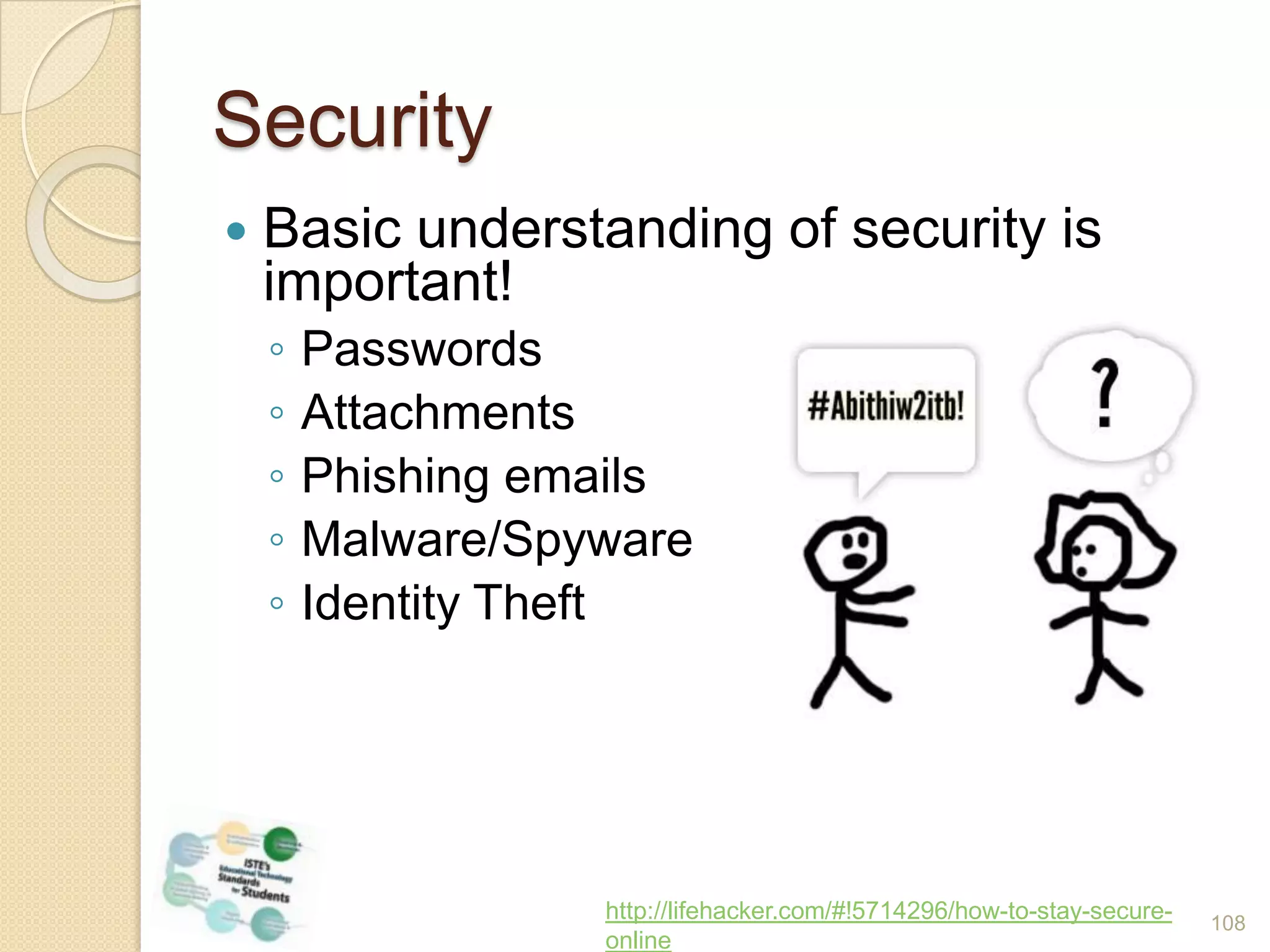
    Securityhttp://lifehacker.com/#!5714296/how-to-stay-secure-onlineBasic understanding ofsecurity is important!PasswordsAttachmentsPhishing emailsMalware/SpywareIdentity Theft108
  • 120.
    Responsibility for LifelongLearningWhat strategies do you use to learn a new skill or find new information?What is the future of schools?What is the role of teachers?The only thing you can count on is changehttp://www.flickr.com/photos/picturepurrfect685/5066451090/sizes/m/in/photostream/ 109
  • 121.
  • 122.
    ISTE: NETS forStudentsCreativity and InnovationCommunication and CollaborationResearch and Information FluencyCritical Thinking, Problem Solving and Decision MakingDigital CitizenshipTechnology Operations and Concepts111
  • 123.
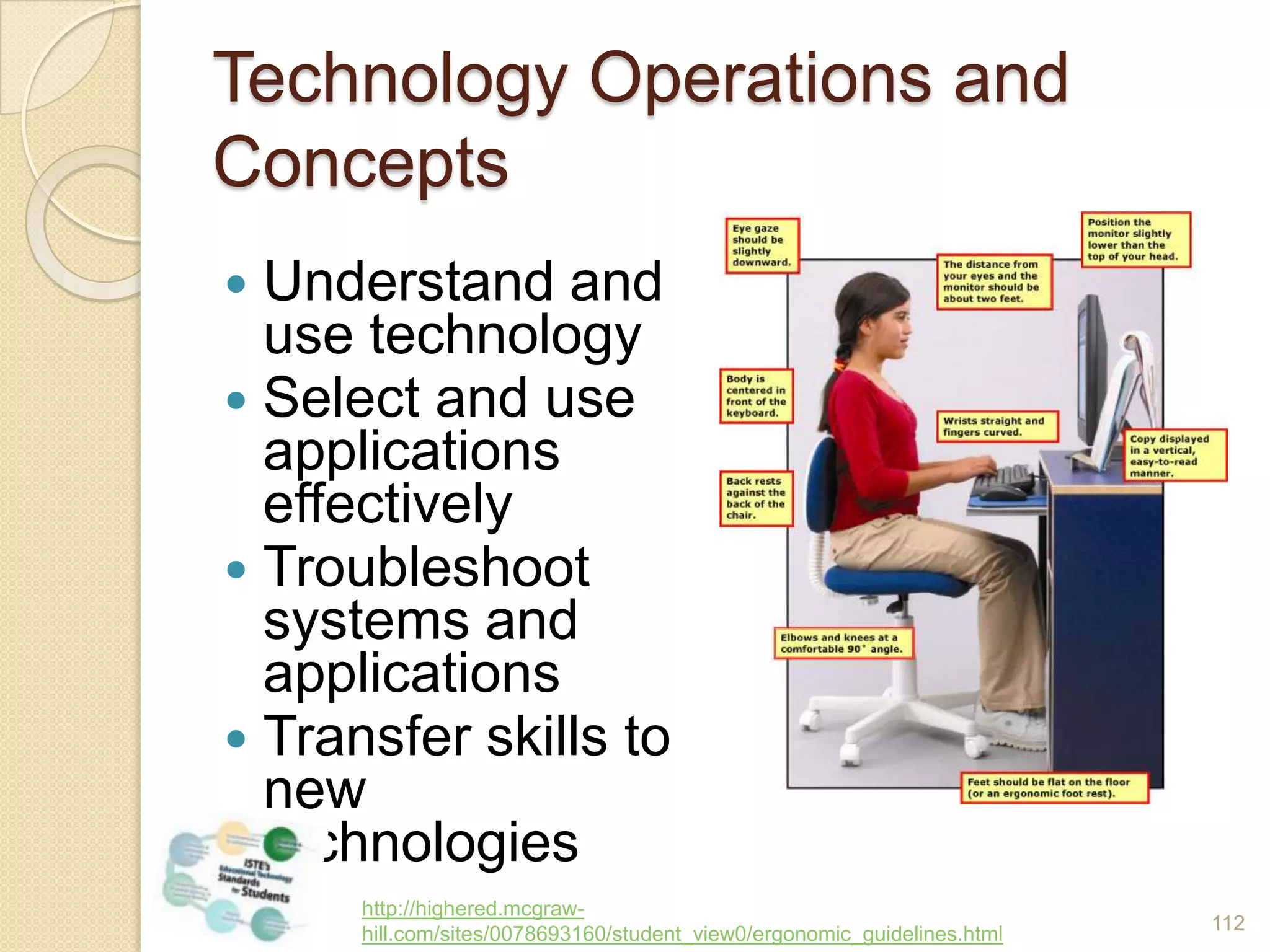
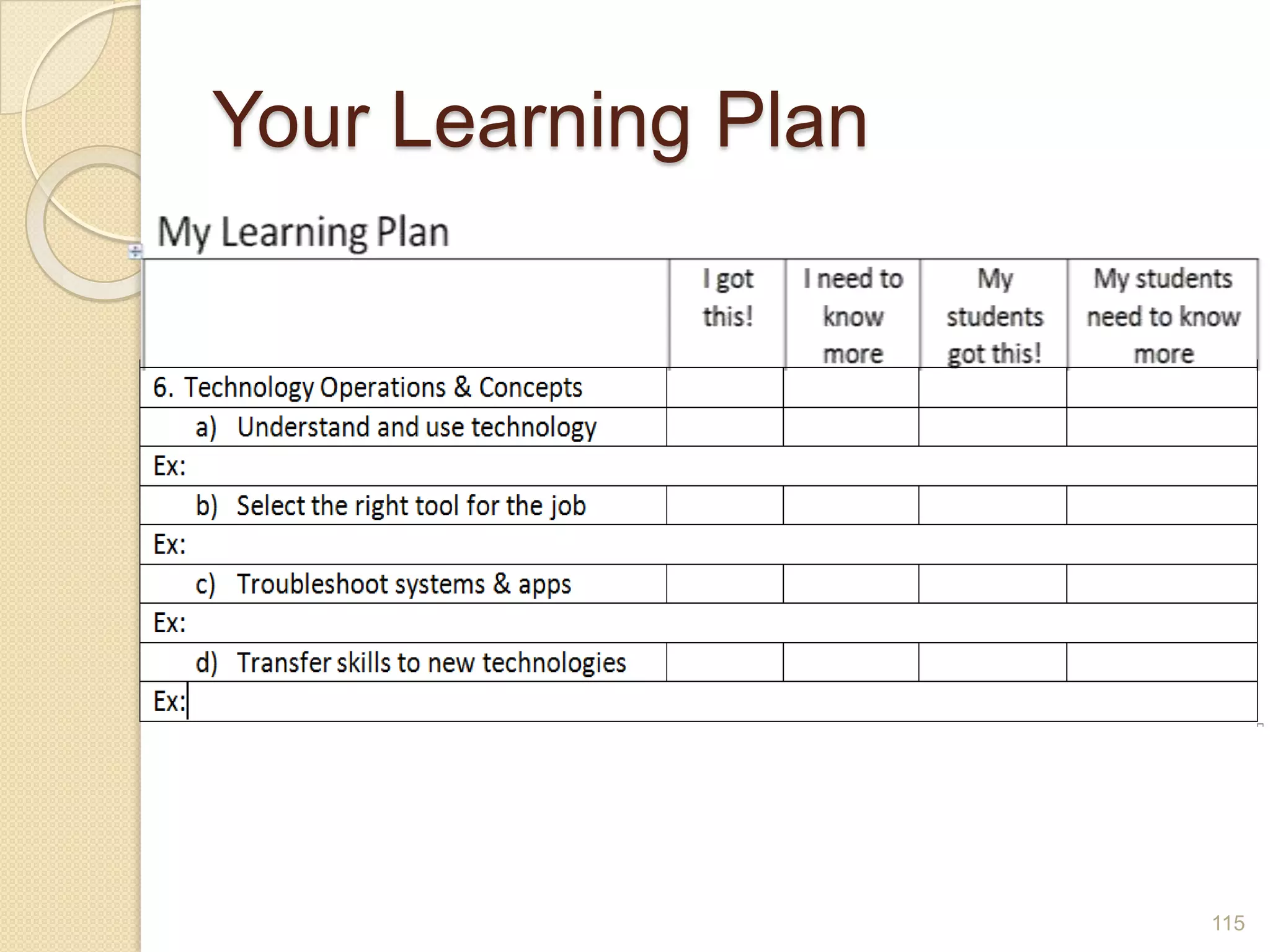
    Technology Operations andConceptsUnderstand and use technologySelect and use applications effectivelyTroubleshoot systems and applicationsTransfer skills to new technologieshttp://highered.mcgraw-hill.com/sites/0078693160/student_view0/ergonomic_guidelines.html112
  • 124.
    Technology Operations andConceptsUnderstand and use technologyAny of the things we’ve talked about!Select the right tool for the jobAn email or a text message?A blog or a wiki?Online or offline?Troubleshoot systems and applicationsEvery time something goes wrong, it’s a learning opportunity!Transfer skills to new technologiesIf you know Word, you can create a document in another word processing program113
  • 125.
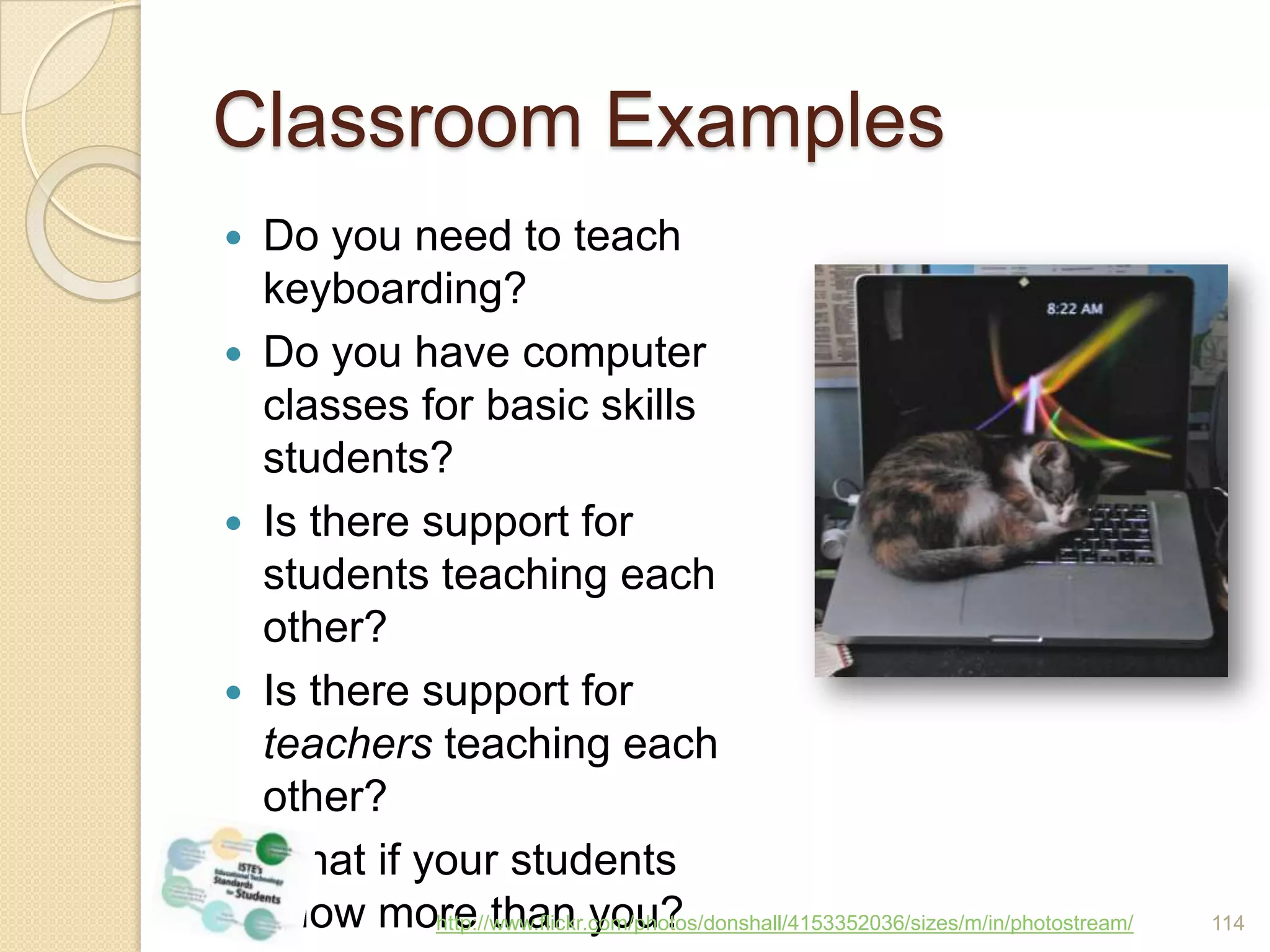
    Classroom ExamplesDo youneed to teach keyboarding?Do you have computer classes for basic skills students?Is there support for students teaching each other?Is there support for teachers teaching each other?What if your students know more than you?http://www.flickr.com/photos/donshall/4153352036/sizes/m/in/photostream/114
  • 126.
  • 127.
    Look at YourLearning PlanCan you remember an example of each topic?Which ones do you already know about?Which 1 or 2 would you like to learn more about?116
  • 128.
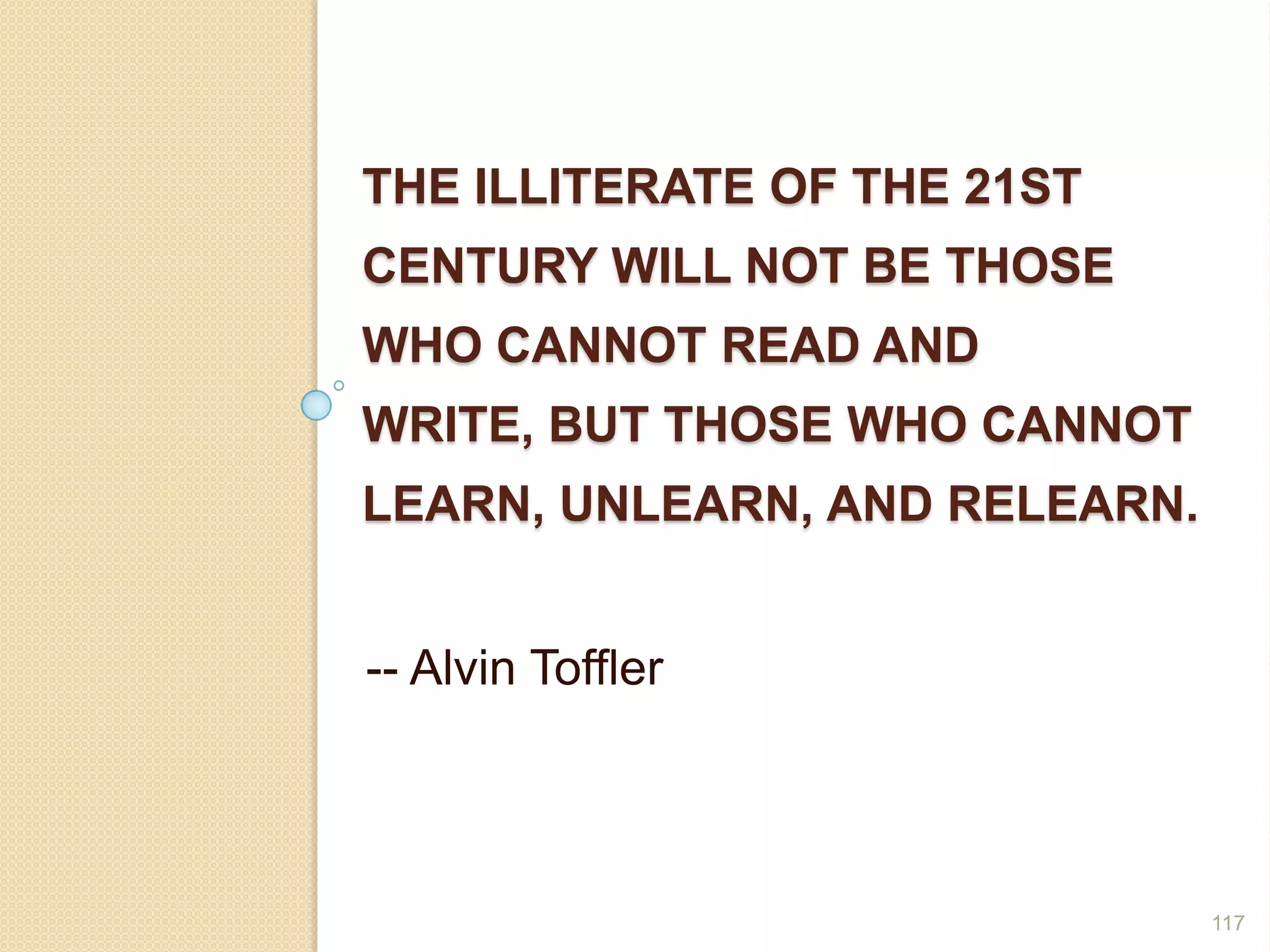
    The illiterate ofthe 21st century will not be those who cannot read and write, but those who cannot learn, unlearn, and relearn.-- Alvin Toffler117

Editor's Notes

  • #5 Tip: Add your own speaker notes here.
  • #12 marian2u@yahoo.com