OPERATION AND EXPRESSION IN C++


                                  1
Basic Arithmetic Operation
• Arithmetic is performed with operators
   –   +   for addition
   –   -   for subtraction
   –   *   for multiplication
   –   /   for division

• Example: storing a product in the variable
           total_weight

  total_weight = one_weight * number_of_bars;
                                                2
Arithmetic Expression
• Arithmetic operators can be used with any
  numeric type
• An operand is a number or variable
  used by the operator
• Result of an operator depends on the types
  of operands
   – If both operands are int, the result is int
   – If one or both operands are double, the result is double


                                                                3
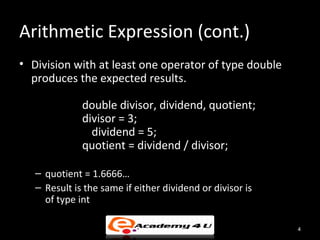
Arithmetic Expression (cont.)
• Division with at least one operator of type double
  produces the expected results.

              double divisor, dividend, quotient;
              divisor = 3;
                dividend = 5;
              quotient = dividend / divisor;

   – quotient = 1.6666…
   – Result is the same if either dividend or divisor is
     of type int

                                                           4
Arithmetic Expression (cont.)
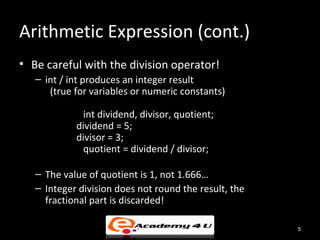
• Be careful with the division operator!
   – int / int produces an integer result
      (true for variables or numeric constants)

             int dividend, divisor, quotient;
            dividend = 5;
            divisor = 3;
             quotient = dividend / divisor;

   – The value of quotient is 1, not 1.666…
   – Integer division does not round the result, the
     fractional part is discarded!

                                                       5
Arithmetic Expression (cont.)
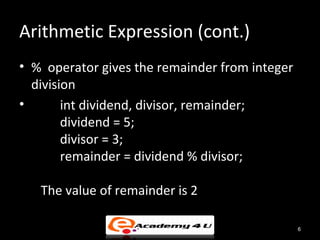
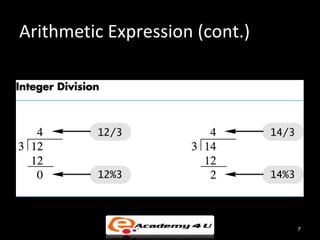
• % operator gives the remainder from integer
  division
•       int dividend, divisor, remainder;
        dividend = 5;
        divisor = 3;
        remainder = dividend % divisor;

   The value of remainder is 2

                                                6
Arithmetic Expression (cont.)


                                7
Arithmetic Expression (cont.)


                                8
Arithmetic Expression (cont.)
• Use spacing to make expressions readable
   – Which is easier to read?

              x+y*z    or x + y * z

• Precedence rules for operators are the same as
  used in your algebra classes
• Use parentheses to alter the order of operations
   x + y * z ( y is multiplied by z first)
  (x + y) * z ( x and y are added first)

                                                     9
Arithmetic Expression (cont.)
• Some expressions occur so often that C++
  contains to shorthand operators for them
• All arithmetic operators can be used this way
   – += eg. count = count + 2; becomes
           count += 2;
   – *= eg. bonus = bonus * 2; becomes
           bonus *= 2;
   – /= eg. time = time / rush_factor; becomes
            time /= rush_factor;
   – %= eg. remainder = remainder % (cnt1+ cnt2); becomes
           remainder %= (cnt1 + cnt2);


                                                            10
Assignment Statement
• An assignment statement changes the value of a variable
   – total_weight = one_weight + number_of_bars;
       • total_weight is set to the sum one_weight + number_of_bars

   – Assignment statements end with a semi-colon

   – The single variable to be changed is always on the left
     of the assignment operator ‘=‘

   – On the right of the assignment operator can be
       • Constants -- age = 21;
       • Variables -- my_cost = your_cost;
       • Expressions -- circumference = diameter * 3.14159;


                                                                      11
Assignment Statement (cont.)
• The ‘=‘ operator in C++ is not an equal sign
   – The following statement cannot be true in algebra

      • number_of_bars = number_of_bars + 3;

   – In C++ it means the new value of number_of_bars
     is the previous value of number_of_bars plus 3


                                                         12
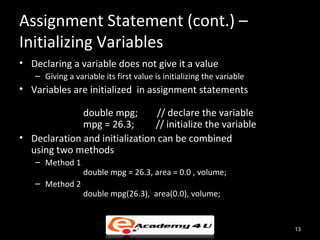
Assignment Statement (cont.) –
Initializing Variables
• Declaring a variable does not give it a value
   – Giving a variable its first value is initializing the variable
• Variables are initialized in assignment statements

              double mpg;        // declare the variable
              mpg = 26.3;       // initialize the variable
• Declaration and initialization can be combined
  using two methods
   – Method 1
                 double mpg = 26.3, area = 0.0 , volume;
   – Method 2
                 double mpg(26.3), area(0.0), volume;


                                                                      13
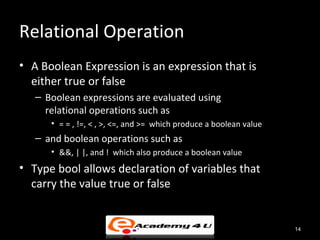
Relational Operation
• A Boolean Expression is an expression that is
  either true or false
   – Boolean expressions are evaluated using
     relational operations such as
      • = = , !=, < , >, <=, and >= which produce a boolean value
   – and boolean operations such as
      • &&, | |, and ! which also produce a boolean value
• Type bool allows declaration of variables that
  carry the value true or false


                                                                    14
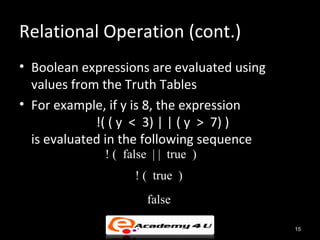
Relational Operation (cont.)
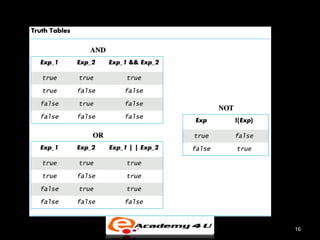
• Boolean expressions are evaluated using
  values from the Truth Tables
• For example, if y is 8, the expression
             !( ( y < 3) | | ( y > 7) )
  is evaluated in the following sequence
              ! ( false | | true )
                    ! ( true )
                       false

                                            15
16
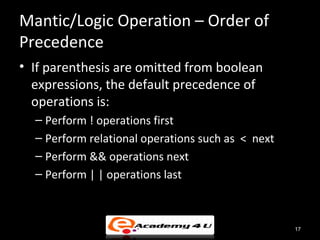
Mantic/Logic Operation – Order of
Precedence
• If parenthesis are omitted from boolean
  expressions, the default precedence of
  operations is:
  – Perform ! operations first
  – Perform relational operations such as < next
  – Perform && operations next
  – Perform | | operations last


                                                   17
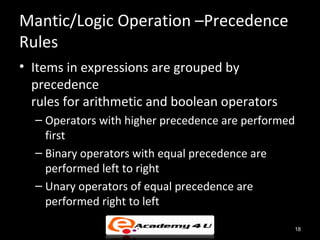
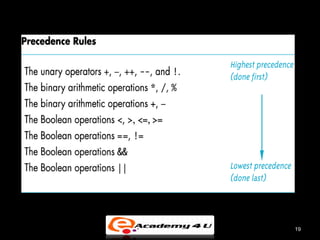
Mantic/Logic Operation –Precedence
Rules
• Items in expressions are grouped by
  precedence
  rules for arithmetic and boolean operators
  – Operators with higher precedence are performed
    first
  – Binary operators with equal precedence are
    performed left to right
  – Unary operators of equal precedence are
    performed right to left

                                                 18
19
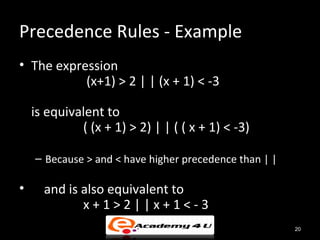
Precedence Rules - Example
• The expression
           (x+1) > 2 | | (x + 1) < -3

    is equivalent to
             ( (x + 1) > 2) | | ( ( x + 1) < -3)

    – Because > and < have higher precedence than | |

•     and is also equivalent to
             x+1>2||x+1<-3
                                                        20
Precedence Rules – Example (cont.)
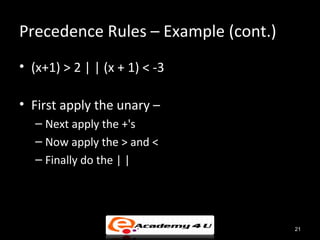
• (x+1) > 2 | | (x + 1) < -3

• First apply the unary –
   – Next apply the +'s
   – Now apply the > and <
   – Finally do the | |


                                     21
Unary Operator
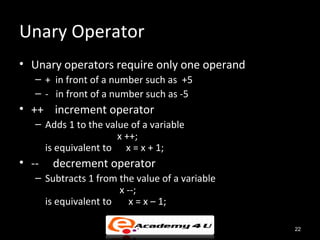
• Unary operators require only one operand
   – + in front of a number such as +5
   – - in front of a number such as -5
• ++ increment operator
   – Adds 1 to the value of a variable
                      x ++;
     is equivalent to x = x + 1;
• --   decrement operator
   – Subtracts 1 from the value of a variable
                      x --;
     is equivalent to    x = x – 1;

                                                22
Program Style
• A program written with attention to style
  – is easier to read
  – easier to correct
  – easier to change


                                              23
Program Style - Indenting
• Items considered a group should look like a
  group
   – Skip lines between logical groups of statements
   – Indent statements within statements
              if (x = = 0)
                 statement;
• Braces {} create groups
   – Indent within braces to make the group clear
   – Braces placed on separate lines are easier to locate


                                                            24
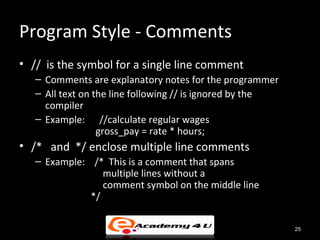
Program Style - Comments
• // is the symbol for a single line comment
   – Comments are explanatory notes for the programmer
   – All text on the line following // is ignored by the
     compiler
   – Example: //calculate regular wages
                  gross_pay = rate * hours;
• /* and */ enclose multiple line comments
   – Example: /* This is a comment that spans
                 multiple lines without a
                 comment symbol on the middle line
              */

                                                           25
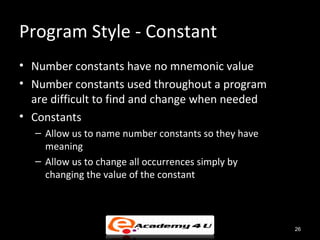
Program Style - Constant
• Number constants have no mnemonic value
• Number constants used throughout a program
  are difficult to find and change when needed
• Constants
  – Allow us to name number constants so they have
    meaning
  – Allow us to change all occurrences simply by
    changing the value of the constant


                                                     26

Operation and expression in c++

  • 1.
  • 2.
    Basic Arithmetic Operation •Arithmetic is performed with operators – + for addition – - for subtraction – * for multiplication – / for division • Example: storing a product in the variable total_weight total_weight = one_weight * number_of_bars; 2
  • 3.
    Arithmetic Expression • Arithmeticoperators can be used with any numeric type • An operand is a number or variable used by the operator • Result of an operator depends on the types of operands – If both operands are int, the result is int – If one or both operands are double, the result is double 3
  • 4.
    Arithmetic Expression (cont.) •Division with at least one operator of type double produces the expected results. double divisor, dividend, quotient; divisor = 3; dividend = 5; quotient = dividend / divisor; – quotient = 1.6666… – Result is the same if either dividend or divisor is of type int 4
  • 5.
    Arithmetic Expression (cont.) •Be careful with the division operator! – int / int produces an integer result (true for variables or numeric constants) int dividend, divisor, quotient; dividend = 5; divisor = 3; quotient = dividend / divisor; – The value of quotient is 1, not 1.666… – Integer division does not round the result, the fractional part is discarded! 5
  • 6.
    Arithmetic Expression (cont.) •% operator gives the remainder from integer division • int dividend, divisor, remainder; dividend = 5; divisor = 3; remainder = dividend % divisor; The value of remainder is 2 6
  • 7.
  • 8.
  • 9.
    Arithmetic Expression (cont.) •Use spacing to make expressions readable – Which is easier to read? x+y*z or x + y * z • Precedence rules for operators are the same as used in your algebra classes • Use parentheses to alter the order of operations x + y * z ( y is multiplied by z first) (x + y) * z ( x and y are added first) 9
  • 10.
    Arithmetic Expression (cont.) •Some expressions occur so often that C++ contains to shorthand operators for them • All arithmetic operators can be used this way – += eg. count = count + 2; becomes count += 2; – *= eg. bonus = bonus * 2; becomes bonus *= 2; – /= eg. time = time / rush_factor; becomes time /= rush_factor; – %= eg. remainder = remainder % (cnt1+ cnt2); becomes remainder %= (cnt1 + cnt2); 10
  • 11.
    Assignment Statement • Anassignment statement changes the value of a variable – total_weight = one_weight + number_of_bars; • total_weight is set to the sum one_weight + number_of_bars – Assignment statements end with a semi-colon – The single variable to be changed is always on the left of the assignment operator ‘=‘ – On the right of the assignment operator can be • Constants -- age = 21; • Variables -- my_cost = your_cost; • Expressions -- circumference = diameter * 3.14159; 11
  • 12.
    Assignment Statement (cont.) •The ‘=‘ operator in C++ is not an equal sign – The following statement cannot be true in algebra • number_of_bars = number_of_bars + 3; – In C++ it means the new value of number_of_bars is the previous value of number_of_bars plus 3 12
  • 13.
    Assignment Statement (cont.)– Initializing Variables • Declaring a variable does not give it a value – Giving a variable its first value is initializing the variable • Variables are initialized in assignment statements double mpg; // declare the variable mpg = 26.3; // initialize the variable • Declaration and initialization can be combined using two methods – Method 1 double mpg = 26.3, area = 0.0 , volume; – Method 2 double mpg(26.3), area(0.0), volume; 13
  • 14.
    Relational Operation • ABoolean Expression is an expression that is either true or false – Boolean expressions are evaluated using relational operations such as • = = , !=, < , >, <=, and >= which produce a boolean value – and boolean operations such as • &&, | |, and ! which also produce a boolean value • Type bool allows declaration of variables that carry the value true or false 14
  • 15.
    Relational Operation (cont.) •Boolean expressions are evaluated using values from the Truth Tables • For example, if y is 8, the expression !( ( y < 3) | | ( y > 7) ) is evaluated in the following sequence ! ( false | | true ) ! ( true ) false 15
  • 16.
  • 17.
    Mantic/Logic Operation –Order of Precedence • If parenthesis are omitted from boolean expressions, the default precedence of operations is: – Perform ! operations first – Perform relational operations such as < next – Perform && operations next – Perform | | operations last 17
  • 18.
    Mantic/Logic Operation –Precedence Rules •Items in expressions are grouped by precedence rules for arithmetic and boolean operators – Operators with higher precedence are performed first – Binary operators with equal precedence are performed left to right – Unary operators of equal precedence are performed right to left 18
  • 19.
  • 20.
    Precedence Rules -Example • The expression (x+1) > 2 | | (x + 1) < -3 is equivalent to ( (x + 1) > 2) | | ( ( x + 1) < -3) – Because > and < have higher precedence than | | • and is also equivalent to x+1>2||x+1<-3 20
  • 21.
    Precedence Rules –Example (cont.) • (x+1) > 2 | | (x + 1) < -3 • First apply the unary – – Next apply the +'s – Now apply the > and < – Finally do the | | 21
  • 22.
    Unary Operator • Unaryoperators require only one operand – + in front of a number such as +5 – - in front of a number such as -5 • ++ increment operator – Adds 1 to the value of a variable x ++; is equivalent to x = x + 1; • -- decrement operator – Subtracts 1 from the value of a variable x --; is equivalent to x = x – 1; 22
  • 23.
    Program Style • Aprogram written with attention to style – is easier to read – easier to correct – easier to change 23
  • 24.
    Program Style -Indenting • Items considered a group should look like a group – Skip lines between logical groups of statements – Indent statements within statements if (x = = 0) statement; • Braces {} create groups – Indent within braces to make the group clear – Braces placed on separate lines are easier to locate 24
  • 25.
    Program Style -Comments • // is the symbol for a single line comment – Comments are explanatory notes for the programmer – All text on the line following // is ignored by the compiler – Example: //calculate regular wages gross_pay = rate * hours; • /* and */ enclose multiple line comments – Example: /* This is a comment that spans multiple lines without a comment symbol on the middle line */ 25
  • 26.
    Program Style -Constant • Number constants have no mnemonic value • Number constants used throughout a program are difficult to find and change when needed • Constants – Allow us to name number constants so they have meaning – Allow us to change all occurrences simply by changing the value of the constant 26