Object-Oriented
Programming in C+
        +
    Presented by Sachin Sharma
Operators in C++
• The symbols that are used in C++
  programs to form an expression are
  known as operators. C++ has a rich set
  of operators including all C language’s
  operators and also some new operators.
  There are three categories of operators in
  C++. These are:
• Unary Operators
• Binary Operators
• Ternary Operators
Unary Operators
• The operators that operate a single
  operand to form an expression are known
  as unary operators. The operators like +
  + (increment) operator, -- (decrement)
  operator etc. are the part of unary
  operators.
Binary Operators
• The operators that operate two or more
  operands are known as binary operators.
  The operators like +, -, *, /, % etc. are
  binary operators.
• E.g. a+b, a-b, a*b, a/b etc.
Ternary Operators
• The operator that operates minimum or
  maximum three operands is known as
  ternary operator. There is only one
  ternary operator available in C++. The
  operator ?: is the only available ternary
  operator i.e. used as a substitute of if-else
  statement.
• E.g. a>b ? a:b
Types of Operators in C++
•   Arithmetic operators
•   Logical operators
•   Comparison operators
•   Assignment operators
•   Bitwise operators
•   Scope resolution operator (::)
•   Line feed operator
•   Field width operator
Arithmetic Operators
• The operators that helps the programmer
  in mathematical calculations are known as
  arithmetic operators. Arithmetic
  operators include (+) for addition, (-) for
  subtraction, (/) for division, (*) for
  multiplication etc.
• E.g. 2+5 = 7
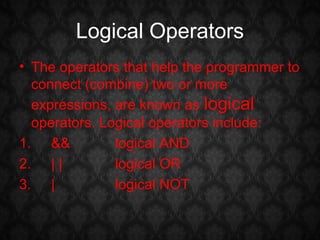
Logical Operators
• The operators that help the programmer to
  connect (combine) two or more
  expressions, are known as logical
  operators. Logical operators include:
1. &&          logical AND
2. | |         logical OR
3. |           logical NOT
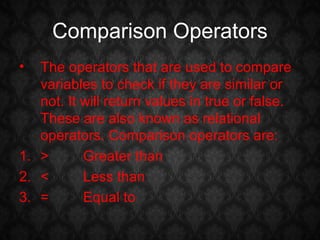
Comparison Operators
•  The operators that are used to compare
   variables to check if they are similar or
   not. It will return values in true or false.
   These are also known as relational
   operators. Comparison operators are:
1. >       Greater than
2. <       Less than
3. =       Equal to
Assignment Operators
• The operator i.e. used to assign values to
  identifiers, is known as assignment
  operator. There is only one assignment
  operator in C++. The assignment operator
  (=) is used to assign values to identifiers.
• E.g.      a = 2 [ assign value 2 to a ]
Bitwise Operator
• The operators which operate a bit level
  and allows the programmer to manipulate
  individual bits. These are basically used
  for testing or shifting bits.
• E.g.      x << 3     // Shift three bit position
  to left
Scope Resolution Operator (::)
• Like C, C++ is also a block-structured
  language. A variable declared in a block is
  said to be local to that block. In C, the
  global version of a variable cannot be
  accessed from within the inner block. C++
  solves this problem by introducing the new
  operator :: called the scope resolution
  operator. This operator allows access to
  the global version of a variable.
Example to use the Scope
              Resolution Operator
•   // Program to demonstrate the use of scope resolution operator
    #include<iostream.h>
    #include<conio.h>
    int x = 10;        // global x
    int main()
    {
           int x = 20;             // x redeclared, local to main
           {
                       int k = x;
                       int x = 30;            // x is declared again in inner block
                       clrscr();
                       cout << “n We are in inner block n”;
                       cout << “k = “ << k << “n”;
                       cout << “x = “ << x <<“n”;
                       cout << “:: x = “ << :: x <<“n”;
           }
           cout << “n We are in outer block n”;
           cout << “x = “ << x <<“n”;
           cout << “:: x = “ << :: x <<“n”;
    return 0;
    }
Output
• We are in inner block
  k = 20
  x = 30
  :: x = 10

• We are in outer block
  x = 20
  :: x = 10
Line Feed Operator & Field Width
            Operator

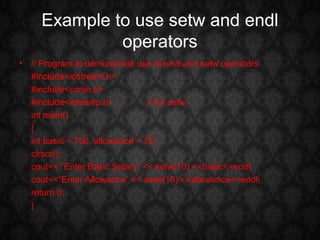
• These operators are used to format data
  display. The most commonly used
  manipulators are endl and setw.
• The endl manipulator has the same effect
  as using the newline character “n”.
• The setw manipulator specifies a field
  width for printing the value of variables.
Example to use setw and endl
              operators
• // Program to demonstrate use of endl and setw operators
  #include<iostream.h>
  #include<conio.h>
  #include<iomanip.h>           // for setw
  int main()
  {
  int basic = 750, allowance = 75;
  clrscr();
  cout<< “Enter Basic Salary” << setw(10) <<basic<<endl;
  cout<<“Enter Allowance” << setw(10) <<allowance<<endl;
  return 0;
  }
Output
Enter Basic Salary   750
Enter Allowance      75
Thank You

Operators in C++

  • 1.
    Object-Oriented Programming in C+ + Presented by Sachin Sharma
  • 2.
    Operators in C++ •The symbols that are used in C++ programs to form an expression are known as operators. C++ has a rich set of operators including all C language’s operators and also some new operators. There are three categories of operators in C++. These are: • Unary Operators • Binary Operators • Ternary Operators
  • 3.
    Unary Operators • Theoperators that operate a single operand to form an expression are known as unary operators. The operators like + + (increment) operator, -- (decrement) operator etc. are the part of unary operators.
  • 4.
    Binary Operators • Theoperators that operate two or more operands are known as binary operators. The operators like +, -, *, /, % etc. are binary operators. • E.g. a+b, a-b, a*b, a/b etc.
  • 5.
    Ternary Operators • Theoperator that operates minimum or maximum three operands is known as ternary operator. There is only one ternary operator available in C++. The operator ?: is the only available ternary operator i.e. used as a substitute of if-else statement. • E.g. a>b ? a:b
  • 6.
    Types of Operatorsin C++ • Arithmetic operators • Logical operators • Comparison operators • Assignment operators • Bitwise operators • Scope resolution operator (::) • Line feed operator • Field width operator
  • 7.
    Arithmetic Operators • Theoperators that helps the programmer in mathematical calculations are known as arithmetic operators. Arithmetic operators include (+) for addition, (-) for subtraction, (/) for division, (*) for multiplication etc. • E.g. 2+5 = 7
  • 8.
    Logical Operators • Theoperators that help the programmer to connect (combine) two or more expressions, are known as logical operators. Logical operators include: 1. && logical AND 2. | | logical OR 3. | logical NOT
  • 9.
    Comparison Operators • The operators that are used to compare variables to check if they are similar or not. It will return values in true or false. These are also known as relational operators. Comparison operators are: 1. > Greater than 2. < Less than 3. = Equal to
  • 10.
    Assignment Operators • Theoperator i.e. used to assign values to identifiers, is known as assignment operator. There is only one assignment operator in C++. The assignment operator (=) is used to assign values to identifiers. • E.g. a = 2 [ assign value 2 to a ]
  • 11.
    Bitwise Operator • Theoperators which operate a bit level and allows the programmer to manipulate individual bits. These are basically used for testing or shifting bits. • E.g. x << 3 // Shift three bit position to left
  • 12.
    Scope Resolution Operator(::) • Like C, C++ is also a block-structured language. A variable declared in a block is said to be local to that block. In C, the global version of a variable cannot be accessed from within the inner block. C++ solves this problem by introducing the new operator :: called the scope resolution operator. This operator allows access to the global version of a variable.
  • 13.
    Example to usethe Scope Resolution Operator • // Program to demonstrate the use of scope resolution operator #include<iostream.h> #include<conio.h> int x = 10; // global x int main() { int x = 20; // x redeclared, local to main { int k = x; int x = 30; // x is declared again in inner block clrscr(); cout << “n We are in inner block n”; cout << “k = “ << k << “n”; cout << “x = “ << x <<“n”; cout << “:: x = “ << :: x <<“n”; } cout << “n We are in outer block n”; cout << “x = “ << x <<“n”; cout << “:: x = “ << :: x <<“n”; return 0; }
  • 14.
    Output • We arein inner block k = 20 x = 30 :: x = 10 • We are in outer block x = 20 :: x = 10
  • 15.
    Line Feed Operator& Field Width Operator • These operators are used to format data display. The most commonly used manipulators are endl and setw. • The endl manipulator has the same effect as using the newline character “n”. • The setw manipulator specifies a field width for printing the value of variables.
  • 16.
    Example to usesetw and endl operators • // Program to demonstrate use of endl and setw operators #include<iostream.h> #include<conio.h> #include<iomanip.h> // for setw int main() { int basic = 750, allowance = 75; clrscr(); cout<< “Enter Basic Salary” << setw(10) <<basic<<endl; cout<<“Enter Allowance” << setw(10) <<allowance<<endl; return 0; }
  • 17.
    Output Enter Basic Salary 750 Enter Allowance 75
  • 18.