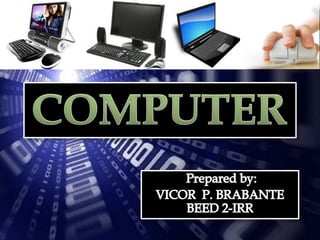
   An electronic, programmable, multiuse machine that
    accepts, processes, stores data and sends output as a
    useful result.
   A device capable of performing a series of arithmetic or
    logical operations.
    A computer is distinguished from a calculating
    machine, such as an electronic calculator or calculating
    machine, device for performing numerical
    computations; it may be
    mechanical, electromechanical, or electronic. The
    electronic computer is also a calculator but performs
    other functions as well and by being able to store a
    computer program.
   Input
    Accepts data, through input devices like
    keyboard, mouse, scanner and the like.
   Process
    Manipulate input
   Output
Produces output, through monitor, printer and the
  like.
   Stores
keep data for future needs
   Hardware, physical components of computer that you
    can actually touch such as keyboard, monitor, system
    unit, mouse, printer and the like.


   Software, sets of instructions use to direct the hardware
    on how to run data into useful information for people use.
    These are programs used by the user to interact with the
    computer.


   People ware, they are most important factor in a
    computer. The y manipulate and program the computer
    system to make it useful.
The name analog came from the word
analogous meaning similar. These are computers
used for scientific, engineering and process-control
purposes. It deals with quantities that continuously
variable, they give only approximate result.

       Is the machine specializes in counting. These
machines are used for both business an scientific
purposes.

        These are computers that combine the
measuring the capabilities of the analog and control
capabilities of the digital computer.
CAPACITY
   The term refers to the volume of work of the
       data processing capability computer.
1.   Amount of data that can be stored in memory.

2.   Speed of internal operation of the computer.

3.   Number and types of peripheral devices.

4.   Amount and type of software available for the
     computer.
   Also known as the personal
    computer (PC).these are typically
    found in homes and small
    offices, business and etc.

   It includes the
    Laptop, Notebook, Personal Digital
    Assistant (PDA)
   These computer small but powerful than a
    microcomputer.
    It can carry out the processing tasks for several
    people working and terminals that are
    connected to the minicomputer.
      Terminal- is an input and output device
    that resembles a microcomputer because it has
    keyboard and screen but does not have
    processing capacity.
   It is large, fast and fairy expensive computer.
   Generally used by business or government to
    provide centralized storage, processing and
    management for large amount of data.
   They are actually the bigger version of
    minicomputers such that handles more amount
    of data and bigger number of users.
   The fastest and most expensive type of
    computer designed for “ computer-intensive”
    tasks such as molecular modeling, code
    breaking and weather prediction.
   It can process more than one trillion
    instructions per second. Making it possible to
    perform complex tasks such as modeling the
    movement of thousands of particle sin tornado
    or creating realistic animations.
   Ability to perform certain logic operations.

   Ability to provide new time dimensions.

   Ability to control error.

   Ability to check itself.
   Dependence on prepared instructions.

   Inability to provide meaning from
    objects.

   Inability to generate information.

   It cannot correct wrong instructions.
   Input errors.
   Errors in instructing a computer.
   Communication gap.
   Improper controls.
   Lack of standards.
   Lack of adequate manufacture
    support.
computer

computer

  • 2.
    An electronic, programmable, multiuse machine that accepts, processes, stores data and sends output as a useful result.  A device capable of performing a series of arithmetic or logical operations.  A computer is distinguished from a calculating machine, such as an electronic calculator or calculating machine, device for performing numerical computations; it may be mechanical, electromechanical, or electronic. The electronic computer is also a calculator but performs other functions as well and by being able to store a computer program.
  • 3.
    Input Accepts data, through input devices like keyboard, mouse, scanner and the like.  Process Manipulate input  Output Produces output, through monitor, printer and the like.  Stores keep data for future needs
  • 4.
    Hardware, physical components of computer that you can actually touch such as keyboard, monitor, system unit, mouse, printer and the like.  Software, sets of instructions use to direct the hardware on how to run data into useful information for people use. These are programs used by the user to interact with the computer.  People ware, they are most important factor in a computer. The y manipulate and program the computer system to make it useful.
  • 6.
    The name analogcame from the word analogous meaning similar. These are computers used for scientific, engineering and process-control purposes. It deals with quantities that continuously variable, they give only approximate result. Is the machine specializes in counting. These machines are used for both business an scientific purposes. These are computers that combine the measuring the capabilities of the analog and control capabilities of the digital computer.
  • 7.
    CAPACITY  The term refers to the volume of work of the data processing capability computer.
  • 8.
    1. Amount of data that can be stored in memory. 2. Speed of internal operation of the computer. 3. Number and types of peripheral devices. 4. Amount and type of software available for the computer.
  • 9.
    Also known as the personal computer (PC).these are typically found in homes and small offices, business and etc.  It includes the Laptop, Notebook, Personal Digital Assistant (PDA)
  • 10.
    These computer small but powerful than a microcomputer.  It can carry out the processing tasks for several people working and terminals that are connected to the minicomputer. Terminal- is an input and output device that resembles a microcomputer because it has keyboard and screen but does not have processing capacity.
  • 11.
    It is large, fast and fairy expensive computer.  Generally used by business or government to provide centralized storage, processing and management for large amount of data.  They are actually the bigger version of minicomputers such that handles more amount of data and bigger number of users.
  • 12.
    The fastest and most expensive type of computer designed for “ computer-intensive” tasks such as molecular modeling, code breaking and weather prediction.  It can process more than one trillion instructions per second. Making it possible to perform complex tasks such as modeling the movement of thousands of particle sin tornado or creating realistic animations.
  • 13.
    Ability to perform certain logic operations.  Ability to provide new time dimensions.  Ability to control error.  Ability to check itself.
  • 14.
    Dependence on prepared instructions.  Inability to provide meaning from objects.  Inability to generate information.  It cannot correct wrong instructions.
  • 15.
    Input errors.  Errors in instructing a computer.  Communication gap.  Improper controls.  Lack of standards.  Lack of adequate manufacture support.