OpenStack構築手順書 Icehouse版
日本仮想化技術 19
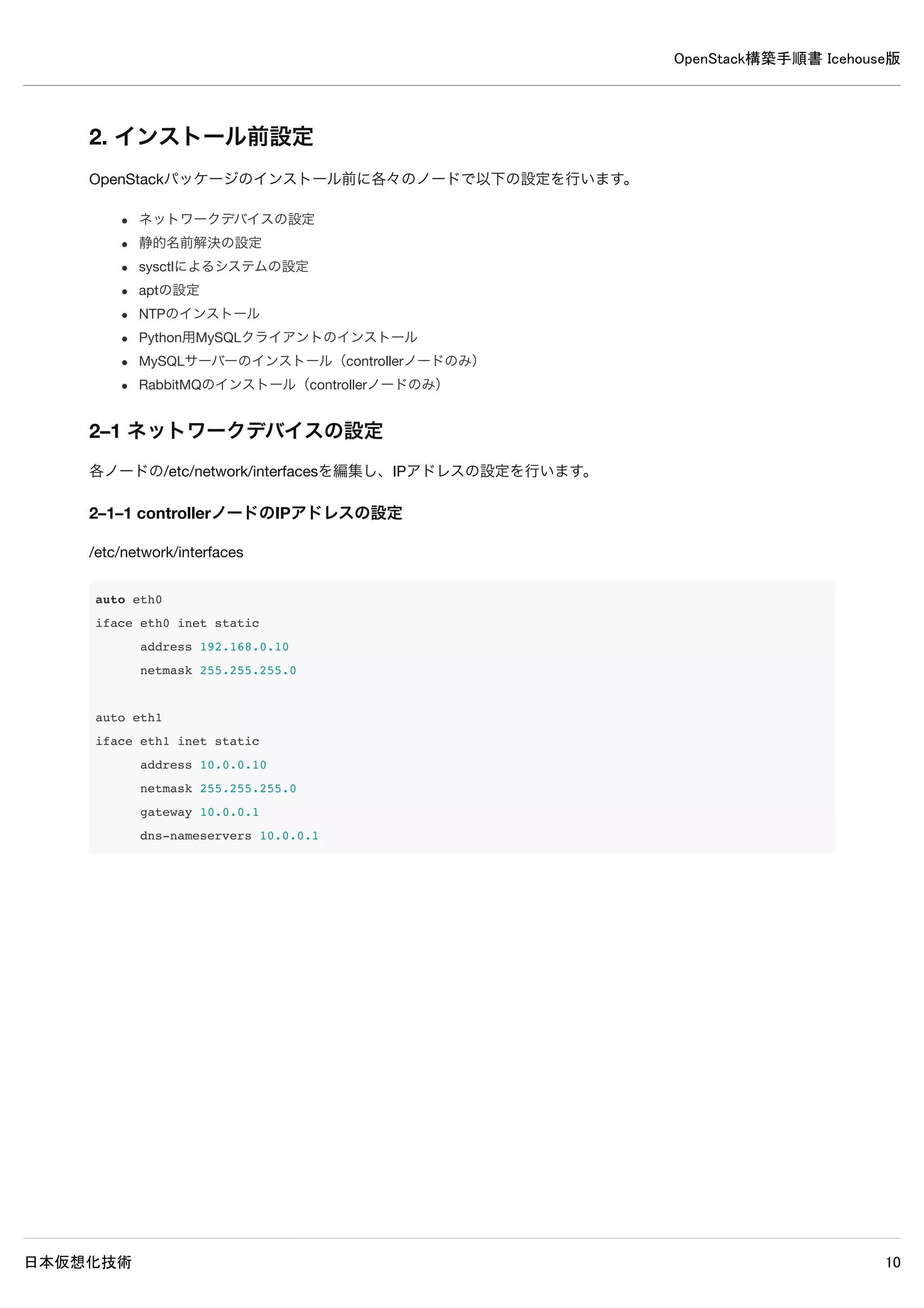
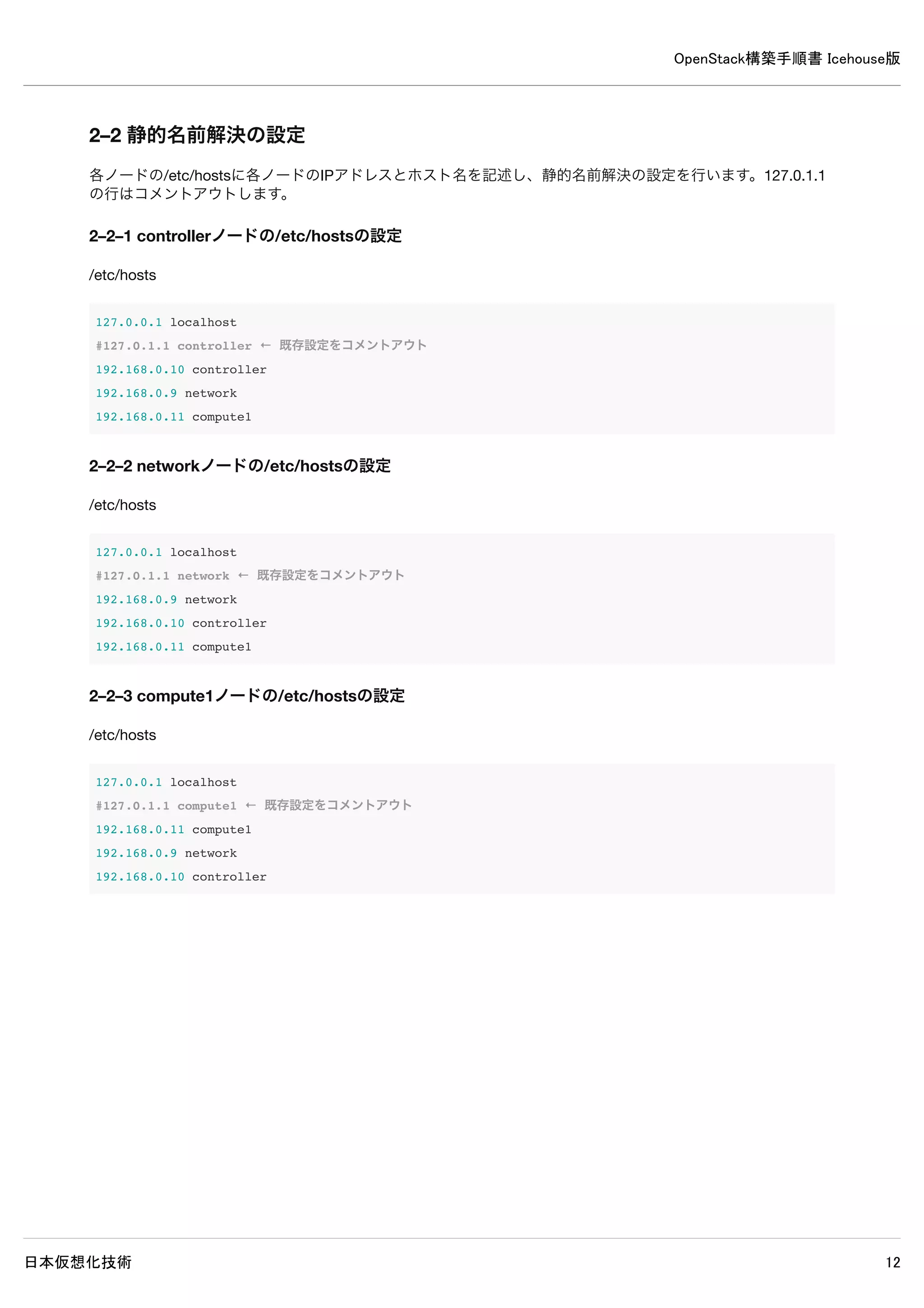
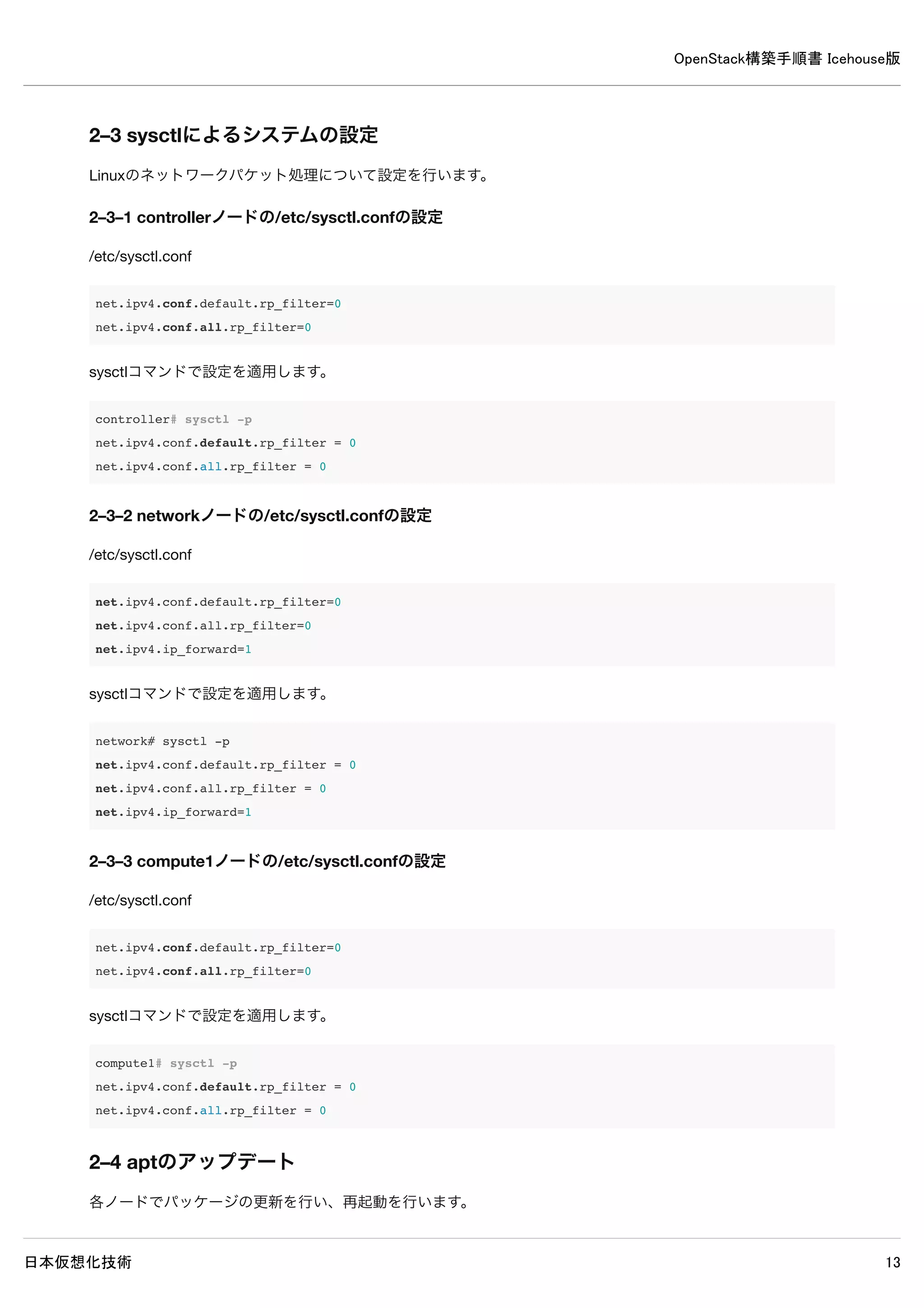
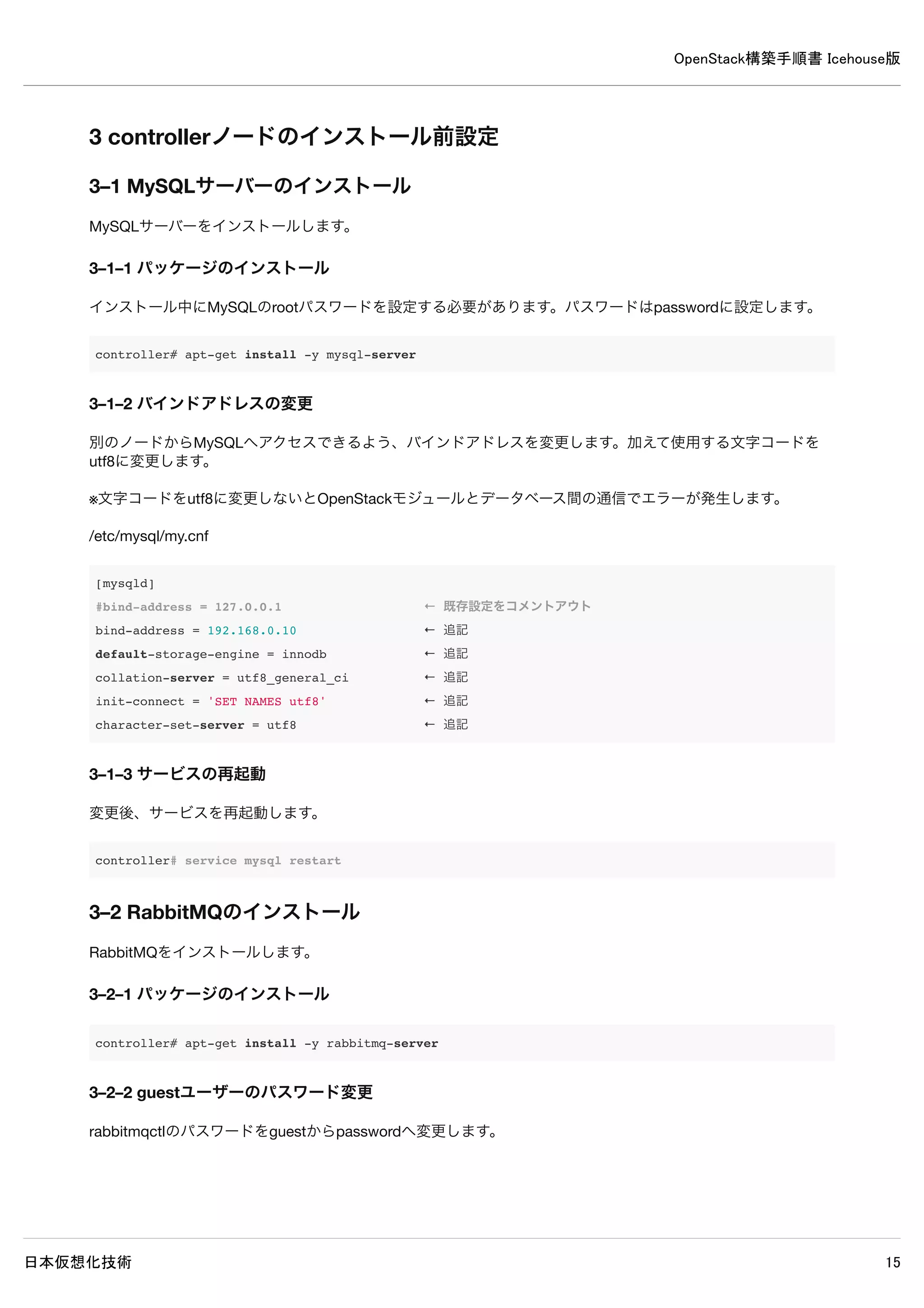
4.Keystoneインストールと設定(controllerノード)
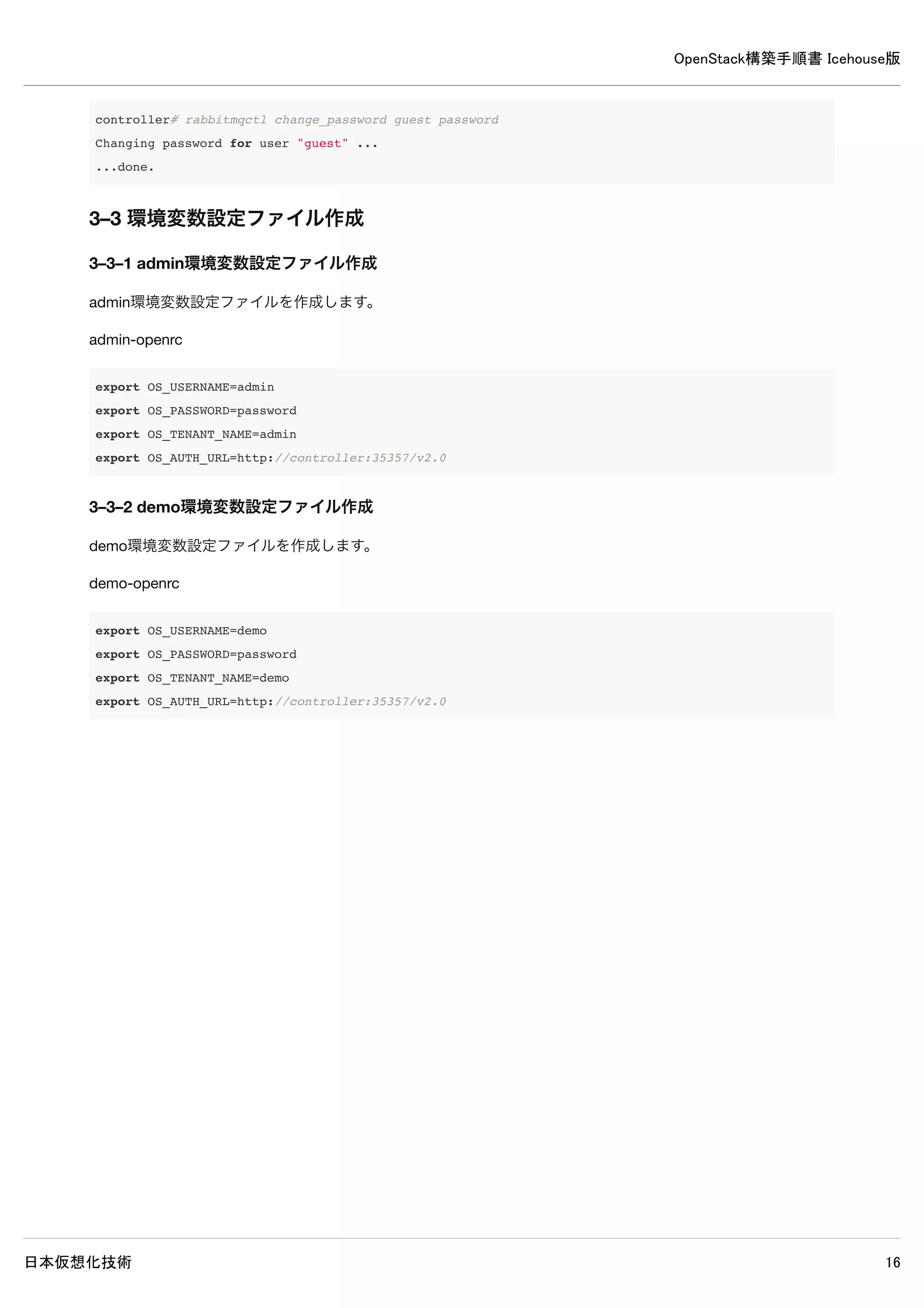
Keystoneのインストールと設定を行います。
4–1 パッケージのインストール
controller# apt-get install -y keystone
4–2 データベースの作成・確認
4–2–1 データベースの作成
MySQLのデータベースにKeystoneのデータベースを作成します。
controller# mysql -u root -p << EOF
CREATE DATABASE keystone;
GRANT ALL PRIVILEGES ON keystone.* TO 'keystone'@'%'
IDENTIFIED BY 'password';
EOF
Enter password: ← MySQLのrootパスワードpasswordを入力
4–2–2 データベースの確認
MySQLにKeystoneのデータベースが作成されたか確認します。
20.
OpenStack構築手順書 Icehouse版
日本仮想化技術 20
controller#mysql -u keystone -p
Enter password: ← MySQLのkeystoneパスワードpasswordを入力
Welcome to the MySQL monitor. Commands end with ; or g.
Your MySQL connection id is 71
Server version: 5.5.37-0ubuntu0.14.04.1 (Ubuntu)
Copyright (c) 2000, 2014, Oracle and/or its affiliates. All rights reserved.
Oracle is a registered trademark of Oracle Corporation and/or its
affiliates. Other names may be trademarks of their respective
owners.
Type 'help;' or 'h' for help. Type 'c' to clear the current input statement.
mysql> show databases;
+--------------------+
| Database |
+--------------------+
| information_schema |
| keystone |
+--------------------+
2 rows in set (0.00 sec)
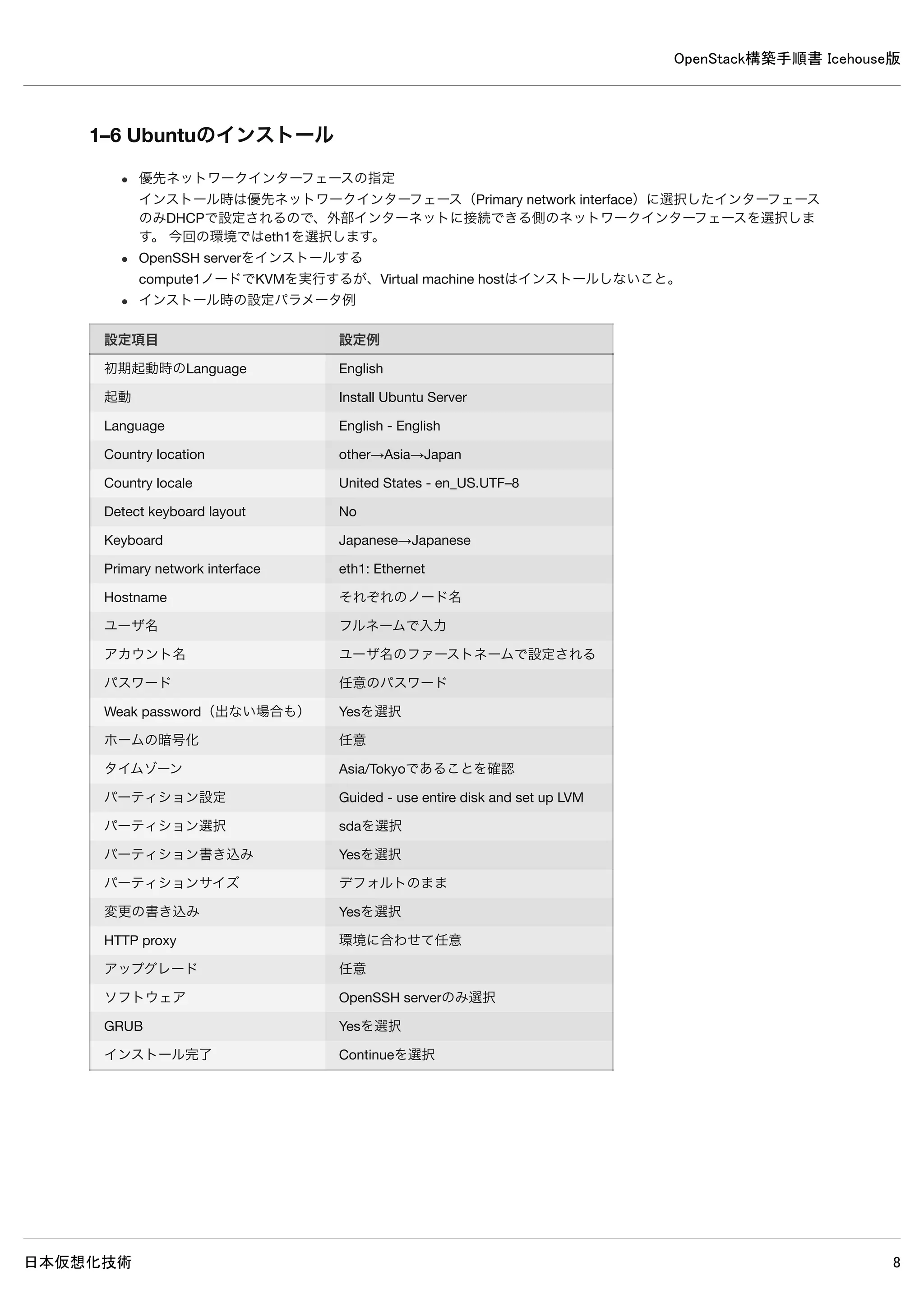
※ユーザーkeystoneでログイン可能でデータベースの閲覧が可能なら問題ありません。
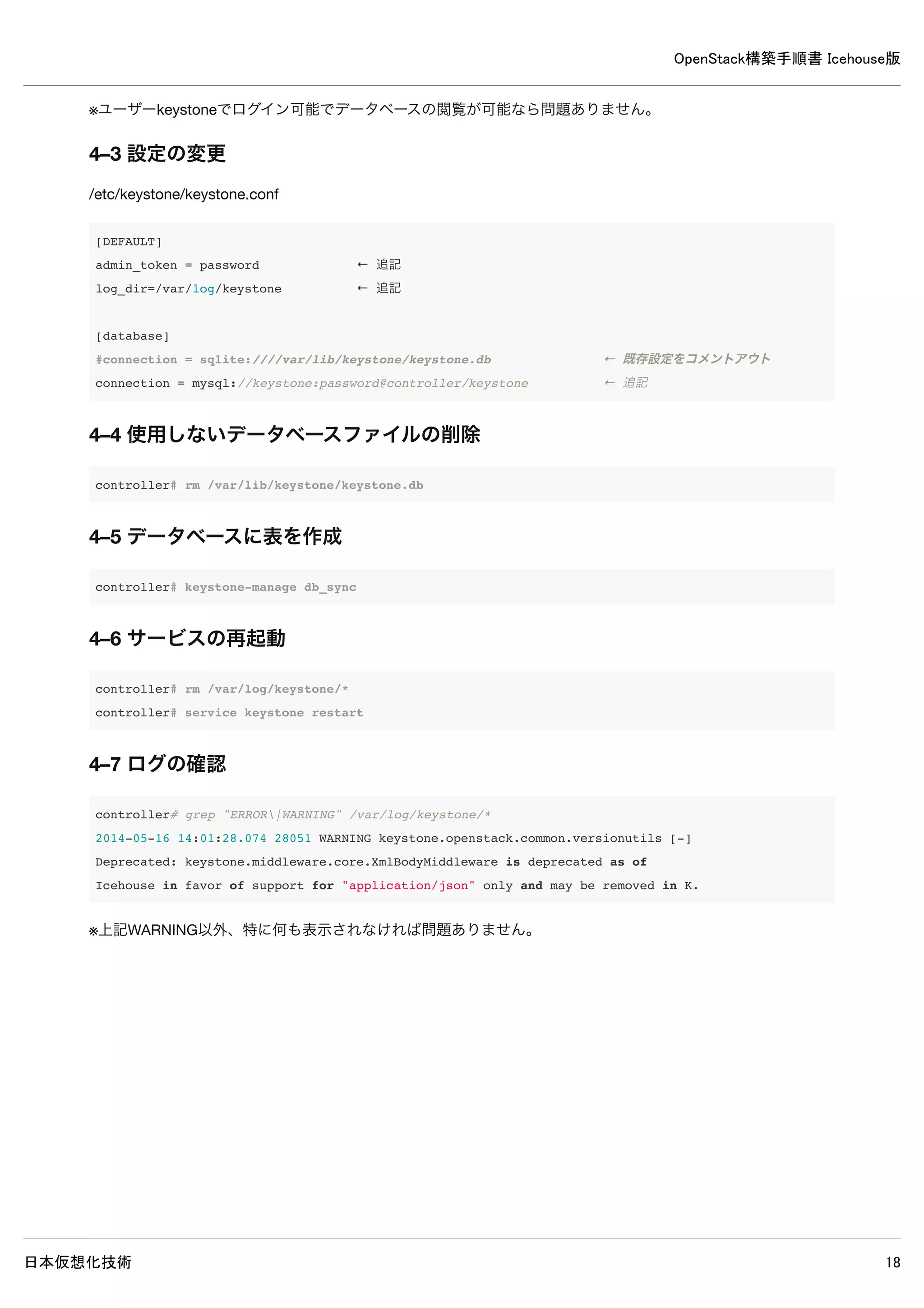
4–3 設定の変更
/etc/keystone/keystone.conf
[DEFAULT]
admin_token = password ← 追記
log_dir=/var/log/keystone ← 追記
[database]
#connection = sqlite:////var/lib/keystone/keystone.db ← 既存設定をコメントアウト
connection = mysql://keystone:password@controller/keystone ← 追記
4–4 使用しないデータベースファイルの削除
controller# rm /var/lib/keystone/keystone.db
4–5 データベースに表を作成
controller# keystone-manage db_sync
21.
OpenStack構築手順書 Icehouse版
日本仮想化技術 21
4–6サービスの再起動
controller# rm /var/log/keystone/*
controller# service keystone restart
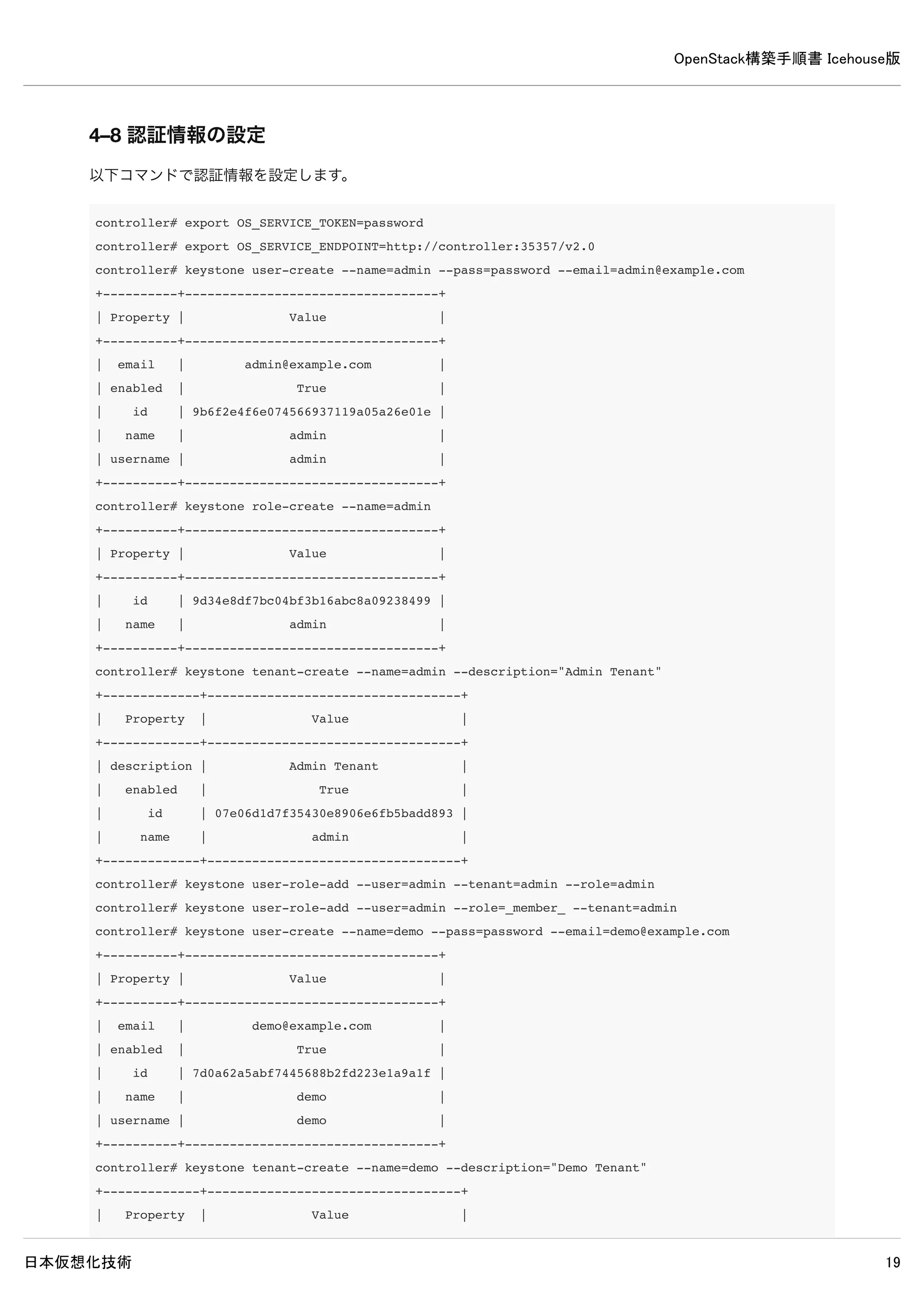
4–7 ログの確認
controller# grep "ERROR|WARNING" /var/log/keystone/*
2014-05-16 14:01:28.074 28051 WARNING keystone.openstack.common.versionutils [-]
Deprecated: keystone.middleware.core.XmlBodyMiddleware is deprecated as of
Icehouse in favor of support for "application/json" only and may be removed in K.
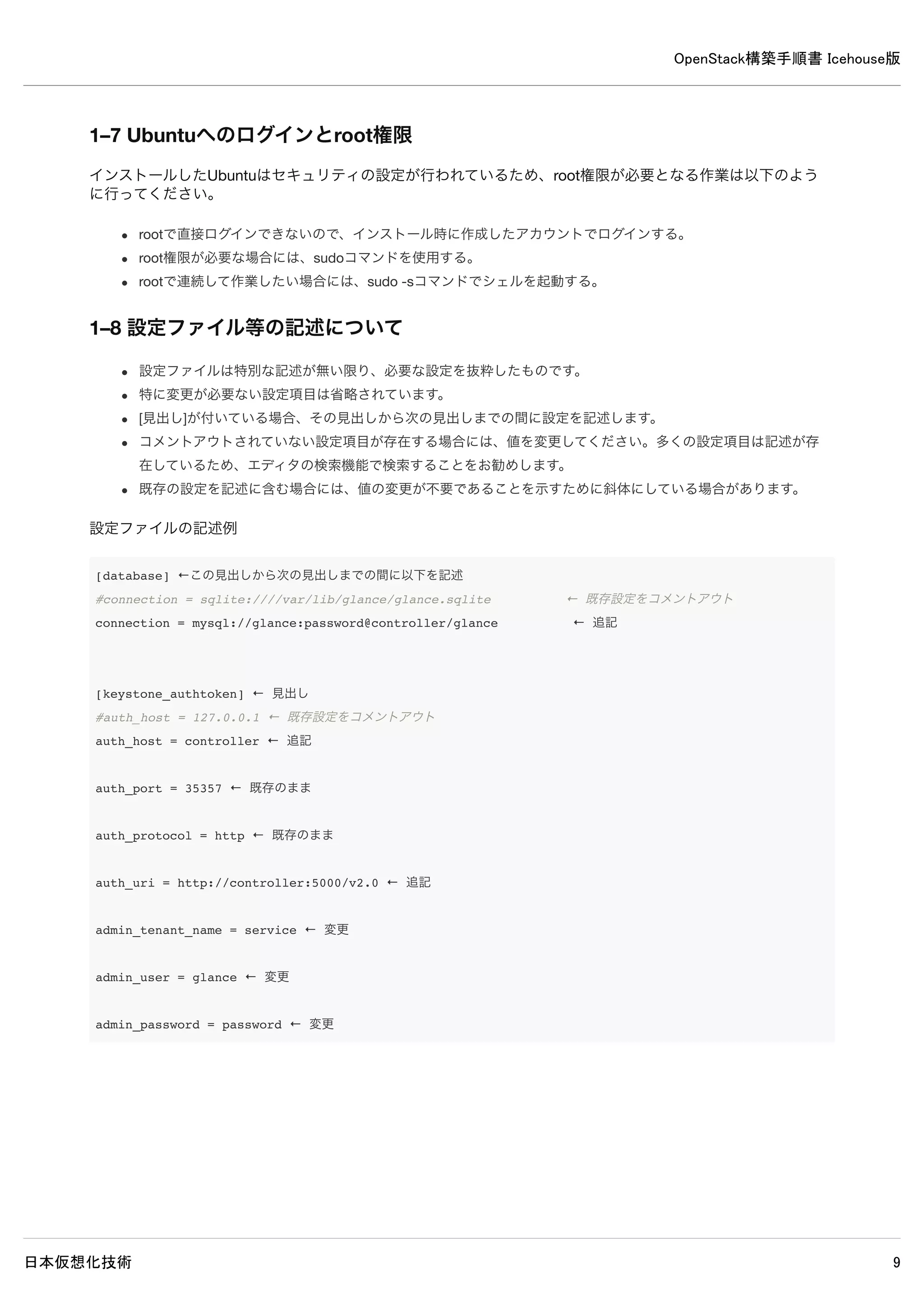
※上記WARNING以外、特に何も表示されなければ問題ありません。
OpenStack構築手順書 Icehouse版
日本仮想化技術 26
5.Glanceのインストールと設定
5–1 パッケージのインストール
controller# apt-get install -y glance python-glanceclient sheepdog
sheepdogのインストールで次回ログイン時にメッセージが複数表示されるのを抑制するために設定ファイルを削除します。
controller# rm -f /etc/bash_completion.d/sheepdog
5–2 データベースの作成・確認
5–2–1 データベース作成
MySQLのデータベースにGlanceのデータベースを作成します。
controller# mysql -u root -p << EOF
CREATE DATABASE glance;
GRANT ALL PRIVILEGES ON glance.* TO 'glance'@'%'
IDENTIFIED BY 'password';
EOF
Enter password: ← MySQLのrootパスワードpasswordを入力
27.
OpenStack構築手順書 Icehouse版
日本仮想化技術 27
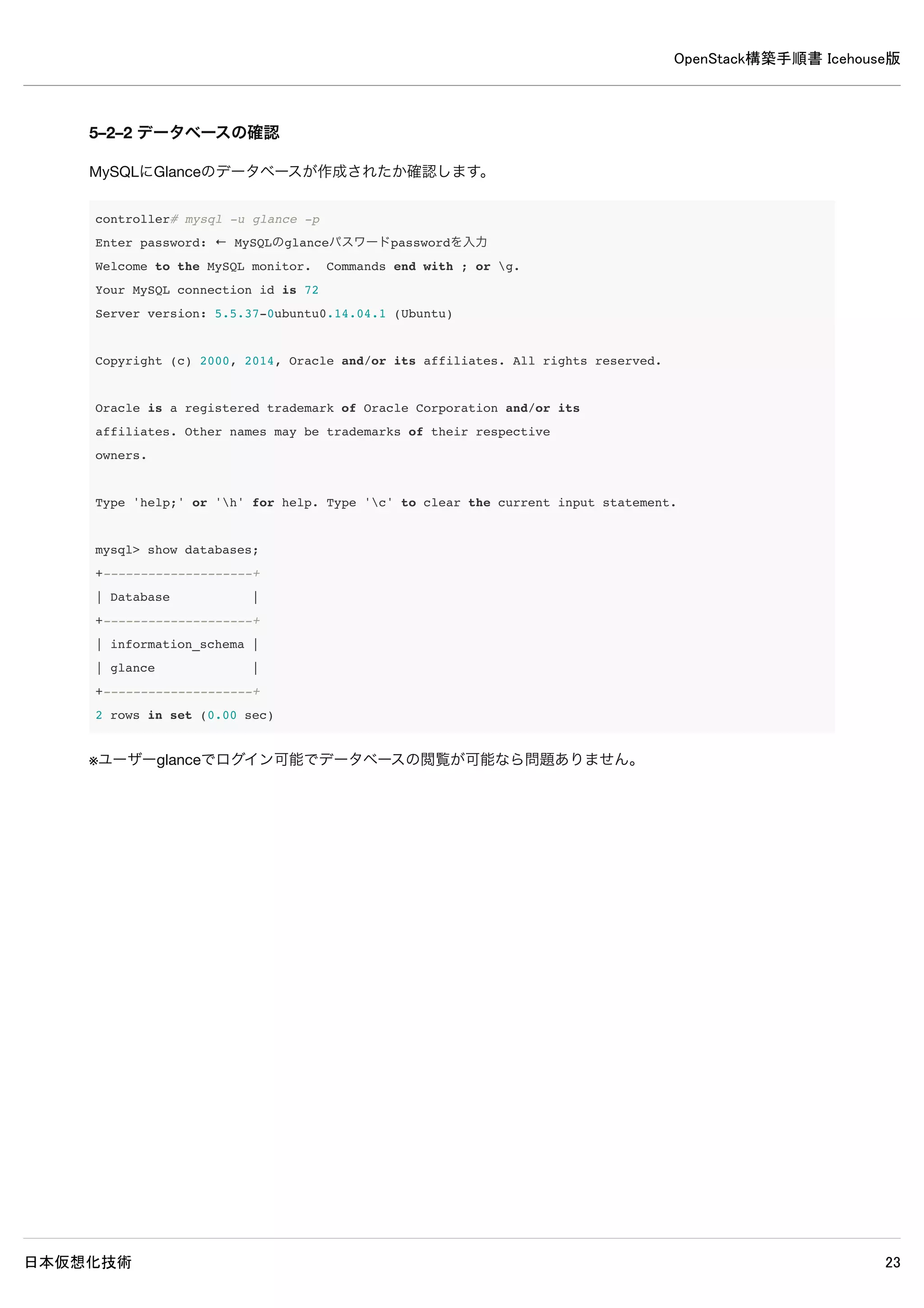
5–2–2データベースの確認
MySQLにGlanceのデータベースが作成されたか確認します。
controller# mysql -u glance -p
Enter password: ← MySQLのglanceパスワードpasswordを入力
Welcome to the MySQL monitor. Commands end with ; or g.
Your MySQL connection id is 72
Server version: 5.5.37-0ubuntu0.14.04.1 (Ubuntu)
Copyright (c) 2000, 2014, Oracle and/or its affiliates. All rights reserved.
Oracle is a registered trademark of Oracle Corporation and/or its
affiliates. Other names may be trademarks of their respective
owners.
Type 'help;' or 'h' for help. Type 'c' to clear the current input statement.
mysql> show databases;
+--------------------+
| Database |
+--------------------+
| information_schema |
| glance |
+--------------------+
2 rows in set (0.00 sec)
※ユーザーglanceでログイン可能でデータベースの閲覧が可能なら問題ありません。
OpenStack構築手順書 Icehouse版
日本仮想化技術 31
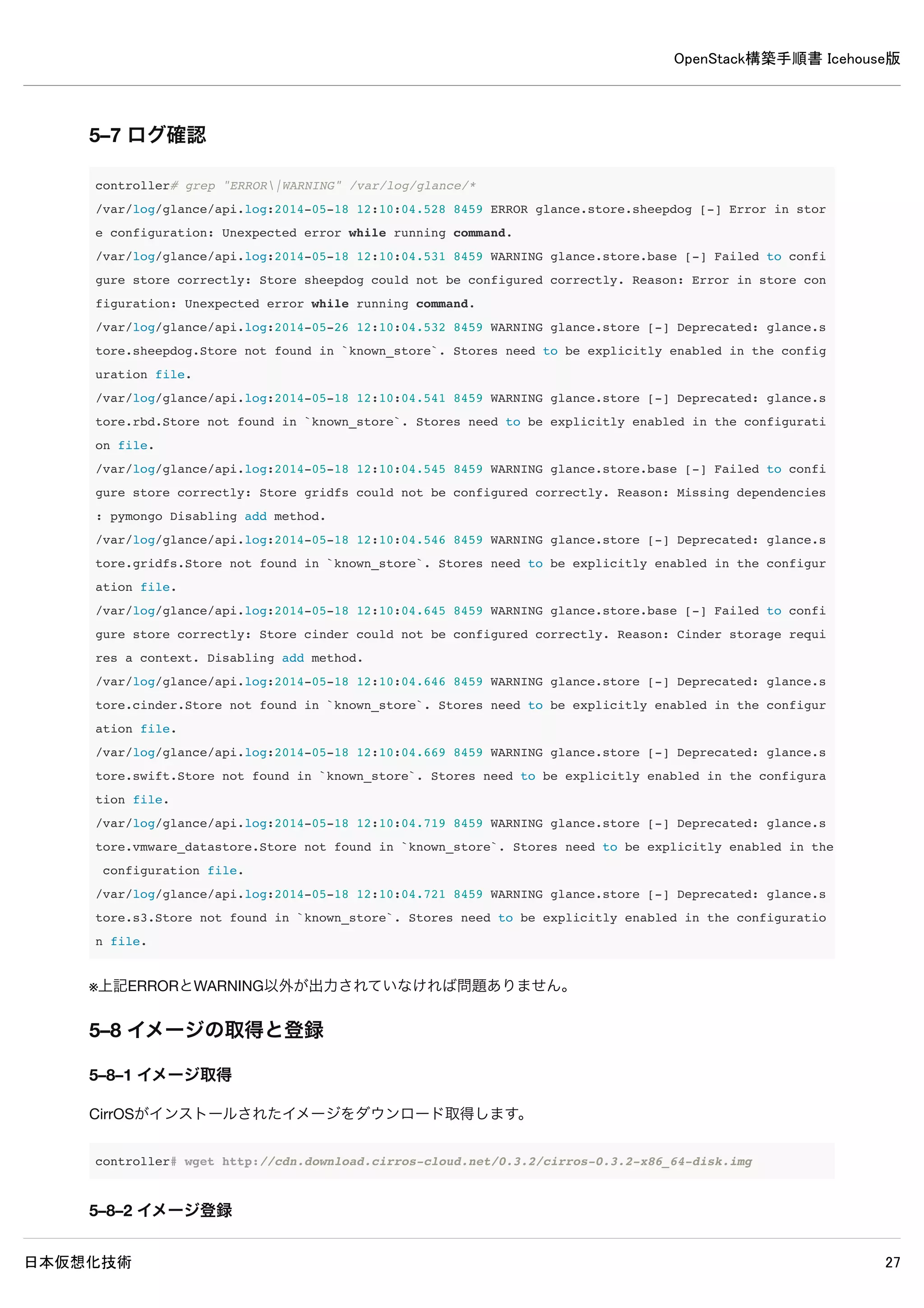
5–7ログ確認
controller# grep "ERROR|WARNING" /var/log/glance/*
/var/log/glance/api.log:2014-05-18 12:10:04.528 8459 ERROR glance.store.sheepdog [-] Error in store configurat
ion: Unexpected error while running command.
/var/log/glance/api.log:2014-05-18 12:10:04.531 8459 WARNING glance.store.base [-] Failed to configure store c
orrectly: Store sheepdog could not be configured correctly. Reason: Error in store configuration: Unexpected e
rror while running command.
/var/log/glance/api.log:2014-05-26 12:10:04.532 8459 WARNING glance.store [-] Deprecated: glance.store.sheepdo
g.Store not found in `known_store`. Stores need to be explicitly enabled in the configuration file.
/var/log/glance/api.log:2014-05-18 12:10:04.541 8459 WARNING glance.store [-] Deprecated: glance.store.rbd.Sto
re not found in `known_store`. Stores need to be explicitly enabled in the configuration file.
/var/log/glance/api.log:2014-05-18 12:10:04.545 8459 WARNING glance.store.base [-] Failed to configure store c
orrectly: Store gridfs could not be configured correctly. Reason: Missing dependencies: pymongo Disabling add
method.
/var/log/glance/api.log:2014-05-18 12:10:04.546 8459 WARNING glance.store [-] Deprecated: glance.store.gridfs.
Store not found in `known_store`. Stores need to be explicitly enabled in the configuration file.
/var/log/glance/api.log:2014-05-18 12:10:04.645 8459 WARNING glance.store.base [-] Failed to configure store c
orrectly: Store cinder could not be configured correctly. Reason: Cinder storage requires a context. Disabling
add method.
/var/log/glance/api.log:2014-05-18 12:10:04.646 8459 WARNING glance.store [-] Deprecated: glance.store.cinder.
Store not found in `known_store`. Stores need to be explicitly enabled in the configuration file.
/var/log/glance/api.log:2014-05-18 12:10:04.669 8459 WARNING glance.store [-] Deprecated: glance.store.swift.S
tore not found in `known_store`. Stores need to be explicitly enabled in the configuration file.
/var/log/glance/api.log:2014-05-18 12:10:04.719 8459 WARNING glance.store [-] Deprecated: glance.store.vmware_
datastore.Store not found in `known_store`. Stores need to be explicitly enabled in the configuration file.
/var/log/glance/api.log:2014-05-18 12:10:04.721 8459 WARNING glance.store [-] Deprecated: glance.store.s3.Stor
e not found in `known_store`. Stores need to be explicitly enabled in the configuration file.
※上記ERRORとWARNING以外が出力されていなければ問題ありません。
5–8 イメージの取得と登録
5–8–1 イメージ取得
CirrOSがインストールされたイメージをダウンロード取得します。
controller# wget http://cdn.download.cirros-cloud.net/0.3.2/cirros-0.3.2-x86_64-disk.img
5–8–2 イメージ登録
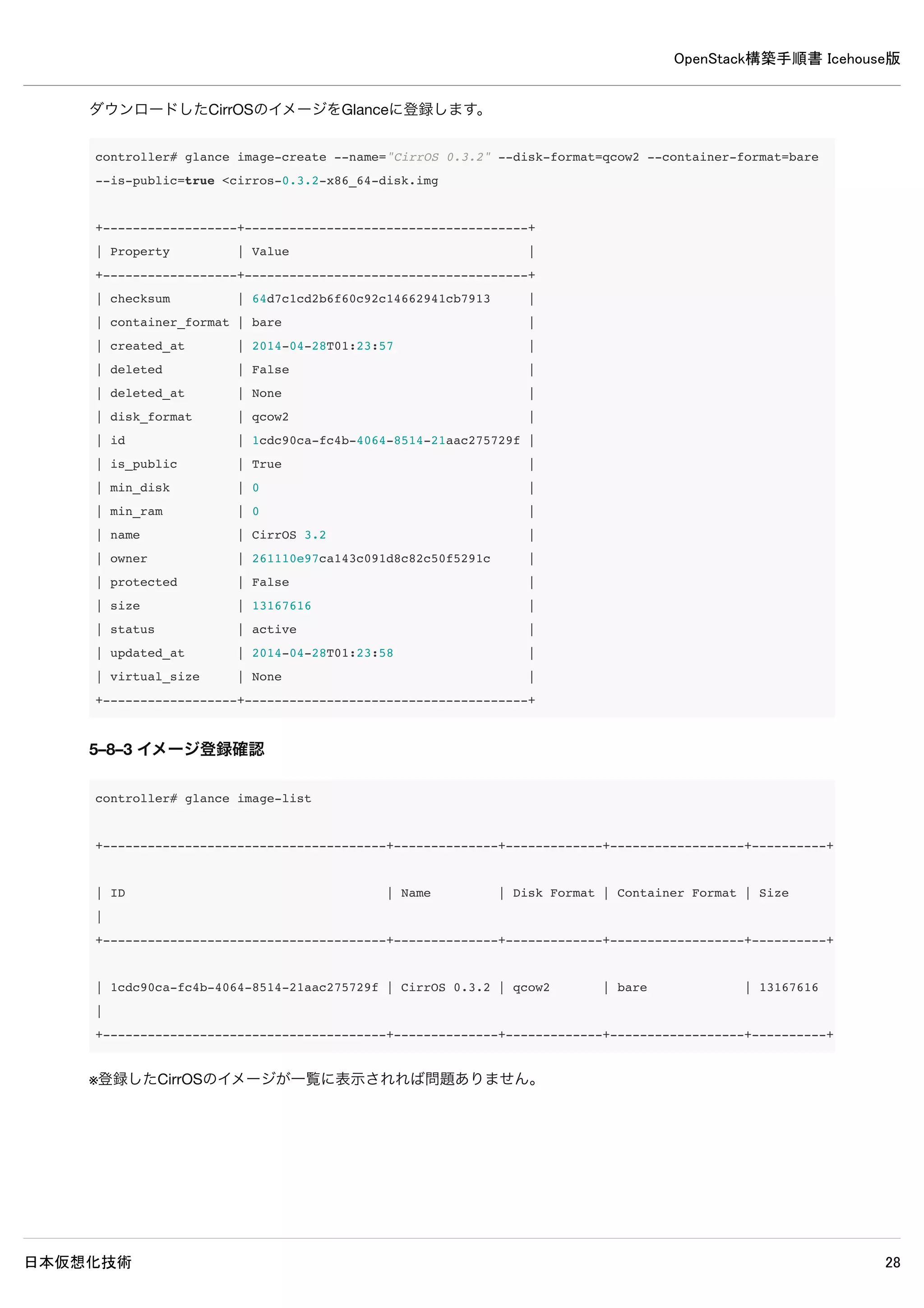
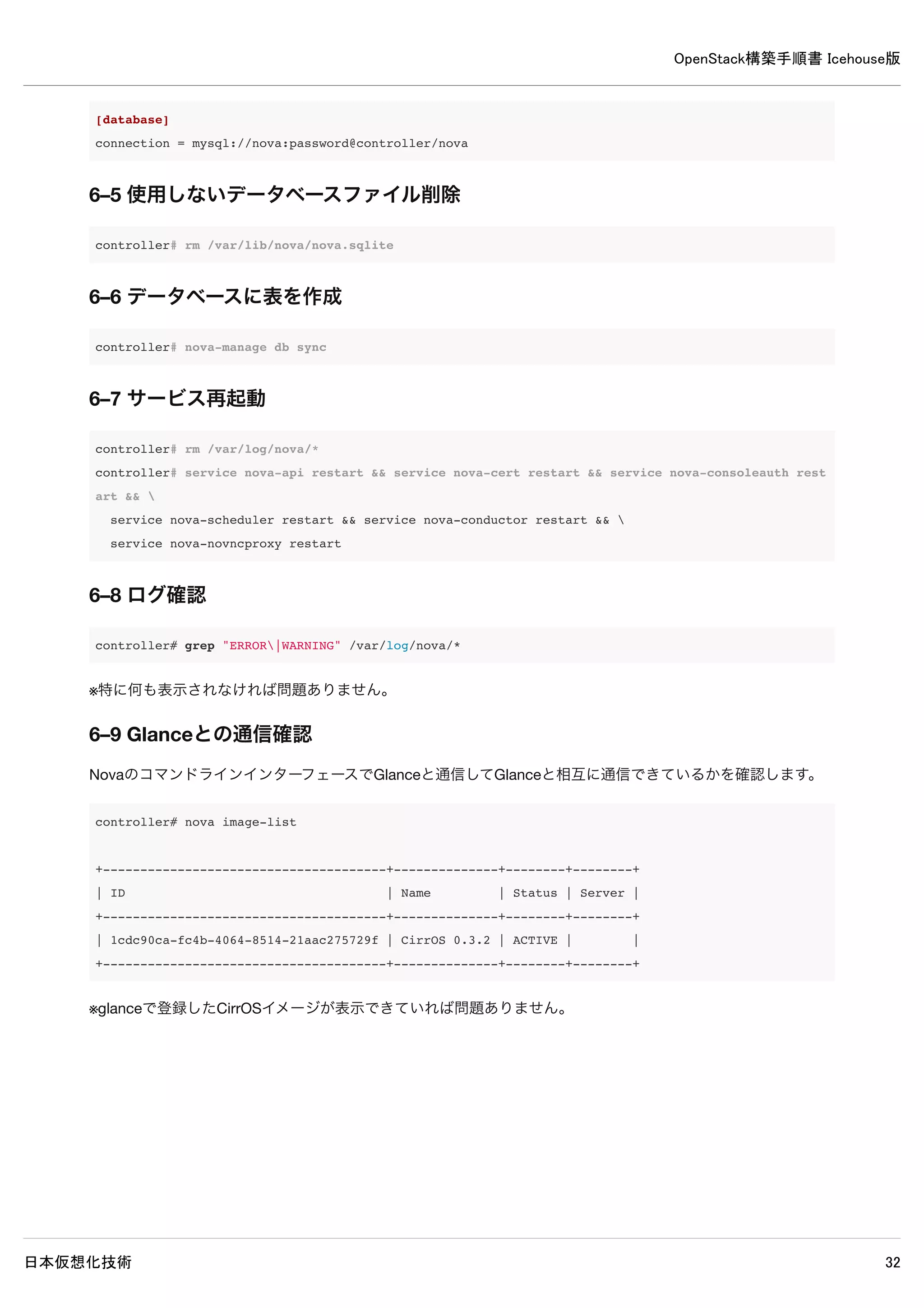
ダウンロードしたCirrOSのイメージをGlanceに登録します。
OpenStack構築手順書 Icehouse版
日本仮想化技術 33
6.Novaのインストール・設定(controllerノード)
6–1 パッケージインストール
controller# apt-get install -y nova-api nova-cert nova-conductor nova-consoleauth nova-novncproxy
nova-scheduler python-novaclient
6–2 データベースの作成・確認
6–2–1 データベースの作成
MySQLのデータベースにNovaのデータベースを作成します。
controller# mysql -u root -p << EOF
CREATE DATABASE nova;
GRANT ALL PRIVILEGES ON nova.* TO 'nova'@'%'
IDENTIFIED BY 'password';
EOF
Enter password: ← MySQLのrootパスワードpasswordを入力
6–2–2 データベースの作成確認
MySQLにNovaのデータベースが作成されたか確認します。
34.
OpenStack構築手順書 Icehouse版
日本仮想化技術 34
controller#mysql -u nova -p
Enter password: ← MySQLのnovaパスワードpasswordを入力
Welcome to the MySQL monitor. Commands end with ; or g.
Your MySQL connection id is 74
Server version: 5.5.37-0ubuntu0.14.04.1 (Ubuntu)
Copyright (c) 2000, 2014, Oracle and/or its affiliates. All rights reserved.
Oracle is a registered trademark of Oracle Corporation and/or its
affiliates. Other names may be trademarks of their respective
owners.
Type 'help;' or 'h' for help. Type 'c' to clear the current input statement.
mysql> show databases;
+--------------------+
| Database |
+--------------------+
| information_schema |
| nova |
+--------------------+
2 rows in set (0.00 sec)
※ユーザーnovaでログイン可能でデータベースの閲覧が可能なら問題ありません。
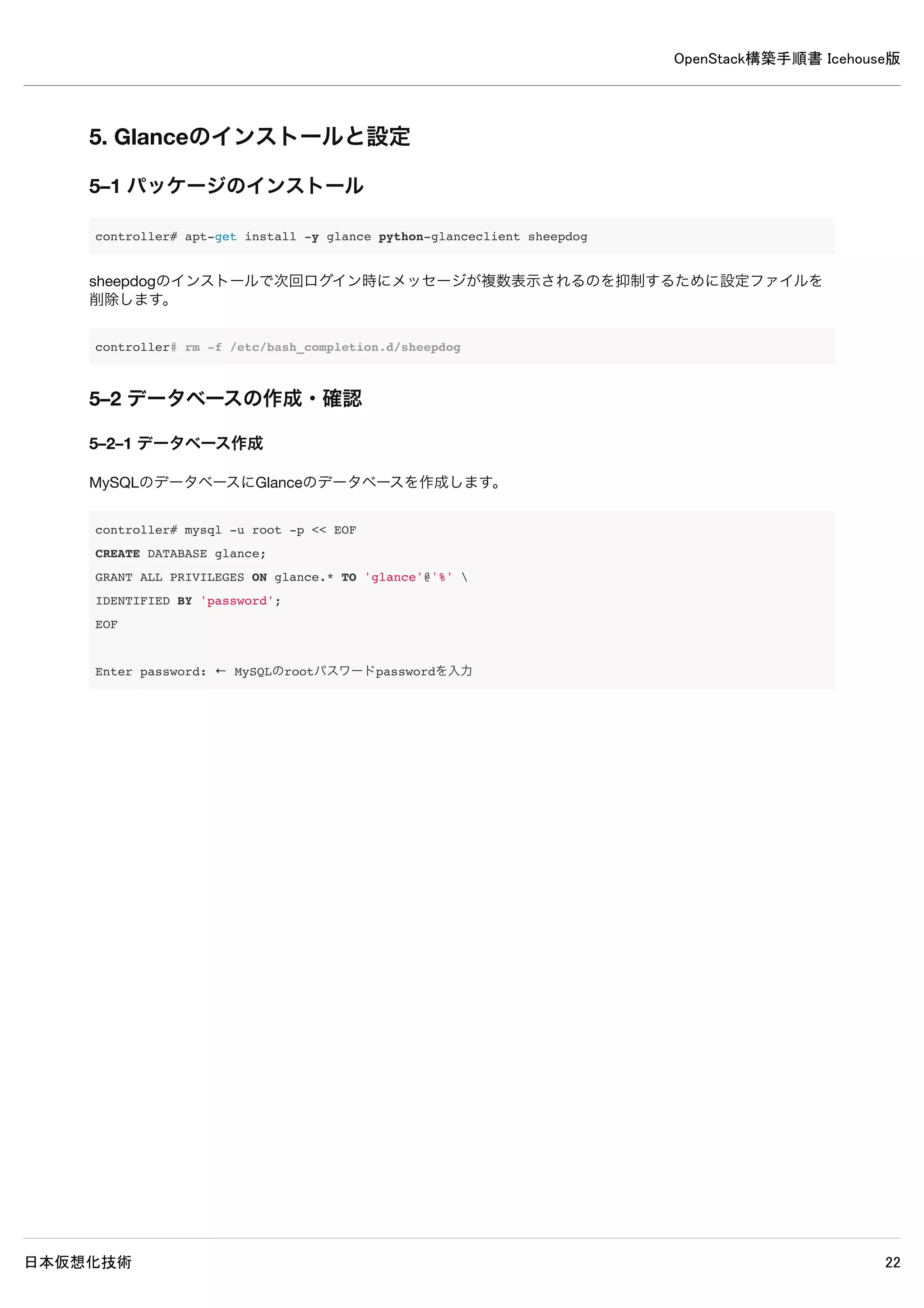
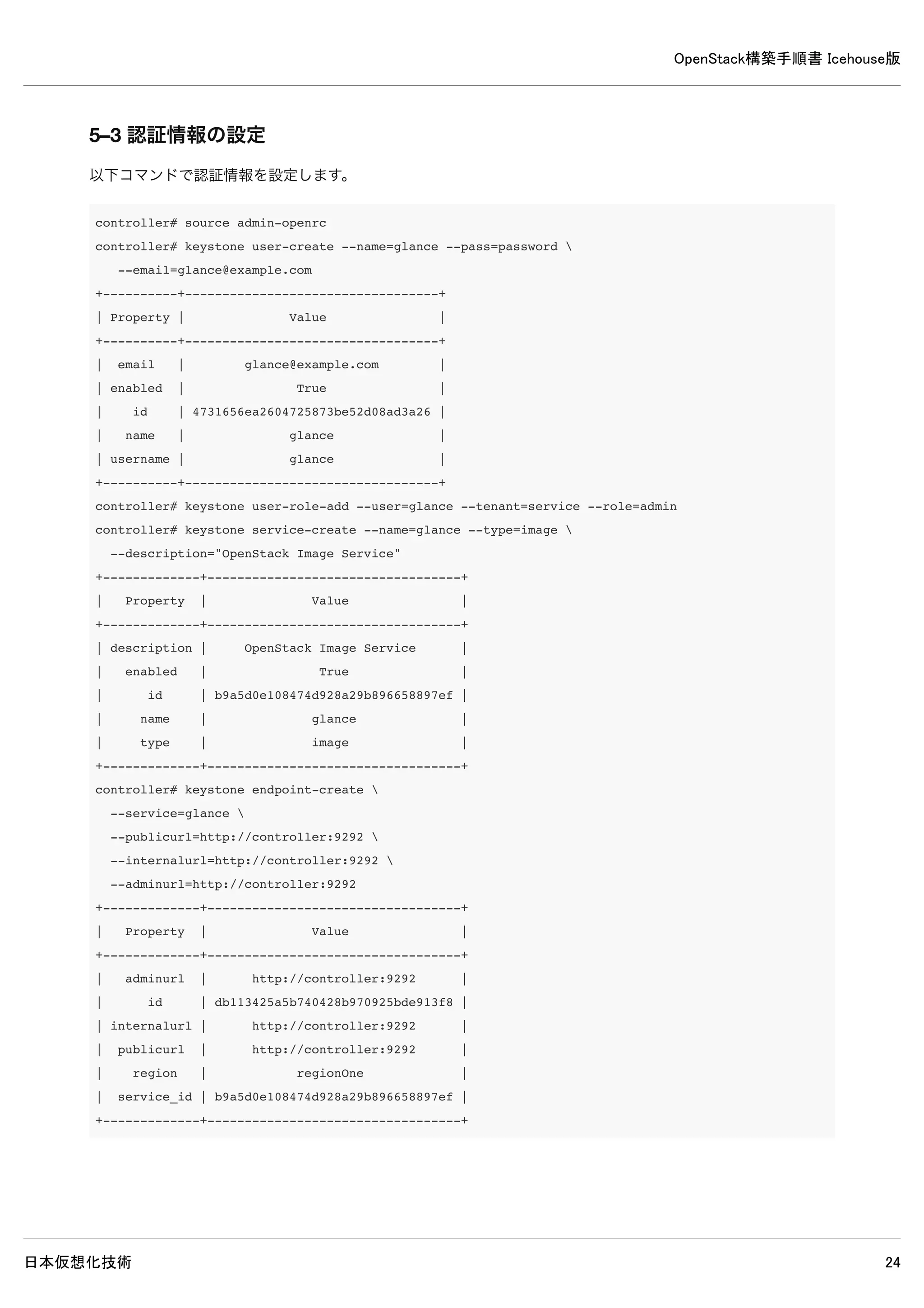
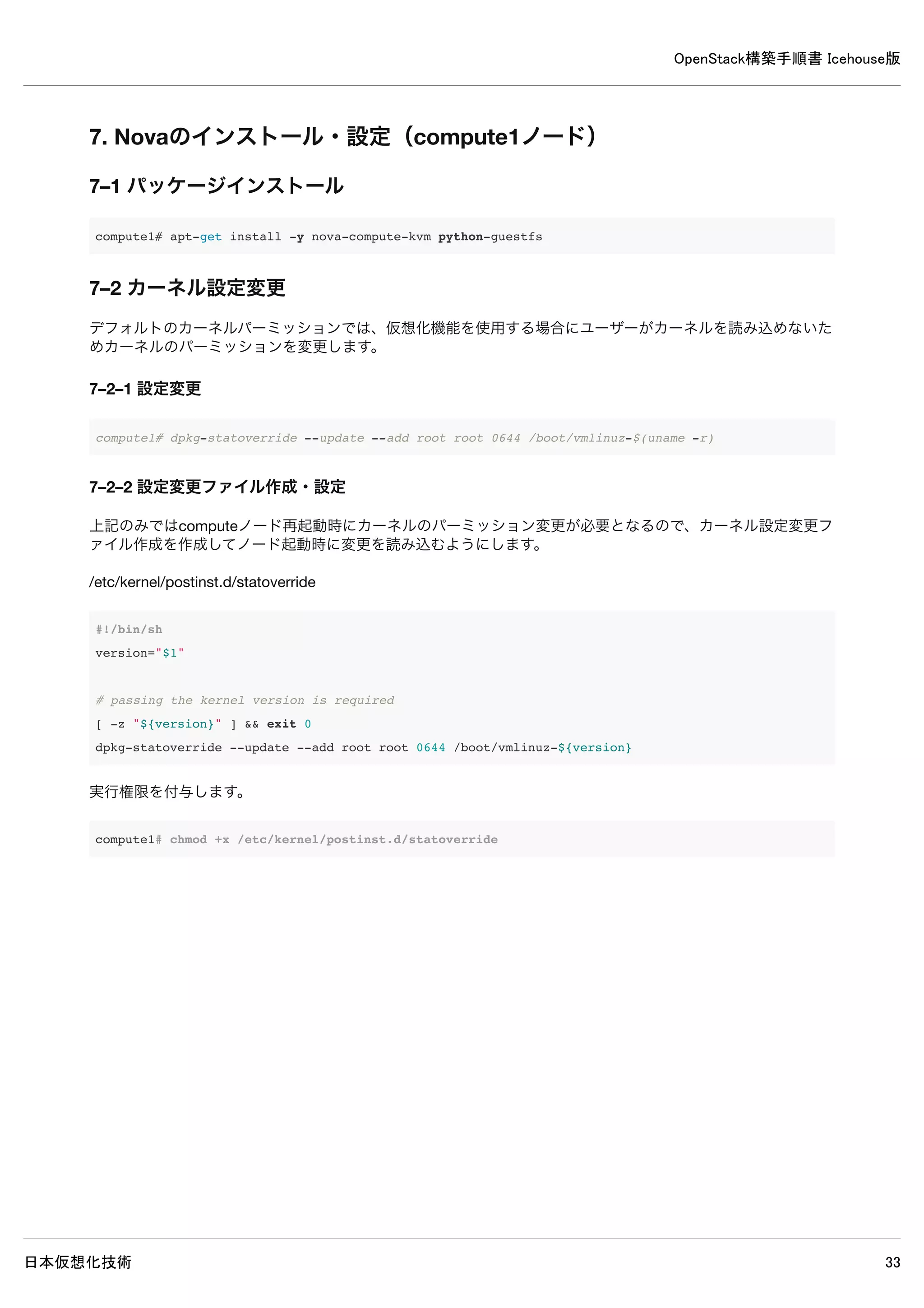
6–3 認証情報の設定
以下コマンドで認証情報を設定します。
OpenStack構築手順書 Icehouse版
日本仮想化技術 42
8.Neutronのインストール・設定(controllerノード)
8–1 パッケージインストール
controller# apt-get install -y neutron-server neutron-plugin-ml2
8–2 データベース作成・確認
8–2–1 データベース作成
MySQLのデータベースにNeutronのデータベースを作成します。
controller# mysql -u root -p << EOF
CREATE DATABASE neutron;
GRANT ALL PRIVILEGES ON neutron.* TO 'neutron'@'%'
IDENTIFIED BY 'password';
EOF
Enter password: ← MySQLのrootパスワードpasswordを入力
8–2–2 データベースの確認
MySQLにNeutronのデータベースが登録されたか確認します。
43.
OpenStack構築手順書 Icehouse版
日本仮想化技術 43
controller#mysql -u neutron -p
Enter password: ← MySQLのneutronパスワードpasswordを入力
Welcome to the MySQL monitor. Commands end with ; or g.
Your MySQL connection id is 75
Server version: 5.5.37-0ubuntu0.14.04.1 (Ubuntu)
Copyright (c) 2000, 2014, Oracle and/or its affiliates. All rights reserved.
Oracle is a registered trademark of Oracle Corporation and/or its
affiliates. Other names may be trademarks of their respective
owners.
Type 'help;' or 'h' for help. Type 'c' to clear the current input statement.
mysql> show databases;
+--------------------+
| Database |
+--------------------+
| information_schema |
| neutron |
+--------------------+
2 rows in set (0.00 sec)
※ユーザーneutronでログイン可能でデータベースが閲覧可能なら問題ありません。
8–3 認証情報の設定
以下コマンドで認証情報を設定します。
OpenStack構築手順書 Icehouse版
日本仮想化技術 48
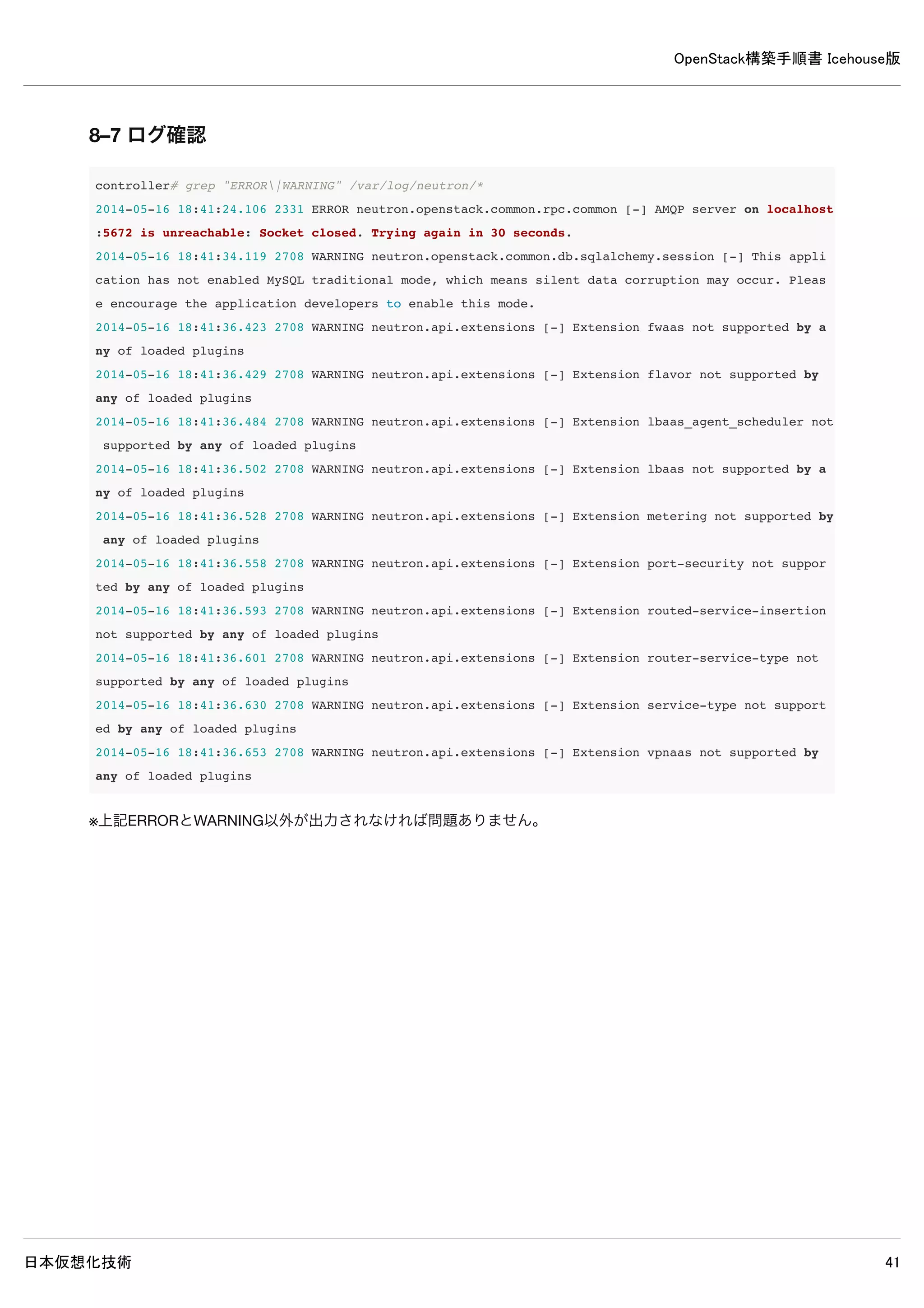
8–7ログ確認
controller# grep "ERROR|WARNING" /var/log/neutron/*
2014-05-16 18:41:24.106 2331 ERROR neutron.openstack.common.rpc.common [-] AMQP server on localhost:5672 is un
reachable: Socket closed. Trying again in 30 seconds.
2014-05-16 18:41:34.119 2708 WARNING neutron.openstack.common.db.sqlalchemy.session [-] This application has n
ot enabled MySQL traditional mode, which means silent data corruption may occur. Please encourage the applicat
ion developers to enable this mode.
2014-05-16 18:41:36.423 2708 WARNING neutron.api.extensions [-] Extension fwaas not supported by any of loaded
plugins
2014-05-16 18:41:36.429 2708 WARNING neutron.api.extensions [-] Extension flavor not supported by any of loade
d plugins
2014-05-16 18:41:36.484 2708 WARNING neutron.api.extensions [-] Extension lbaas_agent_scheduler not supported
by any of loaded plugins
2014-05-16 18:41:36.502 2708 WARNING neutron.api.extensions [-] Extension lbaas not supported by any of loaded
plugins
2014-05-16 18:41:36.528 2708 WARNING neutron.api.extensions [-] Extension metering not supported by any of loa
ded plugins
2014-05-16 18:41:36.558 2708 WARNING neutron.api.extensions [-] Extension port-security not supported by any of
loaded plugins
2014-05-16 18:41:36.593 2708 WARNING neutron.api.extensions [-] Extension routed-service-insertion not support
ed by any of loaded plugins
2014-05-16 18:41:36.601 2708 WARNING neutron.api.extensions [-] Extension router-service-type not supported by
any of loaded plugins
2014-05-16 18:41:36.630 2708 WARNING neutron.api.extensions [-] Extension service-type not supported by any of
loaded plugins
2014-05-16 18:41:36.653 2708 WARNING neutron.api.extensions [-] Extension vpnaas not supported by any of loade
d plugins
※上記ERRORとWARNING以外が出力されなければ問題ありません。
OpenStack構築手順書 Icehouse版
日本仮想化技術 53
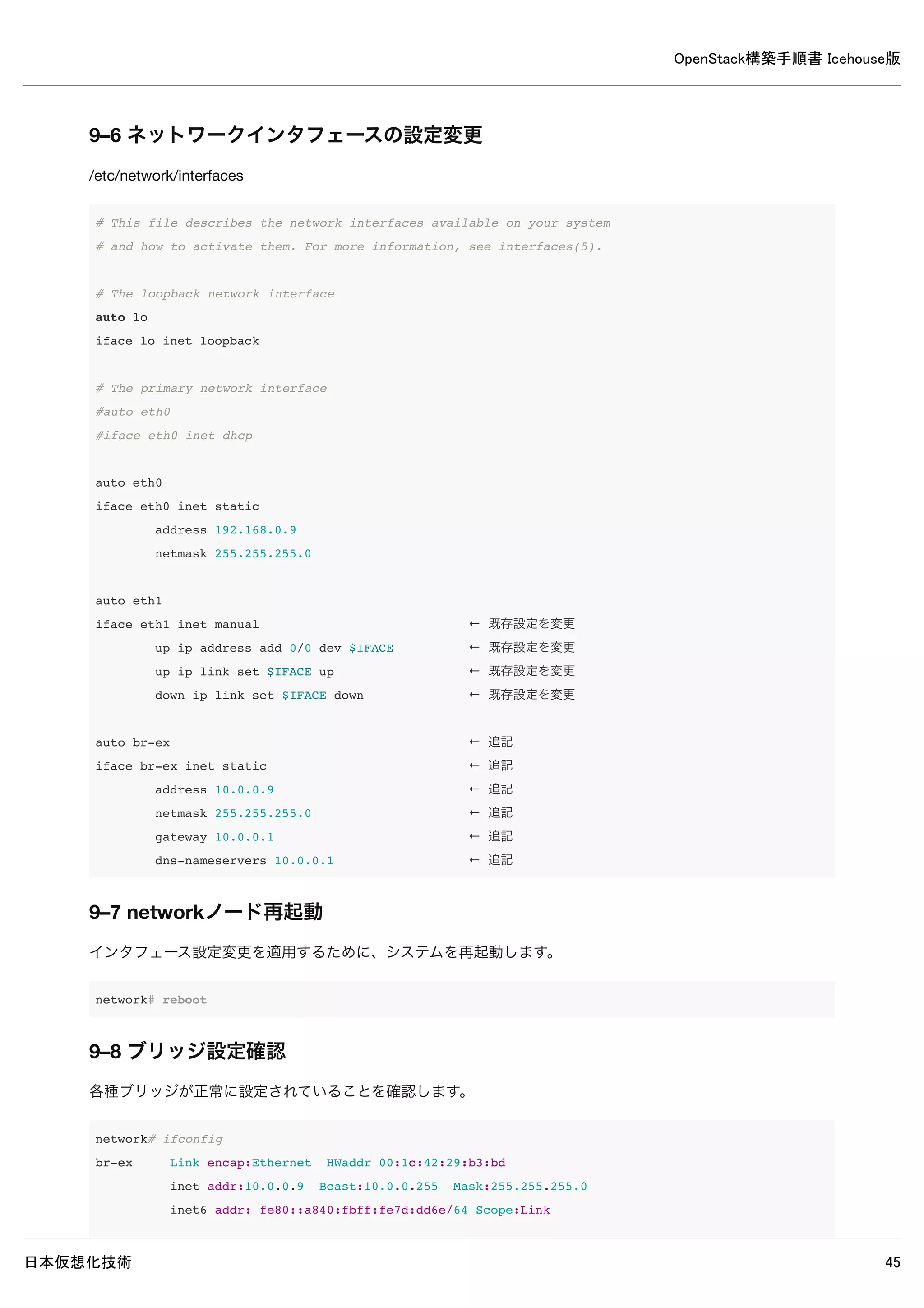
9–6ネットワークインタフェースの設定変更
/etc/network/interfaces
# This file describes the network interfaces available on your system
# and how to activate them. For more information, see interfaces(5).
# The loopback network interface
auto lo
iface lo inet loopback
# The primary network interface
#auto eth0
#iface eth0 inet dhcp
auto eth0
iface eth0 inet static
address 192.168.0.9
netmask 255.255.255.0
auto eth1
iface eth1 inet manual ← 既存設定を変更
up ip address add 0/0 dev $IFACE ← 既存設定を変更
up ip link set $IFACE up ← 既存設定を変更
down ip link set $IFACE down ← 既存設定を変更
auto br-ex ← 追記
iface br-ex inet static ← 追記
address 10.0.0.9 ← 追記
netmask 255.255.255.0 ← 追記
gateway 10.0.0.1 ← 追記
dns-nameservers 10.0.0.1 ← 追記
9–7 networkノード再起動
インタフェース設定変更を適用するために、システムを再起動します。
network# reboot
9–8 ブリッジ設定確認
各種ブリッジが正常に設定されていることを確認します。
network# ifconfig
OpenStack構築手順書 Icehouse版
日本仮想化技術 60
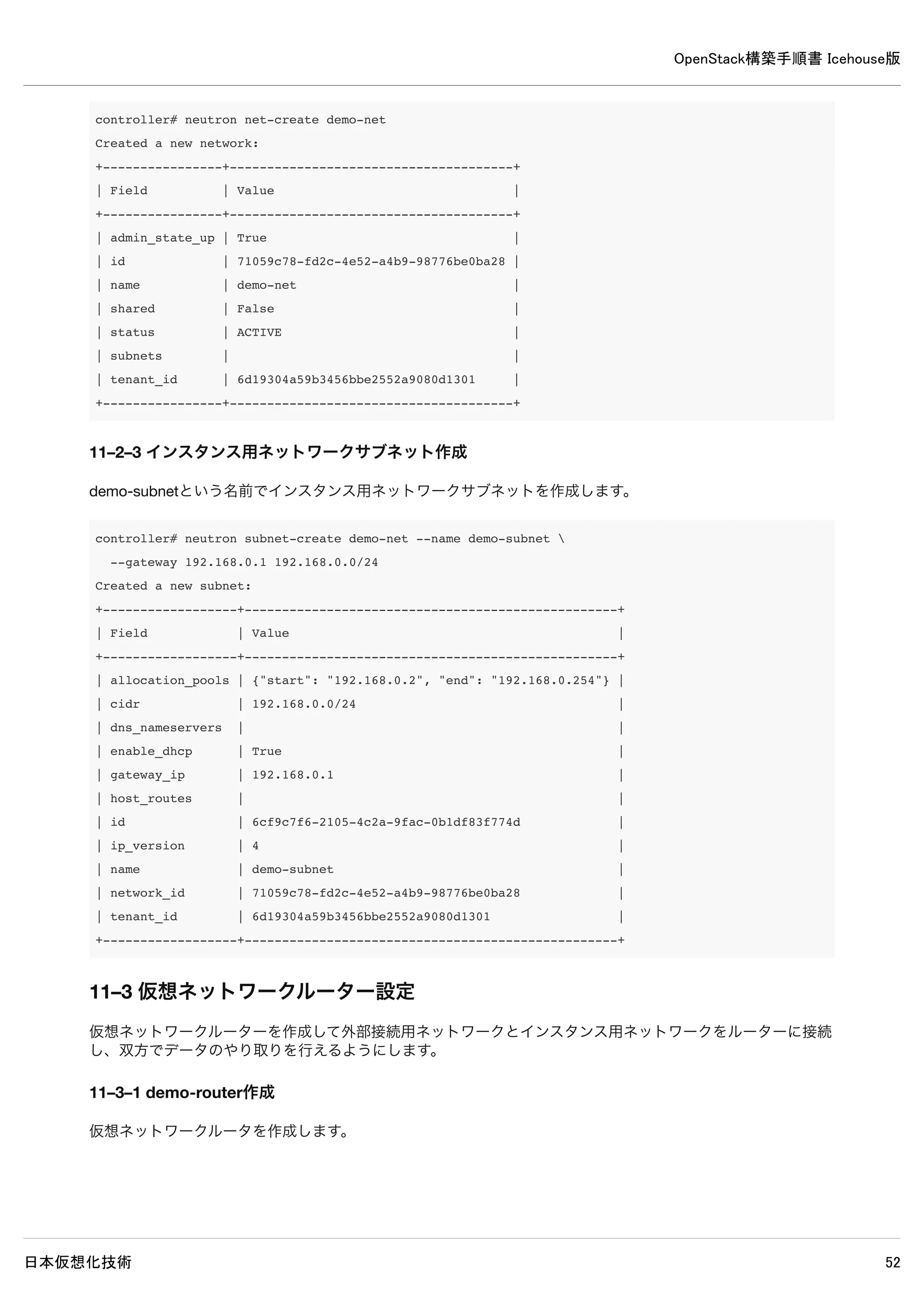
controller#neutron net-create demo-net
Created a new network:
+----------------+--------------------------------------+
| Field | Value |
+----------------+--------------------------------------+
| admin_state_up | True |
| id | 71059c78-fd2c-4e52-a4b9-98776be0ba28 |
| name | demo-net |
| shared | False |
| status | ACTIVE |
| subnets | |
| tenant_id | 6d19304a59b3456bbe2552a9080d1301 |
+----------------+--------------------------------------+
11–2–3 インスタンス用ネットワークサブネット作成
demo-subnetという名前でインスタンス用ネットワークサブネットを作成します。
controller# neutron subnet-create demo-net --name demo-subnet
--gateway 192.168.0.1 192.168.0.0/24
Created a new subnet:
+------------------+--------------------------------------------------+
| Field | Value |
+------------------+--------------------------------------------------+
| allocation_pools | {"start": "192.168.0.2", "end": "192.168.0.254"} |
| cidr | 192.168.0.0/24 |
| dns_nameservers | |
| enable_dhcp | True |
| gateway_ip | 192.168.0.1 |
| host_routes | |
| id | 6cf9c7f6-2105-4c2a-9fac-0b1df83f774d |
| ip_version | 4 |
| name | demo-subnet |
| network_id | 71059c78-fd2c-4e52-a4b9-98776be0ba28 |
| tenant_id | 6d19304a59b3456bbe2552a9080d1301 |
+------------------+--------------------------------------------------+
11–3 仮想ネットワークルーター設定
仮想ネットワークルーターを作成して外部接続用ネットワークとインスタンス用ネットワークをルーターに接続し、双方でデ
ータのやり取りを行えるようにします。
11–3–1 demo-router作成
仮想ネットワークルータを作成します。
61.
OpenStack構築手順書 Icehouse版
日本仮想化技術 61
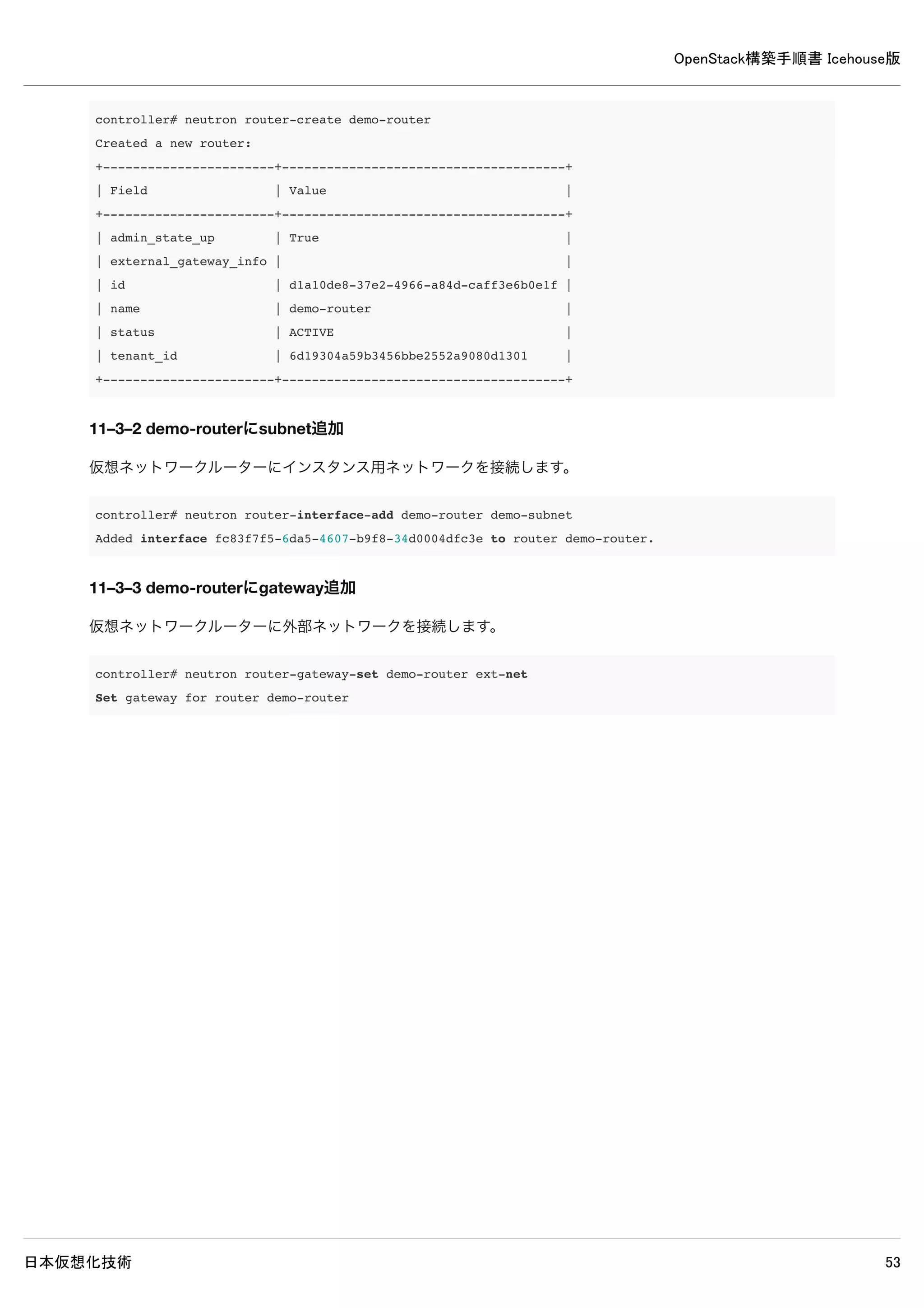
controller#neutron router-create demo-router
Created a new router:
+-----------------------+--------------------------------------+
| Field | Value |
+-----------------------+--------------------------------------+
| admin_state_up | True |
| external_gateway_info | |
| id | d1a10de8-37e2-4966-a84d-caff3e6b0e1f |
| name | demo-router |
| status | ACTIVE |
| tenant_id | 6d19304a59b3456bbe2552a9080d1301 |
+-----------------------+--------------------------------------+
11–3–2 demo-routerにsubnet追加
仮想ネットワークルーターにインスタンス用ネットワークを接続します。
controller# neutron router-interface-add demo-router demo-subnet
Added interface fc83f7f5-6da5-4607-b9f8-34d0004dfc3e to router demo-router.
11–3–3 demo-routerにgateway追加
仮想ネットワークルーターに外部ネットワークを接続します。
controller# neutron router-gateway-set demo-router ext-net
Set gateway for router demo-router
62.
OpenStack構築手順書 Icehouse版
日本仮想化技術 62
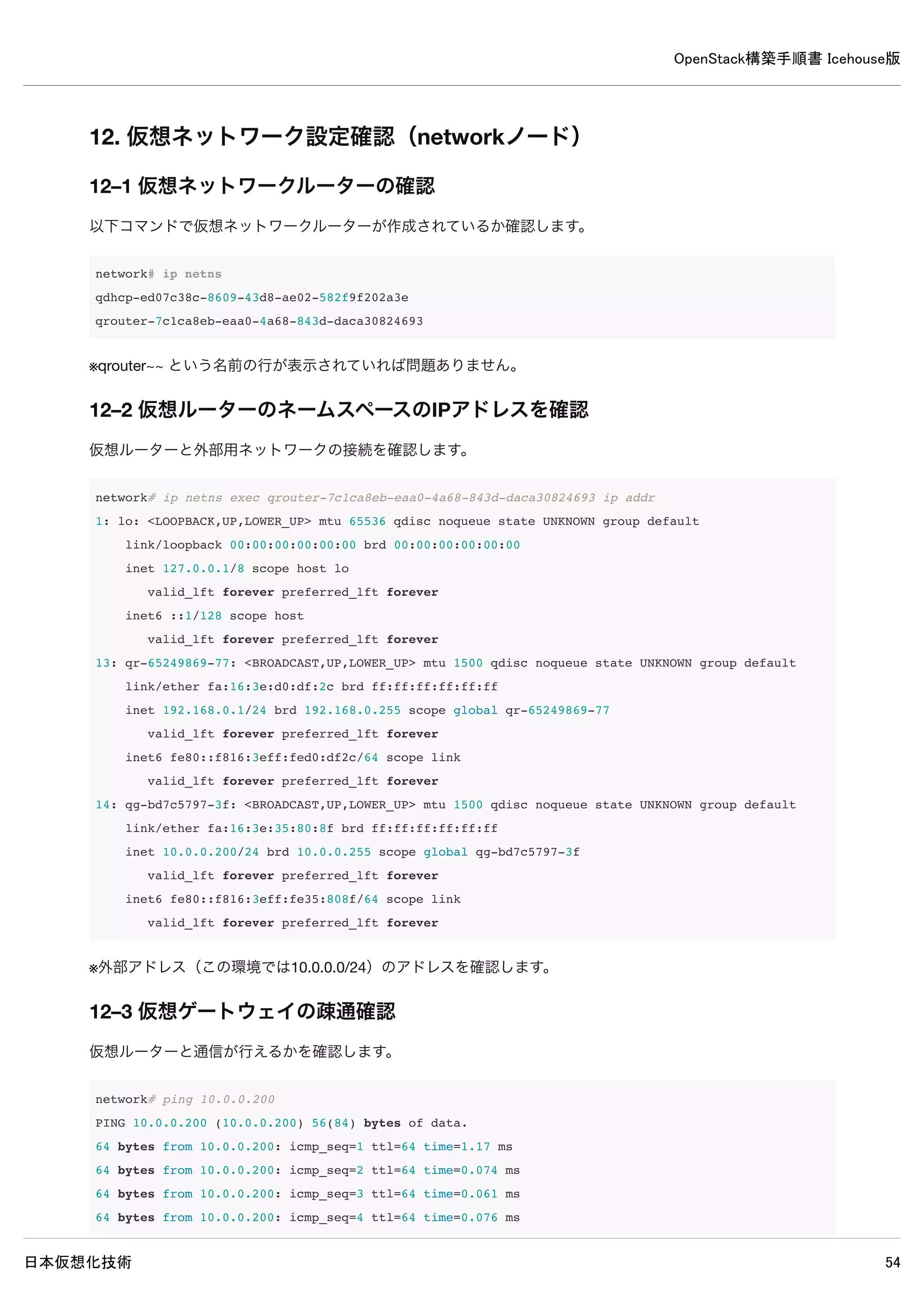
12.仮想ネットワーク設定確認(networkノード)
12–1 仮想ネットワークルーターの確認
以下コマンドで仮想ネットワークルーターが作成されているか確認します。
network# ip netns
qdhcp-ed07c38c-8609-43d8-ae02-582f9f202a3e
qrouter-7c1ca8eb-eaa0-4a68-843d-daca30824693
※qrouter~~ という名前の行が表示されていれば問題ありません。
12–2 仮想ルーターのネームスペースのIPアドレスを確認
仮想ルーターと外部用ネットワークの接続を確認します。
network# ip netns exec qrouter-7c1ca8eb-eaa0-4a68-843d-daca30824693 ip addr
1: lo: <LOOPBACK,UP,LOWER_UP> mtu 65536 qdisc noqueue state UNKNOWN group default
link/loopback 00:00:00:00:00:00 brd 00:00:00:00:00:00
inet 127.0.0.1/8 scope host lo
valid_lft forever preferred_lft forever
inet6 ::1/128 scope host
valid_lft forever preferred_lft forever
13: qr-65249869-77: <BROADCAST,UP,LOWER_UP> mtu 1500 qdisc noqueue state UNKNOWN group default
link/ether fa:16:3e:d0:df:2c brd ff:ff:ff:ff:ff:ff
inet 192.168.0.1/24 brd 192.168.0.255 scope global qr-65249869-77
valid_lft forever preferred_lft forever
inet6 fe80::f816:3eff:fed0:df2c/64 scope link
valid_lft forever preferred_lft forever
14: qg-bd7c5797-3f: <BROADCAST,UP,LOWER_UP> mtu 1500 qdisc noqueue state UNKNOWN group default
link/ether fa:16:3e:35:80:8f brd ff:ff:ff:ff:ff:ff
inet 10.0.0.200/24 brd 10.0.0.255 scope global qg-bd7c5797-3f
valid_lft forever preferred_lft forever
inet6 fe80::f816:3eff:fe35:808f/64 scope link
valid_lft forever preferred_lft forever
※外部アドレス(この環境では10.0.0.0/24)のアドレスを確認します。
12–3 仮想ゲートウェイの疎通確認
仮想ルーターと通信が行えるかを確認します。
63.
OpenStack構築手順書 Icehouse版
日本仮想化技術 63
network#ping 10.0.0.200
PING 10.0.0.200 (10.0.0.200) 56(84) bytes of data.
64 bytes from 10.0.0.200: icmp_seq=1 ttl=64 time=1.17 ms
64 bytes from 10.0.0.200: icmp_seq=2 ttl=64 time=0.074 ms
64 bytes from 10.0.0.200: icmp_seq=3 ttl=64 time=0.061 ms
64 bytes from 10.0.0.200: icmp_seq=4 ttl=64 time=0.076 ms
※応答が返ってくるなら問題ありません、networkノード以外のノードからも通信を確認してみてもよいです。
64.
OpenStack構築手順書 Icehouse版
日本仮想化技術 64
13.Cinderインストール(controllerノード)
13–1 パッケージインストール
controller# apt-get install -y cinder-common cinder-api cinder-scheduler cinder-volume
13–2 データベース作成・確認
13–2–1 データベース作成
MySQLのデータベースにCinderのデータベースを作成します。
controller# mysql -u root -p <<EOF
CREATE DATABASE cinder;
GRANT ALL PRIVILEGES ON cinder.* TO 'cinder'@'%'
IDENTIFIED BY 'password';
EOF
Enter password: ← MySQLのrootパスワードpasswordを入力
13–2–2 データベースの確認
MySQLにCinderのデータベースが登録されたか確認します。
65.
OpenStack構築手順書 Icehouse版
日本仮想化技術 65
controller#mysql -u cinder -p
Enter password: ← MySQLのcinderパスワードpasswordを入力
Welcome to the MySQL monitor. Commands end with ; or g.
Your MySQL connection id is 50
Server version: 5.5.37-0ubuntu0.14.04.1 (Ubuntu)
Copyright (c) 2000, 2014, Oracle and/or its affiliates. All rights reserved.
Oracle is a registered trademark of Oracle Corporation and/or its
affiliates. Other names may be trademarks of their respective
owners.
Type 'help;' or 'h' for help. Type 'c' to clear the current input statement.
mysql> show databases;
+--------------------+
| Database |
+--------------------+
| information_schema |
| cinder |
+--------------------+
2 rows in set (0.00 sec)
※ユーザーcinderでログイン可能でデータベースの閲覧が可能なら問題ありません。
13–3 認証情報の設定
以下コマンドで認証情報を設定します。
controller# source admin-openrc
controller# keystone user-create --name=cinder --pass=password --email=cinder@example.com
+----------+----------------------------------+
| Property | Value |
+----------+----------------------------------+
| email | cinder@example.com |
| enabled | True |
| id | 2e391db9f2004b5ab0712c67ae6c9bcd |
| name | cinder |
| username | cinder |
+----------+----------------------------------+
controller# keystone user-role-add --user=cinder --tenant=service --role=admin
controller# keystone service-create --name=cinder --type=volume --description="OpenStack Block Storage"
+-------------+----------------------------------+
| Property | Value |
+-------------+----------------------------------+
OpenStack構築手順書 Icehouse版
日本仮想化技術 68
controller#grep "ERROR|WARNING" /var/log/cinder/*
/var/log/cinder/cinder-api.log:2014-05-16 16:56:57.401 2641 WARNING cinder.service [-] Value of config option
osapi_volume_workers must be integer greater than 1. Input value ignored.
/var/log/cinder/cinder-scheduler.log:2014-05-16 16:56:37.733 2287 ERROR oslo.messaging._drivers.impl_rabbit [r
eq-b051f972-4128-49bb-a820-b0718340f8fd - - - - -] AMQP server on localhost:5672 is unreachable: Socket closed
. Trying again in 30 seconds.
/var/log/cinder/cinder-volume.log:2014-05-16 16:56:38.409 2390 ERROR oslo.messaging._drivers.impl_rabbit [-] A
MQP server on localhost:5672 is unreachable: Socket closed. Trying again in 30 seconds.
/var/log/cinder/cinder-volume.log:2014-05-16 16:57:12.442 2390 ERROR oslo.messaging._drivers.impl_rabbit [-] A
MQP server on localhost:5672 is unreachable: Socket closed. Trying again in 30 seconds.
/var/log/cinder/cinder-volume.log:2014-05-16 16:57:46.479 2390 ERROR oslo.messaging._drivers.impl_rabbit [-] A
MQP server on localhost:5672 is unreachable: Socket closed. Trying again in 30 seconds.
※上記ERRORとWARNINGが出力されなければ問題ありません。
13–9 イメージ格納用ボリューム作成
イメージ格納用ボリュームを設定するために物理ボリュームの設定、ボリューム作成を行います。
13–9–1 物理ボリューム設定
以下コマンドで物理ボリュームを設定します。
controller# pvcreate /dev/sdb
Physical volume "/dev/sdb" successfully created
controller# vgcreate cinder-volumes /dev/sdb
Volume group "cinder-volumes" successfully created
13–9–2 サービス再起動
controller# service cinder-volume restart && service tgt restart
13–9–3 admin環境変数設定ファイル読み込み
インスタンス格納用ボリュームを作成するためにadmin環境変数を読み込みます。
controller# source admin-openrc
13–9–4 ボリューム作成
以下コマンドでインスタンス格納用ボリュームを作成します。
OpenStack構築手順書 Icehouse版
日本仮想化技術 74
[DEFAULT]
control_exchange= cinder
notification_driver = cinder.openstack.common.notifier.rpc_notifier
14–8 使用しないデータベースファイル削除
controller# rm /var/lib/ceilometer/ceilometer.sqlite
14–9 サービス再起動
controller# rm /var/log/glance/*
controller# rm /var/log/cinder/*
controller# rm /var/log/ceilometer/*
controller# service ceilometer-agent-central restart &&
service ceilometer-agent-notification restart &&
service ceilometer-api restart &&
service ceilometer-collector restart &&
service ceilometer-alarm-evaluator restart &&
service ceilometer-alarm-notifier restart &&
service glance-registry restart &&
service glance-api restart &&
service cinder-api restart &&
service cinder-scheduler restart &&
service cinder-volume restart
14–10 ログ確認
controller# grep "ERROR|WARNING" /var/log/glance/*
/var/log/glance/api.log:2014-05-18 14:10:04.528 8459 ERROR glance.store.sheepdog [-] Error in store configurat
ion: Unexpected error while running command.
/var/log/glance/api.log:2014-05-18 14:10:04.531 8459 WARNING glance.store.base [-] Failed to configure store c
orrectly: Store sheepdog could not be configured correctly. Reason: Error in store configuration: Unexpected e
rror while running command.
/var/log/glance/api.log:2014-05-26 14:10:04.532 8459 WARNING glance.store [-] Deprecated: glance.store.sheepdo
g.Store not found in `known_store`. Stores need to be explicitly enabled in the configuration file.
/var/log/glance/api.log:2014-05-18 14:10:04.541 8459 WARNING glance.store [-] Deprecated: glance.store.rbd.Sto
re not found in `known_store`. Stores need to be explicitly enabled in the configuration file.
/var/log/glance/api.log:2014-05-18 14:10:04.545 8459 WARNING glance.store.base [-] Failed to configure store c
orrectly: Store gridfs could not be configured correctly. Reason: Missing dependencies: pymongo Disabling add
method.
/var/log/glance/api.log:2014-05-18 14:10:04.546 8459 WARNING glance.store [-] Deprecated: glance.store.gridfs.
Store not found in `known_store`. Stores need to be explicitly enabled in the configuration file.
75.
OpenStack構築手順書 Icehouse版
日本仮想化技術 75
/var/log/glance/api.log:2014-05-1814:10:04.645 8459 WARNING glance.store.base [-] Failed to configure store c
orrectly: Store cinder could not be configured correctly. Reason: Cinder storage requires a context. Disabling
add method.
/var/log/glance/api.log:2014-05-18 14:10:04.646 8459 WARNING glance.store [-] Deprecated: glance.store.cinder.
Store not found in `known_store`. Stores need to be explicitly enabled in the configuration file.
/var/log/glance/api.log:2014-05-18 14:10:04.669 8459 WARNING glance.store [-] Deprecated: glance.store.swift.S
tore not found in `known_store`. Stores need to be explicitly enabled in the configuration file.
/var/log/glance/api.log:2014-05-18 14:10:04.719 8459 WARNING glance.store [-] Deprecated: glance.store.vmware_
datastore.Store not found in `known_store`. Stores need to be explicitly enabled in the configuration file.
/var/log/glance/api.log:2014-05-18 14:10:04.721 8459 WARNING glance.store [-] Deprecated: glance.store.s3.Stor
e not found in `known_store`. Stores need to be explicitly enabled in the configuration file.
controller# grep "ERROR|WARNING" /var/log/cinder/*
/var/log/cinder/cinder-api.log:2014-05-18 16:22:08.840 3902 WARNING cinder.service [-] Value of config option
osapi_volume_workers must be integer greater than 1. Input value ignored.
/var/log/cinder/cinder-scheduler.log:2014-05-18 14:10:55.049 1141 WARNING cinder.context [-] Arguments dropped
when creating context: {'user': None, 'tenant': None, 'user_identity': u'- - - - -'}
/var/log/cinder/cinder-scheduler.log:2014-05-18 14:10:09.436 3921 WARNING cinder.context [-] Arguments dropped
when creating context: {'user': None, 'tenant': None, 'user_identity': u'- - - - -'}
/var/log/cinder/cinder-scheduler.log:2014-05-18 14:10:31.494 3921 WARNING cinder.context [-] Arguments dropped
when creating context: {'user': None, 'tenant': None, 'user_identity': u'- - - - -'}
controller# grep "ERROR|WARNING" /var/log/ceilometer/*
/var/log/ceilometer/ceilometer-agent-central.log:2014-05-18 14:10:04.621 3471 WARNING ceilometer.agent [-] Con
tinue after error from image: Error communicating with
※上記WARNING以外表示されなければ問題ありません。
OpenStack構築手順書 Icehouse版
日本仮想化技術 78
15–4ログ確認
compute1# grep "ERROR|WARNING" /var/log/nova/*
compute1# grep "ERROR|WARNING" /var/log/ceilometer/*
2014-05-17 18:08:33.648 4421 WARNING ceilometer.compute.virt.libvirt.inspector [-] Failed to inspect disks of
instance-0000000b, domain is in state of SHUTOFF
2014-05-17 18:08:33.661 4421 WARNING ceilometer.compute.virt.libvirt.inspector [-] Failed to inspect disks of
instance-0000000a, domain is in state of SHUTOFF
2014-05-17 18:08:33.694 4421 WARNING ceilometer.transformer.conversions [-] dropping sample with no predecesso
r: (<ceilometer.sample.Sample object at 0x7f8afbd9c390>,)
2014-05-17 18:08:33.698 4421 WARNING ceilometer.transformer.conversions [-] dropping sample with no predecesso
r: (<ceilometer.sample.Sample object at 0x7f8afbd9c250>,)
2014-05-17 18:08:33.708 4421 WARNING ceilometer.compute.virt.libvirt.inspector [-] Failed to inspect vnics of
instance-0000000b, domain is in state of SHUTOFF
2014-05-17 18:08:33.718 4421 WARNING ceilometer.compute.virt.libvirt.inspector [-] Failed to inspect vnics of
instance-0000000a, domain is in state of SHUTOFF
2014-05-17 18:08:33.740 4421 WARNING ceilometer.transformer.conversions [-] dropping sample with no predecesso
r: (<ceilometer.sample.Sample object at 0x7f8afbd9c310>,)
2014-05-17 18:08:33.743 4421 WARNING ceilometer.transformer.conversions [-] dropping sample with no predecesso
r: (<ceilometer.sample.Sample object at 0x7f8afbda9e50>,)
2014-05-17 18:08:33.766 4421 WARNING ceilometer.transformer.conversions [-] dropping sample with no predecesso
r: (<ceilometer.sample.Sample object at 0x7f8afbda9cd0>,)
2014-05-17 18:08:33.769 4421 WARNING ceilometer.transformer.conversions [-] dropping sample with no predecesso
r: (<ceilometer.sample.Sample object at 0x7f8afbda9dd0>,)
2014-05-17 18:08:33.781 4421 WARNING ceilometer.transformer.conversions [-] dropping sample with no predecesso
r: (<ceilometer.sample.Sample object at 0x7f8afbda9d10>,)
2014-05-17 18:08:33.785 4421 WARNING ceilometer.transformer.conversions [-] dropping sample with no predecesso
r: (<ceilometer.sample.Sample object at 0x7f8afbda9d90>,)
2014-05-17 18:08:33.806 4421 WARNING ceilometer.transformer.conversions [-] dropping sample with no predecesso
r: (<ceilometer.sample.Sample object at 0x7f8afbda9e90>,)
2014-05-17 18:08:33.808 4421 WARNING ceilometer.transformer.conversions [-] dropping sample with no predecesso
r: (<ceilometer.sample.Sample object at 0x7f8afbda9d90>,)
※上記WARNING以外表示されなければ問題ありません。
15–5 計測項目取得確認
確認はcontrollerノードで行ってください。
15–5–1 admin環境変数設定ファイル読み込み
controller# source admin-openrc
15–5–2 controllerノードでCeilometerの計測項目が取得可能か確認
79.
OpenStack構築手順書 Icehouse版
日本仮想化技術 79
controller#ceilometer meter-list
+------------+-------+------+--------------------------------------+---------+--------------------------------
--+
| Name | Type | Unit | Resource ID | User ID | Project ID
|
+------------+-------+------+--------------------------------------+---------+--------------------------------
--+
| image.size | gauge | B | 1cdc90ca-fc4b-4064-8514-21aac275729f | None | 261110e97ca143c091d8c82c50f5291
c |
+------------+-------+------+--------------------------------------+---------+--------------------------------
--+
※計測項目一覧が表示されるであれば問題ありません。
OpenStack構築手順書 Icehouse版
日本仮想化技術 89
[DEFAULT]
bind_port= 8080
user = swift
[pipeline:main]
pipeline = healthcheck cache authtoken keystoneauth proxy-server
[app:proxy-server]
use = egg:swift#proxy
allow_account_management = true
account_autocreate = true
[filter:keystoneauth]
use = egg:swift#keystoneauth
operator_roles = Member,admin,swiftoperator
[filter:authtoken]
paste.filter_factory = keystoneclient.middleware.auth_token:filter_factory
# Delaying the auth decision is required to support token-less
# usage for anonymous referrers ('.r:*').
delay_auth_decision = true
# auth_* settings refer to the Keystone server
auth_protocol = http
auth_host = controller
auth_uri = http://controller:5000
# the service tenant and swift username and password created in Keystone
admin_tenant_name = service
admin_user = swift
admin_password = password
[filter:cache]
use = egg:swift#memcache
[filter:catch_errors]
use = egg:swift#catch_errors
[filter:healthcheck]
use = egg:swift#healthcheck
OpenStack構築手順書 Icehouse版
日本仮想化技術 91
18–5–4ストレージデバイス関連付け
以下コマンドで作成したビルダーファイルとストレージデバイスの関連付けを行います。
controller# swift-ring-builder account.builder add z1-10.0.0.1:6002R/sdb1 100
WARNING: No region specified for z1-10.0.0.11:6002/sdb1. Defaulting to region 1.
Device d0r1z1-10.0.0.11:6002R10.0.0.11:6002/sdb1_"" with 100.0 weight got id 0
controller# swift-ring-builder container.builder add z1-10.0.0.1:6001/sdb1 100
WARNING: No region specified for z1-10.0.0.11:6001/sdb1. Defaulting to region 1.
Device d0r1z1-10.0.0.11:6001R10.0.0.11:6001/sdb1_"" with 100.0 weight got id 0
controller# swift-ring-builder object.builder add z1-10.0.0.11:6000/sdb1 100
WARNING: No region specified for z1-10.0.0.11:6000/sdb1. Defaulting to region 1.
Device d0r1z1-10.0.0.11:6000R10.0.0.11:6000/sdb1_"" with 100.0 weight got id 0
※WARNINGが表示されますが問題ありません。
18–5–5 デバイス関連付け確認
ストレージデバイスと関連付けが行われているかを確認します。
controller# swift-ring-builder account.builder
account.builder, build version 1
262144 partitions, 3.000000 replicas, 1 regions, 1 zones, 1 devices, 100.00 balance
The minimum number of hours before a partition can be reassigned is 1
Devices: id region zone ip address port replication ip replication port name weight partitio
ns balance meta
0 1 1 10.0.0.11 6002 10.0.0.11 6002 sdb1 100.00 0 -100.00
controller# swift-ring-builder container.builder
container.builder, build version 1
262144 partitions, 3.000000 replicas, 1 regions, 1 zones, 1 devices, 100.00 balance
The minimum number of hours before a partition can be reassigned is 1
Devices: id region zone ip address port replication ip replication port name weight partitio
ns balance meta
0 1 1 10.0.0.11 6001 10.0.0.11 6001 sdb1 100.00 0 -100.00
controller# swift-ring-builder object.builder
object.builder, build version 1
262144 partitions, 3.000000 replicas, 1 regions, 1 zones, 1 devices, 100.00 balance
The minimum number of hours before a partition can be reassigned is 1
Devices: id region zone ip address port replication ip replication port name weight partitio
ns balance meta
0 1 1 10.0.0.11 6000 10.0.0.11 6000 sdb1 100.00 0 -100.00
92.
OpenStack構築手順書 Icehouse版
日本仮想化技術 92
18–5–6リングファイル作成
以下コマンドでストレージを関連付けたリングファイルを作成します。
controller# swift-ring-builder account.builder rebalance
Reassigned 262144 (100.00%) partitions. Balance is now 0.00.
controller# swift-ring-builder container.builder rebalance
Reassigned 262144 (100.00%) partitions. Balance is now 0.00.
controller# swift-ring-builder object.builder rebalance
Reassigned 262144 (100.00%) partitions. Balance is now 0.00.
18–5–7 リングファイル作成確認
先のコマンドでリングファイルが作成されているか確認します。
controller# ls *.ring.gz
account.ring.gz container.ring.gz object.ring.gz
※上記のファイルが作成されていれば問題ありません。
18–5–8 /etc/swiftディレクトリオーナー変更
/etc/swiftディレクトリのオーナーをswiftユーザーに変更します。
controller# chown -R swift:swift /etc/swift
18–5–9 サービス再起動
Swiftのプロキシサービスを再起動します。
controller# service swift-proxy restart
93.
OpenStack構築手順書 Icehouse版
日本仮想化技術 93
18–6リング設定反映(compute1ノード)
18–6–1 リングファイルコピー
controllerノードで作成したリングファイルをストレージノードの/etc/swiftにコピーします。
compute1# cd /etc/swift
compute1# scp user@controller:/etc/swift/*.gz .
The authenticity of host 'controller (192.168.30.100)' can't be established.
ECDSA key fingerprint is a1:97:13:e2:e4:df:52:58:e1:58:fa:be:b6:d7:2a:cd.
Are you sure you want to continue connecting (yes/no)? yes
Warning: Permanently added 'controller,192.168.30.100' (ECDSA) to the list of known hosts.
user@controller's password:
account.ring.gz
100% 1732 1.7KB/s 00:00
container.ring.gz
100% 1733 1.7KB/s 00:00
object.ring.gz
100% 1730 1.7KB/s 00:00
18−6−2 サービス再起動
ストレージサービスを再起動します。
compute1# for service in
swift-object swift-object-replicator swift-object-updater swift-object-auditor
swift-container swift-container-replicator swift-container-updater swift-container-auditor
swift-account swift-account-replicator swift-account-reaper swift-account-auditor; do
service $service start; done
OpenStack構築手順書 Icehouse版
日本仮想化技術 96
20.Heat のインストールと設定(controllerノード)
Heatをインストールすることにより、予め設定の必要なインスタンスや、複数インスタンス間で連携して動作する必要がある
環境をスタックとして登録することが可能となります。
20–1 パッケージのインストール
controller# apt-get install -y heat-api heat-api-cfn heat-engine
20−2 データベースの作成・確認
20−2−1 データベース作成
MySQLのデータベースにHeatのデータベースを作成します。
controller# mysql -u root -p << EOF
CREATE DATABASE heat;
GRANT ALL PRIVILEGES ON heat.* TO 'heat'@'%'
IDENTIFIED BY 'password';
EOF
Enter password: ← MySQLのrootパスワードpasswordを入力
20–2–2 データベースの確認
MySQLにHeatのデータベースが作成されたか確認します。
97.
OpenStack構築手順書 Icehouse版
日本仮想化技術 97
controller#mysql -u heat -p
Enter password:
Welcome to the MySQL monitor. Commands end with ; or g.
Your MySQL connection id is 70
Server version: 5.5.37-0ubuntu0.14.04.1 (Ubuntu)
Copyright (c) 2000, 2014, Oracle and/or its affiliates. All rights reserved.
Oracle is a registered trademark of Oracle Corporation and/or its
affiliates. Other names may be trademarks of their respective
owners.
Type 'help;' or 'h' for help. Type 'c' to clear the current input statement.
mysql> show databases;
+--------------------+
| Database |
+--------------------+
| information_schema |
| heat |
+--------------------+
2 rows in set (0.00 sec)
※ユーザーheatでログイン可能でデータベースの閲覧が可能なら問題ありません。
OpenStack構築手順書 Icehouse版
日本仮想化技術 101
20–5使用しないデータベースファイルの削除
controller# rm /var/lib/heat/heat.sqlite
20–6 データベースに表を作成
controller# heat-manage db_sync
※以下メッセージが出力されますが問題ありません。
No handlers could be found for logger "heat.common.config"
2014-06-30 16:30:56.095 4563 WARNING heat.openstack.common.db.sqlalchemy.session [-] This application has not
enabled MySQL traditional mode, which means silent data corruption may occur. Please encourage the application
developers to enable this mode.
/usr/lib/python2.7/dist-packages/sqlalchemy/engine/default.py:324: Warning: Specified key was too long; max key
length is 767 bytes
cursor.execute(statement, parameters)
20–7 サービス再起動
controller# rm /var/log/heat/*
controller# service heat-api restart ;
service heat-api-cfn restart ;
service heat-engine restart
20–8 ログ確認
controller# grep "ERROR|WARNING" /var/log/heat/*
/var/log/heat/heat-engine.log:2014-06-30 16:45:33.779 4873 WARNING heat.common.config [-] The "instance_user"
option in heat.conf is deprecated and will be removed in the Juno release.
/var/log/heat/heat-engine.log:2014-06-30 16:45:35.379 4873 WARNING heat.openstack.common.db.sqlalchemy.session
[req-c37ddf9e-ebbb-4ad4-82c8-dd90d47fb3d0 None] This application has not enabled MySQL traditional mode, whic
h means silent data corruption may occur. Please encourage the application developers to enable this mode.
※上記メッセージ以外が表示されなければ問題ありません。
102.
OpenStack構築手順書 Icehouse版
日本仮想化技術 102
21.Heat 動作確認(controllerノード)
21–1 demo環境変数読み込み
controller# source demo-openrc.sh
21–2 テンプレートファイル作成
スタックを作成するための設定を記述したファイルをテンプレートとして作成します。
test-stack.yml
heat_template_version: 2013-05-23
description: Test Template
parameters:
ImageID:
type: string
description: Image use to boot a server
NetID:
type: string
description: Network ID for the server
resources:
server1:
type: OS::Nova::Server
properties:
name: "Test server"
image: { get_param: ImageID }
flavor: "m1.tiny"
networks:
- network: { get_param: NetID }
outputs:
server1_private_ip:
description: IP address of the server in the private network
value: { get_attr: [ server1, first_address ] }

![OpenStack構築手順書 Icehouse版
日本仮想化技術 11
1–7 Ubuntuへのログインとroot権限
インストールしたUbuntuはセキュリティの設定が行われているため、root権限が必要となる作業は以下のように行ってくださ
い。
rootで直接ログインできないので、インストール時に作成したアカウントでログインする。
root権限が必要な場合には、sudoコマンドを使用する。
rootで連続して作業したい場合には、sudo -sコマンドでシェルを起動する。
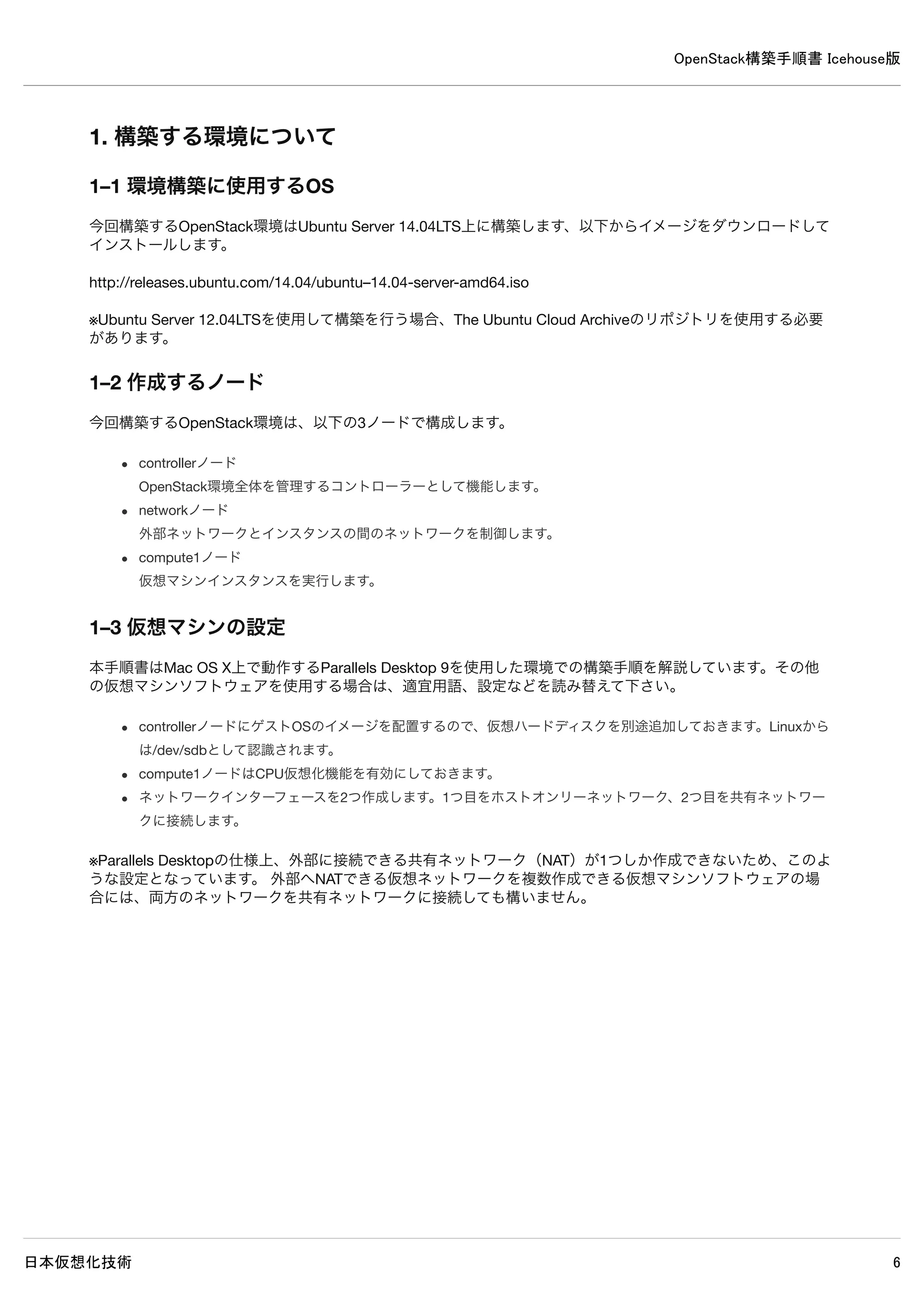
1–8 設定ファイル等の記述について
設定ファイルは特別な記述が無い限り、必要な設定を抜粋したものです。
特に変更が必要ない設定項目は省略されています。
[見出し]が付いている場合、その見出しから次の見出しまでの間に設定を記述します。
コメントアウトされていない設定項目が存在する場合には、値を変更してください。多くの設定項目は記述が存在しているた
め、エディタの検索機能で検索することをお勧めします。
既存の設定を記述に含む場合には、値の変更が不要であることを示すために斜体にしている場合があります。
設定ファイルの記述例
[database] ←この見出しから次の見出しまでの間に以下を記述
#connection = sqlite:////var/lib/glance/glance.sqlite ← 既存設定をコメントアウト
connection = mysql://glance:password@controller/glance ← 追記
[keystone_authtoken] ← 見出し
#auth_host = 127.0.0.1 ← 既存設定をコメントアウト
auth_host = controller ← 追記
auth_port = 35357 ← 既存のまま
auth_protocol = http ← 既存のまま
auth_uri = http://controller:5000/v2.0 ← 追記
admin_tenant_name = service ← 変更
admin_user = glance ← 変更
admin_password = password ← 変更](https://image.slidesharecdn.com/openstackicehouse20140603r1-140604223230-phpapp01/75/OpenStack-Icehouse-11-2048.jpg)

![OpenStack構築手順書 Icehouse版
日本仮想化技術 17
3. controllerノードのインストール前設定
3–1 MySQLサーバーのインストール
MySQLサーバーをインストールします。
3–1–1 パッケージのインストール
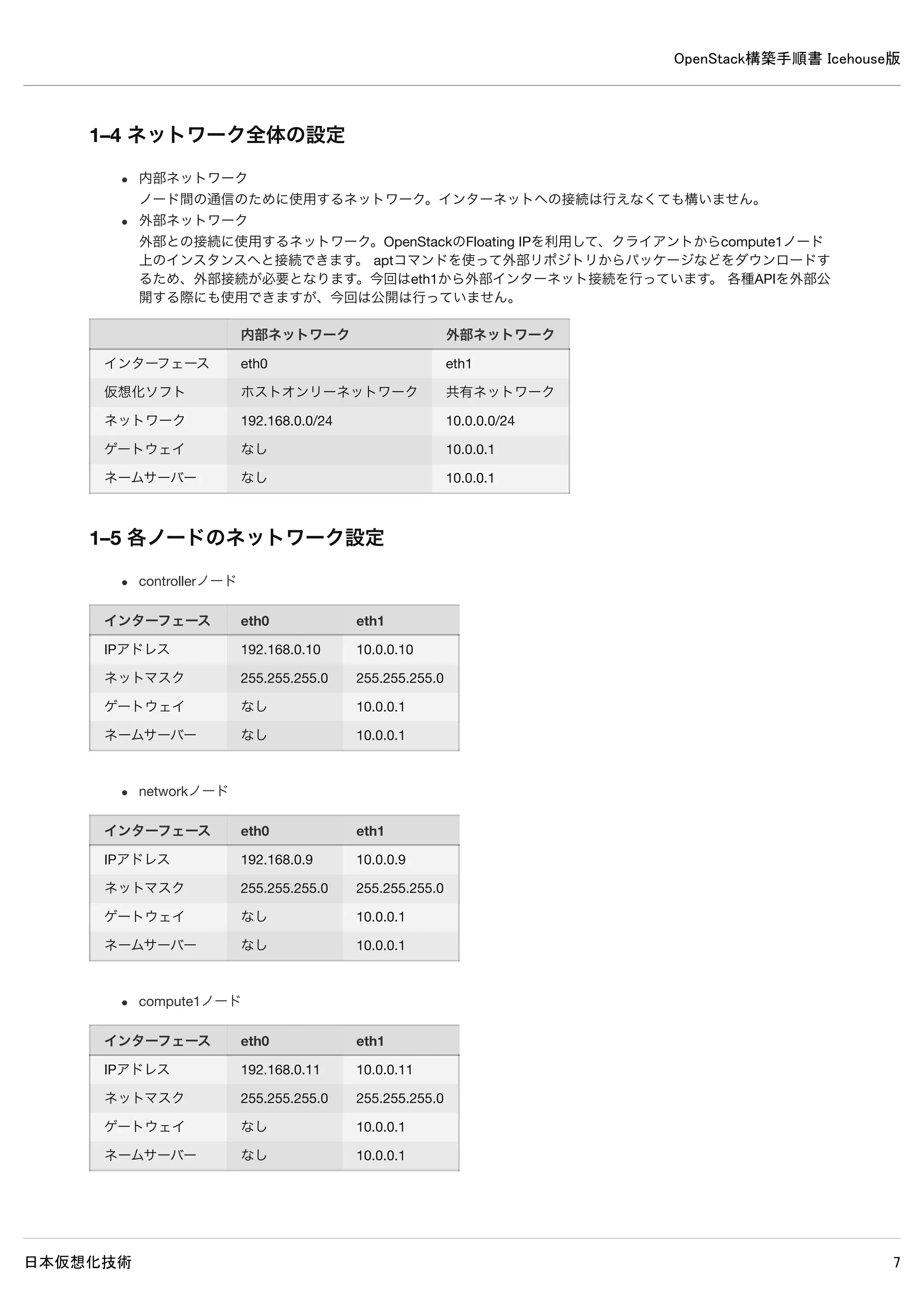
インストール中にMySQLのrootパスワードを設定する必要があります。パスワードはpasswordに設定します。
controller# apt-get install -y mysql-server
3–1–2 バインドアドレスの変更
別のノードからMySQLへアクセスできるよう、バインドアドレスを変更します。加えて使用する文字コードをutf8に変更しま
す。
※文字コードをutf8に変更しないとOpenStackモジュールとデータベース間の通信でエラーが発生します。
/etc/mysql/my.cnf
[mysqld]
#bind-address = 127.0.0.1 ← 既存設定をコメントアウト
bind-address = 192.168.0.10 ← 追記
default-storage-engine = innodb ← 追記
collation-server = utf8_general_ci ← 追記
init-connect = 'SET NAMES utf8' ← 追記
character-set-server = utf8 ← 追記
3–1–3 サービスの再起動
変更後、サービスを再起動します。
controller# service mysql restart
3–2 RabbitMQのインストール
RabbitMQをインストールします。
3–2–1 パッケージのインストール
controller# apt-get install -y rabbitmq-server
3–2–2 guestユーザーのパスワード変更
rabbitmqctlのパスワードをguestからpasswordへ変更します。](https://image.slidesharecdn.com/openstackicehouse20140603r1-140604223230-phpapp01/75/OpenStack-Icehouse-17-2048.jpg)
![OpenStack構築手順書 Icehouse版
日本仮想化技術 20
controller# mysql -u keystone -p
Enter password: ← MySQLのkeystoneパスワードpasswordを入力
Welcome to the MySQL monitor. Commands end with ; or g.
Your MySQL connection id is 71
Server version: 5.5.37-0ubuntu0.14.04.1 (Ubuntu)
Copyright (c) 2000, 2014, Oracle and/or its affiliates. All rights reserved.
Oracle is a registered trademark of Oracle Corporation and/or its
affiliates. Other names may be trademarks of their respective
owners.
Type 'help;' or 'h' for help. Type 'c' to clear the current input statement.
mysql> show databases;
+--------------------+
| Database |
+--------------------+
| information_schema |
| keystone |
+--------------------+
2 rows in set (0.00 sec)
※ユーザーkeystoneでログイン可能でデータベースの閲覧が可能なら問題ありません。
4–3 設定の変更
/etc/keystone/keystone.conf
[DEFAULT]
admin_token = password ← 追記
log_dir=/var/log/keystone ← 追記
[database]
#connection = sqlite:////var/lib/keystone/keystone.db ← 既存設定をコメントアウト
connection = mysql://keystone:password@controller/keystone ← 追記
4–4 使用しないデータベースファイルの削除
controller# rm /var/lib/keystone/keystone.db
4–5 データベースに表を作成
controller# keystone-manage db_sync](https://image.slidesharecdn.com/openstackicehouse20140603r1-140604223230-phpapp01/75/OpenStack-Icehouse-20-2048.jpg)
![OpenStack構築手順書 Icehouse版
日本仮想化技術 21
4–6 サービスの再起動
controller# rm /var/log/keystone/*
controller# service keystone restart
4–7 ログの確認
controller# grep "ERROR|WARNING" /var/log/keystone/*
2014-05-16 14:01:28.074 28051 WARNING keystone.openstack.common.versionutils [-]
Deprecated: keystone.middleware.core.XmlBodyMiddleware is deprecated as of
Icehouse in favor of support for "application/json" only and may be removed in K.
※上記WARNING以外、特に何も表示されなければ問題ありません。](https://image.slidesharecdn.com/openstackicehouse20140603r1-140604223230-phpapp01/75/OpenStack-Icehouse-21-2048.jpg)
![OpenStack構築手順書 Icehouse版
日本仮想化技術 29
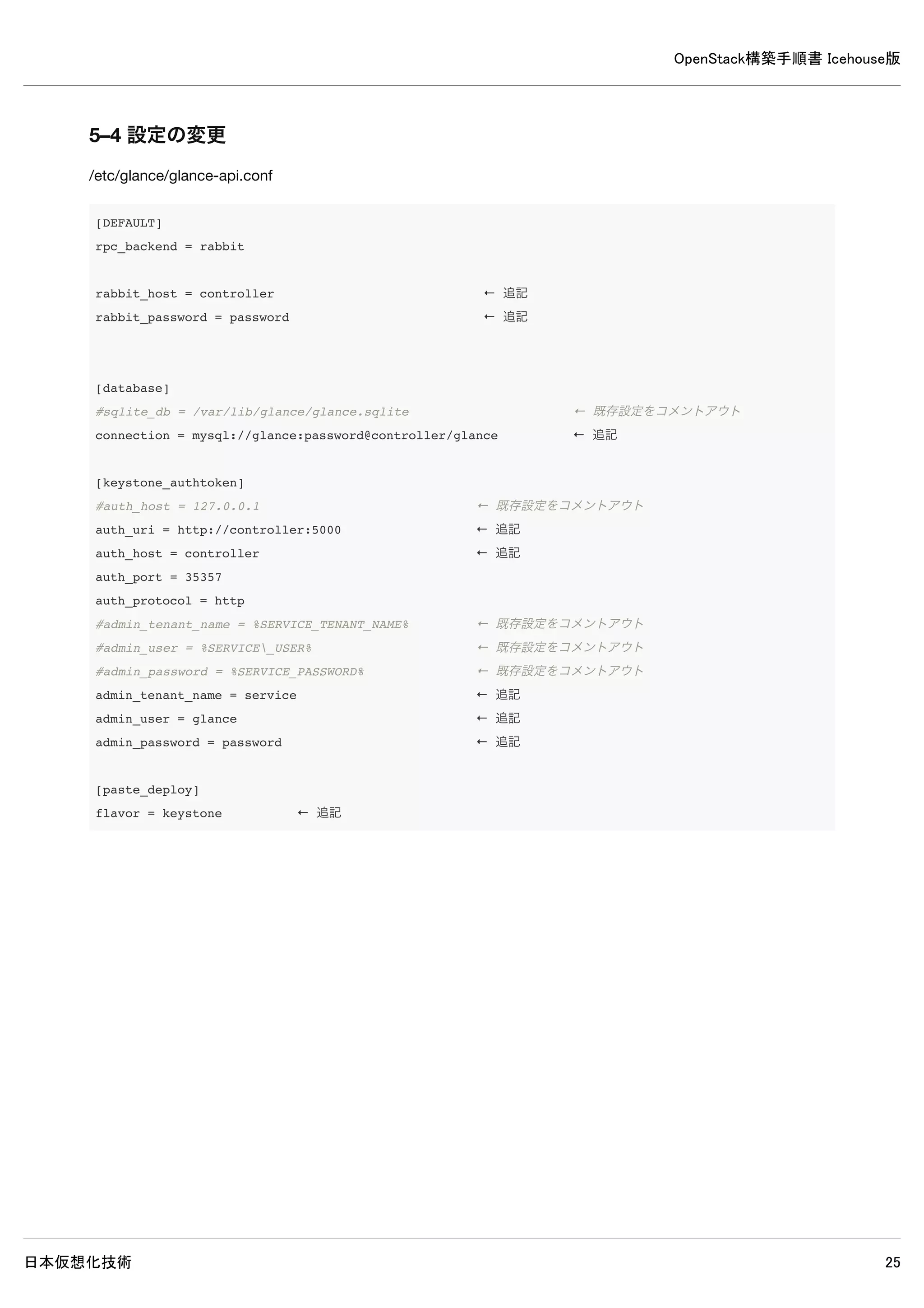
5–4 設定の変更
/etc/glance/glance-api.conf
[DEFAULT]
rpc_backend = rabbit
rabbit_host = controller ← 追記
rabbit_password = password ← 追記
[database]
#sqlite_db = /var/lib/glance/glance.sqlite ← 既存設定をコメントアウト
connection = mysql://glance:password@controller/glance ← 追記
[keystone_authtoken]
#auth_host = 127.0.0.1 ← 既存設定をコメントアウト
auth_uri = http://controller:5000 ← 追記
auth_host = controller ← 追記
auth_port = 35357
auth_protocol = http
#admin_tenant_name = %SERVICE_TENANT_NAME% ← 既存設定をコメントアウト
#admin_user = %SERVICE_USER% ← 既存設定をコメントアウト
#admin_password = %SERVICE_PASSWORD% ← 既存設定をコメントアウト
admin_tenant_name = service ← 追記
admin_user = glance ← 追記
admin_password = password ← 追記
[paste_deploy]
flavor = keystone ← 追記](https://image.slidesharecdn.com/openstackicehouse20140603r1-140604223230-phpapp01/75/OpenStack-Icehouse-29-2048.jpg)
![OpenStack構築手順書 Icehouse版
日本仮想化技術 30
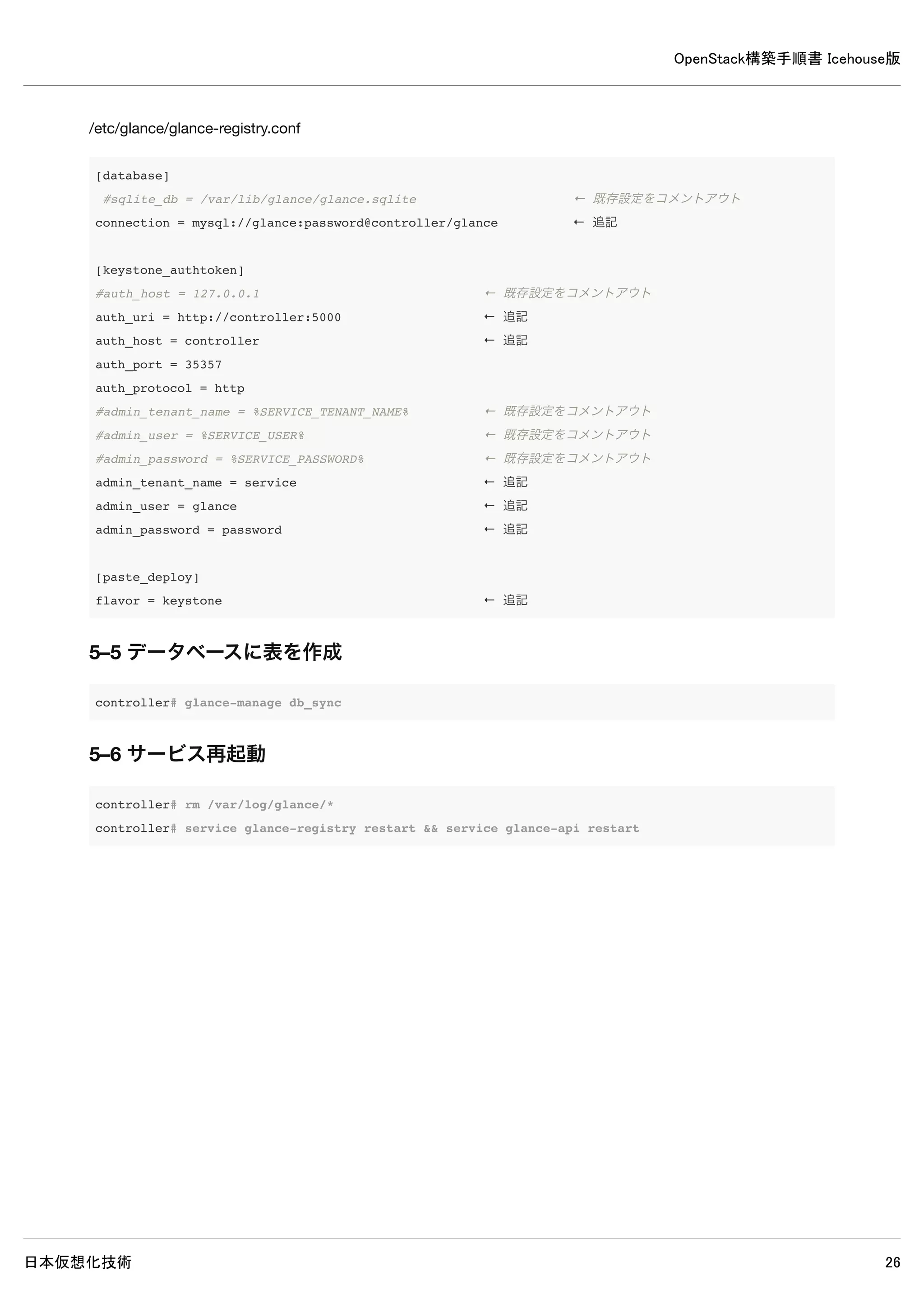
/etc/glance/glance-registry.conf
[database]
#sqlite_db = /var/lib/glance/glance.sqlite ← 既存設定をコメントアウト
connection = mysql://glance:password@controller/glance ← 追記
[keystone_authtoken]
#auth_host = 127.0.0.1 ← 既存設定をコメントアウト
auth_uri = http://controller:5000 ← 追記
auth_host = controller ← 追記
auth_port = 35357
auth_protocol = http
#admin_tenant_name = %SERVICE_TENANT_NAME% ← 既存設定をコメントアウト
#admin_user = %SERVICE_USER% ← 既存設定をコメントアウト
#admin_password = %SERVICE_PASSWORD% ← 既存設定をコメントアウト
admin_tenant_name = service ← 追記
admin_user = glance ← 追記
admin_password = password ← 追記
[paste_deploy]
flavor = keystone ← 追記
5–5 データベースに表を作成
controller# glance-manage db_sync
5–6 サービス再起動
controller# rm /var/log/glance/*
controller# service glance-registry restart && service glance-api restart](https://image.slidesharecdn.com/openstackicehouse20140603r1-140604223230-phpapp01/75/OpenStack-Icehouse-30-2048.jpg)
![OpenStack構築手順書 Icehouse版
日本仮想化技術 31
5–7 ログ確認
controller# grep "ERROR|WARNING" /var/log/glance/*
/var/log/glance/api.log:2014-05-18 12:10:04.528 8459 ERROR glance.store.sheepdog [-] Error in store configurat
ion: Unexpected error while running command.
/var/log/glance/api.log:2014-05-18 12:10:04.531 8459 WARNING glance.store.base [-] Failed to configure store c
orrectly: Store sheepdog could not be configured correctly. Reason: Error in store configuration: Unexpected e
rror while running command.
/var/log/glance/api.log:2014-05-26 12:10:04.532 8459 WARNING glance.store [-] Deprecated: glance.store.sheepdo
g.Store not found in `known_store`. Stores need to be explicitly enabled in the configuration file.
/var/log/glance/api.log:2014-05-18 12:10:04.541 8459 WARNING glance.store [-] Deprecated: glance.store.rbd.Sto
re not found in `known_store`. Stores need to be explicitly enabled in the configuration file.
/var/log/glance/api.log:2014-05-18 12:10:04.545 8459 WARNING glance.store.base [-] Failed to configure store c
orrectly: Store gridfs could not be configured correctly. Reason: Missing dependencies: pymongo Disabling add
method.
/var/log/glance/api.log:2014-05-18 12:10:04.546 8459 WARNING glance.store [-] Deprecated: glance.store.gridfs.
Store not found in `known_store`. Stores need to be explicitly enabled in the configuration file.
/var/log/glance/api.log:2014-05-18 12:10:04.645 8459 WARNING glance.store.base [-] Failed to configure store c
orrectly: Store cinder could not be configured correctly. Reason: Cinder storage requires a context. Disabling
add method.
/var/log/glance/api.log:2014-05-18 12:10:04.646 8459 WARNING glance.store [-] Deprecated: glance.store.cinder.
Store not found in `known_store`. Stores need to be explicitly enabled in the configuration file.
/var/log/glance/api.log:2014-05-18 12:10:04.669 8459 WARNING glance.store [-] Deprecated: glance.store.swift.S
tore not found in `known_store`. Stores need to be explicitly enabled in the configuration file.
/var/log/glance/api.log:2014-05-18 12:10:04.719 8459 WARNING glance.store [-] Deprecated: glance.store.vmware_
datastore.Store not found in `known_store`. Stores need to be explicitly enabled in the configuration file.
/var/log/glance/api.log:2014-05-18 12:10:04.721 8459 WARNING glance.store [-] Deprecated: glance.store.s3.Stor
e not found in `known_store`. Stores need to be explicitly enabled in the configuration file.
※上記ERRORとWARNING以外が出力されていなければ問題ありません。
5–8 イメージの取得と登録
5–8–1 イメージ取得
CirrOSがインストールされたイメージをダウンロード取得します。
controller# wget http://cdn.download.cirros-cloud.net/0.3.2/cirros-0.3.2-x86_64-disk.img
5–8–2 イメージ登録
ダウンロードしたCirrOSのイメージをGlanceに登録します。](https://image.slidesharecdn.com/openstackicehouse20140603r1-140604223230-phpapp01/75/OpenStack-Icehouse-31-2048.jpg)
![OpenStack構築手順書 Icehouse版
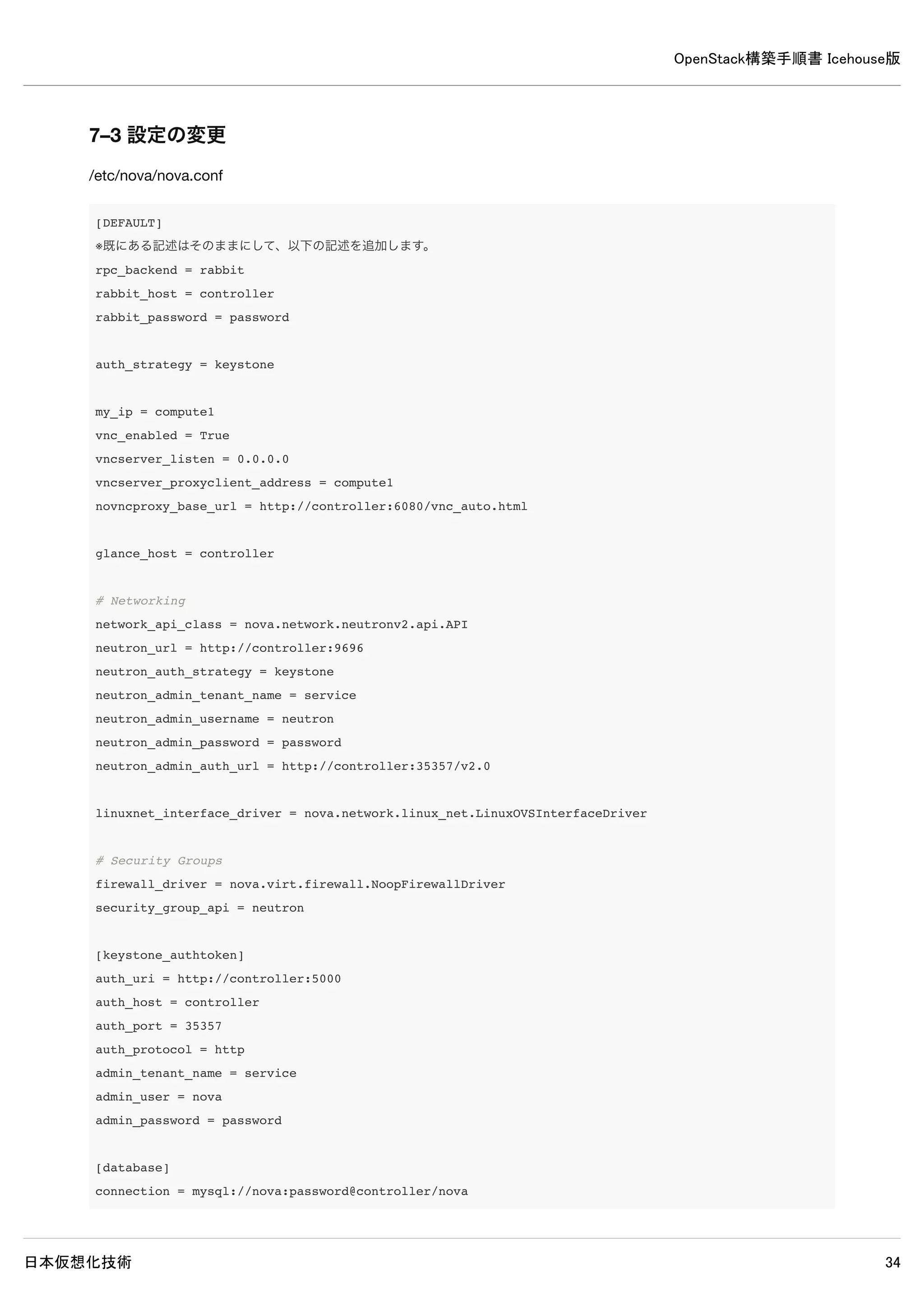
日本仮想化技術 36
[DEFAULT]
※既にある記述はそのままにして、以下の記述を追加します。
rpc_backend = rabbit
rabbit_host = controller
rabbit_password = password
auth_strategy = keystone
my_ip = controller
vncserver_listen = controller
vncserver_proxyclient_address = controller
# Networking
network_api_class = nova.network.neutronv2.api.API
neutron_url = http://controller:9696
neutron_auth_strategy = keystone
neutron_admin_tenant_name = service
neutron_admin_username = neutron
neutron_admin_password = password
neutron_admin_auth_url = http://controller:35357/v2.0
linuxnet_interface_driver = nova.network.linux_net.LinuxOVSInterfaceDriver
# Security Groups
firewall_driver = nova.virt.firewall.NoopFirewallDriver
security_group_api = neutron
# Metadata
neutron_metadata_proxy_shared_secret = password
service_neutron_metadata_proxy = true
metadata_listen = controller
metadata_listen_port = 8775
[keystone_authtoken]
auth_uri = http://controller:5000
auth_host = controller
auth_port = 35357
auth_protocol = http
admin_tenant_name = service
admin_user = nova
admin_password = password
[database]
connection = mysql://nova:password@controller/nova](https://image.slidesharecdn.com/openstackicehouse20140603r1-140604223230-phpapp01/75/OpenStack-Icehouse-36-2048.jpg)
![OpenStack構築手順書 Icehouse版
日本仮想化技術 38
7. Novaのインストール・設定(compute1ノード)
7–1 パッケージインストール
compute1# apt-get install -y nova-compute-kvm python-guestfs
7–2 カーネル設定変更
デフォルトのカーネルパーミッションでは、仮想化機能を使用する場合にユーザーがカーネルを読み込めないためカーネルの
パーミッションを変更します。
7–2–1 設定変更
compute1# dpkg-statoverride --update --add root root 0644 /boot/vmlinuz-$(uname -r)
7–2–2 設定変更ファイル作成・設定
上記のみではcomputeノード再起動時にカーネルのパーミッション変更が必要となるので、カーネル設定変更ファイル作成を
作成してノード起動時に変更を読み込むようにします。
/etc/kernel/postinst.d/statoverride
#!/bin/sh
version="$1"
# passing the kernel version is required
[ -z "${version}" ] && exit 0
dpkg-statoverride --update --add root root 0644 /boot/vmlinuz-${version}
実行権限を付与します。
compute1# chmod +x /etc/kernel/postinst.d/statoverride
7–3 設定の変更
/etc/nova/nova.conf](https://image.slidesharecdn.com/openstackicehouse20140603r1-140604223230-phpapp01/75/OpenStack-Icehouse-38-2048.jpg)
![OpenStack構築手順書 Icehouse版
日本仮想化技術 39
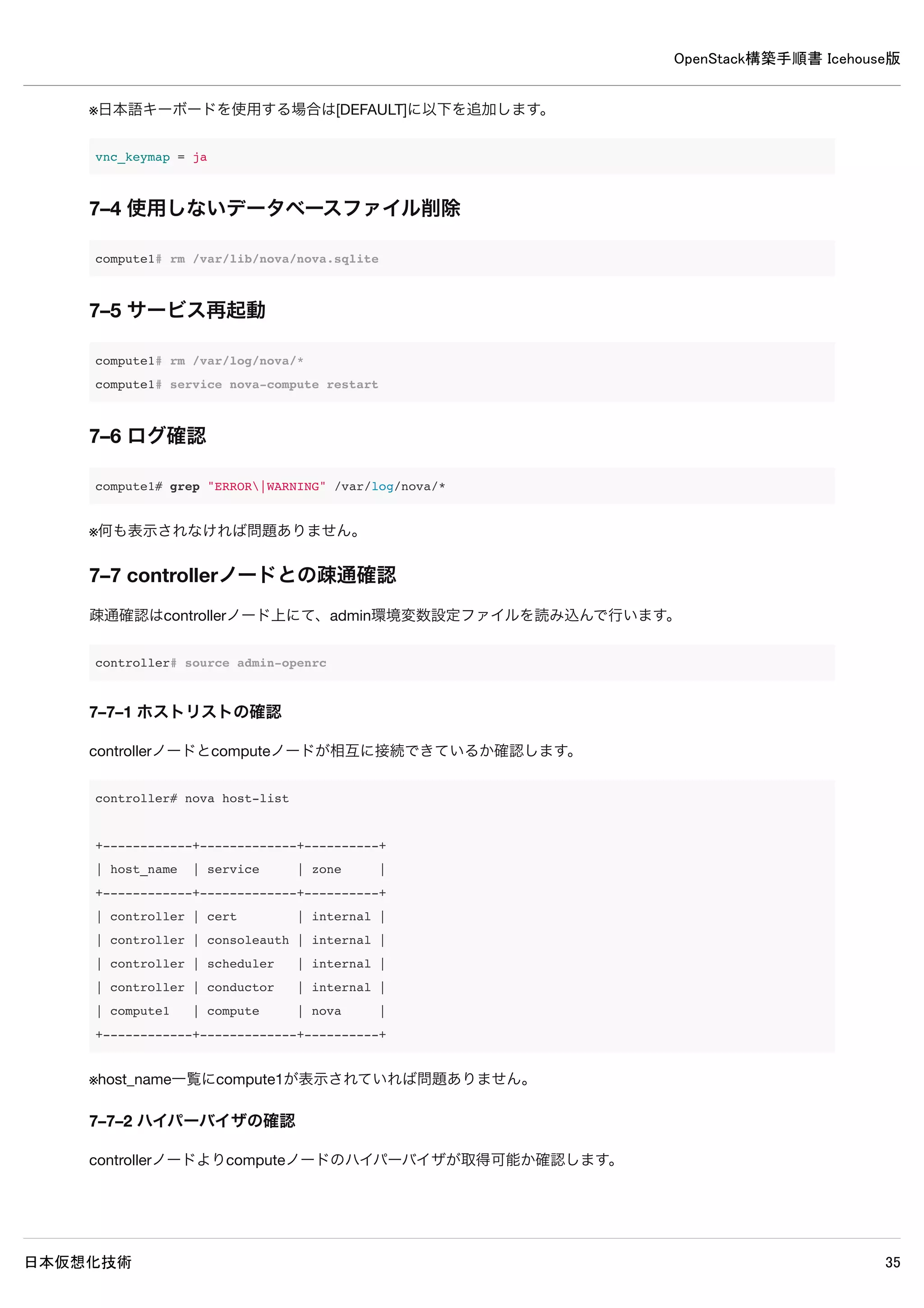
[DEFAULT]
※既にある記述はそのままにして、以下の記述を追加します。
rpc_backend = rabbit
rabbit_host = controller
rabbit_password = password
auth_strategy = keystone
my_ip = compute1
vnc_enabled = True
vncserver_listen = 0.0.0.0
vncserver_proxyclient_address = compute1
novncproxy_base_url = http://controller:6080/vnc_auto.html
glance_host = controller
# Networking
network_api_class = nova.network.neutronv2.api.API
neutron_url = http://controller:9696
neutron_auth_strategy = keystone
neutron_admin_tenant_name = service
neutron_admin_username = neutron
neutron_admin_password = password
neutron_admin_auth_url = http://controller:35357/v2.0
linuxnet_interface_driver = nova.network.linux_net.LinuxOVSInterfaceDriver
# Security Groups
firewall_driver = nova.virt.firewall.NoopFirewallDriver
security_group_api = neutron
[keystone_authtoken]
auth_uri = http://controller:5000
auth_host = controller
auth_port = 35357
auth_protocol = http
admin_tenant_name = service
admin_user = nova
admin_password = password
[database]
connection = mysql://nova:password@controller/nova
※日本語キーボードを使用する場合は[DEFAULT]に以下を追加します。](https://image.slidesharecdn.com/openstackicehouse20140603r1-140604223230-phpapp01/75/OpenStack-Icehouse-39-2048.jpg)
![OpenStack構築手順書 Icehouse版
日本仮想化技術 46
[DEFAULT]
#core_plugin = neutron.plugins.ml2.plugin.Ml2Plugin ← 既存設定をコメントアウト
core_plugin = ml2 ← 追記
service_plugins = router ← 追記
auth_strategy = keystone ← 追記
allow_overlapping_ips = True ← 追記
rpc_backend = neutron.openstack.common.rpc.impl_kombu ← 追記
rabbit_host = controller ← 追記
rabbit_password = password ← 追記
notify_nova_on_port_status_changes = True ← 追記
notify_nova_on_port_data_changes = True ← 追記
nova_url = http://controller:8774/v2 ← 追記
nova_admin_username = nova ← 追記
nova_admin_tenant_id = SERVICE_TENANT_ID ← 追記
※SERVICE_TENANT_IDは先程の作業で表示されたIDを使用します。
nova_admin_password = password ← 追記
nova_admin_auth_url = http://controller:35357/v2.0 ← 追記
[keystone_authtoken]
#auth_host = 127.0.0.1 ← 既存設定をコメントアウト
auth_uri = http://controller:5000 ← 追記
auth_host = controller ← 追記
auth_protocol = http
auth_port = 35357
#admin_tenant_name = %SERVICE_TENANT_NAME% ← 既存設定をコメントアウト
#admin_user = %SERVICE_USER% ← 既存設定をコメントアウト
#admin_password = %SERVICE_PASSWORD% ← 既存設定をコメントアウト
admin_tenant_name = service ← 追記
admin_user = neutron ← 追記
admin_password = password ← 追記](https://image.slidesharecdn.com/openstackicehouse20140603r1-140604223230-phpapp01/75/OpenStack-Icehouse-46-2048.jpg)
![OpenStack構築手順書 Icehouse版
日本仮想化技術 47
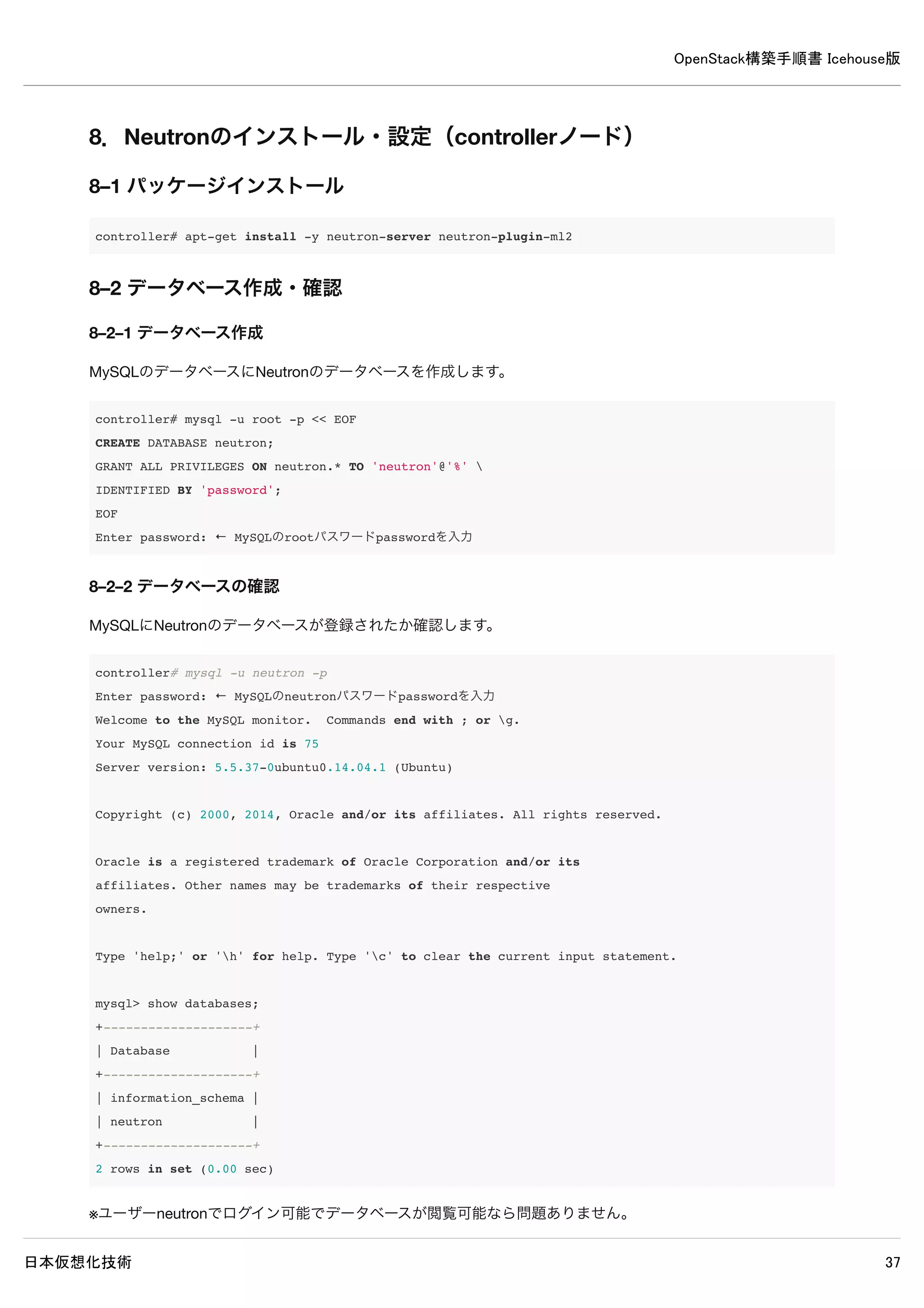
[database]
#connection = sqlite:////var/lib/neutron/neutron.sqlite ← 既存設定をコメントアウト
connection = mysql://neutron:password@controller/neutron ← 追記
/etc/neutron/plugins/ml2/ml2_conf.ini
[ml2]
type_drivers = gre ← 追記
tenant_network_types = gre ← 追記
mechanism_drivers = openvswitch ← 追記
[ml2_type_gre]
tunnel_id_ranges = 1:1000 ← 追記
[securitygroup]
firewall_driver = neutron.agent.linux.iptables_firewall.OVSHybridIptablesFirewallDriver ← 追記
enable_security_group = True ← 追記
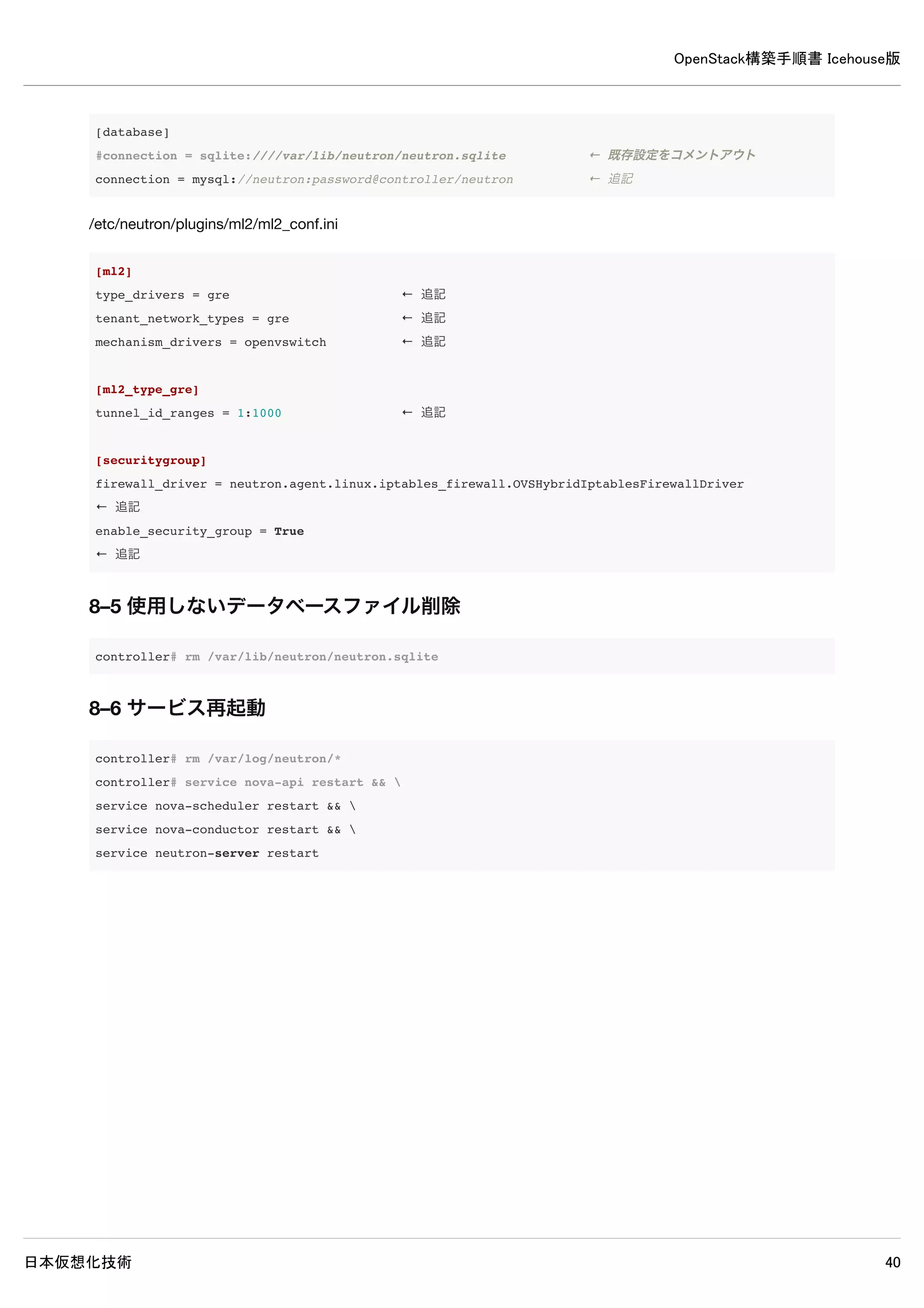
8–5 使用しないデータベースファイル削除
controller# rm /var/lib/neutron/neutron.sqlite
8–6 サービス再起動
controller# rm /var/log/neutron/*
controller# service nova-api restart &&
service nova-scheduler restart &&
service nova-conductor restart &&
service neutron-server restart](https://image.slidesharecdn.com/openstackicehouse20140603r1-140604223230-phpapp01/75/OpenStack-Icehouse-47-2048.jpg)
![OpenStack構築手順書 Icehouse版
日本仮想化技術 48
8–7 ログ確認
controller# grep "ERROR|WARNING" /var/log/neutron/*
2014-05-16 18:41:24.106 2331 ERROR neutron.openstack.common.rpc.common [-] AMQP server on localhost:5672 is un
reachable: Socket closed. Trying again in 30 seconds.
2014-05-16 18:41:34.119 2708 WARNING neutron.openstack.common.db.sqlalchemy.session [-] This application has n
ot enabled MySQL traditional mode, which means silent data corruption may occur. Please encourage the applicat
ion developers to enable this mode.
2014-05-16 18:41:36.423 2708 WARNING neutron.api.extensions [-] Extension fwaas not supported by any of loaded
plugins
2014-05-16 18:41:36.429 2708 WARNING neutron.api.extensions [-] Extension flavor not supported by any of loade
d plugins
2014-05-16 18:41:36.484 2708 WARNING neutron.api.extensions [-] Extension lbaas_agent_scheduler not supported
by any of loaded plugins
2014-05-16 18:41:36.502 2708 WARNING neutron.api.extensions [-] Extension lbaas not supported by any of loaded
plugins
2014-05-16 18:41:36.528 2708 WARNING neutron.api.extensions [-] Extension metering not supported by any of loa
ded plugins
2014-05-16 18:41:36.558 2708 WARNING neutron.api.extensions [-] Extension port-security not supported by any of
loaded plugins
2014-05-16 18:41:36.593 2708 WARNING neutron.api.extensions [-] Extension routed-service-insertion not support
ed by any of loaded plugins
2014-05-16 18:41:36.601 2708 WARNING neutron.api.extensions [-] Extension router-service-type not supported by
any of loaded plugins
2014-05-16 18:41:36.630 2708 WARNING neutron.api.extensions [-] Extension service-type not supported by any of
loaded plugins
2014-05-16 18:41:36.653 2708 WARNING neutron.api.extensions [-] Extension vpnaas not supported by any of loade
d plugins
※上記ERRORとWARNING以外が出力されなければ問題ありません。](https://image.slidesharecdn.com/openstackicehouse20140603r1-140604223230-phpapp01/75/OpenStack-Icehouse-48-2048.jpg)
![OpenStack構築手順書 Icehouse版
日本仮想化技術 49
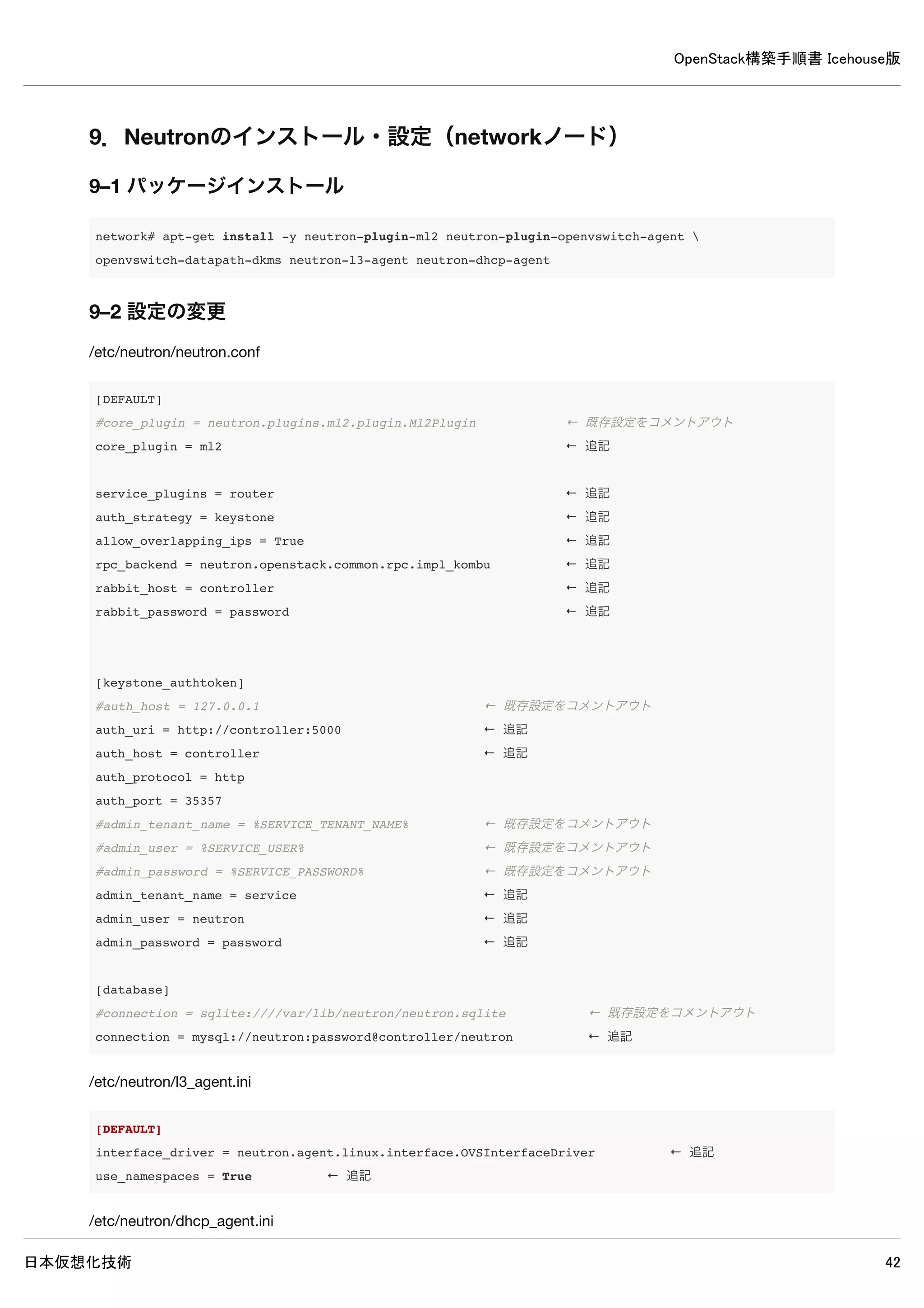
9. Neutronのインストール・設定(networkノード)
9–1 パッケージインストール
network# apt-get install -y neutron-plugin-ml2 neutron-plugin-openvswitch-agent
openvswitch-datapath-dkms neutron-l3-agent neutron-dhcp-agent
9–2 設定の変更
/etc/neutron/neutron.conf
[DEFAULT]
#core_plugin = neutron.plugins.ml2.plugin.Ml2Plugin ← 既存設定をコメントアウト
core_plugin = ml2 ← 追記
service_plugins = router ← 追記
auth_strategy = keystone ← 追記
allow_overlapping_ips = True ← 追記
rpc_backend = neutron.openstack.common.rpc.impl_kombu ← 追記
rabbit_host = controller ← 追記
rabbit_password = password ← 追記
[keystone_authtoken]
#auth_host = 127.0.0.1 ← 既存設定をコメントアウト
auth_uri = http://controller:5000 ← 追記
auth_host = controller ← 追記
auth_protocol = http
auth_port = 35357
#admin_tenant_name = %SERVICE_TENANT_NAME% ← 既存設定をコメントアウト
#admin_user = %SERVICE_USER% ← 既存設定をコメントアウト
#admin_password = %SERVICE_PASSWORD% ← 既存設定をコメントアウト
admin_tenant_name = service ← 追記
admin_user = neutron ← 追記
admin_password = password ← 追記
[database]
#connection = sqlite:////var/lib/neutron/neutron.sqlite ← 既存設定をコメントアウト
connection = mysql://neutron:password@controller/neutron ← 追記
/etc/neutron/l3_agent.ini](https://image.slidesharecdn.com/openstackicehouse20140603r1-140604223230-phpapp01/75/OpenStack-Icehouse-49-2048.jpg)
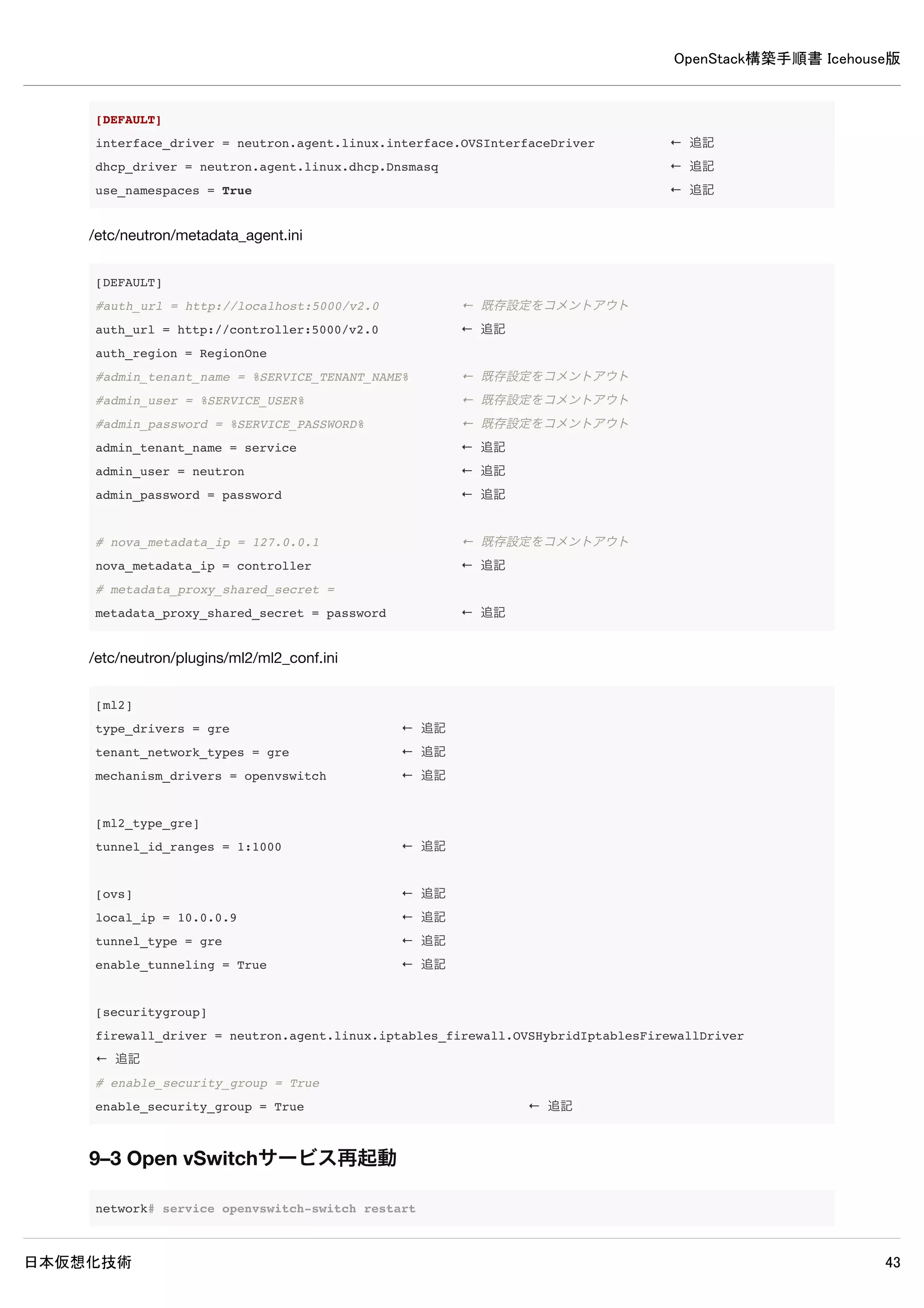
![OpenStack構築手順書 Icehouse版
日本仮想化技術 50
[DEFAULT]
interface_driver = neutron.agent.linux.interface.OVSInterfaceDriver ← 追記
use_namespaces = True ← 追記
/etc/neutron/dhcp_agent.ini
[DEFAULT]
interface_driver = neutron.agent.linux.interface.OVSInterfaceDriver ← 追記
dhcp_driver = neutron.agent.linux.dhcp.Dnsmasq ← 追記
use_namespaces = True ← 追記
/etc/neutron/metadata_agent.ini
[DEFAULT]
#auth_url = http://localhost:5000/v2.0 ← 既存設定をコメントアウト
auth_url = http://controller:5000/v2.0 ← 追記
auth_region = RegionOne
#admin_tenant_name = %SERVICE_TENANT_NAME% ← 既存設定をコメントアウト
#admin_user = %SERVICE_USER% ← 既存設定をコメントアウト
#admin_password = %SERVICE_PASSWORD% ← 既存設定をコメントアウト
admin_tenant_name = service ← 追記
admin_user = neutron ← 追記
admin_password = password ← 追記
# nova_metadata_ip = 127.0.0.1 ← 既存設定をコメントアウト
nova_metadata_ip = controller ← 追記
# metadata_proxy_shared_secret =
metadata_proxy_shared_secret = password ← 追記
/etc/neutron/plugins/ml2/ml2_conf.ini](https://image.slidesharecdn.com/openstackicehouse20140603r1-140604223230-phpapp01/75/OpenStack-Icehouse-50-2048.jpg)
![OpenStack構築手順書 Icehouse版
日本仮想化技術 51
[ml2]
type_drivers = gre ← 追記
tenant_network_types = gre ← 追記
mechanism_drivers = openvswitch ← 追記
[ml2_type_gre]
tunnel_id_ranges = 1:1000 ← 追記
[ovs] ← 追記
local_ip = 10.0.0.9 ← 追記
tunnel_type = gre ← 追記
enable_tunneling = True ← 追記
[securitygroup]
firewall_driver = neutron.agent.linux.iptables_firewall.OVSHybridIptablesFirewallDriver ← 追記
# enable_security_group = True
enable_security_group = True ← 追記
9–3 Open vSwitchサービス再起動
network# service openvswitch-switch restart
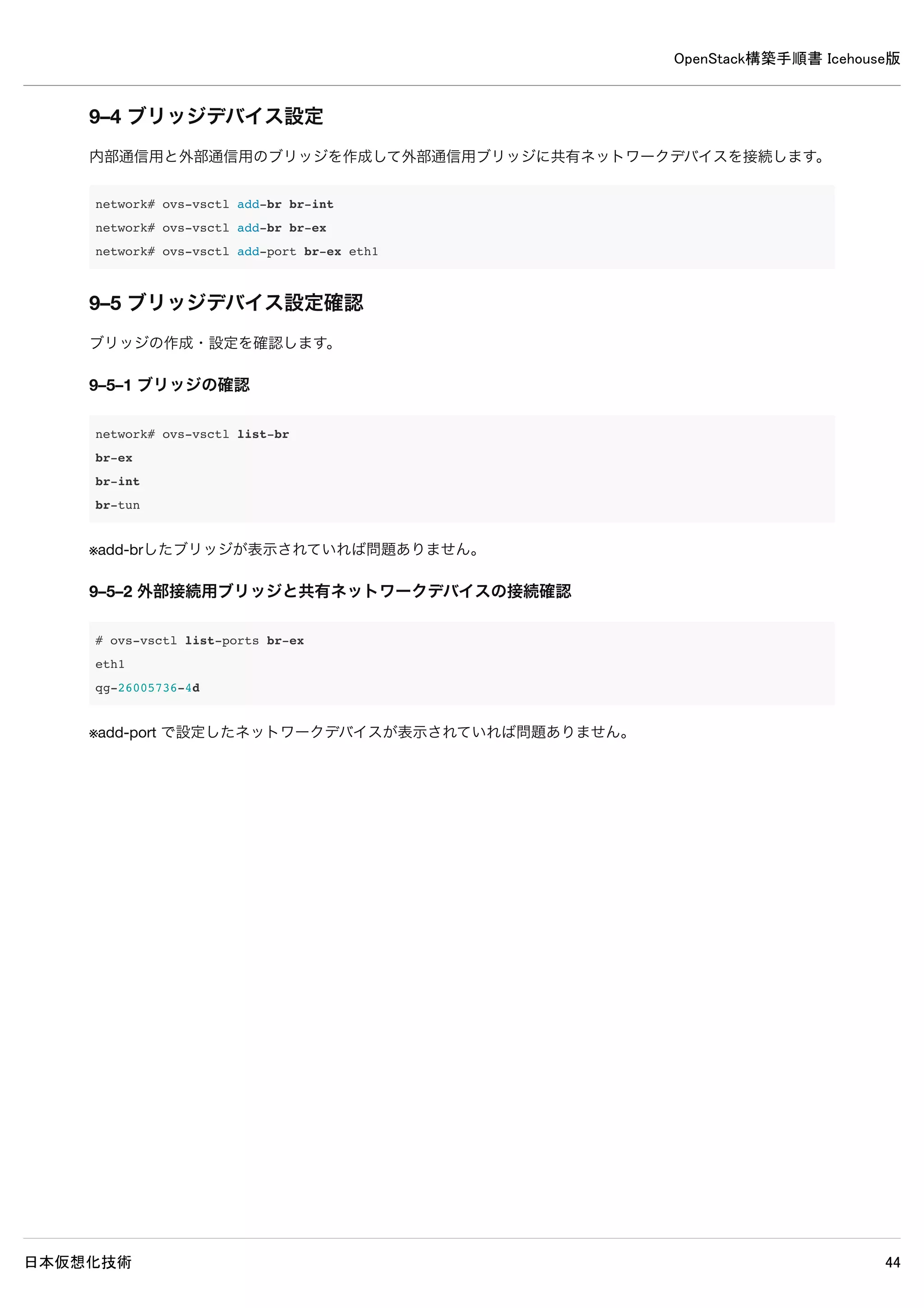
9–4 ブリッジデバイス設定
内部通信用と外部通信用のブリッジを作成して外部通信用ブリッジに共有ネットワークデバイスを接続します。
network# ovs-vsctl add-br br-int
network# ovs-vsctl add-br br-ex
network# ovs-vsctl add-port br-ex eth1
9–5 ブリッジデバイス設定確認
ブリッジの作成・設定を確認します。
9–5–1 ブリッジの確認
network# ovs-vsctl list-br
br-ex
br-int
br-tun
※add-brしたブリッジが表示されていれば問題ありません。
9–5–2 外部接続用ブリッジと共有ネットワークデバイスの接続確認](https://image.slidesharecdn.com/openstackicehouse20140603r1-140604223230-phpapp01/75/OpenStack-Icehouse-51-2048.jpg)
![OpenStack構築手順書 Icehouse版
日本仮想化技術 55
inet6 addr: ::1/128 Scope:Host
UP LOOPBACK RUNNING MTU:65536 Metric:1
RX packets:6 errors:0 dropped:0 overruns:0 frame:0
TX packets:6 errors:0 dropped:0 overruns:0 carrier:0
collisions:0 txqueuelen:0
RX bytes:3456 (3.4 KB) TX bytes:3456 (3.4 KB)
9–9 サービス再起動
network# rm /var/log/neutron/*
network# service openvswitch-switch restart &&
service neutron-plugin-openvswitch-agent restart &&
service neutron-l3-agent restart &&
service neutron-dhcp-agent restart &&
service neutron-metadata-agent restart
9–10 ログ確認
network# grep "ERROR|WARNING" /var/log/neutron/*
/var/log/neutron/openvswitch-agent.log:2014-05-16 19:33:14.963 1523 ERROR neutron.agent.linux.ovsdb_monitor [-
] Error received from ovsdb monitor: ovsdb-client: unix:/var/run/openvswitch/db.sock: receive failed (End of f
ile)
/var/log/neutron/openvswitch-agent.log:2014-05-16 19:33:15.455 1523 ERROR neutron.agent.linux.ovs_lib [-] Unab
le to execute ['ovs-vsctl', '--timeout=10', 'list-ports', 'br-int']. Exception:
/var/log/neutron/openvswitch-agent.log:2014-05-16 19:33:15.456 1523 ERROR neutron.plugins.openvswitch.agent.ov
s_neutron_agent [-] Error while processing VIF ports
※上記ERRORとWARNING以外が出力されなければ問題ありません。](https://image.slidesharecdn.com/openstackicehouse20140603r1-140604223230-phpapp01/75/OpenStack-Icehouse-55-2048.jpg)
![OpenStack構築手順書 Icehouse版
日本仮想化技術 56
10. Neutornのインストール・設定(compute1ノード)
10–1 パッケージインストール
compute1# apt-get install -y neutron-common neutron-plugin-ml2
neutron-plugin-openvswitch-agent openvswitch-datapath-dkms
10–2 設定の変更
/etc/neutron/neutron.conf
[DEFAULT]
#core_plugin = neutron.plugins.ml2.plugin.Ml2Plugin ← 既存設定をコメントアウト
core_plugin = ml2 ← 追記
service_plugins = router ← 追記
auth_strategy = keystone ← 追記
allow_overlapping_ips = True ← 追記
# rpc_backend = neutron.openstack.common.rpc.impl_kombu
rpc_backend = neutron.openstack.common.rpc.impl_kombu ← 追記
rabbit_host = controller ← 追記
rabbit_password = password ← 追記
[keystone_authtoken]
#auth_host = 127.0.0.1 ← 既存設定をコメントアウト
auth_uri = http://controller:5000 ← 追記
auth_host = controller ← 追記
auth_protocol = http
auth_port = 35357
#admin_tenant_name = %SERVICE_TENANT_NAME% ← 既存設定をコメントアウト
#admin_user = %SERVICE_USER% ← 既存設定をコメントアウト
#admin_password = %SERVICE_PASSWORD% ← 既存設定をコメントアウト
admin_tenant_name = service ← 追記
admin_user = neutron ← 追記
admin_password = password ← 追記
[database]
#connection = sqlite:////var/lib/neutron/neutron.sqlite ← 既存設定をコメントアウト
connection = mysql://neutron:password@controller/neutron ← 追記
/etc/neutron/plugins/ml2/ml2_conf.ini](https://image.slidesharecdn.com/openstackicehouse20140603r1-140604223230-phpapp01/75/OpenStack-Icehouse-56-2048.jpg)
![OpenStack構築手順書 Icehouse版
日本仮想化技術 57
[ml2]
type_drivers = gre ← 追記
tenant_network_types = gre ← 追記
mechanism_drivers = openvswitch ← 追記
[ml2_type_gre]
tunnel_id_ranges = 1:1000 ← 追記
[ovs] ← 追記
local_ip = 10.0.0.11 ← 追記
tunnel_type = gre ← 追記
enable_tunneling = True ← 追記
[securitygroup]
firewall_driver = neutron.agent.linux.iptables_firewall.OVSHybridIptablesFirewallDriver ← 追記
enable_security_group = True ← 追記
10–3 Open vSwitchサービス再起動
compute1# service openvswitch-switch restart
10–4 ブリッジ作成
内部通信用のブリッジを作成します。
compute1# ovs-vsctl add-br br-int
10–5 サービス再起動
compute1# rm /var/log/neutron/*
compute1# service nova-compute restart &&
service neutron-plugin-openvswitch-agent restart
10–6 ログ確認
compute1# grep "ERROR|WARNING" /var/log/neutron/*
※何も表示されなければ問題ありません。](https://image.slidesharecdn.com/openstackicehouse20140603r1-140604223230-phpapp01/75/OpenStack-Icehouse-57-2048.jpg)
![OpenStack構築手順書 Icehouse版
日本仮想化技術 67
| service_id | cb2b03621220473c9bcbe194dfd55695 |
+-------------+-----------------------------------------+
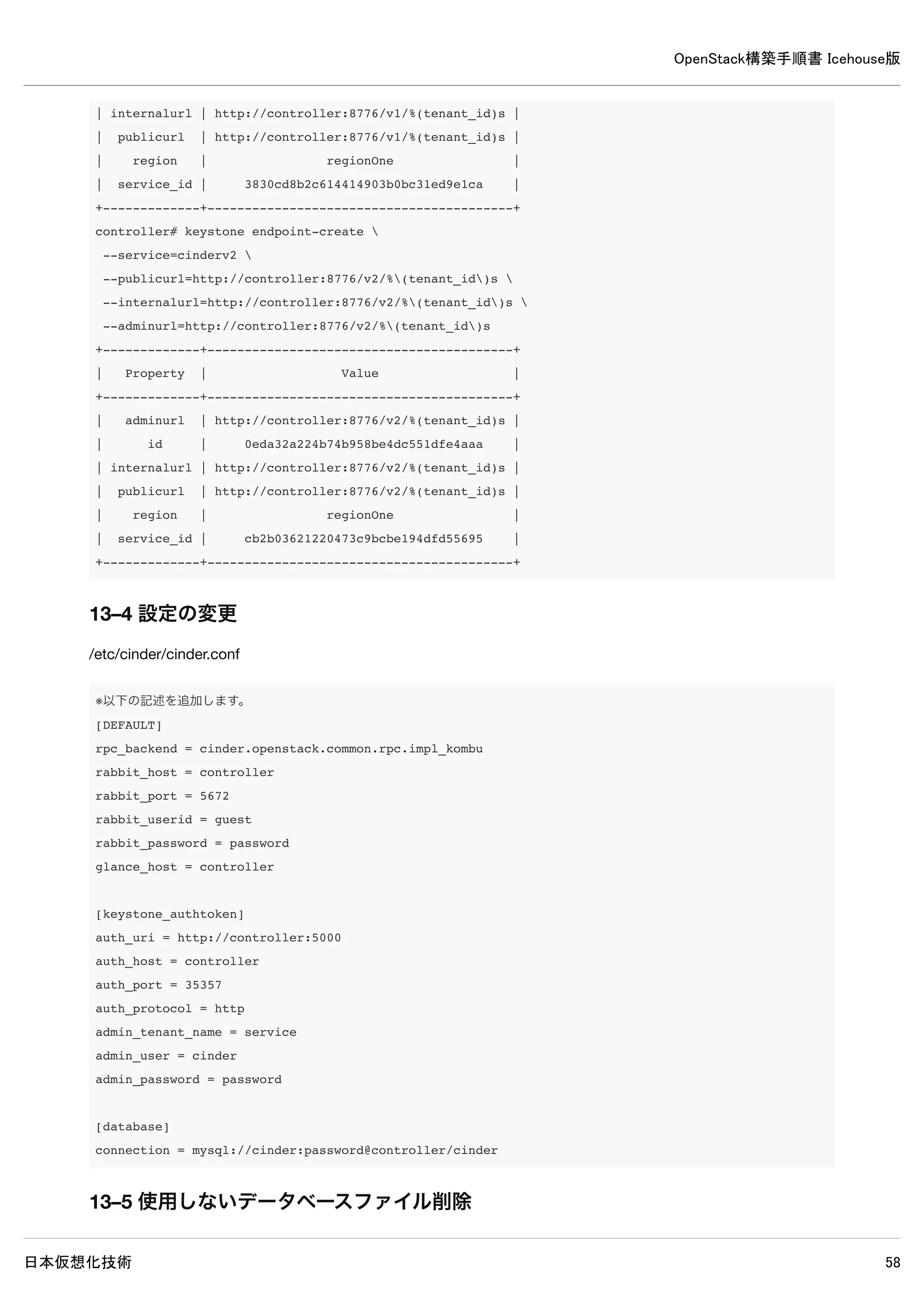
13–4 設定の変更
/etc/cinder/cinder.conf
※以下の記述を追加します。
[DEFAULT]
rpc_backend = cinder.openstack.common.rpc.impl_kombu
rabbit_host = controller
rabbit_port = 5672
rabbit_userid = guest
rabbit_password = password
glance_host = controller
[keystone_authtoken]
auth_uri = http://controller:5000
auth_host = controller
auth_port = 35357
auth_protocol = http
admin_tenant_name = service
admin_user = cinder
admin_password = password
[database]
connection = mysql://cinder:password@controller/cinder
13–5 使用しないデータベースファイル削除
controller# rm /var/lib/cinder/cinder.sqlite
13–6 データベースに表を作成
controller# cinder-manage db sync
13–7 サービス再起動
controller# rm /var/log/cinder/*
controller# service cinder-scheduler restart && service cinder-api restart
13–8 ログ確認](https://image.slidesharecdn.com/openstackicehouse20140603r1-140604223230-phpapp01/75/OpenStack-Icehouse-67-2048.jpg)
![OpenStack構築手順書 Icehouse版
日本仮想化技術 68
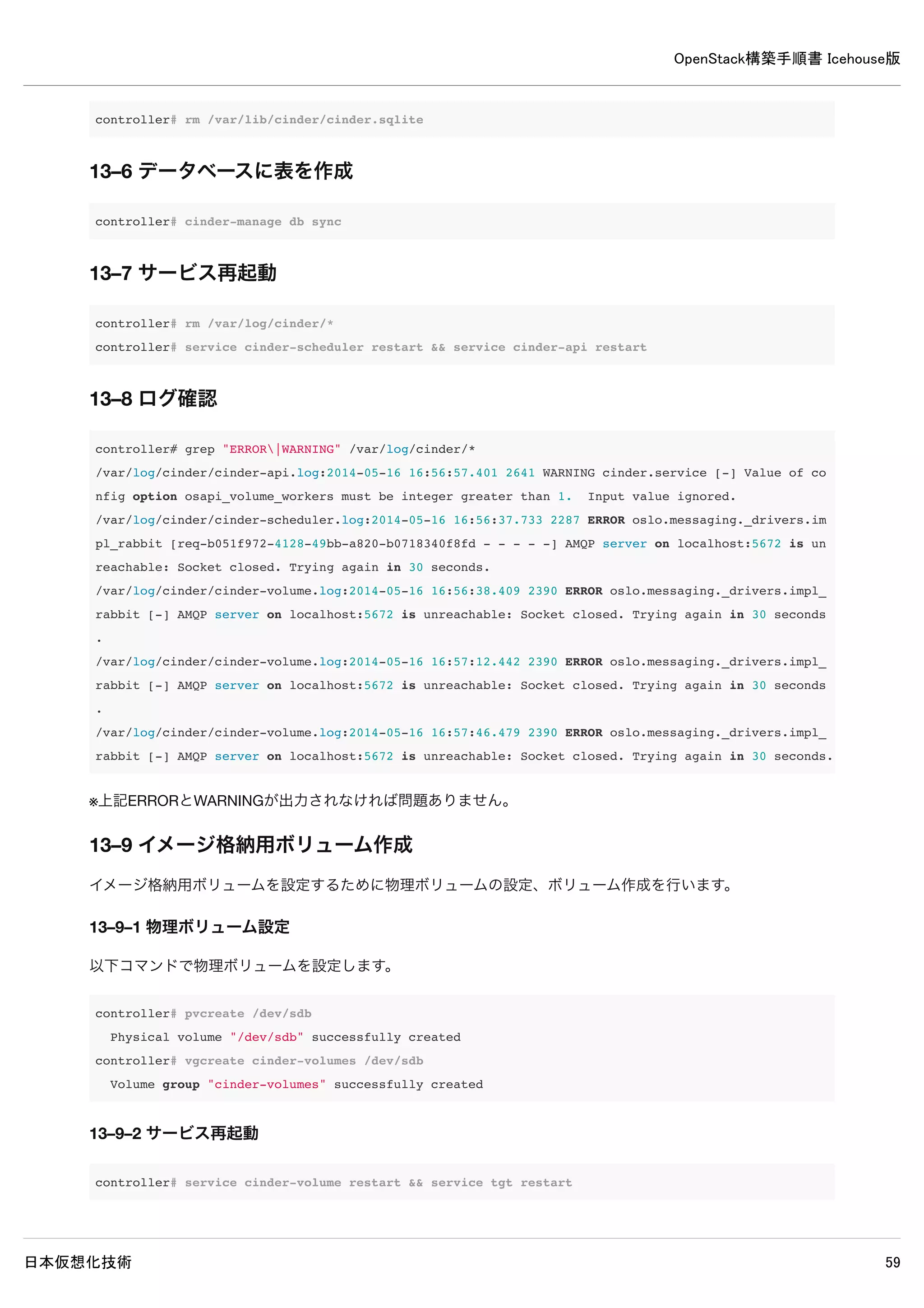
controller# grep "ERROR|WARNING" /var/log/cinder/*
/var/log/cinder/cinder-api.log:2014-05-16 16:56:57.401 2641 WARNING cinder.service [-] Value of config option
osapi_volume_workers must be integer greater than 1. Input value ignored.
/var/log/cinder/cinder-scheduler.log:2014-05-16 16:56:37.733 2287 ERROR oslo.messaging._drivers.impl_rabbit [r
eq-b051f972-4128-49bb-a820-b0718340f8fd - - - - -] AMQP server on localhost:5672 is unreachable: Socket closed
. Trying again in 30 seconds.
/var/log/cinder/cinder-volume.log:2014-05-16 16:56:38.409 2390 ERROR oslo.messaging._drivers.impl_rabbit [-] A
MQP server on localhost:5672 is unreachable: Socket closed. Trying again in 30 seconds.
/var/log/cinder/cinder-volume.log:2014-05-16 16:57:12.442 2390 ERROR oslo.messaging._drivers.impl_rabbit [-] A
MQP server on localhost:5672 is unreachable: Socket closed. Trying again in 30 seconds.
/var/log/cinder/cinder-volume.log:2014-05-16 16:57:46.479 2390 ERROR oslo.messaging._drivers.impl_rabbit [-] A
MQP server on localhost:5672 is unreachable: Socket closed. Trying again in 30 seconds.
※上記ERRORとWARNINGが出力されなければ問題ありません。
13–9 イメージ格納用ボリューム作成
イメージ格納用ボリュームを設定するために物理ボリュームの設定、ボリューム作成を行います。
13–9–1 物理ボリューム設定
以下コマンドで物理ボリュームを設定します。
controller# pvcreate /dev/sdb
Physical volume "/dev/sdb" successfully created
controller# vgcreate cinder-volumes /dev/sdb
Volume group "cinder-volumes" successfully created
13–9–2 サービス再起動
controller# service cinder-volume restart && service tgt restart
13–9–3 admin環境変数設定ファイル読み込み
インスタンス格納用ボリュームを作成するためにadmin環境変数を読み込みます。
controller# source admin-openrc
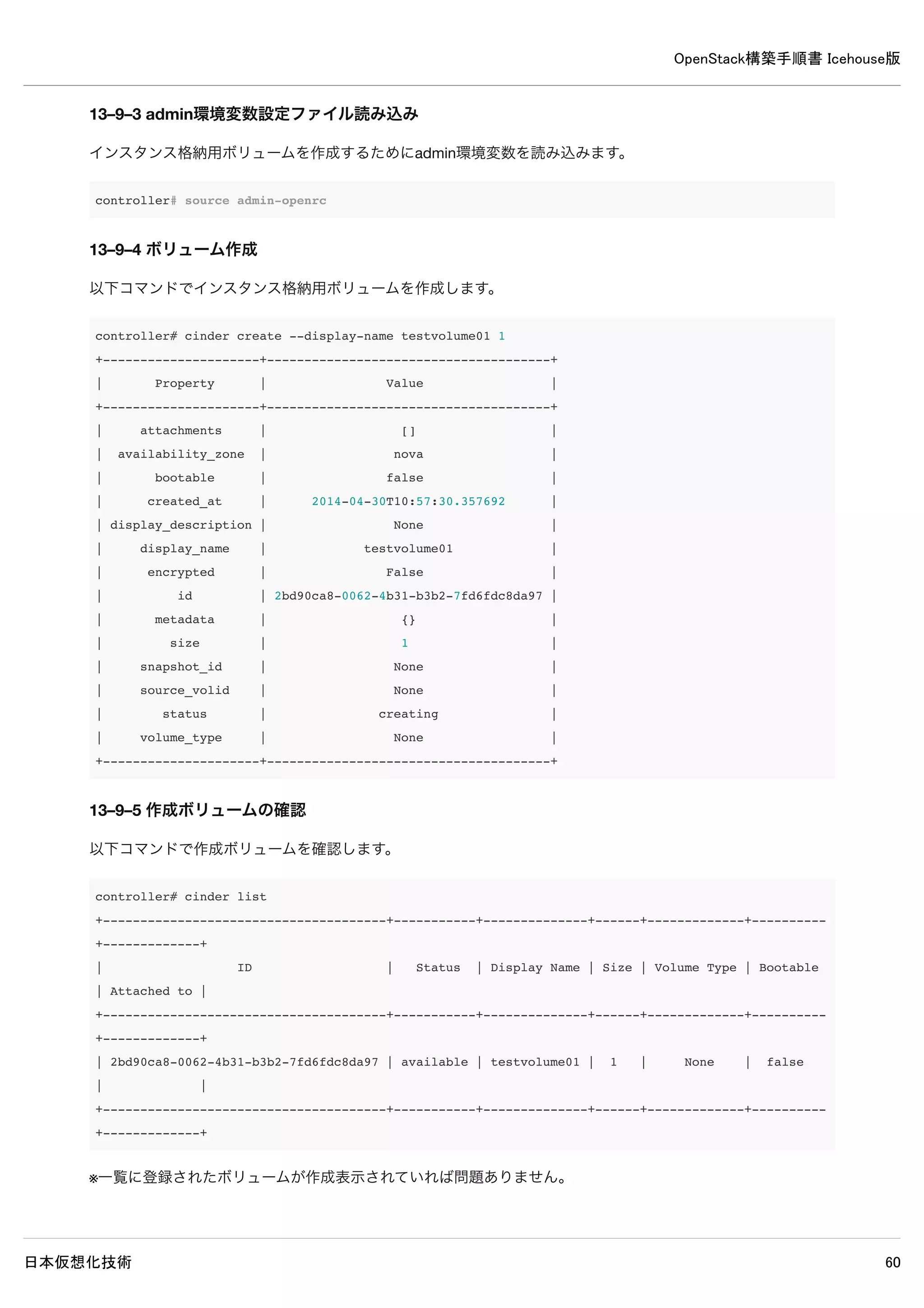
13–9–4 ボリューム作成
以下コマンドでインスタンス格納用ボリュームを作成します。](https://image.slidesharecdn.com/openstackicehouse20140603r1-140604223230-phpapp01/75/OpenStack-Icehouse-68-2048.jpg)
![OpenStack構築手順書 Icehouse版
日本仮想化技術 69
controller# cinder create --display-name testvolume01 1
+---------------------+--------------------------------------+
| Property | Value |
+---------------------+--------------------------------------+
| attachments | [] |
| availability_zone | nova |
| bootable | false |
| created_at | 2014-04-30T10:57:30.357692 |
| display_description | None |
| display_name | testvolume01 |
| encrypted | False |
| id | 2bd90ca8-0062-4b31-b3b2-7fd6fdc8da97 |
| metadata | {} |
| size | 1 |
| snapshot_id | None |
| source_volid | None |
| status | creating |
| volume_type | None |
+---------------------+--------------------------------------+
13–9–5 作成ボリュームの確認
以下コマンドで作成ボリュームを確認します。
controller# cinder list
+--------------------------------------+-----------+--------------+------+-------------+----------+-----------
--+
| ID | Status | Display Name | Size | Volume Type | Bootable | Attached t
o |
+--------------------------------------+-----------+--------------+------+-------------+----------+-----------
--+
| 2bd90ca8-0062-4b31-b3b2-7fd6fdc8da97 | available | testvolume01 | 1 | None | false |
|
+--------------------------------------+-----------+--------------+------+-------------+----------+-----------
--+
※一覧に登録されたボリュームが作成表示されていれば問題ありません。](https://image.slidesharecdn.com/openstackicehouse20140603r1-140604223230-phpapp01/75/OpenStack-Icehouse-69-2048.jpg)
![OpenStack構築手順書 Icehouse版
日本仮想化技術 71
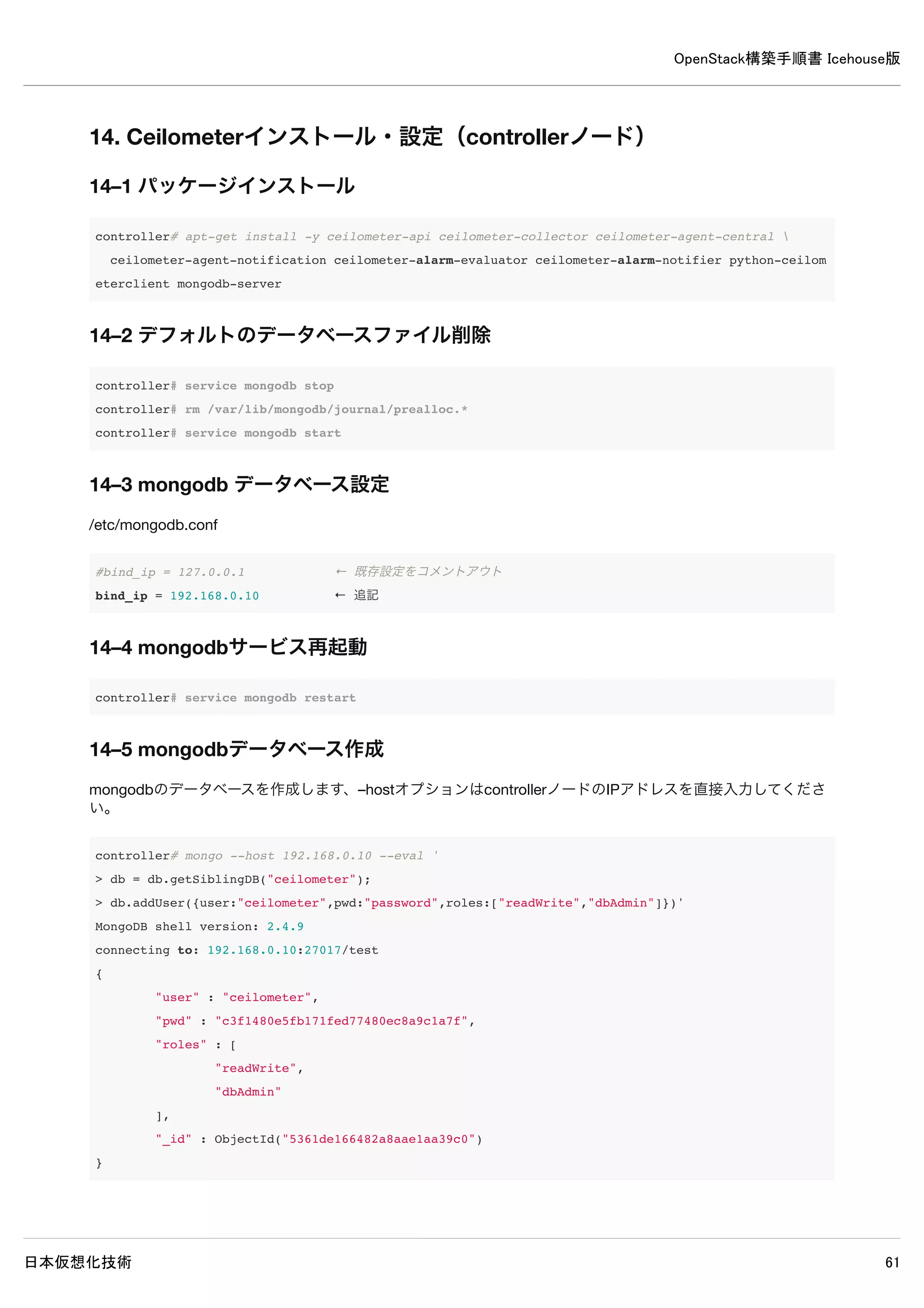
controller# mongo --host 192.168.0.10 --eval '
> db = db.getSiblingDB("ceilometer");
> db.addUser({user:"ceilometer",pwd:"password",roles:["readWrite","dbAdmin"]})'
MongoDB shell version: 2.4.9
connecting to: 192.168.0.10:27017/test
{
"user" : "ceilometer",
"pwd" : "c3f1480e5fb171fed77480ec8a9c1a7f",
"roles" : [
"readWrite",
"dbAdmin"
],
"_id" : ObjectId("5361de166482a8aae1aa39c0")
}](https://image.slidesharecdn.com/openstackicehouse20140603r1-140604223230-phpapp01/75/OpenStack-Icehouse-71-2048.jpg)

![OpenStack構築手順書 Icehouse版
日本仮想化技術 73
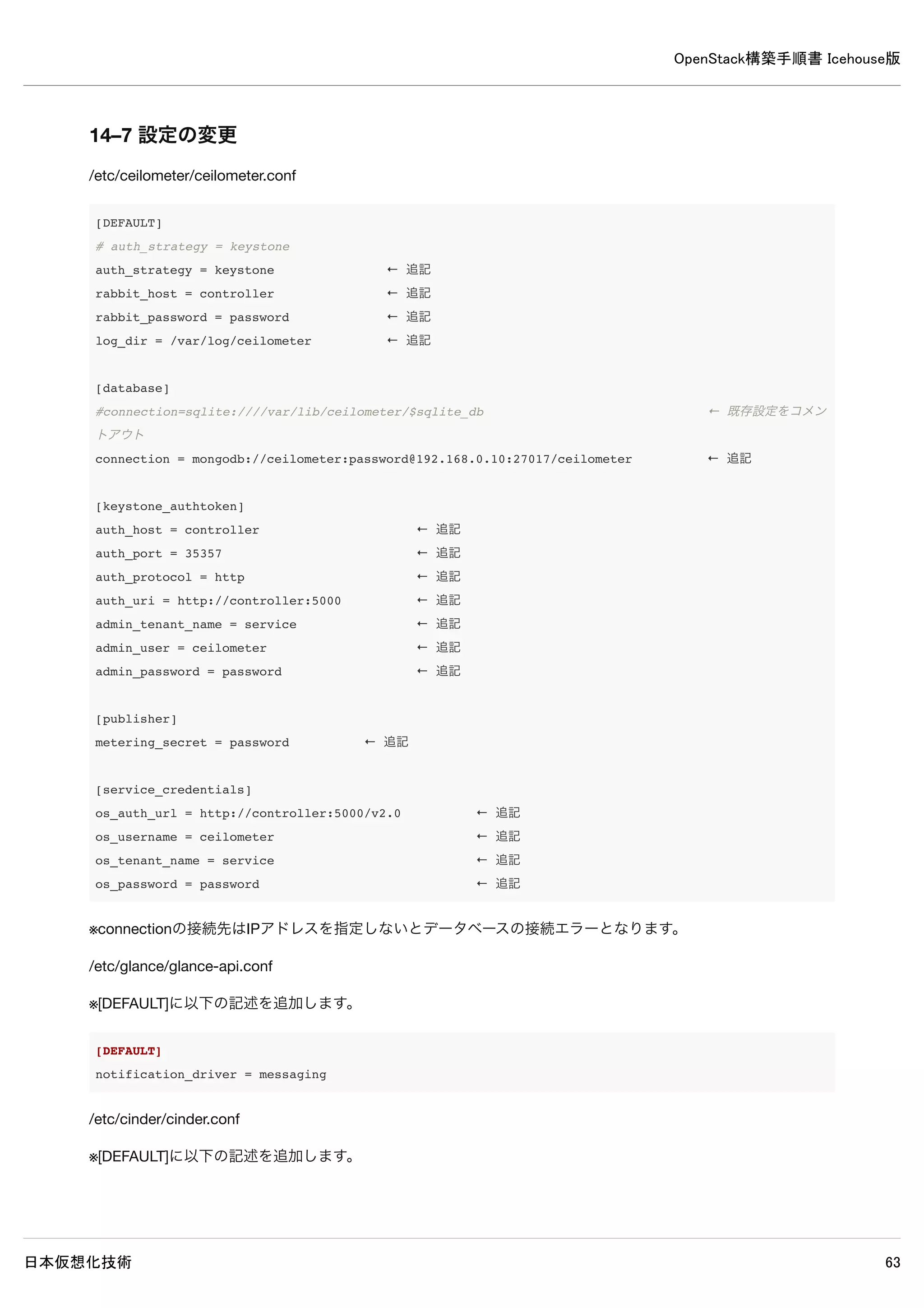
14–7 設定の変更
/etc/ceilometer/ceilometer.conf
[DEFAULT]
# auth_strategy = keystone
auth_strategy = keystone ← 追記
rabbit_host = controller ← 追記
rabbit_password = password ← 追記
log_dir = /var/log/ceilometer ← 追記
[database]
#connection=sqlite:////var/lib/ceilometer/$sqlite_db ← 既存設定をコメントアウト
connection = mongodb://ceilometer:password@192.168.0.10:27017/ceilometer ← 追記
[keystone_authtoken]
auth_host = controller ← 追記
auth_port = 35357 ← 追記
auth_protocol = http ← 追記
auth_uri = http://controller:5000 ← 追記
admin_tenant_name = service ← 追記
admin_user = ceilometer ← 追記
admin_password = password ← 追記
[publisher]
metering_secret = password ← 追記
[service_credentials]
os_auth_url = http://controller:5000/v2.0 ← 追記
os_username = ceilometer ← 追記
os_tenant_name = service ← 追記
os_password = password ← 追記
※connectionの接続先はIPアドレスを指定しないとデータベースの接続エラーとなります。
/etc/glance/glance-api.conf
※[DEFAULT]に以下の記述を追加します。
[DEFAULT]
notification_driver = messaging
/etc/cinder/cinder.conf
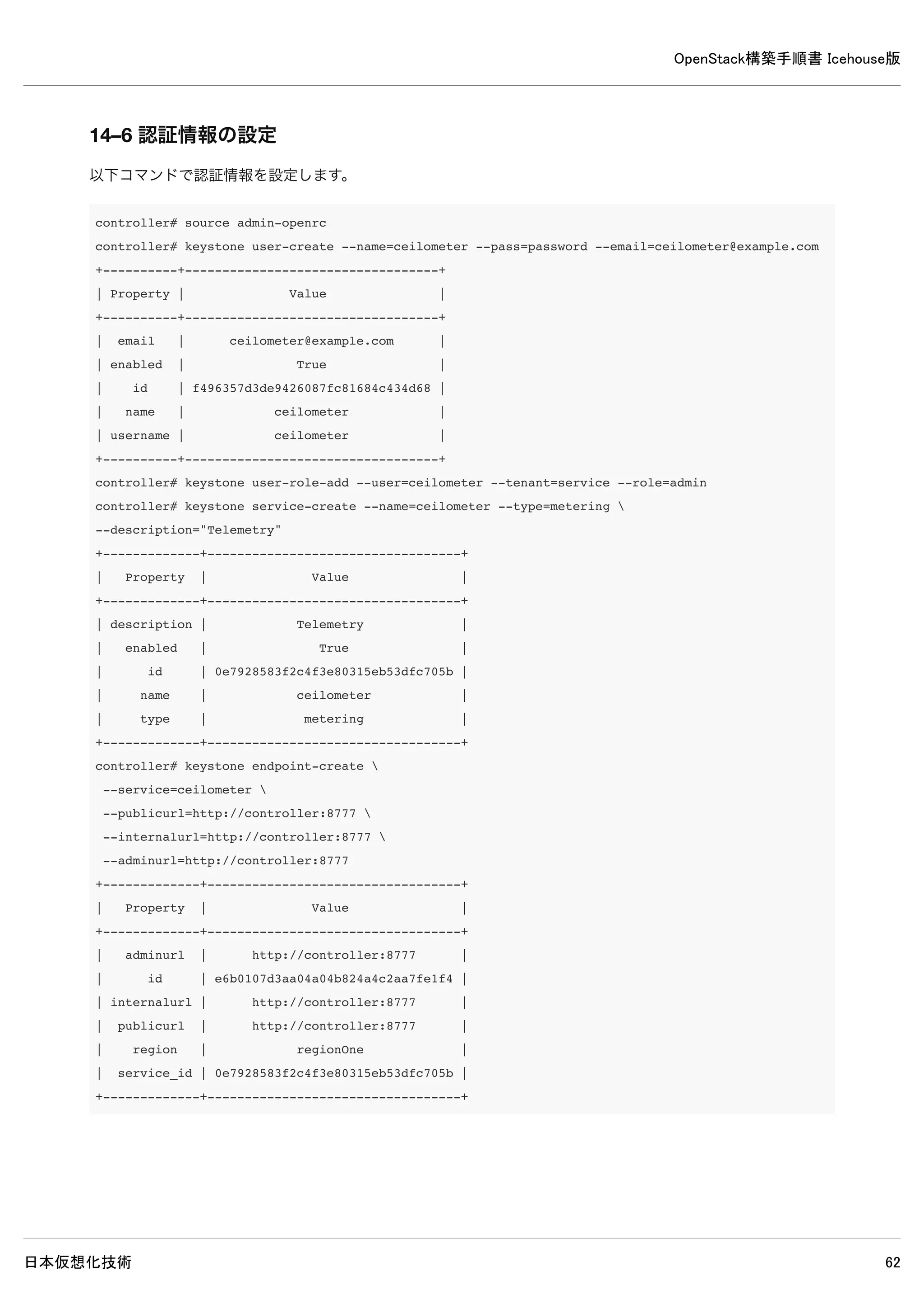
※[DEFAULT]に以下の記述を追加します。](https://image.slidesharecdn.com/openstackicehouse20140603r1-140604223230-phpapp01/75/OpenStack-Icehouse-73-2048.jpg)
![OpenStack構築手順書 Icehouse版
日本仮想化技術 74
[DEFAULT]
control_exchange = cinder
notification_driver = cinder.openstack.common.notifier.rpc_notifier
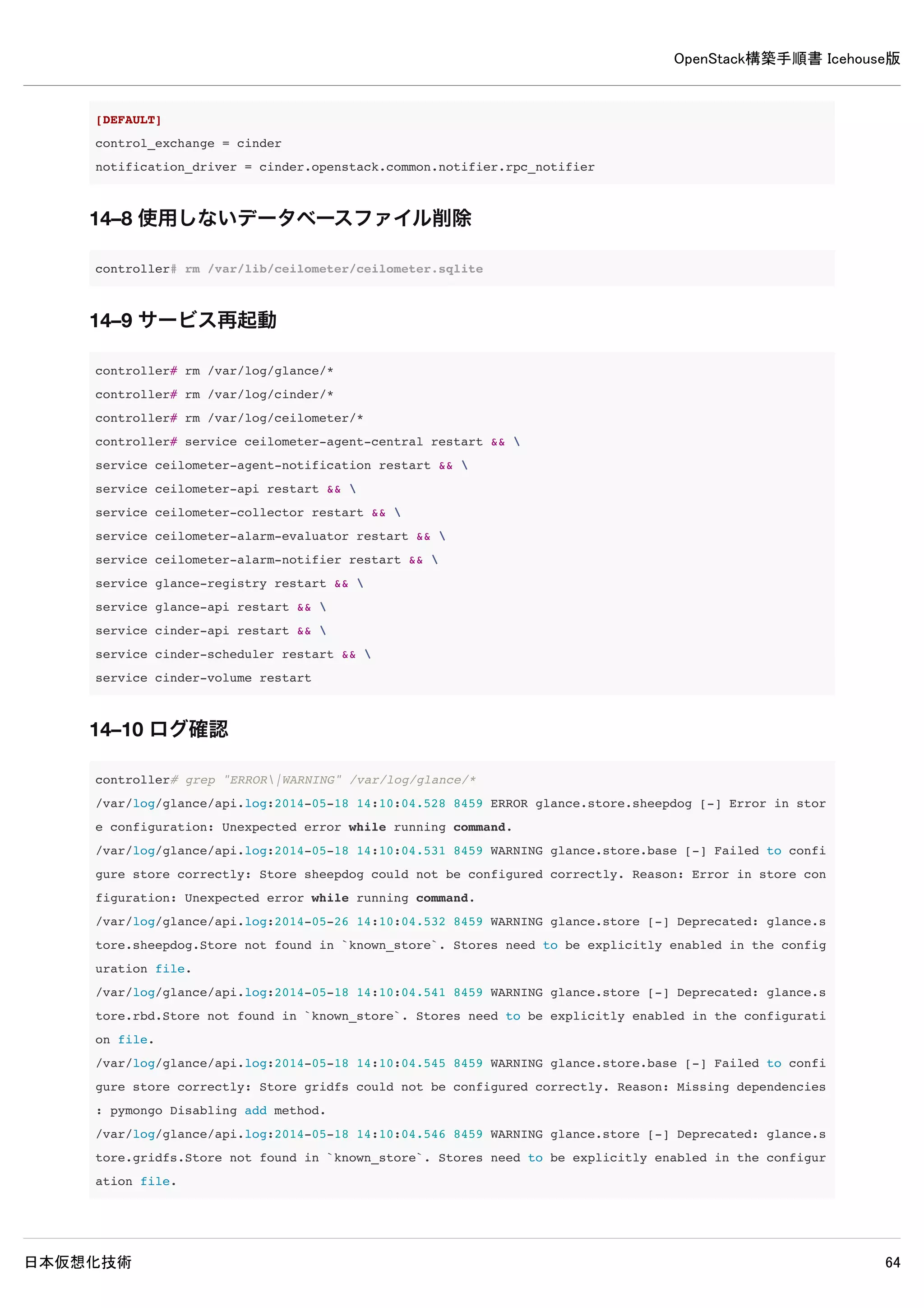
14–8 使用しないデータベースファイル削除
controller# rm /var/lib/ceilometer/ceilometer.sqlite
14–9 サービス再起動
controller# rm /var/log/glance/*
controller# rm /var/log/cinder/*
controller# rm /var/log/ceilometer/*
controller# service ceilometer-agent-central restart &&
service ceilometer-agent-notification restart &&
service ceilometer-api restart &&
service ceilometer-collector restart &&
service ceilometer-alarm-evaluator restart &&
service ceilometer-alarm-notifier restart &&
service glance-registry restart &&
service glance-api restart &&
service cinder-api restart &&
service cinder-scheduler restart &&
service cinder-volume restart
14–10 ログ確認
controller# grep "ERROR|WARNING" /var/log/glance/*
/var/log/glance/api.log:2014-05-18 14:10:04.528 8459 ERROR glance.store.sheepdog [-] Error in store configurat
ion: Unexpected error while running command.
/var/log/glance/api.log:2014-05-18 14:10:04.531 8459 WARNING glance.store.base [-] Failed to configure store c
orrectly: Store sheepdog could not be configured correctly. Reason: Error in store configuration: Unexpected e
rror while running command.
/var/log/glance/api.log:2014-05-26 14:10:04.532 8459 WARNING glance.store [-] Deprecated: glance.store.sheepdo
g.Store not found in `known_store`. Stores need to be explicitly enabled in the configuration file.
/var/log/glance/api.log:2014-05-18 14:10:04.541 8459 WARNING glance.store [-] Deprecated: glance.store.rbd.Sto
re not found in `known_store`. Stores need to be explicitly enabled in the configuration file.
/var/log/glance/api.log:2014-05-18 14:10:04.545 8459 WARNING glance.store.base [-] Failed to configure store c
orrectly: Store gridfs could not be configured correctly. Reason: Missing dependencies: pymongo Disabling add
method.
/var/log/glance/api.log:2014-05-18 14:10:04.546 8459 WARNING glance.store [-] Deprecated: glance.store.gridfs.
Store not found in `known_store`. Stores need to be explicitly enabled in the configuration file.](https://image.slidesharecdn.com/openstackicehouse20140603r1-140604223230-phpapp01/75/OpenStack-Icehouse-74-2048.jpg)
![OpenStack構築手順書 Icehouse版
日本仮想化技術 75
/var/log/glance/api.log:2014-05-18 14:10:04.645 8459 WARNING glance.store.base [-] Failed to configure store c
orrectly: Store cinder could not be configured correctly. Reason: Cinder storage requires a context. Disabling
add method.
/var/log/glance/api.log:2014-05-18 14:10:04.646 8459 WARNING glance.store [-] Deprecated: glance.store.cinder.
Store not found in `known_store`. Stores need to be explicitly enabled in the configuration file.
/var/log/glance/api.log:2014-05-18 14:10:04.669 8459 WARNING glance.store [-] Deprecated: glance.store.swift.S
tore not found in `known_store`. Stores need to be explicitly enabled in the configuration file.
/var/log/glance/api.log:2014-05-18 14:10:04.719 8459 WARNING glance.store [-] Deprecated: glance.store.vmware_
datastore.Store not found in `known_store`. Stores need to be explicitly enabled in the configuration file.
/var/log/glance/api.log:2014-05-18 14:10:04.721 8459 WARNING glance.store [-] Deprecated: glance.store.s3.Stor
e not found in `known_store`. Stores need to be explicitly enabled in the configuration file.
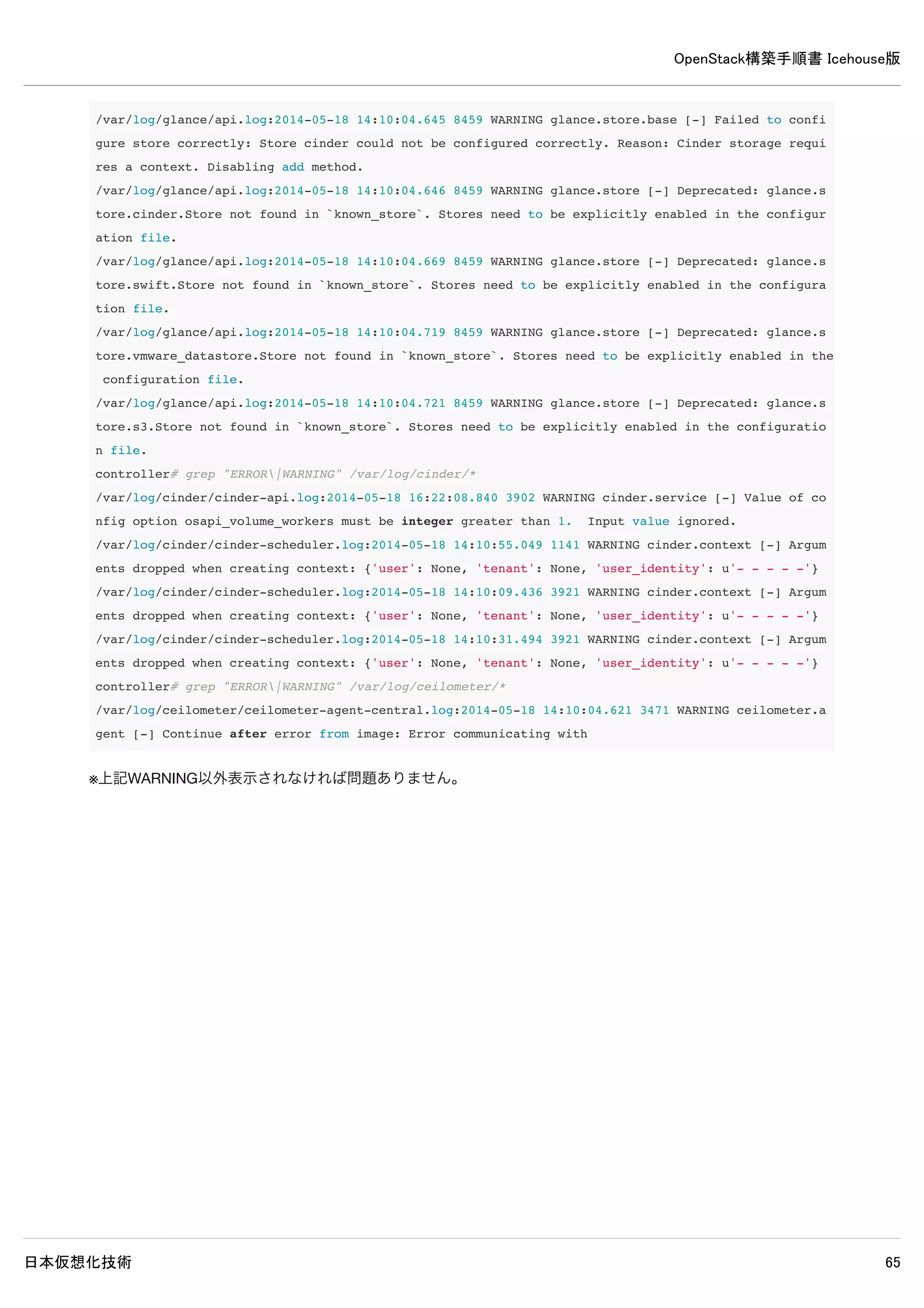
controller# grep "ERROR|WARNING" /var/log/cinder/*
/var/log/cinder/cinder-api.log:2014-05-18 16:22:08.840 3902 WARNING cinder.service [-] Value of config option
osapi_volume_workers must be integer greater than 1. Input value ignored.
/var/log/cinder/cinder-scheduler.log:2014-05-18 14:10:55.049 1141 WARNING cinder.context [-] Arguments dropped
when creating context: {'user': None, 'tenant': None, 'user_identity': u'- - - - -'}
/var/log/cinder/cinder-scheduler.log:2014-05-18 14:10:09.436 3921 WARNING cinder.context [-] Arguments dropped
when creating context: {'user': None, 'tenant': None, 'user_identity': u'- - - - -'}
/var/log/cinder/cinder-scheduler.log:2014-05-18 14:10:31.494 3921 WARNING cinder.context [-] Arguments dropped
when creating context: {'user': None, 'tenant': None, 'user_identity': u'- - - - -'}
controller# grep "ERROR|WARNING" /var/log/ceilometer/*
/var/log/ceilometer/ceilometer-agent-central.log:2014-05-18 14:10:04.621 3471 WARNING ceilometer.agent [-] Con
tinue after error from image: Error communicating with
※上記WARNING以外表示されなければ問題ありません。](https://image.slidesharecdn.com/openstackicehouse20140603r1-140604223230-phpapp01/75/OpenStack-Icehouse-75-2048.jpg)
![OpenStack構築手順書 Icehouse版
日本仮想化技術 76
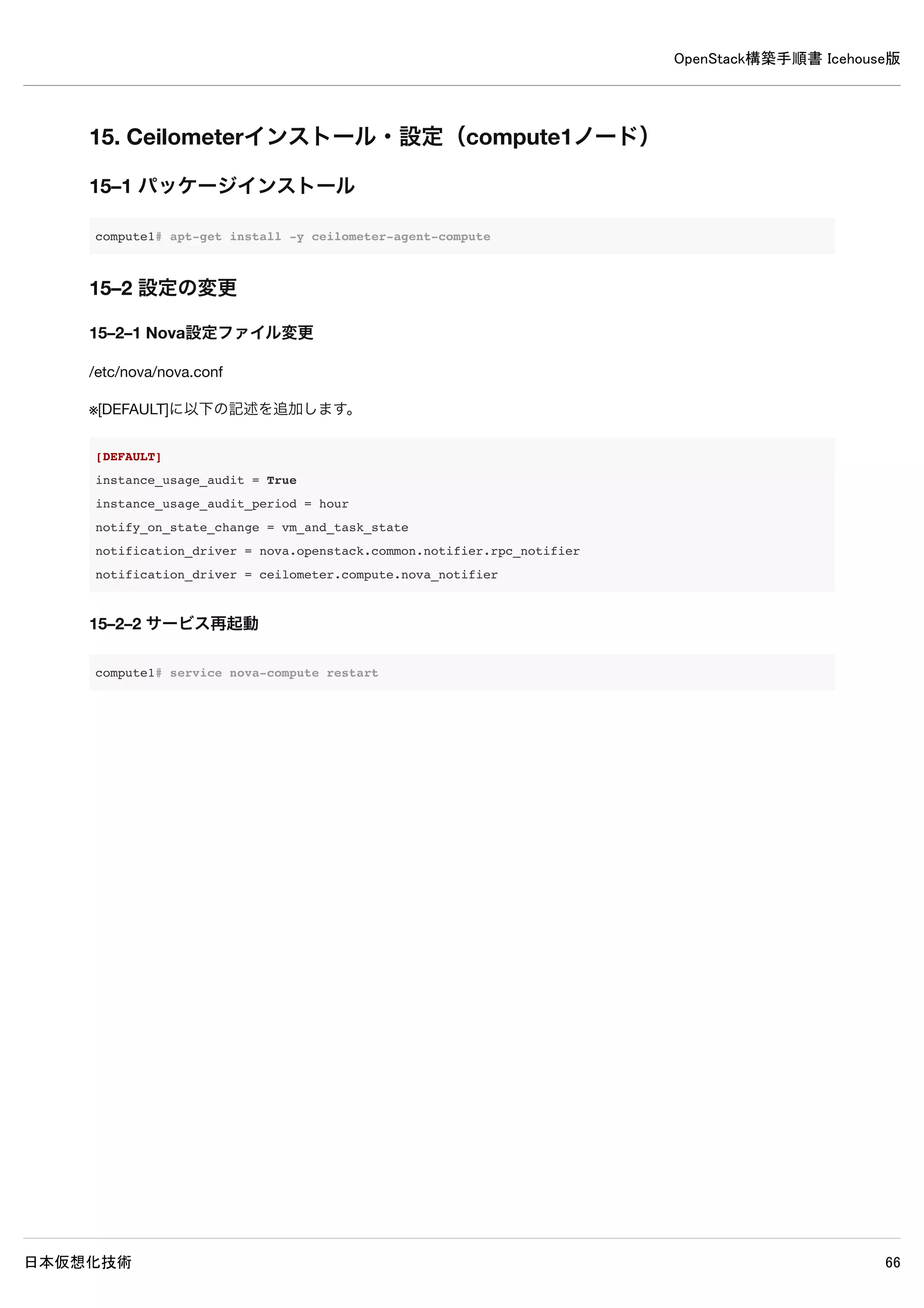
15. Ceilometerインストール・設定(compute1ノード)
15–1 パッケージインストール
compute1# apt-get install -y ceilometer-agent-compute
15–2 設定の変更
15–2–1 Nova設定ファイル変更
/etc/nova/nova.conf
※[DEFAULT]に以下の記述を追加します。
[DEFAULT]
instance_usage_audit = True
instance_usage_audit_period = hour
notify_on_state_change = vm_and_task_state
notification_driver = nova.openstack.common.notifier.rpc_notifier
notification_driver = ceilometer.compute.nova_notifier
15–2–2 サービス再起動
compute1# service nova-compute restart](https://image.slidesharecdn.com/openstackicehouse20140603r1-140604223230-phpapp01/75/OpenStack-Icehouse-76-2048.jpg)
![OpenStack構築手順書 Icehouse版
日本仮想化技術 77
15–2–3 Ceilometer設定ファイル変更
/etc/ceilometer/ceilometer.conf
[DEFAULT]
rabbit_host = controller ← 追記
rabbit_password = password ← 追記
log_dir = /var/log/ceilometer ← 追記
[keystone_authtoken]
auth_host = controller ← 追記
auth_port = 35357 ← 追記
auth_protocol = http ← 追記
admin_tenant_name = service ← 追記
admin_user = ceilometer ← 追記
admin_password = password ← 追記
[publisher]
metering_secret = password ← 追記
[service_credentials]
os_auth_url = http://controller:5000/v2.0 ← 追記
os_username = ceilometer ← 追記
os_tenant_name = service ← 追記
os_password = password ← 追記
15–3 サービス再起動
compute1# rm /var/log/nova/*
compute1# rm /var/log/ceilometer/*
compute1# service ceilometer-agent-compute restart](https://image.slidesharecdn.com/openstackicehouse20140603r1-140604223230-phpapp01/75/OpenStack-Icehouse-77-2048.jpg)
![OpenStack構築手順書 Icehouse版
日本仮想化技術 78
15–4 ログ確認
compute1# grep "ERROR|WARNING" /var/log/nova/*
compute1# grep "ERROR|WARNING" /var/log/ceilometer/*
2014-05-17 18:08:33.648 4421 WARNING ceilometer.compute.virt.libvirt.inspector [-] Failed to inspect disks of
instance-0000000b, domain is in state of SHUTOFF
2014-05-17 18:08:33.661 4421 WARNING ceilometer.compute.virt.libvirt.inspector [-] Failed to inspect disks of
instance-0000000a, domain is in state of SHUTOFF
2014-05-17 18:08:33.694 4421 WARNING ceilometer.transformer.conversions [-] dropping sample with no predecesso
r: (<ceilometer.sample.Sample object at 0x7f8afbd9c390>,)
2014-05-17 18:08:33.698 4421 WARNING ceilometer.transformer.conversions [-] dropping sample with no predecesso
r: (<ceilometer.sample.Sample object at 0x7f8afbd9c250>,)
2014-05-17 18:08:33.708 4421 WARNING ceilometer.compute.virt.libvirt.inspector [-] Failed to inspect vnics of
instance-0000000b, domain is in state of SHUTOFF
2014-05-17 18:08:33.718 4421 WARNING ceilometer.compute.virt.libvirt.inspector [-] Failed to inspect vnics of
instance-0000000a, domain is in state of SHUTOFF
2014-05-17 18:08:33.740 4421 WARNING ceilometer.transformer.conversions [-] dropping sample with no predecesso
r: (<ceilometer.sample.Sample object at 0x7f8afbd9c310>,)
2014-05-17 18:08:33.743 4421 WARNING ceilometer.transformer.conversions [-] dropping sample with no predecesso
r: (<ceilometer.sample.Sample object at 0x7f8afbda9e50>,)
2014-05-17 18:08:33.766 4421 WARNING ceilometer.transformer.conversions [-] dropping sample with no predecesso
r: (<ceilometer.sample.Sample object at 0x7f8afbda9cd0>,)
2014-05-17 18:08:33.769 4421 WARNING ceilometer.transformer.conversions [-] dropping sample with no predecesso
r: (<ceilometer.sample.Sample object at 0x7f8afbda9dd0>,)
2014-05-17 18:08:33.781 4421 WARNING ceilometer.transformer.conversions [-] dropping sample with no predecesso
r: (<ceilometer.sample.Sample object at 0x7f8afbda9d10>,)
2014-05-17 18:08:33.785 4421 WARNING ceilometer.transformer.conversions [-] dropping sample with no predecesso
r: (<ceilometer.sample.Sample object at 0x7f8afbda9d90>,)
2014-05-17 18:08:33.806 4421 WARNING ceilometer.transformer.conversions [-] dropping sample with no predecesso
r: (<ceilometer.sample.Sample object at 0x7f8afbda9e90>,)
2014-05-17 18:08:33.808 4421 WARNING ceilometer.transformer.conversions [-] dropping sample with no predecesso
r: (<ceilometer.sample.Sample object at 0x7f8afbda9d90>,)
※上記WARNING以外表示されなければ問題ありません。
15–5 計測項目取得確認
確認はcontrollerノードで行ってください。
15–5–1 admin環境変数設定ファイル読み込み
controller# source admin-openrc
15–5–2 controllerノードでCeilometerの計測項目が取得可能か確認](https://image.slidesharecdn.com/openstackicehouse20140603r1-140604223230-phpapp01/75/OpenStack-Icehouse-78-2048.jpg)


![OpenStack構築手順書 Icehouse版
日本仮想化技術 82
18. Swiftのインストールと設定
Swiftは一つにまとめることが可能ですが、このドキュメントでは2つのノードに分けてインストールを行います。
※compute1ノードに新規にHDDドライブを追加してあります。(/dev/sdb)
18–1 共通設定(controllerノード、compute1ノード)
18–1–1 設定ファイル用ディレクトリ作成
設定ファイル用のディレクトリを作成します
controller# mkdir -p /etc/swift
18–1–2 設定ファイル作成
※プロキシノード、ストレージノード双方に記述します。
/etc/swift/swift.conf
[swift-hash]
# random unique string that can never change (DO NOT LOSE)
swift_hash_path_prefix = xrfuniounenqjnw
swift_hash_path_suffix = fLIbertYgibbitZ](https://image.slidesharecdn.com/openstackicehouse20140603r1-140604223230-phpapp01/75/OpenStack-Icehouse-82-2048.jpg)


![OpenStack構築手順書 Icehouse版
日本仮想化技術 85
uid = swift
gid = swift
log file = /var/log/rsyncd.log
pid file = /var/run/rsyncd.pid
address = 10.0.0.11
[account]
max connections = 2
path = /srv/node/
read only = false
lock file = /var/lock/account.lock
[container]
max connections = 2
path = /srv/node/
read only = false
lock file = /var/lock/container.lock
[object]
max connections = 2
path = /srv/node/
read only = false
lock file = /var/lock/object.lock
18–3–4 rsyncデフォルト設定を変更
/etc/defaut/rsyncの以下設定を変更してrsyncの動作を有効にします。
RSYNC_ENABLE=true
18–3–5 rsync起動
rsyncを起動し増す。
compute1# service rsync start
18–3–6 キャッシュディレクトリ作成
以下コマンドでキャッシュディレクトリを作成します
compute1# mkdir -p /var/swift/recon
18–3–7 キャッシュディレクトリ、オーナー変更
キャッシュディレクトリのオーナーをSwiftユーザーに変更します](https://image.slidesharecdn.com/openstackicehouse20140603r1-140604223230-phpapp01/75/OpenStack-Icehouse-85-2048.jpg)


![OpenStack構築手順書 Icehouse版
日本仮想化技術 89
[DEFAULT]
bind_port = 8080
user = swift
[pipeline:main]
pipeline = healthcheck cache authtoken keystoneauth proxy-server
[app:proxy-server]
use = egg:swift#proxy
allow_account_management = true
account_autocreate = true
[filter:keystoneauth]
use = egg:swift#keystoneauth
operator_roles = Member,admin,swiftoperator
[filter:authtoken]
paste.filter_factory = keystoneclient.middleware.auth_token:filter_factory
# Delaying the auth decision is required to support token-less
# usage for anonymous referrers ('.r:*').
delay_auth_decision = true
# auth_* settings refer to the Keystone server
auth_protocol = http
auth_host = controller
auth_uri = http://controller:5000
# the service tenant and swift username and password created in Keystone
admin_tenant_name = service
admin_user = swift
admin_password = password
[filter:cache]
use = egg:swift#memcache
[filter:catch_errors]
use = egg:swift#catch_errors
[filter:healthcheck]
use = egg:swift#healthcheck](https://image.slidesharecdn.com/openstackicehouse20140603r1-140604223230-phpapp01/75/OpenStack-Icehouse-89-2048.jpg)


![OpenStack構築手順書 Icehouse版
日本仮想化技術 100
20–4 設定の変更
/etc/heat/heat.conf
[DEFAULT]
...
rpc_backend = heat.openstack.common.rpc.impl_kombu ← 追記
rabbit_host = controller ← 追記
rabbit_password = password ← 追記
heat_metadata_server_url = http://controller:8000 ← 追記
heat_waitcondition_server_url = http://controller:8000/v1/waitcondition ← 追記
log_dir = /var/log/heat ← 追記
[database]
...
#connection=sqlite:////var/lib/heat/$sqlite_db ← 既存設定をコメントアウト
connection = mysql://heat:password@controller/heat ← 追記
[keystone_authtoken]
...
auth_uri = http://controller:5000/v2.0 ← 追記
auth_host = controller ← 追記
auth_port = 35357 ← 追記
auth_protocol = http ← 追記
admin_tenant_name = service ← 追記
admin_user = heat ← 追記
admin_password = password ← 追記
[ec2authtoken]
...
auth_uri = http://controller:5000/v2.0 ← 追記](https://image.slidesharecdn.com/openstackicehouse20140603r1-140604223230-phpapp01/75/OpenStack-Icehouse-100-2048.jpg)
![OpenStack構築手順書 Icehouse版
日本仮想化技術 101
20–5 使用しないデータベースファイルの削除
controller# rm /var/lib/heat/heat.sqlite
20–6 データベースに表を作成
controller# heat-manage db_sync
※以下メッセージが出力されますが問題ありません。
No handlers could be found for logger "heat.common.config"
2014-06-30 16:30:56.095 4563 WARNING heat.openstack.common.db.sqlalchemy.session [-] This application has not
enabled MySQL traditional mode, which means silent data corruption may occur. Please encourage the application
developers to enable this mode.
/usr/lib/python2.7/dist-packages/sqlalchemy/engine/default.py:324: Warning: Specified key was too long; max key
length is 767 bytes
cursor.execute(statement, parameters)
20–7 サービス再起動
controller# rm /var/log/heat/*
controller# service heat-api restart ;
service heat-api-cfn restart ;
service heat-engine restart
20–8 ログ確認
controller# grep "ERROR|WARNING" /var/log/heat/*
/var/log/heat/heat-engine.log:2014-06-30 16:45:33.779 4873 WARNING heat.common.config [-] The "instance_user"
option in heat.conf is deprecated and will be removed in the Juno release.
/var/log/heat/heat-engine.log:2014-06-30 16:45:35.379 4873 WARNING heat.openstack.common.db.sqlalchemy.session
[req-c37ddf9e-ebbb-4ad4-82c8-dd90d47fb3d0 None] This application has not enabled MySQL traditional mode, whic
h means silent data corruption may occur. Please encourage the application developers to enable this mode.
※上記メッセージ以外が表示されなければ問題ありません。](https://image.slidesharecdn.com/openstackicehouse20140603r1-140604223230-phpapp01/75/OpenStack-Icehouse-101-2048.jpg)
![OpenStack構築手順書 Icehouse版
日本仮想化技術 102
21. Heat 動作確認(controllerノード)
21–1 demo環境変数読み込み
controller# source demo-openrc.sh
21–2 テンプレートファイル作成
スタックを作成するための設定を記述したファイルをテンプレートとして作成します。
test-stack.yml
heat_template_version: 2013-05-23
description: Test Template
parameters:
ImageID:
type: string
description: Image use to boot a server
NetID:
type: string
description: Network ID for the server
resources:
server1:
type: OS::Nova::Server
properties:
name: "Test server"
image: { get_param: ImageID }
flavor: "m1.tiny"
networks:
- network: { get_param: NetID }
outputs:
server1_private_ip:
description: IP address of the server in the private network
value: { get_attr: [ server1, first_address ] }](https://image.slidesharecdn.com/openstackicehouse20140603r1-140604223230-phpapp01/75/OpenStack-Icehouse-102-2048.jpg)


