ONLINE SAFETY
Types of Malware
Malware
➢ Malware is any software intentionally designed to
cause damage to a computer, server, client, or
computer network.
➢ Malware is a general term used to refer to viruses,
worms, spyware, adware, etc. In other words, it is
unwanted software that someone else wants to
run on others’ computers. Malware infects your
computer, making it behave in a way, which you
do not approve of.
➢ By combining the words ‘malicious’ and
‘software’, we get the word malware.
Types of Malware
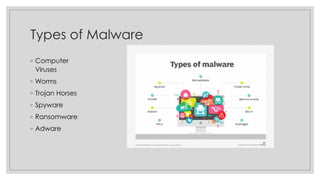
◦ Computer
Viruses
◦ Worms
◦ Trojan Horses
◦ Spyware
◦ Ransomware
◦ Adware
Computer Viruses
◦ Computer viruses are malicious codes/programs that cause damage to data and files on a system. Virus
can attack any part of a computer’s software such as boot block, operating system, system areas etc.
Worms
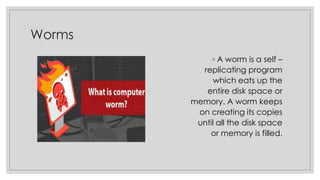
◦ A worm is a self –
replicating program
which eats up the
entire disk space or
memory. A worm keeps
on creating its copies
until all the disk space
or memory is filled.
Trojan Horses
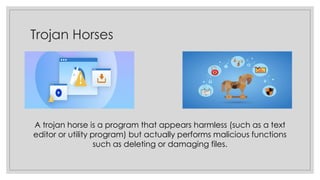
A trojan horse is a program that appears harmless (such as a text
editor or utility program) but actually performs malicious functions
such as deleting or damaging files.
Spyware
Spyware is a software which is installed
on a computer to spy on its’ activities
and report this data to people willing to
pay for it.
It tracks the user’s behaviour and reports
information back to a central source. These are
used to spy on someone either for legal or illegal
purposes.
Ransomware
◦ Ransomware infects a
computer, then encrypts
sensitive data such as personal
documents or photos and
demands a ransom for their
release. If you refuse to pay, the
data is deleted. Some
ransomware variants lock out all
access to your computer.
Adware
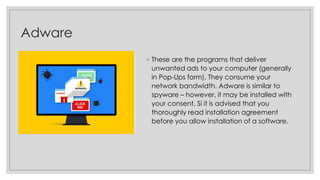
◦ These are the programs that deliver
unwanted ads to your computer (generally
in Pop-Ups form). They consume your
network bandwidth. Adware is similar to
spyware – however, it may be installed with
your consent. Si it is advised that you
thoroughly read installation agreement
before you allow installation of a software.
Damages Caused by Malware
◦ Damage or delete files
◦ Slow down your computer
◦ Invade you email program
◦ Compromise your data, computing habits,
and identity.
◦ Alter PC settings
◦ Slows down you PC
◦ Adware tracks information just like spyware
◦ Displays arrays of annoying advertising.
Safety Measures
❑There are thousand of viruses, spyware and other malware currently “in
the wild”, and more appear each week, so protecting your systems
against infection by viruses is an essential part of information security .
Protecting yourself against viruses and other malware involves the
following safeguards :-
▪ Use Anti-Virus and Anti-Spyware software. Download updates regularly and run full
system scans frequently.
▪ Use caution while downloading files from internet.
▪ Disable cookies, if possible (specially 3rd party cookies).
The End
❖Bibliography/Credits :-
o Computer Applications by Sumita Arora (Class IX) has been referred to, while making this PPT.
o All images used in this PPT belong to their respective owners and are taken from internet.
❖Disclaimer :-
o This presentation must not be used for commercial purposes without prior permission from it’s author.
o One can use this presentation for reference/educational purposes only.
o Students may refer to this for any projects but copying the whole presentation is unethical and shouldn’t be
done.
~ Arnav Kumar

Online Safety - Malwares

  • 1.
  • 2.
    Malware ➢ Malware isany software intentionally designed to cause damage to a computer, server, client, or computer network. ➢ Malware is a general term used to refer to viruses, worms, spyware, adware, etc. In other words, it is unwanted software that someone else wants to run on others’ computers. Malware infects your computer, making it behave in a way, which you do not approve of. ➢ By combining the words ‘malicious’ and ‘software’, we get the word malware.
  • 3.
    Types of Malware ◦Computer Viruses ◦ Worms ◦ Trojan Horses ◦ Spyware ◦ Ransomware ◦ Adware
  • 4.
    Computer Viruses ◦ Computerviruses are malicious codes/programs that cause damage to data and files on a system. Virus can attack any part of a computer’s software such as boot block, operating system, system areas etc.
  • 5.
    Worms ◦ A wormis a self – replicating program which eats up the entire disk space or memory. A worm keeps on creating its copies until all the disk space or memory is filled.
  • 6.
    Trojan Horses A trojanhorse is a program that appears harmless (such as a text editor or utility program) but actually performs malicious functions such as deleting or damaging files.
  • 7.
    Spyware Spyware is asoftware which is installed on a computer to spy on its’ activities and report this data to people willing to pay for it. It tracks the user’s behaviour and reports information back to a central source. These are used to spy on someone either for legal or illegal purposes.
  • 8.
    Ransomware ◦ Ransomware infectsa computer, then encrypts sensitive data such as personal documents or photos and demands a ransom for their release. If you refuse to pay, the data is deleted. Some ransomware variants lock out all access to your computer.
  • 9.
    Adware ◦ These arethe programs that deliver unwanted ads to your computer (generally in Pop-Ups form). They consume your network bandwidth. Adware is similar to spyware – however, it may be installed with your consent. Si it is advised that you thoroughly read installation agreement before you allow installation of a software.
  • 10.
    Damages Caused byMalware ◦ Damage or delete files ◦ Slow down your computer ◦ Invade you email program ◦ Compromise your data, computing habits, and identity. ◦ Alter PC settings ◦ Slows down you PC ◦ Adware tracks information just like spyware ◦ Displays arrays of annoying advertising.
  • 11.
    Safety Measures ❑There arethousand of viruses, spyware and other malware currently “in the wild”, and more appear each week, so protecting your systems against infection by viruses is an essential part of information security . Protecting yourself against viruses and other malware involves the following safeguards :- ▪ Use Anti-Virus and Anti-Spyware software. Download updates regularly and run full system scans frequently. ▪ Use caution while downloading files from internet. ▪ Disable cookies, if possible (specially 3rd party cookies).
  • 12.
    The End ❖Bibliography/Credits :- oComputer Applications by Sumita Arora (Class IX) has been referred to, while making this PPT. o All images used in this PPT belong to their respective owners and are taken from internet. ❖Disclaimer :- o This presentation must not be used for commercial purposes without prior permission from it’s author. o One can use this presentation for reference/educational purposes only. o Students may refer to this for any projects but copying the whole presentation is unethical and shouldn’t be done. ~ Arnav Kumar