

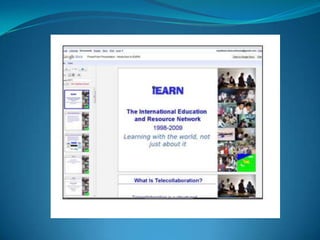
ETAC Emerging Technology Across Curriculum
            Nausheen Anwar
       Beaconhouse School System
             Jubilee Campus
Conduct a practical enquiry that examines the use
                       of
          ICT in teaching and learning
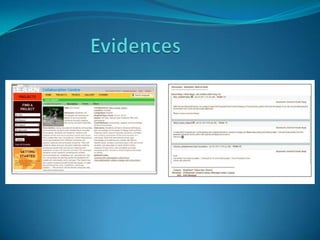
Benefits of online collaboration for learners’ learning.
It enhanced learners’ expressions, language skills and
understanding of the world by:
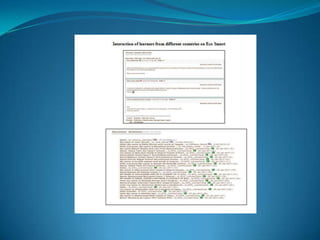
Engaging them in discussions and dialogue on common issues
and those related to their culture
Collaborative projects brought the learners together across the
globe using full range of ICT features including
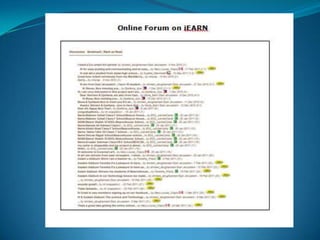
newsgroups, email blogs and sharing of learning
Limitations:
Bandwidth/browser limitations restricted instructional
methodologies. There were video files and PowerPoint
presentations which took time in uploading and it frustrated my
learners and affected my time management.
Engaging learners towards responsibility and creativity
using any medium of expression.
Limitations:
Occurred with regional language teachers as there were
fewer projects for Urdu Language to integrate it with the
curriculum in meaningful projects.
To anchor all learning activities to a task, teachers
need to look for the following areas:

Learning must have a purpose beyond, "It is assigned."
Design the learning environment to support and
challenge the learner’s thinking.
It provided a platform to my school in developing:

A culturally diverse community of supportive
educators.

Cross –curricular links with all subjects and a
representative across the globe on concerns like energy
conservation and global warming on Earth Day.
Activities that incorporated reflection & critical
thinking are as follows
Projects ended with a presentation or product that
demonstrates learning
Learners with various strengths and inclinations had
opportunities to explore their talents in a variety of
ways
Digital Citizenship and Responsibility enabled the
teachers and learners to:
Be sensitive to others .

Learn as much as you can about the other cultures you
are working with to avoid cultural and language
misunderstanding.
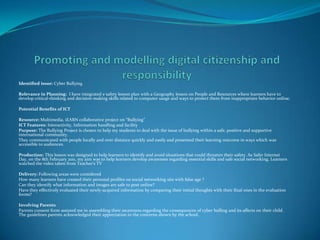
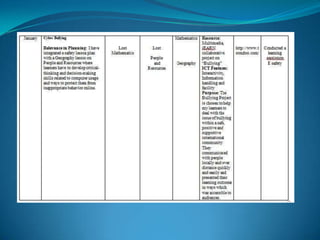
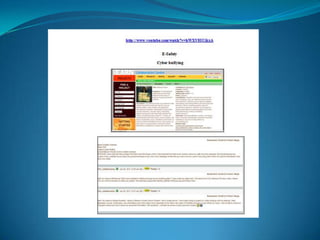
Identified issue: Cyber Bullying

Relevance in Planning: I have integrated e safety lesson plan with a Geography lesson on People and Resources where learners have to
develop critical-thinking and decision-making skills related to computer usage and ways to protect them from inappropriate behavior online.

Potential Benefits of ICT

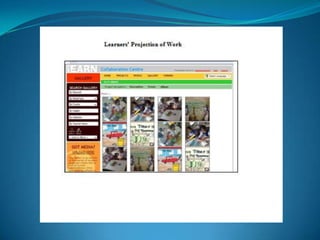
Resource: Multimedia, iEARN collaborative project on “Bullying”
ICT Features: Interactivity, Information handling and facility
Purpose: The Bullying Project is chosen to help my students to deal with the issue of bullying within a safe, positive and supportive
international community.
They communicated with people locally and over distance quickly and easily and presented their learning outcome in ways which was
accessible to audiences.

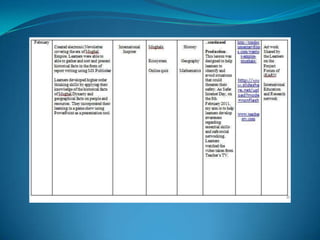
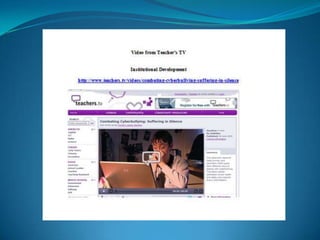
Production: This lesson was designed to help learners to identify and avoid situations that could threaten their safety. As Safer Internet
Day, on the 8th February 2011, my aim was to help learners develop awareness regarding essential skills and safe social networking. Learners
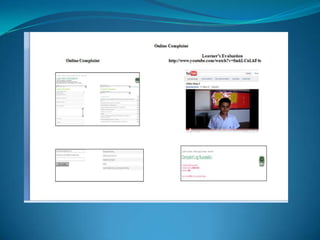
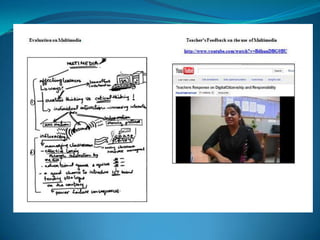
watched the video taken from Teacher’s TV

Delivery: Following areas were considered
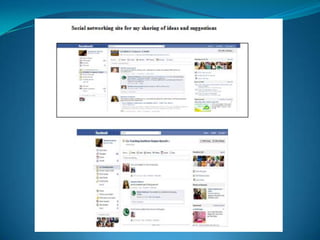
How many learners have created their personal profiles on social networking site with false age ?
Can they identify what information and images are safe to post online?
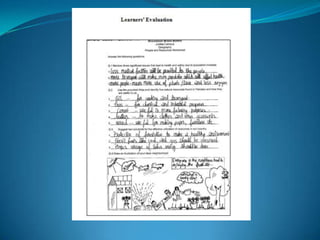
Have they effectively evaluated their newly-acquired information by comparing their initial thoughts with their final ones in the evaluation
forms?

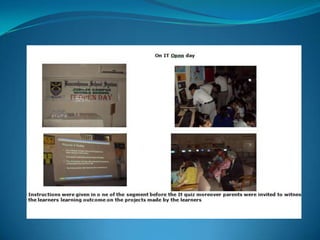
Involving Parents
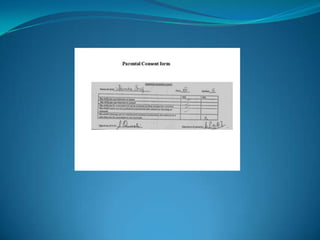
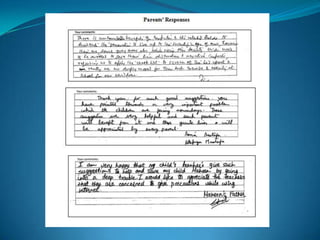
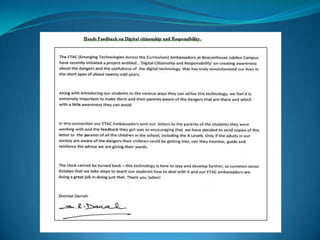
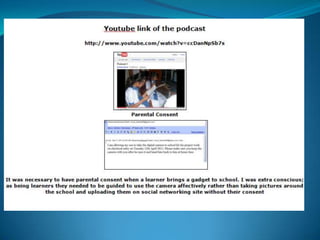
Parents consent form assisted me in assembling their awareness regarding the consequences of cyber bulling and its affects on their child.
The guidelines parents acknowledged their appreciation to the concerns shown by the school.
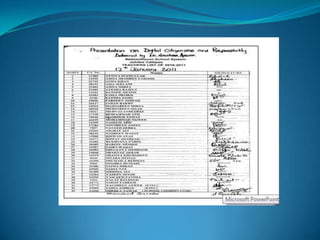
This implemented a learning session with my learners to advocate and practise safe, legal and
responsible use of information and technology.

The objective of this learning session was to enable my learners to exhibit a positive attitude toward
the use of technology that supports collaboration, learning, and productivity. With the help of clear
instructions, they were able to articulate basic norms and etiquette for digital communication and
collaborate appropriately in a digital community
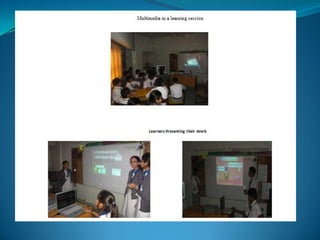
Learners were given the liberty to use from a variety of ICT presentation tools to differentiate the task
by resource and to exhibit their learning according to their developed ICT skills.

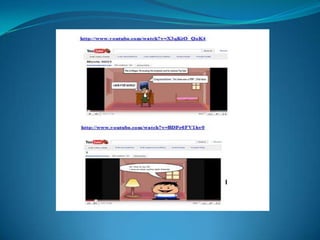
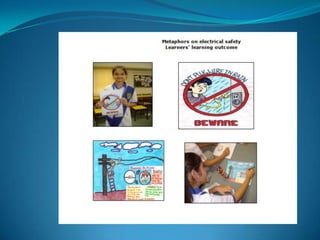
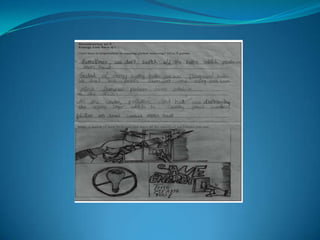
The identified group created cartoons using toondoo.com conveying a message on safety measure
when working online Through presentations, learners learnt about the importance of safe internet
browsing and avoiding the possibilities which can lead to serious consequences.

To build critical-thinking and decision-making skills related to computer usage and to protect my
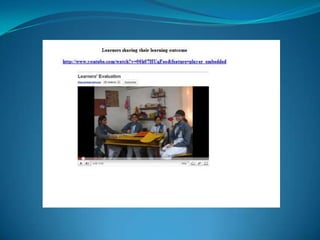
learners from inappropriate behaviour online, they talked about their learning in the post activity
session. They shared their awareness about the learning session and the contributions they made to
reflect their learning on safe and secure browsing of internet
MANAGE THE USE OF ICT IN TEACHING AND
              LEARNING
Following ICT resources were integrated in the lesson.
Website for online quiz for instant feedback
Video Clips from youtube for visual experience and interactivity
Internet – wireless connection for uninterrupted net browsing
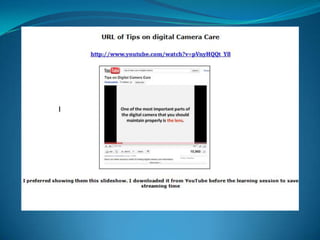
Digital camera for Provisionality of resource and communicating
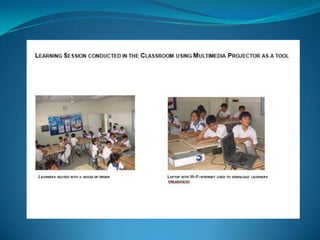
LCD Projector for information handling
Speakers for effective listening
PCs for hands-on activity
Data card reader for file transfer from digital camera to
computer.
To articulate web.2 tools in the lesson, following ICT resources
were used.

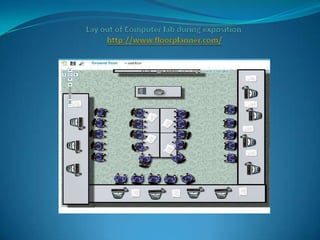
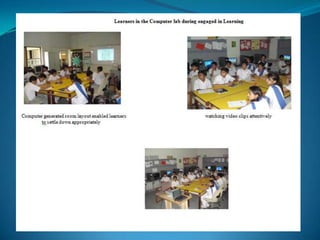
Computer generated classroom layout was shown to learners
using multimedia Projector to organise the learners accordingly.

Before assigning the task, learners were shown a video
demonstrating the safe use of digital camera and an instruction
sheet was provided for further assistance. Moreover a folder was
kept on the desk top for following the instructions if needed.

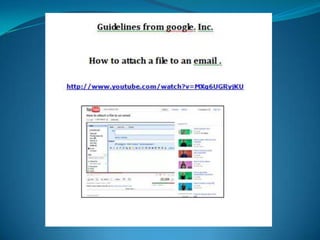
Through networking I shared a folder on step by step guidelines
on each computer
ASSESS TEACHING AND LEARNING USING ICT
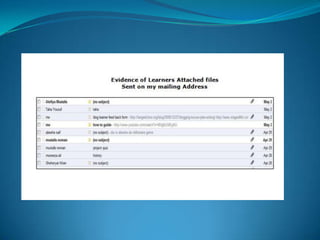
E mails played an integral role for me to critically assess my learners learning outcome by:

• creating a supportive learning environment
• encouraging them towards a reflective thought and action
• enhancing the relevance of new learning
• facilitating shared learning
• making connections to prior learning and experience
• provide sufficient opportunities to learn
• inquire into the teaching–learning relationship through e-mails

Conducting a formative assessment and integrating this activity with e-mails enabled me to assess
their potential. This process is interactive and it created a reflective approach in their learning .
Once their assignment was completed, I published their portfolios online which, enabled the learners
of other sections of the same grade to access and gain enhanced meaningful learning.
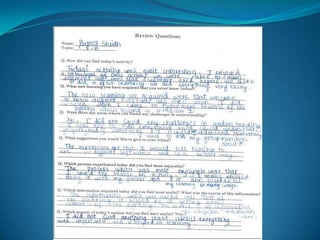
Peer assessment turned out to be a key strategy to
involve learners in taking more responsibility for their
own learning. While the benefits were not initially
obvious to learners, this process offered a means of
enhancing the learning experience and developing key
capabilities in them. When introducing this strategy, I
wanted to be sure that learners become aware of the
benefits for them.
TO EVALUATE AND EMBED THE
USE OF ICT IN TEACHING AND
        LEARNING
While sending me e-mail,, giving feedback on peer assessment or
reviewing my feedback on their assignments I ensured the following
aspects for my learners to review:
Take particular care when transporting personal information to
different locations (including passing data to other organizations).
Always encrypt the data and ensure that physical devices cannot be
accidentally lost, for example, by using special delivery post or by not
leaving the device unattended
Take appropriate security precautions if you take any information
about people home with you. Make sure it cannot be accessed by
thieves or accidentally viewed by visitors or family members. For
further information see the guidance on home working
Choose a password that is not easy to guess
•Site PCs where the screen cannot be seen by unauthorised staff or the public.
•Lock your computer, if possible, if you are leaving your desk for more than 5
minutes.
•Delete personal data as soon as it is no longer required
•Ensure that your deleted items are actually deleted – simply deleting items
does not always remove them completely from your computer. For example, in
Microsoft Outlook when you delete e-mails they are moved to and stored in
your ‘deleted items’ folder and you must also delete them from here. Similarly
in Windows when you delete items from your computer they will often be sent
to the ‘recycle bin’ on your desktop, from where you must delete them again
•Never share passwords and write your password down. If you must write it
down then don’t store it in an easily accessible place Send someone’s username
and password in the same e-mail or document, send them under separate
cover.
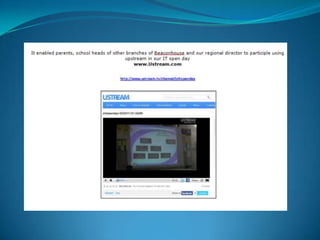
Evaluating the appropriateness and effectiveness of video conferencing
turned out to be an important aspect of integrating current technology
in to students learning.

The use of a non-ICT resource was therefore never a real possibility. The
entire event could be accessed by parents and school group heads and
head office of Beaconhouse.

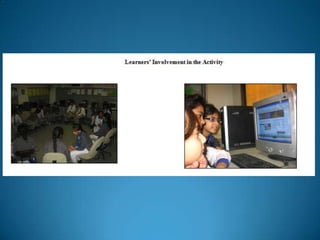
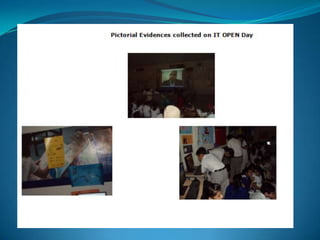
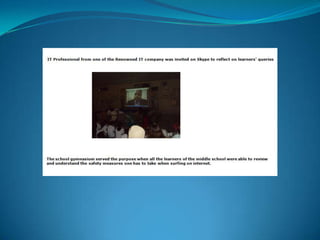
The entire middle school comprising of 600 learners were in
attendance watching the entire segment of the video conferencing
which by extension enabled them to reflect and be aware of the safety
measures that they must be taking while going online.
The key of my practice was to help my colleagues reflect upon and develop a number of

important issues.


First the relationship between my colleagues and me which needed to be based on

mutual trust and respect.


What is said must be scrupulously fair. The colleague whom I observed is a Science

teacher. The growth of competences and expertise in classroom teaching is clearly crucial

for any professional growth and for the effectiveness learners’ learning.
Elements of Digital Story

•Point of view

•Dramatic Questions

•Emotional Content

•Clarity of Voice

•Grammar and Language usage
Contribution to Students’ Learning

• helps to create and share original work

•Helps to interact, collaborate and publish their work and assess their

peers’ work as well

•Promotes cultural understanding and global awareness

•Improves creative writing skills

•Helps to use writing process, visual literacy
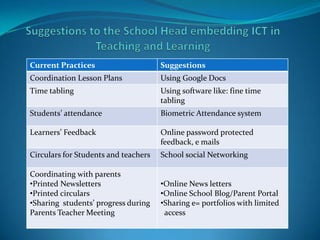
Current Practices                     Suggestions
Coordination Lesson Plans             Using Google Docs
Time tabling                          Using software like: fine time
                                      tabling
Students’ attendance                  Biometric Attendance system

Learners’ Feedback                    Online password protected
                                      feedback, e mails
Circulars for Students and teachers   School social Networking

Coordinating with parents
•Printed Newsletters                  •Online News letters
•Printed circulars                    •Online School Blog/Parent Portal
•Sharing students’ progress during    •Sharing e= portfolios with limited
Parents Teacher Meeting                access
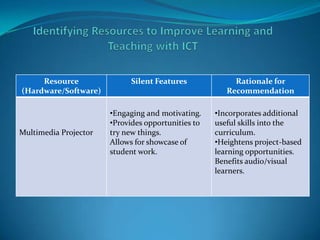
Resource                Silent Features             Rationale for
(Hardware/Software)                                    Recommendation

                       •Engaging and motivating.    •Incorporates additional
                       •Provides opportunities to   useful skills into the
Multimedia Projector   try new things.              curriculum.
                       Allows for showcase of       •Heightens project-based
                       student work.                learning opportunities.
                                                    Benefits audio/visual
                                                    learners.
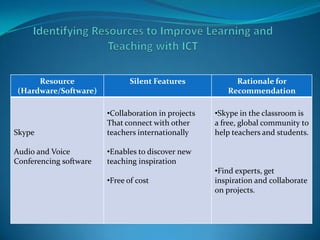
Resource                  Silent Features            Rationale for
(Hardware/Software)                                     Recommendation

                        •Collaboration in projects   •Skype in the classroom is
                        That connect with other      a free, global community to
Skype                   teachers internationally     help teachers and students.

Audio and Voice         •Enables to discover new
Conferencing software   teaching inspiration
                                                     •Find experts, get
                        •Free of cost                inspiration and collaborate
                                                     on projects.
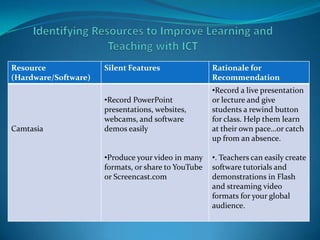
Resource              Silent Features                Rationale for
(Hardware/Software)                                  Recommendation
                                                     •Record a live presentation
                      •Record PowerPoint             or lecture and give
                      presentations, websites,       students a rewind button
                      webcams, and software          for class. Help them learn
Camtasia              demos easily                   at their own pace…or catch
                                                     up from an absence.

                      •Produce your video in many    •. Teachers can easily create
                      formats, or share to YouTube   software tutorials and
                      or Screencast.com              demonstrations in Flash
                                                     and streaming video
                                                     formats for your global
                                                     audience.
New microsoft office power point presentation

New microsoft office power point presentation

  • 1.
    ETAC Emerging TechnologyAcross Curriculum Nausheen Anwar Beaconhouse School System Jubilee Campus
  • 2.
    Conduct a practicalenquiry that examines the use of ICT in teaching and learning
  • 3.
    Benefits of onlinecollaboration for learners’ learning. It enhanced learners’ expressions, language skills and understanding of the world by: Engaging them in discussions and dialogue on common issues and those related to their culture Collaborative projects brought the learners together across the globe using full range of ICT features including newsgroups, email blogs and sharing of learning Limitations: Bandwidth/browser limitations restricted instructional methodologies. There were video files and PowerPoint presentations which took time in uploading and it frustrated my learners and affected my time management.
  • 4.
    Engaging learners towardsresponsibility and creativity using any medium of expression. Limitations: Occurred with regional language teachers as there were fewer projects for Urdu Language to integrate it with the curriculum in meaningful projects.
  • 5.
    To anchor alllearning activities to a task, teachers need to look for the following areas: Learning must have a purpose beyond, "It is assigned." Design the learning environment to support and challenge the learner’s thinking.
  • 6.
    It provided aplatform to my school in developing: A culturally diverse community of supportive educators. Cross –curricular links with all subjects and a representative across the globe on concerns like energy conservation and global warming on Earth Day.
  • 7.
    Activities that incorporatedreflection & critical thinking are as follows Projects ended with a presentation or product that demonstrates learning Learners with various strengths and inclinations had opportunities to explore their talents in a variety of ways
  • 8.
    Digital Citizenship andResponsibility enabled the teachers and learners to: Be sensitive to others . Learn as much as you can about the other cultures you are working with to avoid cultural and language misunderstanding.
  • 9.
    Identified issue: CyberBullying Relevance in Planning: I have integrated e safety lesson plan with a Geography lesson on People and Resources where learners have to develop critical-thinking and decision-making skills related to computer usage and ways to protect them from inappropriate behavior online. Potential Benefits of ICT Resource: Multimedia, iEARN collaborative project on “Bullying” ICT Features: Interactivity, Information handling and facility Purpose: The Bullying Project is chosen to help my students to deal with the issue of bullying within a safe, positive and supportive international community. They communicated with people locally and over distance quickly and easily and presented their learning outcome in ways which was accessible to audiences. Production: This lesson was designed to help learners to identify and avoid situations that could threaten their safety. As Safer Internet Day, on the 8th February 2011, my aim was to help learners develop awareness regarding essential skills and safe social networking. Learners watched the video taken from Teacher’s TV Delivery: Following areas were considered How many learners have created their personal profiles on social networking site with false age ? Can they identify what information and images are safe to post online? Have they effectively evaluated their newly-acquired information by comparing their initial thoughts with their final ones in the evaluation forms? Involving Parents Parents consent form assisted me in assembling their awareness regarding the consequences of cyber bulling and its affects on their child. The guidelines parents acknowledged their appreciation to the concerns shown by the school.
  • 10.
    This implemented alearning session with my learners to advocate and practise safe, legal and responsible use of information and technology. The objective of this learning session was to enable my learners to exhibit a positive attitude toward the use of technology that supports collaboration, learning, and productivity. With the help of clear instructions, they were able to articulate basic norms and etiquette for digital communication and collaborate appropriately in a digital community Learners were given the liberty to use from a variety of ICT presentation tools to differentiate the task by resource and to exhibit their learning according to their developed ICT skills. The identified group created cartoons using toondoo.com conveying a message on safety measure when working online Through presentations, learners learnt about the importance of safe internet browsing and avoiding the possibilities which can lead to serious consequences. To build critical-thinking and decision-making skills related to computer usage and to protect my learners from inappropriate behaviour online, they talked about their learning in the post activity session. They shared their awareness about the learning session and the contributions they made to reflect their learning on safe and secure browsing of internet
  • 11.
    MANAGE THE USEOF ICT IN TEACHING AND LEARNING
  • 12.
    Following ICT resourceswere integrated in the lesson. Website for online quiz for instant feedback Video Clips from youtube for visual experience and interactivity Internet – wireless connection for uninterrupted net browsing Digital camera for Provisionality of resource and communicating LCD Projector for information handling Speakers for effective listening PCs for hands-on activity Data card reader for file transfer from digital camera to computer.
  • 13.
    To articulate web.2tools in the lesson, following ICT resources were used. Computer generated classroom layout was shown to learners using multimedia Projector to organise the learners accordingly. Before assigning the task, learners were shown a video demonstrating the safe use of digital camera and an instruction sheet was provided for further assistance. Moreover a folder was kept on the desk top for following the instructions if needed. Through networking I shared a folder on step by step guidelines on each computer
  • 61.
    ASSESS TEACHING ANDLEARNING USING ICT
  • 62.
    E mails playedan integral role for me to critically assess my learners learning outcome by: • creating a supportive learning environment • encouraging them towards a reflective thought and action • enhancing the relevance of new learning • facilitating shared learning • making connections to prior learning and experience • provide sufficient opportunities to learn • inquire into the teaching–learning relationship through e-mails Conducting a formative assessment and integrating this activity with e-mails enabled me to assess their potential. This process is interactive and it created a reflective approach in their learning . Once their assignment was completed, I published their portfolios online which, enabled the learners of other sections of the same grade to access and gain enhanced meaningful learning.
  • 64.
    Peer assessment turnedout to be a key strategy to involve learners in taking more responsibility for their own learning. While the benefits were not initially obvious to learners, this process offered a means of enhancing the learning experience and developing key capabilities in them. When introducing this strategy, I wanted to be sure that learners become aware of the benefits for them.
  • 68.
    TO EVALUATE ANDEMBED THE USE OF ICT IN TEACHING AND LEARNING
  • 69.
    While sending mee-mail,, giving feedback on peer assessment or reviewing my feedback on their assignments I ensured the following aspects for my learners to review: Take particular care when transporting personal information to different locations (including passing data to other organizations). Always encrypt the data and ensure that physical devices cannot be accidentally lost, for example, by using special delivery post or by not leaving the device unattended Take appropriate security precautions if you take any information about people home with you. Make sure it cannot be accessed by thieves or accidentally viewed by visitors or family members. For further information see the guidance on home working Choose a password that is not easy to guess
  • 70.
    •Site PCs wherethe screen cannot be seen by unauthorised staff or the public. •Lock your computer, if possible, if you are leaving your desk for more than 5 minutes. •Delete personal data as soon as it is no longer required •Ensure that your deleted items are actually deleted – simply deleting items does not always remove them completely from your computer. For example, in Microsoft Outlook when you delete e-mails they are moved to and stored in your ‘deleted items’ folder and you must also delete them from here. Similarly in Windows when you delete items from your computer they will often be sent to the ‘recycle bin’ on your desktop, from where you must delete them again •Never share passwords and write your password down. If you must write it down then don’t store it in an easily accessible place Send someone’s username and password in the same e-mail or document, send them under separate cover.
  • 71.
    Evaluating the appropriatenessand effectiveness of video conferencing turned out to be an important aspect of integrating current technology in to students learning. The use of a non-ICT resource was therefore never a real possibility. The entire event could be accessed by parents and school group heads and head office of Beaconhouse. The entire middle school comprising of 600 learners were in attendance watching the entire segment of the video conferencing which by extension enabled them to reflect and be aware of the safety measures that they must be taking while going online.
  • 72.
    The key ofmy practice was to help my colleagues reflect upon and develop a number of important issues. First the relationship between my colleagues and me which needed to be based on mutual trust and respect. What is said must be scrupulously fair. The colleague whom I observed is a Science teacher. The growth of competences and expertise in classroom teaching is clearly crucial for any professional growth and for the effectiveness learners’ learning.
  • 73.
    Elements of DigitalStory •Point of view •Dramatic Questions •Emotional Content •Clarity of Voice •Grammar and Language usage
  • 74.
    Contribution to Students’Learning • helps to create and share original work •Helps to interact, collaborate and publish their work and assess their peers’ work as well •Promotes cultural understanding and global awareness •Improves creative writing skills •Helps to use writing process, visual literacy
  • 75.
    Current Practices Suggestions Coordination Lesson Plans Using Google Docs Time tabling Using software like: fine time tabling Students’ attendance Biometric Attendance system Learners’ Feedback Online password protected feedback, e mails Circulars for Students and teachers School social Networking Coordinating with parents •Printed Newsletters •Online News letters •Printed circulars •Online School Blog/Parent Portal •Sharing students’ progress during •Sharing e= portfolios with limited Parents Teacher Meeting access
  • 76.
    Resource Silent Features Rationale for (Hardware/Software) Recommendation •Engaging and motivating. •Incorporates additional •Provides opportunities to useful skills into the Multimedia Projector try new things. curriculum. Allows for showcase of •Heightens project-based student work. learning opportunities. Benefits audio/visual learners.
  • 77.
    Resource Silent Features Rationale for (Hardware/Software) Recommendation •Collaboration in projects •Skype in the classroom is That connect with other a free, global community to Skype teachers internationally help teachers and students. Audio and Voice •Enables to discover new Conferencing software teaching inspiration •Find experts, get •Free of cost inspiration and collaborate on projects.
  • 78.
    Resource Silent Features Rationale for (Hardware/Software) Recommendation •Record a live presentation •Record PowerPoint or lecture and give presentations, websites, students a rewind button webcams, and software for class. Help them learn Camtasia demos easily at their own pace…or catch up from an absence. •Produce your video in many •. Teachers can easily create formats, or share to YouTube software tutorials and or Screencast.com demonstrations in Flash and streaming video formats for your global audience.