Quality Teaching & Learning with ICT Glenn McMahon – Sandhurst Catholic Education Office
A Context of ICT in Education
Victorian Essential Learning Standards Information and communications technology (ICT) is the hardware and software that enables data to be digitally processed, stored and communicated. ICT can be used to access, process, manage and present information; model and control events; construct new understanding; and communicate with others.  ICT, an interdisciplinary domain, focuses on providing students with the tools to transform their learning and to enrich their learning environment. ICT and Curriculum
ICT and Curriculum The knowledge, skills and behaviours identified enable students to:  develop new thinking and learning skills that produce creative and innovative insights  develop more productive ways of working and solving problems individually and collaboratively  create information products that demonstrate their understanding of concepts, issues, relationships and processes  express themselves in contemporary and socially relevant ways  communicate locally and globally to solve problems and to share knowledge understand the implications of the use of ICT and their social and ethical responsibilities as users of ICT.
ICT and Curriculum Victorian Essential Learning Standards Information and Communications Technology domain are organised in three dimensions.  ICT for visualising thinking  ICT for creating  ICT for communicating
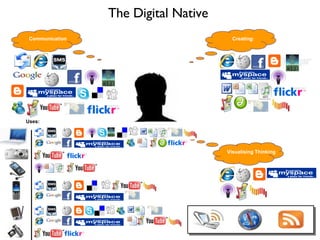
The Digital Native  Uses: Communication Creating: Visualising Thinking
Just a thought…… When we teach students to read, write, spell, count, add, subtract  etc as educators we start with what the students know and can do. We engage and challenge students by finding their strengths and building upon them.
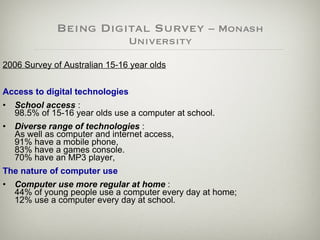
Being Digital Survey  – Monash University 2006 Survey of Australian 15-16 year olds Access to digital technologies   School access  :  98.5% of 15-16 year olds use a computer at school. Diverse range of technologies  :  As well as computer and internet access,  91% have a mobile phone,  83% have a games console.  70% have an MP3 player,  The nature of computer use   Computer use more regular at home  :  44% of young people use a computer every day at home;  12% use a computer every day at school.
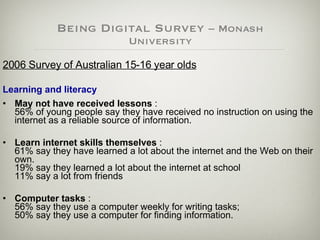
Being Digital Survey  – Monash University 2006 Survey of Australian 15-16 year olds Learning and literacy   May not have received lessons  :  56% of young people say they have received no instruction on using the internet as a reliable source of information. Learn internet skills themselves  :  61% say they have learned a lot about the internet and the Web on their own. 19% say they learned a lot about the internet at school  11% say a lot from friends  Computer tasks  :  56% say they use a computer weekly for writing tasks;  50% say they use a computer for finding information.
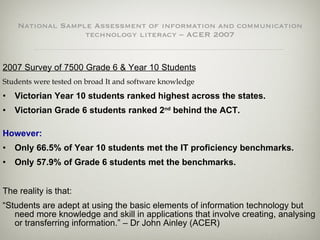
National Sample Assessment of information and communication technology literacy – ACER 2007 2007 Survey of 7500 Grade 6 & Year 10 Students Students were tested on broad It and software knowledge Victorian Year 10 students ranked highest across the states. Victorian Grade 6 students ranked 2 nd  behind the ACT. However:   Only 66.5% of Year 10 students met the IT proficiency benchmarks. Only 57.9% of Grade 6 students met the benchmarks. The reality is that: “ Students are adept at using the basic elements of information technology but need more knowledge and skill in applications that involve creating, analysing or transferring information.” – Dr John Ainley (ACER)
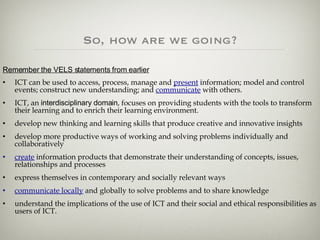
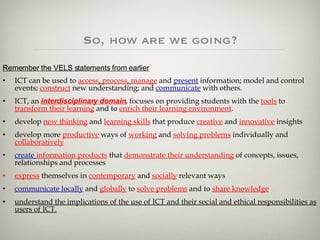
So, how are we going? Remember the VELS statements from earlier ICT can be used to access, process, manage and  present  information; model and control events; construct new understanding; and  communicate  with others.   ICT, an  interdisciplinary domain , focuses on providing students with the tools to transform their learning and to enrich their learning environment. develop new thinking and learning skills that produce creative and innovative insights  develop more productive ways of working and solving problems individually and collaboratively  create  information products that demonstrate their understanding of concepts, issues, relationships and processes  express themselves in contemporary and socially relevant ways  communicate locally  and globally to solve problems and to share knowledge understand the implications of the use of ICT and their social and ethical responsibilities as users of ICT.
So, how are we going? Remember the VELS statements from earlier ICT can be used to  access ,  process ,  manage  and  present  information; model and control events;  construct  new understanding; and  communicate  with others.   ICT, an  interdisciplinary domain , focuses on providing students with the  tools  to  transform their learning  and to  enrich their learning environment . develop  new thinking  and  learning skills  that produce  creative  and  innovative  insights  develop more  productive  ways of  working  and  solving problems  individually and  collaboratively   create   information products  that  demonstrate their understanding  of concepts, issues, relationships and processes  express  themselves in  contemporary  and  socially  relevant ways  communicate locally  and  globally  to  solve problems  and to  share knowledge understand the implications of the use of ICT and their social and ethical responsibilities as users of ICT.
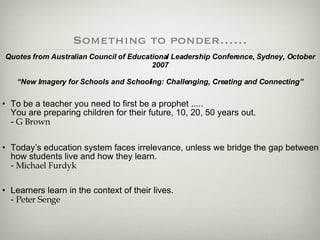
Something to ponder…… To be a teacher you need to first be a prophet .....  You are preparing children for their future, 10, 20, 50 years out.  -  G Brown Today’s education system faces irrelevance, unless we bridge the gap between how students live and how they learn.  -  Michael Furdyk Learners learn in the context of their lives.  -  Peter Senge Quotes from Australian Council of Educational Leadership Conference, Sydney, October 2007 “New Imagery for Schools and Schooling: Challenging, Creating and Connecting”
What can you use in the classroom?
Use of Web 2.0 Tools Web 2.0 is a trend in the use of World Wide Web technology and web design that aims to  facilitate creativity ,  information sharing , and, most notably,  collaboration among users .
Video Teacher Tube  -   www.teachertube.co m Atomic Learning  - movies.atomiclearning.com/k12/home
images Flickr - www.flickr.com Photobucket - www.photobucket.com.au  Rock You -  www.rockyou.com
Audio / Podcasting Audacity - audacity.sourceforge.net  VoiceThread -  www.voicethread.com iTunes - www.apple.com/itunes  Podbean - www.podbean.com
social bookmarking Del.icio.us - www.del.icio.us  Digg - www.digg.com  Diigo  -  www.diigo.com
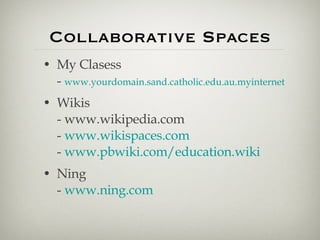
Collaborative Spaces My Clasess -  www.yourdomain.sand.catholic.edu.au.myinternet Wikis - www.wikipedia.com -  www.wikispaces.com -  www.pbwiki.com/education.wiki Ning -  www.ning.com
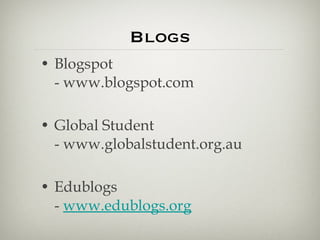
Blogs Blogspot - www.blogspot.com  Global Student - www.globalstudent.org.au  Edublogs -  www.edublogs.org
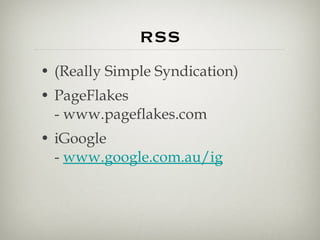
RSS (Really Simple Syndication) PageFlakes - www.pageflakes.com  iGoogle -  www.google.com.au/ig
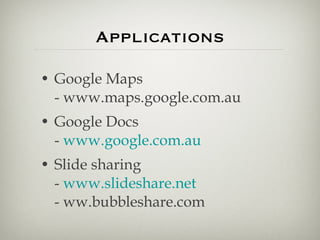
Applications Google Maps - www.maps.google.com.au  Google Docs -  www.google.com.au Slide sharing -  www.slideshare.net - ww.bubbleshare.com
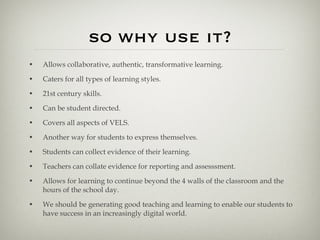
so why use it? Allows collaborative, authentic, transformative learning. Caters for all types of learning styles. 21st century skills. Can be student directed. Covers all aspects of VELS. Another way for students to express themselves. Students can collect evidence of their learning. Teachers can collate evidence for reporting and assesssment. Allows for learning to continue beyond the 4 walls of the classroom and the hours of the school day. We should be generating good teaching and learning to enable our students to have success in an increasingly digital world.
A child’s resPonse

Presentation for Graduates Harrietville 2008

  • 1.
    Quality Teaching &Learning with ICT Glenn McMahon – Sandhurst Catholic Education Office
  • 2.
    A Context ofICT in Education
  • 3.
    Victorian Essential LearningStandards Information and communications technology (ICT) is the hardware and software that enables data to be digitally processed, stored and communicated. ICT can be used to access, process, manage and present information; model and control events; construct new understanding; and communicate with others. ICT, an interdisciplinary domain, focuses on providing students with the tools to transform their learning and to enrich their learning environment. ICT and Curriculum
  • 4.
    ICT and CurriculumThe knowledge, skills and behaviours identified enable students to: develop new thinking and learning skills that produce creative and innovative insights develop more productive ways of working and solving problems individually and collaboratively create information products that demonstrate their understanding of concepts, issues, relationships and processes express themselves in contemporary and socially relevant ways communicate locally and globally to solve problems and to share knowledge understand the implications of the use of ICT and their social and ethical responsibilities as users of ICT.
  • 5.
    ICT and CurriculumVictorian Essential Learning Standards Information and Communications Technology domain are organised in three dimensions. ICT for visualising thinking ICT for creating ICT for communicating
  • 6.
    The Digital Native Uses: Communication Creating: Visualising Thinking
  • 7.
    Just a thought……When we teach students to read, write, spell, count, add, subtract etc as educators we start with what the students know and can do. We engage and challenge students by finding their strengths and building upon them.
  • 8.
    Being Digital Survey – Monash University 2006 Survey of Australian 15-16 year olds Access to digital technologies School access : 98.5% of 15-16 year olds use a computer at school. Diverse range of technologies : As well as computer and internet access, 91% have a mobile phone, 83% have a games console. 70% have an MP3 player, The nature of computer use Computer use more regular at home : 44% of young people use a computer every day at home; 12% use a computer every day at school.
  • 9.
    Being Digital Survey – Monash University 2006 Survey of Australian 15-16 year olds Learning and literacy May not have received lessons : 56% of young people say they have received no instruction on using the internet as a reliable source of information. Learn internet skills themselves : 61% say they have learned a lot about the internet and the Web on their own. 19% say they learned a lot about the internet at school 11% say a lot from friends Computer tasks : 56% say they use a computer weekly for writing tasks; 50% say they use a computer for finding information.
  • 10.
    National Sample Assessmentof information and communication technology literacy – ACER 2007 2007 Survey of 7500 Grade 6 & Year 10 Students Students were tested on broad It and software knowledge Victorian Year 10 students ranked highest across the states. Victorian Grade 6 students ranked 2 nd behind the ACT. However: Only 66.5% of Year 10 students met the IT proficiency benchmarks. Only 57.9% of Grade 6 students met the benchmarks. The reality is that: “ Students are adept at using the basic elements of information technology but need more knowledge and skill in applications that involve creating, analysing or transferring information.” – Dr John Ainley (ACER)
  • 11.
    So, how arewe going? Remember the VELS statements from earlier ICT can be used to access, process, manage and present information; model and control events; construct new understanding; and communicate with others. ICT, an interdisciplinary domain , focuses on providing students with the tools to transform their learning and to enrich their learning environment. develop new thinking and learning skills that produce creative and innovative insights develop more productive ways of working and solving problems individually and collaboratively create information products that demonstrate their understanding of concepts, issues, relationships and processes express themselves in contemporary and socially relevant ways communicate locally and globally to solve problems and to share knowledge understand the implications of the use of ICT and their social and ethical responsibilities as users of ICT.
  • 12.
    So, how arewe going? Remember the VELS statements from earlier ICT can be used to access , process , manage and present information; model and control events; construct new understanding; and communicate with others. ICT, an interdisciplinary domain , focuses on providing students with the tools to transform their learning and to enrich their learning environment . develop new thinking and learning skills that produce creative and innovative insights develop more productive ways of working and solving problems individually and collaboratively create information products that demonstrate their understanding of concepts, issues, relationships and processes express themselves in contemporary and socially relevant ways communicate locally and globally to solve problems and to share knowledge understand the implications of the use of ICT and their social and ethical responsibilities as users of ICT.
  • 13.
    Something to ponder……To be a teacher you need to first be a prophet ..... You are preparing children for their future, 10, 20, 50 years out. - G Brown Today’s education system faces irrelevance, unless we bridge the gap between how students live and how they learn. - Michael Furdyk Learners learn in the context of their lives. - Peter Senge Quotes from Australian Council of Educational Leadership Conference, Sydney, October 2007 “New Imagery for Schools and Schooling: Challenging, Creating and Connecting”
  • 14.
    What can youuse in the classroom?
  • 15.
    Use of Web2.0 Tools Web 2.0 is a trend in the use of World Wide Web technology and web design that aims to facilitate creativity , information sharing , and, most notably, collaboration among users .
  • 16.
    Video Teacher Tube - www.teachertube.co m Atomic Learning - movies.atomiclearning.com/k12/home
  • 17.
    images Flickr -www.flickr.com Photobucket - www.photobucket.com.au Rock You - www.rockyou.com
  • 18.
    Audio / PodcastingAudacity - audacity.sourceforge.net VoiceThread - www.voicethread.com iTunes - www.apple.com/itunes Podbean - www.podbean.com
  • 19.
    social bookmarking Del.icio.us- www.del.icio.us Digg - www.digg.com Diigo - www.diigo.com
  • 20.
    Collaborative Spaces MyClasess - www.yourdomain.sand.catholic.edu.au.myinternet Wikis - www.wikipedia.com - www.wikispaces.com - www.pbwiki.com/education.wiki Ning - www.ning.com
  • 21.
    Blogs Blogspot -www.blogspot.com Global Student - www.globalstudent.org.au Edublogs - www.edublogs.org
  • 22.
    RSS (Really SimpleSyndication) PageFlakes - www.pageflakes.com iGoogle - www.google.com.au/ig
  • 23.
    Applications Google Maps- www.maps.google.com.au Google Docs - www.google.com.au Slide sharing - www.slideshare.net - ww.bubbleshare.com
  • 24.
    so why useit? Allows collaborative, authentic, transformative learning. Caters for all types of learning styles. 21st century skills. Can be student directed. Covers all aspects of VELS. Another way for students to express themselves. Students can collect evidence of their learning. Teachers can collate evidence for reporting and assesssment. Allows for learning to continue beyond the 4 walls of the classroom and the hours of the school day. We should be generating good teaching and learning to enable our students to have success in an increasingly digital world.
  • 25.