THE FAYETT NETWORK
“How to Guide”
Objective:
•What is a Network
•Why is a Network beneficial
•How to find your network
•How to share a file
WHAT IS A
NETWORK
Introduction
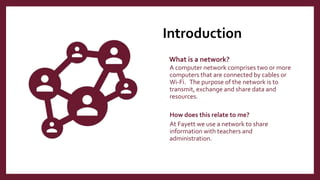
What is a network?
A computer network comprises two or more
computers that are connected by cables or
Wi-Fi. The purpose of the network is to
transmit, exchange and share data and
resources.
How does this relate to me?
At Fayett we use a network to share
information with teachers and
administration.
Types of
Network
LAN (Local area network) – LAN stans for
local area network, which connect computers
relatively close and allow them to share data,
files and resources. (Example: Fayett District)
WAN (Wide area network) –WAN stans for
wide area network, which connects computers
across continents. (Example: Internet)
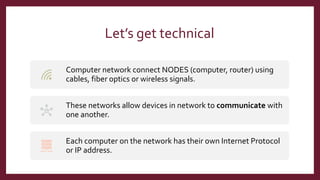
Let’s get technical
Computer network connect NODES (computer, router) using
cables, fiber optics or wireless signals.
These networks allow devices in network to communicate with
one another.
Each computer on the network has their own Internet Protocol
or IP address.
Fayett
District
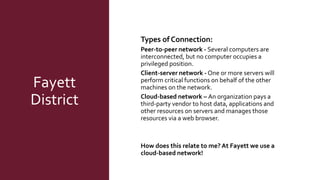
Types of Connection:
Peer-to-peer network - Several computers are
interconnected, but no computer occupies a
privileged position.
Client-server network - One or more servers will
perform critical functions on behalf of the other
machines on the network.
Cloud-based network – An organization pays a
third-party vendor to host data, applications and
other resources on servers and manages those
resources via a web browser.
How does this relate to me? At Fayett we use a
cloud-based network!
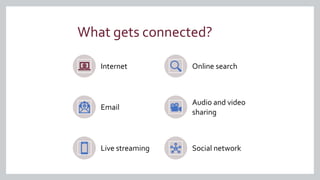
What gets connected?
Internet Online search
Email
Audio and video
sharing
Live streaming Social network
WHY ISTHE NETWORK
BENEFICIALTO ME
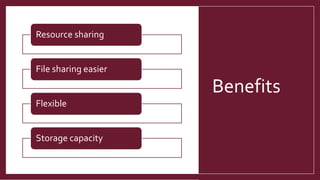
Benefits
Resource sharing
File sharing easier
Flexible
Storage capacity
Let’s look at how this helps you!
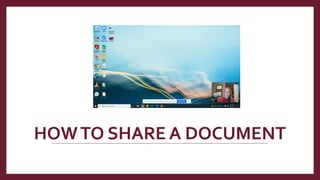
HOWTO SHARE A DOCUMENT
QUESTIONS?
References
IBM Cloud Education. (2021, March 17). Networking. IBM. Retrieved February 5, 2022, from
https://www.ibm.com/cloud/learn/networking-a-complete-guide
Peters, C. (2012, March 27). Networking 101: Understanding Your Needs and Options.
Techsoup.org. Retrieved February 5, 2022, from https://www.techsoup.org/support/articles-
and-how-tos/networking-101-understanding-networking-needs-and-options

Network

  • 1.
  • 2.
    Objective: •What is aNetwork •Why is a Network beneficial •How to find your network •How to share a file
  • 3.
  • 4.
    Introduction What is anetwork? A computer network comprises two or more computers that are connected by cables or Wi-Fi. The purpose of the network is to transmit, exchange and share data and resources. How does this relate to me? At Fayett we use a network to share information with teachers and administration.
  • 5.
    Types of Network LAN (Localarea network) – LAN stans for local area network, which connect computers relatively close and allow them to share data, files and resources. (Example: Fayett District) WAN (Wide area network) –WAN stans for wide area network, which connects computers across continents. (Example: Internet)
  • 6.
    Let’s get technical Computernetwork connect NODES (computer, router) using cables, fiber optics or wireless signals. These networks allow devices in network to communicate with one another. Each computer on the network has their own Internet Protocol or IP address.
  • 7.
    Fayett District Types of Connection: Peer-to-peernetwork - Several computers are interconnected, but no computer occupies a privileged position. Client-server network - One or more servers will perform critical functions on behalf of the other machines on the network. Cloud-based network – An organization pays a third-party vendor to host data, applications and other resources on servers and manages those resources via a web browser. How does this relate to me? At Fayett we use a cloud-based network!
  • 8.
    What gets connected? InternetOnline search Email Audio and video sharing Live streaming Social network
  • 9.
  • 10.
    Benefits Resource sharing File sharingeasier Flexible Storage capacity
  • 11.
    Let’s look athow this helps you!
  • 12.
    HOWTO SHARE ADOCUMENT
  • 13.
  • 14.
    References IBM Cloud Education.(2021, March 17). Networking. IBM. Retrieved February 5, 2022, from https://www.ibm.com/cloud/learn/networking-a-complete-guide Peters, C. (2012, March 27). Networking 101: Understanding Your Needs and Options. Techsoup.org. Retrieved February 5, 2022, from https://www.techsoup.org/support/articles- and-how-tos/networking-101-understanding-networking-needs-and-options