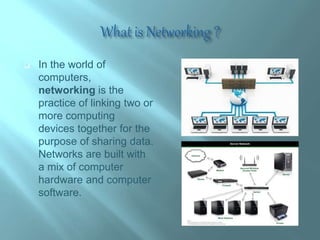
 In the world of
computers,
networking is the
practice of linking two or
more computing
devices together for the
purpose of sharing data.
Networks are built with
a mix of computer
hardware and computer
software.
 Easy Communication and Speed
 It is very easy to communicate through a network. People can
communicate efficiently using a network with a group of people.
 Ability to Share Files, Data and Information
 This is one of the major advantages of networking computers.
People can find and share information and data because of
networking
 Speed
 Sharing and transferring files within networks is very rapid,
depending on the type of network. This will save time while
maintaining the integrity of files.
 Security
 Sensitive files and programs on a network can be password
protected. Then those files can only be accessed by the
authorized users.
 Breakdowns and Possible Loss of Resources
 One major disadvantage of networking is the
breakdown of the whole network due to an issue of the
server.
 Expensive to Build
 Building a network is a serious business in many
occasions, especially for large scale organizations.
Cables and other hardware are very pricey to buy and
replace.
 Security Threats
 Security threats are always problems with large
networks. There are hackers who are trying to steal
valuable data of large companies for their own benefit.
 Networks can be categorized in several
different ways. One approach defines the type
of network according to the geographic area it
spans.
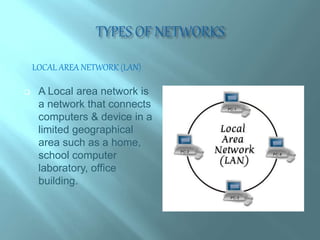
LOCAL AREA NETWORK (LAN)
 A Local area network is
a network that connects
computers & device in a
limited geographical
area such as a home,
school computer
laboratory, office
building.
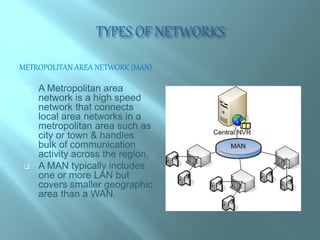
METROPOLITAN AREA NETWORK (MAN)
 A Metropolitan area
network is a high speed
network that connects
local area networks in a
metropolitan area such as
city or town & handles
bulk of communication
activity across the region.
 A MAN typically includes
one or more LAN but
covers smaller geographic
area than a WAN.
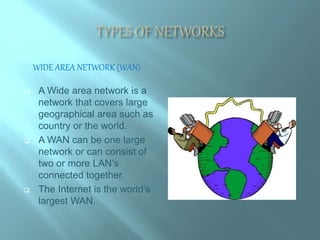
WIDE AREA NETWORK (WAN)
 A Wide area network is a
network that covers large
geographical area such as
country or the world.
 A WAN can be one large
network or can consist of
two or more LAN’s
connected together.
 The Internet is the world’s
largest WAN.
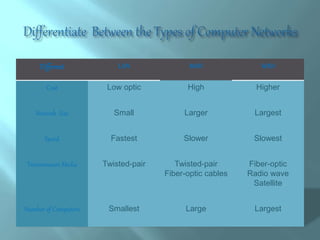
Different LAN MAN WAN
Cost Low optic High Higher
Network Size Small Larger Largest
Speed Fastest Slower Slowest
Transmission Media Twisted-pair Twisted-pair
Fiber-optic cables
Fiber-optic
Radio wave
Satellite
Number of Computers Smallest Large Largest
Network Design
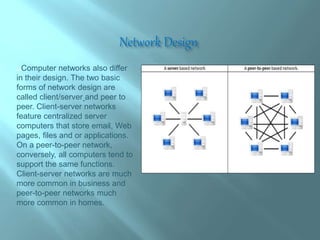
Computer networks also differ
in their design. The two basic
forms of network design are
called client/server and peer to
peer. Client-server networks
feature centralized server
computers that store email, Web
pages, files and or applications.
On a peer-to-peer network,
conversely, all computers tend to
support the same functions.
Client-server networks are much
more common in business and
peer-to-peer networks much
more common in homes.
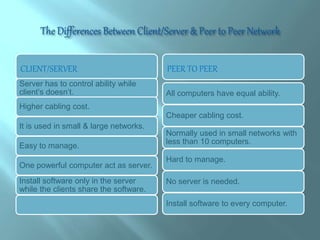
CLIENT/SERVER PEER TO PEER
Server has to control ability while
client’s doesn’t.
Higher cabling cost.
It is used in small & large networks.
Easy to manage.
One powerful computer act as server.
Install software only in the server
while the clients share the software.
All computers have equal ability.
Cheaper cabling cost.
Normally used in small networks with
less than 10 computers.
Hard to manage.
No server is needed.
Install software to every computer.
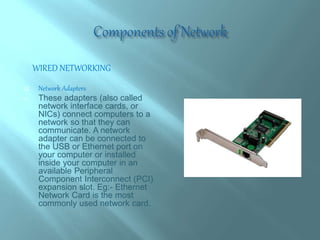
WIRED NETWORKING
 Network Adapters
 These adapters (also called
network interface cards, or
NICs) connect computers to a
network so that they can
communicate. A network
adapter can be connected to
the USB or Ethernet port on
your computer or installed
inside your computer in an
available Peripheral
Component Interconnect (PCI)
expansion slot. Eg:- Ethernet
Network Card is the most
commonly used network card.
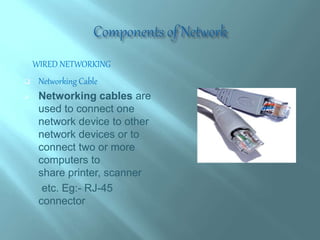
WIRED NETWORKING
 Networking Cable
 Networking cables are
used to connect one
network device to other
network devices or to
connect two or more
computers to
share printer, scanner
etc. Eg:- RJ-45
connector
WIRED NETWORKING
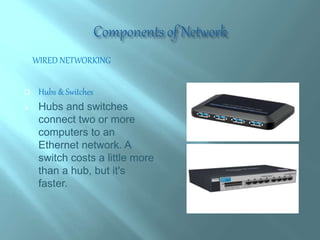
 Hubs & Switches
 Hubs and switches
connect two or more
computers to an
Ethernet network. A
switch costs a little more
than a hub, but it's
faster.
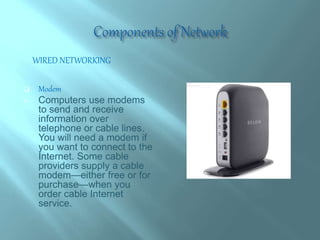
 Modem
 Computers use modems
to send and receive
information over
telephone or cable lines.
You will need a modem if
you want to connect to the
Internet. Some cable
providers supply a cable
modem—either free or for
purchase—when you
order cable Internet
service.
WIRED NETWORKING
WIRELESS NETWORKING
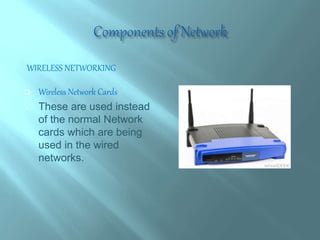
 Wireless Network Cards
 These are used instead
of the normal Network
cards which are being
used in the wired
networks.
WIRELESS NETWORKING
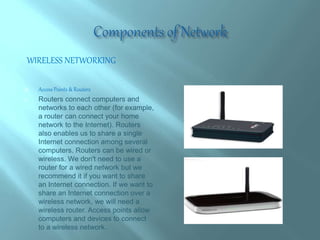
 Access Points & Routers
 Routers connect computers and
networks to each other (for example,
a router can connect your home
network to the Internet). Routers
also enables us to share a single
Internet connection among several
computers. Routers can be wired or
wireless. We don't need to use a
router for a wired network but we
recommend it if you want to share
an Internet connection. If we want to
share an Internet connection over a
wireless network, we will need a
wireless router. Access points allow
computers and devices to connect
to a wireless network.
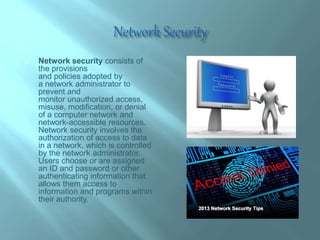
 Network security consists of
the provisions
and policies adopted by
a network administrator to
prevent and
monitor unauthorized access,
misuse, modification, or denial
of a computer network and
network-accessible resources.
Network security involves the
authorization of access to data
in a network, which is controlled
by the network administrator.
Users choose or are assigned
an ID and password or other
authenticating information that
allows them access to
information and programs within
their authority.
Networking Concepts

Networking Concepts

  • 2.
     In theworld of computers, networking is the practice of linking two or more computing devices together for the purpose of sharing data. Networks are built with a mix of computer hardware and computer software.
  • 3.
     Easy Communicationand Speed  It is very easy to communicate through a network. People can communicate efficiently using a network with a group of people.  Ability to Share Files, Data and Information  This is one of the major advantages of networking computers. People can find and share information and data because of networking  Speed  Sharing and transferring files within networks is very rapid, depending on the type of network. This will save time while maintaining the integrity of files.  Security  Sensitive files and programs on a network can be password protected. Then those files can only be accessed by the authorized users.
  • 4.
     Breakdowns andPossible Loss of Resources  One major disadvantage of networking is the breakdown of the whole network due to an issue of the server.  Expensive to Build  Building a network is a serious business in many occasions, especially for large scale organizations. Cables and other hardware are very pricey to buy and replace.  Security Threats  Security threats are always problems with large networks. There are hackers who are trying to steal valuable data of large companies for their own benefit.
  • 5.
     Networks canbe categorized in several different ways. One approach defines the type of network according to the geographic area it spans.
  • 6.
    LOCAL AREA NETWORK(LAN)  A Local area network is a network that connects computers & device in a limited geographical area such as a home, school computer laboratory, office building.
  • 7.
    METROPOLITAN AREA NETWORK(MAN)  A Metropolitan area network is a high speed network that connects local area networks in a metropolitan area such as city or town & handles bulk of communication activity across the region.  A MAN typically includes one or more LAN but covers smaller geographic area than a WAN.
  • 8.
    WIDE AREA NETWORK(WAN)  A Wide area network is a network that covers large geographical area such as country or the world.  A WAN can be one large network or can consist of two or more LAN’s connected together.  The Internet is the world’s largest WAN.
  • 9.
    Different LAN MANWAN Cost Low optic High Higher Network Size Small Larger Largest Speed Fastest Slower Slowest Transmission Media Twisted-pair Twisted-pair Fiber-optic cables Fiber-optic Radio wave Satellite Number of Computers Smallest Large Largest
  • 10.
    Network Design Computer networksalso differ in their design. The two basic forms of network design are called client/server and peer to peer. Client-server networks feature centralized server computers that store email, Web pages, files and or applications. On a peer-to-peer network, conversely, all computers tend to support the same functions. Client-server networks are much more common in business and peer-to-peer networks much more common in homes.
  • 11.
    CLIENT/SERVER PEER TOPEER Server has to control ability while client’s doesn’t. Higher cabling cost. It is used in small & large networks. Easy to manage. One powerful computer act as server. Install software only in the server while the clients share the software. All computers have equal ability. Cheaper cabling cost. Normally used in small networks with less than 10 computers. Hard to manage. No server is needed. Install software to every computer.
  • 12.
    WIRED NETWORKING  NetworkAdapters  These adapters (also called network interface cards, or NICs) connect computers to a network so that they can communicate. A network adapter can be connected to the USB or Ethernet port on your computer or installed inside your computer in an available Peripheral Component Interconnect (PCI) expansion slot. Eg:- Ethernet Network Card is the most commonly used network card.
  • 13.
    WIRED NETWORKING  NetworkingCable  Networking cables are used to connect one network device to other network devices or to connect two or more computers to share printer, scanner etc. Eg:- RJ-45 connector
  • 14.
    WIRED NETWORKING  Hubs& Switches  Hubs and switches connect two or more computers to an Ethernet network. A switch costs a little more than a hub, but it's faster.
  • 15.
     Modem  Computersuse modems to send and receive information over telephone or cable lines. You will need a modem if you want to connect to the Internet. Some cable providers supply a cable modem—either free or for purchase—when you order cable Internet service. WIRED NETWORKING
  • 16.
    WIRELESS NETWORKING  WirelessNetwork Cards  These are used instead of the normal Network cards which are being used in the wired networks.
  • 17.
    WIRELESS NETWORKING  AccessPoints & Routers  Routers connect computers and networks to each other (for example, a router can connect your home network to the Internet). Routers also enables us to share a single Internet connection among several computers. Routers can be wired or wireless. We don't need to use a router for a wired network but we recommend it if you want to share an Internet connection. If we want to share an Internet connection over a wireless network, we will need a wireless router. Access points allow computers and devices to connect to a wireless network.
  • 18.
     Network securityconsists of the provisions and policies adopted by a network administrator to prevent and monitor unauthorized access, misuse, modification, or denial of a computer network and network-accessible resources. Network security involves the authorization of access to data in a network, which is controlled by the network administrator. Users choose or are assigned an ID and password or other authenticating information that allows them access to information and programs within their authority.