Phase 3:
Developing an Implementation Plan


              UMUC-EDTC670
        Technology Capstone Project
           Ivana Nazar-Olaciregui
Methodology/Purpose
•Technology Integration Model
•Technology Resources
•Instructional Strategies and Activities
•Diverse Needs
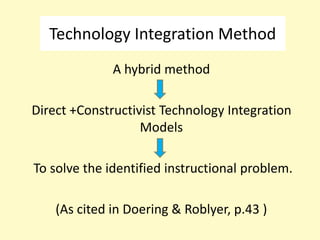
Technology Integration Method
              A hybrid method

Direct +Constructivist Technology Integration
                   Models

To solve the identified instructional problem.

    (As cited in Doering & Roblyer, p.43 )
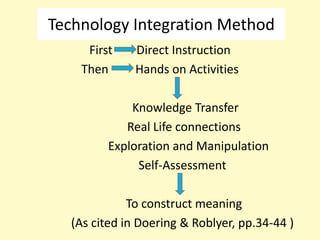
Technology Integration Method
     First    Direct Instruction
    Then      Hands on Activities

             Knowledge Transfer
            Real Life connections
         Exploration and Manipulation
              Self-Assessment

             To construct meaning
  (As cited in Doering & Roblyer, pp.34-44 )
Technology Resources
               Software and Websites
•PhotoStory3:
http://www.microsoft.com/download/en/details.aspx?id=11
132
•Vocaroo: http://vocaroo.com
•Voki: http://www.voki.com
•Spanish Digital Presentation Lesson:
http://nazar-spanishdigitalpresentation.yolasite.com
•Online Grammar Practice:
 http://www.colby.edu/~bknelson/SLC/DO_IO.php
•E-mail
Technology Resources

            Hardware
•Smart Board
•Computers with speakers
•Headphones with microphone
Instructional Activities
                 Week 1
•Objectives and expectations
•Lesson website tour
•Instruction and modeling Voki and
Vocaroo
•Text-to-speech for input-Collaboration
•Creating Voki Avatar-Individually
•Online grammar practice
Instructional Activities
                Week 2
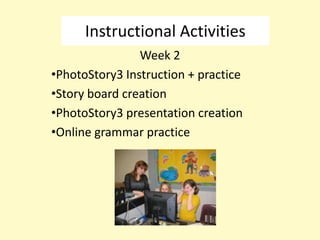
•PhotoStory3 Instruction + practice
•Story board creation
•PhotoStory3 presentation creation
•Online grammar practice
Instructional Activities

                Week 3
•Multimedia presentation
•Online test
•Lesson Evaluation
Diverse Needs
•Pairing students
•Website with tutorials and access to step-
by-step handouts.
•Tutoring sessions
•Extra-time
•Checklist and rubrics for self-assessment.
Reference
Foreign, A. H., & Roblyer, M. D. (2010). Integrating educational technology into teaching.
         Boston, MA: Pearson Education, Inc.
                                      Pictures
Malvern School District Technology Plan.(2009). Retrieved from
        http://malvernleopards.org/technologyplan.html

Neweurasia. (2012). Retrieved from http://www.neweurasia.net

Computer Clip Art. (n.d). Retrieved from
http://www.computerclipart.com/computer_clipart_images/computer_0515-0909-
2116-0513.html

Krystal. (2012). Steps for using Photo Story 3. Retrieved from
           http://digitalstoryresource.wikispaces.com/Photo+Story+3

Stanley Year 6. (2012). Retrieved from
         http://stanleyyr6.primaryblogger.co.uk/2012/01/24/important-ict-challenge

Nazar phase 3

  • 1.
    Phase 3: Developing anImplementation Plan UMUC-EDTC670 Technology Capstone Project Ivana Nazar-Olaciregui
  • 2.
    Methodology/Purpose •Technology Integration Model •TechnologyResources •Instructional Strategies and Activities •Diverse Needs
  • 3.
    Technology Integration Method A hybrid method Direct +Constructivist Technology Integration Models To solve the identified instructional problem. (As cited in Doering & Roblyer, p.43 )
  • 4.
    Technology Integration Method First Direct Instruction Then Hands on Activities Knowledge Transfer Real Life connections Exploration and Manipulation Self-Assessment To construct meaning (As cited in Doering & Roblyer, pp.34-44 )
  • 5.
    Technology Resources Software and Websites •PhotoStory3: http://www.microsoft.com/download/en/details.aspx?id=11 132 •Vocaroo: http://vocaroo.com •Voki: http://www.voki.com •Spanish Digital Presentation Lesson: http://nazar-spanishdigitalpresentation.yolasite.com •Online Grammar Practice: http://www.colby.edu/~bknelson/SLC/DO_IO.php •E-mail
  • 6.
    Technology Resources Hardware •Smart Board •Computers with speakers •Headphones with microphone
  • 7.
    Instructional Activities Week 1 •Objectives and expectations •Lesson website tour •Instruction and modeling Voki and Vocaroo •Text-to-speech for input-Collaboration •Creating Voki Avatar-Individually •Online grammar practice
  • 8.
    Instructional Activities Week 2 •PhotoStory3 Instruction + practice •Story board creation •PhotoStory3 presentation creation •Online grammar practice
  • 9.
    Instructional Activities Week 3 •Multimedia presentation •Online test •Lesson Evaluation
  • 10.
    Diverse Needs •Pairing students •Websitewith tutorials and access to step- by-step handouts. •Tutoring sessions •Extra-time •Checklist and rubrics for self-assessment.
  • 11.
    Reference Foreign, A. H.,& Roblyer, M. D. (2010). Integrating educational technology into teaching. Boston, MA: Pearson Education, Inc. Pictures Malvern School District Technology Plan.(2009). Retrieved from http://malvernleopards.org/technologyplan.html Neweurasia. (2012). Retrieved from http://www.neweurasia.net Computer Clip Art. (n.d). Retrieved from http://www.computerclipart.com/computer_clipart_images/computer_0515-0909- 2116-0513.html Krystal. (2012). Steps for using Photo Story 3. Retrieved from http://digitalstoryresource.wikispaces.com/Photo+Story+3 Stanley Year 6. (2012). Retrieved from http://stanleyyr6.primaryblogger.co.uk/2012/01/24/important-ict-challenge