

From Desktop Applications towards Ajax Web Applications
Agenda

    1   A brief History and Introduction of Ajax

    2   Defining Ajax &Technologies incorporated

✓   3   Communication

    4   The insight of Ajax Web Applications.

    5   Features of Ajax

    6   Conclusion
History

 1990’s-Webpages were completely Static.
 1995 – First version of JAVA with Applets.
 1996 – Microsoft introduced iFrame element to HTML.
 1999 – Dynamic Update of News stories and Stock
          quotes on msn.com
 1999 – Creation of XMLHttpActivex control and
         XMLHttpRequest Object.
 2002 – OddPost
History (contd..)

 2004 – Gmail
 2005 – Google Maps
 2005 – Jesse James Garrett’s article:”AJAX – A New
          Approach to Web applications”.
 2006 – W3C released first draft for XHR object.
Defining Ajax


  Ajax is not
        A technology
        A new Programming Language
        A Platform.
Defining Ajax


  Ajax is
     A technique that uses set of open standard
      technologies with support by cross-browser and
      cross-platform compatibility.
     It incorporates several technologies, each flourishing
      in its own right, coming together in powerful new ways.
     These technologies work together in different levels
      each with specific functionality.
Defining Ajax
        The technologies,levels,languages
and protocols used are


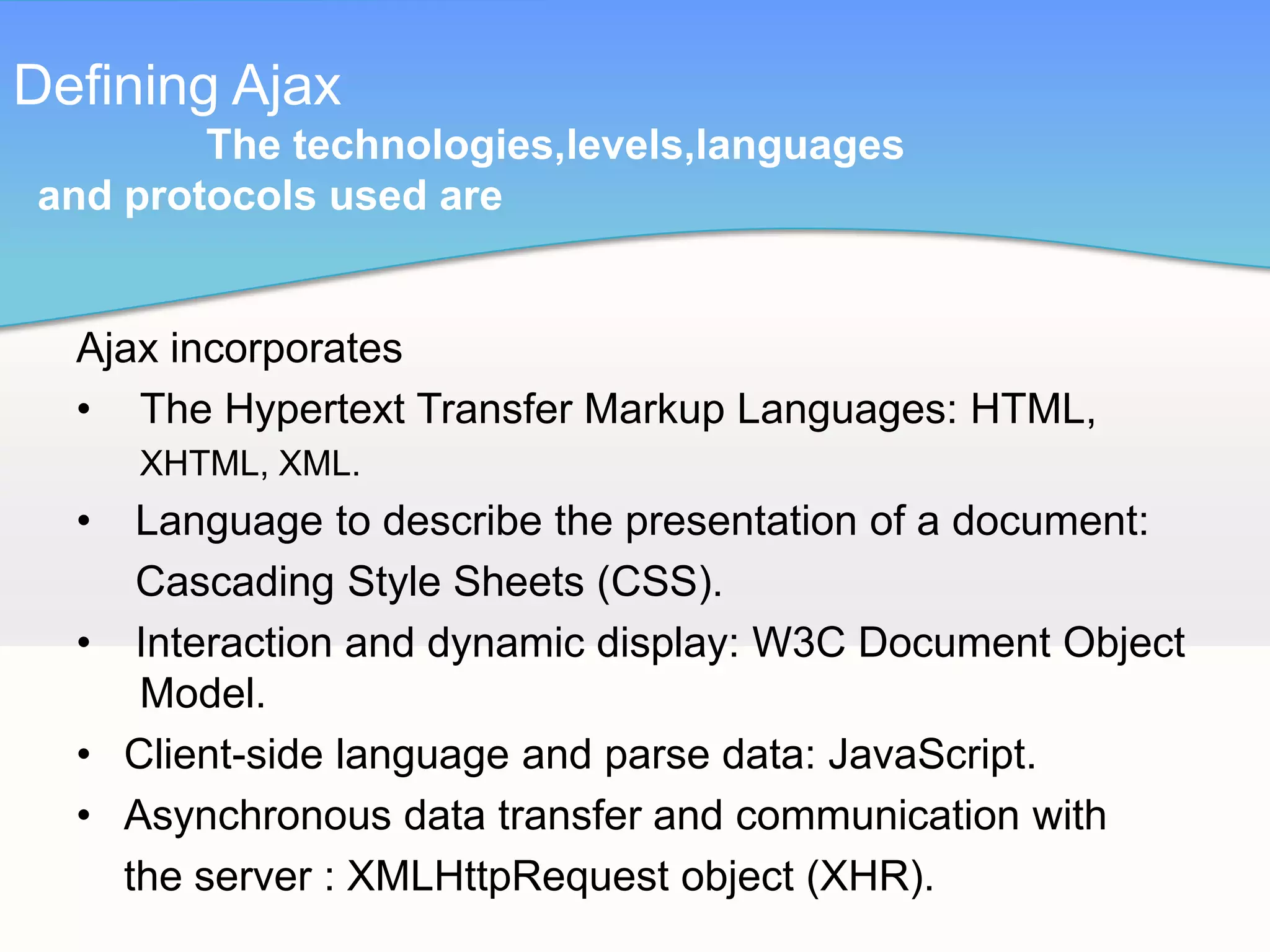
  Ajax incorporates
  • The Hypertext Transfer Markup Languages: HTML,
      XHTML, XML.
  •  Language to describe the presentation of a document:
     Cascading Style Sheets (CSS).
  • Interaction and dynamic display: W3C Document Object
     Model.
  • Client-side language and parse data: JavaScript.
  • Asynchronous data transfer and communication with
    the server : XMLHttpRequest object (XHR).
Defining Ajax
        The technologies,levels,languages
and protocols used are (cont..)


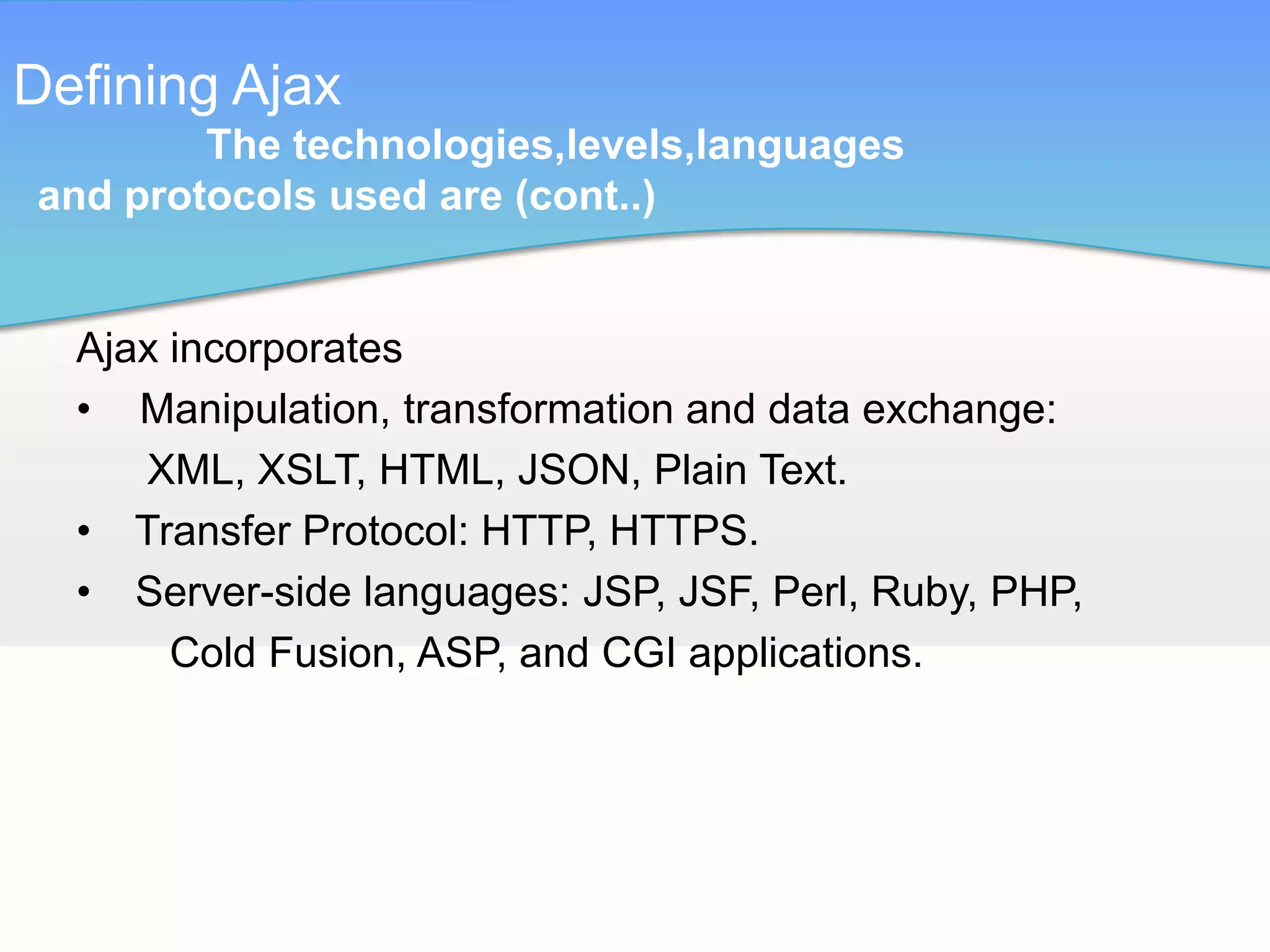
  Ajax incorporates
  • Manipulation, transformation and data exchange:
     XML, XSLT, HTML, JSON, Plain Text.
  • Transfer Protocol: HTTP, HTTPS.
  • Server-side languages: JSP, JSF, Perl, Ruby, PHP,
       Cold Fusion, ASP, and CGI applications.
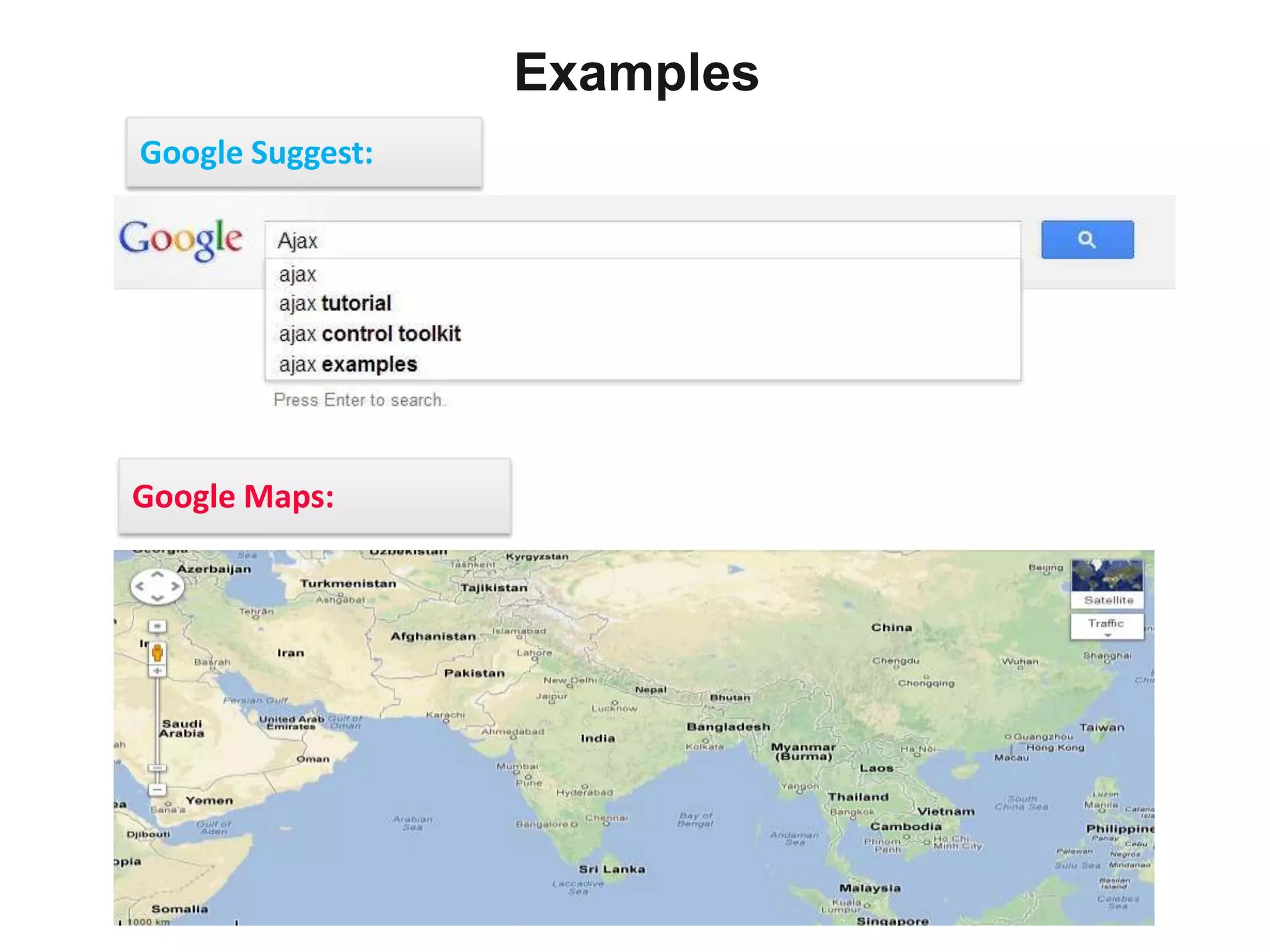
Examples
Google Suggest:


Google Maps:
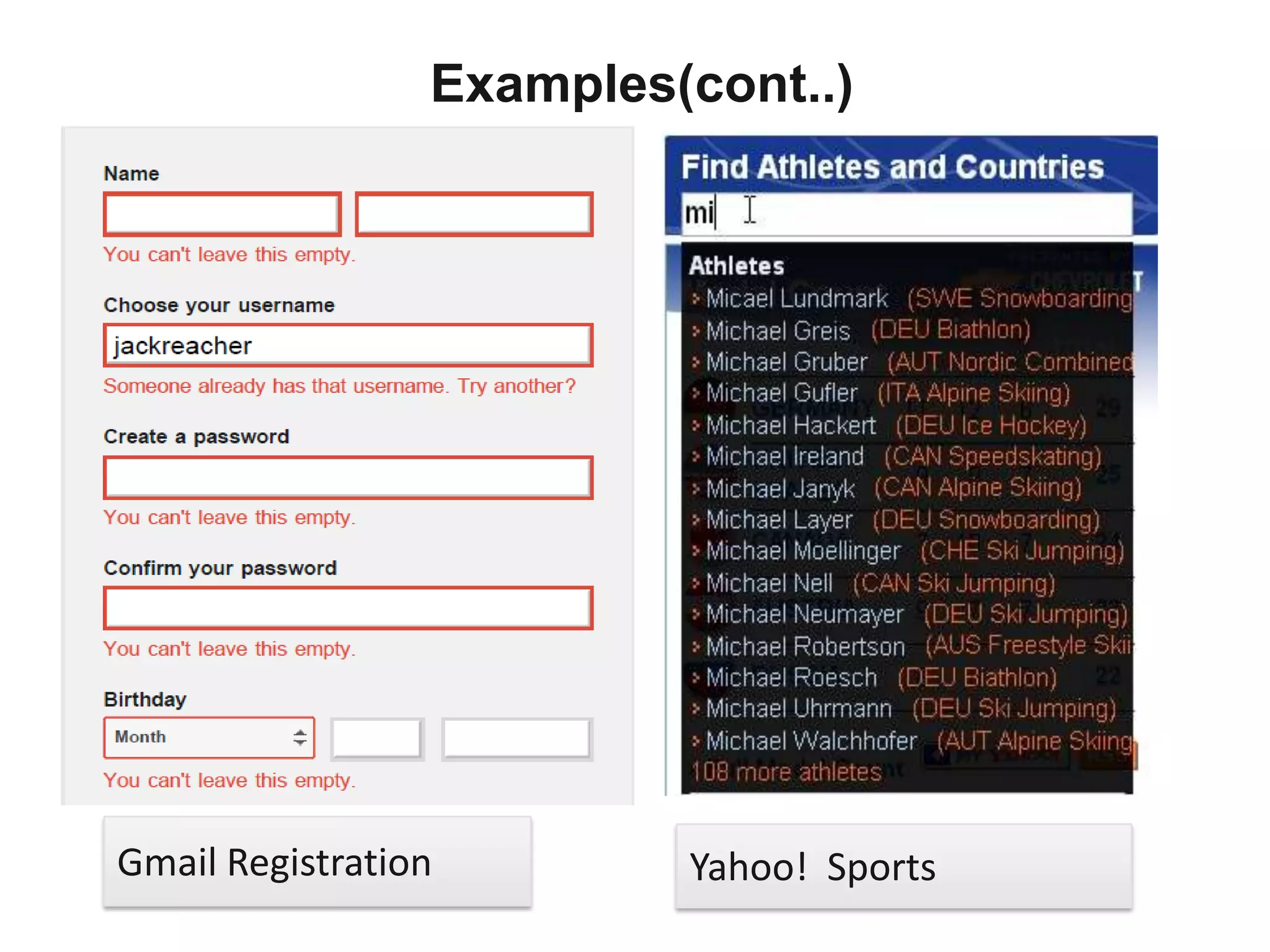
Examples(cont..)


Gmail Registration        Yahoo! Sports
Communication

 Communication usually occurs in two ways as following

       Synchronous(Traditional way)
       Asynchronous(Ajax way)
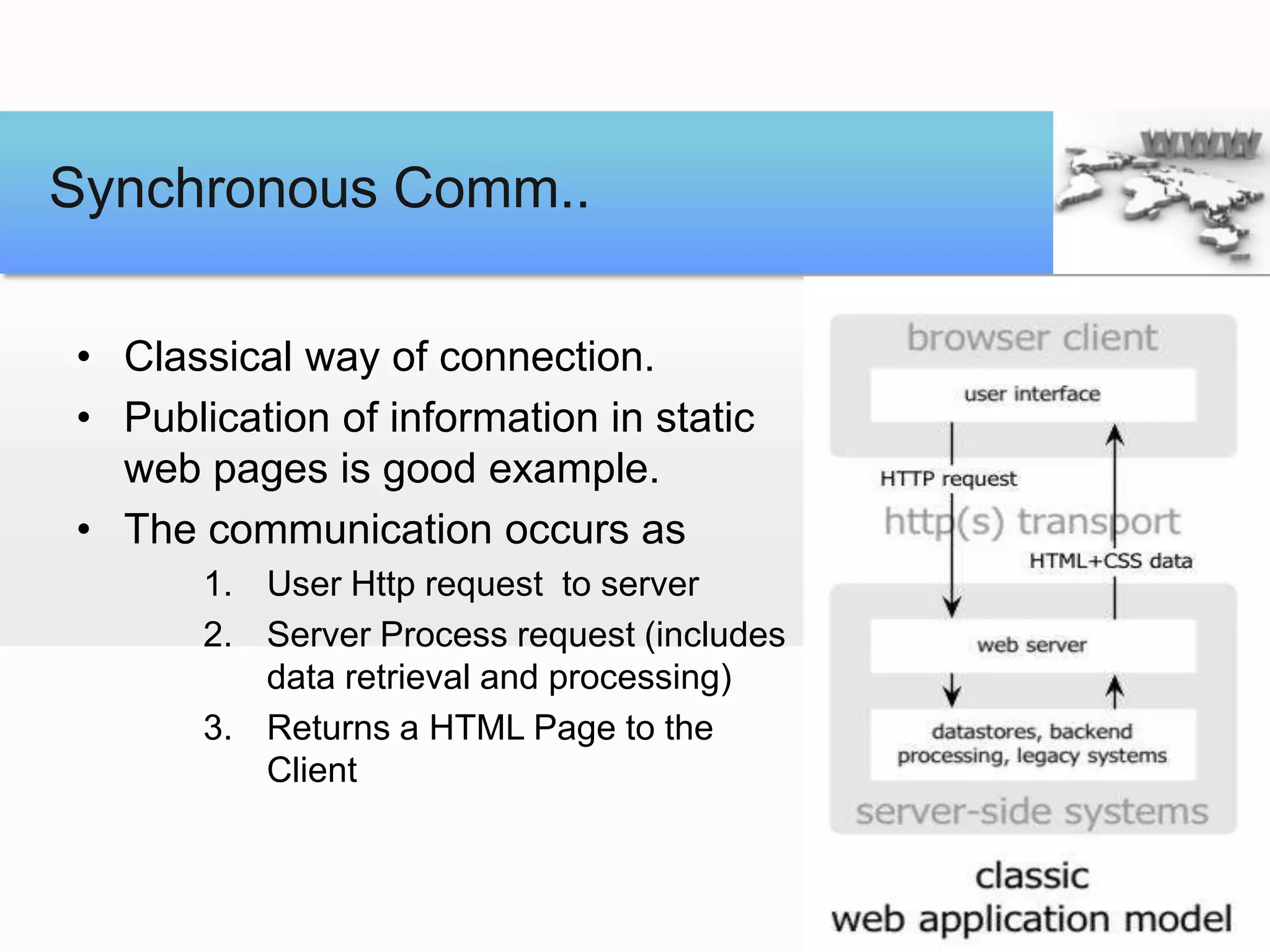
Synchronous Comm..

• Classical way of connection.
• Publication of information in static
  web pages is good example.
• The communication occurs as
       1. User Http request to server
       2. Server Process request (includes
          data retrieval and processing)
       3. Returns a HTML Page to the
          Client
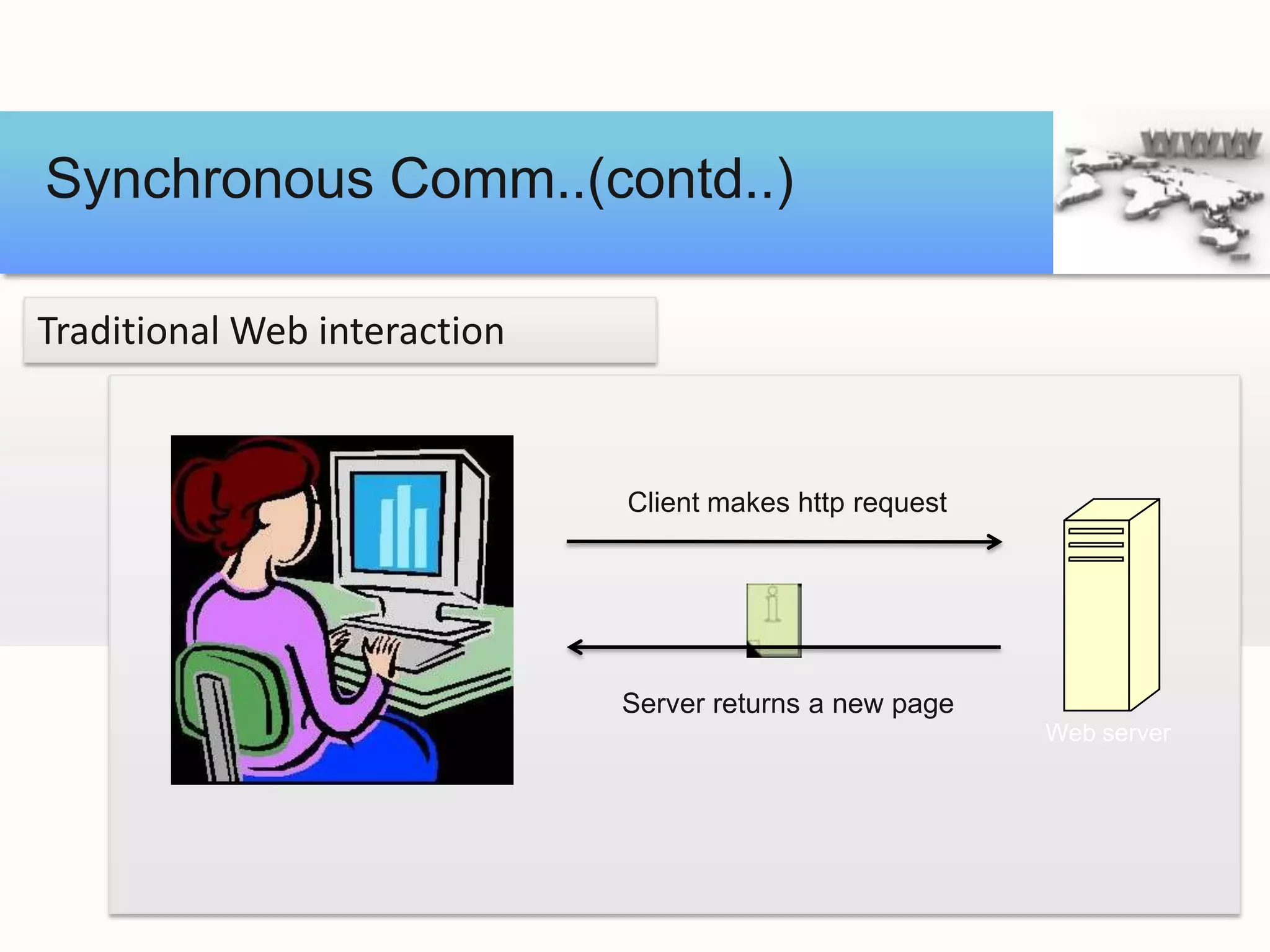
Synchronous Comm..(contd..)

Traditional Web interaction


                              Client makes http request


                              Server returns a new page
                                                          Web server
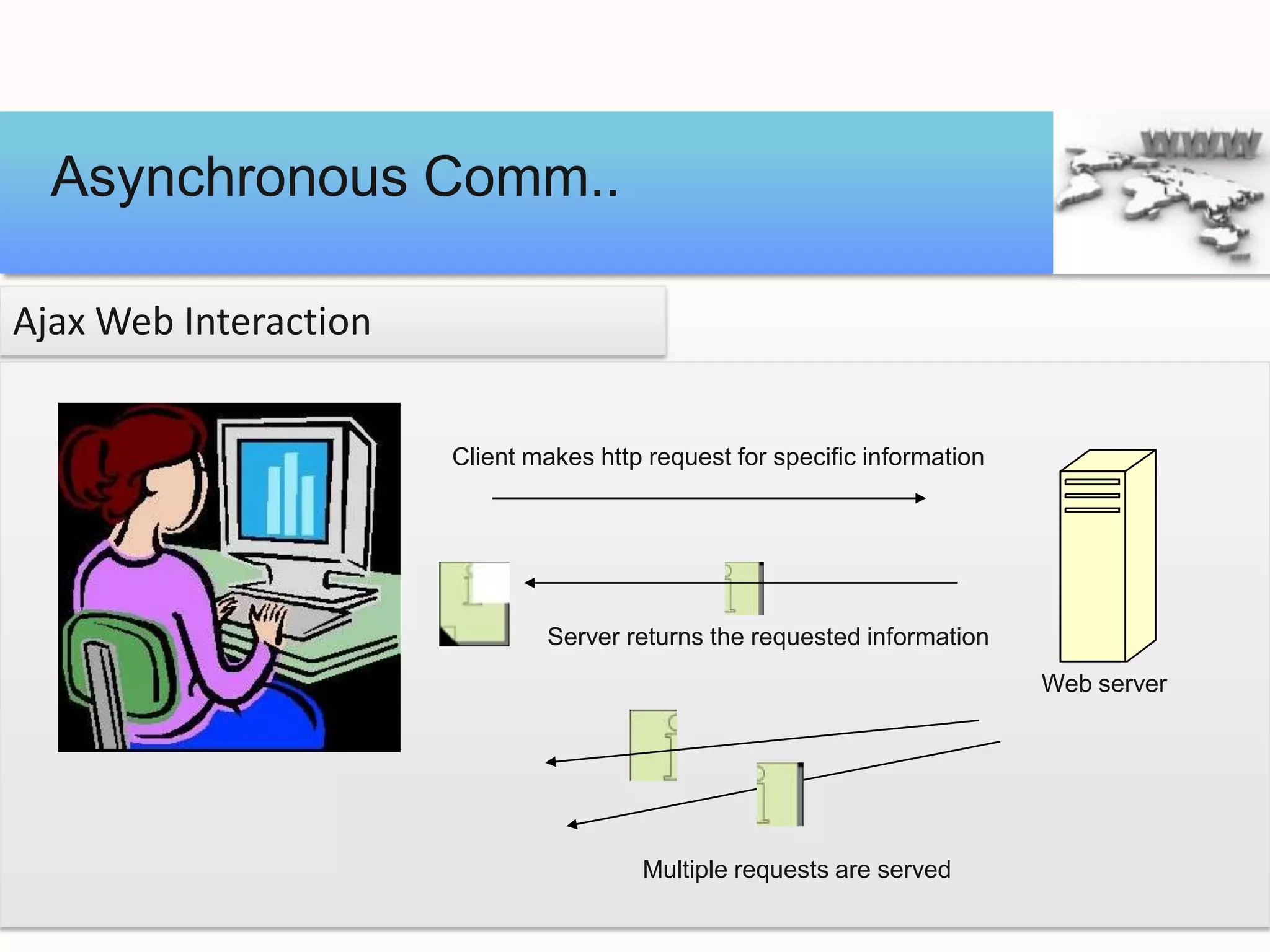
Asynchronous Comm..

Ajax Web Interaction


                       Client makes http request for specific information


                               Server returns the requested information
                                                                            Web server


                                        Multiple requests are served
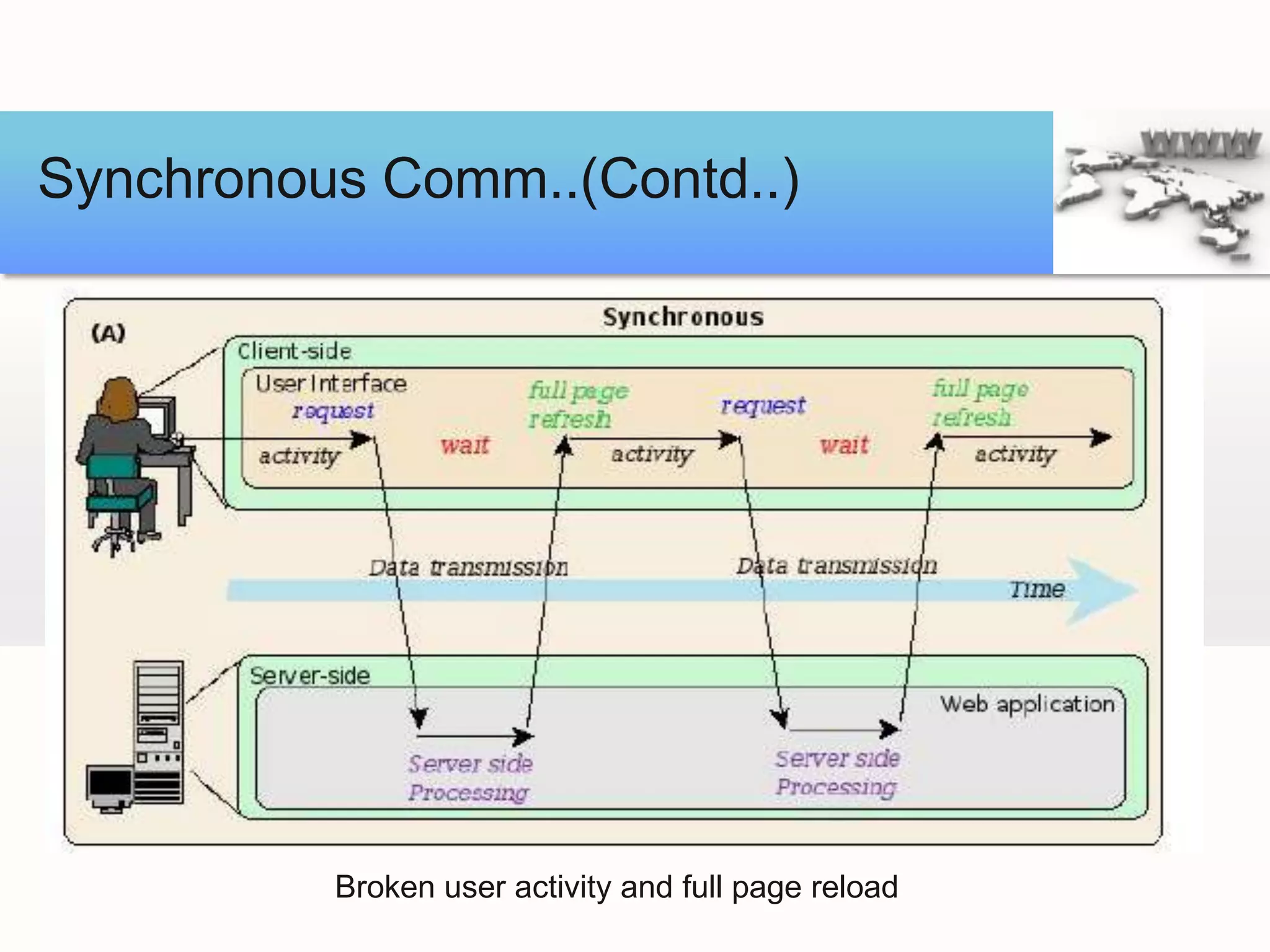
Synchronous Comm..(Contd..)


          Broken user activity and full page reload
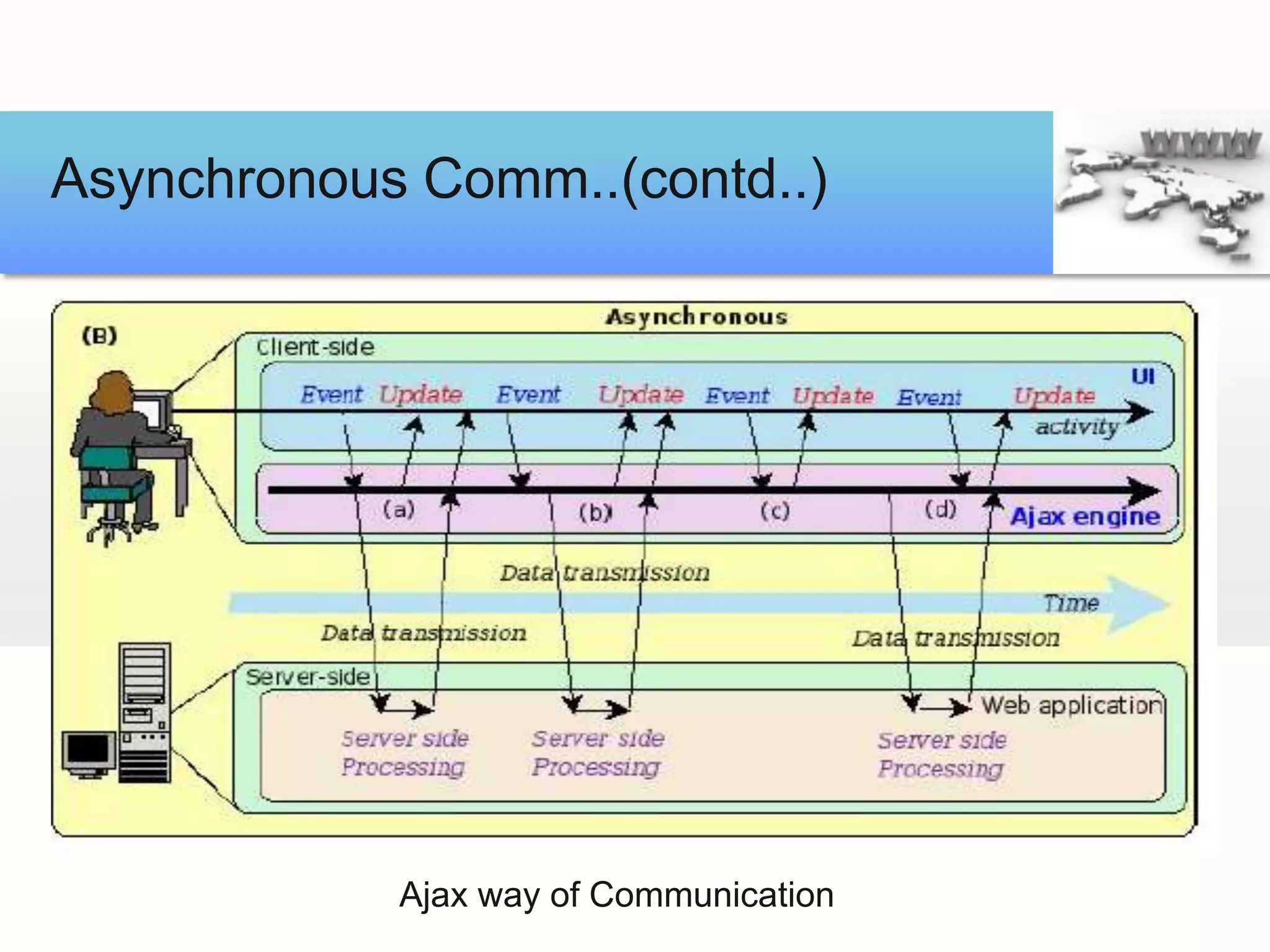
Asynchronous Comm..(contd..)


            Ajax way of Communication
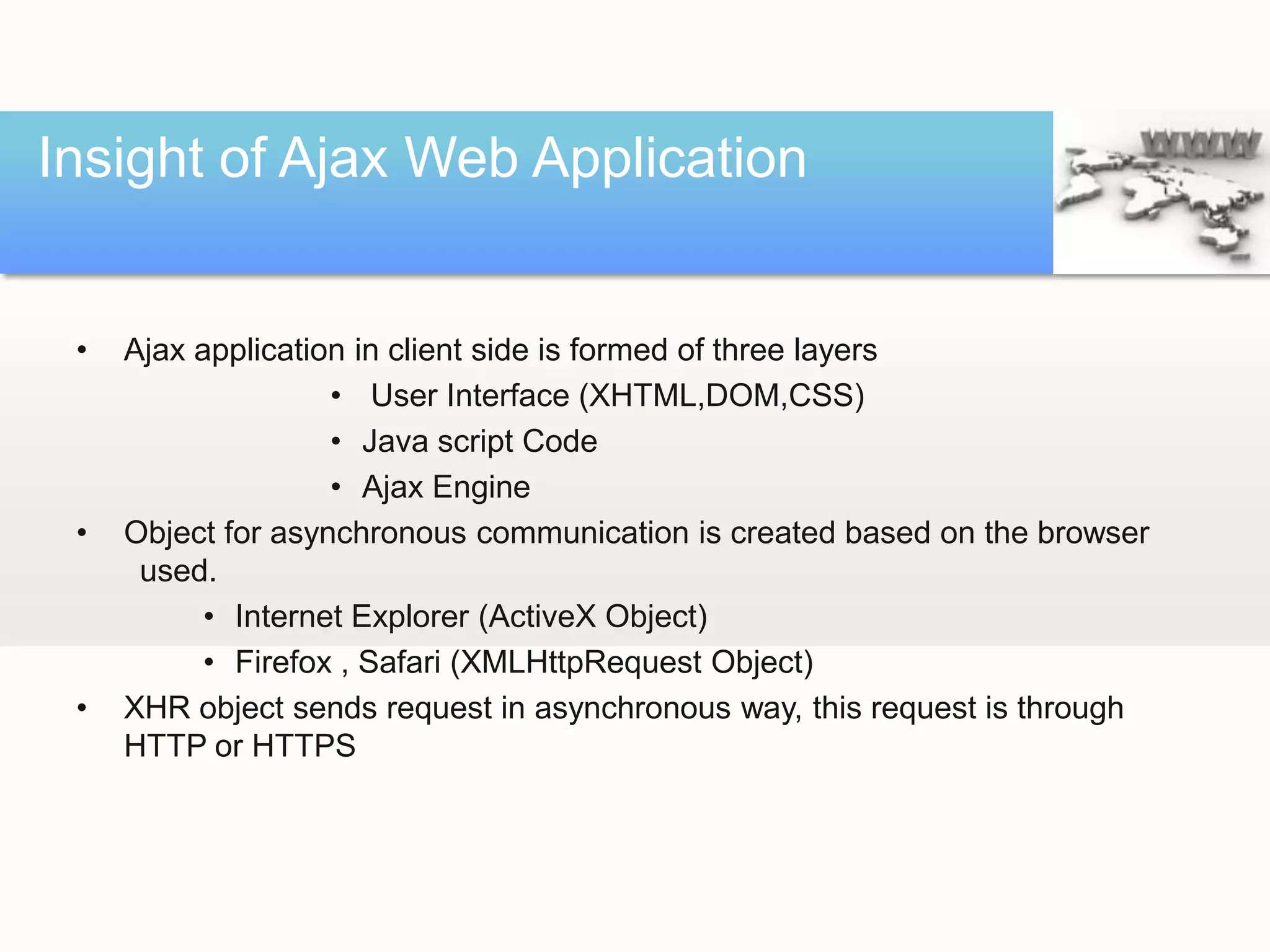
Insight of Ajax Web Application


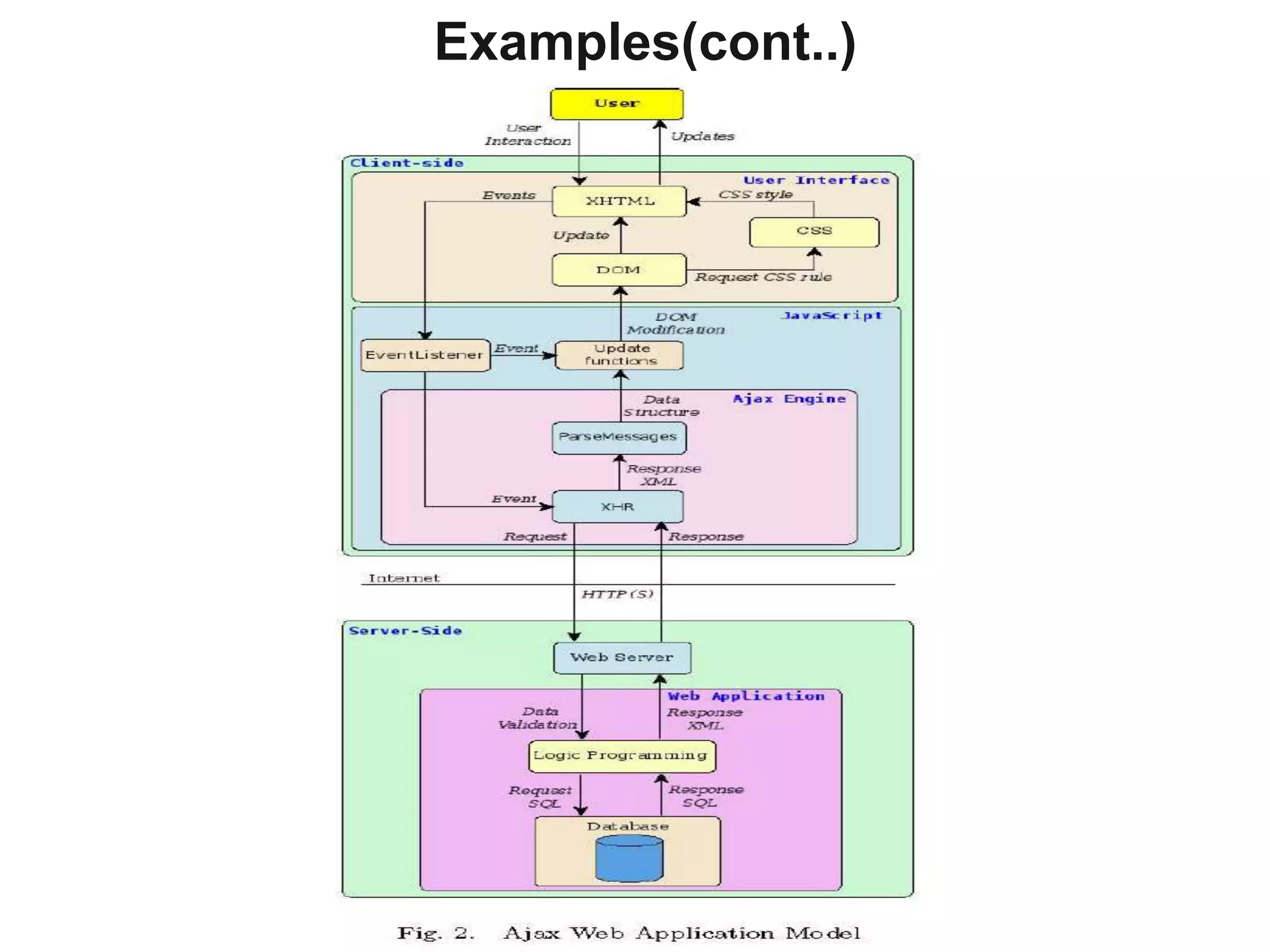
 •   Ajax application in client side is formed of three layers
                    • User Interface (XHTML,DOM,CSS)
                    • Java script Code
                    • Ajax Engine
 •   Object for asynchronous communication is created based on the browser
      used.
           • Internet Explorer (ActiveX Object)
           • Firefox , Safari (XMLHttpRequest Object)
 •   XHR object sends request in asynchronous way, this request is through
     HTTP or HTTPS
Examples(cont..)
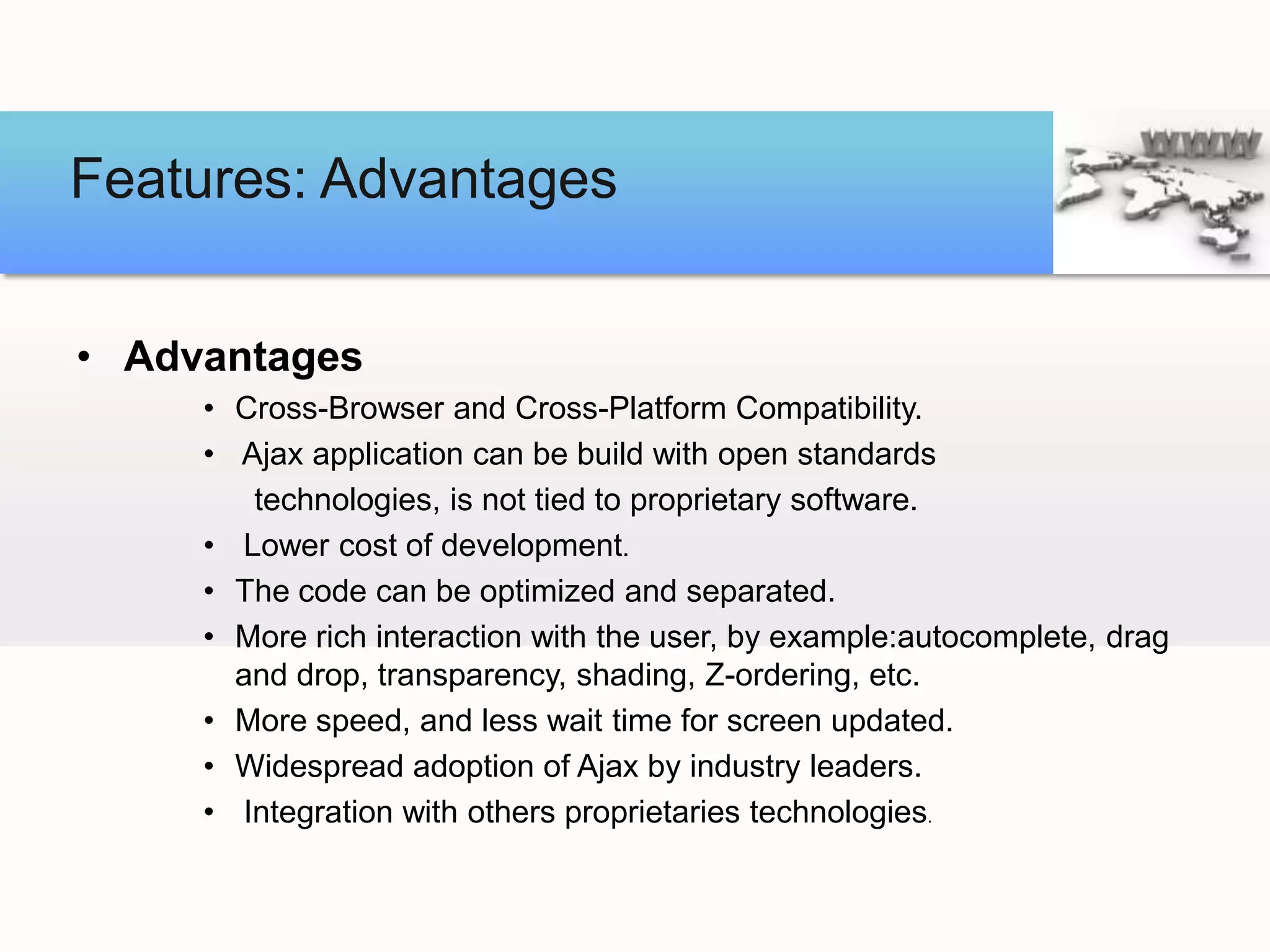
Features: Advantages


• Advantages
     • Cross-Browser and Cross-Platform Compatibility.
     • Ajax application can be build with open standards
        technologies, is not tied to proprietary software.
     • Lower cost of development.
     • The code can be optimized and separated.
     • More rich interaction with the user, by example:autocomplete, drag
       and drop, transparency, shading, Z-ordering, etc.
     • More speed, and less wait time for screen updated.
     • Widespread adoption of Ajax by industry leaders.
     • Integration with others proprietaries technologies.
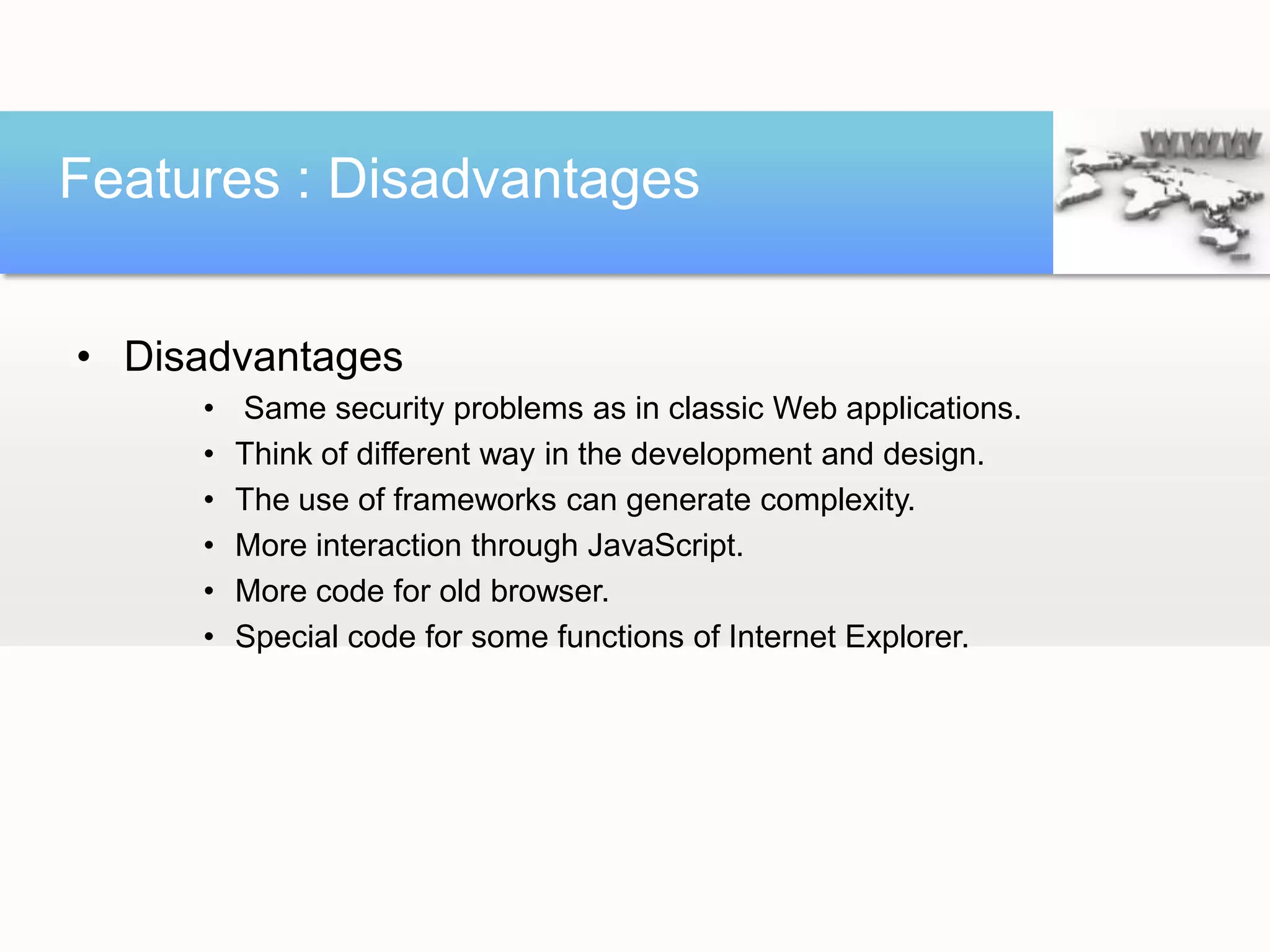
Features : Disadvantages


• Disadvantages
     •   Same security problems as in classic Web applications.
     •   Think of different way in the development and design.
     •   The use of frameworks can generate complexity.
     •   More interaction through JavaScript.
     •   More code for old browser.
     •   Special code for some functions of Internet Explorer.
Who’s Using Ajax?
Conclusions

•   E-mails, calendars, spreadsheets, information managers,
    and word processors, are migrating of the traditional installation
    of programs in local desktop, towards Ajax Web applications.
•   These Ajax applications have the similar interactivity and speed as desktop
    programs. The Ajax Web applications are producing radically changes
    towards a new Internet age. New, better, useful and successful
     applications based on Ajax, are near.
•   It is necessary to understand and have some research how Ajax is working
     inside its new paradigms.
THANK YOU!

Ajax:From Desktop Applications towards Ajax Web Applications

  • 1.
    From Desktop Applicationstowards Ajax Web Applications
  • 2.
    Agenda 1 A brief History and Introduction of Ajax 2 Defining Ajax &Technologies incorporated ✓ 3 Communication 4 The insight of Ajax Web Applications. 5 Features of Ajax 6 Conclusion
  • 3.
    History  1990’s-Webpages werecompletely Static.  1995 – First version of JAVA with Applets.  1996 – Microsoft introduced iFrame element to HTML.  1999 – Dynamic Update of News stories and Stock quotes on msn.com  1999 – Creation of XMLHttpActivex control and XMLHttpRequest Object.  2002 – OddPost
  • 4.
    History (contd..)  2004– Gmail  2005 – Google Maps  2005 – Jesse James Garrett’s article:”AJAX – A New Approach to Web applications”.  2006 – W3C released first draft for XHR object.
  • 5.
    Defining Ajax Ajax is not  A technology  A new Programming Language  A Platform.
  • 6.
    Defining Ajax Ajax is  A technique that uses set of open standard technologies with support by cross-browser and cross-platform compatibility.  It incorporates several technologies, each flourishing in its own right, coming together in powerful new ways.  These technologies work together in different levels each with specific functionality.
  • 7.
    Defining Ajax The technologies,levels,languages and protocols used are Ajax incorporates • The Hypertext Transfer Markup Languages: HTML, XHTML, XML. • Language to describe the presentation of a document: Cascading Style Sheets (CSS). • Interaction and dynamic display: W3C Document Object Model. • Client-side language and parse data: JavaScript. • Asynchronous data transfer and communication with the server : XMLHttpRequest object (XHR).
  • 8.
    Defining Ajax The technologies,levels,languages and protocols used are (cont..) Ajax incorporates • Manipulation, transformation and data exchange: XML, XSLT, HTML, JSON, Plain Text. • Transfer Protocol: HTTP, HTTPS. • Server-side languages: JSP, JSF, Perl, Ruby, PHP, Cold Fusion, ASP, and CGI applications.
  • 9.
  • 10.
  • 11.
    Communication  Communication usuallyoccurs in two ways as following  Synchronous(Traditional way)  Asynchronous(Ajax way)
  • 12.
    Synchronous Comm.. • Classicalway of connection. • Publication of information in static web pages is good example. • The communication occurs as 1. User Http request to server 2. Server Process request (includes data retrieval and processing) 3. Returns a HTML Page to the Client
  • 13.
    Synchronous Comm..(contd..) Traditional Webinteraction Client makes http request Server returns a new page Web server
  • 14.
    Asynchronous Comm.. Ajax WebInteraction Client makes http request for specific information Server returns the requested information Web server Multiple requests are served
  • 15.
    Synchronous Comm..(Contd..) Broken user activity and full page reload
  • 16.
    Asynchronous Comm..(contd..) Ajax way of Communication
  • 17.
    Insight of AjaxWeb Application • Ajax application in client side is formed of three layers • User Interface (XHTML,DOM,CSS) • Java script Code • Ajax Engine • Object for asynchronous communication is created based on the browser used. • Internet Explorer (ActiveX Object) • Firefox , Safari (XMLHttpRequest Object) • XHR object sends request in asynchronous way, this request is through HTTP or HTTPS
  • 18.
  • 19.
    Features: Advantages • Advantages • Cross-Browser and Cross-Platform Compatibility. • Ajax application can be build with open standards technologies, is not tied to proprietary software. • Lower cost of development. • The code can be optimized and separated. • More rich interaction with the user, by example:autocomplete, drag and drop, transparency, shading, Z-ordering, etc. • More speed, and less wait time for screen updated. • Widespread adoption of Ajax by industry leaders. • Integration with others proprietaries technologies.
  • 20.
    Features : Disadvantages •Disadvantages • Same security problems as in classic Web applications. • Think of different way in the development and design. • The use of frameworks can generate complexity. • More interaction through JavaScript. • More code for old browser. • Special code for some functions of Internet Explorer.
  • 21.
  • 22.
    Conclusions • E-mails, calendars, spreadsheets, information managers, and word processors, are migrating of the traditional installation of programs in local desktop, towards Ajax Web applications. • These Ajax applications have the similar interactivity and speed as desktop programs. The Ajax Web applications are producing radically changes towards a new Internet age. New, better, useful and successful applications based on Ajax, are near. • It is necessary to understand and have some research how Ajax is working inside its new paradigms.
  • 23.