ARYAKRISHNA U. K.
NATURAL SCIENCE
CONTENTS
1. Introduction
2. History
3. Categorization
4. Elements
5. Application
6. Advantages
7.Disadvantages
WHAT IS MULTIMEDIA ?
• MULTI + MEDIA = MULTIMEDIA
• Combination of text, graphics, sound, animation & video to
effectively Communicate ideas to users.
HISTORY...
• MULTIMEDIA _ Bob Goldstein in July 1996
• Tay Vaughan declared MULTIMEDIA as combination of
text, graphics, sound, animation & video that is delivered by
computer.
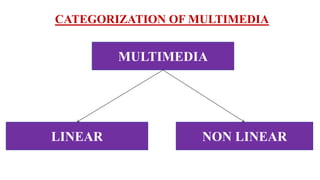
CATEGORIZATION OF MULTIMEDIA
MULTIMEDIA
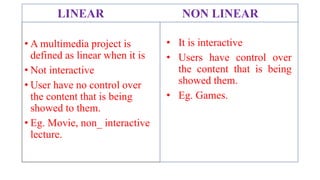
NON LINEARLINEAR
• A multimedia project is
defined as linear when it is
• Not interactive
• User have no control over
the content that is being
showed to them.
• Eg. Movie, non_ interactive
lecture.
• It is interactive
• Users have control over
the content that is being
showed them.
• Eg. Games.
LINEAR NON LINEAR
ELEMENTS
1. TEXT
2. IMAGE
3. VIDEO
4. AUDIO
5. ANIMATION
6. INTERACTIVITY
TEXT
• Widely used & flexible means of presenting
information on screen & conveying ideas.
• Formate
1. General text
2. Hypertext
3. Pdf
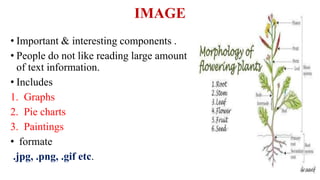
IMAGE
• Important & interesting components .
• People do not like reading large amount
of text information.
• Includes
1. Graphs
2. Pie charts
3. Paintings
• formate
.jpg, .png, .gif etc.
VIDEO
• Capturing, recording, processing, transmitting &
reconstructing moving pictures.
• More useful than animation
AUDIO
• Multimedia presentations have some audio tracks
which makes it easier for people to understand.
• Softwares
1. VLC
2. Media player
3. Real player
ANIMATION
• Rapid display of a sequence of images of 2D or 3 D art work
to create an illusion of movement.
INTERACTIVITY
• interaction that occurs between an individual and a computer
program.
• Eg. DVDs, digital TV
• Where a user can control what they watch.
Use and application
of
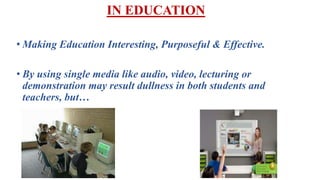
IN EDUCATION
• Making Education Interesting, Purposeful & Effective.
• By using single media like audio, video, lecturing or
demonstration may result dullness in both students and
teachers, but…
• Meeting the needs of the learners.
• Making the learning highly individualised & self dependent.
• Relieving teachers from the routine duties
• Provides opportunity for the utilization of number of senses –
sight, hearing, smell, touch, and taste.
• Equips the teacher for better teaching and the students for
better learning.
• Increasing learners concentration
• Proper appealing and spreading education to masses.
• Capable of providing advantages of both group and individual
learning.
• Helpful in student activities
• Documenting & presentation of school activities
• Information searching
• Demonstration & practical works.
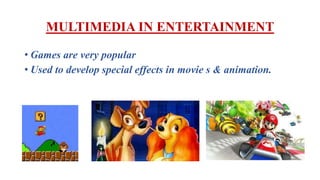
MULTIMEDIA IN ENTERTAINMENT
• Games are very popular
• Used to develop special effects in movie s & animation.
MULTIMEDIA IN BUSINESS
• Sales & marketing presentation
• Staff training
ADVANTAGES
• Enhance the effect of text presentation.
• Improve quality of presentation & retains the
attention of audience.
• Used educational and entertainment purposes
• Quick & easy to operated
• Reduce training costs.
• Offers significant potential in improving personal
communication.
DISADVANTAGES
• Complex to create.
• Time consuming.
• Expensive.
• Health problems.
Thank You
Listening To My
Presentation

Multimedia

  • 1.
  • 2.
    CONTENTS 1. Introduction 2. History 3.Categorization 4. Elements 5. Application 6. Advantages 7.Disadvantages
  • 3.
    WHAT IS MULTIMEDIA? • MULTI + MEDIA = MULTIMEDIA • Combination of text, graphics, sound, animation & video to effectively Communicate ideas to users.
  • 5.
    HISTORY... • MULTIMEDIA _Bob Goldstein in July 1996 • Tay Vaughan declared MULTIMEDIA as combination of text, graphics, sound, animation & video that is delivered by computer.
  • 6.
  • 7.
    • A multimediaproject is defined as linear when it is • Not interactive • User have no control over the content that is being showed to them. • Eg. Movie, non_ interactive lecture. • It is interactive • Users have control over the content that is being showed them. • Eg. Games. LINEAR NON LINEAR
  • 8.
    ELEMENTS 1. TEXT 2. IMAGE 3.VIDEO 4. AUDIO 5. ANIMATION 6. INTERACTIVITY
  • 9.
    TEXT • Widely used& flexible means of presenting information on screen & conveying ideas. • Formate 1. General text 2. Hypertext 3. Pdf
  • 10.
    IMAGE • Important &interesting components . • People do not like reading large amount of text information. • Includes 1. Graphs 2. Pie charts 3. Paintings • formate .jpg, .png, .gif etc.
  • 11.
    VIDEO • Capturing, recording,processing, transmitting & reconstructing moving pictures. • More useful than animation AUDIO • Multimedia presentations have some audio tracks which makes it easier for people to understand. • Softwares 1. VLC 2. Media player 3. Real player
  • 12.
    ANIMATION • Rapid displayof a sequence of images of 2D or 3 D art work to create an illusion of movement. INTERACTIVITY • interaction that occurs between an individual and a computer program. • Eg. DVDs, digital TV • Where a user can control what they watch.
  • 13.
  • 14.
    IN EDUCATION • MakingEducation Interesting, Purposeful & Effective. • By using single media like audio, video, lecturing or demonstration may result dullness in both students and teachers, but…
  • 15.
    • Meeting theneeds of the learners. • Making the learning highly individualised & self dependent. • Relieving teachers from the routine duties
  • 16.
    • Provides opportunityfor the utilization of number of senses – sight, hearing, smell, touch, and taste. • Equips the teacher for better teaching and the students for better learning. • Increasing learners concentration • Proper appealing and spreading education to masses. • Capable of providing advantages of both group and individual learning.
  • 17.
    • Helpful instudent activities • Documenting & presentation of school activities • Information searching • Demonstration & practical works.
  • 18.
    MULTIMEDIA IN ENTERTAINMENT •Games are very popular • Used to develop special effects in movie s & animation.
  • 19.
    MULTIMEDIA IN BUSINESS •Sales & marketing presentation • Staff training
  • 20.
    ADVANTAGES • Enhance theeffect of text presentation. • Improve quality of presentation & retains the attention of audience. • Used educational and entertainment purposes • Quick & easy to operated • Reduce training costs. • Offers significant potential in improving personal communication.
  • 21.
    DISADVANTAGES • Complex tocreate. • Time consuming. • Expensive. • Health problems.
  • 22.
    Thank You Listening ToMy Presentation