STORYBOARDING
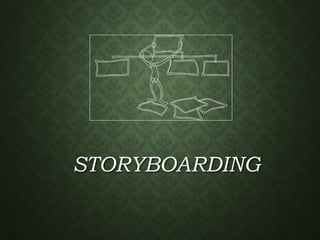
STORYBOARDING
• Storyboards offer an effective technique for addressing the "Yes, But"
syndrome.
• Storyboarding is
• extremely inexpensive
• user friendly, informal, and interactive
• Provides an early review
• easy to create and easy to modify
• Storyboards identify the players, explain what happens to them,
and describe how it happens.
STORYBOARDING ?
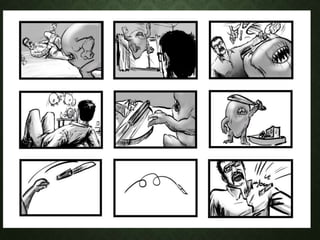
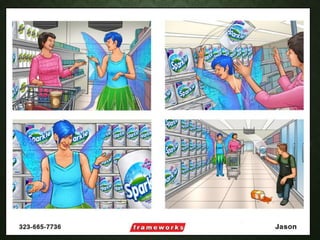
• A storyboard is a simple tool that helps an individual to quickly appreciate the body
of knowledge around a particular topic.
• A visual script, which acts as a blueprint for the “look” of the completed project.
• A storyboard shows not only the individual shots or screens but the sequence as
well.
• However, a storyboard can be even more powerful when used as a tool for both
presenter and audience, where each frame of the storyboard is used as the basis
of substantial discussion.
• An audience can ask a range of questions related to the frame and an individual
can respond by thinking about his or her own personal situation and particular
workplace challenges.
• By the end of the process, both parties are likely to feel that they have delved
deeply into the subject area and found a range of helpful ways to apply the
learning.
• The goal is to build a highly logical system that could provide a simple overview of
a topic, by dividing the subject into frames within which to tell the “story”
PURPOSE
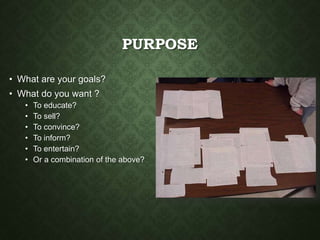
• What are your goals?
• What do you want ?
• To educate?
• To sell?
• To convince?
• To inform?
• To entertain?
• Or a combination of the above?
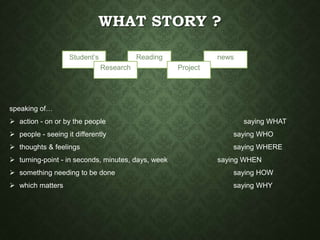
speaking of…
 action - on or by the people saying WHAT
 people - seeing it differently saying WHO
 thoughts & feelings saying WHERE
 turning-point - in seconds, minutes, days, week saying WHEN
 something needing to be done saying HOW
 which matters saying WHY
newsReading
Project
Student’s
Research
WHAT STORY ?
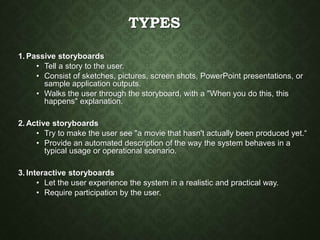
TYPES
1. Passive storyboards
• Tell a story to the user.
• Consist of sketches, pictures, screen shots, PowerPoint presentations, or
sample application outputs.
• Walks the user through the storyboard, with a "When you do this, this
happens" explanation.
2. Active storyboards
• Try to make the user see "a movie that hasn't actually been produced yet.“
• Provide an automated description of the way the system behaves in a
typical usage or operational scenario.
3. Interactive storyboards
• Let the user experience the system in a realistic and practical way.
• Require participation by the user.
STEPS
• Think through the key information available, the flow of the story, and
what the most powerful way to display the analysis would be.
• Once you have done this, look at your hypothesis framework to check
what you are conveying and the structure of your board.
• The first thing you will write on your storyboard is the supporting
assertions from your purpose- the headlines.
• Once you have represented all headlines, you will identify analyses
that support each assertion and place the analyses information in the
appropriate boxes.
• Generate boxes and populate it with data and insights. Your
storyboard will ultimately serve as an outline of your final report
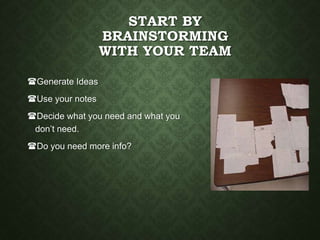
START BY
BRAINSTORMING
WITH YOUR TEAM
Generate Ideas
Use your notes
Decide what you need and what you
don’t need.
Do you need more info?
STRUCTURE
• Based on your brainstorming
session, make a plan.
• Use your plan to design your
storyboard
• Decide what pictures or
diagrams you will need and
have a teammate create them.
STORYBOARD IT!
• Provides an overall rough outline
of what the presentation will look
like, including:
• Which topics go where,
• the links,
• and a conceptual idea of where
your images go, and what the
layout will look like.
• You don't have to be able to
draw to produce a
storyboard. You need only
sketch in the outlines.
• Someone should be able to
look at your storyboard and
put together the same idea
that you have done.
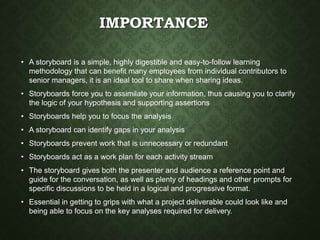
IMPORTANCE
• A storyboard is a simple, highly digestible and easy-to-follow learning
methodology that can benefit many employees from individual contributors to
senior managers, it is an ideal tool to share when sharing ideas.
• Storyboards force you to assimilate your information, thus causing you to clarify
the logic of your hypothesis and supporting assertions
• Storyboards help you to focus the analysis
• A storyboard can identify gaps in your analysis
• Storyboards prevent work that is unnecessary or redundant
• Storyboards act as a work plan for each activity stream
• The storyboard gives both the presenter and audience a reference point and
guide for the conversation, as well as plenty of headings and other prompts for
specific discussions to be held in a logical and progressive format.
• Essential in getting to grips with what a project deliverable could look like and
being able to focus on the key analyses required for delivery.
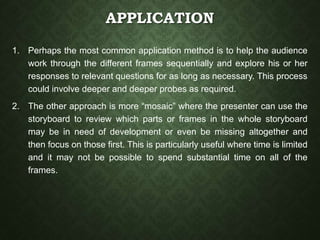
APPLICATION
1. Perhaps the most common application method is to help the audience
work through the different frames sequentially and explore his or her
responses to relevant questions for as long as necessary. This process
could involve deeper and deeper probes as required.
2. The other approach is more “mosaic” where the presenter can use the
storyboard to review which parts or frames in the whole storyboard
may be in need of development or even be missing altogether and
then focus on those first. This is particularly useful where time is limited
and it may not be possible to spend substantial time on all of the
frames.
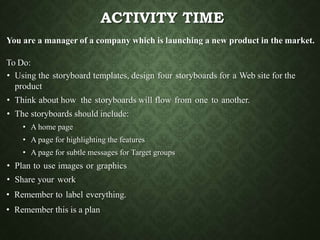
ACTIVITY TIME
You are a manager of a company which is launching a new product in the market.
To Do:
• Using the storyboard templates, design four storyboards for a Web site for the
product
• Think about how the storyboards will flow from one to another.
• The storyboards should include:
• A home page
• A page for highlighting the features
• A page for subtle messages for Target groups
• Plan to use images or graphics
• Share your work
• Remember to label everything.
• Remember this is a plan

Storyboarding

  • 1.
  • 2.
    STORYBOARDING • Storyboards offeran effective technique for addressing the "Yes, But" syndrome. • Storyboarding is • extremely inexpensive • user friendly, informal, and interactive • Provides an early review • easy to create and easy to modify • Storyboards identify the players, explain what happens to them, and describe how it happens.
  • 3.
    STORYBOARDING ? • Astoryboard is a simple tool that helps an individual to quickly appreciate the body of knowledge around a particular topic. • A visual script, which acts as a blueprint for the “look” of the completed project. • A storyboard shows not only the individual shots or screens but the sequence as well. • However, a storyboard can be even more powerful when used as a tool for both presenter and audience, where each frame of the storyboard is used as the basis of substantial discussion. • An audience can ask a range of questions related to the frame and an individual can respond by thinking about his or her own personal situation and particular workplace challenges. • By the end of the process, both parties are likely to feel that they have delved deeply into the subject area and found a range of helpful ways to apply the learning. • The goal is to build a highly logical system that could provide a simple overview of a topic, by dividing the subject into frames within which to tell the “story”
  • 4.
    PURPOSE • What areyour goals? • What do you want ? • To educate? • To sell? • To convince? • To inform? • To entertain? • Or a combination of the above?
  • 5.
    speaking of…  action- on or by the people saying WHAT  people - seeing it differently saying WHO  thoughts & feelings saying WHERE  turning-point - in seconds, minutes, days, week saying WHEN  something needing to be done saying HOW  which matters saying WHY newsReading Project Student’s Research WHAT STORY ?
  • 6.
    TYPES 1. Passive storyboards •Tell a story to the user. • Consist of sketches, pictures, screen shots, PowerPoint presentations, or sample application outputs. • Walks the user through the storyboard, with a "When you do this, this happens" explanation. 2. Active storyboards • Try to make the user see "a movie that hasn't actually been produced yet.“ • Provide an automated description of the way the system behaves in a typical usage or operational scenario. 3. Interactive storyboards • Let the user experience the system in a realistic and practical way. • Require participation by the user.
  • 9.
    STEPS • Think throughthe key information available, the flow of the story, and what the most powerful way to display the analysis would be. • Once you have done this, look at your hypothesis framework to check what you are conveying and the structure of your board. • The first thing you will write on your storyboard is the supporting assertions from your purpose- the headlines. • Once you have represented all headlines, you will identify analyses that support each assertion and place the analyses information in the appropriate boxes. • Generate boxes and populate it with data and insights. Your storyboard will ultimately serve as an outline of your final report
  • 10.
    START BY BRAINSTORMING WITH YOURTEAM Generate Ideas Use your notes Decide what you need and what you don’t need. Do you need more info?
  • 11.
    STRUCTURE • Based onyour brainstorming session, make a plan. • Use your plan to design your storyboard • Decide what pictures or diagrams you will need and have a teammate create them.
  • 12.
    STORYBOARD IT! • Providesan overall rough outline of what the presentation will look like, including: • Which topics go where, • the links, • and a conceptual idea of where your images go, and what the layout will look like. • You don't have to be able to draw to produce a storyboard. You need only sketch in the outlines. • Someone should be able to look at your storyboard and put together the same idea that you have done.
  • 13.
    IMPORTANCE • A storyboardis a simple, highly digestible and easy-to-follow learning methodology that can benefit many employees from individual contributors to senior managers, it is an ideal tool to share when sharing ideas. • Storyboards force you to assimilate your information, thus causing you to clarify the logic of your hypothesis and supporting assertions • Storyboards help you to focus the analysis • A storyboard can identify gaps in your analysis • Storyboards prevent work that is unnecessary or redundant • Storyboards act as a work plan for each activity stream • The storyboard gives both the presenter and audience a reference point and guide for the conversation, as well as plenty of headings and other prompts for specific discussions to be held in a logical and progressive format. • Essential in getting to grips with what a project deliverable could look like and being able to focus on the key analyses required for delivery.
  • 14.
    APPLICATION 1. Perhaps themost common application method is to help the audience work through the different frames sequentially and explore his or her responses to relevant questions for as long as necessary. This process could involve deeper and deeper probes as required. 2. The other approach is more “mosaic” where the presenter can use the storyboard to review which parts or frames in the whole storyboard may be in need of development or even be missing altogether and then focus on those first. This is particularly useful where time is limited and it may not be possible to spend substantial time on all of the frames.
  • 15.
    ACTIVITY TIME You area manager of a company which is launching a new product in the market. To Do: • Using the storyboard templates, design four storyboards for a Web site for the product • Think about how the storyboards will flow from one to another. • The storyboards should include: • A home page • A page for highlighting the features • A page for subtle messages for Target groups • Plan to use images or graphics • Share your work • Remember to label everything. • Remember this is a plan