Modernizations & Migrations Lessons LearnedPart IILaurie R. BenJohn Dolenc
IntroductionPart IModernization/Migration Projects OverviewChoosing the Approach/StrategyJustification : Where’s the money coming from? ROICost Impacts:  Where’s the money going?  TICCSummary: Part IPart IIRisk Mitigation & Best Practices Lessons Learned: What to watch for?Summary Part II
Modernization/Migration Planning Approach/Strategy
 Scope of Work
 Justification
 Cost
 Risk Mitigation
 ScheduleLegacy DCS
Migration Project RisksNot restarting production on schedule after the cutoverWill new control strategy work Poor control loop performanceCommunication issues Interfaces / Migration ProductsBetween system and existing 3rd party devicesMissing a key interface or actionSchedule creepCost escalation
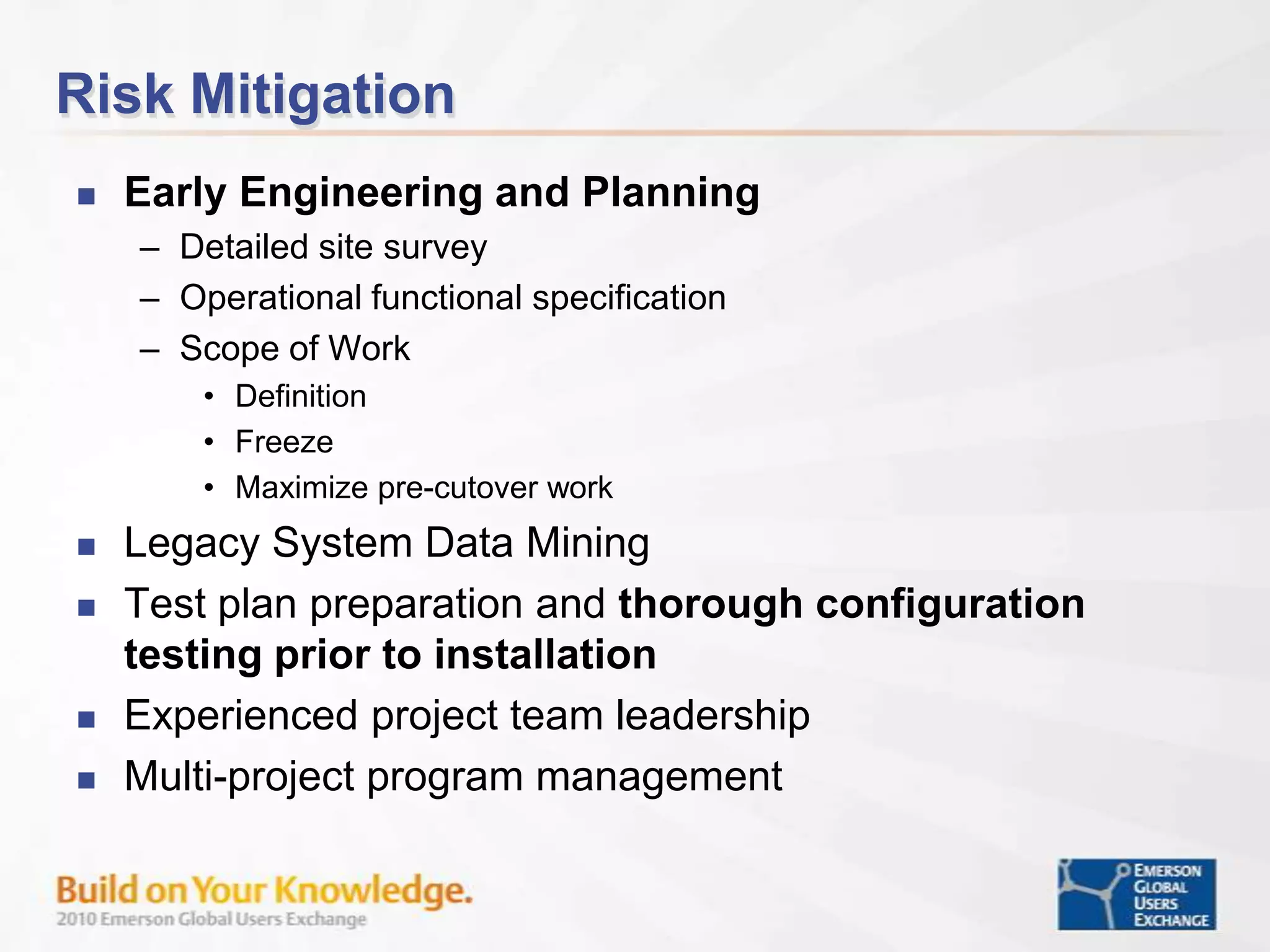
Risk MitigationEarly Engineering and PlanningDetailed site surveyOperational functional specificationScope of Work DefinitionFreezeMaximize pre-cutover workLegacy System Data MiningTest plan preparation and thorough configuration testing prior to installationExperienced project team leadershipMulti-project program management
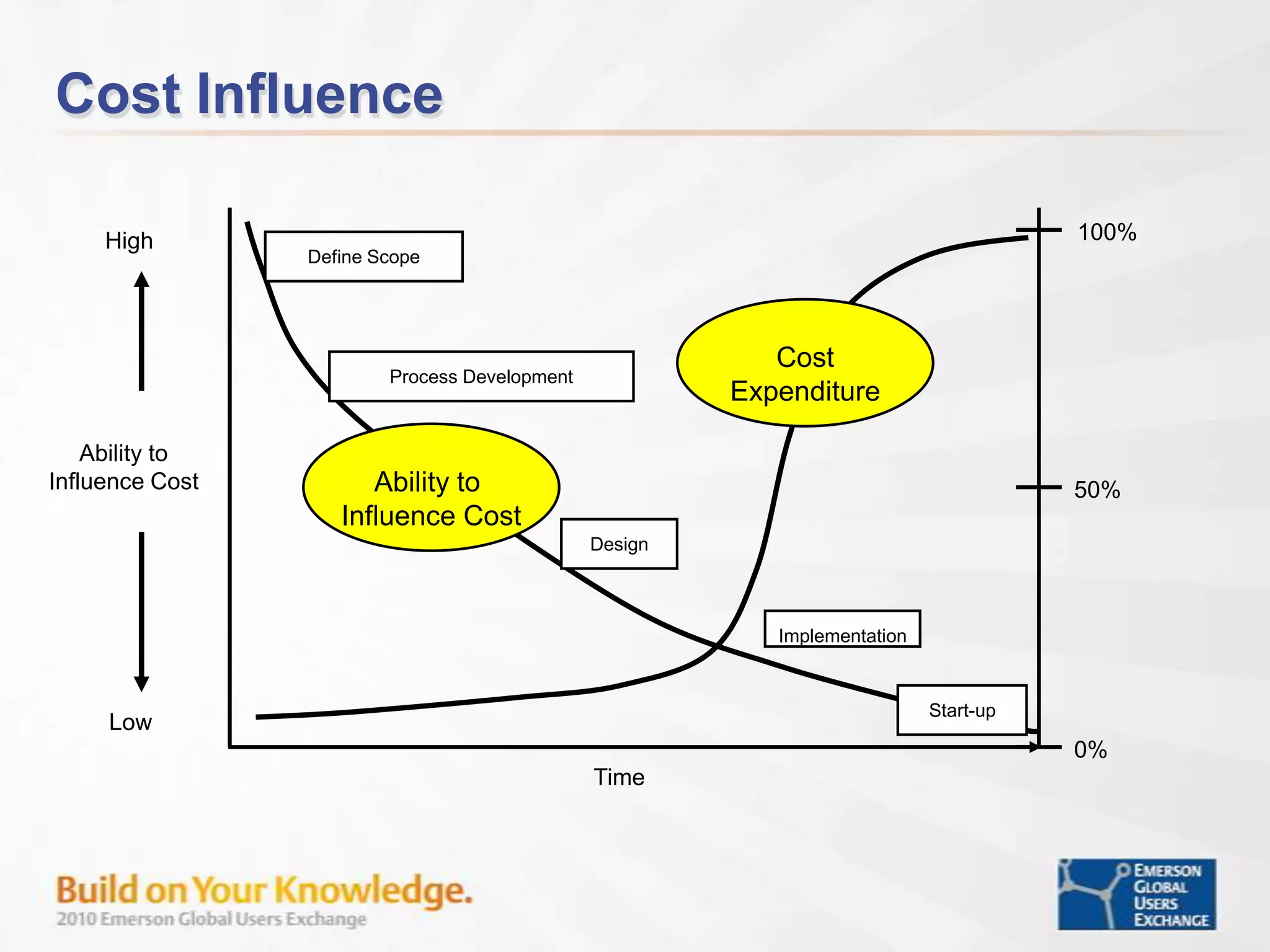
Cost Influence100%HighDefine ScopeCostExpenditureProcess DevelopmentAbility to Influence CostAbility to Influence Cost50%DesignImplementationStart-upLow 0%Time
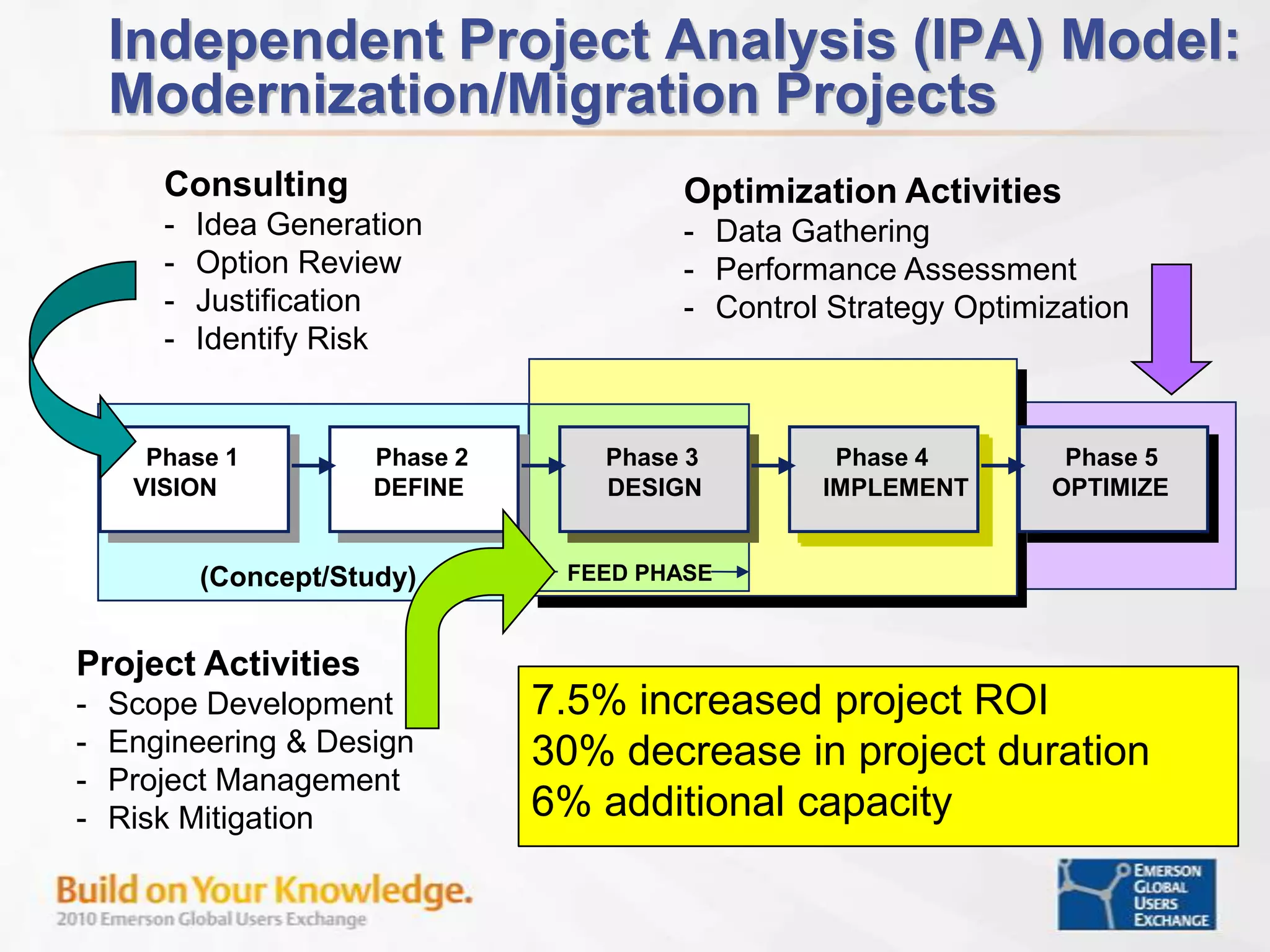
Independent Project Analysis (IPA) Model: Modernization/Migration ProjectsConsultingIdea Generation
Option Review
Justification
Identify RiskOptimization ActivitiesData Gathering
Performance Assessment
Control Strategy OptimizationPhase 1Phase 2Phase 3Phase 4Phase 5Phase 1Phase 2Phase 3Phase 4Phase 5APPRAISESELECTDEFINEEXECUTEOPERATEVISIONDEFINEOPTIMIZEDESIGNIMPLEMENTFEED PHASEFEED PHASECONSULTING(Concept/Study)Project ActivitiesScope Development
Engineering & Design
Project Management
Risk Mitigation7.5% increased project ROI30% decrease in project duration6% additional capacity
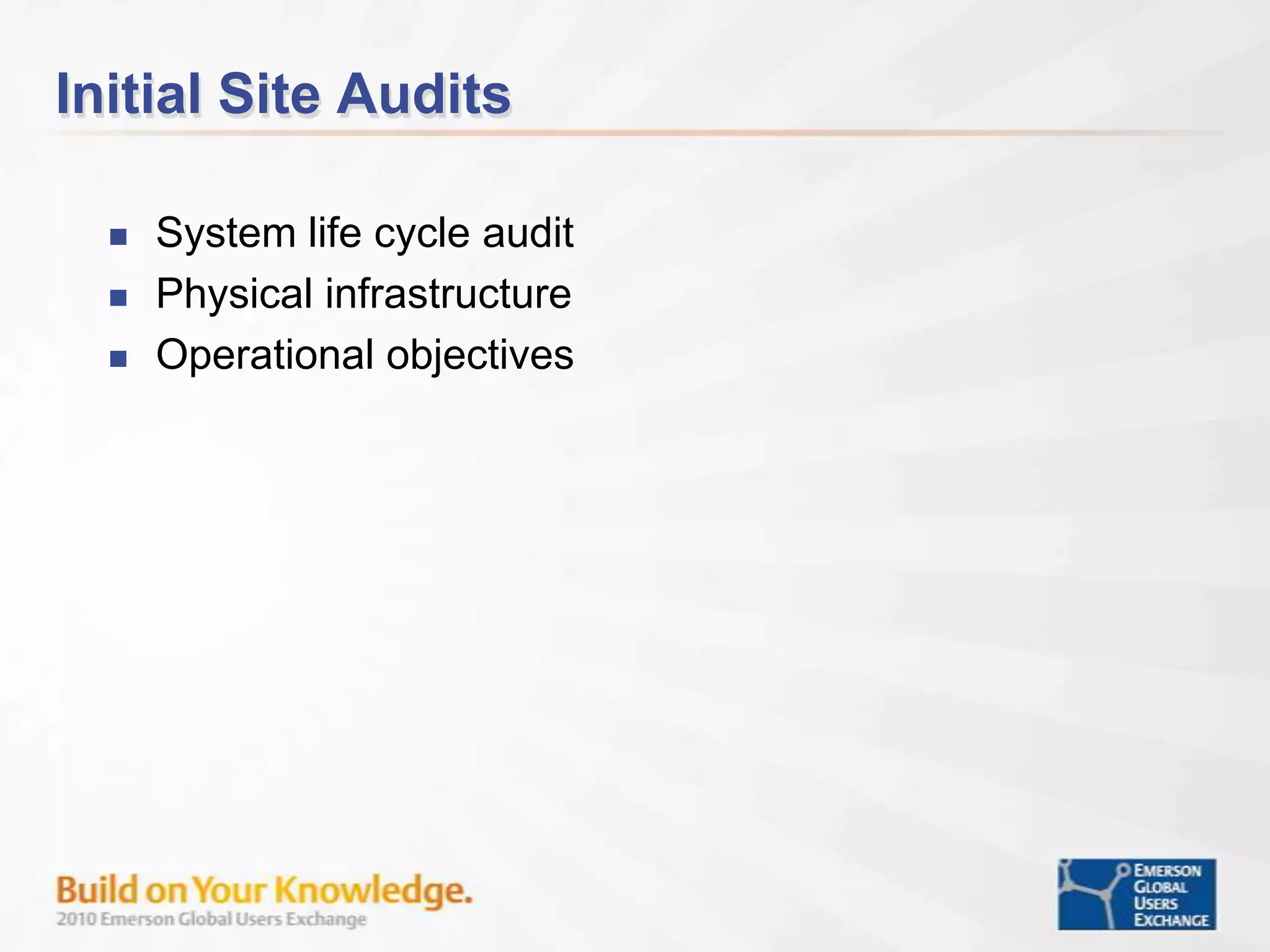
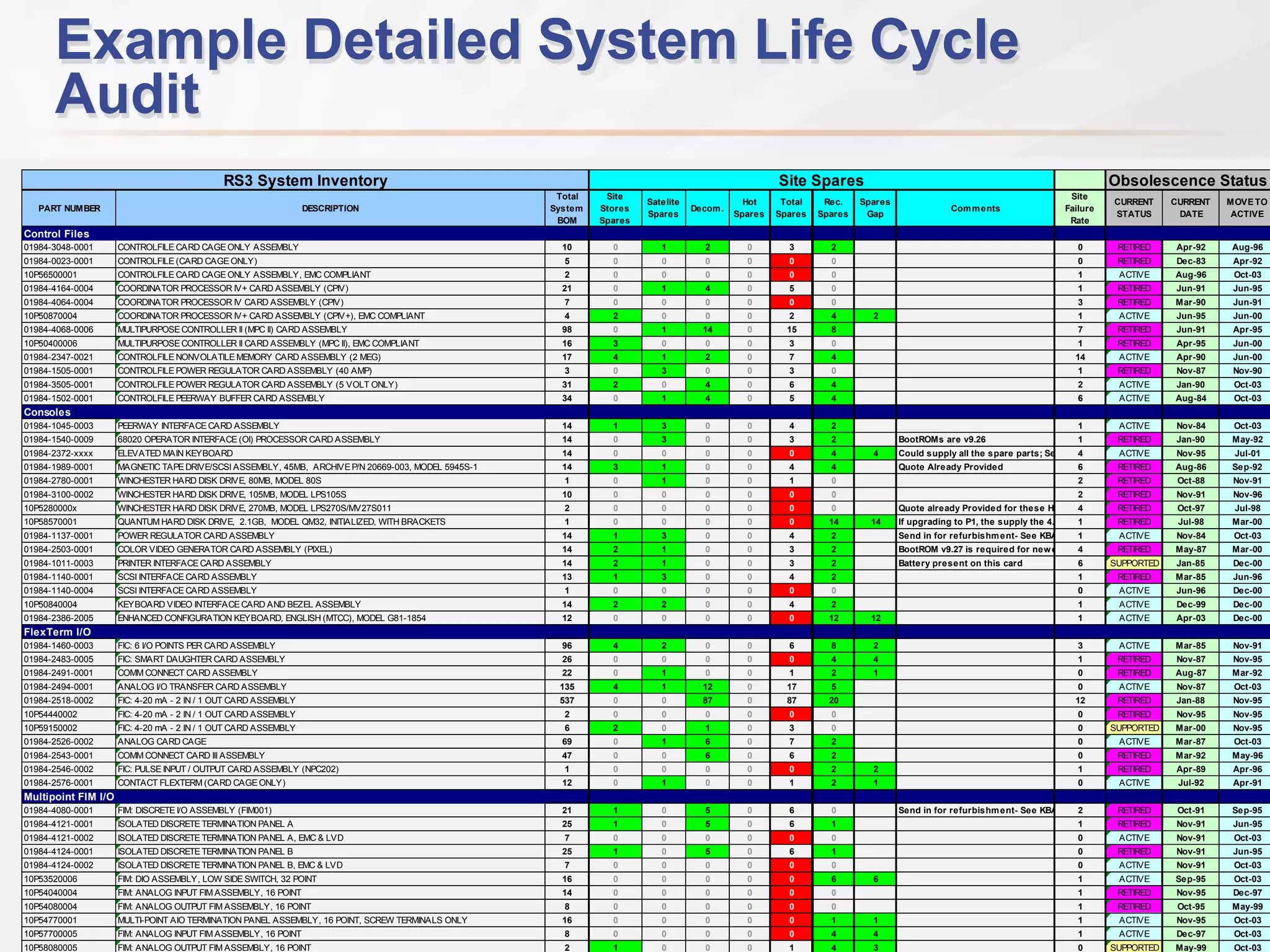
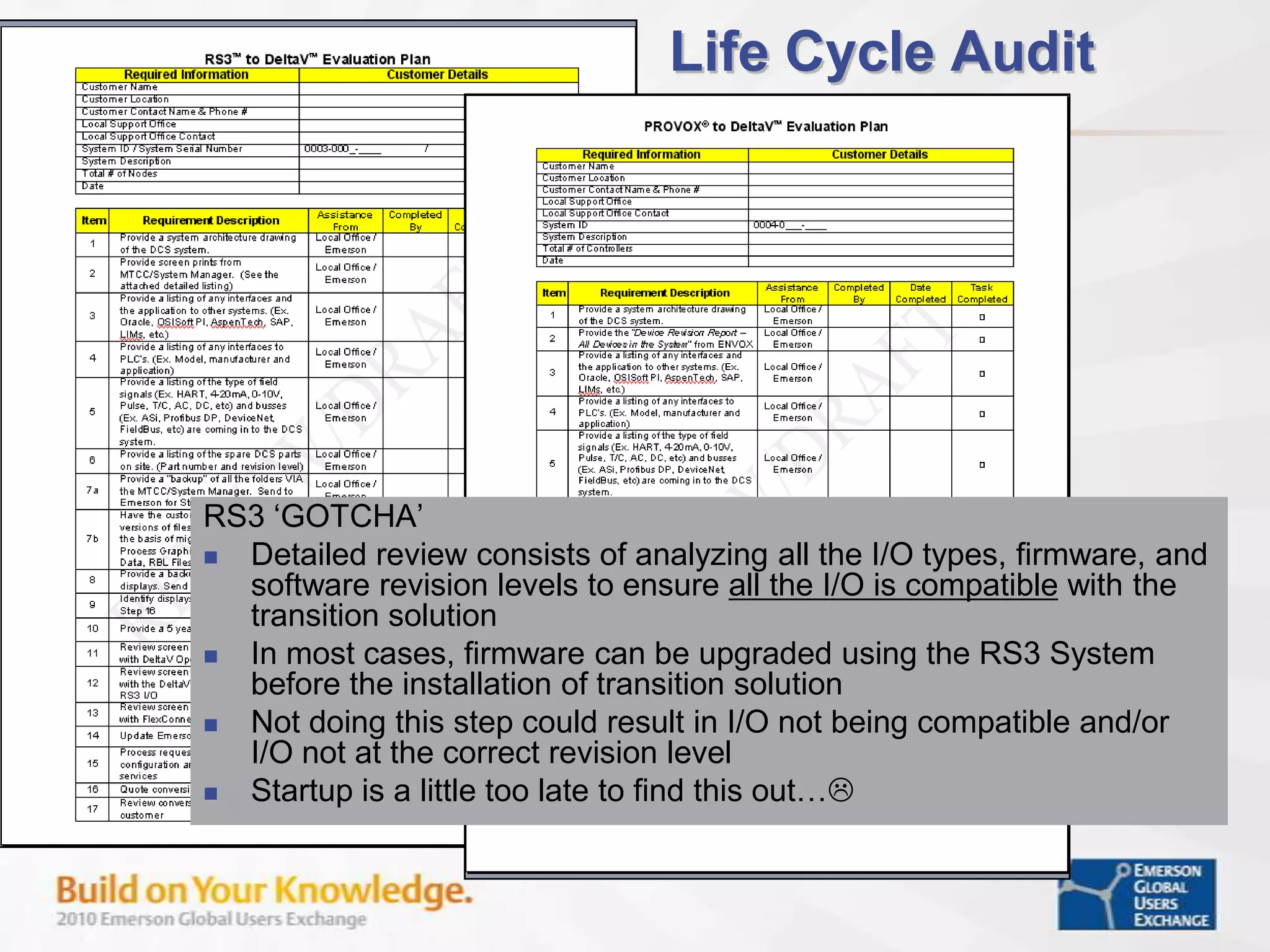
Initial Site AuditsSystem life cycle auditPhysical infrastructureOperational objectives
Example Detailed System Life Cycle Audit
Life Cycle AuditRS3 ‘GOTCHA’Detailed review consists of analyzing all the I/O types, firmware, and software revision levels to ensure all the I/O is compatible with the transition solution In most cases, firmware can be upgraded using the RS3 System before the installation of transition solution Not doing this step could result in I/O not being compatible and/or I/O not at the correct revision levelStartup is a little too late to find this out…
Modernization/Migration Project PlanningUnderstand that the original process automation plan may have been designed to meet minimum requirements with no regards for future yield and energy optimizationOriginal Project Criteria & ActionsEnergy was cheapMeasurement technology was lackingI&C scope reduced for project budget reasons
Modernization/Migration Project PlanningUnderstand the difference between process / operational requirements and legacy system methods to perform a taskProcess operational functional specification development based on operational KPI performanceDefine a detailed automation system design basis that best uses the features of the control system to meet the functional specification
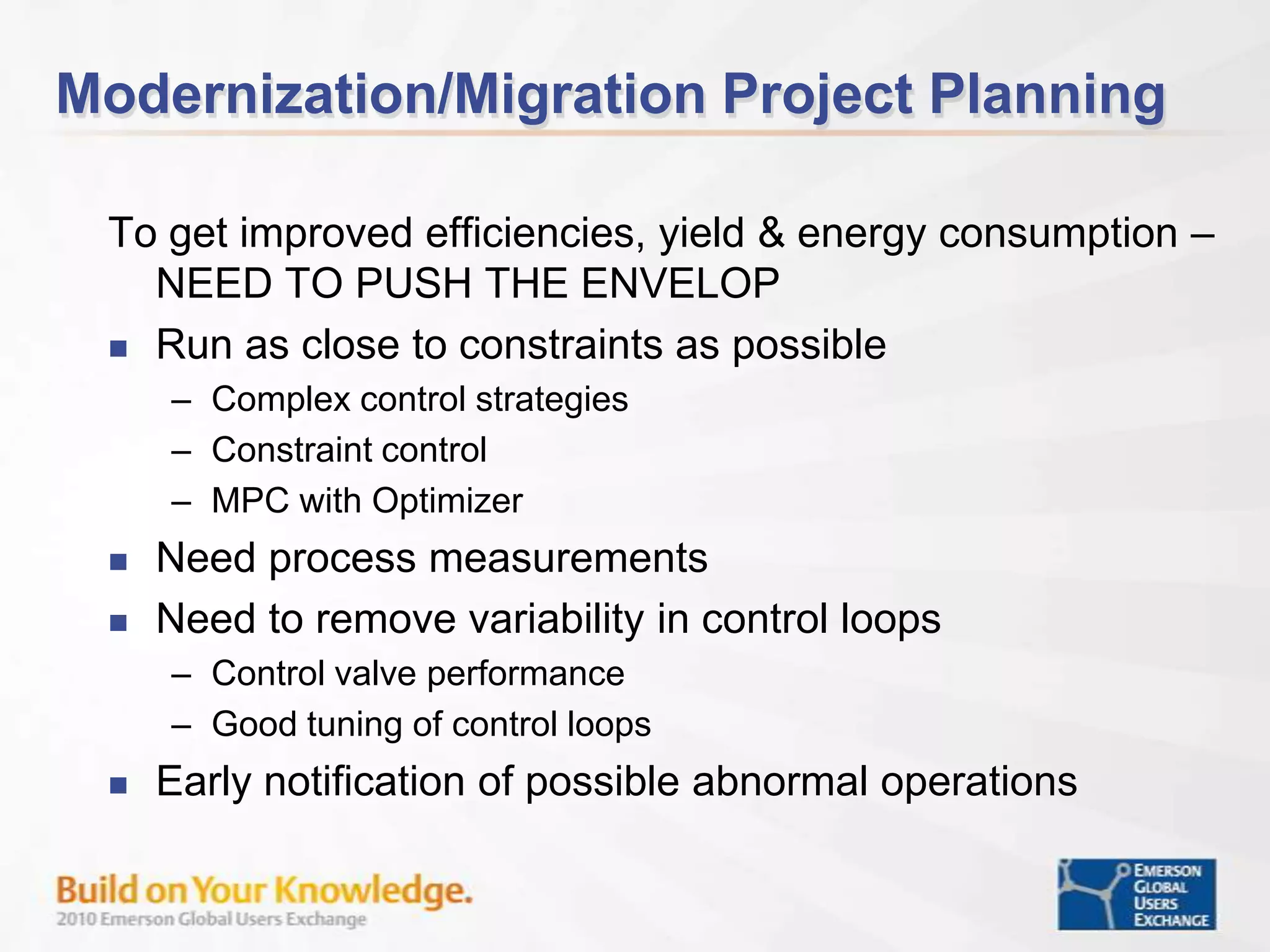
Modernization/Migration Project PlanningTo get improved efficiencies, yield & energy consumption – NEED TO PUSH THE ENVELOPRun as close to constraints as possibleComplex control strategiesConstraint controlMPC with OptimizerNeed process measurementsNeed to remove variability in control loopsControl valve performanceGood tuning of control loopsEarly notification of possible abnormal operations
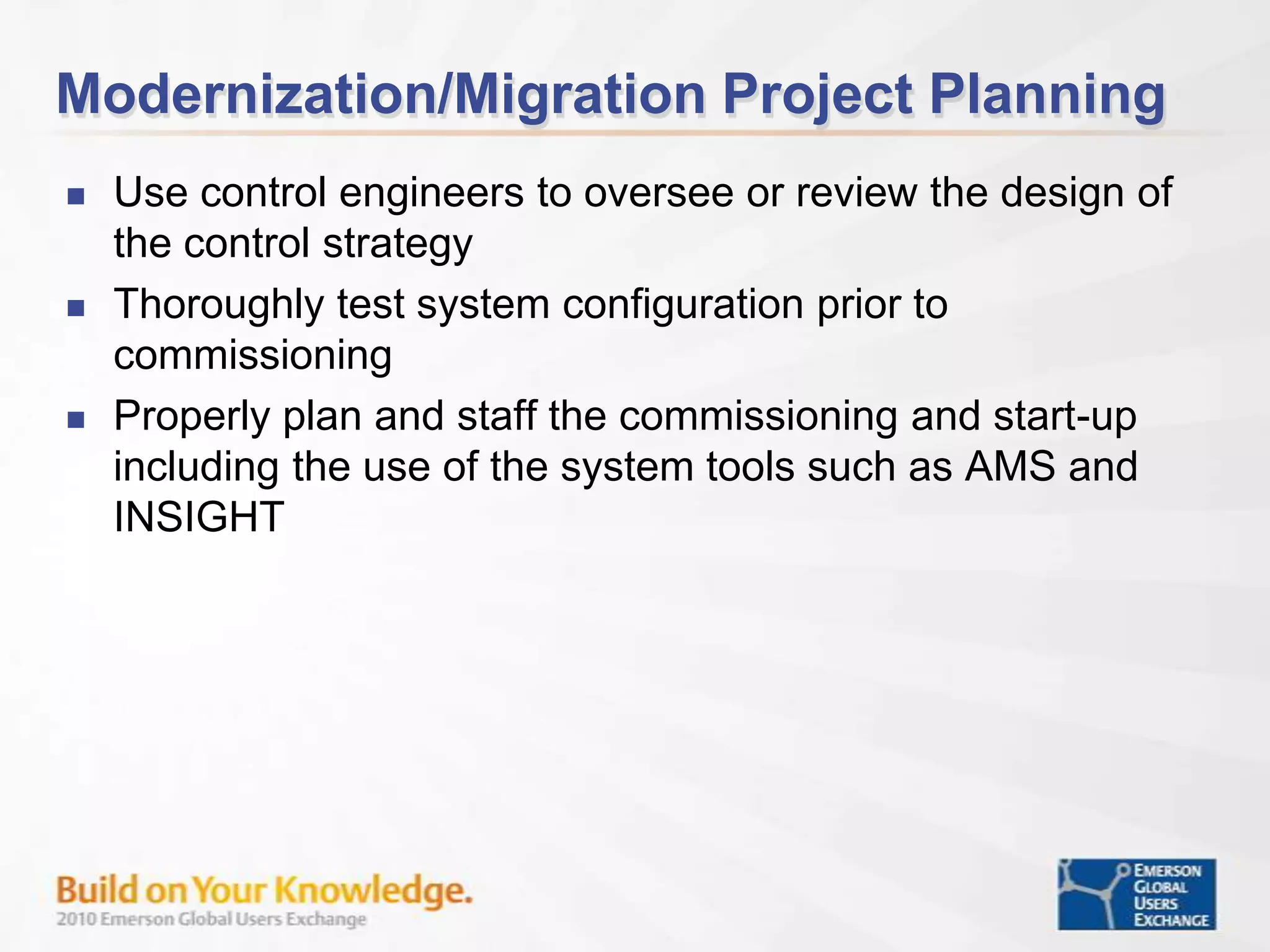
Modernization/Migration Project PlanningUse control engineers to oversee or review the design of the control strategyThoroughly test system configuration prior to commissioningProperly plan and staff the commissioning and start-up including the use of the system tools such as AMS and INSIGHT
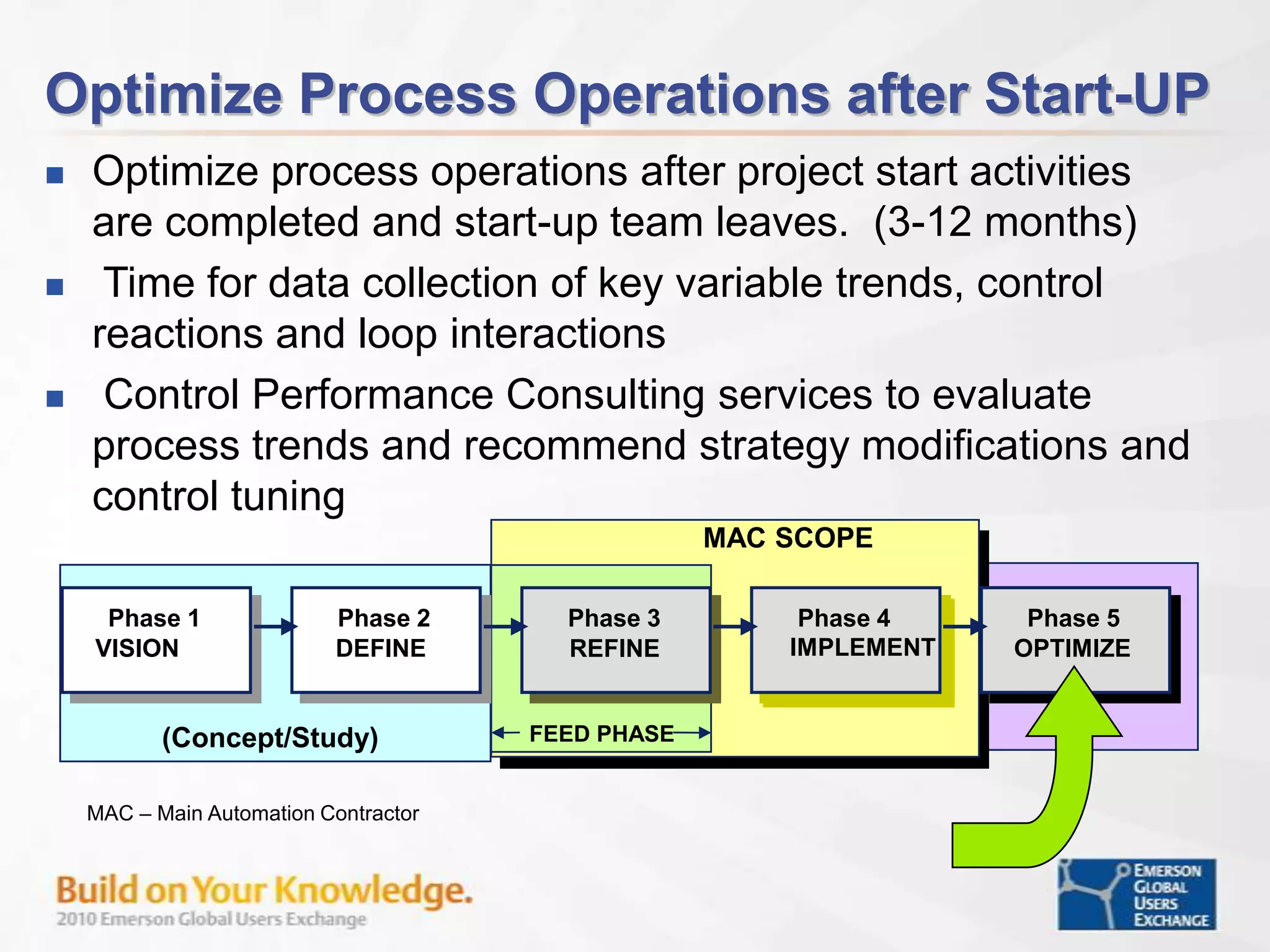
Optimize Process Operations after Start-UPOptimize process operations after project start activities are completed and start-up team leaves.  (3-12 months)
 Time for data collection of key variable trends, control reactions and loop interactions
 Control Performance Consulting services to evaluate process trends and recommend strategy modifications and control tuningMAC SCOPEPhase 1Phase 2Phase 3Phase 4Phase 5Phase 1Phase 2Phase 3Phase 4Phase 5APPRAISESELECTDEFINEEXECUTEOPERATEVISIONDEFINEOPTIMIZEIMPLEMENTREFINEFEED PHASEFEED PHASECONSULTING(Concept/Study)MAC – Main Automation Contractor
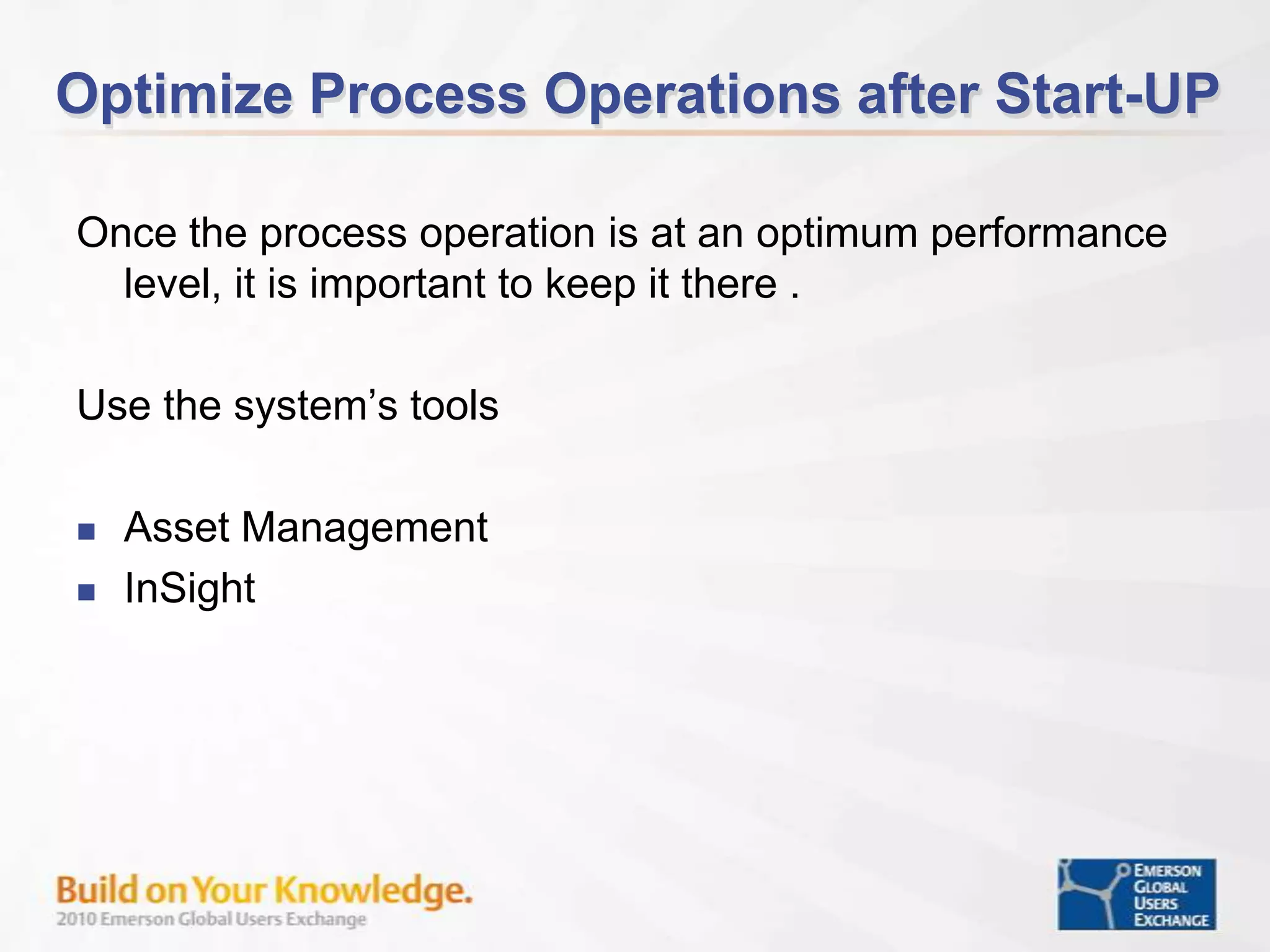
Optimize Process Operations after Start-UPOnce the process operation is at an optimum performance level, it is important to keep it there .  Use the system’s tools Asset ManagementInSight
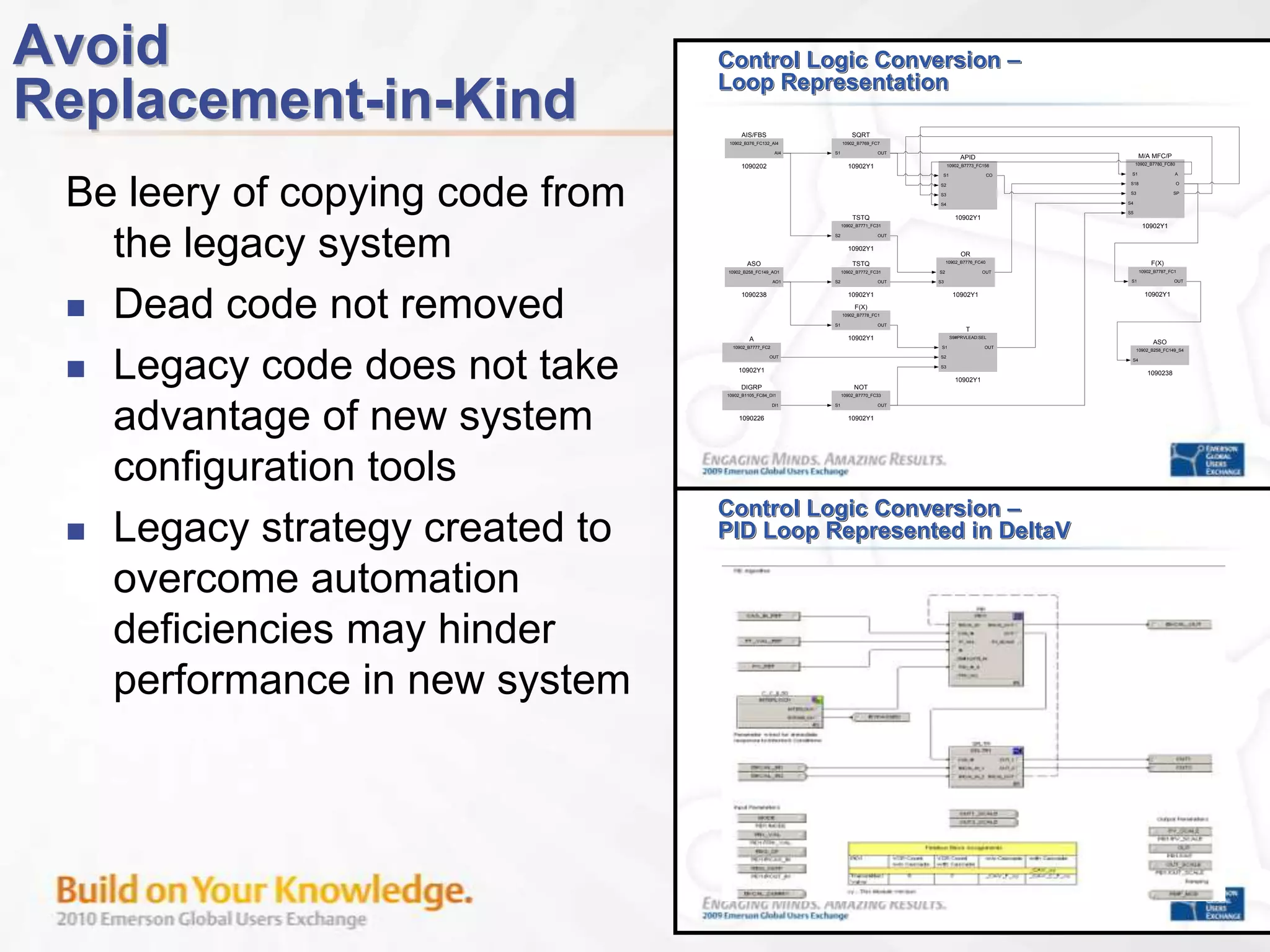
Avoid Replacement-in-KindBe leery of copying code from the legacy systemDead code not removedLegacy code does not take advantage of new system configuration toolsLegacy strategy created to overcome automation deficiencies may hinder performance in new system
Legacy Platform “Domain” Expertise IPA Aligned DeliverablesPhase 1 – Determine the EXACT HW & SW BasicsPhase 2 – Determine the EXACT Class & Custom ContentPhase 3 – Develop controller based Design Work PackagePhase 4 – Extract data in a form useful for project executionPhase 5 – Generate FAT/SAT documentation for pre and post start-up operations
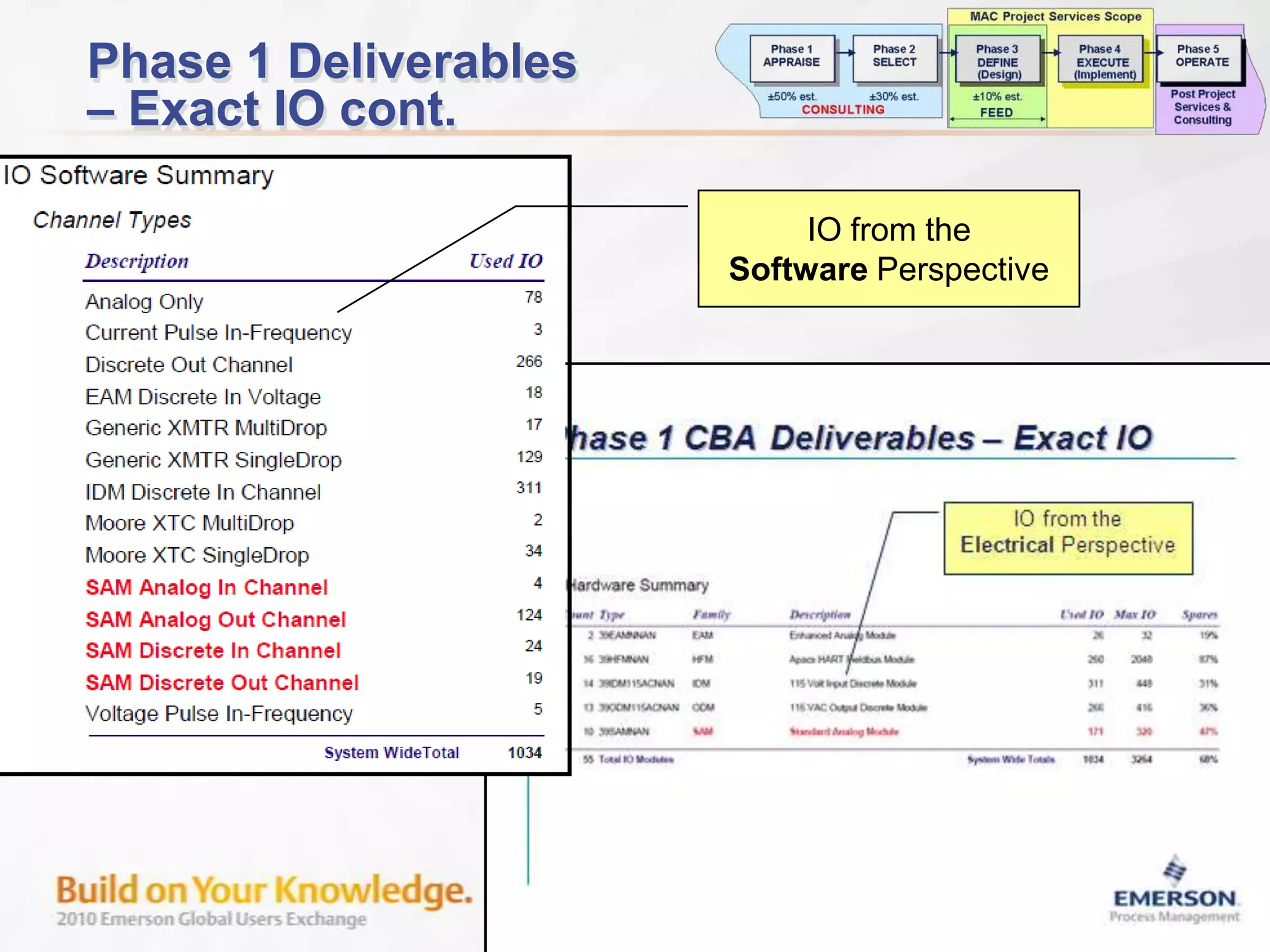
Phase 1 Deliverables– Exact IO cont.IO from theSoftware Perspective
Phase 2 Deliverables “Class Content”Class Content is“Duplicated”
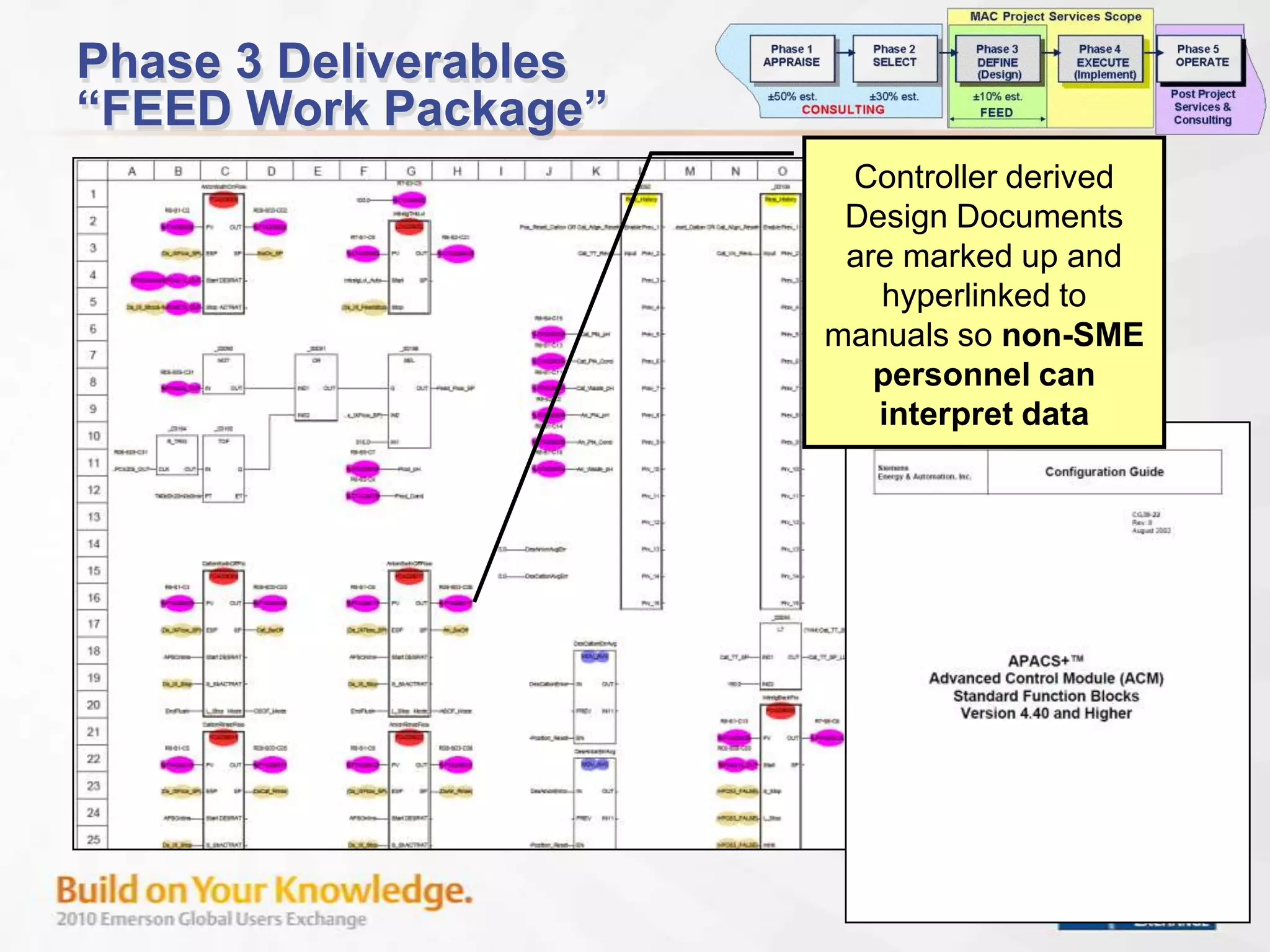
Phase 3 Deliverables“FEED Work Package”Controller derived Design Documents are marked up and hyperlinked to manuals so non-SME personnel can interpret data

Modernization Lessons Learned -Part 2

  • 1.
    Modernizations & MigrationsLessons LearnedPart IILaurie R. BenJohn Dolenc
  • 2.
    IntroductionPart IModernization/Migration ProjectsOverviewChoosing the Approach/StrategyJustification : Where’s the money coming from? ROICost Impacts: Where’s the money going? TICCSummary: Part IPart IIRisk Mitigation & Best Practices Lessons Learned: What to watch for?Summary Part II
  • 3.
  • 4.
  • 5.
  • 6.
  • 7.
  • 8.
  • 9.
    Migration Project RisksNotrestarting production on schedule after the cutoverWill new control strategy work Poor control loop performanceCommunication issues Interfaces / Migration ProductsBetween system and existing 3rd party devicesMissing a key interface or actionSchedule creepCost escalation
  • 10.
    Risk MitigationEarly Engineeringand PlanningDetailed site surveyOperational functional specificationScope of Work DefinitionFreezeMaximize pre-cutover workLegacy System Data MiningTest plan preparation and thorough configuration testing prior to installationExperienced project team leadershipMulti-project program management
  • 11.
    Cost Influence100%HighDefine ScopeCostExpenditureProcessDevelopmentAbility to Influence CostAbility to Influence Cost50%DesignImplementationStart-upLow 0%Time
  • 12.
    Independent Project Analysis(IPA) Model: Modernization/Migration ProjectsConsultingIdea Generation
  • 13.
  • 14.
  • 15.
  • 16.
  • 17.
    Control Strategy OptimizationPhase1Phase 2Phase 3Phase 4Phase 5Phase 1Phase 2Phase 3Phase 4Phase 5APPRAISESELECTDEFINEEXECUTEOPERATEVISIONDEFINEOPTIMIZEDESIGNIMPLEMENTFEED PHASEFEED PHASECONSULTING(Concept/Study)Project ActivitiesScope Development
  • 18.
  • 19.
  • 20.
    Risk Mitigation7.5% increasedproject ROI30% decrease in project duration6% additional capacity
  • 21.
    Initial Site AuditsSystemlife cycle auditPhysical infrastructureOperational objectives
  • 22.
    Example Detailed SystemLife Cycle Audit
  • 23.
    Life Cycle AuditRS3‘GOTCHA’Detailed review consists of analyzing all the I/O types, firmware, and software revision levels to ensure all the I/O is compatible with the transition solution In most cases, firmware can be upgraded using the RS3 System before the installation of transition solution Not doing this step could result in I/O not being compatible and/or I/O not at the correct revision levelStartup is a little too late to find this out…
  • 24.
    Modernization/Migration Project PlanningUnderstandthat the original process automation plan may have been designed to meet minimum requirements with no regards for future yield and energy optimizationOriginal Project Criteria & ActionsEnergy was cheapMeasurement technology was lackingI&C scope reduced for project budget reasons
  • 25.
    Modernization/Migration Project PlanningUnderstandthe difference between process / operational requirements and legacy system methods to perform a taskProcess operational functional specification development based on operational KPI performanceDefine a detailed automation system design basis that best uses the features of the control system to meet the functional specification
  • 26.
    Modernization/Migration Project PlanningToget improved efficiencies, yield & energy consumption – NEED TO PUSH THE ENVELOPRun as close to constraints as possibleComplex control strategiesConstraint controlMPC with OptimizerNeed process measurementsNeed to remove variability in control loopsControl valve performanceGood tuning of control loopsEarly notification of possible abnormal operations
  • 27.
    Modernization/Migration Project PlanningUsecontrol engineers to oversee or review the design of the control strategyThoroughly test system configuration prior to commissioningProperly plan and staff the commissioning and start-up including the use of the system tools such as AMS and INSIGHT
  • 28.
    Optimize Process Operationsafter Start-UPOptimize process operations after project start activities are completed and start-up team leaves. (3-12 months)
  • 29.
    Time fordata collection of key variable trends, control reactions and loop interactions
  • 30.
    Control PerformanceConsulting services to evaluate process trends and recommend strategy modifications and control tuningMAC SCOPEPhase 1Phase 2Phase 3Phase 4Phase 5Phase 1Phase 2Phase 3Phase 4Phase 5APPRAISESELECTDEFINEEXECUTEOPERATEVISIONDEFINEOPTIMIZEIMPLEMENTREFINEFEED PHASEFEED PHASECONSULTING(Concept/Study)MAC – Main Automation Contractor
  • 31.
    Optimize Process Operationsafter Start-UPOnce the process operation is at an optimum performance level, it is important to keep it there . Use the system’s tools Asset ManagementInSight
  • 32.
    Avoid Replacement-in-KindBe leeryof copying code from the legacy systemDead code not removedLegacy code does not take advantage of new system configuration toolsLegacy strategy created to overcome automation deficiencies may hinder performance in new system
  • 33.
    Legacy Platform “Domain”Expertise IPA Aligned DeliverablesPhase 1 – Determine the EXACT HW & SW BasicsPhase 2 – Determine the EXACT Class & Custom ContentPhase 3 – Develop controller based Design Work PackagePhase 4 – Extract data in a form useful for project executionPhase 5 – Generate FAT/SAT documentation for pre and post start-up operations
  • 34.
    Phase 1 Deliverables–Exact IO cont.IO from theSoftware Perspective
  • 35.
    Phase 2 Deliverables“Class Content”Class Content is“Duplicated”
  • 36.
    Phase 3 Deliverables“FEEDWork Package”Controller derived Design Documents are marked up and hyperlinked to manuals so non-SME personnel can interpret data
  • 37.
  • 38.
  • 39.
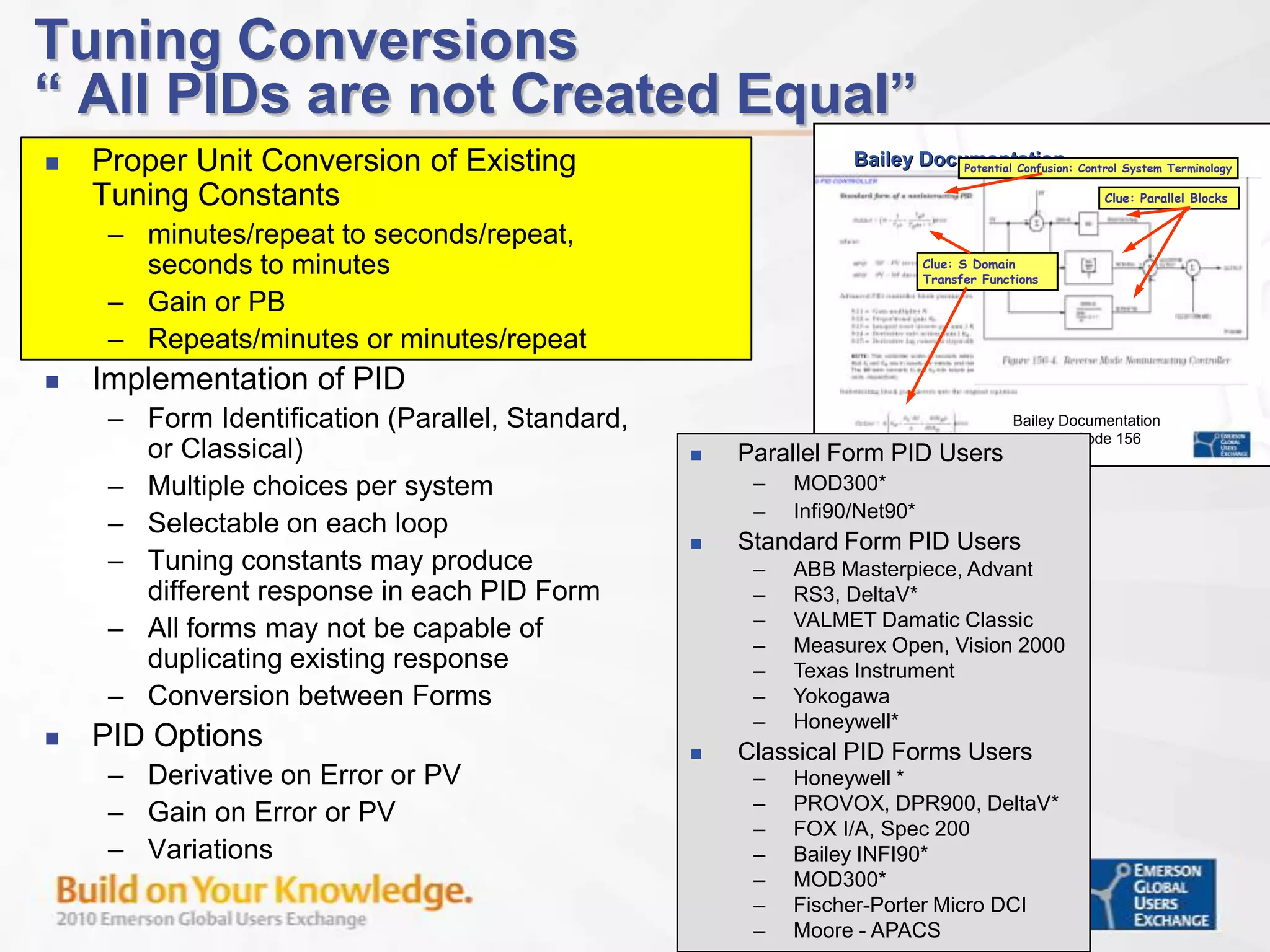
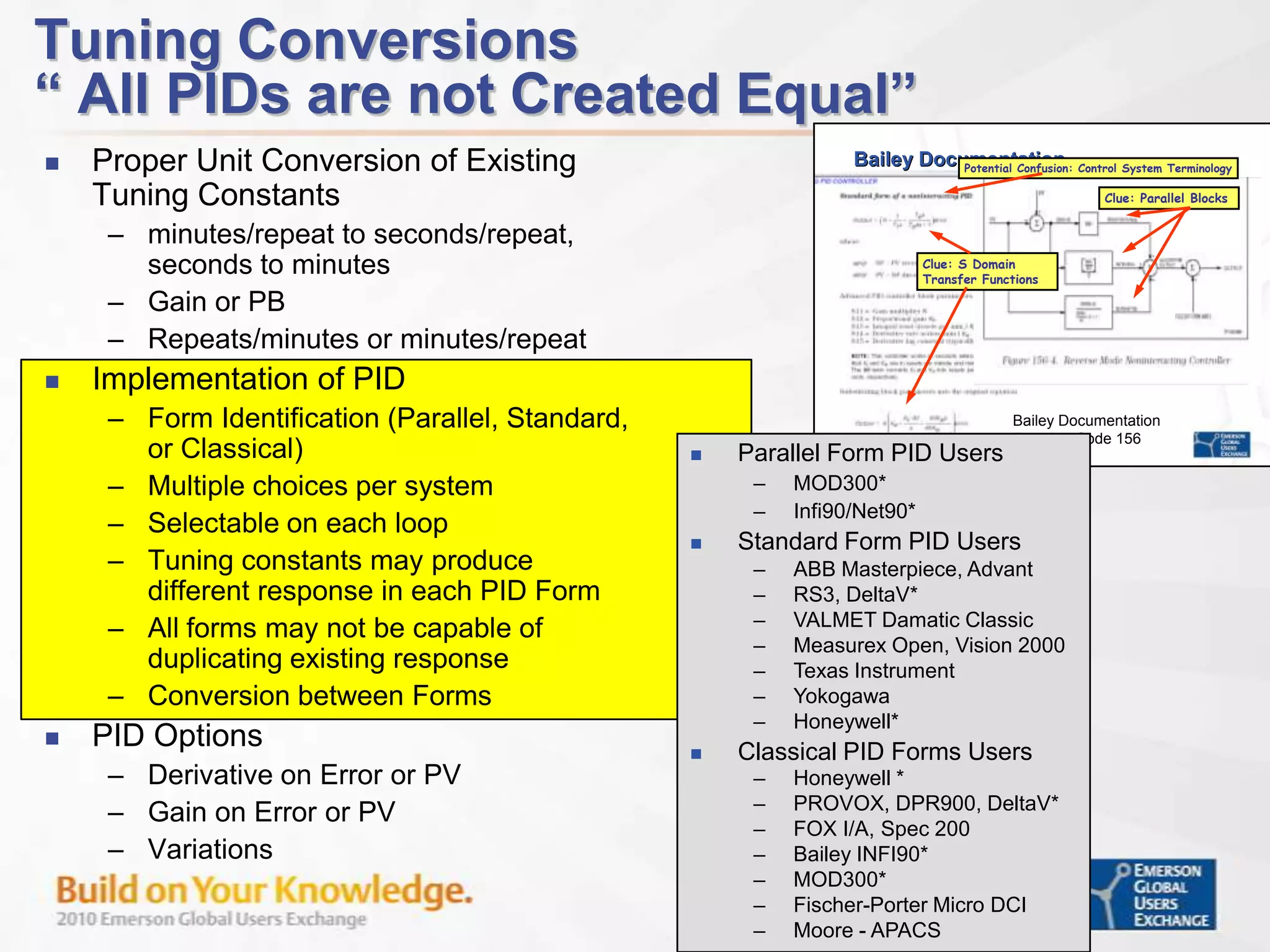
    Tuning Conversions“ AllPIDs are not Created Equal”Proper Unit Conversion of Existing Tuning Constantsminutes/repeat to seconds/repeat, seconds to minutesGain or PBRepeats/minutes or minutes/repeat Implementation of PIDForm Identification (Parallel, Standard, or Classical)Multiple choices per system Selectable on each loopTuning constants may produce different response in each PID FormAll forms may not be capable of duplicating existing responseConversion between FormsPID OptionsDerivative on Error or PVGain on Error or PVVariationsParallel Form PID Users
  • 40.
  • 41.
  • 42.
  • 43.
  • 44.
  • 45.
  • 46.
  • 47.
  • 48.
  • 49.
  • 50.
  • 51.
  • 52.
  • 53.
  • 54.
  • 55.
  • 56.
  • 57.
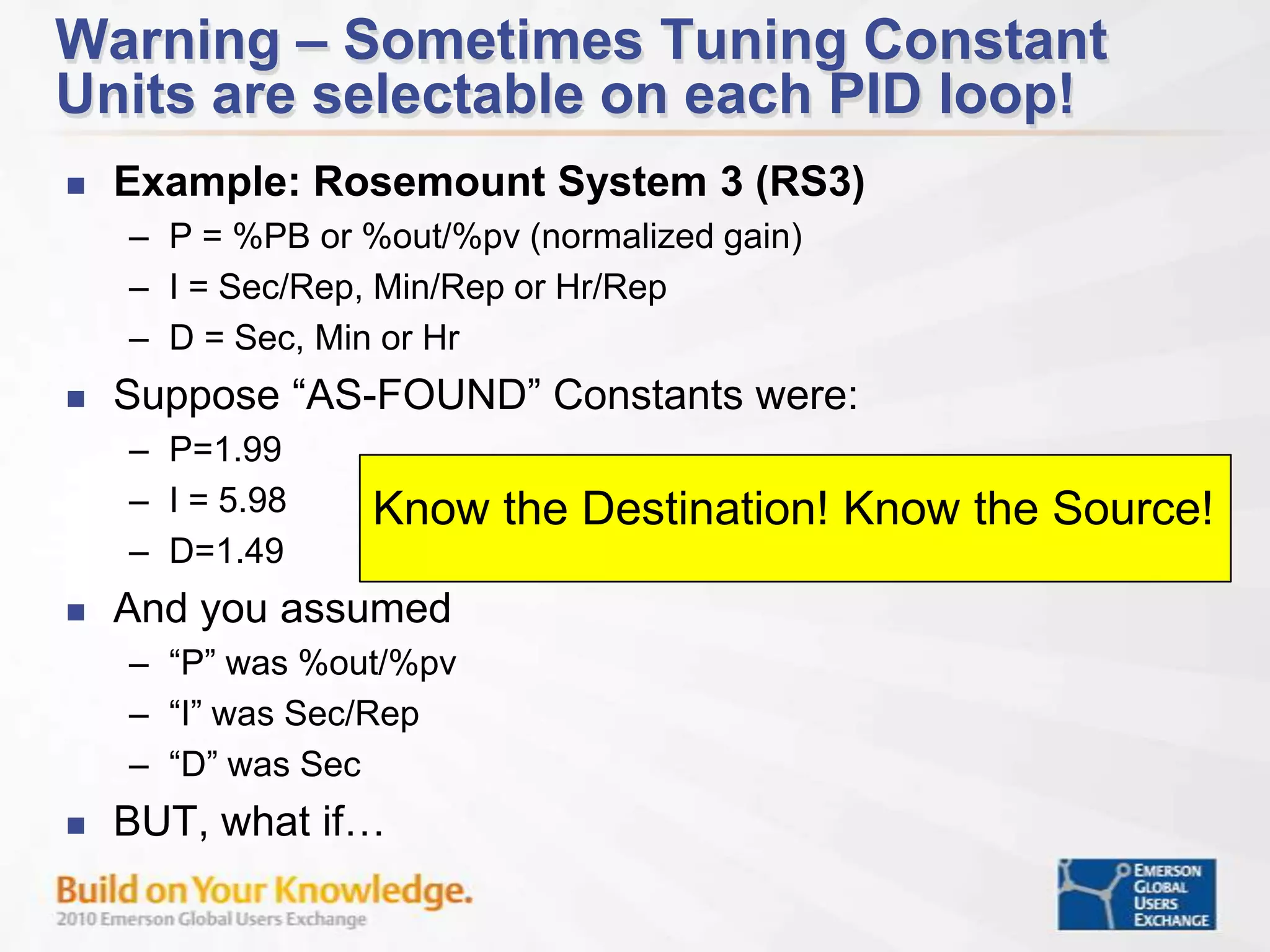
    Moore - APACSWarning– Sometimes Tuning Constant Units are selectable on each PID loop!Example: Rosemount System 3 (RS3)P = %PB or %out/%pv (normalized gain)I = Sec/Rep, Min/Rep or Hr/RepD = Sec, Min or HrSuppose “AS-FOUND” Constants were:P=1.99I = 5.98 D=1.49 And you assumed “P” was %out/%pv“I” was Sec/Rep“D” was SecBUT, what if…Know the Destination! Know the Source!
  • 58.
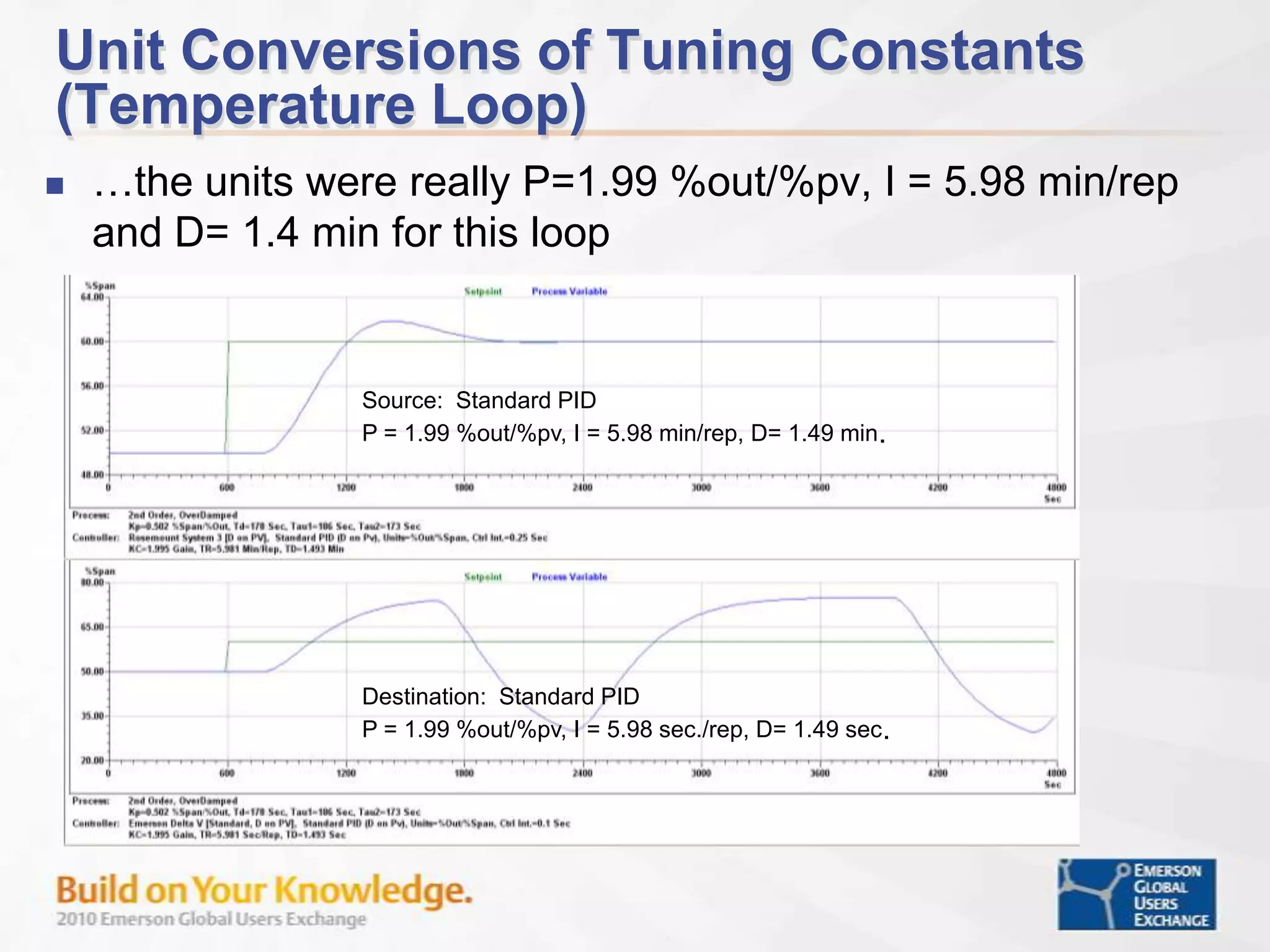
    Unit Conversions ofTuning Constants (Temperature Loop)…the units were really P=1.99 %out/%pv, I = 5.98 min/rep and D= 1.4 min for this loopSource: Standard PID P = 1.99 %out/%pv, I = 5.98 min/rep, D= 1.49 min.Destination: Standard PID P = 1.99 %out/%pv, I = 5.98 sec./rep, D= 1.49 sec.
  • 59.
    Tuning Conversions“ AllPIDs are not Created Equal”Proper Unit Conversion of Existing Tuning Constantsminutes/repeat to seconds/repeat, seconds to minutesGain or PBRepeats/minutes or minutes/repeat Implementation of PIDForm Identification (Parallel, Standard, or Classical)Multiple choices per system Selectable on each loopTuning constants may produce different response in each PID FormAll forms may not be capable of duplicating existing responseConversion between FormsPID OptionsDerivative on Error or PVGain on Error or PVVariationsParallel Form PID Users
  • 60.
  • 61.
  • 62.
  • 63.
  • 64.
  • 65.
  • 66.
  • 67.
  • 68.
  • 69.
  • 70.
  • 71.
  • 72.
  • 73.
  • 74.
  • 75.
  • 76.
  • 77.
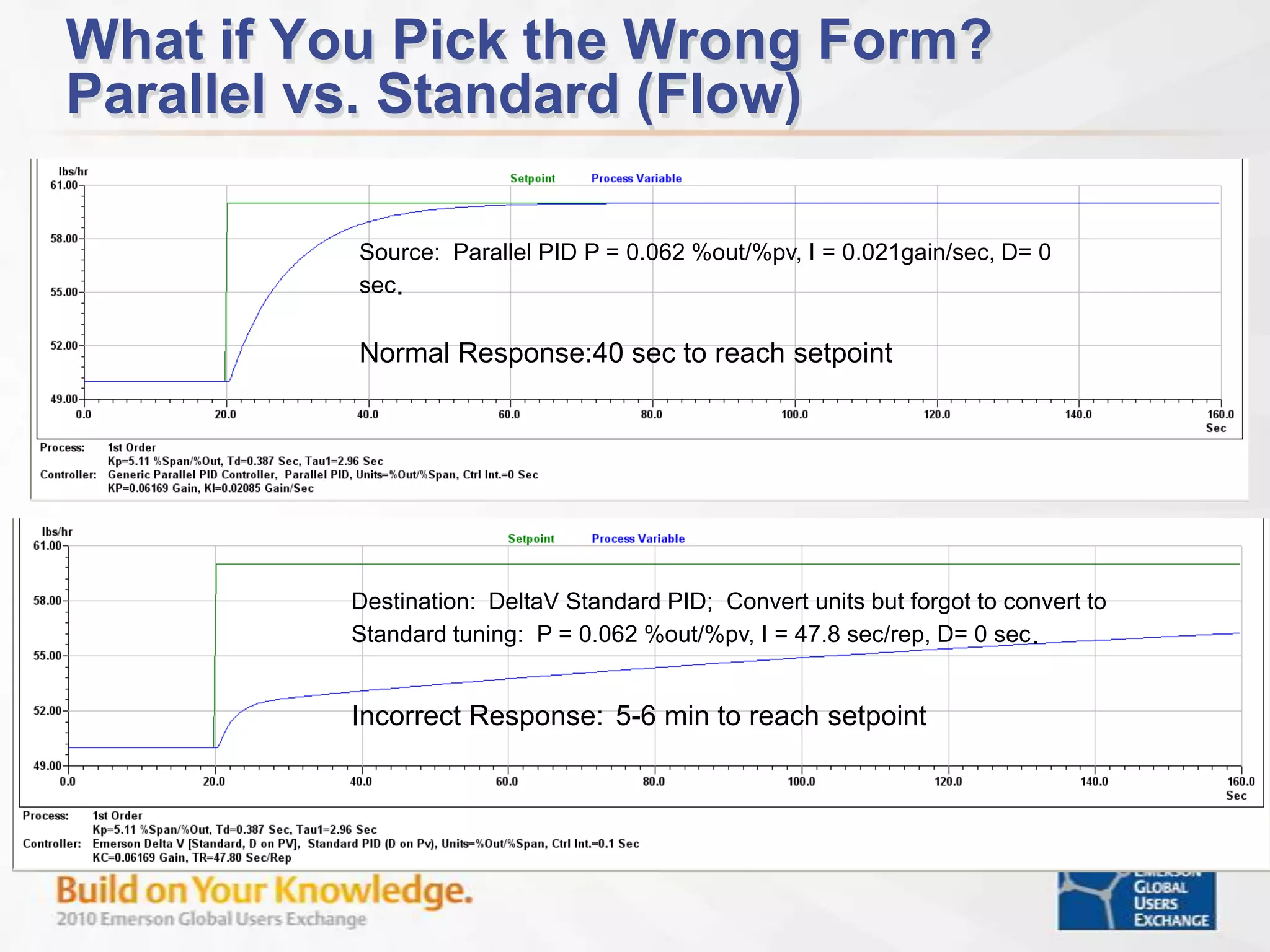
    Moore - APACSWhatif You Pick the Wrong Form?Parallel vs. Standard (Flow)Source: Parallel PID P = 0.062 %out/%pv, I = 0.021gain/sec, D= 0 sec.Normal Response:40 sec to reach setpointDestination: DeltaV Standard PID; Convert units but forgot to convert to Standard tuning: P = 0.062 %out/%pv, I = 47.8 sec/rep, D= 0 sec. Incorrect Response:5-6 min to reach setpoint
  • 78.
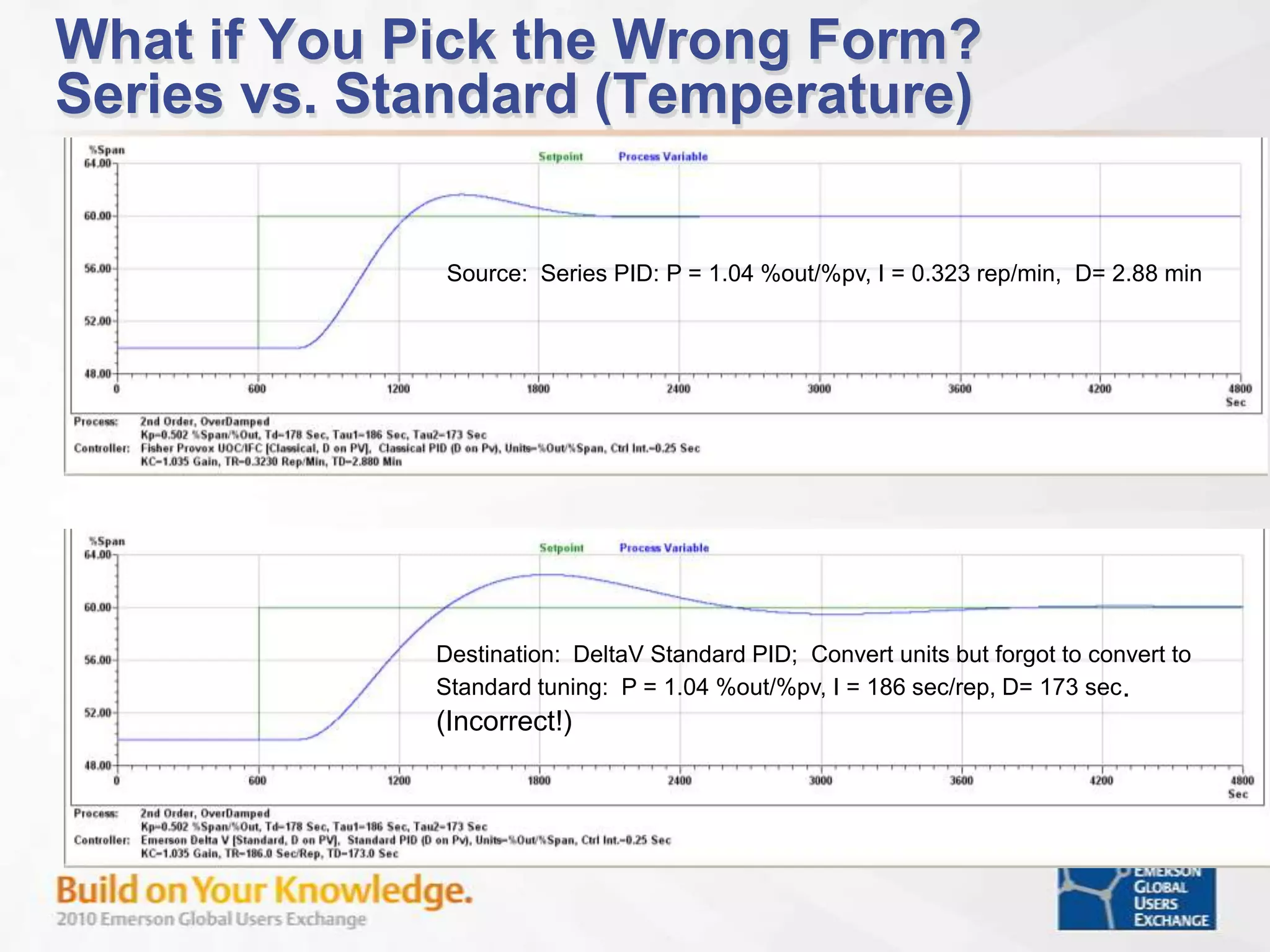
    What if YouPick the Wrong Form?Series vs. Standard (Temperature)Source: Series PID: P = 1.04 %out/%pv, I = 0.323 rep/min, D= 2.88 min Destination: DeltaV Standard PID; Convert units but forgot to convert to Standard tuning: P = 1.04 %out/%pv, I = 186 sec/rep, D= 173 sec. (Incorrect!)
  • 79.
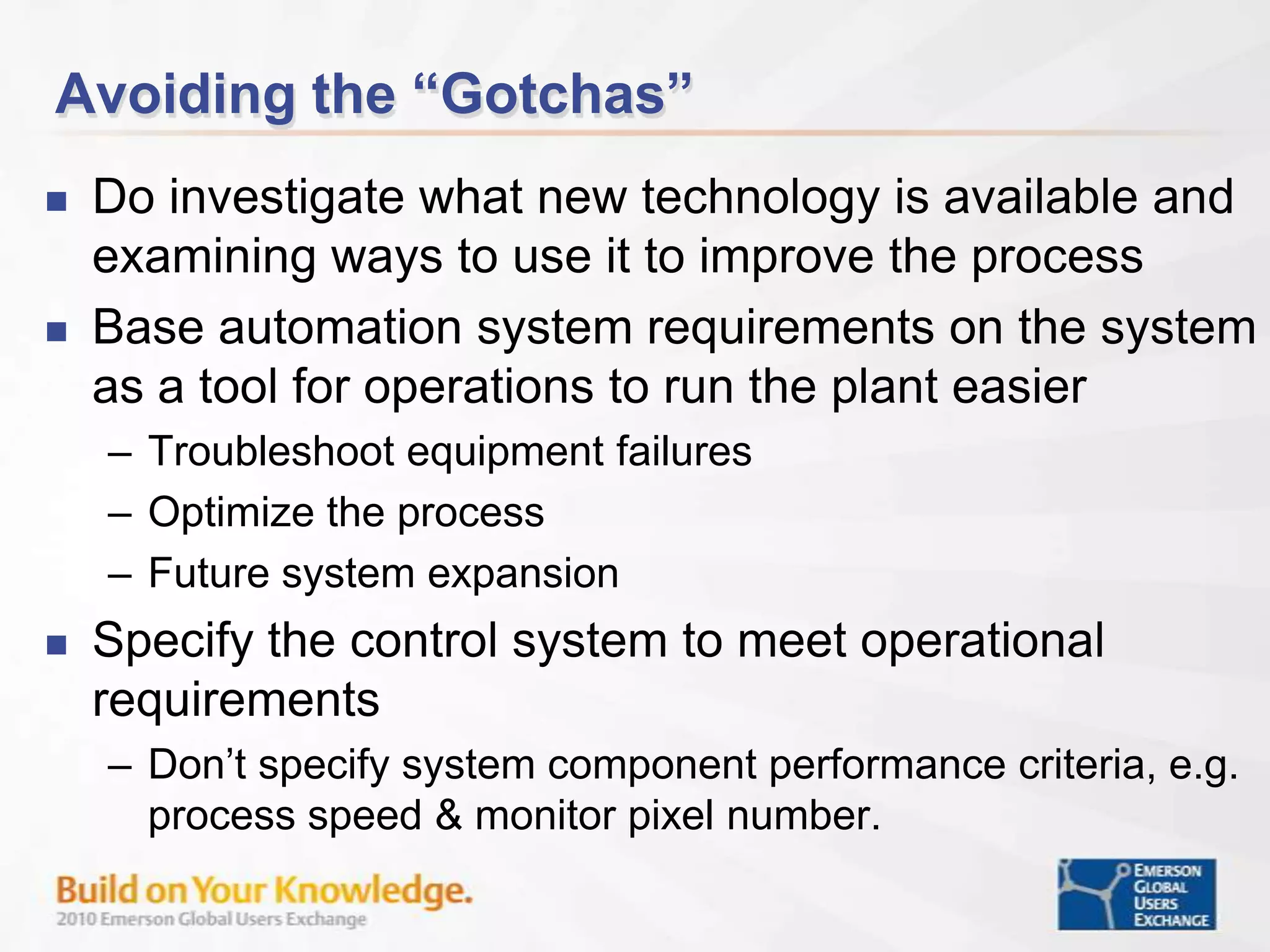
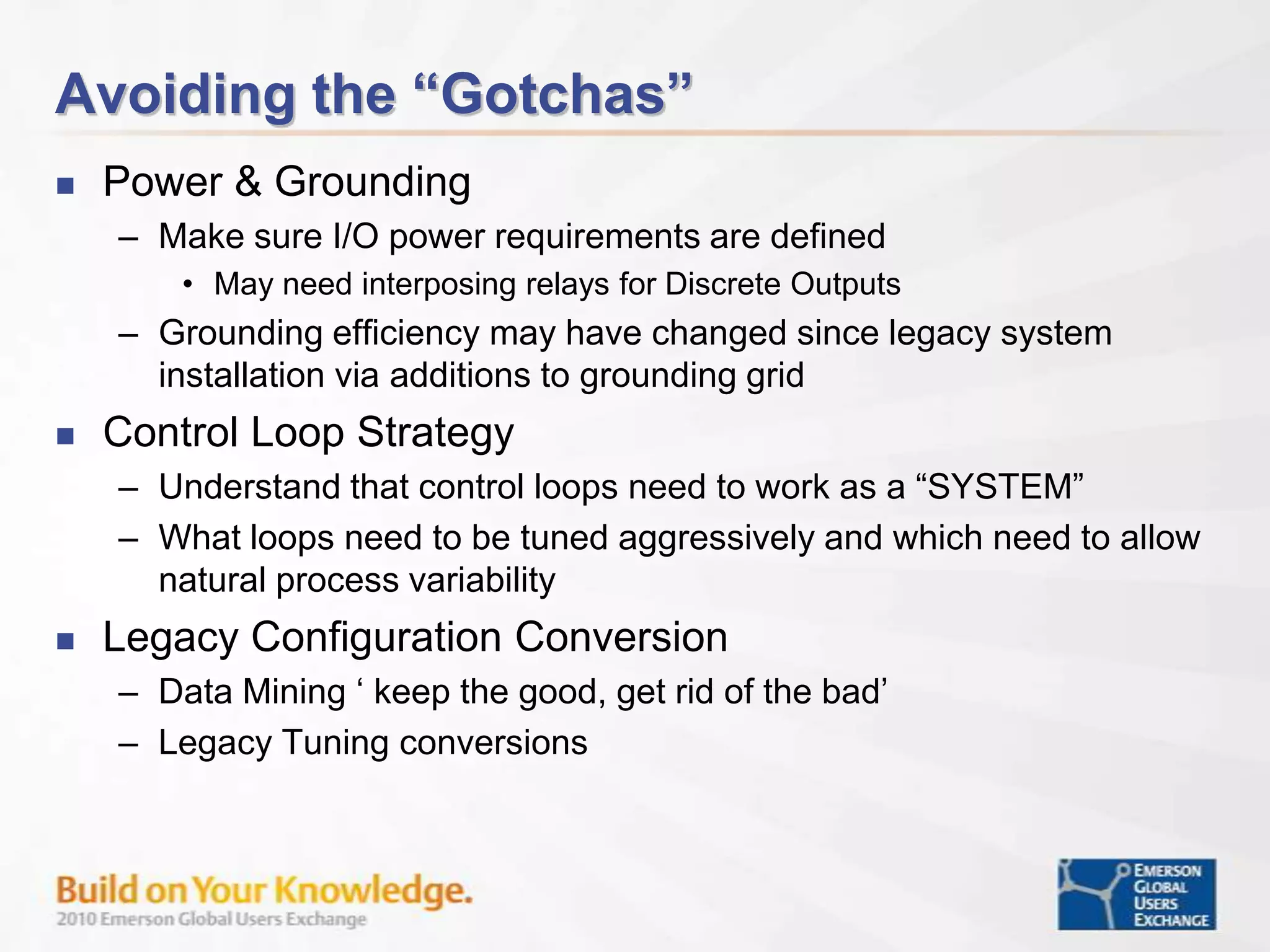
    Avoiding the “Gotchas”Doinvestigate what new technology is available and examining ways to use it to improve the processBase automation system requirements on the system as a tool for operations to run the plant easierTroubleshoot equipment failuresOptimize the processFuture system expansionSpecify the control system to meet operational requirementsDon’t specify system component performance criteria, e.g. process speed & monitor pixel number.
  • 80.
    Avoiding the “Gotchas”Lookat Total Installed and Commissioned Cost versus lowest cost equipmentLower cost of engineering and installationBuilt-in versus custom designBase configuration on using capabilities in new system vs. legacy systemDo not be afraid of using multiple field communication types to match specific applicationMake sure “Alarm Design” is a ‘process’ engineer design task/issue vs. control/automation engineer task/issue Identify alarm requirements based on process conditionsUse of conditional alarming
  • 81.
    Avoiding the “Gotchas”Power& Grounding Make sure I/O power requirements are definedMay need interposing relays for Discrete OutputsGrounding efficiency may have changed since legacy system installation via additions to grounding gridControl Loop StrategyUnderstand that control loops need to work as a “SYSTEM”What loops need to be tuned aggressively and which need to allow natural process variabilityLegacy Configuration ConversionData Mining ‘ keep the good, get rid of the bad’Legacy Tuning conversions
  • 82.
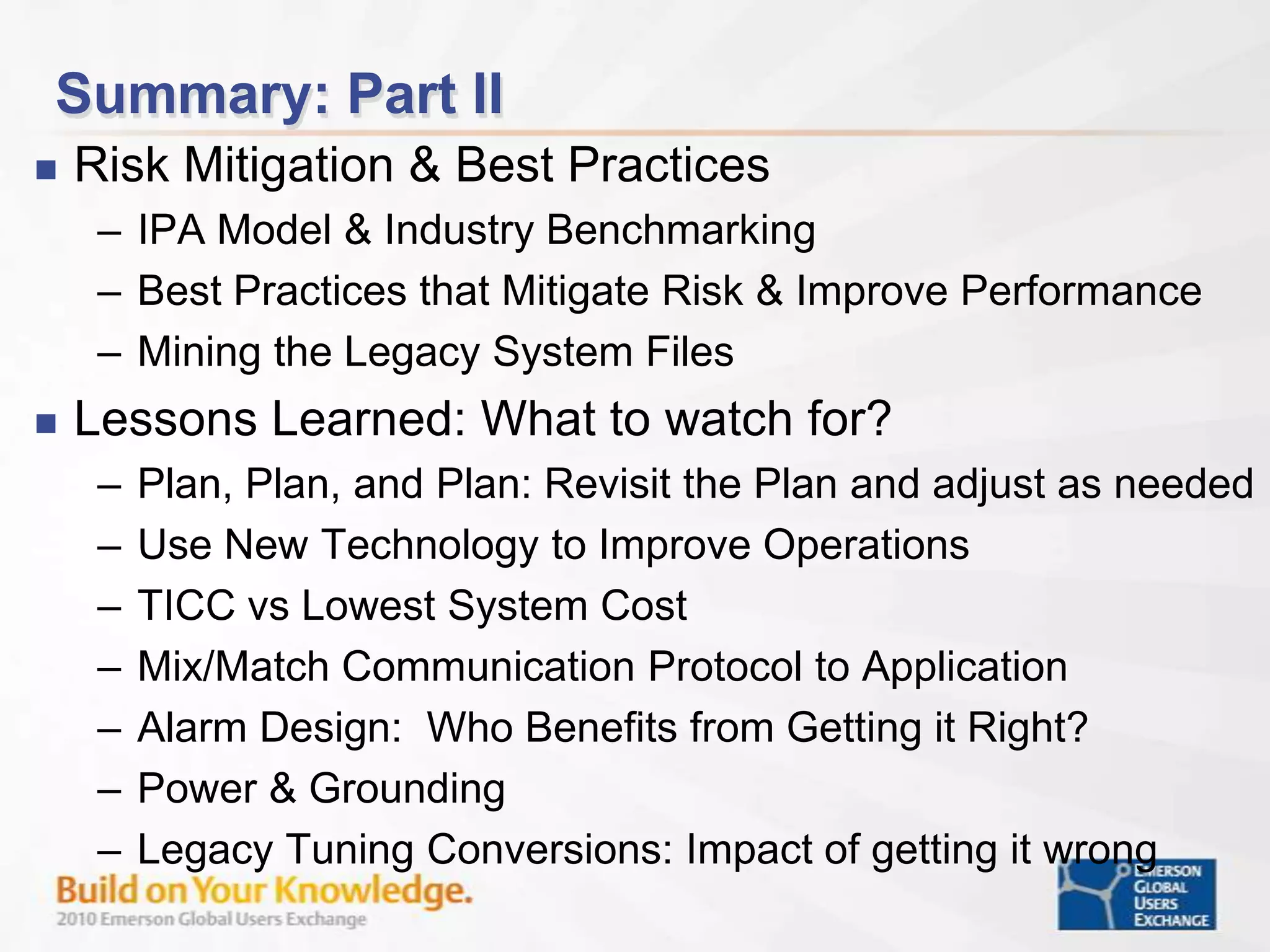
    Summary: Part IIRiskMitigation & Best Practices IPA Model & Industry BenchmarkingBest Practices that Mitigate Risk & Improve PerformanceMining the Legacy System FilesLessons Learned: What to watch for?Plan, Plan, and Plan: Revisit the Plan and adjust as neededUse New Technology to Improve OperationsTICC vs Lowest System CostMix/Match Communication Protocol to ApplicationAlarm Design: Who Benefits from Getting it Right?Power & Grounding Legacy Tuning Conversions: Impact of getting it wrong
  • 83.
  • 84.
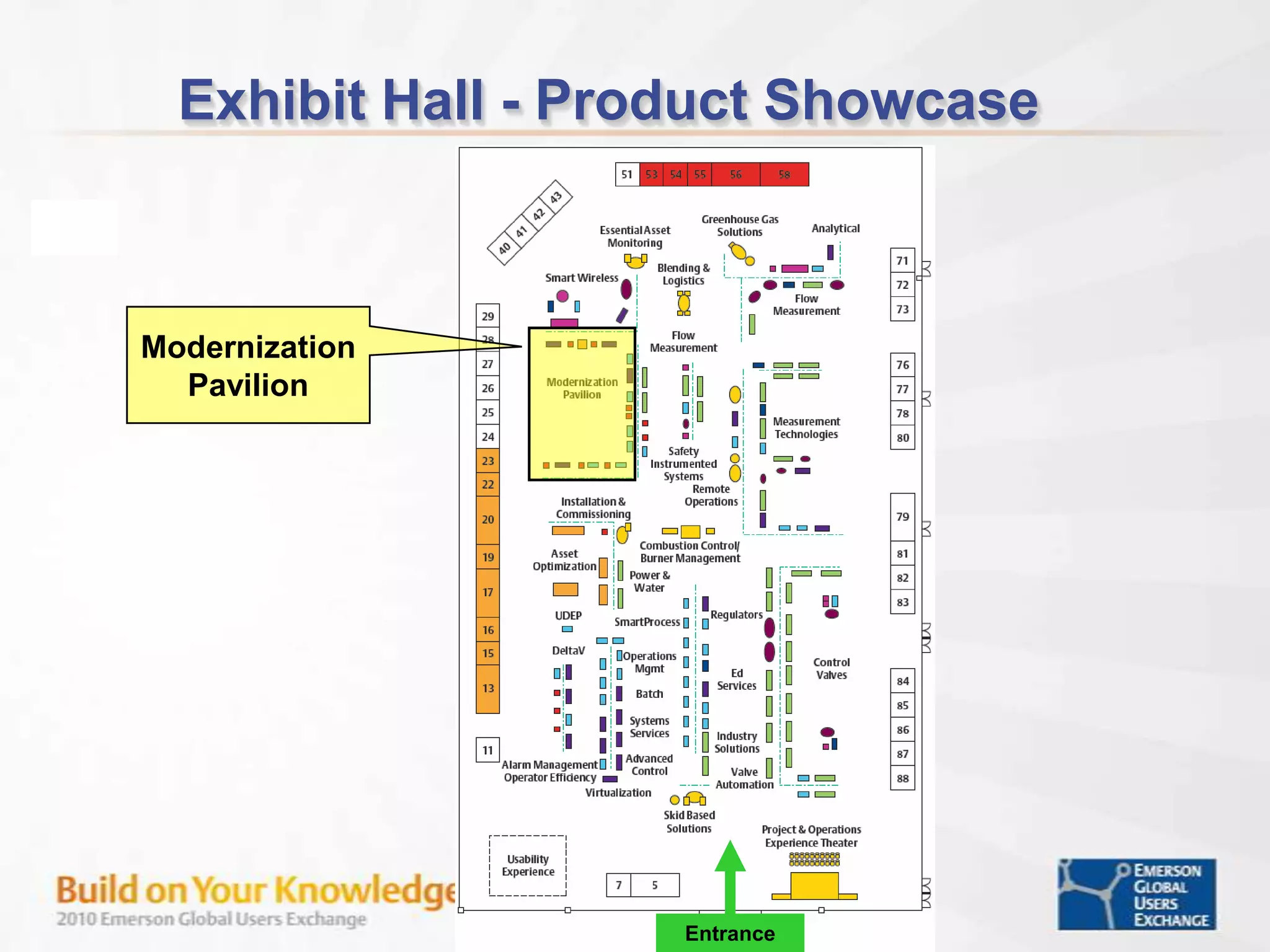
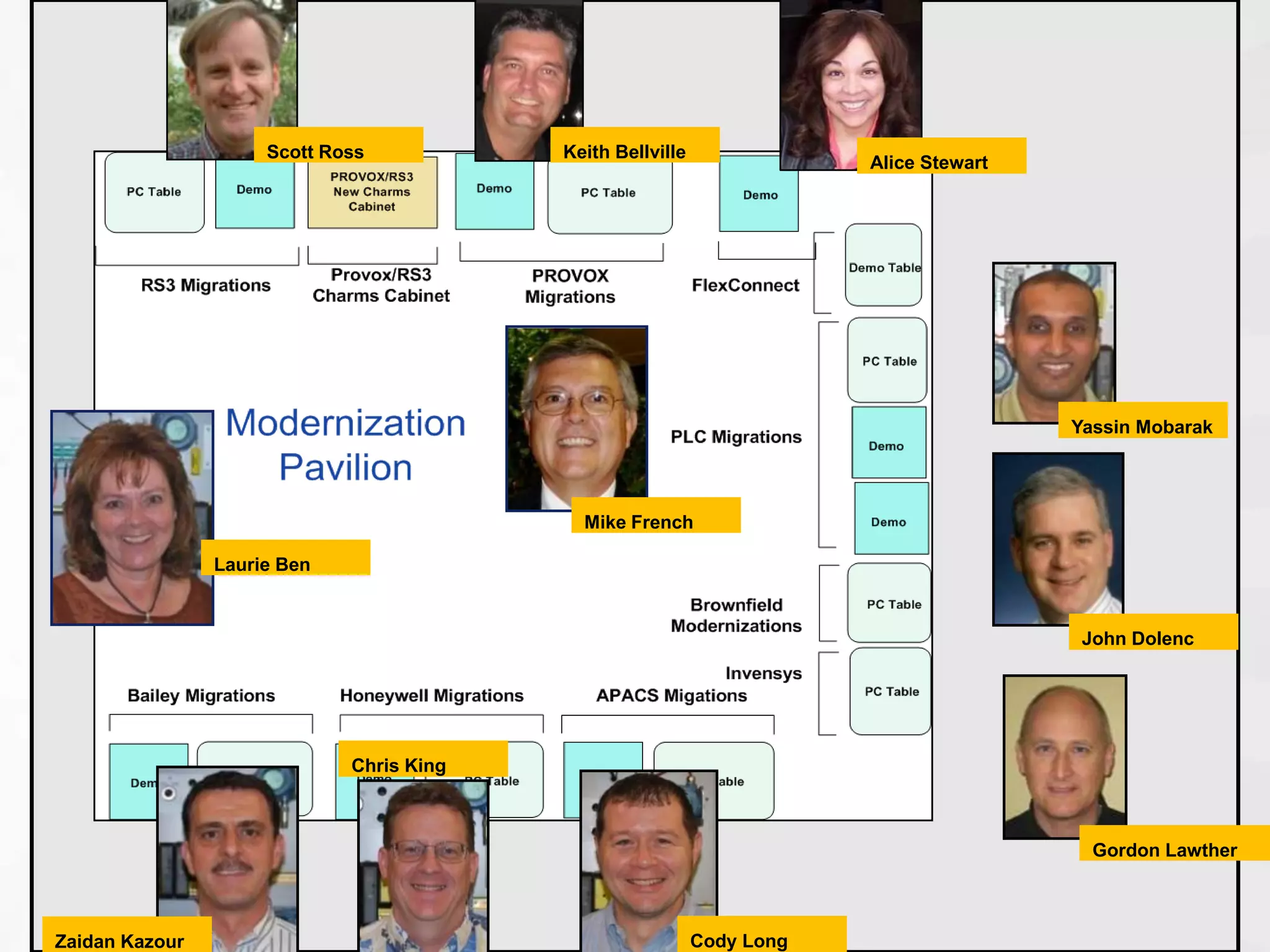
    Exhibit Hall -Product Showcase EntranceModernization Pavilion
  • 85.
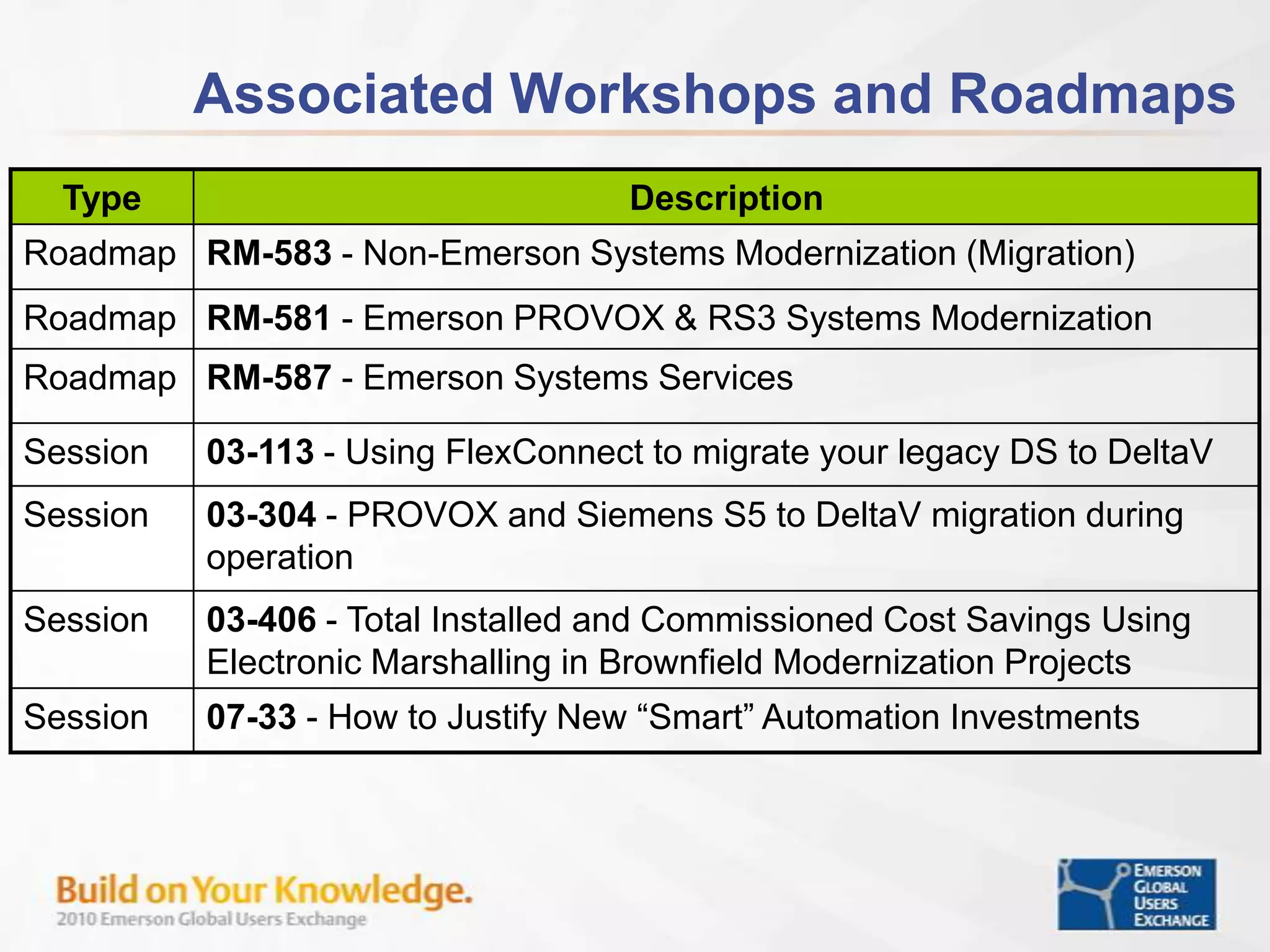
    Scott RossKeith BellvilleAliceStewartYassin MobarakMike FrenchLaurie BenJohn DolencChris KingGordon LawtherCody LongZaidan Kazour