Is Automation Right for Your Company?
Craig Salvalaggio
VP, Engineering
Director, General Industries
Applied Manufacturing Technologies
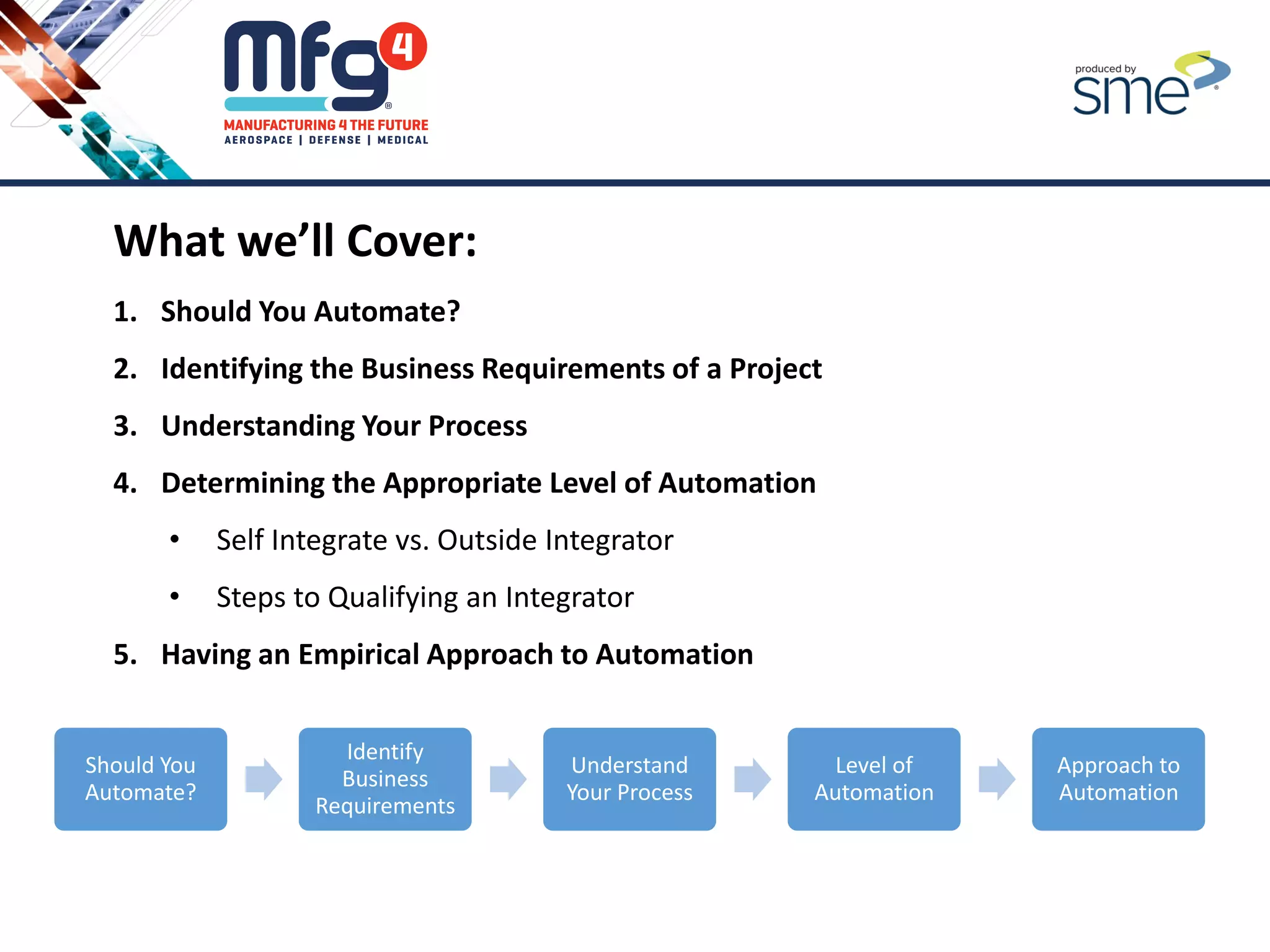
What we’ll Cover:
1. Should You Automate?
2. Identifying the Business Requirements of a Project
3. Understanding Your Process
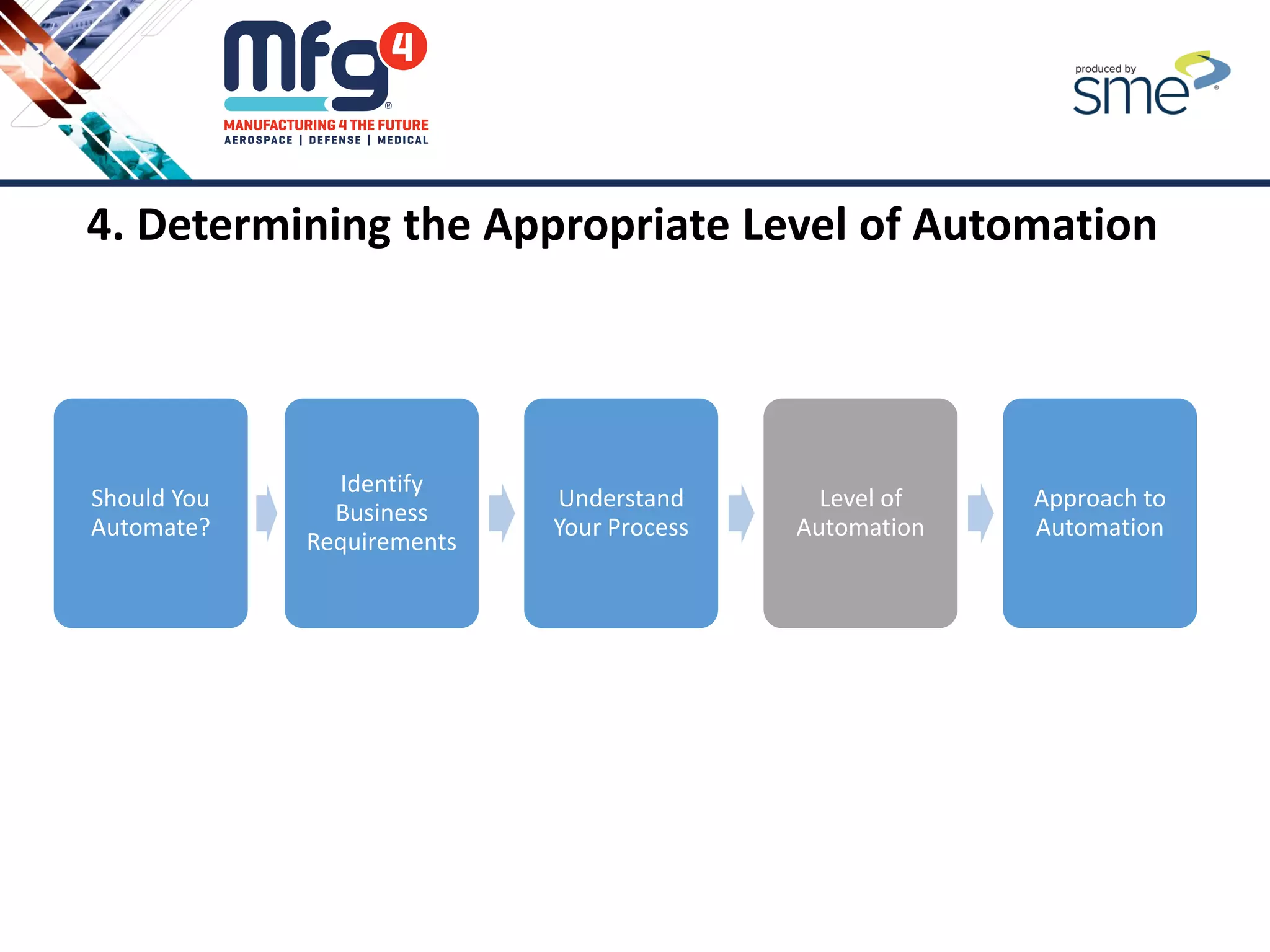
4. Determining the Appropriate Level of Automation
• Self Integrate vs. Outside Integrator
• Steps to Qualifying an Integrator
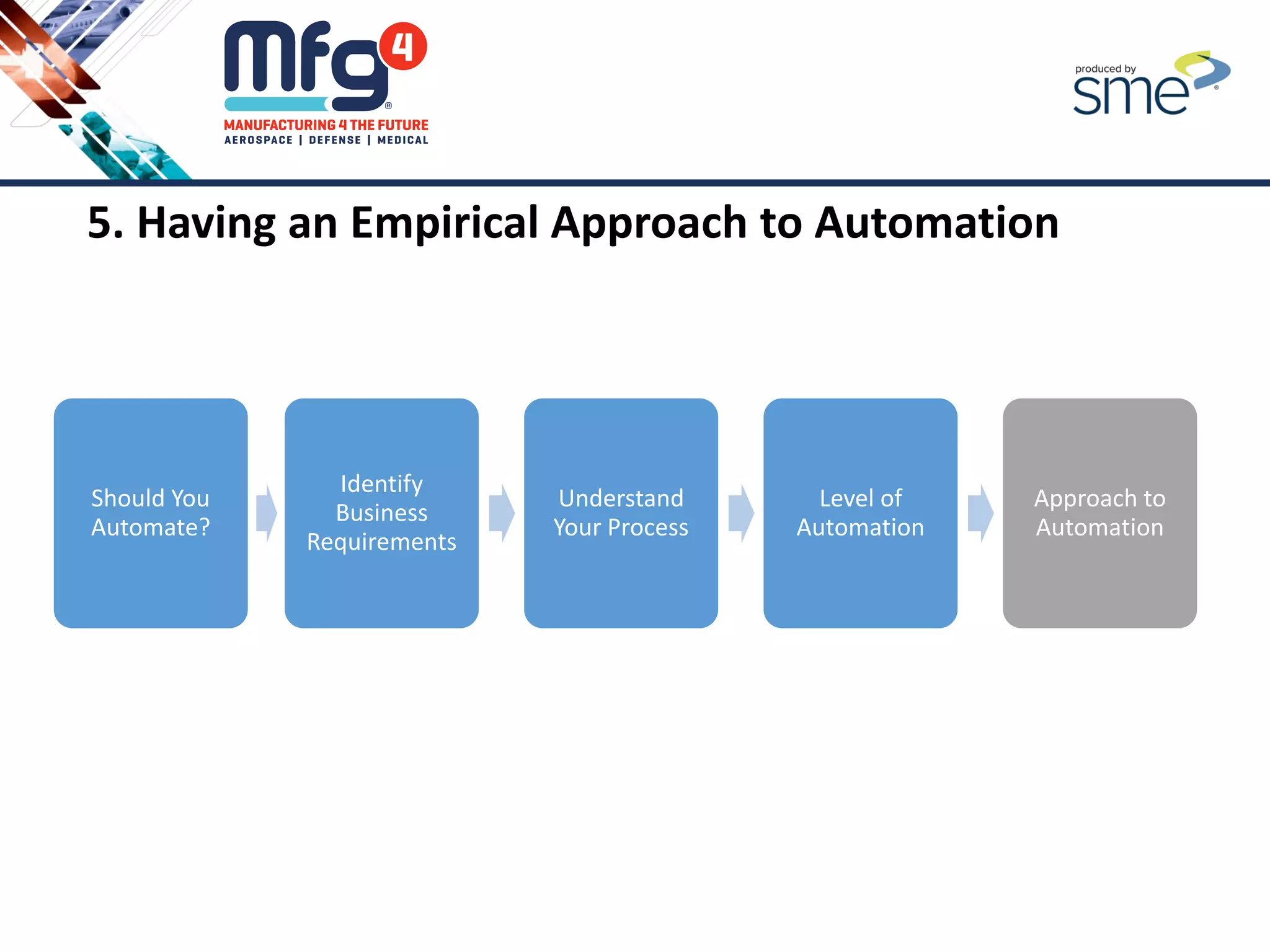
5. Having an Empirical Approach to Automation
Should You
Automate?
Identify
Business
Requirements
Understand
Your Process
Level of
Automation
Approach to
Automation
Economic Drivers for Automation
• Technology Improvements
• New Market Segments with Proven Applications
• Re-shoring Growth
• Energy Efficient Materials
• Higher Quality and Increased Utilization
• Consumer Markets
• Product Life Cycles
• Quality of Work or Unsafe Tasks
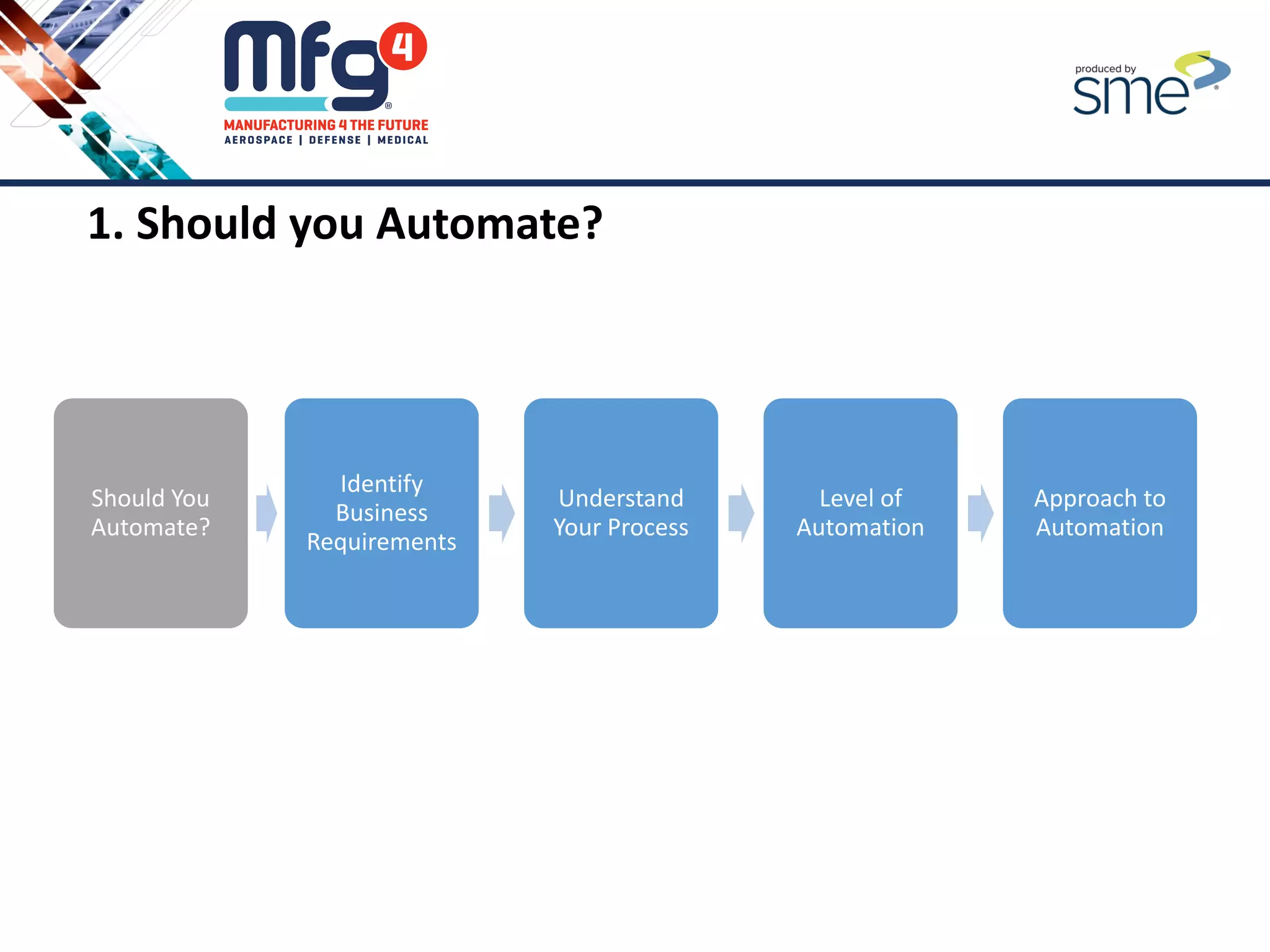
1. Should you Automate?
Should You
Automate?
Identify
Business
Requirements
Understand
Your Process
Level of
Automation
Approach to
Automation
Top Reason to Consider Automation
• Increase Throughput
• Reduce Labor Cost
• Improve Quality
• Improve Safety
• Reduced Footprint
Top Business Requirement to Consider Before Automation
• Schedule (Key Dates)
• Lead Time
• Capital Budget Limits
• Cost Payback Period (ROI)
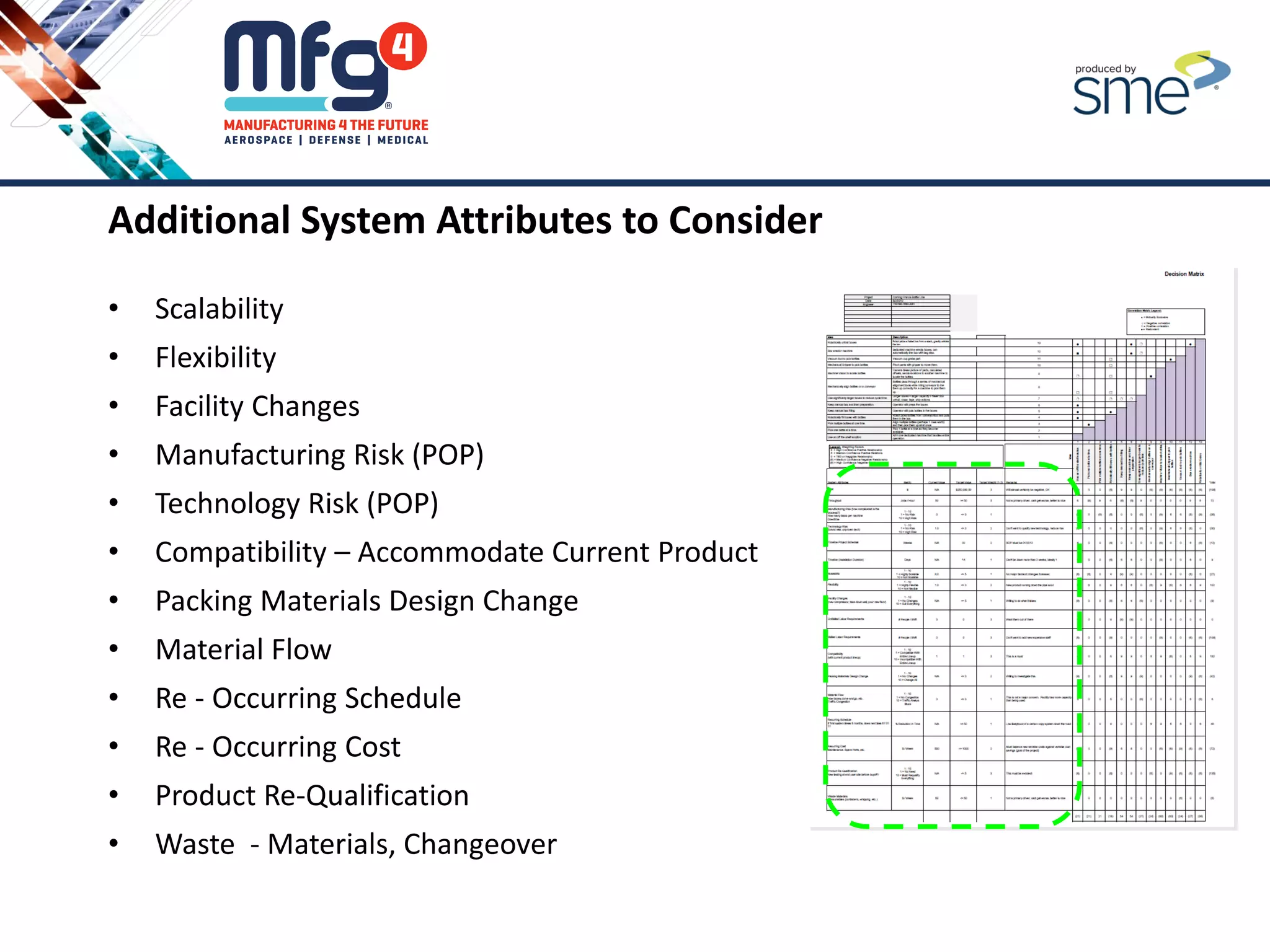
Additional System Attributes to Consider
• Scalability
• Flexibility
• Facility Changes
• Manufacturing Risk (POP)
• Technology Risk (POP)
• Compatibility – Accommodate Current Product
• Packing Materials Design Change
• Material Flow
• Re - Occurring Schedule
• Re - Occurring Cost
• Product Re-Qualification
• Waste - Materials, Changeover
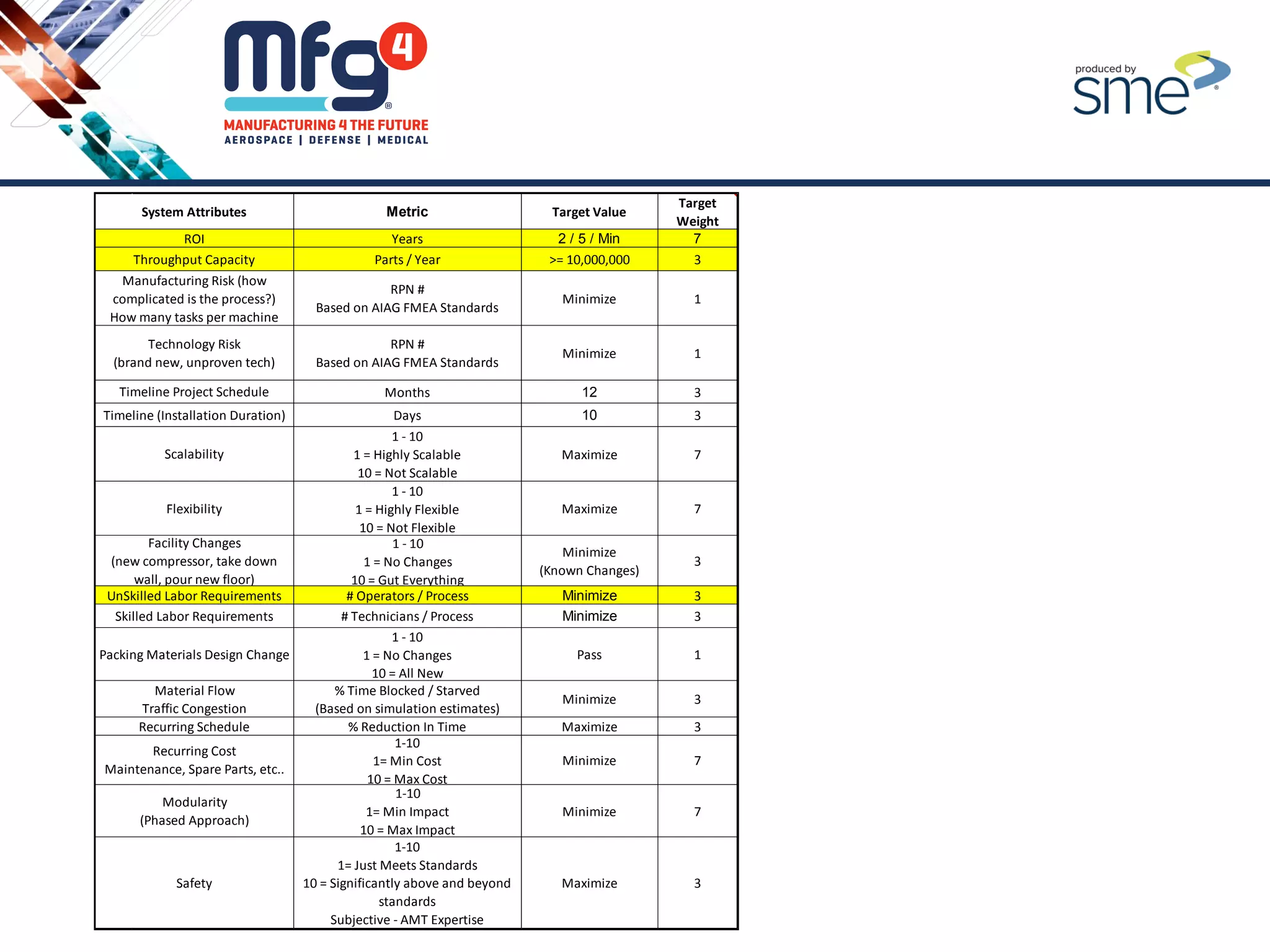
Years 2 / 5 / Min 7
Parts / Year >= 10,000,000 3
RPN #
Based on AIAG FMEA Standards
Minimize 1
RPN #
Based on AIAG FMEA Standards
Minimize 1
Months 12 3
Days 10 3
1 - 10
1 = Highly Scalable
10 = Not Scalable
Maximize 7
1 - 10
1 = Highly Flexible
10 = Not Flexible
Maximize 7
1 - 10
1 = No Changes
10 = Gut Everything
Minimize
(Known Changes)
3
# Operators / Process Minimize 3
# Technicians / Process Minimize 3
1 - 10
1 = No Changes
10 = All New
Pass 1
% Time Blocked / Starved
(Based on simulation estimates)
Minimize 3
% Reduction In Time Maximize 3
1-10
1= Min Cost
10 = Max Cost
Minimize 7
1-10
1= Min Impact
10 = Max Impact
Minimize 7
1-10
1= Just Meets Standards
10 = Significantly above and beyond
standards
Subjective - AMT Expertise
Maximize 3
Flexibility
System Attributes Metric Target Value
Target
Weight
ROI
Throughput Capacity
Manufacturing Risk (how
complicated is the process?)
How many tasks per machine
Technology Risk
(brand new, unproven tech)
Timeline Project Schedule
Timeline (Installation Duration)
Scalability
Recurring Cost
Maintenance, Spare Parts, etc..
Modularity
(Phased Approach)
Safety
Facility Changes
(new compressor, take down
wall, pour new floor)
UnSkilled Labor Requirements
Skilled Labor Requirements
Packing Materials Design Change
Material Flow
Traffic Congestion
Recurring Schedule
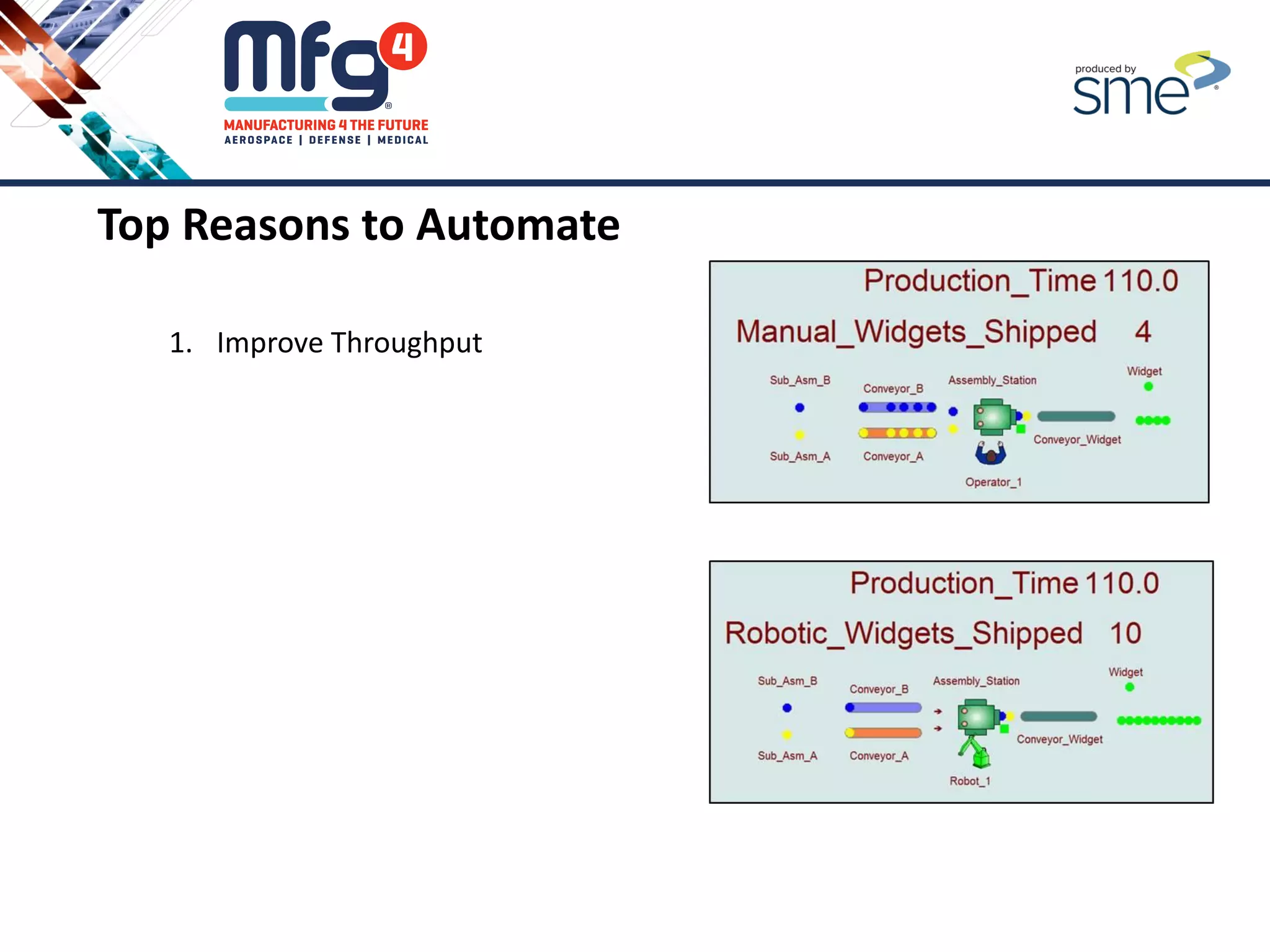
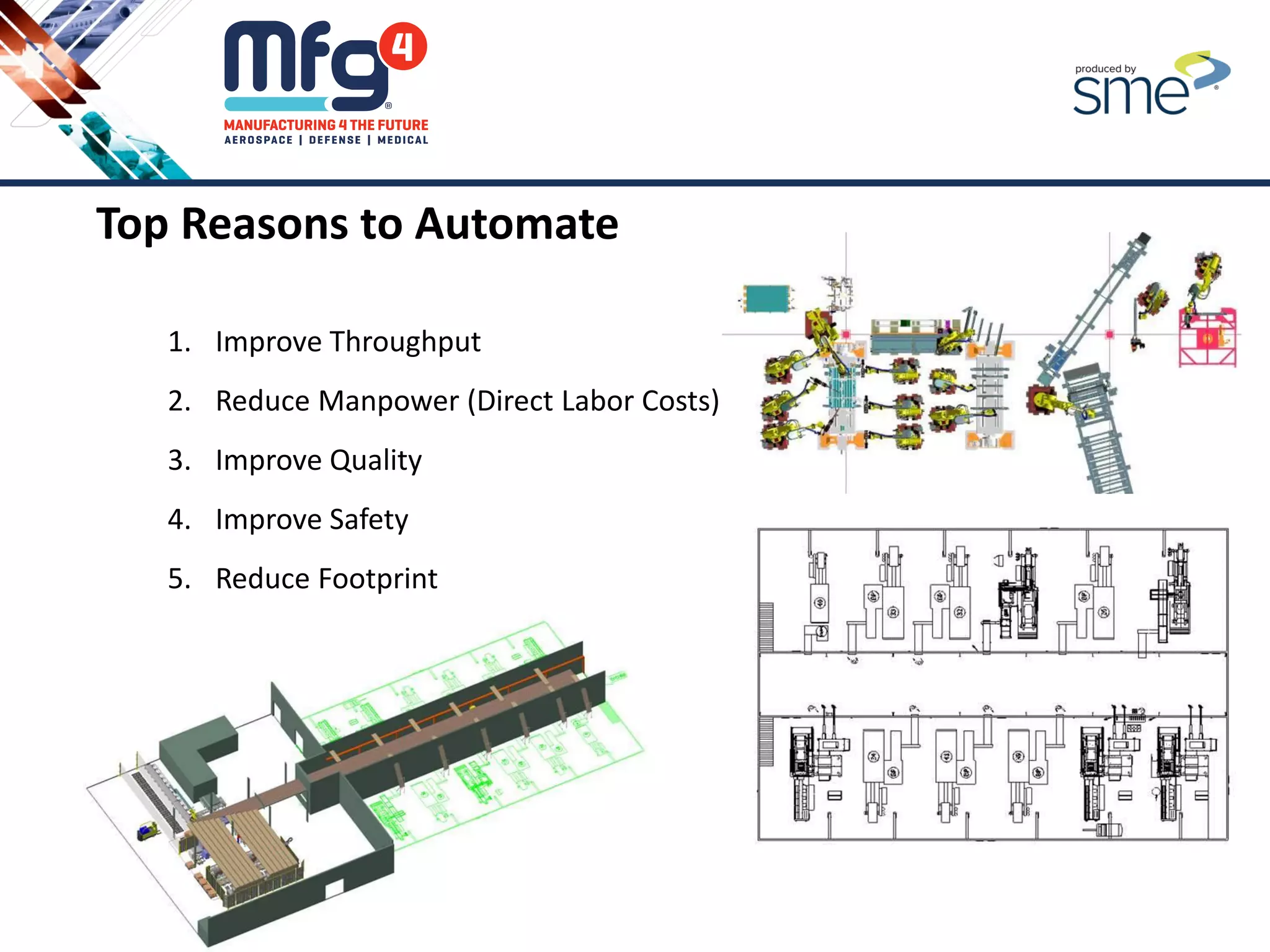
Top Reasons to Automate
1. Improve Throughput
Top Reasons to Automate
1. Improve Throughput
2. Reduce Manpower (Direct Labor Costs)
Top Reasons to Automate
1. Improve Throughput
2. Reduce Manpower (Direct Labor Costs)
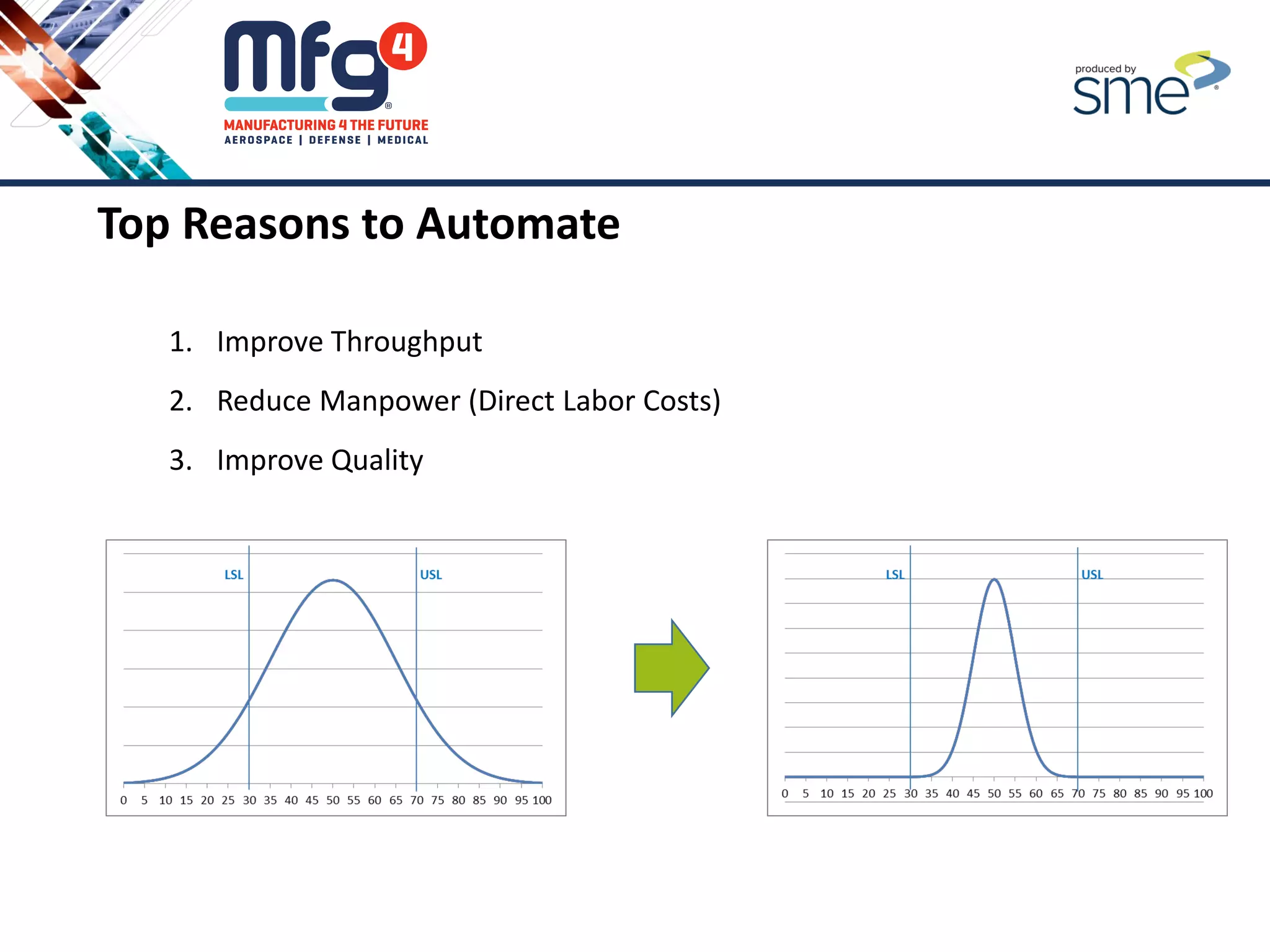
3. Improve Quality
Top Reasons to Automate
1. Improve Throughput
2. Reduce Manpower (Direct Labor Costs)
3. Improve Quality
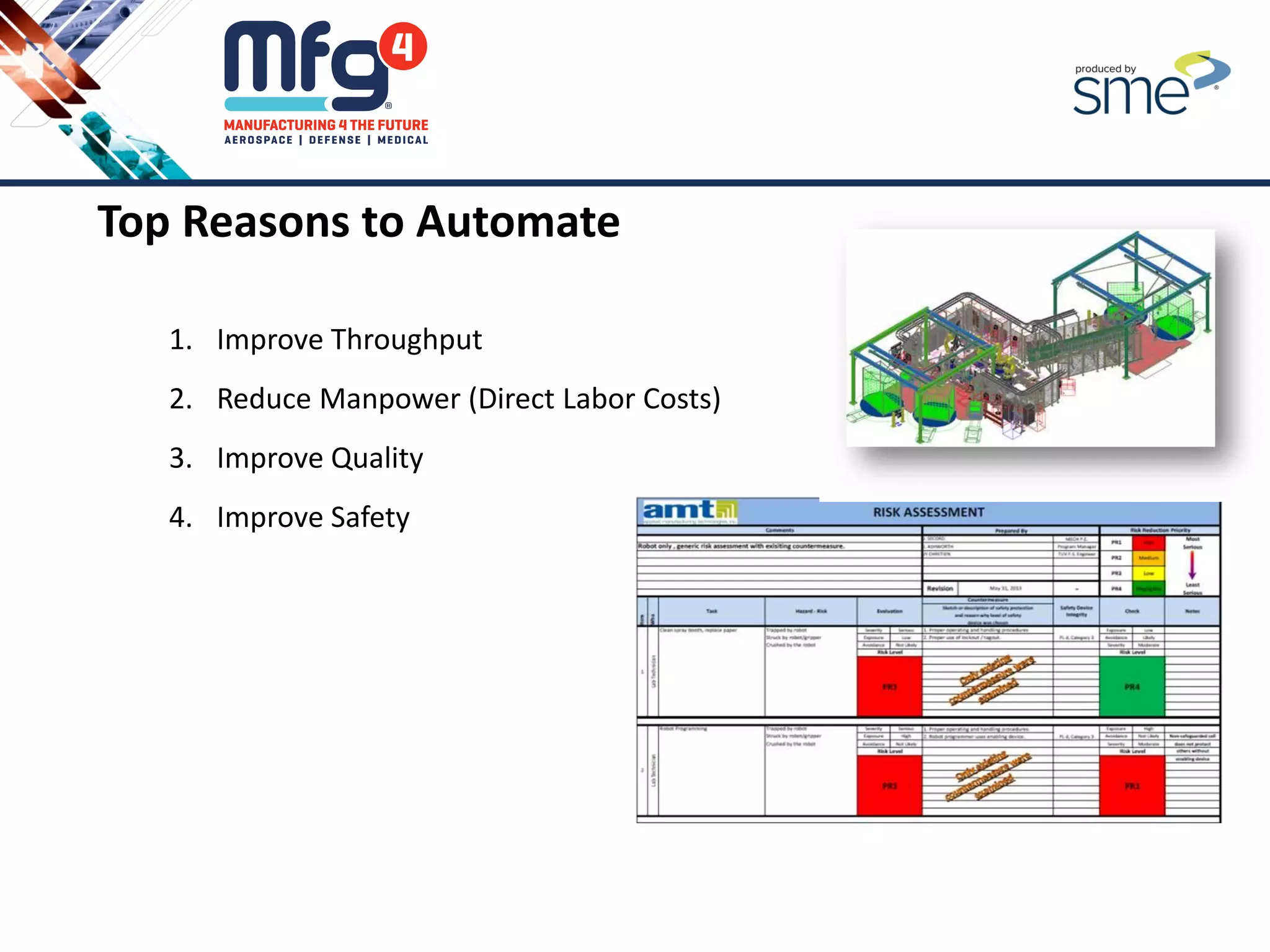
4. Improve Safety
Top Reasons to Automate
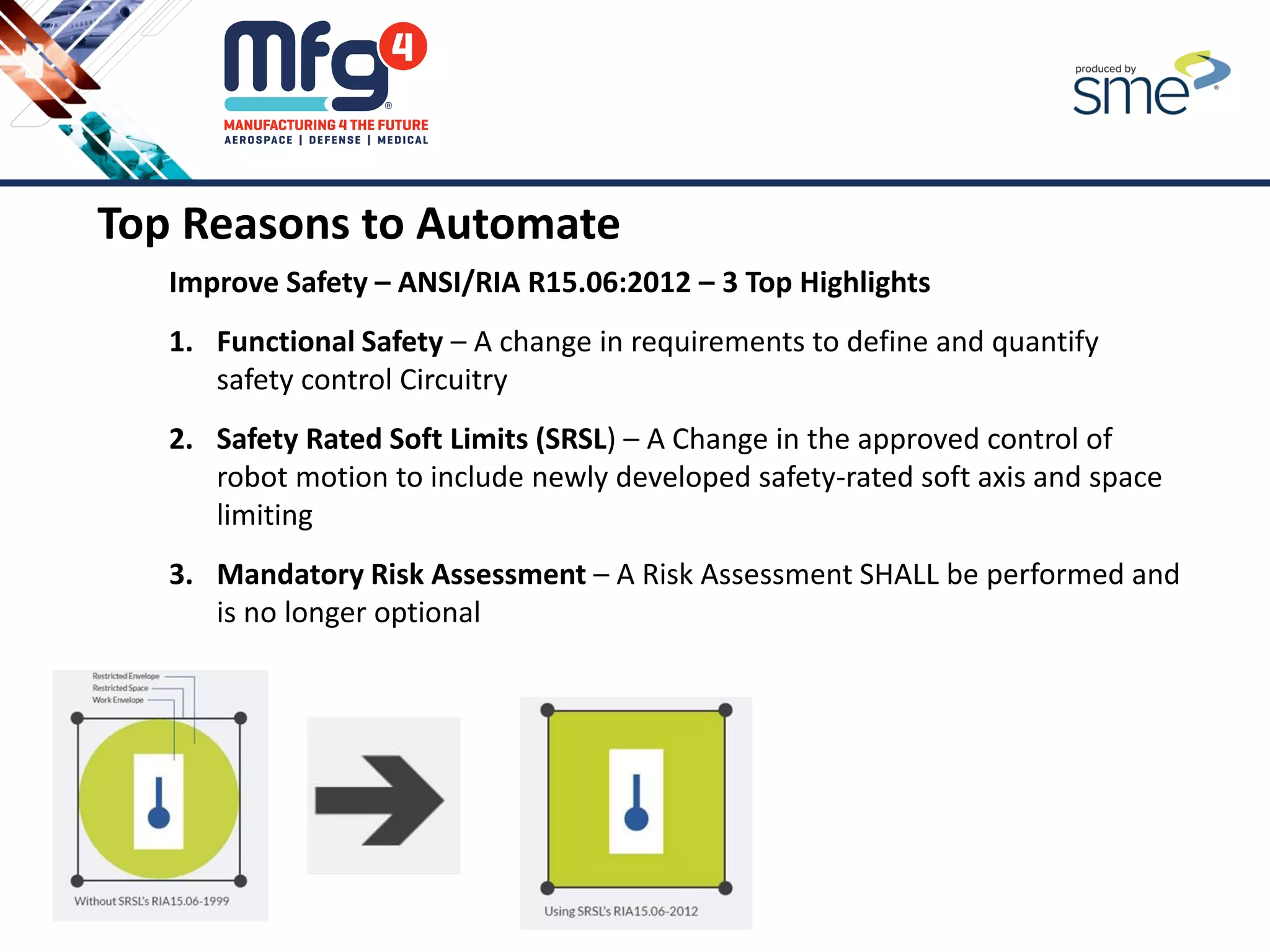
Improve Safety – ANSI/RIA R15.06:2012 – 3 Top Highlights
1. Functional Safety – A change in requirements to define and quantify
safety control Circuitry
2. Safety Rated Soft Limits (SRSL) – A Change in the approved control of
robot motion to include newly developed safety-rated soft axis and space
limiting
3. Mandatory Risk Assessment – A Risk Assessment SHALL be performed and
is no longer optional
Top Reasons to Automate
1. Improve Throughput
2. Reduce Manpower (Direct Labor Costs)
3. Improve Quality
4. Improve Safety
5. Reduce Footprint
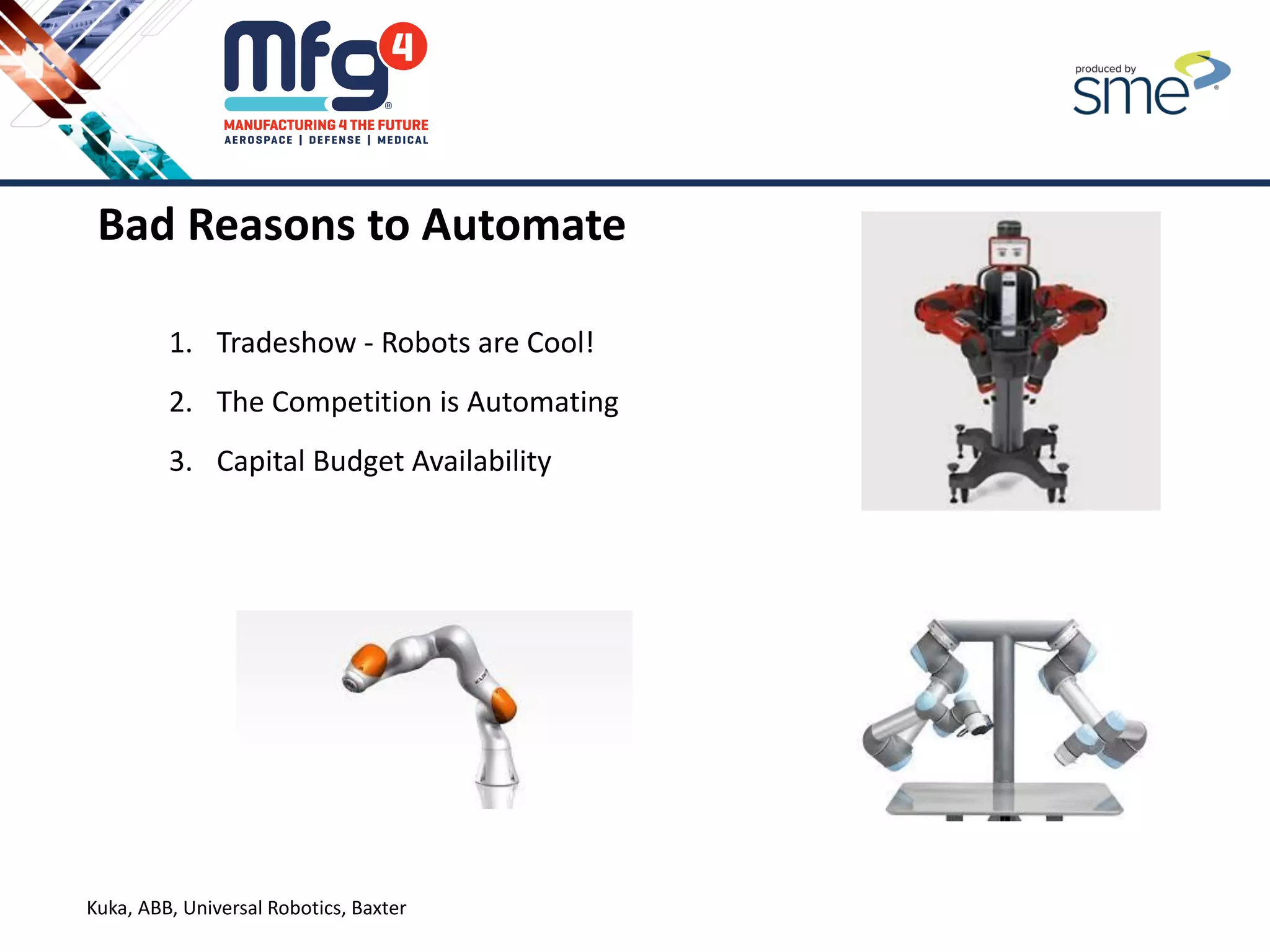
Kuka, ABB, Universal Robotics, Baxter
Bad Reasons to Automate
1. Tradeshow - Robots are Cool!
2. The Competition is Automating
3. Capital Budget Availability
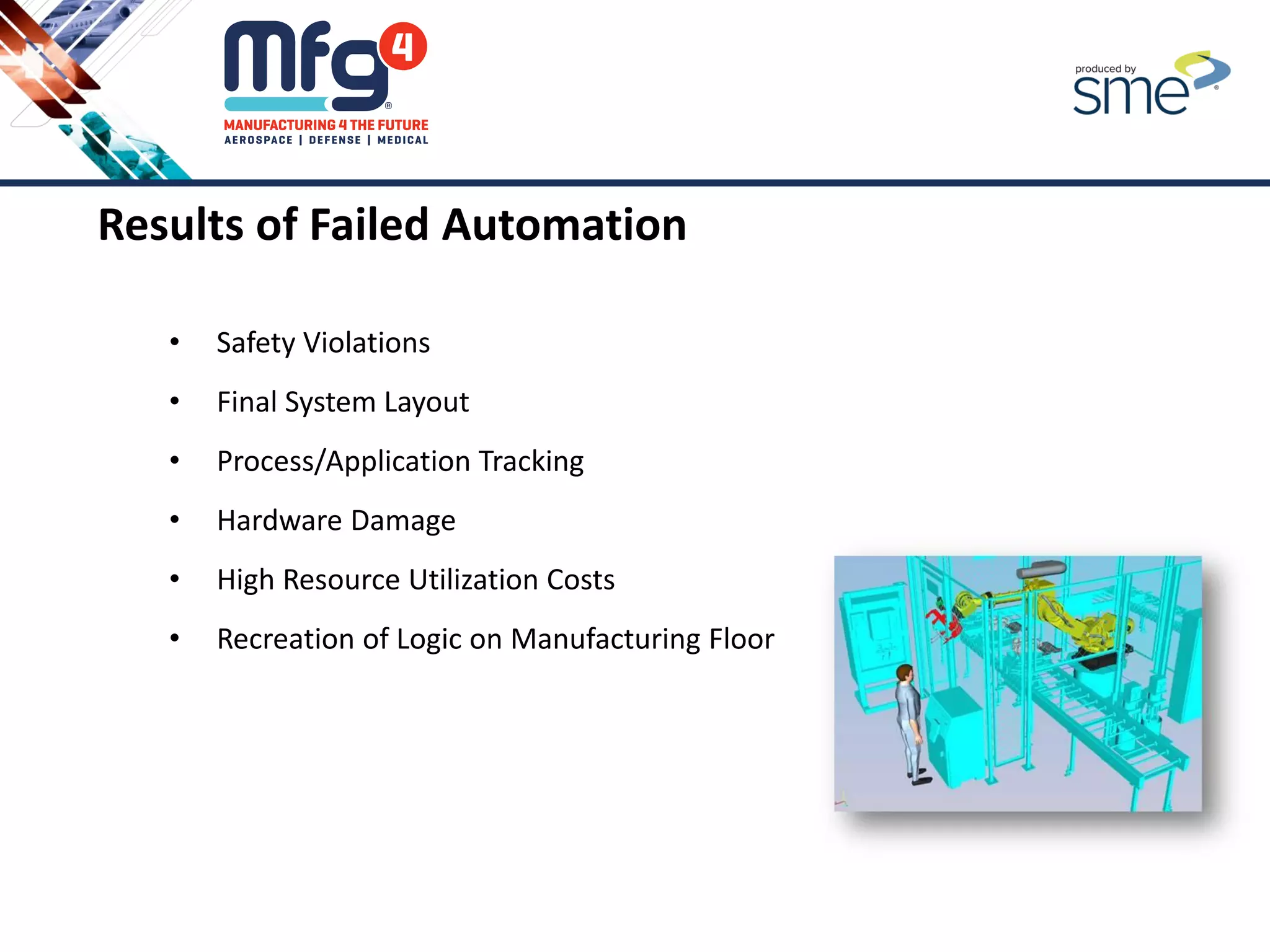
Results of Failed Automation
• Safety Violations
• Final System Layout
• Process/Application Tracking
• Hardware Damage
• High Resource Utilization Costs
• Recreation of Logic on Manufacturing Floor
2. Identifying the Business Requirements of Your
Automation Project?
Should You
Automate?
Identify
Business
Requirements
Understand
Your Process
Level of
Automation
Approach to
Automation
Project Business Requirements
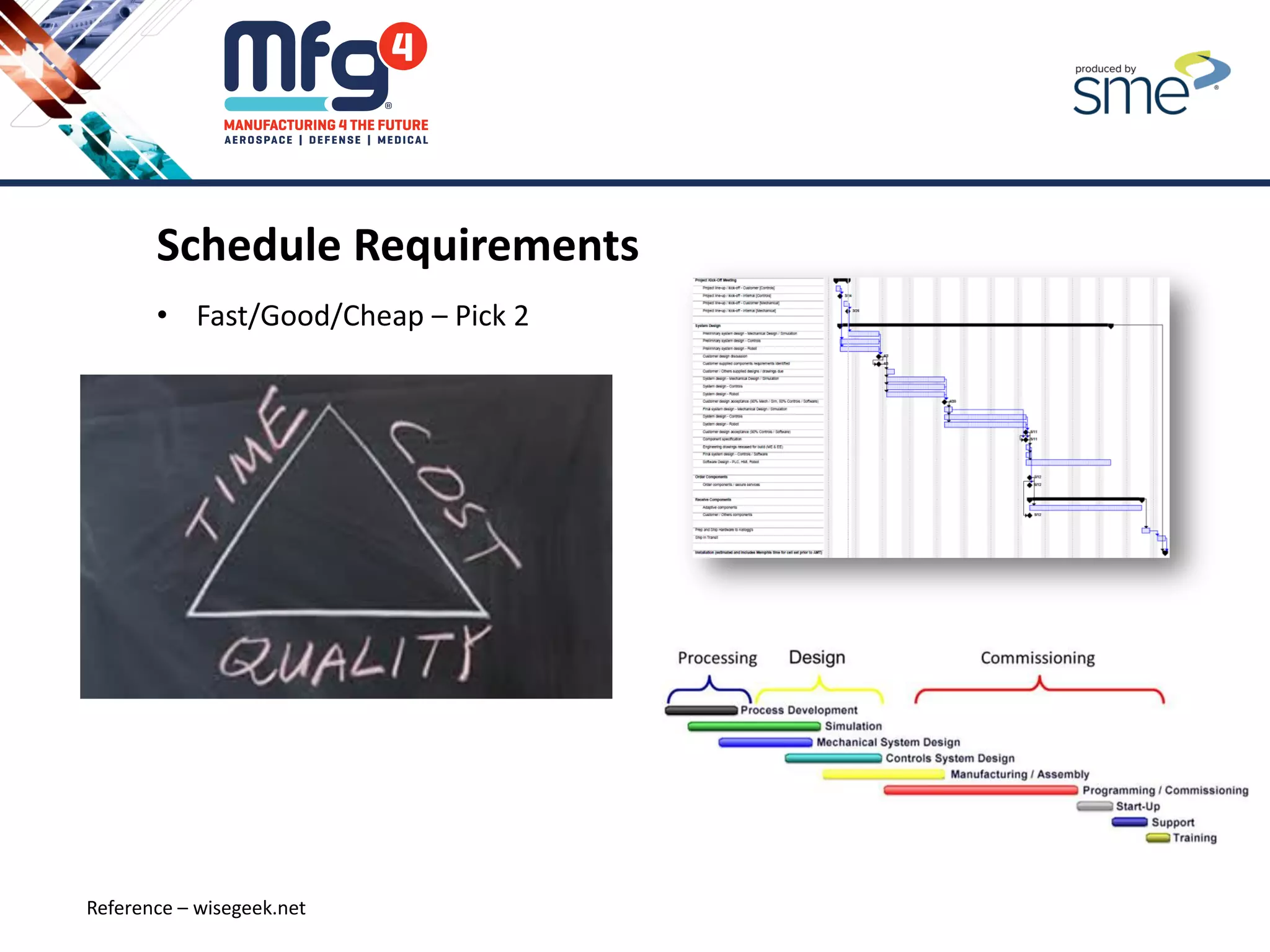
Schedule Requirements
• Fast/Good/Cheap – Pick 2
Reference – wisegeek.net
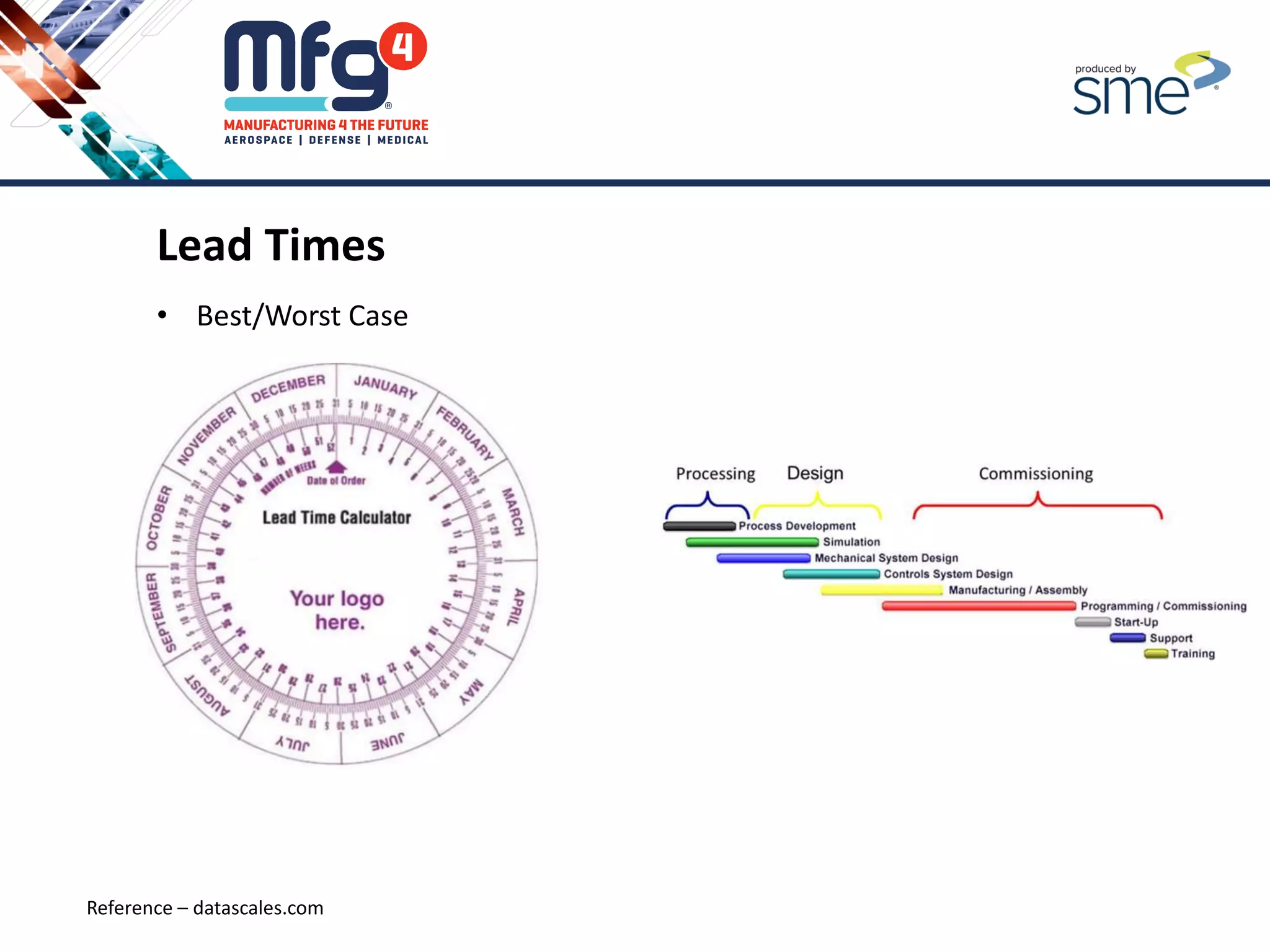
Lead Times
• Best/Worst Case
Reference – datascales.com
Capital Budget Limits
• Strong Business Case
Vs.
• Available Dollars
Reference - Aiche.org
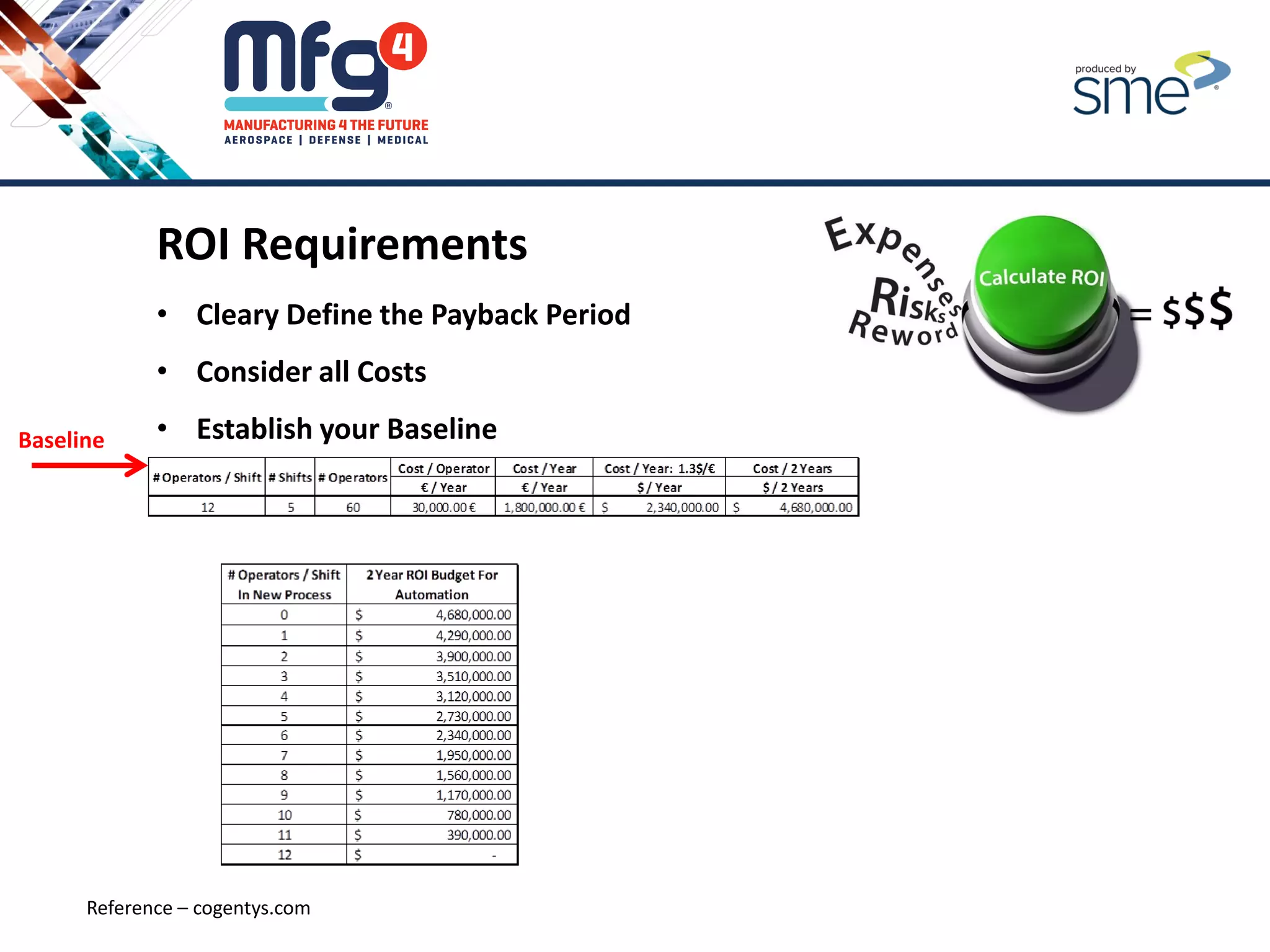
ROI Requirements
• Cleary Define the Payback Period
• Consider all Costs
• Establish your Baseline
Reference – cogentys.com
Baseline
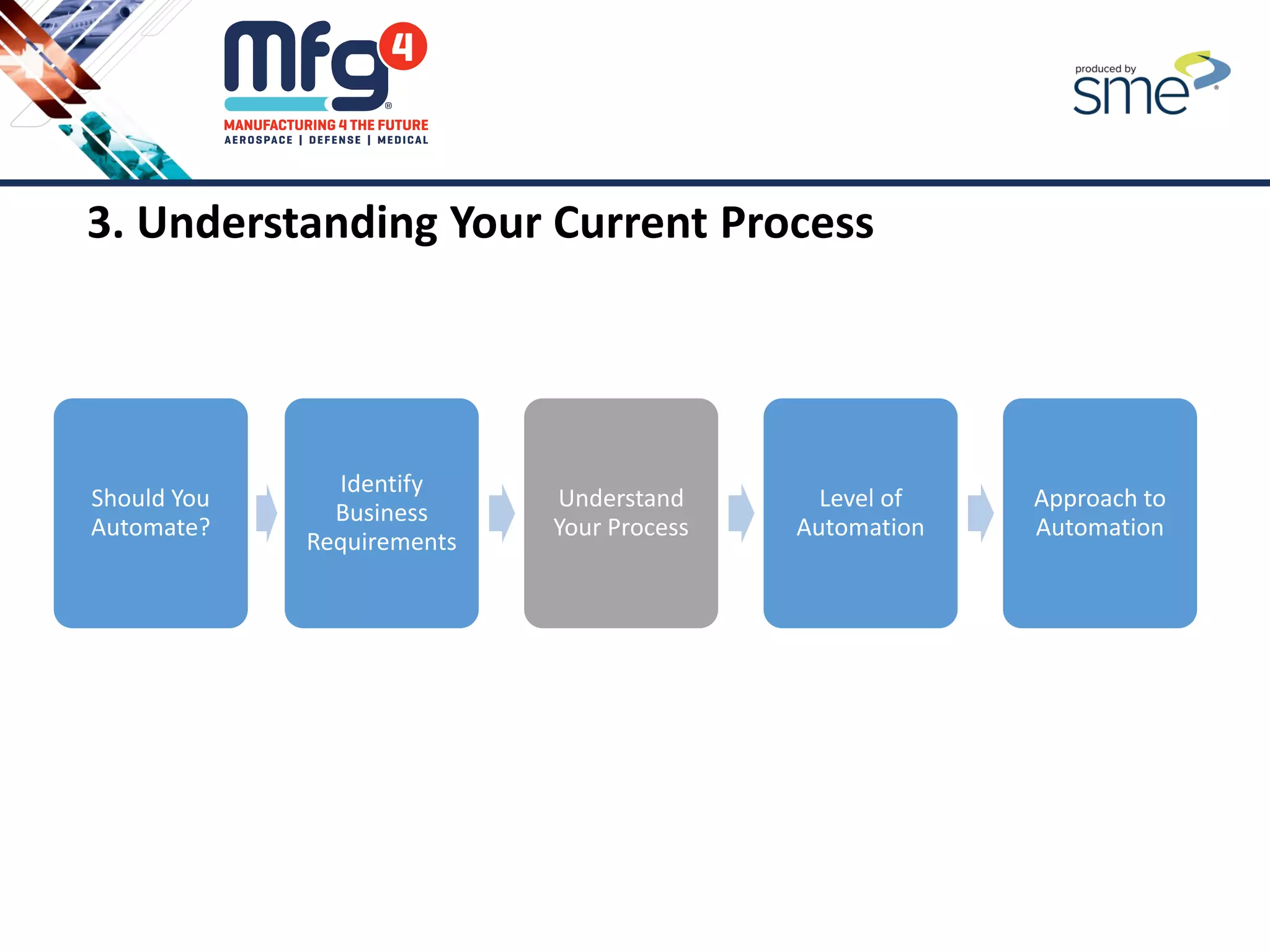
3. Understanding Your Current Process
Should You
Automate?
Identify
Business
Requirements
Understand
Your Process
Level of
Automation
Approach to
Automation
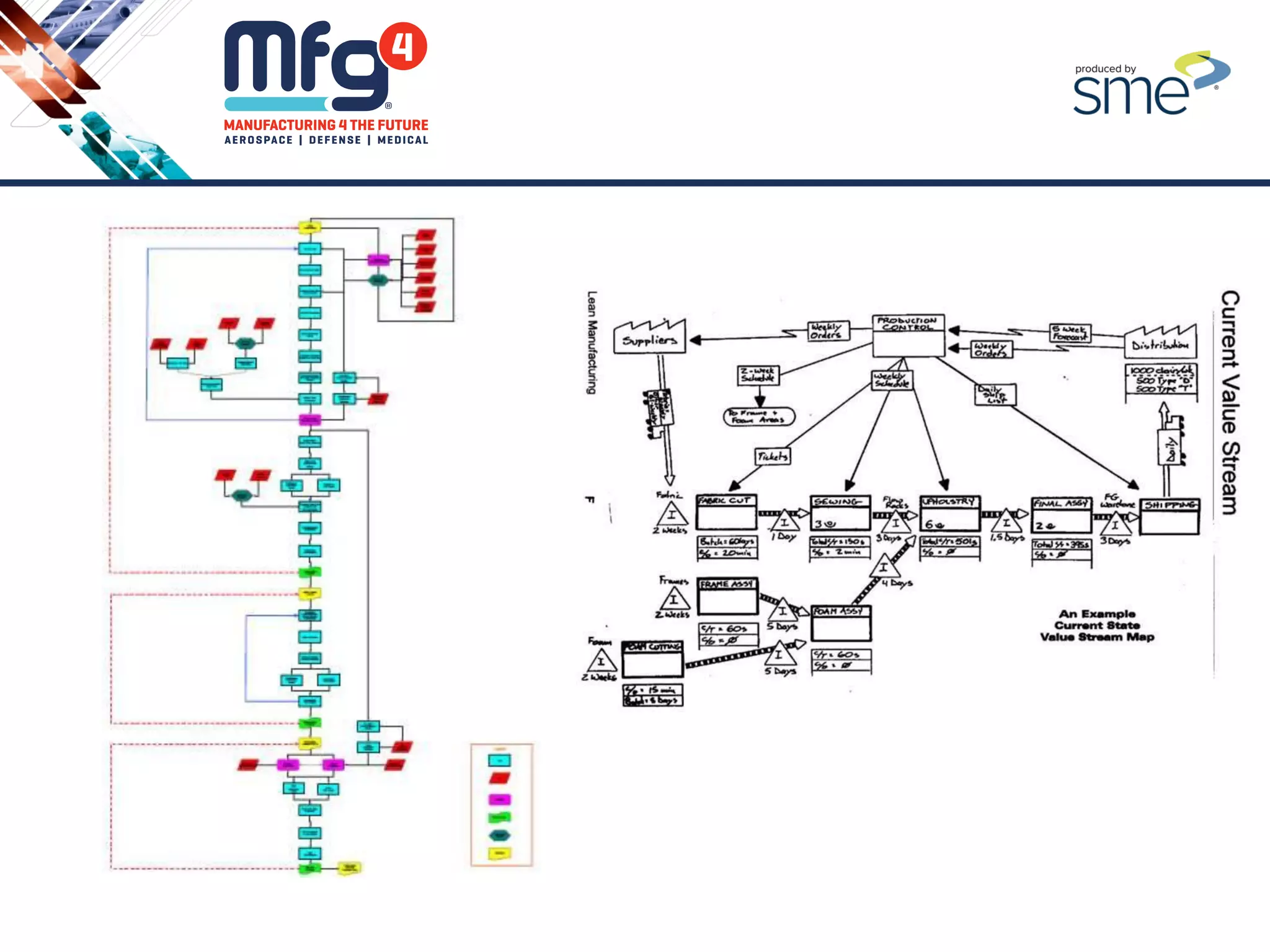
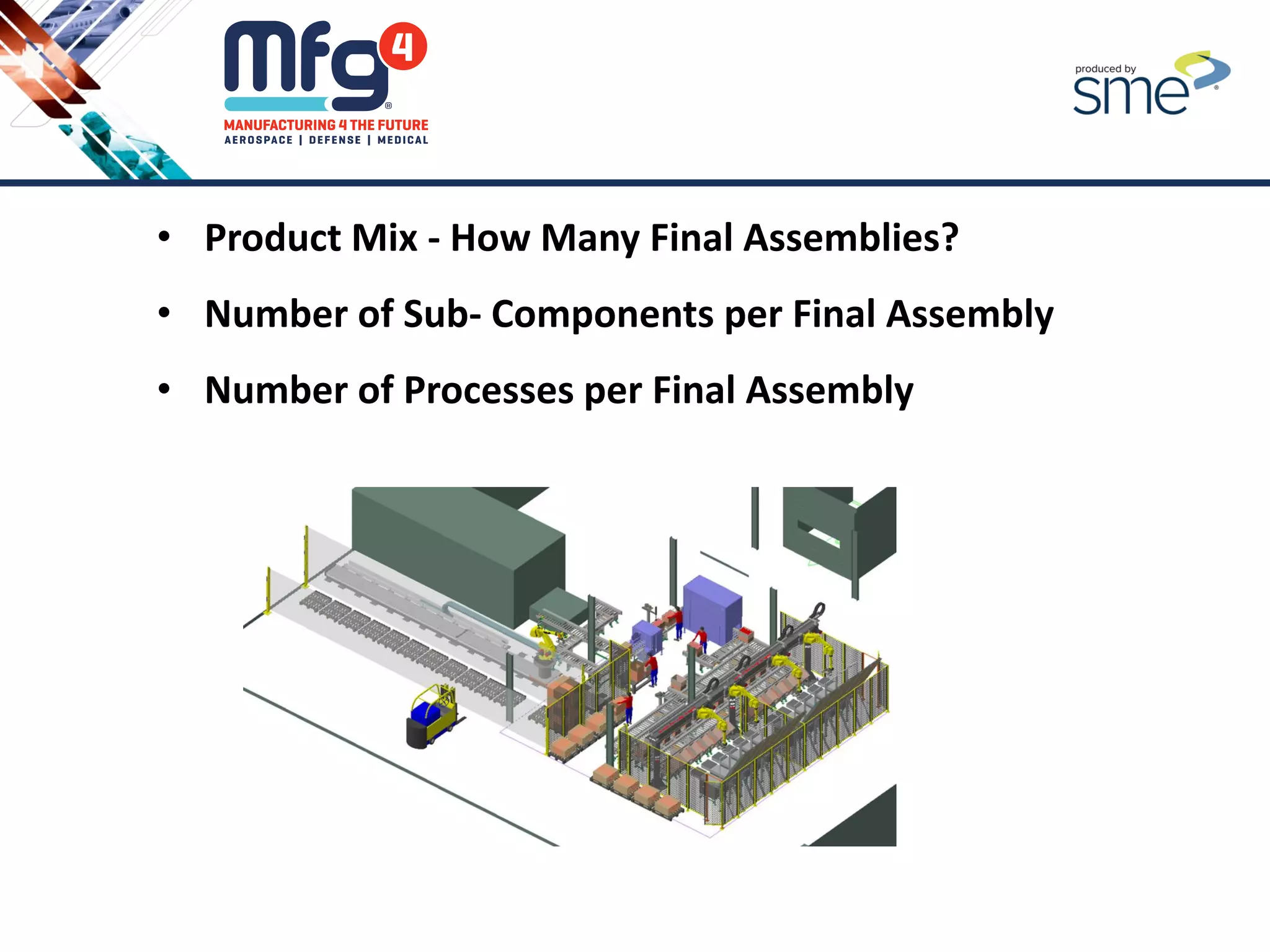
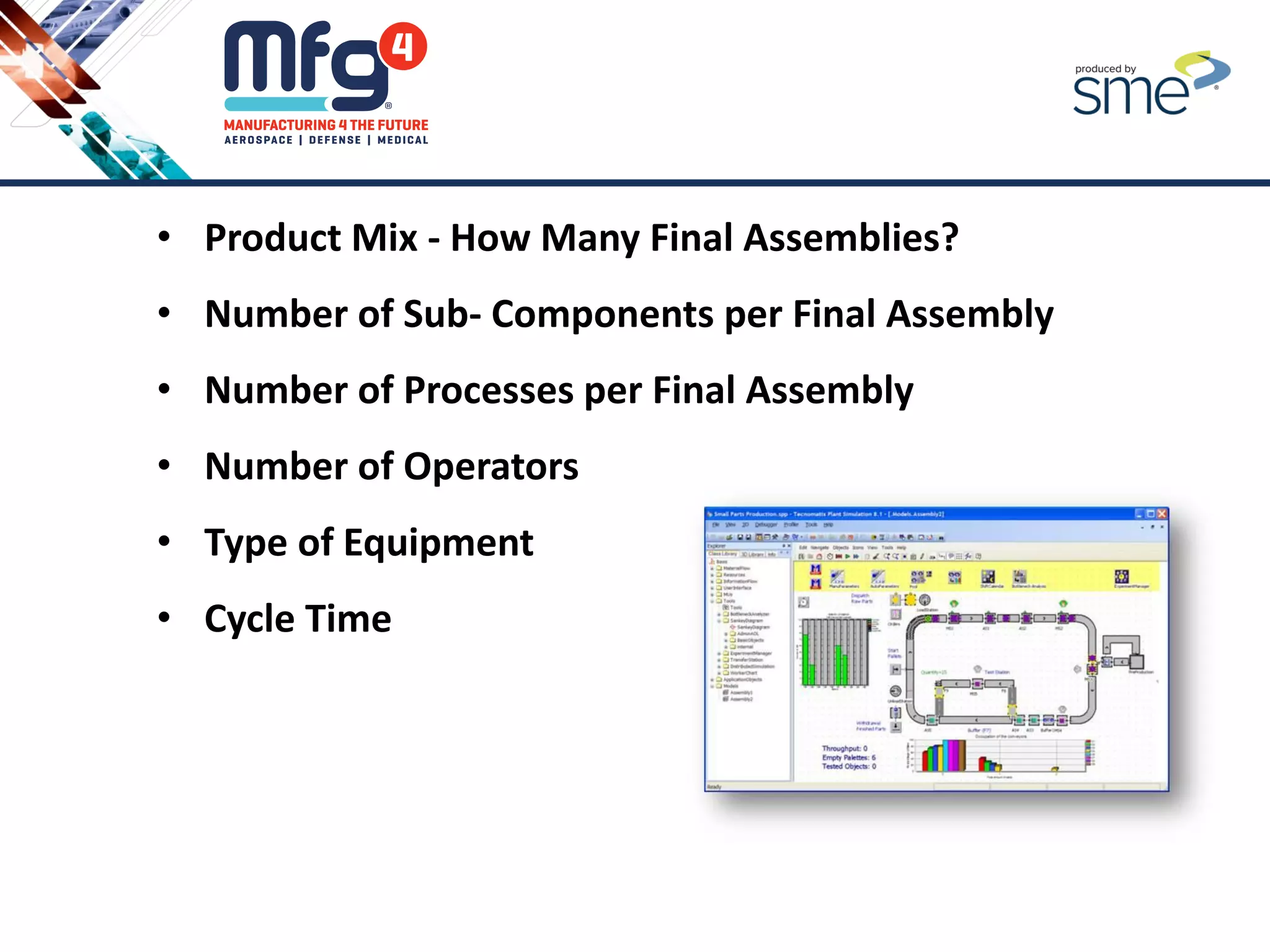
• Product Mix - How Many Final Assemblies?
• Number of Sub- Components per Final Assembly
• Number of Processes per Final Assembly
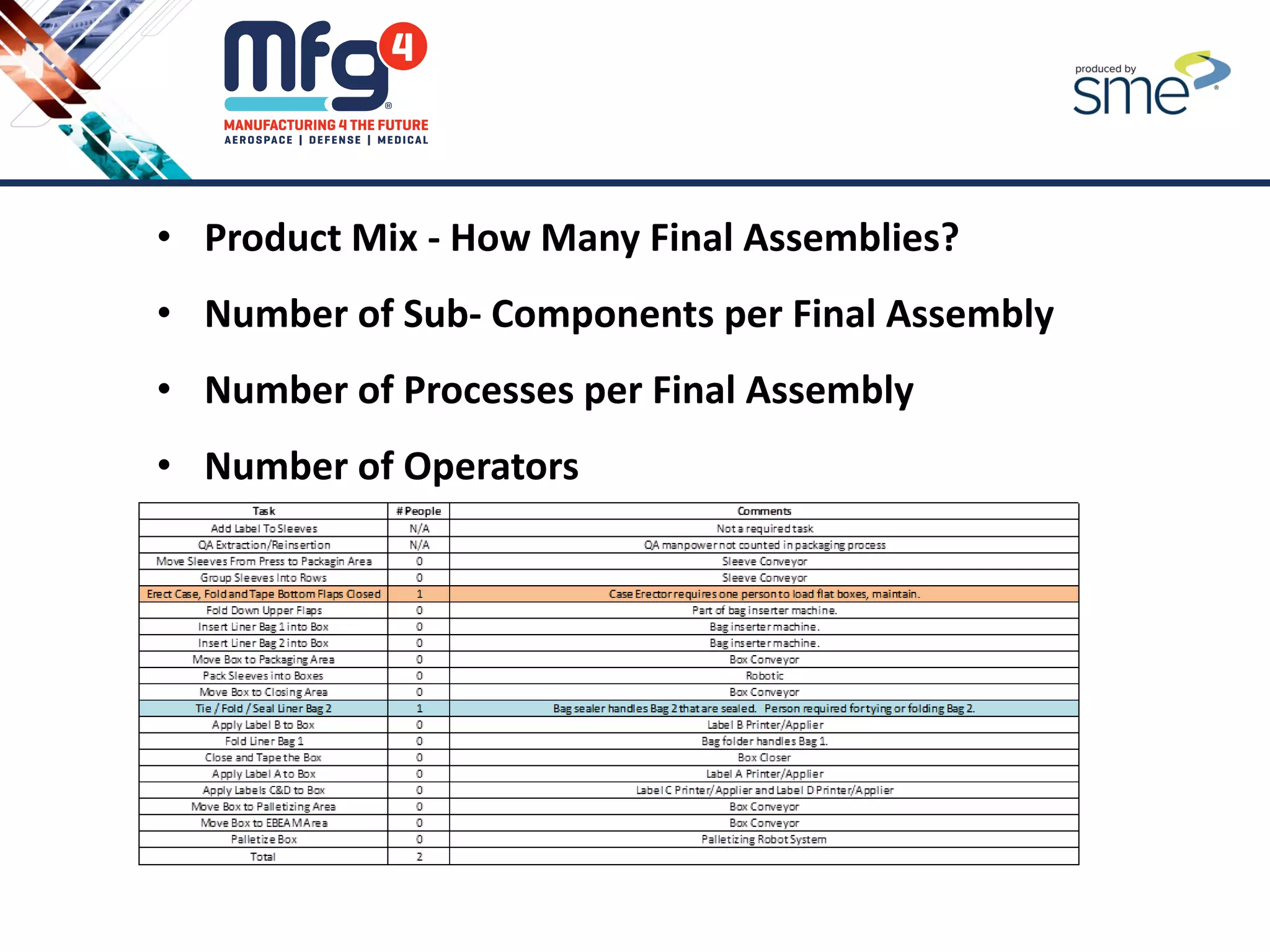
• Product Mix - How Many Final Assemblies?
• Number of Sub- Components per Final Assembly
• Number of Processes per Final Assembly
• Number of Operators
• Product Mix - How Many Final Assemblies?
• Number of Sub- Components per Final Assembly
• Number of Processes per Final Assembly
• Number of Operators
• Type of Equipment
• Product Mix - How Many Final Assemblies?
• Number of Sub- Components per Final Assembly
• Number of Processes per Final Assembly
• Number of Operators
• Type of Equipment
• Cycle Time
• Product Mix - How Many Final Assemblies?
• Number of Sub- Components per Final Assembly
• Number of Processes per Final Assembly
• Number of Operators
• Type of Equipment
• Cycle Time
• Current System or Line Throughput = Baseline
• Product Mix - How Many Final Assemblies?
• Number of Sub- Components per Final Assembly
• Number of Processes per Final Assembly
• Number of Operators
• Type of Equipment
• Cycle Time
• Current System or Line Throughput = Baseline
• Current Quality Numbers (Cpk, Ppk, Scrap, Rework)
• Product Mix - How Many Final Assemblies?
• Number of Sub- Components per Final Assembly
• Number of Processes per Final Assembly
• Number of Operators
• Type of Equipment
• Cycle Time
• Current System or Line Throughput = Baseline
• Current Quality Numbers (Cpk, Ppk, Scrap, Rework)
• Footprint
4. Determining the Appropriate Level of Automation
Should You
Automate?
Identify
Business
Requirements
Understand
Your Process
Level of
Automation
Approach to
Automation
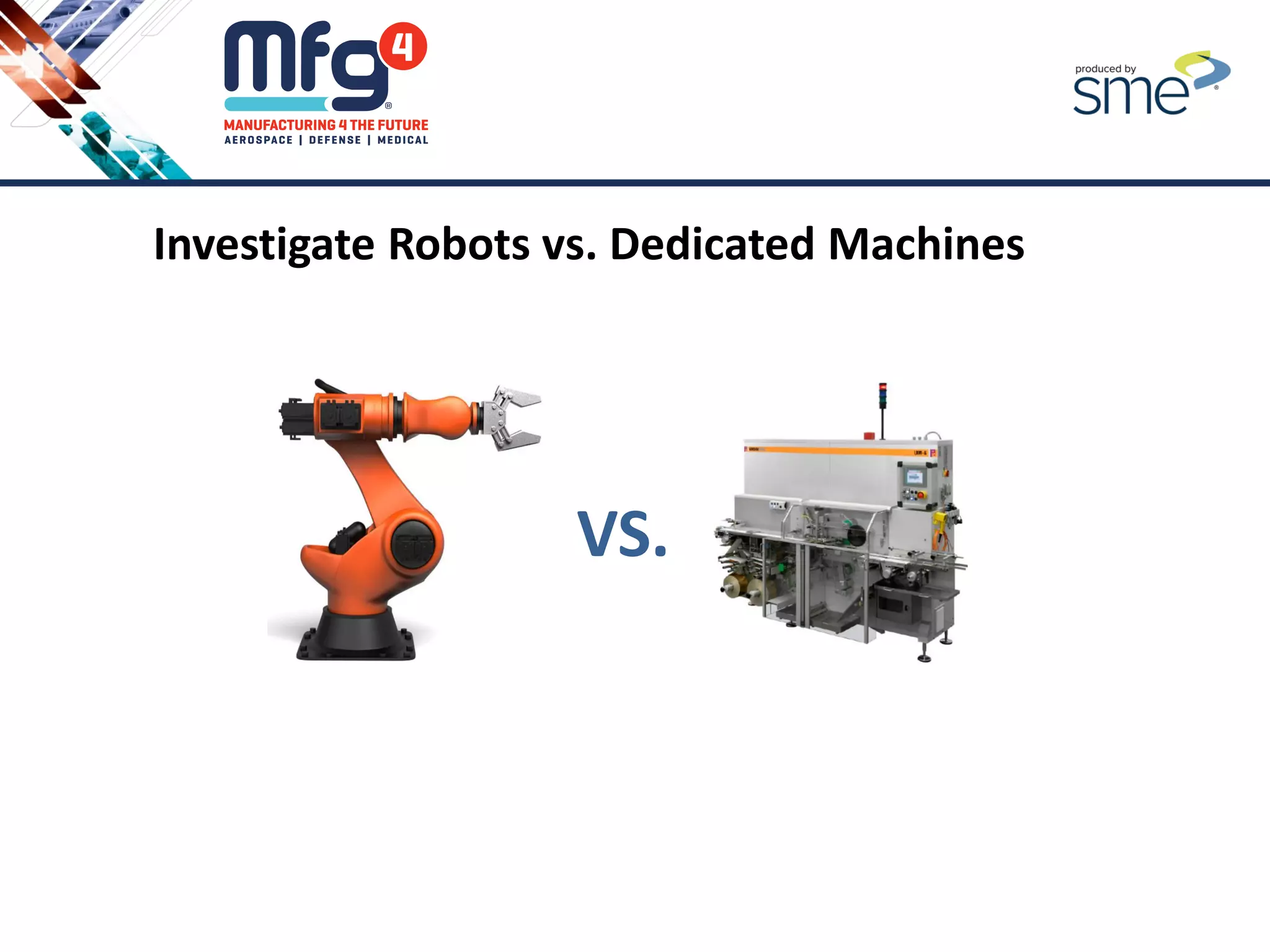
Investigate Robots vs. Dedicated Machines
VS.
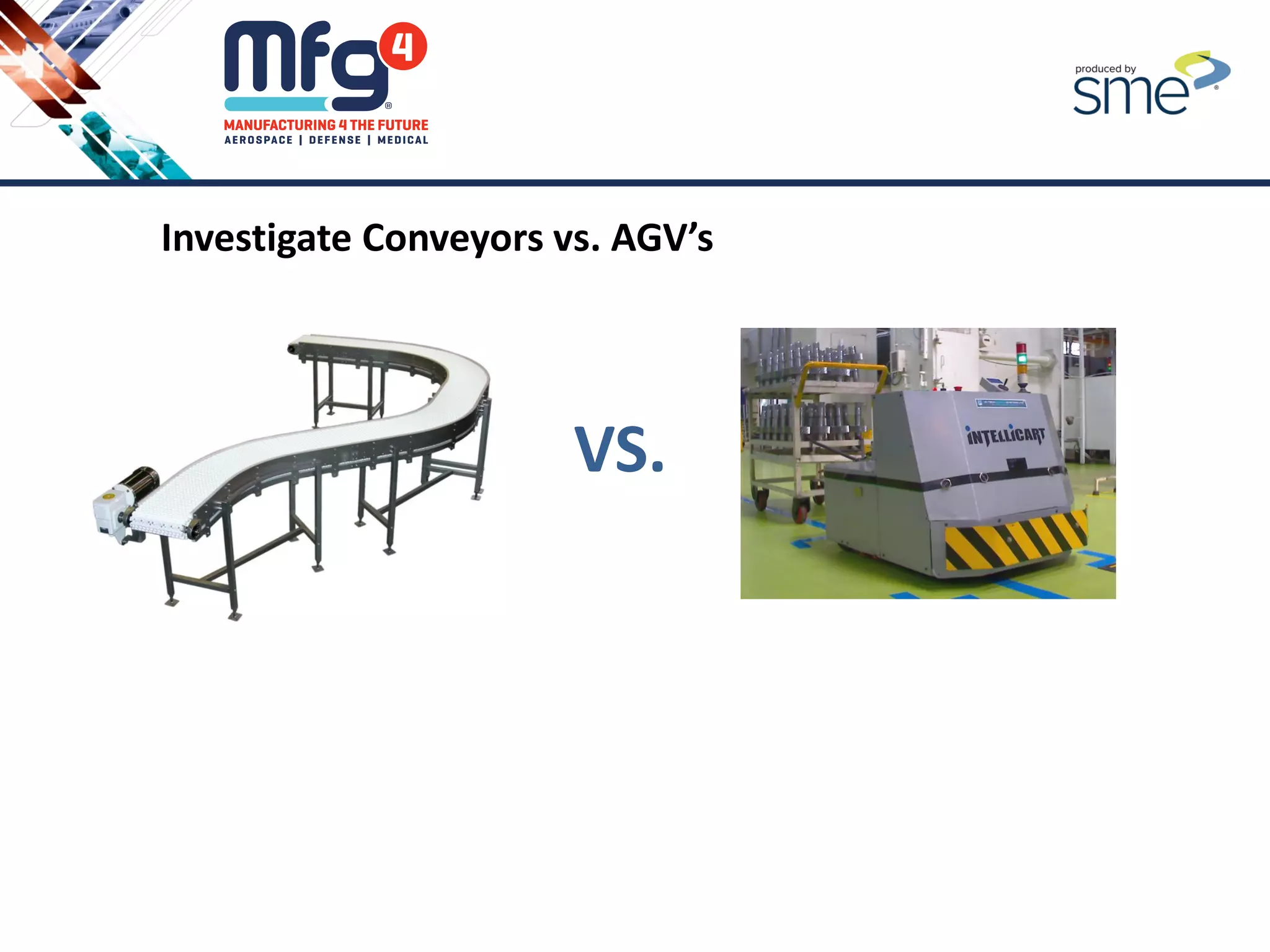
Investigate Conveyors vs. AGV’s
VS.
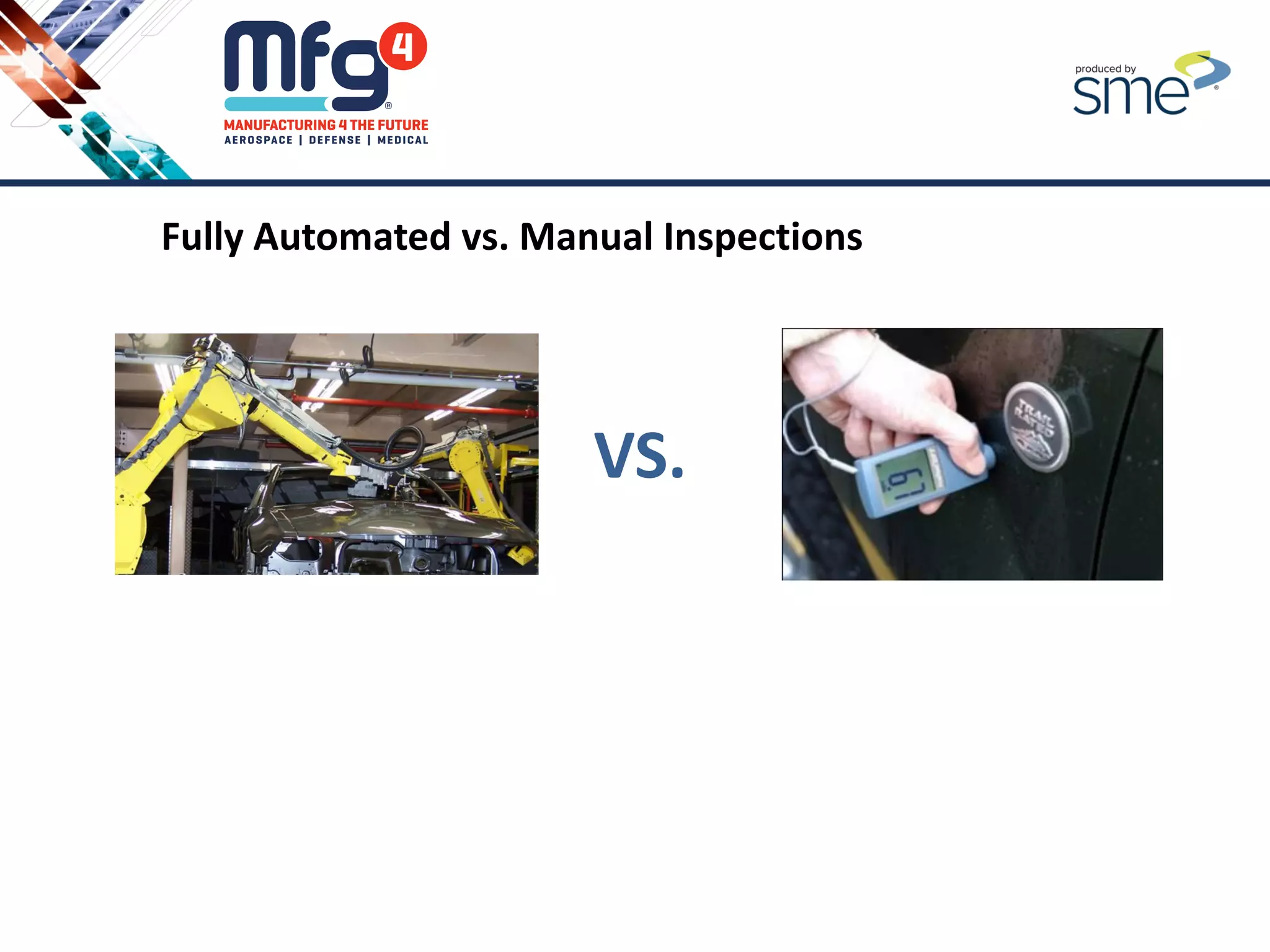
Fully Automated vs. Manual Inspections
VS.
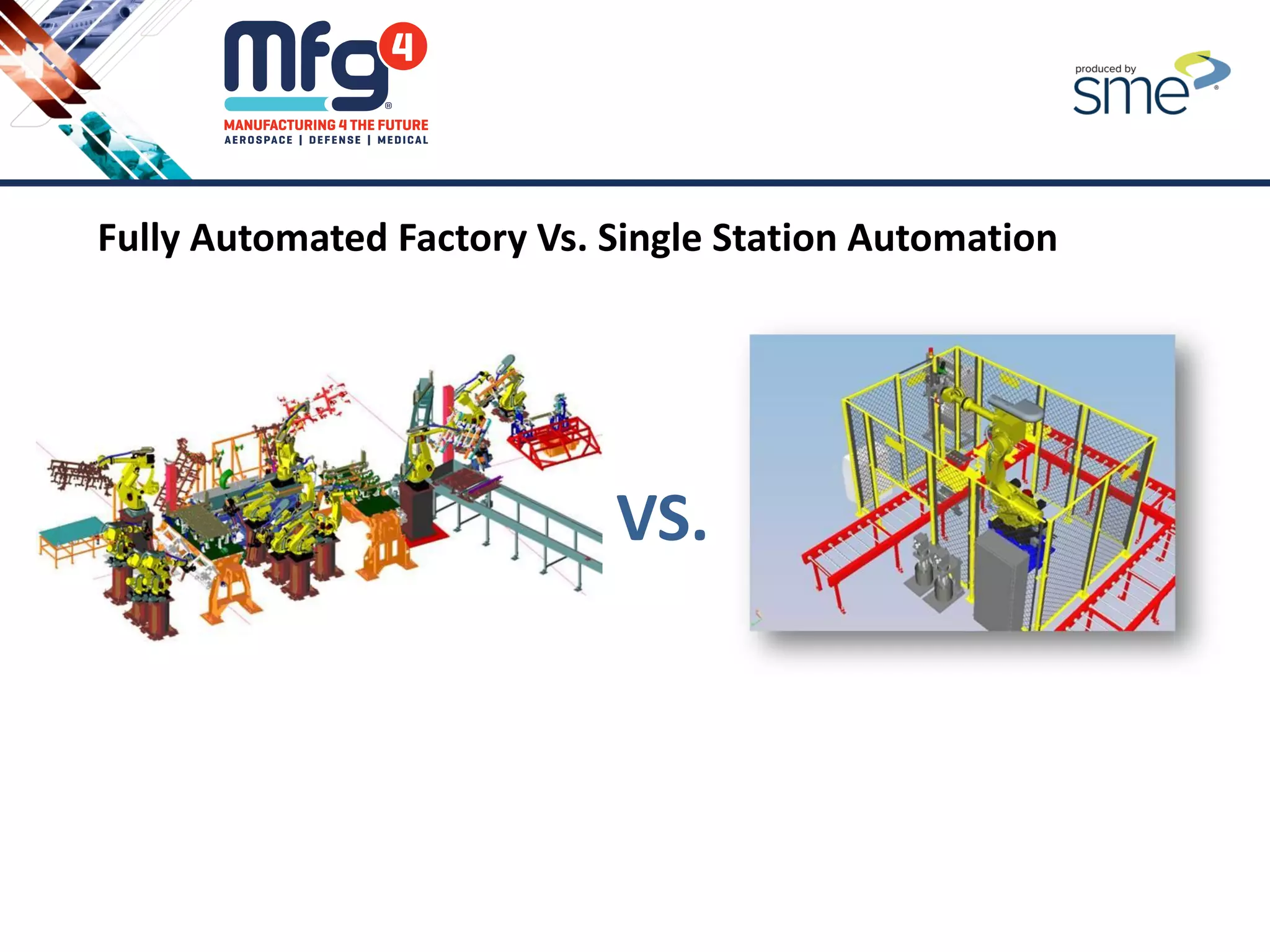
Fully Automated Factory Vs. Single Station Automation
VS.
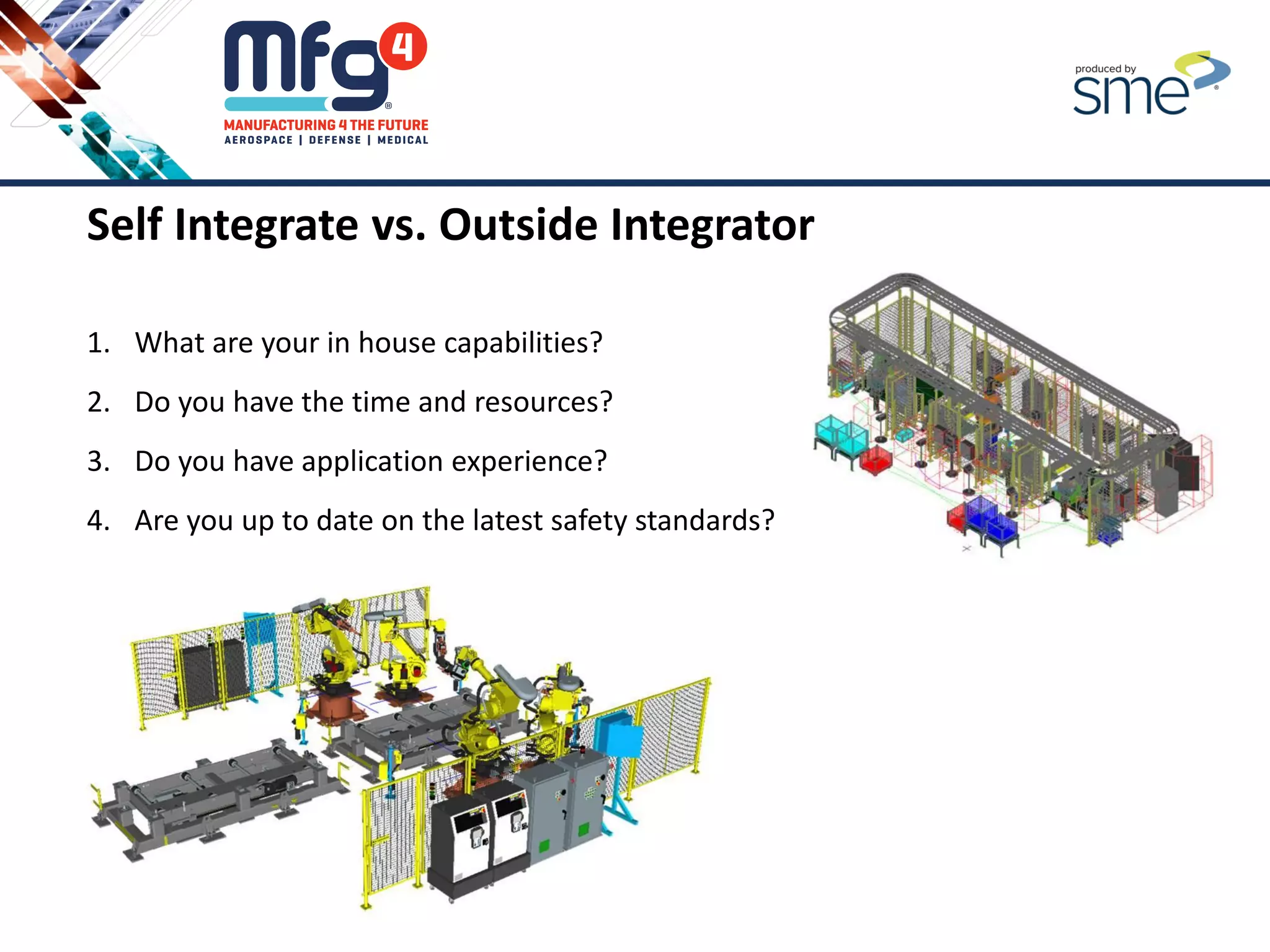
Self Integrate vs. Outside Integrator
1. What are your in house capabilities?
2. Do you have the time and resources?
3. Do you have application experience?
4. Are you up to date on the latest safety standards?
5. Etc.
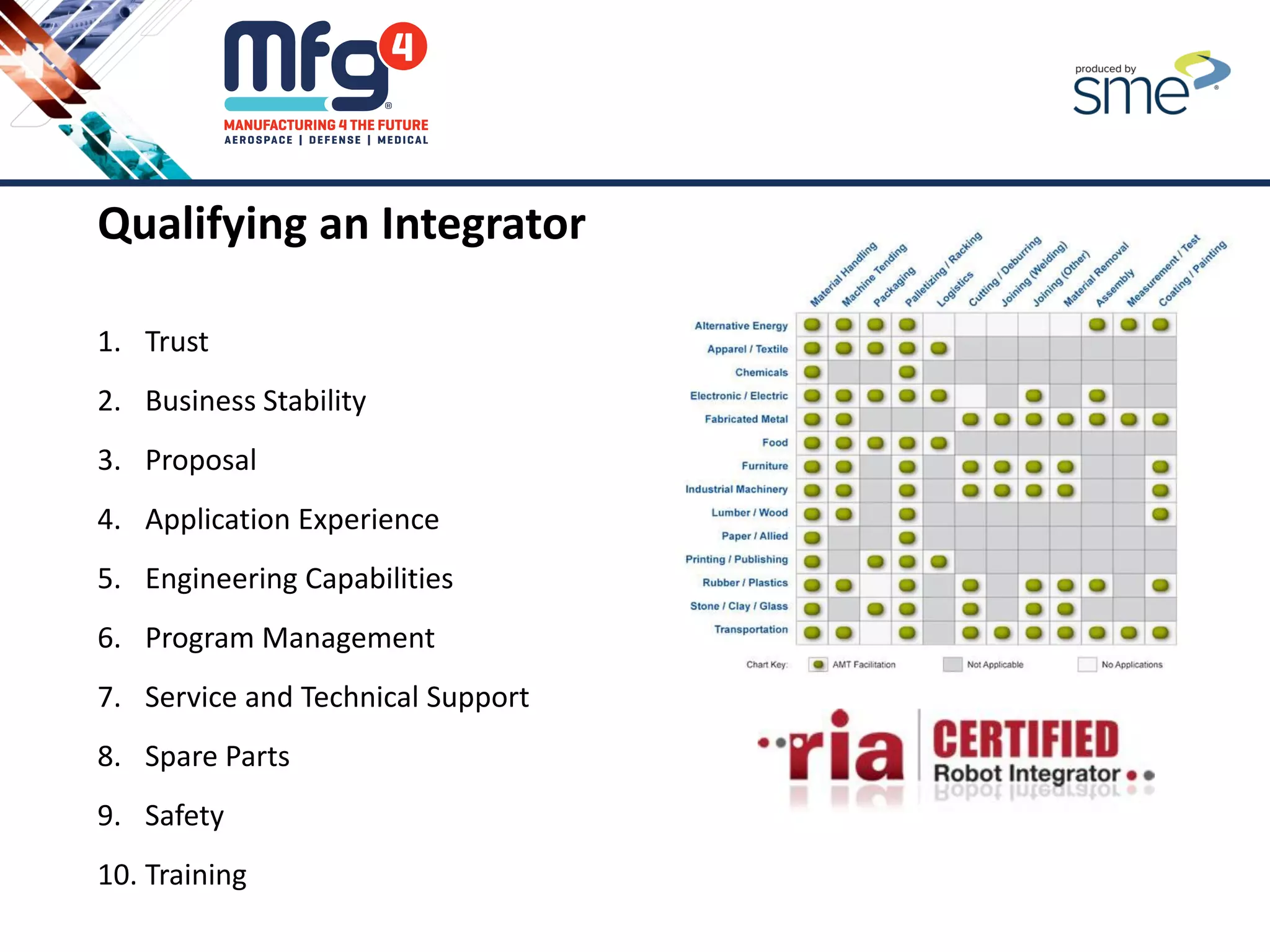
Qualifying an Integrator
1. Trust
2. Business Stability
3. Proposal
4. Application Experience
5. Engineering Capabilities
6. Program Management
7. Service and Technical Support
8. Spare Parts
9. Safety
10. Training
Should You
Automate?
Identify
Business
Requirements
Understand
Your Process
Level of
Automation
Approach to
Automation
5. Having an Empirical Approach to Automation
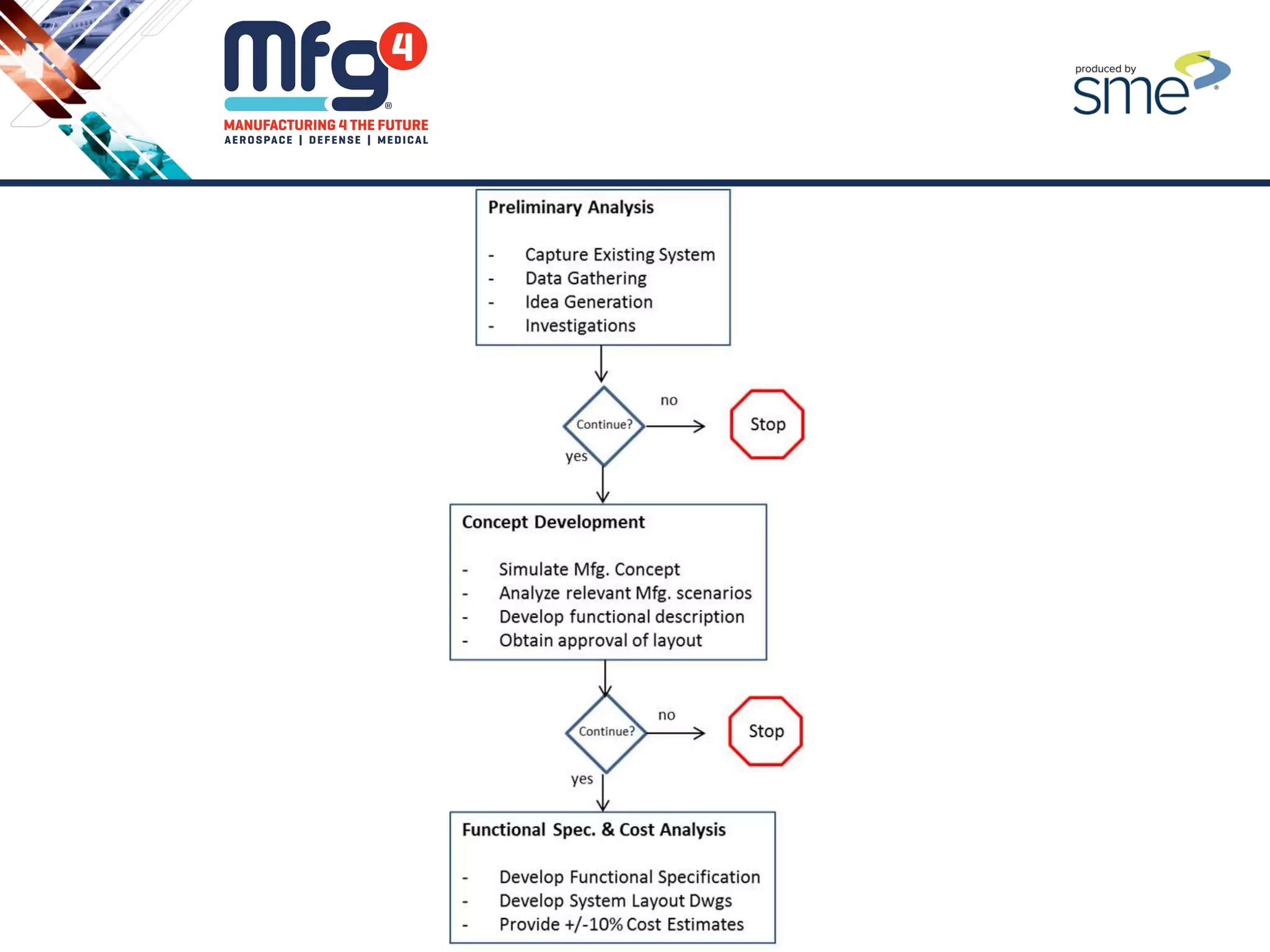
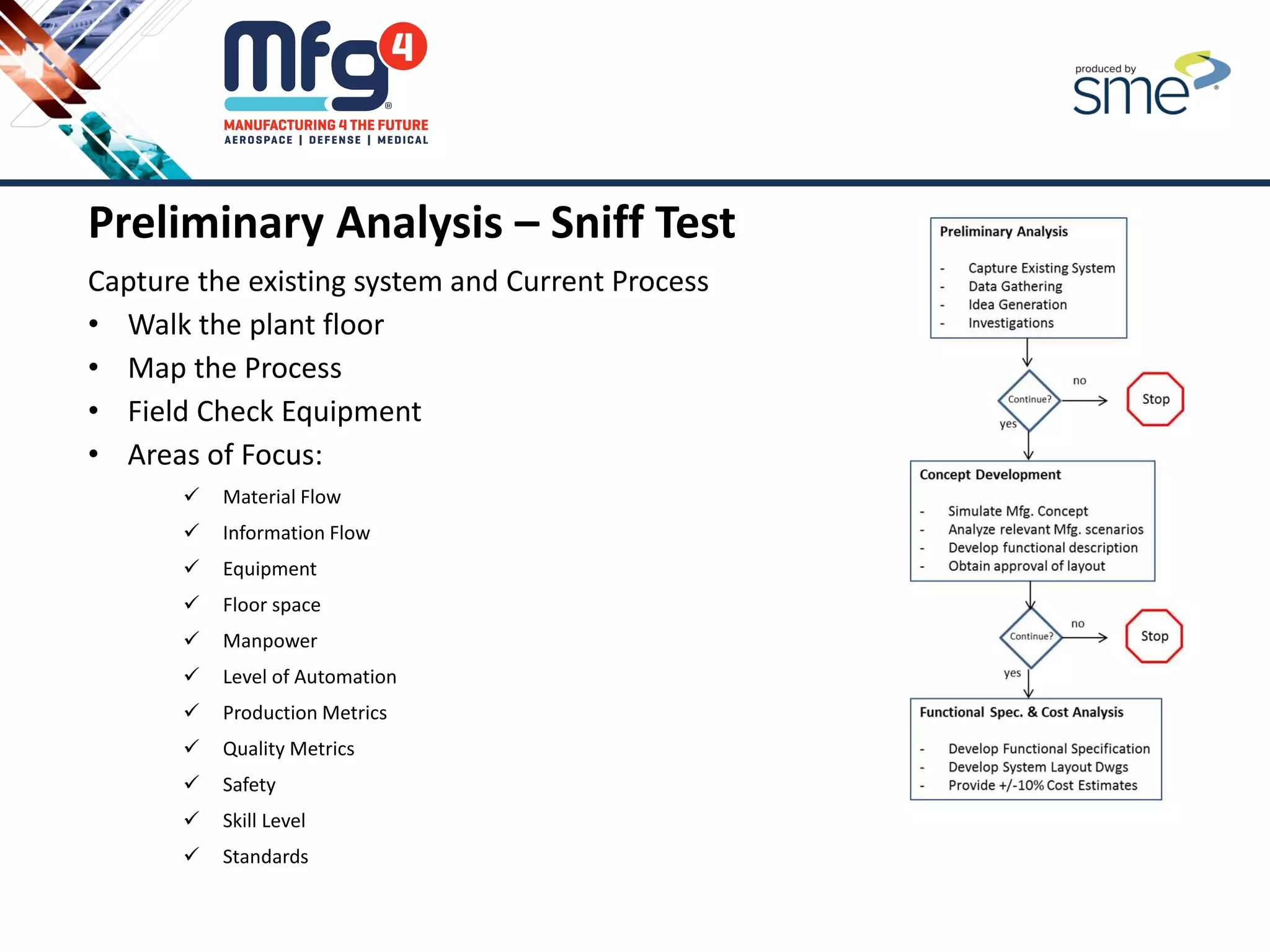
Preliminary Analysis – Sniff Test
Capture the existing system and Current Process
• Walk the plant floor
• Map the Process
• Field Check Equipment
• Areas of Focus:
 Material Flow
 Information Flow
 Equipment
 Floor space
 Manpower
 Level of Automation
 Production Metrics
 Quality Metrics
 Safety
 Skill Level
 Standards
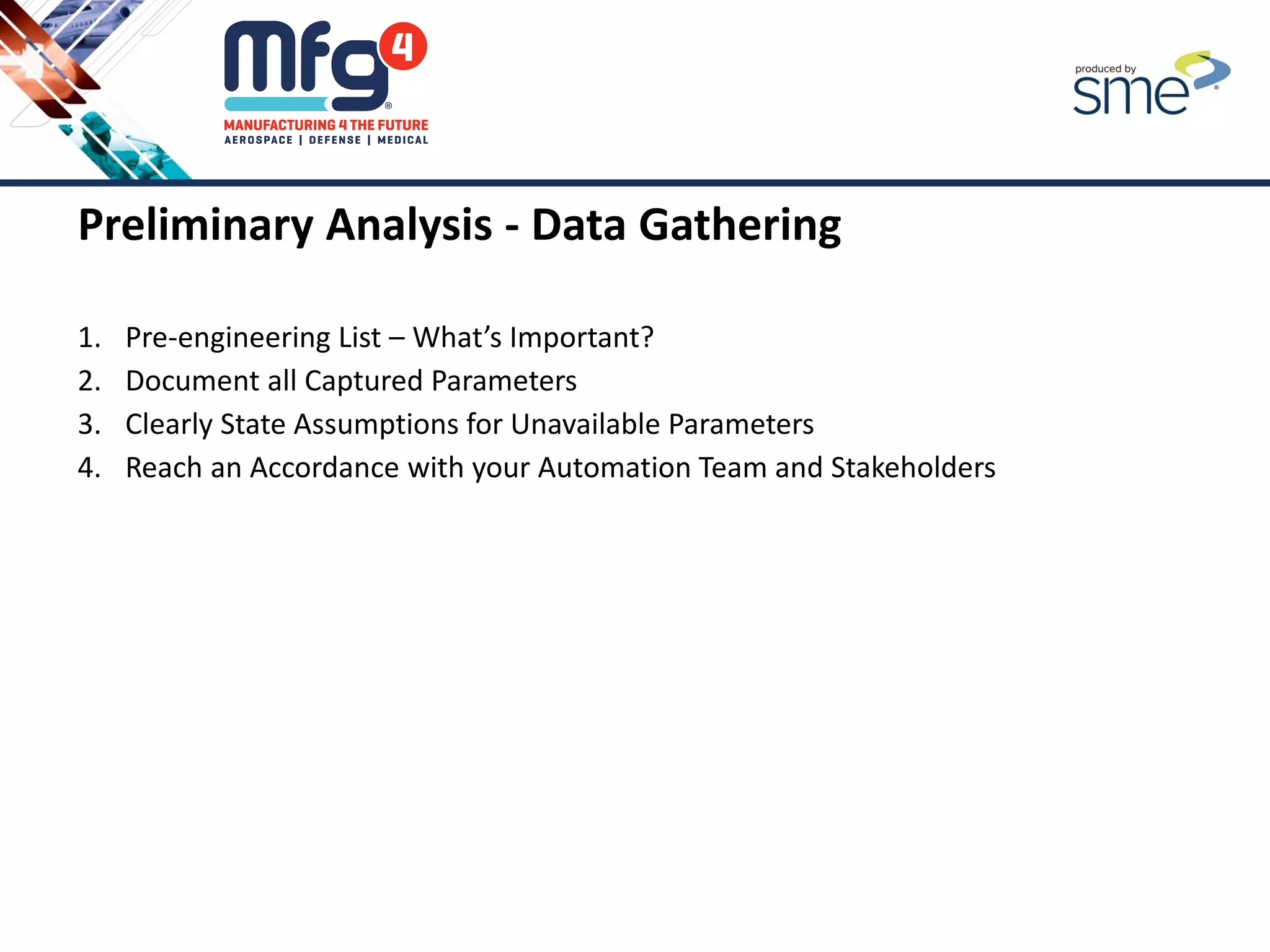
Preliminary Analysis - Data Gathering
1. Pre-engineering List – What’s Important?
2. Document all Captured Parameters
3. Clearly State Assumptions for Unavailable Parameters
4. Reach an Accordance with your Automation Team and Stakeholders
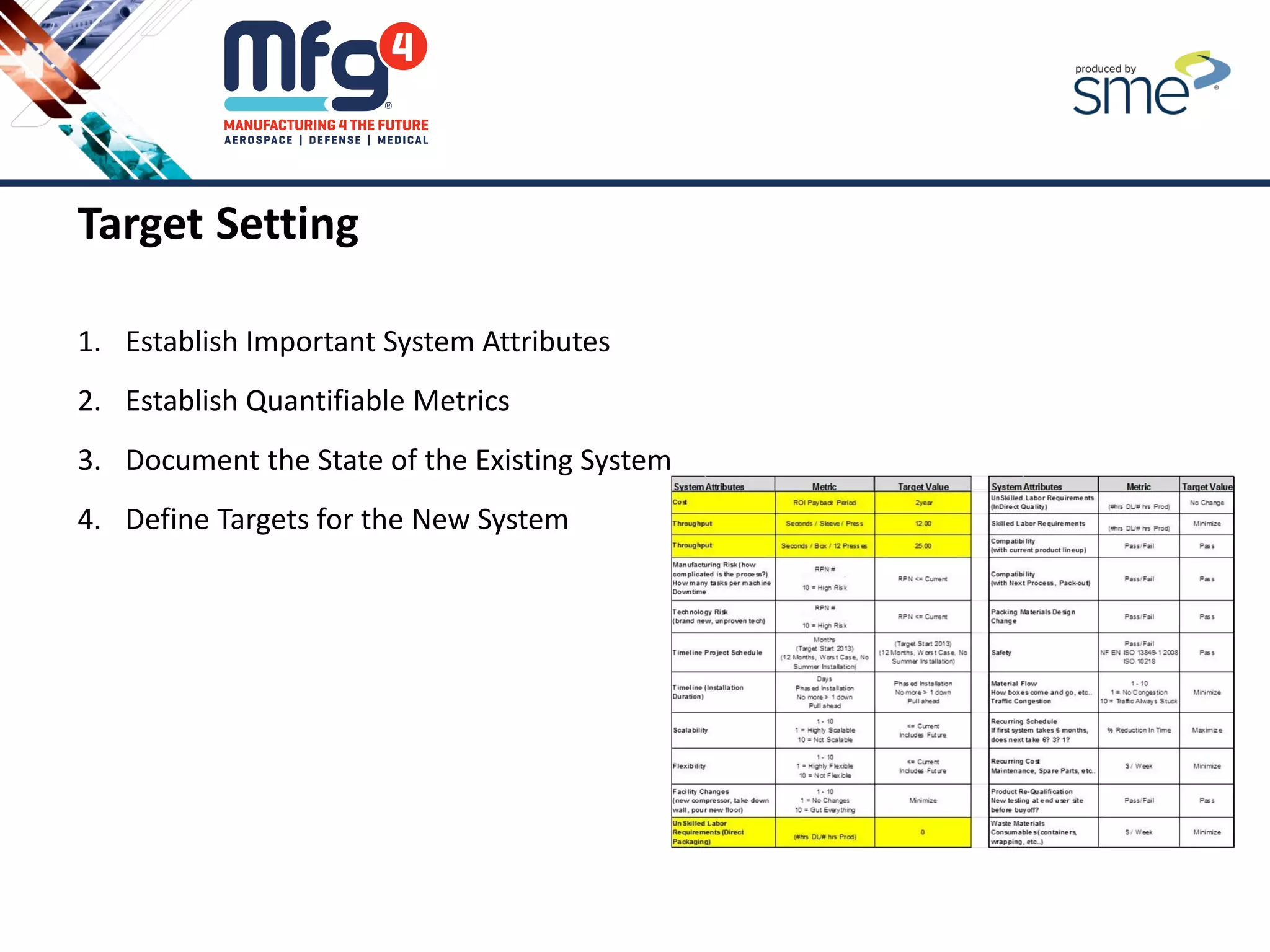
Target Setting
1. Establish Important System Attributes
2. Establish Quantifiable Metrics
3. Document the State of the Existing System
4. Define Targets for the New System
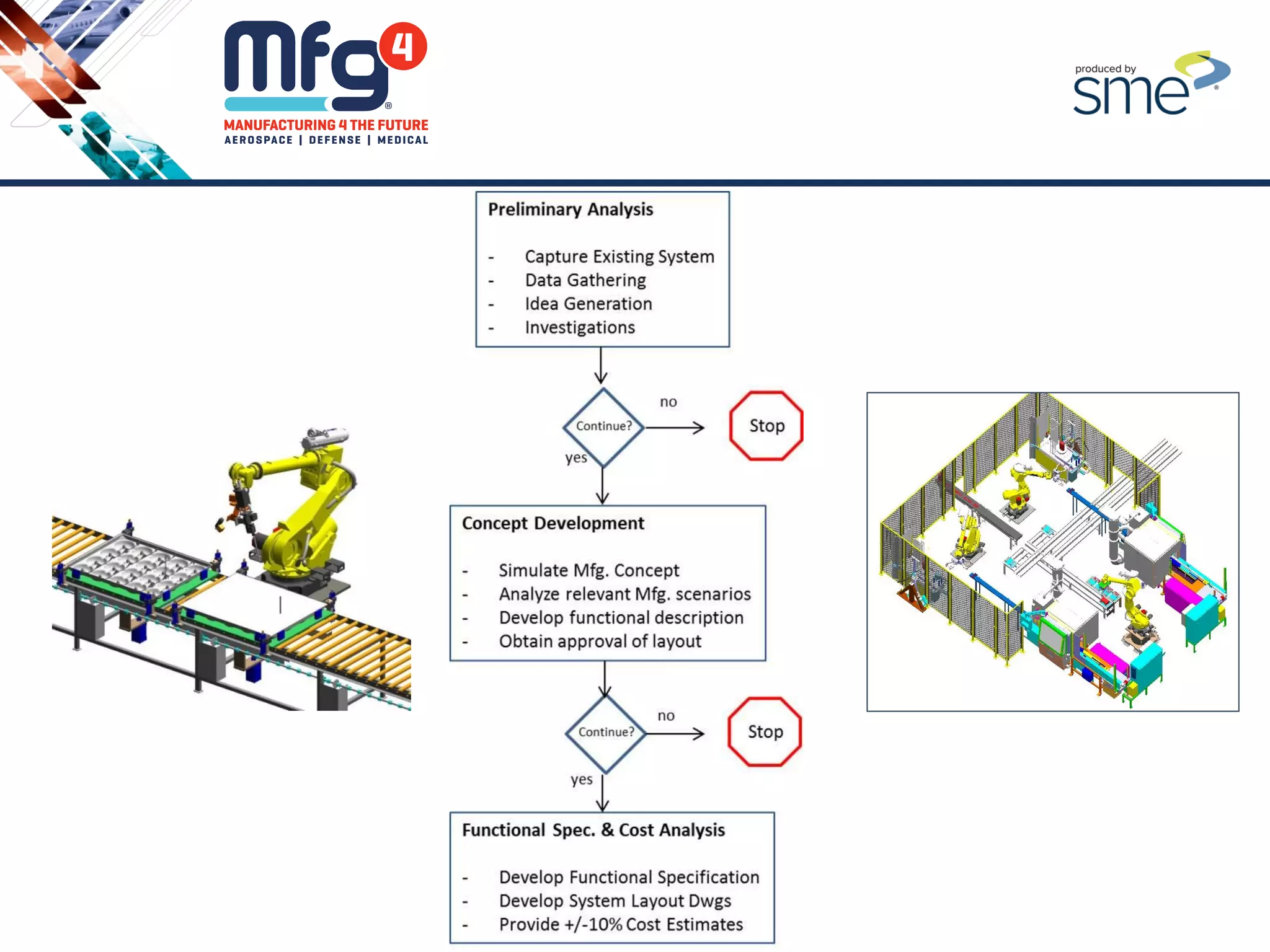
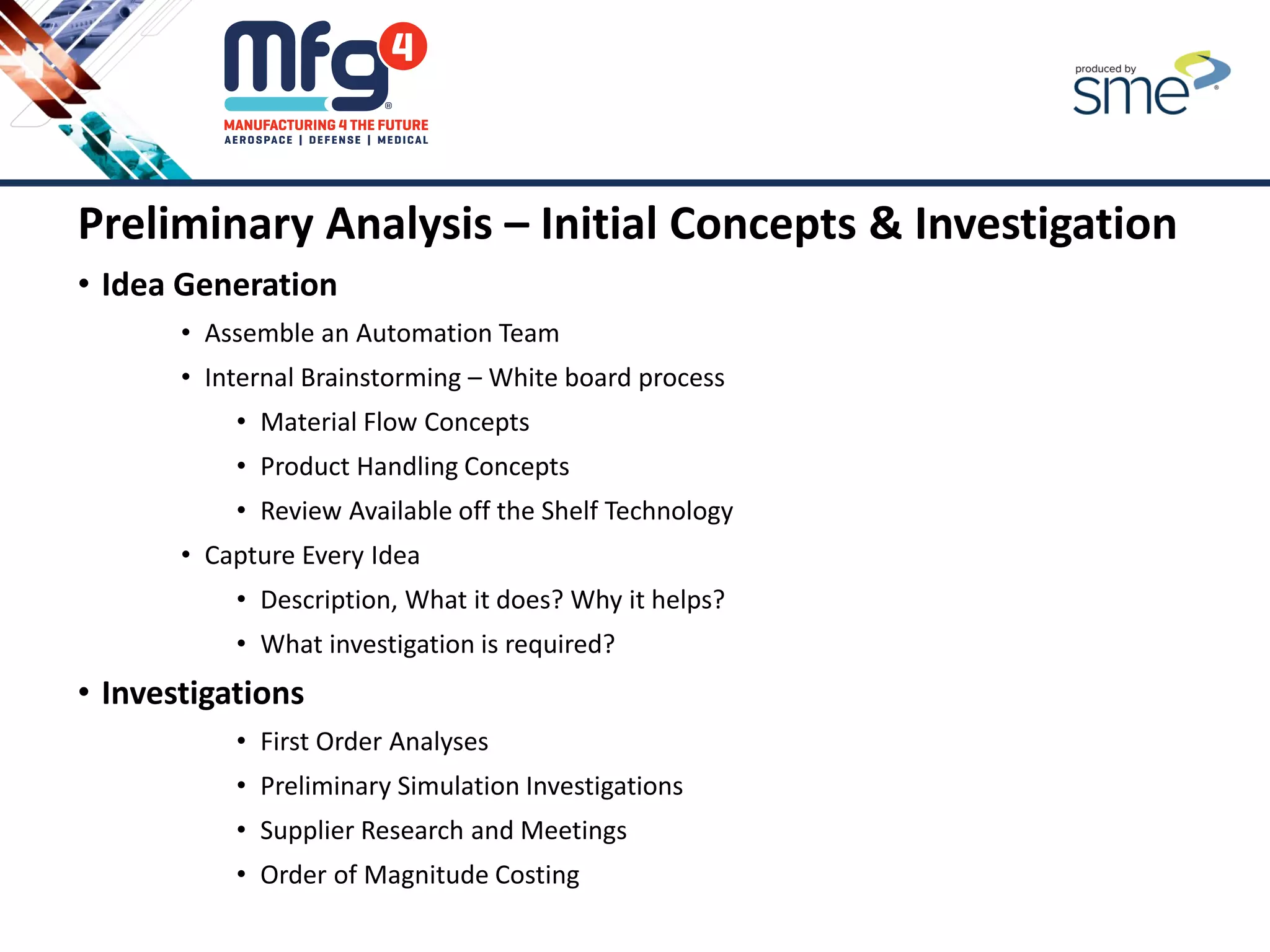
Preliminary Analysis – Initial Concepts & Investigation
• Idea Generation
• Assemble an Automation Team
• Internal Brainstorming – White board process
• Material Flow Concepts
• Product Handling Concepts
• Review Available off the Shelf Technology
• Capture Every Idea
• Description, What it does? Why it helps?
• What investigation is required?
• Investigations
• First Order Analyses
• Preliminary Simulation Investigations
• Supplier Research and Meetings
• Order of Magnitude Costing
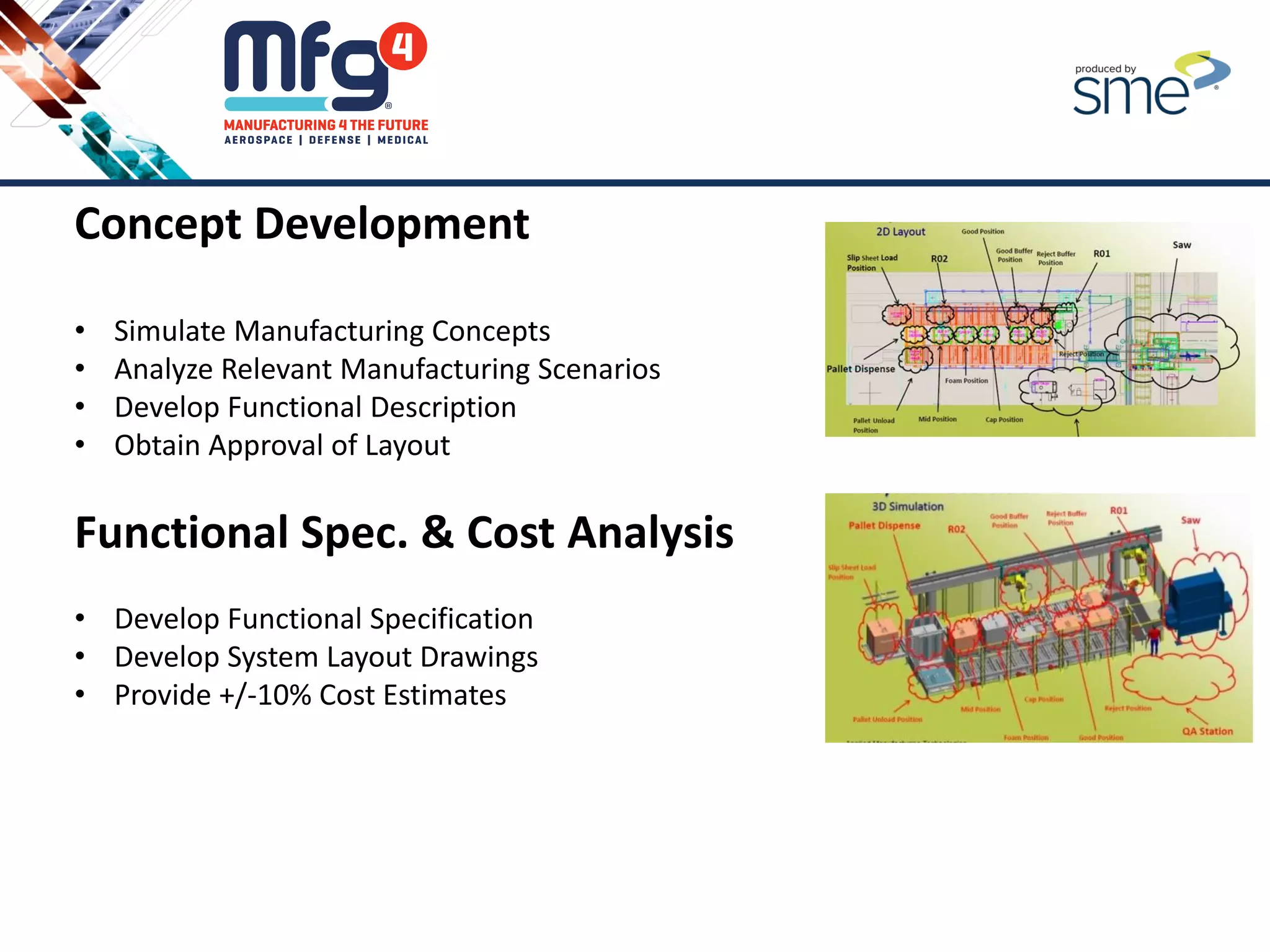
Concept Development
• Simulate Manufacturing Concepts
• Analyze Relevant Manufacturing Scenarios
• Develop Functional Description
• Obtain Approval of Layout
Functional Spec. & Cost Analysis
• Develop Functional Specification
• Develop System Layout Drawings
• Provide +/-10% Cost Estimates
Questions?
Craig Salvalaggio
VP, Engineering
Director, General Industries
Applied Manufacturing Technologies
219 Kay Industrial Drive
Orion, Mi 48359
USA
Phone: 248-891-5173
Email: csalvalaggio@appliedmfg.com
www.appliedmfg.com

MFG4 2016 - Is Automation Right for Your Company - 4-2016

  • 1.
    Is Automation Rightfor Your Company? Craig Salvalaggio VP, Engineering Director, General Industries Applied Manufacturing Technologies
  • 2.
    What we’ll Cover: 1.Should You Automate? 2. Identifying the Business Requirements of a Project 3. Understanding Your Process 4. Determining the Appropriate Level of Automation • Self Integrate vs. Outside Integrator • Steps to Qualifying an Integrator 5. Having an Empirical Approach to Automation Should You Automate? Identify Business Requirements Understand Your Process Level of Automation Approach to Automation
  • 3.
    Economic Drivers forAutomation • Technology Improvements • New Market Segments with Proven Applications • Re-shoring Growth • Energy Efficient Materials • Higher Quality and Increased Utilization • Consumer Markets • Product Life Cycles • Quality of Work or Unsafe Tasks
  • 4.
    1. Should youAutomate? Should You Automate? Identify Business Requirements Understand Your Process Level of Automation Approach to Automation
  • 5.
    Top Reason toConsider Automation • Increase Throughput • Reduce Labor Cost • Improve Quality • Improve Safety • Reduced Footprint Top Business Requirement to Consider Before Automation • Schedule (Key Dates) • Lead Time • Capital Budget Limits • Cost Payback Period (ROI)
  • 6.
    Additional System Attributesto Consider • Scalability • Flexibility • Facility Changes • Manufacturing Risk (POP) • Technology Risk (POP) • Compatibility – Accommodate Current Product • Packing Materials Design Change • Material Flow • Re - Occurring Schedule • Re - Occurring Cost • Product Re-Qualification • Waste - Materials, Changeover
  • 7.
    Years 2 /5 / Min 7 Parts / Year >= 10,000,000 3 RPN # Based on AIAG FMEA Standards Minimize 1 RPN # Based on AIAG FMEA Standards Minimize 1 Months 12 3 Days 10 3 1 - 10 1 = Highly Scalable 10 = Not Scalable Maximize 7 1 - 10 1 = Highly Flexible 10 = Not Flexible Maximize 7 1 - 10 1 = No Changes 10 = Gut Everything Minimize (Known Changes) 3 # Operators / Process Minimize 3 # Technicians / Process Minimize 3 1 - 10 1 = No Changes 10 = All New Pass 1 % Time Blocked / Starved (Based on simulation estimates) Minimize 3 % Reduction In Time Maximize 3 1-10 1= Min Cost 10 = Max Cost Minimize 7 1-10 1= Min Impact 10 = Max Impact Minimize 7 1-10 1= Just Meets Standards 10 = Significantly above and beyond standards Subjective - AMT Expertise Maximize 3 Flexibility System Attributes Metric Target Value Target Weight ROI Throughput Capacity Manufacturing Risk (how complicated is the process?) How many tasks per machine Technology Risk (brand new, unproven tech) Timeline Project Schedule Timeline (Installation Duration) Scalability Recurring Cost Maintenance, Spare Parts, etc.. Modularity (Phased Approach) Safety Facility Changes (new compressor, take down wall, pour new floor) UnSkilled Labor Requirements Skilled Labor Requirements Packing Materials Design Change Material Flow Traffic Congestion Recurring Schedule
  • 8.
    Top Reasons toAutomate 1. Improve Throughput
  • 9.
    Top Reasons toAutomate 1. Improve Throughput 2. Reduce Manpower (Direct Labor Costs)
  • 10.
    Top Reasons toAutomate 1. Improve Throughput 2. Reduce Manpower (Direct Labor Costs) 3. Improve Quality
  • 11.
    Top Reasons toAutomate 1. Improve Throughput 2. Reduce Manpower (Direct Labor Costs) 3. Improve Quality 4. Improve Safety
  • 12.
    Top Reasons toAutomate Improve Safety – ANSI/RIA R15.06:2012 – 3 Top Highlights 1. Functional Safety – A change in requirements to define and quantify safety control Circuitry 2. Safety Rated Soft Limits (SRSL) – A Change in the approved control of robot motion to include newly developed safety-rated soft axis and space limiting 3. Mandatory Risk Assessment – A Risk Assessment SHALL be performed and is no longer optional
  • 13.
    Top Reasons toAutomate 1. Improve Throughput 2. Reduce Manpower (Direct Labor Costs) 3. Improve Quality 4. Improve Safety 5. Reduce Footprint
  • 14.
    Kuka, ABB, UniversalRobotics, Baxter Bad Reasons to Automate 1. Tradeshow - Robots are Cool! 2. The Competition is Automating 3. Capital Budget Availability
  • 15.
    Results of FailedAutomation • Safety Violations • Final System Layout • Process/Application Tracking • Hardware Damage • High Resource Utilization Costs • Recreation of Logic on Manufacturing Floor
  • 16.
    2. Identifying theBusiness Requirements of Your Automation Project? Should You Automate? Identify Business Requirements Understand Your Process Level of Automation Approach to Automation Project Business Requirements
  • 17.
    Schedule Requirements • Fast/Good/Cheap– Pick 2 Reference – wisegeek.net
  • 18.
    Lead Times • Best/WorstCase Reference – datascales.com
  • 19.
    Capital Budget Limits •Strong Business Case Vs. • Available Dollars Reference - Aiche.org
  • 20.
    ROI Requirements • ClearyDefine the Payback Period • Consider all Costs • Establish your Baseline Reference – cogentys.com Baseline
  • 21.
    3. Understanding YourCurrent Process Should You Automate? Identify Business Requirements Understand Your Process Level of Automation Approach to Automation
  • 23.
    • Product Mix- How Many Final Assemblies? • Number of Sub- Components per Final Assembly • Number of Processes per Final Assembly
  • 24.
    • Product Mix- How Many Final Assemblies? • Number of Sub- Components per Final Assembly • Number of Processes per Final Assembly • Number of Operators
  • 25.
    • Product Mix- How Many Final Assemblies? • Number of Sub- Components per Final Assembly • Number of Processes per Final Assembly • Number of Operators • Type of Equipment
  • 26.
    • Product Mix- How Many Final Assemblies? • Number of Sub- Components per Final Assembly • Number of Processes per Final Assembly • Number of Operators • Type of Equipment • Cycle Time
  • 27.
    • Product Mix- How Many Final Assemblies? • Number of Sub- Components per Final Assembly • Number of Processes per Final Assembly • Number of Operators • Type of Equipment • Cycle Time • Current System or Line Throughput = Baseline
  • 28.
    • Product Mix- How Many Final Assemblies? • Number of Sub- Components per Final Assembly • Number of Processes per Final Assembly • Number of Operators • Type of Equipment • Cycle Time • Current System or Line Throughput = Baseline • Current Quality Numbers (Cpk, Ppk, Scrap, Rework)
  • 29.
    • Product Mix- How Many Final Assemblies? • Number of Sub- Components per Final Assembly • Number of Processes per Final Assembly • Number of Operators • Type of Equipment • Cycle Time • Current System or Line Throughput = Baseline • Current Quality Numbers (Cpk, Ppk, Scrap, Rework) • Footprint
  • 30.
    4. Determining theAppropriate Level of Automation Should You Automate? Identify Business Requirements Understand Your Process Level of Automation Approach to Automation
  • 31.
    Investigate Robots vs.Dedicated Machines VS.
  • 32.
  • 33.
    Fully Automated vs.Manual Inspections VS.
  • 34.
    Fully Automated FactoryVs. Single Station Automation VS.
  • 35.
    Self Integrate vs.Outside Integrator 1. What are your in house capabilities? 2. Do you have the time and resources? 3. Do you have application experience? 4. Are you up to date on the latest safety standards? 5. Etc.
  • 36.
    Qualifying an Integrator 1.Trust 2. Business Stability 3. Proposal 4. Application Experience 5. Engineering Capabilities 6. Program Management 7. Service and Technical Support 8. Spare Parts 9. Safety 10. Training
  • 37.
    Should You Automate? Identify Business Requirements Understand Your Process Levelof Automation Approach to Automation 5. Having an Empirical Approach to Automation
  • 39.
    Preliminary Analysis –Sniff Test Capture the existing system and Current Process • Walk the plant floor • Map the Process • Field Check Equipment • Areas of Focus:  Material Flow  Information Flow  Equipment  Floor space  Manpower  Level of Automation  Production Metrics  Quality Metrics  Safety  Skill Level  Standards
  • 40.
    Preliminary Analysis -Data Gathering 1. Pre-engineering List – What’s Important? 2. Document all Captured Parameters 3. Clearly State Assumptions for Unavailable Parameters 4. Reach an Accordance with your Automation Team and Stakeholders
  • 41.
    Target Setting 1. EstablishImportant System Attributes 2. Establish Quantifiable Metrics 3. Document the State of the Existing System 4. Define Targets for the New System
  • 42.
    Preliminary Analysis –Initial Concepts & Investigation • Idea Generation • Assemble an Automation Team • Internal Brainstorming – White board process • Material Flow Concepts • Product Handling Concepts • Review Available off the Shelf Technology • Capture Every Idea • Description, What it does? Why it helps? • What investigation is required? • Investigations • First Order Analyses • Preliminary Simulation Investigations • Supplier Research and Meetings • Order of Magnitude Costing
  • 43.
    Concept Development • SimulateManufacturing Concepts • Analyze Relevant Manufacturing Scenarios • Develop Functional Description • Obtain Approval of Layout Functional Spec. & Cost Analysis • Develop Functional Specification • Develop System Layout Drawings • Provide +/-10% Cost Estimates
  • 45.
    Questions? Craig Salvalaggio VP, Engineering Director,General Industries Applied Manufacturing Technologies 219 Kay Industrial Drive Orion, Mi 48359 USA Phone: 248-891-5173 Email: csalvalaggio@appliedmfg.com www.appliedmfg.com