LECTURE 3:
RAPID PROTOTYPING
FOR MOBILE AR
Mark Billinghurst
mark.billinghurst@unisa.edu.au
Zi Siang See
zisiang@reina.com.my
November 29th-30th 2015
Mobile-Based Augmented Reality Development
How can we quickly
prototype Mobile AR
experiences with little
or no coding?
Why Prototype?
▪ Quick visual design
▪ Capture key interactions
▪ Focus on user experience
▪ Communicate design ideas
▪ “Learn by doing/experiencing”
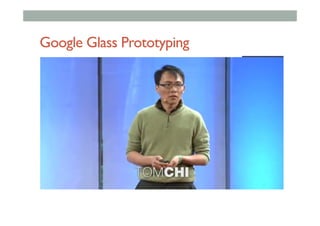
Google Glass Prototyping
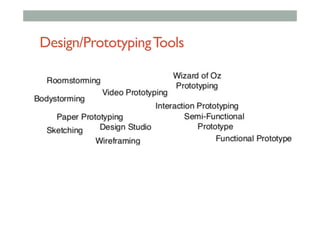
Design/PrototypingTools
Prototyping Tools
▪ Static/Low fidelity
▪ Sketching
▪ User interface templates
▪ Storyboards/Application flows
▪ Screen sharing
▪ Interactive/High fidelity
▪ Wireframing tools
▪ Mobile prototyping
▪ Native Coding
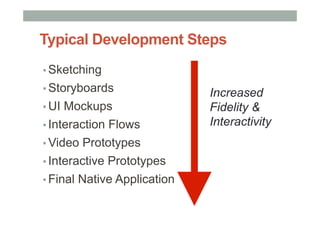
Typical Development Steps
▪ Sketching
▪ Storyboards
▪ UI Mockups
▪ Interaction Flows
▪ Video Prototypes
▪ Interactive Prototypes
▪ Final Native Application
Increased
Fidelity &
Interactivity
•  Low Fidelity Prototyping
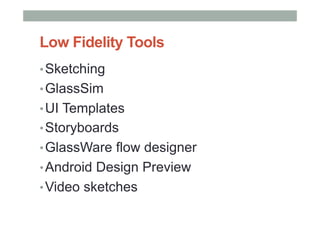
Low Fidelity Tools
• Sketching
• GlassSim
• UI Templates
• Storyboards
• GlassWare flow designer
• Android Design Preview
• Video sketches
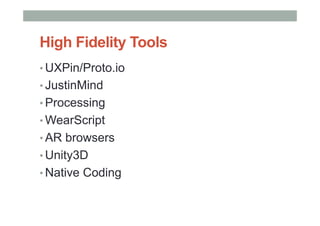
High Fidelity Tools
• UXPin/Proto.io
• JustinMind
• Processing
• WearScript
• AR browsers
• Unity3D
• Native Coding
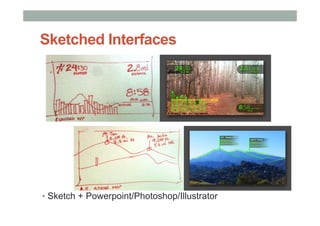
Sketched Interfaces
▪ Sketch + Powerpoint/Photoshop/Illustrator
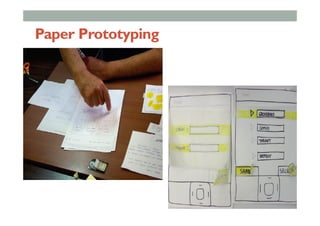
Paper Prototyping
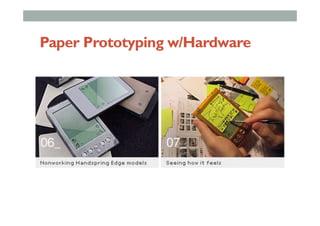
Paper Prototyping w/Hardware
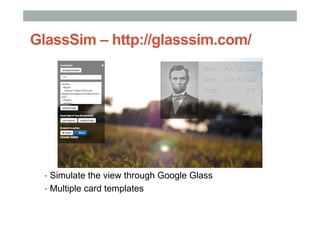
GlassSim – http://glasssim.com/
▪  Simulate the view through Google Glass
▪  Multiple card templates
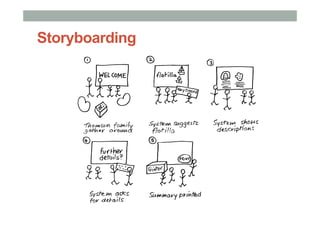
Storyboarding
Sequence of sketches showing use of system in
everyday use context
Concrete example
Easier (faster) to grasp than text based stories
Means of communication with users and system
developers
Sketches, not drawings...
Use to test interaction and make sure design works
Storyboarding
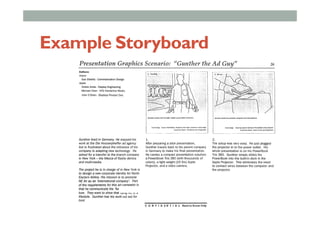
Example Storyboard
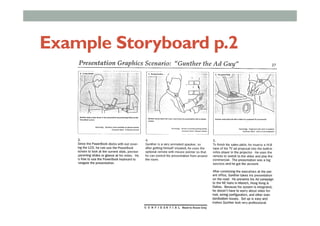
Example Storyboard p.2
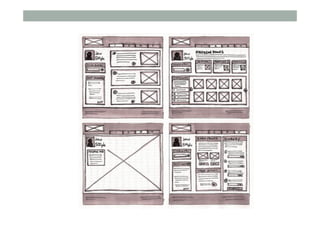
Wireframes & Mock Ups
Roughly sketched sequences exploring and
validating interaction design.
Focus is on navigation and functionality.
Usually explores one interaction but can also be
used as the foundation for development of
testing prototypes.
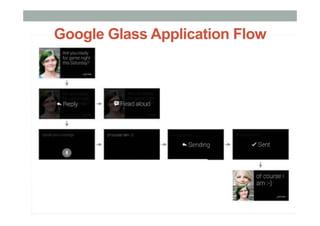
Google Glass Application Flow
•  High Fidelity Prototyping
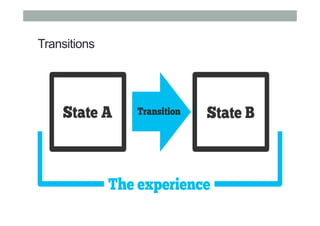
Transitions
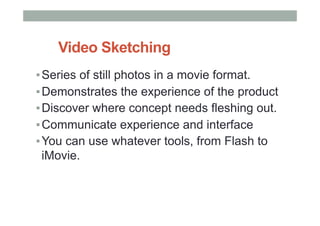
▪ Series of still photos in a movie format.
▪ Demonstrates the experience of the product
▪ Discover where concept needs fleshing out.
▪ Communicate experience and interface
▪ You can use whatever tools, from Flash to
iMovie.
Video Sketching
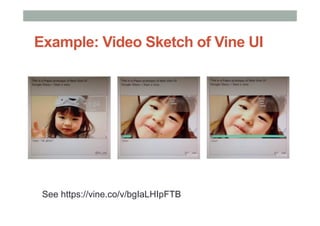
See https://vine.co/v/bgIaLHIpFTB
Example: Video Sketch of Vine UI
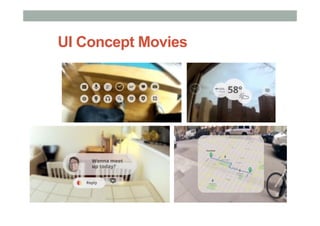
UI Concept Movies
Limitations
▪ Positives
▪  Good for documenting screens
▪  Can show application flow
▪ Negatives
▪  No interactivity/transitions
▪  Can’t be used for testing
▪  Can’t deploy on wearable
▪  Can be time consuming to create
Interactive Wireframing
▪ Developing interactive interfaces/wireframes
▪ Transitions, user feedback, interface design
▪ Web based tools
▪ UXpin - http://www.uxpin.com/
▪ proto.io - http://www.proto.io/
▪ Native tools
▪ Justinmind - http://www.justinmind.com/
▪ Axure - http://www.axure.com/
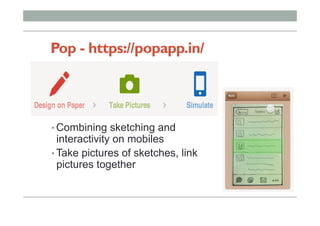
Pop - https://popapp.in/
• Combining sketching and
interactivity on mobiles
• Take pictures of sketches, link
pictures together
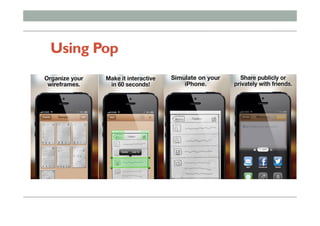
Using Pop
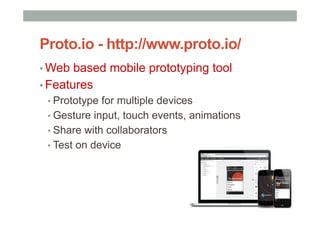
Proto.io - http://www.proto.io/
▪ Web based mobile prototyping tool
▪ Features
▪ Prototype for multiple devices
▪ Gesture input, touch events, animations
▪ Share with collaborators
▪ Test on device
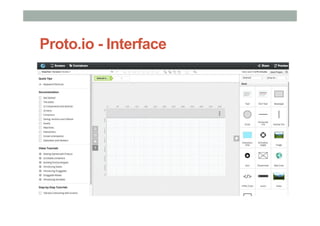
Proto.io - Interface
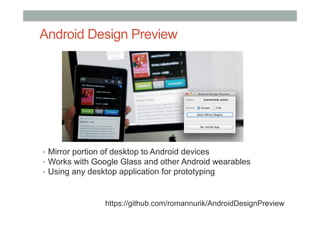
Android Design Preview
•  Mirror portion of desktop to Android devices
•  Works with Google Glass and other Android wearables
•  Using any desktop application for prototyping
https://github.com/romannurik/AndroidDesignPreview
Interactive Wireframe Limitations
•  Can’t deploy on Device
•  No access to sensor data
•  Camera, orientation sensor
•  No multimedia playback
•  Audio, video
•  Simple transitions
•  No conditional logic
•  No networking
Advanced Prototyping Tools
• Existing applications
• Show examples
• AR Browser applications
• Wikitude, Layar, Aurasma, etc
• Rapid development platforms
• Processing – www.processing.org
• PhoneGap - http://phonegap.com/
Mobile AR Design Case Study
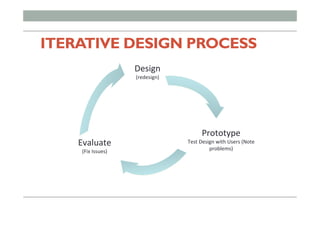
ITERATIVE DESIGN PROCESS
Design	
  
(redesign)	
  
Prototype	
  
Test	
  Design	
  with	
  Users	
  (Note	
  
problems)	
  
Evaluate	
  
(Fix	
  Issues)	
  
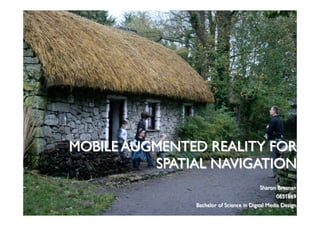
MOBILE AUGMENTED REALITY FOR
SPATIAL NAVIGATION
Sharon Brosnan
0651869
Bachelor of Science in Digital Media Design
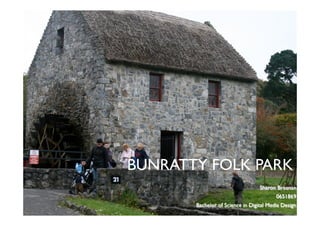
BUNRATTY FOLK PARK
Sharon Brosnan
0651869
Bachelor of Science in Digital Media Design
BUNRATTY FOLK PARK
• Irish visitor attraction run by Shannon Heritage
• 19th century life is recreated
• Buildings from the mid-west have been relocated
to the 26-land surrounding Bunratty Castle
• 30 buildings are set in a rural or village setting
there.
AUGMENTED REALITY
In Bunratty Folk Park:
•  Allows the visitor to point a camera at an exhibit, the
device recognises it by it’s location and layers digital
information on to the display
•  3-dimensional virtual objects can be positioned with
real ones on display
•  Leads to dynamic combination of a live camera view
and information
NAVIGATIONAL AID
Smartphone Platform
Most people carry mobile phones and are
comfortable with them
Ideal Augmented Reality Technology
•  Global tracking tools
•  Wireless communication capabilities
•  Location based computing
•  Large display for interaction
DESIGNING
FOR THEVISITOR
HUMAN CENTRED DESIGN
Goal of the Navigational Aid
•  Easy to use, clear and understandable
•  Useful to visitors
•  Creating interaction between the visitor and the aid
through the user interface
Engage the visitor
•  It is necessary to understand the visitor to Bunratty
•  Identify visitor motives and goals while going through
the Folk Park.
HUMAN CENTRED DESIGN
Understanding the technology and Related Works
! Literature
! Similar Technologies
! Electronic Tours in Museum Settings
! Interactions design in Outdoor Museums
Understanding the User over time
!  Observations
!  Interviews
HUMAN CENTRED DESIGN
Findings
•  Most visitors do not use the map
•  Most visitors have mobile phones
•  Visitors want more information
•  View the Folk Park at their own pace
•  Information should be straight to the point
•  Large social interaction within groups
NEXT STEPS FROM RESEARCH
• DefineVisitors Goals
• Define Functionalities of the Aid
• Develop Personas – visitors who use the Aid
• Develop Scenarios – how the persona uses the
navigational aid in the Folk Park
• Draw up Storyboards on scenarios
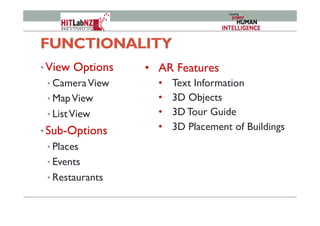
FUNCTIONALITY
• View Options
• CameraView
• MapView
• ListView
• Sub-Options
• Places
• Events
• Restaurants
•  AR Features
•  Text Information
•  3D Objects
•  3D Tour Guide
•  3D Placement of Buildings
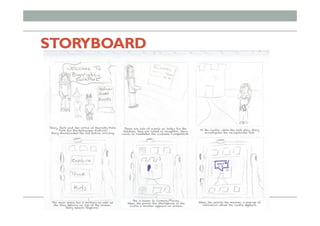
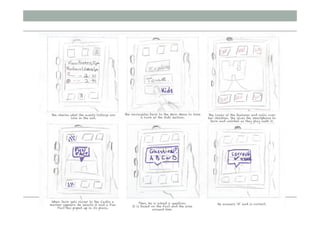
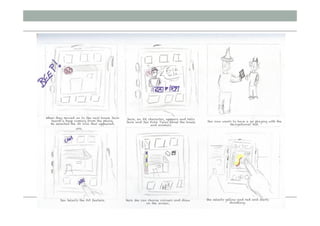
STORYBOARD
ITERATIVE DESIGN PROCESS
Prototyping and User Testing
•  Low Fidelity Prototyping
• Sketches
• Paper Prototyping
• Post-It Prototyping
• PowerPoint Prototyping
•  High Fidelity Prototyping
• Wikitude
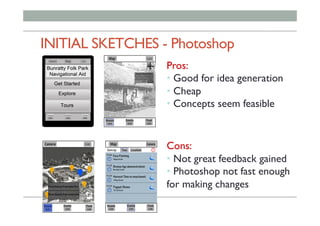
INITIAL SKETCHES - Photoshop
Pros:
• Good for idea generation
• Cheap
• Concepts seem feasible
Cons:
• Not great feedback gained
• Photoshop not fast enough
for making changes
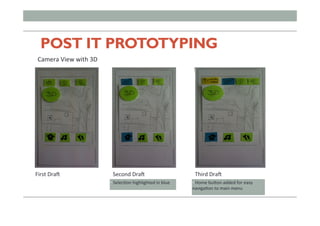
POST IT PROTOTYPING
First	
  Dra@	
  
Camera	
  View	
  with	
  3D	
  
Second	
  Dra@	
   Third	
  Dra@	
  
• 	
  SelecFon	
  highlighted	
  in	
  blue	
   • 	
  Home	
  buHon	
  added	
  for	
  easy	
  
navigaFon	
  to	
  main	
  menu	
  
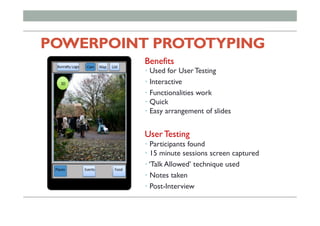
POWERPOINT PROTOTYPING
Benefits
• Used for User Testing
• Interactive
• Functionalities work
• Quick
• Easy arrangement of slides
User Testing
• Participants found
• 15 minute sessions screen captured
• ‘Talk Allowed’ technique used
• Notes taken
• Post-Interview
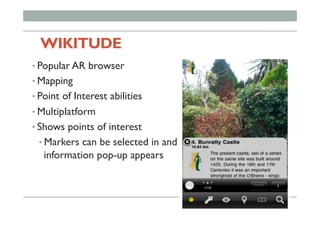
WIKITUDE
• Popular AR browser
• Mapping
• Point of Interest abilities
• Multiplatform
• Shows points of interest
• Markers can be selected in and
information pop-up appears
WIKITUDE
User Testing
• Application well received
• Understandable
• Participants playful with the technology
FINAL CONCEPT
DESIGN
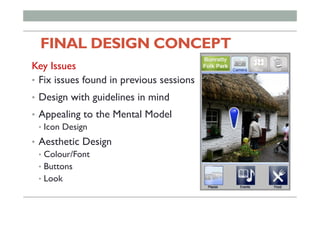
FINAL DESIGN CONCEPT 	
	
Key Issues
•  Fix issues found in previous sessions
•  Design with guidelines in mind
•  Appealing to the Mental Model
•  Icon Design
•  Aesthetic Design
•  Colour/Font
•  Buttons
•  Look
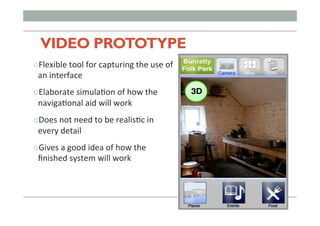
VIDEO PROTOTYPE
" Flexible	
  tool	
  for	
  capturing	
  the	
  use	
  of	
  
an	
  interface	
  
" Elaborate	
  simulaFon	
  of	
  how	
  the	
  
navigaFonal	
  aid	
  will	
  work	
  
" Does	
  not	
  need	
  to	
  be	
  realisFc	
  in	
  
every	
  detail	
  
" Gives	
  a	
  good	
  idea	
  of	
  how	
  the	
  
finished	
  system	
  will	
  work	
  

Mobile AR Lecture 3 - Prototyping